DBSCs are an antidote to session cookie theft. Once a website sets a session cookie, the visiting browser must send a form of the cookie that’s signed with the key stored in the silicon. Properties in the TPM or secure enclave isolate the key in a way that prevents it from being extracted. Apple explains the process here.
“The attacker can’t steal the private key from the device because the TPM / Secure Enclave will not release it. That is the core protection here,” Scott Helme, a researcher and founder of Report URI who blogged about the new protections on Tuesday, told Ars. “The attacker can steal the cookie, but they can’t answer a DBSC challenge by signing it with the private key, which is still safe on your device.”
For the moment, DBSCs are supported only in Chrome version 147 for Windows and 150 for macOS. Even then, DBSCs are turned on only for a limited set of users. Presumably, Google is testing the feature before making it generally available. Chrome users on Windows and macOS can check whether it’s running in their browser by opening developer tools, clicking on the application tab across the top, and scrolling down. When a user is logged into a site that supports DBSCs, “device bound sessions” will appear if the protection is turned on.
It’s unclear when, or if, other Chromium-based browsers will implement DBSCs, but it’s likely they will be coming.
DBSCs are the latest form of authentication that eliminates the reliance on a shared secret, which, as the world has known for years, is painfully easy for attackers to steal. Under this new model, web servers store the visitor’s public key. The servers then send an authentication challenge incorporating the session cookie. Unless the resulting answer, known as an authentication assertion, is signed by the private key stored safely in the TPM or secure enclave, the assertion is rejected. Passkeys—which you can read about in this post published earlier on Tuesday—work the same way.
A routine security assessment found that cameras aboard Royal Navy Kraken unmanned surface vessels were sending “heartbeat” signals to an IP address in China. “A thorough investigation found no evidence of MoD data or systems being accessed, compromised or transmitted externally,” said a Ministry of Defense spokesperson. “Our assurance and testing processes are designed to identify and address potential vulnerabilities early, and we continue to undertake routine security activity across our systems and equipment.” The Register reports: According to reports, the talkative components were cameras sourced by Kraken from a third-party supplier. The incident raises questions about supply chains, audits, and cybersecurity in the British armed forces. The spokesperson said: “The first duty of government is national security, and we take the security of our equipment, networks, and data extremely seriously.”
Google reportedly replaced automatic code updates for Pixel hardware with a manual Google Forms request system.
Developers report waiting weeks for Google Drive links instead of receiving instant code downloads.
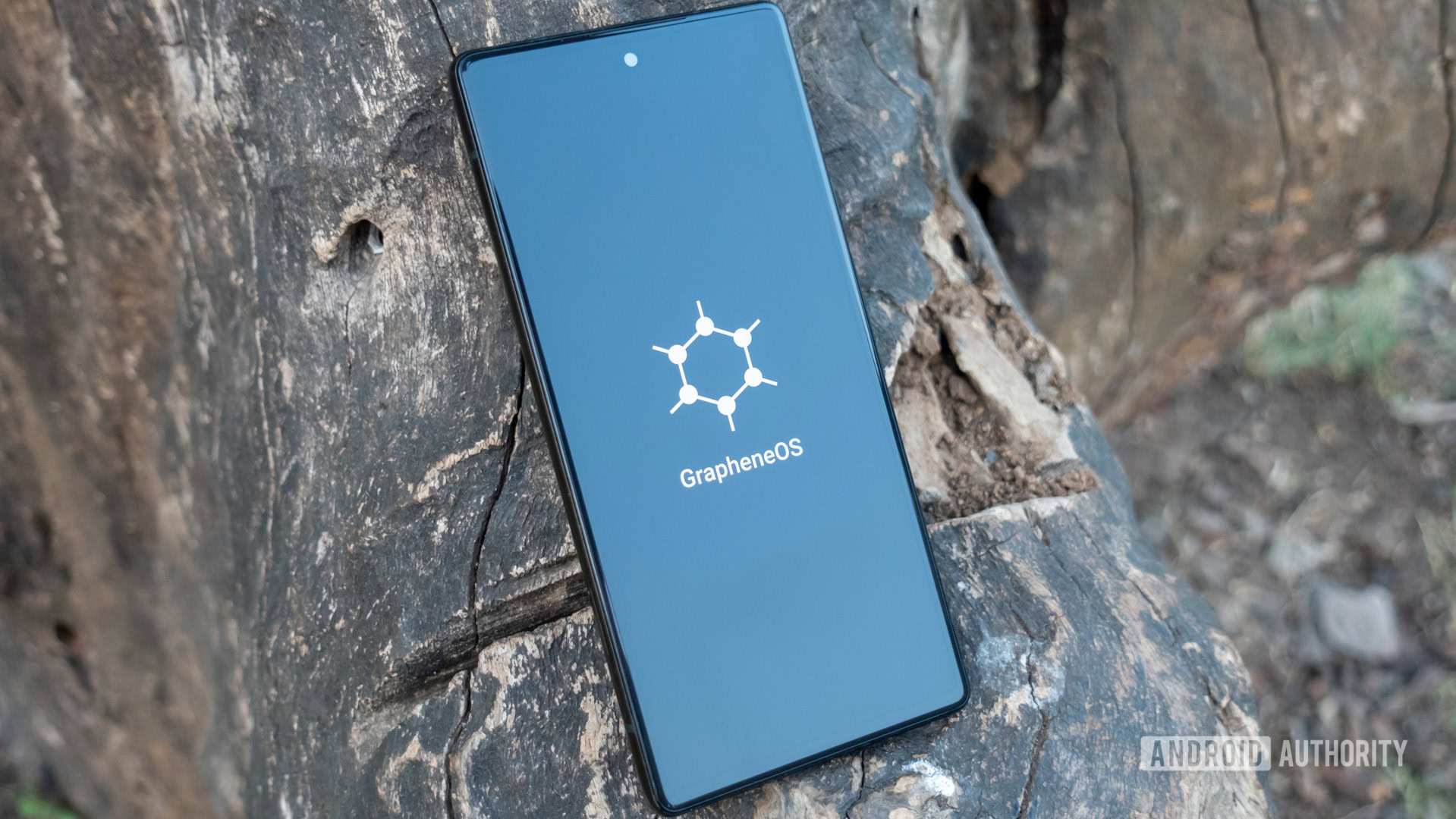
The upcoming GrapheneOS-powered Motorola phones are built specifically to avoid this exact problem.
Unlike some of the best Android phones on the market, Google Pixels have traditionally given developers a clean, transparent canvas to inspect software, test early builds, and run alternative operating systems like GrapheneOS. However, a quiet shift in how Google handles Pixel source code is reportedly threatening that open reputation, and it could soon impact anyone using custom software on their phone.
According to GrapheneOS on X, Google has apparently replaced public, instant code downloads for Pixel phone drivers with a manual request form. Instead of publishing code directly to open developer platforms where anyone can grab it, Google now requires developers to fill out a Google Form and wait for someone to send them a Google Drive link.
What used to take a couple of hours is now taking weeks.
What actually changed?
Custom software relies on two distinct components: custom ROMs (alternative operating systems like GrapheneOS) and the low-level kernel (the code that bridges your phone’s hardware to its software).
Google is legally required under open-source licenses like GPLv2 to share the low-level kernel code. Previously, it posted kernel code as automatic updates to a public developer platform. Now, GrapheneOS says Google requires developers to manually request Pixel kernel code through a Google Form and wait weeks for a Google Drive link, all while squashing the update history into a single, hard-to-read file.
Because custom ROMs cannot function reliably without a working kernel, this change creates a major double bottleneck. Kernel developers lose visibility without a step-by-step update history to trace bug fixes. Meanwhile, custom ROM projects face multi-week delays waiting for kernel files, grinding their security patches and new Android ports to a halt.
An operating system like GrapheneOS cannot release new Android updates or security patches for Pixels until it receives the kernel source code and tests the kernel. Waiting weeks for a Drive link brings their entire pipeline to a crawl.
How does this affect you as a Pixel owner?
If you use your Pixel out of the box with standard Android, you won’t notice a difference today. Your regular software updates and security patches will still arrive directly from Google as usual. However, if you buy Pixels specifically to run custom, privacy-centric operating systems like GrapheneOS, this change hits home:
Slower security updates for custom software: Alternative operating systems rely on early code drops to test and port new Android updates ahead of time. Multi-week delays mean your custom ROM could lag far behind standard Pixel updates.
Less transparency: Without a clear view of code history, independent security researchers have a harder time auditing what Google is changing under the hood.
Pixels are becoming less developer-friendly, while competing brands are stepping up: GrapheneOS noted that its upcoming hardware partnership with Motorola won’t suffer from these delays because they deal directly with the hardware maker.
The GrapheneOS team clarified that this doesn’t touch Android as a whole, and it won’t touch Motorola’s upcoming GrapheneOS phones either. It’s aimed squarely at Pixel. In fact, the team claims Motorola’s long-term partnership with GrapheneOS, which ends GrapheneOS’ years-long Pixel exclusivity, exists in large part because Google made building alternative Android versions for Pixel so difficult. Motorola will host its own code going forward, sidestepping Google’s approval process entirely.
Just a few years ago, Google used to go above and beyond, releasing not only the GPL-mandated kernel source code but also the full kernel commit history. In fact, Google used to go two steps beyond by also releasing device trees and driver binaries, which it was under no obligation to release at all.
The company’s reason for doing so was that the Pixel was treated as a reference platform for AOSP, so developers needed an easy way to build for it. With the release of Android 16, Google shifted the AOSP reference target from Pixel to a virtual device called “cuttlefish” and subsequently stopped supplying Pixel device trees and driver binaries. And now, as GrapheneOS highlights, Google is also making it very difficult to access the kernel source code for Pixels.
In that sense, the Pixel is no longer better than any other Android phone. The only developer-focused reason to buy a Pixel now is that they remain easy to unlock the bootloader on, and their factory images are easily available.
We’ve reached out to Google to ask why this manual process was introduced and whether they plan to speed up turnaround times for developers. We will update this story as soon as we hear back.
Thank you for being part of our community. Read our Comment Policy before posting.
Situational Awareness may have had to sell off the majority of its public portfolio last month, but the AI-focused hedge fund is still making some big bets.
This week, the fund invested $400 million into Source Foundry, a startup founded by Stanford researchers aiming to make chip manufacturing faster and cheaper, according to The Wall Street Journal. That brings its total investment in Source Foundry to $500 million.
Situational Awareness was founded by Leopold Aschenbrenner, a former OpenAI researcher in his mid-twenties who had no trading experience when he launched the fund in 2024. Early returns were reportedly strong, but the fund faced steep losses in recent months amidst the decline in AI infrastructure stocks.
At the end of July, Situational Awareness sold off the majority of its public portfolio to Ken Griffin’s Citadel, although the fund held on to its Anthropic shares. Its assets under management reportedly fell from $20 billion to $10 billion.
Everything is becoming more expensive, including things that are supposed to be cheap.
The latest example is DeepSeek’s AI services, as reported by Bloomberg. The Chinese AI firm sent a notice to users on Thursday warning of a “significant” price increase, though it did not specify just how significant it would be. DeepSeek has been known for its extremely cheap services relative to the competition, especially with regards to its western counterparts, so this is probably not the most welcome news among DeepSeek users.
To be more specific, DeepSeek currently charges less than a dollar per million input and output tokens, which is how AI services are sold to customers. By comparison, Anthropic’s Fable 5 model charges $10 per million input and $50 per million output tokens. It was probably unsustainable for DeepSeek to continue charging so little compared to the competition, especially as the company plans to build a huge data center in Inner Mongolia.
But still, you can’t count on anything staying cheap anymore. Not even AI, the thing that’s making everything else expensive in the first place.
Despite its ferocious popularity, people still tend to swear off anime entirely. These are usually the people whose reference of the medium pertains to a certain stereotype or to the few seconds of anime they once saw on a computer somewhere in the early 2000s.
But Japan has been producing some of the most emotionally resonant and visually audacious storytelling in contemporary media for half a century, and a great deal of it looks nothing at all like the stereotype it holds.
So here’s a case for the uninitiated. Start with self-contained films you can knock out in a single evening before graduating to series worth committing wholly to. The common thread, if you’re keeping score, is that not one of these requires you to know anything about anime, or Japan for that matter, going in.
Note that many of these picks are available in both the original Japanese audio with subtitles or as “dubs” with dialog dubbed by English voice actors. Dive in however you’d like.
Solo Leveling
If you want something fast, slick and unapologetically addictive, start here. Adapted from a South Korean web novel and webtoon by the Japanese animation studio A-1 Pictures, Solo Leveling follows Sung Jinwoo, an E-rank hunter regarded as the weakest of his profession. After being slaughtered during a dungeon expedition, he awakens with access to a mysterious system that only he can see–and which allows him to become stronger in a world where everyone else’s abilities are effectively fixed. Watching him transform from expendable underdog into an overwhelmingly powerful fighter is pure wish fulfillment, driven by propulsive pacing and enormous battles.
The Girl Who Leapt Through Time
This 2006 film is one of the softest possible landings into anime, with a concept that is simple to follow. Makoto is an ordinary teenager who unexpectedly discovers that she can leap backward through time. She initially uses the ability to redo poor test results, avoid awkward confessions, and correct everyday embarrassments. But manipulating time has consequences for the people around her, forcing Makoto to confront a future she may not be able to reverse.
Frieren: Beyond Journey’s End
Most fantasy stories end when the heroes defeat the great evil. Frieren begins there. After completing a decade-long quest, the elven mage takes off on a solitary journey, returning after 50 years to find that her human companions have aged while she has remained unchanged. Regret at missing out on reconnecting earlier and the pain of witnessing the death of one of her friends sets her on a journey of self-discovery. The result is a quiet, beautifully animated meditation on memory, mortality, and the meaning we find in seemingly fleeting relationships.
Nausicaä of the Valley of the Wind
Take a trip back to the anime of the ’80s, when writer-director Hayao Miyazaki was helping redefine what Japanese animation could accomplish—even before he cofounded Studio Ghibli. Set in a world poisoned by ecological catastrophe, the film follows Princess Nausicaä as she tries to prevent a war between human kingdoms while understanding the enormous toxic forest spreading across the planet. It is a postapocalyptic adventure but also a remarkably prescient story about environmental destruction and humanity’s impulse to conquer what it fears.
Death Note
For viewers who think anime means sprawling fights and exaggerated superpowers, Death Note offers a psychological thriller instead. High school student Light Yagami discovers a supernatural notebook that allows him to kill anyone whose name he writes inside it, provided he knows their face. With this discovery, he launches a crusade to eliminate criminals. What follows is a compulsive, morally murky battle of wits about justice, power, and how quickly idealism can become tyranny.
The Colors Within
Totsuko is a Catholic girls’ school student with an ability to see people’s emotions as colors. She joins a band with two people whose auras she’s drawn to, and so unfolds a musical odyssey of emotion and connection, tuned to classic anime characteristics. This 2024 Japanese drama film is a great watch if you’re after something with a bit more depth.
Jujutsu Kaisen
For anyone who wants supernatural horror with spectacular action, Jujutsu Kaisen is an easy gateway. High school student Yuji Itadori swallows a cursed finger to save a classmate and becomes the vessel of Ryomen Sukuna, a reincarnated sorcerer known as the King of Curses. Yuji is brought into the secretive world of jujutsu sorcerers, who fight supernatural beings created from humanity’s negative emotions. The series becomes considerably darker as it progresses, but its humor, memorable characters, and inventive battles make the commitment worthwhile.
The Tale of the Princess Kaguya
Japan’s most famous folklore reimagined in a hand-drawn masterpiece by Isao Takahata took eight years to make. As if sketched in real time, the story unfolds with a bamboo cutter who discovers a tiny girl inside a stalk. He raises her and watches her transform into a woman of impossible beauty. But the girl is slowly suffocated by everyone else’s plans for her, including five noble suitors competing for her hand.
Kiki’s Delivery Service
Even if you have never explored anime, you have probably encountered this one. Hayao Miyazaki’s 1989 fantasy follows Kiki, a 13-year-old witch who leaves home as part of her training and settles in a seaside city with her talking cat, Jiji. She begins supporting herself by running an airborne delivery service, only to find her confidence—and her ability to fly—beginning to disappear. Ostensibly a children’s film, it is also an unusually perceptive story about independence, loneliness, and creative burnout.
Spirited Away
Hayao Miyazaki’s 2001 masterpiece remains one of the strongest arguments for animation as serious cinema. Ten-year-old Chihiro unknowingly enters a mysterious spirit world where her parents eat food at an abandoned amusement park and are transformed into pigs. She then finds work in a magical bathhouse as she searches for a way to save them.
Do you remember a few years ago when it was reported the Leprechaun franchise was coming back? Lionsgate apparently means it for real this time, as it’s brought on two writers to script its new film.
That would be Patrick Melton and Marcus Dunstan, according to Deadline. After previously teaming on 2022’s Unhuman and the screen story for 2019’s Scary Stories to Tell in the Dark, the pair have reunited to revitalize this dormant franchise. In the producer’s chair are father-and-son duo Oren and Miles Koules—longtime producers on the Saw franchise—with the latter telling Deadline he was ready to work on “a terrifying new way into the rich world of Leprechaun.“
Last we heard in 2023, Lionsgate had filmmaker Felipe Vargas on hand to direct a new Leprechaun in what would’ve been his feature film debut. (Vargas’ takes comes after Jane Schoenbrun was approached to helm a reboot a year prior, which they ultimately passed on in favor of I Saw the TV Glow.) Plans with Vargas fell through, but the studio’s not given up, likely because of the success Alienand Predatorsaw when they came back to theaters. And they’re not the only ones: Texas Chainsaw Massacre and Nightmare on Elm Streetaren’t far behind, and Saw could be joining them as well.
Plot details on the Leprechaun revival are currently under wraps, but we’ll have more as news emerges—including whether Warwick Davis is game to make a return of some kind.
T-Mobile launched new mobile plans this week by announcing “Nothing,” referring to the new EIP Flex 36 installment plan, with which you can get a new device for zero money down, not even taxes on the phone.
But nothing is also what’s available if you wanted to sign up for T-Mobile’s recent Better Value plan, which the company rolled out in January and just removed on Tuesday when it launched its “2.0” plans.
From the start, Better Value was listed as a limited-time offer, but T-Mobile never provided an end date. It was last available on T-Mobile’s site on Monday, as shown by the Internet Archive.
“Our Better Value plan was a limited-time offer for eligible customers,” a T-Mobile spokesperson said. “Nothing changes for current customers on the plan. With the launch of our new plans, that offer is no longer available to new customers.”
Those currently on the Better Value plan won’t see any change unless they choose to switch to a different plan, such as the similar Experience More 2.0 plan, if they want to take advantage of the new 36-month financing options.
The Better Value plan was very close to the existing Experience More plan, including the price at $140 for three lines, for example. They both included unlimited high-speed 5G data and T-Mobile’s five-year price guarantee.
But a few other features of Better Value were superior to Experience More. You got 250GB of high-speed mobile hotspot data, compared to 60GB. T-Mobile’s highest tier plan, Experience Beyond 2.0, includes unlimited high-speed hotspot data.
When traveling to Canada and Mexico, the amount of high-speed data was a more generous 30GB versus the 15GB of Experience More. Better Value also had T-Satellite service included, whereas that’s a $10 add-on with Experience More.
However, Better Value also had a few serious requirements that seemed designed to pull customer groups from other carriers.
For people switching, it required signing up for three or more lines, two of which had to be eligible numbers ported to the new plan. Existing T-Mobile customers could sign up for Better Value, but they had to have been on a T-Mobile postpaid plan for at least five years.
Jeff Carlson
Senior Writer
Jeff Carlson writes about mobile technology at CNET, from cellular phone plans to devices and emerging technology.
See full bio
Chargers are the lifeblood of modern tech, and things have moved along a lot since the days of the small USB-A wall wart that could push out half an amp of power. Nowadays, we want a charger that has multiple ports and can handle hundreds of watts of output.
Handling all that power means that there’s a lot of effort put into safety and cooling, so modern chargers have a lot of technology built into them to handle this. Then there’s the issue of keeping the user in the loop. When you’re charging multiple devices, it’s good to keep an eye on whether everything is charging as it should.
After all, you might have used a damaged cable or one that’s not as fast as it should be.
You need less of a charger and more of a charging station or, if you want to be fancy, a charging computer. And this is exactly what the Satechi ChargeView 240W charger brings to your desk. I’ve had a chance to go hands-on with this charger before its official release date.
The younger, bigger sibling
The ChargeView 240W is a follow-on from the smaller 4-port ChargeView 140W, and it carries forward everything that was good about the 140W version and brings even more to the table.
A problem I have with many high-power desktop chargers is that they are big, brick-like lumps that loom over your desk. Take the Ugreen Nexode 500W charger, a huge charger with a colossal power output. It’s a big, heavy, hulking gray brick. It looks great in a lab-style or industrial setting — or on my desk, where it’s among all the other clutter — but there’s nothing stylish about it.
I love the Ugreen Nexode 500W charger, but it’s a big, gray brick.
Adrian Kingsley-Hughes/ZDNET
Also, while the Nexode 500W is a very capable charger, able to squeeze out more than twice the power of the ChargeView 240W, it has nothing in the way of an interface. There’s a light on it to show that it’s on, and there are a bunch of ports.
I’ve plenty of stories of plugging things into this charger only to find that they didn’t charge because I’d done something dumb, like not plugging the cable in right, or I’d charged something at super-slow speeds because I’d used some scabby old cable off my desk.
A cool screen
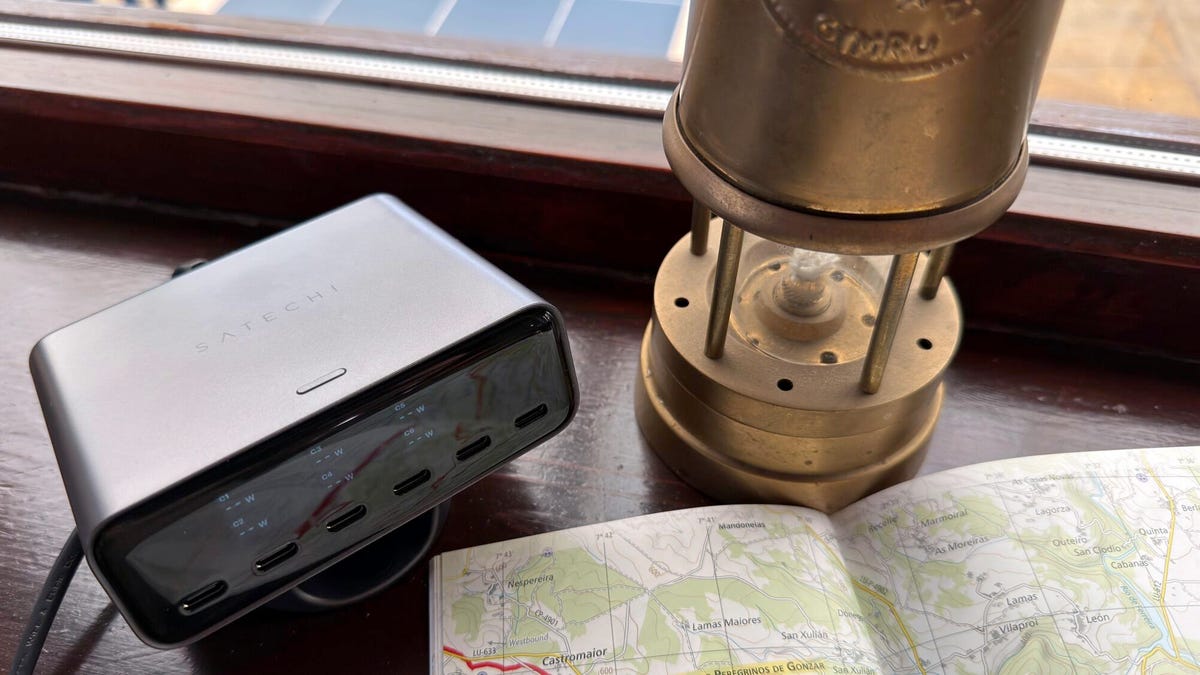
Where the ChargeView 240W excels is that it has a display that shows real-time data for each port. The display can be configured to show the power output for each port separately or the combined power output for all the ports.
But, and this is something some other makers would learn from, the display powers down after a minute of inactivity, only powering up again when you plug something in or press the button. So, you don’t have a screen facing you all the time (I know how my eye is drawn to any screen in the room, no matter how small).
Adrian Kingsley-Hughes/ZDNET
The charger can be used either horizontally or vertically on the desk, and the included stand works great in both orientations. You can switch the orientation of the display using the little button on the top of the unit — yes, a physical button, so you’re not having to mess about with a touchscreen.
There are a lot of companies out there that can make a decent charger, but so many just don’t want to put in the extra effort to make an excellent product.
USB-C only
There are six USB ports on the ChargeView 240W, and all of them are USB-C, so this is a charger built for modern workloads. But if you have the odd USB-A charging cable that you still need to use, you can always use an adapter.
The six USB-C ports are arranged into three banks of two. The first two are capable of 140W max, the second pair can deliver up to 100W max, and the final two can deliver up to 30W max. When you use more than one port, the charger will output the maximum power that each device can take, up to the charger’s overall 240W maximum.
So, for example, you can have a MacBook pulling 140W from the first port and another laptop drawing 100W from the second, or you can have six devices all connected at once, with the first two ports handling up to 70W apiece, the next two ports handling 30W each, and the last two handling up to 20W each.
If you’re 100% USB-C or you have an adapter, this charger has you covered.
Adrian Kingsley-Hughes/ZDNET
I’ve tested all the outputs, and the charger has no problem at all delivering full power.
And since I know that people will ask, yes, 70W is only half of the 140W that a modern laptop can draw, but it’s enough for charging and keeping a laptop topped up during a working day.
Advanced charging
Satechi has also packed this charger with the latest charging tech, with the two high-power ports supporting Power Delivery 3.2, a protocol that supports AVS (Adjustable Voltage Supply) alongside PPS (Programmable Power Supply).
Without boring you with the technical details, what this means is that no matter what device you plug into the charger, you get the best, fastest, and safest charge possible. It also means that it supports the fastest charging possible for the latest iPhone.
The remaining four ports all support Power Delivery 3.0 PPS, making them ideal for all your other power-hungry devices.
As with all modern chargers that have to negotiate power transfer speeds, when you plug in a new device to charge, it’s normal for charging to be temporarily interrupted for a few seconds. I know this worries a lot of people, but rest assured that everything is working the way it should.
Does it get hot?
The other thing that I get asked about a lot when it comes to chargers is heat. And given that I know just how hot some chargers can get, I understand why people worry about this.
Yes, I’ve had periods where the charger got warm, but there was never anything to worry about, and it seems very well engineered to dissipate heat generated by the internal power supply and charging circuitry (as long as you don’t do something dumb like bury it under a pile of papers or throw a duvet over it).
But even if it gets warm, it has three built-in modes that allow it to throttle charging to cool the unit down.
Nitpicks
I’m very impressed by this charger, but if you allow me to be annoyingly nitpicky for a moment, there are a couple of things that I’d change. I’d love to be able to keep the display on all the time (I know my eyes would be drawn to it, but it’s cool as long as it’s not used on a nightstand), and I’d also like to see real-time internal temperature readings, again, just because that would be cool.
The competition
The ChargeView 240W isn’t without competition, but I’ve not reviewed anything that overlaps it completely. Ugreen has the Nexode Pro 300W, an 8-port charger (this has six USB-C ports, one USB-A port, and a DC port that I never hear much call for) for $170, and Anker has the 6-port Prime Charging Station (four USB-C ports and two USB-A ports) for $150.
I find the interfaces for both of these busier, either making use of multiple buttons or a knob, and neither can be set vertically. But these do offer different port layouts, so one might suit you better.
ZDNET’s buying advice
The Satechi ChargeView 240 is currently available for preorder and will be released August 11. It’s priced at $150, which is competitive for a charger of this caliber and with this feature set.
Don’t need six ports? Pick up the baby 4-port version for $100, which gives you a pair of 140W max ports (one supporting PD 3.2 with AVS and the other PD 3.1 with PPS) and another pair of 40W max ports (both supporting PD 3.1 with PPS).
For those with a more modest number of gadgets, this will be enough and will save you a good chunk of change (to spend on some decent cables, perhaps?).
It’s August, which means one thing if you follow smartphones even remotely closely: new Pixels are almost here. Google is holding its next Made by Google event on August 12, and this year, we’re expecting another packed lineup of phones. The Pixel 11, Pixel 11 Pro, Pixel 11 Pro XL, and Pixel 11 Pro Fold are all expected to take the stage. Yes, that’s the same four-phone lineup Google gave us last year, but the interesting part will obviously be what’s changing underneath. Between the usual camera improvements, new hardware, and whatever AI tricks Google has been cooking up, there should be plenty to talk about.
And the phones may only be part of the story. Google is expected to have a few more announcements up its sleeve, making this one of its biggest hardware events of the year. So, if you’re planning to tune in, here’s when the Made by Google event starts, how you can watch it, and everything we expect Google to announce.
Google’s Pixels are getting their glow on
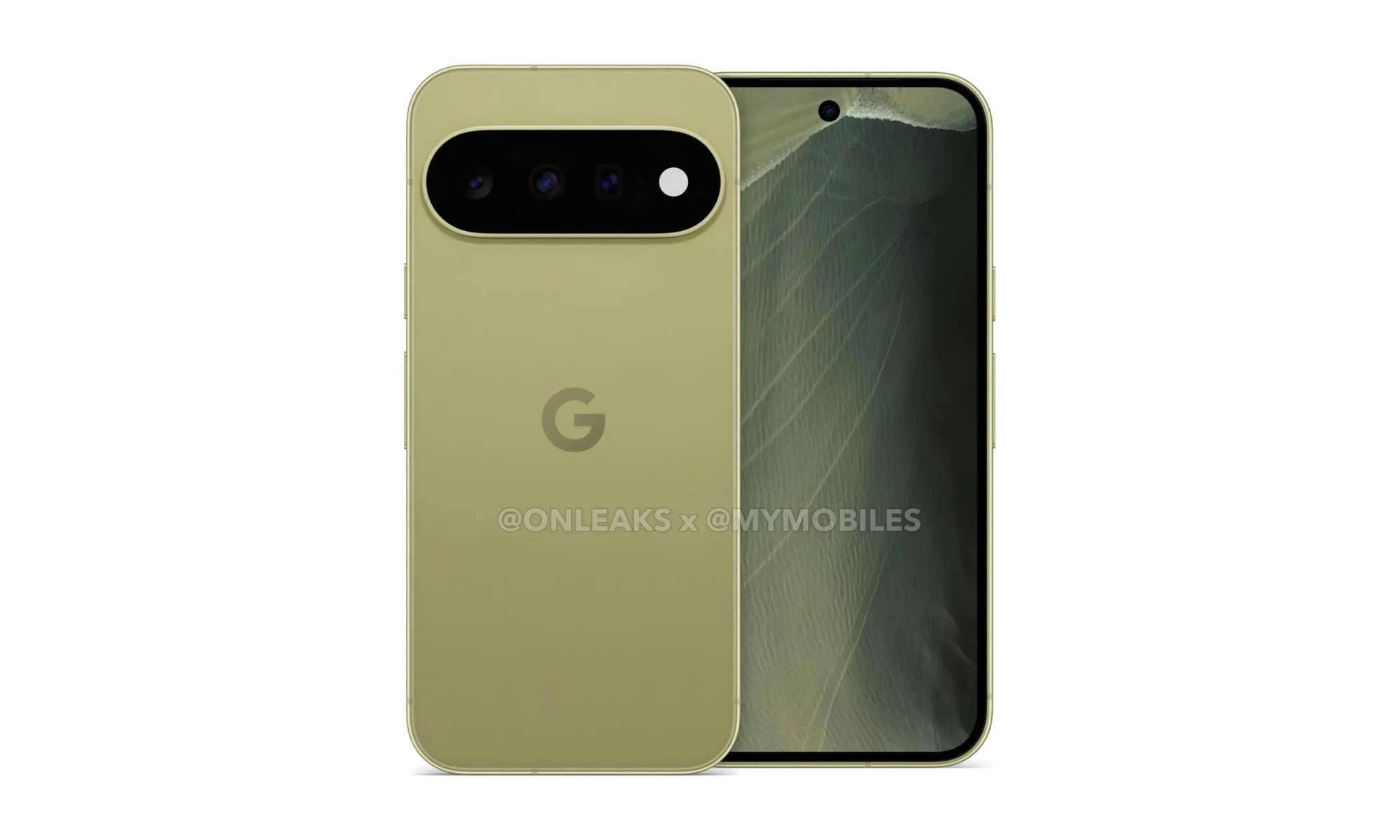
First up, and probably the reason most people will be tuning in, is the Pixel 11 series. At this point, though, Google may not have many surprises left to pull out of its pocket. The phones have leaked extensively over the past few months, and if those leaks are accurate, anyone hoping for a dramatic redesign might want to temper their expectations. From everything we’ve seen so far, Google appears to be sticking with the design language it established with the Pixel 10 family. That isn’t necessarily a bad thing — I quite like the current Pixel look. Still, the Pixel 11 series probably won’t be one of those upgrades you can immediately identify from across the room. There is one addition that could make it stand out, though. Google has already teased a new light built into the camera bar, reportedly called HiLight or Pixel Glow. It appears to borrow its look from Gemini’s rainbow-like visual language, potentially lighting up while you’re interacting with Gemini or waiting for the AI to finish thinking. But I’m much more curious about what Google does with it beyond AI. Imagine different colors appearing for notifications, charging status, timers, or even incoming calls. If Google gives developers access to it, that little light could end up being far more useful for users.
Pixel 11MyMobiles x OnLeaks
The bigger changes should be happening inside. Google’s new Tensor G6 chip is expected to power the Pixel 11 lineup, replacing the Tensor G5 from last year. A faster processor is always welcome, but raw performance isn’t really what I’m interested in here. After using recent Pixels extensively, I want to see how the G6 behaves when you’re actually pushing the phone — shooting photos and videos, navigating on mobile data, jumping between apps, or simply using it outside on a hot afternoon. Better thermal management would mean much more to me than another impressive-looking benchmark score. Battery life and charging are equally high on my list. Samsung has finally started embracing silicon-carbon battery technology and faster charging with its Galaxy Z Fold 8 series, so I’d love to see Google make similar progress rather than playing things safe for another generation. A phone can have all the AI features in the world, but none of them are particularly exciting when you’re hunting for a charger halfway through the day. Then there’s the price. Android Headlines has reported that the Pixel 11 Pro could start at $1,099 in the US and €1,199 in Europe. If accurate, that would make the US model $100 more expensive than the Pixel 10 Pro, which launched at $999. The reported colors are Dune, Light Fog, Midnight Haze, and Pine, although those names apparently aren’t finalized yet. Still, with Google’s event only days away, I wouldn’t treat any leaked pricing or naming as gospel. We won’t have to wait much longer to find out what the Pixel 11 series actually costs — and, more importantly, whether Google has done enough this year to justify paying more for one.
Finally, a Pixel for your keys
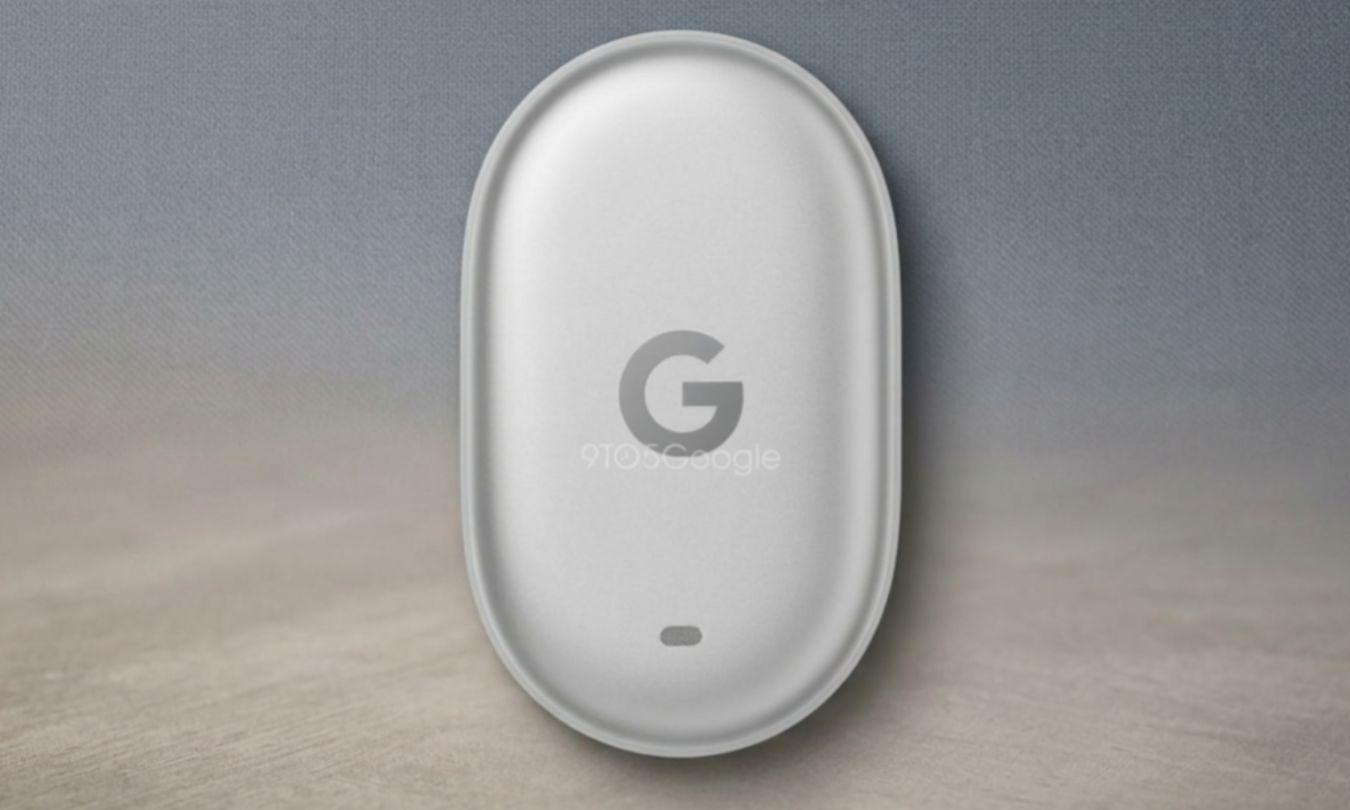
Next up is easily the announcement I’m most excited about: the Pixel Tag. Google has somehow gone this long without making its own Bluetooth tracker, but if the recent leak spotted by 9to5Google is accurate, that could finally change at this year’s event. And honestly, it’s about time. Apple has had AirTags for years, Samsung has its SmartTag lineup with a third-generation model reportedly on the way, while Pixel owners have largely had to rely on third-party trackers. A proper Pixel Tag could finally fill that rather obvious hole in Google’s hardware ecosystem.
9to5Google
The leaked tracker has an oblong design and is expected to work with Google’s Find Hub network, which would allow nearby Android devices to help locate something you’ve lost anonymously. The feature I’m really hoping makes the cut, though, is Ultra-Wideband. That could give the Pixel Tag much more precise directional finding when you’re close to a lost item — the kind of experience that makes hunting for keys buried somewhere around the house considerably less annoying. There is one slightly amusing design choice, however. The Pixel Tag reportedly won’t have a built-in lanyard hole, meaning Google could follow Apple’s approach of making you use a separate accessory if you want to attach one to your keys or bag. Samsung’s rumored Galaxy SmartTag 3 is apparently heading in the same direction, too. So it’s quite clear that Bluetooth trackers have collectively decided that holes are no longer fashionable. Still, if Google gets the fundamentals right — particularly UWB tracking and tight integration with Find Hub — the Pixel Tag could be one of the smallest announcements at the event, but potentially one of the most useful.
Google’s little circle gets a bigger brain
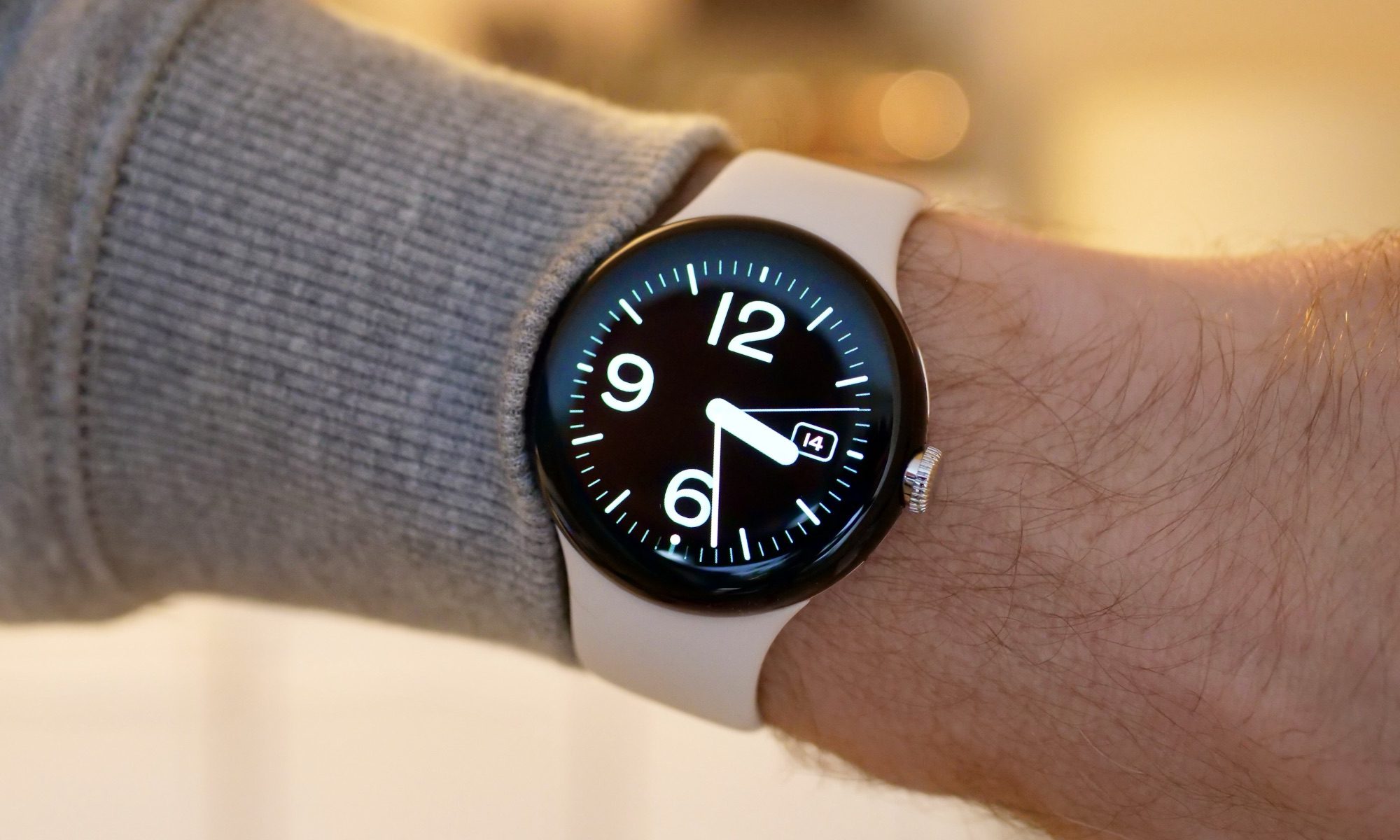
Of course, it wouldn’t really feel like a Made by Google hardware event without a new Pixel Watch showing up, and this year, that should be the Pixel Watch 5. Visually, Google doesn’t appear to be tearing up the rulebook, but the upgrades happening underneath could be much more interesting. Battery life is the first thing I’ll be watching. The Pixel Watch 5 is expected to squeeze slightly larger batteries into both sizes, which is always welcome on something you’re supposed to wear all day, track workouts with, sleep in, and somehow still have enough juice left for the next morning. It’s also rumored to use a faster version of Qualcomm’s Snapdragon W5 Gen 2 chip, which should hopefully make everyday interactions feel quicker and smoother.
Andy Boxall / Digital Trends
Storage could get a surprisingly big bump, too. Rumors point to the Pixel Watch 5 offering twice as much storage as its predecessor. That might sound excessive for a watch, but it starts making more sense when you consider how heavily Google is leaning into Gemini Intelligence. With Wear OS 7 pushing smartwatches toward becoming more contextually aware and capable of handling tasks on your behalf, that extra room could eventually become quite useful. As for the hardware itself, the familiar 41mm and 45mm sizes are expected to stick around, along with the same IP68 dust and water resistance and 5ATM rating. So, if you already like the circular Pixel Watch design, Google apparently sees very little reason to mess with it. Pricing could remain familiar as well. According to GSMArena, the 41mm Pixel Watch 5 is expected to start at $399, with LTE adding another $100, while the larger 45mm model could begin at $429.
But wait, Google might not be done
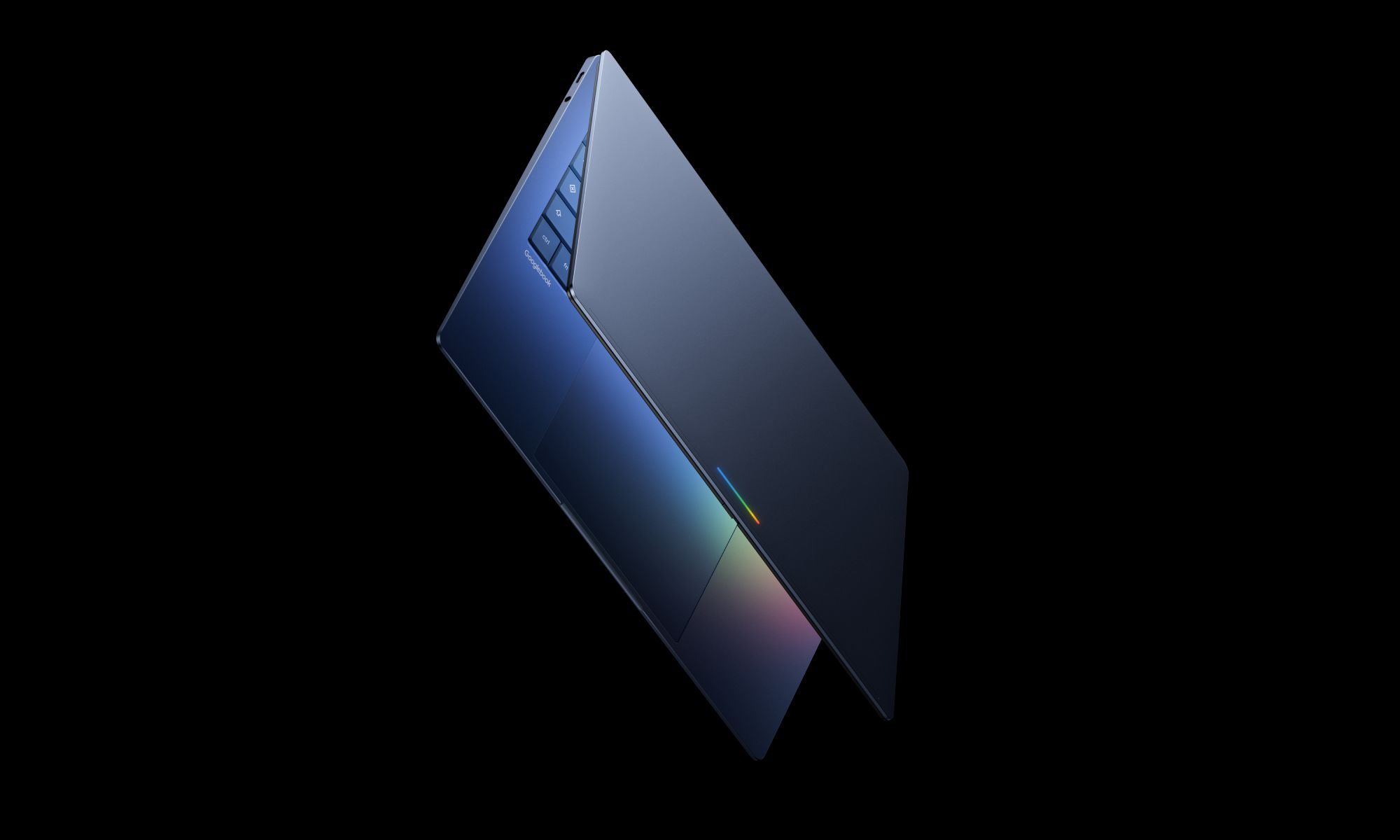
Those are the announcements I’d put firmly at the top of the list, but Google could still have a couple of surprises waiting in the wings. And this is where things get a little more interesting. Earlier this year, Google confirmed that it was working on a new generation of laptops that would bring Android and ChromeOS much closer together. We haven’t heard much about the project since, but Google previously pointed to a fall launch, which puts us awfully close to that window. I’m not necessarily expecting Google to roll out a laptop on stage on August 12, but a teaser, a name, or even a proper look at what it has been building certainly wouldn’t feel out of place. The interesting bit is that these so-called Googlebooks aren’t expected to replace Chromebooks. Instead, they could sit above them as a more premium option, built around a unified operating system and much tighter integration with Android phones.
Then there are smart glasses, because apparently every tech company has looked at Meta’s Ray-Bans and decided our faces are the next great computing platform. Samsung has already given us a glimpse of its own plans, and Google has been steadily building toward Android XR glasses as well. That makes the Made by Google stage a pretty tempting place to show them off again. I wouldn’t necessarily count on being able to buy a pair immediately, but a fresh demo or even a launch window would be enough to get my attention. And that’s what makes this event particularly interesting. We already have a pretty good idea of what’s coming from the Pixel 11 family, but it’s the things Google hasn’t spent the past few months leaking all over the internet that could end up providing the biggest surprises.
How to watch Google’s August 12 showcase?
All of that sounds exciting, but there’s one rather important detail left: how do you actually watch Google announce everything? Google is doing things a little differently this year — Google will share its announcements earlier in the day before holding the Made by Google show later that evening.
The event takes place on August 12 at 3 PM PT, and you’ll be able to watch the entire thing live on YouTube. So, whether you’re here for the Pixel 11 series, desperately waiting for the Pixel Tag like I am, or simply curious to see whether Google has a surprise tucked away for the end, you can tune in and watch everything unfold in real time. And considering how much hardware could be on the table this year, it might be worth sticking around until the very last announcement.