Get a four-pack of Chipolo One Bluetooth trackers for 32 percent off


Tired of losing stuff? Chipolo is selling a four-pack of its . This represents a discount of 32 percent. Just remember to pop in the code “ENGADGET10” at checkout. That brings the sale price of $75 down to $67.50. The discount applies to all colorways, and there are a bunch to choose from. There are also combo packs that include multiple colors.

This gadget not only made our list of the , but it’s our very favorite release in the product category. The One is a near-perfect tracker. The battery lasts two full years, it works great with both Android and iOS devices and the ringer is incredibly loud. This is great news for those who tend to misplace items under mountains of linens or between couch cushions.

Image for the large product module

Chipolo

This is over 30 percent off. 

Save $32 with code

$68 at Chipolo

There’s also no perceptible lag between pressing the Ring to Find button and hearing the trill. This isn’t true of many rival trackers. It even has a handy hole for attaching to keychains and the like. This may seem like an obvious design element, but .

The only downside involves the finding network. Chipolo isn’t a big name like Apple or Samsung, so there are fewer people on the network. This could be an issue if you don’t live in a major metropolitan area. Basically, the One is perfect for looking for lost items in or near the home, but not as useful when searching for misplaced stuff (like luggage at an airport) out in the wild.

One last thing. Remember that coupon code from before? It works across the entire site, so feel free to grab a ten percent discount on everything else Chipolo makes. This includes wallet trackers that are shaped like credit cards and smaller tracking rings.

Follow @EngadgetDeals on Twitter and subscribe to the Engadget Deals newsletter for the latest tech deals and buying advice.


Perplexity has its own ‘Deep Research’ tool now too


In a on Friday, Perplexity introduced a new tool called Deep Research that it says can conduct “in-depth research and analysis” to deliver detailed reports in response to your questions, and it’s free for limited use. It comes just a couple of weeks after OpenAI announced its own users… which itself followed Google’s December announcement of . Perplexity’s tool is available only on the web to start, but it will hit the iOS, Android and Mac apps soon too.

To view this content, you’ll need to update your privacy settings. Please click here and view the “Content and social-media partners” setting to do so.

Perplexity says its Deep Research “excels at a range of expert-level tasks — from finance and marketing to product research” and takes about 2-4 minutes to come up with an answer, during which it “performs dozens of searches, reads hundreds of sources, and reasons through the material.” Once finished, its reports can be shared or exported as a PDF. The company claims it outperforms competitors — like OpenAI’s o3-mini and o1, and DeepSeek-R1 — on the Humanity’s Last Exam benchmark, earning a 21.1 percent accuracy score (though this is lower than OpenAI’s Deep Research scored).

Free users will be limited to five queries per day, while Pro subscribers will get 500, according to a tweet from the company.


The Weather Channel app can show how likely you are to get specific snowfall amounts


We’re in the tail end of winter here, but it’s snowing as I write this. Not a lot, but just enough to be a potential frustration to the move I have planned for later this week. Basically, winter weather sucks, and one of the worst things about it is how unpredictable it can be. The Weather Company, owners and developers of the Weather Channel app (but not the TV station) know this, and have just released a feature to try and make planning for storms a little easier.

It’s called probabilistic snowfall, and it aims to give you greater insight into just how severe or impactful a storm might be. You’ll still see the standard “50 percent chance of snowfall” in your forecasts, but in the 72 hours leading up to snow, you’ll also see the percent change for specific snowfall amounts. For example, you’ll see that there’s an 80 percent chance of snow overall, but you’ll also see bars detailing how likely more specific snowfall amounts are. In this screenshot from the app, you can see that five to eight inches is the most likely outcome, followed by eight to 12 inches — enough snow that you might want to change your plans to deal with it.

According to Rachel Chukura, head of product at The Weather Company, that was precisely the vision behind the feature. “The idea is that users can see the different probabilities and know there could be variations, she said. “That’s important because of all the decisions we make in terms of what weather we think is coming. What time do you need to leave for your commute, will there be a school delay, and so on.” And while the company is starting with snowfall forecasts, they also hope to bring it to more forecasting tools over time.

I’ve been using the feature for about a week, just in time to see it pop up for the small storm we had in Philadelphia last night. I obviously can’t say how accurate it is, as I’m not out there measuring snowfall with a ruler. But the few inches we got overnight were in line with the probabilistic forecast, and it was helpful leading up to the storm to know I likely didn’t have to worry about the weather truly being an inconvenience.

The feature is part of the Weather Channel app’s premium subscription, which costs $30 per year. Besides probabilistic snowfall, that also removes ads, shows longer-term forecasts on the radar, adds a 30-mile lightning strike map and provides more detailed 15-minute weather breakdowns. While most people out there will stick with the default weather app on their phones, or just use the free version of the Weather Channel or other similar apps, there’s definitely something to be said for greater insight into how likely you are to get crushed by a snowstorm.

EFF sues Elon Musk and DOGE to block their access to federal employee data


The Electronic Frontier Foundation, along with multiple federal employee unions, have filed a lawsuit against Elon Musk and his Department of Government Efficiency (DOGE) team to block their access to sensitive and identifying information on millions of Americans. Specifically, the plaintiffs are looking to block them from being able to access data stored by the Office of Personnel Management (OPM) and to delete any information they’ve collected so far. The lawsuit also names OPM and Acting Director Charles Ezell as defendants.

In early February, Reuters reported that Musk’s aides locked OPM employees out of the agency’s systems. “We have no visibility into what they are doing with the computer and data systems,” one of its sources said back then. The OPM has the largest collection of employee data in the US and contains sensitive information on both past and current federal employees, as well as on job applicants for federal positions who applied through USAJobs.gov. As the EFF notes, the agency’s records contain federal employees’ names, birthdates, home addresses, social security numbers, work experience, union activities, salaries, performance reviews, demotions, life insurance, death benefits as well as classified information NDAs. The list even includes the first names and last name initials of CIA employees in highly sensitive roles.

In its announcement, the EFF explained that the mishandling of information in OPM’s systems could lead to “significant and varied abuses,” and that DOGE’s “unchecked access” on its own puts federal employees at risk of privacy violations and even political pressure and blackmail. The foundation also emphasized the risk federal employees are facing with DOGE’s access to unrestricted information and Musk’s ownership of X. It cited Musk’s old tweets naming specific government personnels whose jobs he would cut even before he had access to OPM’s database.

OPM violated the Privacy Act of 1974 when it gave DOGE “unrestricted, wholesale access” to its systems, the EFF said. Under the Privacy Act, the written consent of the individual whose data is being shared is required if government records are to be disclosed. Meanwhile, the plaintiffs are accusing Musk and his DOGE agents of exceeding “the scope of their legal authority” by controlling OPM’s systems, because it has resulted in the the unlawful disclosure of the their contents. “Our case is fairly simple: OPM’s data is extraordinarily sensitive, OPM gave it to DOGE, and this violates the Privacy Act,” the EFF wrote. “We are asking the court to block any further data sharing and to demand that DOGE immediately destroy any and all copies of downloaded material.” Last week, a federal judge blocked Musk and DOGE from accessing Treasury Department information and ordered them to destroy any data they’ve already collected.

Samsung’s Galaxy S25 phones, OnePlus 13 and Oura Ring 4


We may bit a post-CES news lull some days, but the reviews are coming in hot and heavy as February begins. Samsung has already debuted its latest premium phones and we’ve published a few long-term reviews of devices we’ve been testing for months. In this installment of the reviews roundup, we’ve got phones, a wearable, a robot vacuum and a smart grill. There’s something for everyone this week.

Engadget

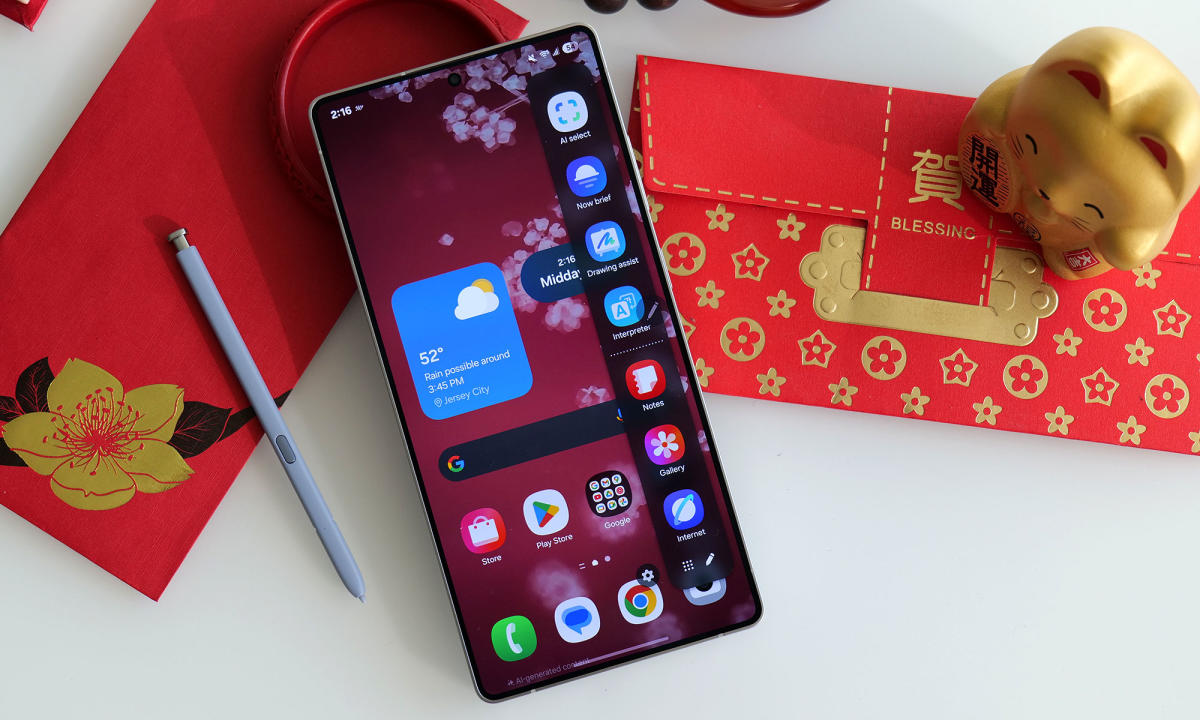
For 2025, Samsung’s AI features are a bit more powerful and easier to use. However, aside from a faster chip, a new ultra-wide sensor and a few cosmetic tweaks, it looks and feels very similar to last year’s model, which makes the S25 Ultra a less impressive update than it should be considering it starts at $1,300.

Pros

  • Excellent screen
  • Great performance and battery life
  • Anti-reflective Gorilla Armor 2 panels
  • Slimmer bezels
  • New 50MP ultra-wide sensor
Cons

  • S Pen no longer supports Air actions
  • Same main and telephoto cameras as last year
  • Not fully compatible with magnetic Qi2 accessories
  • Expensive

$1,300 at Samsung

Samsung has given us the first flagship phones of 2025 and they rely heavily on AI features to lure users. Sam notes that the company has improved those tools, but the Galaxy S25 Ultra feels like an iterative update due to the limited hardware upgrades. “This means a lot of what Samsung focused on in this generation feels more like a bonus rather than a must-have feature,” he writes. “And when you can get around 90 percent of the phone’s capabilities from previous models, the most dangerous thing Samsung is asking buyers to consider is why they need to upgrade at all.”

Samsung/Engadget

The Samsung Galaxy S25 has useful AI features and impressive battery life, but the familiar hardware and unchanged price tag make for an unconvincing upgrade.

Pros

  • Solid build quality
  • Incredible battery life
  • Smoother Gemini AI experience
  • Powerful new processor
Cons

  • Same display as the S24
  • Same camera sensors as the S24
  • Same price as the S24

$800 at Samsung

Like the Galaxy S25 Ultra, Samsung leaned heavily into the AI features on the regular S25. However, the company didn’t spend a lot of time updating the design and major components of this model either. As Mat explains, this makes for a boring release for the long-running flagship line. “Unless you’re desperate for a bump in processing power and battery life, it would be wise to see how heavily last year’s models get discounted in the coming months,” he says.

Anker Eufy

The Eufy E20 is the first robot vacuum to turn into a cordless stick vac and a hand vacuum thanks to included accessories. It works best as a robot, but the convenience it provides with its transformers-style design will make this a tempting buy for those who don’t want to rely solely on a robovac to clean their house.

Pros

  • Quickly turns into a cordless stick vacuum and a handheld vacuum
  • Strong performance as a robot vacuum
  • Self-emptying base holds a lot for its compact size
  • Improved Eufy Clean app
  • Decent price for a 3-in-1 machine
Cons

  • Most stick vac cleaning modes have weak suction
  • Stick vac build quality is lackluster
  • Wall mount costs extra

$550 at Eufy

The Eufy E20 is a first-of-its-kind transforming robot vacuum. While it works best in its core function as a robo vac, you do have the option of cordless stick and handheld vac configurations in the same device. “While Eufy isn’t a stranger to making solid robot vacuums, this device is still a first-gen product in my mind — and a solid one at that,” Valentina notes. “But you have to know what you’re buying upfront: an above-average robot vacuum that can turn into a just-average stick and hand vacuum.”

Daniel Cooper for Engadget

Oura’s latest Ring is the best smart ring on the market. But its range of functions remains limited by its size and the fact that it’s a ring.

Pros

  • More comfortable
  • Better data collection
  • Gorgeous, clean app
Cons

  • Requires paid subscription to use basic hardware features
  • I’m not sure why the paint jobs cost extra

$349 at Oura

Smart rings may still be niche, but there’s one company that stands above the rest. With the Ring 4, Oura fixed flaws of the previous model to ensure its crown is safe for the time being. “If there’s a downside, it’s that Oura remains forever constrained by the limitations a smart ring imposes,” Dan explains. “If you want something more comprehensive, then it’s likely a smartwatch is a better option, but for everything else, there’s this.”

Engadget

Instead of focusing on AI, the OnePlus 13 packs a bunch of top-of-the-line components into an attractive chassis for a very reasonable starting price of $900.

Pros

  • Class-leading battery life
  • Super-bright display
  • Great performance
  • Attractive design
Cons

  • Photo quality could be a touch better
  • Only six years of software support instead of seven
  • Needs a case to fully support magnetic Qi2 accessories

$900 at OnePlus

While most phone companies are focused on AI features, OnePlus decided to build a compelling, flagship-level handset that isn’t overloaded with bloat. “Throughout the years, OnePlus has used taglines like ‘flagship killer’ and ‘ultra in every way’ as a means of taking shots at its biggest rivals from Samsung, Google and more,” Sam writes. “But for the OnePlus 13, it feels like the company just went and made a really solid premium handset without a bunch of AI fluff.”

Weber/Engadget

Weber learned from its mistakes with its first smart grill to make the Searwood a complete package.

Pros

  • Reliable cooking performance
  • Open-lid manual mode works great
  • Display is visible from a distance
Cons

  • SmokeBoost only works at 180 degrees
  • Wheels and legs could be sturdier
  • No wireless probe option

$899 at Wayfair

Weber’s first pellet grill, the SmokeFire, was a learning experience for the company. Thankfully, the longstanding brand learned from those missteps when it built the Searwood. The company’s second smart pellet grill offers more reliable performance, excelling at low-and-slow smoking. Weber opted for an all-new design for this model, from the cooking area to the new display. There’s also a manual mode that allows for open-lid griddling and searing. And while there are some caveats, the Searwood is a much-improved grill compared to its predecessor.

According to Bloomberg, Apple will debut a new iPhone SE next week. This will be the first update to that model since 2022, and will reportedly nix the home button. The report also details specifics like a camera notch, USB-C and the use of Apple’s first in-house cellular modem. If the timing holds true, we’ll expect to begin our testing shortly after the news drops.

In that same report, Bloomberg’s Mark Gurman explains that Beats’ PowerBeats Pro 2 earbuds are expected to debut next week as well. The Apple-owned brand first teased an update to its fitness-focused model with a over-the-ear hook design last September. Gurman reports that the new model will have heart rate monitoring, which will be a first for a set of Apple earbuds. If the PowerBeats Pro 2 are indeed announced soon, we’ll expect to have a review ready shortly after.

I’ve got the Technics EAH-AZ100 earbuds in for testing too. These buds won one of Engadget’s Best of CES awards last month and I’ve been eager to get my hands… er, ears… on them ever since. During a brief hands-on in Las Vegas, the company’s newly designed Magnetic Fluid drivers offered impressive sound, but I’m looking forward to seeing how this set holds up during a full gamut of tests.

OpenAI co-founder John Schulman has left Anthropic after less than a year


Less than a year into his tenure at the company, OpenAI co-founder John Schulman is leaving Anthropic. The startup confirmed Schulman’s departure after The Information, Reuters and other publications reported on the exit.

“We are sad to see John go but fully support his decision to pursue new opportunities and wish him all the very best,” said Jared Kaplan, Anthropic’s chief science officer, in a statement the company shared with Engadget. Schulman left OpenAI last August alongside Peter Deng, the company’s former vice-president of consumer product. Schulman is considered one of the original architects of ChatGPT.

Following his departure from OpenAI, Schulman said he was joining Anthropic to focus on AI alignment — the process of making machine learning models safe to use — and a desire to return “to more hands-on technical work.” Schulman hasn’t publicly said why he decided to leave Anthropic, nor what he plans to do next. His X profile still says he “recently joined” Anthropic.

If you buy something through a link in this article, we may earn commission.

What will happen to TikTok? A look at the potential buyers.


TikTok may be back online, but the app’s future in the United States is still far from certain. President Donald Trump’s executive order of the ban was only a temporary reprieve for the company.

While ByteDance was once resistant to the idea of selling TikTok’s US business, that seems to have changed since Trump took office. A ByteDance investor that striking a deal to keep TikTok in the US is “in everybody’s interest.” Officials in China have also suggested they are “open” to a deal, The Wall Street Journal.

A number of people and companies have signaled some interest in TikTok. Trump himself he would like to see a “bidding war” for the app and that the US government should own in the company. What an eventual deal may look like, though, is unclear. These are the offers we currently know about. Trump’s executive order gave the company 75 days to come to an agreement.

NPR that Oracle was working with Trump Administration officials on “a plan to save TikTok that involves tapping software company Oracle and a group of outside investors to effectively take control of the app’s global operations.” Under this arrangement, ByteDance “would retain a minority stake in the company” but Oracle would oversee “the app’s algorithm, data collection and software updates.”

Headed up by Trump pal Larry Ellison, TikTok has an existing partnership with Oracle. The cloud company TikTok’s US user data and the company was of TikTok’s original negotiations to remain operational in the US under a plan called Project Texas. (Those negotiations abruptly in 2022.)

Trump also previously for Oracle and Walmart to acquire a 20 percent stake in TikTok in 2020, when the president tried to ban the app during his first term. That deal never materialized. Now, Trump’s position on Oracle is unclear. He that Oracle was not among the “many people” with whom he had discussed a deal for TikTok. (Ellison, notably, has been at the White House in recent days. He joined Trump and OpenAI CEO Sam Altman for the announcement of the .)

Microsoft is reportedly also interested in playing a role in TikTok’s future, according to the same NPR story, which said Microsoft was among the “other potential investors” involved in the talks with Oracle. Trump seemingly confirmed this. When asked directly if Microsoft was interested in buying TikTok this week, Trump “I would say yes.”

As with Oracle, this isn’t the first time Microsoft has attempted to acquire the social media company. Microsoft was in talks to buy TikTok and take over its US business, but the deal . Microsoft CEO Satya Nadella later it as “the strangest thing I’ve ever sort of worked on.”

Just before TikTok briefly went offline, Perplexity AI threw its hat into the ring, offering to ByteDance that “would “create a new entity combining Perplexity, TikTok US and New Capital Partners.”

Since then, Perplexity has reportedly tweaked its proposal. According to the , the AI company is now floating a plan that calls for the “U.S. government to own up to half of that new structure once it makes an initial public offering of at least $300 billion.” Under this plan, ByteDance would keep a minority stake in the company and “would contribute TikTok’s U.S. business without the proprietary algorithm that fuels what users see on the app.”

YouTuber MrBeast, also known as Jimmy Donaldson, joked about buying TikTok ahead of the initial ban. He later that “so many billionaires” had reached out to him about making an offer that he was going to try to actually pull it off.

To view this content, you’ll need to update your privacy settings. Please click here and view the “Content and social-media partners” setting to do so.

At least one group has already his involvement, along with other “high-net-worth individuals” looking to make an “all-cash offer.” That group, led by employer.com founder Jesse Tinsley also reportedly includes Roblox CEO David Baszucki. According to Bloomberg, together they have put together “significantly” more than for a bid, though it’s not clear how seriously their offer is being considered. Bloomberg notes that there’s also a possibility that MrBeast may attach himself to other bids.

Another set of investors that’s proposed a bid to buy TikTok is a group known as . Led by investor Frank McCourt, it includes of Shark Tank fame. The group initially came forward before the ban took effect. However, it’s not clear where they stand at the moment.

To view this content, you’ll need to update your privacy settings. Please click here and view the “Content and social-media partners” setting to do so.

O’Leary previously that deals involving a government stake may not comply with the law. “That 50/50 deal, I would love to work with Trump on, so would every other potential buyer … But the problem with some of these ideas is they are inconsistent with the ruling of the Supreme Court,” he said. “I would love to do a deal, if the law provided for it, but I don’t have the luxury of breaching the order of Congress.”

This week, he said that the deal “changes by the hour,” writing on X that iIt’s clear to me now that we’re going to have to do a dance between the original owners, the founders of ByteDance itself, and interpreting the law of what Congress and Supreme Court has upheld.”

So where does all this leave TikTok? For now, the company is in the same limbo it’s been in since it was briefly . The app is still not available in Apple or Google’s app stores and it could go down again if the company is unable to reach a deal.

For now, though, it seems both the government and ByteDance are much more willing to negotiate than they have been in the past. While these are all the semi-credible plans we know about now, the situation is likely to change over the next few weeks as the various sides attempt to hammer out a viable deal. We’ll keep this post updated as new details emerge.

If you buy something through a link in this article, we may earn commission.


The best streaming devices for 2025


Nearly every TV on the market today is a smart TV, but not every operating system is a winner. A media streaming device lets you pair whichever user interface you prefer with just about any screen that has an HDMI port. In some cases, such as with older or less expensive smart TVs, a streaming stick or dongle could even be speedier and less glitchy than your TV’s built-in system.

At home, these handy gadgets make it easier for cord cutters to watch the millions of hours of content streaming services provide without cable. And while traveling, a streaming player lets you watch your preferred content on hotel sets (without painstakingly typing in a bunch of passwords or activation codes). We tested out streaming players from Roku, Google, Apple, Amazon and more, gauging the usability and the performance of each to come up with our list of the best streaming devices you can buy.

Google’s TV Streamer, the Apple TV 4K, Amazon’s Fire TV Sticks and Roku devices are the most popular players in the space. Three of those brands also come built into TVs, such as Fire, Google and Roku TVs, but the Apple TV 4K doesn’t come pre-loaded on any set. Each one has a unique operating system and interface. This may be the biggest deciding factor for many people, as it determines how the content you want to watch is arranged and presented. We go into detail for each platform below, but all of them come with home screens that, to varying degrees, gather your apps in one place, present the movies and TV shows you’re currently watching and give you suggestions of other media streaming options.

Nearly all streaming devices come with a remote that lets you search and do other operations using your voice, eliminating the need to hunt and peck at on-screen keyboards. They all offer “universal search,” in which searching for a title takes you to whichever app has it available. If you want to watch Barbie but don’t know where it’s playing, just push the voice button on the remote and say “Barbie.” (We found simply saying the title or the genre you want sometimes works better than saying “Show me…” or “Search for…”) From the search results, hit the play button and the correct app will open and start playing — assuming you’ve previously logged into that app and, in most cases, have an active subscription.

Most streaming sticks connect to the internet via Wi-Fi, with the majority of them supporting Wi-Fi 5 or 6 protocols. Set-top boxes can also have Ethernet ports, so you can hardwire your internet connection to the device, which is always faster than wireless. Streaming media players connect to your TV through an HDMI port, and most sticks hide behind the screen, while set-top boxes sit on a surface nearby. Nearly all units also plug into an AC outlet for power. Some sticks used to work by pulling power from a USB port on the TV, but increasingly, these devices are designed to plug into the wall.

If you have a screen that can display 4K content with Dolby Vision and HDR10, you’ll want a streaming device that supports those high-end formats. Of course, even the most top-shelf streamer can’t make a 1080p TV display content in 4K. The series or movie also has to be transmitted in 4K and, increasingly, companies restrict higher-quality streaming to more expensive subscription plans. In short, every element needs to support the video or audio feature, otherwise the highest quality you’ll get will be the lowest of any component in the chain.

In addition to helping you find stuff to watch, streaming devices from Apple, Google and Amazon can answer questions about the weather, sports scores and general facts using built-in voice assistants. They can also act as smart home controllers to turn off connected smart bulbs or plugs and show feeds from smart cameras. Just remember, as with all smart home devices, compatibility is key. Fire TV devices work with Alexa-enabled smart home equipment; the Google TV Streamer lets you control Google Home devices; Apple TV 4Ks play nice with HomeKit; and Rokus grant power over Roku’s smart home products.

Below are some recommendations for the best streaming sticks and other budget-friendly options. We also included suggestions for set-top boxes and devices geared toward gamers.

Photo by Amy Skorheim / Engadget

Read our full Google TV streamer review

Google replaced the Chromecast product line with the release of the Google TV Streamer in September of 2024. There’s no HD model, only 4K this time around and the going price is $100, which is double the price of the most recent 4K Chromecast. Instead of a dongle that hides behind your TV, it’s now a set-top wedge.

Inside, there’s a faster processor, which kept up with my scattered testing methods — opening and closing apps then reloading them immediately — with no trouble. The Apple TV 4K is still the fastest of the streamers I’ve tried, but I don’t think the speed here will disappoint most people. The storage has jumped up to 32GB from a skimpy 8GB on the Chromecast and the memory is doubled at 4GB. It supports up to 4K/60fps video with HDR, HDR10, HDR10+ and Dolby Vision. Audio formats include Dolby Digital and Dolby Atmos along with spatial audio if you’re wearing the Pixel Buds Pro.

The remote is compact and streamlined; the D-pad handles navigation, play, pause and rewind. Of course there’s also a back button (as you’d find on any good Android device). And if you ever lose the pill-shaped remote, you can push a button on the back of the set-top wedge to make it ring.

Google has made its Home app an integral part of the streamer. Not only will you use it to set up your device, but you can also use the streamer to view a slideout home panel on your TV screen (that looks a lot like the Favorites tab in the app). The panel lets you control your compatible smart home devices so you can set temperatures, turn off lights, view feeds and so on. You can even do so while you’re watching something if you program the star button on the remote to pull up the Home panel.

What really makes the Google TV Streamer the best for all-in-one steaming is the interface. It’s basically the same as what you’ll find on any TV set or screen that comes with Google TV built in. I find Google’s presentation to be the best at pulling together content from different streaming apps into one useful and intuitive menu. It’ll track what you’ve been watching across different platforms so you can easily dive back in, and the recommendations are pulled fairly equitably from across your subscribed services.

Of course, no big tech company can release a product today without some AI contrivance and it comes here in the form of computer-generated plot and audience review summaries for titles. It’ll also generate screensaver images based on your prompts. Those are fine and all, though probably not worth it. The real reason to go for the Google TV Streamer is the helpful interface combined with performance that’s faster than most of the sticks on the market. And if you’re someone who uses Google Home for your smart home control, you’ll get even more out of this device.

Pros

  • Excellent interface combines all streaming content equally
  • Useful smart home control with a slide-out paneluseful
  • Attractive device with a great remote
Cons

  • Required HDMI cable issold separately
  • Double the price of its predecessor

$100 at Verizon

Will Lipman Photography for Engadget

Operating system: Roku OS | Remote: Yes | Connectivity: Wi-Fi, Bluetooth | Display: No | Voice control: Yes

Believe it or not, the streaming world has enough free content to keep even the most voracious watchers entertained — and the Roku Streaming Stick 4K is probably the best way to access it. Roku’s interface is uncluttered, with a simple list at the left and an app grid on the right. Two of those list items, Live TV and Featured Free, are stuffed with free content, both on linear channels and video-on-demand (VOD) services. The Roku Channel app adds thousands more series, films, Roku Originals and live channels to watch without subscribing to a dang thing.

Roku makes seven different streaming devices, including sticks, set-top boxes and a few Streambars — all will get you that free content. The $50 Streaming Stick 4K is the best mix of price and features. It hides behind your TV, supports 4K, HDR10+ and Dolby Vision and has a longer range Wi-Fi. If you don’t need the longer range or Dolby Vision, and don’t mind a slightly bulkier device, you can save $10 and get the Roku Express 4K+. Both players support Apple AirPlay 2 and can control your set’s power and volume.

I found the universal search function to be accurate when looking for specific titles; pushing the Voice button and saying “Poker Face” brings up results for the Peacock show, the Russell Crowe movie and a poker documentary from a free channel. Saying “Succession” gets you the show from Max as well as listings for other series and films with “success” in the title. It was pretty good at finding suggestions for more general searches, like “police procedural shows” and “Idris Elba,” though it had issues with recommendations for kids movies (not enough Disney+ results, in my opinion).

Navigation is speedy with minimal load times between apps. The remote has a nice layout with a large back button and the volume rocker on the side. The handy Instant Replay button jumps back 10 to 20 seconds and can even show subtitles for the replayed portion, if the app supports it. The only thing I didn’t love was the What to Watch menu, which was overwhelmingly populated with free content and had a minimal amount of titles sprinkled in from my paid apps. But since free content is where Roku really shines, I can’t be too miffed. — A.S. 

Pros

  • Built-in access to tons of free content
  • Accurate universal search
  • Supports 4K, HDR10+ and Dolby Vision content
Cons

  • What to Watch menu ignores content from other streamers

$39 at Amazon

Amazon

Operating system: Fire TV OS | Remote: Yes | Connectivity: Wi-Fi, Bluetooth | Display: No | Voice control: Yes

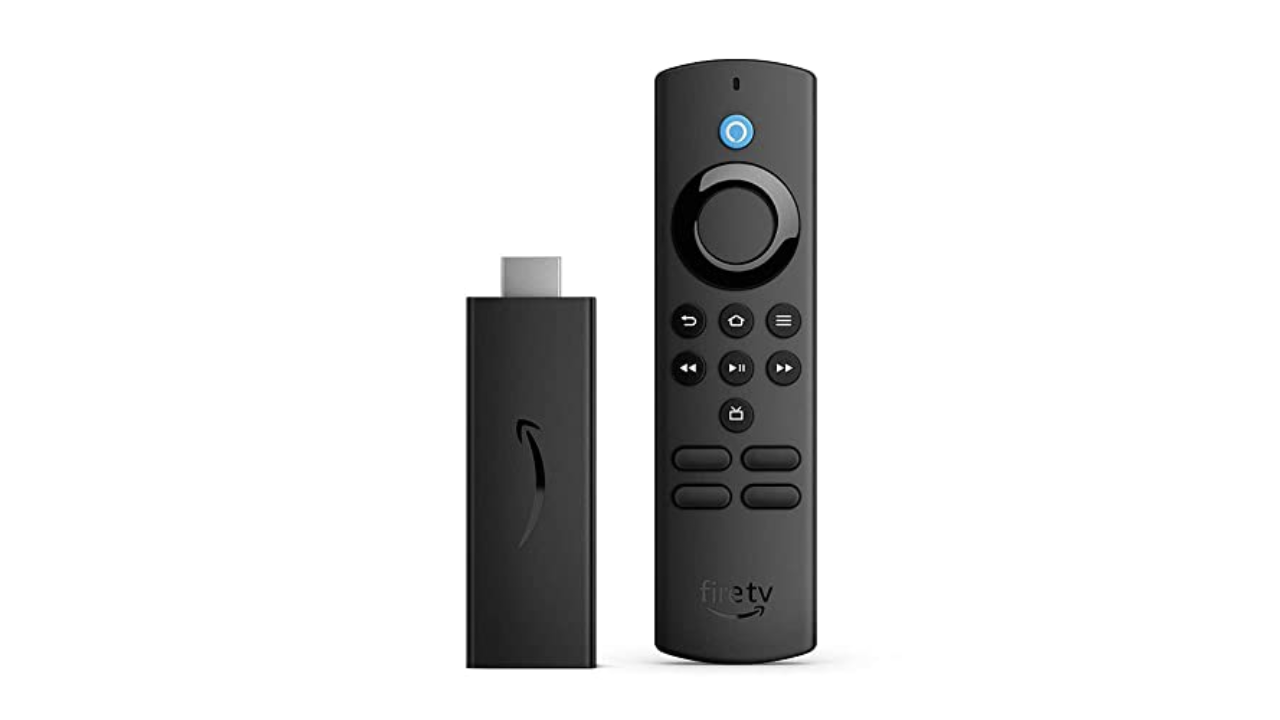
If price is of the utmost importance and you don’t need 4K, Amazon’s Fire TV Stick Lite is a decent alternative. At $30, it’s one of the cheapest streaming sticks on the market and it’s also frequently discounted, too. It supports FHD streaming with HDR and, just like its higher-end siblings, comes with an Alexa voice remote.

One of the reasons this is considered “Lite” is that this particular Fire TV Stick can’t control your TV; you still have to use your television remote to power it on and off or to adjust its volume. That’s not that big a deal, especially if it helps save you a few bucks. In comparison, the standard Fire TV Stick typically retails for $40, while the Fire TV Stick 4K costs $50.

Amazon’s Fire TV supports nearly all of the major streaming services, including Netflix, Hulu, Max, YouTube, YouTube TV and Hulu, among others. The Live page features Twitch out of the box as well. While you can’t use Alexa to control the TV, the Fire TV Stick Lite does let you use Alexa to search for shows and ask general questions like the weather forecast or the latest scores for your favorite sports team.

Despite its low price, the Fire TV Stick Lite is a decent streaming dongle. It comes with the updated Fire TV interface that adds features such as user profiles, a new main menu navigation bar with show recommendations, plus a scrolling list of your favorite streaming apps. The layout isn’t as unified as Google TV’s and is more complicated than Roku’s, but it’s still easy enough to figure out. That said, the interface prioritizes Amazon Prime Video content, and there are a lot more ads than on other streaming platforms. — Nicole Lee, Senior Editor

If you do want the ability to control your TV with the remote and are also looking for something that supports improved picture quality, you may want to upgrade to one of the more advanced Fire TV Sticks. At $60 (and often on sale for $45) the Amazon Fire TV Stick 4K Max not only handles Dolby Vision, Dolby Atmos, 4K and HDR10+, but it also supports Wi-Fi 6E. That means if you have a router that also carries the protocol, you could see better and faster connectivity. The 4K Max has the fastest processor of any Fire TV Stick, and we found it plenty zippy. It’s also the only Fire TV Stick that supports the new Ambient Experience: when enabled, or after the pause timeout kicks in, the dongle will display art (and widgets, if you want) on your TV, giving any screen the look of something like Samsung’s The Frame. — A.S.

Pros

  • Affordable
  • Supports all major streaming services
Cons

  • No 4K content support
  • Can’t control TV’s power and volume
  • UI heavily favors Amazon Prime Video content

$49 at Macy’s

Roku

Operating system: Roku OS | Remote: Yes | Connectivity: Wi-Fi, Bluetooth | Display: No | Voice control: No

The Roku Express has the same user interface as the Streaming Stick+, but it’s housed in a compact set-top box instead. It doesn’t support 4K or HDR and the remote control lacks a voice command button. But if all you want is a capable HD streaming device, the Express fits the bill. If you insist on having 4K, however, consider the Roku Express 4K+, which retails for $40. It’s very similar to the Express, except it carries support for 4K, HDR and AirPlay, and it comes with a voice remote as well. That could well make it worth the extra money. —N.L.

Pros

  • Affordable
  • Lots of free and live content
Cons

  • No 4K streaming support
  • No voice remote

$28 at Macy’s

Amy Skorheim for Engadget

Roku updated its most advanced streamer, the Roku Ultra, in 2024, giving it a faster processor, Wi-Fi 6 compatibility and a brand new remote. Like the previous generation, it supports 4K HDR10/10+ streaming, 100 Mbps Ethernet connection, Bluetooth streaming, AirPlay2 connectivity and voice commands with Alexa, Google Home and Roku Smart Home. The previous model had a microSD slot for external media, now there’s a USB port for local playback.

I used the Ultra for about a month and was impressed with the speed, image quality and the new remote — plus a couple of perks I hadn’t expected. The 4K TV I used for testing was new to me and whoever had watched it before had set it to 1080p. During setup, the Ultra prompted me to head to the TVs settings to adjust the video quality. It was a nice touch and not something all players do.

Flipping from app to app was nearly instantaneous. Changing my mind with the back button immediately returned to the home screen. I experienced no buffering issues or audio synching troubles and pairing up Bluetooth headphones was fast with glitch-free performance.

I really liked the new remote. Pick it up and the backlight kicks in, making it easy to control in a darkened room. Since it’s equipped with an always-on mic (which you have the option of turning off right on the remote) you can say, “Hey Roku, where’s the remote?” and it’ll start ringing. Even with the Roku and TV off, you can just say “Hey Roku, open Netflix” to turn on your TV and start up the app. A backlight and always-on feature will obviously drain the battery quicker, but in a month of using the remote, I only had to recharge it once, which is easy to do via USB-C.

The voice control function didn’t perform more complicated functions as easily, though. With the TV off, I asked it to continue playing a show I’d been watching and it turned on my PS5. While on the Roku home screen, I asked it to continue playing Gravity Falls, and was told there was no content to continue playing, even though my kid had been watching the show the day before. I often had better luck just holding down the mic button and speaking a search request as I’m used to doing with other players. The search function was accurate most of the time, presenting the correct movie or show and taking me to the app when I clicked on what I wanted.

Of course, as we said about the other Roku device on our list, the OS here is best at finding and presenting free and live content, with a live TV channel guide, a Featured Free content tab, a What to Watch section packed with stuff from no-cost providers like Tubi, plus the brand’s own Roku Channel. If you’re a fan of the Roku experience and want to get the most out of a higher-end TV, the Ultra is the set-top box to get. — A.S.

Pros

  • Excellent remote
  • High-quality video and audio
  • Lots of access to free and live content
  • USB port for playing local media
  • HDMI cable is included
Cons

  • Voice control struggles with complex requests
  • Interface is better at free content than organizing your paid apps

$72 at Amazon

Photo by Devindra Hardawar / Engadget

Operating system: tvOS | Remote: Yes | Connectivity: Wi-Fi, Bluetooth, Ethernet (optional) | Display: No | Voice control: Yes

When my colleague Devindra Hardawar reviewed the latest gen of the Apple TV 4K upon its debut in 2022, he called it “the best streaming box by a long shot.” In terms of picture quality, speed, longevity and Apple-engineered extras, that remains accurate. The set-top box supports 4K Dolby Vision and HDR10+, which makes compatible content look, to borrow Devindra’s term, glorious.

The A15 Bionic chip inside enables near-instantaneous loading of and switching between apps. Zooming from the beginning of an episode to the end or anywhere in between is not only quick, but also quite easy to do once you get the hang of the touch-sensitive directional pad on the Siri remote. Apple improved the box hardware over the previous generation, too, with a smaller, fan-less design.

You don’t have to be an Apple devotee to appreciate the streaming box, but having an iPhone makes setup easier, letting you hold your phone near the device to transfer credentials. If you use the Fitness+ app with an Apple Watch, not only can you watch workouts on a big screen, you’ll see live heart rate stats splashed in the corner as well. The app library is extensive, covering all of the most popular streaming services, plus countless Apple Arcade and other games. The remote’s Siri button lets you easily search for stuff to watch with voice commands, and typically gets you to the right app immediately. I found it nearly as good as other devices in suggesting content for more general queries like “sci-fi space movies.”

If you were waiting for the “but,” here it is: the Apple TV 4K is expensive. The base model is $129, which comes with 32GB of storage. The 128GB model goes for $149 and adds an Ethernet port and acts as a Thread-enabled home hub, a requirement for certain smart home devices. Also, if you’re looking for lots of free channels and live programming with an all-in-one home page to unify your disparate streaming subscriptions, this isn’t quite it.

The Apple TV app incorporates recently watched series into the Up Next section and your most-used apps appear in the Channels and Apps row. But the homepage is mostly a showcase for Apple TV+ series and movies. And don’t expect to see much in the way of Netflix content in the app either. Possibly due to a continuing grudge match between the two companies, Siri even has trouble finding Netflix shows at all — searching for Lupin only came back with results from the anime franchise and when I asked for All the Light We Cannot See, the AI turned off my smart lights. Finally, this premium streaming device doesn’t come with the HDMI cable required to hook it up to your TV. That’s a minor detail in the grand scheme of things, but it did cause me to fling grownup words in Cupertino’s general direction. — A.S.

Pros

  • Extremely fast operation
  • Apple Fitness+ and Arcade on a big screen
  • Support for 4K, HDR and Dolby Vision content
Cons

  • Expensive
  • Apple TV app heavily favors Apple TV+ content
  • Sub-par Netflix searches

$125 at Amazon

NVIDIA

Operating system: Android TV | Remote: Yes | Connectivity: Wi-Fi, Bluetooth, Ethernet, microSD card slot | Display: No | Voice control: Yes

For those who want an all-in-one device that lets you stream movies, run a PLEX media server and play games, consider NVIDIA’s Shield TV Pro. It currently runs Android TV, which is a little outdated at this point, but there’s a possibility that it could be upgraded to Google TV in the future.

Thanks to its capable Tegra X1+ processor, the NVIDIA Shield TV Pro can stream in native 4K and it can also upscale 720p and 1080p video to 4K with the company’s AI neural network. It also supports Dolby Vision and HDR10, has 3GB of RAM, 16GB of storage and two USB-C ports. Additionally, there’s a gigabit Ethernet port, an HDMI socket and a microSD card slot. Since it runs on Android, you can use it to play most games from the Google Play Store.

The main reason you’d choose the NVIDIA Shield TV Pro over other machines is that it gives you access to NVIDIA’s GeForce Now cloud gaming service. As long as you have a relatively speedy internet connection, you can play top-tier PC games that are streamed online to your Shield TV Pro. —N.L.

Pros

  • Supports 4K, HDR10 and Dolby Vision content
  • Provides access to NVIDIA’s GeForce Now cloud gaming service
  • Built-in Google Assistant support

$197 at Amazon

Microsoft

Operating system: Xbox OS | Remote: Yes | Connectivity: Wi-Fi, Bluetooth, Ethernet | Display: No | Voice control: Yes

Even though both Sony’s PlayStation 5 and the Xbox Series X can stream video, it’s the Xbox that we think is the best gaming console for the job. It can play 4K Blu-Rays and supports all of the usual streaming video apps including Apple TV+ and Disney+. However, the PS5 can’t stream Disney+ in 4K or Dolby Atmos, which is disappointing if you ever want to watch The Mandalorian in all its cinematic glory.

Fortunately, that’s not the case with the Xbox Series X. On top of that, the Xbox Series X (and S) also support Dolby Vision for streaming video, which is especially great for people with newer TVs. Of course, the Xbox is also a pretty great gaming machine, and it offers access to Game Pass, Microsoft’s subscription service that has a large library of titles. —N.L.

Pros

  • Provides access to all major streaming services
  • Plays 4K Blu-Rays

$550 at Adorama

Amazon

Our budget pick from Amazon doesn’t allow you to control your TV with the remote, nor does it support 4K image quality or Dolby Atmos. Amazon’s higher-end not only handles Dolby Vision, Dolby Atmos, 4K and HDR10+, but it also supports Wi-Fi 6E. The processor is pretty zippy and it even supports a fairly pleasant Ambient Experience, displaying art (and widgets) when the screen is idle, like on . It also lets Xbox Game Pass Ultimate subscribers via the app without an Xbox Series X or S console. And Engadget’s Jeff Dunn has gotten a lot of use from the stick as a . That’s a decent amount of utility from a $60 device (that’s often on sale for around $45).

That said, Amazon’s Fire TV interface is less elegant (and less democratic) than other UIs, highly prioritizing Prime Video content. It’s also notably ad-stuffed — promoting not just Amazon’s content, but products as well. — A.S.

Pros

  • Affordable 4K streaming
  • Additional gaming access
Cons

  • Ad-stuffed interface
  • Prioritizes Prime Video content

$45 at Amazon

EV startup Canoo has filed for bankruptcy and stopped all operations


Canoo said on Friday night that it has and “will cease operations effective immediately,” after failing to secure enough funding to keep it going. The writing was on the wall for the EV startup leading up to the announcement; the company has lost multiple executives in recent months, and reported to the SEC in November that it had just $700,000 in the bank, per .

In a press release announcing the filing, Canoo said it was unable to get funding from the Department of Energy’s Loan Program Office or from “foreign sources of capital” that executives had been in talks with. “In light of the fact that these efforts were unsuccessful, the Board has made the difficult decision to file for insolvency,” it said. Canoo owes a total of over $164 million to hundreds creditors, and has about $126 million in assets, according to TechCrunch. Under the filing in Delaware, Canoo’s assets will be liquidated and the proceeds will be distributed to its creditors. In a statement, CEO Tony Aquila said, “We are truly disappointed that things turned out as they did.”

Canoo made a few electric vans for NASA and a prototype for the US Army, and had deals for larger fleets with the likes of USPS and Walmart, but only a small number of its vans appear to have ever materialized.

SEC lawsuit claims Musk gained over $150 million by delaying Twitter stake disclosure


After a more than two-year investigation, the Securities and Exchange Commission has sued Elon Musk over his delayed disclosure of the Twitter stock he amassed before announcing his intention to acquire the company in 2022.

In a court filing, the SEC says that Musk filed paperwork with the SEC disclosing his purchase of Twitter shares 11 days after an SEC-mandated deadline to do so. (Federal law, as the SEC notes in its statement, requires investors to publicly report when they have acquired a more than 5 percent stake in a company.) This delay, according to the regulator, allowed Musk to buy up even more Twitter stock at a time when other investors were unaware of his involvement with the company.

From the lawsuit:

During the period that Musk was required to publicly disclose his beneficial ownership but had failed to do so, he spent more than $500 million purchasing additional shares of Twitter common stock. Because Musk failed to timely disclose his beneficial ownership, he was able to make these purchases from the unsuspecting public at artificially low prices, which did not yet reflect the undisclosed material information of Musk’s beneficial ownership of more than five percent of Twitter common stock and investment purpose. In total, Musk underpaid Twitter investors by more than $150 million for his purchases of Twitter common stock during this period. Investors who sold Twitter common stock during this period did so at artificially low prices and thus suffered substantial economic harm.

The regulator has been investigating Musk for years, and has long been at odds with the owner of X. At one point, the SEC accused Musk of attempting to stall and use “gamesmanship” to delay its investigation into his investment in Twitter. Last month, Musk shared a copy of a letter addressed to SEC Chair Gary Gensler in which Musk’s lawyer, Alex Spiro, accused the regulator of “six years of harassment” targeting Musk. The letter indicated that Musk refused a settlement offer from the SEC related to its Twitter investigation.

Musk also faced a from other Twitter investors and an related to the delayed disclosure. However, as The New York Times , it’s unclear if the SEC’s latest action will amount to much, as Gensler is expected to step down following the inauguration of President Donald Trump.

X didn’t immediately respond to a request for comment. In a statement to The Times, Spiro called the SEC’s action a “a single-count ticky-tack complaint,” calling it “an admission by the S.E.C. that they cannot bring an actual case.”