Google Contacts borrows a handy iPhone trick to make sharing your number easier


Google is rolling out a small but useful update to the Contacts app on Android that makes it much easier to find and share your own contact details. Instead of digging through settings or creating a separate contact for yourself, you’ll now see a dedicated ‘Your Info’ card at the very top of your contacts list.

The feature gives you quick access to your phone number, email addresses, and other personal details while also adding a faster way to share them with others. The update is arriving with Google Contacts version 4.83.13.940538822 and is rolling out widely (via 9to5Google).

What does the new ‘Your Info’ card do?

Tapping into the Your Info card pulls up your profile picture, phone numbers, email addresses, and any other details you have chosen to add. If your device has a number tied to it, that one gets labeled as your device number and automatically appears first in the list. Right next to your info sits a dedicated share button, letting you send your contact card as a VCard file to anyone who needs it.

You also get to pick exactly what information shows up before sharing, so you are never forced to hand over more than you intend to. By default, only your device number gets shared automatically, keeping the rest of your details private unless you choose otherwise.

Why does this update feel familiar?

If this setup sounds a lot like something you have seen before, that is because it basically is. iPhone users have had a nearly identical feature for years, called My Card, which also sits at the top of the Contacts app for quick access

This follows Google’s earlier rollout of the Calling Card feature, which lets you personalize how your own contact photo and name appear during calls. Google has also published a support page explaining how the feature works as it rolls out to more Android users.

‘We’re interested in having the whole PC catalog as our ‘launch exclusive”: Valve talks exclusives and the advantages of an open platform


The living room PC is a certified thing now, and not just for those of us with extra long HDMI cables. The Steam Machine is “out” for the dozens of people who’ve picked up the $1,000 cube, but before that, folks were already making their own living room machines that run SteamOS.

Anyone can make a Steam Machine, which is exactly how Valve likes it. That’s one reason it priced its GabeCube roughly at cost (which has skyrocketed thanks to the AI-driven memory crisis), and why it has no interest in making games exclusively for its Linux-based devices.

Cleaning Up the Clutter – AutoCAD Wipeout and Text Masking: Tuesday Tips With Frank | AutoCAD Blog


In a recent Tuesday Tips, I focused on some solutions for the poor drafting practice of not having your annotations in alignment. This time, the focus will be on overlapping objects and annotations. The drafting rule is quite simple: don’t overlap things.

But as we learned from that pirate movie franchise, sometimes rules are more guidelines than actual rules. By that, I mean that there are times when overlaps are just unavoidable. However, there are some tools in AutoCAD that let you hide objects in these cluttered areas. AutoCAD wipeouts and text masking are the focus of today’s Tuesday Tip.

Wipeout

Consider the image below. Having the line appear behind the pneumatic gate valve symbol is a big no-no. These days, programs such as Plant 3D take care of this for you, but if you’re using an old-fashioned symbol library, your only option is to trim out the line within the block. Not an optimal solution.

Instead, we’ll add a Wipeout object to the block definition. In the next image, you’ll see the valve block open in the Block Editor, and we can find the Wipeout tool in the Markup panel of the Annotation tab. It’s incredibly easy to use; if you can draw a polyline, you can create a Wipeout. Select points and enter close to end it, or you can choose an existing polyline (then erase it or not),

In our case, we want the wipeout to take on the same shape as the valve symbol, or a “bowtie” shape. Using an Endpoint Osnap, select the corners of the valve in the order shown. Save the edited block, and return to the drawing editor.

If you’re following along at home, the red lines are probably not hidden. If the block already exists, as it does in our example, you may need to change the draw order of the newly edited block. Select all instances (a good use of Select Similar, or Quick Select), then right-click, expand Draw Order, and select Bring to Front. Your wipeout should now hide the red line behind it.

Wipeouts come with an additional control you’ll need to know about. There is a system variable that controls how the frame, or outline, of the wipeout works. The variable is WIPEOUTFRAME, and you can set it to 0, 1, or 2, which correspond to:

0: The frame is not visible, and it is not plotted. The frame temporarily reappears during selection preview or object selection.

1: Displays and plots the frame.

2: Displays, but does not plot the frame.

A lot of underlay image objects have their own setting (such as PDFFRAME), and the FRAME command itself controls all of them. Sounds confusing, doesn’t it? Don’t worry, I’ve got you covered. I wrote about it a few years ago. Just go here (after you finish this blog) to learn all about it.

Text Masking

A close cousin to Wipeouts are Background Masks. Think of them as specialized wipeouts that work only with MTEXT objects. Consider the image below. The drawing contains a detail callout block with an MTEXT object identifying the area as Detail C. Its placement falls on top of the objects above it. It’s poor drafting to say the least.

Again, I’ll edit the block via the Block Editor. I’ll double-click on the MTEXT as if I’m going to edit it (which I am). The Ribbon will switch to the contextual Text Editor tab, where I’ll click on the Mask tool from within the Style panel.

You’ll immediately be presented with the Background Mask dialog. It’s pretty simple. There’s a checkbox to use a mask or not. That’s why I’m here, so I’ll make sure it’s selected. I don’t want a special color for the mask (are you trying to call attention to your text? Perhaps you’ll want to set a color).

We want our mask to be effectively invisible, so I’ll select the Use drawing background color checkbox. If I left it unchecked, I could select my color from the widget on the lower right side.

When you’re done, save the block, and you should see the mask applied to the block’s text as shown in the image below. In the example, there’s some extra space above and below the text. That’s the offset factor that you saw in the mask dialog.

A Few Final Thoughts

In both examples, I added the Wipeout and Text Mask to existing blocks. Obviously, they work straight from the drawing editor as well, and you’ll probably never encounter the Draw Order issue – at least at the time of their creation.

And yes, I know, the examples were a bit flawed as well. I alluded to that with the valve symbol. I doubt if any serious piping designer would be using such old-school blocks, but it helped drive home the point. And, what about the Detail C symbol block? Making the text into an attribute and adding a dynamic Move action would be a better way to manage the block. But thanks for sticking with me!

Of course, you should make every effort to use good drafting techniques. If at all possible, you should avoid these object overlaps whenever you can. But when it’s not possible, these masking tools can help you keep your drawing clean.

More Tuesday Tips

Check out our whole Tuesday Tips series for ideas on how to make AutoCAD work for you. 

Netflix Says Part Of Its Games Business Is Up 600%, But It’s Still Early Days


As part of Netflix’s latest earnings report, the streamer gave an update on its growing video game efforts, which include cloud-based TV games and mobile games. In short, the business is growing and showing positive signs, but it’s still early days.

June 2026 saw the release of Netflix’s two “most successful” launches ever for cloud games on TV with FIFA World Cup: Launch Edition and the horror game Unhinged, though Netflix did not share any specific datapoints about them.

The Netflix Playground app, designed for kids, saw 3x growth in daily players since it debuted in April this year. This new app has helped “engagement” for kids’ mobile games from Netflix to surge 600% year-over-year, Netflix said.

“While off a small base, these early signals give us increasing confidence that we are building a foundation with exciting future growth potential,” Netflix said.

The Netflix Games business is growing.

During an earnings call, Netflix co-CEO Gregory Peters said Netflix continues to be in the building stage for its video game efforts. “We’ve been building some solid foundations, and now we’re seeing exciting positive signals that help inform and give us increased conviction in our future growth and the nature of that growth here,” he said.

Peters went on to say that another “big positive sign” for Netflix Games has been its cloud-based TV games, which began to scale in earnest in October 2025. Since that time, “monthly active players for cloud games have increased 11x, and adoption is significantly ahead of that curve that we had for mobile games with even higher retention value,” he said. “So we’re definitely excited about that and focused on scaling up cloud games.”

Peters said the gaming market is massive, and Netflix is taking it slow as it defines a strategy and determines its investment levels.

“We’re just getting started here. We’re scratching the surface in terms of what we think the total potential of the space offers for us,” he said. “You’re going to see us continue to calibrate and refine our level of investment here, which is still very small relative to our overall content spend based on demonstrated performance based on what is working for our members and what’s delivering returns to our business.”

The next big Netflix game, Netflix Minigolf, launches on July 28, bringing together franchises like Squid Game, Bridgerton, and Stranger Things.

Netflix Games has endured a rocky road in recent years as it set out to establish a strategy. At one point, Netflix invested in AAA games, and hired big names, but those plans fell apart. Today, Netflix is more focused on social and party games that people can play quickly and easily. Netflix Games’ narrative executive Sean Krankel told The Game Business that, in the next couple of years, he wants people to see Netflix as “natural” destination to play games, as opposed to it being perceived like it is today, as “experimental.”

“I would love, in a year or two, for people to be going: ‘This is naturally the place that I would go to play a story’. And that ‘playing a story’ doesn’t sound weird,” he said. “The ambitious thing here is that we create a new way of interacting with story and character that doesn’t feel like you have to be trepidatious or worried about trying it, or, ‘Am I going to be good at this?’”

“The same way that somebody’ll go to Disneyland and jump on a ride or go into an escape room, and it just becomes a new form of entertainment. That’s where I’d love to see this go,” he added.

ICS / OT Downtime cost calculator


Every minute your OT systems are down, the meter is running and most teams can’t say exactly how fast.

Many OT teams know downtime hurts. Almost none know how much. That’s the gap standing between “we should fix this” and an approved budget.

The Acronis OT Downtime Calculator closes that gap, using your own production, labor, and recovery data to show what downtime is actually costing you and what faster recovery could put back on the table.

In this calculator, you can:

  • Turn vague downtime risk into a specific monthly and annual dollar figure
  • Break down exactly where the cost comes from — production loss, labor, and overhead
  • See how much faster recovery could save, backed by a number that holds up in any budget or board conversation

Apple Begins Selling Refurbished iPad Mini With A17 Pro Chip at a Discount


Apple today added the iPad mini with the A17 Pro chip to its refurbished store in the U.S. and Canada for the first time since the device was released in October 2024. Other key features include an 8.3-inch display, a 12-megapixel Center Stage camera, and a Touch ID power button. There is no availability in any other countries yet.

iPad mini 7 Review Thumb 1 sans text
In the U.S., refurbished pricing starts at $509 for a Wi-Fi model with 128GB of storage, down from $599 for the equivalent brand-new model. However, keep in mind that a new iPad mini started at $499 until Apple raised prices last month, so unfortunately the refurbished model costs $10 more than a new model did just a few weeks ago.

Apple says the refurbished iPad mini models include a new battery and outer shell, a plain new box, and all accessories, including a 20W USB-C power adapter and a USB-C charging cable. Apple says it puts refurbished devices through a “thorough cleaning process and inspection,” which typically results in a like-new condition.

All refurbished iPads are covered by Apple’s one-year warranty. AppleCare+ is available.

Apple reportedly plans to release a new iPad mini with an OLED display and several other upgrades by October, but rumored timeframes can shift.

Popular Stories

OLED iPad Mini: Release Date, Pricing, and What to Expect

According to the latest rumors, Apple is close to launching its next-generation iPad mini. So what should we expect from the successor to the iPad mini 7 that Apple released over 20 months ago. Read on to find out. Processor and Performance Apple is working on a next-generation version of the iPad mini (codename J510/J511) that features the A19 Pro chip, according to information found in…

Report: iPad Mini OLED Panel Mass Production Has Begun

OLED panel mass production has reportedly begun for several upcoming Apple products, including the long-rumored OLED iPad mini and OLED MacBook Pro. According to a Korean-language ETNews report, Samsung Display started mass production of OLED panels for Apple’s first OLED iPad mini this month. The report adds that production of OLED panels for the MacBook Pro is scheduled to begin in July,…

Apple Just Increased Prices on MacBooks, iPads, and More

Apple today dramatically increased device prices across multiple product lines. Subscribe to the MacRumors YouTube channel for more videos. After temporarily taking it down earlier today, Apple’s online store is back up with a series of product price increases. The changes are as follows: HomePod mini: $129, up from $99 (+$30) HomePod: $349, up from $299 (+$50) Apple TV: $199, up from…

Denshattack! Mini-Review: Tony Hawk’s Meets Trains In A Stylish Trick Game


Blog | Review

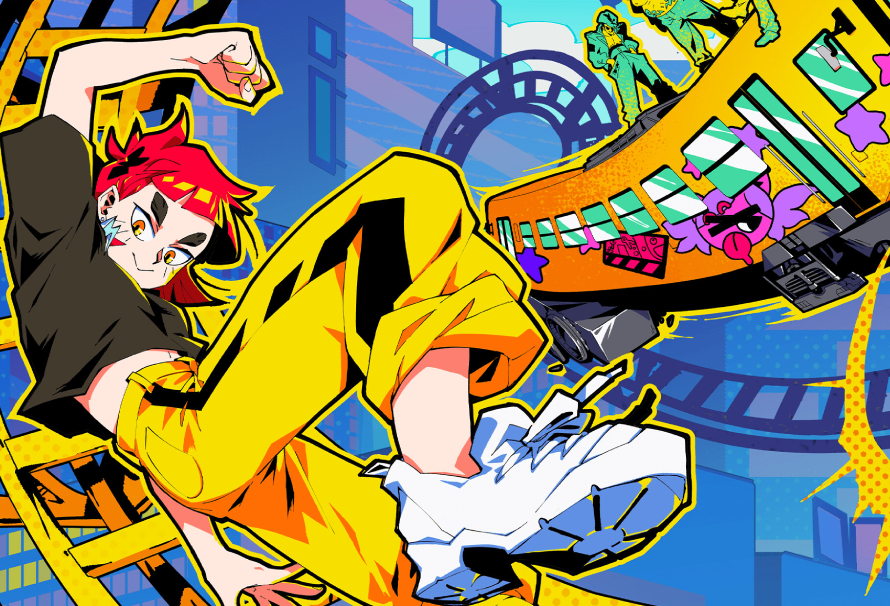
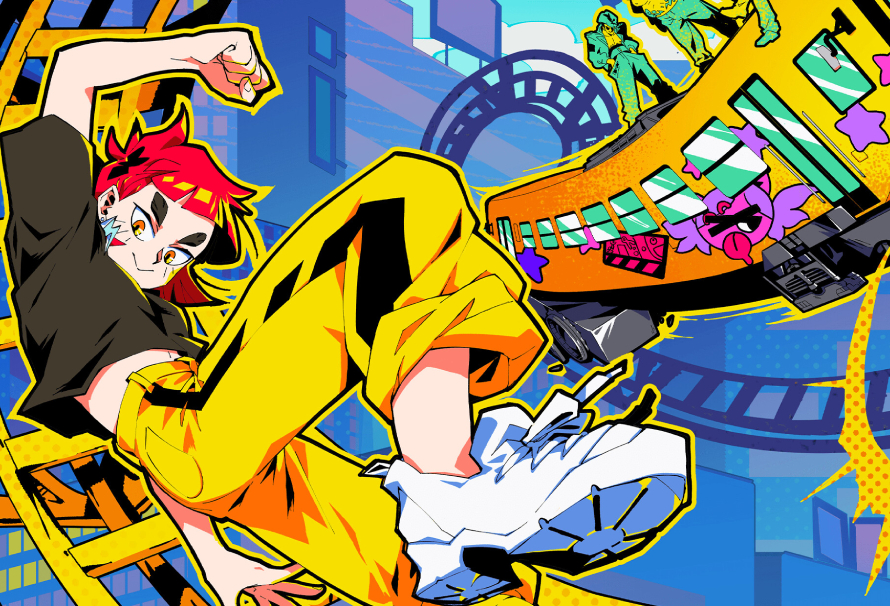
Denshattack! is one of those rare games that feels familiar in its aims, but completely fresh in its execution. It takes place in a world ravaged by climate change, where most of humanity now lives inside corporate-controlled domes. Outside of that carefully managed society, you play as a woman selling ramen from an old train.

The rails, unfortunately, have seen better days. While you are technically still travelling on tracks, getting around means jumping gaps, pulling off kickflips, grinding rails, and chaining together tricks in ways that make your train feel more like a skateboard than a vehicle.

Yellow train performing a high-speed wall ride with comic-style motion effects in Denshattack!

Early on, you meet someone who introduces you to Denshattack, a sport where train drivers compete to be as cool, stylish, and fast as possible. Honestly, why wouldn’t you get involved?

The world around the sport is just as charming as the sport itself. Some people compete, while others make a living by decorating trains, creating zines, and celebrating the culture around these stylish rail-riding daredevils. It gives the game a strong sense of personality, even before things start getting truly strange.

At first, you are simply learning how to turn properly, which takes more skill than you might expect. Before long, though, you are pulling off increasingly absurd stunts, chaining tricks together, and pushing your train far beyond anything resembling sensible public transport.

Yellow graffiti-covered train racing along a raised track toward a giant baseball in Denshattack!

Denshattack! does not stop at tricks and time trials. The game also features boss fights, and while we will not spoil them here, they become wonderfully ridiculous.

As you progress, you learn new techniques that expand what is possible. Manuals let you connect tricks and grinds for higher scores, while later abilities allow you to grind along magnetic forces surrounding the world. These appear as psychedelic rainbow trainlines, which is about as wonderfully unhinged as it sounds.

There is almost no way to describe Denshattack! without making it sound completely wild, and that is part of its appeal. It is strange, stylish, loud, and refreshing in a way that makes it stand out immediately.

Yellow train speeding along glowing rainbow rails through a vivid landscape of pink trees and rocky cliffs in Denshattack!

At its heart, Denshattack! is about fighting back against evil megacorporations while performing ridiculous train tricks with as much style as possible. That combination works far better than it has any right to.

The characters are engaging, the boss battles are memorable, and the side objectives give you plenty of reasons to replay levels in search of higher scores and better medals. It also becomes surprisingly challenging after the opening stages, but once you hit that flow state and start chaining everything together, it feels fantastic.

Denshattack! is bold, energetic, and gloriously odd. If you like games that take a simple idea and push it somewhere completely unexpected, this is absolutely one to watch.


Jason Coles

Jason likes to focus on roguelikes and co-op games; in a dream world he’d make a living writing about Dark Souls. As well as being a writer he also does personal training and accounting and can occasionally be seen on other people’s streams. Being a big fan of fluffy things means he has two cats, both of whom refuse to let him sleep, but at least they are cute.

GoldenEye 007 gets its best replacement in less than 1 month


If you’re a gamer of a certain age, you almost certainly recall hours spent sprawled across a bean bag chair, or on the lower bunk of a dorm room bed, or wherever else. You recall gripping the three-pronged Nintendo 64 controller in your sweaty hands, and maybe the smells that wafted your way from your roommates as they prepped for another deathmatch in the Facility.

GoldenEye 007 had a moment. It was a long and glorious moment, one that defined what the first-person shooter could look like on a console. We played it obsessively for a few formative years. Perhaps that’s why, even though we recently enjoyed the modern take on England’s best agent that 007 First Light so capably provided, we can’t help but get excited when we see a more retro approach that Agent 64: Spies Never Die is attempting. Because when it comes to the protagonist, the name is not Bond, James Bond. But it might as well be.

Agent 64 makes it feel good to be a spy again

Developed by Replicant D6, a one-person team who clearly understood the assignment, Agent 64 follows a visual approach that recalls GoldenEye. The textures are ever so slightly blurry. The villains roll to avoid your shots, vaguely resembling paper dolls the entire time. Corpses lie on muddy floors, folded in death.

Looking back at GoldenEye through a 2026 lens, its flaws are easy to see. Visually, it was no stunner even on the day it was released. Decades later, compared to modern competition from big-budget fare such as 007 First Light, it’s downright hideous. The muddy environmental textures and low-definition faces assume an almost nightmarish quality. But they were once very effective, and they enabled experiences we’ve never forgotten even as prettier successors came along and reached for the crown.

Agent 64 splits the difference, providing environments and gunplay that are uglier than you probably remember in your mind’s eye, but prettier than the old game actually was. And it looks faithful in all the right ways, despite the necessary concessions to advancing technology. You’ll visit varied destinations that wouldn’t have felt out of place in the old game. You’ll watch characters duck behind stone columns, raise their weapons by their sides, and do their best Pierce Brosnan impressions. Clouds of smoke fill hallways and locker rooms. A quick toss plants a mine on a distant computer terminal, seconds before a subdued but satisfying explosion.

In Agent 64, you are John Walter, an operative who faces off against his nemesis, the nefarious Dominic Pulp. Your mission propels you through a 14-stage campaign alone or with up to three friends, or you might try your hand at Challenges and Contract modes featuring varied objectives and limitations that extend the experience.

GoldenEye had a fun campaign of its own (except for the Control stage, which can rot in hell), but most of us remember the game fondly today because of the time we spent trying to take out our friends. Agent 64 looks to bring local competitive play back by dividing the screen four ways and pitting you against your buddies once again. When you take it online, you’ll find custom lobbies that support up to eight human players, along with as many bots and more than 70 gameplay modifiers. There’s even a Big Head mode. What about that for a retro throwback?

When does Agent 64 release?

Moving through an industrial outdoor environoment, with enemy agents firing from between stone columns and beneath a catwalk. Image: Replicant D6

If you’re wondering when you can get your hands on Agent 64: Spies Never Die, there’s some good news. The game launches Aug. 11, and you can wishlist it on Steam today. But you don’t have to wait. A free demo is available right now and downloads in seconds.

Unfortunately, there’s no word on when or if a console version of Agent 64 might arrive. Ports can always come later, though. We’re just glad this promising homage to one of the great games of the late ‘90s and early 2000s is finally almost here.

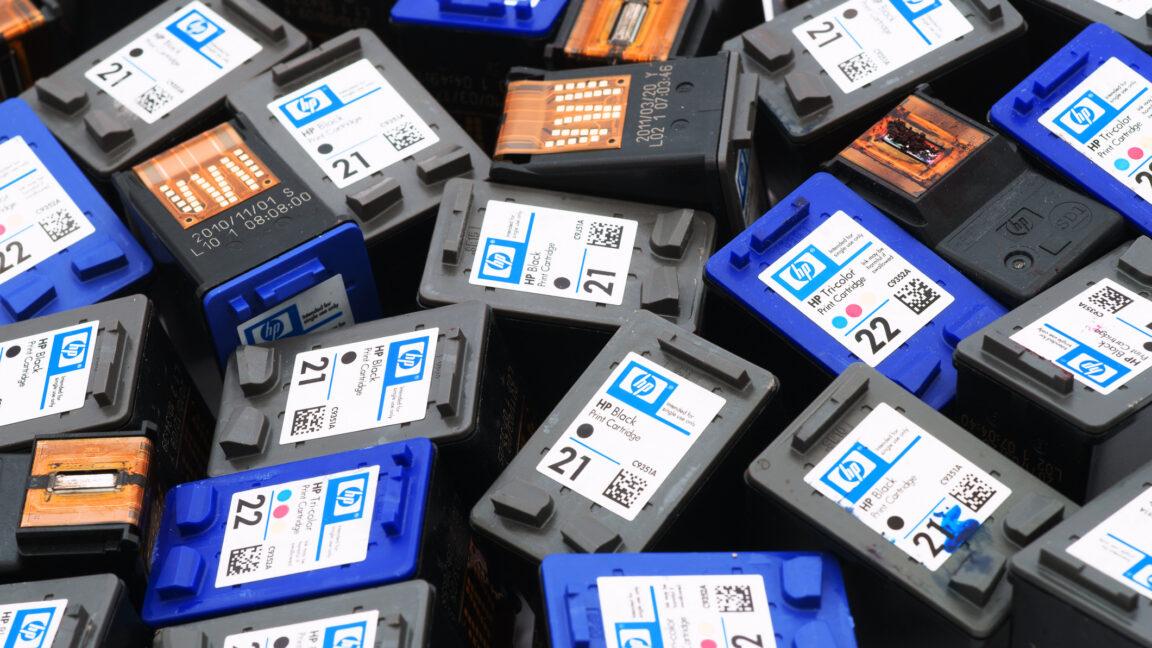
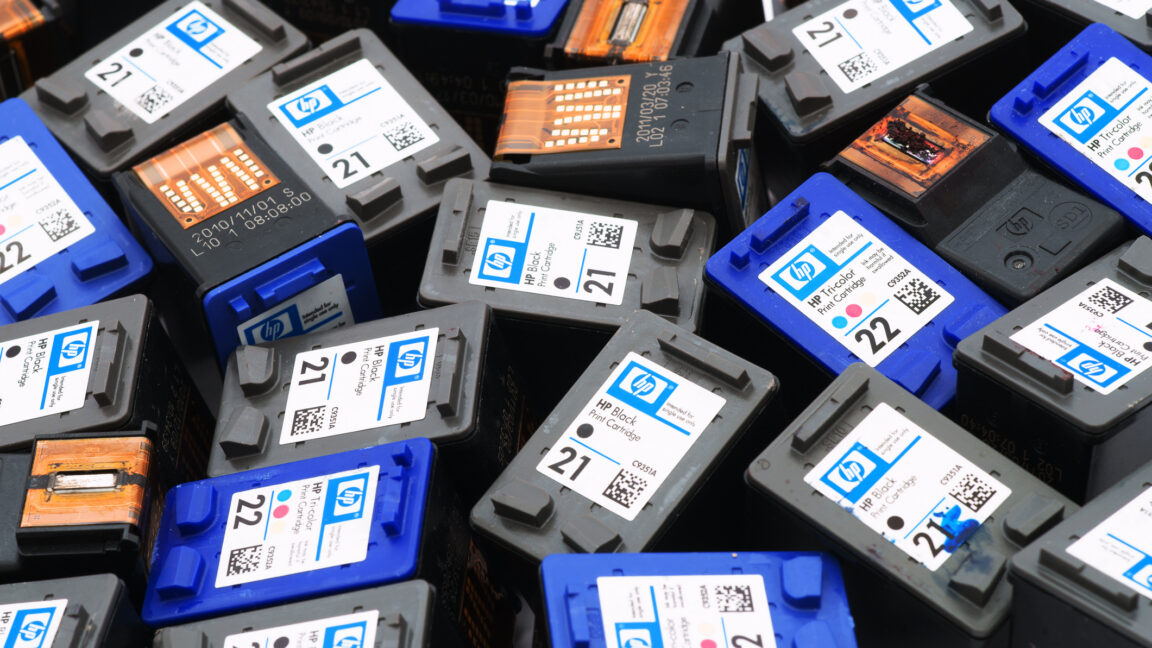
HP fined 1.4 billion rupees for “cartelization” of ink cartridges, toner, PCs


The agency also fined 21 HP resellers 35.2 million rupees (about $365,335).

In a separate order, the CCI said that WhatsApp records showed that HP and 16 of its Tier-2 reseller partners operated “in a collusive arrangement” and that the messages show the companies engaging in “bid rigging, including cover bidding, price fixation, and customer allocation during 2017–2020.” HP India played a central role, the regulator said.

Per the order, HP India said that high printing supply prices led some resellers to threaten to “shift to low-cost counterfeit products to compete on price.”

“HP India was commercially forced into a position where it had to support the collusive arrangement adopted by the Tier-2 resellers,” the order reads.

For its part, the order said that HP India “humbly objects to HP India’s role being characterized as a ‘kingpin’ of the entire collusive arrangement.”

Still, the revelation that some HP resellers are struggling with the exorbitant price of printer ink and toner underscores a problem many printer users face. The economic challenge is exacerbated by HP’s tendency to block third-party ink in already-purchased printers through firmware updates. At the same time, with even its own partners threatening to take their ink business elsewhere, HP is pressured to get more HP printer users to only use HP-brand ink and toner.

The CCI also ordered HP India and its channel partners to “cease and desist from anti-competitive conduct” and to hold competition compliance training programs within 60 days.

HP hasn’t publicly commented on the fines.

How PC Hardware Requirements Change


Local AI vs. Cloud AI: How PC Hardware Requirements Change

Both Local AI and Cloud AI are rapidly becoming part of everyday business operations. From generating content and writing code to analyzing documents and training machine learning models, organizations now have more choices than ever in how they deploy AI. One of the biggest decisions is whether to run AI workloads in the cloud or locally on dedicated hardware.

While both approaches have their advantages, they place very different demands on your PC or workstation. Understanding those differences is essential when investing in hardware that will support your AI initiatives both today and in the future.

Cloud AI Prioritizes Connectivity

ProMagix M15 Plus - An ideal light and mobile workstation for cloud AI computing.

Cloud-based AI services like ChatGPT, Microsoft Copilot, Google Gemini, and Claude perform nearly all of the heavy computation on remote servers. Your local computer primarily acts as a client, sending requests and displaying results.

Because the processing happens in the cloud, hardware requirements are relatively modest. A modern multi-core processor, 32GB of memory, and a reliable internet connection are typically sufficient for most users. Graphics performance plays only a minor role unless the system is also used for visualization, engineering, or content creation.

The tradeoff is that every prompt, image, or dataset must be transmitted to a third-party service. For organizations working with proprietary designs, healthcare records, financial information, or government data, this can create security, compliance, or privacy concerns. Performance is also dependent on internet connectivity and cloud service availability.

Local AI Demands Serious Hardware
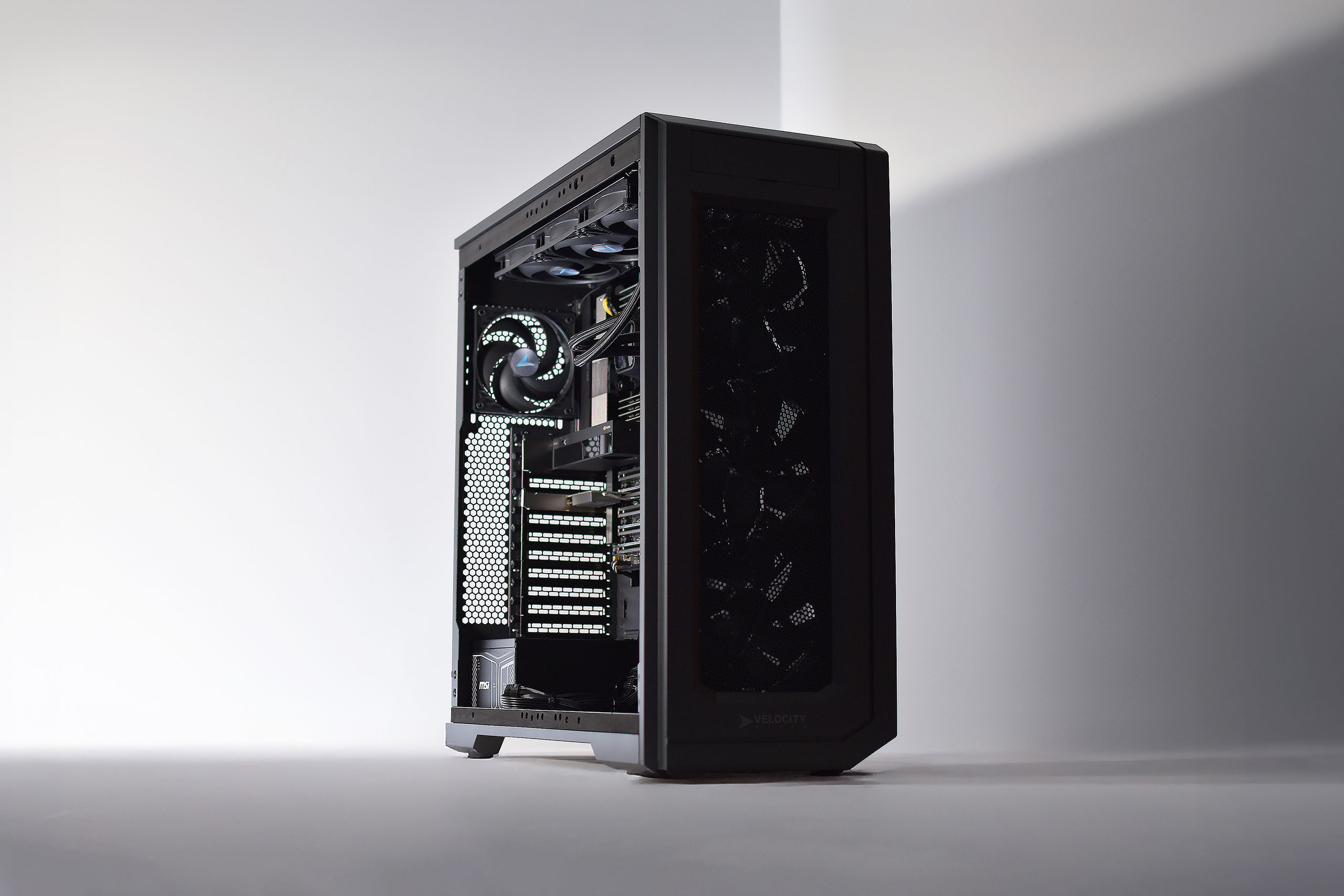
The ProMagix HD360A, an Epyc-Based PC platform designed for superior local AI performance.

Running AI models locally is an entirely different challenge.

Instead of relying on remote servers, your workstation performs inference—and in some cases model training—using its own hardware. That means every component matters.

The graphics card is usually the most critical piece of the system. Modern AI models thrive on GPUs with thousands of parallel processing cores and large amounts of dedicated VRAM. Larger language models, image generation, and retrieval-augmented generation (RAG) workloads often require 24GB, 48GB, or even more GPU memory to run efficiently.

The processor also plays an important supporting role, feeding data to the GPU, handling preprocessing tasks, and supporting multi-threaded workloads. High core-count CPUs like AMD Threadripper workstations become increasingly valuable as datasets grow larger.

Memory capacity is equally important. AI development frequently involves loading large datasets, running multiple applications simultaneously, and caching models in system memory. Many professional AI workstations begin at 64GB of RAM, while larger deployments may require 128GB, 256GB, or more. For these higher RAM density builds, a workstation platform with more than two memory channels is critical.

Storage is another key consideration. High-speed PCIe Gen5 NVMe SSDs dramatically reduce the time required to load datasets, models, and checkpoints, improving productivity throughout the AI workflow.

Choosing the Right Platform

Neither local AI nor cloud AI is inherently better, they simply solve different problems.

Cloud AI offers virtually unlimited scalability without the upfront hardware investment. It’s an excellent choice for businesses looking to deploy AI quickly or organizations with unpredictable compute requirements.

Local AI excels when performance, security, predictable costs, and low latency are priorities. Developers can iterate faster without waiting on cloud queues, sensitive data never leaves the organization, and businesses avoid recurring usage fees that can grow significantly over time.

Many organizations ultimately adopt a hybrid strategy, leveraging cloud services for large-scale training while running inference, testing, and proprietary workloads on local workstations.

Why Velocity Micro Builds Workstations for Local AI

Building a workstation for artificial intelligence isn’t simply a matter of installing the fastest processor and largest graphics card. AI workloads place unique demands on power delivery, cooling, memory bandwidth, storage performance, and overall system balance. A bottleneck in any one area can reduce the effectiveness of the entire platform.

For nearly three decades, Velocity Micro has specialized in designing purpose-built high-performance systems for professionals with demanding computing workloads. That experience extends naturally into AI, where every hardware decision affects model training times, inference performance, and long-term reliability.

Velocity Micro AI workstations are engineered around the specific needs of local AI deployment. From carefully matched CPUs and NVIDIA RTX Professional GPUs to high-capacity memory configurations, ultra-fast NVMe storage, and optimized thermal management, every component is selected to maximize sustained performance, not just peak benchmark numbers.

The result is a workstation capable of accelerating model development, reducing inference latency, and processing larger datasets with greater efficiency. More importantly, those performance gains are consistent over time. Systems designed with proper cooling, power delivery, and workload optimization maintain higher clock speeds under sustained load, allowing developers, researchers, and engineers to spend less time waiting and more time innovating.

As local AI continues to move from experimental projects into everyday business operations, purpose-built hardware will become a competitive advantage. With decades of experience building premium workstations and performance PCs, Velocity Micro delivers AI systems engineered to help organizations deploy, train, and scale local AI with confidence.

The following two tabs change content below.

This content was written by the expert Velocity Micro staff.