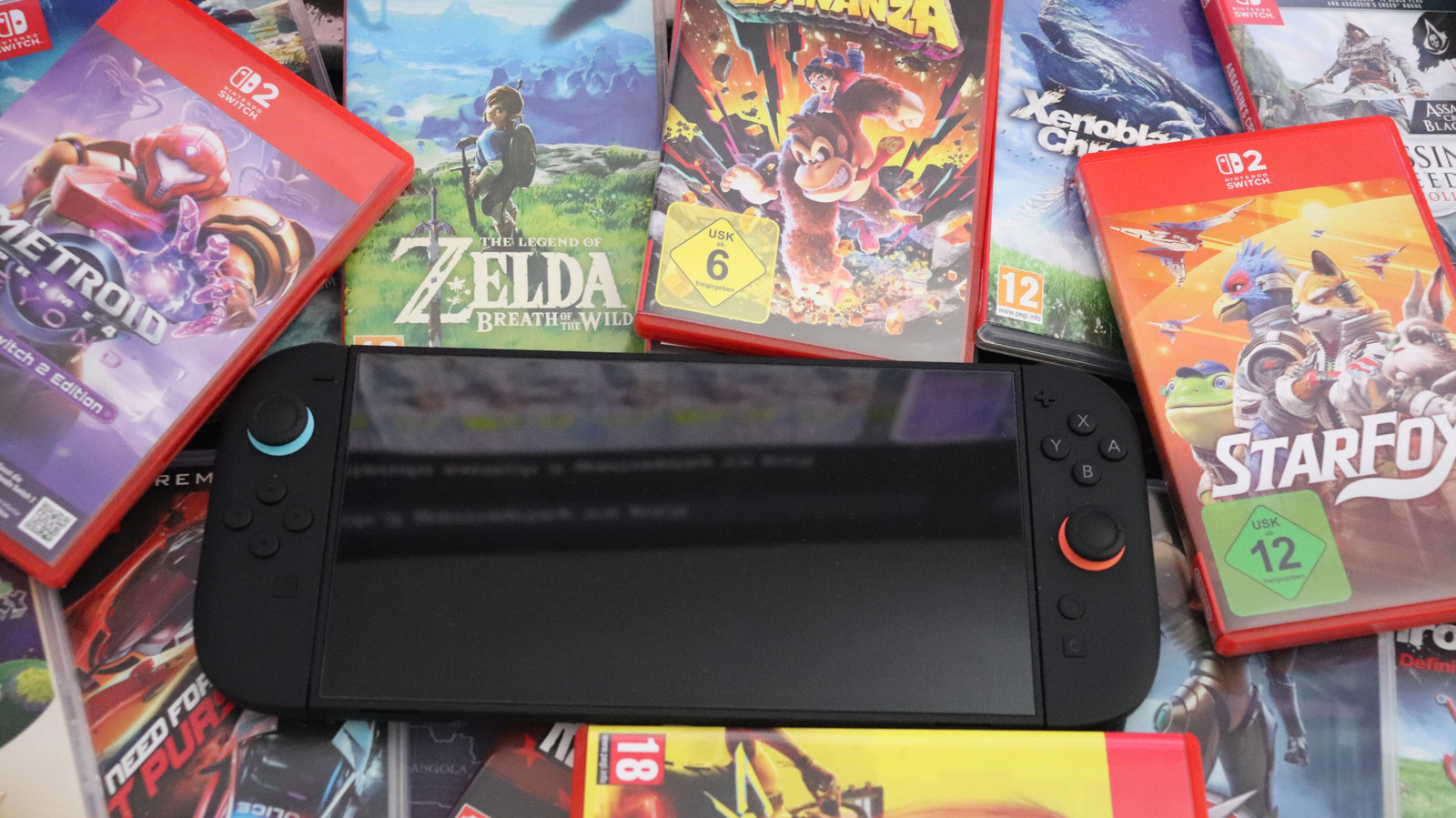
5 Nintendo Switch 2 Features Everyone Should Know About


The Switch 2 has lots of little tricks to discover: some inherited from the original Switch and some new.

Chances are that you aren’t taking full advantage of everything your Nintendo Switch 2 can do. It’s easy to jump right into games and ignore the various settings that help your system run at its best. 

The Switch 2 is a pretty direct upgrade to the original Switch — its design, OS, controllers and other aspects are refinements rather than something entirely new. That means many of the Switch 1’s tips and tricks work on the newer console too, so if you’re a Switch veteran you might already know where to look. But there are other easy-to-miss improvements to find, and they’re unique to the newer system.

Whether it’s making controls more comfortable or repurposing hardware you already have, you should know about the Switch 2’s neat little features. For instance, you might have overlooked the option to share games with friends, which can save you all money. Try these features out before you jump into a game on your next session.

Locate your controllers

The Joy-Con 2 controllers are larger than the original models but still small enough to sink between the couch cushions or lose sight of underneath a blanket. Next time you can’t find your controllers, your console can help. Open the Controllers page from the main menu, then hit Search for Controllers.

All compatible controllers you’ve paired to the system will appear; to find one, highlight it and hold L or R (or press the touchscreen). While you’re holding the button, the controller will vibrate and play a sound, helping you track it down. If you can’t find one, try walking around with the console to get back in range of it.

There are a few caveats here. While you can pair original Switch controllers with a Switch 2, this feature can’t locate them. Third-party Switch controllers may or may not work. You can’t ping a dead controller with this, and it won’t find a controller that’s paired with another console.

Preserve long-term battery health

Most laptops, phones and similar devices now include a feature to cap their charging at 80 percent (or similar values). This is designed to protect the health of the device’s battery over several years, since keeping lithium-ion batteries at 100 percent for extended periods wears them faster than lower percentages.

Your Switch 2 can also do this: open Settings and scroll to System. About halfway down, you’ll see a toggle titled Stop Charging Around 80-90%. Turn this on, and your system will limit itself when it’s on the dock or otherwise charging. If you’re headed on a long trip, feel free to shut this off first to fully juice up. But in general, especially if your Switch 2 sits on the dock most of the time, this is worth having on.

Speaking of charging, the System Battery (%) option next to this is appreciated, too. It will show the exact battery level instead of a general symbol.

Remap your controller buttons

While many modern games have expansive control scheme options, sometimes you can’t adjust exactly what you’d like. For those cases, you’re able to remap buttons at the system level. Open Settings and go to Accessibility. At the top, choose Button Mapping — if you plan to use this often, enable Button Mapping in Quick Settings and a shortcut to this tool will appear when you hold the Home button.

In this menu, you’ll see each connected controller on the left side. Select one and choose Edit Controller’s Mappings to show its buttons, where you’re free to remap most of the inputs to anything else. For example, you could swap the ZR and ZL buttons with R and L, or move an inconvenient input to a button that’s in closer reach.

The C button is of particular interest; if you don’t use GameChat, you can disable the button to avoid accidental activation. Alternatively, turn it into a secondary input for another button, like a D-pad direction or pressing one of the sticks. Check the Control Stick Settings if you’d like to swap the left and right sticks or use a Joy-Con 2 vertically when a game intends you to hold it horizontally.

While you can’t apply a remap to a certain game, you can save up to five profiles per controller and swap them as needed. After hitting Save, choose Save as a Preset and give it a name. When remapping is applied, you’ll see a blue wrench icon at the bottom-left of the menu and anywhere else that controller icon appears. Games are not aware of remapping done this way, so if you’ve swapped ZR and R, for example, you’ll need to press the latter when the game prompts the former.

There’s one more related option at the bottom of Settings > Controllers & Accessories: Swap A and B. This simple toggle does what it says and is great if you’re used to PlayStation or Xbox controllers that have the Confirm button at the bottom and Cancel on the right.

Share games with family and friends


You have options for letting others enjoy your games, thanks to Nintendo’s virtual game cards. Any game loaded onto your system is playable by all other users on the console under their own profile. If you have a Nintendo family group set up, other members can borrow your games on their system for two weeks (during which time you’re unable to play them).

Open the Virtual Game Cards page on the Home screen to see your collection. Choose one and hit Lend to Family Group Member, then Select a User to Lend To. To do this, you have to be physically near the other person. You can only loan three games at a time, and a borrower can only have a single game “checked out” at once. Either party can return the game early, and you’re free to loan it again if desired after 14 days.

There’s also the GameShare feature, where you can stream a copy of compatible games so anyone nearby with a Switch or Switch 2 can join you in multiplayer. You can also do this online using GameChat for friends with a Switch 2. Only a few titles (including Donkey Kong Bananza, Clubhouse Games and Super Mario Odyssey) are supported, but it’s worth a look for a low-cost multiplayer.

Speed up your Switch 2 experience

There are a few ways to reduce slowdowns across your Switch 2 so you don’t get bogged down in menus all the time. If you’re the only user on your system, it’s a waste of time to select your profile every time you open a game or the eShop. To avoid this, go to Settings > Users and enable Skip Selection Screen. This option won’t appear if your system has multiple users.

You might also be able to minimize loading times in Switch 1 games. These can see smoother performance when playing off the dock if you visit Settings > System > Nintendo Switch Software Handling > Handheld Mode Boost. By enabling this, your Switch 2 runs original Switch titles as if they were in TV mode, which can improve their graphics or performance. As a trade-off, it will likely use more battery, and there are some control quirks (like the touchscreen not working). There’s also an option to add this to Quick Settings for easier toggling.

Finally, there’s a much better way to share media you create on your Switch 2. To share your screenshots and video clips much faster, open the Gallery icon on the home screen, hit the Settings cog on the left, and pick your profile. Enable Automatic Uploads and your system will upload up to 100 items, held for 30 days. Then on your phone, install the Nintendo Switch app and sign in with your Nintendo account. By tapping the same Album icon in the app, you’re able to access your uploads and share them over chat apps, social media or similar.
Turn Your Android Home Screen Into a Tiling Linux Desktop


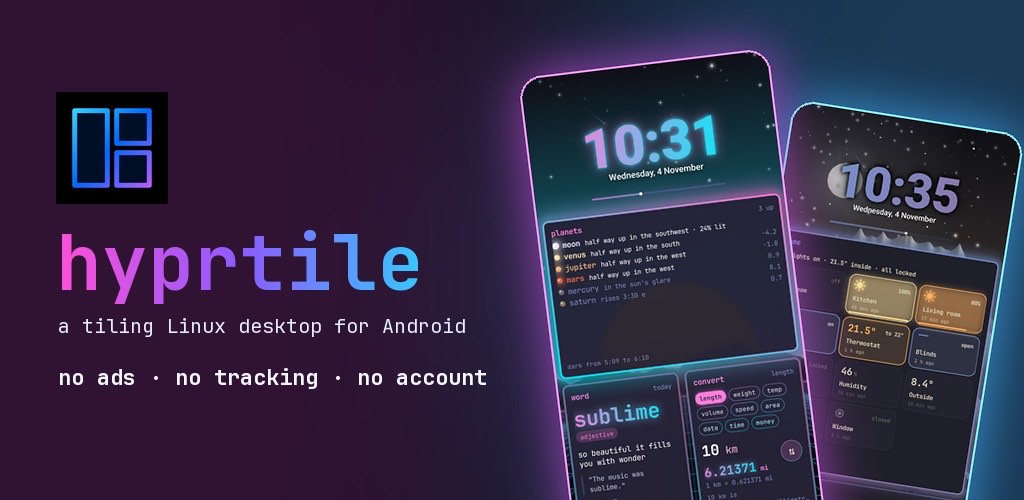
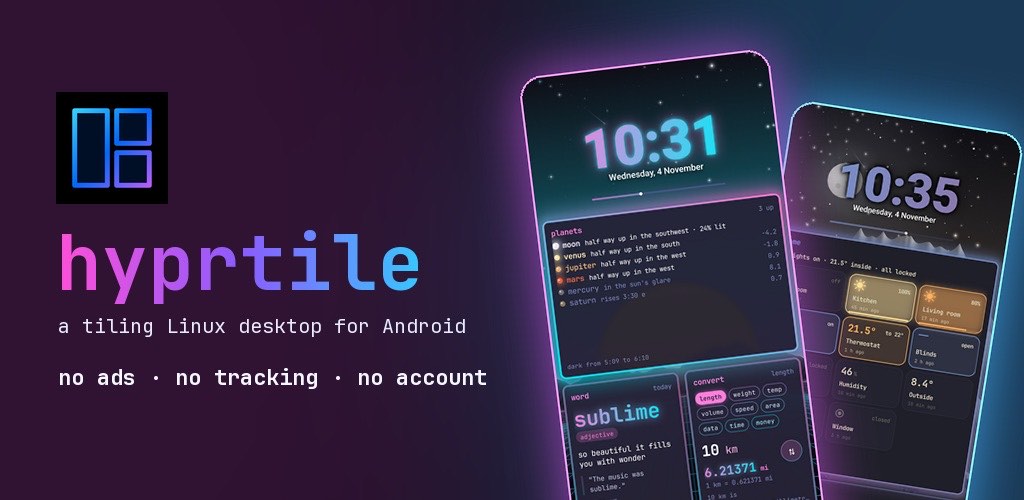
Hyprtile logo and promotional banner showcasing a neon-themed tiling Linux desktop for Android on two smartphones.

If you have ever scrolled through r/unixporn and wished your phone looked like one of those setups, with glowing window borders, a status bar full of workspace pills and a terminal tucked in the corner, you are not alone. Tiling window managers like Hyprland have made the Linux desktop one of the most customised places in computing. Your phone’s home screen, by comparison, is usually a grid of icons.

Hyprtile is a launcher that tries to close that gap. It turns your Android home screen into a tiling Linux desktop, inspired by Hyprland, Omarchy and the kitty terminal. Here is how it works and how to get a good looking setup in a few minutes.

Widgets become windows

The core idea is simple: everything on your home screen is a window. Windows are arranged in a dwindle layout, the same style many tiling window managers use, with gaps between them, gradient borders, shadows and blur. You can swipe between named workspaces, just like switching workspaces on a desktop.

There are windows for the things you check every day: a big clock, weather, a calendar, notifications, pinned apps and a btop style system monitor. There are also fun ones, like a cava style audio visualizer, a word clock, snake, QR codes, tldr pages, air quality and pollen, a habit tracker and a notepad.

A waybar, a terminal and a launcher

Across the top sits a waybar, with workspace pills, the clock, battery and system stats. There is a small kitty style terminal that runs fastfetch and a little shell, and a rofi style launcher that finds any app as you type. If you use Linux, all of this will feel familiar right away.

Start with a preset

The quickest way to a nice setup is the presets. There are ten of them, and one tap changes the wallpaper, colours, glass, borders, fonts and clock all at once, from calm camel and navy to osaka jade, liquid glass and bold neon. Pick one you like and tweak from there.

Then pick a theme

Hyprtile comes with 34 themes from the ricing scene, including Tokyo Night, Catppuccin, Gruvbox and Nord. You can also choose from five terminal fonts: JetBrains Mono, Fira Code, Meslo, Hack and Caskaydia Mono.

Rice it in a config file

This is the part Linux users will enjoy most. Hyprtile reads a file called hyprtile.conf, written in Hyprland’s own syntax, and reloads it live. You can change gaps, borders, rounding, blur, shadows and even the bezier curves used for animations, then watch the home screen update as you save.

Music and a quick pull down

A music player window, styled after cliamp by Bjarne Øverli, comes with built in radio: Lofi, Synthwave, Chiptunes, Phonk and more. Pull down on the home screen for your toggles, the player and your notifications. You can also lock home in portrait or landscape, and, if you choose to turn it on, double tap empty space to lock the phone, with fingerprint and face unlock still working as normal.

Privacy

Hyprtile has no ads, no analytics and no account. Notifications, calendar and contacts are only read on the phone, and only if you allow it. Weather and air quality use your location rounded to about 1 km, again only if you allow it, and none of it is sent to the developer.

Optional extras

The app is a one time purchase with no subscription. An optional Pro upgrade adds things like Android widgets from your other apps as tiled windows, an RSS news window riced like newsboat, rain radar, 26 more themes, icon pack support and a Health Connect window for steps, heart rate and sleep. Everything described above works without it.

Who is it for?

If you love a clean, keyboard driven Linux desktop, or you simply want a home screen that looks nothing like everyone else’s, Hyprtile is worth a try. Search for Hyprtile on Google Play, start with a preset, and then open hyprtile.conf and make it yours.

Hyprtile is an independent app made by a solo developer and is not affiliated with Hyprland, Omarchy or kitty.

How to Start a Kid’s Prayer Journal and Teach Them to Pray


A rock-solid prayer life is one of the best gifts you can give your kids. Talking to God, the One who created the entire universe and everything in it is SUCH a high honor and privilege!! But how do you get them there? How do you instill a sense of desire for praying in your little ones?

Here’s how to start a kid’s prayer journal and get them excited about praying!

Looking for prompts to pray about all topics? Check out the Prayer Prompts Planner here.

How to Start a Children’s Prayer Journal

Let them “catch” you praying

The number one thing that you can do to encourage your kids to pray more, is to let them “catch” you praying. It’s the old saying, “Monkey see, monkey do.” Children mimic what we do…use that for good!

Show them that you value prayer, show them what it’s all about and why you value it so much. Show them that talking to God is special, a high honor, a privilege. Not just something we do when we want something but it’s about cultivating a moment-by-moment relationship with our Creator and best friend.

As a Christian, God means the world to us, and spending time with Him is not only vital to our Christian walk, it’s everything. It’s the air we breathe.

Being a witness to them of our own experience with Christ and how important it is to us, that relationship with Him. When they see, hey mom values this, they will have more of a desire to find out why it’s so important to you, which piques their curiosity about the things of God.

They need a quiet and peaceful space

Next, be sure they have a quiet and peaceful space in which to pray. For me, at one house there wasn’t a good, quiet place so I put a fluffy pillow on the floor in my closet. It was somewhere that I could shut the door and was the quietest room in the house. Yeah, it was uncomfortable on the floor, but it was quiet and that’s what mattered most.

To have that uninterrupted, special, peaceful, quiet time with the Lord…ahhh, it’s just amazing, isn’t it?! 😍

What you value so much, that uninterrupted time you spend drinking Living Water, they need too!

Get them their own special pillow and put it in one section of their room and create a prayer corner. Decorate the prayer corner with fun stuff to entice them into that space, so they want to spend more time there. Maybe get some wall stickers or framed art for the space. Maybe a fuzzy blanket to go with the pillow. Anything that is special to them, that THEY like. Make it a special retreat for them. An oasis in a cruel, cold world.

Pray with your kids daily

Show them how important prayer is to YOU. Again, monkey see, monkey do.

If they see you taking time out of your busy life to stop and pray with them, they will learn very quickly that prayer is important to you, that it’s something we do because we love God and want to spend time with Him no matter what’s going on in our lives. We are never too busy for Christ! He’s our priority!! 💯

This can speak volumes into the heart of a small child.

What WE value, what WE spend time on, it shows them what’s important in life.

We don’t have to talk about it with them all the time, but just being that silent witness to them. If we are praying, they see it, they know. We don’t have to shove it down their throats (which we should never do with anyone), but just being a godly example and witness to them of a life lived out for Christ, a life on fire for the things of God – they see that.

Encourage them to pray

Always talk about praying in a positive way. Encourage them (not nagging) to pray. Praying before bed might be a good time for them. Encourage them to seek after God…to love Him.

Help them read verses where it tells us to pray. Seeing it in the Bible, brings authority to your child’s heart. It’s not just YOU saying we should pray, but it’s in the Bible too, God’s written Word!

THAT’S the standard, that’s the authority.

I remember when my kids were younger, they’d always come to me and ask me questions about God. We’d have routine family time (family meetings) where they could talk to me about anything they wanted, whatever was on their hearts and it was a great time for us to connect together and a great teaching time for me to teach them.

They’d ask me a question about God and I’d tell them. I’d tell them what the Bible says, what we should do to line our hearts and lives up to God, and how to live a holy life set apart for our Creator, but there were a few times when they’d ask a question about God or about life that I just didn’t know the answer too. So, I’d tell them, “Well, let’s find out what the Bible says about it.”

They knew.

In our home, they knew that the Bible was the source of all information (2 Timothy 3:16-17), the source of wisdom, the authority of godliness and life. They knew it is the standard of what we believe, that God wrote the Bible, that it’s not just ME talking, but that the information comes from a higher source, a higher power…God.

HE’S the authority in our home, not me. He elects me to shepherd them, yes, of course, but HE is ultimately the boss.

Over time they saw that heart of me wanting to please God and how important He is in my life. They knew that He’s the authority and that it’s not just mom making up some outlandish rules to follow out of the blue, but the will of our precious Lord and Savior.

You want to show them that. You want to encourage them that HE has the final say. That we line our lives up to HIS standard, that He’s not just a part of our day, He is our entire world and everything flows from Him. He’s not just an add-on, an addition into our already busy lives but He IS our life.

Show your kids that others are praying too

One of our favorite Christian cartoons to watch is the Hermie series by Max Lucado. In the episode, Milo- The Mantis Who Wouldn’t Pray, it teaches children (without being too obvious about it), that praying is super important in the life of a Christian. Having your little ones watch shows like this will definitely help them see the importance of prayer and other godly qualities.

Use a prayer journal

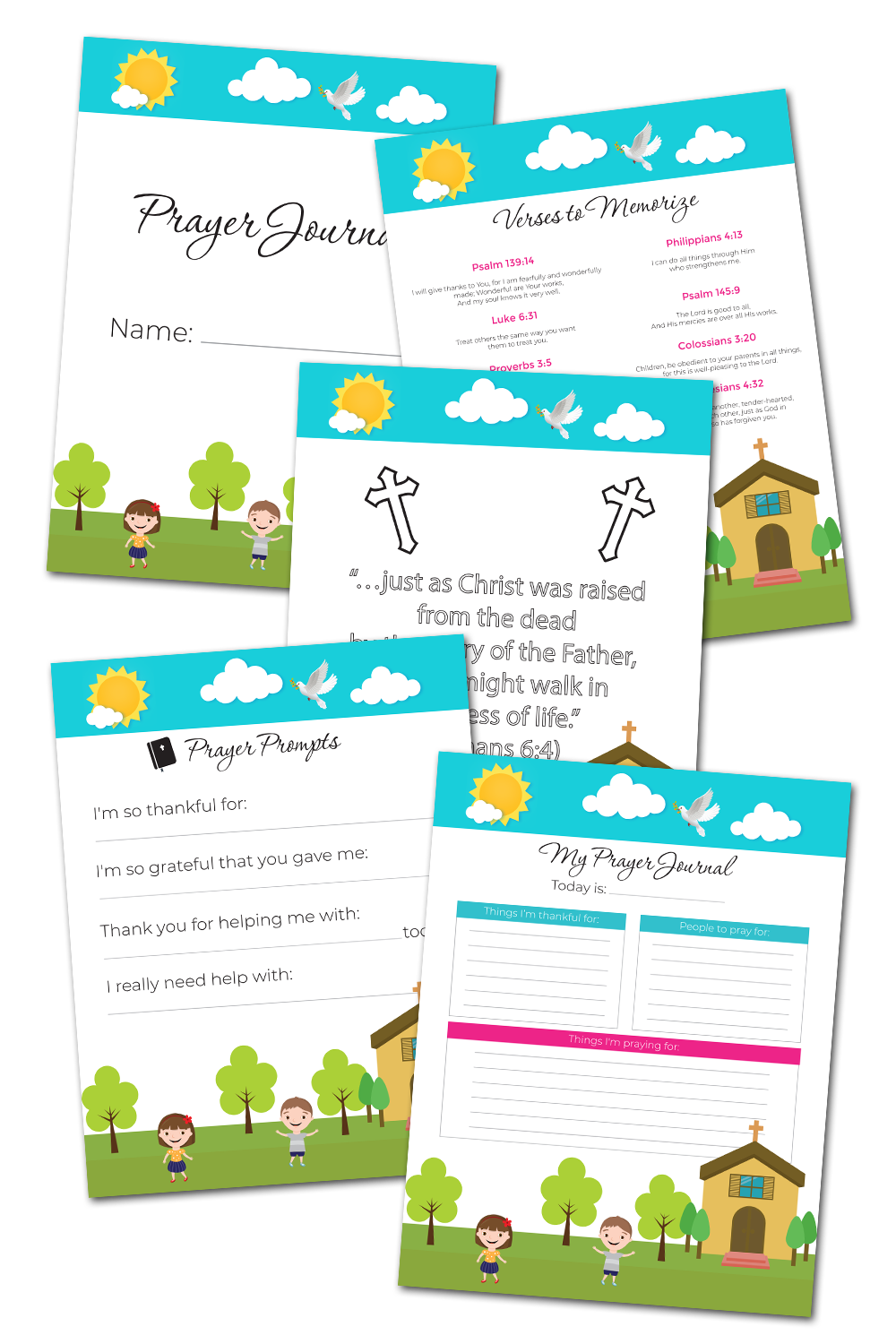
I’ve created this amazing kid’s prayer journal below that is jam-packed with lots of fun stuff. From verses to memorize, to prayers, to thankful /gratitude lists, and even a coloring sheet. These children’s prayers printables will help them get excited about prayer. Make them their own little binder. Kids love having things that are just theirs. Put their name on it and make it special. This is THEIR prayer journal. They can decorate it any way they want!

Write down answered prayers

I don’t think there’s anything more motivating than seeing our prayers answered. To know that the God who made the entire universe and everything in it, is listening to little ‘ol me, is just amazingly unfathomable. Seeing Him answer our prayers encourages us in a way that nothing else can. Keep track of your prayers! I’ve been shocked to see even prayers that I prayed for three years ago, be answered just like I asked God. And I wouldn’t have remembered, had I not of written it down!

Pray for their hearts

Above all, ask God to cultivate in your child, a heart of seeking the Lord. You really can’t do this alone. It’s God who is ultimately in sovereign control of their little hearts. You can encourage them, but their hearts belong to Him. Pray for them night and day. Pray they would seek Him, pray that God would cultivate in them a heart of prayer.

A rock-solid prayer life is one of the best gifts you can give your kids, but it can be difficult to get them there. Here's how to start a kid's prayer journal and get them excited about praying, plus some free printables to boot!A rock-solid prayer life is one of the best gifts you can give your kids, but it can be difficult to get them there. Here's how to start a kid's prayer journal and get them excited about praying, plus some free printables to boot!

A rock-solid prayer life is one of the best gifts you can give your kids, but it can be difficult to get them there. Here's how to start a kid's prayer journal and get them excited about praying, plus some free printables to boot!A rock-solid prayer life is one of the best gifts you can give your kids, but it can be difficult to get them there. Here's how to start a kid's prayer journal and get them excited about praying, plus some free printables to boot!

A rock-solid prayer life is one of the best gifts you can give your kids, but it can be difficult to get them there. Here's how to start a kid's prayer journal and get them excited about praying, plus some free printables to boot!A rock-solid prayer life is one of the best gifts you can give your kids, but it can be difficult to get them there. Here's how to start a kid's prayer journal and get them excited about praying, plus some free printables to boot!

A rock-solid prayer life is one of the best gifts you can give your kids, but it can be difficult to get them there. Here's how to start a kid's prayer journal and get them excited about praying, plus some free printables to boot!A rock-solid prayer life is one of the best gifts you can give your kids, but it can be difficult to get them there. Here's how to start a kid's prayer journal and get them excited about praying, plus some free printables to boot!

A rock-solid prayer life is one of the best gifts you can give your kids, but it can be difficult to get them there. Here's how to start a kid's prayer journal and get them excited about praying, plus some free printables to boot!A rock-solid prayer life is one of the best gifts you can give your kids, but it can be difficult to get them there. Here's how to start a kid's prayer journal and get them excited about praying, plus some free printables to boot!

Page templates included in the Kid’s prayer journal:

  • Prayer Journal Cover
  • Thankful page
  • Prayer Prompts
  • Verses to Memorize
  • Romans 6:4 Coloring Page

Grab the Kid’s Prayer Journal PDF here.

Related Resources:

Want more Christian printables to help your children?

A great place to start is by getting to know God better, His attributes. Here’s some kids activities packs geared toward teaching about who God is. ❤️

What sets your printables apart?

• Other printables are either functional OR cute. I bridge the gap between the two. Since I’m a single mom and don’t have time to mess around and am a kid at heart, I love something that actually propels me forward and gets the job done quickly, while still having that super cute vibe I’m known for.
• I’m a graphic designer FIRST. This means my printables, whether free or paid for, will always be of the highest quality and print crisp and clear on any printer.
• I love what I do and I do the work myself. I’m not hiring these out. This is my life, my hobby, my passion, my heart.
• My fans are obsessed with my work. To date, I’ve made over $23M on printables alone (organically) in the past 8 years.

Is this printable free to download?

Yes! Except for some large binders, all printables on the blog are 100% free for personal use. I make these because I genuinely want you to have something cute and helpful right now without having to spend a dime. You deserve a life that feels more peaceful, more organized, and more you, and if a simple printable can make your day feel lighter, I am so happy to give that to you.

All printables are for personal use only.

Printables, graphics, backgrounds, SVGs, fonts, and design elements on this site are for personal use only. You may not alter them or redistribute them for free or monetary gain without written consent from the author, Sarah Titus. If you want to share these resources with others, please share the link to the blog post. Teachers & Churches: You may share these with your classes, colleagues, and congregation as long as they are not edited in any way.

Can I use these printables for my classroom or church group?

Absolutely! You’re welcome to print as many copies as you need for your own students or church groups. I only ask that you do not edit them in any way (leaving the full copyright line in tact) or sell them or host the digital files on other websites. Please always link back to this post to share with others.

What’s the best way to print these high-quality printables?

• For best results, I recommend using standard 8.5″x11″ white paper. Since these are professionally designed as high-resolution PDFs, they’ll stay crisp and clear on any printer. To print, simply download the PDF to your device and open your printer settings. Select “Fit to Page” to ensure the printable looks perfect.
• If you’re printing stickers, I have a tutorial here.

Jensen Huang’s Troubles Leave the AI Industry Reeling


No executive has pulled the strings in the artificial intelligence era quite like Nvidia’s CEO Jensen Huang. He parlayed the boom into incredible wealth, became a close confidant of President Donald Trump, and emerged as a prominent voice in US-China relations. That now all stands in the balance.

Over the last few days, Huang’s status as an AI titan has come under scrutiny amid an admission that he had an affair with Alice Huang, an executive at a Singapore-based company whom US intelligence services concluded was a Chinese intelligence asset.

Nvidia’s board of directors said that the company would launch an investigation into the incident. Huang, the company said, “fully supports the review and has committed to cooperating with it.” Huang earned $36 million last year, owned about 3.5 percent of Nvidia as of March, according to a corporate filing—which also noted that Huang is an at-will employee who can be let go anytime without severance.

How exactly the investigation shakes out, and what it means for Huang’s future at the company, remains to be seen. But the incident at least puts his position at risk, and raises questions about how the industry will respond.

“He’s the person who decides who gets the chips and who doesn’t,” says David Yoffie, a professor at Harvard Business School who tracks the chip industry.

Nvidia, which Huang cofounded in 1993, controls 90 percent of the market for chips used in training frontier AI models. With those chips in short supply, Huang has the power to determine which areas of AI get a boost next. Nvidia has also bankrolled much of the AI buildout, investing billions in the very companies buying its chips, such as OpenAI and Anthropic. When Elon Musk wants to build a new data center, Yoffie says, he can put in a call to Huang.

Internally, Huang closely manages even small details at Nvidia, responds to emails from any one of its roughly 60,000 staffers, and raises his voice to get points across, according to current and former employees. He’s a regular on cable TV and at tech conferences, where he’s been trying to deflate concerns about an AI market bubble and boost the positioning of his company.

But Nvidia has no other executive anywhere close to Huang’s prominence, and no apparent potential successor. “We have no idea who would replace him,” Yoffie says. “You put someone new into that position, if you’re a customer, who knows what that’s going to mean.”

Ryan Fedasiuk, a senior fellow at the think tank Foundation for American Innovation, says that Huang has played such an important role—and become so close to the president—that he has become load-bearing for the entire US AI industry.

“On the one hand, Huang is irreplaceable. He built Nvidia into the juggernaut it is today, and he was the visionary behind the GPU, which has sustained the intelligence revolution,” Fedasiuk says. But he says that the company, which is indispensable to the AI industry, has to come first.

“He has to be replaceable as the CEO of the world’s largest company, at $4 trillion in capex.”

Nvidia shares fell more than 4 percent on Monday, even as broader stock market indices rose.

The board’s investigation will most likely focus on whether Huang violated any company policies, Yoffie says. But the FBI could also investigate whether laws were broken, and Congress may decide to look into whether Huang’s affair influenced the US government’s policy on selling chips to China.

Nvidia didn’t immediately respond to WIRED’s request for comment.

Why Tobishima Replaced AutoCAD with ARES: Network Licensing for 2,000 CAD Users


Tobishima Corporation, a leading Japanese general contractor, has used ARES CAD software since 2015 and by 2022 had installed it on nearly 2,000 company PCs. ARES network licensing lets any installed copy start as long as the company stays within its total number of licenses, so Tobishima no longer manages a license for each person.

This case study explains why Tobishima chose ARES, how it supported its users through the CAD migration, and why network licensing suits a large, project-based company.

Quick facts

  • Company: Tobishima Corporation, founded in 1883
  • Software: ARES Standard (2015), then ARES Commander (2017)
  • Scale: ARES installed on nearly 2,000 PCs as of 2022
  • Licensing: network licensing, similar to a car-sharing service
  • Main reasons: cost-effective 2D CAD, usability, proven track record, future potential
  • Migration support: an internal knowledge base for users

Who is Tobishima Corporation?

Tobishima Corporation is a leading Japanese construction company founded in 1883. It has contributed to the development of social infrastructure as a general contractor with strong technical capabilities.

The company is developing advanced solution services aimed at a “super-smart society”. As a key internal initiative, it set up a Field Success Center. The center collects the know-how of veteran engineers in civil engineering and construction in an AI-driven platform, creating a comprehensive knowledge base. The goal is to pass that know-how on to future generations.

Why Tobishima replaced AutoCAD with ARES

Tobishima introduced ARES Standard to improve operational efficiency and reduce overall costs. It selected ARES for three reasons: usability, a proven track record, and strong future potential. Tobishima also describes ARES Standard as the most cost-effective 2D CAD software on the market.

CAD is a mission-critical system for Tobishima, used every day of the week. A switch to a new core system therefore had to deliver savings without disrupting daily work.

Tobishima’s ARES timeline

Tobishima started with ARES Standard in 2015, moved to ARES Commander in 2017, and had ARES on nearly 2,000 PCs by 2022.

Year Milestone
2023 Tobishima celebrates its 140th anniversary and continues to use ARES technology
2022 ARES is installed on nearly 2,000 company PCs; a virtual office launches in fiscal year 2022
2017 Tobishima switches to ARES Commander, which adds advanced 3D capabilities
2016 Company-wide migration to cloud storage begins
2015 Tobishima introduces ARES Standard

Supporting the CAD migration with a knowledge base

Tobishima built an internal knowledge base to help users move to ARES. When a company changes its core business system, many users feel uneasy about differences in operation compared with the software they knew before. The knowledge base addresses exactly that concern.

Thanks to it, most users can work in ARES without problems. ARES also needs no special installation work, so users can start using it right away.

How ARES network licensing works

With ARES network licensing, any installed copy of ARES can be launched as long as the company stays within its total number of licenses. Tobishima compares it to a car-sharing service: people take a license when they need it, and nothing sits unused.

Traditional user licenses are tied to specific individuals and need constant management. At Tobishima, granting new licenses every time project staff changed was inefficient.

Comparison Named-user license ARES network license
Tied to One specific person Any installed copy of ARES
When staff changes New licenses must be granted Nothing to reassign
Limit One license per user Total number of licenses held by the company

The model fits every kind of user. A casual user who needs CAD for five minutes a day and a professional who works in it all day share the same pool, with no wasted resources.

Cloud storage, flexible work and Graebert

Since 2016, Tobishima has been moving its IT infrastructure to cloud storage across the whole company. ARES is fully compatible with those cloud storage systems, which improves customer engagement and lets employees work effectively from anywhere, at any time.

The company also keeps looking ahead. In fiscal year 2022 it launched a virtual office environment. Tobishima says it shares a strong synergy with Graebert, one of the first companies in the CAD industry to embrace cloud technology.

In 2023, Tobishima celebrated its 140th anniversary and continues to make full use of ARES.

What other companies can learn from Tobishima

  1. Choose on cost and track record. Tobishima picked ARES for usability, a proven track record and low cost.
  2. Support users, not just IT. An internal knowledge base eased the worry about unfamiliar operation.
  3. Rethink licensing. Network licensing removes the work of assigning a license to each person.
  4. Match CAD to your cloud plan. ARES is compatible with Tobishima’s cloud storage, so people can work from anywhere.
  5. Standardize step by step. Tobishima went from ARES Standard in 2015 to ARES Commander in 2017 to nearly 2,000 PCs in 2022.

Try ARES yourself

See how ARES network licensing and full DWG compatibility could work for your team. Start the 30-day free trial at graebert.com.

Watch the full customer story: Network license for 2000 CAD multi-users │Why Tobishima Construction replaced AutoCAD with ARES on the Graebert YouTube channel.

Frequently asked questions

Why did Tobishima replace AutoCAD with ARES?

Tobishima wanted to improve operational efficiency and reduce costs. It chose ARES for its usability, proven track record, future potential and low cost as a 2D CAD tool.

What is a CAD network license?

A network license lets any installed copy of the software start, as long as the company stays within its total number of licenses. It is not tied to one person.

How many PCs run ARES at Tobishima?

As of 2022, ARES is installed on nearly 2,000 Tobishima PCs.

Which ARES products does Tobishima use?

Tobishima introduced ARES Standard in 2015 and switched to ARES Commander, which adds advanced 3D capabilities, in 2017.

How did Tobishima help users move to ARES?

It created an internal knowledge base. Most users can work without problems, and ARES needs no special installation work.

Does ARES work with cloud storage?

Yes. Tobishima says ARES is fully compatible with the cloud storage systems it has used since 2016.

Is there a free trial of ARES?

Yes. ARES offers a 30-day free trial.

Try ARES Commander CAD Software yourself

See how ARES Commander, ARES Trinity and ARES Kudo could work for your team. Start the 30-day free trial at graebert.com and work with your DWG files in a CAD tool built around full DWG compatibility.

Zelda And Tim Robinson Almost Work Too Well Together


The Legend of Zelda: Ocarina of Time just released last week for Switch 2, and as with most major game releases, it’s inspired its fair share of memes. There have been plenty that have made us laugh, but one Instagram account has been devoted to a very specific subset of posts: mixing Zelda with I Think You Should Leave.

I Think You Should Link (we really think it should be called I Link You Should Leave) has been Zelda-Tim-posting for years at this point, mixing Tim Robinson’s sketch show with different Zelda games. Of course, with Ocarina of Time just launching, the account’s recent posts have all focused on it.

Some of our favorites argue that Navi is unwilling to help someone who doesn’t know how to drive, that Link is only here for the zipline-owl, and that this guy flipped his wife eight times. We also have a growing suspicion that there are no rules.

We highly suggest going back through the account’s older posts, as they had a whole bunch from back when Tears of the Kingdom was fresh and new. Our own Darryn Bonthuys even took it upon himself to add one to the pile, but be warned: This is a very complicated ocarina song.

I’m doing something

For more on The Legend of Zelda: Ocarina of Time beyond the memes, you can check out our full Ocarina of Time review and learn about all the stuff you might not know.


Motorola just leaked its own iPhone Duo rival ahead of its 2027 launch


What you need to know

  • Motorola’s upcoming Razr Flex 2027 has appeared on its Australian support website, hinting at a launch next year.
  • The Razr Flex could be Motorola’s first wide foldable smartphone, designed to compete with Apple’s iPhone Duo.
  • Leaks suggest a 6.9-inch inner display, Snapdragon 8 Gen 5 chipset, 12GB of RAM, and a 5,000mAh battery.

Motorola has seemingly confirmed that it’s working on a new wide foldable smartphone for 2027, which could take on Apple’s iPhone Duo.

Apple‘s iPhone Duo seems to be the talk of the town right now, with several smartphone brands looking to jump on the wide foldable bandwagon. Samsung has already launched the Galaxy Z Fold 8, while Oppo is also rumored to be working on something similar. And now, it looks like Motorola is preparing to join the competition with its own wide foldable called the Razr Flex.

As spotted by Android Authority, Motorola has listed the upcoming Razr Flex 2027 on its Australian support website. The device appears alongside other Razr smartphones in the company’s security update section, suggesting that Motorola is indeed working on a new smartphone under the Razr Flex branding.

Apple iPhone Duo hands-on testing at Android Central

(Image credit: Harish Jonnalagadda / Android Central)

Interestingly, the listing also includes 2027 in the device’s name, which strongly suggests Motorola plans to launch the Razr Flex next year.

Noise, Privacy and Hinged Door Comparison


Sliding doors with modern interior design and sound insulation features
Unsplash

A sliding door generally lets a little more sound pass between rooms than a well-fitted hinged door, mainly because it needs a gap around its edges to operate smoothly. This difference matters most in rooms used for sleeping, working, or quiet study, where privacy and sound control are genuinely important. Providers such as Direct Doors stock both styles, allowing homeowners to weigh this trade-off against the space-saving benefits a sliding door offers.

Why Sliding Doors Naturally Allow More Sound Through

A hinged door closes into a rebated frame that compresses a seal along its full edge, which blocks sound far more effectively than a sliding door running along an open track. Sliding doors need a small clearance gap to move freely, and this gap is exactly where sound leaks through most easily. Some premium sliding systems include brush seals or compression strips to reduce this effect, though they rarely match a hinged door for complete sound isolation. Understanding this trade-off in advance helps a homeowner choose the right door for each specific room.

Rooms Where the Sound Difference Rarely Matters

A sliding door works well between a kitchen and dining area, or between a hallway and a living room, where a small amount of sound transfer has little practical impact on daily life. These are also the rooms where the space-saving benefit of a sliding door matters most, since a swinging door would otherwise take up valuable floor space. Choosing a sliding door for these lower-priority areas, while reserving hinged doors for bedrooms and studies, creates a good balance across the whole home. This room-by-room approach often works better than applying a single door style throughout a property.

Where Privacy Becomes the Priority

A bedroom, home office, or bathroom benefits far more from the tighter seal a hinged door provides, particularly in a busy household where several people are active at different times. A study used for video calls or concentrated work also suffers noticeably from sound bleeding in through a sliding door gap. In these rooms, the convenience of a sliding door rarely outweighs the practical downside of reduced privacy. Many suppliers also offer a wide range of hinged internal doors suited to exactly this kind of room.

Improving Sound Performance on a Sliding System

A homeowner who prefers the look and space-saving benefit of a sliding door doesn’t have to accept poor sound performance. Adding acoustic seals around the track and choosing a solid core door, rather than a hollow or lightweight option, both improve sound resistance considerably. A well-fitted track with minimal play also reduces the rattling and vibration that can make a sliding door feel noisier than it actually is. These upgrades cost relatively little compared with the overall door and installation budget.

Weighing Space Against Sound in a Small Home

A smaller home often benefits enormously from the floor space a sliding door frees up, since a swinging hinged door needs a clear arc in front of it that a sliding door does not require. This space saving can make a genuine difference to how a small room is furnished and used day to day. Balancing this benefit against the sound and privacy trade-off is a personal decision that depends heavily on how a specific room is used. Considering both factors together, rather than focusing on space alone, leads to a better long-term choice.

Choosing the Right Door for Each Room

Understanding why sliding doors allow more sound through, recognising which rooms tolerate this well, identifying where privacy should take priority, knowing how to improve sound performance, and weighing space against sound together help a homeowner make a considered choice. Suppliers usually provide both sliding and hinged internal doors, giving homeowners the flexibility to match the right style to each room rather than choosing one option throughout an entire home. This room-specific approach often produces the most comfortable and practical result. Walking through each room and its typical daily use before ordering doors often reveals a clearer answer than trying to settle on one style for the whole house, and it avoids assuming one solution will suit every space equally well.

Find a Home-Based Business to Start-Up >>> Hundreds of Business Listings.

Sony Is Really, Really Close to Just Making a New PlayStation Handheld


Sony is essentially doing everything but actually releasing a full-featured new PlayStation handheld. While the brand has updated its old PlayStation Portal to make it a solid system for streaming, the next step is to just add enough memory to make it potentially capable of playing some games natively. Or—more likely—Sony has something completely different in store.

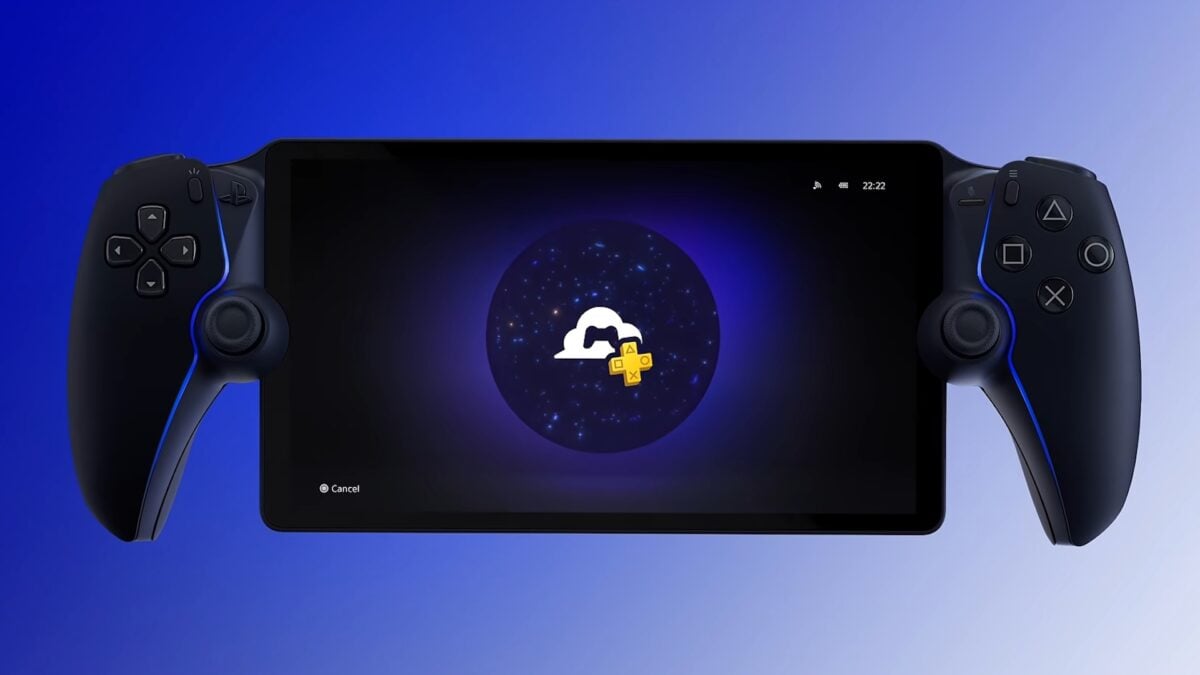
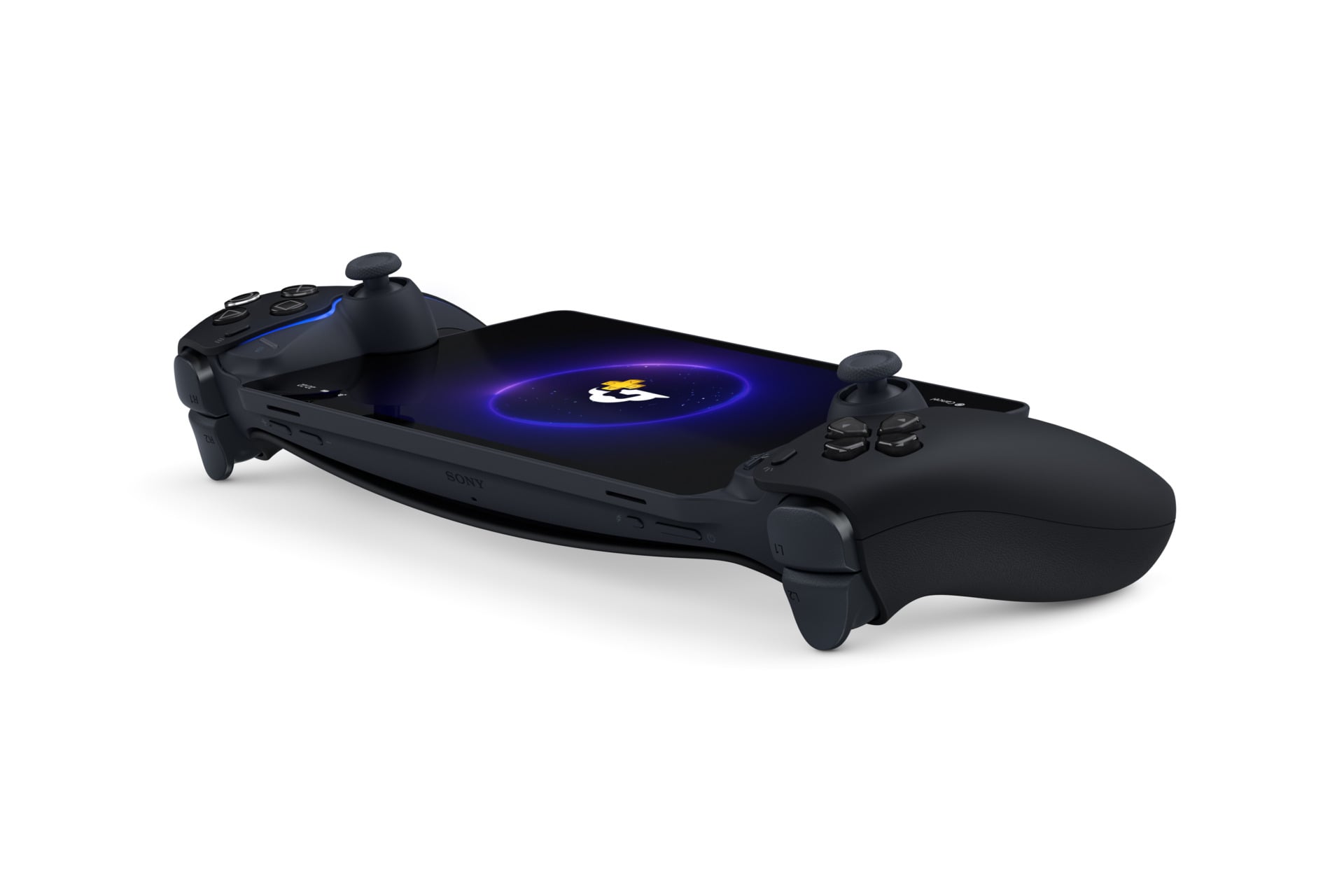
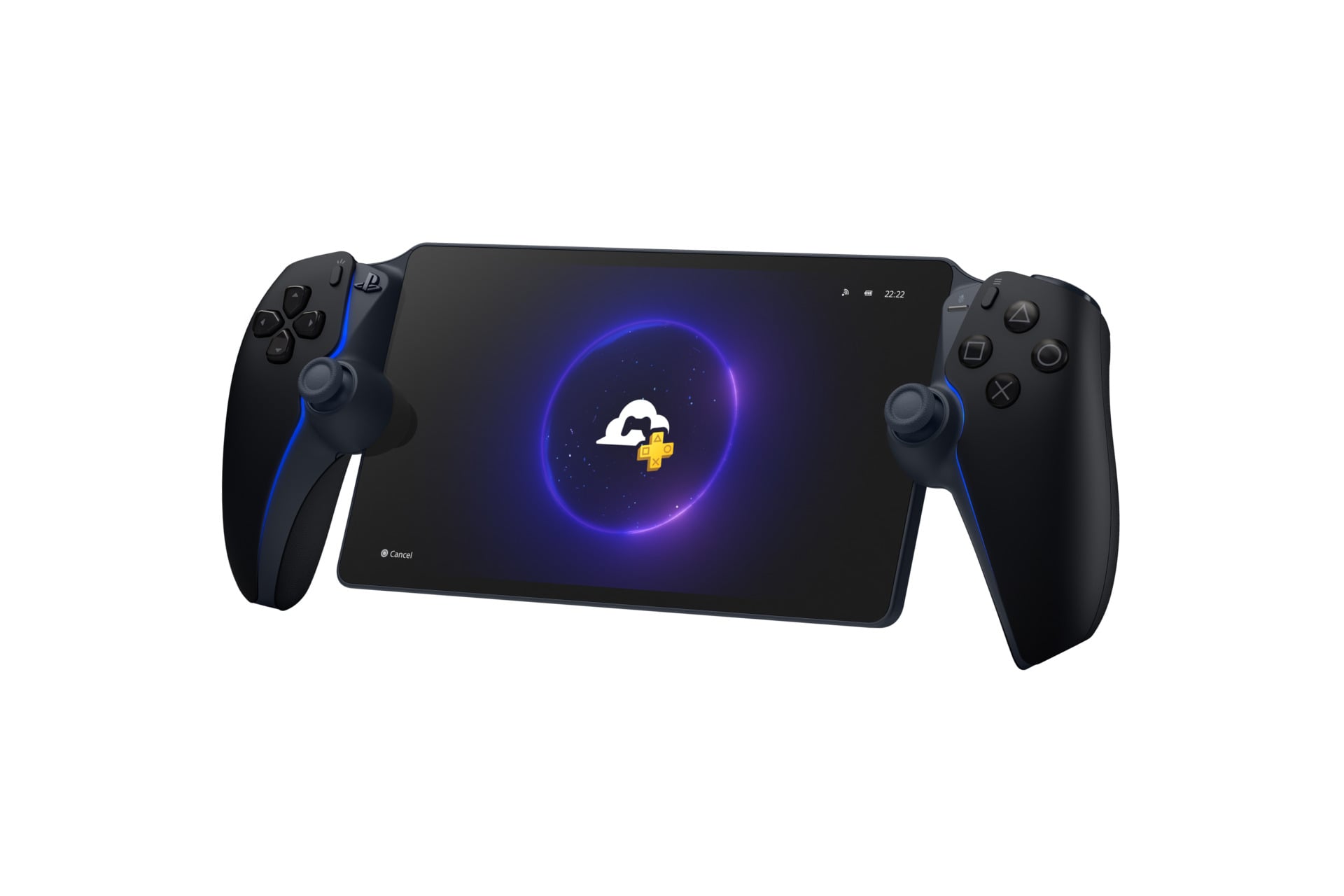
Recent Wi-Fi certification documents revealed Sony has been hard at work on two separate new “peripherial/console” devices, one of which we guessed at the time was an updated Portal. Of course, this new version of the PlayStation Portal is not something you can easily buy in the U.S. Sony calls it the PlayStation Portal Player, and it’s a Japan-exclusive release, for now. You also won’t be able to change the system language to anything but Japanese, either. The big difference between this region-locked edition and the current, white model is that it includes internal storage.

Sony Playstation Portal Player 2
All this seems like a way for Sony to sell more PlayStation Plus subscriptions. © Sony Interactive Entertainment

How much storage are we talking? Sony isn’t saying. Instead, the company’s senior product manager Takuro Fushimi writes (read via machine translation), “Furthermore, with an eye towards future functionality, the new model includes additional internal storage. We will announce details about this feature as soon as they are finalized.”

We can speculate about what sorts of features might require internal storage, but based on price alone (and the memory pricing apocalypse that is ravaging tech across gaming), we don’t suspect it’s packing a ton of memory. Teardowns of the original PlayStation Portal handheld revealed it did pack a slim amount of LPPDR4X memory alongside an ARM-based Qualcomm SG4150P chip. That’s only what’s necessary to power the Wi-Fi streaming and remote play capabilities. Sony could still replace its processor with something else that’s better for running PlayStation games directly, but we doubt that the Portal Player is running more distinct hardware.

Not much else has changed on the Portal Player. It’s still a 1080p display sandwiched between two halves of a DualSense controller. It does come with a 1-month PlayStation Plus Premium subscription. With all that in mind, the “future functionality” Sony is talking about may be built to tide over gamers who can’t afford a price-inflated PS5 by adding more functionality to its streaming service, like local game saves.

The PlayStation Portal Player costs 39,980 yen, equivalent to around 253 USD. It’s essentially the same price as a current $249 PlayStation Portal. While that could mean we may see an upgraded Portal in the near future, the price likely reflects Sony’s push for affordability in Japan. PlayStation needs to compete against cheaper consoles on its home turf. Last year, Sony pushed another region-locked PlayStation 5 digital edition for the equivalent of around $350. That was months before it started hiking prices on all its console hardware across the world.

Sony Playstation Portal Player 3
© Sony Interactive Entertainment

The legacy of the PlayStation Vita left us routinely revisiting the thought of a new style of PlayStation handheld. There are enough rumors to suggest the longtime gaming brand is working on a PlayStation 6 handheld running on what could be an incredibly capable AMD-made chip. The supposed device may be able to run PlayStation 5 games natively at an impressive clip, made even better with PlayStation and AMD’s partnership on PlayStation Super Spectral Resolution (PSSR) upscaling. All that to say this next-gen Vita will likely cost a pretty penny compared to the Portal. Whatever Sony is cooking up next, let’s hope that it includes a device built for those of us who can’t afford a next-gen PS6.

Tidy Up Together Free Download (B26489248+Co-Op)


Megastore: Tidy Up Together PC Game


Megastore: Tidy Up Together Direct Download:

Get the Stores Ready for Opening Dirt Clicker
Megastore: Tidy Up Together is a cozy organization game about transforming messy stores into clean, carefully arranged shopping spaces, either solo or together in online co-op. Products are scattered throughout each store, and every item belongs in a specific department, category, and shelf. Follow the signs, identify where each product belongs, group matching items together, and place everything in its correct location before the store opens. Work together, divide the store between your team, develop an organization strategy, and gradually bring order to thousands of products.

Four Stores Available
The game currently features four fully playable stores of increasing scale, each offering a different organization challenge, product selection, and atmosphere.

  • The Toy Store: Begin your journey in a smaller and cozier single-story store filled with colorful toys and summer essentials. Sort 3,555 items and place them across 297 shelves while learning how to identify, group, and organize each product.

  • The Electronics Store: Organize an enormous electronics retailer packed with an entirely new selection of products. Sort 6,203 items across 477 shelves, ranging from gaming PCs, consoles, games, monitors, mice, keyboards, phones, laptops, and accessories to TVs, washing machines, refrigerators, dishwashers, vacuum cleaners, coffee machines, and other home appliances.

  • The Supermarket: Tidy up a bustling supermarket packed with fresh favorites and everyday essentials. Organize 7,934 products across 487 shelves and prepare every aisle and fresh-food counter for opening.

  • The Megastore: Take on the challenge of a massive two-story megastore containing 13,380 items across nine departments and 978 shelves. Organize the entire building and restore order across its huge variety of departments. Playable solo, but co-op is recommended.

Screenshots

System Requirements

Minimum
Requires a 64-bit processor and operating system
OS: Windows (64-bit) 10
Processor: i5 3550 / RYZEN 5 2500X
Memory: 8 GB RAM
Graphics: NVIDIA GTX 1050ti
DirectX: Version 11
Storage: 8 GB available space
Support the game developers by purchasing the game on Steam

Installation Guide

Turn Off Your Antivirus Before Installing Any Game

1 :: Download Game
2 :: Extract Game
3 :: Launch The Game
4 :: Have Fun 🙂