A bug in Chrome v148 is causing the bookmarks bar to appear by default on new tab pages.
The bar stays, regardless of whether you hit Ctrl+Shift+B, disable the feature in settings, or disable the flag.
The bar will only go away once you navigate to a website.
Google recently rolled out an update for the Chrome browser — version 148. Released on May 5, the new version introduces a few changes, such as lazy loading for video and audio. It also seems to introduce a minor, but very annoying bug that prevents you from hiding the bookmarks bar.
Don’t want to miss the best from Android Authority?
Chrome users are hopping on Reddit and Google’s support pages (via PiunikaWeb) to report a new issue with the browser. A bug is forcing the bookmarks bar to appear on the new tab page, even if you typically have the feature hidden. If you don’t have any bookmarks saved, the bar will still appear, but it will be empty.
Usually, you can hide the bookmarks bar by hitting Ctrl+Shift+B or by disabling the feature in settings. However, according to the affected users, neither of these methods appears to work. Even attempting to disable flags like chrome://flags/#ntp-simplification-bookmark-bar seems to have no effect.
Fortunately, this bug only forces the bookmarks bar to appear on the new tab page. Chrome will hide the bar as soon as you navigate to a normal website. However, it’s easy to understand why something like this would be vexing for some.
If you’re running into this bug as well and it bothers you, one user offers a few workarounds. You could try installing an extension that overrides the default new page tab, like Tabliss or Infinity New Tab. There’s also the option of downgrading to Chrome version 147, but this is not recommended as older versions are more vulnerable to security risks.
Thank you for being part of our community. Read our Comment Policy before posting.
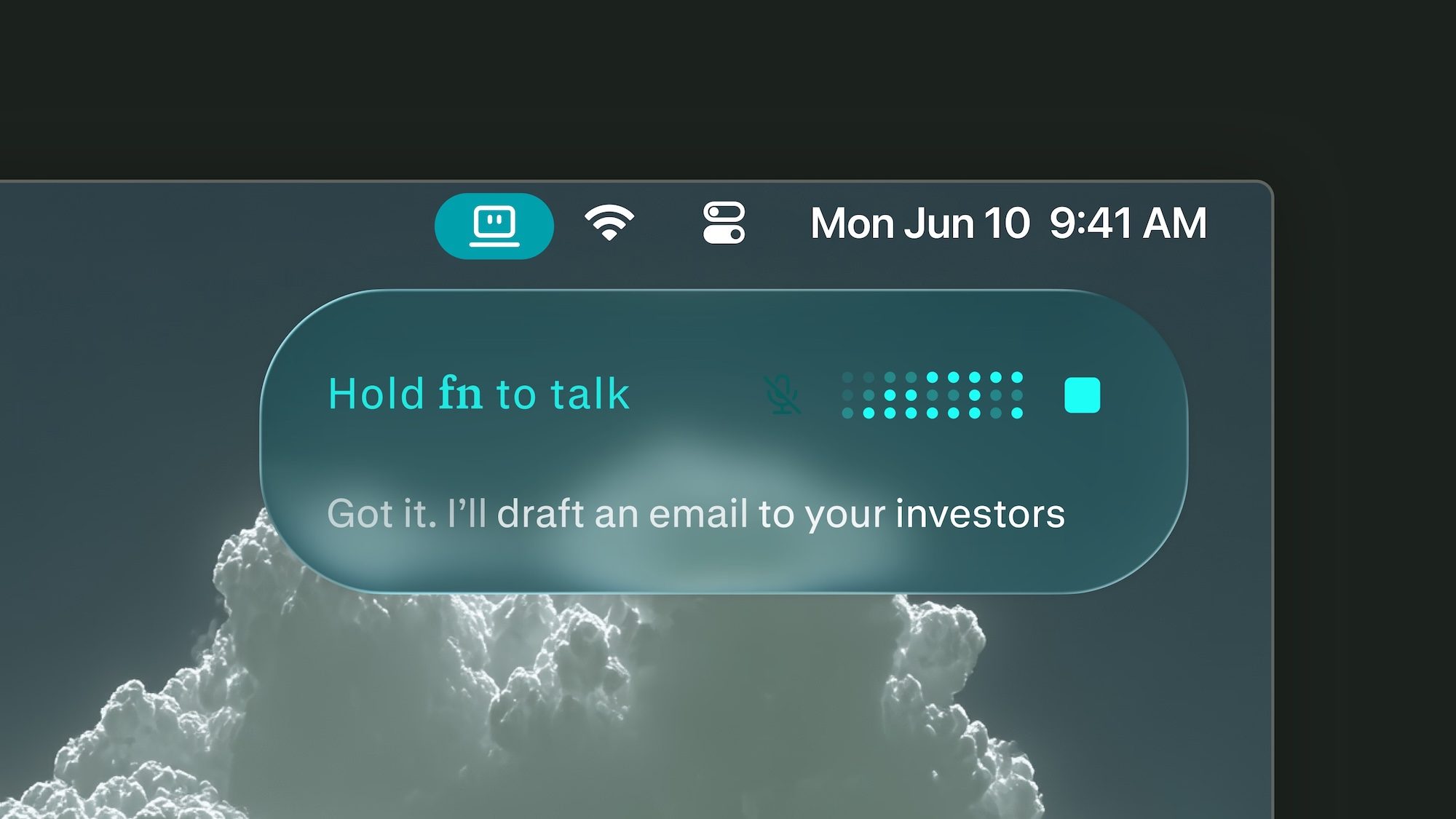
How will work setups change if we spend more and more time talking to our computers? A recent feature in the Wall Street Journal looks at the rising popularity of dictation apps like Wispr, especially now that they can be connected to vibe coding tools, and what that might mean for office etiquette.
One VC said that visiting startup offices now feels like stepping into a high-end call center. And Gusto co-founder Edward Kim is apparently telling his team that in the future, offices will sound “more like a sales floor.” (As someone still scarred from the time his desk was briefly relocated to a sales floor, let me say: Oh no.)
Kim claimed that he only types now when he absolutely has to. But he admitted that constantly dictating in the office can be “just a little awkward.”
Similarly, AI entrepreneur Mollie Amkraut Mueller said her husband became annoyed with her new habit of whispering to her computer, so their late-night work sessions now involve sitting apart, or “one of us will stay in our office.”
But Wispr founder Tanay Kothari insisted that this will all seem “normal” one day, just as it’s become normal to spend hours staring at your phone.
A two-year legal battle between General Motors and California prosecutors, led by Attorney General Rob Bonta, over the alleged misuse of customer driving data has concluded, with GM agreeing to pay $12.75 million in penalties.
In a press release announcing the settlement, the AG alleges that GM sold “the names, contact information, geolocation data, and driving behavior data of hundreds of thousands of Californians” to data brokers, including Verisk Analytics and LexisNexis Risk Solutions. And, as the statement points out, “If you know the precise location of a person’s car, then you know an enormous amount of personal, sensitive information about that person — their home, work, children’s school, place of worship.”
The original facts of the case were uncovered by The New York Times back in 2024, where the focus was on whether insurance companies were using this driving data to charge some customers higher insurance rates. But the attorney general’s investigation concluded that “California drivers were not directly impacted by GM’s sales of data,” because under California’s strict insurance laws, “insurers are prohibited from using driving data to set insurance rates.”
In addition to the $12.75 million settlement, GM has agreed to stop selling driving data to any consumer reporting agencies for five years, delete any current driving data within 180 days (unless expressly permitted to keep the data by the driver), and develop and maintain its own privacy program to assess its data collection practices and mitigate the risks of a data breach.
While the settlement is definitely a win for consumer privacy, you shouldn’t feel too bad for GM just yet. According to the attorney general’s own calculations, GM earned roughly $20 million for the sale of its OnStar data, so even with the hefty settlement, they’re still turning a nice profit.
Earbud-based translators are the next game changer. These are over-ear devices that come in a pair—one for you, one for your conversation partner. Each of you wears one earbud, and the software on your phone handles the translation, both ways, behind the scenes. The best earbud translators make for the most natural way to communicate with someone in a foreign language that I’ve found to date, though handhelds tend to have more capabilities. (Earbud-based designs seem to be the direction the industry is heading.)
When shopping for a handheld translator, watch out for expensive subscription plans. Many devices come with free service, but only for a time, and re-upping after the trial period ends can be pricey. Check the fine print before you buy. Also, make sure the translator you’re considering covers all the languages you need. Note that while some translators support hundreds of languages, they may be limited in the language pairs they can translate between.
Who Really Needs a Handheld Language Translator?
Again, if you only need casual translation for occasional or emergency use, you can definitely get by with a free translation app on your phone. Translation devices are best for frequent users who expect to carry on multiple sustained conversations with speakers of other languages over time.
Those scenarios could include attending a reunion with your Swedish wife’s extended family or a lengthy workshop series with colleagues from other parts of the world. These tools are also often marketed to first responders who need to quickly assess a situation when human translation services aren’t available.
In situations where you may need to communicate with several speakers, each speaking a different language, a portable translator can make even more sense. If you expect your journeys to take you to far-flung areas or off the grid entirely, where internet service may be poor or nonexistent, a translator can be a helpful tool in your travel bag, even if you only expect to use it for emergencies.
Which Handheld Language Translators Are Best?
After testing numerous handheld translators, I recommend this trio. Which one you pick will depend on how you expect to use it—and your budget.
Best Stand-Alone Translator
Timekettle
T1 Handheld Translator Device
The Timekettle T1 is a reasonably affordable and very pocketable device that makes for an easy addition to your travel kit. Built for two users to communicate, each with access to half the screen, the T1 translates each side of a conversation—written or spoken—into that user’s own language. Using it can be a little tricky: a color-coded button on the side of the device or a virtual one on the 4-inch touchscreen must be held down to tell the T1 which language to listen for. But once you get the hang of it, the system works pretty well.
Accuracy is solid, and translations are fast, popping up in well under a second. One challenge I had with the device relates to its small screen. Like most translators, the T1 supports photo-based translations via its 8-megapixel camera, but the 540 x 1080-pixel screen is too small to display much text at once. Also, while the unit includes a global eSIM with two years of free service included ($50/year after that), I encountered plenty of signal gaps, even in my own home. The good news is that if Wi-Fi’s available, that works too. The unit also supports 31 offline language pairs (10 in combination with English), so if you plan ahead, service woes may not be an issue at all.
Best Translator Earbuds
iFLYTEK
iFLYTEK AI Translation Earbuds
If you want to upgrade your translation experience and make it more immersive, you’ll want to invest in a pair of earbuds, which give you a more personal and natural way to communicate. As described above, the iconic way to use these is to pop one on yourself and give the other to your friend. An app on your phone handles two-way translation, back and forth.
These 12-gram on-ear earbuds are the best I’ve tested, primarily because once they’re configured, they work completely hands-free. No clicking buttons or tapping the side of your head every time you’re ready to speak: The earbuds understand who’s talking and when, and they work with remarkable speed, almost like a professional interpreter whispering in your ear.
Throughout its run, Prime Video’s The Boys has been adding Supernatural alums to its cast. Both shows share Eric Kripke as a creator and showrunner, and he’s made it his mission to bring in actors from his former show into his new one. Former Dean Winchester Jensen Ackles was the big get as Soldier Boy, and now the superhero show’s final season has brought in his two big former co-stars, Jared Padalecki and Misha Collins.
On Friday, Prime Video released an alternate cut from the scene in last week’s episode “One-Shots” where the three Supernatural stars share a scene together. In the episode proper, Padalecki’s Mister Marathon and Collins’ Malchemical knock out Homelander and pitch Soldier Boy on turning against his son. But the newly released video plays it differently: instead of Marathon and Malchemical, Padalecki and Collins are Sam and Castiel are trying to turn Dean to their side by highlighting every bad thing Homelander’s done, in a very Supernatural way.
“He’s taking Chuck’s name in vain!” cries Sam/Marathon, followed by Cas/Mal going, “They wanna ban porn! They wanna ban Busty Asian Beauties!” To anyone who had Supernatural in their heart like that (or at least watched the first five seasons), the digression is a fun bit of “doing the thing” that lets The Boys get off a good amount of jokes in a short bit of time, as long as you ignore how ADR’d it comes off. It’s also meta in another way, as one of Supernatural’s most famous episodes—the season five episode “Changing Channels”—saw the Winchesters forced into participating in several TV shows.
Given how things end for Marathon and Malchemical, it’s probably good the Winchesters aren’t in The Boys. And in these final two episodes, we’ll see how well Soldier Boy gets off.
May is here, and to me, it’s basically summer already. With the days getting longer and warmer and school wrapping up soon, we’re already dreaming of sunny vacations. Google launched some new travel features just in time to start planning those trips.
You might already be familiar with Google Flights and AI Mode, but Google’s two latest travel tools can help you round out the experience even more.
In April, Google announced a new feature to track hotel prices and another that can help you in a packing mishap.
Track hotel prices with Google Search
Similar to how you can currently track flight prices, you can now toggle on price tracking for specific hotels on the Google Search results page or via google.com/hotels.
Last year, Google launched a feature that lets you track hotel prices for a specific city, but that only tracks one hotel you prefer.
On desktop, you can open Search, look up a hotel, then toggle on the new price tracking. On mobile, you find the price tracking option under the Prices tab. Once you toggle on price tracking, you’ll get email alerts when rates drop during your set dates, so you never miss a deal.
The hotel tracking tool is available on desktop and mobile.
Google
AI Mode will find products you forgot to pack
Picture this: You land in your dream tropical destination, open your suitcase and realize you forgot to pack sunglasses. A new feature in AI Mode will let you find products in stock nearby. Google’s agentic AI will call local stores for you to see if it has the products you’re looking for and any relevant deals.
To get started, you will just need to briefly describe your need, like “I forgot to pack polarized sunglasses. Where can I get some nearby?” From there, Gemini will call local stores and then send you results on where you can shop.
This tool launched directly on Search in November and is rolling out now in AI Mode in the US.
Discord is recovering following a brief outage that saw some users unable to use the popular chat app. At 3:08PM ET, the company said it had begun investigating an issue with its API systems. Shortly thereafter, at 3:24PM ET, Discord said it had identified the problem, but noted at the time it was still affecting users, making it difficult for them to access the service.
“We are continuing to work to remediate the issues impacting availability for some Discord users,” the company said at3:56PM ET. “This is causing impact across our service, including logging in and sending messages.” Whatever was causing the disruption, Discord appeared to solve it quickly. At 4:16PM ET, the company said it was starting to see “seeing significant recovery” across its systems. As of 4:59PM ET, the service isn’t at “fully healthy state” yet, so if you’re having trouble launching the app, it may take a bit more time before everything is up and running again. By 6:38PM ET, Discord reported that “all critical functionalities have recovered for all users.”
Update 6:4PM ET: The headline and copy of this article have been updated to reflect that Discord is back online for all users.
Many students are unable to access the popular educational portal.
Instructure says data was stolen; what Canvas users should do next.
Canvas is at the center of an ongoing cyberattack and data extortion attempt by a well-known cybercriminal group that claims to have stolen student records. If you are a Canvas user, you can take defensive measures now.
Canvas is a Learning Management System (LMS) from Instructure, a Salt Lake City-based educational technology company founded in 2008.
Designed for remote learning, Canvas has been adopted by thousands of schools for course creation and management, grading, feedback, and coursework submission. Instructure says the LMS now supports tens of millions of users — students and parents — and has recorded 27 million mobile app downloads. Canvas is available in over 100 countries.
What happened?
While Canvas boasts a 100% uptime notice on its website, Instructure CISO Steve Proud said last week that the LMS had “recently experienced a cybersecurity incident perpetrated by a criminal threat actor.”
The company began investigating. On May 6, Proud said the company believed the incident had been “contained,” but some data may have been exposed — and it didn’t take long for students to begin reporting login issues.
On Thursday, May 7, Canvas login interfaces were defaced, with ransom notes reportedly posted by the ShinyHunters group as it moved from data theft to public extortion. Students who tried to log in were unable to access their course materials, likely a deliberate attempt by the cyberattackers to put pressure on Instructure to pay up, with finals just around the corner.
In response, Canvas displayed a maintenance mode page, an action that had drawn criticism.
The hackers’ ransom note, which has since circulated online, demands that Instructure contact the group by May 12.
“ShinyHunters has breached Instructure (again),” the note reads. “Instead of contacting us to resolve it, they ignored us and did some ‘security patches.'”
While access has reportedly been restored for most users, with the deadline approaching, this may not be the end of the story.
What is ShinyHunters?
ShinyHunters is a collective of cybercriminals that extorts companies for payment. Since making headlines in 2020 with a swathe of company breaches, ShinyHunter’s modus operandi is to quietly infiltrate a target business, steal information, and then publicly pressure the victim into paying a “settlement.”
Often associated with large-scale breaches, ShinyHunters, like many other cybercriminal groups, operates a “leak site.” Leak sites are public-facing websites that list alleged victims and the items stolen, and often include a demand for payment.
If a victim fails to comply, the information stolen from them may be published. Having the victim’s name removed from the leak site may also be part of negotiations.
What information was stolen?
ShinyHunters has threatened to leak data on approximately 275 million students from 8,800 academic institutions if its demands are not met.
According to Instructure, exposed data may include:
Names
Email addresses
Student ID numbers
Messages between users
“At this time, we have found no evidence that passwords, dates of birth, government identifiers, or financial information were involved,” Instructure said. “If that changes, we will notify any impacted institutions.”
Instructure’s response
It is not known whether Instructure has communicated with ShinyHunters. Instructure said it is currently “not seeing any ongoing unauthorized activity.”
The company has revoked privileged credentials and access tokens associated with affected systems, deployed security patches — although no associated vulnerability disclosures have been made yet — and rotated security keys. Instructure said it has also ramped up monitoring across its platforms.
“As a precaution, we recommend customers follow security best practices, including enforcing MFA on privileged accounts, reviewing admin access, and rotating API tokens or keys where applicable,” the company added.
6 steps to take immediately
School updates: As this security incident appears to affect thousands of schools and academic institutions, reach out to your institution or visit its website and communication channels for updates.
Passwords: Whenever you suspect you have been involved in a data breach, the first thing you should do is to change the password you use to access your account. If you are using the same password to access other online services, change those passwords as well. If the ransomware group releases stolen data and manages to grab credentials, those credentials may be made public. You should consider using a password manager to create complex passwords and to receive leak alerts.
Have I Been Pwned: It’s too early for this data breach and any subsequent data leak to be recorded on Have I Been Pwned, but we recommend visiting this website frequently to check whether you have been involved in any online data breaches. It’s free, and all you need to do is search with your email address.
Keep an eye on your email: If Canvas follows appropriate procedures, it should inform users if their information has been exposed — keep an eye out for any updates.
Watch out for phishing: However, if stolen email addresses or contact details are leaked online, they may be used in targeted phishing campaigns, so be careful if you receive correspondence that appears to be from your school or Canvas itself. If there are any indications of a phishing attempt — such as strange grammar, spoofed email addresses, or requests to click unofficial links or open attachments — verify it by phone or another means first.
Perplexity has finally launched its Personal Computer Mac app for everyone, and it could genuinely change how you get things done on your Mac.
Personal Computer is an AI agent system that works directly on your Mac. It can dig through your local files, work inside native Mac apps, browse the web, and connect to over 400 tools, all on its own.
You give it a task, and it gets to work. You step in only when it needs your approval. It’s similar to how Claude Cowork works and can handle tasks on your computer.
What can Personal Computer do for you?
If you have ever lost an hour jumping between apps, hunting for a file, or manually pulling information from different sources, Perplexity’s Personal Computer is built for exactly that frustration. It can work across your local files, native Mac apps, connected tools, and the web, all in one go.
Perplexity
Here is a fun example Perplexity showcased. Open Notes, press both CMD keys, and ask it to do your to-do list. It figures out each task and get them done. You can also ask it to clean up a messy folder and sort everything into properly named project folders.
The best part is that you stay in control. It checks in when a decision matters, and every action it takes is reversible. Think of it as a capable assistant, not an unsupervised one.
What’s the best way to run Perplexity Personal Computer?
According to Perplexity, a desktop Mac is the best way to run it, and since the entry cost of a Mac mini is relatively low, it’s the best option. Running Perplexity’s personal computer on a Mac mini is ideal because it can operate continuously, even when you’re away from your desk.
You can kick off a task from your iPhone, and the agents keep working on your Mac back home. You can also approve requests from any device and let it run overnight for complex projects.
Perplexity
That said, the Mac mini is in short supply, so you might have to wait or grab any available model. The new Perplexity Mac app is available today for all users. Everyone gets everyday features like search, attachments, and dictation.
Note that it is not yet on the App Store, so you will need to download it directly from Perplexity’s website.
Perplexity today launched a new Mac app with support for its hybrid local-cloud AI agent Personal Computer, plus it expanded Personal Computer access to Pro and Enterprise users, so it is no longer limited to just Max subscribers. Perplexity describes Personal Computer as a “personal orchestrator” that hybridizes local and server environments for security and productivity.
Personal Computer is available in the new Mac app, which Perplexity says gives users access to queries, conversations, and dictation. While all Mac users can download the new app, access to Personal Computer still requires a paid subscription.
Personal Computer can access the Mac’s file system and native Mac apps to create and execute entire workflows, plus it can access the web. It can see active apps and work across any Mac app, but files are created in a secure sandbox, and its actions are auditable and reversible.
When paired with the Comet browser, Personal Computer can operate web-based tools without the need for direct connectors.
Pressing both Command keys on a Mac activates Personal Computer, and it responds to text or voice commands and displays useful quick actions automatically. Personal Computer can do things like complete each task on a to-do list, sort a messy downloads folder, compare local files against information on the web, and more.
Though it has access to what’s on a user’s Mac natively, Personal Computer processes intense tasks on Perplexity’s servers, so a high-performance Mac isn’t needed to run it. Personal Computer works on any Mac with macOS 14 Sonoma or later, though Perplexity says running Personal Computer on a Mac mini creates the best experience because it allows the agent to run continuously.
Perplexity’s older Mac app will be deprecated in the coming weeks.