The offline desk gadget that actually got me to sit up straight


Working from home has its own perils. Pets can be demanding, your back aches from hours at a desk, or you simply forget to move. There are a few apps that nudge you to move around or indicate that you’re not sitting in an ideal position, but they’re easy to dismiss.

I’ve spent the better part of a decade at a home desk, iterating on the setup as I go — gaming chair, lumbar support, the works. None of it guarantees good posture.

Then I came across Isa, a desk device from German startup Deep Care that takes a different approach entirely. It tracks posture, hydration, light, sound, and movement. And it does all of it without a camera or an internet connection, which, in an era of always-on surveillance, is a meaningful differentiator.

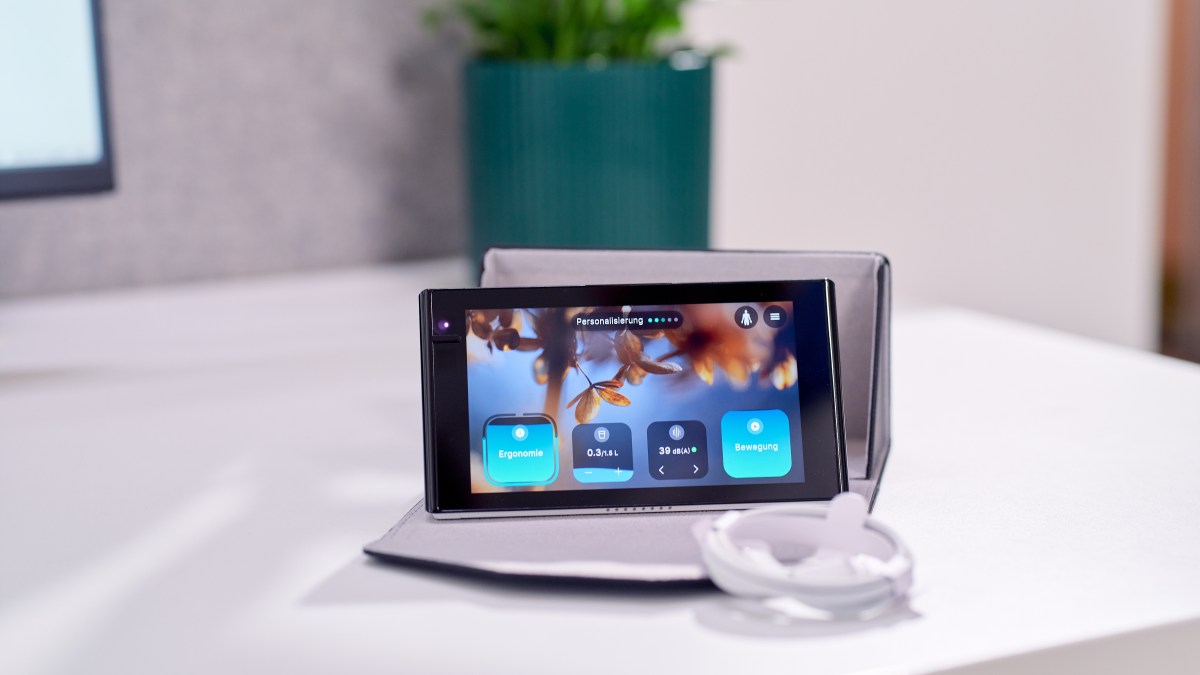
Here’s how it works and what’s inside. Isa has a 5.5-inch IPS HD screen and looks like a table clock. It is powered by USB-C; the company supplies a power unit with it, but you can use any of your existing chargers too, as it has a power consumption rating of roughly 2.45W.

The key sensor for the device is the Time-of-Flight (ToF) 3D depth sensor on the front — the same technology used in facial recognition and some smartphone cameras — that tracks posture and movement. It also enables beta features, such as counting the number of times you’ve had water or other liquids. The company said that the sensor works in the range of 0.15 meters to 1.8 meters. That means if the device is sitting on your desk, it can measure your movement, even when you stand up and move about. It also packs several other sensors: a ToF 1D sensor, a gyroscope, a barometer, a light sensor, a sound level sensor, a CO₂/VoC sensor, and a temperature and humidity sensor.

Image Credits: Deep CareImage Credits:Deepcare

Getting started is straightforward — the device asks for a few details about you and your work routine. I found it strange that there was no option to set the device to India time (or any other Asian time zone). The company said Isa currently supports only EU and US time zones. Fair enough for now — but broader time zone support, or even a simple world clock, feels like a basic expectation for a desk device.

On the screen, Isa displays your posture with a squircle (a rounded square) ring that fills or empties based on how well you’re sitting, while a water-tank-style widget tracks your drinking. If you are not sitting in the correct posture, the indicator will turn yellow. The Apple Watch-style ring is a surprisingly effective nudge — when I see yellow or red, I straighten up almost instinctively.

The device vibrates to alert you if you’ve been slouching for too long, and I’m okay with that kind of mild shaming. That alert also indicates if you are leaning far too forward or back and helps you correct your stance.

Image Credits: Ivan MehtaImage Credits:Ivan Mehta

A similar widget tracks movement, and if you have been stationary for a while, Isa suggests you get up, with on-device guided exercises to follow. When you return to your desk after a break, the movement tracker resets.

Deep Care chose not to include a cameras, which helps with privacy, but it comes with trade-offs.

Image Credits: Ivan MehtaImage Credits:Ivan Mehta

If a bottle or some other object sits between you and the sensor, it may read that as a person and log you as stationary. Pets or housemates passing by can trigger the sensor, too. Isa usually figures out that you’ve stepped away and goes to a digital clock display, but I would have liked a manual button to tell it I’m not at the desk so it stops tracking.

Because of the sensor-only approach, the device occasionally told me I’d been stationary for too long when I’d been sitting for under half an hour. These are minor inconveniences. On balance, the device made me check my posture more often than I used to, and the exercise suggestions are truly useful.

image Credit: Ivan MehtaImage Credits:Ivan Mehta

To process all these features, the device uses a quad-core 2 GHz processor. The device can connect to Wi-Fi for software updates, but you can turn it off at any time.

Deep Care was founded by three former Bosch employees and initially sold Isa directly to businesses. It recently expanded to consumers — a shift that signals confidence in the retail market for workplace wellness hardware, and a test of whether a subscription model layered onto premium hardware can find a mainstream audience.

Isa is priced at €299 ($354) with two subscription tiers. The core plan (€4.99 per month) gives you access to posture tracking, healthy sitting habit tracking, drinking habit detection, and its exercise library. The Pro plan(€7.99 per month) lets you track light, noise, and CO2 levels for a healthy working environment.

The company plans to use Isa’s sensor suite to venture into mental health-related tracking. It claims that by using signals like posture, head movement, and chest movement, the device can measure breathing patterns. Plus, paired with environmental data like noise, light levels, and CO2 level, the company wants to introduce a stress-related score.

Even if you skip the mental health features, Isa is a solid device for anyone serious about posture and movement. It isn’t cheap, and the subscription adds to the long-term cost. But if you or someone you know works from home and has been meaning to do something about their desk habits, it’s one of the more thoughtful options out there.

When you purchase through links in our articles, we may earn a small commission. This doesn’t affect our editorial independence.
NYT Connections Sports Edition hints and answers for May 16: Tips to solve Connections #600


Today’s Connections: Sports Edition will require some sports and pop culture knowledge.

As we’ve shared in previous hints stories, this is a version of the popular New York Times word game that seeks to test the knowledge of sports fans.

Like the original Connections, the game is all about finding the “common threads between words.” And just like Wordle, Connections resets after midnight and each new set of words gets trickier and trickier — so we’ve served up some hints and tips to get you over the hurdle.

If you just want to be told today’s puzzle, you can jump to the end of this article for the latest Connections solution. But if you’d rather solve it yourself, keep reading for some clues, tips, and strategies to assist you.

What is Connections: Sports Edition?

The NYT‘s latest daily word game has launched in association with The Athletic, the New York Times property that provides the publication’s sports coverage. The sports Connections can be played on both web browsers and mobile devices and require players to group four words that share something in common.

Each puzzle features 16 words, and each grouping of words is split into four categories. These sets could comprise anything from book titles, software, country names, etc. Even though multiple words will seem like they fit together, there’s only one correct answer.

If a player gets all four words in a set correct, those words are removed from the board. Guess wrong and it counts as a mistake — players get up to four mistakes before the game ends.

Players can also rearrange and shuffle the board to make spotting connections easier. Additionally, each group is color-coded with yellow being the easiest, followed by green, blue, and purple. Like Wordle, you can share the results with your friends on social media.

Here’s a hint for today’s Connections: Sports Edition categories

Want a hint about the categories without being told the categories? Then give these a try:

Here are today’s Connections: Sports Edition categories

Need a little extra help? Today’s connections fall into the following categories:

Looking for Wordle today? Here’s the answer to today’s Wordle.

Ready for the answers? This is your last chance to turn back and solve today’s puzzle before we reveal the solutions.

Drumroll, please!

The solution to today’s Connections: Sports Edition #600 is…

What is the answer to Connections: Sports Edition today?

  • Boston Teams: BRUINS, PATRIOTS, RED SOX, REVOLUTION

  • Last Four NBA Champions: CELITCS, NUGGETS, THUNDER, WARRIORS

  • “Blue” Teams: BLUE DEVILS, BLUE JACKETS, BLUE JAYS, BLUES

  • “Green” Teams and Players: DRAYMOND GREEN, GREEN BAY, GREEN WAVE, MEAN GREEN

Don’t feel down if you didn’t manage to guess it this time. There will be new sports Connections for you to stretch your brain with tomorrow, and we’ll be back again to guide you with more helpful hints.

Are you also playing NYT Strands? See hints and answers for today’s Strands.

If you’re looking for more puzzles, Mashable’s got games now! Check out our games hub for Mahjong, Sudoku, free crossword, and more.

Not the day you’re after? Here’s the solution to yesterday’s Connections.


The World’s First 240Hz Video Smart Glasses for Gaming Aren’t Cheap


Asus ROG’s Xreal R1, the world’s first pair of AR smart glasses capable of projecting a virtual screen before your eyes with a blistering 240Hz rate, finally has… a price and preorder dates.

Ahead of Google I/O 2026, Asus ROG has announced the Xreal R1 costs $849—$200 more than the $650 MSRP for the Xreal One Pro, which top out at a 120Hz refresh rate. The gaming-focused AR smart glasses can be ordered from Best Buy starting today, May 15. The Xreal store will accept preorders on May 17 at 3 a.m. ET / 12 a.m. PT.

See Asus ROG Xreal R1 at Best Buy

Asus Rog Xreal R1 1
© Xreal

Spec for spec, the Xreal R1 and the Xreal One Pro are the same, except for that refresh rate and the slightly more gamer-y design. You get the same 171-inch (1,920 x 1,080) virtual display through the micro OLED panel, 57-degree field of view, Bose-tuned sound, 3DoF (three degrees of freedom) tracking technology used for anchoring virtual windows, and more. Asus ROG is hoping the 240Hz refresh rate will be worth the additional cost.

Asus Rog Xreal R1 2
© Xreal

The only other difference is that the Xreal R1 comes with an “ROG Control Dock.” This docking station lets you switch between three connected devices (two via HDMI 2.0 and one through DisplayPort 1.4). So for example, with the push of a button, you could flip between a PS5, Switch 2, and a PC. Asus ROG touts the Xreal R1 as requiring no additional software to get up and running. Just plug the AR smart glasses into the Control Dock, select an input, and get gaming on your 171-inch virtual screen. You can also connect the Xreal R1 to any phone, tablet, laptop, or handheld that supports display out. For the Switch 2, you will need to use the Control Dock, as the Xreal Neo adapter/video was canceled before it could launch.

Will a 240Hz refresh rate in video smart glasses make any meaningful difference when you’re gaming? Who knows, but we’re hoping to find out soon when we get a pair to try out.

See Asus ROG Xreal R1 at Best Buy

Microsoft Copilot Can Collect Data From Your Edge Browser Tabs to Get to Know You


Even as it’s backing off plans to bring Copilot AI technology to Xbox gaming platforms, Microsoft is actively integrating artificial intelligence into its Edge web browser experience.

In a Wednesday blog post, Microsoft said it’s continuing to expand the ways that Copilot, the AI technology in which Microsoft has invested billionsworks with its web browser. The company was already doing this for the desktop browser, and those capabilities now extend to the mobile version of Edge as well.

AI Atlas

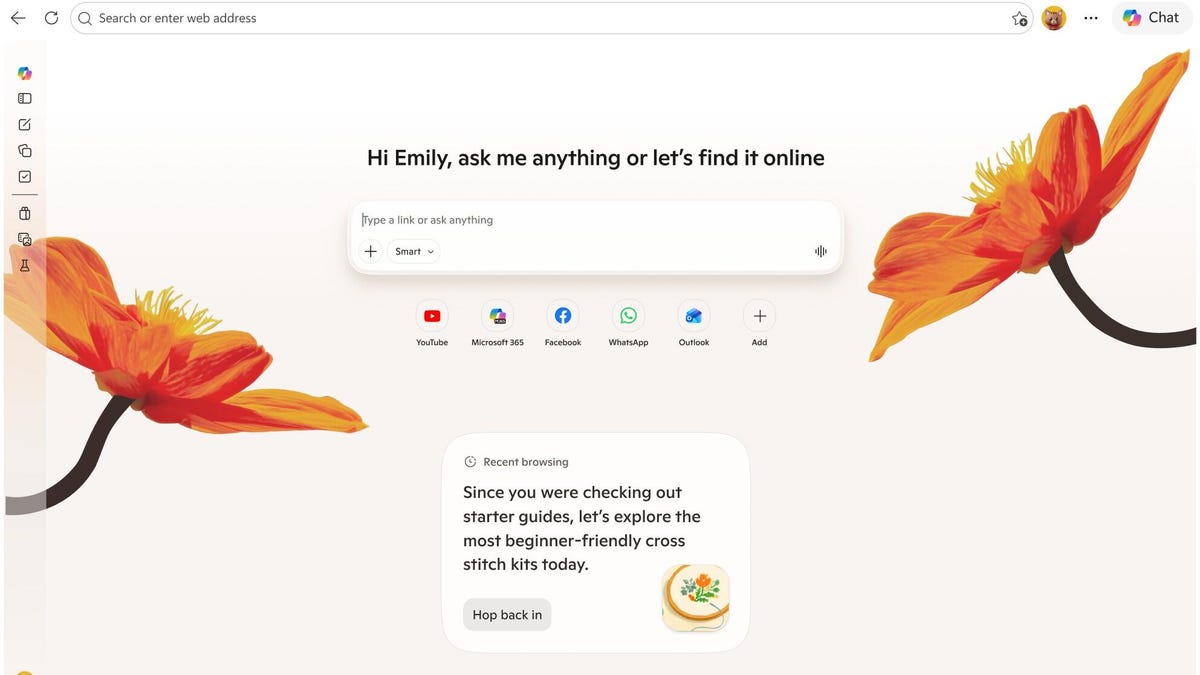
Copilot is using your browsing history to provide contextual suggestions, tips and guidance. On its Copilot in Edge page, Microsoft says it can scan your open tabs to compare options, highlight key details and deliver clear answers without requiring you to switch between tools.

In screenshots and videos posted on Microsoft’s blog, examples include chat dialogue boxes that pop up with reminders of past shopping activity and even the option to turn all the activity in your browser tabs into an audio podcast

Microsoft says that Edge Copilot accesses user data only upon activation and that it “only collects what’s needed to improve your experience — or what you choose to provide via Personalization settings.” Yet skepticism persists about its privacy practices. While opting out of AI features is an option, some users remain distrustful of the company’s data-handling policies.

Microsoft specifically warns on its support page: “When getting started with agentic browsing, be careful to avoid using sensitive or personal information,” including financial or banking activity, Social Security identification or medical records.

What’s changing in web browsing with Copilot

These changes center on Copilot recording and building on interactions, acting as a constant, active presence during web-browsing activity, versus a pop-up you open on demand, like the company’s much-mocked old mascot Clippy

As Microsoft puts it, “Copilot remembers what you’ve worked on, so you don’t start over. The more you use it, the more helpful and personalized it becomes.”

Apart from interactions that occur without prompting, people using Edge can access Copilot as a chatbot via a button at the top-right of the browser window. Microsoft is retiring Copilot Mode, which could perform actions in-browser. Copilot Mode was also accessible with a Copilot button, but now it’s called Browse With Copilot.

Browse With Copilot could also create quizzes and study guides from the material you’re viewing and organize your recent browsing into categories to explore. There’s also a new landing page for the tab that more clearly integrates Copilot chat.

Is this what people want? Copilot so far has not been met with the kind of enthusiasm that greets, say, new versions of ChatGPT or Anthropic’s AI models. And as online privacy and data collection practices are paramount concerns in the era of AI, it’s unclear how popular it will be to opt into another tool that has access to browsing data.

On the other hand, people who are already using Microsoft Edge may be more likely to be peacefully coexisting with Copilot by this point and to find useful features in the AI service


The Future Of Smart Rings Looks A Lot Like Its Present


Ultrahuman’s Ring Pro is a smart fitness tracking ring weighing between 3.3 and 4.8 grams (approx 0.1 oz) (available in sizes 5 to 14. It’s the company’s first major hardware update since 2023’s Ring Air, and has been redesigned from the ground up. Two things prompted the change: First, Ring Air fell foul of an Oura-owned patent which saw it contentiously blocked from sale in the US. Second, the company realized it had done all it could with the Air and needed to radically increase the ring’s processing power. The Pro has upgraded silicon to hopefully offer plenty of new insights further down the line.

Consequently, the new model comes with a dual-core chip with onboard machine learning and 250 days of internal storage. That’s a big leap from the Air’s single-core unit which had just four days of memory to keep track of your vitals. Ultrahuman hopes Jade, the company’s new AI, will be able to delve deep and pluck out plenty of conclusions based on these long historical trends. Plus, the company expects to be able to launch a wider variety of Power Plugs — paid-for add-ons tailored to monitoring specific stats — as the ecosystem matures.

It’s instantly obvious the Pro is a different beast to the Air, which was made with a titanium outer ring and an epoxy resin interior. When you looked down your finger at the side of the ring you could see the two materials side by side. The Pro is clad in titanium inside and out, except for the resin section housing the PPG sensors. If you’re the sort to get your calipers out, you’ll find the Pro is just 0.25mm thicker than its predecessor. But the all-titanium body makes it feel a lot chunkier. I didn’t notice any meaningful difference while wearing it, but folks with daintier digits than mine may.

As for tracking, you’ll get temperature, movement and a PPG sensor the company says is redesigned for better accuracy. Given that’s pretty much all the laws of physics will allow you to include in a smart ring these days, there’s not much more to say about them. After all, it’s not the data you collect but the insights you’re able to generate from it that’s important. Battery life is rated for 12 days in “Turbo Mode,” but you can extend that to 15 days or so with “Chill Mode,” which reduces the amount of tracking to prolong longevity.

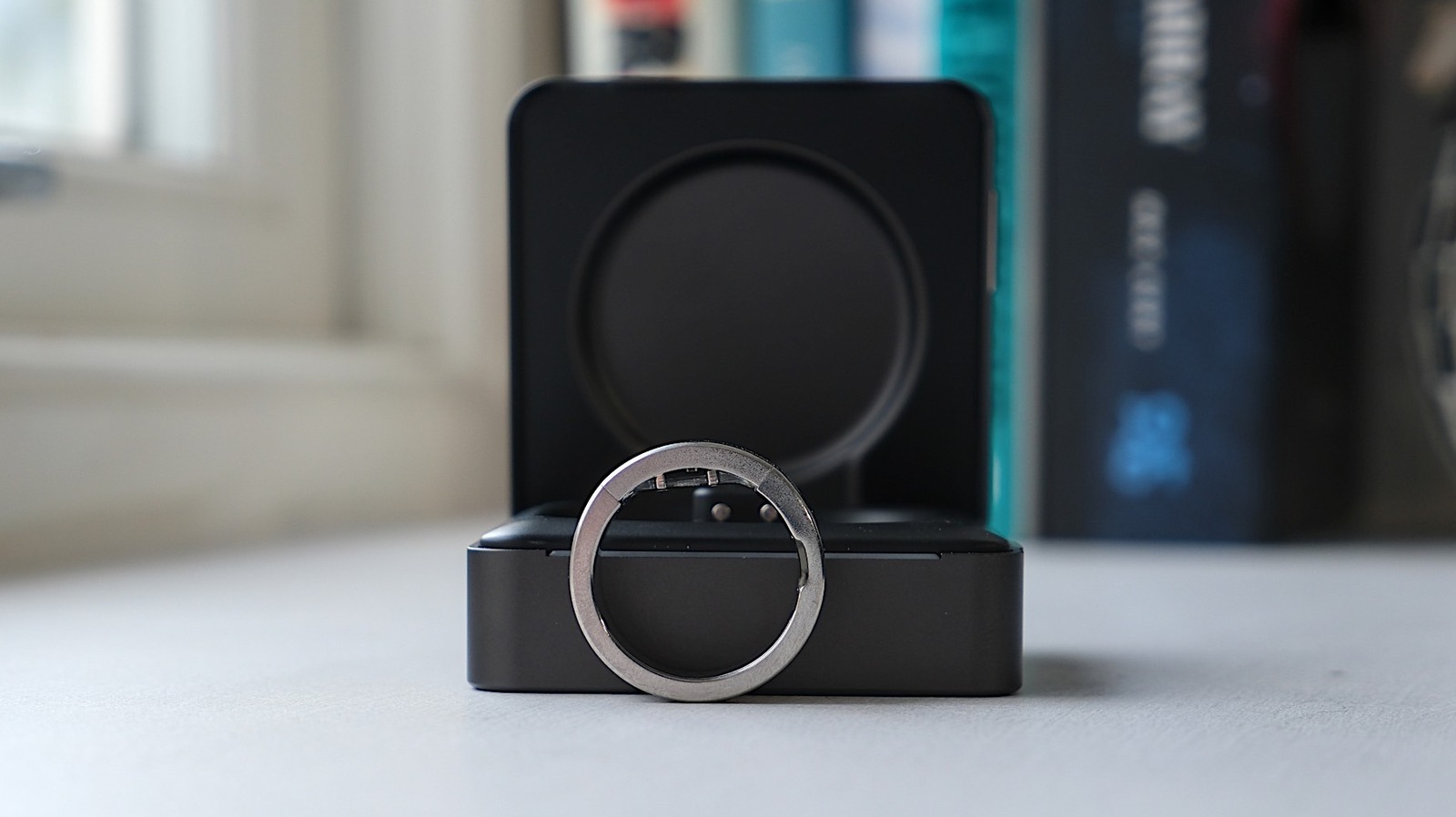
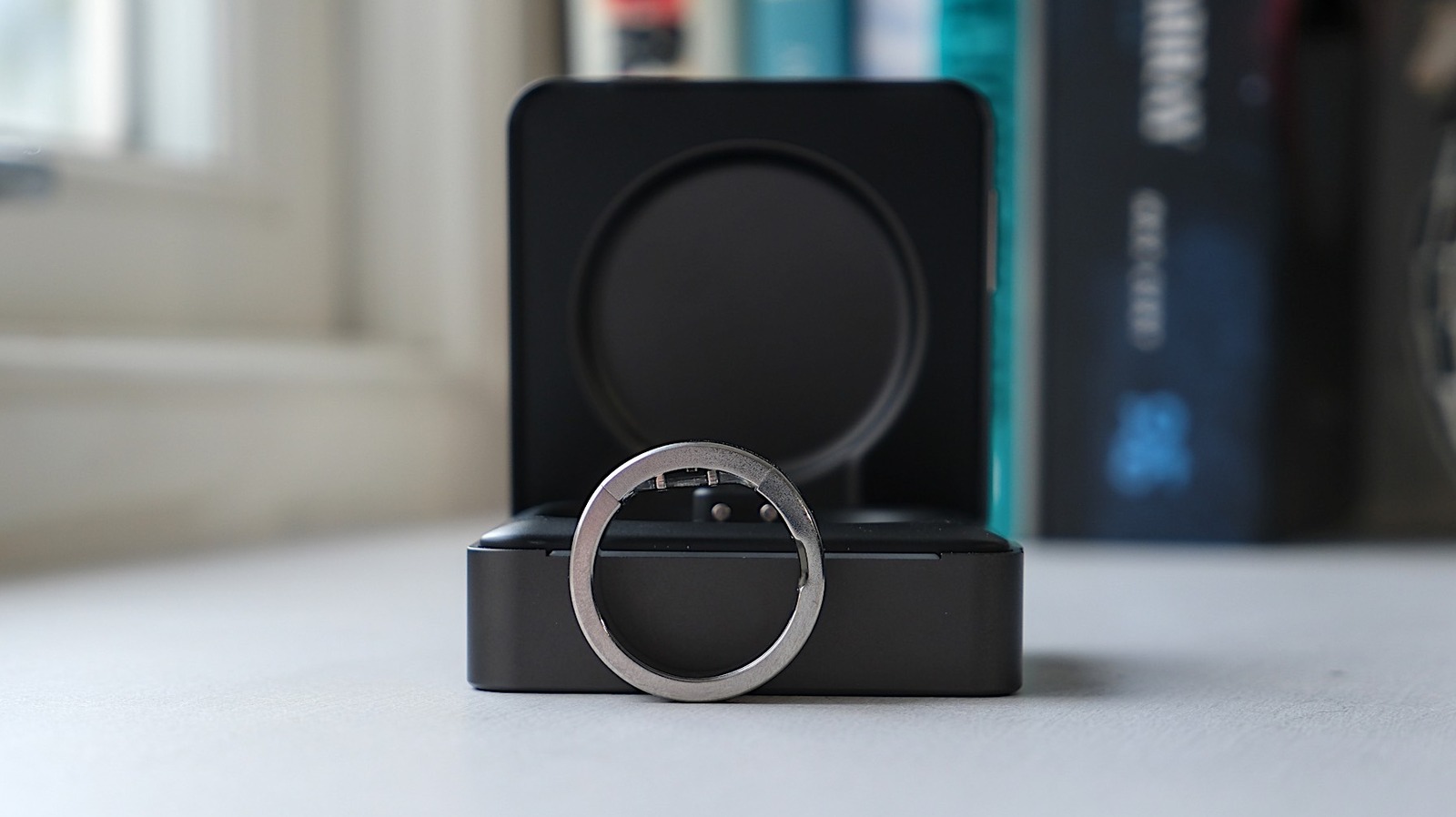
The Ring Pro doesn’t charge wirelessly. Instead, it uses a physical pin connection on the charging case to reduce thermal issues caused by wireless charging. The ring itself has also been designed to be easily cut open to free your finger in a hurry should the battery start to swell. Naturally, it’s rare for a wearables company to talk about these things, so Ultrahuman deserves props for foregrounding it.

I suspect people will be looking for direct comparisons between the Ring Pro and the Oura 4. Depending on your finger size, they’re both a shade under 3mm (0.1 inch) thick and virtually indistinguishable. Up close, the Oura’s silver coated titanium is a tad shinier than the raw titanium found on the Pro, but that’s about it. The only real differences are in the Pro’s slightly more visible sensor zone or the Oura’s orientation notch.

I’m following the 60-60 rule for headphone listening, and my future self will thank me for it


Apple Music homepage

Jada Jones/ZDNET

Follow ZDNET: Add us as a preferred source on Google.


ZDNET’s key takeaways

  • Headphone use at too high a volume for too long can damage your hearing.
  • Once your inner ear is damaged, the damage is permanent.
  • Your headphones and smartphone have features to protect your hearing health.

Preserving your hearing is an important aspect of maintaining overall health, including cognitive health. According to a 2020 Lancet commission report, hearing impairment is one of 12 modifiable risks for developing dementia. This concern becomes more prevalent as headphones and earbuds are constantly in and around our ears.

Also: Do yourself a favor and clean your earbuds right now (before this common problem hits)

Hearing health experts recommend the 60-60 rule for listening with headphones, and as someone who’s always wearing headphones or earbuds, I generally follow that guidance. Here’s what to know about it and how your devices can help you abide by it.

What is the 60-60 rule?

The 60-60 rule asserts that you shouldn’t listen to music at a volume louder than 60% of maximum for more than 60 minutes at a time. Listening to your headphones at a safe volume is paramount to preserving your hearing. According to the National Institute on Deafness and Other Communication Disorders, noises at or above 85 dBA, about the sound of a gas-powered push lawnmower, can damage your hearing.

Here’s how the damage happens: Inside your ear is the cochlea, a small spiral-shaped organ that converts sound vibrations into electrical impulses for your brain to interpret as sound. You have thousands of hair cells on and around your cochlea that use their sensing organelles to detect, convert, sharpen, and amplify sounds. Excessive volume can damage or destroy these hairs, and they cannot regenerate. Once they’re damaged, it’s permanent. 

Your devices can help you stay aware

Several headphones and earbuds include a setting in their companion app that can notify you when you’ve been listening too loudly for too long. Some headphones might also automatically reduce volume if you’ve been listening too loudly. 

It’s important to protect your hearing at loud sporting or music events, but it’s also more common to wear hearing protection at these events and attend them infrequently. Experts warn that constant exposure to loud noise from frequent headphone use can lead to more intense hearing loss at a younger age.

Also: I tracked 3,000 steps on my Apple Watch, Google Pixel, and Oura Ring – this one was most accurate

Google Pixel, Samsung Galaxy, and Apple iPhones all have hearing health features in their respective health apps. You’ll get the most robust hearing health awareness when pairing each manufacturer’s headphones with their respective smartphone.

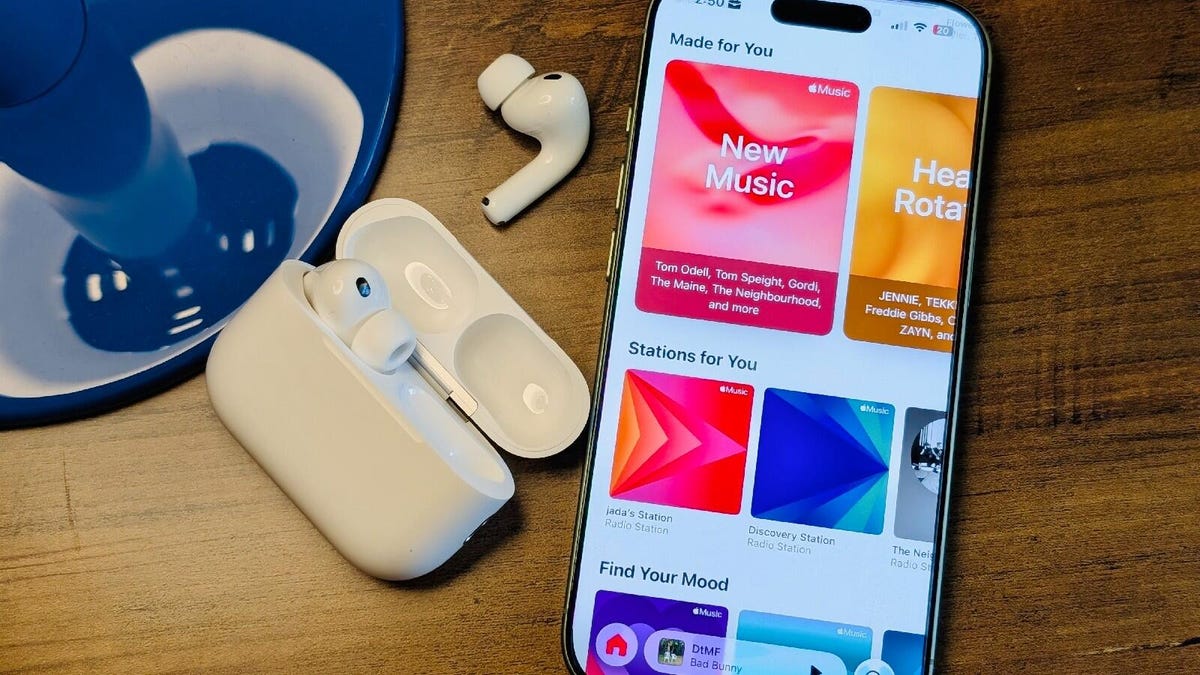
For example, your iPhone can track headphone audio levels and record levels for every pair of headphones you’ve connected to it, though I notice the most accurate recordings when I use my AirPods.

If you also wear an Apple Watch, it can record environmental sound levels and notify you when your surroundings are concerningly loud. I receive this notification every time I attend an Atlanta Falcons game, with my Watch recording a peak of 114 dBA. A mere 15 minutes at this noise level can damage your hearing.

Can noise cancellation help?

Hearing health experts assert that active noise cancellation (ANC) in headphones and earbuds should not be a substitute for traditional, well-studied hearing protection methods, such as earplugs or earmuffs. ANC definitely shouldn’t be a replacement for hearing protection if you work in a factory, construction site, or any other loud environment.

However, in everyday situations, ANC can reduce your environment’s loudness, discouraging you from maxing out your headphones’ volume, which is key. A 2022 study in the Journal of Audiology and Otology found that using headphones, especially in-ear earbuds, in noisy environments can reduce excessive recreational noise exposure.

Also: I’ve tested dozens of Sony headphones – these 4 tweaks get me the best sound quality

My own best real-world example is the gym. On a Saturday afternoon, my gym is packed. My Apple Watch recorded the gym’s environmental sound level at 104 dBA during my most recent workout. 

At the same time, my AirPods’ noise cancellation provided 27 dBA of environmental sound protection, which kept my noise exposure at a lower, safer level, prompting me to keep my headphone audio level under 85 dBA for the 45 minutes I worked out. 


The Portable Chargers We’d Actually Buy This Spring


Spring travel season is also peak portable charger season. Weekend trips, outdoor events, airport layovers, long commutes, and café work sessions all push people toward lighter everyday carry setups where bulky accessories start feeling unnecessary. That shift is changing what buyers now expect from power banks. Capacity still matters, though portability, charging speed, and design have become equally important.

This year’s best spring deals reflect that change clearly. Compact chargers with faster charging support and cleaner designs are replacing oversized utility-focused power banks that were built purely around battery size. Several major brands are also pushing aggressive seasonal discounts right now, making this one of the better times to upgrade.

1. INIU Pocket Rocket P50 – Ultra-Compact Fast Charging for Everyday Travel

Approx. Deal Price: $32.99, with additional bundle savings currently available on INIU’s official store.

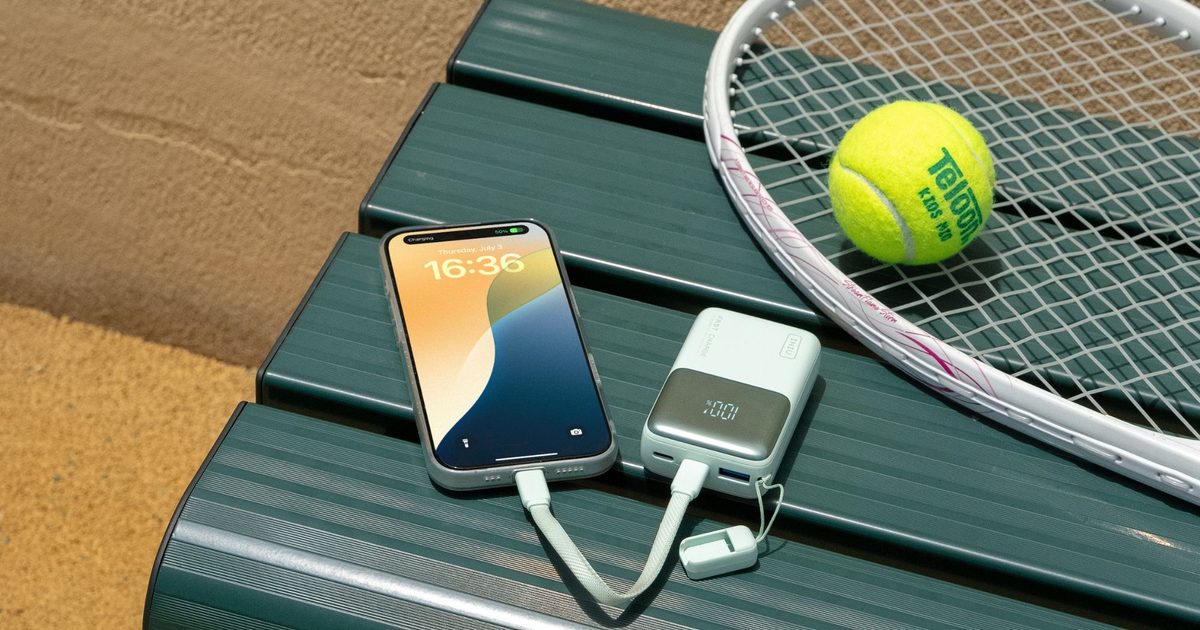
INIU is clearly targeting the growing shift toward lighter everyday carry tech with the Pocket Rocket P50. The charger focuses on combining portability and high-speed charging inside a compact body that feels practical for commuting, travel, café work sessions, concerts, and daily movement instead of being another oversized power bank built purely around battery size.

The compact footprint is easily the biggest highlight. INIU positions the Pocket Rocket P50 as the world’s smallest charger in its category, making it dramatically easier to carry compared to bulkier fast-charging alternatives currently dominating the market. Weighing just 160g, the charger fits naturally into jacket pockets, handbags, sling bags, and smaller travel kits without becoming inconvenient during long days outside.

Charging performance is another area where the Pocket Rocket P50 stands out. The charger supports high-speed wired charging capable of rapidly topping up smartphones, tablets, handheld gaming devices, and USB-C accessories during short breaks between meetings, flights, or travel stops. INIU says the charger can power a smartphone up to 70 percent in around 25 minutes while also supporting Samsung Super Fast Charging 2.0 compatibility.

INIU has also focused heavily on charging stability and long-term usability by incorporating Temp-Guard battery protection, NVIDIA-grade inductors, enhanced heat dissipation systems, and E-Marker chip safety protection. Those additions become particularly valuable for users relying on portable chargers continuously throughout the day during travel or outdoor usage.

The overall design feels noticeably more refined than the typical utility-focused portable chargers flooding online marketplaces right now. Rounded edges, minimalist styling, softer finishes, and optional custom engraving help the Pocket Rocket P50 feel closer to a lifestyle accessory than generic travel tech. That design direction aligns closely with current consumer trends where buyers increasingly expect accessories to complement personal style alongside functionality.

Approx. Deal Price: $49.99 on the official website, with lower pricing often available during retailer sales.

The Anker Nano 10,000mAh power bank works particularly well for users who want a simpler everyday carry setup instead of a larger laptop-focused charging brick. The charger supports 30W USB-C fast charging, which is enough to comfortably handle smartphones, tablets, handheld gaming devices, and lightweight USB-C accessories during daily use.

One of the biggest advantages here is the built-in USB-C cable, which eliminates the need to carry separate charging cables during commutes, flights, or travel. The compact footprint also makes the Nano significantly easier to slip into jacket pockets, handbags, sling bags, and airport carry-ons compared to bulkier high-output power banks.

The 10,000mAh battery capacity strikes a practical middle ground for most users by offering enough power for multiple smartphone top-ups without making the charger feel oversized. Bi-directional charging support also allows the built-in cable to recharge the power bank itself, adding another layer of convenience for everyday travel and work setups.

Approx. Deal Price: $39.99 during current seasonal promotions

The Belkin BoostCharge 10K combines a 10,000mAh battery with 20W USB-C PD fast charging in a slimmer, travel-friendly design built for everyday use. The charger supports simultaneous charging for up to three devices, making it particularly useful for users carrying smartphones, earbuds, smartwatches, and other accessories throughout the day.

The compact footprint helps the BoostCharge fit easily into backpacks, handbags, laptop sleeves, and airport carry-ons without adding unnecessary bulk. USB-C PD fast charging also allows for quicker smartphone top-ups during flights, workdays, and daily commutes compared to standard portable chargers still limited to slower output speeds.

Belkin’s strong ecosystem compatibility remains another major advantage, especially for users carrying a mix of Apple and Samsung devices. Combined with multi-device charging support and airline-friendly battery capacity, the BoostCharge 10K continues to work well as a practical everyday travel charger instead of a larger desk-focused power bank.

Approx. Deal Price: Around $59.99 during current spring promotions

The UGREEN Nexode 20000mAh 130W power bank is built for users carrying multiple power-hungry devices throughout the day. The charger supports up to 100W USB-C output, making it capable of charging MacBooks, ultrabooks, tablets, handheld gaming devices, and flagship smartphones without needing separate charging solutions.

The 20,000mAh capacity is large enough for multiple smartphone recharges or meaningful laptop top-ups during flights, workdays, or travel. Despite the higher output, the Nexode still maintains a relatively compact footprint compared to many laptop-focused charging bricks currently available in the market.

UGREEN has also included a smart digital display that shows real-time battery levels and charging status, which adds far more practical usability compared to standard LED indicator systems. Combined with multi-port charging support and high-output USB-C PD performance, the Nexode 130W remains one of the stronger fast-charging options currently available for users looking to consolidate their charging setup into a single portable device.

5. Baseus Blade Power Bank – A Smart Choice for Laptop and Tablet Users

Approx. Deal Price: $89.99 during spring promotions

The Baseus Blade stands out immediately because of its shape. Instead of using the traditional thick brick-like design common with high-capacity chargers, the Blade uses a slim flat-body construction that slides naturally into backpacks, laptop sleeves, and messenger bags.

The charger typically offers a 20,000mAh battery combined with high-speed USB-C charging, making it practical not only for smartphones but also for tablets and lightweight laptops. For remote workers, students, and frequent travellers, that flexibility can eliminate the need to carry multiple chargers during the day.

Despite the larger battery capacity, the Blade still feels surprisingly portable, which explains why it has become increasingly popular among users looking for a cleaner and more premium-looking travel charging setup.

6. Mophie 10000mAh Powerstation – Compact Fast Charging With a Cleaner Premium Design

Approx. Deal Price: $39.99 during current spring promotions

Mophie’s newer Powerstation models focus heavily on balancing portability with practical everyday charging performance. The charger packs a 10,000mAh battery along with 20W USB-C PD fast charging support, giving users enough capacity to comfortably handle multiple smartphone top-ups during travel days, long commutes, or extended work sessions away from charging outlets.

The slimmer construction is one of the biggest advantages here. Unlike thicker high-capacity power banks that quickly become inconvenient inside smaller bags, the Powerstation is designed to slide naturally into backpacks, handbags, airport carry-ons, and daily carry setups without adding unnecessary bulk. The lightweight body also makes it far more practical for concerts, café work sessions, and weekend travel where portability matters just as much as charging capacity.

Mophie’s industrial design continues to stand out in a category flooded with generic utility-focused chargers. The cleaner finish, understated styling, and softer texture help the Powerstation feel noticeably more premium while still remaining practical for daily use. Combined with USB-C PD charging speeds and a more compact footprint, the current spring pricing makes it a solid option for users looking for a dependable fast charger that does not feel oversized or overly utilitarian.

Why Compact Fast Chargers Are Dominating This Spring

The biggest shift happening in portable charging right now is not just about battery size. Buyers are increasingly prioritising products that fit naturally into daily life. A charger that feels too bulky to carry often ends up left behind entirely, which defeats the purpose of portable power in the first place. That is exactly why compact fast chargers are dominating spring deals this year. Smaller form factors, faster charging speeds, cleaner industrial design, and better portability are becoming more valuable than simply carrying the largest battery possible.

Products like the INIU Pocket Rocket P50 highlight that transition clearly. Instead of focusing purely on raw capacity numbers, the P50 combines 10,000mAh battery capacity, 45W fast charging, advanced thermal protection, and a highly compact design built specifically for modern mobile lifestyles. For users planning spring travel, upgrading their everyday carry setup, or simply looking for a more convenient charging solution, this season’s deals offer some of the strongest portable charging options currently available across multiple price points.

Google Unveils Googlebook, a New AI Laptop Built Around Gemini


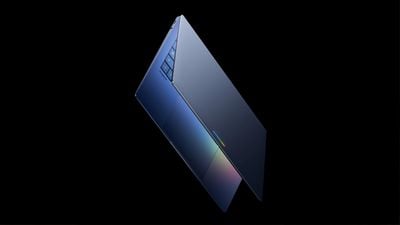
Google today announced a new series of Googlebook laptops that will be built with Gemini at the core. Googlebooks will run software built on a foundation that combines Android and ChromeOS.

Google says the new laptops are designed for Gemini Intelligence for a more personalized and proactive experience.

Instead of a cursor, Googlebooks have a Magic Pointer that users can wiggle to activate Gemini. Gemini can then provide contextual suggestions and answers based on whatever the user is pointing to on the screen. Pointing at a date in an email sets up a meeting, and selecting two images allows them to be visualized together. There are ask, compare, and combine tools available with the Magic Pointer.

Create My Widget, a new Android feature, is coming to Googlebooks. Users can create custom widgets with a Gemini prompt. Gemini is able to search the internet and connect with Google apps like Gmail and Calendar to create a personalized dashboard that can be used for widget creation.

googlebook
Since Googlebooks will run Android, it will be easier to switch between a Googlebook and an Android smartphone. Apps from a connected Android smartphone will be available on the Googlebook, with a feature set similar to Apple’s iPhone Mirroring.

Quick Access will let users view, search, or insert files from a smartphone on the laptop, with no transfer needed.

Google says it is working with Acer, ASUS, Dell, HP, and Lenovo to make the first Googlebooks. The machines will be built with “premium craftsmanship and materials, coming in a variety of shapes and sizes.” Each one will have a “glowbar” on the lid, making it clear that it’s a Googlebook.

Google has not given insight into Googlebook pricing, but with the specific “premium” build language, they could be priced above the low-cost MacBook Neo that Apple recently came out with. It’s also possible that Googlebooks will have MacBook Neo-level pricing to better compete with Apple’s laptop in on pricing and build quality.

The first Googlebooks are set to launch this fall.

Linux bitten by second severe vulnerability in as many weeks


Both privilege escalation vulnerabilities stem from bugs in the kernel’s handling of page caches stored in memory, allowing untrusted users to modify them. They target caches in networking and memory-fragment handling components. Specifically, CVE-2026-43284 attacks the esp4 and esp6 () processes, and CVE-2026-43500 zeroes in on rxrpc. Last week’s CopyFail exploited faulty page caching in the authencesn AEAD template process, which is used for IPsec extended sequence numbers. A 2022 vulnerability named Dirty Pipe also stemmed from flaws that allow attackers to overwrite page caches.

Researchers from security firm Automox wrote:

Dirty Frag belongs to the same bug family as Dirty Pipe and Copy Fail, but it targets the frag member of the kernel’s struct sk_buff rather than pipe_buffer. The exploit uses splice() to plant a reference to a read-only page-cache page (for example, /etc/passwd or /usr/bin/su) into the frag slot of a sender-side skb. Receiver-side kernel code then performs in-place cryptographic operations on that frag, modifying the page cache in RAM. Every subsequent read of the file sees the corrupted version, even though the attacker only ever had read access.

CVE-2026-43284 is found in the esp_input() process on the IPsec ESP receive path. When an skb object is non-linear but lacks a frag list, the code skips skb_cow_data() and decrypts AEAD in place on the planted frag. From there, an attacker can control the file offset and the 4-byte value of each store.

CVE-2026-43500, meanwhile, resides in rxkad_verify_packet_1(). The process decrypts RxRPC payloads using a single-block process. Splice-pinned pages become both a source and destination. That, paired with the decryption key being freely extracted using the add_key (rxrpc), allows an attacker to rewrite contents in memory.

Either exploit used separately is unreliable. Some Ubuntu configurations use AppArmor to prevent untrusted users from creating namespace contents. That, in turn, neutralizes the ESP technique. Most other distributions by default don’t run rxrpc.ko, which neutralizes the RxRPC arm. When chained together, however, the two exploits allow attackers to obtain root on every major distribution Kim tested. Once the exploits run, attackers can use SSH access, web-shell execution, or container escapes, or compromise low-privilege accounts.

“Dirty Frag is notable because it introduces multiple kernel attack paths involving rxrpc and esp/xfrm networking components to improve exploitation reliability,” Microsoft researchers wrote. “Rather than relying on narrow timing windows or unstable corruption conditions often associated with Linux local privilege escalation exploits, Dirty Frag appears designed to increase consistency across vulnerable environments.”

Researchers at Google-owned Wiz said exploits will be less likely to break out of hardened containerized environments like Kubernetes with default security settings in place. “However, the risk remains significant for virtual machines or less restricted environments.”

The best response for anyone using Linux is to install patches immediately. While fixes likely require a reboot, protection from a threat as severe as Dirty Frag outweighs the cost of disruptions. Anyone who can’t install immediately should follow the mitigation steps laid out in the posts linked above. Additional guidance can be found here.

Digg Tries Again, This Time As an AI News Aggregator


Digg is relaunching again, this time as an AI-focused news aggregator rather than the Reddit-style community site it recently abandoned. TechCrunch reports: On Friday evening, the founder previewed a link to the newly redesigned Digg, which now looks nothing like a Reddit clone and more like the news aggregator it once was. This time around, the site is focused on ranking news — specifically, AI news to start. In an email to beta testers, the company said the site’s goal is to “track the most influential voices in a space” and to surface the news that’s actually worth “paying attention to.” AI is the area it’s testing this idea with, but if successful, Digg will expand to include other topics. The email warned that the site was still raw and “buggy,” and was designed more to give users a first look than to serve as its public debut.

On the current homepage, Digg showcases four main stories at the top: the most viewed story, a story seeing rising discussion, the fastest-climbing story, and one “In case you missed it” headline. Below that is a ranked list of top stories for the day, complete with engagement metrics like views, comments, likes, and saves. But the twist is that these metrics aren’t the ones generated on Digg itself. Instead, Digg is ingesting content from X in real-time to determine what’s being discussed, while also performing sentiment analysis, clustering, and signal detection to determine what matters most. […] The site also ranks the top 1,000 people involved in AI, as well as the top companies and the top politicians focused on AI issues.