The EU Is Going Through a Trump-Fueled Breakup With Big Tech


As tensions between President Donald Trump and Europe continue to simmer, the continent is accelerating its moves to reduce its addiction to US technology. Cities and governments are ditching Microsoft Office for open-source alternatives, shifting to European cloud hosting for local AI, and moving defense data to systems without American involvement. Nowhere has this been more clear than in France.

Over the last few months, the French government has sped up its efforts to develop and deploy its own technology for government officials. The country has, arguably, emerged at the head of Europe’s growing digital sovereignty push, which aims to cut some reliance on US-based technology over concerns around data security, the Trump administration’s unpredictability, and changing prices. French budget minister David Amiel recently called for the state to “break free” from American systems and use those it can control.

“We are not just explaining what we want to do,” Stéphanie Schaer, the head of DINUM, France’s digital transformation ministry, tells WIRED over a call on the nation’s video-calling platform Visio. “We already did it in a few matters.” So far, more than 40,000 French government staff have started using the home-grown video platform, while the rest will move away from Zoom, Microsoft Teams, and others by 2027. “We are confident enough to use it every day and we are not dependent on just one actor that will tell us you have to use my video conference,” Schaer says.

Across France’s central government agencies and vast civil service, officials plan to shift to as many French, European, and open source technology alternatives as possible in the coming years. Schaer says it is important for the French government to be in control of the technology that it is using, with data being stored locally in the country, not abroad.

As part of this, DINUM has been developing a set of productivity tools, collectively called “LaSuite,” since at least 2023. As well as Visio, it includes instant messaging app Tchap, Messagerie instead of Gmail or Outlook, Fichiers for documents and file sharing, plus text editing software Docs, and Grist for spreadsheets. Some of the software is still in beta and has not been fully rolled out to French officials yet. However, Tchap already has 420,000 active users, Schaer says, with 20,000 civil servants adopting it each month.

“We are based on open source software. So we don’t develop all the code,” Schaer says. There are public plans for new features, although code is published on Microsoft-owned Github. All data handled by the alternatives has to be processed in France and stored with providers who have approval from the country’s cybersecurity agency ANSSI. Earlier this month, the Dutch government moved its open-source code off of GitHub and onto a Forgejo instance hosted on government-owned servers.

While open source is key, the French government is also working with other countries and private firms on the development of its tools. “We can reuse what has been developed by the community and we contribute to this community,” Schaer says. For instance, Visio, which can host calls of up to 150 people and has AI transcription of calls, is built on technology from French firms Outscale and Pyannote.

While Schaer’s department is aiming to lead by example, all of France’s central government agencies have to come up with plans to move away from US tech—across office software, antivirus, AI, databases, and more—by this fall. On April 23, French officials also announced the country will move its health data platform away from Microsoft to local cloud provider Scaleway, after a years-long decision process.

Google Is Slopping Up Search and It Wants You to Talk to the Ads


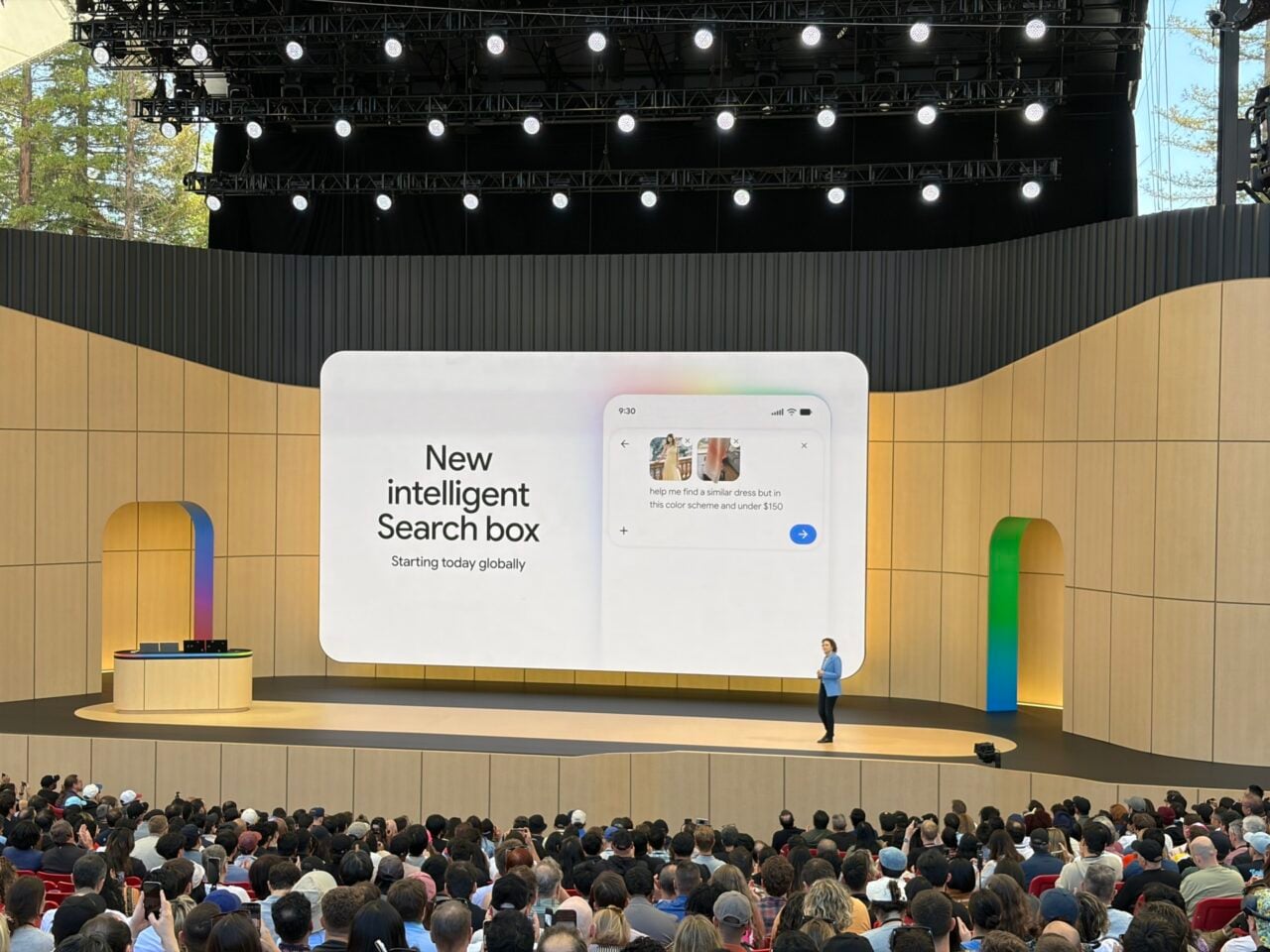
Worried that the ongoing embrace of artificial intelligence and the acceleration of late-stage capitalism will continue to leave people isolated from each other? Don’t worry, you can talk to ads now! According to a report from Search Engine Land, at this year’s Google Marketing Live event, the company announced a new generation of “conversational” advertisements that will soon start to populate search results.

Google will be rolling out several new ad experiences that will pair with the company’s re-imagined and AI-centric search. That includes “Conversational Discovery” ads, which Search Engine Land reports are sponsored results that are designed to look like an answer to a person’s query. It’ll appear in AI Mode within Google Search and will produce tailored responses with the company’s Gemini AI model. So if you’ve ever found yourself wanting to talk to an advertisement, congratulations, because your strange, specific desire is about to be fulfilled.

In addition to the chatty ads, Google will also introduce “Highlighted Answers,” which will offer highly relevant promotions that will be displayed in a recommendation list. That, too, will be powered by Gemini and will reportedly appear in Google’s standard Search experience. On the consumer side, it’s probably just going to feel like more ads. On the business side, Search Engine Land reports that it’ll make advertisements more dynamic and targeted instead of static and locked to specific keywords and pre-made copy.

While Google is actively trashing its flagship Search product in pursuit of pumping as much AI slop into it as possible, the Wall Street Journal reported that Gemini itself will remain ad-free for the time being. But you’d have to be pretty naive to think that’ll remain the case. We’re already seeing other companies trying to slip ads into their chatbot interfaces.

OpenAI did it, though the results of that experiment would generously be described as mixed and more accurately described as a failure. Turns out corporations are thrilled to pay high rates for ad placements that don’t actually seem to get any attention. Of course, Google has been in the ad game for much longer and has a lot of dark arts to tap into that an upstart like OpenAI can’t—like, say, a digital advertising monopoly.

Search Engine Land said that Conversational Discovery ads and Highlighted Answers are already being tested on users in the United States and will appear on both mobile and desktop. More AI-powered features for advertisers are expected to roll out later this year. So get ready for the web to get even worse.

Today’s NYT Connections: Sports Edition Hints, Answers for May 20 #604


Looking for the most recent regular Connections answers? Click here for today’s Connections hints, as well as our daily answers and hints for The New York Times Mini Crossword, Wordle and Strands puzzles.


Today’s Connections: Sports Edition has one of those crazy-fun purple categories, where you need to hunt inside words for other words. If you’re struggling with the puzzle but still want to solve it, read on for hints and the answers.

Connections: Sports Edition is published by The Athletic, the subscription-based sports journalism site owned by The Times. It doesn’t appear in the NYT Games app, but it does in The Athletic’s own app. Or you can play it for free online.

Read more: NYT Connections: Sports Edition Puzzle Comes Out of Beta

Hints for today’s Connections: Sports Edition groups

Here are four hints for the groupings in today’s Connections: Sports Edition puzzle, ranked from the easiest yellow group to the tough (and sometimes bizarre) purple group.

Yellow group hint: Three points.

Green group hint: Light the cauldron.

Blue group hint: Minor leagues.

Purple group hint: Find a player’s hidden name.

Answers for today’s Connections: Sports Edition groups

Yellow group: Actions on a field goal attempt.

Green group: U.S. Olympic host cities.

Blue group: Triple-A baseball teams.

Purple group: Ends in an NFL QB.

Read more: Wordle Cheat Sheet: Here Are the Most Popular Letters Used in English Words

What are today’s Connections: Sports Edition answers?

completed NYT Connections: Sports Edition puzzle for May 20, 2026

The completed NYT Connections: Sports Edition puzzle for May 20, 2026.

NYT/Screenshot by CNET

The yellow words in today’s Connections

The theme is actions on a field goal attempt. The four answers are block, hold, kick and snap.

The green words in today’s Connections

The theme is U.S. Olympic host cities. The four answers are Atlanta, Los Angeles, Salt Lake City and St. Louis.

The blue words in today’s Connections

The theme is triple-A baseball teams. The four answers are Bats, Express, IronPigs and Jumbo Shrimp.

The purple words in today’s Connections

The theme is ends in an NFL QB. The four answers are clove (Jordan Love), fallen (Josh Allen), Phoenix (Bo Nix) and Squidward (Cam Ward).

Toughest Connections: Sports Edition categories

The Connections: Sports Edition puzzle can be tough, but it really depends on which sports you know the most about. My husband aces anything having to do with Formula 1, my best friend is a hockey buff, and I can answer any question about Minnesota teams.

That said, it’s hard to pick the toughest Connections categories, but here are some I found exceptionally mind-blowing.

#1: Serie A Clubs. Answers: Atalanta, Juventus, Lazio, Roma.

#2: WNBA MVPs. Answers: Catchings, Delle Donne, Fowles and Stewart.

#3: Premier League team nicknames. Answers: Bees, Cherries, Foxes and Hammers.

#4: Homophones of NBA player names. Answers: Barns, Connect, Heart and Hero.


Android XR Is Finally Starting To Feel Real


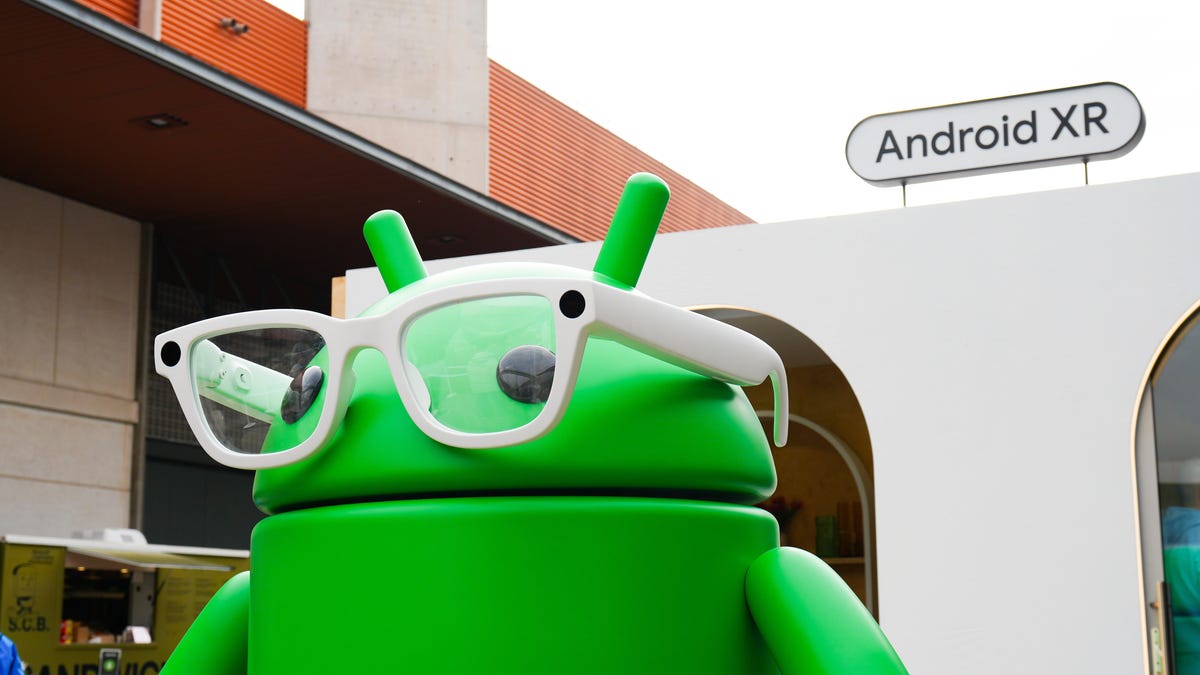
Last year at Google I/O, we got a promising, if frustratingly limited, look at Android XR. At this year’s event, the company confirmed that the first glasses from Warby Parker and Gentle Monster are finally coming later this year.

Those frames are still under wraps, though we got a bit of a preview during the I/O keynote. But Google’s developer conference did, at least, give us a much clearer picture of how its smart glasses will work. Given that Meta has a years-long headstart, Google will have a lot to prove. But despite being almost embarrassingly late to the smart glasses game, Google has a few significant advantages. And, after trying out the latest Android XR glasses, I suspect at least some people will prefer these over Meta’s Ray-Ban shades.

The glasses I demoed were not the branded frames briefly shown off during the keynote. They were “reference hardware” that Google uses for its own internal development. These glasses also had a built-in display, unlike the Warby Parker and Gentle Monster specs, which will be audio-only. But they didn’t really look or feel like a prototype either. While not quite as polished as my Ray-Ban Meta frames, they weren’t overly thick or nerdy looking. And they felt much lighter than the extra chunky Meta Ray-Ban Display frames.

The display setup is similar to the prototype I saw last year, with a single window over the right lens. On the reference hardware, it had a 20-degree field of view, though Google was quick to point out that specific specs could change.

While the display was impressive — it was every bit as crisp and bright as the Meta equivalent — it was obvious that even the audio-only Android XR glasses could have a big advantage over Meta and other would-be rivals. Namely, that Google has been able to integrate its own apps and, yes, Gemini into the frames in a way that seems incredibly useful.

For example, using Google Translate was much more seamless than my experience with Meta’s glasses. I was able to move between a Google rep speaking Spanish and my colleague Igor Bonifacic speaking Serbian and the glasses kept the translation going without interruption. It also adeptly ignored the people around me speaking English, and only showed a real-time translation of what was being said in a foreign language. There probably aren’t that many real-life situations when you would need to move between multiple languages inside of the same conversation, but the fact that it was possible underscores Google’s advantage.

While I’ve generally been impressed with Meta’s AI glasses’ translation abilities, you can only do one language at a time. You also need to download the language to your phone ahead of time, which can make spur of the moment translations tricky.

The non-display glasses will also still benefit from multimodal capabilities, which rely on the onboard cameras and Gemini to surface information based on your surroundings. I was able to look at a recipe and ask Gemini to add the ingredients to my shopping list on Google Keep. Gemini actually briefly struggled with the command, but I didn’t have to stop and start over. I kept speaking and it was able to adjust on the fly.

I’ve often complained that one of the biggest drawbacks of Meta’s glasses is that they work with relatively few third-party apps. While Meta’s working on fixing that, for now they’re great if you want to read WhatsApp messages or Instagram DMs, but there aren’t as many options outside of the company’s ecosystem. Android XR may also be heavily reliant on Google’s own ecosystem, at least for now, but being able to access Maps, Gmail and Keep feels much more practical to my everyday life.

Maps in particular could be especially useful. In my latest demo, I was once again able to get walking directions in the display, alongside a little map view when looking down towards the ground. The audio-only XR glasses won’t have the benefit of a visual guide, but Google will still be able to provide walking directions via audio cues. You can also look at restaurants and businesses around you and ask Gemini for reviews and information. I’ve long thought that travel is one of the best use cases for smartglasses. The addition of Google Maps data is a real advantage, especially when you think about combining that with other features like real-time translations and navigation.

I still have some unanswered questions about how all this will work when it’s in a pair of glasses people can actually buy. And Google still hasn’t revealed specs or pricing for the consumer version of these glasses. But there’s already a lot to look forward to.

Google I/O 2026 live updates: Biggest news on Android, Gemini AI, XR, and more we’re seeing


By Kerry Wan, Editor in Chief / May 18

Ahead of Google I/O, the company held its annual “The Android Show” last week, announcing a slew of Android and Chrome features set to roll out later this year. 

The news included Gemini Intelligence, which refers to more advanced AI capabilities such as background task automation and enhanced context tools, more accessible voice inputs, AI-generated widgets, and general video improvements in Android 17.

Also: First look at Googlebook: A premium Chromebook alternative for Android users

Google also announced a new series of laptops called Googlebook, which is separate from Chromebook and Google Books. 

Googlebook is described as more premium, with a more natural integration with Android phones than competing systems. That includes better app mirroring, faster file transferring across different services, and intuitive Gemini tools.

That all said, if Google does announce more Android news at I/O, expect it to be less than usual.


Google I/O 2026: What to expect from Gemini, Android 17, and more


Google is preparing to kick off its annual developer conference, Google I/O 2026, and this year’s event is shaping up to be heavily focused on artificial intelligence, Android 17, and the future of Google’s ecosystem. The conference begins on May 19 at the Shoreline Amphitheatre in Mountain View, California, with CEO Sundar Pichai expected to lead the keynote presentation. The event will be livestreamed globally through Google’s official I/O website and YouTube channels.

While Google I/O has traditionally focused on developers, this year’s announcements are expected to directly affect everyday users across Android phones, Search, Chrome, Workspace, and smart devices.

Google is turning AI into the center of everything

The biggest theme expected at Google I/O 2026 is Gemini AI. Google has already spent the last year integrating Gemini into products like Gmail, Search, Android, and Workspace, but this event may show how deeply the company plans to embed AI into its entire ecosystem.

One of the most anticipated announcements is the next phase of Gemini Intelligence inside Android 17. Reports suggest Android is evolving from a traditional operating system into a more context-aware AI platform capable of automating tasks, generating widgets, handling voice interactions, and proactively assisting users across apps.

Google is also expected to reveal more about “Gemini Omni,” a rumored AI model focused on advanced video generation and editing. This could position Google more directly against OpenAI’s Sora and Adobe’s generative AI tools.

Beyond smartphones, AI may also reshape Google’s laptop ambitions. Multiple reports suggest Google could formally unveil “Googlebook,” a new AI-first laptop platform designed to eventually succeed Chromebooks. The devices are expected to combine Android and ChromeOS elements while deeply integrating Gemini AI features into the user experience.

Android 17 and XR could also take center stage

Android 17 is expected to receive several upgrades focused on personalization, multitasking, and AI-powered features. Leaks and previews have hinted at redesigned widgets, enhanced voice input, new digital wellbeing tools, and updates to Android Auto.

Google may also showcase progress on Android XR, its augmented and mixed reality platform. Smart glasses and wearable AI devices have become increasingly important across the tech industry following moves from Meta, Apple, and Samsung. Google previously teased Android XR hardware, and I/O 2026 could provide a clearer look at the company’s long-term strategy.

Why this event matters

Google I/O 2026 arrives at a critical moment for the company. The AI race has accelerated rapidly over the past two years, with OpenAI, Microsoft, Apple, and Meta all competing to define how consumers interact with AI systems.

For Google, this event is not just about announcing new software features. It is about showing that Gemini can become the foundation of Google’s future products rather than simply an optional assistant layered onto existing services.

At the same time, the company faces growing scrutiny over AI-generated search summaries, misinformation risks, and the broader impact AI may have on publishers and the web ecosystem.

What happens next

Google I/O 2026 begins on May 19, with announcements expected across Android, Gemini AI, XR devices, Search, Workspace, and possibly new hardware categories.

If the leaks and reports are accurate, this year’s conference could mark Google’s biggest shift yet toward an AI-first ecosystem – one where Android, laptops, search, and productivity tools all revolve around Gemini.

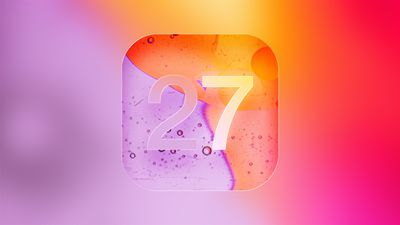
iOS 27 to Let Users Generate Wallpapers and Build Shortcuts With AI


iOS 27 will include a custom wallpaper generator and an option to automatically create shortcuts using AI, reports Bloomberg.

iOS 27 Mock Quick
When choosing a new wallpaper, users will have the option to generate something custom using the Image Playground app. ‌Image Playground‌ is used for generating custom emoji and images that can be used throughout iOS, and it is set to get an upgrade in ‌iOS 27‌.

Apple is testing models that produce more lifelike images, so the version of ‌Image Playground‌ that’s used for generating custom wallpapers could be different from the current version.

Shortcuts is also getting a major update, with users able to use natural language to ask Siri to make a shortcut. There is an option for users to tell ‌Siri‌ what they want to accomplish with a shortcut to have the workflow created using AI.

Bloomberg says the Shortcuts app has a prompt that says “What do you want your shortcut to do?” with a text field to enter a description. Shortcuts that are created using AI are then automatically installed and immediately available for use.

Shortcut creation is largely done manually now, and it is a tool that has remained out of reach of many casual iPhone users. A Shortcuts app that’s able to work with natural language capabilities will see the app getting more widespread use.

The new Shortcuts app and the wallpaper generation tool will be previewed at the WWDC keynote that’s set to take place on June 8.

Popular Stories

WWDC 2026 Graphic Teases Major iOS 27 Feature

Apple’s WWDC 2026 graphic provides “a glimpse of the revamped Siri interface coming in iOS 27,” according to Bloomberg’s Mark Gurman. In his Power On newsletter today, Gurman said iOS 27 will include a new Siri interface in the Dynamic Island. When you trigger Siri, he said the Dynamic Island will show a “Search or Ask” prompt, and this will apparently be accompanied by a “glowing cursor”…

Apple Testing Two New iOS 27 Home Screen Customization Options

Apple is planning to add “Undo” and “Redo” options to the iPhone’s Home Screen customization menu on iOS 27, according to Bloomberg’s Mark Gurman. These two options will make it easier to reverse or redo your Home Screen changes. ”Right now, when you long-press on the home screen, you get a bubble in the top left corner with four options: Add Widget, Customize, Edit Wallpaper and Edit…

iOS 27 to Change How You Customize Your iPhone Home Screen

If you regularly spend time reshuffling your iPhone’s Home screen, you’ll likely welcome a couple of new options reportedly coming in iOS 27. According to Bloomberg’s Mark Gurman, Apple’s next major software update will add Undo and Redo buttons to the Home Screen customization menu. Long-press the screen, and alongside the existing Add Widget, Customize, Edit Wallpaper, and Edit Pages…

Zero-day exploit completely defeats default Windows 11 BitLocker protections


A zero-day exploit circulating online allows people with physical access to a Windows 11 system to bypass default BitLocker protections and gain complete access to an encrypted drive within seconds.

The exploit, named YellowKey, was published earlier this week by a researcher who goes by the alias Nightmare-Eclipse. It reliably bypasses default Windows 11 deployments of BitLocker, the full-volume encryption protection Microsoft provides to make disk contents off-limits to anyone without the decryption key, which is stored in a secured piece of hardware known as a trusted platform module (TPM). BitLocker is a mandatory protection for many organizations, including those that contract with governments.

When one disk volume manipulates another

The core of the YellowKey exploit is a custom-made FsTx folder. Online documentation of this folder is hard to find. As explained later, the directory associated with the file fstx.dll appears to involve what Microsoft calls the transactional NTFS, which allows developers to have “transactional atomicity” for file operations in transactions with a single file, multiple files, or ones that span multiple sources.

The steps for carrying out the bypass are simple:

  1. Copy the custom FsTx folder from the Nightmare-Eclipse exploit page to an NTFS- or FAT-formatted USB drive
  2. Connect the USB drive to the BitLocker-protected device
  3. Boot up the device and immediately press and hold down the [Ctrl] key
  4. Enter Windows recovery

There are at least two ways to accomplish the third step. One way is to boot into Windows, hold down the [Shift] key, click on the power icon, and click restart. Another is to power on the device and restart it as soon as Windows starts booting.

In either case, a command (CMD.EXE) prompt appears. The prompt has full access to the entire drive contents, allowing an attacker to copy, modify, or delete them. In a normal Windows Recovery flow, the attacker would need to enter a BitLocker recovery key. Somehow, the YellowKey exploit bypasses this safeguard. Multiple researchers, including Kevin Beaumont and Will Dormann, have confirmed the exploit works as described here.

It’s unclear what in the custom FsTx folder causes the bypass. Dormann said that it appears to be related to Transactional NTFS, which itself uses command-log file system under the hood. Dormann further noted that by looking at the Windows fstx.dll, one will see code that explicitly looks for \System Volume Information\FsTx in the FsTxFindSessions() function.”

Elon Musk’s xAI Launches ‘Grok Build’, Its First AI Coding Agent


xAI has launched Grok Build, “a coding agent of its own to serve as competitor to its rivals’ products, such as Anthropic’s Claude Code,” reports Engadget:


As Bloomberg notes, xAI has been trying to catch up to its rival companies like Anthropic and OpenAI. Elon Musk, the company’s founder and CEO, previously admitted that it has fallen behind its competitors when it comes to coding. A couple of months ago, Musk said he was rebuilding xAI “from the foundations up” after several co-founders had left the company. One of the company’s executives reportedly told staffers to work on getting Grok to match Claude’s performance across various tasks.

More details from PCMag:

Grok Build is currently available in beta to those with a SuperGrok Heavy subscription, which starts at $300 per month. Just download it from the xAI website and log in. It’s described as “a powerful new coding agent and CLI for professional software engineering and complex coding work.” In its early version, xAI is seeking feedback and looking to fix any bugs… Only a few features have been highlighted, including a plan mode that lets you review, edit, and approve a plan before execution, and support for existing plug-ins and workflows.

Wondering where your OxygenOS update is? OnePlus quietly hit pause


Close-up of the OnePlus logo on the OnePlus 13.

Joe Maring / Android Authority

TL;DR

  • OnePlus has paused the rollout of OxygenOS version 16.0.7.XXX and 16.0.5.XXX.
  • The rollout was paused due to devices experiencing abnormal restart and boot issues.
  • The rollout will resume after the issue is fixed and the builds are validated for stability and reliability.

OnePlus recently began rolling out an OxygenOS update. If you’re wondering why it’s still not available for your OnePlus device, it’s because the rollout was paused. However, it shouldn’t be long before the rollout resumes.

Don’t want to miss the best from Android Authority?

google preferred source badge light@2xgoogle preferred source badge dark@2x

Over on the company’s community forum, OnePlus announced that it has temporarily suspended the rollout of OxygenOS version 16.0.7.XXX and 16.0.5.XXX. According to the post, some devices were experiencing abnormal restarts and boot issues after updating to these builds. OnePlus states that the decision to pause was made to “ensure device stability and protect user experience.”

No timetable was provided for when the update will resume. However, OnePlus says that it will resume the rollout when the issue is fixed and “the builds have been thoroughly validated for stability and reliability.” The company also states that its “teams are actively working on this with the highest priority.”

For what it’s worth, OnePlus did apologize for the inconvenience. The brand also says it’s “reviewing and strengthening” its testing and quality assurance processes to prevent similar problems in the future. So, it looks like you’ll just have to sit tight for a while until OnePlus is ready to release its latest update.

Thank you for being part of our community. Read our Comment Policy before posting.