Best 51 Sites for Freelance CAD Design Jobs, Remote Work & Virtual Projects from Home


The demand for creative and talented CAD professionals continues to soar. Throughout the world, in both developed and developing countries, businesses in various industries have an insatiable hunger for a creative workforce to make new products, solve engineering problems, design buildings, and basically introduce inventions to the market. The power of computer-assisted design–with software like AutoCAD, Inventor, SolidWorks, Blender, SketchUp, Revit, Fusion 360, Maya, and 3ds Max among others–has truly revolutionized the industries from consumer product designs and manufacturing to architectural, engineering, arts, films, and everything else in between. But no matter the software, it’s only as powerful (or useful) as the professional using it.

CAD freelancers everywhere now have the chance to showcase their best works and collaborate with companies from many different countries, thanks to the proliferation of freelancing websites all across the web. Here’s a short list of some of the best platforms where freelancers can get in touch with employers and work together on all sorts of CAD-related projects.


Cad Crowd

cadcrowd-logo

Easily a favorite of millions of CAD freelancers out there for one simple reason: Cad Crowd operates strictly on freelance CAD jobs. Without carrying the burden of overgeneralization typically observed in many other freelancing platforms, Cad Crowd can be very specific with its CAD services categorization. No matter what your specialization is, chances are there is a specific place for you on the site. It has everything from 2D modeling, 3D animation, architectural rendering, BIM, interior design, graphic design, 3D printing, computational fluid dynamics, product design, electronics design, and engineering services, just to name a few.


You can easily browse jobs and apply for them directly on the site. One thing to remember is that Cad Crowd is quite picky about the freelancers’ qualifications. In addition to the details in your profile (educational background, experience, preferred software, etc.), you have a higher chance of getting hired if you’ve joined a design contest before or provided a verifiable portfolio. The more contests you’ve participated in (and actually won), the higher your rank will be in Cad Crowd. And a higher rank translates to more opportunities. If you’re new to the freelancing world, contests are the quickest way to build your reputation on the site and showcase your best works.

Website: CadCrowd.com

GrabCAD Challenges

grabcad

From the looks of the page, GrabCAD Challenges seems to be made primarily for employers and companies rather than freelancers. But it doesn’t necessarily mean the latter are treated as secondary members, either. The page is designed like an invitation for companies to post design contests as a method to discover ideas, find engineering design solutions, and inject new perspectives into product development. At the same time, it also means that freelancers can showcase their skills through the contests. Most (if not all) of the contests in GrabCAD come with prize money, so they can be your gateway to freelancing in the CAD design services industry. Of course, each competition has rules and requirements such as file formats, intellectual property considerations, and so on.

Website: GrabCAD.com

Kolabtree

kolabtree logo

It goes without saying that Kolabtree, first and foremost, is built around the idea of providing freelance services to clients. The information about how a freelancer might join and get hired is not easily visible, but it’s there, although not clearly highlighted. In essence, anybody is allowed to sign up, and you must provide a complete profile (which likely refers to giving full educational backgrounds, professional experience, portfolio, and fields of expertise). You can get hired through one of the following methods: a client hires you directly, the internal team at Kolabtree invites you to work on a project, or you bid on a job posted on the site. All payments are processed through an escrow system and released after the project concludes.

Website: Kolabtree.com

Unicorn Factory

unicorn factory logo

First things first, Unicorn Factory focuses heavily on providing job opportunities for freelancers based in only two countries: Canada and New Zealand. The platform was first established in 2018 and has so far connected more than 11,000 freelancers with employers. The signup process is pretty typical, but there’s one big catch. Once your application is approved, you will have to opt in to their Kickstarter plan, which costs around $200 for your first five leads. According to Unicorn Factory, the starter plan is meant to see whether the platform is right for you, but there’s no mention of a money-back or refund option of any sort anywhere on the site.

Website: UnicornFactory.nz

Dribbble

dribbble.com-logo

The vast majority of CAD jobs you’ll find on Dribbble are graphic-design related projects. Dribbble (yes, with three b’s) started as a community where designers can showcase their best works, find inspiration from others’, and discover new opportunities for work. It still feels like an online community of graphic designers, but now with a job listing where you can apply for remote freelance projects. One of the best things about Dribbble is that it gives a real competitive advantage to all self-taught graphic designers because educational backgrounds don’t really matter that much here. When looking for a freelancer, clients will mostly see your work samples and portfolio rather than your educational background and other credentials.

Website: Dribbble.com

Working Not Working

workingnotworking-logo

Anybody can sign up as a “creative” with WNW. The registration process is pretty straightforward–just pay attention to the fields of expertise and the pay rate parts. Make sure to list your specialization using the right terms (product designer, industrial design expert, graphic designer, furniture designer, illustrator, etc.) to improve the chances of potential clients finding your profile on the site. As for the rate, WNW advises against putting an exact price for the services you provide. You need to be flexible with the pricing to attract more clients. Only clients or “hirers” can see the range. Other creatives and anyone else who’s not a registered member won’t be able to see it.

Website: Dribbble.com

Behance

Behance logo

You’ll immediately feel that Behance is operating on the same basic principle as Dribbble–both sites are built as an online graphic designers’ community first, and freelancing second. But this does not mean there aren’t enough freelancing projects posted on the site. Other than the typical graphic design categories like logo, typography, packaging, and icons, there are also architectural renderings, interior designs, and motion graphics. Behance is owned by Adobe, and most of the graphic designers on the site are trained in Adobe products, but you can register as a freelancer even if you’re using other software packages.

Website: Behance.com

Hired

hiredcom logo

Hired has been part of the LHH Recruitment Solution since 2014. You can browse for jobs on the site and apply directly, or you can submit your resume and let the platform match you with the right job opportunity. When you’re applying for a job, pay attention to the recruitment type because some of them are not exactly meant for freelancers. LHH says that the matching process is individualized, so there shouldn’t be a problem with incorrect offers as long as your resume and profile are accurate. For instance, don’t mention that you can work from anywhere in the United States when, in reality, you’ll be working from somewhere else as a remote freelancer.

Website: Behance.com

LinkedIn

Linkedin

With more than a billion members from 200 countries worldwide, LinkedIn might be right to pride itself as the largest professional network. Mind you that not all those members are job seekers and freelancers alike, but also employed experts, small businesses, and companies as well. The idea behind LinkedIn is to provide a kind of social networking where professionals can connect and foster collaboration with like-minded individuals. Being a social network, it has also become a place where organizations share the latest industry news, and more importantly, job opportunities.

Based on the platform’s own statistics (December 2023), about 61 million people use the online network to search for jobs. While it might not be a dedicated freelancing platform like Upwork or Fiverr, there’s no shortage of companies posting short-term projects to attract thousands of applicants. A big portion of the job listing is filled with CAD-related positions in various categories like product design, architecture, engineering, 3D modeling design services, 3D visualization, and more. When you’re browsing for job opportunities on LinkedIn, use the “Job Type” dropdown list to filter out the full-time and volunteer results, leaving only the contract and temporary jobs. The experience levels range from internships all the way to senior positions, so use them accordingly. Another important thing is to click the “Remote” option to narrow down the search results even further.

Website: LinkedIn.com

SimplyHired

SimplyHired logo

For a site that claims to be a “job search engine,” SimplyHired really does what it says on the tin. There’s a myriad of job categories available, but the first “Top 20” list is filled with options like Part-Time and Remote Work from Home. You can browse all the categories (listed alphabetically) or just use the search options right at the top of the page. SimplyHired also has a “Get Resume Help” feature that will redirect the page to the Indeed website. Apart from the job listing, the connection with Indeed helps you research reviews of companies, average salaries based on locations, and even a link to the Glassdoor community.

Website: SimplyHired.com

Fiverr

fiverr logo

Primarily known in the freelancing world for getting projects done for an affordable rate, Fiverr–as the name says–is where freelancers offer services for a starter price of only $5 (a fiver). Freelancers do not apply for jobs on the site; instead, they create a profile and include a portfolio for employers to find them. There are several options where you can promote your services, but the features are not free or are only available for those who have completed a certain number of jobs or passed the minimum number of perfect 5-star reviews. Fiverr is a general freelancing site, so there’s a myriad of job categories on the site, including CAD-specific projects. One of the disadvantages is that you’re not allowed to communicate with potential clients outside the platform itself. Apart from that, it is an easy-to-use platform for freelancers to market their CAD skills.

Website: Fiverr.com

Aquent

Aquent

A friendly reminder, only freelancers based in the United States are eligible to register with the platform. Companies and employers post jobs and projects on the site, but you won’t be able to find any kind of categorization here. Instead, the jobs are listed based on what’s currently available. Of course, you have to be a registered member to apply for the job. The browsing experience is not quite as pleasant as on other websites that give clear job categories based on skill requirements and employment needs (contract, freelance, or temporary), so it might take a little bit of getting used to. Aquent functions as an agency, so if you get hired by an employer via the site, you’re essentially an employee rather than a contractor. This means you have the option to opt in for benefits like sick leave and health insurance.

Website: Aquent.com

Nexxt

Nexxt

Millions of freelancers, from product design to engineering design services on Nexxt, like the fact that jobs and projects posted on the site come with direct links to the companies and employers. And just about everything is free. The sign-up process is also easy; all you have to do is create an account, build a resume, and apply for a job in the listing. There is a separate “portfolio” section in your account, where you can create and edit a collection of work samples or designs from past projects. To find the projects you’re interested in, you just have to use the search function. Type the job categories or job titles into the search bar, and you’re ready to go.

Website: Nexxt.com

Glassdoor

Glassdoor

When you want to apply for a project listed on Glassdoor, the link will redirect you to an Indeed page. There’s absolutely nothing wrong with that because the former is a sister site of the latter. Freelancers can appreciate how Glassdoor is not only about providing freelancers easy access to available projects, but it also offers insights into the potential employers’ profiles. There’s no shortage of CAD jobs on the site–just remember to use the keyword “freelance” to filter the search results right away. You can also browse based on location and categories. The salary comparison feature is a nice touch to help you make better decisions when applying for work with certain employers in any specific state or city in the US.

Website: Glassdoor.com

FlexJobs

FlexJobs logo

While FlexJobs is not strictly a freelancing site, it operates more or less in the same fashion as other sites on the list. You can create an account (as a CAD freelancer) for free, but the job listing is only visible to premium members. It’s a subscription-based membership, and to make things worse, FlexJobs doesn’t really say how much you will pay on a monthly basis. There’s a trial period, but even the trial itself comes at a cost of $2.95 for a 14-day period. According to FlexJobs, the subscription is partly to cover the cost of hiring an internal team to manually screen the job postings for quality and the employers for legitimacy. But at least the job search function is easy to use, and the application process is straightforward.

Website: Flexjob.com

Flexiple

flexiple logo

The vast majority of jobs posted on Flexiple revolve around digital projects like software engineer, UI/UX design, software developer, and so on. But you should be able to find some projects related to graphic design as well. Admittedly, many of those graphic designer roles have something to do with front-end web development and app user interface. That being said, it still takes some CAD skills to make good logos, icons, typography, illustrations, 3D animations, etc. Flexiple might not be the first place freelancers visit when they’re looking for CAD jobs, but they shouldn’t so easily dismiss it either, because CAD covers digital arts, too.

Website: Flexiple.com

Gun.io

Gunio logo

You’ll kick things off by building your profile in Gun.io; this means you need to detail past work experiences, determine your preferred languages, specializations, skill sets, etc. You can’t simply apply for a project once the profile is approved. The platform will review your profile and match it with an available freelancing opportunity. For example, if you’re specialized in CG animation and 3D rendering design services, Gun.io will notify you in case there’s a freelancing spot for such a project. Also, the platform allows you to keep 100% of your rate. Like in Flexiple, most of the projects in Gun.io will be about software development and engineering, but CAD-related projects won’t be completely left out of the picture.

Website: Gun.io

Malt

Malt logo

A lot of freelancing sites allow you to search for projects and bids to get hired. Malt works in the opposite direction. Freelancers register and complete their profiles like usual, but there’s never a sense of competition going on here. You don’t have to compete for the lowest rate, and there’s no need to search for specific freelancing opportunities as well. Malt makes the companies look for freelancers and submit their proposals. As long as you set up the profile correctly, you will likely get a job offer that matches your skills. It’s also a platform where you can manage projects, automate invoices, and create quotes, all in one place. At the moment, Malt only operates in the Nordics region and five countries, including the United Kingdom, the United Arab Emirates, Switzerland, the Netherlands, and Spain.

Website: Malt.com

PeoplePerHour

peopleperhour logo

When you’re searching for a freelance job on PeoplePerHour, you can use a few filtering options such as project type (urgent, pre-funded, etc.), payment schedule (fixed price or hourly rate), and experience level (entry, intermediate, and expert). Once you find the project you like, submit a proposal so that the client can see your profile and your bid. PeoplePerHour allows you to submit up to 15 proposals per month for free. In case you need some more, you must purchase additional credits. Make sure you build a complete profile with sample designs and a portfolio to convince clients to hire you for their projects.

Website: PeoplePerHour

Arc

arcdev logo 2

If Malt operates mostly in European countries, Arc focuses on the freelancing landscape in the United States. Well, the freelancers might be from any country, but the companies and employers registered with the site are primarily US-based tech companies and startups. The job listing makes it easy to apply for projects, and you’re allowed to communicate with the hiring manager directly. But if you opt in to Arc’s vetting process (technical and communication tests), you have the chance to get recommended to employers, too. With most projects, you’re required to pass an interview test with the hiring manager. Some job categories within the CAD field include illustrators, sketch experts, prototype designers, animation designers, 3D animators, 2D animators, and motion graphics designers.

Website: Arc.Dev

FreeUp

FreeUp logo

Freelancers are divided into three categories in FreeUp based on experience, level of expertise, and hourly rate. An entry-level freelancer is expected to charge between $5 and $15 per hour, an intermediate one costs between $15 and $30 per hour, while an expert professional can charge anywhere from $30 to $75 per hour. FreeUp has its own recruiter team to interview, vet, and approve or decline every applicant registering with the site. Things to consider during the approval process are work history, Internet speed, and typing speed. It’s a general freelancing site, meaning it has plenty of job categories listed on the site, including graphic designer, CAD designer, animator, 3D modeler, interior designer, mechanical engineer, structural engineering expert, etc.

Website: FreeUp.com

Toptal

Toptal-logo

Here’s the deal with Toptal: the sign-up process for freelancers is way more challenging than what you typically see with other sites. One of the platform’s biggest selling points (to employers and companies) is that the freelancers registered with Toptal have all been thoroughly vetted for their ability to communicate in English and domain-specific skills. The screening process involves tests to determine the level of expertise and professionalism, in addition to portfolio reviews. It is said that only 3% of the applicants are accepted. It’s not as CAD-specific as Cad Crowd, but there are categories like product designers, graphic designers, and 3D animators. The good thing is that once you get the approval to join the site as a freelancer, you’ve basically put yourself in the middle of a competition for high-paying freelance jobs only.

Website: Toptal.com

Insolvo

insolvo logo

A point of highlight with Insolvo is how it states that there will be many projects available for new freelancers, especially those with little experience. This is to encourage beginners to get into the freelancing world without feeling overwhelmed by the current level of competition, which might seem a little bit unfair. Every freelancer must pass a test when registering with Insolvo and pay a subscription fee to be able to apply for/take any task. Without the subscription, you’ll still be able to see the available tasks, but you can’t take any action. Insolvo says the subscription fee is to prevent members from fraud, although it doesn’t clearly explain how it works.

Website: Insolvo.com

goLance

golancecom logo

As far as freelancing is concerned, goLance gives you only everything that you need; nothing more, nothing less. When you create a profile, make sure to select the correct payment method and the job categories you prefer. The categories include everything from virtual assistants and sales to IT administrators and interior design experts. You can apply to as many projects as you want, without paying a dime. Some projects are fixed-price freelancing jobs, while others offer hourly rate payments.

Website: goLance.com

Hire With Near

Hirewithnearcom

This platform focuses on job seekers based in Latin America and employers in the United States, so most of the jobs posted on the site are geared toward remote workers. In addition to the usual “job search” feature and the option to apply for a project, Hire With Near allows you to set an alert in case you want to get notified when somebody posts a job that matches your profile. Most of the CAD jobs on the site are for graphic designers.

Website: HireWithNear.com

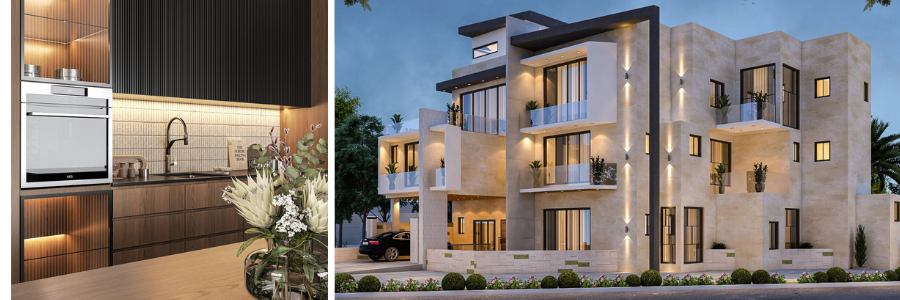
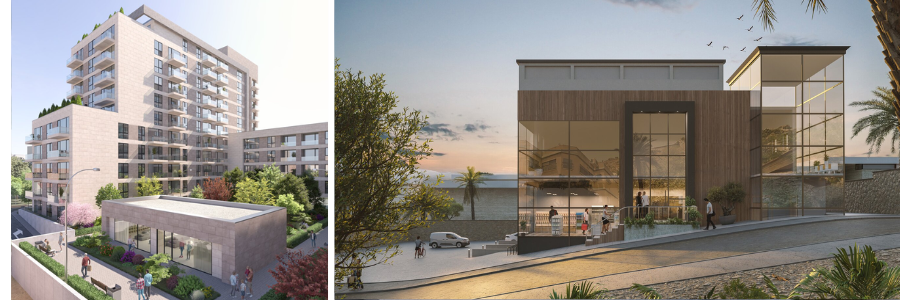
CAD design of cosmetic product packaging and jewelry store rendering by Cad Crowd design professionals

Freelancer

freelancer-logo

Obviously, one of the largest freelancing sites on the web, this platform takes pride in being as straightforward as it possibly can for freelancers to find jobs and for employers to post projects. It also claims to have a massive network of more than 77 million freelancers worldwide. As for the jobs, there have been over 24 million projects posted so far. Browsing for available CAD projects is easy, and you can further sort the search results by skills and language. Again, you have to bid and submit a proposal to apply for a job here. If you’re interested in joining a design contest, Freelancer has that option as well.

Website: Freelancer.com

Contra

contracom logo

According to Contra itself, more than 20,000 companies have used the platform to post various projects worth over $30 million. Most of them are growing tech companies. And the number of registered freelancers with the site has reached around 200,000 profiles. One of its biggest selling points is that freelancers get to keep 100% of the commission from every project they do. The platform also offers an AI-powered portfolio builder and analytic features with built-in payment management for freelancers.

Website: Contra.com

Guru

Guru logo

According to its own “About” page, Guru’s mission is to connect employers and freelancers from all over the world on one platform. With more than two million freelancers registered with the site and a free job posting feature, it seems that Guru is on the right track to achieve its objective. Guru is similar to Fiverr in the sense that it is a general freelancing site, so there are plenty of categories available from simple data entry to mechanical engineering services. It’s also like Upwork, meaning you have to make a bid on a project you’d like to do. Guru offers a feature called “Premium Quotes” to help improve your chances of winning a bid.

Website: Guru.com

Hire Digital

hiredigitalcom logo

In Hire Digital’s design category, you’ll find specific domains like graphic designers, animators, product designers, illustrators, technical designers, and logo designers. There’s no option to apply to projects directly in Hire Digital. Following a rather rigorous registration process that involves technical assessment and an interview, you’ll be invited to work on a project if there’s a job that matches your specialization and skill set. Each time you receive an invitation, Hire Digital also informs you whether the project involves a full-time or part-time commitment.

Website: HireDigital.com

Truelancer

truelancercom logo

The freelancing model in Truelancer is similar to that of Upwork. Freelancers must submit proposals when applying for a project. However, the platform only offers a limited allotment of free proposals per month. If you need to apply for additional projects, you have to purchase some more proposals. Another option is to pay for the premium membership account, which extends the allotment to a certain point. Truelancer also charges a service fee (from 8% to 10%) on every completed project. There’s also a payment processing fee with every withdrawal.

Website: Truelancer.com

Bark

bark logo

Right off the bat on the homepage, Bark boldly says that it is the Amazon of services, with millions of people using the platform every single day. There’s no option to apply for a project on the site; you don’t have to, because the companies/employers will find you instead. Bark also sends you leads when a company posts a project that needs your expertise. The leads contain the employers’ email addresses and phone numbers (if available), so you can contact them directly. While the leads are given to you for free, you have to pay a certain amount of money to get in touch with the employers.

Website: Bark.com

Upwork

Upwork-logo

During the sign-up process (as a freelancer) in Upwork, you’re given a number of options to define your skills and specializations. Once you have an active account, the types of jobs that appear on your feed should match your skill set. For instance, if you select the CAD engineer or architectural design expert option, your feed should be filled only with jobs related to your fields of expertise. That said, there’s also a search feature to help you find the freelancing opportunities you want. Upwork is a pretty competitive freelancing site–you have to bid on a project against other freelancers to actually have a chance of getting hired.

Website: Upwork.com

SolidGigs

solidgigs logo

At a glance, SolidGigs appears to be the perfect freelancing site for everyone looking to get hired for a remote job. The registration process is pretty straightforward: you create a profile, detail the services you’re selling, and set the budget. Once the profile is ready, SolidGigs will send you some leads with links to the original sources. If you get hired, you keep 100% of your paycheck from the employer. It all sounds wonderful until you realize that SolidGigs is not free to use. The subscription fee is $49 monthly.

Website: SolidGigs.com

99designs

99Designs

Most of the CAD projects in 99designs are in the graphic design category, like logo making or illustration. The freelancer and employer matchmaking service on the platform comes with a whopping $100 fee, spread out over the latter’s first $500 payment. There’s also an additional platform fee that goes from 5% for top-level designers to 15% for entry-level ones. If you find the fees a bit steep, you have a better chance of making money freelancing by participating in the design contests.

Website: 99designs.com

Design Hill

Designhill logo

Like 99designs mentioned above, Design Hill is also primarily about graphic design. Although there are premium membership options, you can use the platform for free. There are two ways to make money here: contests and one-to-one projects. A design contest means you participate in a competition for a graphic design project and submit your work before the deadline. The client gets to choose which design is best and who receives the prize money. In a one-to-one project, the employer initiates the communication and offers you work. Additionally, Design Hill is also a marketplace for people to sell their digital art.

Website: DesignHill.com

Hubstaff Talent

hubstaff talent logo

Everything about Hubstaff Talent is pleasing to use and pretty convincing. It charges no fee to freelancers, and you can apply for projects without having to engage in a bidding war. The site only works to connect freelancers and clients in need of services. You have the freedom to browse for posted jobs and submit your application, and companies can also contact you directly if they find your profile interesting enough. Most of the CAD jobs on the site are related to graphic design.

Website: Talent.Hubstaff.com

Twine

twine logo

On Twine, you pitch your profile on the platform to get notified of new projects, or the clients contact you directly through your portfolio, say, for example, for your 3D modeling design services. It’s as simple as that, and signing up as a freelancer is free. But there is a limit to how many pitches you can make each month. You get 15 free applications every month, but you can increase the limit by purchasing the “Pro” subscription account for $13.99 per month, which gives 35 additional pitches (for a total of 50 applications) each month.

Website: Talent.Hubstaff.com

ServiceScape

ServiceScapecom

If you dislike the idea of bidding for a project, ServiceScape might be worth a shot. There isn’t a broad range of services available on the site, but there is a graphic design category, where you can make money with your CAD expertise. It’s like Fiverr to a certain degree. You can’t apply for projects; the clients browse freelancers’ profiles and offer them work. ServiceScape offers no membership fee, but it takes a staggering 50% of your commission for every completed project, so you will have to take that into account when setting the rates.

Website: ServiceScape.com

ZillionDesigns

zilliondesigns logo

You build your reputation on ZillionDesigns by winning graphic design contests. The clients set the prize money for every contest, and the winner has to pay the platform 10% of the prize they receive. In addition to the commission, you also have to cover the payment processing cost. Once you’ve won a contest, your portfolio will be shortlisted on the client’s account, opening the possibility for the two of you to engage in a one-to-one project. ZillionDesigns charges a 20% processing fee for it.

Website: ZillionDesigns.com

Crackerjack

crackerjack logo

The CAD category in Crackerjack is pretty comprehensive, as it includes everything from logo design to architectural BIM modeling services. One of the limitations is that only freelancers based in the US will be accepted by the platform. Crackerjack doesn’t exactly list the fees associated with the service, but it promises to charge some of the lowest fees on the market. You can search for jobs and apply directly for projects, or take advantage of the notification system for new leads.

Website: Crackerjack.app

We Work Remotely

Weworkremotely

Since it was established in 2011, We Work Remotely has posted more than 20,000 projects. It also claims to accept more than 1,000 new leads every month on average. The best thing about WWR is that you can use the site even without registering. Every job posted on the site has a link that redirects to the client’s email. If you want, it’s possible to set a notification in case there’s a new project looking for a CAD professional.

Website: WeWorkRemotely.com

OnSite

Weworkremotely

This is the freelancing site to try if you don’t mind exercising a little bit of patience, and that’s assuming your registration as a freelancer is approved. OnSite says that it only accepts about 5% of all applicants. In a sense, OnSite is built for employers to look for freelancers, not the other way around. The clients browse for freelancers’ profiles and contact them through the platform. If you include a phone number on your profile, the client can even contact you off-site.

Website: WeWorkRemotely.com

LatHire

lathire logo

Actually, part of CloudDevs, all the freelancers registered with LatHire are based in Latin American countries. CloudDevs is primarily for developers, but there’s a graphic design category on the sister site. You have no option to apply for projects or send bids to a client; LatHire will take care of the matchmaking process and notify you when new opportunities relevant to your expertise are available.

Website: LatHire.com

DesignCrowd

DesignCrowd logo

Mostly for graphic design freelancers who sell 3D visualization services, DesignCrowd is a platform where you can participate in design contests and win prize money. There’s no bidding and submitting proposals here. Freelancers have to submit actual design files to take part in any competition. The client (the contest holder) won’t be able to download your design files unless you come out as a winner.

Website: DesignCrowd.com

Wellfound

wellfound logo

Every CAD freelancer, no matter the specialization, is welcome to join Wellfound. It’s worth mentioning that your profile is all you need/have to apply for any project posted on the platform. Make sure to include some design samples or works from previous projects (if possible) because you’re basically sending a link to your profile when you apply for work here. If you’re shortlisted, the client will contact you and schedule an interview.

Website: Wellfound.com

Maxlancer

maxlancercom logo

A freelancing site created by engineers for engineers, Maxlancer focuses heavily on technical expertise in product development and engineering solutions, such as structural engineering services. Every freelancer registering with the site is expected to meet a high standard of educational background, work experience, and skill set. You have to include supporting documents to prove your claim. Maxlancer says that an internal team of reviewers will manually evaluate the documents for authenticity. Once approved, you can browse for projects and apply via the site.

Website: Maxlancer.com

The Muse

the muse logo

Just like with We Work Remotely, you don’t have to be a registered freelancer with The Muse to use the platform and look for work. Bear in mind that some of the projects posted on the site are for full-time and on-site positions. Use the filtering option to sort the search results based on employment type and flexibility. The Muse won’t be involved in the application and hiring processes. You apply directly to the employers and handle everything yourself afterward.

Website: TheMuse.com

Working Nomads

Working Nomads logo

Registering for a freelancer account (no cost) with Working Nomads gives you access to a “partial” list of available remote projects. Some jobs posted on the site are for full-time positions, others look for part-time or contract workers, but all of them are remote jobs. The platform doesn’t prioritize any field of expertise, so every skill set is allowed, including CAD. If you decide to join the premium membership (starting from $5 per month), you should get full access to all the available remote projects–about 30,000 of them.

Website: WorkingNomads.com

SkipTheDrive

Skipthedrive

It’s all about searching for the right project in SkipTheDrive. There’s no registration necessary, and the search feature is available for free. The platform claims to have a massive database of more than 25,000 jobs from over 2,900 companies from various industries. If the claim is true, it’s highly likely that you’ll bump into projects that match your CAD expertise. SkipTheDrive only provides the platform for freelancers to look for jobs, and it won’t get involved in the hiring process.

Website: SkipTheDrive.com

Virtual Vocations

Virtual Vocations logo

All the projects posted on Virtual Vocations are for remote workers. It operates just like Working Nomads; free members have partial access to the job listing, whereas premium accounts are rewarded with access to the entire list of projects. Working Nomads says that premium freelancers will only receive manually-screened projects and an updated list daily. You can think of it as a collection of job opportunities sourced from multiple job boards, employers’ websites, blogs, and social media, compiled into a single list for even manufacturing design companies.

Website: VirtualVocations.com

Dice

Dice logo

The idea behind Dice is to provide tech professionals with an easy-to-use job board. It doesn’t specify what kind of tech jobs are listed on the site, but there’s a search option with a straightforward filtering feature. Some projects are for full-time and on-site hires, while others are meant for freelancers and remote workers. When registering with the site, you have to submit your resume, which will be evaluated (for free) by TopResume for approval.

Website: Dice.com

Conclusion

It wasn’t until about a decade ago that freelancing really became part of the employment landscape. The widespread use of the Internet certainly had something to do with the change, and now we have dozens of websites that promote remote jobs, virtual projects, and design contests used by companies big and small as they’re looking to get projects done by freelancers worldwide.

Freelancing is rapidly becoming the norm, if not already. And this is true in just about every industry and specialization, including CAD. While more and more CAD artists jump on the bandwagon with freelance-based works, the Internet is guilty of lacking a proper CAD-focused platform to connect skillful, talented, and experienced professionals with companies and employers alike. This is the main reason that Cad Crowd has been everybody’s favorite in recent years.

By focusing on CAD-related projects and emphasizing the quality of its freelancers, Cad Crowd has evolved from a simple remote-hiring platform into one of the most comprehensive platforms to bridge the gap between CAD job seekers and employers worldwide. Get a free quote today.


author avatar

MacKenzie Brown is the founder and CEO of Cad Crowd. With over 18 years of experience in launching and scaling platforms specializing in CAD services, product design, manufacturing, hardware, and software development, MacKenzie is a recognized authority in the engineering industry. Under his leadership, Cad Crowd serves esteemed clients like NASA, JPL, the U.S. Navy, and Fortune 500 companies, empowering innovators with access to high-quality design and engineering talent.

Connect with me: LinkedInXCad Crowd

5 ADU Design Tips To Make Spaces Feel Larger with Architectural Services & Design Firms


Accessory Dwelling Units (ADUs) are small by nature, but they don’t have to feel small. Whether it’s a backyard cottage, garage conversion, or a detached in-law suite, a well-designed ADU can punch well above its square footage. The key? Strategic design. And if you’re working with architectural design services or design firms from industry leaders like Cad Crowd, you’ve got a team that knows how to stretch every inch like it’s made of gold foil.

What is ADU Design? A quick and friendly guide

An ADU (Accessory Dwelling Unit) is a small, independent living space on your property, like a backyard cottage, garage apartment, or basement suite. These compact homes solve multigenerational housing needs, generate rental income, or maximize property use.

ADU design encompasses architecture, space planning, and smart layouts that maximize 400 to 1,200 square feet. Expert designers create functional, stylish spaces through strategic ceiling heights, window placement, and multipurpose features like kitchen islands doubling as dining tables. The goal is to make small spaces feel complete and comfortable.

Quality design balances privacy, natural light, property placement, comfort, code compliance, and curb appeal. Many incorporate sustainable materials and energy-efficient features for savings. ADUs offer versatility for aging parents, returning college students, or rental income. With relaxed zoning codes nationwide, more homeowners are embracing these solutions. Freelance professional CAD expertise in compact living is essential for creating small spaces that feel like home while earning every square foot.

RELATED: Interior design drafting: Undeniable advantages of CAD drawings for design firms

Why hiring architectural services & design companies is a game-changer for ADU design

So, you’re considering adding an Accessory Dwelling Unit to your property. Perhaps you need a guest house, a rental unit, a home office, or even a comfortable place for aging parents. Whatever your motivation, you’ve likely realized that it’s not as easy as plopping a tiny house in your yard and voilà.

That’s where architectural services and design firms come in ,and they’re not only useful, they’re complete game-changers.

They know the rules so you don’t have to

    Let’s begin with the least thrilling but most important portion of the ADU process: working through regulations. Zoning ordinances, permits, height limits, property line setbacks… ugh, it’s a pain. And it’s not simply paperwork; doing this stuff incorrectly can result in expensive delays or even having your project shut down before it starts.

    That’s why hiring an architectural planning and design firm that specializes in ADU design is such a great idea. These experts breathe building codes. They know how to navigate city officials, get the local idiosyncrasies, and do all the administrative red tape for you.

    In short: less time lost, fewer errors, and peace of mind that your project won’t be bogged down in permit purgatory.

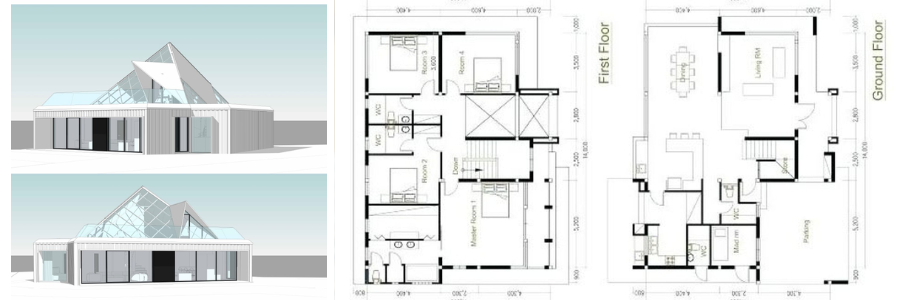
    ADU floor plan and outdoor living area by Cad Crowd design experts

    Space-savvy solutions that actually work

    Designing tiny spaces is an art form. ADUs are about optimizing tiny square footage without making the space feel cramped. And not every builder or architect is qualified for the job.

    The right design firm will find creative ways to make your ADU feel open and livable. Think fold-out furniture, built-in storage, smart kitchen layouts, and even lofted beds or multi-use nooks. Every inch counts, and these professionals know how to make each one work hard.

    You’ll avoid awkward floor plans and random dead corners, and instead, get a space that flows, functions, and feels a whole lot bigger than it actually is.

    Real-life customization

    This is not just another shed, it’s an actual living space, and how you intend to use it is important. If it’s Grandma’s new home, a temporary vacation rental, or your own artistic refuge, you’ll want a floor plan that meets your requirements.

    Architectural home design companies don’t use cookie-cutter blueprints. They interview you, they sense your goals, and fit the design into your lifestyle. Perhaps you want improved insulation for soundproofing, doorways that are open for mobility restrictions, or integrated storage to spare you from clumsy furniture. You won’t be forced to sacrifice, because the space is constructed with you in mind.

    Built for the future

    The top design companies don’t simply consider how your ADU appears today, how it will perform five, ten, even twenty years from now. That’s why they incorporate energy efficiency, sustainability, and long-term adaptability into the design.

    From choosing eco-friendly materials to planning for solar panels or efficient HVAC systems, their designs can help reduce your carbon footprint and your utility bills. Some even plan ahead for future repurposing, like turning your rental unit into a home office or art studio down the road.

    If you’re looking at this as a long-term investment, future-proofing is a must, and design professionals know exactly how to make it happen.

    RELATED: Overcoming errors in outsourcing with architectural drafting services firms

    One point of contact, all the way through

    Building an ADU is a lot of moving parts: designers, engineering design firms, contractors, inspectors, and sometimes even landscape professionals. Attempting to manage all that yourself? That’s a recipe for stress and delays.

    A seasoned architectural firm with ADU experience usually handles the entire process. They’re not just designing your space; they’re managing your project, keeping everyone on track, and making sure every stage moves smoothly.

    Think of them as your project manager, problem solver, and creative partner all rolled into one. You’ll stay focused on the big picture, while they handle the details and logistics.

    In the end, working with an architectural services or design firm that specializes in ADUs isn’t just convenient, it’s an investment in doing it right the first time. You’ll save time, avoid common pitfalls, and end up with a space that’s not just functional, but beautiful and well-built for the future.

    So if you’re dreaming of that ideal backyard unit, whether it’s for family, rental income, or your own retreat, call in the professionals. You’ll be glad you did. Because the difference between a DIY headache and a really great ADU often comes down to one thing: the people who design it.

    This time, we’re unpacking five smart ADU design tips that maximize space and trick the eye into thinking there’s more room than the tape measure suggests. These aren’t theoretical ideas, they’re proven strategies used by top architectural design experts and design-build experts who live and breathe small-space design.

    Use vertical space like a pro

    When you can’t go out, it’s time to go up. It’s one of those tried-and-true design principles that architects and interior designers swear by. Whether you’re in a studio apartment or a snug guesthouse, making the most of vertical space can totally change the way your space feels and functions.

    Let’s discuss lofts, high cabinets, and all those ingenious little nooks. A well-planned loft space, particularly for sleeping, immediately opens up floor space for living or working. It’s like having a new room without the added square footage. Architectural design companies frequently go one step further by constructing raised reading nooks, small home offices in corner nooks, or staircases with storage. These options maximize every inch.

    Tall cabinets that go all the way up to the ceiling are not only storage options, they’re visual tricks. By leading the eye up, they create a sense of tallness and roominess in a space. It’s a fabulous trick for creating the illusion that a room needs, which may otherwise feel confined. And here’s a bonus tip straight from the pros: vaulted or sloped ceilings, especially for living rooms or dining rooms, achieve the illusion of openness and spaciousness, even on tiny floor plans under 500 square feet.

    But here’s something everyone forgets: lighting design services. If you’re working to maximize vertical space, lighting placement is key. Wall-mounted sconces, pendant lights high on the wall, or ceiling-mounted track lighting can all work to raise the eye and clear the clutter of floor or table lamps. The higher your light sources, the more space you open up, and the taller your space becomes.

    In short, when square footage is at a premium, height is your friend. Go vertical, and you’ll find there’s more space in your space than you ever thought possible.

    Let the light in (and bounce it around)

    Natural light is your friend when it comes to making any space feel airy and open. It’s the design equivalent of a good filter, it softens hard edges and illuminates shadows.

    Strategic window placement Designers are careful when they install windows. It’s not so much a matter of having a view; it’s about sightlines. A window across from a doorway increases visual depth. Corner windows eliminate the boxy quality and serve to “blur” the distinction between inside and outside.
    Clerestory windows & glass doors Clerestory windows (those high, thin strips of glass) are an underappreciated space enhancer. They let sunlight in without compromising privacy or wall space. Sliding glass or French doors to a patio immediately expand the living space visually and practically.
    Reflective surfaces Interior design experts frequently suggest using reflective surfaces, like mirrors or shiny backsplashes, to bounce light around the room. This produces a subtle illusion of openness without altering the structure.

    Architect tip: Underestimating window size or number is a frequent error in ADUs. A well-designed firm will optimize the window-to-wall ratio wherever feasible, typically moving windows between walls and ceilings to create a floating appearance.

    Open floor plans with strategic zoning

    You’ve heard it before: open floor plans make spaces feel bigger. But that doesn’t mean throwing everything into one big, undefined room. The trick is in the zoning, subtly separating areas without walls.

    The “invisible walls” approach Architectural designers use flooring changes, ceiling treatments, and furniture placement to define different areas within the same space. For example:

    • A switch from hardwood to tile can indicate the transition from kitchen to living room.
    • A drop-down pendant light over a dining table makes a virtual “room” without physical dividers.
    • Built-in benches or bookshelves function as partitions with a dual purpose.

    Furnishing with purpose Design companies adore furniture that can do its job and do it well. Consider fold-down Murphy beds with a desk, expandable dining tables, and storage ottomans. The more functions one piece of furniture serves, the less you need to buy, minimizing clutter (and visual clutter).

    Architect tip: Never skimp on breathing space. Interior design companies tend to minimize the number of furniture items a homeowner initially believes they require. It is all about quality, positioning, and movement, not quantity.

    Indoor-outdoor transition without separation

    Perhaps the most effective way to make an ADU feel spacious is to take the living space outside the walls. Welcome to the patio, deck, or small garden, treated as an extension of the indoors.

    Blur the boundary Architectural firms often suggest extra-large sliding doors, accordion glass walls, or even foldaway windows for outside-access units. These are equivalent to movable walls, erasing the boundary between in and out.
    Continuity in design To create a unified feel, professionals often use the same flooring material or matching color palettes for indoor and outdoor areas. For instance, if you’ve got a light oak laminate inside, a similar wood-tone composite deck outside can carry the theme through.
    Functional outdoor zones Just like interior zoning, landscape design experts and ADU designers break down outdoor space into usable zones:

    • A small bistro dining area
    • A grilling station or bar cart
    • A cozy corner with cushions and string lights

    Even 150 square feet outdoors can become a new “room” when executed well.

    Architect Tip: Lighting outdoors is critical. Soft, discreetly placed lights on walkways or walls can provide usable space throughout the day after dark, adding usable square footage well past sunset.

    Minimalism with character: The art of “just enough”

    The small space challenge is not being cluttered, while not being too sterile. Architecture and design firms tread carefully between these two worlds, making them minimalist yet bespoke environments.

    Built-ins and floating elements Interior designers adore built-in shelving, seating, and floating sinks. They are not only space-saving but also simplify the visual field. Less visual intrusiveness with fewer legs on the floor means a larger-feeling, cleaner room.
    Color psychology Neutral colors overwhelm small space interior design, yet nothing has to be beige. Architects rely on a unified color palette with targeted color accents. A gray-hued wall paired with navy blue cabinets and wooden accents? Classy and calm. The aim is not visual fragmentation—everything must be perceived as part of an overall tale.
    Texture and contrast Minimal doesn’t have to be dull. New residential design companies add texture, matte tile, woven textiles,and reclaimed wood to maintain interest without visual overload. Contrasts are also necessary: light walls with darker built-ins or vice versa help create space.

    Architect tip: Most pros use a “3-material rule”: limit any room to three primary materials or textures. This keeps things cohesive, purposeful, and uncluttered visually and physically.

    RELATED: 3 steps to hiring a reliable architecture firm & freelance services architects

    Bonus advice: Work with the right design firm

    Let’s get real, however many brilliant small-space tricks you may discover on Pinterest, they simply won’t add up if your project isn’t well-executed. And that’s precisely where the proper design or architectural team comes into its own. Working with specialists who understand all the subtleties of ADU (Accessory Dwelling Unit) design will transform your space from merely utilitarian to outright spectacular.

    So, what are you looking for in a firm?

    Number one, ADU experience. Not all firms are designed for small-space dwelling. You want a team that has a documented track record of ADUs or micro-living projects. These experts will already know how to optimize every square foot without creating a cramped environment.

    Next, customization abilities. Your property isn’t like everyone else’s, and your ADU shouldn’t be either. Avoid firms that push cookie-cutter plans. Instead, go for those that listen to your lifestyle needs and tailor the design around how you’ll actually use the space.

    Also important? Regulatory know-how. Local building codes and zoning regulations for ADUs can be wildly different and change frequently. An experienced architectural design & drafting firm will understand how to operate within those regulations and even assist in streamlining the permitting process. That translates to fewer delays, fewer penalties, and much less anxiety for you.

    Pro tip: Find companies that provide 3D visualizations or virtual tours before hammering in a single nail. These enable you to walk through your soon-to-be ADU and make changes in real time, so you’re not surprised when work starts.

    Bottom line? The ideal design company doesn’t merely create plans; it brings your dream to reality, cleverly and efficiently. Wouldn’t you rather do it right the first time?

    ADU design and 3D sketch by Cad Crowd architects

    From garage to gorgeous: A real-world ADU transformation

    Let’s step away from blueprints and building regulations and walk you through an actual transformation, one that begins in an area most of us never consider: the garage. Imagine this: a 450-square-foot garage nestled in a peaceful suburban backyard. To most, it’s merely a repository for old paint cans, children’s bicycles, and stacks of abandoned holiday decorations. But to a visionary architectural design company? It’s a blank sheet of paper for something remarkable.

    Here’s the way this unassuming space transforms into a breathtaking Accessory Dwelling Unit (ADU).

    Getting vertical with intent

    First, gaze upwards. Raising the ceiling just high enough to fit in a lofted sleeping space is accomplished by the design team. Not simply a bed on a shelf, this one’s reached through built-in stairs that serve as clever storage drawers too. Below, a snug sectional enfolds a media wall, providing a cozy nook for reading or TV binge-watching.

    Letting the light in

    Dark garages are over. Clerestory windows running along the new roofline provide natural light while maintaining privacy. A large sliding glass door leads out to a deck specifically built for it, with planters around it and fencing to create a small oasis in the backyard.

    Clever, zoned floorplan

    Instead of separating the space into zones using walls, the 3D floor plan design services rely on visual markers. A sleek kitchen is along one wall, supported by a plush tile backsplash. A dining alcove has its own show-stopping pendant light, and a small home office neatly nestles beneath the stairs, ideal for remote employment or artistic pursuits.

    Outdoor living, elevated

    The deck is not merely for show. It’s for use. During nice weather, it becomes an entire outdoor dining area. A pergola above it surrounds the space beautifully, with built-in lights for evening meals and just a hint of shade for breakfast or coffee on bright mornings.

    Minimalism with personality

    No clutter. No mess. Rather, imagine white oak floors, soft olive green cabinets, and discreet brushed gold fixtures. It’s a color scheme that is calm and contemporary but still provides texture and warmth.

    RELATED: Top design & drafting tasks to outsource for architects and architectural services firms

    Conclusion

    ADU design represents the art of maximizing small spaces through strategic planning and creative solutions. From utilizing vertical space and natural light to creating seamless indoor-outdoor transitions, these compact dwellings prove that square footage doesn’t determine livability. The key lies in working with experienced professionals who understand the complexities of small-space design, local regulations, and your specific needs. Whether for family housing, rental income, or personal retreat, a well-designed ADU can deliver big functionality in a small footprint. With proper planning and expert guidance, your ADU can become a comfortable, efficient home that punches well above its size.

    Ready to transform your space?

    Don’t let size limitations hold back your ADU dreams. Partner with Cad Crowd, the leading platform in finding the best freelance talent, and work with our experts who specialize in compact living solutions. Get professional guidance on regulations, design, and construction today. Contact us for your FREE quote and bring your vision to life.

    author avatar

    MacKenzie Brown is the founder and CEO of Cad Crowd. With over 18 years of experience in launching and scaling platforms specializing in CAD services, product design, manufacturing, hardware, and software development, MacKenzie is a recognized authority in the engineering industry. Under his leadership, Cad Crowd serves esteemed clients like NASA, JPL, the U.S. Navy, and Fortune 500 companies, empowering innovators with access to high-quality design and engineering talent.

    Connect with me: LinkedInXCad Crowd

Real Estate Marketing: How 3D Aerial Rendering Services Utilize Drone Photography


Drone photography is undoubtedly the newest and hottest game-changer in real estate marketing, offering an exceptional one-of-a-kind view and approach that remains unbeatable by traditional photography.

It offers an innovative and groundbreaking means of showcasing properties, providing a more detailed understanding of a property’s features, size, and location, as well as its surrounding and nearby environment. This helps boost customer engagement and ultimately pushes the decision matter towards closing a sale and taking your marketing efforts to the next level.

But the thing is, your skills would not improve by just pressing buttons on a remote control. Having the cool, up-to-date, and latest equipment and camera tools does not suffice to make up for the actual skills needed to pull off what is needed to satisfy your clients. Drone photography calls for meticulous planning and careful consideration of various factors so that you can capture enticing images that can pique your client’s interest and encourage enticing engagements.

This short guide talks about how 3D aerial rendering services utilize drone photography for real estate marketing purposes:

Limitations and challenges of traditional photography for real estate

For the longest time, real estate professionals have been using traditional photography to achieve various purposes, such as the following:

  • Capture before and after photos to document real estate construction sites.
  • Create marketing materials such as business cards, site signage, flyers, and brochures
  • Identify leaks, cracks, and other possible problems for maintenance and inspection purposes
  • Provide references of both the site and its nearby surroundings for renovation projects

While there is no doubt that traditional photography has always been a big help, it continues to have several notable limitations, such as:

Accessibility concerns

Physical obstacles might hamper traditional photography, as they can prevent or even make it impossible for the photographer to get near the subject. For example, it can be tricky to capture photos of exterior walls and other inaccessible landscapes for crack or leak inspections.

Issues with automation

Traditional photography requires a high level of skill to make manual adjustments like ISO, speed, shutter, and aperture. It also means the photographer must capture and process numerous images to reach the desired result.

Inability to capture bigger structures

It’s challenging to capture bigger structures like bridges and skyscrapers in just one frame using conventional photography.

Low light limitations

Low-light situations might pose another difficulty in traditional photography. They can make it hard to capture well-lit and clear images. The images might also lack detail in spots of high contrast, like shadows or bright skies.

Resolution problems

The resolution of traditional photography might be more limited than newer technologies, resulting in lower-quality images once enlarged or printed. It can also make it hard to produce large-scale prints or capture finer details in more complex scenes for architectural design firms.

Restricted perspectives

Traditional photography is also usually limited to perspectives on the ground level, making it hard to capture images of structures or buildings from the preferred angle.

RELATED: Cost breakdown for 3D rendering services: Pricing & rate highlights for 3D design services in 2025 & 2026

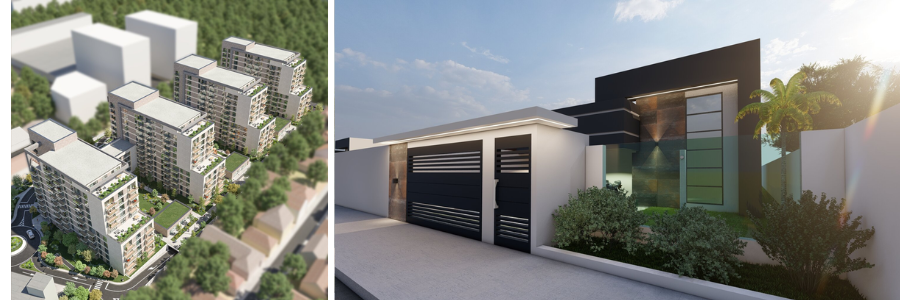
example of aerial rendering of a garden home and condominium by Cad Crowd experts

Drone photography and its role in the real estate industry

Now more than ever, drone photography is extensively used in the real estate industry for an extensive variety of purposes that remain unparalleled by traditional photography. Some good examples include:

  • Visualization and marketing: Drone photography offers a dynamic and unique perspective for more 3D options.
  • Progress follow-up: Use drone photography to document the entire project and have an immersive communication with stakeholders.
  • Safety: Cut down risks of injuries without needing personal access to dangerous areas.
  • Site inspections: Pinpoint cracks, leaks, and other potential problems in hard-to-reach spots.
  • Surveying: Capture more topographical data and develop 3D terrain models for bigger land areas.

All in all, drone photography offers a long list of benefits, such as improved accuracy, efficiency, and safety, which can then help improve project management, communication, and visualization.

The plight of drone photography

Context transforms artistic renders into photorealistic visuals that accurately portray buildings and structures. What seems to be trivial details, like the warmth of interior lights in nighttime renders, can significantly impact how a potential investor or client perceives an image.

In line with this and in the never-ending attempt to enhance the accuracy of 3D renders while boosting the value they offer, more and more 3D aerial rendering services are now harnessing the power of readily available UAV or Unmanned Aerial Vehicle platforms, more popularly called drones, to gain a more distinct vantage point of spans of land intended to be developed soon.

Back in the day, capturing aerial images of a place was only possible from helicopters or planes, both of which are associated with hefty rental price tags. Drones fitted with similar capabilities are now available for a cheaper cost, making aerial photography an easier and more affordable option.

In addition to capturing standard images or videos, drones also give 3D aerial rendering services access to software that lets them create accurate topographical maps of areas that will be developed soon, to add a whole new level of accuracy and context to the rendering.

Photogrammetry, or the science of using photographs to make measurements, is not a novel technique. The truth is that it has already been adapted for different applications, such as aerial photogrammetry by architectural design and rafting services.

With this particular application, the camera is mounted below a drone, helicopter, or plane and pointed at the ground. During numerous passes, several images of the area are taken, and these are processed using aerial photogrammetry software to determine the area’s topography. This data will be output in various formats according to the user’s specific needs.

There are numerous benefits associated with aerial photogrammetry, regardless of the applications.

For starters, drone photogrammetry can capture data in unsafe or difficult places for surveyors to reach, such as places with harsh weather conditions and difficult-to-navigate terrain. It helps reduce the risk of injuries.

Drones equipped with high-res cameras can also capture detailed and sharp photos. Enabling higher-end features also allows the equipment to provide extremely precise survey results.

aerial rendering of a garden fountain and sculpture and suburban housing zone by Cad Crowd design experts

RELATED: How to determine the quality of architectural 3D renderings with design services companies firms

How to use drone images to create 3D models

The best 3D aerial rendering services are experts in using drone images to create 3D models by 3D modeling experts. These professionals follow several steps to convert drone images into 3D maps or models.

These steps may include, but are not limited to the following:

  • Choose a drone with a high-quality camera: The accuracy and clarity of 3D models and maps will greatly depend on the quality of the images that the drone has captured during its flight.
  • Set up GCPs: GCPs, or Ground Control Points, are black-and-white points placed on the ground surrounding the survey site to function as reference points for the drone pilot. The pilot will easily identify the area that will be captured in the field according to the GCPs shown during the drone’s operation, which helps significantly reduce the risk of errors during the survey.
  • Get the camera and drone ready: Before the device takes off, it’s important to conduct a complete check and inspect everything again. The drone must have enough juice in its battery and sufficient storage space in the memory card. The camera aperture, shutter speed, and angle should also be set properly.
  • Stay updated with the weather report: Jeopardizing the equipment is the last thing you’d want to happen, so see to it that you will conduct the drone photography session during a sunny day. Avoid cloudy and rainy days. It’s also highly recommended and important to pick a time of day when there is good light, often around noontime.
  • Process the data with an appropriate 3D drone modeling software: 3D aerial rendering services use photogrammetry software to process the captured drone photos into 3D models. If they are not very skilled at processing the drone data themselves, they also sometimes outsource this stage of the process to a freelancer. Professional freelancers are more than capable of handling drone data and guaranteeing that the results will meet the project’s requirements and needs.

3D rendering services often perform several things to improve the accuracy of 3D models developed using drone images.

For one, they ensure that the aerial images will have an overlap of 60% to 70%, which here includes both the frontal overlap and lateral overlap. The recommended overlap for drone 3D mapping is to ensure that the triangulation process is more accurate by tracking similar points between the images.

Another thing they do is to ensure that the drone captures more details of the landscapes at various altitudes and angles so that there are more available data points. They also try to have the drone fly at much lower altitudes to capture clearer images.

RELATED: 12 important hiring tips for 3D rendering freelancers & 3D modeling service companies

How Cad Crowd can help

Search for trustworthy 3D aerial rendering services that know how to harness the potential of drone photography here at Cad Crowd. Contact us today, and let us make your work simpler!

author avatar

MacKenzie Brown is the founder and CEO of Cad Crowd. With over 18 years of experience in launching and scaling platforms specializing in CAD services, product design, manufacturing, hardware, and software development, MacKenzie is a recognized authority in the engineering industry. Under his leadership, Cad Crowd serves esteemed clients like NASA, JPL, the U.S. Navy, and Fortune 500 companies, empowering innovators with access to high-quality design and engineering talent.

Connect with me: LinkedInXCad Crowd

AI 3D Rendering in Architecture: Faster & Realistic Visuals


Architects create visuals to show their ideas, layouts, and experiences. The tools they depend on have changed over time. They began with hand-drawn sketches, shifted to CAD designs, and now use realistic digital images. Every improvement allowed architects to show clients what a finished building could look like before the real work started.

Technology is moving ahead. AI is making 3D architectural rendering faster and more imaginative. It uses machine learning neural networks and automation to improve images and simplify production. This helps architects, designers, and real estate professionals save time and share their ideas more with clients.

Making Architectural Rendering Faster

High-quality renders used to take hours or sometimes even days to complete the final visual of architectural designs. Now, AI has completely changed how that works. 

  • Tools that rely on AI-powered denoising clean up noise in completed images. They create quick previews that almost look real.  
  • Architects use tools like NVIDIA DLSS, D5 Render, and Lumion to rely on 3D rendering in AI and share updates to designs right in front of clients during meetings. 
  • Teams finish their tasks faster, allowing them to show results the same day instead of spending the night doing final renders. 

This enhanced workflow improves efficiency. Architects can also explore more creative designs in the earlier phases without stressing over slow rendering times. 

AI does not aim to make tasks quicker. It allows people to think and work in smarter ways. By handling routine or complex tasks, AI allows architects to spend more time being creative in their work. 

  • AI builds 3D models: AI takes flat 2D sketches and changes them into detailed 3D models with accurate materials and textures. This shows how useful AI in 3D design has become. 
  • Scene setup suggestions with AI: AI tools help guide users in setting up scenes by offering ideas on lighting, camera angles, and material changes in 3D modeling
  • BIM and CAD Integration: AI connects architectural data with rendering tools to ensure models stay precise and updated as changes happen. 
  • Exploring creative designs: With the help of generative tools, AI produces multiple design versions based on input, giving architects a chance to test and refine their plans. 

This frees architects to spend less time on repetitive tasks, giving them more room to think and focus on building better solutions.

More Realistic Architecture Visuals

Clients demand images that could pass as real photos, and AI helps meet this need. 

  • Natural textures: AI taps into large material databases like wood, fabric, or glass to create lifelike surfaces. 
  • Lighting effects: Predictive 3D rendering AI mimics natural and artificial light with great accuracy by predicting environmental details. 
  • Neural Radiance Fields (NeRFs): This tech generates 3D spaces that offer depth, light, and detail to give a realistic experience. 
  • People and faces: When designs include humans, like ads or public zones, AI ensures movements, expressions, and body proportions look authentic. 

These upgrades let teams visualize how a space will appear. They reduce errors in designs and clear up misunderstandings.

Client Communication and Interaction

AI plays a big part in shifting how client presentations work. 

  • Immersive walkthroughs: Virtual Reality and Augmented Reality powered by AI 3D rendering allow clients to experience virtual models and move through spaces. 
  • Quick changes: Teams can adjust layouts, colors, or materials during discussions. 
  • Easier communication: Interactive and detailed visuals help people who don’t know technical terms to grasp design ideas. 

This makes approvals faster, minimizes revisions, and helps architects, contractors, and clients agree more on projects.

How It’s Used in Architecture

AI-driven rendering is bringing changes to architecture and construction in many areas. 

  • Selling Properties: Real estate uses lifelike 3D visuals to let buyers imagine completed spaces. These 3D architectural renderings help bring properties to life. 
  • City Design: AI in 3D modeling allows planners to design cities by simulating lighting, ventilation, and traffic flows. 
  • Interior Design: Designers rely on realistic previews to test layouts, materials, and furniture options before making final decisions. 
  • Construction Management: Visual simulations of project stages help teams plan better, avoid delays, and stop costly mistakes from happening. 

3D rendering in AI goes beyond being just a tool for visualization when used in these methods. It serves as a critical resource to increase efficiency, enable better decisions, and drive sales growth.

How AI Enhances Architectural Rendering

The growth of AI brings some remarkable advantages. 

  • Faster Turnaround – Quick rendering speeds let teams push projects forward more. 
  • Lower Costs – By automating routine tasks, companies save money on rendering, whether they’re small startups or large businesses. 
  • Boosting Creativity – Architects can focus on inventing fresh design ideas while AI for 3D modeling handles repetitive work. 
  • Improving Access – Cloud-based AI 3D rendering tools allow smaller teams or freelancers to tap into high-end technology. 

Challenges and Limitations

AI-powered rendering comes with challenges that users need to address. 

  • Robust Equipment Requirement – Using powerful GPUs and high-end machines remains important to get top-notch results. 
  • Dependency on Large Datasets – AI tools rely on wide-ranging and diverse training data for success. 
  • Preserving Creativity – Overusing AI in 3D modeling can reduce innovation and human creativity and originality. 
  • Intent versus Precision – Without proper oversight, AI-generated visuals might fail to represent what architects imagine. 

Understanding these hurdles allows companies to find ways to balance automation with human creativity.

What Lies Ahead for AI in 3D Architectural Rendering

AI will continue shaping how architecture is visualized as we look toward the years to come. 

  • Generative AI – Designs entire buildings based on what users describe or request. 
  • AI with VR/AR – Allows designers to see real-time feedback inside virtual spaces. 
  • Predictive analytics – Models factors like energy usage, noise levels, and how people move through spaces to improve building performance. 
  • Sustainable architecture – Guides architects in selecting eco-friendly materials and energy-saving layouts to create greener structures. 
  • All-in-one platforms – Tools like D5 Render bring multiple AI functions together into a single AI 3D rendering system. 

These tools paint a picture of a future where AI collaborates with architects instead of just helping them create visual ideas.

Conclusion: Paving the Way Forward in Architecture

The introduction of AI in 3D rendering goes beyond just improving technology. It opens doors to new ways to design, communicate ideas, and build structures. AI tools make rendering faster, bring fresh creativity, and make results look more lifelike. Architects can work faster, spend less, impress clients, and achieve better outcomes. Using these tools now strengthens a firm’s ability to thrive in the ever-evolving architecture field. 

IndiaCADworks offers top-quality 3D architectural rendering services using the latest AI technologies. Our skilled professionals assist architects, real estate developers, and design firms in making detailed and affordable visuals that bring ideas to life. Check out our 3D Architectural Rendering Services to understand how we turn designs into quicker and more realistic models. 

Relevance of MEP Drafting Services for Architectural Design Firms & Construction Companies


There’s a moment in every architectural or construction project when things shift from dazzling 3D concepts to a very real, on-the-ground challenge: how do you fit a building’s inner organs—its mechanical guts, electrical lifelines, and plumbing arteries—into an elegant structure without making a mess?

That’s where MEP drafting services swoop in like the unsung heroes of the design world. These services—Mechanical, Electrical, and Plumbing drafting—are often behind the scenes, but they carry the weight of ensuring that buildings function beyond their beautiful façades.

While the glamour often goes to architectural renderings and dramatic skyline shots, MEP drafting is where a project’s long-term success truly brews. No glitzy façade can hide an HVAC system that clogs up the lobby or electrical panels that make maintenance crews want to scream. Architectural design firms and construction companies have figured this out. And they’re leaning heavily into precision MEP drafting to make sure the behind-the-walls drama doesn’t outshine the blueprint vision.


🚀 Table of contents


Why architects should care deeply about MEP drafting

Architects dream in bold lines and dramatic spaces—skylights that flood rooms with daylight, floating staircases, serene open plans. But those elegant visions hit a wall the moment the real-world demands of HVAC, plumbing, and electrical systems enter the picture. No one brags about ductwork in a design competition, but without it? That sun-drenched atrium becomes a sweatbox. That sleek hotel café? Suddenly not so chic when the plumbing won’t fit beneath the slab.

MEP drafting—Mechanical, Electrical, and Plumbing—might not steal the spotlight, but it quietly holds the entire production together. It’s the layer of design that ensures everything functions. More importantly, it’s the layer that ensures it all fits before anyone breaks ground. Without early, precise coordination between architectural intent and MEP logistics, designs fall apart—literally and financially.

And here’s where it gets serious: in a BIM-driven world, where every detail is modeled and schedules are tight, guessing where the HVAC or sprinkler heads might go just won’t cut it. Architectural design experts who embrace MEP drafting early in the process don’t just protect their designs—they elevate them. They avoid costly redesigns, sidestep furious phone calls from contractors, and preserve the integrity of their vision.

When MEP drafting is dialed in from the start, the result is seamless—buildings that work as beautifully as they look. It may not be glamorous, but it’s what transforms a sketch into something that can actually stand, breathe, flow, and endure.

RELATED: How structural engineers improve custom home design when you hire architects & design firms

MEP services examples by Cad Crowd MEP design freelancers

Construction companies and the million-dollar savings of a good draft

Contractors thrive on certainty. When a construction crew rolls up to a job site with rock-solid plans in hand, the entire build feels smoother—and often is. That’s where MEP drafting services come in as unsung heroes. These detailed technical drawings help construction firms avoid chaos by ensuring that mechanical, electrical, and plumbing systems are fully coordinated before anyone starts cutting or drilling.

Think of it this way: a single duct routed a few inches too low could mean clashing with a beam, rerouting pipes, or tearing into finished work. That’s not just frustrating—it’s expensive. We’re talking delays, RFIs piling up, and costly change orders that ripple through the project timeline. When MEP drafts are accurate and comprehensive, those headaches fade fast.

Good drafting isn’t just about avoiding errors. It’s a smart investment in project efficiency. When tradespeople can trust the drawings, they move faster, waste less, and build with confidence. Fewer surprises mean fewer slowdowns—and that directly affects the bottom line.

Construction drawings companies that integrate MEP drafting services early in the design-build process aren’t just crossing their fingers for a smooth ride—they’re engineering one. The result? Jobs that finish on schedule (or ahead), thrilled clients, and margins that don’t get eaten alive by rework.

In the world of construction, a solid draft can mean the difference between profit and panic. And when a clean set of plans keeps a project from spiraling, it’s not just helpful—it’s a million-dollar move.

It’s all about the coordination game

If architecture is the art and construction is the muscle, then MEP drafting is undoubtedly the brain behind the operation. And in this world of moving parts and tight deadlines, coordination isn’t just helpful—it’s everything.

Think of a solid MEP drafter like a backstage technician at a Broadway show. They may not take center stage, but without them, the lights don’t shine, the sound doesn’t sync, and the magic doesn’t happen. It’s the same behind the scenes of commercial construction. From hospitals to high-rise offices and data centers, mechanical, electrical, and plumbing systems need to fit together with precision. No one wants to discover on-site that a duct is cutting through a sprinkler pipe or that electrical conduits are clashing with HVAC lines.

That’s where modern MEP drafting services shine. Tools like Revit, AutoCAD MEP, and Navisworks are game changers. They allow teams to see potential issues virtually, before a single wall is framed or a dollar is spent on materials. It’s proactive, smart, and cost-effective for architectural design firms.

Instead of relying on guesswork or patchwork fixes down the line, everything is coordinated in advance. Conflicts are flagged, resolved, and updated in real-time. It’s not just drafting—it’s strategic collaboration. And for architectural design firms and construction companies juggling a dozen trades on a single site, that kind of clarity is priceless.

In the coordination game, MEP drafting isn’t a side act. It’s the mastermind making sure the whole performance runs without a hitch.

Outsourcing MEP drafting services isn’t just a budget-friendly move—it’s become a sharp, strategic advantage for architectural and construction firms looking to stay agile and competitive. Think about it: why carry the weight of a full-time in-house MEP team when you can tap into a pool of experts exactly when you need them?

This approach is a game-changer, especially for mid-sized firms juggling fluctuating project loads. Instead of stretching internal resources thin or turning down work, architectural planning and design firms can easily scale up with specialized drafters who are laser-focused on mechanical, electrical, and plumbing nuances—from ductwork geometry to code-compliant panel schedules.

It’s not just about cost efficiency; it’s about gaining access to deep technical know-how. Many outsourcing partners operate globally and bring fluency in a wide array of international standards—ASHRAE, NFPA, IPC, IEC—the kind of alphabet soup that turns into a lifeline on projects with strict regulatory demands. For firms stepping into multinational developments or working in jurisdictions where compliance rules are especially stringent, that expertise can make or break a project timeline.

In a market that rewards precision, speed, and adaptability, outsourcing isn’t just a nice-to-have—it’s increasingly the backbone of smart project delivery. Whether it’s meeting tight deadlines or navigating cross-border code requirements, having a trusted external MEP drafting team may be the difference between keeping up and leading the way.

MEP Drafting and BIM: The Dream Team That’s Changing the Game

Anyone who’s dipped their toes into Building Information Modeling (BIM) knows it’s a game-changer for construction. It’s not just about sleek 3D visuals anymore—BIM offers a dynamic, data-driven model of a building that evolves with the project. But here’s the catch: BIM is only as good as the information you feed into it. That’s where MEP drafting steps in as the perfect partner.

MEP—short for mechanical, electrical, and plumbing—drafting ensures that what’s being modeled isn’t just a visual placeholder. When these elements are designed within architectural BIM services, they’re packed with intelligent data. Imagine ductwork that knows its own airflow rate, insulation specs, and materials. Electrical panels that come with built-in load calculations and future maintenance reminders. Plumbing lines that already account for slope angles and fixture units. That’s not just drafting—it’s designing with foresight.

What really makes this combo a powerhouse is its ability to simulate time and cost. With 4D BIM, MEP drafters contribute to scheduling simulations, helping teams plan the sequencing of work long before the first tool hits the site. Add 5D BIM, and you’re looking at real-time cost analysis that shifts as the model evolves.This is designed in high definition, with a crystal ball included. MEP drafting doesn’t just make BIM smarter—it makes construction safer, more efficient, and dramatically less prone to expensive surprises. Together, they’re not just drawing plans—they’re crafting a construction strategy that sees around corners.

MEP Drafting for Sustainability Goals

Sustainable buildings aren’t just about solar panels and bamboo flooring. Behind every LEED-certified, Net Zero-ready, or Passive House-inspired structure lies meticulous planning, and at the heart of that coordination is MEP drafting. It’s the glue that binds architectural vision with high-performance systems.

Think of it this way: a building can’t truly be “green” if its ducts are a tangled mess, the lighting ignores natural daylight, or the plumbing system treats water like an afterthought. MEP (Mechanical, Electrical, and Plumbing) drafting ensures that sustainability isn’t just a marketing slogan—it’s baked into the bones of the building.

A well-executed HVAC design service trims energy use without sacrificing comfort. Smart electrical layouts factor in daylight harvesting, reducing the need for artificial lighting. And efficient plumbing drafts make water conservation feel effortless, from graywater reuse to low-flow strategies.

When sustainability is on the agenda—and at this point, it always is—MEP drafters step up as silent sustainability strategists. They transform eco-goals into technical realities, fine-tuning every pipe, wire, and vent to work in harmony with the planet and the people inside the building.

Architects may sketch the dream, but MEP drafters are the ones who make that green dream livable—and buildable.

RELATED: Benefits of outsourcing architectural CGI services for real estate marketing agencies

MEP design services by Cad Crowd design and engineering freelance experts

Real talk: What happens without MEP drafting?

Chaos. That’s what happens.

Picture this: an HVAC subcontractor shows up and starts claiming ceiling real estate, completely unaware that space was already earmarked for lighting fixtures. Meanwhile, a plumbing crew reroutes their lines on the fly because—surprise!—a massive steel beam is in the way. And the electricians? They’re drilling through structural supports, thinking it’s all good… until it’s not.

It’s a domino effect of miscommunication, waste, and damage. What should’ve been a smooth build turns into a game of “Who messed up first?” The result? Delays, bloated budgets, and sometimes even lawsuits. No one walks away happy—not the clients, not the builders, and definitely not the folks stuck reworking designs mid-project.

That’s where MEP drafting services come in clutch. These aren’t just fancy blueprints—they’re coordination lifesavers. MEP (Mechanical, Electrical, and Plumbing) drafts bring all the hidden systems to the forefront, mapping out every pipe, duct, and cable before anything is installed. They help everyone—architects, engineering design firms, contractors, fabricators—speak the same language, work off the same page, and avoid costly surprises.

It’s like turning on the lights in a room everyone’s been stumbling through. When you invest in solid MEP drafting, you’re not just paying for drawings—you’re buying clarity, collaboration, and confidence that the build will actually go as planned. Because without it? You’re building blind.

The magic of shop drawings: Where design meets reality

Shop drawings may not be the flashiest part of MEP drafting, but they’re undoubtedly among the most essential. These ultra-detailed technical documents act like a bridge between a design on paper and the actual pipes, ducts, and wires being installed on-site. If architectural drawings are the dream, shop drawings are the practical, nuts-and-bolts roadmap that makes it all happen.

Picture this: every tiny element—from the angle of an elbow joint to the placement of a hanger bracket—is laid out with precision. Voltage specs? Labeled. Dimensions? Checked. Coordination between systems? You bet. Nothing is left to chance.

What truly sets shop drawings apart is their intimate link to fabrication. These aren’t just pretty diagrams—they’re installation-ready instructions. In fact, contractors use them the way chefs use recipes or pilots use flight manuals: meticulously and without deviation. It’s their go-to guide to ensure everything works as intended, without any nasty surprises halfway through construction.

For design teams, shop drawings might seem like just another step in the process. But for contractors, they’re the holy grail. Without them, you risk costly improvisations and on-site confusion. With them, you gain clarity, confidence, and a direct line from the engineer’s brain to the builder’s hands.

In the world of MEP drafting, shop drawing services are where vision becomes reality—and where projects are won or lost. They may not be glamorous, but their precision and practicality make them indispensable.

A new era of smart buildings needs smarter drafting

Smart buildings aren’t just buzzwords anymore—they’re here, and they’re learning. From motion-triggered lighting and intelligent HVAC systems to water consumption tracking and AI-driven automation, the modern building doesn’t just function—it responds. But behind every smart building is something less flashy and far more essential: smarter MEP drafting.

Gone are the days when MEP designs were just about plugging in ducts and pipes. Today’s MEP drafters are essentially digital architects for intelligent infrastructure. Every sensor, automation panel, and data line must be precisely planned and perfectly placed. That motion sensor lighting? It needs power. That HVAC system that learns when you’re out of the office? It needs seamless integration into both the mechanical layout and the building’s digital nervous system.

Coordination is everything. If even one system gets overlooked in the design phase, the entire smart operation can stumble. Drafting now demands a fusion of engineering precision and tech-savvy foresight. You’re not just mapping wires—you’re wiring a brain.

It’s a shift from reactive to proactive design. MEP freelance professionals are being asked not just to support smart tech, but to anticipate it, to build the foundation that makes automation possible. This is the new standard. The blueprints of tomorrow must think ahead, quite literally.

So no, this isn’t your dad’s ductwork. It’s the backbone of a building that learns, adapts, and evolves—and it starts with next-gen MEP drafting.

RELATED: MEP shop drawing services: The secret weapon for freelancers and firms in successful building Construction

MEP design services by Cad Crowd freelance MEP professionals and experts

Architects and engineers—Finally playing on the same team?

For years, the dynamic between architects and MEP (Mechanical, Electrical, Plumbing) engineers has been… complicated. Architects dream big—sweeping lines, towering ceilings, showstopping aesthetics. Engineers? They bring the math, the systems, the “how-do-we-make-this-work” part. Tensions were bound to happen. What architect hasn’t heard, “We can’t fit the ductwork up there,” and what engineer hasn’t rolled their eyes at an impossible design?

But the game is changing.

Thanks to integrated MEP drafting and modern collaborative platforms, these formerly opposing forces are starting to operate like a team. Now, everyone—from HVAC specialists to lighting designers to architects—works from a shared model. Changes are updated in real time. Version control keeps chaos at bay. Clash detection tools flag issues before they hit the construction site. And that messy stack of marked-up blueprints? History.

This isn’t just about cleaner workflows—it’s about communication. Design engineering firms and architects can now challenge, support, and respond to each other’s visions in real-time. The result? Buildings that are both beautiful and functional.

Turns out, drafting is no longer just technical—it’s also political. And with everyone finally playing on the same team, the results are smarter, smoother, and a whole lot more satisfying.

Wrapping up (But not taping the duct just yet)

If you’re an architectural design firm that wants your buildings to actually work, or a construction company tired of RFIs and rework, MEP drafting services aren’t a luxury—they’re the foundation of your success.

These services bring clarity to complexity. They bridge the gap between vision and execution. They prevent disasters, reduce costs, and accelerate timelines. And when combined with BIM, sustainability goals, and smart building systems, MEP drafting becomes an unstoppable force of efficiency.

So, whether you’re sketching your next high-rise or breaking ground on a new medical center, don’t overlook the value of well-executed MEP drafting. It may not be the star of the show, but it’s the reason the show runs smoothly from opening curtain to final bow.

How Cad Crowd can help?

Ready to transform your architectural visions into buildable realities without the coordination headaches? Cad Crowd connects you with skilled MEP drafting professionals who specialize in seamless mechanical, electrical, and plumbing integration for projects of any scale.

Our vetted experts deliver precision drafting services that eliminate costly conflicts, accelerate timelines, and ensure your designs function as beautifully as they look. Don’t let MEP challenges derail your next project—partner with Cad Crowd and experience the difference that expert drafting makes from concept to completion. Get a free quote today.

author avatar

MacKenzie Brown is the founder and CEO of Cad Crowd. With over 18 years of experience in launching and scaling platforms specializing in CAD services, product design, manufacturing, hardware, and software development, MacKenzie is a recognized authority in the engineering industry. Under his leadership, Cad Crowd serves esteemed clients like NASA, JPL, the U.S. Navy, and Fortune 500 companies, empowering innovators with access to high-quality design and engineering talent.

Connect with me: LinkedInXCad Crowd

Full Guide: Commercial Architectural 3D Rendering Services for Companies & Firms


You’ve read the shiny brochure: a glittering office high-rise bathed in golden-hour light, or a storefront so realistic you can almost hear the mall music. But the thing is, that building doesn’t yet exist. It’s a 3D model, and it’s performing a magnificent bit of trickery, making you believe it already does.

Welcome to commercial architectural 3D rendering services—where imagination and geometry meet, and where dreams of design are realized in photorealistic perfection. If you’re in the business of building, selling, marketing, leasing, or visualizing commercial properties, learning how this service works can be a big competitive advantage.

Cad Crowd is one of the best platforms to find CAD design and 3D rendering experts for architectural and construction firms. Let’s break down the whole story, without the fluff and buzzwords. This is your all-access, tell-it-like-it-is guide to how rendering services make commercial architecture projects a success.


🚀 Table of contents


So, what is commercial architectural 3D rendering?

Commercial architectural 3D rendering is much more than glitzy pictures; it’s an advanced technical technique that takes substantive architectural information and converts it into ultra-realistic images. It begins with floor plans, elevations, and accurate CAD information, but rather than settling for those as fixed blueprints, rendering turns them into realistic images or engaging animations. These graphic outputs capture a building’s finished shape with spatial integrity, lighting, texture, scale, and even environmental elements.

Unlike schematic designs or conceptual sketches, commercial architectural renderings in 3D are made for environments of high stakes, such as city skyscrapers, logistics parks, retail centers, or airport terminals. They require clarity and accuracy before the ground is even broken. The rendering act is a bridge of communication between business vision and design intent. It enables architects to express form and function. Developers are entrusted to present investment opportunities confidently. Marketing staff can sell a space prior to its physical existence.

What isn’t it? It’s not guesswork. It’s not flair. It’s a technical narrative—driven by the logic of architecture, the science of materials, the physics of light, and occasionally even BIM design services. Done correctly, a commercial rendering does not merely depict a space—it sells it, describes it, and rationalizes it.

For businesses that undertake commercial projects, this visualization software has become a necessity, not just about making things look pretty. It’s about taking complexity and making it clear, converting numbers and line weights into spatial stories that engage clients, stakeholders, and city officials alike. Architectural 3D rendering is where vision makes sense.

RELATED: Redefining existing buildings with interior fit-outs & architectural design companies

3D architectural rendering of a villa and multi-home site by Cad Crowd rendering experts

Why 2D drawings just don’t cut it anymore

There was once a time when a good set of 2D drawings could wow a room. But now? They’re merely the beginning. While they’re still necessary for technical precision, permits, and construction teams, they’re lacking as a means to sell an idea. Attempt to sell a client on their new luxury hotel lobby using a flat elevation— odds are, their eyes will glaze over quicker than you can say “cross section.”

Come in, architectural 3D rendering services. It brings a project to life with context, emotion, and reality. You’re not presenting a building; you’re sharing a glimpse of what’s to come. You can sense the heat of sunlight pouring in through an office atrium, feel the texture of marble on a reception counter, or envision the way trees move outside a glass curtain wall. It’s engaging, moving, and, above all, relatable.

In a visually driven, first-impression world, 2D just can’t carry the load anymore. Rendering translates conceptualized ideas into real experiences. It’s not about taking the place of blueprints, it’s about taking them to the next level. Because when you’re asking someone to believe in a design, you want to show them the dream rather than point at a blueprint every time.

Who uses these services?

Architectural design experts could be the first that come to mind—but they’re only one piece of a much larger picture. Commercial architectural 3D rendering services have become indispensable for a broad variety of professionals, each utilizing them in surprisingly specialized ways.

Consider property developers, for example. Long before a spade ever touches the earth, they must find the financing, and 3D renderings seal the deal. Such images provide investors with an exact picture of what they’re investing in, providing a concrete glimpse into future profits.

Building firms rely on these images as well. With renderings, onsite teams can more closely agree on finishes, materials, and even spatial layout before any errors are committed on the ground.

Interior design firms employ renderings to stage tenant improvements or simulate how adaptable workspaces will operate. It is time-, cost-, and miscommunication-saving. Retail companies, on the other hand, utilize them to test store interiors in various cities, standardizing look and feel before roll-out.

Even government officials and zoning authorities rely on them. Considering a large-scale development? A rendering gives decision-makers a sense of how development affects sightlines, traffic patterns, or the neighborhood. Whether it’s signing deals, sidestepping construction errors, or securing permits, 3D renderings bring everyone from investors to regulators on the same page while working.

What these renderings can show you

Not all 3D renderings are equal—nor should they be. Commercial architecture is a vast universe, and each type of building has its own vision, needs, and requirements for storytelling. That’s why architectural renderings can manifest in various forms, each tailored for a specific stage or stakeholder.

You may be gazing at the work of an exterior rendering service of a street-level shot with drama or a bird’s-eye aerial view with grandeur. Perhaps it is an interior visualization with designer furnishings, ambient illumination, and soft shadows—ideal for a hotel lobby or upscale retail floor.

For initial stage planning, conceptual drawings help bring out the visual form from rough notions, initiating dialogue before construction is even a rumor. Walkthroughs and animations take it a step further, infusing space with smooth movement, day-to-night transitions in lighting, and user flow simulations.

And then there’s the future stuff: virtual reality previews. These allow clients to” step inside”their next space via a headset or online visit. And when it’s time to persuade city planners or a reluctant neighborhood board, contextual views place your design in a fully built-out street or rural context, so everyone can see how it fits.

The spectrum is wide, from stylized visuals that resemble digital art to photorealistic scenes that could fool even the most trained eye. Whether you’re pitching investors, applying for permits, or refining design concepts, the right rendering can make your vision not just seen, but felt.

Why companies rely on 3D renderings

In today’s business world of design and engineering design services, 3D rendering has evolved from a nicety to a hard-and-fast necessity. It’s no longer merely a hip aesthetic; it’s an integral part of how companies think through, sell, and obtain approvals for their projects.

To start with, it’s a powerful advertising powerhouse. Those crisp, high-definition images you spot in teaser commercials, real estate publications, or breathtaking billboards? More often than not, they originate from rendering studios. When selling a building or property that doesn’t even exist yet, you can’t use ambiguous blueprints. What you need are images that ignite emotions, fuel imagination, and—most crucially—sell the vision.

However, the magic doesn’t end with beauty. These illustrations are also genuine money-savers. By seeing a project early, teams can identify design problems, awkward layouts, or ill-conceived lighting options well in advance of having a single brick set in place. It’s a virtual safety net that can save headaches in the real world.

Approvals? They’re quicker, too. Whether selling to a dubious city council or persuading a wary investor, an excellent rendering can convey a vision better than any floor plan. People intuitively respond to images; they’re faster to understand and simpler to defend.

And perhaps most significantly, 3D renderings are trust-builders. Being able to see a photorealistic representation of an upcoming space instills confidence in stakeholders, especially for architectural design firms. It makes a far-off idea concrete, and that concreteness results in belief, support, and frequently, funding.

RELATED: Main differences between architectural construction drawings, shop drawings & as-builts services companies

How the rendering process works

Architectural renderings may appear magical, but a precise process combining technology, artistry, and many hours of painstaking work lies behind each photorealistic image. These aren’t pictures that pop out of one click—their creation takes a multi-step process to transform raw design information into emotionally engaging imagery. This is what actually transpires in the background.

Phase 1: Input collection — Gathering the DNA of the design

It all begins with a stack of references—blueprints, CAD, BIM models, even napkin doodles, if that’s what the client has. These documents give the rendering artists the building blocks of the project, the architectural skeleton. But aside from the technical documents, this is where the personality of the space starts to take form. Clients discuss finishes, color schemes, lighting designs, landscape design likes and dislikes, and furniture choices. This is not fluff information; it’s what enables the rendering team to pick up the mood, personality, and worldly context of the project. A rendering is more than a model —it’s a narrative relayed through light and texture, and this is where storyboarding kicks in.

Phase 2: 3D modeling — Carving out the space in the digital realm

With all the input absorbed, the team creates a digital skeleton. Using sophisticated 3D modeling design services, artists reconstruct the building form element by element—walls, columns, stairways, ceilings, and all the structural elements in between. It’s similar to building a virtual version of the project in miniature, brick by brick. Here, the visuals are still extremely rough—imagine gray surfaces and hard edges. It’s technical, geometric, and unstyled. But it sets the necessary foundation for what’s to come.

Phase 3: Materials and lighting — Bringing the bones to life

Now that the geometry is set, the model takes a dramatic leap forward. Artists start adding material textures: wood grain on floors, marble on countertops, metal panels on façades. Artists painstakingly replicate how each surface will play with light—because, yes, light acts radically differently on glossy tile compared to a matte concrete wall. This is when lighting design comes into play. The crew fine-tunes everything from the angle of light shining into a window at midday to the background luminescence of recessed LEDs in the evening. Now, that gray scaffold begins to feel like an actual space with warmth, texture, and atmosphere.

Phase 4: Rendering engine time — Crunching the visuals

With all the components in place, it’s time to hit “render”. But don’t imagine this as a quick command—this is where computational horsepower does its thing. The rendering engine calculates shadows, reflections, transparency, and indirect lighting interactions—every photon, every bounce. Depending on the complexity of the scene and the desired resolution, the process can take hours or even days. It’s essentially a digital bake, where the raw ingredients fuse into a photorealistic image.

Phase 5: Post-production polish — The final touches

After the engine renders the picture, it enters a visual editing studio. It is here that it receives the sheen, contrast tweaks, saturation maximizations, sharpness adjustments, and the addition of atmosphere. Perhaps some fog, some wind-blown trees, or pedestrians walking across the area. These are not merely ornaments—they contextualize the scene and add emotional relevance to the rendering.

Phase 6: Revisions and delivery — The collaboration continues

No rendering is truly final until the client speaks up. Feedback comes in after the initial draft. Sometimes, it’s a small tweak: a too-tropical-looking plant or a chair that doesn’t fit the brand. Other times, it’s a complete shift, such as moving an entire building or rearranging outdoor lighting through custom lighting design services. The team makes adjustments in response, balancing the client’s vision with technical possibility, until the final image finds its mark.

Rendering is a combination of science and art, data and emotion. It’s a collaborative effort that takes architecture and turns it into pictures—and that process is just as complicated as the buildings it depicts.

RELATED: Commercial 3D rendering rates for buildings, services costs, and pricing for architectural firms

Arena and aerial view of an office by Cad Crowd 3D rendering design experts

The costs: What you should pay

Architectural rendering is not cut with a single-size-fits-all price tag, and that’s because no two projects are quite identical. Costs vary based on a few significant factors: the complexity of the design, the resolution you’re looking to achieve, and the amount of time you need to get that breathtaking image in hand.

A simple interior rendering service of, say, an upscale office waiting area may cost you a few hundred dollars. The cost, however, can soar exponentially for bigger, high-end commercial exterior shots—particularly those full of complex details, lighting nuances, and cutting-edge textures. You may be paying tens of thousands of dollars for one shot that catches your building at its best light.

Next comes the big gun: animation. If you need a walkthrough or flyover of a new complex, be prepared for five-figure prices. The longer and more movie-like it is, the longer and computationally intensive it takes to create.

Need it revised? Most studios are more than willing to adjust your project, but those revisions aren’t included in the price. Need the sunset to strike exactly across the glass atrium? That is a perfection that costs additional hours and dollars.

The secret to keeping costs under control? Clarity. The more detailed and organized your input from the get-go, the fewer revisions you’ll need. Good documentation and clear decision-making aren’t just helpful, they’re money-savers. When everyone is on the same page, your budget breathes a little easier, and your render turns out exactly as envisioned.

In-house vs. outsourcing: What works best?

When it is a matter of 3D rendering for commercial architectural design services, there is one question that tends to revive a heated discussion among design and development companies: whether you should create an in-house rendering department or commission the service from outsiders. There’s no universal answer, but the pros and cons are pretty consistent across the board. Firms that opt for an in-house team usually do so for the control it offers. Having designers on-site means quicker revisions, better alignment with evolving project goals, and faster communication. But it’s not a cheap route. You’ll need to invest in salaries, high-end computers, rendering software, and ongoing training—costs that can pile up quickly.

Conversely, outsourcing provides companies with a larger talent pool, typically with very specialized knowledge and state-of-the-art tools. The external studios are ideal for big projects, complicated visual scenes, or when your in-house crew is maximized. Still, it can take more time to finish the project, and working with time zones may involve additional coordination.

Intriguingly, most firms today mix both alternatives in a hybrid model. Internal design experts will do the fast drafts, concept images, or tight-timeframe projects. The high-shine, movie-grade renders for marketing materials or investor decks, however, are outsourced to experienced external shops.

Ultimately, it’s not a question of either/or. It’s a matter of being flexible and knowing when to draw upon the right resource for the specific task.

Selling with story: Why rendering is more than just a pretty picture

Architectural rendering for planning and design firms is not all about shiny finishes and perfect pixel-perfect shadows; it’s about telling a story. Each image created by a skilled rendering artist is an introduction to an experience in the future, a moment yet to occur, but already real. And that’s what makes it so powerful.

Imagine a shopping plaza. Okay, you might indicate the site plan, the immaculate paving, the glassy storefronts—but where is the life in that? A good rendering will reveal people enjoying their morning coffee at a sunlit café table, children playing beside a fountain, couples ambling with bags in hand. Not selling a building; a way of belonging. A place. A lifestyle.

The same holds true for commercial projects. Suppose a firm is constructing a new headquarters. A photo of the exterior may depict handsome architecture, but a drawing that exposes open collaborative areas filled with natural light says more. It conveys values—transparency, innovation, connection—without saying a word.

These visual stories succeed because they appeal to emotion. They cause individuals to see not only what something is, but also what it represents. That’s something blueprints and descriptions are unable to accomplish.

In a competitive design market, quality rendering sells space. Excellent rendering sells the story that space will convey.

RELATED: How 3D real estate rendering services boosts traffic and visibility for realtors

Technology on the move: The future of 3D rendering

The world of 3D rendering design services never ceases to shift gears. What used to take days to render is now accomplished in real-time, courtesy of powerful engines that allow architects and clients to wander through virtual spaces as if on foot. It’s not only impressive, but it’s totally revolutionizing the way people experience design before a single brick is ever laid.

Virtual reality is no longer a gee-whiz addition. It’s becoming an everyday staple, immersing its users in fully realized worlds that don’t yet exist. Want to sell a new office complex or a villa? Just put on a VR headset, and you’re right in the middle of it.

Artificial intelligence is also making an impact, altering the way environments are designed and how textures appear under different lighting conditions. It’s revolutionizing the creative process under the radar, providing smarter, more intuitive design ideas and streamlining tasks that used to gobble up work hours.

For architecture, real estate, or design firms, the message is simple: change or be left behind. The leading rendering strategies for today prioritize speed, interactivity, and integration, particularly with BIM environments and real-time collaboration software. The ones who move with a rapid pace can produce more engaging imagery, quicker revisions, and memories that last a lifetime.

How to maximize your rendering project

A successful rendering doesn’t occur through the wave of a magic wand with a button click; it’s a team effort that starts many iterations before pixels are even pushed. To wow clients, stakeholders, or the boardroom (without breaking the bank), the solution lies in careful preparation by architectural design firms.

Begin by understanding what you’re working towards. Are you designing images for a marketing campaign, an investor presentation, or a design critique? Each application requires a varying degree of detail, mood, and narrative. Without purpose, even the most technically competent rendering can fail.

Once your intention is set, collect whatever your rendering team may require: architectural drawings, sections, finishes, elevations, mood boards—even Pinterest references are available. These aren’t merely files; they’re the genetic code of the final image.

Be prepared for some rounds of feedback. Revisions are not setbacks—revisions are chances. This is your time to tweak the imagery until it connects exactly with your vision.

And never forget, no amount of post-production can cover up a poorly conceived design. Rendering adds to it; it doesn’t remove. The best, most stunning visuals are based on sound architectural design. So, get the design right first, then let the rendering take it to new heights.

Final thoughts: The rendered reality

In a landscape in which commercial property development is more costly, more competitive, and more emotionally charged than ever, 3D rendering stands as the industry’s ultimate visualization tool.

It gets everyone from investors and engineering design experts to clients and neighbors on the same page. It uncovers opportunity. It prevents miscommunication. It speaks stories. And when done right, it does it all before one single brick is set in place.

Whether you’re pitching a mixed-use development or seeking approval for a smart logistics hub, don’t just talk about what you’re building. Show it. Render it. Sell it. In commercial real estate, the best way to build trust is to let people see the future before it’s built.

RELATED: How your interior design company can benefit from 3D photorealistic renderings

How Cad Crowd can help?

Don’t let your next commercial project get lost in translation between blueprints and boardrooms. Cad Crowd delivers world-class 3D rendering talent that transforms architectural concepts into visual masterpieces that sell themselves. Our network of expert artists specializes in creating photorealistic renders that wow investors, streamline approvals, and close deals faster than traditional presentations ever could. Ready to see your vision come to life? Contact us now for a free quote!

author avatar

MacKenzie Brown is the founder and CEO of Cad Crowd. With over 18 years of experience in launching and scaling platforms specializing in CAD services, product design, manufacturing, hardware, and software development, MacKenzie is a recognized authority in the engineering industry. Under his leadership, Cad Crowd serves esteemed clients like NASA, JPL, the U.S. Navy, and Fortune 500 companies, empowering innovators with access to high-quality design and engineering talent.

Connect with me: LinkedInXCad Crowd

Ultimate Guide in Choosing Freelance Structural Engineer For Companies and Firms


Finding the right structural engineering expert can make or break your construction project. It’s one of those decisions that keeps project managers awake at night – choose well, and everything runs smoothly. Choose poorly, and you’re looking at delays, cost overruns, and potentially serious safety issues.

Structural engineers do more than just design buildings. They’re involved in demolitions, building inspections, renovations, and even forensic investigations when things go wrong. The challenge is finding someone whose experience aligns perfectly with your specific project needs.

If you’re feeling overwhelmed by the hiring process or just want to make sure you’re covering all your bases, this guide will walk you through everything you need to know about hiring the right structural engineer for your project


🚀 Table of contents


Why your company actually needs a structural engineer

Construction projects live or die based on two critical factors that most people don’t think about until something goes wrong.

Materials matter more than you think. The difference between using the right steel grade and the wrong one can mean the difference between a building that lasts 50 years and one that develops problems in five. A good structural engineering service doesn’t just know what materials to specify – they understand how different materials behave under stress, how they age, and how they interact with other building components.

Structural integrity isn’t negotiable. This goes beyond just making sure the building doesn’t fall down (though that’s obviously important). A skilled structural engineer designs systems that can handle not just the obvious loads like furniture and people, but also wind forces, seismic activity, temperature changes, and even unexpected events like vehicle impacts or equipment failures.

Structural engineers are the people who make sure your building can handle whatever life throws at it. They calculate loads, design connections, specify materials, and create detailed plans that contractors can actually follow. They work closely with architectural design experts to turn beautiful designs into buildable structures, and they collaborate with other engineers to ensure all the building systems work together harmoniously.

Throughout the construction process, they conduct inspections to verify that everything is being built according to plan. They catch problems before they become expensive mistakes, and they sign off on the structural elements that keep buildings safe for decades.

The best structural engineers don’t just meet building codes – they optimize designs for efficiency, sustainability, and cost-effectiveness. They find creative solutions that save money without compromising safety, and they help projects stay on schedule by anticipating and preventing problems before they occur.

RELATED: Structural engineering rates & costs for architectural design firms

Structural engineering of a power plant and BIM to scan of MEP building by Cad Crowd design professionals

What makes structural engineers stand out

When you’re looking for a structural engineer, the difference between a good one and a great one can mean thousands of dollars and months of time. Here’s what actually matters.

Real design experience pays off

Design work eats up most of the time and budget in structural projects. Engineering firms that’ve been around the block work faster and avoid costly mistakes. They’ve wrestled with enough buildings to spot which ideas work and which ones create headaches later.

The top firms have embraced Building Information Modeling (BIM) – though it’s not just about fancy 3D models. BIM lets engineers run virtual tests on designs before breaking ground. They can see how materials will hold up, spot construction hiccups early, and nail down more accurate cost estimates. Skip the BIM, and you’ll likely pay more while waiting longer.

Smart planning prevents disasters

Planning separates smooth projects from complete disasters. The engineers worth hiring have solid systems for managing their workload. They think ahead, catch problems before they explode, and build buffer time into schedules.

This includes wrestling with the mountain of paperwork that construction demands. Permits, inspections, code compliance documents – skilled engineers handle this maze so bureaucratic delays don’t torpedo your architectural design firm‘s timeline.

Material knowledge that actually works

Picking the right materials blends science, creativity, and budget reality. Engineers must juggle strength needs, thermal behavior, looks, costs, and what’s actually available. They need to know how materials age, how they play with other building parts, and how local weather will affect everything.

This wisdom comes from hands-on experience, not just classroom theory. Engineers who’ve tackled varied projects understand the real trade-offs. They know when splurging on premium materials makes sense and when standard options do the job perfectly.

Communication that keeps things moving

Construction projects involve dozens of people who must work together. Structural engineers coordinate with architects, contractors, other engineers, building officials, and clients. Poor communication kills momentum fast.

Test their communication skills early. Do they return calls and emails quickly? Can they explain technical stuff without drowning you in jargon? Do they ask smart questions about your goals and limitations? These first conversations show exactly how they’ll handle project communication.

Team players get better results

The best structural engineers thrive in collaborative environments. Those working in multidisciplinary firms usually excel here because they’re used to coordinating with architects, mechanical engineering experts, and other specialists. They understand how their decisions ripple through the entire project and adjust accordingly.

Local knowledge matters

Building codes differ dramatically between cities and states, plus they change constantly. Your engineer needs current knowledge of the specific rules governing your project location and building type. They should also understand local permitting quirks, inspection routines, and any unusual requirements that might affect your project.

The bottom line? Great structural engineers combine technical skill with practical experience, clear communication, and deep local knowledge. They’ve learned from enough projects to work efficiently while avoiding the pitfalls that trip up less experienced firms.

RELATED: BIM design: Compelling reasons to use it for architectural projects and CAD design firms

Market demand for structural engineers

Getting a handle on market demand matters when you’re considering structural engineering work. Freelancers face real challenges hunting down projects, especially without solid industry connections. Building that network takes time.

The market shifts constantly – sometimes there’s plenty of freelance work, other times clients stick with established firms. Local conditions make a huge difference. What works in booming metro areas might not apply to smaller markets where relationships drive business.

Smart engineers research their local scene first. They check who’s getting hired, what projects are moving, and whether clients trust engineering design freelancers with significant work. Success comes down to understanding what clients actually want and positioning yourself to deliver it consistently.

Essential Questions to Ask Before Hiring

“What’s your experience with projects like this one?” Don’t just ask about general experience – ask specifically about projects similar to yours in size, type, and complexity. A residential engineer might struggle with industrial projects, and someone who specializes in new construction might not be the best choice for renovation work.

“Are you properly licensed and insured?” This should be non-negotiable. Verify that their license is current and covers the type of work you need. Make sure their insurance coverage is adequate for your project size and risk level.

“How familiar are you with the building codes that apply to this project?” Building codes are constantly evolving, and they vary by location and building type. Your design engineering services need to be current on the specific requirements that affect your project.

“What are your fees, and how do you structure billing?” Get clear information about how they charge – hourly rates, fixed fees, or a percentage of construction cost. Understand what’s included and what might result in additional charges. Ask for a written estimate that breaks down the scope of work.

“Do you see any issues with our proposed timeline?” A good engineer will review your schedule and identify potential conflicts or unrealistic expectations. They should be able to suggest adjustments that keep the project on track while ensuring quality work.

“Can you provide references from recent similar projects?” Contact previous clients to ask about the engineer’s work quality, communication, adherence to schedules, and ability to handle unexpected challenges.

Structural engineering of a building by Cad Crowd structural engineers

RELATED: The evolution of architectural design with CAD software & design service companies

Red flags to watch out for

Be cautious of engineers who seem reluctant to discuss their experience in detail, can’t provide local references, or give quotes that seem unusually low compared to others. Civil engineering services that don’t ask detailed questions about your project might not be thinking carefully about the complexities involved.

Also, watch out for poor communication during the hiring process. If they’re slow to respond to calls or emails, unclear in their explanations, or seem to rush through discussions about your project, these patterns will likely continue throughout the project.

Making your final decision

The cheapest option usually isn’t the best value. Focus on finding an engineer whose experience matches your project needs, who communicates well, and who demonstrates a thorough understanding of the challenges your project will face.

Consider the total cost of the relationship, not just the engineering fees. An engineer who prevents problems, keeps the project on schedule, and helps optimize the design can save far more money than they cost

Trust your instincts about working relationships, too. Construction projects involve months of close collaboration, so choose someone you’re comfortable working with through both smooth periods and inevitable challenges.

The right structural engineer services become a valuable partner who contributes to your project’s success in ways that go far beyond basic structural design. Take the time to find someone who meets your technical needs and fits well with your project team.

Partner with Cad Crowd now!

Skip the lengthy search process and connect with pre-vetted structural engineering professionals who have the exact experience your project needs. CAD Crowd’s network includes licensed structural engineers with proven track records across residential, commercial, and industrial projects. Get matched with qualified candidates, review their portfolios and client feedback, and hire with confidence knowing you’re working with vetted professionals. Contact us now to get your FREE quote!

author avatar

MacKenzie Brown is the founder and CEO of Cad Crowd. With over 18 years of experience in launching and scaling platforms specializing in CAD services, product design, manufacturing, hardware, and software development, MacKenzie is a recognized authority in the engineering industry. Under his leadership, Cad Crowd serves esteemed clients like NASA, JPL, the U.S. Navy, and Fortune 500 companies, empowering innovators with access to high-quality design and engineering talent.

Connect with me: LinkedInXCad Crowd

How Much Do ADU Design Costs, Architect Rates, and Architectural Designer Service Fees Cost?


The demand for Accessory Dwelling Units, known as ADUs, has tremendously grown, especially in places characterized by a housing shortage and demanding high property prices, making ADUs a perfect destination. The design costs, including professional personnel and their services, are crucial to know each cost aspect while designing and involving professionals in the ADU project.

Cad Crowd is a leader in ADU and design services, providing the best AEC companies with vetted freelance design and engineering talents. This article will break down ADU design expenses for architect rates, architectural designer services, and the total cost to hire a professional for your ADU project.


🚀 Table of contents


What is an ADU?

An Accessory Dwelling Unit, or ADU, is another term for a secondary, smaller residential unit built on the same lot as the primary dwelling. ADUs can be attached or detached, and their purposes run the gamut-from providing rental units to guest houses or independent living quarters for other family members. Due to local governments stimulating their construction as a means to help meet housing needs, the process of designing and constructing these units has become a popular approach for homeowners looking to create extra space without having to move.

Significance of professional design for ADUs

While an ADU may sound like a “do-it-yourself” project, it is much more than merely laying down a foundation and putting up walls. A successful ADU project requires a great deal of planning and design and professional input to meet the local building codes, zoning requirements, and aesthetic preferences. That is where architects or architectural designers come into play.

Architectural planning and design firms will help bring your vision to life, ensuring the ADU not only fits within the site but also complies with all legal and environmental regulations. They help with the overall flow, functionality, and efficiency of the space, maximizing square footage and bringing your project to budget.

RELATED: As-built drawings vs shop drawings: What freelancers and service providers need to know

ADU design of a small residential design by Cad Crowd freelance architects

Understanding the different types of design professionals

Before diving into the costs, it’s important to understand the roles of the professionals involved in ADU design. Typically, you’ll encounter three categories of experts:

Architects

An architect is an eligible professional who supervises conceptualization and building construction. For ADUs, an architect will be tasked with producing detailed plans consistent with local ordinances and codes. In addition, architects form an integral part of the problem-solving and innovative solutions for tight spaces.

Architectural designers

While more akin to architects, architectural designers often have less formal education and licensure. Yet, because they are focused on layouts, interior design, and overall planning, they are sometimes able to provide important design services. Therefore, depending upon your needs, architectural designers might be a less expensive alternative to an architect.

Design-build firms

Design-build firms combine both the design and construction process in that they take care of the entire project process, from initial design to final construction. On the bright side, hiring a design-build firm can streamline the process; however, it may limit your ability to customize the design compared to working with an independent architect or designer.

Factors affecting ADU design prices

The cost to design your ADU depends on several factors. These factors affect the bottom line whether you hire an architect, an architectural designer, or a full-service design-build firm. There are some primary factors listed here.

Experienced architect and reputation

The experience and reputation of the architect or designer you hire could make a huge difference in the cost. More experienced professionals, having a solid portfolio, will most likely demand a premium. However, their expertise may save you from costly mistakes at the design stage and ensure that the project flows well.

Complexity of the design

Simple ADUs may have fewer design hours, while more complicated projects with unique features such as green roofs, custom finishes, or multi-level designs will drive costs up. Custom home design services often take much more time and require more expertise, and so higher fees.

Location

However, another huge cost factor is the geographical location of your property. Design fees can, for instance, substantially add up if you build in high-cost-of-living areas such as California. The complexity that local zoning laws and building codes can introduce into the design also indirectly determines both time and cost.

Permit and regulatory costs

For an ADU, designing it is not only about architectural work but also about the acquisition of the right permits. Construction-related permit acquisition, and even environmental or zoning reports, which must be dealt with, can increase the actual design budget.

RELATED: The impact of 3D architectural renderings on custom home design with 3D design services firms

Scope of services

Architects will offer levels of service ranging from simply a design to full project management, including contacting contractors and ensuring that project timelines and budgets are respected. A package that includes more will, of course, be priced higher.

Size of the ADU

One of the most important factors of design costs is the size of the ADU. Larger units require more planning, detailed blueprints, and a lot of time in making sure that space can be used effectively. This means more hours for architects and interior design experts, therefore, costs.

Architect and designer rates for ADUs

Now that we know what affects the cost, let’s discuss what you should expect to pay for ADU architectural services. It is going to depend on the professional you opt for and the complexity of the project.

Architect fees for ADUs

Typically, architects charge by the hour, as a flat fee, or even as a percentage of the final construction costs. The costs for hiring the services of an architect usually range between $100 to $250 per hour. Architect service overall expense will differ with a minimum cost of $5,000 up to a maximum of $30,000 or more, depending on the size, complexity, and location of your ADU.

  • Flat fees: Some architects charge flat fees for specific tasks, such as an initial consultation or concept drawings. Flat fees could make sense for smaller, simpler projects.
  • No hourly rates: Most architects charge by the hour for their time, especially for smaller or less complex projects. Hourly rates vary drastically depending on location and the architect’s experience.
  • Percentage of construction costs: These architects charge a certain percentage of the total construction costs and will work between 5% to 15%. Thus, if your ADU’s total construction costs amount to $ 100,000, you could pay between $ 5,000 and $ 15,000 for architectural services.

Architectural designer’s fee for ADUs

Architectural design and drafting services are typically less expensive than licensed architects. The cost per hour for an architectural designer may range between $50 and $150, depending on the level of service and experience, as well as location. For an entire design, fees can be between $3,000 and $10,000, although a much more custom or complex design may run to a higher price.

If your project is small, you can hire an architectural designer, especially if you do not need a full suite of services offered by architects. However, you want to ensure that the designer has adequate experience in ADU designs and is conversant with the local zoning regulations.

Design-build companies

This typically implies more predictable pricing, though typically at a higher cost over time. For design-build companies, billing is usually in the range of 10% to 20% of the construction costs. However, designing and construction are handled by a single firm; therefore, processes get streamlined to eliminate possible mistakes or delays.

two-storey ADU design by Cad Crowd architectural design experts

RELATED: 3 steps to hiring a reliable architecture firm & freelance services architects

Tips for reducing ADU design costs

Designing an ADU is quite pricey, but it doesn’t have to break your bank. Here are some ways to minimize the costs of ADU design without sacrificing quality:

Prefabricated or modular designs

Homeowners can save money on design and construction costs by opting for prefabricated or modular ADUs. These pre-designed units come with ready-to-serve plans that are cheaper and less complicated to undertake.

Maintain a simple design

Less expensive designs with fewer customized or distinctive features might allow for cost-cutting on design. You can save fees if you really do go for more functionality and less aesthetics.

Plan ahead

Working with an architect or interior design service who has a clearer view and a better plan before executing can save some time and money. This will prevent giving in to the pressures of change at the last minute and keep the design on track.

Quotes from various architects or design firms

As in any other service, shop around for quotes from different architects or design firms. Compare the services provided and the expertise level to find the best fit within your budget and vision.

Work with the locals

Thus, hiring an architect or designer familiar with your local codes and regulations will avoid potential delays or mistakes that lead to increased costs. Moreover, local architects or designers know the idiosyncrasies of your area-specific environment, be it environmental or zoning.

Conclusion

The cost to design an ADU can vary with the sophistication of the project, the professional you hire, and your location. Whichever professional you might choose to hire- an architect, an architectural designer, or a design-build firm- it is important to be clear on the scope of services and the fees related to those services.

RELATED: 10 design principles for product development & industrial design services teams

How Cad Crowd can help

While the cost of designing an ADU may range from several thousand dollars to tens of thousands, the investment in professional design often pays off for a successful, efficient, and code-compliant project. It is possible to create an ADU that meets your needs within your budget. Let Cad Crowd help you. Get a quote today.

author avatar

MacKenzie Brown is the founder and CEO of Cad Crowd. With over 18 years of experience in launching and scaling platforms specializing in CAD services, product design, manufacturing, hardware, and software development, MacKenzie is a recognized authority in the engineering industry. Under his leadership, Cad Crowd serves esteemed clients like NASA, JPL, the U.S. Navy, and Fortune 500 companies, empowering innovators with access to high-quality design and engineering talent.

Connect with me: LinkedInXCad Crowd

Pet-Friendly Floor Plans for Homes When You Hire Architectural Design Companies


Designing the perfect home for both humans and your furry children doesn’t mean sacrificing sophistication and aesthetics, but it means thinking smart, planning ahead, and most importantly, hiring the right architectural design company to bring your fur-filled vision to life.

The leading platform Cad Crowd, houses over 94,000 3D design experts and 3D professionals ready to help you design that furr-ever home. The wish list for the ultimate home includes amenities such as in-unit dog baths, cat highways, and “woof-worthy” spaces that make tails wag and whiskers twitch.

So, let’s “paws” for a moment and dig into how architectural design companies can craft floor plans that are as fabulous as they are for you.

Why your pet is entitled to a voice in the floor plan

Pets are family, and we wouldn’t design a home that ignores your own comfort. That’s why you shouldn’t ignore your furry roommate either. Dogs, cats, birds, and even rabbits all have their own specific requirements when it comes to space, surfaces, noise, and flow.

Picture your German Shepherd struggling to make its way down a cramped hallway every time the doorbell rings, or your nervous rescue cat having absolutely nowhere to hide when visitors arrive. Not exactly ideal, right?

That’s where an architectural design firm with pet-friendly design experience comes in. They understand how to take those pain points and turn them into considerate perks—from bespoke feeding stations to paw-friendly walkways.

RELATED: How structural engineers improve custom home design when you hire Architects & design firms

pet-friendly living rooms designed by Cad Crowd interior design freelancers

Mudrooms: The MVP of pet entryways

If your canine has ever trundled inside after a wet walk and straight onto the sofa, you need no explanation about why the mudroom is the best friend. Dog-friendly mudrooms are half-garage and half-grooming salon with all the amenities and sanitation of a beauty parlor. Design strategies builders employ for dog-centered mudrooms include:

  • Pet-sized doors: A mini door within a door, or even an independent flap, so your pup or kitty can enter and exit without bringing in dirt to the rest of the house.
  • Pet showers or utility sinks: – Raised tubs with handheld sprayers—your back and your dog will appreciate it.
  • Accessories storage cubbies: – Leash, treat, and poop bag

When you hire a CAD design firm, they will usually recommend putting the mudroom next to the laundry space, so the messes can be addressed right away. And yes, they can even provide heated floors so paws remain warm after a winter walk.

Open concepts that keep eyes on the fur babies

Open-plan living is the default for contemporary residences, and it is fantastic in homes with pets. Why is that? Because it allows you to monitor your naughty golden retriever as he prowls around the kitchen countertop, or watch your parrot as it flaps against its playstand.

Architects can assist you in partitioning zones into the open plan through clever transitions such as

  • Flooring for pets – Consider slip-resistant flooring, bamboo, or luxury vinyl that can handle claws.
  • Room dividers or half-walls – These will close off spaces but not completely, ideal for training or quiet hours.
  • Dedicated gates that fit your style – Modern pet barriers, just like baby gates, can be decorative, sliding, or even discreet.

Bonus points if your architectural design expert incorporates cat perches or climbing walls into open-plan living spaces. It’s like an amusement park without the long lines.

The kitchen: Where human snacks live

The kitchen serves as the heart of every home, where families gather, meals are prepared, and (from your dog’s perspective) all the best snacks are stored. However, without proper planning, having pets in the kitchen can create chaos, safety hazards, and daily frustrations.

Smart kitchen solutions for pet owners

Professional pet-friendly design firms recommend these practical features:

  • Pull-out feeding stations: Hidden drawers that slide out at mealtime and disappear when not in use, eliminating trip hazards from floor bowls and creating a cleaner aesthetic.
  • Built-in pet retreat spaces: Cozy alcoves beneath kitchen islands or in corner nooks where dogs can rest comfortably while staying close to family activity.
  • Integrated treat and supply storage: Custom cabinetry with airtight compartments keeps pet food fresh, treats organized, and everything easily accessible yet out of sight.

Some architects go beyond basic functionality by designing dedicated pet pantries—walk-in storage spaces specifically for pet supplies, food, toys, and grooming essentials. This isn’t excessive; it’s thoughtful luxury that keeps your main kitchen clutter-free while ensuring everything your pet needs has its proper place. You may also look into pet product design services that may create functional items for your pets in the kitchen.

These design elements transform potential kitchen chaos into organized harmony, making daily routines smoother for both pets and their families.

Smart flow: Paths for pets and people

Ever seen a cat run across the living room like it’s trying out for a car commercial? Or a dog weaves around the couch like it’s practicing for a NASCAR race?

That’s why flow is important.

Architectural design firms can analyze the traffic pattern of your home and suggest layouts that will benefit both species. This involves:

  • Reducing sharp corners: Animals get excited. Excited animals slide. Rounded corners minimize accidents.
  • Placement of doorways: Having multiple entrances and exits can minimize bottlenecks during the morning rush, when it’s time for walkies.
  • Ease of access from outside: Key patio or dog run doors promote easier encouragement to exercise and a breath of fresh air for pets.

Interior design experts can even suggest hallways with enough width to fit the largest dog at rest across it like a speed bump. A small detail but big impact.

RELATED: Pros and cons of outsourcing 3D rendering services and visualization for your company

Built-in comfort zones for cats & dogs

Architectural design is not simply about building—it’s about experience. And if you’d like your pet to be secure and safe, you’ll require more than a local store dog bed. You’ll need nooks, crannies, and quiet areas that are specifically for them.

This is how designers accomplish it:

  • Under-stair dens: What’s normally a dead space becomes a doggy hideaway.
  • Window perches with views: Allow your cat to overlook the neighborhood like the appointed mayor they are.
  • Built-in crates or kennels: Installed within cabinetry or furniture to create a continuous look that does not yell “puppy jail.”

Design professionals tend to work with you in selecting spots dependent on your pet’s personality, as a social butterfly or peace-and-quiet purist.

Pet-friendly kitchen and living room interior by Cad Crowd architectural design experts

RELATED: Furniture business sales: Roles of 3D product rendering From CAD design services provider

Outdoor pet utopias (with indoor convenience)

Regardless of how amazing the interiors are, your pet will still require the great outdoors. Fortunately, architectural design and drafting companies can make it a seamless experience for both the pet and the human.

Some paws-itively wonderful features they suggest:

  • Professional dog runs with synthetic turf: Custom-designed exercise areas featuring built-in drainage systems that eliminate muddy paws, protect your natural lawn, and provide a dedicated space for pets to play and exercise year-round.
  • Modern security fencing: Stylish, durable barrier systems that blend seamlessly with your home’s architecture while keeping pets safely contained and protecting your landscaping investment.
  • Catios (cat patios): Enclosed outdoor spaces specifically designed for cats, featuring screened walls and roofing that allow fresh air and sunlight while protecting indoor cats from predators, traffic, and other outdoor dangers.

Designers can even install smart pet doors that connect to microchips or collars. It’s the kind of Star Trek-level tech your pet doesn’t know they need—but you’ll love.

Allergen-friendly materials & clean design

Living with pets naturally means dealing with dander, fur, and occasional accidents. However, smart architectural planning and material choices can significantly reduce allergens while maintaining a fresh, welcoming home environment.

Smart material choices for pet owners

Pet-savvy architectural home design firms recommend these practical solutions:

  • Non-porous flooring options: Hardwood, tile, and luxury vinyl plank are easy to clean, stain-resistant, and don’t trap odors or allergens like carpet.
  • Easy-maintenance surfaces: Smooth baseboards and washable wall finishes make it simple to remove pet hair and clean up unexpected messes.
  • Enhanced ventilation systems: Strategic placement of additional vents, exhaust fans, or built-in air purification systems keeps indoor air fresh and reduces allergens.

Storage for the craziness (and the adorableness)

Your furbabies come with stuff. Leashes. Toys. Blankets. Litter boxes. Scratching posts. That squeaky alligator your dog loves a little too much.

Rather than letting it all collect in a clump in a corner, designers can integrate storage into the home’s structure. Consider:

  • Disguised cabinets for grooming supplies
  • Slide-in litter box drawers in bathrooms or laundry rooms
  • Pet-height wall hooks
  • Tailor-made cubbies at entrances and exits

Good design preempts clutter and provides it a discreet, purpose-built home. Your visitors might not even notice a pet lives there—until they’re greeted by your friendly, wagging welcome committee.

Don’t forget the finishing touches

Even the most exemplary architectural floor plan service welcomes thoughtful finishing flourishes. A few additional ideas to add:

  • Noise control: Acoustic paneling and sound-absorbing materials may calm pets that get nervous at thunderstorms or loud noises.
  • Lighting: Motion-sensor lights for nighttime potty breaks are a godsend.
  • Color choices: Muted, earthy palettes don’t just hide fur—they create a calming environment for easily overstimulated pets.

And yes, some homeowners even request pet portrait walls or pet-shaped windows (think paw or bone cutouts). With the right design partner, anything’s possible.

RELATED: MEP shop drawing services: The secret weapon for freelancers and firms in successful building construction

Why an architectural design company is your best ally

You don’t have to sacrifice design aesthetics for pet functionality. Today’s pet-friendly materials and systems offer sophisticated looks that rival any design magazine while delivering the durability and cleanliness pet owners need. Modern pet-friendly homes prove you can have both Pinterest-worthy style and practical performance that works for the whole family, including the four-legged members.

Ready to build the purr-fect place?

Ready to design a home that’s perfect for both you and your furry family members? Stop settling for spaces that ignore your pet’s comfort and safety needs. Here at Cad Crowd, we can help you create thoughtful floor plans with mudrooms, built-in feeding stations, pet-friendly materials, and smart layouts that work for everyone. Call Cad Crowd today for your FREE quote and start building the purr-fect home where tails wag and whiskers twitch with joy.

author avatar

MacKenzie Brown is the founder and CEO of Cad Crowd. With over 18 years of experience in launching and scaling platforms specializing in CAD services, product design, manufacturing, hardware, and software development, MacKenzie is a recognized authority in the engineering industry. Under his leadership, Cad Crowd serves esteemed clients like NASA, JPL, the U.S. Navy, and Fortune 500 companies, empowering innovators with access to high-quality design and engineering talent.

Connect with me: LinkedInXCad Crowd

Fundamentals of BIM & Modeling Design Services at Building Information Modeling Companies


Let’s own up to it: the construction and architecture business was once a sort of sloppy beast. Piles of blueprints, miscommunication, revisions ad infinitum—playing a game of never-ending telephone, except with steel, concrete, and multi-million-dollar contracts. Along came BIM—short for Building Information Modeling services—a name that sounds ominously like something your IT guys might grumble about, but actually changed the entire AEC (Architecture, Engineering, Construction) business.

BIM isn’t software. It’s not simply a 3D model. And it’s certainly not some new acronym to bandy about during client presentations to appear clever. Consider BIM like the digital DNA of a building—an intelligent system that allows your building to come to life before a single brick is placed. But let’s not jump ahead of ourselves. To comprehend the basics of BIM and exactly what Cad Crowd’s model design services at BIM firms really do, let’s first take a look under the digital hood.


🚀 Table of contents


What exactly is BIM?

Ask ten people to explain BIM, and you’ll likely hear everything from tech buzzwords to puzzled guesses. But here’s the clear truth: Building Information Modeling (BIM) is not just fancy software or 3D design—it’s a smart, collaborative process that spans the entire life of a building. From that first doodle on a café napkin to the day the wrecking ball swings, BIM helps manage it all.

So, how is BIM different from conventional design software? It’s much more than simply drawing lines and shapes. Imagine designing a skyscraper. Rather than merely writing static blueprints, you’re creating a dynamic, digital model that holds actual information. That model is aware of the wall thickness, the type of material the insulation is composed of, the weight of the steel beams, the flow of the HVAC system, and even the duration of the construction.

Every component in that model, every beam, light fixture, and duct, contains embedded information. This is where it gets truly powerful: everything is interconnected. Changing the window size or altering materials updates the entire system. Floor plans, elevations, cost estimates, and material lists are all updated automatically.

That’s the real benefit of BIM: coordination in real time, better decisions, fewer errors, and improved communication among architects, engineering firms, contractors, and owners. It makes buildings smart systems before they are constructed—and that is not only smart, it’s revolutionary.

RELATED: All things to consider when hiring a design-build firm & services company

BIM modeling of a hospital and MEP and HVAC modeling by Cad Crowd design experts

BIM modeling design services: What do these companies actually do?

Picture yourself stepping onto a construction site—except that instead of concrete and steel, it’s constructed of blocks and Legos. It’s more data, more precision, and a detailed virtual model that’s aware of everything in the building, from the last bolt to the last duct. That’s the environment in which Building Information Modeling (BIM) design service providers work. They’re essentially a combination of virtual architects, engineers, and project managers, with high-powered modeling software that allows them to model every aspect of a building prior to the laying of a single brick.

At the center of it all is the model itself—a highly detailed, multi-faceted digital twin of the future building. Rather than using two-dimensional blueprints, stakeholders can navigate an intelligent, dynamic model that recounts the entire narrative: how everything is connected, how much it will cost, when it will be constructed, and how it will perform in the long term.

They begin by creating precise 3D models that encompass architectural, structural, and MEP (mechanical, electrical, plumbing) systems. They then perform clash detection—pinpointing any clashes or overlaps before they turn into costly on-site problems. That model also does math, generating correct quantity takeoffs and estimates so budgets remain on target.

Then comes construction sequencing, where timelines are visualized in 4D, allowing teams to plan who does what, when, and how. Tack on 5D cost modeling and even 6D facility management integration, and you’re looking at a full lifecycle digital roadmap—from the initial design concept to long-term building maintenance for architectural design firms.

So, what exactly do BIM companies do? They add clarity to complexity. They transform static plans into smart models. And perhaps most importantly, they enable everyone from architects to building owners to make smarter, faster decisions every step along the way.

3D modeling: Drawing with brains

2D CAD drawings were all the rage, but using them now is like having a flip phone when everyone else has smartphones. That’s where 3D modeling comes in—not merely an aesthetic boost, but an intelligent design revolution. With Building Information Modeling (BIM) software such as Revit, ArchiCAD, and Navisworks, projects aren’t simply drawn; they’re built digitally with intelligence.

These 3D models are more than nice pictures. They’re high-information environments where each piece of information knows who it is, what it does, and how it relates to the larger system. A wall isn’t a wall—it knows its material make-up, thickness, price, and even how much paint it will take. HVAC systems know their air flow requirements. Structural members report their load capacity and cost per square meter.

The great news? Everything is linked. Alter one component—a wall extension, for example—and everybody’s information updates instantly. Architects, engineers, interior design experts, and quantity surveyors are in sync without a problem. No yucky back-and-forth, no mistakes from miscommunication. Just smooth collaboration fueled by intelligent modeling.

It’s not sorcery. It’s BIM at its finest—transferring conventional drafting to a dynamic, smart process that thinks as intently as it draws.

Clash detection: The digital bouncer

Envision your HVAC duct run right through a structural beam. In conventional construction, this type of clash would not reveal itself until tradespeople were already onsite, leading to eleventh-hour redesigns, growing frustration, and colorful outbursts. Better times are quickly disappearing thanks to Building Information Modeling (BIM).

BIM brings a proactive solution with a process known as clash detection. BIM coordination software blends architectural, structural, and MEP models into one digital space. They then behave like a hyper-vigilant referee, flagging items immediately that are on a crash course, long before materials are ordered or boots touch the ground.

This isn’t merely a matter of catching errors; it’s optimizing workflows. By pinpointing and fixing problems early on, clash detection eliminates the expensive delays and rework. The payoff? Smoother schedules, lower stress, and way happier clients.

Consider clash detection the virtual bouncer at the front door of your construction site—preventing conflict before it even enters. For BIM modeling firms, it’s one of their strongest value-adds, converting what used to be a building nightmare into a clever, effective collaboration. And the beauty of being able to do all this is that none of it takes place until after the first wall has been constructed.

4D BIM: Construction sequencing for control freaks (In a good way)

If you’ve ever witnessed a building site go from nothing to utter chaos in seven days, you’ll know why timetabling is crucial. 4D BIM brings time into the model. This enables teams to model the build process step by step, day by day, demonstrating precisely how the building will be constructed—foundations first, followed by the steel frame, then glass curtain walls, then interior glitz.

This isn’t for entertainment purposes only, although seeing it happen is strangely pleasing. It enables project managers to identify inefficiencies, schedule deliveries, steer clear of scheduling conflicts, and facilitate trades with a level of precision that would make a Swiss watch blush.

5D BIM: The dollar signs

You know that moment when someone asks, “What’s this going to cost?” and the room falls silent? Not anymore. With 5D BIM, cost is no longer an afterthought. Every component in the model is tied to a cost item, meaning your beautiful 3D model is also a walking, talking, budget-tracking machine.

Curious about the cost-effectiveness of going from conventional glazing to high-performance glass? BIM informs you. Curious about aluminum panels vs. concrete cladding? BIM compares the numbers from 3D modeling design services and beyond. It turns guesswork into confidence. And that’s priceless—literally.

RELATED: Top design & drafting tasks to outsource for architects and architectural services firms

BIM examples of a multicomplex building design by Cad Crowd architectural designers

6D and 7D BIM: Long-term thinking

Designing and constructing is only the start. What about sustaining the building during the subsequent 30 years? BIM doesn’t end when the ribbon is cut. 6D BIM incorporates facility management information—such as warranties, maintenance schedules, and asset information—directly into the model. The structure is now a digital twin: an active representation of the actual building that grows with it over time.

7D, depending on your source, tends to mean sustainability analysis. How does the building handle various weather conditions? What’s the carbon footprint of your selected materials? You can test energy usage and environmental performance with BIM services and create green without guessing.

Collaboration: The BIM buzzword that actually means something

One of BIM’s not-so-hidden superpowers is its power to bring everyone together at the table. No more isolated workflows. No more he-said-she-said between architectural design experts and subcontractors. BIM firms tend to use Common Data Environments (CDEs)—single digital hubs where all project data is shared, updated, and followed.

Tools like Autodesk BIM 360 and Revizto make this collaboration seamless. Everyone sees the latest model. Everyone can comment, annotate, and assign tasks. It’s like Google Docs for buildings—except instead of writing essays, you’re building hospitals.

The tech behind the magic: A peek into the toolbox

Let’s discuss software. BIM design services rely heavily on a set of digital software to make all of the above work. Revit is frequently the king of the castle, with full modeling functionality in architecture, structure, and MEP. Navisworks is one of the favorites for clash detection and construction simulation. ArchiCAD has stylish software tools. Then there are specialist platforms such as Tekla (excellent for structural steel), Synchro (superb for 4D sequencing), and the constantly changing world of cloud platforms.

And yes, automation and AI are already creeping in. Few BIM companies employ scripts and plug-ins to automate tasks such as room tagging, element renumbering, or even model checking. The payoff? Quicker delivery, reduced errors, and more time for the team to engage in actual design thinking rather than copy-pasting.

What makes a great BIM company?

When you’re searching for a good BIM (Building Information Modeling) firm, glossy 3D rendering services don’t cut it. Sure, it’s great when the renderings are crisp, but an outstanding BIM firm contributes much more to the table than mere looks.

Excellent BIM firms have a larger picture in mind. They consider themselves strategically, as opposed to spatially. It’s not a matter of creating a model—it’s about assisting in creating the whole project more intelligently, from initial planning through final handoff. That involves knowing construction sequencing inside and out. They understand when things must take place, how one action impacts the next, and how to keep moving forward in an efficient manner.

Effective communication is another defining feature. These teams understand how to communicate effectively with architects, interior design services, contractors, and clients to keep everyone on the same page. They proactively alert others to potential issues before they develop into expensive headaches. Permits? Building codes? They’ve got those covered—and then some.

What actually distinguishes the top BIM companies is the extent to which they listen. No two projects are the same, and being able to listen to what the client requires—and respond in kind—is crucial. They use the BIM model as a living, changing resource, not merely something to deliver.

At the end of the day, BIM is driven by people. Behind every finished model is a group of thoughtful, informed decisions being made. It’s not about clicking on buttons in software—it’s about solving and creating value together, within a shared digital space.

So when you’re evaluating BIM services, don’t just look at the output. Look at the process, the people, and the principles driving the work. That’s where you’ll find the real difference.

RELATED: Keys to successful structural design & construction projects with architectural services firms

Who uses BIM modeling services?

When most people hear “BIM modeling,” they envision sleek high-rises or billion-dollar transportation projects. But that’s hardly the tip of the iceberg. Building Information Modeling, or BIM, has far outgrown its initial high-profile beginnings. It now impacts everything from small suburban housing developments to state-of-the-art hospitals, sprawling university campuses, and sports stadiums done by architectural site plan companies.

So, who’s really using BIM? The answer ranges across almost every aspect of the construction and design business. Real estate developers, contractors, architects, and engineers were some of the first. However, they no longer dominate the field. Interior designers, facility managers, and even furniture manufacturers are incorporating BIM into their routine operations. This shift occurs because BIM goes beyond 3D models; it employs an intelligent, data-rich approach for planning, visualizing, and coordinating every phase of a building’s lifecycle.

Think of a builder designing a green eco-hotel. Rather than cobbling things together in conventional CAD tools, they hire a BIM modeling firm to produce one coherent digital model. This isn’t a model that indicates merely where walls and windows go. It contains extensive information about MEP systems, energy efficiency requirements, material choices, and schedule timetables.

With BIM, the green hotel can be built to exacting green building standards, conserve energy, and minimize waste on site. Subcontractors can be coordinated during construction using the model, so expensive mistakes are avoided and the project remains on track. No more conflicting pipes and ducts realigned at the last minute.

And when the building finally opens its doors? The advantages continue. Facility managers can count on the BIM model for correct, current information concerning each system in the hotel. Need to switch out the HVAC units a decade later? There’s no uncertainty—they’ll know precisely where all of it is and how it fits together, not unlike architectural MEP services.

In brief, BIM is no longer the sole preserve of megaprojects. It’s a technology that’s being embraced by industries for its precision, adaptability, and potential to future-proof buildings. Whether you’re building a contemporary art museum or a prefab tiny house, there’s a high likelihood that BIM can make the process more intelligent, seamless, and environmentally friendly.

MEP and structural BIM design examples by Cad Crowd BIM modeling experts

The road ahead: BIM’s evolving role

So, is this the end of the line for BIM? Not at all. The next wave is already upon us. Consider digital twins that interface with IoT sensors for real-time monitoring. Consider mixed reality overlays on construction sites. Consider AI programs that provide predictive maintenance and design optimization recommendations in real-time, leveraging the expertise of engineering design experts.

BIM is increasingly a “way we think” rather than a “thing we do.” With building complexity increasing, sustainability targets narrowing, and client expectations becoming more sophisticated, the modeling services provided by BIM firms are evolving into long-term digital relationships.

Those days of the drawing set presented at project delivery are over. The BIM model is the ongoing gift, previously, in real time, and far beyond the end of construction.

RELATED: How architects embrace innovation for modern home design services with companies

Final thoughts: Why BIM matters more than ever

BIM is not all about technology. It’s about trust. It’s about smarter building, not merely faster building. It’s about viewing a building not just as steel and glass, but as an evolving, living being. And for BIM design firms, it’s about enabling teams to transition from confusion to clarity, from guesswork to accuracy, and from chaos to coordination for architectural design and CAD experts.

If you’re setting up a project, regardless of its size, hiring a building information modeling company isn’t a nice-to-have—it’s a competitive edge. They won’t simply give you a model. They’ll give you a roadmap, a control panel, and peace of mind in one.

Cad Crowd is here to help!

Looking to transform your next construction project from chaotic guesswork into streamlined precision? Don’t let outdated methods drain your budget with costly surprises and delays. Partner with Cad Crowd, the leader in providing professional freelance services for architectural, engineering, and design firms.

We’ll help you connect with experts proficient in BIM modeling. It’s your project’s insurance policy against miscommunication, rework, and budget overruns. Ready to build smarter, not harder? Get your free BIM consultation today and discover how intelligent modeling can save you time, money, and countless headaches from day one. Request a quote here.

author avatar

MacKenzie Brown is the founder and CEO of Cad Crowd. With over 18 years of experience in launching and scaling platforms specializing in CAD services, product design, manufacturing, hardware, and software development, MacKenzie is a recognized authority in the engineering industry. Under his leadership, Cad Crowd serves esteemed clients like NASA, JPL, the U.S. Navy, and Fortune 500 companies, empowering innovators with access to high-quality design and engineering talent.

Connect with me: LinkedInXCad Crowd