Google’s Gemini to power Apple’s AI features like Siri


It’s official. Apple has chosen to work with Google, a longtime partner, to power AI features like Siri. 

“After careful evaluation, we determined that Google’s technology provides the most capable foundation for Apple Foundation Models and we’re excited about the innovative new experiences it will unlock for our users,” Apple and Google said in a statement.

The partnership confirms previous reporting on a deal with Google. Neither Apple nor Google have confirmed the price tag, but previous reports indicate Apple could be paying Google around$1 billion for access to its AI technology. The deal also comes after Apple spent some time testing the technology of competitorslike OpenAI and Anthropic. 

The multi-year partnership will involve Apple using Google’s Gemini models and cloud technology for future Apple foundational models. The deal is not exclusive, per a source familiar with the matter. Apple has historically focused on vertical integration, relying on its own hardware and software.

The iPhone-maker has faced a fair amount of public chatter criticizing it after its AI efforts, particularly its assistant Siri, lagged behind competitors. That’s not to say Apple hasn’t been quietly building powerful foundational models. The company released the first versions of Apple Intelligence in 2024, which adds AI to existing OS functions like searching for photos and summarizing notifications. Apple has also focused on privacy with its AI rollout, with much of the processing happening on-device or through tightly controlled infrastructure. Apple says it will maintain those privacy standards throughout its partnership with Google. 

The firm’s strategy has resulted in a subtle, sometimes invisible, occasionally resented form of AI – one that doesn’t have the same wow factor as ChatGPT or Gemini. It also stops short of delivering the kind of Siri overhaul many users have been waiting for.

Apple has delayed the rollout of its “more personalized Siri” voice assistant several times, but a spokesperson told TechCrunch an upgrade is coming this year. Previous reports indicate the overhauled Siri is expected to launch in the spring. 

Techcrunch event

San Francisco
|
October 13-15, 2026

Apple’s partnership with Google also comes as the search and adtech giant is in the midst of multiple antitrust lawsuits, including one that put its relationship with Apple front and center. In August 2024, a federal judge ruled that Google acted illegally to maintain a monopoly in online search by paying companies like Apple to present its search engine as the default on its devices and web browsers. Between 2021 and 2022, Google paid Apple about $38 billion to secure default search placements. 

In December 2025, Judge Amit Mehta issued his final remedies on the case, which include banning Google from entering into exclusive, default agreements like the one it had with Apple “unless the agreement terminates no more than one year after the date it is entered.”

Apple Will Reportedly Be More Cautious About Announcing New Features Well in Advance


Apple plans to mostly stop announcing new features more than a few months before they are ready to launch, according to Bloomberg‘s Mark Gurman and Drake Bennett. The pair of reporters revealed this noteworthy tidbit towards the bottom of a lengthy report about Apple’s artificial intelligence shortcomings today.

iOS 18 Siri Personal Context
This alleged change in strategy comes after Apple was forced to delay its more personalized version of Siri, which will be powered by Apple Intelligence. Apple first previewed the promised Siri upgrades during its WWDC 2024 keynote, and at the time it said the features would be available within the following year.

Apple also missed its promised 2024 timeframe for launching next-generation CarPlay, which it first announced all the way back at WWDC 2022. The company finally announced the launch of CarPlay Ultra last week, with the software system rolling out in high-end Aston Martin vehicles in the U.S. and Canada this month.

Popular Stories

Apple’s CarPlay Ultra Is Here – Does Your iPhone Support It?

Apple’s recently announced CarPlay Ultra promises a deeply integrated in-car experience, but not all iPhone users will be able to take advantage of the new feature. According to Apple’s press release, CarPlay Ultra requires an iPhone 12 or later running iOS 18.5 or later. This means if you’re using an iPhone 11, iPhone XR, or any older model, you’ll need to upgrade your device to access…

Apple’s ‘CarPlay Ultra’ Experience Now Available

Apple today announced that its next-generation CarPlay experience, now dubbed “CarPlay Ultra” begins rolling out today, starting with Aston Martin vehicles. Subscribe to the MacRumors YouTube channel for more videos. CarPlay Ultra is now available with new Aston Martin vehicle orders in the U.S. and Canada. It will also be available for existing models that feature the brand’s next-generation …

Apple Says These Vehicle Brands Plan to Offer All-New CarPlay Ultra

Apple today announced the launch of CarPlay Ultra, the long-awaited next-generation version of its CarPlay software system for vehicles. CarPlay Ultra features deep integration with a vehicle’s instrument cluster and systems, built-in Radio and Climate apps, customizable widgets, and more. The interface is tailored to each vehicle model and automaker’s identity, and drivers can also adjust…

WSJ: Some Apple Vision Pro Buyers ‘Feel Total Regret’

Apple’s Vision Pro headset has left many early adopters expressing dissatisfaction over its weight, limited use cases, and sparse software ecosystem, according to a new article from The Wall Street Journal. In the year following the device’s launch, user feedback suggests that it has failed to meet expectations for comfort, software support, and social acceptance. In interviews conducted by T…

iPhone 17 Air Could Debut Advanced Silicon Battery Tech

The upcoming all-new ultra-thin iPhone 17 Air could become the first Apple smartphone to adopt advanced battery technology, with Japanese supplier TDK preparing to ship its new generation of silicon-anode batteries by the end of June. According to DigiTimes, TDK CEO Noboru Saito revealed in a recent interview that the Apple supplier has accelerated its production timeline, moving shipments…

Apple Says Fortnite for iOS Isn’t Blocked Worldwide, Just the U.S.

Apple today clarified that it has not blocked Epic Games from updating the iOS Fortnite app in the European Union, but it is not planning to allow Epic Games to offer Fortnite in the United States App Store at the current time. In a statement to Bloomberg, Apple said that Epic Games tied its U.S. App Store submission to the update that was also being submitted to the Epic Games Store for iOS …

iPad 11 With A17 Pro Chip and Apple Intelligence Rumor Was Wrong


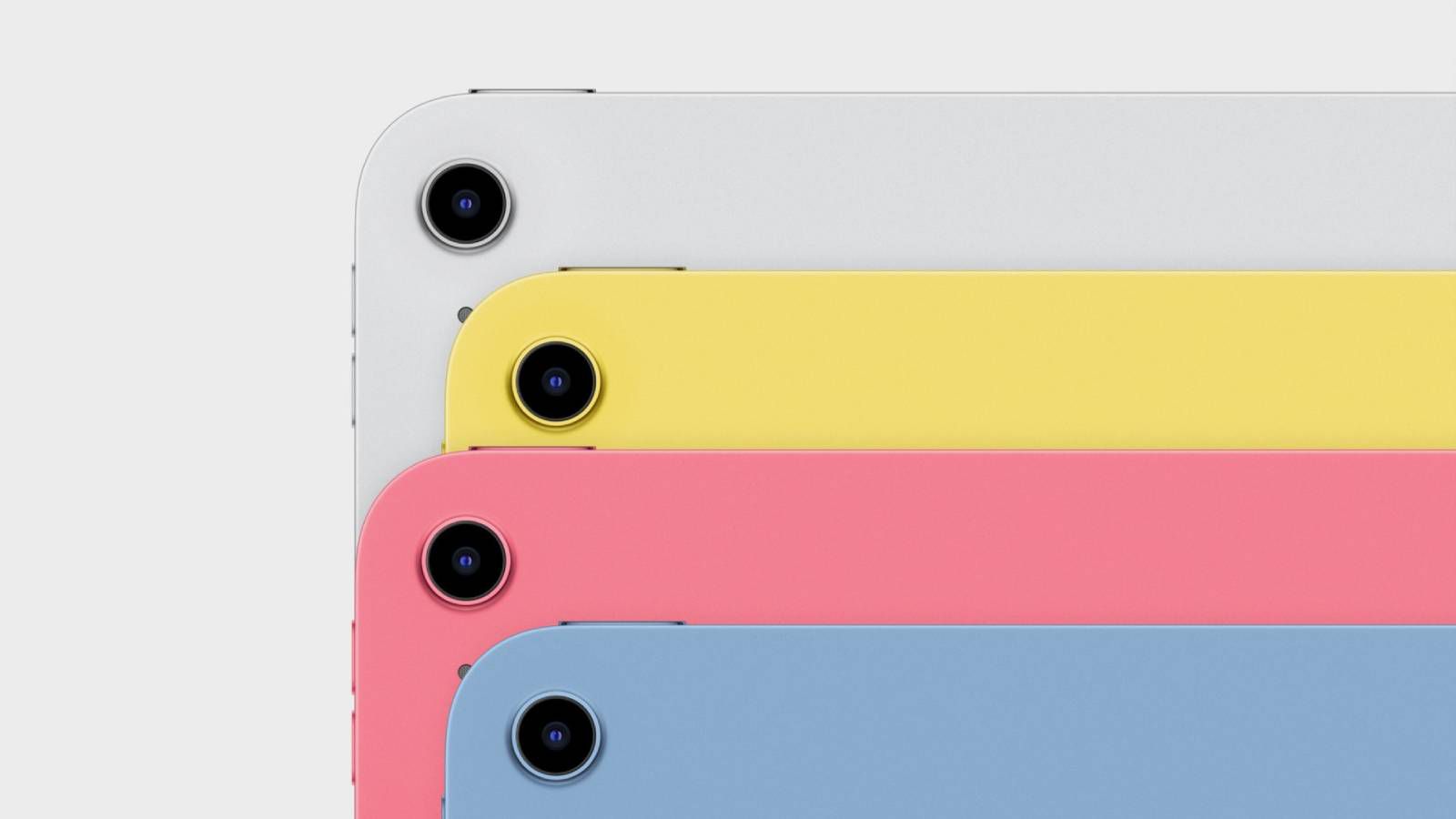
Apple today updated the entry-level iPad with an A16 chip. Unfortunately, however, the device continues to lack support for Apple Intelligence.

iPad A16 Colors
Apple Intelligence is not available on the new entry-level iPad, according to Apple’s tech specs.

In January, Bloomberg‘s Mark Gurman said the new entry-level iPad would be equipped with an A17 Pro chip, enabling Apple Intelligence on the device:

The new entry-level iPads — J481 and J482 — will get faster processors and Apple Intelligence. The current models have the A14 chip and 4 gigabytes of memory. Look for the new versions to have the A17 Pro chip, matching the iPad mini, and a bump to 8 gigabytes of memory. That’s the minimum needed to support the new AI platform.

This rumor proved to be wrong.

A private account on X with a proven track record ended up being correct about the entry-level iPad getting an A16 chip instead.

The entry-level iPad remains the only iPad model in Apple’s current lineup that lacks support for Apple Intelligence. The features are available on any iPad Pro or iPad Air model with the M1 chip or newer, as well as the latest iPad mini with the A17 Pro chip.

Popular Stories

iOS 19 Rumored to Include These New Features for Your iPhone

iOS 19 is still around three months away from being unveiled, but there are plenty of rumors about the upcoming update. Below, we recap iOS 19 rumors so far. Redesigned Camera App A leak earlier this year allegedly revealed a redesigned Camera app coming with iOS 19. On his YouTube channel Front Page Tech in January, Jon Prosser shared a video showing what the new Camera app will…

These New Apple Intelligence Features Are Coming in iOS 18.4

iOS 18.4 was supposed to bring new Apple Intelligence Siri features, but Apple ended up needing to pull those capabilities from the update to continue testing. There are fewer new Apple Intelligence additions now, but there are still some new features that will make the update worth installing when it comes out in April. Priority Notifications Apple introduced Priority Notifications back at …

Apple Says iOS 18.4 Will Be Released in April With These New Features

In a recent press release, Apple confirmed that iOS 18.4 will be released in April. From the Apple News+ Food announcement:Coming with iOS 18.4 and iPadOS 18.4 in April, Apple News+ subscribers will have access to Apple News+ Food, a new section that will feature tens of thousands of recipes — as well as stories about restaurants, healthy eating, kitchen essentials, and more — from the…

Latest iPhone 17 Series CAD Images in Line With Redesign Rumors

Apple is expected to embrace a new camera system design for some models in its upcoming iPhone 17 series, and the latest purported CAD images don’t deviate from what we have been hearing lately about Apple’s new lineup. If you do not like the sound of an iPhone with a Google Pixel-style camera bar, look away now. Seasoned leaker Sonny Dickson shared the following images in a post on X…

New MacBook Air Announcement Reportedly ‘Imminent’ — Here’s When

With the iPhone 16e now in the hands of customers, Apple reportedly plans to move on to its next product announcement in the coming days. Apple plans to announce new MacBook Air models with the M4 chip “as early as this week,” according to Bloomberg’s Mark Gurman. ”I expect the M4 MacBook Air to be introduced as early as this week,” said Gurman, in a post shared on X today. “Inventory has …

Tim Cook Teases New Apple Product Announcement This Week: ‘There’s Something in the Air’

Apple CEO Tim Cook today teased a new product announcement coming “this week.” ”There’s something in the air,” the teaser says. This teaser likely refers to a new MacBook Air with the M4 chip, which is already expected to be announced as early as this week. Apple used the same “there’s something in the air” slogan before it announced the original MacBook Air in 2008. Cook shared a si…

Apple’s Discontinued Line of AirPort Wi-Fi Routers Could Return in an Unexpected Way

Throughout the 2000s and 2010s, Apple offered a line of Wi-Fi routers that it referred to as AirPort base stations. There was a standard AirPort Express, a higher-end AirPort Extreme with more advanced networking features, and an AirPort Time Capsule that doubled as an external storage drive for backing up a Mac with Time Machine. Apple discontinued the AirPort line in 2018, but the company…

New iPads Expected Shortly After This Week’s Likely M4 MacBook Air Announcement

Apple is expected to announce new MacBook Air models with the M4 chip as soon as this week, and new iPads should follow shortly after. iPad Air and iPad 10 inventory is running low at Apple Stores, and Bloomberg’s Mark Gurman believes this is a sign that new iPads will be introduced soon. However, unlike the new MacBook Air, he said the new iPad models “probably won’t come in the next few …

iPhone 17 Air’s Ultra-Thin Design Will Result in These 3 Missing Features

The thin and light design of Apple’s rumored “iPhone 17 Air” will require some compromises. The device is rumored to lack three features found on many iPhone models, including a bottom speaker, an Ultra Wide camera, and a SIM card slot internationally. The Information last year reported that the ultra-thin iPhone 17 model will have only a single speaker, built into the earpiece at the top of …

Macs finally get a taste of an overhauled Mail app


Apple redesigned the Mail app on iPhones with the release of iOS 18.2 update back in December, but strangely skipped the treatment for iPads and Macs. The company has finally made a course correction with the macOS 15.4 and iPad OS 18.4 developer beta updates, which are now available for testers.

The biggest change introduced by the new Mail app are categories. All your emails are now neatly slotted across four categories. Here’s a brief breakdown of how it works:

  1. Primary: For personal messages and time-sensitive content.
  2. Transactions: A section for keeping a tab on confirmation emails, receipts, and shipping-related alerts.
  3. Updates: All the content that you’ve signed up to receive via an email agreement, such as news, newsletters, and social media updates.
  4. Promotions: This is the section where you get marketing and shopping material, such as coupons and sales-related notifications.

Apple, however, notes that if any of your emails across the last three categories contain time-sensitive details, they will appear in the Primary bracket. Apple is also taking an approach similar to social media profiles, when you open messages from a specific sender within these three categories.

Explanation of categories in Apple Mail app.
Nadeem Sarwar / Digital Trends

“When you tap a Transactions, Updates, or Promotions message, a digest view of messages from that sender opens,” says the company. This is a great way to catch up on activities such as alerts from your banking service provider, as you see all your payments neatly slotted in a vertically-scrolling card-like format.

Of course, you can always choose to disable categories and enable the classic list view that shows all your emails in the same order as they landed in your inbox. The idea is neat, as it separates unimportant jargon from relevant communication, but it’s not perfect.

The arrival of the updated Mail experience on iPads and Macs solves a big problem, even though it add some versatility, like letting users create their own categories. iPhones have had the new interface for a while now, and if you got used to it, not having a consistent experience on your Mac or iPad was a bummer.

With the arrival of macOS 15.4 and iPadOS 18.4’s first developer beta updates, there is finally some respite. It’s now only a matter of time before the developer and public beta testing comes to an end, and the overhauled Mail experience is available across the entire mobile and desktop ecosystem.

As far as other AI-powered tricks in the Mail app are concerned, Mac users can also take advantage of email summaries, smart replies, and priority messages.


Five Apple Intelligence Features Coming in 2025


Even though iOS 18.1 and iOS 18.2 added multiple Apple Intelligence features like Image Playground, Genmoji, Writing Tools, and more, there are still new ‌Apple Intelligence‌ capabilities that we’re waiting on. Apple has at least one more major ‌Apple Intelligence‌ update coming in 2025, and the functionality that we’re expecting is outlined below.

Apple Intelligence General Feature 2

Priority Notifications

Notification summaries are already available on devices that support ‌Apple Intelligence‌, but in a future version of iOS 18, ‌Apple Intelligence‌ will have Priority Notifications so you can see what’s important first while filtering out things that don’t matter as much.

When Priority Notifications launch, incoming notifications that are marked as priority will show up on the top of the notification stack.

New Siri Features

Siri already has a new design and a better understanding of natural language on ‌Apple Intelligence‌ devices, but there are several ‌Siri‌ changes that haven’t been added yet.

In the future, ‌Siri‌ is getting support for personal context, onscreen awareness, and deeper app integration. Personal context will allow ‌Siri‌ to keep track of everything on your device, like text messages, emails, files, and photos, so ‌Siri‌ can help you find anything you’re looking for.

With onscreen awareness, ‌Siri‌ will know what you’re looking at on your device, and will be able to complete actions. If you’re viewing a photo, for example, you’ll be able to ask ‌Siri‌ to send it to someone just by saying “Hey ‌Siri‌, send this” and the person’s name. ‌Siri‌ will understand what “this” is.

‌Siri‌ is also going to be able to do a lot more in apps and between apps, which is likely going to make the biggest change in ‌Siri‌’s ability to get things done. You’ll be able to edit a photo and send it to someone all with a single command, or move files from one app to another using ‌Siri‌. The way Apple describes it, it’s going to be similar to Shortcuts, but activated all via ‌Siri‌ with no need to set anything up.

These all sound like fairly invasive ‌Siri‌ features with ‌Siri‌ able to track everything on a device, but Apple plans on doing these things on-device to preserve privacy.

Genmoji on macOS

Apple added ‌Genmoji‌ to the iPhone and the iPad with the launch of iOS 18.2 and iPadOS 18.2, but it wasn’t added to the Mac in macOS Sequoia 15.2. We already know ‌Genmoji‌ is in the macOS Sequoia 15.3 update that Apple is beta testing, and that update is expected in January 2025.

Memory Movies for macOS

Macs are also missing the memory movies feature that is designed to let you create a slideshow from your photos and videos using just a text description. Right now, making a memory movie is limited to the ‌iPhone‌ and ‌iPad‌, but Apple does plan to add it to the Mac too.

You can create a custom memory movie by going to the Memories section in the Photos app, tapping on Create, and then typing in the description of the movie that you want to see. The ‌Photos‌ app will pick out the most logical photos and videos that fit the theme you’ve specified, creating a slideshow set to music. You can edit the photos that are included, change the music, and share the result on social media.

Apple Intelligence in More Languages and Additional Countries

Apple is going to add support for languages beyond English in 2025, including Chinese, English (India), English (Singapore), French, German, Italian, Japanese, Korean, Portuguese, Spanish, and Vietnamese.

When We’ll Get New Apple Intelligence Features

Beyond ‌Genmoji‌ for the Mac, there aren’t new ‌Apple Intelligence‌ features in the current iOS 18.3, iPadOS 18.3, and ‌macOS Sequoia‌ 15.3 updates that Apple is beta testing right now, so we’re not expecting new capabilities until iOS 18.4.

iOS 18.3 will likely see a launch in late January, and then we’ll get the iOS 18.4 beta. iOS 18.4 and its sister updates will be beta tested for a couple months, with Apple planning for an April 2024 launch.

iOS 18.2: Everything You Should Know About Image Playground


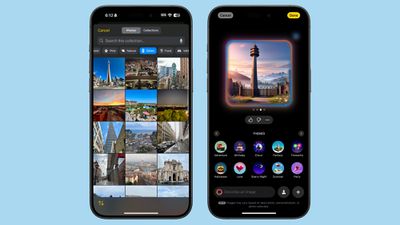
iOS 18.2 includes the first image generation technologies that are coming to Apple Intelligence, including Image Playground. Image Playground is Apple’s dedicated image creation app that can build cartoon-like pictures based on text descriptions.
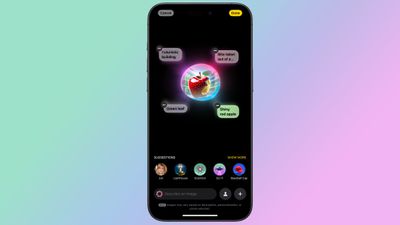
image playground ios 18 2
This guide highlights everything that you need to know about Image Playground, from its limitations to where you can use it, and we’ll provide updates as Image Playground evolves.

The Image Playground App

Updating to iOS 18.2, iPadOS 18.2, or macOS Sequoia 15.2 adds a “Playground” app to the Home Screen or desktop, denoted by an icon featuring a white cat/dog/bear creature in a 3D style.

Tapping into the app brings up a splash screen with instructions on how to use Image Playground, but it’s straightforward. There’s a text bar at the bottom that instructs you to “Describe an image.”

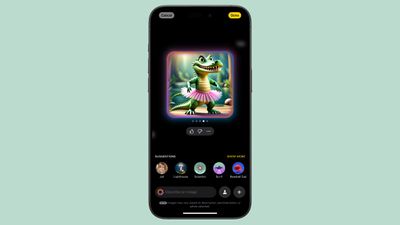
As soon as you type in a word or phrase, Image Playground starts working on generating an image for you. You can essentially type in anything, like “crocodile wearing a tutu” or “skunk hula hooping on top of an elephant.”
ios 18 2 image playground crocodileios 18 2 image playground crocodile
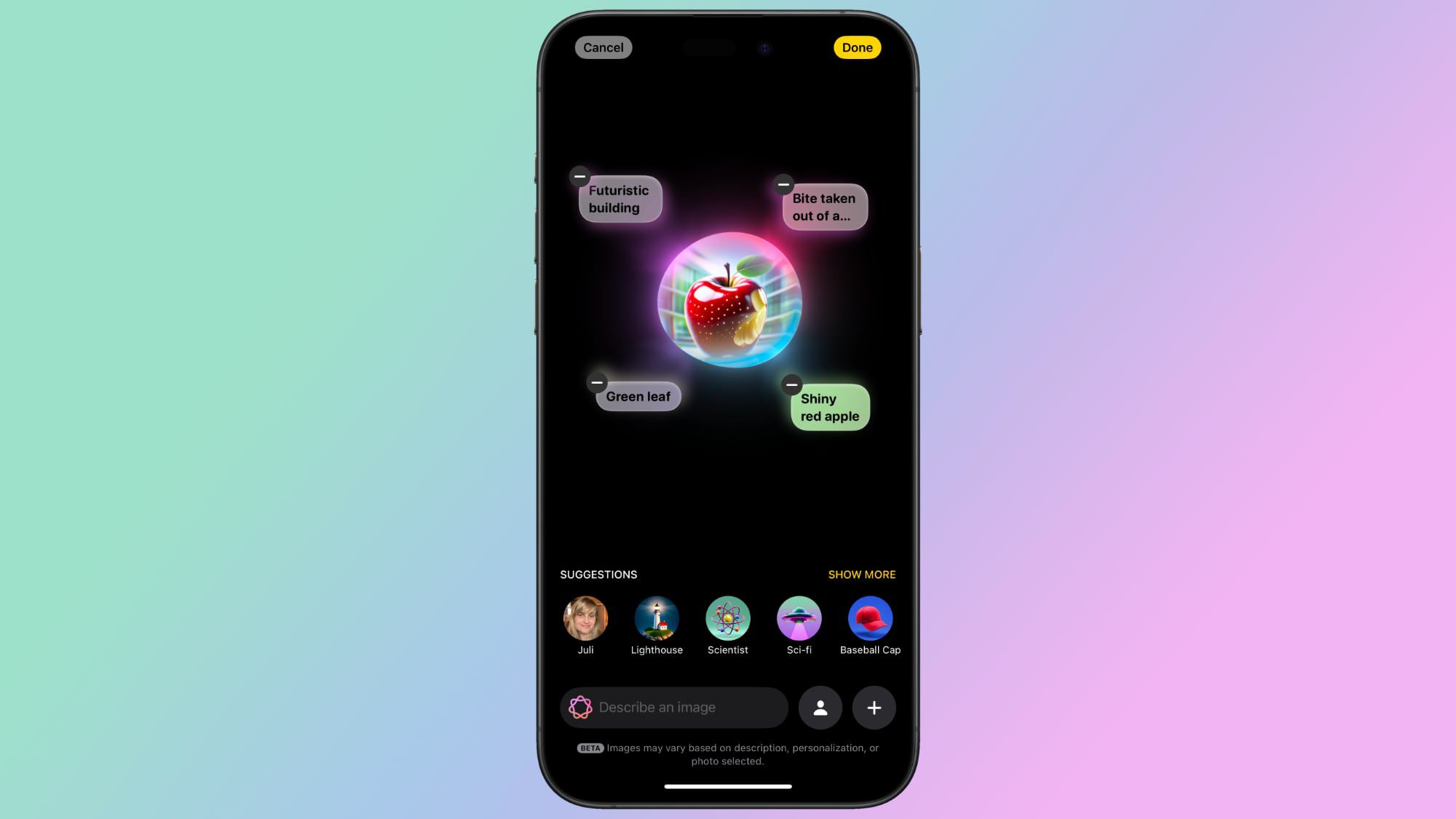
You can modify the result with additional word descriptions, or use one of Apple’s suggestions. You’ll get several possible images for each description, and you can swipe through them to choose what you want. You can add and remove words and phrases until you refine the generated image to exactly what you want.

Image Playground is very much in beta right now, so Apple is soliciting feedback. There are thumbs up and thumbs down icons you can use to submit feedback. Thumbs up doesn’t require additional input, but thumbs down goes to an interface where you can select what’s wrong with an image and provide additional written details.
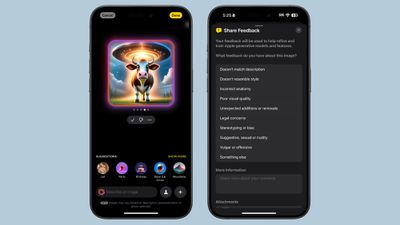
ios 18 2 image playground feedbackios 18 2 image playground feedback
After you’ve created your ideal image, you can tap on the Done button to save it to your Image Playground library. Items saved in the Image Playground library can be edited again later, deleted, or shared with the standard Share Sheet. There are also built-in tools for copying, sharing, or saving an image during the creation process.

Personalized Images Based on People

You can start an Image Playground creation with a person. People that are saved in your People album in the Photos app will show up as an option (yourself included), and you can select a specific photo of a person to use as the base for a new image.
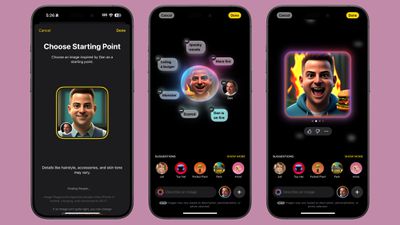
ios 18 2 image playground personios 18 2 image playground person
Each photo of a person will look different because Image Playground is pulling in the specific angle, lighting, and look of a particular image rather than of an aggregate, so you can swipe through to see which image of a person looks the most like them when converted to an animated form.

You are limited to individuals that are saved to your People album, so AI isn’t going to understand if you ask for an image of Tim Cook or Taylor Swift, but for this use case, you can import a photo.

You can also create a generic look to use as a base using the built-in “Appearance” option in the Person interface. That setting lets you select a skin tone and feature set, which can be refined further with image descriptions.

Image Playground Suggestions

If you don’t know where to start with an image creation or you need inspiration for details, Apple has a range of suggestions that you can tap to add to your image.

Image Playground Preset Feature 1Image Playground Preset Feature 1
There are themes like adventure, disco, summer, party, sunset, and fantasy, along with places like city, space, desert, park, prairie, and forest. Apple suggests costumes that include artist, chef, hiker, mage, robot, and superhero, and there are accessories you can select from like sunglasses, beanie, top hat, party hat, and flower crown.

These are just a jumping off point, of course, and you can choose any location or setting and add any objects and accessories you want using text descriptions.

image playground catimage playground cat
Suggestions in the Image Playground app aren’t contextual, but when you use Image Playground in Messages, you might see suggestions based on what you’ve been talking about.

Animation Style

You can’t make photorealistic images with Image Playground, and that’s by design. Apple doesn’t want to generate images that can fool someone, so you’re limited to two styles: Animation and Illustration.
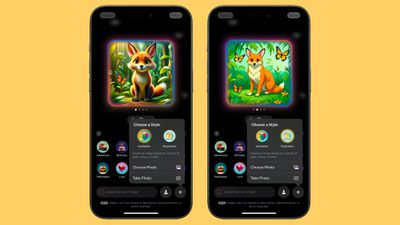
ios 18 2 image playground stylesios 18 2 image playground styles
Animation is a 3D-looking style that looks like something out of a Pixar movie, while Illustration is a flatter, 2D image that’s simpler.

When Image Playground was first announced in June 2024, Apple said there would be three styles, including Animation, Illustration, and Sketch. It’s not clear if sketch is still planned and will be coming at a later date.

Base an Image on a Photo

You can take a photo or import a photo from the ‌Photos‌ app to use as inspiration for an Image Playground creation. If you want an Image Playground image with ‌Tim Cook‌, using a photo is the way to go.

ios 18 2 image playground photoios 18 2 image playground photo
Any photo works to serve as inspiration for a creation, and you can use a photo for the main subject of an image or for the background.

Image Playground in Messages

You can create images in the Image Playground app and share them in Messages, but you can also do it directly from the Messages app. In a conversation, tap on the “+” button and then choose Image Playground from the list.
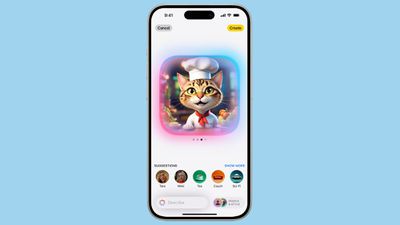
ios 18 image playgroundios 18 image playground
The Messages mini app works like the full app. Just type in a description of an image and use the same steps to get it to where you want it. When you’re finished, tap on Done, and it’ll show up in the send field of your conversation so you can text it to whoever you’re conversing with.

Sharing Image Playground Creations

To share an Image Playground image in a text message, you can use the built-in Image Playground mini app in Messages, which is the quickest route.

You can also go to the Image Playground library or create a new image in the app and then use the Share Sheet to AirDrop it, send it via Messages, email it, or save it to the ‌Photos‌ or Files app. Anything you’ve saved to ‌Photos‌ can be uploaded to a social media app.

The Share Sheet is like the Share Sheet anywhere else in iOS, so if you have an app like Instagram installed, there is a Share Sheet option to upload an Image Playground creation directly to Instagram. The same goes for other social networks that support the Share Sheet.

Image Playground Limitations

Image Playground is in beta right now, and Apple says that users can see unexpected results depending on the descriptors that are used. Sometimes words that seem like they should produce a simple result end up making something unexpectedly odd, such as the banana split images below.
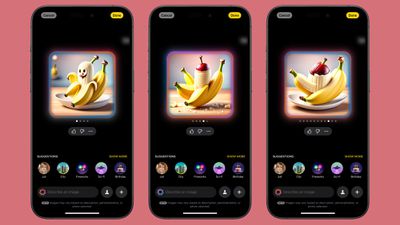
ios 18 2 image playground banana splitios 18 2 image playground banana split
The AI has some limitations to be aware of, and there are also built-in guardrails that restrict the content that you can create.

Size and Scope

One noticeable limitation involves Image Playground creations that use photos of people. You can only get portrait-style photos that show the top half of a person, with no option for a full-body pose. So if you wanted to generate an image of your friend Eric roller skating, it’s hard to depict that activity accurately because Image Playground will only generate a chest-up image.
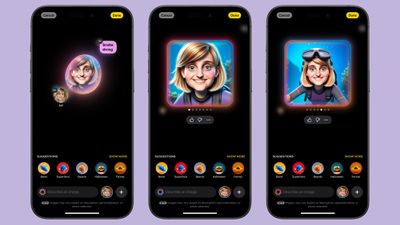
ios 18 2 playground people limitationios 18 2 playground people limitation
This limitation doesn’t apply when generating images of animals and creatures, but it’s an issue when you want to depict an activity that needs more than a head and shoulders.

This also impacts images that you might want to generate with a secondary object, like a cat or another person. Image Playground doesn’t always do a good job with multiple subjects in a photo at this time. The more descriptors you have, the more it struggles with this kind of thing.

Words

As with most image generating tools that are available, Image Playground struggles with text. Text tends to be non-sensical.
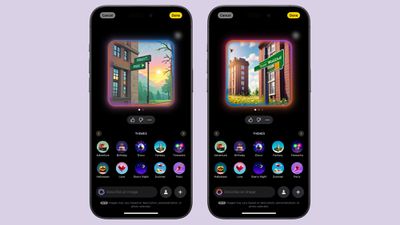
ios 18 2 image playground writingios 18 2 image playground writing

Restricted Phrases

Apple learned some lessons from other tech companies that have introduced image generation tools, and there are plenty of built-in restrictions. When Google debuted Pixel Studio in August, people were able to use it to generate images with drugs, alcohol, Nazis, and more, and Apple’s not allowing any of that.

When a word isn’t allowed, you’ll see the following message: “Unable to use that description” with an undo button you can use to remove it.

There are other phrases that Image Playground will kind of ignore. If you use “blood” or “bloody” for example, you’ll get a red-tinted background, but no actual blood. You can’t use words like murder or dead or their synonyms, and while gun and pistol are okay, AK-47, machine gun, and shotgun are not.

Concepts that could be used to generate a political image are likewise banned. You can’t add country-specific flags, or countries like United States, Mexico or Germany. Words related to drugs or drug paraphernalia don’t work, and there are a lot of descriptors that Image Playground will just disregard, even if you don’t get a message that it’s explicitly forbidden.

It’s clear that Apple put a lot of work into preventing Image Playground from generating inappropriate images, and the company has made it clear that improvements will be made and that there’s still a possibility of unexpected results during the beta.

People Requirement

When Apple Intelligence is having trouble applying a word, it often requires you to select a person to add to your image, even if you didn’t want to add a person. It can be frustrating, and you’ll need to add the person, change your phrasing, and remove the person to get to what you really meant.

Likewise, Apple doesn’t allow you to create images of copyrighted characters, so there won’t be any option to use Image Playground to create compromising photos of Bluey and Mickey Mouse.

Security

Image generation for Image Playground is done on-device, so nothing that you’re typing in is sent to a cloud server or shared, though it is worth noting that Apple is collecting feedback on it right now.

Availability

Image Playground is only available in the iOS 18.2 beta, and the beta is limited to developers at the current time. There is no word yet on when a public beta might be released.

Waitlist

You need to opt in to a second waitlist to get access to Image Playground and Genmoji in iOS 18.2, with Apple apparently limiting the number of people who can use the features. The wait is longer than the initial wait for opting in to Apple Intelligence, and it has taken 24+ hours in some cases.

Public Launch

If Apple follows launch timelines from prior years, we could see an iOS 18.2 release sometime in mid-December.
Apple’s own research sheds light on Siri’s AI laggardness


With the introduction of the new iPad Mini, Apple made it clear that a software experience brimming with AI is the way forward. And if that meant making the same kind of internal upgrades to a tablet that costs nearly half as much as its flagship phone, the company would still march forward.

However, its ambitions with Apple Intelligence lack competitive vigor, and even by Apple’s own standards, the experience hasn’t managed to wow users. On top of that, the staggered rollout of the most ambitious AI features — many of which are still in the future — has left enthusiasts with a bad taste.

Now, it appears that the reason behind the delays has something to do with quality and performance, as per Apple’s own testing. “The research found that OpenAI’s ChatGPT was 25% more accurate than Apple’s Siri, and able to answer 30% more questions,” says a Bloomberg report.

Updated interface of Siri activation.
Apple

To recall, Apple’s position with Siri is quite unique. For example, Siri is getting enhanced natural language understanding and deeper integration with apps as well as local files. However, there are tasks it can’t quite accomplish, and for such situations, the queries will be seamlessly offloaded to ChatGPT.

That’s part of a deal Apple inked with OpenAI. Now, it would make sense that Siri can’t quite pull the same kind of internet-connected tasks as ChatGPT, primarily because Siri and ChatGPT are two entirely different products. However, Apple is deploying OpenAI’s tech stack in more places than just Siri.

According to OpenAI, the ChatGPT will also lend a hand to users with “image and document understanding.” The Writing Tools – which have already arrived in tools like Notes and Safari — are also tapping into the ChatGPT kitty. Moreover, image generation will also be handled by OpenAI’s tech.

With such deep reliance on ChatGPT, one might think that’s because Apple isn’t quite there on the leaderboard with its own AI tech stack, something that could rival the likes of Google’s Gemini or Meta. That assumption won’t be entirely implausible, and even Apple’s team seems to agree with the status quo.

“In fact, some at Apple believe that its generative AI technology — at least, so far — is more than two years behind the industry leaders,” adds the Bloomberg report. Yet, it’s not merely about advancements, but also the pace of rollout.

Choice between Siri and Apple Intelligence
Siri will offload queries to ChatGPT for chores it can’t handle. Apple

Take a look at Galaxy AI, Samsung’s take on an AI ecosystem that has already appeared on a wide array of its phones and computing machines, with some help from Google’s Gemini stack. Chinese smartphone makers have already been offering generative AI features like image generation and a next-gen assistant for a while now.

At this point in time, it seems almost certain that Apple’s strategy with Apple Intelligence was hurried, apparently in a bid to quell investor concerns that the company was lagging in the AI race. So far, whatever little we have seen from Apple’s “AI revolution” has been far from revolutionary.

The best implementation of Apple Intelligence so far has been notification summaries and prioritization, but those are more utilitarian features than something that would reimagine the software experience for users. It would be interesting to see how Apple injects fresh energy into its AI approach next year.

But so far, the company hasn’t made any such announcements, and even the promises it made at its developers conference earlier this year are yet to materialize.


Apple reportedly even held talks with Meta about an AI partnership as it plays catch-up


Apple is apparently looking to take all the help it can get to integrate generative AI into its . According to a report by the , citing sources with knowledge of the discussions, Apple has held talks with Meta about the possibility of using the company’s generative AI model. It also reportedly had similar discussions with startups Anthropic and Perplexity. As of now, though, nothing has been finalized, WSJ reports.

At WWDC earlier this month, Apple officially announced its much-rumored partnership with OpenAI that will with the upcoming generation of the devices’ OS. During the event, Apple’s senior VP of software engineering, Craig Federighi, also as something that could be added to Apple Intelligence in the future. “We want to enable users ultimately to choose the models they want,” Federighi said. It would make sense, then, for Apple to be shopping around.

But for the time being, only OpenAI has been confirmed as a partner. OpenAI’s GPT-4o will be integrated into Apple Intelligence to bolster Siri and other tools, with some features expected to arrive later this year.