Reports claim that the Galaxy S26 series has been shattering Samsung’s sales expectations, as the company holds “Appreciation Events” and more.
Sales for the Galaxy S26 have risen by “three times” the amount in recent history, and it’s likely consumer fear over a pricier Galaxy S27 that’s cultivated this boost.
Samsung reported a major boost in Galaxy S26 popularity and production earlier this year, but with soaring DRAM and NAND prices, cost
We’re caught at a midway point between the Galaxy S26 series and the upcoming Galaxy S27 series. These series are reportedly influencing one another, as fears mount over higher prices for Samsung’s next wave.
Late this week, ETNews (Korean) reported that Samsung is experiencing another surge in Galaxy S26 sales (via SamMobile). The publication’s sources claim that Samsung observed significant sales performance domestically and globally in June. What’s more, the company reportedly held an “Appreciation Festival” for consumers. If a Galaxy S26 series device were purchased, consumers would receive a 20% refund “in Digital Onnuri Gift Certificates.”
Another contributing factor is Samsung’s website, alongside various “open markets,” which have seen sales “three times” higher than before. As a result, Samsung is boosting its Galaxy S26 production to 1.5 million units over the previously planned 1 million units for July. A report by EInfoMax adds that domestic Galaxy S26 sales have surpassed 3 million units for Samsung in 117 days, shattering Galaxy S25 records (via GSMArena).
Latest Videos From
With everything going on with the phone market, it’s been alleged that this growing demand for the Galaxy S26 is due to pricier Galaxy S27 concerns. The memory shortage is (of course) a primary contributor to these worries.
A changing market
(Image credit: Derrek Lee / Android Central)
The Galaxy S26 series’ popularity was discussed a few times, leading to a production boost reported back in April. The spring saw Samsung boost its Galaxy S26 Ultra production by 200,000 units (1.5 mil total in April) and its base S26 model by 500,000 units. The Plus model was pulled back soon. Samsung knocked off roughly 100,000 units as the other two phones were more sought after.
We’re not entirely sure what’s going on with the Galaxy S27, but some rumors said it could be kept mild to avoid ridiculous pricing. Certain upgrades were allegedly being put on the back burner, such as the series’ display and cameras. It’s still early, and things can change. Soaring memory prices are affecting everyone. Companies are struggling to find ways to keep their profits without suffering a loss.
Recent research by Omdia suggests budget phones could take a hit, thanks to high DRAM and NAND prices. The market could see far fewer budget phones, as higher-priced devices give companies more leeway to make cost-conscious changes.
Get the latest news from Android Central, your trusted companion in the world of Android
Android Central’s Take
The Galaxy S26 series is a popular series for Samsung, coming off the back of the popular Galaxy S25. It goes without saying that the S26 Ultra is leading the charge by a mile, too. But the shift I’m seeing in how people are buying is a tell of the times. If the price of a phone is “more acceptable” right now, and we risk seeing those disappear in the future, why not buy now? Why not buy right now and see where the market takes us later? At least, right now, we’re not “suffering” as much. This is all subjective, as we all have our limits on what we’d like to pay.
There’s something almost too meta about this one, via Bloomberg. Lyzr, a three-year-old, Jersey City, New Jersey, startup that helps enterprises build AI agents, used its own AI agent to raise its own round. The system, SivaClaw, reportedly fielded questions from more than 130 investors, drafted investment memos, and even tracked which slides backers lingered on.
It basically ran point on the startup’s $100 million Series B (at a roughly $500 million valuation) while proving that the product actually works. It’s hard to imagine a cleaner sales pitch.
But the most telling detail, per Bloomberg’s retelling, is how little legwork was involved. Lyzr told the outlet it pulled in $400 million in interest from Silicon Valley, the Middle East, and financial-sector investors without a founder ever needing to fly out and do the traditional laps up and down Sand Hill Road for coffee meetings and warm intros. That may be the real story of this go-go moment: there’s so much capital chasing AI bets that startup founders with traction barely have to leave their desks to raise nine figures.
The Redmi Note 17 Pro comes with a promise of free battery replacement if battery health drops below 80% within four years.
Durability gets a boost too, with an IP69K rating for strong dust and high-pressure water resistance.
The Pro model also gets a refreshed look, featuring a more prominent dual-camera island than the standard Redmi Note 17.
Smartphone makers love to talk about bigger batteries, but Xiaomi is taking a different approach with the Redmi Note 17 Pro. The company promises to keep that battery healthy for years, and it’s willing to replace it for free if it doesn’t.
Xiaomi has confirmed a new battery guarantee for the Redmi Note 17 Pro ahead of the phone’s July 14 debut in China. The battery is designed to retain at least 80 percent of its original capacity after four years of use. If it falls below that threshold during the coverage period, eligible users can receive a free replacement, Xiaomi Group President Lu Weibing revealed on Weibo (via Android Authority).
As people keep their phones longer, the health of the battery becomes a bigger concern. Most lithium-ion batteries lose capacity over time, after a number of charges, so Xiaomi’s promise is to ease one of the biggest long-term ownership concerns.
Latest Videos From
Xiaomi revealed much more than just the battery guarantee before its launch. The Redmi Note 17 Pro will pack a large 9,000mAh battery, per Xiaomi’s separate Weibo post.
Leaks and official teasers are also starting to paint a clearer picture of the hardware. The Redmi Note 17 Pro is rumored to feature a Snapdragon 6 Gen 5 processor. Camera upgrades seem to be another major focus, with the Pro model tipped to carry a 200MP primary sensor, while the standard Redmi Note 17 is expected to stick with a 50MP main camera.
The design also keeps the two phones apart. Official images show the standard model with a less complicated rear camera arrangement, while the Pro sports a more pronounced dual-camera island.
Android Central’s Take
Hopefully this is an indication of a wider change and not a one-off marketing stunt. Phone brands keep pushing for bigger batteries and faster charging, but none of that matters much if the battery dies long before I’m ready to replace the device. If Xiaomi is serious about this free replacement promise, it could save users some cash and make upgrading less of a necessity. Now the rest of the industry has to decide if they are going to follow suit or continue to pretend battery longevity isn’t a problem worth solving.
Get the latest news from Android Central, your trusted companion in the world of Android
Due to overwhelming interest, we’ve extended applications for Startup Battlefield Australia to July 20.
If you’ve been thinking about applying, do it now. There won’t be another extension.
One application could change everything
Since the first Startup Battlefield Australia in 2017, there have been 26 alumni companies that have collectively raised over $147 million, with three successful acquisitions. They’ve been backed by some of the world’s most respected investors — including Y Combinator, Blackbird Ventures, Square Peg Capital, Khosla Ventures, Microsoft, AirTree Ventures, Startmate, Techstars, and SOSV.
It all started with one decision: They applied.
Why apply now?
If you’re building something ambitious, this is a fast track to the people who can move your startup forward.
Selected founders will pitch live to:
Top-tier investors.
Global media.
Australia’s leading founders and operators.
Potential partners, customers, and hires.
This is more than a pitch competition. It’s a chance to earn visibility, credibility, and connections that can take years to build.
What’s at stake?
On August 19, 2026, eight startups will pitch live at Stripe Tour Sydney.
The top three will receive up to $15,000 in Stripe fee credits.
The grand prize is even bigger:
Automatic entry into Startup Battlefield 200 at TechCrunch Disrupt in San Francisco this October.
No second application. No extra round. Just a direct path to one of the world’s biggest startup stages.
Who should apply?
We’re looking for early-stage startups across Australia and New Zealand that are:
Pre-seed to Series B.
Building a real product or showing strong traction.
Honor’s alleged wide foldable finds itself in new rumors that say it could feature a 5.5-inch cover and 7.6-inch internal display.
A highlight in these rumors is its battery, which could arrive at 7,000mAh or higher, as Honor might look to do what others (Huawei) have not.
Wide foldable rumors have focused on Samsung; however, Honor and Vivo
There’s been a lot of talk about wide foldables, and funnily enough, the first one didn’t come from Samsung (Huawei did it first). Now, rumors continue old discussions, as Honor’s take has its specifications leak.
Tipster Digital Chat Station posted a series of alleged details about Honor’s rumored wide foldable (via NotebookCheck). Rumors suggest the phone will feature a 5.5-inch cover display, followed by a 7.6-inch internal screen. This follows along with the industry’s first wide foldable from Huawei, the Pura X Max. A major piece of these rumors is the phone’s suspected battery capacity.
The tipster claims Honor could equip the phone with a 7,000mAh cell or higher. If we look at Huawei’s phone, that device features a 5,300mAh battery. The post on Weibo states Honor is aiming for the “largest battery capacity among flagship wide-folding phones,” and this might ring true.
Latest Videos From
Other details claim the phone could offer a 200MP “large-sensor” camera (likely its main) and a periscope lens.
Wide rumors
(Image credit: Sanuj Bhatia / Android Central)
We’ve been hearing Wide foldable rumors for months now, and they’ve primarily involved Samsung. That changed recently, as rumors started throwing in other overseas phone makers, like Honor and Vivo. Unfortunately, Vivo’s X Fold 6, which was suspected to be its wide fold entry, is the opposite. The device is positioned to take on Samsung’s standard Galaxy Z Fold 8 more than it would a “wide” alternative.
Honor’s portion of the rumors claimed that it was “only a matter of time” before the company got involved. What’s more, the phone could offer a triple camera setup and see an alleged Q1 2027 debut. If we are heading toward a succession of wider foldables, we have Huawei’s version to look back on. The company called it the first “horizontally wide foldable,” which feels a lot like the O.G. Pixel Fold.
During its reveal, the Pura X Max looked more comfortable to hold, as it opts for a shorter form-factor, instead of the more vertical displays we’re used to seeing.
Get the latest news from Android Central, your trusted companion in the world of Android
Android Central’s Take
For the sake of this section, I’ll just go all-in on the rumors. I’d imagine that a wide foldable from Honor would do the same. Whether it’s with the brand’s AI, cameras, and battery. It’s Magic V6 arrived with a pretty beastly battery for a regular foldable. Now, we’ve got rumors saying a shorter, wider version could beat that 6,660mAh battery. It would certainly draw attention.
Offering a rare glimpse at the priorities of a top spy organization, Canada’s Communications Security Establishment said it conducted a handful of state-authorized hacks last year in order to disrupt the operations of drug traffickers, violent extremists, and a ransomware gang.
The disclosures in the Canadian intelligence agency’s annual report underscore some of the main national security threats that face Canada and its closest allies: ranging from the import of illegal drugs to cyberattacks. The spy agency, CSE, is tasked with collecting foreign intelligence, defending government systems, and disrupting online adversaries.
Published last week, the report says the CSE last year carried out three foreign “active cyber operations” — the term agency uses to describe its cyberattacks on overseas operations that threaten Canadian national security and public safety.
One of the operations, per the report, targeted cybercriminals outside of Canada who were brokering the sale of chemicals used to create the synthetic opioid, fentanyl. The CSE collected intelligence on the brokers, then conducted an operation that “disrupted and diminished their ability to operate,” the report said.
Another active operation involved the collection of signals intelligence — data produced from electronics and internet-connected devices — on an overseas extremist group that was spreading violent ideology and recruiting members, including in Canada.
The report said the agency analyzed the group’s organization, reach, and potential vulnerabilities to conduct an operation that “successfully undermined the group’s credibility and limited their ability to radicalize and recruit new members.”
Another operation involved disrupting a ransomware-as-a-service operation that let hackers rent access to a ransomware gang’s infrastructure to launch destructive extortion attacks. The CSE said its signals intelligence unit identified how the gang worked against the healthcare, transportation, and business sectors in Canada, then used an active cyber operation that “rendered the group’s infrastructure inoperable.” The operation also deleted much of the data on the gang’s servers.
The agency said it undertook concurrent “technical disruptions” against 10 of the most significant ransomware gangs targeting Canada to “make parts of their infrastructure unusable.”
The report did not say where the hackers, extremists or the ransomware gang were located, or the specifics of the operations that the CSE used to target them. It’s not uncommon for spy agencies to conduct cyberattacks against their adversaries, but such operations are seldom disclosed or detailed to protect the methods and techniques used.
Fort Meade, Maryland-based Cyber Command, which conducts cyber operations for the U.S. government, regularly carries out “hunt forward” operations that involve sending cyber teams to allied nations to secure their networks and disrupt cyber operations launched by adversaries. The number of U.S.-led hunt forward operations have risen from a few handful during 2018 to more than two dozen during 2025.
Canada’s CSE said it also carried out one defensive cyber operation during the year to target a phishing campaign aimed at Canadian federal government institutions and other important systems. The agency said it disrupted the group’s infrastructure and “degraded their ability” to target Canadians.
When you purchase through links in our articles, we may earn a small commission. This doesn’t affect our editorial independence.
The new Oura Ring 5 is out, and its smaller profile is definitely turning heads among current Oura users and prospective ones, myself included. However, in addition to the $50 price increase over the Oura Ring 4, there’s another cost to consider: the Oura Membership.
The Oura Membership isn’t required to use the Oura Ring, but the companion app’s functionality will be quite limited without it. The $5.99 membership brings a host of features to the app and unlocks a bevy of capabilities that you wouldn’t otherwise get.
If you don’t subscribe, you won’t get all the insights that come along with it. You open the Oura app and see only three things: your readiness score, sleep score, and activity score.
Latest Videos From
For some people, this may be adequate. I don’t fully utilize all the perks of the membership, and the additional insights and features that come with the Oura membership may not be worth the extra cost on top of the one-time hardware cost. That said, there are still some major reasons why I remain subscribed to Oura.
What you get with the membership
For $5.99 a month, the Oura membership provides a ton of features and additional information that you won’t get without it. The features include the following, per Oura:
Integration with third-party health and wellness apps like Strava
Advanced temperature monitoring
Blood Oxygen Sensing (SpO2)
Daytime Stress
Dynamic activity goals with Automatic Activity Detection
Heart Health (Cardiovascular Age, Cardio Capacity (VO2 Max))
Metabolic Health (Glucose Tracking, Meals)
Oura Labs
Resilience
Weekly, monthly, quarterly, yearly, and anniversary reports
Women’s Health (Cycle Insights, Pregnancy Insights)
1. Take full advantage of your ring
(Image credit: Android Central)
It’s silly to expect every Oura Ring owner to utilize every feature included in the membership, and I definitely don’t. For example, none of the Women’s Health features are useful for me, but I do use a number of the other features on a near-daily basis.
As someone who absolutely loathes wearing smartwatches to sleep, I’ve found the Oura Ring to be a vital part of my sleep routine. While you can get your sleep score without the membership, the subscription provides a deeper look into my sleep, including my sleep efficiency, restlessness, and how long it took for me to fall asleep. As someone who struggles with sleep, I find this information very useful in pinpointing ways I can improve.
Get the latest news from Android Central, your trusted companion in the world of Android
(Image credit: Derrek Lee / Android Central)
But beyond sleep alone, a combination of these features provides you with a comprehensive view of your overall health and wellness. The Oura Ring is so easy to wear throughout the day that it makes it easy to measure all-day heart rate, automatically track activities, and monitor potential symptoms that may indicate illness or strain on your body.
What’s more, you get to try features that Oura is testing before they become fully baked into the Oura experience. The AI Advisor was one such feature that I tested before it rolled out, and it has become a core part of the Oura app.
2. Automatic activity detection is actually pretty great
(Image credit: Derrek Lee / Android Central)
Automatic activity detection is perhaps one of my favorite Oura Ring features and one of the most impressive. While I prefer to manually track workouts, the Oura Ring is actually very good at detecting various activities, both in and out of exercise.
As a member, you will be able to use the ring to detect and analyze various activities, such as workouts and walks. The more you manually track workouts, the more accurate the Oura Ring gets, to the point where it’s pretty good at recognizing when I’m doing HIIT or Pilates.
Even better, the Oura Ring can detect more day-to-day activities and even random things like dancing and yard work — something my other wearables, such as my Garmin Venu 4 (my preferred fitness wearable), can’t do. Every time I go out, I’m always surprised to see the Oura Ring detect when I was dancing and for how long.
Furthermore, when the ring detects activity, it can include heart rate data and calorie calculations, making automatic tracking a valuable asset for your daily activity and health assessment.
2. Oura Advisor check-ins
(Image credit: Android Central)
Pretty much every tech company is diving into AI in some shape or form, and before Google introduced its Personal Health Coach, Oura launched the Advisor. With Oura Advisor, you’re able to chat with the AI about your health and goals, and the AI will take what it knows about you into consideration.
What I like is that the Advisor checks in on you every so often, based on your daily activity and other metrics, to ensure you’re on track. And you can even change the frequency of the Advisor’s check-ins so it’ll ping you weekly, daily, or somewhere in between. Furthermore, you can choose the Advisor’s tone, which can be either more direct or more conversational.
Oura highlights that the Advisor is powered by a state-of-the-art large language model (LLM) and was recently enhanced with a new proprietary LLM designed for women’s health. This gives Oura extensive knowledge of medical standards, research, and more, ensuring it’s uniquely positioned to answer questions about your health and provide recommendations, especially with the additional context of your in-app data.
Of course, you should always take anything Oura Advisor says with a grain of salt, as it’s not a medical product designed to diagnose or treat you, but I’ve found it gives some pretty sound advice in an easy-to-understand way.
4. Sync with third-party apps
(Image credit: Android Central)
Oura is great, but the ring doesn’t always get all the information. Furthermore, not everyone likes wearing the ring while lifting weights, and I often track my workouts on a smartwatch. That’s where third-party app integrations come in.
By connecting with Health Connect, the Oura app can pull workout data from my smartwatches and even weight data from my Withings scale to give me a full look at my day. The timeline feature helps me see my day in moments, including when I wake up, work out, and go to sleep.
Oura is basically a one-stop shop where you can get a pretty comprehensive view of your daily health and wellness, and it all contributes to your long-term health outlook.
And when I do track activities using the ring, the Oura app can send workouts to the Strava app, including location data (from the phone).
5. Oura puts its money where its products are
(Image credit: Derrek Lee / Android Central)
Considering the benefits, I think $5.99 per month is a pretty reasonable price to pay, especially given that Oura is still a relatively new and small company. We’ve consistently asked why Oura has retained its subscription model when other smart ring companies have gone subscription-free, and the answer is always the same: Oura uses the membership to help improve the product.
There’s a reason why Oura continues to produce the best smart rings on the market, even as the competition heats up with new players and advancements. Even Samsung felt compelled to enter the smart ring market, only to seemingly fall short of Oura, despite not charging a subscription fee.
“We really, actually feel pressure from our members to continually drive research and pioneer what the smart ring can be and invest that back into our product,” Oura told us after launching the Oura Ring 4.
After seeing the growth from Oura Ring Gen 3 to Oura Ring 5, it’s clear to me that Oura is doing exactly that, expanding on the value of each model by continuously adding new features throughout its lifecycle. To me, that seems well worth the $6 a month.
An alternative way to pay for the Oura Membership
If you’re hesitating on buying both an Oura Ring and the membership, it may help you to know that you can purchase both using your FSA or HSA. For many, that money is just sitting there, unused, so this could give you a reason to dip into those funds.
Two hundred and fifty years after the signing of the Declaration of Independence, a new commercial from Google asks: What if the Founding Fathers had access to Google Workspace?
With the tagline “Group project, but make it 1776,” the ad depicts a largely unseen Thomas Jefferson mid-draft when he gets a nagging text from Ben Franklin, leading to a very Google-centric collaboration process. Edits are suggested in Google Docs, a meeting gets scheduled in Google Calendar and conducted remotely via Google Meet (with every single attendee apparently turning their camera off?), then the whole thing is finalized with e-signatures; cue the fireworks.
Of course, since this is an ad from a tech company in the year 2026, AI has a role to play. The fictionalized founders use Google’s “help me visualize” AI tool to try out different animals on the national seal, Gemini takes notes on the meeting, and the founders also ask the chatbot for advice before declining King George III’s document access request.
The whole thing is very tongue-in-cheek (at one point, Sam Adams asks, “Can we settle this over beers?”), and the AI evangelism is relatively discreet when compared to many other recent ads. And unlike that infamous Google commercial in which a father uses Gemini to write a fan letter for his daughter, this one shies away from any suggestion that the actual text of the Declaration of Independence would be improved with AI. Perhaps the most AI-forward element of the ad is the footage itself, which to my eye has the uncanny glow of AI-generated video.
While viewer comments on YouTube and Instagram appear to be mostly positive, you may not be surprised to learn that the response on Bluesky has been far more critical. Posters declared the commercial “cringey” and “stunningly tone deaf,” and the AI angle was the biggest target — even as many users, including historian Angus Johnston, noted that it’s “amazing how little of this is actually AI.”
“Even in a corny fantasy joke, it’s impossible to make the case that AI is a useful tool for political organizing, writing, or human collaboration,” Johnston said.
When you purchase through links in our articles, we may earn a small commission. This doesn’t affect our editorial independence.
Our expert reviewers spend hours testing and comparing products and services so you can choose the best for you. Find out more about how we test.
Google is relaunching its smart speaker ecosystem for the “Gemini era,” as it has stated so many times with recent products. While I’m not fully convinced this new speaker is a truly revolutionary Gemini-powered speaker when compared to existing Google and Nest speakers, the overall quality of the Google Home Speaker is a great value for $99.
Whether you’re looking for a new music-playing speaker that understands basic commands or want an extra speaker to enhance your smart home, this is a solid choice with some annoying software issues that will hopefully be cleared up in the near future.
Google Home Speaker price, availability, and specs
(Image credit: Nicholas Sutrich / Android Central)
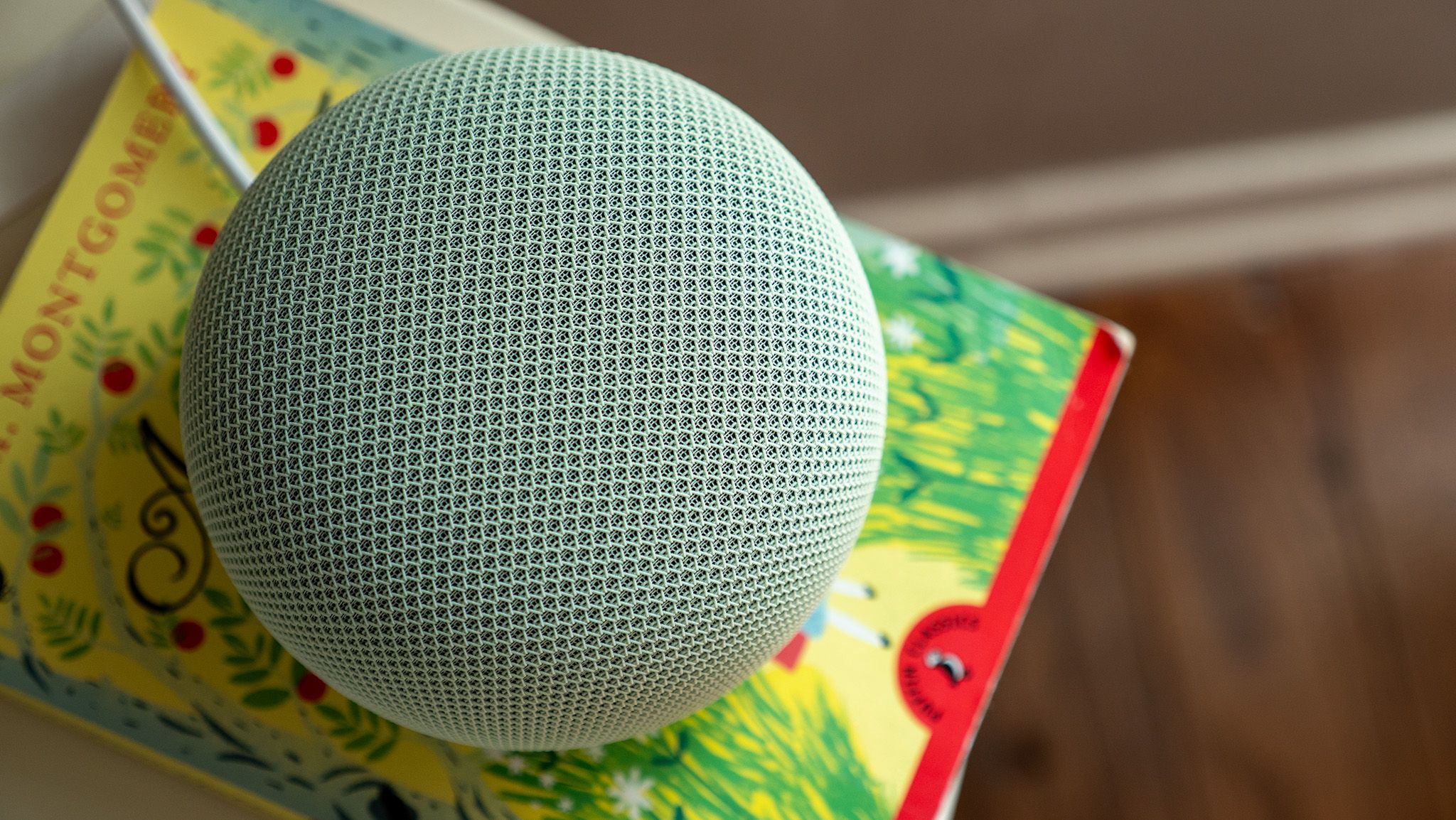
The 2026 Google Home Speaker is the first smart speaker from Google that’s designed “from the ground up for Gemini.” It’s the first Google speaker to include a proper NPU for AI processing, an upgrade over ML processors in the past few Nest releases. It retails for $99 and comes in two colors globally — Hazel and Porcelain — while U.S. customers can also choose from Berry or Jade varieties. My review unit is Jade.
Latest Videos From
Google includes 6 months of Google Home Premium for free (a $60 value) when you purchase a Google Home Speaker before September 30, 2026.
Swipe to scroll horizontally
Google Home Speaker (2026) specs
Catrgory
Google Home Speaker
Speaker
Omni-directional 58mm full-range driver
Microphone
3 far-field mics, hardware mute switch
Dimensions
86.6mm/3.4in high x 107mm/4.2in diameter
Weight
396g
Power adapter
30W USB-C PC/PPS charger
RAM
1GB LPDDR4
Storage
4GB EMMC
Processor
Quad-core A55 2.0 GHz with NPU
Connectivity
Wi-Fi 6, Bluetooth 5.4, Thread 1.3 border router (2.4GHz), Matter
Colors
Globally: Hazel, Porcelain
U.S. exclusive: Jade, Berry
Mostly the right priorities
(Image credit: Nicholas Sutrich / Android Central)
For the past few years, Google has used the Nest brand name for its smart speakers, but I’ve rarely called them that. Whether it’s the Nest Mini or one of the Nest Hub smart displays, my household always refers to them audibly as the Google speaker or the Google display.
Because of that, I think it makes a lot more sense to keep using the Google name as the proper brand, and I know I’m not the only person who calls their smart speaker “Google” something or other. Thankfully, Google rectified the name without ruining the excellent design and the sort of feng shui character of the Nest line of smart speakers.
(Image credit: Nicholas Sutrich / Android Central)
The 2026 speaker is still clad in homey fabric that looks graceful and unobtrusive on a shelf. It’s the ideal size between the tiny Nest Mini and the gargantuan Google Home Max speaker, with appropriately sized audio components. It’s even got a cute little glowing light underneath that makes it feel more like you’re talking to a smart little robot than mumbling into a speaker.
Get the latest news from Android Central, your trusted companion in the world of Android
But I don’t understand why Google speakers seem to almost always have some weird issue with the power cables. Earlier models used barrel plugs and proprietary chargers, creating unnecessary e-waste. This model uses a standard 30W Google USB-C charger, but the cable is hardwired into the speaker, meaning you’ll either have to splice it when it eventually breaks or toss the speaker and buy a new one. Dumb.
Image 1 of 4
(Image credit: Nicholas Sutrich / Android Central)
(Image credit: Nicholas Sutrich / Android Central)
(Image credit: Nicholas Sutrich / Android Central)
(Image credit: Nicholas Sutrich / Android Central)
Since it’s slightly smaller than the Nest Audio speaker (yes, there have been a lot of options over the years), the audio quality won’t be quite as good, but the Google Home Speaker’s advantage is that its speaker is omnidirectional. Depending on how you want to mount it, this could make a big difference.
You can also use the Google Home Speaker in conjunction with a Google TV Streamer to create a surround sound setup, which is a great feature I’m glad Google finally adopted from Amazon Echo and Fire TV devices.
I’m not exactly an audiophile and don’t care much about top-notch sound, so I found these speakers ideal, as they’re a notable upgrade over the Nest Minis I have around the house. Nest Audio fans should stick with those unless they have issues with using Gemini.
(Image credit: Nicholas Sutrich / Android Central)
And while “built for Gemini” should be the actual upgrade for the Google Home Speaker over any other Nest or Google speaker, my experience with it has been extremely inconsistent. If I ask it to turn the lights on or off, check my cameras, or even what the weather will be like next week, responses generally take about 1 second to process. This is much faster than the other Google speakers in my house, for the most part.
But some commands are bizarrely slow. Setting a timer, for example, often takes 20-25 seconds of processing time before I receive an “OK, setting a timer” response. Asking it to add bananas to my grocery list also takes 5-10 seconds. This bizarre behavior persists through reboots, so I don’t know what to make of it. Clearly, the speaker isn’t doing as much local processing for simple commands like this as I had hoped. Google is aware of the issues (as I’m not the only one experiencing them), and I will update this review if they are resolved.
This is particularly annoying because all of the other features I’ve used over the past week have been great. Gemini allows you to chain multiple commands together or even express complex commands, while Assistant can only do one at a time. For example, you can ask it to “turn off all lights except for the bedroom light,” a command I issue nightly as I tuck in for reading time.
Image 1 of 2
(Image credit: Android Central)
(Image credit: Android Central)
This isn’t particularly unique to this new speaker since Gemini has been rolled out to even the oldest 2016 Google Home speaker (which is still in operation in my house), but this speaker is certainly going to be supported for years to come, while those older speakers will eventually receive an end-of-life update.
At some point, Google had locked down several features behind the annoying Voice Match feature. I don’t want to use Voice Match, but I (and others in my house) do want to check my calendar, and Google finally allows users to do that on its smart speakers.
This speaker also seems to actually understand commands, including simple ones like “stop” when a timer is going off, while I swear half my other speakers ignore my commands half the time. Maybe time will also turn this one into a pretty paperweight, but it’s pretty great for the time being.
Should you buy it?
(Image credit: Nicholas Sutrich / Android Central)
The 2026 Google Home Speaker is a generally good little product that delivers great audio quality in a compelling design, with a virtual assistant that seems to actually understand you. Processing time is strangely lengthy for some simple commands (like setting a timer), but this is almost certainly a bug rather than a product defect.
If Google can reduce processing time for some commands, this will be my go-to speaker recommendation for the future. Gemini has been excellent for smart home commands in my experience, and far more understanding of every other type of command than Assistant has been for the past half-decade, and that’s really all I want out of a smart speaker, anyway.
Security researchers have confirmed that a European politician had his phone hacked with the Pegasus spyware while serving on an investigatory committee probing abuses of the notorious surveillance tool. This has reigniting fresh controversy over governments abusing spyware to collect information about their critics.
The researchers at the University of Toronto’s digital rights unit The Citizen Lab say the confirmed phone hacking of Greek journalist and former politician Stelios Kouloglou during 2022 and 2023 marks the first time that a member of the European Parliament’s PEGA committee, tasked with investigating phone spyware attacks by European governments, has been publicly identified as a victim of spyware.
Kouloglou told TechCrunch in a phone call that the deliberate compromise of his phone was “reckless.” One serving European lawmaker described the hacking of Kouloglou’s phone as a “direct attack on the rule of law,” and called on the European Commission to take concrete action by imposing strict limits on the use of spyware across the 27 member-state bloc.
While spyware attacks on lawmakers are rare, the timing and targeting of a committee investigator by way of the very spyware under his investigation suggests an intense focus on the committee’s inner workings ahead of a widely anticipated report detailing its findings. The hacks open fresh questions about how governments use spyware ostensibly needed for identifying serious crime, but then caught spying on the communications of journalists, lawmakers, and critics.
Citizen Lab’s researchers did not attribute the phone hacking to a specific country, but said that the government customer used the same Pegasus-loaded email address that was used in a previous campaign that hacked into the phones of journalists across Europe. The customer’s identity is not known, but the reuse of the same attacking email address implies that the customer had NSO Group’s authorization to use its Pegasus spyware to snoop on phones across multiple countries in Europe.
A spokesperson for the European Commission did not respond to TechCrunch’s request for comment. NSO Group also did not respond to a request for comment about the Citizen Lab report prior to publication.
In its report out Friday, Citizen Lab said Kouloglou was hacked in October 2022 and at least twice during March 2023 using an exploit that compromised a security vulnerability in Apple’s iPhone software. This vulnerability had been patched but the fix was not yet installed on Kouloglou’s phone. The exploit was a “zero-click” bug, meaning the spyware broke in and stole his data without needing any interaction on his part.
The bug abused a previously discovered flaw in Apple’s smart home software used in iPhones. It allowed the spyware to grab private data from Kouloglou’s phone without his knowledge, such as his text messages and other correspondence, location data, and photos.
The timing of the October 2022 hack coincides with intense discussions over email and text message throughout October and November 2022, ahead of the delivery of a first draft describing spyware abuses focusing in Cyprus, Greece, Hungary, Poland, and Spain.
The hack also lines up at the exact time that Kouloglou was in the hospital at the time for a pre-scheduled surgery, which may have allowed the spyware operators to listen in to ambient audio discussing his healthcare or other conversations he had with visitors at the time.
Months later on March 6 and 7, Citizen Lab said Kouloglou’s phone was hacked again by the same Pegasus operator while Kouloglou traveled from Athens to Brussels, during a period of committee hearings and months prior to the committee finalizing and adopting their written draft report.
In a call, Kouloglou told TechCrunch that he didn’t know why he was specifically targeted but that he believes it was due to his work on the European Parliament’s committee investigating Pegasus abuses.
He described anger when he learned that his phone had been hacked.
“You realize that all of your personal data [was taken] — not all the professional exchanges or messages with ministers — but also the very private things, like the happy moments and the sad moments,” he told TechCrunch.
Kouloglou said he plans to sue NSO Group, the Israeli-headquartered spyware maker. NSO remains largely banned from use in the United States following a Biden-era executive order that outlawed the government’s use of spyware that could violate people’s human rights.