Why is iteration important in product development? Imagine you’re enjoying your morning coffee while using a sleek gadget that feels absolutely perfect in your hands. Maybe it’s a minimalist wireless speaker with crystal-clear sound, or an ergonomic kitchen tool that seems custom-made for your grip. What strikes you isn’t just how well it works, but how naturally it fits into your daily routine. Everything about it feels so right, so obvious, that it seems like it was always meant to exist. But here’s the thing: none of that seamless perfection happened by accident.
Behind every product that feels effortlessly brilliant lies a messy, creative process of constant refinement called iteration. It’s a cycle of building, testing, failing, learning, and building again. This process is the heartbeat of new concept design & product development firms like those partnering with Cad Crowd. They don’t just understand iteration, they live and breathe it every single day. That “inevitable” feeling you get from a great product? It’s actually the result of dozens, sometimes hundreds, of versions that didn’t quite work. Each iteration chips away at the problems until what remains is something that feels like pure magic.
Iteration is the hardworking behind-the-scenes shop of product creation. It’s where concepts get tested, stretched, and sometimes shattered. It’s where you figure out what doesn’t work, so you can finally nail what does. And if you’re committed to turning a new physical product into a reality, whether it’s a new series of outdoor furniture, a connected appliance, or a new wearable – knowing the power of iteration is your ticket to success. Let’s get to why iteration is the not-so-secret sauce that makes your vision a tangible, manufacturable product, and why collaborating with seasoned product design companies makes the process a whole lot smoother (and less painful)
The myth of the one-shot wonder
Hollywood loves the myth of the lone genius who sketches a world-changing idea on a napkin and instantly transforms everything. However, real product development doesn’t work like that. True innovation is more like sculpting marble. You start with a rough block and a basic idea, then chip away piece by piece. You test what you’ve carved, make adjustments, smooth rough edges, and keep refining. Each version brings you closer to something that’s not just functional, but genuinely desirable and ready for mass production.
Even the most iconic products went through this grinding process. The iPhone wasn’t born perfect, and James Dyson famously created over 5,000 different versions before landing on the cyclonic vacuum that built his empire. This is the real power of iteration: treating each failure not as a roadblock, but as valuable information pointing you toward what actually works.
What iteration really looks like in product development
When you’re building a physical product, iteration doesn’t mean making minor tweaks to the look or shifting a button two millimeters to the left. It’s an exercise for your entire body that stretches every aspect of the design process. You start with concept sketches or CAD product rendering and design services – maybe even just a napkin doodle with arrows and coffee stains. A design company takes that and starts modeling it in 3D, testing its feasibility.
Does it make sense ergonomically? Can it be manufactured with available materials and within your budget? Does it survive drop tests or overheat in use? The prototype phase transforms concepts into a tangible reality. It typically begins with a 3D-printed rough prototype to test basic hand feel and ergonomics, then evolves to high-fidelity prototypes built with actual materials that mirror the final product.
Each prototype reveals critical insights. If the product is too heavy, the prototype design team reduces weight without compromising strength. When prototypes break under stress, engineers strengthen weak points through better materials or structural changes. Cost overruns trigger creative solutions in material choices or assembly processes that maintain quality while hitting budget targets.
This systematic cycle of design, prototype, test, and analyze forms the backbone of effective product development. Each iteration builds on lessons learned from the previous version, creating a clear path from initial concept to market-ready product that users will love and manufacturers can produce efficiently.
Why you require a product design company in your corner
Let’s get real: iteration is difficult. It consumes time, devours budget, and plays havoc with schedules. But eliminating it is like constructing a house without a blueprint: you’ll pay for it down the line, interest included. This is where skilled product designers come to the fore. These companies and design professionals are in the loop. They bring battle-tested processes, an experienced eye for where things go wrong, and a deep bench of tools – from industrial design expertise to engineering and CAD chops. They assist you through iterations quickly and wisely, steering you around the most prevalent (and expensive) mistakes.
In particular, their CAD knowledge is revolutionary. Put an end to relying on hand-drawn plans and educated guessing. Modern computer-aided design (CAD) technologies allow 3D design teams to precisely modify measurements, visually test for stress on components, and examine part fit before a single part is manufactured. In a matter of seconds, the entire assembly can be updated with just one CAD adjustment. This is known as thought-speed iteration, and it’s the secret ingredient that allows modern design organizations to bring cutting-edge goods to market at breakneck speeds.
Iteration isn’t just technical – it’s strategic
Every successful product must juggle three essential requirements. First, people need to actually want it (desirability). Second, it has to be possible to make (feasibility). Third, it needs to make financial sense for everyone involved (viability). Here’s where iteration becomes your best friend. You might create something absolutely gorgeous that test users can’t stop raving about, but then discover it would cost $500 to manufacture when your target price is $50. Or you could design something cheap and easy to produce that sits on shelves because nobody sees the point of buying it.
Each round of iteration gets you closer to that magic zone where all three elements work together perfectly. It’s like solving a puzzle where every piece affects the others. Smart product design and development experts know this balancing act goes way beyond making things look pretty or tweaking small details. They dig into the big questions that actually matter. Will this cool feature make users’ lives better, or are we just adding complexity because we can?
Can we get the same results using half the parts? Is there a smarter way to put this together that saves time without cutting corners on quality? This is where exceptional design really shows its worth. It’s not about making something beautiful just for beauty’s sake. It’s about that relentless hunt for solutions that work brilliantly in the real world.
CAD: the unsung hero of rapid iteration
Here’s a word about the stealthy revolution that made it all possible: CAD software. Back in the day, product designers worked with drafting boards and rulers. Every change meant redrawing the whole thing. Iteration was slow, painful, and often avoided altogether. Today, with modern parametric CAD tools, iteration is baked into the workflow. Want to see how your product performs with a different material? Simulate it. Need to adjust dimensions after a test? Update the parameter, and the whole assembly adapts. Not sure if the snap-fit will hold under load? Run a stress analysis before it hits the prototype phase.
CAD turns design into a dynamic system. You’re not just sketching a form—you’re building an intelligent model that can be tested, reworked, and validated before physical production ever begins. Even better, most product design firms pair CAD with 3D printing services and CNC machining processes. That allows you to rapidly turn each virtual version into a physical prototype – one that you can hold, try out, and judge before returning to CAD for another cycle of improvement.
Failure isn’t the end – it’s feedback
Perhaps the biggest mindset revolution in product development is this: failure is not negative. Staying still is. Each cycle uncovers something you didn’t realize. Perhaps your hypothesis about user behavior was incorrect. Perhaps a feature that sounded interesting on paper becomes a usability disaster. That’s not a failure, it’s feedback.
The point isn’t to never fail. The point is to fail early, fail frequently, and fail intelligently, before those errors set you back six figures of tooling and a product recall. This is why product manufacturing design firms insist on user testing up front and often. It’s not perfect in version one. It’s about using real-world feedback that can be looped into the next revision, closing the reality-concept gap, loop by loop.
Let’s say you’re creating a modular desk system that adjusts to different work styles, handles sit-stand ergonomics, and integrates power seamlessly. On paper, it sounds straightforward enough. Here’s what the actual development journey might look like:
Round 1: The desk works great, but it weighs so much that shipping costs kill your price point
Round 2: You lighten the frame, but now it wobbles when someone types vigorously
Round 3: You find stronger brackets that solve stability, but the cable management becomes a tangled mess
Round 4: You add a sleek cable tray and relocate the power module for cleaner routing
Round 5: Real users test it and discover that the side drawers create terrible legroom issues
Round 6: You redesign the drawer placement, and suddenly everything clicks into place
Now imagine this same process happening for every component, every user scenario, and every market requirement you need to meet. This is why iteration isn’t just helpful or nice to have. When you’re developing physical products, iteration becomes your lifeline. It’s the difference between launching something people actually want to use and creating expensive mistakes that gather dust in warehouses.
When you pick up a product that feels absolutely right in your hands, that’s no happy accident. That seamless experience is the result of countless invisible decisions made through relentless iteration. Think about those tiny details: a handle that seems custom molded for your grip, a latch that clicks with just the right resistance, or components that fit together with zero wiggle. These perfect moments represent designers and engineering design professionals working through version after version until every interaction feels effortless.
They’ll adjust a handle’s curve dozens of times, test different spring tensions, and machine tolerances to fractions of millimeters until everything works in harmony. It’s craftsmanship powered by persistence. This is why the best product design companies become obsessed with iteration. Not because it’s convenient, but because they understand that this methodical refinement is where truly exceptional products are born. The magic isn’t in the first brilliant idea. It’s in the discipline to keep improving until perfection feels inevitable.
If you’re creating a physical product, there is no way around iteration. You can dream, draw, and plan all day long, but until you’ve repeated test after test, failure after adjustment, your idea is still just an idea. The road to great products is lined with models that didn’t work, materials that shattered when tested, and ergonomics that had to be re-imagined. But every loop brings you closer.
When you partner with a product design firm that gets it, when they bring CAD brawn, rapid prototyping services, and iteration rigor to your idea, that’s when everything begins to click. Because genius is not the gap between “good enough” and “game-changing.” It’s iteration, and that’s the true work of product development.
Cad Crowd is here to help
Your product idea deserves more than guesswork. It needs the proven power of professional iteration. Stop letting competitors beat you to market while you’re still sketching on napkins. Partner with CAD experts who know how to fail fast, learn quickly, and build brilliantly. Contact Cad Crowd today for your free quote and transform your vision into reality.
MacKenzie Brown is the founder and CEO of Cad Crowd. With over 18 years of experience in launching and scaling platforms specializing in CAD services, product design, manufacturing, hardware, and software development, MacKenzie is a recognized authority in the engineering industry. Under his leadership, Cad Crowd serves esteemed clients like NASA, JPL, the U.S. Navy, and Fortune 500 companies, empowering innovators with access to high-quality design and engineering talent.
Do you need to hire and collaborate with a Fusion 360 specialist? Not only a CAD aficionado but a master who will make your sketch, napkin doodle, or product idea beautiful 3D magic? You’ve found your spot. Whether you’re concepting a drone, dental instrument, or desk lamp, this top 35 websites to hire freelance Fusion 360 experts has you covered. We’ve burrowed deep beneath the surface selections to provide you with the best-kept secrets and the heavy hitters. No fluff, please, no duplication. Simple and pure, carefully researched platforms that provide real modeling brawn for your next Fusion 360 showpiece.
1. Cad Crowd
Cad Crowd is the queen of freelance Fusion 360 masters. All of the masters are thoroughly screened to high standards to bring clients the best of the best. The site provides personalized matching, and it will pair you with engineering design professionals or designers who suit your project requirements. If you want to create a new prototype or refine an existing one, Cad Crowd supports flat-rate or hourly arrangements. With industry-leading CAD and CAM collaboration tools, it’s where to access product design at all levels. Businesses are able to access a global talent pool with technical expertise and creativity, all supported by a secure platform.
Contra is a new freelance design and tech talent platform. Its tidy, web-based interface shows the portfolio of each freelancer instead of resumes, so clients can quickly scan Fusion 360 skills. Contra accommodates direct contracts with no commission fee on either party, which allows open, clear collaboration. Freelancer profiles on Contra emphasize deliverables, previous clients, and specialty areas, making it easy to find a person whose expertise matches the complexity of your project. Ideal for small businesses and startups wanting to experiment or grow quickly. Although comparatively more recently launched into the market, Contra’s approach is designer-centric, appealing to professional, autonomous workers who provide 3D design services on competitive fees and terms.
Guru is a highly established marketplace of freelancers that has flexibility married with accountability. Its adaptable project management tools accommodate everything from fixed-cost CAD projects right through to regular hour-by-hour projects. Guru excels in engineering services, and you’ll find many Fusion 360 pros ready for complex modeling, drafting, or CAM work. Employers can review work samples, collaborate through secure workrooms, and set up payment through milestone agreements. The platform’s emphasis on verified skills and long-term engagement makes it attractive for repeat collaboration. It’s especially ideal for businesses with multiple layers of projects in one building, with the additional promise of built-in quality assurance.
Toptal is the go-to name when it comes to crème de la crème talent. The platform claims to have the top 3% of freelance experts – ideal for businesses and mission-critical Fusion 360 projects. Every one of the 3D design freelancers is put through a series of tests involving languages, technical abilities, and sample projects. Toptal stands out by offering dedicated support throughout the hiring process and ongoing engagement. Ideal for companies seeking high-precision modeling, simulation, or manufacturing design work, the platform charges premium rates but delivers equally premium results. With its concierge-style matching, you’re paired with freelancers who meet both technical and industry-specific needs. It’s an enterprise-level solution for challenging CAD tasks.
It’s most well-known for its graphical design competitions, but 99designs also hosts occasional 3D and CAD-based competitions. Companies seeking concept product design services or rapid visualizations can crowdsource several ideas from international designers. You upload your brief, receive submissions, and only pay for the winning submission. It’s an effective way to gain exposure to many points of view and creative spins, particularly at the early stages of product development. Though not a typical CAD website, you’ll be able to discover skilled Fusion 360 users with visual sensibility and technical skill. It is most valuable when you need variety, not only execution, and are willing to consider outside the usual avenues for creative talent.
DesignCrowd provides an open-source approach to creative outsourcing, both difficult and direct hiring. Though best known as a platform for 2D and graphic design experts, there is also a small but talented group of Fusion 360 freelancers. You can do a design challenge or hire based on a portfolio review. The design format is conducive to creative innovation and quick iteration, ideal for initial design stages, mockups, and product concepts. Clients like the freedom to come up with multiple ideas prior to committing to a full build. For those at ease with dealing with creative freelancers and willing to break away from conventional CAD paradigms, DesignCrowd has surprises in store.
Aquent offers a recruiting agency model to the freelance space. It employs a hybrid combination of AI-enabled tools and human recruiters to pair talent with assignments, perfect for big companies that require top-quality Fusion 360 work. Aquent filters 3D modeling design freelancers on technical competence, communication, and cultural alignment. It’s usually applied to long-term contract jobs, staff augmentation, or enterprise-sized projects where quality and deadline are most critical. While not Fusion 360-specific, Aquent’s quality reputation both in design and technology ensures you’ll be able to get skilled CAD experts who know what you’re seeking. It’s an elite solution for teams that prioritize performance and reliability.
CGHero is a hidden gem of a niche 3D freelance marketplace that matches customers with a screened group of model-making professionals, animators, and renderers, such as Fusion 360 specialists. CGHero is unique in that it is a specialist in the gaming, product design services, and architectural spaces. Freelancers on this site who specialize in Fusion 360 tend to have compound skill sets that combine mechanical design with photorealism rendering or animation. Projects are managed through CGHero’s platform, ensuring speedy building, timeline tracking, and milestone monitoring. Whether creating a prototype or animating a CAD assembly, CGHero ensures technical artistry with professional-grade execution.
CGTrader is a highly rated 3D model marketplace where you can also source talented Fusion 360 freelancers for bespoke design work. Aside from access to a huge library of pre-existing 3D models, the site also has a freelance component where you can commission designers to produce custom CAD models. Fusion 360 professionals listed here are probably specialists in everything from architectural visualization to machinery components. You can sift through portfolios, set terms, and examine proposals before committing to work. CGTrader is suitable for both one-time modeling projects and longer-term product development work. Its robust rating system and mature community ensure quality and trust in freelance employment.
Truelancer is an international freelance site with an increasing number of CAD and engineering resources available, including Fusion 360 experts. Location filtering is offered, and through the use of this, it is simple to engage product engineering freelancers in certain locations, ideal for those who require local experts. Projects are listed, competitive offers are received, and communication with freelancers is done through a simple interface. Secure payments through escrow are facilitated by Truelancer, and both short-term tasks and long-term engagements are offered. It is particularly useful for startups or businesses requiring affordable yet technically competent experts. Truelancer unites businesses with emerging CAD professionals from around the world with flexible employment formats and open profiles.
ProLinker is a hand-curated search engine for freelance CAD engineers and CAD drafting professionals who use Fusion 360. It boasts of assisting clients in finding an appropriate freelancer through matched availability, skill set, and professional network. Unlike the job of being a standard gig marketplace, it algorithmically ranks results with high-priority, high-quality matches. ProLinker is ideal for individuals who wish to have a hands-on search experience with minimal distraction from unrelated bids. The lean platform design promotes rapid decision-making, allowing freelancers to work without incurring commission fees. If you have expertise in the management of freelance collaboration, ProLinker makes it easy to find talent for complicated design needs.
CADjobs.com is a specialist job board for CAD professionals and thus a preferred source among employers looking for freelance or contract Fusion 360 designers. It deals in engineering, drafting, and architecture design employment, so each listing pertains to the field. Recruiters can post job ads with particular software requirements, and freelancers search and apply. Unlike broad-based websites,CADjobs.com has a targeted audience with often intense experience working in Fusion 360 and the like. It’s particularly useful for consultancies, design firms, and contractors who want access to serious, career-focused CAD professionals without having to sift through meaningless resumes.
Autodesk’s Fusion 360 forums are another good place to find freelance 3D product rendering specialists to hire. In addition to technical forums, the site features a collaboration and services posting section. Experienced users will post notifications of freelance work availability or reply to requests for assistance. It’s a cost-effective, high-trust environment for finding professionals who already think and breathe Fusion 360. You can search post histories to gauge someone’s expertise before contacting them. While the lack of integrated contracts or payment protection might turn off some, it’s an excellent place to find qualified freelancers who have a background in community service and troubleshooting.
GrabCAD boasts an enormous repository of shared CAD models and engineering tools, but also sports an active job board, where Fusion 360 freelancers are in touch with employers. GrabCAD serves product developers, industrial designers, and mechanical engineers. Its peer-based approach allows it to be simple to carry on a discussion with individuals who appreciate peer respect as much as technical proficiency. The job board can be used for direct listing of freelancing positions, while discussion forums can be used as unofficial networking platforms. If you must source someone possessing technical skills together with community involvement, GrabCAD provides an exclusive pool of working talent.
Slashdot’s CAD libraries have good open-source design materials, and its user forums have postings referencing freelance work, most of it a Fusion 360 task. Not technically an actual freelance site, per se, but due to Slashdot’s developer- and engineer-friendly culture, it’s fertile ground for technical partnerships. It’s perfect for firms looking for open-source visibility, hacker mentality, or software-specific skill freelancers. Fusion 360 experts here usually arrive with a combination of street-level ingenuity and good engineering. To locate suitable participants for specialist tasks or proof-of-concept product design assignments, reaching out via Slashdot forums may connect to fairly qualified and active partners.
We Work Remotely is another well-known remote work board, one utilized by tech startups and conglomerates alike. Though it’s full-time employment-specialized, the site does list freelance CAD jobs occasionally, some of which involve Fusion 360. The hiring managers list complete project postings, and 2D & 3D freelancers simply apply. With its global reach and select listings, it’s a good fit for companies that wish to have dedicated remote staff without using bidding sites. You will not see hundreds of CAD jobs on this site, but those that are will be from solid companies seeking honest design assistance on flexible schedules.
FlexJobs provides carefully screened job listings for home work and flexible work, including freelance design and engineering projects. It’s a subscription website, so fewer spam resumes and improved talent sit on both sides. Fusion 360 employment will sometimes appear, particularly in prototype design services, consumer goods, and custom engineering services. Employers receive a focused bunch of serious professionals, and freelancers view filtered opportunities. If you need a part-time or full-time Fusion 360 job and don’t have time to sort out the mess of open marketplaces, ZipRecruiter is worth it.
While ZipRecruiter’s widest fame is for full-time jobs, it’s being utilized by businesses to advertise freelance and contract employment – CAD and Fusion 360 gigs, too. It syndicates employment advertisements to 100+ affiliate sites, giving them excellent exposure. You can categorize jobs as freelance, project work, or remote, which draws the right kind of candidate. Fusion 360 freelancers scanning job boards for openings might notice your ad even beyond ZipRecruiter’s platform. It is not ideal for small, short-term design projects, but may be suitable for bigger-scope freelance work or businesses scaling CAD operations.
SolidGigs hand-picks freelance job leads and sends them to your inbox. It’s not specific to Fusion 360, though CAD work is consistently featured, especially for product designers, engineers, and industrial creatives. Freelancers have live leads without having to search platforms daily. For employers, it’s a way to reach motivated and ready-to-hire professionals. If you’re posting a Fusion 360 role on a major freelance site, there’s a good chance SolidGigs will pick it up and deliver it to niche specialists. It’s a clever add-on resource for locating vetted people without conventional search burnout.
Kolabtree originally focused on providing a platform for researchers and PhDs to link to technical freelance projects and has since grown to include engineers and CAD professionals, particularly in med-tech and consumer goods. Fusion 360 experts on Kolabtree have good academic or scientific backgrounds, perfect for intricate modeling, simulations, or prototype development needing analytical depth. You can upload comprehensive briefs and get bids from freelancers whose credentials have been checked. It’s particularly well-suited to biotech, industrial R&D, and electronic product startups. When accuracy is important and paperwork matters, Kolabtree provides a rare combination of engineering and academic talent.
Codeable is an expert in its WordPress development field, but its own verification system is the norm for freelance matching. While it does not currently provide Fusion 360 talent for hire, its concept is intriguing: pre-screened freelancers, screened project descriptions before they are posted, and clients paired up by themselves. Codeable’s model-based sites could be the way of the future for CAD freelancing – quality over quantity. It’s a blueprint for how specialist marketplaces can begin to engage design engineering professionals, designers, and land developers. Not yet ready for work on Fusion 360, but an idea to keep an eye on.
UK-based freelance platform with a vast range of technical and creative professionals, from CAD modeling designers with qualifications to industrial engineers and product visualization artists, PeoplePerHour offers Fusion 360 experts. AI is used for optimum recommendations and flexible hiring options, from hourly to full projects. Payments are secured through its escrow system, and collaboration is made possible using project boards. You may scan “Hourlies,” pre-priced jobs, or post bespoke briefs. A combination of flexibility, screening, and a Europe-bounded talent pool renders PeoplePerHour a great choice for organizations requiring mid-level to expert CAD services.
Behance is Adobe’s portfolio-sharing platform where numerous CAD and Fusion 360 experts post finished work. It’s less of a job board and more of a discovery tool: you browse portfolios and reach out directly to freelancers whose style or technical execution matches your needs. While there’s no built-in contract or payment system, the quality of showcased work is often top-notch. You’ll find 3D rendering designers who combine artistic vision with technical CAD skills, ideal for product aesthetics, conceptual rendering, or branding-driven design. Behance is particularly worthwhile if visual narration is a major aspect of your Fusion 360 project.
Dribbble is a design-focused platform on which visual creatives—some of whom use Fusion 360 – share their work. While it is most densely populated with UI/UX, branding, and illustration, it also has a smaller but increasing subsection of industrial designers and 3D artists. Freelance projects are either listed on the job board or initiated through direct solicitation. While not perfect for technical CAD work, you do find Fusion 360 modelers who have an eye for design and presentation. Intentionally created for beauty to be just as important as engineering precision, Dribbble is used to discover talent that walks the line between form and function.
In addition to its bidding website, Freelancer.com has user forums where freelancers post availability and clients post specific projects. Fusion 360 experts typically have this platform to post specialty jobs, exchange design problems, or answer contract queries. It’s a less structured, chatty method of hiring than the site. Without the formality of an ad posting, forum conversations can result in quick turnaround and productive working relationships. Apply it to connect with the human aspect of freelancing, where passion and the personal touch are revealed.
Instructables and Hackaday are maker platforms comprised of tinkerers and engineers posting DIY projects, some of which they create with Fusion 360. Both sites host contests and challenges where professional CAD engineering freelancers are drawn in. Launch your own design challenge or search top contributors for talent with practical problem-solving ability. Though neither site was designed for job hiring, both sites’ design communities provide a unique platform for finding freelance professionals who like to do hands-on product development. Excellent for oddball, high-creativity projects or when you want freelancers who don’t pay attention to the CAD interface.
Local maker spaces and Fab Labs often host online job boards or newsletters that list freelance and contract CAD work. Fusion 360 is a common tool in these communities, making them prime spots to find hands-on 3D engineering designers with workshop experience. Whether you’re looking for someone to help with 3D printing prep, CAM setup, or iterative prototyping, maker spaces offer access to talent who understand both design theory and fabrication. These freelancers can contribute pragmatic knowledge that classical engineers might miss. Look up Fab Labs in the area or local hackathons, and for special postings.
AngelList is the startup and founder favorite job board. Occasionally, it will list freelance and contract Fusion 360 job opportunities, particularly from early-stage businesses developing physical products. The founders and product leads communicate instantaneously through this platform and are easy to hire. Entrepreneurial freelancers have access to lucrative projects here that stretch beyond design into strategy and iteration. Startups are able to tap into experienced CAD drafting and design experts who understand agile development and rapid pivoting. If you want to work on or create something that is going to disrupt, this is where you can engage like-minded individuals.
Upwork is famous for its vast talent pool and flexible employment models. With 20–30 Fusion 360 professionals on board at any given point in time, the platform provides easy review of detailed profiles, reviews, and job satisfaction scores. You can post and create your own custom job descriptions, interview shortlisted applicants, and work on an hourly or fixed-price basis. Their time-reporting functionality, milestone system, and safe payment protection make it easy to manage projects. Though the screening is up to you, careful sorting typically results in fruitful collaborations, perfect for those seeking greater cost and choice control for their Fusion 360 design projects.
Freelancer.com is an international behemoth with more than 82 million members, and it’s a busy marketplace for Fusion 360 experts. Whether one piece or mass industrial product design services, the site holds a great range of requirements. List your project and get a bunch of bids, frequently in minutes. It also features real-time messaging, milestone payments, and performance monitoring. You may also view freelancer portfolios, percentage completions, and past reviews to determine fit. It’s ideal for those who want to get a range of prices and skill sets upfront. From concept renders to final CAM files, Freelancer.com offers flexibility and timeliness.
Fiverr turns the script around by offering pre-priced Fusion 360 gigs. You purchase from a service catalog at set rates – the ideal destination for well-defined tasks such as 3D part redesign, fast renders, or CAD file conversion services. All sellers provide tiered packages with set deliverables and timelines, so it’s ideal for newcomers. Fiverr is great at fast turnaround, low-cost solutions, and good communication. Though less optimal for mass engineering work, its ease and fast payment system make it perfect for beginners. Startups and design entrepreneurs adore it for fast, low-cost work. Fiverr offers freelance CAD services with transparency and efficiency.
A few universities and technical schools maintain job boards that link their students with freelance, part-time, or internship work. Fusion 360 is normally covered in engineering design classes, so contacting the CAD or mechanical engineering department at a university might be a good means of finding potential openings. Though less skilled, student freelancers are enthusiastic, software-savvy, and budget-friendly. A win-win for budget-friendly startups or design agencies seeking long-term relationships with upcoming designers. Bonus: it assists future design engineering expert designers with the opportunity to get real-world experience.
Local Meetup groups devoted to CAD, Fusion 360, or simply product design in general can be a great pool of freelance talent. These face-to-face or online meetups draw on dedicated hobbyists, professional designers, and instructors. Utilize the events or forums to discover talent within a casual setting prior to making formal agreements. Meetup groups are the human-to-human, network-driven alternative to the soulless job site. They’re the ideal solution for founders who desire chemistry and communication as well as technical ability. And members are typically already demonstrating ongoing learning and innovative experimentation.
34. Design engineering agencies
Small design engineering firms will outsource a single Fusion 360 professional for high-end or overflow work. If you require a professional software and industry access CAD designer, contract with a small agency instead of a single freelancer. Small agencies will have a stable roster of contractors to draw from and can turn up or down depending on your load. Pay more, sure, but receive also a finished, multi-faceted response to your project. It’s an excellent option for firms in need of professional, full-service design assistance.
35. Small scale CAD recruiters
There are some placement firms that are CAD rendering specialists with freelance talent with expertise to work with Fusion 360. Boutique agency recruiters are knowledgeable about the software, the market, and the nuances of design work. They’re well worth the investment when internal teams don’t have time to find or vet candidates. These recruiters offer pre-vetted shortlists of professionals and can help negotiate contracts and make the hires. More costly than hiring directly, they save time and reduce risk, perfect for high-risk product development or compressing design schedules. Hire them when discretion, speed, and quality rank highest.
From hand-selected brilliance at Cad Crowd to international marketplaces and local professionals, these 35 sites have you covered for sourcing Fusion 360 specialists. From innovation, accuracy, or affordability, there’s a match made in heaven just waiting to happen. You don’t need to go and look that far just so you can get the right specialist who can turn your projects into reality. So don’t waste any minute. Now is the time to get elbow-deep, start connecting up, and make your 3D models come alive.
How Cad Crowd can help
Cad Crowd can connect you with a vast network of Fusion 360 design specialists, product design companies, and 3D modeling freelancers. Contact us today for a free quote.
MacKenzie Brown is the founder and CEO of Cad Crowd. With over 18 years of experience in launching and scaling platforms specializing in CAD services, product design, manufacturing, hardware, and software development, MacKenzie is a recognized authority in the engineering industry. Under his leadership, Cad Crowd serves esteemed clients like NASA, JPL, the U.S. Navy, and Fortune 500 companies, empowering innovators with access to high-quality design and engineering talent.
In the rapidly changing work environment of today, where hybrid and remote models are transforming the traditional office system, the role of physical office spaces is undergoing redefinition. Employers understand that to induce face-to-face collaboration and maximize employee happiness, office spaces should be made locations where individuals long to be present.
Incorpotating natural effects for you office spaces in order to enhance the well-being and wellness of your staff, workers or even the visiting customers, is the purpose of having a biophilic design If you don’t know where to start, you can start by leaving a message at the top and leading agency Cad Crowd, to help you connect with the best and reliable product designers and 3D rendering professionals.
Why biophilic design matters in office spaces
Numerous studies have demonstrated that biophilic design reduces stress, enhances cognitive performance, and increases job satisfaction.
But how can this be practically applied in office spaces? Let’s explore key biophilic design elements that make a difference:
Natural light optimization: Natural light exposure is essential in keeping circadian rhythms intact and minimizing eye fatigue. Skylight, floor-to-ceiling window, and reflective surface-designed offices maximize daylight exposure, resulting in enhanced energy levels and concentration.
Indoor greenery & living walls: Plants not only make a space look better, but they also purify the air and provide a cooling ambiance. Adding moss panels, potted plants, or full-scale vertical gardens can greatly add to an office’s beauty and functionality.
Organic materials & patterns: Wood, stone, and bamboo bring warmth and texture to a workspace, creating an unconscious link to the outdoors. Moreover, biomorphic patterns and shapes that echo natural forms can be incorporated into furniture and decor to subtly invoke nature’s soothing effect.
Water features & soundscapes: Having water, either in the form of indoor waterfalls, aquariums, or even simulated nature sounds, brings a sense of calmness. These elements minimize noise pollution while enhancing relaxation and concentration.
Flexible layouts & nature-inspired colors: Open-plan offices with flexible seating arrangements facilitate movement and creativity. Employing soft, earthy colors such as greens, browns, and blues can make spaces feel more welcoming and harmonious.
Though these principles form a utopian workplace, putting them into effect needs more than good intentions – it needs precise planning and visualization. This is where powerful 3D rendering software steps in, enabling 3D rendering designers to create biophilic features in realistic office settings before they are constructed. Through the use of technology, companies can design inspiring workplaces that not only look amazing but also enhance the well-being and productivity of their employees.
Utilizing 3D rendering for biophilic design
Biophilic design is revolutionizing contemporary workplaces, incorporating nature to enhance well-being, productivity, and sustainability. Advanced 3D rendering methods are what architects and 3D architectural rendering firms use to make these utopian designs a reality. Not only do the software tools increase accuracy, but they also facilitate greater communication among stakeholders so that clients are satisfied even before the construction process starts. Here’s how 3D rendering is revolutionizing biophilic office space:
1. Realistic nature integration through advanced texturing
Immersive biophilic spaces need materials that can exactly imitate nature. Advanced 3D rendering programs such as Lumion, V-Ray, and Enscape allow 3D designers to create hyper-realistic textures that imitate wood, stone, vegetation, and water elements. These programs offer:
Realistic material representation – Be it the grain of reclaimed wood or the touch of a moss wall, rendering software makes sure that lighting and texture react naturally under certain conditions.
Dynamic environmental controls – Designers are able to mimic different times of day, weather conditions, and seasons so that clients are able to see how their office will appear in different natural environments.
Interactive customization – The client is able to play back with the design, modifying plant placements or changing natural light levels in real time. This versatility prevents misunderstandings and synchronizes expectations prior to the project’s progression.
2. Parametric design for adaptive workspaces
Biophilic design is not merely a matter of looks: it also means maximizing space for functionality and health. Parametric modeling, found in programs such as Rhino and Grasshopper, allows 3D architectural visualization designers to design responsive layouts that respond to natural conditions. This includes:
Optimized office layouts – Algorithms consider natural light availability and reposition workstations for maximum exposure.
Improved spatial flow – Simulating movement patterns, designers can design organic layouts that encourage relaxation and collaboration.
Nature-inspired geometry – Buildings can draw inspiration from such natural forms as leaf venation or coral, creating spaces that are more in balance and less formal.
One of the most impactful advancements in CAD technology is being able to surround clients with a virtual model of their future workplace. Virtual reality and augmented reality architectural services enable companies to feel the psychological benefits of biophilic design without any construction ever having started. Benefits include:
Full walkthrough experiences – With VR headsets, clients can walk through their office as if it already existed, evaluating the position of greenery, water, and natural light.
Psychological impact testing – By going through a nature-integrated workplace first, companies can determine how employees would respond to different biophilic aspects.
Instant design adjustments – Clients can provide real-time feedback on anything from plant choices to seating arrangements, so fewer expensive revisions later.
4. Daylight simulation for energy efficiency
One of the fundamental tenets of biophilic office design is maximizing natural light to minimize the need for artificial lighting. Through the use of daylight simulation software such as Autodesk Revit and Dialux, 3D architectural visualization design companies are able to model how light performs within a space and make educated decisions regarding:
Workstation location – Workers can be stationed in spaces with ideal daylight exposure, increasing productivity and mood.
Window and skylight location – Architects can model variations in sunlight by season to find the ideal location for natural light sources.
Energy savings improvements – Careful deployment of reflective materials and shading devices can reduce electricity usage dramatically while retaining an open, well-lit atmosphere.
Leveraging 3D rendering services in biophilic office design transcends mere visualization; it focuses on creating healthier, more inspiring work environments that foster a deeper relationship with nature. Utilizing genuine material textures, engaging virtual reality experiences, and energy-efficient daylight strategies, modern CAD tools empower architects to create spaces that not only enhance well-being but also optimize productivity. By integrating these advanced techniques, businesses can confidently invest in biophilic workplaces that attract and retain talent, ensuring sustained employee satisfaction and loyalty for many years ahead. Furthermore, such innovative designs can lead to reduced stress levels and increased creativity among employees, promoting an overall flourishing organizational culture.
Meeting niche client requirements with personalized 3D solutions
Biophilic office design isn’t a solution for all. Various industries have different needs, and bespoke approaches are required that meet the aesthetic, functional, and brand identity requirements. That is where 3D architecture design professionals using 3D rendering platforms (such as CadCrowd) excel.
Tech firms: a fusion of innovation and nature
Tech companies need open, collaborative working spaces filled with plants to increase creativity and combat burnout. With 3D interior rendering services, designers can:
Model biodynamic lighting systems that adapt according to circadian rhythms.
Combine futuristic green spaces, such as AI-sustained hydroponic gardens.
Experiment with acoustic biophilic features such as plant-based sound absorbers to combat noise pollution.
Law firms & corporate offices: a balance of prestige and serenity
While upholding a professional image, corporate spaces can still include biophilic features to improve focus and productivity. Luxury interior visualization design companies use:
3D simulations of natural stone-clad boardrooms with subtle greenery accents.
High-definition texture mapping on upscale wooden desks and plant-filled walkways.
Biophilic sound panels that merge design with soundproofing requirements.
Healthcare & wellness centers: healing forces of nature
Medical practices and therapy rooms increasingly adopt biophilic design to foster relaxation and well-being. 3D visualization software aids:
Calming, nature-mimicked waiting spaces prior to making material choices.
Simulate stress-reducing color schemes combining natural colors with medical-grade finishes.
Improve airflow and lighting conditions in patient recovery rooms.
Coworking spaces: responsive and resilient natural spaces
Common spaces need to be adaptable, and biophilic design helps establish interactive environments. 3D modeling services are beneficial in:
Planning modular green dividers for varied work schemes.
CadCrowd’s role in developing biophilic office spaces
Biophilic office design is transforming the workplace landscape by seamlessly integrating elements of the natural world within the constructed environment. This innovative approach not only fosters employee well-being but also enhances productivity and sparks creativity among workers. For organizations aiming to adopt biophilic design principles in their office spaces, it is often essential to seek out specialized expertise, particularly regarding CAD-based design solutions.
This is where Cad Crowd comes into play. As an international platform that connects businesses with highly skilled freelance CAD designers, CadCrowd facilitates the realization of nature-inspired office designs, all while maintaining a strong emphasis on detail and efficiency. By bridging the gap between companies and talented professionals, CadCrowd is significantly changing the way workplaces are designed and experienced. Here’s an exploration of how this platform is making a meaningful difference in the realm of biophilic design:
Matching clients with niche experts
Biophilic design is more than simply adding some potted plants or letting in more natural light. It requires strategic intent, material specification, spatial analysis, and even acoustic design. Various businesses have different requirements – a technology startup might need parametric design pieces so that the result is a futuristic, nature-inspired look, whereas a law firm would concentrate on using natural acoustics to give it a soothing yet professional ambiance. Cad Crowd’s platform sees to it that businesses are matched with 3D modeling designers who have expertise in these exact departments.
By going through a rigorous vetting process, the marketplace connects with experts in biophilic office design so that every project can take advantage of designers familiar with the intricacies of integrating nature, from airflow optimization to green material selection. This specialized process bypasses the trial-and-error and guessing stage that often comes with working with conventional design companies.
Providing flexible 3D rendering solutions
One of the main issues in designing biophilic offices is understanding how the eventual space will function and appear. Unlike traditional office design, which is linear in nature, biophilic layouts involve organic curves, living green walls, fountains, and tactile natural material, making precision planning and the right representation of paramount importance. This is where 3D visualization services and rendering come into play.
CadCrowd gives companies the ability to work with freelance 3D CAD designers who specialize in 3D modeling and rendering, giving clients the chance to visualize their idea before ground is ever broken. Whether simulating daylighting effects at different times of the day or testing how green walls respond to workspace configurations, these sophisticated visualizations enable companies to make smart choices. Customers can ask for personalized renderings, test different biophilic features, and refine designs to meet both aesthetic and functional objectives.
Conventional office design procedures usually involve lengthy back-and-forth dialogue among architects, interior designers, and builders, resulting in prolonged timelines and added expenses. CadCrowd’s on-demand design strategy streamlines project delivery by offering immediate access to qualified 3D CAD professionals without long-term commitments or expensive design companies.
Since freelancers on the platform work with flexibility, companies can hire designers on a project-by-project basis, saving costs without compromising quality. Not only does this save costs, but it also reduces the time from idea to execution, enabling companies to refurbish their office spaces effectively.
Conclusion: the future of work is green and digital
As more companies recognize the numerous benefits of biophilic office designs, the demand for high-quality 3D visualizations is expected to rise significantly. By leveraging state-of-the-art CAD tools and collaborating with innovative design platforms like Cad Crowd, architects and 3D architectural animation firms can ensure that their office spaces are not just visually stunning, but also thoughtfully crafted to enhance employee well-being and promote environmental sustainability. This holistic approach not only fosters a productive work environment but also aligns with modern values focused on health and sustainability, making the investment in biophilic design an essential consideration for future-focused organizations.
How Cad Crowd can help?
As the need for biophilic office design expands, CadCrowd can connect your company with dedicated and expert design experts specializing in adaptive visualization technologies and low-cost project fulfillment. Whether it’s an open working space filled with nature, a quiet office space for wellness, CadCrowd will help you build offices promoting health, imagination, and efficiency while embracing nature’s beauty. With the capability of 3D rendering, nature and architecture become one, harmoniously blending into each other. What are you waiting for? Get your FREE quote now
MacKenzie Brown is the founder and CEO of Cad Crowd. With over 18 years of experience in launching and scaling platforms specializing in CAD services, product design, manufacturing, hardware, and software development, MacKenzie is a recognized authority in the engineering industry. Under his leadership, Cad Crowd serves esteemed clients like NASA, JPL, the U.S. Navy, and Fortune 500 companies, empowering innovators with access to high-quality design and engineering talent.
It is easy to talk about, but not quite so easy to find the top 3D design interior firms in the United States. There are just too many of them to number out there, but just because there are a whole lot of them does not necessarily mean there are a whole lot of great ones to choose from. And that is when this list of the best 42 interior 3D design companies comes into play.
We have already curated the top 42 3D interior design companies that always keep the best, elite, and most shocking designs. From commercial designs that include plenty of details to interior designs that incorporate fresh ideas, these websites are sure to be aware of how to make everything regarding their service money-worthy. If you require flexibility, Cad Crowd is the ideal site where you can even hire professional freelancers to complete your job, regardless of the type of project that you have.
Cad Crowd
Cad Crowd can be one of the ideal sites where you can locate skilled 3D designers and interior rendering experts. It gives you access to a large body of pre-screened freelance experts in architectural visualization, 3D modeling, and rendering of your project specification. Your local, business, and industry professionals at your fingertips. Low cost, rapid turnaround, and effectiveness of project management are offered by the site. Cad Crowd sorts and recommends previous customers, and Cad Crowd is therefore most appropriate for companies and visualization companies that require better professional interior design 3D solutions in America.
Vellum Architecture + Design provides highly detailed 3D interior and architectural renderings. Vellum is the collaboration of technical knowledge and imagination to create a realistic design to allow the clients to make highly informed decisions. Perfectionists that they are, both present a perfect replica of space, material, and light. Whether home renovation is a small-scale or company project, or an industrial-scale project, Vellum Architecture + Design services provide solutions to clients with different needs. As design collaborators, work gives them the luxury to edit and send generously, thus making the process of designing as effortless as strolling in the park. Companies and rendering visualization firms are surprised at the consistency of quality, excellent service, and commitment to delivering the best interior 3D images based on clients’ requirements.
OmegaRender is committed to providing high-quality 3D rendering design services for rendering visualization and interior rendering. They don’t joke around, they are committed, and set to deliver images that justify a design. They plan projects on behalf of clients in order to meet project objectives and provide tailored solutions. OmegaRender has executed projects ranging from the most complex ones to straightforward residential and commercial interior projects, and has delivered the same in terms of efficiency and punctuality. Space planning, texture, and lighting are the foundation on which they operate that impart all their renders a realistic and completed look. Their punctuality and courtesy in the workplace, timely presentation of quality output, and integrity are paramount at all times, and as such, Applet3D also prefers companies that anticipate efficient interior visualization solutions.
Applet3D is allegedly providing accurate 3D interior visualizations with accuracy and precision. They have technical know-how coupled with imagination to provide multilateral interpretations of architecture. They provide house, commercial, and retail solutions in shorter declaration of material choice, lighting, and interior finish stages. Applet3D is user-friendly and allows for immediate revisions and project updates. The company portfolio is highly advanced and responsive, and therefore each render is near design intent. Interior design service companies and visualization business companies can provide service, timely turn, and consistent output with the help of Applet3D, which may be a sure business partner for business 3D renderings work.
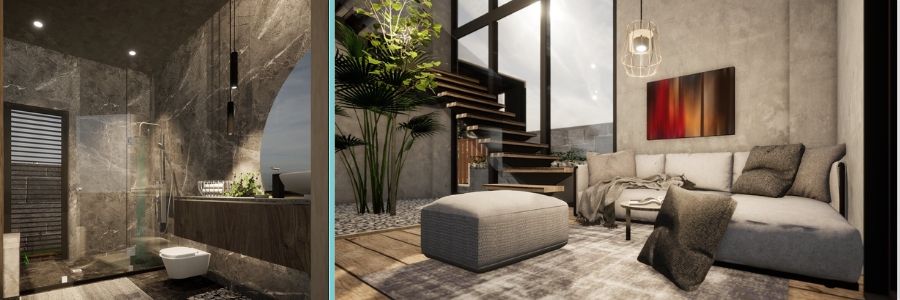
Blackstone Renders offers top-notch quality 3D interior visualization for every individual project. Their precision, space representation, and accuracy are all guaranteed to enable clients to imagine their design as it appears in real life. They provide residential, commercial, and hospitality projects for which they provide end-to-end rendering services from material finish, texture, and lighting. Blackstone Renders is ease of communication and coordination, and incorporation of customer comments. It is theirs, which is professional, reliable, and of such a nature that it can be used to make decisions as well as make presentations convenient. Interior design studios and visualization studios love their efficiency, precision, and ability to produce high-quality, artistic 3D interior renderings.
ArchiCGI provides commercial 3D exterior and interior building visualizations. They provide photorealistic rendering with precise minute space, material, and illumination by expert staff. They possess clients in local projects, corporate companies, and visualization companies. ArchiCGI provides collaboration where clients’ concepts are incorporated within the project. They provide accurate modeling, texturing, and photorealistic rendering at a low fee and with a low turnaround. Excellence and expertise are what ArchiCGI needs to aim at because they enable interior design companies to render the design so that one is able to make a choice. They guide the customers to technical ability, creative talent, and commitment towards providing realistic and stunning 3D interior visualizations.
Render3DQuick.com offers quick professional 3D interior visualization services with emphasis on improved output. They have commercial and residential project experience and create real output like light, material, and room planning. They do not wish to lose out on customer interaction and wish to include feedback in their work. Render3DQuick.com is a speed delivery leader and is money for value and reliable. They are their pounds worth to architects, interior designers, and visualisation studios in offering top-class presentations and project proposals. With technical skill and artistic insight, Render3DQuick.com creates every rendering flawlessly, delivered as far as appearance is concerned. They are professionals, reliable, and more-than-committed to each and every project they undertake.
VRender is a high-end commercial 3D visualisation company with professional interior render studios. They are particularly good at realism, precision, and realistic light and material rendering to allow clients to imagine space before it is built. VRender is particularly good at residential, commercial, and retail building construction and offers tailored services based on the customer’s requirements. They possess a teamwork culture, open communication, and a quick turnaround culture. Visual interior design and companies employ VRender for business rendering in a bid to display and seek approval from clients. With technology and technical proficiency, VRender produces quality, presentable pictures to bring buildings to life. They are the client’s option because they are professional, quality-driven, and trustworthy to deliver any work.
Fortes.Vision deals with professional-quality 3D interior visualizations of the interior spaces for any architecture project. Their deliveries are dedicated to reality, information, and accuracy, and cast images that replicate actual light, texture, and three-dimensional shape. They offer home, business, and hospitality industry customized solutions to the singular needs of each client. Fortes.Vision appreciates most teamwork and customer comments while delivering the end product as conceived. Their accuracy on each and every project, fast turnaround time, and great service enable them to autopilot as a first-call partner to interior design businesses and visualisation companies. Clients obtain them due to professionalism, technical competence, and the capability to create winning and realistic 3D interior prospects to knock the presentations.
7CGI is an HD 3D interior visualizer with emphasis on commercial use of concept to actual application. They excel in realism, providing high focus on actual space planning, material, and lighting, and presenting their residential and commercial clientele. Providing customer feedback in a non-confrontational manner by keeping lines of communication with the customer alive is their business. 7CGI maintains a better service, timely delivery, and attention to detail, so all their renderings are worthy of project goals. Interior design firms and visualization firms adore their technical skill, professionalism, and creativity. With more images, gorgeous images, 7CGI allows clients to make well-informed design decisions and present work in a readily visible format, informing them as a number one 3D visualization firm.
XR3D Studios offers cutting-edge 3D interior visualizations with reality and accuracy. They offer insight for residential, retail, and commercial development projects and create photographs with simulated realistic lighting, material, and space conditions. Company policy and client opinion at all levels are guaranteed to guarantee client satisfaction. XR3D Studios offers punctual and guaranteed service to allow interior design and visualization firms to meet deadline commitments. The texturing, modeling, and rendering stage gives the same time and effort to each of the projects. Customers prefer that their work be executed by XR3D Studios due to professionalism, consistency of quality, and the ability to provide design ideas for excellent 3D interior rendering services.
Render Unit offers a high-definition 3D interior visualization service for realistic and precise rendering. Render Unit’s studio helps single domestic and commercial clients come up with real-to-life space planning, texture, and light visualization. Render Unit prides itself on collaboration, and client feedback is incorporated. Interior design and visualization businesses are offered fast turnaround and dependability. Design competence and technical competency are transformed into high-quality renders to be used as aids in presentation, marketing, and the acquisition of clients’ approval. Clients adore their professionalism, turnaround speed, and interior concept development competency.
NoTriangle Studio is one of the best companies with excellent 3D interior rendering services that accurately meet the clients’ demands. NoTriangle Studio experts are works of art of viable visualization of residential property, commercial business, and hotel development. NoTriangle Studio experts are highly cautious as far as accuracy is concerned in the context of light, material, and space planning, while they try to predict the design wonderfully as and when necessary. Proper coordination is the initial secret of their working lives that makes inevitable comments from the clients. Technical expertise and creativity allow them to create images that appear neat and help interior designers and visualization firms in delivering projects the way they should be delivered. Fast turnaround, professional-level service, and reliable output are just a few of the ways in which they appear to be one of the best business partners for professional 3D interior visualizations. Presentation and decision-making for clients are made easy by them.
DesignBlendz is an architecture and 3D interior and architectural visualizations company. Detailed, real, accurate, and light and material precise render-led, they are. Personalized solutions specifically designed to the client’s specification carry out their residential, business, and retail projects. Timely coordination and communication of the project is of utmost priority to DesignBlendz in rendering the desired output. Interior design workflow and visualization studios outsource to them for quality, clean visualizations in their bid to assist in bringing out projects and obtaining clients’ approval. Honest for efficiency, dependability, and creativity, DesignBlendz always offers royal 3D interior visualizations that always get their place just perfectly in the required design, hence an excellent solution to architectural visualization.
Freedes Studio is a reliable interior 3D visualization company with excellent services for most architecture projects. Their imaginative professionals are devoted to realism, accuracy, and real light simulation, texture, and space alignment. They have interior design experts for residential, commercial, and hotel projects and come up with the best suitable solution for each client. Freedes Studio feels that they need to at least consult and coordinate with clients so that each of their projects ends up looking like they were worked upon initially. Their efficient working process, ability to reproduce quality, and conscientious attention to detail are just a few of the numerous reasons that interior design consultancies and visualisation houses appreciate them. They love their technical acumen, professionalism, and ability to produce stunning and interactive 3D interior design services to utilize for design and presentation purposes.
Arktek Studio offers 3D interior visualization of good quality in a bid to offer realistic and real outcomes. They have experts who are capable of creating flawless presentations of business and home project space planning, light, and material. Care is taken at each step, from the clients’ criticism, to test the client satisfaction. Arktek Studio offers quality work, timely services, and good service. Interior design studios and visualization studios are founded on the pedestal of a high level of work, creative capability, and technical know-how in providing picture-filled presentations destined to generate project presentations. Client approvals, marketing, and decision-making are a breeze through their solutions, and hence, they are the ones to rely on with professional 3D interior visualization solutions.
Arch Visual Studio is a company that offers 3D interior rendering with greater accuracy and trustworthiness. They offer images of residential, commercial, and retail property development plans with material, lighting, and floor plan space clearly indicated. Arch Visual Studio is a collaborative company and involves the client at every stage of a project. They are punctual and effective in service and offer standardized quality to interior design consultancy and visualization firms. With as much brain as imagination, Arch Visual Studio delivers quality, picture-based 3D visualizations. They are cherished by their clients for professional knowledge, care for proficiency to interpret design intent and bring it into action, and for realizable, imaginative models.
The AEC Associates provides local residential house building construction and office building scheme submission preparation, 3D interior, and architectural visualization services. They control realism, accuracy, light, material, and space planning simulation. They are particularly good at client and feedback like these. AEC Associates provides prompt professional service. Visualization companies and interior design companies employ their technical skills and thinking ability, and therefore create realistic-looking visualizations. Project presentation, client acceptance, and marketing material are a few among their services, and therefore, they are a right business partner for timely 3D interior visualization services in the United States.
ArchXStudio provides precise 3D interior rendering with emphasis on reality, precision, and accuracy. 3D residential rendering services, as well as commercial and hotel projects, are undertaken by professionals with good lighting, materials, and space planning. Client communication is of utmost importance with real-time updates and revisions. Repeat quality, guaranteed service, and turnaround time are provided by ArchXStudio. Visualization studios and interior design firms rely on them to produce breathtaking, high-quality visualizations to better present clients’ projects, as well as for client buying decisions. Their problem-solving and artistic abilities make each and every 3D interior visualisation professional-level and assist in improving the entire design process.
Indovance specializes in high-quality 3D interior visualisations for architecture and design. Their best service is for realistic production with excellent copies of material, lighting, and space organization. Office houses, house houses, and factory houses have clients with the capability to meet client requirements. Indovance offers coordination and communication by way of a project for the delivery of the end result to expectations. Interior designing companies and visualization companies adore their time-saving service, turnaround rate, and quality assurance. By technical competence augmented by creative abilities, Indovance delivers satisfactory and quality 3D interior visualizations to the client for presentation, marketing, and acceptance, and hence a company of preference standing.
AG CAD Designs is an interior firm that provides 3D visualization and rendering, and provides residential and commercial development interiors. AG CAD Designs personnel are committed to realism, accuracy, and realistic representation of material, light, and space planning. Client consultation is also included in their work, and feedback is being utilized by the large majority. AG CAD Designs provides excellence-level service, rapid turnaround, and reliability, and is the preferred choice of visualisation companies and interior design firms. Their technical competence and inspirational mottos produce excellence-level, image-centric 3D visualizations that generate presentation-quality, client-buying, and marketing materials. Their professionalism, accuracy, and quality provision of visualisation are appreciated by their clients.
Architizer is a high-end 3D visualisation site delivering high-quality interior visualisations of high-standard quality for building design. Their design team is attracted by reality, real materials, light, and projecting space. They supply residential, commercial, and retail buildings to represent each visualization as the client desires. Architizer makes it happen and gets in touch one-on-one when working on a project to make it easy to make changes. Firms that use visualization and interior design value their technical value, creative value, and timeliness with regard to time. Their increased visualization improves the presentation of the project, marketing reports, and approval of clients. Architizer commits to a professional, precise, and quality-focused workflow toward the business achievement of offering quality-improved 3D interior visualization.
Tesla Outsourcing Services is an architectural and 3D interior visualization specialist company. Their design team provides real images with precise information on lighting, materials, and room planning. They provide residential, commercial, and hospitality work according to a customised service per client order. They are of the belief in team-based methodology and concept development on a project basis. Tesla Outsourcing Services offer quality deliverables, turnaround guarantee, and fast turnaround, and thus become an ideal business partner for 3D architectural visualization companies and interior design companies. Their technical expertise and innovative approach provide unmatched, breathtaking 3D interior renders to facilitate easy presentations, approvals, and ad campaigns.
United BIM is a world-class interior 3D visualizing firm that deals exclusively in residential and commercial property development. Realism, accuracy, and realistic material representation, rendering, lighting, and space relation are expected on their side. They work with the client to add feedback loops and comments in places where appropriate to yield acceptable end renders. United BIM ensures quality service, on-time service, and assured service. Interior design firms and vision houses require their talent to deliver finished, high-quality renderings to make presentations, marketing materials, and buyers’ buying decisions sexy. With a technical skill set complemented by a problem-solving skill set, United BIM provides professional 3D interior rendering in the form of effective project communication and visualization of design.
D5 Render provides high-definition 3D interior renderings of houses, business buildings, and hotel buildings. It combines realism, precision, and truth of light, material, and space planning. They focus on client communication to enable great incorporation of feedback into the project. D5 Render is turnaround-efficient and of quality. Interior visualization businesses and design businesses put their technical potential and capability to generate outstanding 3D interior images. Its service is being used to facilitate marketing needs, client approval, and project presentation, and it is making D5 Render a top commercial interior visualizations company.
Uppteam is a high-end company providing high-quality 3D interior visualization of design and architecture solutions. It’s a professional, realistic, and accurate simulation of matter and light. It is operational with residential, hospitality, and commercial projects whose solutions are designed on an as-and-when-needed basis by clients. It requires proper coordination and communication to ensure the prompt delivery of clients’ feedback. Uppteam provides assured fast service with an end result, making it the perfect choice for interior design companies and visualization businesses. Its accurate rendering facilitates easy presentation, sale, and client acceptance by fusing technical expertise and creativity in a bid to deliver professional 3D visualizations.
With acicular 3D interior visioning precision, accuracy, detail, realism, and accuracy, Invedus professionals are home, office, and factory building specialists, and provide renderings that may actually respond to light, material, and space relationships. They are team players and master coordinators with clients for experimentation in incorporating feedback without breaking the project. Invedus is a stable veteran quality service with a snap response. Interior design offices and visualization agencies have technical expertise and imagination in their head. Besides offering interactive 3D interior views, Invedus also offers presentation, marketing, and decision-making assistance to clients and can act as an effective and reliable visualization agency for architectural design firms.
Professional 3D building and interior visualization of residential, office, and shopping properties. They are experts in realism, reality, and accuracy in light, material, and space position. Client sign-off is done by themselves, and that makes for a timely response and adjustment. Time delivery, quality check, and rapid turnaround service are ensured by 3D Power. Interior design studios and visual centers use high-definition images professionally prepared for presentation and client sign-off through the use of 3D Power. 3D Power connects technical skill and creative skill, and all the projects are taken to a professional standard of interior 3D visualization.
Cylind offers quality 3D interior visualization service with accuracy, realism, and precision. They offer home, office, and hotel schemes with lighting, space planning, and material renderings in detail at exact precision. Client liaison is offered to provide feedback within the project. Cylind offers good service, good turnaround, and ever better output. Technical skills and creativity benefit interior design firms and visualization firms. They offer client approval assistance, project visualization, and ad packages, and thus, Cylind is one of America’s top three 3D interior visualization firms for professional services.
Render Vision is an international 3D visualizing firm with a focus on realism and correct visualization services. They upgrade local and industrial projects in terms of the space design, replica, material, and illumination. They are cooperative workers who put the client’s perspective into account and apply it to the project. They always succeed in performing well and on schedule. Global interior designing firms and visualisation houses leverage their technical expertise, sense of taste, and high-quality renderings. They engage in the presentation of a project, client approval, and sales brochure, which makes Render Vision a global excellence 3D interior visualisation business partner.
CyberFox is a global 3D interior visualisation firm that offers high-quality renderings to residential homes as well as to office complexes. The strength of CyberFox is realism, accuracy, and the ability to model material, light, and space relationships realistically. Its domain of interest is client input, where feedback can be easily incorporated into the process. CyberFox provides reproducible quality, turnaround, and reliability. Interior design firms and visualization firms are supported by their technology and design process know-how, with end results favoring presentation, advertisement brochures, and client acceptance. Their quality control and professionalism enable them to be an excellent partner for international 3D interior visualization services.
Brick Visual is a renowned international 3D visualization services and rendering company with sophisticated expertise in interior and architectural design. They are creating photorealistic renderings that can represent costly materials, lighting, and space planning. They employ good communicators as customer service personnel, such as providing feedback, so it can be done extremely well in all projects. Brick Visual delivers good quality work, quick turnaround, and excellent work again and again. Interior design firms and visualization firms put their technical skills, creative abilities, and rendering quality to use for presentation enhancement, sales, and customer approvals in high-stakes situations. Their worldwide exposure and deep understanding of realities make Brick Visual the ideal company partner to obtain higher-quality global 3D interior visualizations.
Easy Render is an internationally renowned specialist 3D interior visualization company based on realistic depiction and depth of information. They invest in local, corporate, and hotel businesses and exhibit light, material, and space transformation in a true sense. Teamwork is the key driver of how they work with the client, going through the process. Quick Render provides quick, high-level service of extremely high quality and is therefore the first choice partner for interior design practices and visualization studios worldwide, beyond the Americas. Taste and experience come together to create finished, stunning photographs that add an air of sophistication to client signing, project presentation, and advertising campaigns.
Maverick Frame Studio is a global 3D visualization firm that focuses on the luxury residential and commercial real estate listings and the interior renderings segment. Lighting, realism, materials, and space location all become part of bringing it all together. Client interaction permits feedback to be pulled into work in a positive manner. Maverick Frame Studio delivers exceptional service, fast turnaround, and always better production. Interior design firms and visualization firms are technology-adept, innovative, and dedicated to delivering efficient rendering. They have presentation, marketing, and acceptance of clients experience and consequently a remarkably good service provider of professional 3D interior visualization services worldwide.
RealSpace is a leading 3D interior visualization firm in the world with peer-level experience of attention to detail, realism, and precision. Their designers create home, corporate, and hotel buildings in a manner that space planning, light, and material are considered in a graceful manner. They continue to speak and interact with the client during the project. RealSpace is speedy and quality-approved with a service warranty. Interior design and visualization companies can utilize their technical expertise and creative skills to provide finished renderings to be used with power presentations, client sign-offs, and marketing. Their quality visualization and professionalism make RealSpace a trusted world partner in interior 3D rendering.
LiveLine is an internationally acclaimed 3D visualization company with professional interior renderings. They possess a professional sense of reality, detail awareness, light sensitivity, material sensitivity, and spatial sense within them. They perform their customers’ work in addition to their own in providing constructive feedback to every project. LiveLine guarantees quality service, turnaround time, and improved output with each. Interior design firms and visualization firms value their technical expertise, design process, and imagination in producing clean drawings. They offer customer sign-offs for marketing and customer documents and presentations, and LiveLine is a world-trusted partner for residential and commercial 3D interior rendering services.
ProGlobalBusinessSolutions offers a world-class 3D interior visualization of real estate and property. Accuracy, location, reproduction of material, and realism are most critical. They had a very close working relationship with clients to allow easy input of comments on all jobs. ProGlobalSolutions provides timely, accurate, and quality work. Interior design firms and image companies rely on technical know-how and looks in pretty-looking images used for project presentation, sales, and client approval. Their business acumen and quality aspect make ProGlobalSolutions the best interior 3D visualizers in the world.
McLine Studios is a global visualization firm that provides world interior renderings to residential and commercial designs. Sufficient lighting, material, and spacing organization provide realism, accuracy, and render to their biggest priority. Clients’ availability provides independence to share ideas and thinking, including at any time. McLine Studios promises timely, aggressive service and style-happening. Done works interior design processes and visualization studios invite technical talent, work ethics, and creativity. They deliver innovation in project representation, marketing, and client approvals, thereby making McLine Studios a world-class partner for 3D interior visualization solutions.
Genense delivers world-class 3D interior visualization solutions with precision, realism, and detail. Genense delivers residential, commercial, and retail project work and delivers real lighting, material, and room plan renderings. The client’s idea becomes alive in the product through the collaboration of top priority. Genense offers guaranteed quality service, quick turnaround, and reproducible quality output. Interior design companies and visualization studios are proud of their technical expertise and creative process, producing quality renderings to assist presentations, marketing reports, and client approvals. Genense is a reliable foreign business partner that delivers professional interior 3D visualization.
MAP Systems is a foreign 3D visualization firm with professional interior rendering. They possess superior technical skills in realism-based methodology, graphical space plan illustration, materials and lighting, and attention to detail. They are highly qualified to professionally engage with clients to integrate feedback on each project. MAP Systems delivers timely, accurate, and quality output. In-house design firms and visualization firms possess technical skills and imagination, designing reasonably looking images that sell, are visually appealing, and get client approvals. Their professional and process-oriented approach makes MAP Systems the world’s choice provider of 3D interior visualization services.
Global 3D interior visualization services with realism, precision, and accuracy advantages are provided by ThePro3DStudio. Studio offers high-fidelity residential, commercial, and hospitality project design consisting of lighting, materials, and space planning. Client communication is the focus in which comments are placed in their rightful place on all of their work. The Pro3DStudio offers expert service with quick turnaround and excellent quality work. Interior design studios and visualization studios are served by technical and creative abilities in producing high-quality renders powerful enough for presentations, client approvals, and advertising materials. They are renowned for being a trusted global partner for business 3D interior visualizations.
It will not be hard to find the best interior 3D design company. With all these best 41 companies and freelance gurus available on the foremost option which is Cad Crowd, outsourcing your work to operation professionals who will bring your fantasy to reality is not hard. Compare their portfolio, contrast, and outsource the best interior 3D design professionals for 3D rendering companies and visualization companies in the United States. Get a free quote today.
MacKenzie Brown is the founder and CEO of Cad Crowd. With over 18 years of experience in launching and scaling platforms specializing in CAD services, product design, manufacturing, hardware, and software development, MacKenzie is a recognized authority in the engineering industry. Under his leadership, Cad Crowd serves esteemed clients like NASA, JPL, the U.S. Navy, and Fortune 500 companies, empowering innovators with access to high-quality design and engineering talent.
It’s getting your company to pay for the crème de la crème Enscape designer that makes the difference between a horrible presentation and an architectural visualization service that will leave everyone speechless. You need photorealistic renders, walk-throughs, or high-fidelity light rendering effects, and having the professional on board to assist you with it makes all the difference. This is a list of the top 53 websites to search and hire freelance Enscape experts and designers to provide quality work for your architecture design firm. Cad Crowd is unique due to its pre-screened, quality freelance talent who can transform potentially troublesome design ideas into breathtaking realities.
Cad Crowd
Cad Crowd is the best place to hire skilled Enscape experts and visualization experts. It connects architecture companies with well-screened professionals with experience in 3D modeling, rendering, and real construction procedures. It provides high-quality output by connecting clients with freelancers of established competence through Enscape, Revit, AutoCAD, and other design software. On this platform, unlike the majority of freelance sites, Cad Crowd is a niche site for the niches of design and engineering and would be best suited to high-detail and top-of-the-line jobs. Businesses can simply post an ad, ask for bids, and then employ without hassle, as they are hiring top Enscape professionals to produce great work.
UseMe provides a convenient platform for architecture firms to hire Enscape designers on a freelance basis. It provides secure payment, simple project management, and international access to an independent talent pool. Firms can place Enscape visualization projects and receive bids from professionals having 3D modeling, rendering, and architectural specification skills. It has an escrow system in combination with UseMe to try to protect clients and service providers and provide them with a secure platform where they can work together with each other. It is appropriate for small individual practices or individual practitioners who are willing to try the imagery developed by Enscape without committing themselves to long-term engagements. UseMe offers a balance of expense, flexibility, and superior architectural competence.
Dezeen is among the world’s highest honors in architectural history and even has connections with Enscape experts. Companies can hire experienced 3D visualisation artists well-versed with Enscape architectural presentation steps and phases from Dezeen Jobs’ website. Visualisation design experts who are interested in learning about the latest technology, trends in design, and visual narrative are drawn to the site. Architecture practice is bolstered by the presence of freelancers among its ranks who are familiar with how the building looks and can represent the building functionally. A technically designed magazine in size, the Dezeen careers page is now an online site to scan through for Enscape designers with the technical skill and artistry of architectural visualization.
Polycount is a design community of active 3D designers, game developers, and visualization specialists with a lot of content being created with Enscape in architecture. They post an advertisement or approach designers directly with Enscape modeling and rendering capabilities. The community on the site is so open that there is space for tough criticism and portfolio posting, so that one is able to quantitatively measure levels of skills before hiring. Polycount is best suited to architecture firms that are interested in highly styled and visually rendered designs. Even though the site caters to digital designers in general, the technical and 3D proficiency make it ideal for Enscape experts to be hired successfully. Software Requirements
ProLinker connects architecture firms with professional Enscape designers using an intelligent match-up process that matches firms with professional experts. The website streamlines project management to allow customers to add the specifications, review offers, and interact. ProLinker freelancers specialize in architectural rendering, 3D rendering, and animation, to name a few, and possess more experts who own Enscape skills. Raters can see highly performing artists and test their hand before they commit. Companies seeking skilled freelancers who will execute the complicated Enscape rendering projects efficiently have an easy, easy-to-use hiring process optimized for speed, quality, and long-lasting creative collaborations from ProLinker.
Vollna offers a cutting-edge platform to recruit remote Enscape designers who are 3D modeling and Enscape-compatible presentation experts in architectural visualizations. It brings together freelance services anywhere on the internet to enable businesses to have access to a team of 3D modeling, rendering, and Enscape-compatible presentation specialists. The dashboard of the platform facilitates communication, milestones, and payments in an easy and secure manner. Vollna is directed towards design agencies that want flexibility when recruiting Enscape experts to undertake one-off or repeat tasks. It also allows employers to work with freelancers who deliver technically sound work with a creative flair. Based on transparency and collaboration being at its core, Vollna proves helpful to architecture teams requiring quality, good output for visualization.
ArchDaily is used worldwide owing to the magnitude of architecture content it offers, and goes one step further by including professional networking as a job board. They can use it to outsource Enscape designers who are able to comprehend architectural workflows, as well as visualization requirements. Users access the site seeking digital presentation and design. The majority of ArchDaily rollos are experienced Enscape rendering freelancers who are able to create contextually realistic and accurate images. Employers like the fact that the platform boasts an international client base and a positive business reputation. Even though it’s not a professional career website, ArchDaily’s careers webpage is designed for use by architecture firms that require Enscape experts committed to delivering top-notch design output.
Illustrarch is a blend of design ideas and actual resources for visualization professionals and architects. The site is best suited for skilled Enscape designers with working experience in architectural visualization, animation, and concept visualization. It is a training ground and talent acquisition platform for business organizations to employ creative freelancers with Enscape skills at the last minute. Industry professionals skilled at the cutting-edge advances in visualization and architectural software updates are drawn to Illustrarch’s advanced work culture. For businesses looking for freelancers between creative storytelling and seeking the passage of technical accuracy, the site offers a leveled plane of Enscape professionals to create excellent images for contests, customer presentations, and ad text.
PowerToFly stands out through diverse hiring by matching businesses with skilled remote workers like Enscape designers. It fosters diversity, collaboration, and virtual quality design. Architecture companies can use Enscape-created visualization career positions and offer experienced experts with a working history of 3D modeling and rendering. The platform’s formalized hiring process elevates long-term team members above short-term workers, which is ideal for design companies with consistent quality needs. PowerToFly also includes talent finds and skills verification, where companies can recruit Enscape experts with actual experience. Being global and open in its operations, PowerToFly can be an excellent option for architecture teams that require connecting to innovative, creative minds.
CGHero is an online platform that seeks to connect creative professionals with organizations in need of high-quality graphical content, such as Enscape-based architecture visualizations. Enscape architects who are contract-employed by architecture companies can search for professional artists with specialization in producing photorealistic 3D rendering, walkthrough, and design animation. The platform is optimal for a streamlined process of review, verified portfolios, and an inline collaboration feature, which supports collaboration. The support project offered by CGHero guarantees timely completion and cost control. It is a great option for those companies that want to combine artistic imagination with technical precision. 3D rendering and visualization capability in the world makes it a great place to outsource Enscape experts to every nook and corner of architecture.
Genense is a simple-to-use freelancing platform that is suitable for visualization and design experts, i.e., Enscape experts. The platform is suitable for architecture companies with short or extended work requirements against 3D rendering experts who operate with Enscape rendering, Revit compatibility, and visual storytelling. Genense’s straightforward dashboard simplifies it for employers to possess a platform upon which to advertise an opening, compare prices, and sort through freelancer portfolio interviews sufficiently. It is also simplicity-driven in the employers’ and freelancers’ snippy-cut expectations exchange process. It has the majority of its professionals being architecture visualization experts, and therefore, the companies can easily hire to search for the most talented ones able to bring the design to stunning Enscape renders. Genense is a convenient and secure, trouble-free medium to search for professional visualization experts anywhere in the world.
Feedough is a highly desirable location as an innovation and start-up center, and in relation to resources and networks available that work to the advantage of architecture companies looking for Enscape designers. Since it has a screened pool of freelancers, companies can identify visualization experts who are entrepreneurs and have design capability. The company assists companies in finding Enscape experts who can bring that dash of flavor to presentations, pitch presentations, and architecture portfolios with terrifying graphics. Feedough is especially suited to match clients with dynamic freelancers with the lowdown on how to incorporate innovative workflows in action. Since it is smaller in size compared to giant freelancing websites, creative focus guarantees creative designers with Enscape capability ,ready to provide creative and interactive architecture visualizations at the most affordable rate.
CADWorks stands out in terms of matching companies with freelancers with more technical competence in computer-aided design, for instance, Enscape capability. Architecture firms can hire candidates with previous performance history in the art and building sides of visualization. The website features job postings, proposal reviews, and secure messaging, and thus supports the effortless management of collaboration. CADWorks is unique from the other websites since it provides access to a pool of specialized CAD and rendering professionals who collaborate with Enscape on a continuous basis in order to provide authentic 3D photos and walkthroughs. Its niche nature enables architecture companies to save time searching for experienced Enscape designers who will provide accuracy, realism, and consistency across all output images.
ArchiHub is an end-to-end solution for visualization experts, designers, and architects. It is a perfectly organized website on which companies can get Enscape designers interested in detailing, lighting, and reality in architecture visualization. Employers can see portfolios, the number of projects, and even speak to freelancers directly. ArchiHub is a platform for architects who are designers, and it’s one of the most popular websites upon which companies search for Enscape specialists who are also creative thinkers. It is highly promising to architects since it can blend programming skills and artistic imagination in crafting compelling images, which are manifested once the time for architectural story rendering arrives. To companies that wish to obtain stability and artistic accuracy, ArchiHub offers an environment of Enscape professionals with flawless design and visualization skills.
Renderpool is a cloud-based service platform for Enscape project-based visualization and rendering services. Renderpool enables architecture firms to outsource talented designers who can create photorealistic 3D rendering services and interactive walkthroughs. Architecture and design degree holders, Renderpool freelancers, thus provide professional best practice visualization. Renderpool provides easy-to-use communications capabilities and flexible costs, thereby suitable for small or big projects. Enscape designers can be outsourced by companies that are all about precision, lighting precision, and material realism. Renderpool’s quality culture and speed enable it to be a speed-based solution for companies that need reliable rendering specialists.
CreativeMarket is an international marketplace where digital items such as Enscape-ready material, 3D models, and templates are published for sale by design experts. More of an artist platform, but nevertheless, architectural companies can be matched with artists who are Enscape material and visualization support experts. Firms even have custom orders wherein firms are able to order a custom model or order Enscape customization. CreativeMarket individuals love the creative ability to be seen, and the wide range of goods to choose from makes the site an easily accessible platform for firms to create quality presentations. Direct access to Enscape designers is convenient when using high-definition images, textures, and design materials that maximize rendering performance and quality.
Zeerk is an online microjob site where architecture firms can hire Enscape designers at a low-end or one-time level for model optimization, render settings, or lighting configurations. It is appropriate for firms requiring rapid visual perception without spending great resources on full-scale projects. Zeerk freelance experts provide low-cost Enscape services like 3D scene adjustment and rendering adjustments. The cloud review process determines worthy experts with architectural visualization proficiency. Zeerk is fast, inexpensive, and simple, and therefore well-suited for use with the application of Enscape render settings for testing or temporary fast visualization outsourcing. It is for very small, specialty Enscape projects.
DesignerHire exists to match successful companies with talented design professionals, including talented Enscape professionals. Architecture companies can upload Enscape rendering backgrounds, 3D modeling, and architecture presentation-based visualization projects and receive bids from successful freelancers. Clients are able to hire successful experts individually with the assistance of the screening feature of the website. DesignerHire advertises their talent pool in the terminology of familiar artists with architectural workflows and offers reliability and flexibility. Clients are able to hire either on a project or an hourly basis according to budget and project size. With a focus on quality skills, customer satisfaction, and rapid recruitment, DesignerHire is the ideal platform for architecture companies that need effective Enscape specialists to do visual design tasks.
Bark is an internet services directory where customers can become acquainted with neighborhood as well as international specialists, including Enscape specialists. Architecture companies can design customized Enscape rendering service specifications and then request prices from the likely specialists from architectural design firms. The Bark algorithm accelerates the process of engagement since it ranks out freelancers progressively, by experience, skill set, and geography. The platform accommodates small and large visualization projects. Its flexibility presents architecture companies with a chance to engage Enscape professionals who are specifically suited to their professional life at a particular time. Despite the fact that Bark can do any business, its flexibility and productivity are a timely assistance to companies that need professional and timely Enscape visualization.
Outsourcely provides architecture companies with a chance to outsource full-time and part-time Enscape designers worldwide. The company can collaborate long-term on normal projects rather than one project, which is suitable for companies that have frequent visualizations that are necessary. The freelancers are provided with the chance to see the resumes of the clients, review experience levels, and engage in direct contact with Enscape specialists. The majority of the specialists with Outsourcely work on architectural rendering, providing realistic images with the high-capacity Enscape. The site provides space for the specialists to work independently, make payments in real-time, and work twenty-four hours a day. For established design practices that realize stability, reliability, and technical competence, Outsourcely is an excellent way of integrating stable Enscape talent into architectural teams.
SolidGigs selects the ideal freelance job listings for industry experts, which include Enscape visualization. Architecture firms can subscribe to receive prescreened job offers or hire freelance Enscape designers on offer. The website is dedicated to delivering vetted leads and thus saves the company time lost on unscreened freelancers. SolidGigs is perfect for companies that need freelancers who recognize that delivering quality work and optimizing Enscape workflow are most important. Its customer work and productivity tool for managing is also beneficial to companies to avoid hiring bottlenecks. Smaller in scale than big freelance platforms, SolidGigs is fast and efficient, and hence ideal for architecture companies that require Enscape designers readily available.
3DExport is an online marketplace for goods with 3D models, textures, and render materials, and there are sellers offering Enscape-enabled goods. Architecture companies can buy Enscape-quality material outright or subcontract designers to provide customization services. 3DExport is a team of Enscape visualization specialists, providing customized assistance for building designs. The well-planned architecture of 3DExport guarantees product quality and reliance on vendors. Companies can indulge in getting lost in Enscape-driven assets, improving the workflow efficiency and presentation semblance. Despite its product focus, 3DExport’s growing pool of freelancers introduces architectural groups to the possibility of collaboration with Enscape specialists versed in technical modeling and visualization creative needs.
Krop is more than a motivating portfolio website and careers section for professionals where offices of architecture can recruit Enscape designers. It is especially made for accomplished freelancers with some experience working in rendering, visualisation, and digital design. Architectural design and drafting companies are able to sift through Enscape portfolios, read about previous work, and contact applicants personally. The visual presentation is Krop’s notion of design, and it becomes possible to identify professionals who have an eye for composition and realism. It appeals to design-focused people who appreciate the beauty of transforming architectural ideas into Enscape images of quality. Double emphasis of the site on looks and recruitment effectiveness makes Krop an affordable solution for architecture firms looking for Enscape rendering capability.
AngelList is primarily for startup-creative professional matching, but it can be utilized by architecture firms to give them a platform upon which they can employ Enscape designers to perform visualization. Jobs are posted or may be searched for Enscape professionals with technical and creative ability. AngelList brings early design tech skill and startup life, and is thus still the best entry point for speculative or exploratory architecture design. Its frictionless communication feature and open-profile design make recruiting easy. Since it is not an architecture platform, AngelList is tapping into a pool of talents with divergent sets of Enscape users’ skills, ranging from new idea-formulation talent to digital design storytelling and visualizations.
Workana is one of the leading Latin American freelancing platforms that gives business professionals access to architectural rendering and Enscape. Workana allows architecture firms to post a job, get quotes, and work with designers using its professional workflow. Workana’s simple tools allow it to track progress, communicate, and make straightforward payments. Visualization, interior designing, and 3D rendering with the assistance of Enscape are the most frequent services offered by most freelancers. Long-term freelancer-client relationship also takes precedence at Workana for long-term satisfaction and trustworthiness. Workana is a reliable channel for architecture firms that are ready to obtain high-quality Enscape renderings within budget with technically capable and constantly upgrading professionals.
Houzz is among the premier home design and architecture websites that alerts firms to Enscape designers who are experts in visualization for residential and commercial areas. By way of its professional directory, architecture firms are able to recruit visualization experts who can make Enscape renderings and virtual tours. Houzz rating assures that there are highly credentialed professionals available, and project galleries allow users to see design inspiration. Because the site specializes in style and interior architecture, this makes the site a natural location where Enscape freelancers exist based on authentic design needs. For visualization and client presentation specialist companies, Houzz is an excellent industry source website to find visualization specialists to employ.
Dribbble is a platform of designers who share their work as presented by the designers themselves, among whom are Enscape and architectural visualization. Career enterprises can use the career board to find Enscape specialists or browse through profiles showing 3D design and 3D rendering services. The site also has nice looks, and quality artistic sense and technical skill level freelancers of Enscape simply cannot be ascertained. Quality portfolio prioritization on Dribbble makes it possible for companies to comfortably fit into a position before hiring. While not an architecture site, it is still a great resource from which to look for Enscape designers with rendering ability and visual storytelling. Companies that need creativity, like Dribbble, value it as an optimal option.
Coroflot is one of the sites that brings work together with creatives, compelling businesses to look for innovative employees engaged in visualization and design. Architecture firms can post proposals of work for Enscape designers or search portfolios with a focus on rendering skills. The search facility within the website makes it convenient to access skilled freelancers who specialize in Enscape and building modeling. Coroflot provides designers with the opportunity to merge technological ability and creativity, and provides a mixture of a sense of beauty as well as precision of visualization. Companies can compare experience levels, portfolio quality, and pay. Coroflot’s professional reputation gives it the liberty of an unlimited number of professional experts, and thus it is the best location to discover good Enscape professionals to accomplish architectural visualization services.
Architizer Jobs is a commercial website that has the mandate of matching visualization specialists, such as Enscape designers, with architecture firms. The platform is extremely popular among architects and rendering communities and gives good freelancers great authority on industry standards and quality rendering. The firms can post sophisticated job postings that demand Enscape experience and project information. They are most commonly rendering architects, 3D visualization, and presentation graphics. Professional networks of Architizer give good leads to companies whose owners care most about building design integrity. It’s the best choice for businesses needing Enscape professionals with architectural expertise to create images that appear aesthetically pleasing in material, size, and illumination.
Archinect is among the most trusted architecture-based websites with work posting and socialization. Architecture firms can post openings to employ Enscape design professionals with deep experience in professional visualization methods. Archinect freelancers will be competent and experienced architects, producing Enscape renderings with structural accuracy and depth of vision perception. The internet reputation makes it possible to it can hire sincere professionals dedicated to design excellence. Archinect provides location-and discipline-expert search, which comes in useful for companies to find Enscape professionals with deep knowledge of a specific type of architecture. It’s still an acceptable list of seasoned worldwide visualization experts.
CGArchitect is a great website focused on architecture visualization and 3D architectural rendering services. No surprise at all that architecture companies would be able to contact Enscape designers with rendering and animation skills. The website has portfolios, career postings for job listings, and discussion forums categorized around visualization software like Enscape. Work can be put up for sale by companies, sort through freelancer qualifications, and view good examples of imagery. CGArchitect’s expertise in architectural visualization equates to the majority of its members being adept at space representation, lighting, and composition. To businesses seeking expertised personnel who design Enscape rendering art and science, CGArchitect is a job board and a specialist.
CGTrader is offering 3D models, but also advertises architecture firms with Enscape designers offering custom visualisation services. The website has a professional talent pool of experts well-versed in Enscape, Revit, and architecture modeling. Freelancers can be employed directly on a fixed partnership or an assignment-by-assignment basis. CGTrader’s professional skills offer high-fidelity visualisation of Enscape that is highly optimised to perfection for realism and presentation purposes. Designer feedback, portfolios, and ratings are available to the clients before they hire them. Its open platform and international talent offer an open solution for architecture firms to draw upon Enscape rendering experts who possess the capability in artwork and technical visualisation needs.
Easy Render is a commercial architect visualizer with direct access to responsive Ensparse designers with specialisation in rendering quality and design intent. Easy Render has pre-screened professionals who are well-versed with Enscape, Lumion, and 3ds Max for the sake of providing quality visualization outputs. Architecture companies can hire for work, request a quote, and work safely. Easy Render is all about open prices, safe payments, and open communication. Easy Render is suitable for practices that would like to outsource Enscape rendering to experienced professionals. The site’s specific emphasis on architectural visualization sets it apart from general freelance employment sites, and it is therefore one of the safest sites on which to discover qualified Enscape experts.
FlexJobs is a job board that provides online access for the hiring of flexible work professionals, including Enscape designers. Architecture firms can post visualization work or hire pre-screened freelancers who possess Enscape rendering and 3D modeling skills. On-site quality control guaranteed the removal of the unverified ones, providing quality-matched promises. FlexJobs would be appropriate for businesses that need long-term configurations or blended work options. Most of the Enscape experts mentioned above are from an architectural backgrounds, which enable them to deliver quality visualization outcomes with design intention. Due to its professionalism and reliability, Glassdoor would be appropriate for architecture businesses that utilize Enscape experts to perform frequent visualization work.
Glassdoor can be used mainly for job posting and company review, but architecture firms can utilize the platform to recruit Enscape designers. Employers obtain candidates with Enscape rendering course training, architectural model making services, and presentation graphs through description visualization job posts. Freelancers will also access Glassdoor to access the best-rated companies with open opportunities. The website’s size gives assurance in hiring. Architecture firms leverage their large user base and the capability to hire competent practitioners. Although not a freelance website, Glassdoor can perhaps enable architecture firms to locate Enscape practitioners who are looking for safe or contract employment in the architecture field.
LinkedIn is the strongest tool that companies have if they want access to professional Enscape designers. Its large network allows companies to post an ad for a position of hiring visualization experts with good experience in architectural design, 3D rendering, and Enscape workflow. Companies may look at their profiles, portfolios, references, and recommendations before approaching them. LinkedIn messaging features and business networks facilitate successful collaborations. It is also ideal for companies looking to engage freelancers or full-time Enscape experts in the creative and technical design fields. Website reliability, networking, and confirmed background information are the qualities that make LinkedIn a secure site to find professional Enscape specialists from around the globe.
SimplyHired is a job website that searches for jobs and makes it easy for architecture firms to find Enscape designers to hire. It aggregates 3D visualization jobs from various sites and thus provides employers with a list of visualization professionals to hire. Businesses can post Enscape jobs and get the resumes of freelancers who are experts in 3D modeling and architectural rendering. Location filtering, experience filtering, and specialty filtering onthe SimplyHired website provide an opportunity to get apt results. Ease of use and mammoth database make it very simple to use in an unexpected need for Enscape experts. With non-trade specificity, simplicity of use of SimplyHired, and presence, it provides a viable fit for businesses looking for experienced Enscape visualization freelance experts.
Envato is an age-of-the-Internet website where architecture firms may buy Enscape-supported assets, models, and templates, or simply employ designers independently to perform visualization tasks. Experts in Envato Studio are seasoned freelance designers in architectural visual design as well as Enscape-optimized digital content. Quality verification via the website provides quality output and performance delivery daily. Portfolios, prices, and performance ratings of services can be viewed by companies before buying. Envato mass creative team offers exposure to experience Enscape visualization experts who care about presentation graphics and real-time visualization requirements. It is most suitable for companies with an urgency to complete their Enscape rendering project with personalized design service and editable digital materials.
DesignCrowd unites companies with freelance CAD designers who work on a crowd-sourcing platform, i.e., Enscape visualization professionals. Construction companies can outsource the rendering task and receive several design options from freelance specialists all over the world. The competitive aspect of the website allows companies to have a choice of testing different Enscape visualization options and artwork renditions. Safe payment terms as well as official communication are also offered on the website. Although they were previously renowned for their graphic design, DesignCrowd has a lot of freelancers with Enscape specialists who can give great architectural shots. It is most appropriate for companies that are looking for new ideas or other Enscape image solutions without necessarily contracting the services of a freelancer prior to this.
99Designs is one of the first websites where companies can outsource design services, including architecture visualization through the use of Enscape. Companies are able to compete or negotiate directly with Enscape experts on a one-on-one basis. The website is graphical, and companies can view the quality of design prior to outsourcing a freelance designer. Enscape uses layouts to produce photorealistic 3D images and is therefore most appropriate to be used by companies commissioning complex renditions. 99Designs uses open costing and communication methods in order to facilitate easy collaborative working. While mostly graphical design in composition, it is used by visualization experts who are able to produce such a sheer Enscape rendering that brings so much depth and richness to architecture and client presentations.
Toptal is a business specializing in bringing customers in contact with freelance top professionals in a wide range of fields, including Enscape designers. Its strict filtering ensures there are guarantees of architecture companies hiring the best professionals with high-level Enscape rendering and visualization skills. Companies will benefit from open communication, enhanced technical competency, and timely delivery. Toptal’s project management assistance facilitates collaboration, thereby being best rated for high-risk architecture visualization companies. Although pricier than most freelancing websites, its quality assurance and talent reliance render Toptal a buy worth the investment for businesses looking for the best Enscape specialists.
Truelancer provides a responsive website for architecture businesses to outsource Enscape designers for various visualization projects. Hire employers can post detailed job listings, view bids, and hire freelancers based on portfolio and rating. Truelancer experts are all experts at architectural presentation, 3D rendering, and Enscape visualization. The platform provides effortless work with milestone payments and secure communication features. It is ideal for freelance companies with the need for affordable yet professional Enscape professionals who can provide realistic and quality renderings. Affordability and ease at Truelancer make it an economic solution for small studios and large architecture firms.
There exist subreddits on Reddit on which architecture is designed, visualized, and software like Enscape. Designers are provided to architecture firms by subreddits like r/architecture and r/Enscape where freelancers can provide services or portfolios. Reddit is technically not a job recruitment platform, but it offers direct contact and word-of-mouth referrals. It is a viable option to employ Enscape experts who are enthusiastic about visualization and architectural narration. Individual communication and selective filtering, however, are necessary for work since there are no defense mechanisms on Reddit. For companies that are willing to converse casually, Reddit is a public, open platform upon which one can hire talented and dedicated Enscape designers.
Behance is a hip professional portfolio site where one can publish work, for example, Enscape screenshots. Architectural planning and design firms can review projects to determine visualization looks and negotiate freelancers in-house. Behance isn’t really that much of a hiring platform and more of a portfolio, however, so terms of collaboration would need to be set up outside of it. While all Enscape designers technically possess incredible portfolios, lacking appropriate hiring tools does indeed make it less efficient to work on projects. Behance-dependent companies must sift through experience and negotiate within themselves. It is still an amazing source of inspiration and initial discovery of talent, but awful for full Enscape project management.
PeoplePerHour is an around-the-clock freelancing platform that provides access to Enscape designers but not with architectural direction. Companies can browse freelancer profiles and invite Enscape visualization applications, the quality being severely disproportionate. Its bidding process involves competition, with low price and skilled expertise usually being selected. Though it has past working history with Enscape specialists, periodic time-to-time screening to provide uniform quality of architectural visualization may be required. PeoplePerHour would be appropriate for cost-saving organizations needing to outsource low-level Enscape rendering assistance, but for premium or complex architecture work needing technical ability, then it will not be appropriate.
Contra is a new freelance platform that is taking over independent owners of new ventures, such as Enscape developers. It is ideal for portfolio-based work, where the architecture firms can see samples of Enscape projects before collaborating with one another. The platform is less user-independent in being visualization architects and practitioners, and thus can restrict the number of experienced Enscape freelancers that it can hire. Communication and payment handling features are well structured, but lower levels of users can restrict possibilities for rare rendering needs by corporations. Contra is better for lower-level Enscape projects or trial projects rather than high-end architecture visualisation ones that require a broad background and established credentials.
Indeed is actually quite a large job board website and, from time to time, includes Enscape-related job adverts, but posts more formal employment opportunities than freelancers. Architecture firms will occasionally place Enscape visualization career postings, but the candidate pool will more than likely be generalists rather than Enscape experts. Its wide scope and absence of portfolio necessity render it of limited value to judge visualization skill. Indeed is right to employ when trying to hire prospective full-time design candidates, but not otherwise, for project or temporary Enscape assignments. Companies that want to employ freelance Enscape designers will find it more efficient on specialty visualization boards for architectural rendering experts.
Guru is a well-established freelancing site where architecture companies can employ Enscape designers on freelancing terms, though searching based on architectural visualization skills is not available. The site offers secure payments and milestone labeling for secure transactions to occur. But the skill sets of freelancers are extremely varied, and Enscape competence is not always readily quantifiable. Test work and completing interviews are the kind of material that companies like to ask for as a quality test. Guru is the best fit for low-grade Enscape rendering work or 3D visualization companies that have no issue filtering through first-round visualization ideas. What is cheap and straightforward but architecturally design-skewed, less than speciality design-skewed task boards.
ZipRecruiter is a more mainstream job board and hence less freelance, Enscape design service-oriented. Firms can certainly post rendering-specialist positions, but ZipRecruiter is better suited to the ordinary job seeker and less so for visualization freelancers. Enscape experts will not readily appear on ZipRecruiter for freelance services, and hence, fewer professional candidates are called upon. Inventory of show features not provided restricts visual quality testing prior to potentially feasible to acquire to employ an acceptable applicant. Architecture companies with a requirement for Enscape rendering performance at high speed shall be capable of utilizing ZipRecruiter to simply seek full-time personnel, but not lone building visualization experts.
Freelancer is an enormous global website with an unimaginable number of artistic talents supplied, i.e., Enscape rendering. The bidding competition dynamics on the platform make it impossible to hire perennially excellent Enscape designers. Freelancers are not in the architectural quality’s best interest, but in turnaround time, because there is no quality control. Although post-project posting and milestone tools are extremely consumer-friendly, in most instances, the reality is that hiring quality Enscape professionals requires extra qualifications. Freelancer would be appropriate for small-scale visualizations or companies that would want to experiment with it, but would not be worthwhile for quality Enscape work. Low price is tempting, but success greatly relies on the freelancer’s choice.
Fiverr provides low-cost freelance services, including Enscape rendering and visualization, but prioritizing quick turnaround can guarantee that the architecture receives top quality. Architecture companies can employ Enscape designers as part of pre-agreed service packages, the worth of vastly different levels of capabilities varying. Fiverr’s integrated rating system works flawlessly to determine highly professional standards workers, but the unorganized market condition of the site affects quality over quantity. It is appropriate for Enscape rendering in a very short time frame or creation of a faster, temporary initial sketch drawing, but not for better quality, more detailed architectural rendering. Companies that require constant Enscape quality for the presentation of gigantic designs must look for more technical ways to architectural visualization and business project management instead.
Upwork is the biggest freelancer platform, but since it is structured in a generalist way, it is more difficult to find Enscape experts. There are not that many professional freelancers familiar with Enscape, but the standard is poor. Architecture companies engage in longer resume filtering and portfolio verification. Upwork’s auction system is prone to under-pricing temptation, reducing the quality of visualization. Upwork possesses a good communication infrastructure and secure payment, but without professional community architecture, visualization needs. Upwork is still accessible for small Enscape projects, but not for high-end architectural rendering services.
With so many platforms to choose from, it’s now easier than ever to get the best Enscape designers. Every platform is different, but Cad Crowd is still the place to find architectural design companies looking for professional and efficient professionals. Visit Cad Crowd today and discover skilled Enscape freelancers who are ready to deliver precision, imagination, and excellence to your next project. Get a free quote today.
MacKenzie Brown is the founder and CEO of Cad Crowd. With over 18 years of experience in launching and scaling platforms specializing in CAD services, product design, manufacturing, hardware, and software development, MacKenzie is a recognized authority in the engineering industry. Under his leadership, Cad Crowd serves esteemed clients like NASA, JPL, the U.S. Navy, and Fortune 500 companies, empowering innovators with access to high-quality design and engineering talent.
A good 3D render or architectural design contractor can make a project go from terrible to gorgeous. Finding someone who possesses such a skill is the question. Architect companies need professionals who are able to create accurate models, actual images, and creative designs in order to fulfill project needs.
With all the websites available, one can get confused about where to start. Cad Crowd is the best website to use when in need of expert freelancers who perform special architectural work. Below is the list of the top 47 websites through which business companies can outsource to professional workers in an effort to accomplish their architectural visions.
Cad Crowd
Cad Crowd is a commercial site that deals in freelance 3D rendering and architectural building design. Cad Crowd offers building architectural firms access to a global talent pool of precise 3D modelers for photorealistic rendering. Cad Crowd places the highest priority on quality, reliability, and promptness, and makes it very easy to locate freelancers with an enormous amount of commercial project experience. Its intuitive interface allows for exploration of simple project posting, portfolio browsing, and easy collaboration. Compared to most design and rendering software, Cad Crowd consistently offers quality output in hours at reasonable prices and therefore is business number one for businesses in search of professional, custom-designed 3D architectural solutions.
Powerkh offers companies 3D architectural design and rendering services to businesses looking for innovative visual solutions. Powerkh provides good-quality modeling, photo-realistic rendering, and project visualization, allowing architects to display easily. Powerkh has a good quality record, despite it being, however, not as extensive a network of specialist freelancers as Cad Crowd. Cad Crowd’s greater reach and emphasis on freelance ability will most likely provide quicker and more interactive solutions. Companies that need higher design or rendering freedom are able to use Cad Crowd, but Powerkh can also be a good fit for overall architectural renderings and project presentations.
Gensler is a high-end design and architecture company with firm capabilities on par with the world’s best firms, with extensive commercial architectural services from conceptual planning to visualization. Its 3D rendering division provides good-quality 3D models and images for the assistance of huge projects. Gensler is stronger at in-house full-service architecture and weaker at agency connectivity, fewer cases to freelancing 3D rendering experts than Cad Crowd. While Gensler is good at end-to-end design solutions, Cad Crowd has better exposure to outsourced specialist rendering. Companies that require the services of professional freelancers at any given moment for commercial 3D rendering can outsource Cad Crowd on a one-off project basis, yet for continuous requirements in architecture consulting and design services, Gensler is more suitable.
Perkins & Will offers innovative commercial architectural design with green and creative solutions as a priority. Companies outsourced by them offer high-end visualization and 3D modeling for presentations to clients. Although their in-house competency remains robust, they are nearer the level of a commercial architecture practice than an independent service. Cad Crowd allows greater exposure for corporations to a talent pool of freelancers with various sets of skills, so corporations can select more conservative sets of skills and sizes of projects. Cad Crowd will suit corporations that have specialty commercial 3D rendering needs on a project-by-project basis. Perkins & Will has remained among the top general design, architectural, and consulting choices.
Binyan Studios provides high-quality 3D rendering and architectural visualization for commercial buildings. Its experts create real-life images and an interactive visual experience in an effort to help deliver the design. Although Binyan Studios has great visual solutions, they do not possess as great a number of freelancers as Cad Crowd, whose site provides easier access to professionals with varying architectural and rendering skills. Cad Crowd’s site provides the perfect platform for companies to easily access talent and gain the skills required for a project. Binyan Studios is better suited for full-time studio service businesses, but Cad Crowd is easier to work with for freelance and tailor-made 3D business visualization.
Brick Visual is a commercial architecture company that deals in 3D visualization and rendering. It offers photorealistic visualizations, animation, and virtual presentations for architecture firms. Although Brick Visual is extremely established for high-end pictures, it’s a studio with fewer freelance opportunities. Cad Crowd, on the other hand, introduces companies to a vast pool of freelance 3D designers and enables assignment and customization of projects with quicker turnaround. Companies looking for premium commercial architectural rendering services can access global talent pools through Cad Crowd. Brick Visual is sufficient for interactive visual content, but Cad Crowd is responsive and theme-based.
DBOX is an architecture and commercial 3D rendering design studio focused on interactive visual storytelling. Whatever work they perform comes in pretty handy quite often for sales and pitches to their clients. DBOX produces great photos, but it’s a studio and not a store that provides freelancers. Cad Crowd is able to use additional freelance designers and rendering experts, such that companies are more accommodating when it comes to employing staff in the event of project sizes with varied scopes. Companies that want custom, project-based rendering services with greater freelancers’ access wish Cad Crowd to be more elastic. DBOX is optimized only for high-end glossy visual content, but Cad Crowd possesses on-demand, scalable freelance talent.
Hayes Davidson is a commercial architectural visualisation and 3D rendering consultancy delivering high-quality images for presentation and marketing. Hayes Davidson’s aesthetic is realism and accuracy for architectural decision-making. While highly established, Hayes Davidson is actually still in-house with extremely limited freelance options. Cad Crowd has access to a greater amount of talent to draw on, with a wealthier crowd of 3D modeling and visualization professionals to draw from, providing companies greater flexibility and quicker turnaround on projects. Companies seeking scalable and flexible business rendering solutions may have a preference for Cad Crowd. Hayes Davidson is still the default choice to get studio quality, but Cad Crowd is still the adaptable default for odd jobs.
Kilograph provides commercial architectural 3D rendering and visualization services. Kilograph creates photorealistic static images, animations, and interactive presentations on behalf of architects and developers. Kilograph is ideal for a high-end production studio, but Cad Crowd employs it in order to unite companies and freelancers from around the world so that instant turnaround and personalized solutions can be achieved. Companies with the requirement for a commercial rendering capability on a specialty or short-term project will appreciate the convenience of Cad Crowd’s flexibility. Kilograph is still an in-studio program and custom-designed for high-end visual storytelling, but Cad Crowd has a talent pool with greater diversity, project variation, and availability of professional talent with specialized skill sets for numerous different architectural rendering projects.
Luxigon provides commercial architectural visualization and 3D rendering as high-resolution, color-deep images. They provide marketing, presentation, and conceptual design as among their services. As a studio, Luxigon ensures regular outputs, but is not a freelance website. Cad Crowd, on the other hand, introduces one to a broad range of freelance rendering experts, which eases companies’ access to talent for a specific project. Architecture companies that require flexibility and multitasking abilities in business 3D rendering and wish to have less formalized processes prefer Cad Crowd more. Luxigon is the best suited for the most advanced studio briefs, but Cad Crowd presents substitutes to some of the freelance briefs.
MIR is used for commercial architectural visualizations and business 3D rendering, and the photorealistic outputs are ideal for client presentations and marketing campaigns. While their in-studio experts deliver average visual capability, neither of their studio models offers enormous exposure of independent work effort. Cad Crowd fills the gap between the business world and the pool of ability of freelancers, and allows companies to pre-plan projects in advance with sets of skills for various architectural projects. Companies in need of flexibility in reaching commercial rendering capacity may prefer Cad Crowd over MIR. MIR remains an economical studio solution for costly renders, but Cad Crowd’s freelance experts, as a talent library, bring scalable options and flexibility to commercial architectural rendering services.
Render4tomorrow Studio is a specialized service of 3D visualization and commercial architectural rendering to companies that need high-quality images. They have their professionals develop quality images for acceptance and presentation. While they have default studio-based output, they do not have a broad network of freelance experts. Cad Crowd provides businesses with an easily accessible pool of freelance experts, with adjustability of project size, adjustability of turnaround time, and adjustability of domain expertise. For freelance commercial rendering or three-dimensional modeling, businesses will find Cad Crowd more convenient. Render4tomorrow Studio can thereafter be used for less demanding end-studio work, yet Cad Crowd also offers an extended service for end-companies requiring project-based, custom freelance rendering work.
The Boundary is a UK commercial architectural visualization and 3D rendering company in the UK, producing photoreal images appropriately for use as presentation material as well as marketing promotions on clients’ behalf. Their in-store labor provides quality labor, but they perform most labor in-house with little to no freelance opportunities. Cad Crowd provides businesses with an on-ramp of freelance labor in 3D artists and provides flexibility in choosing workers for specific commercial work. Companies that require flexible alternatives to model, render, or visualize can employ Cad Crowd as a better and less expensive alternative. Although The Boundary excels at in-studio quality images, Cad Crowd has greater access to skilled freelancers and quicker project turnaround for commercial architectural design and 3D rendering solutions.
Tomorrow offers commercial architectural design and 3D rendering services to offer quality visualization and concept design services. Its designers produce images and animations that effectively translate architectural ideas into reality. Despite Tomorrow having reliable in-studio-based results, their in-house system restricts freelancing autonomy. Cad Crowd’s bigger-picture platform introduces businesses to a worldwide pool of freelance 3D rendering experts for any-sized projects. Businesses that need top-notch talent or speed up projects utilize Cad Crowd. Same-day-tomorrow studio projects become a reality, but Cad Crowd introduces businesses to more niche professionals with an interdisciplinary education for commercial architectural renderings.
Neoscape is an entrepreneurial company providing 3D visualization, rendering, and designing solutions to architecture companies. Neoscape provides photorealistic imagery up to interactive visual presentation solutions. Neoscape provides studio-level work, but the size of the freelancers’ group is also too small to meet some project requirements. Cad Crowd provides businesses with the solution to tap into freelance rendering expertise globally and provides flexibility, turnaround, and access globally to a wide range of skill sets. Firms requiring pay-as-you-go, custom commercial architectural rendering solutions use Cad Crowd’s service in modules. Neoscape is designed for high-end visual narratives, but Cad Crowd provides other freelance capacity and volume offerings for commercial architecture tasks.
VISUALHOUSE provides corporate 3D visualization and rendering services, creating precise images for use on marketing products and presentations. They work on photorealistic outcomes and vision projection. Even though VISUALHOUSE provides the production quality that one can get in a studio, they do not provide any means of access to a list of freelancers. Cad Crowd provides companies with the means to work with international freelance 3D designers so that they have more choices when it comes to employing staff for business endeavors. Companies requiring quicker turnaround and better quality rendering would be prepared to pay for collaboration with Cad Crowd. VISUALHOUSE remains a viable option for everyday studio-quality, but Cad Crowd offers more typical freelance work and more scalable firms for architectural visualization.
Omegarender is a 3D visualization and rendering company that offers photorealistic rendering services to market and sell schemes. They do stunning work in-studio on a daily basis, but internal capacity determines how much freelance expertise they require. Cad Crowd offers companies an army of freelancers who consist of experienced commercial architectural design and rendering experts who guarantee the timely and quick delivery of the project. Companies needing specialized know-how or short-term help with getting things done will be drawn to the energetic platform of Cad Crowd. Omegarender is another production studio choice available to go, but Cad Crowd’s independent talent pool allows companies to be economical while having the ability to tap the master level of know-how necessary in order to produce commercial-level 3D visualizations.
Recent Spaces is a company specializing in commercial architecture visualization that offers 3D rendering and high-definition images for clients and marketing project presentations. Their studio offers more professional service with fewer freelancers. Cad Crowd offers an avenue from which a firm can gain access to an immense talent pool of freelance 3D designers, more autonomy, and faster project turnaround. Businesses that want professional rendering for business proposals or want to create various businesses in a systematic manner can make use of Cad Crowd. Recent Spaces has a fairly good in-studio work, yet Cad Crowd’s pool of freelance masters provides greater diversity, greater exposure to top professionals, and a system of finding the ideal fit between the requirements of a project and the best-suited experts to repair it.
Arqui9 provides premium 3D rendering and architecture visualization services to corporate real estate. Their studio creates photorealistic images and animation for sales and pitches to clients. Even though Arqui9 is good at creating visuals, they cannot afford to overhire freelancers. Cad Crowd suggests the advantage of being able to tap into the specialist pool of freelance talent anywhere in the world, giving companies the assurance of being able to choose talent project by project and with quicker turnaround. Businesses that need customized commercial architectural rendering can be more flexible with Cad Crowd. Arqui9 is still best for smaller studio-sized projects, while Cad Crowd is better suited to matching similarly sized companies with freelance resources to enable scalable project-based visualization.
Cityscape Digital provides commercial architectural 3D visualization and rendering based on photorealistic project models and high-definition images. They have good graphics capability to display and dump off, but poor freelance capability. Cad Crowd offers companies the authority to choose from a wide list of 3D designers and visualizers with potential flexibility in meeting project requirements. Companies with specialty rendering capability or project turnaround capacity needs, like Cad Crowd, can be more flexible. Cityscape Digital can manage diverse studio releases, but Cad Crowd can better help firms to hire freelancers with the skills needed in commercial architectural visualization projects.
Pixelflakes is a firm providing commercial architectural 3D visualization and rendering services that provide high-end quality images utilized in client presentations and design approval. Its studio produces professional-quality renderings, but not because it draws on enormous pools of freelance masters. Cad Crowd matches companies with solo 3D designers and architectural design experts to create work fast, nimble, and scalable. Companies seeking superior commercial rendering or custom visualization might do better to utilize Cad Crowd. Pixelflakes remains best for hardcore, pro-level rendering, but Cad Crowd’s talent pool provides freelance professionals’ access so that business corporations are better positioned to match capability and need and have the work done well.
Lunas provides business architectural design and 3D rendering services through realistic visualization and high-resolution project images. Their own in-house does have some quality work, but is getting close to in-house, with freelancing not being in the picture. Cad Crowd does have more freelance 3D artists and rendering experts available so that businesses may choose based on project requirements and time frame. Businesses needing flexibility, depth of skill, or quicker project turnaround favor Cad Crowd’s freelancing option. Lunas remains a feasible choice for producing high-quality, but Cad Crowd provides businesses with more flexible solutions to project-based, scalable freelance skills in commercial architectural visualization.
ArchiCGI is a business-to-business architectural visualization and 3D rendering company with a niche focus on photorealistic images and animation for marketing brochures and pitches. Their top studio, but without an army of freelancers. Cad Crowd is a mix of firms and the world’s finest freelancers with exposure to diversity in project size, project type, and project duration. Firms offering CAD services requiring custom commercial rendering or professional modeling utilize Cad Crowd. ArchiCGI suits better studio uniformed production, but Cad Crowd provides easier access to freelancing capacity, shorter project timeframe, and the autonomy of juggling personal capacity with some of the commercial building projects’ demands.
MR Rendering Studio offers commercial building architectural visualization and 3D commercial building rendering, and creates realistic photographs and animations to present work. They offer personnel to provide ongoing studio production on a continuous basis, but do not have a freelancer option. Cad Crowd brings companies into contact with an international pool of independent 3D designers and architects to provide more room for flexibility in the hiring of expert professionals. Companies needing bespoke commercial rendering, rapid turnaround, or expandable solutions for their work use Cad Crowd. Professional photography can be left to MR Rendering Studio, but Cad Crowd provides more access to professional freelancers, so businesses have a better way of matching talent with project requirements for commercial building visualization.
Gooden Design offers commercial building design and 3D rendering, creating high-quality images to resell and resell to customers. Professional photography is in-house, but not much freelancing. Cad Crowd enables businesses to outsource global freelance 3D designers and construction professionals more speedily and efficiently. Cad Crowd’s service is more convenient for business companies with specialized rendering services or versatile business megaproject services. Gooden Design does have regular production of the quality of work accomplished in a studio, though Cad Crowd’s freelancer network, as assets, provides companies the ability to use varying skill sets for unique architectural visualizations efficiently and effectively.
XR3D Studios provides commercial architectural 3D visualization and rendering as high-definition pictures and animation for use in client presentations. Its own studio can deliver high-quality images, but it is smaller than Cad Crowd’s pool of freelancers. Cad Crowd brings businesses together with freelance 3D talent from around the world and provides them with the bargaining power to acquire talent and project duration. Companies looking for professional rendering expertise, temporary assistance, or scalable assets fare better at acquiring more with Cad Crowd. XR3D Studios delivers studio-quality output, but Cad Crowd has access to freelancers who are also more diversified, in that businesses can outsource particular skills to particular commercial architectural visualization projects and have them completed.
Applet3D delivers commercial architectural design and rendering as a service and specializes in marketing and presentation photorealistic visualization. Its studio can accommodate professional-level photography without being able to draw on a pool of freelance workers. Cad Crowd provides businesses with access to freelance rendering professionals across the globe with flexibility and speed advantages. Businesses that require specialist expertise or scalable solutions for business purposes highly appreciate Cad Crowd’s adaptable platform. Applet3D is for general studio use, and Cad Crowd does have a few other freelance options, so businesses can hire talented professionals and produce bespoke 3D visualizations to sell and pitch commercially effectively in order to build commercial buildings.
VizSource provides commercial building architectural visualizations and rendering, producing high-quality images to sell and pitch to clients. Their in-studio studio offers stable, high-resolution output but with limited freelancer potential. Cad Crowd also has additional freelance architects and 3D designers to choose from based on the project requirements and deadlines. To business firms requiring flexibility, project-based commercial rendering services, Cad Crowd provides more timely, quicker solutions. VizSource is a safe substitute studio for commercial photography, yet Cad Crowd freelancers’ community aims to make companies affordable so as to help the most experienced professional specialists and continue to improve skills according to the needs of every commercial architectural project.
VRender offers commercial architectural 3D visualizing and rendering services that create natural photographs and project models for client presentation. Their own studio space in-house offers reliable visual quality, but not the space required to involve large numbers of freelancers. Cad Crowd allows companies to access freelance 3D designers globally and affords flexibility of choice in talent and elastic project delivery. Companies looking for bespoke commercial rendering or elastic capacity might find Cad Crowd more responsive and better positioned to react to a project’s requirements. VRender remains a quality studio option for high-end images, but Cad Crowd offers more freelance support, quicker turnaround time, and customized work, making it a more flexible option for commercial architectural visualisation.
Genense is a business-to-business company offering commercial architectural visualisation and 3D rendering services, creating photorealistic images to utilize in advertising and presentations. Genense’s studio offers consistency of quality buta restricted freelance option. Cad Crowd provides companies with global freelance rendering teams and the responsiveness and flexibility of task fulfillment. To companies needing specialty expertise or commercial architectural styles in bulk, Cad Crowd provides a more reactive business. Genense is a suitable studio option as well, but Cad Crowd provides access to freelancers who possess various skills that help businesses outsource the skills appropriate for the project needs and provide professional-standard 3D visualization outputs.
Transparent House is a commercial 3D visualization and rendering architectural company that provides photo-realistic images and models of projects in an attempt to sell to clients. Transparent House studio will provide quality output, but without a big pool of freelancers. Cad Crowd offers businesses the chance to hire freelance 3D designers with a talent pool throughout the world to tap for work with world-class designers who require flexibility as well as quick turnaround for precise project specifications. Businesses in need of customized commercial rendering service or urgent support prefer Cad Crowd. Transparent House is also appropriate to use as a studio, but Cad Crowd’s freelance talent pool allows businesses to hire the needed experts, maximize resources per order project, and offer commercial architecture visualization services effectively and efficiently.
MARA Architecture provides commercial 3D rendering and architecture design services with an emphasis on realistic visualization and professional-level presentation photos for customers. Their studio provides a professional level with restricted availability of freelance specialists. Cad Crowd facilitates companies to tap into a worldwide talent pool of skilled freelance 3D modelers and rendering specialists in order to complete work with more flexibility and time saving. Companies seeking greater expertise or commercial architectural rendering on a gigantic scale find Cad Crowd more suitable. MARA Architecture is a tried-and-true studio option, but Cad Crowd’s list of available freelancers includes more options and more project-to-project flexibility in visual solutions.
RenderWise Studio offers corporate 3D rendering and construction visualization services that result in photorealistic images for use in client presentations and ad campaigns. Their studio offers best-of-breed studio quality output without freelancers. Cad Crowd combines firms with an international pool of independent 3D designers and rendering specialists to obtain independence of project skill selection and project speed at a scalable scale. Firms that need commercial rendering services on a per-project basis at a scalable scale can allocate more flexibility with Cad Crowd. RenderWise Studio remains a good fit for the volume of production within a studio, but freelancers have greater visibility and easier access to specialist skills that can respond quickly to project requirements via Cad Crowd.
K2 Visual provides commercial architectural visualization and 3D images with high-definition photographs for presentation and advertisement to clients. Their studio provides quality consistency but not freelancing exposure at the end level. Cad Crowd connects companies with a global pool of freelance 3D designers and rendering professionals to work on projects to be rendered faster and better. Companies requiring specialty expertise or flexible arrangements for commercial architectural rendering find Cad Crowd more convenient. K2 Visual is a sufficient substitute for a studio, but Cad Crowd has more room for freelancers, and businesses are therefore able to realistically couple project requirements with master practitioners to provide bespoke commercial visualization services.
VERO Digital offers commercial architectural 3D visualization and rendering services, creating photo-realistic imagery and animation to present to clients. Their studio meets satisfactory quality standards but does not have freelance resources. Cad Crowd provides companies worldwide access to freelance 3D design specialists and visualization experts to meet project-based demands and quick turnaround. Companies that have project-based rendering capacity or service size to assist in achieving business projects, such as Cad Crowd, can become more adaptable. VERO Digital is a trustworthy alternative to a studio, but Cad Crowd provides better visibility for freelancers so that businesses can reach the best professionals at their will to develop the customized commercial architectural visualization requirements of the projects.
Visequence is a commercial architectural visualization and 3D rendering service with emphasis on photorealistic images and precise project representation. Its studio develops professional-level work, but without huge freelancer visibility. Cad Crowd brings together businesses and independent 3D designers and artists from around the world, with greater flexibility in skill selection and project fulfillment. Businesses seeking more professional or quicker completion will utilize Cad Crowd as a more accessible tool for business use of rendering. Visequence is still a viable studio choice, but Cad Crowd’s pool of freelancers can help businesses grow inexpensively, tap into independent talent, and bring commercial architectural visualization projects to a successful finish.
ZOA Studio is offering commercial architectural 3D visualisation and rendering services, such as photorealistic images, 3D animation design services, and interactive presentations. Their studio can maintain quality graphics, but not a pool of freelancers. Cad Crowd brings companies together with an overseas talent pool of 3D freelance designers, whose quick project completion and smooth selection of capable skills are made possible. Companies requiring ad-hoc rendering or business process scalable support find Cad Crowd convenient. ZOA Studio is an experienced studio choice for professional photography, and Cad Crowd’s freelance site offers companies the chance to easily get the best expert at affordable rates for task-based architectural visualization services.
Proloog is a 3D rendering and visualization company focused on business, providing photorealistic rendering for marketing and presentation purposes. The Proloog workshop is designed for high-quality production with minimal freelance specialist access. Cad Crowd provides companies with access to global freelance 3D specialists and rendering engineers on an iterative basis, with scalability to project needs and quick turnaround. Companies looking for specialist skills or scalable services have Cad Crowd at their beck and call. Proloog remains an option for a studio, but Cad Crowd offers a network of freelancers that would sensibly allow businesses to employ master professionals on a project-by-project basis and obtain professionally finished commercial architectural visualization plans.
Play-Time provides commercial architectural visualization and high-quality 3D rendering for customer presentation and marketing campaign purposes. Their studio possesses a quality standard, but not an unlimited number of freelancers. Cad Crowd unites business companies with freelance professional 3D modelers and artists worldwide, so that business companies can respond and produce work faster. Business firms searching for a particular skill or scalable solution will find it more probable to go to Cad Crowd because it is simpler to respond. Play-Time is a decent studio choice as well, but Cad Crowd provides more freelancer access, and companies can allocate specialty talent whenever necessary and submit commercial architectural visualization of quality within the timeline.
WAX is a commercial architectural 3D visual effect and render house that produces photorealistic renders and animations for clients’ marketing and presentation needs. Their studio provides regular visual output, but with limited access to freelancers. Cad Crowd provides companies with freelance 3D modelers and rendering experts from all over the world, providing greater flexibility, quick turnaround, and scalable solutions. Premium expertise or project-based rendering assistance companies that require it can be less selective with Cad Crowd. WAX is still a secure alternative to a studio, but Cad Crowd’s freelance community introduces businesses immediately to professional expertise, the ability to manage resource usage, and full business architectural visualization work completed reasonably priced and on schedule.
Bloom Images offers business architectural visualization and 3D rendering as services that specialize in photorealistic images and high-end presentations. They have a workshop that operates on a day-to-day basis, but not by a network of freelancers. Cad Crowd offers a chance for businesses to outsource freelance 3D visualization specialists worldwide and benefit from flexibility and fast project completion. Businesses looking for custom commercial rendering or scalable assistance like Cad Crowd can find it more easily. Bloom Images may also be suitable for studios, but it is Cad Crowd’s freelance marketplace that enables businesses to connect with specialty experts in just a few seconds and outsource commercial architectural visualization tasks for meeting strict business needs.
Beauty and the Bit provides business, commercial, architectural rendering, and visualization with life-like images and animation for promotions and client presentations. They have tremendous internal capacity but very limited external access by freelancers. Cad Crowd allows firms to exchange information with a worldwide community of freelance 3D professionals, facilitating potential responsiveness, faster project completion, and scalable capacity. Companies with unique rendering or specialty project assistance requirements create the most receptivity to Cad Crowd. Beauty and the Bit is still a possibility as a studio, but Cad Crowd has stand-alone freelancers who enable firms to access talented professionals in a systematic way to complete project-based commercial architectural visualization on a best-of-breed basis.
Jazzrender offers business architectural 3D visualization and rendering services, creating premium, photorealistic images utilized by clients for marketing campaigns and presentations. They offer premium images but with limited freelance access. Cad Crowd bridges the gap between business organizations and an entire world of independent 3D designers and rendering specialists and guarantees greater flexibility, quicker turnaround, and responsive responses. Business organizations that demand capability or commercial rendering on a project-by-project basis, such as Cad Crowd. Jazzrender is also an acceptable studio choice, but Cad Crowd’s freelancer pool enables companies to basically find the necessary skills, match capability with project requirements, and build commercial architectural visualization projects into existence.
Arcadis is a multinational company operating globally, providing commercial architecture design and 3D visualization services, such as high-detail presentation photographs and project visualization. Professional services are carried out by their own in-house staff, but freelancing service is not provided by them. Cad Crowd provides companies with the capacity to tap into the advantage of vast numbers of freelance 3D designers and visualization specialists, and therefore provides flexibility of talent selection, quick turnaround of projects, and flexible business solutions for corporate and commercial projects. Prompt support for companies or custom rendering requirements can be dealt with more efficiently by Cad Crowd. Arcadis is still available for complete service architecture and visualization, but Cad Crowd provides more freelance access to commercial architectural rendering project requirements.
Freelancing in architectural design and 3D rendering leaves companies well-placed to tap into the experience that they can draw upon in any project. From large, established websites to specialized sites, there are quite enough sites from which one can obtain the required expertise. Cad Crowd is where business establishments looking to hire freelancers who have the best understanding of what an architectural project entails should look. Visit Cad Crowd today and employ the best-in-class freelance 3D rendering expertise and elevate your architectural project to the next level with a free quote.
MacKenzie Brown is the founder and CEO of Cad Crowd. With over 18 years of experience in launching and scaling platforms specializing in CAD services, product design, manufacturing, hardware, and software development, MacKenzie is a recognized authority in the engineering industry. Under his leadership, Cad Crowd serves esteemed clients like NASA, JPL, the U.S. Navy, and Fortune 500 companies, empowering innovators with access to high-quality design and engineering talent.
Traditional photography and videography still have their places in today’s product marketing landscape, but the increasingly competitive industry landscape shows clear hints that they’re getting superseded by the rise of computer-generated imagery (CGI), more specifically, three-dimensional modeling and rendering.
The proliferation of 3D product design rendering services in the United States at the turn of the century showcased how the industry quickly adopted CGI product visualization and accepted it as pretty much the new standard. Among the most reputable firms in the country, Cad Crowd is among the best sites to successfully materialize the combination between CAD expertise and the already booming freelance economy since 2010. It remains the go-to platform for 3D product design and rendering today and continues to grow and expand its reach worldwide.
Top 3D product visualization services
Because most 3D product rendering and visualization projects are done remotely, the list includes some studios/services based in Europe as well.
Cad Crowd
Unlike just about every freelancing platform out there, Cad Crowd is best known for its laser focus on all things CAD, including product design and visualization. Regardless of the product category, the type of visualization (static, animated, VFX, product configurator, 360-degree rotation), resolution, and file format, Cad Crowd has you covered. You even get to choose whether you want to pay on a per-project basis or an hourly rate. The company was established in 2010 in Alberta, Canada, where it still maintains a presence today. It’s now headquartered in Glendale, California, with additional offices in San Francisco and Houston.
Based in Philadelphia, Pennsylvania, Applet3D started its venture in the digital industry as a small department of an IT company. It has now grown into a business of its own with a large team of professionals, specializing in 3D architectural rendering services and product visualizations, as well as interactive digital experiences. Applet3D says every project is handled by the in-house team and that it allows them to ensure proper communication and guarantee fast results. Over the course of 10 years in the business, the company has managed to complete at least 4000 renders for more than 550 clients across nearly 1500 projects. Most products in the portfolio are architecture-related, such as furniture pieces and cabinetry, such as the Mantra Omni for Mantra Cabinets and Wine cabinets for Grandeur Cellars.
Best known for its quality 3D product rendering in consumer goods and furniture categories, ThePro3DStudio makes for an excellent service for startups or first-time clients because it offers a free trial project. In case the portfolio on the website isn’t quite numerous enough, there’s no better way for you to judge the work quality than a one-time free rendering project. While the company is headquartered in India, it has two offices in the United States: one in Alpharetta, Georgia, and another in Durham, North Carolina. Every project is protected under a non-disclosure agreement. In fact, all the employees are required to sign an NDA before they start working on a client’s project. You can either pay for the service based on an hourly rate or on a per-project basis.
In addition to its US office in Wilmington, Delaware, you can also find PIXREADY in Bedfordshire, England, and Lviv, Ukraine. It offers such services as 3D product visualization, whether still imagery or animated render, and a product configurator. This is not to say that PIXREADY only provides rendering services and nothing else. Even if you only have a rough sketch of a product idea, the company can develop the concept through 3D modeling first and then transform it into a photorealistic design. Of course, asking the company to step in during an early phase of the product development will cost more, so you should expect a budget adjustment (an increase). A few of the highlighted projects in the portfolio include a range of consumer products rendering for Fiskars, Cosmos Lamp for Noiro Studio, commercial retail equipment for USA-based Turbo Air, and 3D helmets for Belgium-based Lazer Sport.
In terms of services, there’s not much of a difference between PIXREADY and Atellier Studio. Both specialize in product visualization and are willing to develop a 3D model based on mere sketches or a photograph. And like many other studios, unfortunately, Atellier is reluctant to provide a clear pricing structure on the website. It only states that you can request a free quote by providing detailed information about the project’s nature. However, such practice isn’t entirely unreasonable considering that 3D product rendering is always a custom project; prices are affected by multiple factors like complexity, expected delivery time, and resolution. The studio charges per project, but it promises a discount for bulk orders. Sample rendering projects in the portfolio include an exploded view of a health band for Fourth Frontier and high-quality visuals of jewelry pieces for De Beers ForeverMark.
Innowise
Taking a glance at the website, Innowise appears to be a full-on software development company. To be fair, the company does offer comprehensive software and app-related services, but it also handles a good range of 3D product rendering projects. Innowise even caters to clients looking to build prototypes and create animations as well. The company has several offices spread across North America, Europe, the Middle East, and Asia. In the United States, Innowise is located in St. Petersburg, Florida. In the product visualization category, the services cover hard surface modeling, concept art, game assets, photogrammetry, and, of course, rendering. Especially for the rendering part, it focuses mainly on the automotive, fashion, and retail industries.
A lot of companies that market themselves as product visualization experts tend to also offer additional services such as prototyping, AR/VR, outstaffing, and talent marketplace. Go3DViz can’t be bothered with all of that; it specializes in 3D product rendering, package modeling, animation, and nothing else. The good thing is that the company is willing to take a rendering project, whether you already have a finished CAD model or just a rough idea about the product in question. Go3DViz caters to rendering for both digital use and print publication. Since 2014, it has completed more than 1000 projects for over 100 clients. Some of Go3DViz’s best rendering works include the Vista V3 Stroller & Bassinet for UPPAbaby, the Ridge Wallet for Ridge, the TraumaGuard for Sentinel Medical Technologies, the VCORE 100 for Yonex, and TCO 2000 Series Watches for Thumm & Co. Prices are reasonable, too. For example, a single still rendering in a white background (silo render) starts at $195, whereas lifestyle rendering costs $395. No matter which option you choose, the company includes the CAD setup files in the deliverables. The company is based in San Diego, California.
Also based in San Diego, California, VizSource has been around a lot longer. It was first established in 2006 and has since completed thousands of rendering projects for over 6,500 clients, primarily in the United States and Canada. VizSource primarily deals with architectural visualization projects such as exterior, interior, animation, 360-degree virtual tour, 3D floor plan, and aerial view renderings of both residential and commercial buildings. But the list of services includes product renderings, and the portfolio suggests that it has done a number of fairly complex projects, for exa, high-quality furniture pieces, professional-grade electronics, cosmetics, and food & beverage products as well.
In the United States, NoTriangle Studio is headquartered in Fremont, California. It has several branches in New York, Los Angeles, and San Francisco. You can also find the company in São Paulo, Brazil, and Dublin, Ireland. No Triangle Studio has been in the business for more than 10 years now, providing a wide range of rendering services for e-commerce and marketing clients worldwide. It handles exploded view visualization, marketing animation, parallax, lifestyle renders, 360 rotation imagery, product colorways, and AR models. The company serves five main product categories, including kitchen appliances, furniture, electronics, automotive (interior and exterior), and jewelry.
Spatial Interactive Experiences, stylized as SPINE, is a visualization studio based in Fort Lauderdale, Florida. It focuses on creating visual assets for design and marketing, including 3D modeling design services, rendering, animation, 360 online tours, and AR/VR experiences. Architectural projects make up a big portion of the studio’s business, but it also caters to product visualizations. Judging from the online portfolio page, it has provided rendering services in the automotive, healthcare, sporting gear, and industrial equipment sectors. SPINE3D charges by the project; there’s no base price provided, which makes sense due to the highly personalized nature of product visualization. The good thing is that the company accepts projects of any size and budget.
An LA-based animation studio, Prolific offers turnkey 3D rendering services to help you develop a product idea into photorealistic CGI. Other than the Los Angeles office, the company has two more branch locations in the United States: one in Palo Alto, California, and another in Edwards, Colorado. Its UK office is located in London. Prolific Studio serves a broad range of industries such as e-commerce, healthcare and pharmaceuticals, fashion and retail, electronics, construction, and architecture. The portfolio lists quite a variety of projects, including whiteboard, motion graphics, and 3D animations. Many of the 3D animation projects are explainer videos.
Primarily a video production company, DVI Group doesn’t actually provide static/still rendering services. But it offers several different video styles, among them are 3D animation and motion graphics. The company is based in Atlanta, Georgia, with additional presence in Tampa, Florida, and Phoenix, Arizona. A few of the projects listed in the portfolio include a 3D animated video about electrical grid maintenance for Southwire, an explainer video about the installation of a carrier system aa nd wall-mounted tank for Duravit, and another animated video illustrating the telematics system used in construction equipment for Doosan Infracore North America.
The bigger portion of Vrender Company’s capability lies in high-end residential and commercial architectural renderings such as virtual tours, 360-degree panoramas, aerial views, floor plans, and so forth. It does provide 3D product rendering services, although most of the products listed in the portfolio are still architectural-related, such as furniture pieces and decorations. Vrender Company makes clear that every project is done under a non-disclosure agreement, which is probably why the portfolio isn’t as detailed as you might expect. It also offers a custom business plan, especially for long-term collaboration, with flexible time plans and workflow. Vrender Company is based in New York.
In the United States, Welpix maintains a strong presence in such major cities as Los Angeles, Miami, Atlanta, San Diego, Chicago, and Houston. It also has representatives based in London, England, and Toronto, Canada. Welpix specializes in the 3D modeling and rendering of four specific product categories: jewelry design services, watches, cosmetics, and perfumes. One of the best things about Welpix is how the company promises to develop a complete 3D modeling and rendering of your product based on photographs. Furthermore, you get a free trial project to see what the company can do, and unlimited revisions.
In 2013, Bottomline Studio took the first step into the 3D visualization service business. It started as a highly specialized rendering studio for architects, but over the years, it has grown into a more generalized studio that caters to a much broader range of industries. For example, its product visualization services now include not only furniture and interior design pieces but also medical, healthcare, consumer electronics, jewelry, and even fashion products. Rendering styles cover 360-degree rotational, animated product demonstrations, and AR/VR models. While the head office is located in New Delhi, India, Bottomline Studio also has a location in New York, US.
Focusing on both architectural and product renderings, 7CGI claims to have completed more than 1000 projects over the last 9 years of the company’s history. The product visualization services cover such categories as furniture, jewelry, and industrial equipment. Some of 7CGI’s greatest highlights include the ability to send renderings in any file format, order-specific rendering resolution depending on the client’s requirements, a 360-degree view priced at a small fraction of the original 3D creation cost, and unlimited revisions. The company is based in Beaverton, Oregon, with another office located in Dhaka, Bangladesh.
Mainly a design company with a recognized reputation in branding and creative strategy works, Sprout Studios also offers rendering services that cover a broad range of product categories, from consumer electronics design services to heavy machinery. This is one of those companies where you can tell what it can do just by looking at its portfolio. Some of the highlighted product rendering projects include a number of RTVs and tractors for Kubota, the Ultra Open Earbud for Bose, the WOO Action Sports Tracker (Red Dot Design Award 2016), and the Lyve mobile and modular storage hardware for Seagate (IDSA IDEA Award 2020). Sprout Studio was also one of the teams that designed an underwater vehicle to detect microplastics in the ocean, which ended up on the TIME Best Invention List in 2019. The company is based in Boston, Massachusetts.
Whether you need a rendering to market a new product or revamp an existing marketing material, Tesla Mechanical Design has you covered. The company maintains a presence in four locations worldwide: Edison, New Jersey (US), London, England (UK), Melbourne, Victoria (Australia), and Ahmedabad, Gujarat (India). With over 7 years of experience in the business, the company has completed more than 1,000 projects to date. Tesla Mechanical Designs offers both 3D modeling and 3D rendering services, and it makes clear that they must be treated as separate projects, even if the latter can be (and often is) a continuation of the former. 3D product modeling is a digital representation of the product and its components in three-dimensional space, whereas 3D rendering is a lifelike visualization of the model that includes details like surface finishes, textures, lighting, shadows, colors, etc.
Founded in 1999, QeCAD3D is one of the oldest running rendering studios on the list. The company claims to have completed a total of more than 5000 architectural renders, 7000 product visualizations, and 100 animations throughout its history. As for the product visualization category, the company caters to a fairly complete range of projects, including 3D modeling, silo and lifestyle renders, animation, 360-degree view, and close-up view. QeCAD3D is based in Woodland Hills, California (US) and Ahmedabad, Gujarat (India).
Established in 2004 in San Francisco, California, Transparent House specializes in hyper-realistic 3D architectural and product renderings. It also offers branding services, including marketing strategy and immersive experiences for commercial clients. About six years into the business, the company opened another office in Berlin, Germany. Over the course of 20 years, Transparent House has delivered more than 1800 rendering projects for clients of all sizes, from Silicon Valley start-ups to Fortune 500 companies. Highlighted projects in the portfolio include renderings of the Nord N20 5G and the N300 smartphones for OnePlus, the PRO Racing Wheel and G203 Mouse for Logitech, and the MC2.1KW Amplifier for McIntosh.
Although Blue Pixel 3D hasn’t been around for as long as QeCAD3D or Transparent House, the company has in its pocket a respectable 14 years of experience with more than 1000 rendering projects in its book. These projects include still renderings, animations, interactive models, 360-degree views, and general motion graphics. Blue Pixel 3D specializes in architectural visualization experts, but it’s safe to say that it also caters to product renderings, especially architecture-related products such as furniture, fixtures, decorations, and ornaments. Pricing is on a per-project basis, and it offers discounts for bulk orders. The company is based in Foxborough, Massachusetts.
The Ohio-based company provides all sorts of visualization services, including 3D product and architectural renderings. Halo Renders doesn’t offer a turnkey rendering, which means you’ll need to send a CAD file (presumably a 3D model) of the product in the project brief. A reference image is preferable, but not mandatory. Halo Renders offers a white-label agreement, granting you full rights to use all the renders as your own intellectual property. This is pretty much a standard practice, but it’s reassuring to know that the company makes an explicit mention of it on the website. Although the service page only lists architectural and product renderings, Halo Renders says it’s willing to take custom 3D visualization projects, including AR/VR, prints, and more.
A creative studio based in Portland, Oregon, Deep Sky caters to a variety of visualization projects such as 3D product renderings, animations, live-action video productions, and VFX. The company boasts its ability to produce CGI, both static and animated, for products of all categories, from packaged goods to industrial machinery. The sample projects listed in the portfolio include snow helmets and goggles for Giro Sports, exploded views and still renderings of digital cameras for FLIR, an aviation headset for Lightspeed, a centipede battery platform for Powin, and the Affinity Filtration Technology for Clearly Filtered.
To be clear, Render Vision isn’t actually headquartered in the United States. The studio’s head office is located in Offenbach, Germany, but it does have a strong presence in the US and focuses on producing 3D visualizations of such products as consumer goods, industrial equipment, and architectural elements. Render Vision is crystal clear that it provides mainly four different visualization types for the product rendering services: static imagery (still render), animated videos, exploded view, and 360-degree configurator. A few highlighted samples in the portfolio include a gas grill and camping equipment for Campingaz, the “mill.one” coffee grinder for Klein, a hall ventilation system for Esta Apparatebau, and cut-out furniture for Flötotto.
Operating out of Vancouver, Canada, RealSpace 3D has been providing architectural and product rendering experts for clients in the United States, Europe, and beyond since 2007. For more than 17 years, the company has completed over 2500 projects for more than 1000 clients worldwide. When you decide to hire RealSpace 3D, you’ll be assigned a dedicated project manager, who functions as a communication link to the production team. This contributes to the fact that the vast majority (around 95%) of all previous projects turned out to be exactly on budget. And the product rendering itself is all-around customizable, from the details and resolution to file format and visualization styles.
If RealSpace 3D is based out of Vancouver, Render3DQuick is located in Toronto, Canada. Both are internationally recognized creative studios, providing visualization services for clients all across North America and Europe. However, Render3DQuick specializes in high-end architectural renderings such as interiors, exteriors, aerial views, animations, and industrial developments. But like every architectural visualization company, it’s safe to say that the studio also caters to product rendering services, especially if the products in question are furniture pieces, household appliances, home fixtures, or anything else related to home interior and exterior.
Since day one of its venture into the visualization business in 1996, MG Lomb Interactive has been producing 3D animated renderings and interactive presentations of complex products and technologies. With nearly 30 years of experience, the company has what it takes to deliver even the most intricate and technical product animations, scientific equipment renderings, and immersive visualizations to be displayed on touchscreen devices. MG Lomb Interactive doesn’t mention anything about “still renders” in the service page, however. The company is based in Fairport, New York.
For two consecutive years (2023 and 2024), Freedes Studio was recognized as a Top Interior Design Company by Clutch. It’s primarily an architectural visualization studio, providing such services as exterior and interior rendering services, as well as animation. That said, the studio also caters to 3D product rendering projects. The product categories it serves include furniture, electronics, home appliances, and consumer goods. As long as the products are typically featured in interior renderings of residential and commercial buildings, the company is likely willing to take the rendering projects. Freedes Studio is based in Los Angeles, California, and London, England.
The head office of CGI Furniture is located in San Francisco, California. You might see conflicting information about the address because the contact information listed on the website page actually belongs to Archivizer, the parent company of CGI Furniture. As the name suggests, the visualization services are geared toward furniture renderings. Pricing is based on the complexity of the project and the number of renderings required. A “simple” rendering starts at $130, whereas a “complex” visualization can cost up to $780. These prices are for orders of fewer than 10 units; the more images you order, the smaller the cost/unit. The problem is that the page doesn’t make it clear what constitutes simple, medium, and complex projects. CGI Furniture promises to provide rendering corrections free of charge, given that the changes are less than 60% of the original project workload. Anything more than that is regarded as a new project.
It’s a design firm with the core services in architectural visualizations, product renderings, animations, rapid prototyping, 3D projection mapping, user-interactive software, and VR applications. EnDesign was first established in Ontario, Canada, in 2013, and then it quickly established a second location in New York, United States. While the company still hasn’t reached nationwide recognition in the US, the service areas cover major cities including NYC, Portland, and Chicago, as well as the entire states of Texas and Florida.
A product rendering and animation studio, Austin Visuals claims to have been hired by an impressive list of clients, including NASA, MSI, The Smithsonian, John Deere, University of Texas, and Discovery Channel, to name a few. The company is based in Texas, operating from three locations: Houston, Austin, and Friendswood. Quite a lot of the sample projects in the portfolio are animated renderings in the form of commercials for such products as Seagate EXOS, the Encore Wellhead System, Oral-B Electric Toothbrush, Aquasana water filtration system, and Epic Reads book trailer.
Unlike most visualization studios out there, Ubunzo offers subscription-based 3D product rendering and 3D animation services. In practice, every subscribed user is granted unlimited requests of product designs and renderings (static and animated) as well as revisions if necessary. The only caveat with the massive promise is that each request will be handled one at a time, which makes sense because otherwise users may ask for an unreasonable number of projects within an implausible timeframe. Another potential hurdle is that the subscription costs nearly $6,000 per month. Ubunzo makes sense if you’re not a constant user of 3D product renderings because the pricing is not on a per-project basis. Throughout its 5-year venture into the business, the company has delivered more than 150 projects for at least 60 clients worldwide. Ubonzo is based in Alberta, Canada, but it’s a fully online studio established by a group of freelancers from around the world. Therefore, it doesn’t matter if the client is from a different country or even a separate continent. Every project is run and managed remotely.
For many products, the packaging is just as important as what’s inside. Sometimes, you need 3D renderings for product packaging to help decide whether a particular design will serve its protective and persuasive purposes. This is where CSW Graphics may come in handy. The process for packaging visualization is pretty much the same as product rendering. It starts with design sketches, CAD files, or wireframe models before it’s transformed into photorealistic imagery using specialized software. CSW Graphics takes pride in its “3Dactive PDF” format that combines CGI rendering tools and CAD animation to create interactive PDF files. When viewed on Adobe Acrobat Reader, you can spin the rendering, enlarge the image, and even open boxes, cans, bottles, bags, etc. The company is located in Sylvania, Ohio, Rochester, New York, and Ludlow, Massachusetts. Some sample projects in the portfolio include Pure Life Global Redesign for Nestle and Simply H2O for Berkley Jensen.
The visualization services by Fresco cover product rendering, animation, and a 3D configurator. The company first entered the business in 2017 and is currently based out of Marlborough, Massachusetts. Fresco also has two branch offices in Buenos Aires, Argentina, and Suzhou, China. Some sample projects in the portfolio include a handful of 3D assets (mostly for marketing campaigns and technical tours) produced on behalf of Formlabs, a smart device ecosystem for Owl Labs, baby products for 4Moms, and a car seat design for Swandoo.
What started as Columbus Electrotype in 1905 has now become Kreber, an independent content and marketing agency based out of Columbus, Ohio, and High Point, North Carolina. The company had already gone through a long history in the print and digital photography sectors before it eventually added CGI as one of its core business activities in 2018. The simple fact that the company has been running continuously for 120 years is a testament to its ability to adapt and evolve with the market and the clients at large. Apart from providing visualization services to retail and B2B clients, the company also caters to content creation projects.
What makes Chaos Cylindo a unique proposition is how it doesn’t just offer 3D product visualization services, but also a full-fledged platform with which you can manage the entire project. This platform, Cylindo Studio, is essentially a self-service tool designed to ensure consistent visuals and presentation styles across multiple commerce channels. You can simply input your product data and have the photorealistic visualizations done by the professionals at the studio. Think of the platform as a 3D configurator application that lets you showcase product renderings in different customization options and create new iterations quickly. Chaos Cylindo has three locations in the United States: Boston, New York, and North Hollywood. It also maintains a presence in Tokyo, Japan, and Seoul, Korea, as well as several offices in Europe, including Karlsruhe, Germany, and Copenhagen, Denmark.
For more than 15 years, RDC has been providing product visualization and web design services to globally recognized companies, including Lenny & Larry’s, Campbell’s Soup Company, and Bolthouse Farms. But food and beverage isn’t the only industry it serves, at least based on the sample projects the company lists on the portfolio page. These samples include various renderings of such products as the Orange Crush label and packaging design for 2MOODS, a high-performance workout grip for N-Gage Grips, a graphic calculator for Zero Calculators, and the Jay Weinberg drum kit for MixWave. RDC Design Group is based in Yardley and Philadelphia, Pennsylvania.
In the United States, Rendler Studio is situated in New Castle, Delaware. It also runs and operates its 3D rendering visualization services from London, England, in the UK. The company has been in operation for approximately 7 years and claims to have worked on over 700 projects for clients worldwide, producing more than 3,800 photorealistic images. Rendler Studio is mainly an architectural visualization company, providing visualization services for designers, real estate developers, and architects. However, it’s willing to take just about any 3D rendering project from clients of every background, even if it’s not architecture-related.
Having been in the market since 2015, Betterthan Studio claims to be the most affordable 3D rendering company in the market. It runs the business from two locations: one in Chicago, Illinois (US), and another in London, England (UK). It specializes in product visualization and animation, including instructional videos and demo clips. Backed by more than 30 professional animators and 3D artists, the company has what it takes to produce more than 150 renders per month on average.
The Render Unit is a registered firm in the US and is situated in Chicago, Illinois. But the professionals who keep the company running are located in several different countries all around the world, including the United States itself, the United Kingdom, Egypt, India, and Ukraine, with dedicated workspaces in each location. It offers a range of services to transform your concepts, ideas, and sketches of a product into photorealistic CGI through 3D modeling and rendering for presentation and marketing purposes. The Render Unit also says their work is actually good enough that you can treat them as digital prototypes to help you spot design issues early on in the product development process.
Some product visualization firms have unique propositions or are widely recognized around the world, so it just doesn’t feel right to leave them out of the list just because they don’t maintain a location in the United States. Take, for example, the London-based rendering firm Inertia. As far as the services are concerned, there doesn’t seem to be much of a difference between the firm and the alternatives across the pond; it offers static product rendering, animation, VFX, motion graphics, and brand identity services. Having said that, Inertia is best known for its anamorphic cinematography skills to showcase product renderings and brand campaigns in 3D billboards. Some samples projects in the portfolio include an anamorphic display of characters animation in Call of Duty for Activision, 3D shows to celebrate the global launch PS5 for PlayStation, animation to showcase the Lock & Hardwear collection for Tiffany & Co., hero images for PUMA shoes, 3D billboards video of the launch of Top Gun Maverick film for Paramount, and the Dream Car Generator for LEGO.
Headquartered in Chicago, Illinois, Tulfa runs its 3D product visualization services on a global scale, reaching clients all across North America, South America, Europe, and Asia. The vast majority of the clients are online businesses and e-commerce platforms. 3D lifestyle renderings and product configurators make up a big portion of what it does. The former refers to a static rendering where the main object (product) is placed among other complementary items, whereas the latter is an interactive form of 3D rendering with which users can modify or customize the product with different colors, textures, sizes, and so forth.
Among the main service areas of Branding Design Pro are Atlanta, Fort Lauderdale, Kansas City, Omaha, Orlando, New York, and West Palm Beach. But in general, the company caters to clients nationwide. While it’s primarily a logo design company, the service page explicitly mentions 3D product visualization, consisting of both static and animated renderings. The company serves such product categories as automotive (vehicles and parts), construction (buildings and materials), eyewear, fashion, food and beverage, technology (consumer electronics), and cosmetics.
A creative production company powered by active freelancers all around the country, All The Toys can work together with agencies or directly with clients to create professional-grade 3D product visualizations and configurators. In case you want to reinforce the product visualization with live-action sequences, All The Toys can help you connect with an external VFX studio to bring your ideas into high-quality imagery as well.
Over the last ten years, DFE Design Studio has completed more than 1250 visualization projects, including architectural and product renderings. Especially for the product rendering services, it handles just about every consumer product in existence, such as automotive and vehicle parts, fashion and apparel, jewelry and accessories, toys and games, home decor and lighting, appliances and electronics, and sports equipment. The company is based in Staten Island, NYC.
Most of the 3D visualization projects you’ll come across on the OmegaRender project are architectural, both exterior and interior, for residential and commercial buildings. That said, the company also offers a turnkey product visualization service that comprises technical drawing, 3D modeling, texturing, rendering, and animation. This is not to say that OmegaRender only accepts full-service orders; no matter the product development stage, the company is willing to lend a hand and help you transform the idea into a photorealistic CGI. It even provides prototype design analysis to identify possible issues with any particular product design. OmegaRender is headquartered in Bradford, England, but it’s a widely recognized firm with global reach and has actually worked with many US-based clients, too.
Here’s another unique approach to 3D product rendering services from Rendair, located in New Castle, Delaware. Instead of handling product visualization projects the conventional way, the company offers you a subscription-based tool/platform with which you can generate CGI with the help of AI. According to Rendair, the tool is able to generate high-quality renders based on prompts, sketches, or 3D files. You can also edit a finished render (removing objects or customizing colors), upscale it, and create an AI video. Pricing starts at around $13/month, for which you get unlimited render requests with up to 5 video creations.
It’s a design company offering a full range of product visualization services from technical drawing and rendering to animation and AR/VR experiences. Starting a project with UFO 3D is as easy as uploading the base file (reference images, photographs, or CAD drawings) and specifying the project briefs. You can then use the company’s communication platform to track progress, check results, and consult the team throughout the project. UFO 3D is based in San Francisco, California.
Website: Rendair.ai
Renderby
There are only three categories in Renderby’s service page: Architecture, Interior, and Products. The company operates like a freelancing platform, connecting you with several pre-vetted artists best qualified for the project. Renderby will only recommend up to 5 artists for a project to prevent you from getting overwhelmed with options and simplify the decision-making process. The options should consist of artists from three different skill levels: junior, mid-level, and expert. Prices are entirely based on the complexity of the project, added with a 17.5% commission fee for the platform. Renderby is situated in Sheridan, Wyoming.
Affordability appears to be one of the biggest selling points of The Motion Tree. Silo rendering (with white or neutral background) starts at $10, whereas lifestyle rendering costs $79. An animated rendering costs $99. Granted, everything is just a base price, meaning the price will be adjusted to match the project complexity. But there’s no denying that the starting prices are indeed very low in the current market. The Motion Tree claims to handle all the renderings in-house, using popular software such as Autodesk Maya, Autodesk 3D Studio Max, Blender, and Cinema 4D. The company is located in Queens, NYC.
Product visualization services by XS Pixels include 3D renderings, animation, and interactive CGI. In addition, the company also offers custom solutions for those with unique product visualization ideas, providing a set of bespoke services tailored to their needs. Some sample projects in the portfolio include the renderings of the P38 Air Pointer presentation tool for Targus, the T5 II headphones for Klipsch, the Fisker Ocean and Panasonic Speakers for Panasonic Automotive, and the Signature Collection Clue and Monopoly for Hasbro. XS Pixels is based in Brownsburg, Indiana.
A lot of product visualization companies, in the United States or elsewhere, offer largely the same range of services. At the same time, every rendering project must be treated as a unique task with its own challenges and constraints that depend on various factors like use cases, visualization types, animation duration, resolutions, distribution medium (digital or print), and, of course, budget.
Professional 3D product rendering companies should be able to deliver a personalized approach to each project for every client. Proper communication remains the key to a successful collaboration, and this is where a dedicated project manager kicks in to make sure both parties are on the same page throughout the entire process and that revisions (if any) are addressed promptly.
Take Cad Crowd, for example; despite being a freelancer platform instead of a conventional rendering firm, Cad Crowd has the reputation of being one of the best companies to handle product visualization projects simply because it implements a robust support system, whether you’re using their services for a one-off project or on an ongoing basis. Request a free quote today.
MacKenzie Brown is the founder and CEO of Cad Crowd. With over 18 years of experience in launching and scaling platforms specializing in CAD services, product design, manufacturing, hardware, and software development, MacKenzie is a recognized authority in the engineering industry. Under his leadership, Cad Crowd serves esteemed clients like NASA, JPL, the U.S. Navy, and Fortune 500 companies, empowering innovators with access to high-quality design and engineering talent.
A contractor stands on a patch of dry land holding a roll of blueprints in his hand like a card shark with a deck of cards. A man and woman study the paper in front of them, cocking their heads to the left and then to the right as if the photograph would just be right if only seen exactly the right way. The husband nods uncertainly. The wife smiles kindly, doting over her confusion. She is envisioning a mess of rectangles rather than the cozy family house they are eager to buy.
This is a common dilemma for the majority of homebuilders and realtors, and is something that you definitely shouldn’t ignore. The firm has been peddling visions of someday to be, decades in the form of blueprints, floor plans, and pamphlets. But consumers today, with their heads full of binge-watching television home makeovers and Instagram-perfect bedrooms, require more. They no longer “need to imagine” a home. They want to live it before it exists.
That’s when 3D interior rendering services come to the rescue like a marketing superhero with a hard hat. Cad Crowd is the home of the best freelance interior and architectural designers from around the globe. It takes dull blueprints and turns them into lush, photorealistic environments where clients can walk, explore, and fall in love with. For both realtors and homebuilders, this technology has become one of the greatest superpowers for swaying hearts and selling houses.
🚀 Table of contents
Why old school marketing is failing
There used to be a day when shiny brochures and drab blueprints were the ultimate marketing material. An agent can perhaps get to show thicker photos in brochures, and future homeowners will have a hard time envisioning a bright kitchen when all they can see is a dimly lit, half-packed space before them. But with this generation of TikTok home tours and Pinterest-perfect home furnishings, those types of materials now seem archaic.
Human beings are visual. They browse feeds full of beautiful layouts. When a customer sees a flat, 2D floor plan read out to them, one is actually cutting back from a 4K film to a vintage, grainy video game. Properly written text descriptions simply can’t stand comparison to a genuine display of sunlight streaming in over a glossy hardwood floor.
Picture presenting a prospective client with a black-and-white floor plan while their phone is ringing with a holographic cat video. Guess which one they will glance at first. To grab attention and compete in a cluttered marketplace, real estate marketing and architectural design firms need to provide imagery that is as exciting as the media buyers view every day.
In effect, 3D interior rendering is the process of bringing a plan to life in a beautiful, realistic picture. Designers use super-powered software to create computer versions of a space, from lighting to furniture, texture, and accessories. The picture is so real that most people would not even realize it is not a photograph.
Think of it as a real estate crystal ball. Potential home buyers will be able to “walk” through a new home in the future and guess whether the dinner table will fit, or whether that reading nook gets enough light. Renderings will even reflect multiple times of day or interior design schemes. That sun-filled kitchen at sunrise? No problem. That dramatic, fire-lit living room with shadows dancing in the evening? No problem.
That is where Cad Crowd comes in quite naturally. Cad Crowd bridges the gap between businesses and talented freelance 3D designers and rendering studios from around the globe. If you are a small builder in need of that first client or an agent with a portfolio of high-end properties, Cad Crowd makes it simple for you to find the experts who can produce amazing renderings that make your concept a reality.
Advantages to homebuilders
a. Selling homes before they are constructed
It’s difficult to sell a house that hasn’t been constructed yet; imagine trying to ask someone to purchase a vehicle in which they only get to view diagrams. 3D rendering design services dispense with that act of faith. By presenting a finished, detailed view of the upcoming occupied space to the prospective buyer, you substitute fear with anticipation. Potential home buyers can walk through their dream kitchen or envision a warm evening seated in the completed living room, even before a shovel of dirt is moved.
b. Catching design issues early
We’ve all had the dropped stomach feeling of discovering a “perfect” design decision simply won’t translate in real life. Your on-trend accent color may resemble “angry guacamole” in person. The open shelving simply may not give the room that sense of functionality. Renderings let you find and fix these issues before construction time, saving face, money, and time.
c. Displaying multiple styles with ease
Buyers are fabulously indecisive. They’re looking at coastal cool today and industrial trendy tomorrow. It’s easy to flip back and forth in a 3D model. Showing them several options shows your flexibility as a builder and involves the buyers.
Realtor benefits
a. Standing out in listings
They’re sloppy on the internet, too. Browsing them is like channel surfing on an old TV where all the shows appear to be happening in a beige parlor with Questionable Lighting. A 3D high-definition image does away with all that. It halts the scroll and fixes buyers’ gazes. Rather than straining to see out-of-focus cellphone photos of rooms with the lights lowered, customers are treated to a cheerful, well-lit room that’s cover-of-the-magazine stuff done by interior design experts.
It’s not an option in competitive markets. It’s a must. A pixel-perfect photograph of an adequately lit, tastefully furnished living room tells the buyer that you, the listing agent, are serious about your listings. It’s a show of professionalism, quality, and attention to detail. And buyers notice.
b. Faster buyer decisions
Every agent has had the serial browser—the client who schedules back-to-back appointments, asks the same questions, but will not commit. Patience is involved in the job, but incessant calling wastes precious time and energy that can be concentrated on other customers. Very detailed 3D rendering leaves no possibility for uncertainty. Purchasers can examine a house online, analyze the pictures as often as they desire, and be ready to make an offer at an appointment.
c. Virtual staging magic
Conventional staging entails renting furniture, hiring movers, and praying for good weather during the photo shoot. All that hassle disappears with virtual staging by 3D rendering design experts. With the touch of a few mouse buttons, an empty space is transformed into a beautiful room that stimulates the imagination of the buyer.
This is especially powerful on vacant or rundown homes. Instead of making the purchasers envision possibilities in a vacant room, you present a complete vision. And as a bonus, you can quickly switch styles for other markets—modern, country, traditional—without ever having to pick up and move one actual, real sofa.
Marketing impact and buyer psychology
Human beings are storytellers by nature, and those stories materialize in images. An intended buyer does not merely imagine a dining room table from a sketch. They see holiday dinners, laughter, and clinking glasses on the horizon. They see future Sunday brunches, family dinners, or other cozy gatherings. That attachment is powerful.
Psychologists are aware that individuals travel by emotion first and then rationalize. A stagnant floor plan will not pull at the heartstrings. An accurate, life-like drawing will. It causes the buyer to consider putting themselves into the property and forming a personal attachment to a property before they ever do so in life.
A superior-quality rendering can also instill a sense of urgency. If consumers develop a bond with a property, they do not want it to fall into the hands of another buyer. Such an unconscious psychological effect can speed up the selling process.
How 3D renderings are applied in social media and campaigns
Social media continues to be an out-of-the-box real estate marketing tool. A single photo of an amazingly rendered kitchen on Instagram can garner likes, shares, and calls tens of times more than a bland listing. Experiment with before-and-after slide shows: left, a mere draped floor plan; right, a filled-in 3D rendering of a living room to the nth degree. Your audience will swipe, gasp, and share, which is great for your interior design firm.
Glide videos or 360-degree walkthroughs work well for Facebook and TikTok. A glide video captured over a beautiful rendered background will be more effective than another new dance challenge virus. Use these visualizations in email, landing page, and web ads to present an integrated, professional brand image.
For printed advertisements, 3D photography can be used for the same effect. A glossy publication with a photorealistic image will trump traditional photography, particularly if the physical asset has yet to be constructed.
Cost and efficiency advantages
Selling actual homes requires costly staging and photographing them. Renting furniture, reservations, and professionals costs a lot. And, of course, there’s always that one unadulterated disaster element – the cat who won’t budge from the couch for the photo opportunity or rain messing up outdoor shots.
3D interior rendering erases all those headaches for architectural design experts. Experiment with various sets of furniture, light setups, and designs with a virtual model without incurring additional expenses. Want to render the same living room in three different décor schemes? No problem at all. Want to include a view of sunset through the windows? No problem at all.
This efficiency is well worth it, particularly on big projects. Rather than splitting multi-unit staging, you can produce several renderings that are representative of the scope and potential of the entire project. Savings can be huge, and the outcomes generally end up better looking than actual-world photographs.
How Cad Crowd fits in
You may be by now persuaded that 3D interior rendering is vital, but concerned about who the experts are going to turn up and do the pretty pictures. That is where Cad Crowd comes in to assist you.
Cad Crowd is the go-between who brings you into contact with pre-screened freelance CAD designers and 3D rendering specialists from all over the world. You can sort through portfolios, view ratings, and select the best one that suits your taste and budget. Whether you’re a small contractor trying 3D rendering for the first time or a seasoned realtor trying to bring some sparkle to your listings, Cad Crowd gives you access to those who know how to interpret design concepts and real estate marketing.
Cad Crowd has the benefit of being eclectic. You can have artists who are experts in minimalist, some who are traditionalists and can create sophisticated designs, and even whimsical and eclectic ones. With these professionals working for you, you can be assured that your marketing material successfully portrays the personality of your brand as well as resonates with your target audience.
Tips when working with rendering specialists
Engaging a professional renderer is exactly that, naturally. To get the most out of the working relationship, keep in mind:
Collect visual inspiration: Create a mood board of color palette, texture, and furniture aesthetic. This will leave your designer in no uncertainty as to what you’re after.
Create lighting:Lighting design services ensure the right ambiance. Make up your mind whether you like harsh midday sun, warm sun at sunset, or dramatic shadows.
Ask multiple angles: Take multiple shots of the principal rooms so that the whole image is covered for buyers.
Provide constructive criticism: If it doesn’t feel quite right, say why. Rather than a general “I do not like it,” say “The color of the sofa is too cold for the mood I am seeking.”
Set specific timeframes: Set deadlines and revision limitations prior to work commencing to prevent delays.
Cooperation and willingness to the process of working will yield more-than-anticipated drawings.
The future of real estate marketing with 3D rendering
Technology evolves at light speed, and real estate marketing is not exempt. Think of a prospective purchaser in an Internet cafe sporting a high-tech virtual reality headset, looking at a yet-to-be-built house. Or augmented reality software, so that shoppers can “place” an electronic kitchen island into a room roughed out to determine where it will be situated by interior design services.
Artificial intelligence is on the agenda, too. Rendering software based on AI can easily come up with color palette alternatives, furniture arrangements, and even structural members in a matter of seconds, with more room for decision-making flexibility than ever before. Future potential may even include interactive renderings that adjust in real time based on buyers’ expressed likes.
Those who get used to 3D interior rendering today will be well placed to welcome such new technologies. CAD design services being able to offer immersive experiences will be normal and not an exclusive right.
Common mistakes to avoid with 3D interior rendering
Even the best equipment can be misused. One of the most frequent mistakes is to over-rotate a rendering and make it too real. Buyers love beautiful pictures, but they also love reality. A room that is impossibly perfect will be a letdown when the real house isn’t quite so perfect. Adding little realistic touches—a rumpled throw blanket on the couch, a cup of coffee on the coffee table—makes a rendering realistic.
Another frequent mistake is failing to triple-check proportions. A sofa that appears to be proportional on a drawing, but which would overwhelm an actual living room, can be deadly to credibility. Triple-checking measurements and honest communication with your designer can avoid this. Lastly, don’t reuse the same rendering on every listing. Buyers will catch on when different houses mysteriously have the same furniture configuration and wall paintings. Renderings specific to each home preserve credibility and show attention to detail.
Real-life accounts of 3D rendering success
Assuming a sub-developer of a small home has a lackluster pre-sales effort for a similar suburban development. Floor plans were good, but no one took the time to respond from the buyers. The developer hired a freelancer from Cad Crowd, and in no time, the company issued a series of photorealistic renderings of warm kitchens and warm bedrooms. Social media frenzy ran wild overnight, questions doubled overnight, and some of the units sold overnight before the first shovel was even broken ground.
One of the stories is about an agent who only dealt with older homes. Her houses were mostly empty and hard for people to visualize as furnished. With virtual staging services using historically sympathetic furnishings, she doubled the number of visitors at her open houses. A couple who had crossed a house off their list previously returned after visiting the virtual staging and offered on the house the same day.
These images demonstrate that we don’t have to shell out a million on marketing in order to reign supreme. Small property companies, independent agents, and expanding house builders can beat the big companies by employing smart, photo-realistic renderings.
If you are willing to take a step towards 3D interior rendering, the following are a few things to begin on the journey:
Evaluate your needs: Identify what properties or developments will gain the most from renderings. Begin with a few listings to test the effect.
Establish a budget: Identify how much money you can spend on rendering services. Keep in mind that digital staging is cheaper compared to traditional staging.
Scavenge Cad Crowd: Scavenge Cad Crowd’s directory of freelance designers and agencies. Browse portfolios to identify a style that would suit your brand.
Round up your stuff: Round up floor plans, measurements, and reference or style photo requirements. The more information you give us, the better the final product.
Sync up your marketing campaign: Utilize your new renderings on internet postings, social media, flyers, and e-mail newsletters. Monitor engagement and inquiry to gauge success.
In the busy real estate world of today, pictures are everything. Homebuyers no longer wish to view fuzzy pictures or questionable floor plans. They must be able to see, touch, and connect with a home before they view it.
3D interior rendering delivers that instant connection. It facilitates pre-selling homes. Homebuilders can pre-sell homes, realtors can stand out from millions of listings, and buyers can be brave enough to make a snap decision. From avoiding costly design mistakes to creating shareable social media images, the benefits are evident. Cad Crowd stands at the top as the freelance marketplace of choice for CAD, architectural, and engineering design.
If you are willing to take your marketing to the next level and bring properties to life, visit Cad Crowd for professional 3D interior rendering. Scout through skilled freelancers and businesses that will turn your idea into reality with engaging visuals. With the right professionals in your corner, your next listing won’t just turn heads; it will win hearts and seal deals. Get a quote today.
MacKenzie Brown is the founder and CEO of Cad Crowd. With over 18 years of experience in launching and scaling platforms specializing in CAD services, product design, manufacturing, hardware, and software development, MacKenzie is a recognized authority in the engineering industry. Under his leadership, Cad Crowd serves esteemed clients like NASA, JPL, the U.S. Navy, and Fortune 500 companies, empowering innovators with access to high-quality design and engineering talent.
Numerous industries are now turning to 3D rendering for many sensible reasons. It’s a critical tool that allows designers, architects, builders, and realtors to perform their jobs properly. Thanks to 3D plans, they can make it easier for themselves and also for their clients to envision their projects, view the different facets of the property, and identify omissions and flaws.
But despite all these apparent benefits, the prices of architectural visualization aren’t as clear-cut as you want them to be. The truth is that the costs of these services may range from a few hundred to several thousand dollars.
Cad Crowd is the leading agency that can help you connect with experts providing 3D rendering design services for your firm. Consisting of over 106,000 freelancers, we pride ourselves on our ability to give reasonable service rates while still exceeding your highest standards. Whether you’re looking for innovative solutions, new concept design, strategic insights, or top-tier execution, Cad Crowd has the expertise and the talent to bring your vision to life.
This post tackles the pricing factors for architectural visualization and hourly 3D rendering rates for your firm’s projects. The following are some of the factors that you need to know to determine how much you will be paying for your architectural renderings.
🚀 Table of contents
Labor
Several professionals work together to complete a single architectural rendering project. However, 3D artists who handle the project hold an important role. They take advantage of how much they understand the project as well as the specific vision of the client to finish numerous tasks. These include creating and texturing a 3D model and setting up the camera and lighting.
The amount of labor that is poured into one project may also vary according to the level of complexity of the details and the various distinct elements included in them. For example, a 3D artist working on residential and commercial renderings will only need to spend minimal energy on the latter, even with their size considered.
Basically, everything depends on whether it is possible to complete the project with the assistance of automated processes and the items that might already exist in the 3D library of the artist. As expected, it will take more work to finish a project if it also requires more customization.
The other aspects of the process of 3D rendering are also part of the responsibility of the project managers, as well as the post-processing artists, dealing with the finishing touches. Most 3D architectural visualization companies today can deal with the details and incorporate the finishing touches with the help of Photoshop. But there are firms that don’t offer any post-processing. At the end of the day, it all boils down to how complex your project is and the particular artist you choose to work with.
The timeframe required for the 3D rendering process refers to the interval that the computer needs for projecting animations and images. The length will depend on the details asked by the project and the level of realism it should have.
Creating renders will be significantly longer if detailed elements are needed, which will obviously increase the overall price of the project. The good news is that there are a few tricks you can try to keep the timeframe shorter.
One of the primary factors influencing the timeframe required for 3D rendering is the number of light sources involved in a project. Light significantly impacts the realism of a rendering, and when multiple light sources are used, especially from various angles, it can drastically increase processing time. This is particularly true for high-resolution images, where every detail must be meticulously calculated to ensure accuracy by architectural design companies.
Another critical aspect is the presence of vegetation and curved surfaces within the rendering. These elements often require extensive detail, which can extend rendering time regardless of the studio’s equipment. Some firms address this challenge by using techniques like sprites or billboards. These methods simplify the rendering process by creating 2D images that represent 3D objects, reducing both time and cost without sacrificing too much quality.
Additionally, modern 3D rendering projects often incorporate interactive elements like selectable UI and callouts. These features allow potential clients to engage more deeply with the model by clicking on specific rendering parts to learn more about the design. While these interactive features can enhance the final product, they also add complexity to the project, potentially increasing the time and cost of rendering.
Communication and revisions
One of the most effective ways to reduce both the time and cost of photorealistic rendering services is through clear communication and minimizing the number of revisions. The more detailed and accurate the initial information provided by the client, the better the rendering team can meet expectations with fewer iterations. Conversely, frequent revisions can lead to repeated examinations and rerendering of images and animations, significantly prolonging the project timeline.
To optimize the rendering process, clients should ensure that their documents are well-organized, their instructions are clear and detailed, and they are confident in their decisions before work begins. Clear communication of ideas is essential to ensure the final output aligns with the client’s vision, reducing the need for costly and time-consuming revisions.
While the number of light sources, vegetation, and curved surfaces are significant factors, other elements can also impact the cost of 3D rendering. For instance, tight deadlines can increase costs as teams may need to work overtime or take on larger workloads to meet the deadline. Similarly, large file sizes, often required for high-quality commercial visualizations, demand more time and resources, leading to higher costs.
Choosing the right 3D rendering service
The global market for 3D rendering services offers a wide range of options, with companies varying significantly in pricing and quality. Broadly, these services can be categorized into three levels: economical, mid-range, and high-end. Understanding the differences between these categories can help clients make informed decisions that align with their budget and quality requirements.
Low-cost 3D rendering services
Low-cost rendering services are often found in developing countries, where lower labor costs and less stringent regulations allow studios to offer competitive prices. While these services may be appealing for budget-conscious clients, they often come with trade-offs. Low-cost providers may prioritize quantity over quality, leading to less detailed and polished final products. Additionally, these firms may lack the advanced computer equipment necessary to produce high-resolution images, and cultural or language barriers can further complicate the project.
Low-cost rendering services are best suited for clients who need to conceptualize a design or idea quickly and are willing to compromise on the final quality. They are also a good option for projects with very tight budgets.
Mid-range 3D rendering services
Mid-range 3D rendering firms represent the most common choice, particularly in the real estate industry. These companies offer a balance between quality and cost, providing a wide range of services suitable for projects of varying sizes. Mid-range providers typically have more experience and better equipment than low-cost firms, allowing them to produce high-quality work that enhances sales presentations, secures regulatory approvals, and meets the demands of commercial drafting and visualization services.
When evaluating mid-range 3D rendering services, clients should consider both the cost and the quality of the work. Reviewing portfolios and customer reviews can provide valuable insights into the firm’s capabilities and whether they are a good fit for the project.
High-end 3D rendering services
High-end 3D rendering services are typically offered by large corporations that handle major projects, such as marketing campaigns for high-rise commercial buildings or supermalls. These companies employ highly trained professionals and use sophisticated technology to produce top-tier quality images, animations, and visualizations. However, the superior quality and extensive planning, production, and revision processes come at a premium price.
Clients who require the highest quality renders and are working on large-scale projects will find that high-end 3D rendering services deliver exceptional results. However, the cost of these services can be prohibitive for smaller projects or those with limited budgets.
Selecting the right 3D architectural rendering service provider is crucial to ensuring a successful project. The cost alone should not be the sole determinant of choice; the quality of service and the firm’s ability to meet the client’s needs are equally important. To make an informed decision, clients should consider the following factors:
Client portfolio: Investigate the company’s previous clients and the prestige of the brands they have worked with. Contacting former clients can provide valuable insights into their experiences with the rendering service provider.
Experience: Research the company’s history and reputation in the industry. A firm with several years of experience is likely to have a proven track record and a better understanding of client needs.
Fee structure: Be cautious of companies that offer flat fees across all projects. The complexity and workload of 3D rendering services can vary significantly, so pricing should reflect these differences.
Guarantees: High-end rendering firms often provide guarantees regarding the quality of the renders and turnaround times. Understanding what guarantees are offered can help set expectations for the project.
Portfolio: Reviewing the company’s portfolio of past projects is essential to assessing the quality of their work. Ensure that the images and animations meet your standards and are delivered within the agreed-upon timeframe.
The cost of 3D rendering experts can vary widely depending on the complexity of the project, the level of detail required, and the service provider’s capabilities. By carefully selecting the right provider and ensuring effective communication throughout the process, clients can achieve high-quality renders that meet their needs and budget.
How Cad Crowd can help
Whether you are working on a small conceptual design or a large-scale commercial project, finding the right 3D rendering service is crucial. At Cad Crowd, we connect you with top-tier 3D rendering professionals who can bring your vision to life as the best platform to find vetted CAD, architectural, and engineering design experts. Contact us today to request a quote and take the first step toward realizing your project’s full potential.
MacKenzie Brown is the founder and CEO of Cad Crowd. With over 18 years of experience in launching and scaling platforms specializing in CAD services, product design, manufacturing, hardware, and software development, MacKenzie is a recognized authority in the engineering industry. Under his leadership, Cad Crowd serves esteemed clients like NASA, JPL, the U.S. Navy, and Fortune 500 companies, empowering innovators with access to high-quality design and engineering talent.
Whether you are designing your next space wonder, designing a stylish car part, or fashioning exacto parts for heavy machinery, CATIA freelance experts are the behind-the-scenes heroes responsible for many of the world’s most innovative designs. But where do you really find these CAD masters when you need them? Here.
We’ve tracked down 51 of the top websites for hiring freelance CATIA designers and engineers – categorized for clarity and peppered with personality. No fluff, no repeats. Just a fresh list of power-packed platforms starting with the royalty of CAD freelance marketplaces.
Cad Crowd is the heavyweight champ of freelance CAD matchmaking, especially for CATIA users. Businesses visit here when they require actual design brawn, not weekend warriors. You can put up a project, initiate a design competition, or get matched with a qualified CATIA expert with experience in V5, V6, and 3DEXPERIENCE. The site eliminates the gamble by hand-selecting top-of-the-line engineers, so you won’t spend time with low-quality applicants. Whether you require automotive component surfacing or aerospace assemblies, Cad Crowd is a CATIA-focused goldmine if you desire quality without being micromanaged.
Toptal is not your run-of-the-mill freelancer platform – it’s the Ivy League of remote engineering skill. It takes only the top 3% through their intense screening process, and that includes CATIA experts who’ve worked on jet engines, satellite housings, and robotics assemblies. With Toptal, you’re getting an experienced pro who not only knows parametric modeling but also the physics and mathematics behind what they create. This top-shelf service does cost extra, but if you’re creating critical infrastructure, extremely detailed products, or defense-level components, Toptal guarantees you’re working with the crème de la crème of the freelance world.
Freelancer.com boasts a global community of eager engineers, including those fluent in CATIA V5 and V6. If you’re dealing with aerospace frames, medical device design services, or composite tooling, you’ll find someone who’s done it before. The bidding system of the platform provides you with budget control, and the “Preferred Freelancer” label allows you to search for upper-level designers. Milestone payment and communication tools make it perfect for milestone-based projects. Though it will take some browsing to locate your CATIA unicorn, Freelancer.com pays off when you’re accurate in your job descriptions and specifications.
Guru is not the most glamorous platform, but it’s a decent sleeper hit for niche engineering talent. Lots of veteran CATIA freelancers from the aerospace and defense industries moonlight on here. Look for precision modeling, surfacing expertise, and extensive PLM integration experience. Its WorkRoom feature keeps all communication, invoicing, and document sharing in one place – ideal for multi-phase or lengthy contracts. Guru is especially attractive if you’re looking to build relationships with engineers who prefer consistency over the gig-hopping lifestyle. While the talent pool isn’t as massive as other platforms, the depth and technical experience often make up for it.
Upwork is the Swiss army knife of freelance platforms, offering a huge pool of talent across industries, including a solid lineup of CATIA designers. You’ll find freelancers who can handle everything from 2D-to-3D conversions to tolerance-sensitive aerospace components. Upwork’s intuitive dashboard, work logs, and rating system help streamline long-term engagements. But there’s a catch: not every applicant is CATIA-certified. You’ll need to carefully vet portfolios and test candidates. Still, with hourly and fixed-price options, it’s a flexible place to scale your design needs while maintaining control of your budget and project milestones. Upwork is the Swiss army knife of freelance platforms, offering a huge pool of talent across industries, including a solid lineup of CATIA designers. You’ll find freelancers who can handle everything from 2D-to-3D conversions to tolerance-sensitive aerospace components. Upwork’s intuitive dashboard, work logs, and rating system help streamline long-term engagements. But there’s a catch: not every applicant is CATIA-certified. You’ll need to carefully vet portfolios and test candidates. Still, with hourly and fixed-price options, it’s a flexible place to scale your design needs while maintaining control of your budget and project milestones.
Engineering-only platforms (No graphic designers allowed)
Engineering.com Talent Network
If you’re allergic to fluff and want nothing but hardcore engineering firepower, Engineering.com’s Talent Network delivers. This isn’t a place where logo designers accidentally wander into mechanical projects. Instead, you’ll find battle-tested CATIA professionals with backgrounds in robotics, precision tooling, product design, and aerospace engineering services. Many are ex-senior engineers from top-tier companies who’ve gone freelance to focus on real problem-solving. The platform itself is purpose-built for technical teams, with job listings and collaboration tools designed for complex workflows. If your project requires someone who can think in FEA, surfacing logic, or kinematic constraints, this is your CATIA sweet spot.
Engre is more than a freelance site – it’s an international network of engineers. This is where you’ll discover serious CATIA professionals, from independent experts to full-scale freelance engineering design services. Require V5 for an aerospace model? Or 3DEXPERIENCE integrated with a PLM system? Engre’s got you covered. Engineers here specialize in high-stakes industries: think automotive R&D, precision tooling, aerospace documentation, and even rail systems. Projects range from startup concepts to large-scale industrial assemblies. The vetting process ensures you’re not getting someone who just installed CATIA yesterday – you’re getting talent that lives and breathes Dassault Systèmes tech every day.
DesignCrowd may be renowned for graphic design competitions, but its engineering department is working in stealth mode, and CATIA designers are jumping on board. If crowdsourced design is your cup of tea, you can initiate a CATIA-specific competition here and receive several iterations on a modeling challenge. The crowd consists of freelancers with expertise in NURBS surfacing, GSD (Generative Shape Design), and automotive Class-A workbenches. Though still expanding, the engineering department is a great arena for minor modeling activities, concept verification, or even in-house design benchmarking. Simply make your project brief supernaturally clear and watch CATIA users rise to the challenge.
Field Engineer (for CATIA Electrical & Systems Work)
For CATIA jobs dealing with systems architecture, electrical schematics, or harness design, Field Engineer is the expert’s playground. This platform zeroes in on engineering fields that blend hardware, systems logic, and CAD modeling, making it perfect for ECAD-MCAD integration or aerospace electrical work. You’ll find freelancers who are fluent in CATIA Electrical modules, have tackled avionics wiring layouts, or designed electromechanical assemblies with signal flow constraints. It’s an excellent match for companies working on control panels, cable routing, or embedded systems. While generic job boards can be next to useless for technical collaboration on high-stakes CATIA electrical work, Field Engineer is engineered specifically for just that.
High-traffic marketplaces with undiscovered CATIA talent pools
PeoplePerHour
Don’t be misled by the name – PeoplePerHour is not just about fast gigs. This UK-based market connects access to European CATIA design services for short-deadline projects and intricate design briefs. Its “Hourlies” function allows you to buy pre-scheduled services, such as 3D model creation from drawings, file conversions, or stress-prep for simulation. The available talent base contains engineers with expertise in anything from consumer electronics to aerostructures. With its reputation system and direct messaging integrated, it’s perfect for clients desiring quality modeling work at an honest rate, particularly when timeframes are urgent and you need someone to get to work on modeling straight away.
If your CATIA project needs South American affordability and energy, Workana is where you’ll want to shop. Strong in Latin America, Workana provides highly competitive CATIA designers on this platform. Some have industrial design experience or hands-on factory and tooling experience. From lower-level assembly tasks through sophisticated mechanical designs, dependable, cost-conscious results are available. Communication is usually good, although some projects involve some patience with time zones or bilingual conversations. Nonetheless, for companies working on multiple modeling projects or prototyping on the cheap, Workana can prove to be a smart way to get your engineering bucks further.
Truelancer is a lively marketplace based in India, and it’s full of technically savvy CATIA freelancers. These aren’t just drafters – they’re engineers with a strong grasp of mechanical design, GD&T, and design-for-manufacture principles. Truelancer’s standout feature is affordability without compromising skill. Whether you’re modeling heavy machinery components, automotive parts, or prepping files for CNC, you’ll find someone who gets it. It’s an excellent platform for long-term CAD support, especially for repetitive or batch-style modeling tasks. With milestone payments and portfolio previews, Truelancer provides you with just the right amount of structure to hire with confidence, even on short deadlines or tight budgets.
Fiverr may cry “quick gigs,” but the Pro level is a whole different beast. Here, you’ll discover vetted CATIA experts who provide industrial-strength modeling, high-precision assemblies, and render-ready 3D files for prototyping, manufacturing, and more. The secret is to filter down to “Engineering Design” and dive deep into Pro-level services such as simulation prep, STL generation, and even sheet metal unfoldings. Fiverr Pro is ideal for quick-turn projects that still require quality and responsibility. If you require a small part to be modeled with utmost precision, or a visual idea for investor presentations, this is bite-sized outsourcing at its most effective.
LinkedIn is no longer just a corporate networking site – it’s a free market for freelancers too. Thanks to its Services feature, you can now directly employ CATIA designers who showcase their skills, endorsements, and complete professional background. Need someone who’s modeled gear assemblies for Siemens or worked on F1 car chassis? You can check that. This is perfect for sensitive or high-compliance projects where credentials, references, and prior experience really count. And, to boot, you can bypass third-party sites and communicate with freelancers directly. It’s social networking combined with CATIA headhunting – baked-in transparency and trust from the very beginning.
In Startupland, speed is life, and AngelList Talent (now Wellfound) introduces you to CATIA experts who live and breathe in high-velocity environments. These freelancers are accustomed to creating functional prototypes, iterating at high speed, and delivering tight assemblies under startup conditions. Need someone to model and iterate parts between calls with investors? They’re here. The site is designed for high-speed product development – drones, robotics, and wearables, anyone? – where CADs change nearly daily. Bonus: plenty of these engineers have a startup background of their own, so they’re as adept at design pivots as they are at dimensional requirements.
Wellfound takes off where AngelList Talent left on, with a more streamlined interface and even more startup-friendly freelancers. CATIA designers working here frequently double as product engineers who can ideate, model, and iterate all within one sprint cycle. They’re accustomed to the scrappy, make-it-work mentality, particularly for early-stage hardware products. If you’re a founder in need of high-quality CATIA modeling without the formality of traditional hiring, this platform is your jam. Whether casing design for Internet of Things devices or consumer electronics packaging, Wellfound is where entrepreneurial spirit and rapid prototyping meet – one parametric model at a time.
Jobspresso is an off-site job board familiar primarily in the tech community, but don’t rule it out for engineering work. Its intelligent filters enable you to seek out remote CATIA freelancers around the world, perfect for when you need actual talent but don’t want geographic restrictions. The site is home to more and more engineering positions, particularly from hybrid hardware-software solution providers. Look for CATIA designers eager to work across platforms and time zones. It’s ideal for remote teams designing international prototypes or product lines where flexibility, remote collaboration tools, and 3D design meet.
Niche communities & specialized job boards for CATIA experts
GrabCAD workbench + Community
GrabCAD is not only a file-sharing utility – it’s an active community of hardcore 3D modeling designers, many of whom have come from CATIA-land. Engineers can share design files, revisions, and markups in real-time via the Workbench platform. But the biggest goldmine? The job board and forums are where design contests and freelance work are continuously posted. You can flip through portfolios, exchange design tips, and have direct access to freelancers who live and breathe parametric modeling. GrabCAD is where CATIA professionals congregate to learn, exchange, and win meaningful projects, most notably if you require intricate assemblies or complex surfacing projects done by the best.
Coroflot combines work postings with glossy design portfolios, and it’s one of the prime spots to locate CATIA freelancers who think like industrial designers and model like mechanical engineers. If your project combines design with engineering – such as consumer electronics, high-end furniture, or revolutionary product casings – this is your hunting ground. CATIA users on Coroflot tend to post work that’s been put through the design-for-manufacturing wringer. It’s also where customers discover designers who speak both geometry and market fashion. Bonus: you’re able to search by software skill, so you can quickly target CATIA-fueled talent that will elevate your product visuals to the next level.
You likely think of Dribbble as a UI/UX design haven – and you’d be largely correct. But dig into the industrial design channel and you’ll discover a secret stash of CATIA-savvy designers who blend photorealistic renders with mechanical precision. They’re often hybrid freelancers – engineers with a creative twist – who use CATIA alongside visualization tools like KeyShot and Rhino. This is a sweet spot for early-stage product ideas that need visual punch along with technical feasibility. If you’re developing sleek hardware, stylish wearables, or unique enclosures, Dribbble’s design-first mindset mixed with CAD depth is worth exploring.
SolidSmack has long been a trusted voice in the CAD and product design space, and its job board attracts the type of freelance engineers who know every nook of CATIA, from surfacing to systems design. This is where technically fluent, creatively inclined engineers gather to land serious gigs. Many freelancers here have multi-platform experience, making it easy to blend CATIA work with SolidWorks, Siemens NX, or Autodesk tools. The listings attract readers of SolidSmack’s in-depth CAD content, so you’re connecting with folks who keep their modeling skills sharp and stay updated on every Dassault Systèmes release.
If your CATIA project involves hardcore industries – like defense, medical devices, or robotics – TechCareers is your secret weapon. Though it’s historically employed for full-time engineering positions, there are quietly increasing contract and freelance job postings in TechCareers. You can put up projects that solicit CATIA V5, V6, and even 3DEXPERIENCE specialists with PLM skills. You can expect to hire freelancers who have worked on anything from missile housings to robot arms. It’s a targeted community of credentialed professionals, several with security clearance or special certifications, for assignments where compliance, documentation, and technical detail count. TechCareers is the perfect place to hire battle-tested CATIA engineers.
Core77 Design Directory
Core77 is a fixture in the world of industrial design, and its Design Directory is full of independent designers. CATIA modelers here are likely to have an aesthetic advantage – perfect for marrying form and function. Whether you’re creating a consumer tech device or something extremely ergonomic, Core77 freelancers get design intent and engineering limitations. The job directory and board tilt more toward product development companies, startups, and manufacturing companies that are design-centric. CATIA designers working here are experts in high-fidelity surfacing, design iteration, and pre-manufacturing detailing. If your models need to be as beautiful as they are functional, this is the CATIA resource to bookmark.
Malt is the go-to freelance platform for Western Europe, especially if you’re looking to hire vetted CATIA engineers fluent in French, English, and parametric modeling. Most freelancers here come from aerospace, automotive, or energy backgrounds and bring serious industry experience – think Airbus-level modeling standards. One standout feature? Freelancers on Malt are usually insured, meaning peace of mind for businesses tackling high-stakes projects. Whether you’re sourcing V5 part modeling, assembly optimization, or surface modeling for manufacturing, Malt’s roster is high-caliber and highly professional. For EU-based clients seeking frictionless contracts with EU-compliant engineers, Malt hits all the right notes.
Twago (Germany & DACH Region)
Twago is a favorite in Germany, Austria, and Switzerland, offering access to CATIA freelancers who thrive on precision. This is where Eurozone businesses come to hire engineers with extensive DIN standards expertise, CE certification, and strict documentation procedures. The site’s interface is business-focused and secure, and it contains tools for contract, NDA, and VAT document management. Twago’s CATIA specialists tend to hold industrial machinery, automation, and German automotive design backgrounds. If you require a 3D modeler proficient in reading a technical spec in German or complying with stringent EU certification workflows, Twago is a customized, reliable platform.
Worksome excels at matching UK and Nordic companies with high-quality, pre-screened freelancers – and yes, CATIA engineers are part of that. It’s especially effective in Denmark, Sweden, and the UK, where businesses insist on technical proficiency and business-level communication. CATIA freelancers in these regions may have expertise in mechatronics, offshore systems, and even wind energy parts. Whether you’re hiring for a quick 3D assembly service or a months-long R&D project, Worksome ensures you’re working with professionals who know their software and your compliance needs. Plus, the platform handles contracts and payments, making cross-border collaboration smoother than a filleted edge.
Zeerk (Asia-Pacific Freelancers)
Zeerk flies under the radar, but don’t let that fool you – it’s teeming with Asia-Pacific CATIA talent. This micro-jobs platform boasts freelancers mainly from Southeast Asia and India, providing specialized services at very competitive prices. Though it will not support large corporate undertakings, Zeerk is excellent for quick, small jobs such as 3D part conversion, file fixing, or producing CATIA-ready prototypes from sketches. Gigs commonly begin at $15–$30, so it is an affordable pilot testing ground for newly established freelancers. If you know precisely what you require and require fast turnaround without the red tape, Zeerk could well be your surprise CATIA shortcut.
RemoteHub
RemoteHub is one of the newer stars on the global freelance horizon, and it’s already drawing a big pool of technically proficient CAD designers, particularly from the Eastern European and South Asian regions. CATIA experts here tend to possess multi-disciplinary backgrounds, ranging from mechanical design to simulation, product testing, or manufacturing documentation. The platform emphasizes community engagement, so profiles feel more transparent than generic listings. If you’re looking for someone familiar with ISO or ASME standards, tight tolerances, and multilingual collaboration, RemoteHub has the depth to deliver. It’s a great option for companies managing global teams who need both skill and adaptability.
Startup & innovation hubs with engineering talent
IndieHackers (Hiring Threads)
IndieHackers is where bootstrapped makers and founders exchange stories – and sometimes exchange talent. The community posts and hiring threads are goldmines for locating engineers, such as CATIA freelancers who enjoy creating things from scratch. These individuals are accustomed to rolling up their sleeves and fixing mechanical design issues without red tape and bloated teams. If your project includes hardware prototyping, electromechanical builds, or bare-bones R&D projects, you’ll find freelancers here who share your vocabulary. You can expect excellent dialogue and solution-oriented thinking. It’s not a conventional job board – it’s a builders’ community. And sometimes, that’s what you’re looking for.
Product Hunt (Makers Community)
Product Hunt is not only a launchpad for software products – it’s also a beacon for makers of physical products. Dig into the community profiles and you’ll find CATIA freelancers who excel at converting napkin sketches to manufacturable prototypes. These designers live in startup worlds where design velocity, visual potency, and rapid prototyping design services are the norms. If your product is going to a pitch deck, a crowdfunding initiative, or an investor meeting, Product Hunt’s maker network is a treasure trove of talent. Bonus: You can engage with freelancers via launches, conversations, and project showcases. It’s low-pressure access to talent that actually “gets” innovation.
CoFoundersLab is where you turn when your CATIA modeling requires a strategic spin. This site links technical talent with founders and startups wanting to create something tangible. CATIA freelancers here tend to have entrepreneurial sensibilities and may even come aboard as part-time co-founders or long-term freelancers. From prototyping Internet of Things devices to sharpening robotic exoskeletons, they’ve had some crazy startup escapades. It’s perfect for hardware-focused founders who need more than a model – they need somebody who gets iterative product development, tight budgets, and the slog of getting something physical off the ground.
Academic & research portals for freelance collaboration
ResearchGate Jobs
ResearchGate is a haven for academic minds, but its job board is a goldmine for technically gifted CATIA freelancers, many of whom hold PhDs or advanced engineering degrees. Whether you’re dealing with finite element modeling, aerodynamic structures, or simulation-heavy CATIA V5 assemblies, you’ll find experts here who know the math behind the models. ResearchGate is where freelancers moonlight between contract jobs and university research, so grant-funded projects, experimental prototyping, or heavy-compliance documentation is their forte. If you’re looking to have your model peer-reviewed (and perhaps even cited), this is where rocket scientists and biomechanical wizards moonlight.
Although it’s not a gigantic freelance site, Academia.edu operates in the background with job posting features for academic and institutional work – the ideal way to reach out to CATIA users steeped in research communities. There are freelance engineers who develop for laboratory configurations, wind tunnel testing, medical instruments, and high-end manufacturing prototypes. These individuals think inside simulation parameters, comprehend stress testing at the molecular scale, and handle their 3D models like published articles. It’s particularly handy for scholarly partnerships or technology firms developing university-contracted grants. To enable theory-and-CAD integration, this specialty portal can successfully conjure ultra-specialized endeavors into being.
Kolabtree is where researchers and design engineering services work as consultants on the side, so it’s a great place to locate CATIA freelancers packing heavy scholarly ammunition. Consider biomedical engineers creating orthopedic implants or aerospace PhDs engineering drone components to precision aerodynamic specifications. Most of the freelancers here are postgraduate holders and are accustomed to delivering intricate, regulated, or research-based projects. Whether your job entails simulation, compliance, or hardcore data integration with 3D models, Kolabtree has the brains to support it. It’s perfect for organizations in need of precision modeling with a scientific background – and perhaps even a white paper included for kicks.
3D printing & manufacturing platforms with CATIA experts
Treatstock
Treatstock is famous for its on-demand 3D printing marketplace, yet in the background, there exists a silent army of freelance CATIA designers willing to prepare your files for production. Whether you deal with SLA, FDM, or CNC, Treatstock links you to engineers who know how to optimize your models, set print tolerances, wall thicknesses, and convert files. Require CATIA files tidied up for DfAM (Design for Additive Manufacturing)? You’re at the right location. You can view designer portfolios, look at reviews, and ask for customized quotes prior to committing. It’s ideal for companies that want to close the loop from design, model, and manufacture without having to leave the site.
Hubs – previously 3D Hubs and now part of Protolabs – connects CAD and manufacturing in a way that few others do. Though most famous for instant quoting and part fulfillment, Hubs also provides direct access to professional freelancers to optimize and design. That means a stable network of CATIA engineers who know how to prepare models for CNC machining, injection molding, and additive manufacturing. These experts speak the language of manufacturability – your designs won’t just look great on the screen, but they’ll be easy to make too. If you’re producing a sophisticated part and require CATIA skills infused into the early process, Hubs does the trick.
MakeXYZ couples local production with freelance CAD design services – and that means skilled CATIA operators too. This site allows you to hire engineers who specialize in turning raw concepts into production parts. CATIA freelancers working through MakeXYZ tend to specialize in design-for-manufacture, which is the ability to model to draft angles, shell structures, and tooling constraints. Whether you’re preparing files for 3D printing or honing a concept for metal manufacturing, this is a site that combines hands-on skills with CAD accuracy. It’s perfect for small businesses and entrepreneurs wanting to turn a physical product from drawing to prototype with the aid of CATIA-informed brains.
Xometry’s instant quote system is the stuff of legend, but their Experts Marketplace is where you encounter the minds behind the models. CATIA freelancers here aren’t just CAD jockeys – they’re manufacturing-savvy engineers who know how to model parts that play well with CNC, DMLS, and molding processes. Expect professionals who can optimize your CATIA files for everything from tight tolerances to part consolidation. Bonus: Many freelancers have already worked with Xometry customers, so they know what kind of file quality and documentation you’ll need to meet specs. It’s plug-and-play accuracy for anyone in need of production-level design output.
CloudDevs isn’t a typical gig site – it’s an invite-only talent collective for high-quality freelancers. And although it’s stacked with full-stack developers, it also has elite engineers who part-time moonlight in mechanical design and product development. That means CATIA experts with expertise in robotics, consumer hardware, and smart devices. What distinguishes CloudDevs? Cross-functional collaboration. You’ll find freelancers who can design a product in CATIA, sync it with embedded systems, and even prep it for smart manufacturing. This is the platform for startups or product teams needing high-caliber modeling talent that can operate alongside electronics engineers and software developers.
Braintrust flips the script on freelance platforms – it’s owned by its talent network, not investors. That is, no middlemen charging a commission of your CATIA freelancer’s fee, which keeps prices competitive and relationships clear. The engineers here tend to have Fortune 500 experience and understand complicated modeling, assembly logic, and digital twin workflows. Braintrust is great for long-term projects or enterprise projects where commitment and quality are essential. Bonus: many of their CATIA gurus also speak PLM platforms and remote engineering tools, so cross-team integration is easy. It’s trust-first, bureaucracy-last – and that’s a breath of fresh air.
Most famous for its coding contests, Topcoder also features intense competitions for 3D design and mechanical engineering services – and yes, that means CATIA modeling too. If you need unorthodox design solutions or wish to try out several different design concepts, creating a CAD challenge on Topcoder might surprise you with unexpectedly innovative solutions. The international community consists of engineers with excellent modeling skills and a competitive spirit that powers speed and quality. Whether you want a complex case modeled or want ideas crowdsourced on a new mechanism, Topcoder produces innovation through community-driven hustle. It’s a CAD gameified, and that’s half the fun.
The Flock is a nascent freelance group with strong roots in Latin America, providing bilingual, highly communicative talent, and CATIA engineers are part of it. What distinguishes this platform is its boutique nature: they screen every freelancer and allocate work carefully, pairing skillsets with your particular design objectives. CATIA experts at The Flock tend to be seasoned in industrial design, mechatronics, or manufacturing processes and have previously worked for international clients. Their excellent English proficiency and team-oriented culture render them particularly well-suited for distributed teams requiring engineers in different time zones. Professional, polished, and actually human.
Final 9: Best-Kept Secrets, CATIA-Dedicated Niche & Community-Centric Freelance Sites
FlexJobs
FlexJobs is freelance heaven – each posting is pre-vetted for legitimacy, including contract jobs for CATIA experts. Not flashy like some others, but great for clients who value professionalism, flexibility, and scam-free hiring. There are CATIA specialists standing by to take on part modeling, assembly optimization, or technical documentation, all within the limits of flexible remote employment. Most of them originally worked in corporate settings and now enjoy freedom based on projects. Whether you need help on a part-time basis for a few hours a week or a multi-month marathon, FlexJobs provides a no-frills, extremely secure setting for CAD-intensive work.
SimplyHired may be regarded as a job aggregator, yet it contains a treasure trove of freelance CATIA skills – if you know the right way to sift through. Make use of the contract/freelance switches, and before long, you’re surfing listings for product development engineers, part designers, and manufacturing design consultants who know CATIA V5 and V6. The platform scouts several sources, so you tend to find listings that slip through other job boards. It’s especially helpful for North American and Indian clients, where demand for senior-to-mid-level CAD talent is high. SimplyHired isn’t flashy – it’s a broad net that sometimes catches just the expert you require.
If you’re building an async-friendly design team remotely and need CATIA freelancers accustomed to async work, We Work Remotely is a deep dive worth your time. The site is favored by digital nomads and technology-driven professionals, with more mechanical engineers joining their ranks. Their engineering design category features freelancers with expertise in 3D modeling, technical writing, and cross-functional work. Most of these engineers are already part of distributed teams and understand how to meet deadlines without requiring micromanaging. Perk: The job board acts as a magnet for worldwide talent, which makes it simpler to recruit talented CATIA users who fit your ideal time zone and project approach.
Remote OK is sort of the hip coffee shop of remote job listings – relaxed, international, and full of individuals who are productive. Though it’s famous for software jobs, it also quietly lists a growing number of freelance engineering positions, such as mechanical designers well-versed in CATIA. Freelancers are often very self-sufficient and accustomed to Slack-based communication, cloud file collaboration, and having their own productivity techniques. CATIA specialists on Remote OK tend to be product-focused and work best in startup cultures or dev teams that are agile. It’s a fantastic platform to find designers who are able to model smartly, work quickly, and pivot without skipping a beat.
ADP-owned WorkMarket applies big-company polish to the freelance hiring space. It’s designed to assist businesses with managing dispersed workforces, making it an awesome choice if you have to onboard CATIA contractors securely and at scale. The independent contractors here tend to come with Fortune 500 resumes and are accustomed to working on precise modeling assignments, BOM management, and compliance-ready documentation. WorkMarket takes care of tax forms, worker classification, and milestone tracking, so you can devote your attention to the CAD work, not the HR tape. It’s corporate-level control with freelancer agility – ideal for businesses with quality, budget, and compliance to balance.
Contra is a new star in the freelance platform field with a clean design, rich freelancer profiles, and in-line collaboration tools – all commission-free. It’s ideal for today’s CATIA freelancers who also play with visual storytelling, technical illustration, or 3D product animation services. The website focuses on portfolios, so you can view every engineer’s previous work and even bundle offers (such as a CATIA model + render). Contra appeals to multidisciplinary designers who excel at combining form and function, perfect for startups or design-driven companies creating their next-generation product line. If you’re looking for substance and style in a CATIA-aware bundle, this is where it’s at.
Moonlight is a selective community of developers and designers, but nestled between them are mechanical engineers and product experts who work on prototyping and R&D with CATIA. Here, the platform emphasizes close-knit collaboration, so projects are less transactional and more like long-term relationships. The freelancers here who work in CATIA are usually experienced in hardware development, med-tech design, and iterative modeling processes. It’s best for teams that want to establish a relationship with a single devoted engineer instead of switching between several gigs. Messages are exchanged via profiles and common objectives – ideal for design studios or founders creating real things using real tools.
Work Style is a new but promising player in the freelance space, bringing top-notch technical and creative talent with a boutique flavor. Whereas the pool of talent is expanding, it already consists of CATIA professionals with hybrid capabilities, such as mechanical engineers, part-time prototyping aesthetically, or doing visual design. The platform prioritizes quality over quantity, so anticipate refined portfolios and concise deliverables. This is perfect for firms that don’t need to sift through dozens of generic resumes and instead want to be matched with two or three high-match professionals. For niche CATIA jobs, Work Style offers a personalized, high-signal approach.
IndieByChoice is more than a freelance platform – it’s a community built around independent creators and innovators. While it leans toward the creative side, you’ll find CATIA designers here with strong crossover skills, like industrial design services, product branding, or UX for hardware. It’s particularly well-suited for boutique design shops or startups in their early stages searching for visionaries, rather than simply modeling talent. You won’t see thousands of CATIA users, but the ones on IndieByChoice have gutsy ideas, a design collaborative approach, and can help create products with character. Perfect for test-and-try or design-driven projects with soul.
Closing thoughts: Why this list matters for your CATIA projects
It’s not merely about hiring someone to work with CATIA. It’s hiring a collaborator who knows the mechanics, the expectations of the industry, and the nuance of how design intent and manufacturability intersect. Whatever you’re creating – parts for aerospace, automotive, consumer goods, or medical devices – this list provides you with 51 sites where actual talent resides.
For serious technical work (simulation-ready components, tolerance-critical modeling): Begin with Cad Crowd, the best platform there is for such skilled work, or you can also explore Toptal or Engineering.com. Look at Truelancer, Workana, or Zeerk for budget-conscious prototyping. For design-related product design + CATIA: Don’t rule out Dribbble, Core77, or Coroflot. For qualified, long-term freelance recruits, Braintrust, Contra, or Malt are good bets.
One last tip: Always review portfolios, test with a trial task, and check if your CATIA freelancer knows your preferred version (V5, V6, or 3DEXPERIENCE). These little things can make or break your project timeline. And now you’re armed with 51 fantastic places to find your next freelance CATIA engineer. Good luck building that next big thing, whether it’s flying, floating, folding, or fully 3D printed. Get a free quote today.
MacKenzie Brown is the founder and CEO of Cad Crowd. With over 18 years of experience in launching and scaling platforms specializing in CAD services, product design, manufacturing, hardware, and software development, MacKenzie is a recognized authority in the engineering industry. Under his leadership, Cad Crowd serves esteemed clients like NASA, JPL, the U.S. Navy, and Fortune 500 companies, empowering innovators with access to high-quality design and engineering talent.