Whether you’re celebrating Valentine’s Day with a weekend of gaming togetherness or just somebody with a gaming pal looking for a great deal, Steam’s Couch Co-Op Fest — running through Feb. 18 — has a ton of amazing cooperative games marked down significantly. The list of included games is long, but several of them stuck out to me as they’re personal favorites I wouldn’t want anybody to miss.
Plus, this first game I’m going to shout out is a whopping 90% off its original price of $10 — surely you can convince yourself to get Portal 2 when it costs less than three eggs.
But that’s not all — there are tons of other co-op games on sale until Feb. 18, from NBA 2k25 to Black Ops 3 to Stardew Valley. Check out the full list here.
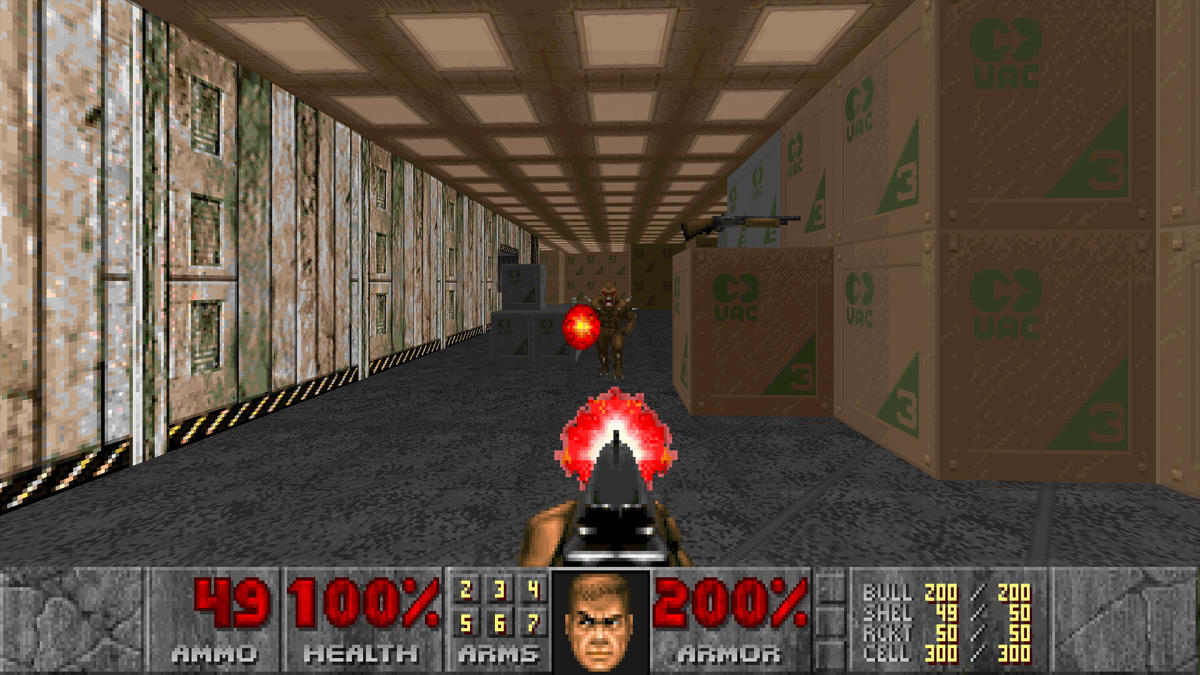
Old-school Doom fans have something new to chew on until The Dark Ages arrives. Doom + Doom II, the latest in a long line of rereleases of the two id Software classics, was updated on Tuesday with multiplayer mod support. And balance was restored in Hades.
At launch in August, the bundle — available for PC, PS5/PS4, Xbox Series X/S and Switch — supported mods and multiplayer, but not the two together. The game’s second update, which Bethesda pushed on Tuesday, only adds multiplayer mod support if everyone in your match does a little planning.
First, hosts need to activate each mod before entering the multiplayer menu. In addition, all players in the match have to subscribe to the same mod before joining. Only mods authored with Vanilla DOOM, DeHackEd, MBF21 or BOOM are compatible.
Doom: The Dark Ages is set to launch on May 15. It takes place in the medieval wastelands of Hell and adds new goodies like mech battles and a ridable cyber dragon. If that isn’t an elevator pitch for a Doom game, I don’t know what is.
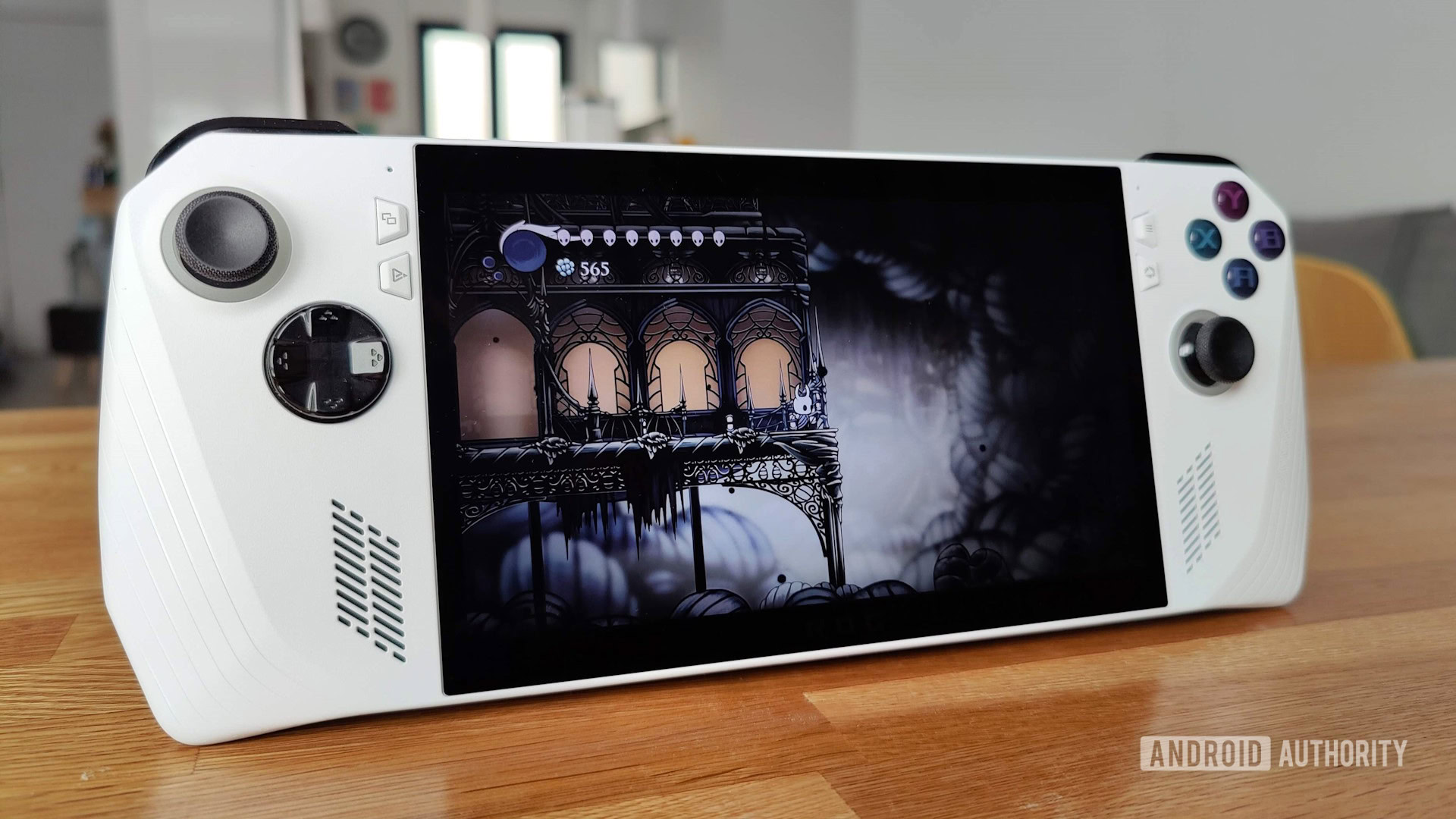
Gaming handhelds are getting very good, and the ASUS ROG Ally is one of the most popular ones. If you’ve been looking to get yourself one of these, the higher-end model with the AMD Ryzen Z1 Extreme processor is on sale, saving you $150. This slashes the cost to $499.99.
Looking for a solid alternative to the Switch? Look no further, the ASUS ROG Ally is a powerful handheld gaming computer, with a 7-inch display, built-in gaming controls, and the ability to connect to your TV and remote controllers for a portable console experience.
If you were to ask us, our favorite current handheld gaming console is the Lenovo Legion Go. That said, there are no good deals for that model. You can save yourself a really nice chunk of cash by going with this ASUS ROG Ally deal, and it is still a fantastic gaming device.
This handheld console can be taken anywhere you go, and you can play for about 1-2 hours unplugged when running demanding games. The battery life may not be impressive, but keep in mind you are running PC-quality games with this.
It runs Windows 11, so you can play all your favorite PC games with it. This means it supports pretty much all PC gaming platforms, such as Steam, Epic Games Store, NVIDIA GeForce Now, and more. You could even use it for general computer tasks, like writing documents, checking emails, editing, etc.
Nick Fernandez / Android Authority
It helps this is the most potent version of the ASUS Rog Ally, with an AMD Ryzen Z1 extreme processor. It is very capable, with the ability to run 2.8 teraflops of processing power. It also gets 16GB of DDR5 RAM, which is in line with full-sized laptops.
The unit has built-in gaming controls and pretty nice ergonomics, so it will be a pleasure for on-the-go gaming. The display is actually pretty nice, too. You get a 7-inch display with a Full HD resolution and 500-nit brightness. The max refresh rate is 120Hz, which is pretty smooth. And it can go as low as 30Hz to conserve battery when not displaying high frame rates.
Some may not be happy with the 512GB of storage, but it does come with a microSD card slot, so you can easily expand. There’s also a 3.5mm headset jack and a USB-C port, which also works with ASUS’ proprietary XG docking solution.
You might want to act quickly. These handheld console deals don’t come frequently, and at $499.99, you’re pretty much getting a free upgrade to the higher-end model. The base AMD Ryzen Z1 model is also $499.99. Catch this deal before it disappears!
Xbox has announced a few more sustainability efforts, including an expansion of its repairability program. You’ll be able to buy official replacement parts for Xbox Series X/S systems from the and so you can repair your console yourself, even if it’s out of warranty. Until now, Microsoft had only through its own store, but now you can buy components for the Series S and both the and disc drive editions of the Series X. Along with various parts and step-by-step repair guides, iFixit also has an Xbox toolkit for sale.
Meanwhile, as of January 20, uBreakiFix by Asurion will be the first Xbox Authorized Service Provider. It will repair the consoles at nearly 700 participating locations in the US. Previously, authorized in-person Xbox repairs were only available at the Microsoft Store, so gamers will have many more places where they can go to get their console fixed without breaking the warranty.
These are positive steps forward for the right-to-repair movement. They should help reduce the number of games consoles that are consigned to the scrapheap.
“By expanding the number of ways players can get support and repair for their Xbox consoles, we also help extend the longevity of Xbox devices, reduce waste, promote re-use and ultimately reduce our environmental impact,” Trista Patterson, director of gaming sustainability at Xbox, wrote in an . In addition, there are no longer any single-use plastics in Xbox Series X/S packaging following a switch to fully paper- and fiber-based materials.
Elsewhere on the sustainability front, Microsoft says that, through recent efficiencies in how the Xbox Series S handles video content, there’s been an average power reduction of 10 percent while media apps are in use. As for the company’s game studios, they’ve been using the Xbox Sustainability Toolkit to make more energy-efficient games, Microsoft says.
If you buy something through a link in this article, we may earn commission.
Given the excitement around the rumored Nintendo Switch 2, it’s easy to miss new games released to current Nintendo Switch consoles. Recent Nintendo Direct presentations seem to rattle off a bunch of random titles with little attention to each game, and the console hasn’t gotten any big new releases in a while, save for the recent The Legend of Zelda: Echoes of Wisdom. However, amid both the excitement for a future Switch and the slow death of the current one, I’m writing here to make sure one special game in particular doesn’t get buried: Pico Park 2.
Although the gameplay can vary depending on what mode you play, or even what set of levels you take on, the general pitch of Pico Park 2 is pretty straightforward. You and your friends will team up and take on various platforming challenges collaboratively. You’ll jump on each other, hit switches for each other, and work together to solve each short level. Pico Park 2 allows up to eight players to join in at once, but you can play with as few as two, and the game automatically tailors the design of the levels to accommodate the number of people playing.
In my opinion, the more people you have, the more fun it gets, and having at least four players is ideal. A lot of the fun comes from the chaos (and the coordination required) of having eight players jumping around the screen simultaneously. You might have to carefully stack up on each other to create a bridge to cross a large gap or figure out how to cross thin platforms with everyone connected by one bungee cord. The gameplay varies considerably, and some sets of levels even feature co-op bullet-hell arcade gameplay where you’re shooting down monsters together.
Each time the level screen loads, you don’t know what awaits. Still, everything can be played with a simple control scheme and a single Joy-Con. There might be a special gimmick, like a vacuum gun that you use to suck up your friends and complete a challenge, but the controls stay pretty simple. In my experience, this made the game enjoyable because of all the variety, but also approachable for all kinds of players.
The game has different groups of levels organized by theme and gameplay, so if you get stuck on one set of levels, you can always try one of a dozen others. If you don’t want to work together, you can opt to play some basic competitive minigames. I played it with my partner’s parents, who hadn’t touched a video game controller since Wii Sports, and my 8-year-old Mario-loving cousin, and everyone was able to easily pick the game up and have a fun time. Regardless of the range of skill levels, the high that came from successfully beating a challenge as a team never got old, no matter how much shouting was involved.
So if you’re looking for a fantastic gem of a game to pick up and tide you over until the Switch 2 comes out, or just want to remind yourself that the Nintendo Switch is still so good, I would suggest picking up the slept-on Pico Park 2.
Pico Park 2 is available to play on Mac, Nintendo Switch, Windows PC, Xbox One, and Xbox Series X.
The gods are dying. More specifically, they’re being killed. The world is on the other side of the cataclysmic Great Divine War, losing its magic as it waits for a prophesied savior. But that’s not this story. This is the story before that. The story of Ever and Rake, two Godkillers lost in their own grief as they try to find answers in a world that offers none — until they find each other.
This is the story of Godkiller: Balance. First premiering in August 2024, Godkiller: Balance is a prestige drama actual play podcast that explores how we cope with grief, often to our own detriment. The limited series features a pantheon of guest performers to play the gods themselves, including Brennan Lee Mulligan, Matt Mercer, Aabria Iyengar, Anjali Bhimani, Luis Carazo, and Christian Navarro. While these big names bring some of the most emotionally resonant performances of their actual play career to the table, the heart of the series lies with its three core cast members: Gina Susanna as Ever, Jannes Wessels as Rake, and Em Carlson as everyone else.
Over the course of 20 episodes, audiences listen to the parallel journeys of the tender-hearted, obsessively driven Ever and the cynically numb Rake. Ever, searching for a cure to the disease that took her father-figure, and Rake, obediently following the violent whims of his divine mother, find mirror images of themselves in one another as they discover that chasing redemption can either save us or destroy us.
A cast member of BlackwaterDND’s main campaign, Wessels’ portrayal of Rake’s tortured submission evokes Theon Greyjoy’s Reek from Game of Thrones. Susanna, an up-and-coming performer in the actual play space, offers a nuanced range of hope and despair in her performance as Ever, cycling from tender, gentle love to bottomless despair with a level of craftsmanship that allows her to hold her own alongside titans of the actual play medium.
Facilitating the series is BlackwaterDND cast member Carlson, who wields faer experience as a mental health professional as both a shield and a sword, creating space for some of the most emotionally powerful role-playing I’ve encountered as an actual play critic. Carlson’s editing and sound design, though subtle, supports the cast by balancing gameplay with performance while leaving room for the heartbreaking silences in between.
This series is not for everyone, though. Godkiller, a holypunk dark fantasy game designed by Connie Chang of Transplaner renown, is not a high-paced, action-packed comedy vehicle. The series takes its time developing these arcs, reveling in the weight of the world it has built — though you will be rewarded if you slow down enough to hold that weight with it. It doesn’t shy away from navigating the reality of its chosen theme, weaving emotional abuse, substance use, and derealization into its narrative web (with corresponding content warnings before each episode).
Though Balance is technically a prequel to BlackwaterDND’s previous series Godkiller: Oblivion, the series doesn’t require any previous knowledge of the world — though viewers of BlackwaterDND’s main campaign will find easter eggs from the shared universe. As of this writing, 10 of the 20 installment limited series have premiered, meaning there is plenty of time to catch up as the series moves into its second act.
Episodes of Godkiller: Balance premiere biweekly on BlackwaterDND, or wherever podcasts are found.
When Sony first released the PlayStation 5, it wasn’t possible to expand the console’s storage. Thankfully, that changed with a software update that the company pushed out less than a year later. And with how big some game installs have become in recent years, it’s a good thing, too: the PS5’s built-in 667GB of space may have been good enough in the system’s first year, but now, the default drive is absolutely limiting.
The good news is a standard PCIe Gen4 x4 M.2 NVMe SSD can solve all of your PS5 storage woes. If that mess of acronyms has you recoiling, don’t worry: you’ll see that it’s not all that complicated. And if all you want to know is what the best PS5 SSDs are, we’ve got them right at the top.
Capacity: Up to 8TB | Sequential read performance: 7,100MB/s | Sequential write performance: 6,800MB/s | Connection: M.2
The Corsair MP600 Pro LPX makes it to the top of our list for the best PS5 SSD for being the complete package. It’s fast, offers excellent performance and read speeds of up to 7,100MB/s. It also comes with a pre-installed heatsink and a five-year warranty.
Best of all, the MP600 is affordable. After launching at $190, you can routinely find the 1TB variant on sale for as little as $80, while the 2TB model fluctuates in price between $110 and $150. The 4TB and 8TB models are less of a bargain. The MP600 is also not the fastest NVMe on this list. However, as far as no-fuss options go, it’s hard to beat.
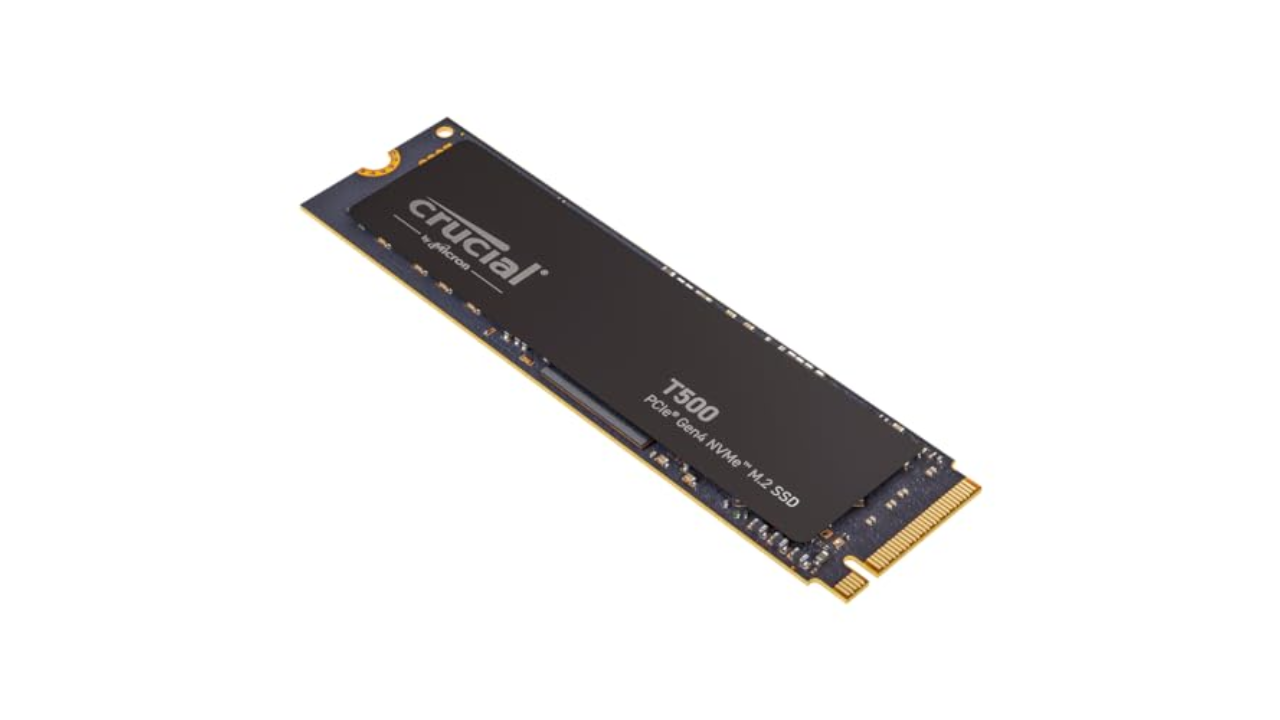
Capacity: Up to 4TB | Read performance: 7,300MB/s | Write performance: 6,800 MB/s | Connection: M.2
If you want to save a bit of money by installing your own heatsink, the Crucial T500 is a great option. With read speeds of up to 7,300MB/s, it surpasses Sony’s technical requirements, and you can frequently find the 1TB model on sale for as little as $60. Crucial also offers a version with a heatsink, so it’s worth adding both the Corsair MP600 and Crucial T500 to a price watch list and buying whichever model is cheaper when you’re ready to upgrade your PS5.
Capacity: Up to 8TB | Sequential read performance: 7,000MB/s | Sequential write performance: 6,600MB/s | Connection: M.2
Of all the SSDs on this list, the Sabrent Rocket 4 Plus is the most interesting. It comes with a unique heatsink that you install in place of the storage expansion slot’s metal cover. Sabrent claims this design improves cooling performance. As a result, expect to pay more than you would for a model with a generic heatsink, with the 1TB variant coming in at around $110 and the 2TB model costing between $220 and $280.
Capacity: Up to 4TB | Read performance: 1,050MB/s | Write performance: 1,000MB/s | Connection: USB 3.0
As I explain below, you can’t run PS5 games from an external drive — but you can use one to store any games you aren’t playing at the moment, including older PS4 games.
One of my favorite portable drives is the Samsung T7. It can write files at a speedy 1,000 MB/s. If you plan to use the drive exclusively for at-home use, you can save money by buying the regular model instead of the ruggedized Shield variant. I’ve been using T7 drives to store my photos, music and games for years, and they have yet to fail me. The latest model, the Samsung T9, boasts read/write speeds of up to 2,000MB/s.
I’ve tested most of the SSDs recommended on this list, either for PS5 or computer use. I also bought and used our top pick in my own PS5.
How much PS5 storage do I need?
The PlayStation 5 and PlayStation 5 Pro can accept internal drives with between 250GB and 8TB of storage capacity. If you already own a PS5, chances are you have a reasonable idea of how much storage you need for your game library. If you’re buying an SSD with a new PS5 or PS5 Pro, or buying for someone else, it’s more difficult to tell what you might need for a high-performance experience.
PS5 games are smaller on average than their PS4 equivalents, typically taking up between 30GB and 100GB, with some notable (and very popular) exceptions. If you’re a fan of the Call of Duty series, installing Black Ops 6and Warzone 2.0 can eat up to 240GB. In other words, a full Call of Duty install will take up more than one-third of the PS5’s internal storage. If you’re not a CoD fan, though, chances are you’ll be good to store between six to 10 games on a regular PS5 internally before running into problems.
You also need to consider your internet speed. If you live in an area with slow broadband, the “you can just download it again” rationale doesn’t really work. At my old home, a 100GB download took me around eight hours, during which time it was difficult to simultaneously watch Twitch or, say, publish articles about upgrading PS5 SSDs. Keeping games around on the off-chance you’ll want to play them at some point makes sense.
Aaron Souppouris / Engadget
Off the bat, there’s basically no point in going for a 250GB PS5 SSD. Economically, 250GB drives aren’t that much cheaper than 500GB ones — and practically, that really isn’t a lot of space for modern games to live on. 500GB drives can be a decent option, but after years of declining prices, I think the sweet spot for most people is to opt for a high-capacity 1TB or 2TB drive, which should run you at most $200. The latter will more than double the PS5 Pro’s storage without breaking the bank.
Unless you’re rolling in cash and want to flex, 4TB and 8TB models should mostly be avoided, as you’ll end up paying more per gigabyte than you would with a 1TB or 2TB drive.
While the 825GB PS5 only provides 667GB of storage, that’s largely due to storage being reserved for the operating system and caching. If you install a 1TB PS5 SSD, you’ll have, within a margin of error, 1TB of storage available for games. Out of the box, the PS5 Pro offers 1.86TB of storage for games, though you can eke out more if you delete the pre-installed Astro’s Playroom (gasp).
Since neither the PS5 Slim nor PS5 Pro feature updated CPU architecture, all of our recommendations will work with whatever PS5 model you own.
Can you play PS5 games on an external SSD?
External hard drives tend to cost less than internal SSD counterparts (and there’s a good chance you might own one already). Unfortunately, there are restrictions on what you can do with them. An external SSD connects to your PS5 via USB, and is only suitable for playing PlayStation 4 games, or storing PS5 titles. That’s useful if you have anything but the best high-speed internet — it’s faster to move a PS5 game out of “cold storage” on an external drive than it is to re-download it — or want to keep your PS4 library on hand.
Due to the limitations here, you don’t need the highest-performing model, although you should opt for SSDs over HDDs for improved transfer speeds and load times. Any basic portable drive from a reputable brand will do, with the Crucial X9 Pro and Samsung T7 being options we’ve tried and can recommend.
Which SSD cards are compatible with the PS5?
The official answer to this question is an “M.2 Socket 3 (Key M) Gen4 x4 NVME SSD.” But even within that seemingly specific description, there are additional factors to consider. The main requirements Sony has laid out for compatibility come down to speed, cooling and physical dimensions.
For speed, Sony says drives should be able to handle sequential reads at 5,500MB/s. Early testing showed that the PS5 would accept drives as slow as 4,800MB/s, and that games that tap into the SSD regularly — such as Ratchet & Clank: Rift Apart — would cause no issues. Pretty much the only thing the PS5 will outright reject is one that doesn’t match the Gen4 x4 spec.
In our opinion, though, using a drive slower than the specification is a risk that, if you don’t already have that drive lying around, is not worth taking. Just because we haven’t found issues yet doesn’t mean there won’t be games that could be problematic in the future. The price difference between these marginally slower Gen4 drives and the ones that meet Sony’s spec isn’t huge, and you might as well cover all your bases.
Slightly more complicated than speed is cooling and size. Most new SSDs are going to be just fine; the PS5 can fit 22mm-wide SSDs of virtually any length (30mm, 40mm, 60mm, 80mm or 110mm, to be precise). The vast majority of drives you find will be 22mm wide and 80mm long, so no problem there.
It should be noted that the system can fit a 25mm-wide drive, but that width must include the cooling solution. Speaking of, Sony says SSDs require “effective heat dissipation with a cooling structure, such as a heatsink.” The maximum height supported by Sony’s slot is 11.25mm, of which only 2.45mm can be “below” the drive.
This previously meant some of the most popular heatsinked Gen4 SSDs, including Corsair’s MP600 Pro LP, would not fit within the PS5’s storage expansion slot. Since Engadget first published this guide in 2021, most NVMe makers, including Samsung, have come out with PlayStation-specific models that meet those requirements. That said, if you want to save some money, bare drives are often cheaper and it’s trivial to find a cooling solution that will work for the PS5.
The only component in an NVMe SSD that really requires cooling is the controller, which without a heatsink will happily sear a (very small) steak. Most SSDs have chips on only one side, but even on double-sided SSDs, the controller is likely to be on top, as manufacturers know it needs to be positioned there to better dissipate heat.
So, head to your PC component seller of choice and pick up basically anything that meets the recommended dimensions. A good search term is “laptop NVME heatsink,” as these will be designed to fit in the confines of gaming laptops, which are even more restrictive than a PS5. They’re also typically cheaper than the ones labeled as “PS5 heatsinks.”
One recommendation is this $6 copper heatsink, which attaches to the PS5 SSD with sticky thermal interface material. It works just fine, and in performing stress tests on a PC, we couldn’t find anything metal that didn’t keep temperatures under control. When you’re searching, just make sure the solution you go for measures no more than 25mm wide or 8mm tall (including the thermal interface material) and has a simple method of installation that’s not going to cause any headaches.
One last thing: When shopping for a PS5 NVMe, there’s no reason to buy a Gen5 model over a more affordable Gen4 model. As things stand, Sony’s console can’t take advantage of the new standard, and though Gen5 drives are backward compatible, they’re more expensive than their Gen4 counterparts. Just buy the fastest and highest-capacity Gen4 model you can afford.
How to install an SSD into your PS5
If you need guidance on how to install your new NVMe into your PS5 or PS5 Pro, we have a separate guide detailing all the steps here. Installation is pretty straightforward, but our how-to can help you if you’re stuck. Just make note: Before attempting to add more storage via a PS5 SSD, ensure that you have Sony’s latest software installed.
Infinity Nikki is my favorite new release of 2024. It’s a cotton candy confection of an open-world game that offers a lot more depth and variety than I expected to find. I enjoy the fabulous wardrobe, the low-key puzzles and the charming side quests. But the most surprising thing about Infinity Nikki was something that I’ve been ignoring in games for years: the photo mode.
I didn’t expect this to become a highlight of the Infinity Nikki experience. In fact, when it came up in the long sequence of tutorials during my first session, my initial reaction was, “Oh good, something I can forget about.”
Anna Washenko / Infold Games
Photo mode has become a standard feature in single-player AAA games over the past decade. For those unfamiliar, this feature pauses the gameplay to let you pose your protagonist like an action figure, making them mug with a silly expression or hold up a peace sign. You can slap on a filter or make minute adjustments to the focus, aperture and other details to capture a striking image.
Over the years, I’ve seen people capture Nathan Drake, Ellie and Joel, Aloy and many others striking heroic or hilarious poses. I appreciate those images when they cross my social feeds. And as game graphics become ever more photo-realistic, it makes sense that studios want to give players tools to capture beautiful moments when they happen. But every time I’ve played a game with a photo mode, I’ve found that after I take the one picture required by the tutorial, I never open the camera again.
Anna Washenko / Infold Games
My issue isn’t that these games aren’t gorgeous enough to warrant documenting. It’s that when I’m in the middle of playing something like The Last of Us, it doesn’t occur to me to stop for a snap because I’m so focused on the other gameplay mechanics and goals. Sure, there might be some calmer moments to breathe, but running for your life in a post-apocalyptic wasteland just isn’t a time for casually browsing filters. And in other games, taking pics simply doesn’t feel like an activity the character would do. Come on, there’s no way Kratos would ever take a selfie.
Like all its predecessors, Infinity Nikki is a beautiful game. Miraland comprises picturesque towns and charming landscapes, equally lovely in their sweeping vistas and hidden nooks. Everywhere you look are tons of carefully constructed little interactions that serve no purpose other than encouraging you to stage a cute image. You press a button to take a hot air balloon ride or to blow bubbles at a cafe table. It’s a step up from most implementations, where the most you might be able to do is sit on a chair or bench.
Anna Washenko / Infold Games
What fully hooked me on becoming a shutterbug, though, is a system where players are prompted to take pictures of notable locations around Miraland. The first time I found one, it was a lush green grotto where I directed Nikki to sit on a log by an underground lake. It was a pretty spot, sure, but what most delighted me was that my outfit matched the setting perfectly. So I didn’t just grab a photo and move on to a more important task. Taking the time to look great is the most important task.
There’s no single style point of view in Infinity Nikki. A few special ensembles offer contextual in-game abilities, but most pieces are there just so you can look exactly how you want. Nikki can be an absurd anime character from fantasy land in tulle and sparkles. Or she can look exactly like someone you might see streaming the game on Twitch or TikTok in an oversized hoodie. Or she can pair a top hat with jean shorts and thigh-high knit boots if you want. (And yes, I did want.)
Anna Washenko / Infold Games
This game knows you’re there at least partly to play dress-up. It also knows that the obvious thing to do when you play dress-up is to immortalize your best fits with a photo shoot. That’s why Infinity Nikki‘s photo mode feels not just enjoyable, but essential. It’s a core part of the game loop. When I assemble a new outfit, I want to find a good setting to snap a pic. When I stumble on a striking location, I think about which poses will best showcase it.
Most of the time, cameras and photo modes do little to enhance my love of a game. They’re the metaphorical cherry on top of the sundae. With Infinity Nikki, though, the photo mode is the ice cream. And it is delicious.
For Humble Bundle’s Very Humble Holiday, Adams Media is having a flash bundle sale that will give you all the skills and knowledge you need to be a great dungeon master. Raising money for Worldreader, the bundle includes 22 books collected from the Ultimate RPG series, Teri Litorco’s Civilized Guide to Tabletop Gaming, the Düngeonmeister food and drink recipe books, and a collection of mythology books to inspire your worldbuilding.
One of the only major publishers to venture into tabletop roleplaying games, Simon & Schuster imprint Adams media began publishing books about tabletop games in 2016, with Litorco’s guide that included 100 gaming etiquette rules “every gamer must live by.” In 2018, it published the Ultimate RPG Character Backstory Guide by James D’Amato, Polygon contributor and founder of the One Shot actual play network. The book offers prompts and exercises to flesh out player character backstories, creating a more fully fleshed persona for players to embody once they sat down at the table.
The success of D’Amato’s guide launched the line of guides featured in this bundle. Other books by D’Amato in this series include the Ultimate RPG Game Masters Worldbuilding Guide, the Ultimate RPG Gameplay Guide, and TheUltimate Micro-RPG Book, which includes 40 rules-lite tabletop games.
Other books in the series include the Ultimate Random Encounters Book by Travis Wheeler (which offers hundreds of encounters to incorporate into any fantasy game of your choice) and The Everything Tabletop Games Book by Bebo. The latter promises to introduce the uninitiated into the world of tabletop, explaining different genres of games while teaching strategies for winning them. Also included in the bundle are three books by Jef Aldrich and Jon Taylor: the A Dragon Walks Into A Bar joke book, the Düngeonmeister Drink Master’s Guide cocktail recipe book, and the Düngeonmeister Cookbook, which has 75 RPG-inspired recipes geared toward game-night snacks.
The final genre of books in this bundle are less specific to tabletop gaming, but are meant to provide a wealth of inspiration for dungeonmasters to pull from. That includes mythology anthologies covering specific creatures like mermaids, fairies, unicorns, dragons, vampires, and wizards, as well as culture-specific lore from Viking, Celtic, and Greek mythology. One book, by Jenny Williamson and Genn McMenemy, focuses specifically on the role of women in mythology around the world. To round it out, the final book in this bundle is A Dictionary of Made-Up Languages by Stephen D. Rogers — which is exactly what it says on the tin, and covers Klingon, Elvish, and other conlangs.
Until Dec. 19, all of that is available for less than $20. A portion of the proceeds raised from this bundle go to Worldreader, a global nonprofit organization that has donated millions of digital books to children in more than 100 countries.
A budget of $1,000 usually isn’t enough for a fantastic gaming machine, but Walmart is making it happen with this offer for the iBuyPower Y40. The gaming desktop, which is powered by the Nvidia GeForce RTX 4070 graphics card, is currently available for only $999, following a $601 discount on its sticker price of $1,600. This is one of the most attractive gaming PC deals that we’ve found in recent memory, even with Black Friday less than a month behind us, so you’re going to want to take advantage of it before the stock is sold out.
Why you should buy the iBuyPower Y40 gaming PC
The iBuyPower Y40 gaming PC is packed with components that will let you play the best PC games without any issues. In addition to the Nvidia GeForce RTX 4070 graphics card, it’s equipped with the AMD Ryzen 7 7700 processor and 16GB of RAM, which is the best place to start for a gaming desktop according to our guide on how much RAM do you need. The gaming PC also comes with a liquid-cooling system, so it won’t suffer from overheating if your gaming sessions last for several hours at a time.
The 1TB SSD of the iBuyPower Y40 gaming PC provides enough storage space for several AAA titles, and it comes with Windows 11 Home out of the box. That means you can start downloading and installing your favorite games right after setting up the gaming desktop with your gaming monitor. Your purchase of the iBuyPower Y40 will also get you a gaming keyboard and gaming mouse, which match the gaming PC’s aesthetic with its tempered glass case and internal RGB lighting.
For a pre-built gaming PC that focuses on delivering excellent performance without going overboard on price, check out the iBuyPower Y40. It’s originally sold for $1,600, but it will be yours for $999 after Walmart’s $601 discount. We’re not sure how much time is remaining for you to be able to buy this machine for less than $1,000, but if you think the iBuyPower Y40 gaming PC is perfect for your needs, we highly recommend pushing through with the transaction immediately so you don’t miss out on the savings.