The Role of Cross-Functional Teams in Accelerating Product Design Innovation


A proper cross-functional team consists of individuals with diverse skill sets and fields of expertise who work together to achieve a common goal. Diverse backgrounds and, therefore, varied perspectives can contribute to a better understanding of problems, improving the chances of creating effective solutions. At its core, NPD (New Product Development) design isn’t that much different from a focus group discussion. You have multiple people in the room to discuss a pressing issue and, hopefully, reach a consensus at the end. The consensus can take the form of a conclusion, an answer, or a suggestion. To increase the likelihood of reaching an agreeable decision that benefits everyone, ensure the focus group includes members from diverse backgrounds, each with a unique perspective. The same thing can be said of a cross-functional team working on an NPD project. If the team is multidisciplinary, the resulting product is expected to be the brainchild of multiple creative minds working together to build an optimized design.

An NPD team typically consists of industrial designers, engineers, prototype fabricators, R&D personnel, and marketers. But even if you have all of them working on the same project, it doesn’t always mean the team instantly becomes a cross-functional one. The only way to ensure it and keep the project running at a healthy pace is to maintain good communication among the members. For this purpose, you will need another specialist, in this case, a project manager, to function as a bridge that facilitates smooth workflow, reconciles differences, and streamlines progress in general. A capable manager works to break the old-school siloed culture in an NPD project. Despite the varied specializations and perspectives among the individuals or even groups, the project manager should try to build a truly cross-functional team out of the differences, an effective team driven to fulfill the same purpose in a collaborative way.

RELATED: Innovation is Ongoing: Next-Gen Product Design Strategies with Industrial Design Firms 

And this is where Cad Crowd shines. Whether you want to bring in more experts to build a diverse team or a project manager to foster collaboration, look no further than Cad Crowd to discover and connect with some of the most qualified talents for your project. Backed by thousands of experienced NPD professionals from various backgrounds, the freelancing platform grants you easy access to the best the industry has to offer. 

🚀 Table of contents

Old linear days

Not so long ago, the NPD process was often associated with uneasy integration between supposedly related fields of expertise, such as engineering and design. As if the project wasn’t difficult enough, even with proper collaboration, the notion of each discipline being a stand-alone operation in a siloed development made things harder than they had to be. In some cases, such compartmentalization still exists today, and you might be surprised that many large companies suffer from it.

Say a company wants to build a new type of ceiling fan with colorful LEDs on the blades that produce psychedelic effects at full speed. The designers, with their own creative viewpoints, decide to keep the product small and wireless. They go so far as to suggest that the fan should be controllable via a smartphone app. Sketches and renderings design are sent to the engineering team, along with the desired tech spec. In this whole exercise, however, the designers are oblivious to how technically challenging it would be to make the product they describe. The engineers have to figure out the material, durability, RGB controller, wireless communication, not to mention the app development, and power consumption. Mind you, this is just an example. Maybe in the real world somewhere, there’s already a ceiling fan that can do all those our hypothetical designers say. We’ll just gloss over that. 

Cross-functional-teams-product-design-innovation-collaboration-process

In that strangely specific instance, the designers seem to see the engineering team as no more than a support group whose main function is to build whatever the sketch may suggest. This is especially true if the proposed design has already been submitted to someone higher up the administrative ladder, who, without so much as a memo to any of the engineers, gives the approval. Sometimes, things happen the other way around, as in the engineers write down the specification without input from the design team. The lack of communication means that both groups are unaware of each other’s constraints. They may misinterpret information because the briefs contain either too many or too few details. A lack of understanding leads to poor collaboration, putting development on hold.

RELATED: The Simple Secret To Unlocking New Product Innovation at Design Services Companies

It’s an old approach where an NPD project moves like a relay race. One team finishes its job at a certain point, passes the baton to the next in line, then sits back and enjoys the view. One of the good things about the old approach is the sequential progress, meaning the project moves from phase to phase. It begins with market research, concept development, prototype fabrication, evaluation, certification, and finally commercialization. The ugly thing is that every team involved in the project works in a segmented fashion. The research people are concerned with nothing but market demands; the engineers specialize in technical details; the designers are scrambling to put the spec sheet into shape; the fabricators are left to their own devices to build prototypes; and so forth. All the teams are highly specialized, which is always a good thing, but the segmentation forces them to work, for lack of a better word, in isolation. It’s ineffective at best.

Time for integrated NPD

But things are changing. Many product design companies have moved from the old linear approach to a more streamlined workflow, in which every NPD project is now assigned to a multidisciplinary team rather than a collection of highly specialized divisions. They’ve discovered that a cross-functional team is just as capable of churning out high-quality, profitable, and unique products as its sequential counterpart, but faster and more flexible. There’s no alternative, really. Product designs have become more complex, and the market is getting increasingly more competitive. Everybody wants their products to be the first to hit store shelves. No one needs the delays caused by poor communication, which happens far too commonly in a segmented NPD team. Companies have been exploring ways to improve efficiency.

A segmented team hinders that very idea, because so much time is wasted just waiting for somebody from another division to pass the baton. And when the baton finally gets handed over, progress can’t continue right away because the receiving group has to reanalyze it first to be able to decide what to do next. All the groups within a segmented team can be so different from each other, in terms of both specializations and principles, that they have no clear relationships and no single rulebook to determine who gets to do what and when. 

Some companies create a “task force” to handle specific NPD projects. Unlike the regular segmented team, a task force is supposed to be multidisciplinary and separate from the other groups. It can indeed be an effective answer, but the fact that a project requires a task force is a sign of poor efficiency in the existing design management. If your company’s business is all about making new products, why don’t you have a permanent cross-functional multidisciplinary task force to begin with? For example, in an NPD project where the “design group” has to work in a separate environment from the rest of the team, you’ll probably encounter too many unnecessary back-and-forth exchanges just for everyone to agree on the concept.

RELATED: How to Improve Product Development For Your Company with Engineering Firms & Design Consultants

You can describe the main role of a design group as creating or developing concepts that optimize a product’s functions, fabrication, aesthetics, and value. Don’t you think it would be nice if the design group also gets involved in the market research services and engineering phases? A segmented team means the design group only works at a certain phase of the project, let’s say following R&D and just before engineering. They’ll likely be able to develop a strong concept based on the R&D report, but what if the engineering group finds it too challenging to fabricate?

The next thing you know, there’s a lot of back-and-forth between the three groups, and by the end, the project makes little progress because so much time is wasted on documentation explaining why things won’t work. The engineering group suggests the form factor is too small, while the design group insists that anything larger would make the product difficult to use. A better approach is to integrate the different groups (design, engineering, marketing, research, etc.) into a single cross-functional team. No more segmented workflow, no more compartmentalization, no isolation, no siloed development. An NPD project has always been about design compromises and effective engineering backed by accurate market research. A multidisciplinary team, working under the watchful eye of a professional project manager, blurs the boundaries between specializations, allowing members to collaborate closely regardless of the project’s development phase. 

RELATED: Innovation Best Practices: Strategies for Better & Faster Product Design Services

An NPD project run with an integrated approach is highly likely to be much more efficient than the old linear method for one good reason: you have a multidisciplinary team where members work together from the beginning to the end. Although sequential product development offers structured phases and easily identifiable progress, the dynamics of a multidisciplinary, cross-functional team yield more refined concepts, more thoughtful decisions, and an overall better design, thanks to the interplay among members. Some of the development phases can even happen concurrently. For example, the designers produce sketches before the feasibility test results from the R&D people are in. Or, the engineers can start fabrications of a PoC (proof of concept) before the designers finalize the aesthetics. A cross-functional team also finds it easier to keep iterative development going through the latest phase of the NPD project. 

Product designers and others

We’ve all been found guilty of complaining about a bad product with, “Who designed this thing that now doesn’t work anymore?” Perhaps with an expletive or two in reality, but let’s leave that in the inner thoughts for now. Although the complaint really is an all-encompassing expression of criticism toward the entire development team and the company behind the product, it’s as if we’re only blaming the designers for whatever flaws the product has. Unfair as it may seem, there’s some truth to that, and it only shows how important designers are in an NPD project. A design, in its own right, is like the middleman that connects engineering expertise and product requirements. The designers work to build a medium to deliver useful technologies and features to users. This medium takes the form of a physical product design that users can touch and interact with.

A product can be as sophisticated as a lunar module, or as modular as LEGO bricks, but if the design is a mess with buttons all over the place, or a rechargeable battery with a charging port in the wrong place, no one is going to have a good time playing with it. Even the marketers would scratch their heads as they make up words describing how mind-numbingly difficult it is to use the product. Good-looking design shouldn’t come with a terrible user experience in the same way that useful features never have to hide underneath poor build quality. If the product actually is well-optimized for what it’s supposed to do, the marketers can do their jobs without having to sugarcoat the sales pitches. From the perspective of an NPD as a whole, all these conflicts are minimized, perhaps completely avoidable even, so long as there’s a cross-functional team working on the project.

RELATED: A Guide to Concept Design with Product Design & Engineering Companies

While it’s true that designers aren’t the only people working to develop a new product, almost everything they do is a central activity connected to the work of others on the NPD team. Research, engineering, manufacturing, and marketing services have their impact on design, but maybe not to the same extent that design affects them. Still remember how people blame “design” when something goes wrong with a product? The vast majority of people aren’t technical enough to think of a product, especially a physical product, as more than anything but either good or bad design. It’s probably not the main reason design is crucial, but it’s definitely one of the big ones. 

Within a cross-functional team, designers can comfortably take on an integrative role, where they can directly contribute to development while also taking into account what others (researchers, engineers, marketers) have to say. And the sentiment goes every other way. Members of an integrated team are naturally dependent on one another. It’s a collaboration in every sense of the word. An NPD project by a cross-functional team has the benefit of diverse information that’s “immediately” available in every stage of the process. Emphasis on the word immediate, because the team doesn’t suffer from the typical organizational red tape, which often causes delay at best and complete inaction at worst.

Improving-product-innovation-through-cross-functional-teams

Major interactions

All the various disciplines within a cross-functional team have no choice but to maintain close interaction with one another; there’s no point in being multidisciplinary to begin with. Since we’re talking from designers’ viewpoints, this close interaction happens mainly with three other disciplines: marketing, engineering (or R&D), and manufacturing services.

RELATED: Simple Strategies to Improve Your Product Innovation Process for Design Service Firms

  • For the designers to come up with a concept that makes sense, they need to know at least two things: the competitors’ products and their average prices. Designers can always use more detailed marketing information, such as characteristics of target demographics, consumer trends, business constraints, compliance standards, and emerging technologies. Marketers must ensure that all this data is consistently updated and available to designers at all times. It’s good to have more data, but some of them might not be entirely relevant to what the designers need. A cross-functional team runs efficiently because the designers are in continuous interaction with marketers to filter out any information that’s beside the point. The designers have only the information they need to know, nothing less, nothing more, allowing them to work faster with more accurate results.
  • Regular contact with engineers or R&D people in general can also improve the workflow. Since R&D personnel also communicate with other disciplines, the information they share may influence designers’ approaches to product development. For example, the engineers can keep the designers updated on many things, such as manufacturing methods, material choices, and prototyping technologies. Perhaps the designers wanted to make the product as light as possible while maintaining durability, and, thankfully, the engineers are aware of a newly developed alloy that is perfect for that purpose. For sure, the designers can find out about the material on their own, but the collaborative nature of an integrated team allows this whole information-sharing activity to happen quickly. No matter what concept and design emerge from the development, a cross-functional team ensures that they result from well-informed decisions.
  • And then there’s also the manufacturing discipline, which, of course, contributes to the idea of the DFM (Design for Manufacturing) approach. The endpoint of an NPD is mass production. But the problem is that many companies don’t have their own factories. Even massive corporations like Apple, Nike, and Walmart outsource their production to third-party manufacturers. And not every product or design can be easily mass-produced. It takes quite a lot of adjustments to the machinery, the assembly line, or perhaps brand-new tooling, depending on how complex the designs are. Sometimes, parts of the designs have to be revised to streamline the manufacturing. The idea behind DFM is to build a design that’s actually intended for mass production. With manufacturing professionals feeding relevant information to the designers, the NPD project can generate a design that’s already well optimized for production.

To reiterate our very first point at the beginning of the discussion, a team can be called “cross-functional” if the members come from different professional backgrounds and work together toward a common goal. In an NPD project, such a team may consist of industrial designers, engineers (electrical/electronics, mechanical, computer, etc.), marketers, researchers, and fabricators. The team can work to its full potential so long as everyone can leverage each other’s specialized expertise to address the often complex challenges of product development. Each discipline also offers a unique perspective, allowing the team as a whole to understand problems from all possible angles and generate optimized solutions. Specifically, designers in a cross-functional team typically serve as a link among all other disciplines, gather project-relevant data from them, and use that information to generate concepts that meet product requirements.

RELATED: The Simple Secret To Unlocking New Product Innovation at Design Services Companies 

Chances and challenges

One of the most obvious characteristics of a cross-functional team is spontaneity, or its willingness to try new ideas and see things from fresh perspectives. A shift from the old linear days to the modern integrated approach in NPD often signals an attempt to break down the traditional hardline of the siloed method. And any form of change where a company moves away from rigidity toward flexibility never fails to stimulate new kinds of thinking and learning, perhaps even a new culture of collaboration. As the disciplines previously segmented in a silo-driven development are now brought together without barriers, whether organizational red tape or isolated work environments, the sense of teamwork feels more literal, and every experiment feels more well-rounded.

It only makes sense that a diverse team composed of multidisciplinary members from various backgrounds has a better chance of coming up with creative solutions than segmented groups or individuals. This doesn’t necessarily mean that a cross-functional team can always generate optimized product designs; it’s just that the likelihood of it happening is noticeably improved thanks to the collective expertise. For better or worse, this kind of specialization diversity (which sounds like an oxymoron because it is) transforms the workspace into a real creative environment. Everyone challenges each other’s assumptions and explores all possible alternatives. It’s inevitable, and that’s why you may need an experienced project manager to prevent any design discussion from turning into nothing but noisy, meaningless debate. A project manager keeps things civilized and purposeful.

The traditional NPD project with a linear approach will never eliminate sequential handoffs between the segmented specializations. Repeated handoffs don’t necessarily indicate inefficiency, but there will be time wasted throughout the administrative procedures involved. We won’t say handoffs are inefficient in any way. Depending on how you handle the transition from one phase to the next, handoffs can be nothing but smooth sailing across the board, for example, when you have a qualified manager to keep the project somewhat centralized. But no matter how efficient the handoffs are, zero-handoff definitely takes less time. 

But it’s not without its challenges, too. Chief among these is to get everyone on the same page to begin with. A cross-functional team is prone to conflicts. If you fill a room with people from varied professional backgrounds and ask them to solve one problem, they may first argue about everything, which is understandable because they have different methods, focus on different things, and use completely different metrics for success. They’re not familiar with each other’s approaches to problem-solving, which can turn the NPD project into a mess.  It’s therefore important to remove all these potential issues right off the bat. You can do this by setting clear and measurable objectives to guide the team’s efforts. Collaboration in a cross-functional team only works well if everyone is aware of their specific roles. The team also needs good leadership not only to prevent and solve conflicts, but also to provide resources and acknowledge contributions. 

Closing thought

An NPD can take great benefits from a cross-functional team. The integration of a wide range of disciplines and knowledge, working on a project as a single group, brings the promise of an optimized product design, one that’s actually seen as the ideal solution after going through so much scrutiny by experts of varying specializations. But different professional backgrounds usually entail specific viewpoints, approaches, methods, and goals that are not perfectly aligned. And to overcome any conflict that may arise from these differences, the team can always rely on a capable leader, a project manager, or a captain to set the tone for teamwork and help everyone reach a common understanding of the job. 

Cad Crowd, a freelancing platform with a heavy emphasis on design, engineering, and the NPD sector in general, gives you easy access to some of the most capable talents in the business. Whether you’re looking to reinforce your existing team or build one from the ground up, Cad Crowd offers flexible hiring options with competitive rates to boot. Backed by more than 15 years of experience, a guarantee of accuracy, and a user-friendly interface, Cad Crowd stands as one of the top US-based platforms for finding experienced professionals for NPD projects of all kinds.

RELATED: How CAD Modernizes Product Concept Design at Industrial Design Services Companies

How Cad Crowd can help

Working with the right experts makes the dream work. Having clear communication and collaboration is a step toward making a product successful. With suitable and right deliberation, communication, and support, any simple idea can be turned into a fully made product that customers will trust and be happy to buy. Contact Cad Crowd today and start bringing your ideas to life with a free quote.


author avatar

MacKenzie Brown is the founder and CEO of Cad Crowd. With over 18 years of experience in launching and scaling platforms specializing in CAD services, product design, manufacturing, hardware, and software development, MacKenzie is a recognized authority in the engineering industry. Under his leadership, Cad Crowd serves esteemed clients like NASA, JPL, the U.S. Navy, and Fortune 500 companies, empowering innovators with access to high-quality design and engineering talent.

Connect with me: LinkedInXCad Crowd

“An oversight we deeply regret”: Games Done Quick cancel SNK-sponsored stream following backlash over studio’s Saudi Arabian ownership


Games Done Quick, the speedrunning organisation behind events like Games Done Queer and the yearly Summer Games Done Quick, have cancelled a stream sponsored by Metal Slug developers SNK following backlash to the fighting game studio being majority owned by Saudi Arabia’s Public Investment Fund. Games Done Quick apologised for the “oversight”, and wrote that they “failed to conduct the level of review” they should have when deciding whether to accept the sponsorship deal.

Continue reading ““An oversight we deeply regret”: Games Done Quick cancel SNK-sponsored stream following backlash over studio’s Saudi Arabian ownership”

TechCrunch Mobility: A robotaxi ultimatum


Welcome back to TechCrunch Mobility, your hub for the future of transportation and now, more than ever, how AI is playing a part. To get this in your inbox, sign up here for free — just click TechCrunch Mobility!

I am back from vacation. What did I miss? Turns out, quite a lot — including the end of the Uber-Waymo partnership in Phoenix. Uber and Waymo still have robotaxi service partnerships in Atlanta and Austin. The question is not if, but when will these agreements end? But that isn’t the most intriguing question, in my opinion. I am far more intrigued by how these two companies will behave once the remaining partnerships end. 

There is already tension with Uber executives taking not-so-subtle shots at Waymo. I expect that once the partnerships end, these thinly veiled barbs will be replaced with more direct action. One battleground will be policy, specifically markets where robotaxi companies are angling to get access. 

This week, we saw another interesting development in the autonomous vehicle industry on the federal stage. National Highway Traffic Safety Administration administrator Jonathan Morrison issued a directive to autonomous vehicle developers, stating that it is unacceptable for their vehicles to interfere with first responders or law enforcement.

The money quote: “Let me be clear: the inability to detect and appropriately respond to such situations represents a functional insufficiency. Emergency scenes are not rare or extreme ‘edge cases.’ As such, NHTSA is today issuing a call to action for AV developers and operators to immediately focus their resources on fixing this issue.”

Morrison’s letter never calls out any one robotaxi company and it was sent to every AV developer listed in the Department of Transportation’s Standing General Order. But it sure seems like Morrison is directing the agency’s ire at Waymo.

A previous TechCrunch investigation found that Waymo — which operates the largest robotaxi fleet in the United States, with vehicles in cities such as Los Angeles, Phoenix, and San Francisco — has had repeated run-ins with first responders. And just this week, San Francisco supervisor Bilal Mahmood said he plans to submit a letter of inquiry to examine how autonomous vehicles affected public transit services and emergency responders following a July 4 fireworks show that resulted in massive gridlock. Local news outlets reported that numerous Waymo robotaxis had to be towed after running out of power during the lengthy traffic jam.

Morrison’s letter has gravitas. But will there be substantive consequences for AV developers? It’s hard to tell at this point. For now, the NHTSA has demanded companies present the agency with “solutions” by the end of the month.

One more news item from the feds. Take a look at the new 2026 Regulatory Plan and Unified Agenda, which was updated last week. It contains a long list of proposed changes to Federal Motor Vehicle Safety Standards (FMVSS) requirements, which govern vehicle design and equipment requirements. These proposed changes could help autonomous vehicle companies like Tesla and Zoox, which are developing vehicles without steering wheels, pedals, or other features required on human-driven cars.

A little bird

blinky cat bird green
Image Credits:Bryce Durbin

Got a tip for us? Email Kirsten Korosec at kirsten.korosec@techcrunch.com or my Signal at kkorosec.07, or email Sean O’Kane at sean.okane@techcrunch.com.

Deals!

money the station
Image Credits:Bryce Durbin

We usually focus on venture deals, but this week I wanted to highlight Rivian and the sale of 86.25 million Class A common shares priced at $15.50 each (that includes an added 11.25 million in additional shares that underwriters opted to buy).

In all, Rivian said it expects to raise $1.32 billion in new capital. The raise comes at a notable time for the EV maker. The company started delivering its new R2 SUV last month and recently raised its sales forecast for 2026. The company said it now expects to deliver between 65,000 and 70,000 vehicles after outperforming its own expectations in the second quarter due to robust growth quarter-over-quarter in EDV and R1, coupled with the introduction of R2 deliveries. 

The company didn’t explain the reason for the raise. But as a reminder, Rivian is not yet profitable and scaling up production of the R2 — or any vehicle for that matter — isn’t cheap!

Other deals that got my attention …

Bidbus, a Los Angeles-based startup that built a digital marketplace where multiple dealers can bid on a car, raised $15 million in a Series A funding round led by Ibex Investors. Mucker Capital, FJ Labs, Motley Fool Ventures, Data Point Capital, Walter Ventures, and the Car Dealership Guy’s Yossi Levi also participated.

Lyft said it plans to acquire Serveo’s bike-share business in Spain. Terms weren’t disclosed, but the ride-hailing company said it is expected to close this year.

TaiSan, a U.K. battery startup, raised £4.65 million in a seed funding round co-led by Eos Advisory and the Midlands Engine Investment Fund II. InnoEnergy, AFI Ventures, EverQuest Capital Partners, Exergon, Heartfelt Ventures, Adeline Arts & Science, Techmind, angel investor François Badelon, and matched funding from Innovate UK also participated.

Notable reads and other tidbits

Image Credits:Bryce Durbin

AssuranceAmerica, a U.S. insurance provider, confirmed a data breach that affected the personal information and driver’s license numbers of 6.9 million people, making it the largest known spill of Americans’ driver’s license information this year.

Beta Technologies, the electric vehicle takeoff and landing developer, completed operational flights conducted under the U.S. Department of Transportation and Federal Aviation Administration’s new eVTOL Integration Pilot Program. The flights covered about 275 nautical miles covering Virginia and Maryland. 

Longtime followers of Tesla will remember the heady days when Elon Musk battled various short sellers of the company’s stock. Musk is more polarizing than ever, and one exchange-traded fund creator has found a way to tap into that negative sentiment with two new anti-Elon exchange-traded funds

GM brand Chevrolet built an all-American EV truck. Senior reporter Tim De Chant asks, Why is nobody buying it

Manna Aero, the Ireland-based autonomous drone delivery startup, is scaling up in the United States with a factory and operations center in Tulsa, Oklahoma, that it says will employ 1,000 in the next few years. 

Slate Auto teamed up with Crayola to offer its EV truck and SUV customers vehicle wraps in five crayon colors. (Reminder: The basic Slate EV vehicle isn’t painted. Instead, it comes in a gray composite material that can be customized with a vehicle wrap. The company has hundreds of options to choose from.)

One more thing …

TechCrunch podcast Build Mode just launched its third season, and it’s a banger. Build Mode is hosted by Isabelle Johannessen, who heads TechCrunch’s Startup Battlefield program. Unlike Equity — the TC podcast I co-host along with Anthony Ha and Sean O’Kane — Build Mode is designed to help early-stage founders. 

The new season kicks off with Precursor Ventures founder and managing partner Charles Hudson, who talks about what early-stage founders need to know before raising their first institutional round.

Check it out: The new rules of early-stage fundraising with Charles Hudson.

When you purchase through links in our articles, we may earn a small commission. This doesn’t affect our editorial independence.

Summer Games Done Quick Once Again Raises Over $2 Million For Doctors Without Borders


The annual speedrunning marathon event ran from July 5-11.

Summer Games Done Quick is officially over after a marathon week of speedrunning games for a good cause, and the organizers say it raised a total of $2,408,701 for Doctors Without Borders in that time (again!). The annual event in Minneapolis kicked off on July 5 and wrapped up early Sunday morning. Roughly 2,500 people showed up in person, in addition to the thousands of viewers who watched from home.

This year’s Summer Games Done Quick brought a new speedrunning world record: streamer Bluekandy completed a No Dupes run of Kirby Air Raiders with a final time of 37 minutes and 54 seconds. Other highlights include “a Balatro run that beat all odds, and impromptu beatboxing during the Resident Evil: Requiem run,” the organizers noted in an announcement. Everything was streamed on Games Done Quick’s Twitch and YouTube channels, where you can find the full archive of videos now if you missed anything while the event was live.

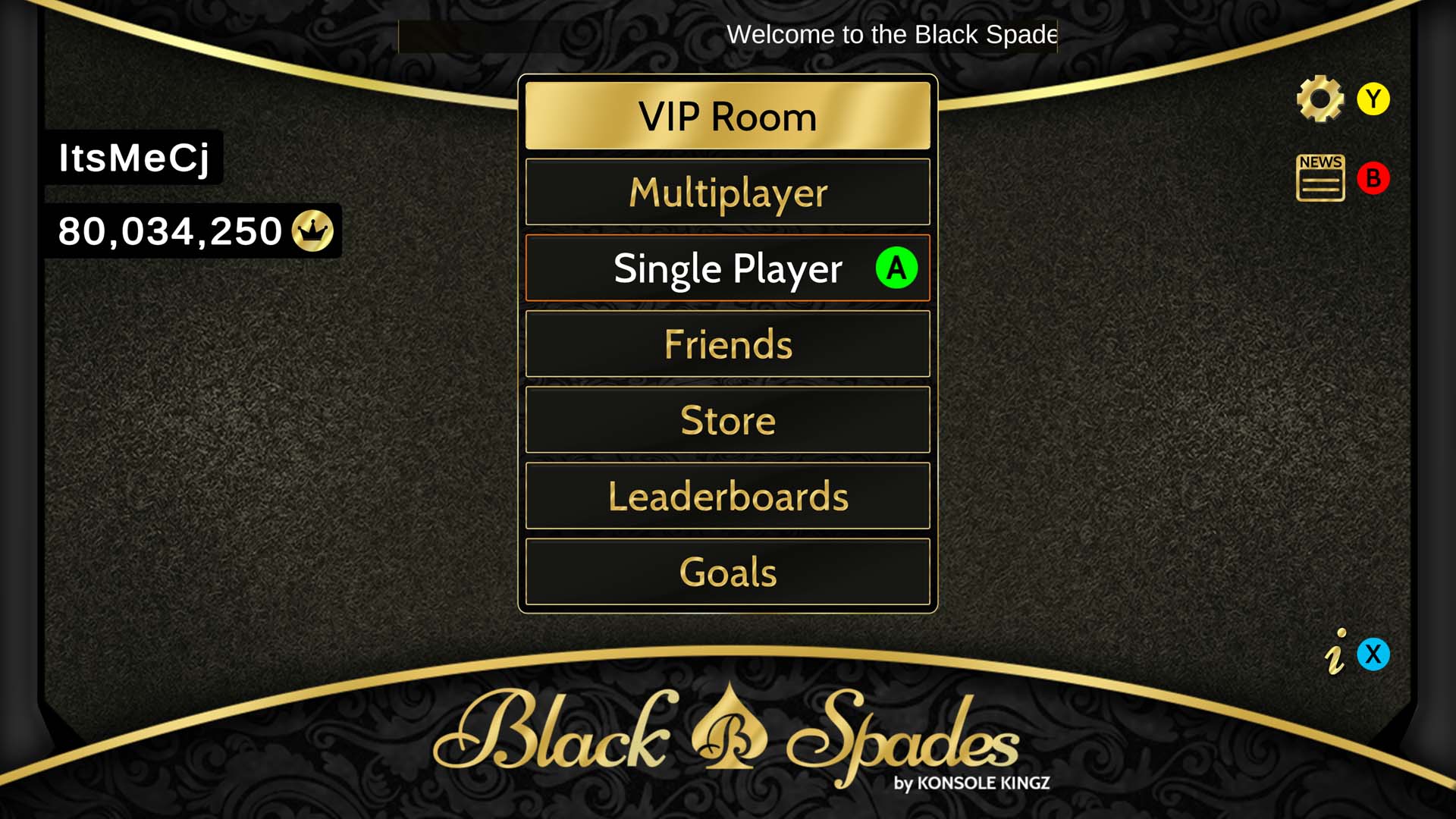
From the Cookout to the Console: Black Spades Comes to XBOX Today


For generations, spades has been played at family reunions and gatherings. Every family has its own house rules. Every city has its own style. Every game creates another story you’ll tell long after the cards are put away. Those moments inspired everything my team and I have built.

Growing up, I didn’t learn spades from a rulebook. I  learned it sitting across the table from family. Like so many people, I watched before I ever played. I listened to conversations, picked up strategy from older relatives, learned the importance of trusting his partner, and quickly discovered that if I reneged, someone at the table would never let me forget it. That’s how millions of people have learned spades, not through a tutorial, but through tradition. 

Players will immediately recognize familiar traditions including Jokers and Deuces, Reneg calling, partner strategy, competitive bidding, and the friendly trash talk that’s been part of Spades for generations. Over the years, one question kept coming up from players: “When are we getting a real spades game on XBOX?” The team at Konsole Kingz heard the call and answered with a powerhouse game designed to bring back the nostalgia. Black Spades marks the return of a dedicated Spades experience to XBOX in nearly two decades. 

Earlier this year, I had the honor of being featured in XBOX’s Black History Month campaign celebrating Black creators making an impact in gaming. The recognition reinforced that video games don’t just entertain; they preserve traditions, celebrate communities, and create opportunities for people to see themselves reflected on screen. Launching Black Spadeson XBOX feels like continuing that conversation. As an independent Black-owned studio, Konsole Kingz believes representation goes beyond the people who make games. It includes the stories told, the traditions preserved, and the communities invited into gaming. 

While authenticity has always been their highest priority, the team wanted Black Spades to feel at home on XBOX Series X|S. You can compete through online matchmaking, communicate using voice chat, climb competitive leaderboards, and enjoy online, cross-platform multiplayer with friends across supported devices. The technology helps connect players, but the experience has always been about the people sitting around the table.

Black Spades is uniquely positioned to become the place where longtime spades players instantly feel at home while introducing an entirely new generation to one of America’s most enduring card game traditions. Black Spades drops on XBOX Series X|S today. Whether you’re playing with lifelong friends, challenging family members across the country, or learning the game for the very first time, we’re honored to welcome you to the table. 

Black Spades

Konsole Kingz, LLC.


3


$19.99


Yep, that’s right! Spades the way your friends and family play at home, college, reunions, and holiday get-togethers! The only spades game with Jokers, Deuces, and Reneg calling!

Black Spades was created for spades players on all levels. From the beginner playing at home to the expert playing on the go, our game was designed to get you straight to the action with no gimmicks.

Show off your spades skills to friends and family, then share them with the world!

KEY HOUSE RULES (Here are a few…)
– Trump Card Ranking (Hi Joker, Lo Joker, Deuce of Spades, Deuce of Diamonds, Ace of Spades)
– Reneg (Play the wrong suit and kiss those 3 books goodbye.)
– Spades Lead (Play a spade whenever you feel like it, but don’t reneg.)
– Blinds (Go Blind 6 or Blind 7 when you are down 100 points.)
– 10 for Two/Wheels (Bid 10, Make 10, get 200pts)
– 1st Hand Board (Must make 4 books in the first hand or automatic loss.)
– Boston! (Make 13 books in the first hand and win.)
– First Hand Open (No bidding in the first hand.)
– Double Set (Make twice the books you bid and get a penalty.)
– Bags (Each book made over the bid is 1 point. 10 bags = -100 points.)
– Game Point: 250 points, 350 points, or 500 points
(NOTE: These are key house rules, but new house rules and customizations are added periodically.)

For the complete list of rules, features, events, and updates, visit www.BlackSpadesGame.com and follow us on social media:
Twitter: @BlackSpadesGame
Instagram: @BlackSpadesGame
Facebook: Facebook.com/BlackSpadesGame
YouTube: youtube.com/@blackspadesgame

Samsung may be ready to end the long wait for the Galaxy SmartTag 3


What you need to know

  • Galaxy SmartTag 3 may launch in September alongside the Galaxy S26 FE.
  • Reliable tipster Roland Quandt leaked the release window on Bluesky, though actual hardware specs and design details remain completely under wraps.
  • SmartTag 2 is due for an upgrade, with its Bluetooth 5.3 hardware and SmartThings Find network now trailing Apple’s Find My ecosystem.

Samsung might finally be preparing to refresh one of its most forgotten Galaxy accessories. The Galaxy SmartTag 3 could be released as early as September, according to a new leak, finally ending a wait of nearly three years since the SmartTag 2 arrived in 2023.

The rumor comes from well-known leaker Roland Quandt, who shared on Bluesky that the SmartTag 3 is coming soon with the Galaxy S26 FE. If that timeline holds up, Samsung would likely announce both devices together at its expected September launch event for the Fan Edition phone. That’s all we know so far. The design and hardware of the tracker are still a mystery.

The best email hosting for small businesses in 2026: Expert tested


You’re running your business from a laptop, maybe a coffee shop, maybe three time zones away from your last client call. A free Gmail or Outlook.com address doesn’t cut it anymore when you’re invoicing clients or trying to look like more than a one-person operation. What you need is email hosting that makes you look established without demanding an IT department you don’t have.

I tested the platforms freelancers and small remote teams actually consider when they outgrow free email, weighing setup time, pricing transparency, and how well each one plays with a team that’s never in the same room. Here’s what I found.

Get more in-depth ZDNET tech coverage: Add us as a preferred Google source on Chrome and Chromium browsers.

Best web hosting deals of the week

Deals are selected by the CNET Group commerce team, and may be unrelated to this article.

What is the best email hosting for small businesses right now?

My top pick is Google Workspace, and it’s not a close call for most freelancers and remote teams. It bundles custom-domain email with Docs, Drive, and Meet, so a solo founder or a five-person remote team gets a full office suite without stitching together separate subscriptions. Setup takes minutes, the mobile apps are the ones your clients already know, and Gemini AI is now baked into every tier rather than sold as a pricey add-on.

Also: The best small business web hosting services

The best email hosting for small businesses of 2026

Show less

workspace homepage

Screenshot by Ritoban Mukherjee/ZDNET

Google Workspace is the default choice for a reason. It’s built on Gmail, so there’s no learning curve for you or your clients, and comes with the full suite of Docs, Sheets, Slides, Drive, and Meet with every plan. For a freelancer replacing a Gmail.com address, or a remote team that needs shared calendars and video calls without buying a separate tool, that bundling saves real money.

Business Starter runs $7 per user monthly on an annual plan, with 30GB of pooled storage, custom business email, and Gemini AI in Gmail. Business Standard steps up to $14 per user monthly with 2TB of storage and Gemini across every app including Docs, Sheets, and Meet. I found Standard is where most small teams land, since Starter’s 30GB fills up fast once you’re storing client files alongside email.

Also: Google Workspace now lets you create AI agents to automate your work – how to get started

The setup process took me under 15 minutes from signup to sending my first email from a custom domain, using Google’s guided DNS verification. Where it gets frustrating is cost creep: Every team member needs a full paid seat, there’s no discounted option for shared inboxes like info@ or support@, and Google has raised prices twice in the past two years to fold in AI features you may not use.

Still, if your business already runs on Google tools, or you want your email hosting to double as your document and video conferencing platform, nothing else on this list matches the breadth. Freelancers who only want email and nothing else should keep reading, because you’ll likely pay less elsewhere.

Google Workspace features: Custom business email | Gemini AI assistant | Google Meet video calls | 30GB to 5TB pooled storage | Docs, Sheets, Slides | Google Drive | 24/7 support


Read More

Show Expert Take Show less

Show less

proton-mail homepage

Screenshot by Allison Murray/ZDNET

Proton Mail built its reputation on privacy, and that hasn’t changed with its 2026 business tiers. The company is based in Switzerland with strict data protection laws behind it. This means every email is encrypted end-to-end by default and Proton doesn’t scan your inbox to serve you ads or train AI models. For freelancers handling sensitive client data like legal, healthcare, or financial work, that’s a genuine differentiator rather than marketing spin.

Mail Essentials starts around $7 per user monthly on an annual plan and covers custom domains, calendar sharing, and SMTP access for connecting outside tools. Workspace Standard, priced at around $13 per user monthly, adds 1TB of storage plus Proton’s full productivity suite: Drive, Docs, Sheets, and video meetings for up to 50 participants. Workspace Premium pushes past $19 per user monthly and unlocks 3TB of storage and the Lumo AI writing assistant.

Also: Proton just launched a Google Workspace alternative – and it’s fully encrypted

I ran into the platform’s most-cited limitation almost immediately: Proton doesn’t support standard IMAP or SMTP the way Gmail does, so using it inside Outlook or Apple Mail means installing Proton’s Bridge app, which is only available on paid plans. That’s a dealbreaker for teams who live in a specific email client and don’t want another background process running.

For a solo freelancer who mostly stays inside Proton’s own apps, though, the encryption and privacy tools genuinely deliver, and migrating from Google Workspace is handled through Proton’s own Easy Switch tool. Note that pricing pages didn’t fully render exact current figures during my research, so double-check Proton’s official business plans page before you commit a team to a paid tier.

Proton Mail features: Zero-access encryption | Custom email domains | Proton Sentinel security | Encrypted calendar and Drive | Built-in VPN | Password manager | Lumo AI assistant


Read More

Show Expert Take Show less

Show less

Microsoft 365

Microsoft

Microsoft 365 is the safer bet for freelancers and small teams that already work in Word and Excel, or that regularly exchange files with clients who do. Business Basic costs $7 per user monthly on an annual plan and includes web and mobile Office apps, Outlook email on your own domain, and Teams. Business Standard runs $14 per user monthly and adds the full desktop versions of Word, Excel, and PowerPoint. This matters if you’re formatting long documents or complex spreadsheets rather than just viewing them.

Business Premium holds steady at $22 per user monthly and layers on Microsoft Defender for Business, device management through Intune, and stronger identity controls. Microsoft held this tier’s price flat during its July 2026 pricing update even as Basic and Standard both rose. This suggests it wants to nudge security-conscious small businesses toward Premium.

Also: Is Microsoft 365 Premium worth it? What $20 a month gets you – and how it compares to ChatGPT Plus

I found Outlook’s interface less immediately intuitive than Gmail for anyone coming from a personal Gmail account, though it’s second nature if you’ve used Office in a past job. The desktop apps are still the gold standard for anyone doing heavy spreadsheet work or long-form document editing, which Google’s web-based equivalents don’t fully match.

Copilot AI is a separate add-on rather than bundled in, unlike Gemini in Google Workspace, so if AI assistance is a priority for your team, factor that extra cost into your comparison. For freelancers who bill clients using detailed Excel models or collaborate with corporate clients who live in Office file formats, Microsoft 365 remains the more compatible choice.

Microsoft 365 features: Custom business email | Outlook desktop and web | Word, Excel, PowerPoint | OneDrive storage | Microsoft Teams | Defender security (Premium) | 24/7 support


Read More

Show Expert Take Show less

Show less

fastmail homepage

Screenshot by Allison Murray/ZDNET

Fastmail skips the productivity-suite bundling entirely and focuses on doing email well, which is exactly what a lot of freelancers actually want. There’s no Docs, no Drive, no video calling tacked on, just fast, ad-free email with real human support behind it. For a one-person business that already uses separate tools for documents and calls, paying for features you’ll never touch inside Google Workspace or Microsoft 365 stops making sense.

Business Basic starts at $4 per user monthly and covers shared team addresses like support@yourbusiness.com, though it skips custom domains and third-party email client support. Business Standard, Fastmail’s most popular business tier, runs $6 per user monthly and unlocks custom domains, Scheduled Send, and compatibility with Outlook, Apple Mail, and other IMAP clients. Business Professional climbs to $10 per user monthly and adds an email retention archive built for legal and compliance needs.

What stood out during testing was how quickly Fastmail’s interface loads compared to Gmail or Outlook on the web, and how easy it is to mix plan tiers within one account, putting an owner on Professional while contractors sit on cheaper Basic seats. Fastmail is also privately owned and based in Australia, which appeals to freelancers who’d rather not hand their inbox to a Big Tech company.

The tradeoff is real, though: There’s no built-in video conferencing, document editor, or AI assistant, so you’ll need separate tools for anything beyond email, contacts, and calendars. If that’s a fair trade for lower cost and a cleaner inbox, Fastmail is one of the better-value picks on this list.

Fastmail features: Custom business domains | Shared team addresses | Masked Email aliases | JMAP-based sync | Scheduled Send and Snooze | Admin controls | 24/7 human support


Read More

Show Expert Take Show less

Show less

spike homepage

Screenshot by Allison Murray/ZDNET

Spike takes the most unusual approach on this list, turning your inbox into something that looks and feels like a chat app rather than a stack of formal message threads. For freelancers who find traditional email exhausting, or remote teams that already think in Slack-style conversations, that reformatting genuinely changes how fast you move through a full inbox.

Spike’s free Teamspace plan includes one @spike.team address and 15GB of shared storage, which is enough to test the format before paying anything. The Team plan runs around $4 per user monthly on annual billing and adds a custom domain, free for the first year. The Business plan, priced near $8 per user monthly annually, expands storage to 1TB and adds priority support, while Ultimate tops out near $10 per user monthly for the heaviest users.

During testing, the chat-style layout took a day or two to adjust to, especially for longer client threads where I wanted to see full formatting rather than condensed bubbles. It’s genuinely faster for quick back-and-forth, though, and the built-in video calls meant I didn’t need a separate Zoom or Meet link for quick check-ins.

Spike isn’t the right fit if your business runs on formal, well-formatted correspondence, or if you need deep integrations with tools like Salesforce or HubSpot, since its ecosystem is thinner than Google’s or Microsoft’s. But for a freelancer or small remote team that wants email to feel less like a chore, it’s worth the free trial.

Spike features: Conversational email threads | Custom team domain | Shared inboxes | Built-in video and voice calls | Collaborative notes and tasks | AI email summaries | Priority support (Business tier)


Read More

Show Expert Take Show less

Email hosting platform

Starting cost

Customizable?

Integrations

Easy to use?

Google Workspace

$7 per user per month (annual)

Yes — full app suite plus admin controls

Extensive — Google Workspace Marketplace, thousands of third-party apps

Yes — familiar Gmail interface

Proton Mail

$7 per user per month (annual, Mail Essentials)

Moderate — encryption-first, fewer third-party connections

Limited — SMTP access, Easy Switch migration tool

Requires training — Bridge app needed for external clients

Microsoft 365

$7 per user per month (annual, Business Basic)

Yes — full Office suite and admin center

Extensive — Microsoft 365 app store, deep Office file compatibility

Yes — familiar to anyone who’s used Outlook

Fastmail

$4 per user per month (Business Basic)

Moderate — custom domains on Standard tier and up

Supported — IMAP, SMTP, CalDAV, CardDAV

Yes — simple, uncluttered interface

Spike

Free tier available; $4 per user per month (Team, annual)

Limited — chat-style format, fewer formatting options

Limited — Gmail, Outlook, Exchange, IMAP account connections

Yes — intuitive for chat-app users


Show more

Choose this email hosting…

If you want or need…

Google Workspace

A full productivity suite bundled with email, including docs, video calls, and AI, and you’re comfortable paying a full seat per user.

Proton Mail

Encrypted, privacy-first email for sensitive client work, especially in legal, healthcare, or financial services.

Microsoft 365

Email plus the full desktop Office apps, especially if your clients or team already work in Word and Excel.

Fastmail

Fast, no-frills business email without paying for a productivity suite you won’t use.

Spike

A chat-style inbox that speeds up quick back-and-forth communication for a small, informal remote team.


Show more

Small businesses rely on email providers that offer an accessible UI, good support handling, and very little setup friction. With that in mind, here’s some things to look out for:  

  • Pricing structure: Most email platforms charge per user, which adds up fast once you bring on contractors or part-time help. Check whether a provider lets you mix plan tiers like Fastmail, because then you can create a combination that ends up a lot cheaper.

  • Custom domain support: Not every entry-level email hosting tier includes custom domains. Fastmail’s Basic plan and some of Spike’s free tiers don’t have it, so confirm that your starting plan actually lets you use your own domain before signing up.

  • Migration tools: Moving years of email, contacts, uploads, and calendar events is a huge hassle when switching providers. Look for a dedicated import tool, like Proton’s Easy Switch or Fastmail’s guided migration tool, so you don’t have to manually forward messages.

  • Client-side compatibility: If you or your team already live in Outlook, Apple Mail, or another desktop client, make sure the new hosting provider supports standard IMAP and SMTP. Proton Mail requires its Bridge app for this, which adds more setup steps that some people won’t want to deal with.

  • Storage limits and pooling: Google Workspace pools storage across Gmail, Drive, and Photos, which can fill up faster than it looks on paper. Spike offers much less storage but it does not have an attached productivity suite to share memory with. 

  • AI features and their cost: Gemini comes bundled into every Google Workspace tier, while Microsoft charges extra for Copilot. If drafting and summarization with AI matter to your workflow, weigh that cost difference directly rather than comparing base prices alone.

  • Support responsiveness: Freelancers without an IT team need fast  answers when something breaks. Fastmail and Proton both lean on human support teams, while larger providers often route smaller accounts through chatbots first.


Show more

As a B2B tech journalist who’s reviewed software for startups and publications for years, I’ve set up and torn down more business email accounts than I can count, from small freelance operations to funded startups scaling their first support team. I also leaned on my own experience running a remote freelance business.

I set up a test account on each platform using a real custom domain, then measured how long it took to get from signup to sending a properly authenticated email, including SPF and DKIM setup. I also checked each provider’s official pricing page directly rather than relying on third-party estimates, since introductory rates and renewal pricing often diverge in ways that catch small businesses off guard.

Also: How we test products and services at ZDNET

Beyond setup speed, I weighed how each platform handles the realities of freelance and remote work: mixing plan tiers for contractors, connecting to existing email clients, and whether migrating away later would be painless or a headache. I prioritized platforms that a solo freelancer or five-person remote team could configure without hiring outside help, since that’s the actual constraint most small businesses are working within.


Show more

A free Gmail address signals that your business isn’t fully set up, which can cost you credibility with clients and vendors. Business email hosting gives you a custom domain, stronger spam filtering, and admin controls you can’t get on a free personal account, and it’s often cheaper than freelancers expect.


Show more

Most providers on this list offer a guided migration tool that imports your old mail, contacts, and calendar events automatically. Expect it to take anywhere from a few minutes for a small inbox to several hours for years of archived mail, and always keep your old account active until you’ve confirmed everything transferred.


Show more

Email hosting alone, like Fastmail, gives you inbox, calendar, and contacts on your own domain. A productivity suite, like Google Workspace or Microsoft 365, bundles that with document editors, video calls, and cloud storage, usually at a higher per-user price.


Show more

Other email hosting services to consider

Show less

zoho-mail

Zoho Mail

Budget-friendly business email with a free tier for up to five users, plus optional access to Zoho’s broader suite of CRM and accounting tools.


Read More

Show Expert Take Show less

Show less

icewarp homepage

Screenshot by Allison Murray/ZDNET

An email and collaboration platform aimed at small and mid-sized businesses that want on-premises or hybrid deployment options alongside cloud hosting.


Read More

Show Expert Take Show less


I spent a fortune on a Copilot+ PC, and I’ve barely ever touched Microsoft’s AI


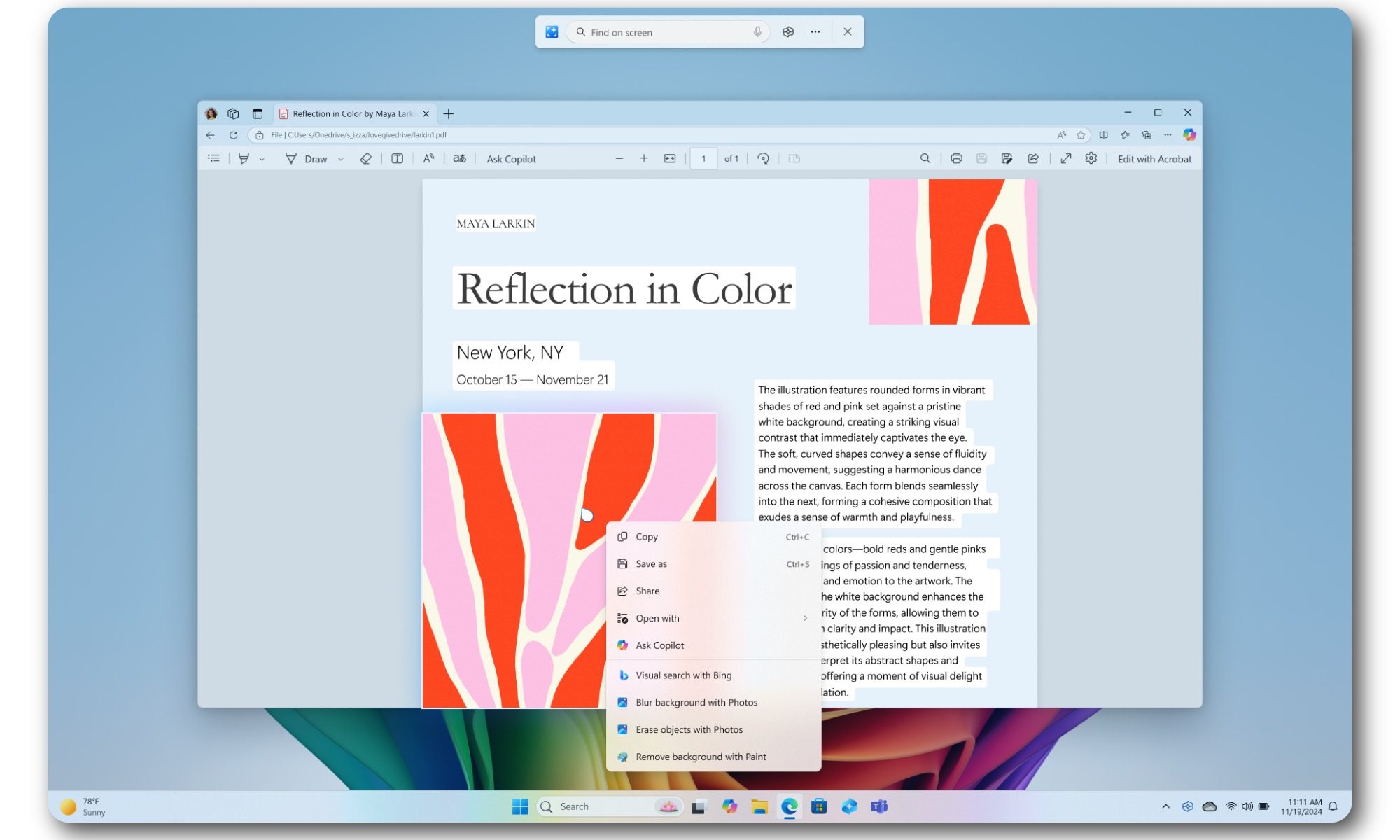
There is a dedicated Copilot key on my ASUS Zenbook 14 OLED. Months after buying the laptop, it may be one of the least important keys on the entire keyboard. My Zenbook UM3406 runs on AMD’s Ryzen AI 300 series processor, complete with a dedicated NPU offering up to 50 TOPS of AI performance. That qualifies it as a Copilot+ PC, which makes it a part of what Microsoft once described as the new era for Windows.

AI is already a regular part of my workday. I use it for research, brainstorming, and working through ideas. But rather than relying on something built into the Windows OS, I’ve relied on the likes of ChatGPT, Claude, and Gemini.

How Copilot+ created the wrong expectation

The name “Copilot+ PC” implies a computer built around Microsoft Copilot. In practice, the certification mostly describes the hardware and local Windows features. The NPU inside my Zenbook can accelerate experiences such as Windows Studio Effects, Live Captions, improved search, and Recall. The Copilot chatbot itself requires an internet connection. So you can basically run it on even Macs and web browsers, and not just Windows PCs. Pressing the special keyboard button does not open an assistant powered by the entire 50TOPS NPU sitting inside my laptop.

The entire marketing around this has been poorly communicating what Copilot was meant to do. Microsoft marketed Copilot+ PCs around a grand reinvention of personal computing, with local AI changing how we use Windows systems in daily workflows. The NPU is there, and the badge on the machine proves that it’s capable of the various AI menus in Windows. But very few of them address a problem I regularly encounter.

Recall is probably the most useful out of the bunch. It can save snapshots of your activity and help you recover something you previously saw. If you’re constantly dealing with a large number of important files or conversations, this can be a lifesaver. Even then, I have yet to need it badly enough to let Windows build a searchable history of my screen. Live Captions and Studio Effects are also useful in the right circumstances. Though they remain occasional utilities rather than reasons to rethink how I use my notebook.

Other AI services were just more convenient

I already know where I need to go for my workflows. ChatGPT is usually a starting point for broad research and working through ideas, while Claude enters the picture when I’m dealing with longer passages. Each service has their limitiations though, and yet, they are all familiar with their answers now.

Copilot quite literally came bundled with my PC, and up until recently, I never gave it a real shot. After trying it out now, I can see why I initially brushed it off. Microsoft uses the Copilot name across several different products, including its consumer assistant, Microsoft 365 Copilot, GitHub Copilot, and various Windows integrations. Knowing which Copilot does what can require more effort than opening the tool I already trust.

Microsoft reorganized its Copilot teams this year to create a more coherent experience across consumer and commercial products. That move alone suggests the current structure has become difficult to explain.

Putting Copilot everywhere did not make it essential

Microsoft tried to solve the adoption problem through visibility. Copilot appeared everywhere, in Windows, Edge, Office, Paint, Notepad, and other parts of the operating system. PC keyboards gained a dedicated key for the first time in decades.

Microsoft has since started removing or reducing some of those entry points. Even Microsoft’s hardware partners have acknowledged the disconnect. Dell said consumers were buying newer laptops for tangible improvements such as performance and battery life, while AI terminology often left them confused. This is also one of the reasons I picked my laptop. A gorgeous OLED display, thin-and-light design, and reliable battery life.

Even those who tried it find it hard to stick with

After I covered Copilot’s low uptake, an author emailed me about his own experience. He had used the service extensively while writing a book, yet updates and policy changes sometimes caused it to reject tasks it had previously completed. He said he now opens Copilot with one question in mind: “Will it or won’t it?”

To be fair, generative AI services change constantly, and refusals can happen across Copilot, ChatGPT, Claude, and Gemini. However, Copilot carries an additional burden because Microsoft presents it as an integrated productivity assistant. This means that users expect consistency from a tool built directly into their operating system and work software.

Is this really futureproof?

I do not regret buying the Zenbook. It is a capable laptop, and the NPU may become increasingly useful as more applications run AI workloads locally. Copilot+ certification also provides some reassurance that the machine meets Microsoft’s current baseline for upcoming Windows features. But that just makes it sound like futureproofing rather than being handy right now.

And Microsoft might just move the baseline higher as systems get more advanced and requirements grow. So for now, I will continue using the AI tools that already fit my workflow. Though I’ll be giving Copilot a try more often to see where it really makes a difference for me.

Echoes of Aincrad Free Download (Hypervisor)


Echoes of Aincrad PC GameEchoes of Aincrad PC Game


Echoes of Aincrad Direct Download:

Step into the floating castle of Aincrad, a world of breathtaking beauty and danger where every battle could be your last. Enter a mysterious, vibrant world and shape your fate. Create your hero, choose your gear, and master combat through your special skills and reflexes. Build synergy with the partner of your choice, level up, and unlock powerful abilities as your horizon expands with every victory.
Will you rise and claim your destiny or fall to foes stronger than you imagined? Cat Mail Co

This is not just a game; it’s a battle for survival. Take up your weapon, shape your legend, and enter an adventure to risk your reality! Live this JRPG adventure as yourself by designing and customizing your own avatar to create a hero that reflects your vision. This is your identity, your legend, and your chance to leave a mark on a world where survival is everything.

Shape your adventure and determine your fate by adapting your equipment, weapons, statistics, partner and special skills to reflect your favor for speed, intelligence, or endurance. Gather more strength as you level up. Growth is essential for your survival. Deepen the synergy with your partner, adapt their tactics and build to create a team dynamic that turns every battle into a triumph.

Wander across diverse cities and journey through stunning environments, from serene plains to perilous dungeons filled with secrets. Complete quests, hunt rare treasures, and challenge formidable foes in real-time action combat. The map expands as your story unfolds, revealing new areas and dangers at every turn.

Screenshots

System Requirements

Minimum
Requires a 64-bit processor and operating system
OS: Windows 11
Processor: Intel Core i7-9700K / AMD Ryzen 3 3300X
Memory: 8 GB RAM
Graphics: Nvidia GeForce RTX 2060 [6GB] / AMD Radeon RX 5700 [8GB] / Intel Arc B580 [12GB]
DirectX: Version 12
Storage: 30 GB available space
Support the game developers by purchasing the game on Steam

Installation Guide

Turn Off Your Antivirus Before Installing Any Game

1 :: Download Game
2 :: Extract Game
3 :: Launch The Game
4 :: Have Fun 🙂


How 3D Exterior Visualization Showcases Architectural Projects for Design Firms


Architecture is all about persuading your clients that your design is worth building. For clients and investors, they need confidence and reassurance that they can get their investment back. For communities, your design must give them a general idea of what your project would look like. 3D exterior visualization makes it easier to create architectural projects that clearly convey your goals. It turns your design into something your clients can feel connected to and understand at a glance, even if they don’t have any technical background.

Unlike flat drawings, a well-designed visual can communicate sustainability, opulence, innovation, and warmth even before you speak to your clients. Furthermore, it is much better at setting expectations and presenting information than traditional architectural methods. Through platforms like Cad Crowd, businesses can connect with experienced architectural visualization specialists who create high-quality exterior renderings that help communicate design intent, support project approvals, and strengthen client presentations.

RELATED: What is Architectural Visualization and Why Architectural Rendering Services Use It


🚀 Table of contents


From lines on paper to stories in space

Most people don’t understand architectural drawings. 3D exterior visualization allows you to turn abstract ideas into a visual story that is easy to understand. For example, you can show your client what sunset looks like by simply showing them an image of this scenario. There’s no need for them to imagine the image that you want to communicate. Moreover, you don’t have to explain the material in detail. You just show them the image, and it tells the story for you.

Visualization helps you guide your clients to focus on and emphasize the best parts of your project. For instance, visualization helps make a recessed doorway feel more welcoming instead of confusing. Each element of the image creates a beautiful story that leaves a lasting impact.

Humor and humanity hidden in digital precision

3D exterior visualization may be technical, but it can capture emotions through details. For example, the warm glow from the building’s interior lighting suggests life. Cyclists passing by and slightly uneven trees also evoke emotions. The small details can make your design more relatable and enjoyable to see.

These elements make the design more realistic, reminding your clients that the building is designed to be functional. It’s a place where people can work, reside with loved ones, and occasionally complain about inconveniences. Visualization allows you to showcase structure and daily life through thoughtful design.

RELATED: Creating Exterior Renderings Using 3D Exterior Rendering Services for Architects

Selling the vision before selling the structure

3D exterior visualization can be applied in different areas, particularly business development and marketing. Ideas can look similar, but a persuasive exterior rendering can help your proposal stand out. This image becomes a visual pitch that speaks for you.

Visualization makes it easier for viewers to imagine what the structure will look like once it’s built. Since they have a clear idea about your project, they will realize your vision and trust you. When you gain their trust, there’s a higher chance for the design to get approved faster. They are less likely to require revisions, and they will feel more confident about doing business with you. Overall, visualization can help you save a lot of time, money, and effort.

Exterior visualization as a design development tool

Since 3D exterior visualization allows you to test your ideas visually, you can avoid costly mistakes. Issues are revealed early, so you can make the necessary adjustments. For example, visualization allows you to modify proportions or replace the material that you originally intended to use because it doesn’t look good at scale.

In other words, you can refine your design through 3D exterior visualization and experiment with different elements to create the best design for your clients. It can help you avoid expensive surprises once you get started with the building construction process.

RELATED: Interior and Exterior 3D Commercial Rendering Services: All You Need to Know

Context is not a background, it is a character

The plants, neighboring structures, weather, and streetscapes can influence your viewers’ perception of your project. A well-planned visualization takes into account how the building can affect its surroundings and vice versa.

This level of understanding shows that you care about the project’s scale and its impact on people and the environment. Visualization can help you create a project that seamlessly combines modern and historical features. For example, a modern building can be built in a historical neighborhood without harming its surroundings. Overall, it allows you to show how your project can contribute to the neighborhood rather than disrupt it.

Architectural-exterior-visualization-for-modern-design-projects

The emotional science of light and shadow

Exterior visualization allows you to use light and shadow with precision. Your viewers’ response depends on how you use these elements. For example, a structure under a cloudy sky might feel gloomy. The opposite can happen for a structure bathed in sunlight. This building feels more optimistic.

With the right lighting strategy, you can create the intended mood and highlight texture and depth. For photographers, lighting can reveal character. For visualization artists, on the other hand, light can be used to express what the design is really all about.

When clients finally say; “now I see it”

Every designer looks forward to one moment: when clients realize what they want to convey at a glance. A strong visualization can make it happen. This image closes the gap between personal perception and professional expertise. When this happens, the project feels lifelike, fun, and achievable.

RELATED: What is Architectural Visualization and Why Architectural Rendering Services Use It

It also improves collaboration between the designer and client. Specific feedback, productive conversations, and deeper trust follow. Properly aligned visual representations and expectations also improve workflows and rapport with clients.

Exterior visualization across different project scales

3D exterior visualization is ideal for both small and large projects. If you’re handling a large commercial project, visualization can help you easily demonstrate its impact and significance. For small projects, 3D exterior visualization can be used to emphasize your skill and the materials you want to use.  

This level of flexibility allows you to create customized rendering for each client and preserve visual consistency across different project formats. You can focus on improving your presence and appeal to your market, while your clients can prioritize creating a warm and habitable environment without changing the original concept.

Technology serving creativity, not replacing it

Sophisticated visualization technology cannot replace human insight. Restraint, balance, composition, and storytelling still play an important role in creating designs. Advanced visualization technology enhances creativity and collaboration.

Members of the design team can work with accuracy and ensure that viewers understand what the image is supposed to convey even if they don’t deliberately analyze it. The result is an accurate design that captures attention and creates the desired impact.

The subtle confidence of professional presentation

Quality is essential no matter what project you’re dealing with. A well-designed exterior visualization conveys professionalism in a subtle manner and tells your viewers that you place great importance on communication, attention, and precision. It gives them assurance that you will maintain the same level of attention throughout the project.

RELATED: Top 43 3D Visualization Design Companies for Architectural Rendering & 3D Product Design Services

Moreover, visualization allows you to showcase your design philosophy. A carefully done visualization stands out from the rest and creates a lasting impression among your viewers.

Enhancing marketing strategies through visual storytelling

If you want to make your designs attractive to viewers who don’t know how to read plans or blueprints, consider using 3D exterior visualization. It’s one of the best ways to tell the story behind your project. Whether it is a large commercial structure in an urban area or a quiet residential building, 3D exterior visualization allows the story to come alive.

It helps your clients imagine what it feels like to live in the building. A well-planned exterior visualization can also show how your design interacts with its surroundings. Details such as shadow patterns cast by surrounding structures, seasonal changes, and lighting contribute to the story. Since clients can imagine how the building will coexist with the surroundings, it will be easier to promote your design and convince stakeholders to support it.

Another benefit of 3D exterior visualization is that it can be used in your website, social media campaigns, presentations, and brochures, allowing you to establish a well-composed and consistent brand presence on different platforms. You can also use these renderings design in exhibitions and press releases to showcase your attention to detail and professionalism. These visuals can help you make a good first impression, so make sure they are precise and emotionally impactful.

RELATED: How 3D Rendering Services Are Used by Architects for Each Stage of a New Project

Building client confidence and trust

Clients want their vision to be brought to life without any issues. 3D exterior visualization can make this happen by turning abstract ideas into reality. When they see a visual of their ideas, they can imagine what it would look like in real life. This can lessen doubts and improve trust in your team.

Your client can also recommend modifications and see what those changes would look like.3D exterior visualization helps ensure that your design meets your client’s expectations. In addition, it helps reduce errors and shows your commitment to being transparent and professional.

Complex projects, in particular, require transparency, as they often involve several parties, such as stakeholders, community members, architects, and investors. Creating a well-designed visual reference improves trust among them and can speed up project approval and funding.

Accelerating decision-making processes

Time is crucial, especially in construction and architecture. Technical drawings, physical models, and other traditional systems consume a lot of time and require several iterations. Since 3D exterior visualization provides a clear idea about the project, it can help the parties involved make decisions much faster than usual. There is no need for stakeholders to visualize the final product from intangible representations or assess and understand complicated diagrams. 3D exterior visualization allows them to see accurate, detailed images that are easily understood.

RELATED: 5 Ways 3D Architectural Visualization Can Revolutionize Your Design Process

Designs can be modified digitally, so you can present different versions within a short period of time. Your clients can compare these versions and assess colors, lighting, materials, and landscaping, allowing them to make informed decisions and avoid unnecessary delays and costly mistakes. 3D exterior visualization helps you identify potential issues and resolve them at an early stage of the project.

For design companies, 3D exterior visualization enables team members from various disciplines to work together much more efficiently. For example, a team composed of marketing experts, landscape architects, engineers, and interior designers can enjoy a smoother workflow and create a final design that they all agree on.

Showcasing innovation and design excellence

One of the best things about 3D exterior visualization is that it allows you to showcase your creativity and skills. Visuals can be used to emphasize complex facades, high-quality materials, one-of-a-kind architectural elements, and sustainable design features. Renderings ensure that every detail is visible and presented in a manner that captures attention, which is almost impossible to do with traditional drawings.

Apart from showcasing your competence and dedication to quality, 3D exterior visualization allows you to highlight your design expertise to clients, colleagues, and competitors. It also shows that you are technologically advanced and have the means to use modern software tools to provide excellent results, which can give you more opportunities for complex projects and distinguished clients.

In addition, 3D exterior visualization lets you test ideas and solutions multiple times without spending money or time on a physical prototype. This flexibility helps you improve designs and turn bold ideas into reality, setting you apart from the rest.

RELATED: How the Construction Industry Benefits from Architectural Visualization Services

Integrating sustainability and environmental context

Integrating sustainability has become the norm in today’s architectural projects. More and more people are seeking designs that are energy-efficient and eco-friendly. Renderings help you showcase your ideas in a way that your clients can easily understand. Use 3D exterior visualization to accentuate energy-efficient materials and features like solar panels and green spaces. By doing so, you can demonstrate your commitment to responsible architecture.

Renderings can also help you show the building’s impact on the environment and vice versa. You can do this by replicating elements found in the real world, such as shadows and natural light. This approach allows you to create a project that offers the perfect balance of aesthetic appeal, usefulness, and environmental care. Apart from improving your credibility, visualizations help you attract clients who want to integrate sustainability into their projects.

Leveraging virtual reality and interactive experiences

3D exterior visualization includes immersive experiences and virtual reality. Clients don’t need to conduct a site visit in person to assess the structure and its surroundings. The best part is that they can explore an architectural design at home and see its depth, spatial flow, and scale at a glance.

Virtual reality also makes it easier to present complicated designs to stakeholders and investors, which can help build enthusiasm and confidence. Your clients can alter materials, modify landscaping, and explore different design options, becoming active participants throughout the process.

RELATED: 3D Rendering Techniques in Architecture: CGI Conundrum for Architectural Companies

Providing immersive experiences also sets you apart from the rest. You are seen as someone who can provide modern designs that perfectly align with the needs of your clients. Immersive experiences also allow you to create unforgettable marketing campaigns.

Improving project planning and construction accuracy

Detailed visualizations help you identify potential construction issues before construction begins. This approach can help you make better project plans and execute them flawlessly. Furthermore, it prevents delays and waste of valuable resources.

Apart from these benefits, renderings allow you to assess vegetation, terrain, and accessibility. Since you can replicate real-world situations, you can improve the project layout and make better decisions that enhance the overall look, safety, and functionality of your design. Contractors also benefit from renderings. The visuals give them clear references of the site, improving coordination and communication between you and the contractors.

You can also combine Building Information Modeling design with visualization to ensure the design meets all electrical, structural, and mechanical requirements. This approach helps you save time and costs, determine problems early, and improve the overall quality of your project.

RELATED: Turning Concepts Into Stunning 3D Renderings with Architectural Visualization at Your Services Firm

Enhancing social media and online presence

Having a strong online presence is crucial, especially for businesses. Renderings provide top-tier content that can enhance online portfolios, websites, and profiles across different social media platforms. These visuals can help enhance brand visibility and capture the attention of both old and new clients.

Social media platforms such as LinkedIn, Instagram, and Pinterest prefer detailed renderings. Sharing immersive visual experiences allows you to showcase your creativity and expertise, helping you gain new clients and recognition in your industry.  

Visualization can also improve website engagement. Interactive visual experiences can attract attention and increase the likelihood of conversion. Visualization also conveys credibility and professionalism, which are essential to your clients’ decision-making process.

Case studies and real-world applications

Renderings have many applications in the real world. For instance, you can use 3D exterior visualization to promote and sell a property before construction begins. You can showcase the exterior finish, the lighting inside and outside the structure, and landscaping design so that clients can visualize what it’s like to work or reside in the property. Potential clients feel more assured about their investment. Thus, you can expect your pre-sale campaign to perform better because it is backed by realistic images.

RELATED: Streetscape Renderings: 3D Realism For Urban, Commercial and Residential Spaces with 3D Modeling Services

How-architectural-exterior-visualization-showcases-design-projects

3D exterior visualization can also be applied in urban and commercial projects. It’s easier for investors, city planners, and other members of the community to assess projects, including their environmental impact, appeal, and uses. Moreover, it allows them to provide feedback and show support to projects that meet their needs.

Using renderings can help you attract more investors and tenants, especially if you are focused on creating designs for retail, hospitality, and structures that combine various functions. Concepts with clear and high-quality visuals are easier to imagine and show greater potential in generating revenue. Detailed renderings usually make it easier to gain the investors’ trust and accelerate approvals.

Overcoming challenges and common misconceptions

There are design companies that hesitate to use 3D exterior visualization due to common misconceptions like the technology being too costly or only ideal for big projects. However, visualization has become cheaper and more accessible thanks to technological innovation. Design companies can work with specialized studios and freelancers who offer solutions that suit different project sizes and budgets.

RELATED: 3D Visualization: The Future of Architectural Design

Visualizations should showcase real environmental conditions, dimensions, and materials. Thus, it’s important to pick an expert who can produce accurate and beautiful visuals. 3D artists and architects can work together to create realistic and aesthetic renderings.

Apart from accuracy and accessibility, it’s also important for design companies or freelancers to inform clients about the limitations and benefits of 3D visualizations. This will help maximize the visual’s impact and manage expectations as well.

Preparing for the future of architectural visualization

Thanks to state-of-the-art technologies such as procedural modeling, real-time rendering, and artificial intelligence, design companies can visualize interactive projects more efficiently. Designers can also try different lighting conditions, simulations, and intricate geometries more easily.

In addition, it has become easier for design companies to provide immersive experiences due to augmented and virtual reality. For clients, they can assess and customize designs using interactive tools. Adopting these technologies can help companies attract more clients and gain a competitive advantage.

RELATED: The Evolution of Architectural Design with CAD Software & Design Service Companies 

Architects must find a way to showcase visually stunning designs that integrate community, sustainability, and energy efficiency. Simulations will make it easier for stakeholders to examine traffic flow, carbon footprint, and lighting. Overall, visualization is an essential tool that can improve marketing and responsible design decisions backed by data.

The role of freelancers in 3D exterior visualization

Design companies can hire independent artists or freelancers to create complicated renderings and manage deadlines without sacrificing quality and spending a lot of money. Freelancers bring innovative techniques and new ideas that can help improve the outcome of a project.

Furthermore, they have access to sophisticated software and tools. Many of them are experts in animation, virtual reality, integration, and photorealistic rendering design. Their skill set allows them to provide high-quality visual experiences that can impress clients.

RELATED: How 3D Artists Elicit Emotions with Stunning Architectural Rendering & Visualization Services

Conclusion: elevating architectural projects with visualization

3D exterior visualization allows design companies to present interactive, accurate, and detailed visualizations of their projects. This technology helps improve marketing, showcase innovation, and build rapport with clients, allowing design companies to convey their vision much more effectively. Visualization can also be applied in different areas such as construction planning, storytelling, and social media engagement. Since it improves collaboration and decision-making, you’ll gain leverage in a competitive industry.

Also, expect architectural visualization to continue evolving. Designs will continue to integrate interactive experiences, sustainability, and virtual reality. The best part is that you can find studios and freelancers who can turn your visualizations into reality, so you can focus on building relationships with your clients. 3D exterior visualization is one of the best ways to impress your clients and improve your projects.

If you are looking for an expert who can create realistic visuals for you, visit Cad Crowd to find freelancers who can bring your visuals to life. This platform is home to experienced professionals who can deliver detailed images that clearly show your vision and the story you want to tell.

RELATED: Creating Exterior Renderings Using 3D Exterior Rendering Services for Architects

How Cad Crowd can help 

Hopefully, this article gave you valuable insights about architectural projects. However, if you still have no idea how to present your next commercial designs in the best light possible, don’t hesitate to contact Cad Crowd. We can help you search for the right solutions that will match or even go beyond your expectations. Contact us now for a free quote

author avatar

MacKenzie Brown is the founder and CEO of Cad Crowd. With over 18 years of experience in launching and scaling platforms specializing in CAD services, product design, manufacturing, hardware, and software development, MacKenzie is a recognized authority in the engineering industry. Under his leadership, Cad Crowd serves esteemed clients like NASA, JPL, the U.S. Navy, and Fortune 500 companies, empowering innovators with access to high-quality design and engineering talent.

Connect with me: LinkedInXCad Crowd