Tips for Physical Product Development: How to Design & Develop Concepts at Design Studios


An new product development (NPD) project is a risky and likely expensive undertaking. Much of an NPD is about developing a concept and then engineering it through an iterative prototyping process into a functional product. But it also has everything to do with managing the project as a whole, which inevitably involves issues like IP protection, right-to-repair legislation, and NDAs. Cad Crowd helps you connect with experienced NPD professionals to help you run both the engineering and managerial sides of the project, making the otherwise challenging endeavor into a seamless undertaking from the get-go at affordable rates.

Development tips

Effective product concept development requires a good combination of detailed engineering work and a focus on running the project efficiently. There are many strategies to achieve both, the chief of which are listed below.

Take a look around

Only when you truly understand the problem can you devise an effective solution. New product design services must be driven by the need to provide a solution to an ongoing problem, the kind of problem that the existing products in the market cannot seem to solve. Somebody invented Bluetooth because people hated wire clutter; we have ATMs, so nobody has to stand in a queue for hours to withdraw money from their bank account; you buy a treadmill so you can jog inside an air-conditioned room when it’s raining outside; people use electronic calculators to save on scratch paper, and so forth. Necessity is the mother of invention.

To know exactly what necessity to address, you need to get out there, talk to people, and watch them do the things your product is supposed to help with. Do they misplace their keys far too often? Are their umbrellas good enough? Do they find their backpacks have too few compartments? Is there any feature they hate the most in a kitchen appliance? You get the idea. Ask as many questions as you can muster and take note of every answer. If you’re developing a new digital watch, for instance, don’t just ask if they want one. Try to get a little bit more details about their preferred functions, size, material, strap, display/legibility, water resistance, color, etc. The more people you encounter, the more data you get.

RELATED: How to Quickly Cut Prototype Design Costs in 2026 for Product Design & Engineering Firms

Market research like this offers a glimpse into what your target buyers want and need, which features they can do without, and how much they are willing to pay for the product when it’s available. Of course, it makes no sense to interview thousands of people in a direct face-to-face setting, and that is where social media comes in. The data acts as preliminary insight into what your next product should be. It’s a rough guideline, but a guideline nonetheless. 

Never mind the ugly prototype

Ugliness, believe it or not, is the hallmark of the first prototype, also commonly referred to as Proof of Concept (PoC). If it looks good or even remotely pleasing, chances are you’ve spent way too much time, money, and effort on it. No matter what product you’re prototyping, the PoC is exactly what it says: a rather simple object to demonstrate that your idea can and will work. How simple should it be? We’re talking about cardboard, styrofoam, hot glue, plywood, paper, and scrap metal. LEGO is as fancy as a PoC can get. You also won’t be 3D printing or CNC machining anything. A local handyperson is likely more than capable of doing it. Think of PoC as a “Frankenstein” phase of the development, where you put together some random things and off-the-shelf components to showcase an idea.

Aesthetics isn’t a concern yet. The most important thing about a PoC is determining whether the dimension or shape makes sense. Will it be easy to use? Can a human hand comfortably hold the product? Does the lid or the folding mechanism work? Are the buttons and screen (if any) in good positions? Is the dimension too large or too small? And perhaps the most important question of them all: does it have the potential to be an effective solution to the problem it’s supposed to solve?

So long as you’re using affordable and readily available materials, you won’t be too hesitant to experiment with different designs and break things in the process. When one design doesn’t work, use it as a point of reference for the next build. Things might get messy, but that’s a more than reasonable price to pay if you want to learn something as quickly as possible. In any case, it makes more sense to create and discard a design made from a pile of cardboard rather than fail with 3D-printed parts worth hundreds of dollars. When it comes to PoC, be as budget-conscious as you can because you’ll be spending a lot more money right after this phase of development.

Try different materials

The next step is choosing the right materials for the product. Now you get to fully understand why spending too much time and money on proof of concept wouldn’t be so wise after all. At the end of the day, the PoC will mostly serve as a reference point for the next, “more serious” builds. Metals are generally stronger and look better. A metal spoon feels more premium than its plastic counterpart, even when both are food-grade and reusable. Although many products look, feel, and work better when they’re made of metal, it doesn’t mean that plastics (or alternatives like wood, glass, and bamboo) are always bad. For example, most light switches are plastic because it’s a non-conductive material, making it safer for electrical applications.

You can make one from metal, but it’s going to be more expensive, and people might avoid it out of fear of electric shock. You’ll soon realize that the best material isn’t necessarily the strongest or the most aesthetically pleasing of the bunch. Much of it depends on the type of product, its purpose and use cases, design for manufacturability, and, certainly, cost. From a more technical point of view, also consider weight, ease of cleaning and maintenance, heat and moisture resistance, durability, and often eco-friendliness. To help put things into perspective, most handheld GPS devices are made of industrial-grade plastic (rather than metal) for durability.

At the same time, kettles are made of metal, so they can boil water without melting. Don’t fall into the trap of thinking high-grade stainless steel is superior to ABS plastic. There are indeed plenty of cases where the statements are true, but not always. A spanner must be made of metal, given its typical use cases, while a garden hose is most likely made of plastic to keep it lightweight and flexible. The choice of material is always partly determined by how the product is supposed to be used.

RELATED: Prototyping Techniques Utilized for Complex Products at New Product Design Companies
product design development

Apply DFM to everything

Plenty of technical considerations can go into DFM services. Think of assembly tolerances, material density, decorative elements, PCB schematics (for electronic products), and standardization. But it all comes down to one key principle: simplification. In other words, make your design as simple as possible. A simple design is easier to fabricate (as a prototype) and mass-produce than a complex one. A component that consists of a few parts is easier to assemble than one with dozens of separate pieces. Not only does it concern manufacturability, but also manufacturing it cost-efficiently.

Here’s the issue: you can design the most complex product imaginable and then build a prototype using a 3D printer or CNC machining, but you might not be able to mass-produce it at a cost you can afford. While 3D printing and CNC machining (additive and subtractive manufacturing methods, respectively) are excellent for prototype fabrication, it would be ridiculously expensive to produce hundreds, if not thousands, of units of a product using such methods. Additive manufacturing is primarily intended for prototyping rather than mass manufacturing.

With the current technology we have, the most efficient mass-production methods are the “formative” injection molding and casting (for metal and plastic materials) and die casting (for metal). Each of these methods has limitations, such as accuracy, tolerance, volume, dimensions, and size. However, both are definitely more cost-efficient than the alternatives for large volume production runs. Every product is unique, so becoming familiar with this formative method is crucial to implementing the DFM approach in your design. No matter what you design, make sure it can be mass-produced at scale.

Fire up the CAD

At some points in the design process, you must step away from gluing cardboard and focus on creating a digital model on the screen. One thing that distinguishes modern from older product development is the heavy use of CAD (computer-aided design). As a matter of fact, you’ll probably spend a good chunk of your time drawing a digital model before you can get back to the real world and build a proper physical prototype again. Advanced CAD software offers a wide range of features and functions that allow you to draw or create digital images identical to real-world objects. While these images can be drawn as a traditional two-dimensional diagram, 3D visualization services is what you want. More than just a pretty image on a screen, every single aspect of the object can be configured to your liking.

You can, for instance, try various materials, textures, finishes, points of articulation, and all the rest of it, including shape and dimension. And if the product is supposed to have an internal mechanism composed of multiple components, 3D CAD allows you to draw each part separately and assemble them into a working system. Among the most popular software include Autodesk Fusion, SOLIDWORKS, Siemens NX, PTC Creo, Blender, and Rhinoceros 3D, to name a few. For electronic products, you’re spoiled with software options like Altum Designer, Proteus, CircuitMaker, and Ansys SIwave. Some of them are actually free and open-source, so generally, there’s no shortage of software tools to get your product development started.

RELATED: Wearable Product Development: 6 Key Challenges for Product Development Companies

If there’s one product development tip to rule them all, it would be about taking advantage of virtual simulation firms. Both digital modeling and simulation have become industry standards to test concepts, processes, systems, and, of course, physical products. Simulation works by introducing likely (and sometimes unlikely) use-case environments and scenarios into the digital models. Think of temperature variation, submersion in water, vibration, drops, power cutout, etc. Let the software run the simulation and gather the data accordingly. It wouldn’t be entirely inaccurate to liken product simulation to a video game. And if you have to make changes to the test variables or perhaps the design itself, you can do any of that almost immediately on the screen.

One thing to remember about simulation is that the result is only accurate if the digital model is identical to the physical object down to the smallest details, such as material thickness, assembly tolerances, internal mechanisms, and PCB specifications. The idea behind digital modeling and simulation is to avoid spending too many resources on physical prototypes. A digital model is also a prototype, a virtual one at least, to give a glimpse at what the physical product will look like and how it should perform.

More importantly, you can modify the virtual prototype and adjust everything without wasting raw materials. Even when the design fails in a simulation, for example, because of poor heat management or parasitic drain, nothing is really lost. All the data is still there inside the computer to help you prevent the same mistakes in the next attempt. If you want, you can just start over and build a new model.

Consider the ergonomics

If not for ergonomics, it might be possible for the prototype design expert to do the entire prototyping sequence on a computer screen and save a whole lot of money. But no, there will come a time when you have to step away from the computer and start making a physical prototype. The good thing is that there will be fewer mistakes now because much of the design work has been ironed out during the digital modeling and simulation phases. An NPD project always has to involve a physical prototype to confirm if the design works as intended in the real world.

Depending on the materials used, prototype fabrication is typically done using a 3D printer, CNC machining, or both. It’s no longer a PoC; the dimension, form factor, materials, and features are much closer to being the final production version. You need this prototype to be of relatively good quality for one important reason: ergonomic testing, which, unfortunately, is quite impossible to do using the virtual prototype. A perfectly functional product is great, but sometimes that’s not enough. It also has to be easy to use and comfortable. Your product needs to be ergonomic. 

Suppose your new product is a piece of furniture, say a chair. What’s the point of making a durable and intricately decorative chair if it’s not comfortable to sit on? It may last forever, but if it wiggles about and has sharp edges everywhere, no one will buy it anyway. The same thing applies to other products as well. Handheld devices must be nice to hold, helmets must be comfortable to wear, a kettle needs a heat-resistant, grippy handle, and so forth, while staying perfectly functional. As mentioned earlier, the only way to test comfort and ease of use is with a physical prototype.

RELATED: Product-Centric vs. Customer-Centric: Which Is Best for Consumer Product Design Companies?
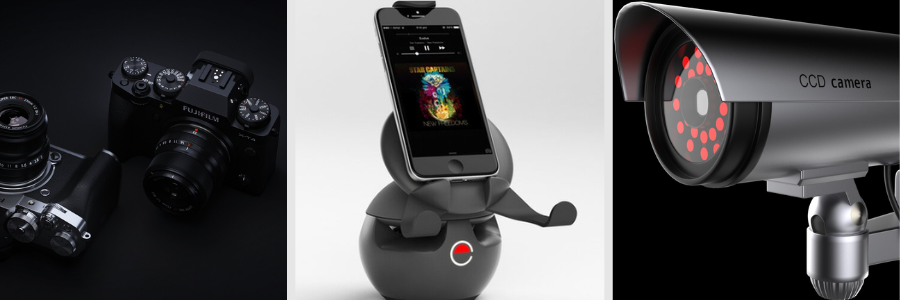
product rendering services 2

Build maybe half a dozen prototypes to start, run some real-world testing, and keep improving through an iterative process. Don’t hesitate to go back and forth between virtual and physical prototyping phases until you discover the ideal formula that offers a nice balance between functionality and ergonomics.

Breaking the product is part of the process

Every rapid prototyping phase always ends with a physical product. You may spend weeks if not months tinkering with the model and simulation on a computer, but all that hard work will always conclude with the fabrication of an actual object that you can touch, hold, use, and yes, break. It’s important to experience the design as a whole to be entirely convinced that it’s good enough for buyers to use.

Once you have a prototype (preferably a high-fidelity and functional one) in your hand, do a real-world test yourself but act as if you’re the most ignorant user. If the product is a chair, don’t just sit on it. Stand and jump on the chair many times. If it’s a handheld device for outdoor use, throw it into a pool or put it in the fridge for an hour or so. If it’s a water bottle, leave it outside under a scorching sun or slam it to the floor. No matter what the product is, just use it like crazy. The point is that when something breaks, as the product designer you’ll be able to determine the points of failure and then do something about it.

Every product must be stress-tested, meaning it must be put under extreme use case scenarios, or situations that most people won’t likely bump into in their typical day-to-day usage of the product. This is what NPD professionals call accelerated testing. It would be similar to pressing a button 100,000 times just to see if it gets stuck, cycling a hinge 200,000 times with an automated motor, or tapping a touchscreen thousands of times every day to replicate years of heavy use.

It won’t feel good to break a product that took you months to develop, but it’s better to see it get crushed during the testing than in the customer’s hands. You have to document everything. At what point does the product become unusable? What is the weakest part or component? Does the battery explode? Does it collect dirt easily? And the most important question: how do all of those happen? Based on the data, get back to the CAD, modify the model, run some more simulations, and finally build another prototype to test again. You will have to do this in a cycle while keeping DFM in mind.

RELATED: How Successful Companies Utilize 3D Product Modeling Services for Compelling Product Imagery

Make it repairable

Buyers today are more conscious about eco-friendliness and the whole sustainability problem than they used to. The use of recyclable or sustainable materials is good, but customers also want more: they want the product to be durable and repairable. The “right to repair” has recently gained renewed momentum. And as a concept product designer, you’re required by law to respect that. Let’s assume your new product is a toy car. Somebody ends up buying the toy and playing with it every day until one of the wheels comes off. Normally, this person can pop the wheel back on or, if something breaks, buy a replacement part and fix everything without issue, but unfortunately, that’s not the case here.

It turns out that the wheel is fitted with a special screw that is incompatible with a normal screwdriver. Even worse, there’s no replacement wheel available, so it must be sent to an authorized shop for repair, and that’s expensive. Now try to see things from this person’s perspective. It’s infuriating. The right to repair is a set of laws enforced to prevent companies from doing such things. When people buy a product, it becomes theirs solely to use, maintain, repair, and modify. Making the product repairable is part of the sustainability principle, and customers are actually fond of the idea. And if you really think about it, the right to repair goes hand in hand with DFMA (design for manufacturability and assembly) services, especially the simplification part.

As previously discussed, a simple product is easy to assemble, making it cost-efficient to manufacture at scale. And now it has come full circle, because a simple product is also easy to disassemble for self-repair. Just because one part of the product breaks, it doesn’t mean the product becomes completely unusable. The right to repair makes it easy for users to modify, replace components, and attempt repairs without going through the entire process of sending the product to authorized repair centers. One of the most practical ways to achieve this is to use standard parts (fasteners, wires, connectors, batteries, and so on) rather than proprietary ones. Design simplification also helps ensure that users can disassemble and reassemble the product using standard tools.

IP protection matters

If you think you’ve invented something new, whether a unique mechanism or method to solve a problem, you have to protect this intellectual property of yours. It’s a protection against someone else using the idea freely without your permission. Such protection usually means applying for patents. There are two main types: design patents (basically about how the design or idea looks) and utility patents (the mechanism or how the design works). Acquiring a patent, either design or utility, can take several years and is potentially expensive, but necessary to secure the IP, which has now become a business asset. In fact, it might be the only thing stopping anyone from copying your idea and selling it for half the price.

And IP protection goes both ways. Without detailed research into a patent database, you might unknowingly use a mechanism or implement an idea that’s already patented by someone else. You can use tools like Google Patents, WIPO Search, or the USPTO site to do the preliminary research. If your design or mechanism is already patented IP, contact the patent holder for permission (which usually involves a lot of money) or, more realistically, just move on to devise another design.

RELATED: Sustainable Product Design and Product Development Principles for Firms to Consider

There might be situations where you finish the development and must send the design to a factory partner before you get a patent approved. A Non-Disclosure Agreement (NDA) is a good line of defense here. You can essentially fill it with legally binding clauses that prevent the factory from any unauthorized usage of your product design or idea. In fact, an NDA is important if you have to work with any external party, such as a prototype fabricator, a 3D artist for the CAD work, or freelance engineers and designers. Your concept is more than a physical object; it’s the ideas and thought processes behind it as well.

How Cad Crowd can help

Developing a concept for a physical product is a totally different game from coding software or creating an app. Once the concept is turned into a real-world object and launched to market, you can’t just release a patch to fix bugs or add new features. If the wheels come off, the hinges snap, the button gets stuck, the battery bulges, and the sealing gasket leaks, nothing you can send over the internet will fix the issue. The best you can do is to be fully prepared for it.

Develop a concept for a durable product that is easy to repair with standard tools while keeping production costs low. Easier said than done, of course, and that’s where Cad Crowd comes in. The US-based freelancing platform is home to thousands of product engineers, industrial designers, and NPD professionals of various specializations to help you create product concepts that work and can be prototyped and manufactured in a cost-efficient way. Contact us today for a free quote.


author avatar

MacKenzie Brown is the founder and CEO of Cad Crowd. With over 18 years of experience in launching and scaling platforms specializing in CAD services, product design, manufacturing, hardware, and software development, MacKenzie is a recognized authority in the engineering industry. Under his leadership, Cad Crowd serves esteemed clients like NASA, JPL, the U.S. Navy, and Fortune 500 companies, empowering innovators with access to high-quality design and engineering talent.

Connect with me: LinkedIn ✦ X ✦ Cad Crowd

Align in AutoCAD: Tuesday Tips With Frank | AutoCAD Blog


I’ve seen a lot of good chatter over on LinkedIn. The topic is about not just teaching students how to use AutoCAD software, but also how to be a professional drafter by adhering to ages-old drafting practices.

One of these practices is the alignment of annotation objects. In this post, I’ll cover three commands, two of which directly apply to my previous statement. The other is just a handy alignment tip (plus a trip down memory lane).

The image below is an example of terrible drafting and is not untypical of a rookie CAD user. Is the information conveyed? Yes. Is it drawn correctly? No. My high school drafting teacher (and first boss out of college) would have had a conniption over this. Please don’t ask me how I know this.

In this simple example, the annotation objects should all be aligned with themselves. Fortunately, AutoCAD provides some easy-to-use tools to quickly fix these problems.

MLEADERALIGN

The first problem we’re going to address are the part number callouts. Since they’re Multileaders, the solution is easy. The actual name of the command to use is MLEADERALIGN. While I’m a big fan of input into the command line, that’s way too much to type, and it’s easier, in this case, to use the Ribbon. In the image below, I’ve floated the Leaders panel of the Annotate tab to show you the icon’s location.

The workflow is easy, and it goes fast. You’ll first select the MLeaders to work with. When selected, press return. Then, you’ll select the Multileader that you want the others to align to. Here, I select part bubble 34. Make sure your Orthomode is turned on, and you’ll be able to define either a vertical or horizontal alignment. Below, I chose horizontal.

That’s just how easy it is. You can also collect multiple MLeaders into a single, grouped object, add a leader line, or remove a leader line. If you want to learn more about the powerful MLeader, I wrote about them many years back, and you can still find it here, and Lee Ambrosius wrote about them at this link.

MLEADERALIGN screenshot

TEXTALIGN

The next drawing issue was drilled into me from an early age, and, yes, by that same teacher/boss. It’s a typical mistake that a cub drafter might make. Notation, whether attached to a leader or not, should line up.

Again, it’s an easy fix. The tool you want can be found in the Text panel of the Annotate tab of the ribbon. You can also be like me and type it in, as I do in the animation.

TEXTALIGN screenshot

Simply select the text you want to align, press enter, then specify the text that you want all to align to, and you’re done. This works for both DTEXT and MTEXT, and even ATTDEFS (if used within the Block Editor, of course.)

TEXTALIGN gif

This went quickly, as I used the default setting, but there are plenty of options for you. Selecting the Alignment option lets you choose what we now call Justification (think Middle Right, etc.).

Choosing Options will let you set spacing between objects, distribute them along a path, or use the current Vertical or Horizontal values of the selected object.

ALIGNSPACE

This last example didn’t exist for my HS teacher to have a fit over. But it does fit in with the alignment theme of this post. It’s an Express Tool called Align Space, and it can be found in the Layout tab of the Express Tools tab of the ribbon.

Quite simply, it aligns two points in model space with two points in paper space. Let’s consider the images below. In the first, the layout viewport is activated, so you’re in model space. Using the quadrant Osnap, the top and bottom points of the circle are selected.

After the second point is selected, it will return to paper space and prompt for the next two points. In the middle image, the defpoint nodes of the dimension are selected. You’ll then be asked if you want to do the alignment. Since you’ve just spent the time selecting four points, we’ll assume you do and answer Y.

The points specified in model space are aligned with the points specified in paper space. Also, both the zoom factor and the UCS rotation are adjusted to accommodate the specified points. A note of full disclosure here. The images below are taken from the help file. Yes, I could have easily created my own, but I was drawn to the old-fashioned UCS icon shown in the model space views. I grew up with that thing, and I’m a bit fond of it.

ALIGNSPACE Express Tool screenshot

Wrapping It Up

If you’re one of those cub drafters I spoke about and these drafting practices are new to you, I’d highly suggest you find a local tech school or community college that offers an introductory drafting class. Preferably on the board. You’ll thank me later in your career.

For the rest of us, don’t get into bad habits just because your software lets you. If you do find your annotations out of alignment, AutoCAD makes it easy to keep your drawing aligned with best drafting practices, thanks to these alignment tools.

More Tuesday Tips

Check out our whole Tuesday Tips series for ideas on how to make AutoCAD work for you. 

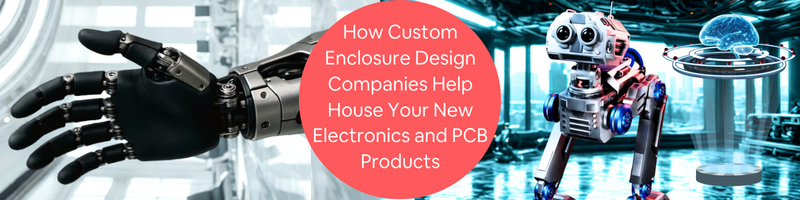
How Custom Enclosure Design Companies Help House Your New Electronics and PCB Products


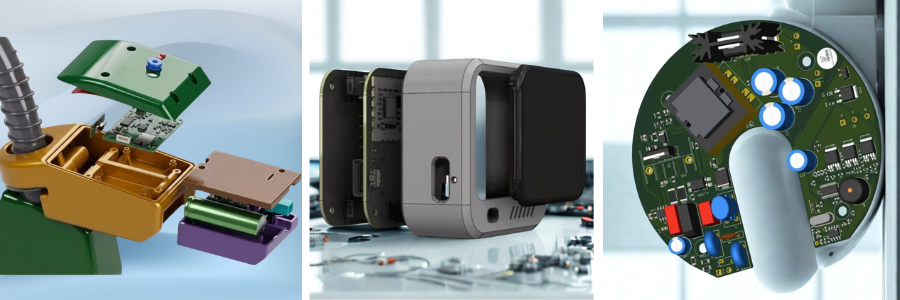
When people take apart devices like smartwatches, fitness trackers, or smart thermostats, they usually notice two main components inside. The first is the PCB, which controls the electronic functions and processing of the device. The second is the enclosure that holds and protects those internal parts. Companies help businesses develop custom electronics enclosures that are designed specifically for their PCB layouts, product requirements, and manufacturing goals.

A well-designed enclosure does much more than simply cover the electronics. It helps protect sensitive components from dust, moisture, impact, and overheating. It also improves usability and plays a major role in how the final product looks and feels to customers. Through its network of experienced CAD designers and engineers, supports startups, manufacturers, and technology companies with custom enclosure design services for a wide range of PCB-based products. Cad Crowd connects startups, manufacturers, inventors, and technology companies with specialized enclosure design experts who create custom housing solutions for a wide range of PCB-based products, from consumer electronics to industrial equipment.

For many electronics products, enclosure design becomes one of the most important stages of development. The housing needs to match the PCB layout accurately while also supporting airflow, durability, manufacturing requirements, and overall product design. Even small issues with spacing, materials, or thermal management can create problems later during testing or production.

RELATED: Electronic Enclosure Design Tips: A Complete Guide from Freelance Engineers and Design Services Firms


🚀 Table of contents


Why your electronics need a custom enclosure

Designing a PCB can take weeks or even months of development, testing, and refinement. Every component, circuit trace, and connection is carefully planned to support the performance of the final product. However, one important part of product development that is often overlooked is the enclosure that will house those electronics.

While off-the-shelf enclosures may seem convenient during the early stages of development, they are rarely designed to fit a specific PCB layout or product requirement. Companies often encounter issues such as misaligned ports, restricted airflow, poor cable management, weak durability, or limited internal space. In some cases, generic electronics enclosures can interfere with antennas, trap excess heat, or make the final product appear less polished.

This is where custom enclosure design becomes valuable. A custom electronics enclosure is designed specifically around the PCB and the intended function of the device. Whether the product is a wearable device, industrial sensor, medical instrument, or IoT system, the enclosure should support both performance and long-term reliability. A properly designed enclosure does more than protect electronics.

It can improve airflow and thermal management, simplify assembly and maintenance, support waterproofing requirements, and reduce stress on internal components. Custom enclosure design also allows products to be optimized for different manufacturing processes, including 3D printing, CNC machining, sheet metal fabrication, and injection molding process.

RELATED: What to Consider in Developing the Enclosure Design of Your Company’s Electronic Products

In addition to functionality, enclosure design also affects the appearance and usability of electronics product. The shape, materials, surface finish, and overall construction all influence how users interact with the device and how the product is perceived in the market. Investing in a custom enclosure helps companies create electronics products that are more reliable, easier to manufacture, and better suited for real-world use.

Cad Crowd: your custom enclosure design dream team

Custom enclosure design is one of those things people often think is simple until they actually need to do it. If you are not a mechanical engineer, or your team is already busy with other tasks, turning an idea into a proper manufacturable enclosure can get overwhelming pretty quickly.

That is where Cad Crowd comes in. It is not just a freelance platform. It works more like a curated network that connects you with experienced CAD professionals who actually focus on custom enclosure design instead of general 3D modeling. Whether you are a startup building your first prototype or a company refining a product for production, Cad Crowd helps you find designers who understand what a real enclosure needs. This includes PCB housing, electronics casing, and full industrial product design.

What makes it useful is that you are not just hiring someone to draw a basic shape. You are working with designers who think about real engineering details like heat management, durability, waterproofing, internal spacing, and how the product will be manufactured later on. If your enclosure needs injection molding, CNC machining, 3D printing, or materials like aluminum, plastic, or sheet metal, you can find someone who already has experience with that. If your product is customer facing, they also know how to balance functionality with a clean and professional look.

RELATED: Why Electronics Product Prototyping Is Important for Successful Product Development at PCB Design Companies

Another helpful part is how guided the process feels. You do not have to figure everything out alone. You get support in defining the project, choosing the right designer, and making sure the design is ready for manufacturing from the start. This helps reduce mistakes and saves time later on.

At the end of the day, custom enclosure design is not just about creating a shell for components. It is about making sure your product works properly, can be manufactured efficiently, and still looks good. With Cad Crowd, you are working with specialists who understand that balance and can help bring your idea from concept to production in a smoother way.

Custom enclosures: engineering meets storytelling

A product enclosure often gets treated like it is just a simple shell. Something that holds the electronics and keeps everything safe. But in reality, it plays a much bigger role than that. In a market where people form opinions in seconds, the enclosure can actually shape how a product is perceived before it is even turned on.

Think about the first time you hold something like an Apple device. You notice the smooth finish, the clean edges, the way everything feels intentional. Nothing feels random. That is not accidental at all. Those small details quietly signal quality and care, even before you use the device. That is what thoughtful enclosure design does. It communicates something without saying a word.

Not every company has that kind of design budget, but the idea still applies. A good enclosure can make a product feel more trustworthy, more refined, and more complete. It sets the tone for the entire experience.

RELATED: A Guide to Electronic Product Design for Manufacturing with PCB Design Firms & Engineers

This is why custom enclosure design is not just a technical step in development. It is more of a collaboration between engineering and design. Professional electrical engineers, industrial designers, and enclosure specialists working together to make sure the product does not just function properly, but also feels right in the hand and fits the brand it represents.

When it is done well, the enclosure stops being just a cover. It becomes part of the product’s identity. Something users notice even if they cannot always explain why. So instead of thinking of the enclosure as the final step, it helps to treat it as part of the first impression. Because for most users, it literally is the first real interaction they will have with your product.

The real-world benefits of custom enclosures

When people talk about bringing an electronics product to market, the focus usually goes to processors, sensors, or PCB design, while the enclosure is often treated as just the outer shell. In reality, custom enclosures do much more than “house” electronics. They directly affect how a product performs, how well it holds up in real-world conditions, and how professional it feels when someone actually uses it.

Pcb-design-fundamentals-for-hardware-product-development

A well-designed enclosure protects sensitive components from dust, moisture, heat, and impact, while also helping everything fit and function properly inside the device. It can also make manufacturing smoother by simplifying assembly and reducing issues when scaling from prototype to production. This is why companies often work with specialists, and platforms like Cad Crowd are trusted to connect businesses with experienced enclosure design professionals who understand both engineering and real-world product development.

RELATED: PCB Design Engineering Rates, Costs & Freelance Service Prices for New Company Products

Keeping electronics safe in the harshest environments

Whether it is a rugged IoT device deployed in a dusty warehouse, a medical scanner handled daily by gloved technicians, or a sensor box mounted on a windy construction site, electronics go through a lot in real-world conditions. Printed circuit boards (PCBs) are sensitive by nature, and without a properly designed enclosure, they are exposed to moisture, dust, impact, and everyday wear.

This is where custom enclosures really prove their value. Designers can add features like shock-absorbing ribs, watertight gasket grooves, and reinforced mounting points, all based on how the product will actually be used. It is not a one-size-fits-all solution. It is targeted protection built for durability and long-term reliability.

Heat management that keeps products performing

High-performance electronics all have one thing in common, they generate heat. If that heat is not managed properly, it can lead to reduced performance, sudden shutdowns, or even permanent damage. In many cases, enclosure design becomes one of the most important factors in keeping things stable.

Engineers design enclosures that support airflow, integrate heat sinks, or use thermally conductive materials and pads. Some designs even help move heat away from sensitive components through the enclosure walls themselves. A well-designed enclosure can be the difference between a product that performs reliably and one that fails under pressure.

RELATED: 3D Models of Electronic Enclosures by Freelance Designers on Cad Crowd

Blocking unwanted electromagnetic interference

In a highly connected world, electromagnetic interference (EMI) is more than just a minor issue. It can disrupt performance or even cause devices to fail compliance testing. Poor shielding or grounding can turn a device into an unintended source of interference.

Smart enclosure designers account for this from the start. Shielding layers, conductive coatings, and properly designed grounding paths are built into the structure of the enclosure itself. The result is a product that behaves consistently and passes important regulatory tests without surprises.

Supporting certification and compliance goals

Custom enclosures are also essential when it comes to meeting certification requirements. Standards like FCC, CE, UL, and IP ratings are often mandatory before a product can be released commercially.

Material selection, wall thickness, sealing methods, and even finishing details can all affect whether a product passes these tests. Off-the-shelf enclosures usually fall short here. A purpose-built custom enclosure is what helps a product meet regulatory requirements with confidence.

Streamlining the manufacturing process

One thing people often overlook is that the enclosure is usually one of the most complex physical parts of a device to manufacture. Whether it is injection molding, 3D printing, or CNC machining, every method requires careful design decisions. Good enclosure design includes details like draft angles for clean mold release, internal ribs for strength without extra weight, and properly placed bosses for screws and PCB mounting. These details may seem small, but they make manufacturing smoother and more cost-effective at scale.

All of this requires more than basic CAD skills. It takes designers who understand thermal behavior, compliance standards, and real-world product use. That is where Cad Crowd comes in. Their global network includes experienced enclosure design professionals who are matched to your specific project, whether you are prototyping a wearable device or scaling an industrial controller for production. They focus not just on how a product looks, but on how it performs, passes certification, and succeeds in manufacturing.

RELATED: From Sketch to Prototype with Product Design Services for Companies at Cad Crowd

In the end, a custom enclosure is more than just a protective shell. It acts as a thermal manager, a compliance enabler, and a manufacturing tool all in one. With Cad Crowd, you are not just enclosing electronics, you are setting them up for real-world success.

How the custom enclosure design process works

Designing a custom enclosure is not just about placing electronics inside a plastic case. There is a structured process behind every well-fitting, functional, and production-ready design. If you have never worked with a custom enclosure design company before, the process is actually more detailed and collaborative than most people expect.

Here is how it typically unfolds, and how a platform like Cad Crowd helps make it more efficient from start to finish.

Phase 1: diving deep into your electronics

Everything starts with the electronics themselves. Before any modeling begins, the designer studies your PCB layout, component placement, and overall system requirements. This includes ports, buttons, vents, mounting points, and display cutouts.

This stage is highly collaborative. The enclosure designer works closely with electrical engineers to make sure everything fits correctly and functions properly. Even small details like connector positions or LED placement matter. If this step is rushed, the final enclosure may not fit or could cause performance issues.

RELATED: Benefits of Prototyping for Electronics Engineering Design for Improving New PCB Hardware

Phase 2: from circuits to concepts

Once the technical details are clear, the enclosure starts to take shape in 3D CAD. This is where the idea becomes a real design.

At this stage, both function and form are considered. Designers think about internal spacing, ergonomics, branding, and overall product feel. They also decide on materials like ABS plastic or aluminum, along with wall thickness, fastening methods, and assembly approach. It is a mix of engineering logic and industrial design thinking, and it is a very important stage in the process.

Phase 3: bringing the design to life

After the CAD model is ready, it is time to test it in the real world. Prototypes are created using 3D printing or CNC machining.

Pcb-design-guide-for-product-manufacturing-success

This step is not just about appearance. It is about function. Does everything fit properly? Can it be assembled easily? Do buttons feel right? Are tolerances accurate enough for manufacturing? These tests often reveal improvements that are made before moving forward.

Phase 4: design for manufacturing (DFM)

Once the prototype is validated, the design is refined for production. This step is known as Design for Manufacturing or DFM process.

The CAD model is adjusted to match the chosen production method, whether that is injection molding, die casting, machining, or low-volume additive manufacturing. Features like draft angles, wall thickness, and structural supports are optimized to make production smooth and reliable.

RELATED: How the Engineering Design Process Helps You Craft New Products for Consumer Goods Firms

Phase 5: supporting production like a pro

Even after the design is finalized, many enclosure designers continue supporting the production phase. This can include helping with manufacturers, preparing technical drawings, or working with mold tool designers.

With Cad Crowd, you gain access to vetted enclosure design professionals who guide you through every stage. From early sketches to production-ready files, the process stays flexible and focused on getting your product to market without unnecessary delays or overhead. So when you are building your next electronic product, the enclosure is not just a final step. It is a critical part of the entire journey.

Startups and big players: who is actually using custom enclosure designers?

Custom enclosure design is not limited to large corporations. In fact, many startups get some of the most value out of it because they need to move fast and make every design decision count. At Cad Crowd, clients range from solo inventors working on early prototypes to large companies refining mass-market electronics. Startups often use custom enclosure design for rapid prototyping and fast iteration, especially when working with 3D printing and early product testing.

Mid-sized companies usually rely on Cad Crowd as an extension of their engineering teams. When deadlines are tight or specialized expertise is needed, external designers help keep projects moving without slowing down internal workflows. Larger companies often bring in enclosure specialists for more advanced challenges, such as thermal optimization, waterproofing, or redesigning enclosures for new internal hardware. What connects all of these groups is flexibility. There are no long hiring processes or long-term commitments. Just access to experienced designers who can support projects from idea to production.

RELATED: Best 50 Platforms to Hire PCB Designers and Freelance Electronics Engineers for Startups

What materials are used in custom enclosures?

Pcb-design-strategies-for-production-ready-products

Not every enclosure is plastic, and the material chosen has big implications for durability, aesthetics, cost, and manufacturing.

Some of the most common choices include:

  • ABS/Polycarbonate Plastics – Great for consumer electronics, easy to mold, also impact-resistant.
  • Aluminum – Ideal for heat dissipation and rugged devices; often CNC machined or die cast.
  • Sheet Metal – Cost-effective for industrial enclosures, especially in low to mid volumes.
  • 3D-Printed Resins or Nylons – Perfect for prototyping or low-volume runs.
  • Silicone or Rubber Overmolds – Used for grips, buttons, or waterproofing features.

A skilled enclosure designer doesn’t just make the part fit, they understand what materials are best suited to the form and function of your product. With Cad Crowd, you can specify your material needs upfront and be matched with someone experienced in that medium.

RELATED: Cost to Design a New Electronic Product, Develop PCB Hardware & Prototype Rates at Firms

Custom enclosure design costs can vary quite a bit depending on the product, materials, and manufacturing requirements. A simple enclosure for an early prototype may only cost a few thousand dollars to design, while a production-ready enclosure often requires additional work such as CAD modeling, thermal analysis, prototyping, and manufacturing preparation. The table below provides a general idea of what companies can expect to invest when developing custom electronics enclosures for PCB-based products.

Service Typical Cost (USD) Includes
Concept design $500 – $2,000 Initial sketches, product concepts, enclosure planning
3D CAD modeling $1,000 – $5,000 Detailed enclosure models based on PCB dimensions
Prototype development $300 – $5,000+ 3D-printed or CNC-machined prototype enclosures
PCB integration $1,000 – $7,500 Mounting features, port alignment, internal clearances
Thermal analysis $1,500 – $10,000 Airflow studies and heat management optimization
Waterproof design $2,000 – $15,000 Gaskets, seals, and IP-rated enclosure development
Manufacturing documentation $500 – $5,000 Technical drawings, assembly details, production files
Full enclosure development $5,000 – $50,000+ Complete design process from concept to production

Rapid prototyping: when speed matters

Let’s be honest, time-to-market can make or break a product. Whether you are trying to stay ahead of competitors or preparing for a big demo at CES, moving fast without sacrificing quality really matters. Custom enclosure designers working through Cad Crowd are used to this kind of pace. They work with rapid prototyping workflows and can prepare files optimized for SLA, SLS, FDM, or CNC manufacturing. In some cases, you can get physical prototypes in just a few days.

These prototypes are not just for show. They let you hold the design, test it in real conditions, share it with investors, and make improvements early. Because many Cad Crowd designers come from real product development backgrounds, they also think ahead about manufacturability, not just how the model looks on screen.

The bonus: IP protection and confidentiality

One thing that often holds companies back from outsourcing design work is intellectual property protection. That concern is valid, especially when you are working on something new.

Cad Crowd addresses this by requiring freelancers to sign non-disclosure agreements and offering options for fully confidential projects. This means your ideas, product details, and branding stay protected throughout the process, just as they would with an in-house team.

Future-proofing your product with modularity

Another growing trend in custom enclosure design is modularity. Instead of building a fixed, one-time-use design, more products are being created with flexibility in mind.

Custom enclosure designers can integrate features such as swappable backplates for sensors or batteries, snap-fit systems for easier servicing, and modular compartments for future upgrades or accessories. This kind of design thinking helps extend the lifespan of a product and makes it easier to evolve over time.

RELATED: Top 3D PCB Design Software Your Service Provider Needs for Electronics Design

Why DIY does not usually work

It can be tempting to design an enclosure in-house using basic CAD tools or off-the-shelf templates, especially in the early stages. For simple mockups, that approach can work fine. But when you are building a real product that needs to perform well, look professional, and be ready for manufacturing, templates are usually not enough. You need someone who understands how to translate a PCB layout and product vision into a proper enclosure that works in the real world.

That is where Cad Crowd helps. It connects you with experienced enclosure design professionals who already understand the challenges of turning concepts into production-ready products, helping reduce guesswork and avoid costly redesigns later on.

Wrapping it all up: from circuit to shelf

At the end of the day, custom enclosure design is not just packaging. It is the part that quietly turns an idea into something real. You can have a great circuit board, great components, great everything, but until it has a proper enclosure, it does not really feel like a product yet. That final shell is what people actually touch, hold, and judge first.

And honestly, this is where things can either go really well or fall apart. When enclosure design is done right, everything just feels solid. The product fits together properly, it looks intentional, and it works in real conditions without constant issues. With Cad Crowd, you are working with designers who have done this kind of thing before, so you are not starting from scratch or guessing your way through it.

RELATED: From Sketch to Prototype with Product Design Services for Companies at Cad Crowd

How Cad Crowd can help

A good product should not feel like it was rushed into whatever box was available. It should feel like someone actually thought about how it would be used in real life. A proper custom enclosure helps with that in a big way. It protects the electronics, improves usability, and honestly just makes the whole thing feel finished. That is really the point of Cad Crowd. Helping turn early ideas into something that feels real, works properly, and is ready to go out into the world without feeling half done. Contact us now for a free quote!

​

author avatar

MacKenzie Brown is the founder and CEO of Cad Crowd. With over 18 years of experience in launching and scaling platforms specializing in CAD services, product design, manufacturing, hardware, and software development, MacKenzie is a recognized authority in the engineering industry. Under his leadership, Cad Crowd serves esteemed clients like NASA, JPL, the U.S. Navy, and Fortune 500 companies, empowering innovators with access to high-quality design and engineering talent.

Connect with me: LinkedIn ✦ X ✦ Cad Crowd

How CAD and BIM Services Improve Public Facility Design for Architectural Projects


As the world advances toward modern, innovative technologies, public facility design has adapted by using digital tools such as Computer-Aided Design (CAD) and Building Information Modeling (BIM). Architectural design forms have now adapted and rely on these tools to manage projects. CAD is used for precise drawing and drafting, while BIM is used to integrate models and show the structure, systems, and performance throughout the building’s lifespan.

These tools allow the architects and engineers to collaborate and coordinate more effectively. Using digital tools can detect possible errors and clashes and efficiently create safe spaces to serve the public. Handling tight deadlines and project demands can be a lot easier and more convenient with these advanced tools. Through this, efficient and effective collaboration can be done across the management. Cad Crowd connects businesses to screened professionals who can help them adapt to digital tools, utilizing CAD and BIM services for complex public facility projects, producing a more reliable outcome.  

RELATED: BIM Design: Compelling Reasons to Use it for Architectural Projects and CAD Design Firms


🚀 Table of contents


The Growing Complexity of Public Facility Design

Since public facilities have, most of the time, involved larger footprints and multiple stakeholders, they are subject to stricter regulatory requirements than other commercialized buildings. To ensure compliance, architects consider the relevant building codes and standards, structural requirements, and sustainability performance. Efficient operations are also considered. To manage all this, CAD and BIM were used to handle all the time-consuming methods. It was with these digital tools that helped streamline workflow and processes, ensuring accuracy was maintained throughout the whole project documentation and design process.  

Understanding the Role of CAD in Architectural Design

Computer-Aided Design is widely known and used in architecture and engineering technology. Designers and drafters use this software to create precise 2D drawings reflecting all architectural and structural plans, ensuring that the dimensions are precise and fully aligned with the technical details of the project. The drawings made in CAD often served as the main reference for the project team and consultants as a blueprint of the project. It guides them throughout the project duration.

How BIM expands the capabilities of CAD

Since CAD is more focused on 2D drafting and focuses on the geometric side, it is Building Information Modeling that shows the detailed composition of the building. It shows the building’s walls, beams, and mechanical systems. It also gives data about the materials. All the data for the whole project lifecycle is in there, and this gives the stakeholders, especially the architects, the capability to assess and evaluate the project performance. BIM also helps detect and resolve potential conflicts and clashes across multiple systems, and simulate the construction process before construction begins.  

RELATED: BIM vs. CAD: Which is Better for Modern Architectural Design Services Companies

Improving collaboration across project teams

There are multiple disciplines working on public facility projects. This involves scopes such as architecture, structural, mechanical, electrical, and plumbing design. Since it’s multidisciplinary, it needs a systematized software to see conflicts, if any. CAD and BIM software enable teams to collaborate more efficiently and update in real time. This promotes seamless communication across the teams and in different project stages. Because of this, each project member can address issues easily and communicate with other responsible team members to raise them and discuss their resolution.

Supporting data-driven design decisions

BIM can store and analyze project data. It is one of its advantageous attributes. From it, the architects can assess the project’s performance, spatial efficiency, and the building’s interaction during simulation. Public facilities can use this to optimize building layouts and improve overall sustainability performance. Having collective data helps make a sound decision and ensures confidence in numbers.  

Enhancing visualization for stakeholders

Cad-bim-transform-public-facility-design-workflow

To get approvals from multiple sectors, such as government agencies and project investors, the public facilities project uses CAD and BIM digital software to generate detailed visualizations, so it can help the stakeholders see what the project will look like and how it will function in the environment. It helps them understand everything that goes into it through walkthroughs and simulations, making it a lot easier to communicate their own vision to the project. This way, clear communication can be ensured, decision-makers can make sound judgments, and feedback can be provided before work on-site begins.  

RELATED: CAD Outsourcing: Architecture & BIM Drafting Strategies for Architectural Design Firms

Detecting design conflicts early

In large-scale projects, conflicts in multiple systems can be overlooked. BIM addresses this and allows the team members to detect and identify potential clashes and conflicts in the building system. Early detection saves everyone from costly rework and delayed schedules. This is important, especially for projects with complex infrastructure and strict deadlines. This is essential to stick to the budget and the deadline set.  

Improving construction planning and coordination

Project planning and coordination are important in the project since it involves a team of people. There are instances wherein there could be confusion about the scopes and misunderstandings. Proper coordination ensures that everything is clear across the team and that communication is regular and in real time. BIM integrates a construction scheduling tool to simulate the timeframe of project construction design. This allows the team to visualize and helps them plan, so they can discuss where they can improve their scopes. By using this, the team members and contractors can work even more productively.  

Supporting sustainable building practices

Sustainability is now a higher priority in project design. The government and institutions are more aligned with meeting energy efficiency and environmental sustainability standards. To address this, architects use BIM software to simulate energy consumption, daylight exposure, and how materials used impact the environment. This way, there’s no need to wait for the project to be built before seeing how the design impacts the environment. It allows early adjustment if needed before construction begins.  

Improving facility lifecycle management

Not only is BIM useful during the construction project, but it also extends afterward. Once the building is constructed, it still needs to be maintained and improved. There could be a request for renovation or facility management. To improve and simplify the workflow, instead of browsing through a lot of technical plans and drawings, they can review the BIM models and find the information they need in the model. It provides detailed access to all building components and systems, enabling prompt responses to operational needs.  

RELATED: Fundamentals of BIM & Modeling Design Services at Building Information Modeling Companies

Increasing accuracy in construction documentation

In construction, documentation is important to achieve project success. Having accurate, systematic documentation helps track all correspondence and instructions during the construction stage. Using CAD and BIM aids in accurate documentation. CAD is used in technical drawings, and BIM can provide all the information documented in the building. It ensures that there is consistency in the information, from all the drawings to other documents, and it gets updated automatically.  

Managing large volumes of project information

Modern-public-facilities-cad-bim-design-integration

Since public facility projects require extensive documentation, including technical drawings, structural analysis, regulatory requirements, submittals, and other technical specifications. Digital platforms such as BIM help streamline organizing the project data and provide access to updated documents. This ensures a seamless workflow, reducing the risk of using outdated information.  

Facilitating compliance with building regulations

Strict compliance with building regulations has to be followed, especially for public facilities projects. It must be ensured that the buildings to be constructed are compliant with safety and functional standards. The engineers and architects have to review thoroughly before construction. CAD and BIM make sure that the building layouts are reviewed directly in the model. This helps with early fixes and avoids delays.  

RELATED: Do you Know the BIM Best Practices for Architectural Design Firms?

Improving design consistency across multiple projects

Most of the architectural firms have multiple projects at the same time, and being consistent in design and documentation can be challenging in times like these, to keep track of the project. Having a standardized approach and documentation in the design process ensures efficiency while maintaining work quality. It is helpful to have systematized and standardized processes to be consistent with the other projects. CAD and BIM systems store information to be used in future projects, and this can help save time and streamline workflows.  

Supporting modular and prefabricated construction

Prefabricated building components are used even more in times of increased demand, as they help reduce project delays and improve project quality. BIM can provide more detailed information about each component’s dimensions, connections, and installation requirements. This is helpful in prefabricated construction as it supports manufacturers and contractors to fit properly during the assembly of elements.  

Enabling better cost estimation and budget control

Reliable budget management is critical for public facilities projects for easier funding approval. BIM helps provide quantity takeoffs and cost estimates. This helps in cross-checking quantities, keeps track of materials, and assesses alternatives if needed. This also helps stakeholders to review quantities and costs, to conduct further benchmarking and reporting.  

Leveraging freelance CAD and BIM specialists

When architectural firms are busy, managing them can be challenging, especially for large-scale firms. One way to ease the load is to hire freelancers who are specialized in CAD and BIM. This helps the firms focus more on decision-making and rely on hired specialists for the technical tasks. This approach helps maximize resources in a certain timeframe, while ensuring quality is not compromised.  

RELATED: Features and Benefits of BIM Services for Architectural Design Companies

Strengthening design coordination for complex infrastructure

Integrating a complex system into a project can be challenging, especially when done through traditional manual drawings. Some errors won’t be detected easily, especially if there are multiple systems involved. Since public facilities often rely on complex systems, coordinating through BIM is an efficient way for architects, engineers, and other stakeholders to collaborate and discuss how each component fits properly before construction. It allows for discussing compatibility and reducing overlapping or duplication of elements.  

Improving safety planning in public buildings

One of the priorities in building construction is safety. Since public facilities cater to a large number of occupants, they have to integrate careful safety planning into their systems. It needs to have clear evacuation routes and fire protection systems. It ensures there’s safe movement throughout the building. This can be reviewed and redesigned if needed by doing a simulation in BIM, to check the routes and assess if it is indeed safe to use.  

Enhancing accessibility and inclusive design

Since public facilities are designed to be inclusive for all, accessibility and diversity in mobility and physical needs have to be considered. This means designing ramps, corridors, entrances, and restrooms that cater to everyone while being safe and comfortable to use. To ensure that it was designed correctly and efficiently, it can be visualized in the digital platforms to verify the circulation paths and ensure that it remains safe and comfortable to use.  

Reducing construction errors and rework

There are errors in the design phases that are hard to reverse and adjust during the construction phase. These errors can be costly and lead to additional schedule delays. Detecting it early can prevent rework and save significant time and money. CAD and BIM make it possible to foresee potential clashes so they can be addressed early. When adjusted, the model will update automatically, and the changes will be reflected in real time. This makes it a reliable and accurate model to present project information.  

RELATED: Top Tips You Need to Know for Choosing a BIM Company for Architectural Design & CAD Services Firms

Accelerating design iterations

There are projects that usually have a lot of design revisions before final design approval. If done traditionally manually, it could be time-consuming. CAD and BIM make it possible to do revisions without all the stressful do-overs. It has layouts that can be saved and re-adjusted, with options to choose from so that there won’t be a lot of redraws. It can readjust the building’s attributes while keeping track of all the other versions for documentation.  

Bim-cad-improve-collaboration-and-project-delivery

Supporting urban planning and site integration

Public facilities are part of an urban environment, so it is only important to include the environment in planning. Designers have to ensure the surrounding environment is incorporated into the context and visualize how it fits within it. CAD and BIM help simulate how a project or building interacts with its neighborhood. It shows how close it is to other facilities or how traffic flows in it. It gives life to a building, making sure that it complements the surrounding urban conditions.  

Enabling better communication with contractors

Smooth communication between the contractors and designers is key to project success. It ensures proper deliberation, reducing the risk of rework due to misunderstandings of the technical details of drawings or processes. Digital tools can help to visualize clearly what is expected to be done on site to prevent any more assumptions and errors. This will give them a reference and equip them to resolve issues that may arise later on.  

Improving project documentation and record keeping

Digital tools have the capability to document all the information deemed necessary. It maintained organized archives of drawings, specifications, models, and other technical documents. Having an organized archive makes it easier to track and helps future projects look back on the project. It ensures that the documents can be accessible even after years.  

RELATED: The Evolution of Architectural Design with CAD Software & Design Service Companies 

Encouraging innovation in public architecture

The designers can explore a lot more complex ideas and concepts by using digital platforms. This allows them to be free to be creative without the struggle of creating manual drawings. Some layouts and material preferences can also be tested and simulated through CAD and BIM, making it a safe experimental medium to develop innovative ideas, while not compromising functionality.  

Enhancing project transparency for public stakeholders

Some projects require reporting and documentation process to be presented to stakeholders. Public facilities are often required to do so by government agents and institutions. This is to ensure that there’s transparency in what’s being built. CAD and BIM help generate visualizations for stakeholders to see how it will be built and provide the necessary information for clarity. It helps strengthen the trust and adds confidence.  

Strengthening quality control in design development

Quality control is important during the design stage to ensure that the structure will last for many years. There could be mistakes and errors in the design stage that may be irreversible and hard to resolve later on. That is why early detection is critical, and quality control should be integrated into the system. In BIM, a review of the building elements can be done. An analysis of the design elements and whether they meet the standards can be conducted to determine if it is compliant. This ensures that the model can be functional and durable even after decades.

Collaborating with global talent through Cad Crowd

Hiring freelancers is one thing, but ensuring that they are what you need can be a guesswork. Cad Crowd provides a reliable platform that helps firms connect with professional CAD designers and BIM modelers. These experts have what it takes to help the team move more efficiently and significantly enhance the firm’s ability to handle public facility projects.

RELATED: How BIM Objects Play an Important Role in Construction Companies and Project Lifecycle

Conclusion

Public facilities cater to and serve a large number of people and are subject to a strict regulatory process. It requires careful work management and extensive documentation. Collaboration across multiple disciplines should be smooth and efficient. Using CAD and BIM digital platforms has greatly improved the work processes, making these challenges tolerable. It supports technical aspects when it comes to the precision and accuracy of data and drawings, and it provides extensive documentation of the information. These tools help deliver outcomes without compromising safety.

As the world transitions to a more innovative approach, architectural firms grow and adapt to large-scale complexity, and many businesses rely on specialized professionals to support their design workflows. Cad Crowd makes it easier to find experts who can deliver reliable results tailored for CAD and BIM needs and requirements. Cad Crowd can help in finding the right expert for your team to ensure the success of your next public facility design project.  

How Cad Crowd can help 

Hopefully, this article gave you valuable insights about architectural projects. However, if you still have no idea how to present your next commercial designs in the best light possible, don’t hesitate to contact Cad Crowd. We can help you search for the right solutions that will match or even go beyond your expectations. Contact us now for a free quote! 

RELATED: BIM Consulting & Drafting Services by Cad Crowd Freelancers

author avatar

MacKenzie Brown is the founder and CEO of Cad Crowd. With over 18 years of experience in launching and scaling platforms specializing in CAD services, product design, manufacturing, hardware, and software development, MacKenzie is a recognized authority in the engineering industry. Under his leadership, Cad Crowd serves esteemed clients like NASA, JPL, the U.S. Navy, and Fortune 500 companies, empowering innovators with access to high-quality design and engineering talent.

Connect with me: LinkedIn ✦ X ✦ Cad Crowd

Cleaning Up the Clutter – AutoCAD Wipeout and Text Masking: Tuesday Tips With Frank | AutoCAD Blog


In a recent Tuesday Tips, I focused on some solutions for the poor drafting practice of not having your annotations in alignment. This time, the focus will be on overlapping objects and annotations. The drafting rule is quite simple: don’t overlap things.

But as we learned from that pirate movie franchise, sometimes rules are more guidelines than actual rules. By that, I mean that there are times when overlaps are just unavoidable. However, there are some tools in AutoCAD that let you hide objects in these cluttered areas. AutoCAD wipeouts and text masking are the focus of today’s Tuesday Tip.

Wipeout

Consider the image below. Having the line appear behind the pneumatic gate valve symbol is a big no-no. These days, programs such as Plant 3D take care of this for you, but if you’re using an old-fashioned symbol library, your only option is to trim out the line within the block. Not an optimal solution.

Instead, we’ll add a Wipeout object to the block definition. In the next image, you’ll see the valve block open in the Block Editor, and we can find the Wipeout tool in the Markup panel of the Annotation tab. It’s incredibly easy to use; if you can draw a polyline, you can create a Wipeout. Select points and enter close to end it, or you can choose an existing polyline (then erase it or not),

In our case, we want the wipeout to take on the same shape as the valve symbol, or a “bowtie” shape. Using an Endpoint Osnap, select the corners of the valve in the order shown. Save the edited block, and return to the drawing editor.

If you’re following along at home, the red lines are probably not hidden. If the block already exists, as it does in our example, you may need to change the draw order of the newly edited block. Select all instances (a good use of Select Similar, or Quick Select), then right-click, expand Draw Order, and select Bring to Front. Your wipeout should now hide the red line behind it.

Wipeouts come with an additional control you’ll need to know about. There is a system variable that controls how the frame, or outline, of the wipeout works. The variable is WIPEOUTFRAME, and you can set it to 0, 1, or 2, which correspond to:

0: The frame is not visible, and it is not plotted. The frame temporarily reappears during selection preview or object selection.

1: Displays and plots the frame.

2: Displays, but does not plot the frame.

A lot of underlay image objects have their own setting (such as PDFFRAME), and the FRAME command itself controls all of them. Sounds confusing, doesn’t it? Don’t worry, I’ve got you covered. I wrote about it a few years ago. Just go here (after you finish this blog) to learn all about it.

Text Masking

A close cousin to Wipeouts are Background Masks. Think of them as specialized wipeouts that work only with MTEXT objects. Consider the image below. The drawing contains a detail callout block with an MTEXT object identifying the area as Detail C. Its placement falls on top of the objects above it. It’s poor drafting to say the least.

Again, I’ll edit the block via the Block Editor. I’ll double-click on the MTEXT as if I’m going to edit it (which I am). The Ribbon will switch to the contextual Text Editor tab, where I’ll click on the Mask tool from within the Style panel.

You’ll immediately be presented with the Background Mask dialog. It’s pretty simple. There’s a checkbox to use a mask or not. That’s why I’m here, so I’ll make sure it’s selected. I don’t want a special color for the mask (are you trying to call attention to your text? Perhaps you’ll want to set a color).

We want our mask to be effectively invisible, so I’ll select the Use drawing background color checkbox. If I left it unchecked, I could select my color from the widget on the lower right side.

When you’re done, save the block, and you should see the mask applied to the block’s text as shown in the image below. In the example, there’s some extra space above and below the text. That’s the offset factor that you saw in the mask dialog.

A Few Final Thoughts

In both examples, I added the Wipeout and Text Mask to existing blocks. Obviously, they work straight from the drawing editor as well, and you’ll probably never encounter the Draw Order issue – at least at the time of their creation.

And yes, I know, the examples were a bit flawed as well. I alluded to that with the valve symbol. I doubt if any serious piping designer would be using such old-school blocks, but it helped drive home the point. And, what about the Detail C symbol block? Making the text into an attribute and adding a dynamic Move action would be a better way to manage the block. But thanks for sticking with me!

Of course, you should make every effort to use good drafting techniques. If at all possible, you should avoid these object overlaps whenever you can. But when it’s not possible, these masking tools can help you keep your drawing clean.

More Tuesday Tips

Check out our whole Tuesday Tips series for ideas on how to make AutoCAD work for you. 

Pros & Cons of AI for 3D Modeling Services and Your Cost Savings at Companies in 2026


In 2026, Artificial Intelligence, or AI, is making a great move in transforming the 3D modeling industry. The entire 3D modeling design process and workflow is more efficient because of AI automation tools. The issue with AI has been hyped such that people might think it is not more of a help but a problem. But the truth is that with AI utilization, it is now possible to generate creative and innovative concept models, optimize structural integrity, and improve the overall efficiency of the rendering processes.

AI is reshaping how economics works across multiple disciplines, including product design, engineering, architecture, manufacturing, e-commerce, 3D visualization services, and 3D modeling. As businesses adopt these technologies, many turn to platforms like Cad Crowd to connect with experienced 3D modelers, CAD designers, and engineering professionals who know how to combine advanced AI tools with real-world design expertise to deliver practical, production-ready results.

What Is Artificial Intelligence (AI) for 3D Modeling?

AI for 3D modeling speaks to the use of artificial intelligence, machine learning, and automation tools that make it easier to create, modify, optimize, or accelerate the 3D design workflow. In today’s growing advancement of AI utilization, it is possible to generate design layouts and concept ideas that are based on prompts and to convert any sketches into a 3D model.

​With AI, there is no need to manually develop each shape, geometry, component, or any design asset needed to create the model. It can simplify the traditional design process from tedious drafting to just automating. It can also recommend structural enhancements and even optimize designs to improve their performance and manufacturability. AI can also help in analyzing engineering and CAD workflows, load and weight distribution, stress calculations, and material and design efficiency. Artificial intelligence is not replacing humans’ knowledge or experts such as 3D designers. It serves as a helping hand in optimizing and speeding up the workflows, improving the efficiency of project deliverables.

RELATED: Generative AI Design Technology for 3D CAD: A Comprehensive Guide for Companies

How is AI used in 3D modeling?

Product design and concept modeling

AI helps in generating concept models, optimizing forms, and creating diverse designs that can be used as an alternative. What has been implied in the last is the use of sketches. Product designers use rough concepts and manual CAD modeling as a baseline for developing the final design model. AI automation makes it possible to accelerate the design process through defined parameters. This means that designers can input design requirements such as dimensions, functionality, materials, or visual preferences, and various design models can be generated. This way, designers would have more options to explore.

CAD and engineering

One of the most advanced AI integrations into CAD and engineering design workflows is generative design. This is because the generated design models can go beyond traditional visual concepts. AI works with defined parameters and rules. It produces a geometry or a model with improved performance. To make the model more reliable and compliant with design and safety standards, designers and engineers would have to quality-check the produced model.

Sketch-to-3D model conversion

One use of AI is that it can convert 2D sketches and drawings into 3D models. In the past, the use of hand sketches or drawings was done manually, which could really be time-consuming. Designers would also have to oversee every little task conducted before it reaches the design process. AI tools can now analyze sketches such as concept art, blueprint images, and 2D illustrations, and they can be easily converted into 3D with their use. AI makes it easier to accelerate the design process, but the designers would still have to refine and polish the outputs.

Automated 3D asset generation

AI is considered one of the most widely used tools in automated asset generation, especially for industries that require a massive volume of 3D models. This is useful when it comes to virtual reality, meta gaming design services, augmented reality, e-commerce, and simulation environments. It can really be expensive, especially when you are creating a lot of assets manually. However, with the use of AI, it automates everything in a short period of time, and without splurging a lot of resources.

AI in design collaboration, workflow automation, e-commerce, and product visualization

AI is used to improve the overall efficiency of workflows across various design teams. With the use of AI tools, it can offer assistance with collaboration support, file organization, and error detection. This also works well in increasing the overall team productivity and reducing friction that may arise due to misunderstandings. Human knowledge is still required to evaluate and improve AI-generated designs. AI can provide opportunities, but human expertise is still required to make sure the design meets manufacturability standards, brand objectives, usability criteria, and practical business demands.

RELATED: The Impact of AI on 3D Architectural Rendering Services for Companies and Firms

​While the AI-generated designs look refined and polished, designers still need to evaluate and check whether they’re still aligned with the original design. It is the product designers who still have to do a four-eyes check to ensure that the generated design layout meets the safety and design standards. AI is not used as the sole tool to provide design but as an aid to help designers ease the load.

Pros of AI for 3D modeling

Artificial intelligence has become one of the most powerful innovations, especially in the 3D modeling industry. It makes it possible to speed up the work, allowing efficiency and productivity in ways that traditional methods cannot. In 2026, Artificial intelligence has become one of the most powerful innovations, especially in the engineering and design industry. It has simplified tedious tasks that once took days or even weeks’ worth of work. It has provided a variety of concepts and ideas that were once limited or out of reach. Its impressiveness helps 3D modeling designers in more ways than possible.

product engineering specialists

​The following are the pros of AI for 3D modeling services:

1. Faster modeling and design speed

One of the most important points to note is that in 3D modeling design services, time is crucial. The rise of AI puts a big emphasis on it as it aims to help reduce production time. Compared to the traditional way of 3D modeling, AI-integrated modeling tools are a lot quicker. The traditional design process may take hours and days of manual drafting, mesh building, surface refinement, revisions, and rendering preparations. Yet, this can be minimized with AI utilization, as it can automate repetitive tasks in less time.

The benefits of AI are not limited to just reducing the turnaround time of the design process; it can also offer quick generation of concepts. Aside from that, it can increase design iterations and enable rapid prototyping, which is important to avoid project delays. By using AI, companies can have the opportunity to launch products and design projects faster.

2. Lower production costs

The labor can be expensive for humans, especially when tasks are repetitive, when it comes to modeling and design. With the rise of AI, it reduces the amount of labor that is put into it as well as the costs that are being allocated to it. The cost reductions are from the fewer labor hours, faster revisions, reduced rendering time, as well as the automated concept generation, which lowers the production overhead.

AI can streamline the company’s workflows and allow it to allocate resources more effectively, minimizing overall project costs. By automating repetitive and administrative work, 3D rendering designers can focus on more critical tasks. This improves the project timeline, reducing operational costs and creating better chances of a stronger ROI. This way, companies would have more confidence in taking on more projects, maintaining competitiveness in the market.

RELATED: Will AI Replace 3D Artists in 2026? Expert Insights for ArchViz & Architects

3. More design variations in less time

The traditional way of drafting variations of the same design layout could be time-consuming. Even a color change of the same design would still require a lot of time. With the help of AI, it can generate multiple designs simultaneously. Rather than doing it manually, AI can explore shape variations, structural alternatives, layout permutations, engineering optimization options, and the possibilities of material design. Using AI offers benefits to users, especially in helping companies have a more innovative project. It allows them to have better decision-making and provides opportunities for fast product development.

4. Improved optimization

With the help of AI, we can evaluate and enhance designs according to performance standards. It can even optimize weight reduction, structural performance, material savings, aerodynamics, sustainability, and design for manufacturability services. The benefits of using AI are that it makes it more efficient at producing outcomes in engineering and in addition, it lowers the cost of materials, which can lead to better product performance.

5. Scalability for large projects

The presence of AI is great for helping businesses that require a large volume of 3D assets. Some of the examples include AR/VR assets, real estate visualization, mass product variations, and product catalogs. AI-powered services can help in minimizing labor and improving productivity. It also helps in producing a consistent process and faster scaling.

6. Faster rendering and visualization

By speeding up the picture, enhancing lighting automation, cutting down on rendering computation time, and enabling real-time previews, the use of AI-powered rendering solutions increases efficiency. The help of AI has its own benefits, which really help, such as lowering the cost when it comes to rendering. It also offers faster marketing asset creation and reduces the production bottlenecks that could strain the design development process.

RELATED: How AI Trends Influence New Product Design and Development Companies

Cons of AI for 3D modeling

Every advantage has its own challenges and limitations. The rise of AI for modeling does not always imply goodness. AI cannot fully replace the expertise of humans, the creativity, and the judgment that have been poured into it to make it possible to have a quality output. The drawbacks of AI for 3D modelers are as follows:

1. AI is not fully autonomous

The utilization of AI needs the sight of the human when it comes to AI-generated models, as they often have issues such as broken geometry, poor topology, unrealistic structures, missing engineering logic, and incomplete design details. The outputs of AI need to be improved over time and refined, and to do this, human supervision and expertise must be integrated to have a successful project.

2. Creativity limitations

AI makes it possible to create patterns that might be unique. However, it has trouble with profound creativity, brand-specific design principles, artistic guidance, aesthetics of emotion, innovative, and complex concepts. The problem with using AI for product concept design services is that it limits creativity, which can hinder the quality of the project. The final decisions are determined by human creativity, which is why AI cannot fully replace the outputs of humans. The output that is made by humans is far more interesting than the product that is made by AI. With human expertise, one can feel the demanding work, the feelings, and the passion that has been given, and with the use of AI, it does generate concepts, but it is lacking.

3. Quality inconsistency

The output of the AI is dependent on the defined parameters or input prompts, software quality, training data, and, in some cases, complexities may arise. These complexities may lead to various outputs, which might affect the quality, and over time, they might create inconsistencies since various processes are made. The problem of utilizing AI is that certain AI-generated models could save time at first, but later, it might be expensive to use because it integrates a lot now, and thus, the quality of a project can be overlooked.

design engineering company

4. Intellectual property risks

Concerns might be raised even if AI has now been normalized. These include ownership rights, copyright infringement risks, data legality, and the similarity of the protected designs. The humans are creating some of the generated designs already and are taking all the credit. It is important to note that the use of AI should be used properly. As improper use of AI can lead to a legal case, it is important to back up AI with human knowledge because it is very different if one is utilizing the creativity and expertise of humans rather than fully relying on AI.

RELATED: How AI Innovations Transform Modern Consumer Product Design at Agencies & Companies

5. Upfront software costs

Using AI tools is not always cheaper; you have to pay upfront to have access to certain services, such as AI modeling software, cloud computer services, premium subscriptions, integration systems, as well as for the training of rendering 3D design staff. Yet, with human knowledge, although some are being paid to do the task, rest assured that what you are getting is what you paid for.

6. Skills gap

As time goes by and with the advances that happen, AI alters workflows. Thus, teams must acquire new competencies. Among the new demands are AI-assisted modeling expertise, quick engineering, technical evaluation, and workflow management with AI and humans.

Limitations of AI in 3D modeling

AI is a powerful tool that can be utilized, but it is necessary to have knowledge of what its limitations are when using it.

AI cannot fully replace expert designers

It is important to understand that AI is only a help to make things easier, to speed up the entire process, or AI can even assist, but it does not fully replace the engineers, industrial designers, mechanical engineers, 3D artists, and the creative directors. In a task where guidance is needed, AI can be relied on, but it cannot be denied that when a human has a hand in it, it makes the task more efficient.

It struggles with complex engineering validation

AI can suggest and prompt designs, but in order to apply them, the guidance of experts is needed to verify that it is the accurate design needed. These include DFM services, safety, structural performance, and regulatory compliance. These are the things that must be looked into to have a project that is smooth sailing in the process, without risks hindering.

AI frequently lacks context in the real world

Humans have different responses when it comes to things, especially when creativity is the subject. AI does not always understand things, including the goals of the customer, the manufacturing constraints, the user experience requirements, and the emotional design intent. AI lacks emotion, but with a designer’s expertise and depth of understanding, both can provide a unique perspective on the project. A designer’s judgment and quality check plus AI integration secure consistency, accuracy and efficiency in the project.

AI could produce “looks good but won’t work” designs

AI-generated models may look refined and aesthetic, but they could still have design flaws. This includes designs that are not feasible to be manufactured, the structures are weak, the outputs violate engineering rules, and things require major revisions.

RELATED: Pros and Cons of Hiring a Freelance 3D Modeler

Where AI saves the most money

AI is useful in minimizing manual labor. It also speeds up project completion, increases overall productivity, and supports businesses in resource planning. AI assists design engineering firms in avoiding unnecessary changes. Here are some of the reasons why AI saves the most money in 3D modeling:

Repetitive design tasks

AI saves money when it comes to repetitive design work and asset creation. Compared to traditional 3D modeling workflows, 3D rendering designers usually spend a lot of time producing similar objects, variations, or even making the repeated design elements manually. In the past, this has become costly, as every variation requires a lot of time in modeling, quality checks, rendering, and preparation for rendering. One example of this is that when a company needs a large volume of different versions of a table in different styles, materials, sizes, or colors, and instead of building it manually for every variation as a sample, with the use of AI, it can instantly create and process the different versions without spending a lot of time making it.

This can be useful in industries such as e-commerce product catalogs, furniture design firms, consumer goods, gaming assets, digital retail visualization, and AR/VR libraries. AI reduces the manual labor that is needed, especially when doing work that is repetitive. Designers do lessen the time spent making the same assets, which allows for lower billable hours, and it also reduces the staffing pressure.

Early concept generation

AI can be a lot more helpful during early-stage development. The time spent on concept generation is reduced, which allows companies to save more money. In the past, it took too long to build a rough concept, explore alternatives, and make a draft model before sticking with the final layout. When this happens, exploration becomes more expensive as it requires a lot of iterations and revisions of the designs.

With the help of AI, it speeds up the entire process by generating various concepts based on the criteria that are being given, the design goals, and the prompts. Rather than having a manual concept, AI makes it possible to shorten the entire process. AI reduces the time needed for the early revisions and exploratory design work.

RELATED: How to Use 3D Product Modeling and 3D Product Photography for Company Advertising

engineering design experts

Faster design iteration and revisions

In 3D modeling projects, revisions may be overlooked as a simple task to change something on the design model. Clients usually request changes such as shape modifications, dimension adjustments, design refinements, material changes, and structural alterations. But once it accumulates, the cost implications could be a burden to the project. AI accelerates the revisions as it can automatically modify and even suggest alternatives that are best for the project. Overall, AI reduces the time required for repeated edits and revision cycles.

Workflow automation and team productivity

AI saves money and resources indirectly by improving the efficiency of the workflow. With the use of AI, it can assist product design and development teams in file organizing, error detection, revision comparisons, task automation, workflow coordination, and design recommendations. The use of these improvements minimizes the overhead of project management and improves the overall productivity of teams. A team becomes more efficient without the need to have a lot of staff to do the work. Lastly, less time is being allotted when it comes to administrative and repetitive support tasks.

Reverse engineering and scan-to-CAD workflows

It may be costly to turn actual items into digital models in businesses like manufacturing and industrial design services. Traditionally, reverse engineering frequently needs a scan cleanup, point cloud processing, manual CAD rebuilding, and surface reconstruction. With the help of AI, it enables the automated parts by interpreting the scanned data and generating the usable digital geometry in a short period of time. AI lessens the need for human scan interpretation. Companies save engineering labor expenses and decrease reverse engineering timescales.

Product customization and variant generation

Companies that offer customized products spend a large amount of resources on adjusting the designs to align them with the requests of the customers. This can be found in customer furniture, personalized packaging, configurable products, and product personalization. AI can generate designs that are based on customer preferences, with the measurements, and by having options with materials as well as with the design templates. AI automates the product variation creation. Doing this, businesses reduce the design labor while providing services to customers efficiently.

RELATED: Mastering 3D Product Modeling: Company Techniques and Tips for Stunning Visuals

How Cad Crowd can help with AI-assisted 3D modeling

Cad Crowd is a platform that has a massive pool of experts who are already skilled in various fields. Businesses that want to have AI-driven 3D modeling can use this platform to start. Cad Crowd allows us to have a connection and build partnerships with a lot of vetted freelance designers, CAD professionals, engineers, as well as with 3D modeling experts who have the expertise in integrating AI-assisted workflow with professional human expertise. Cad Crowd also has flexible hiring for freelancers and experts who have a specialization in things that are needed by the clients.

Why is Cad Crowd useful?

– This platform has access to various professionals, such as 3D modelers and CAD experts.

– It has an AI-assisted design and provides support for generative modeling

– It comes with a technical review and ensures engineering validation

– Custom product design services

– Rendering and visualization expertise takes place here.

– It allows scalability to happen even for freelance talent for projects, small or large.

– It has the opportunity to have human oversight in refining the outputs generated by AI.

However, instead of having to use AI alone, consider integrating human expertise. Cad Crowd makes it possible to combine AI work with the knowledge of humans, such as expert product concept development designers, who guarantee that the final models are manufacturable and align with the goals of the business. Cad Crowd is seen to be the greatest choice for a platform that might offer services because it has skilled professionals with experience in enabling the creation of successful and efficient products.

RELATED: Why 3D Product Models Are Replacing Traditional Photography for Product Design Companies

Conclusion

The use of AI for 3D modeling helps businesses and companies work faster, reduces design costs, and improves scalability in 2026. When we say scalability, it is our own way of advertising and making our product more profitable than ever. Also, it makes the work easier as it can optimize the designs, and can generate concepts as well as in the rendering services. However, AI has its own limitations when in use. It can produce inconsistencies in quality, lack uniqueness and creativity, and may still require human supervision.

For most businesses, one smart strategy to note is that AI does not fully replace human work and creativity. This is why many companies continue to rely on skilled designers and engineers through platforms like Cad Crowd, where experienced 3D modeling professionals use AI as a tool rather than a replacement. Contact us for a quote.

author avatar

MacKenzie Brown is the founder and CEO of Cad Crowd. With over 18 years of experience in launching and scaling platforms specializing in CAD services, product design, manufacturing, hardware, and software development, MacKenzie is a recognized authority in the engineering industry. Under his leadership, Cad Crowd serves esteemed clients like NASA, JPL, the U.S. Navy, and Fortune 500 companies, empowering innovators with access to high-quality design and engineering talent.

Connect with me: LinkedIn ✦ X ✦ Cad Crowd

AutoCAD Crosshair: Tuesday Tips With Frank | AutoCAD Blog


Alright, folks. It’s pop quiz time. I’ll even make it multiple choice.

Q. What do you call the interface item that moves with your mouse and has vertical and horizontal lines with a little box in the middle?

A. Crosshair
B. Cursor
C. Both
D. Neither

The answer, dear reader, is C. Both. Like a few other things in AutoCAD, this element is named differently depending on where you look.

Did you know you could customize it to your personal preference? Like most things in AutoCAD, you absolutely can. Some are more common than others, so I’ll group them that way, as I present them to you (in no particular order, other than the groups).

AutoCAD Crosshair Size

Probably the most common change is the size. This is most easily found in the Display tab of the Options dialog. There, you’ll find a text box and slider to define the size to display as a percentage of the screen size. Notice that here, and in the tooltip, this UI element is called Crosshairs, all while telling us via the tooltip that you’re setting the CURSORSIZE variable. Hmm.

Anyway, by default it is set to 5, or 5% of the screen. Some people like it bigger. You do you. Valid settings go from 1 to 100, with 100 showing the Cursor as full screen.

Next up is the little box in the middle, as I so eloquently described it earlier. This is controlled by the PICKBOX system variable, or you can use the handy slide control as found under the Selection tab of the Options dialog. Its default is 3, and valid settings can be from 0 to 50. When set to zero, selection previewing of objects is not available.

AutoCAD Aperture

Next is Aperture, which isn’t really a visual part of the crosshair, but it does affect how it works. You know that invisible area that defines when AutoCAD detects and locks onto objects when Object Snap (OSNAP) modes are active? Well, that’s the Aperture. The default is 10, which is larger than the Pickbox, so if you change the Pickbox size, I suggest bumping up the Aperture by a similar ratio.

You can set it from a handy slider control in the Drafting tab of the Options dialog. Its system variable name is APERTURE, so you can just type that in also. Valid settings are 1 to 50.

AutoCAD Crosshair Color

Finally, we come to the crosshair’s color. Change it to whatever floats your boat by clicking on the Colors button in the Display tab of the Options dialog. Choose Crosshairs from the elements list and use the color pulldown to suit your current mood, or maybe your favorite sports team. It’s up to you. Or you could be like me, and leave it to its default. It’s your choice.

Uncommon Changes

You know those little glyphs that show up next to your crosshair or pickbox that indicate what editing command you’re using? Those are called Badges, and you can control whether you see them or not. Below is an image showing the Erase badge.

There is no GUI control for these, so you’ll have to remember the system variable, CURSORBADGE. Set it to 1 to turn them off, or leave it at its default value of 2 to turn them on.

This next one flies under the radar, as I’ve never come up with a single good reason to use it, except to prank one of your co-workers (which is not condoned by anyone here at Tuesday Tip HQ).

It’s called CURSORTYPE, and again, it’s nowhere to be found in the GUI, so you’ll have to type it in. If you do, you can set it to 1, which will change the normal AutoCAD crosshair into a Microsoft Windows® mouse pointer. Now you know.

Recall in the opening quiz, I described the cursor/crosshair as being vertical and horizontal lines? Well, they don’t have to be. There are a couple of ways to change that. One is another system variable called SNAPANG, which rotates the crosshair for you to a specified angle. In the image below, I’ve set SNAPANG to 25, which is the angle that the line is drawn. With ORTHO turned on, it’s a great way to draw at the same angle as your objects.

The other rotation mechanism is, of course, the ISODRAFT command. Your easiest method will be to turn it on from the Status Bar. The icon has a menu associated with it, which will allow you to change the drawing plane that you need. Do you like keyboard shortcuts as I do? Use CTRL-E to cycle through Top, Left, or Right planes.

One last thought

Remember that tease about the other function with different names? You probably know it as PUBLISH. Well, as an old sportscaster was fond of saying, “not so fast, my friends.”

If you go to the pulldown menu for the Quick Action Toolbar (QAT), you’ll find one of the possible entries is Batch Plot. You’ll find it named that way in the Plot flyout menu of the Application Menu (the big A in the corner). Go figure…

More Tuesday Tips

Check out our whole Tuesday Tips series for ideas on how to make AutoCAD work for you. 

Best AutoCAD Alternative for Onshape Users: Why Choose ARES Kudo or ARES Commander


As cloud-native CAD adoption continues to grow, Onshape users are increasingly looking for modern alternatives to AutoCAD for their DWG editing and drafting needs. To fill this need, more and more engineers are choosing ARES CAD software from Graebert.

But when evaluating ARES as an AutoCAD replacement, Onshape users may encounter a few common misconceptions. This article explains the differences between ARES Kudo, ARES Commander, and Onshape Drawings, and helps you determine which solution is the best fit for your workflow.

How Onshape Users Benefit from a Professional DWG CAD Solution Like ARES

Onshape includes the Onshape Drawings module, which is powered by ARES Kudo technology. This sometimes leads users to assume that ARES products are simply an extension of Onshape Drawings — but they are not. Let’s take a look at the fundamental differences.

The primary purpose of Onshape Drawings is to create and annotate 2D views that remain linked to the 3D Onshape model. When the model changes, the drawings created from it can be updated automatically. ARES products serve a different purpose: they provide full DWG editing capabilities.

When working in ARES, you can edit native DWG files with a complete set of CAD drafting tools. However, the DWG file is independent from the Onshape model. Unlike in Onshape Drawings, there is no automatic association between a DWG file in ARES and the original Onshape design.

This distinction is important, because some users expect drawings in ARES to maintain a live connection to the Onshape model. In reality, you gain the power of professional DWG editing tools, but work outside of Onshape’s associative drawing environment.

ARES Kudo: The Natural Choice for Browser-Based Users

For many Onshape users, ARES Kudo is the first ARES product they discover, because it is available directly through the Onshape App Store. ARES Kudo is a cloud-based DWG editor that runs entirely in a web browser, making it a natural fit for engineers and designers who already work primarily in Onshape. If your DWG editing needs are only moderately frequent and you prefer a fully browser-based workflow, ARES Kudo may be all you need.

Many users choose ARES Kudo because it offers:

  • Professional DWG editing directly in the browser
  • No software installation 
  • Integration with many cloud storage platforms
  • Familiar workflows for users already accustomed to cloud-native applications.

For users who frequently work outside the office environment, Graebert also offers ARES Kudo Professional, which includes ARES Touch for smartphones and tablets. While ARES Kudo can be accessed from a mobile browser, it is not tailored for use on small screens. ARES Touch is custom-built for use on iOS and Android devices, and it provides several advantages:

  • Native mobile application experience
  • Optimized touch interface
  • Online and offline access
  • Better performance on tablets and smartphones.

The Full AutoCAD Alternative for Onshape Users: ARES Commander

One of the biggest misconceptions among Onshape users is that ARES Kudo is always the best replacement for AutoCAD. For many AutoCAD users, especially those working with the full version of AutoCAD, ARES Commander is actually the better choice — and it costs only a little more than ARES Kudo.

ARES Kudo offers functionality comparable to AutoCAD LT. It is intended for general DWG editing and drafting. ARES Commander, on the other hand, is a desktop application designed for professional CAD users who need:

  • Advanced 2D drafting capabilities
  • Better performance on large and complex drawings
  • Enhanced customization options
  • 3D solid modeling
  • STEP import and export
  • Professional CAD productivity tools.

For organizations replacing the full version of AutoCAD, ARES Commander provides a smoother transition than ARES Kudo, because its feature set is much closer to what experienced AutoCAD users expect.

In addition to a familiar interface, native DWG compatibility, and the professional tools that CAD teams require, ARES Commander offers another important benefit: It remains significantly more affordable than AutoCAD.

Importing Onshape STEP Files into ARES Commander

Another powerful advantage of ARES Commander is its support for STEP files and 3D solids. An Onshape model can be exported as a STEP file and imported into ARES Commander, where it becomes a 3D solid model.

This enables workflows such as:

  • Creating section views
  • Generating detailed manufacturing drawings
  • Producing flattened views
  • Preparing documentation based on imported geometry.

However, it’s important to understand that the model in ARES Commander is not linked to the original model in Onshape. Any changes made in Onshape would require a new export and import process.

How to Work with DWG Files Stored in Onshape Using ARES?

Both ARES Kudo and ARES Commander can work with DWG files stored in Onshape. ARES Commander includes a Cloud Storage palette that allows users to connect directly to supported cloud platforms, browse project files, and work on local cached copies while maintaining synchronization with the cloud source. When connected to Onshape storage, users can open, edit, and save DWG files while keeping them stored within the Onshape environment.

However, there is one important requirement that organizations may overlook when planning their deployment: To access and edit DWG files stored in Onshape, the ARES user must also have an Onshape subscription.

This works perfectly when the same person uses both Onshape and ARES. For example:

  • Mechanical engineers design parts in Onshape
  • The same engineers create or edit DWG files in ARES.

In this scenario, integration is seamless. However, many companies have separate teams for these parts of the workflow. For example:

  • Product designers working in Onshape, and
  • Drafters working in AutoCAD (or ARES).

If the drafting team only needs access to DWG files and does not use Onshape for design work, purchasing an Onshape subscription for every DWG editor may not be cost-effective.

Using Shared Cloud Storage for DWG Collaboration Between ARES and Onshape
Using Shared Cloud Storage for DWG Collaboration Between ARES and Onshape 

For teams that allocate design and drafting responsibilities to different users, a more practical workflow is often to use cloud storage as the collaboration hub. ARES products integrate with major cloud platforms including:

  • Microsoft OneDrive
  • Microsoft SharePoint
  • Google Drive
  • Dropbox
  • Box

In this workflow:

  1. The CAD team creates and edits DWG files using ARES.
  2. Files are managed through shared cloud storage.
  3. Whenever a design reaches an approved milestone, an Onshape user uploads the validated DWG version into Onshape as part of the official project documentation.

This approach helps companies save money by avoiding unnecessary Onshape subscriptions, while maintaining collaboration between design and drafting teams.

Comparing ARES Kudo and ARES Commander: Which is Best for Onshape Users?

For most Onshape users evaluating an AutoCAD replacement, the decision comes down to how the alternative solutions work.

Choose ARES Kudo if:

  • You prefer a browser-based workflow.
  • You need DWG editing capabilities occasionally.
  • Your drafting requirements are similar to AutoCAD LT.
  • You want to stay entirely in the cloud.

Choose ARES Commander if:

  • You are replacing the full version of AutoCAD.
  • You need DWG editing capabilities frequently.
  • You work with large or complex drawings.
  • You need advanced CAD features.
  • You require STEP import/export and 3D solid modeling.
  • You want the smoothest transition from AutoCAD.

Replace AutoCAD in Your Onshape Workflow with ARES

As engineering teams move toward cloud-native design platforms like Onshape, they also need modern DWG tools that fit into these workflows.

Whether you choose ARES Kudo for browser-based drafting that replaces AutoCAD LT, or ARES Commander as a full AutoCAD replacement, rest assured that both solutions provide professional CAD capabilities and native DWG compatibility — while offering significantly more flexibility and value for modern CAD teams.

To learn more about how ARES can complement your existing workflows, watch our Deep Dive on Modern CAD in DWG & Cloud-Based Collaboration.

CTA Button: Try ARES Commander and ARES Kudo today

The Role of Cross-Functional Teams in Accelerating Product Design Innovation


A proper cross-functional team consists of individuals with diverse skill sets and fields of expertise who work together to achieve a common goal. Diverse backgrounds and, therefore, varied perspectives can contribute to a better understanding of problems, improving the chances of creating effective solutions. At its core, NPD (New Product Development) design isn’t that much different from a focus group discussion. You have multiple people in the room to discuss a pressing issue and, hopefully, reach a consensus at the end. The consensus can take the form of a conclusion, an answer, or a suggestion. To increase the likelihood of reaching an agreeable decision that benefits everyone, ensure the focus group includes members from diverse backgrounds, each with a unique perspective. The same thing can be said of a cross-functional team working on an NPD project. If the team is multidisciplinary, the resulting product is expected to be the brainchild of multiple creative minds working together to build an optimized design.

An NPD team typically consists of industrial designers, engineers, prototype fabricators, R&D personnel, and marketers. But even if you have all of them working on the same project, it doesn’t always mean the team instantly becomes a cross-functional one. The only way to ensure it and keep the project running at a healthy pace is to maintain good communication among the members. For this purpose, you will need another specialist, in this case, a project manager, to function as a bridge that facilitates smooth workflow, reconciles differences, and streamlines progress in general. A capable manager works to break the old-school siloed culture in an NPD project. Despite the varied specializations and perspectives among the individuals or even groups, the project manager should try to build a truly cross-functional team out of the differences, an effective team driven to fulfill the same purpose in a collaborative way.

RELATED: Innovation is Ongoing: Next-Gen Product Design Strategies with Industrial Design Firms 

And this is where Cad Crowd shines. Whether you want to bring in more experts to build a diverse team or a project manager to foster collaboration, look no further than Cad Crowd to discover and connect with some of the most qualified talents for your project. Backed by thousands of experienced NPD professionals from various backgrounds, the freelancing platform grants you easy access to the best the industry has to offer. 

🚀 Table of contents

Old linear days

Not so long ago, the NPD process was often associated with uneasy integration between supposedly related fields of expertise, such as engineering and design. As if the project wasn’t difficult enough, even with proper collaboration, the notion of each discipline being a stand-alone operation in a siloed development made things harder than they had to be. In some cases, such compartmentalization still exists today, and you might be surprised that many large companies suffer from it.

Say a company wants to build a new type of ceiling fan with colorful LEDs on the blades that produce psychedelic effects at full speed. The designers, with their own creative viewpoints, decide to keep the product small and wireless. They go so far as to suggest that the fan should be controllable via a smartphone app. Sketches and renderings design are sent to the engineering team, along with the desired tech spec. In this whole exercise, however, the designers are oblivious to how technically challenging it would be to make the product they describe. The engineers have to figure out the material, durability, RGB controller, wireless communication, not to mention the app development, and power consumption. Mind you, this is just an example. Maybe in the real world somewhere, there’s already a ceiling fan that can do all those our hypothetical designers say. We’ll just gloss over that. 

Cross-functional-teams-product-design-innovation-collaboration-process

In that strangely specific instance, the designers seem to see the engineering team as no more than a support group whose main function is to build whatever the sketch may suggest. This is especially true if the proposed design has already been submitted to someone higher up the administrative ladder, who, without so much as a memo to any of the engineers, gives the approval. Sometimes, things happen the other way around, as in the engineers write down the specification without input from the design team. The lack of communication means that both groups are unaware of each other’s constraints. They may misinterpret information because the briefs contain either too many or too few details. A lack of understanding leads to poor collaboration, putting development on hold.

RELATED: The Simple Secret To Unlocking New Product Innovation at Design Services Companies

It’s an old approach where an NPD project moves like a relay race. One team finishes its job at a certain point, passes the baton to the next in line, then sits back and enjoys the view. One of the good things about the old approach is the sequential progress, meaning the project moves from phase to phase. It begins with market research, concept development, prototype fabrication, evaluation, certification, and finally commercialization. The ugly thing is that every team involved in the project works in a segmented fashion. The research people are concerned with nothing but market demands; the engineers specialize in technical details; the designers are scrambling to put the spec sheet into shape; the fabricators are left to their own devices to build prototypes; and so forth. All the teams are highly specialized, which is always a good thing, but the segmentation forces them to work, for lack of a better word, in isolation. It’s ineffective at best.

Time for integrated NPD

But things are changing. Many product design companies have moved from the old linear approach to a more streamlined workflow, in which every NPD project is now assigned to a multidisciplinary team rather than a collection of highly specialized divisions. They’ve discovered that a cross-functional team is just as capable of churning out high-quality, profitable, and unique products as its sequential counterpart, but faster and more flexible. There’s no alternative, really. Product designs have become more complex, and the market is getting increasingly more competitive. Everybody wants their products to be the first to hit store shelves. No one needs the delays caused by poor communication, which happens far too commonly in a segmented NPD team. Companies have been exploring ways to improve efficiency.

A segmented team hinders that very idea, because so much time is wasted just waiting for somebody from another division to pass the baton. And when the baton finally gets handed over, progress can’t continue right away because the receiving group has to reanalyze it first to be able to decide what to do next. All the groups within a segmented team can be so different from each other, in terms of both specializations and principles, that they have no clear relationships and no single rulebook to determine who gets to do what and when. 

Some companies create a “task force” to handle specific NPD projects. Unlike the regular segmented team, a task force is supposed to be multidisciplinary and separate from the other groups. It can indeed be an effective answer, but the fact that a project requires a task force is a sign of poor efficiency in the existing design management. If your company’s business is all about making new products, why don’t you have a permanent cross-functional multidisciplinary task force to begin with? For example, in an NPD project where the “design group” has to work in a separate environment from the rest of the team, you’ll probably encounter too many unnecessary back-and-forth exchanges just for everyone to agree on the concept.

RELATED: How to Improve Product Development For Your Company with Engineering Firms & Design Consultants

You can describe the main role of a design group as creating or developing concepts that optimize a product’s functions, fabrication, aesthetics, and value. Don’t you think it would be nice if the design group also gets involved in the market research services and engineering phases? A segmented team means the design group only works at a certain phase of the project, let’s say following R&D and just before engineering. They’ll likely be able to develop a strong concept based on the R&D report, but what if the engineering group finds it too challenging to fabricate?

The next thing you know, there’s a lot of back-and-forth between the three groups, and by the end, the project makes little progress because so much time is wasted on documentation explaining why things won’t work. The engineering group suggests the form factor is too small, while the design group insists that anything larger would make the product difficult to use. A better approach is to integrate the different groups (design, engineering, marketing, research, etc.) into a single cross-functional team. No more segmented workflow, no more compartmentalization, no isolation, no siloed development. An NPD project has always been about design compromises and effective engineering backed by accurate market research. A multidisciplinary team, working under the watchful eye of a professional project manager, blurs the boundaries between specializations, allowing members to collaborate closely regardless of the project’s development phase. 

RELATED: Innovation Best Practices: Strategies for Better & Faster Product Design Services

An NPD project run with an integrated approach is highly likely to be much more efficient than the old linear method for one good reason: you have a multidisciplinary team where members work together from the beginning to the end. Although sequential product development offers structured phases and easily identifiable progress, the dynamics of a multidisciplinary, cross-functional team yield more refined concepts, more thoughtful decisions, and an overall better design, thanks to the interplay among members. Some of the development phases can even happen concurrently. For example, the designers produce sketches before the feasibility test results from the R&D people are in. Or, the engineers can start fabrications of a PoC (proof of concept) before the designers finalize the aesthetics. A cross-functional team also finds it easier to keep iterative development going through the latest phase of the NPD project. 

Product designers and others

We’ve all been found guilty of complaining about a bad product with, “Who designed this thing that now doesn’t work anymore?” Perhaps with an expletive or two in reality, but let’s leave that in the inner thoughts for now. Although the complaint really is an all-encompassing expression of criticism toward the entire development team and the company behind the product, it’s as if we’re only blaming the designers for whatever flaws the product has. Unfair as it may seem, there’s some truth to that, and it only shows how important designers are in an NPD project. A design, in its own right, is like the middleman that connects engineering expertise and product requirements. The designers work to build a medium to deliver useful technologies and features to users. This medium takes the form of a physical product design that users can touch and interact with.

A product can be as sophisticated as a lunar module, or as modular as LEGO bricks, but if the design is a mess with buttons all over the place, or a rechargeable battery with a charging port in the wrong place, no one is going to have a good time playing with it. Even the marketers would scratch their heads as they make up words describing how mind-numbingly difficult it is to use the product. Good-looking design shouldn’t come with a terrible user experience in the same way that useful features never have to hide underneath poor build quality. If the product actually is well-optimized for what it’s supposed to do, the marketers can do their jobs without having to sugarcoat the sales pitches. From the perspective of an NPD as a whole, all these conflicts are minimized, perhaps completely avoidable even, so long as there’s a cross-functional team working on the project.

RELATED: A Guide to Concept Design with Product Design & Engineering Companies

While it’s true that designers aren’t the only people working to develop a new product, almost everything they do is a central activity connected to the work of others on the NPD team. Research, engineering, manufacturing, and marketing services have their impact on design, but maybe not to the same extent that design affects them. Still remember how people blame “design” when something goes wrong with a product? The vast majority of people aren’t technical enough to think of a product, especially a physical product, as more than anything but either good or bad design. It’s probably not the main reason design is crucial, but it’s definitely one of the big ones. 

Within a cross-functional team, designers can comfortably take on an integrative role, where they can directly contribute to development while also taking into account what others (researchers, engineers, marketers) have to say. And the sentiment goes every other way. Members of an integrated team are naturally dependent on one another. It’s a collaboration in every sense of the word. An NPD project by a cross-functional team has the benefit of diverse information that’s “immediately” available in every stage of the process. Emphasis on the word immediate, because the team doesn’t suffer from the typical organizational red tape, which often causes delay at best and complete inaction at worst.

Improving-product-innovation-through-cross-functional-teams

Major interactions

All the various disciplines within a cross-functional team have no choice but to maintain close interaction with one another; there’s no point in being multidisciplinary to begin with. Since we’re talking from designers’ viewpoints, this close interaction happens mainly with three other disciplines: marketing, engineering (or R&D), and manufacturing services.

RELATED: Simple Strategies to Improve Your Product Innovation Process for Design Service Firms

  • For the designers to come up with a concept that makes sense, they need to know at least two things: the competitors’ products and their average prices. Designers can always use more detailed marketing information, such as characteristics of target demographics, consumer trends, business constraints, compliance standards, and emerging technologies. Marketers must ensure that all this data is consistently updated and available to designers at all times. It’s good to have more data, but some of them might not be entirely relevant to what the designers need. A cross-functional team runs efficiently because the designers are in continuous interaction with marketers to filter out any information that’s beside the point. The designers have only the information they need to know, nothing less, nothing more, allowing them to work faster with more accurate results.
  • Regular contact with engineers or R&D people in general can also improve the workflow. Since R&D personnel also communicate with other disciplines, the information they share may influence designers’ approaches to product development. For example, the engineers can keep the designers updated on many things, such as manufacturing methods, material choices, and prototyping technologies. Perhaps the designers wanted to make the product as light as possible while maintaining durability, and, thankfully, the engineers are aware of a newly developed alloy that is perfect for that purpose. For sure, the designers can find out about the material on their own, but the collaborative nature of an integrated team allows this whole information-sharing activity to happen quickly. No matter what concept and design emerge from the development, a cross-functional team ensures that they result from well-informed decisions.
  • And then there’s also the manufacturing discipline, which, of course, contributes to the idea of the DFM (Design for Manufacturing) approach. The endpoint of an NPD is mass production. But the problem is that many companies don’t have their own factories. Even massive corporations like Apple, Nike, and Walmart outsource their production to third-party manufacturers. And not every product or design can be easily mass-produced. It takes quite a lot of adjustments to the machinery, the assembly line, or perhaps brand-new tooling, depending on how complex the designs are. Sometimes, parts of the designs have to be revised to streamline the manufacturing. The idea behind DFM is to build a design that’s actually intended for mass production. With manufacturing professionals feeding relevant information to the designers, the NPD project can generate a design that’s already well optimized for production.

To reiterate our very first point at the beginning of the discussion, a team can be called “cross-functional” if the members come from different professional backgrounds and work together toward a common goal. In an NPD project, such a team may consist of industrial designers, engineers (electrical/electronics, mechanical, computer, etc.), marketers, researchers, and fabricators. The team can work to its full potential so long as everyone can leverage each other’s specialized expertise to address the often complex challenges of product development. Each discipline also offers a unique perspective, allowing the team as a whole to understand problems from all possible angles and generate optimized solutions. Specifically, designers in a cross-functional team typically serve as a link among all other disciplines, gather project-relevant data from them, and use that information to generate concepts that meet product requirements.

RELATED: The Simple Secret To Unlocking New Product Innovation at Design Services Companies 

Chances and challenges

One of the most obvious characteristics of a cross-functional team is spontaneity, or its willingness to try new ideas and see things from fresh perspectives. A shift from the old linear days to the modern integrated approach in NPD often signals an attempt to break down the traditional hardline of the siloed method. And any form of change where a company moves away from rigidity toward flexibility never fails to stimulate new kinds of thinking and learning, perhaps even a new culture of collaboration. As the disciplines previously segmented in a silo-driven development are now brought together without barriers, whether organizational red tape or isolated work environments, the sense of teamwork feels more literal, and every experiment feels more well-rounded.

It only makes sense that a diverse team composed of multidisciplinary members from various backgrounds has a better chance of coming up with creative solutions than segmented groups or individuals. This doesn’t necessarily mean that a cross-functional team can always generate optimized product designs; it’s just that the likelihood of it happening is noticeably improved thanks to the collective expertise. For better or worse, this kind of specialization diversity (which sounds like an oxymoron because it is) transforms the workspace into a real creative environment. Everyone challenges each other’s assumptions and explores all possible alternatives. It’s inevitable, and that’s why you may need an experienced project manager to prevent any design discussion from turning into nothing but noisy, meaningless debate. A project manager keeps things civilized and purposeful.

The traditional NPD project with a linear approach will never eliminate sequential handoffs between the segmented specializations. Repeated handoffs don’t necessarily indicate inefficiency, but there will be time wasted throughout the administrative procedures involved. We won’t say handoffs are inefficient in any way. Depending on how you handle the transition from one phase to the next, handoffs can be nothing but smooth sailing across the board, for example, when you have a qualified manager to keep the project somewhat centralized. But no matter how efficient the handoffs are, zero-handoff definitely takes less time. 

But it’s not without its challenges, too. Chief among these is to get everyone on the same page to begin with. A cross-functional team is prone to conflicts. If you fill a room with people from varied professional backgrounds and ask them to solve one problem, they may first argue about everything, which is understandable because they have different methods, focus on different things, and use completely different metrics for success. They’re not familiar with each other’s approaches to problem-solving, which can turn the NPD project into a mess.  It’s therefore important to remove all these potential issues right off the bat. You can do this by setting clear and measurable objectives to guide the team’s efforts. Collaboration in a cross-functional team only works well if everyone is aware of their specific roles. The team also needs good leadership not only to prevent and solve conflicts, but also to provide resources and acknowledge contributions. 

Closing thought

An NPD can take great benefits from a cross-functional team. The integration of a wide range of disciplines and knowledge, working on a project as a single group, brings the promise of an optimized product design, one that’s actually seen as the ideal solution after going through so much scrutiny by experts of varying specializations. But different professional backgrounds usually entail specific viewpoints, approaches, methods, and goals that are not perfectly aligned. And to overcome any conflict that may arise from these differences, the team can always rely on a capable leader, a project manager, or a captain to set the tone for teamwork and help everyone reach a common understanding of the job. 

Cad Crowd, a freelancing platform with a heavy emphasis on design, engineering, and the NPD sector in general, gives you easy access to some of the most capable talents in the business. Whether you’re looking to reinforce your existing team or build one from the ground up, Cad Crowd offers flexible hiring options with competitive rates to boot. Backed by more than 15 years of experience, a guarantee of accuracy, and a user-friendly interface, Cad Crowd stands as one of the top US-based platforms for finding experienced professionals for NPD projects of all kinds.

RELATED: How CAD Modernizes Product Concept Design at Industrial Design Services Companies

How Cad Crowd can help

Working with the right experts makes the dream work. Having clear communication and collaboration is a step toward making a product successful. With suitable and right deliberation, communication, and support, any simple idea can be turned into a fully made product that customers will trust and be happy to buy. Contact Cad Crowd today and start bringing your ideas to life with a free quote.
author avatar

MacKenzie Brown is the founder and CEO of Cad Crowd. With over 18 years of experience in launching and scaling platforms specializing in CAD services, product design, manufacturing, hardware, and software development, MacKenzie is a recognized authority in the engineering industry. Under his leadership, Cad Crowd serves esteemed clients like NASA, JPL, the U.S. Navy, and Fortune 500 companies, empowering innovators with access to high-quality design and engineering talent.

Connect with me: LinkedIn ✦ X ✦ Cad Crowd

How 3D Exterior Visualization Showcases Architectural Projects for Design Firms


Architecture is all about persuading your clients that your design is worth building. For clients and investors, they need confidence and reassurance that they can get their investment back. For communities, your design must give them a general idea of what your project would look like. 3D exterior visualization makes it easier to create architectural projects that clearly convey your goals. It turns your design into something your clients can feel connected to and understand at a glance, even if they don’t have any technical background.

Unlike flat drawings, a well-designed visual can communicate sustainability, opulence, innovation, and warmth even before you speak to your clients. Furthermore, it is much better at setting expectations and presenting information than traditional architectural methods. Through platforms like Cad Crowd, businesses can connect with experienced architectural visualization specialists who create high-quality exterior renderings that help communicate design intent, support project approvals, and strengthen client presentations.

RELATED: What is Architectural Visualization and Why Architectural Rendering Services Use It


🚀 Table of contents


From lines on paper to stories in space

Most people don’t understand architectural drawings. 3D exterior visualization allows you to turn abstract ideas into a visual story that is easy to understand. For example, you can show your client what sunset looks like by simply showing them an image of this scenario. There’s no need for them to imagine the image that you want to communicate. Moreover, you don’t have to explain the material in detail. You just show them the image, and it tells the story for you.

Visualization helps you guide your clients to focus on and emphasize the best parts of your project. For instance, visualization helps make a recessed doorway feel more welcoming instead of confusing. Each element of the image creates a beautiful story that leaves a lasting impact.

Humor and humanity hidden in digital precision

3D exterior visualization may be technical, but it can capture emotions through details. For example, the warm glow from the building’s interior lighting suggests life. Cyclists passing by and slightly uneven trees also evoke emotions. The small details can make your design more relatable and enjoyable to see.

These elements make the design more realistic, reminding your clients that the building is designed to be functional. It’s a place where people can work, reside with loved ones, and occasionally complain about inconveniences. Visualization allows you to showcase structure and daily life through thoughtful design.

RELATED: Creating Exterior Renderings Using 3D Exterior Rendering Services for Architects

Selling the vision before selling the structure

3D exterior visualization can be applied in different areas, particularly business development and marketing. Ideas can look similar, but a persuasive exterior rendering can help your proposal stand out. This image becomes a visual pitch that speaks for you.

Visualization makes it easier for viewers to imagine what the structure will look like once it’s built. Since they have a clear idea about your project, they will realize your vision and trust you. When you gain their trust, there’s a higher chance for the design to get approved faster. They are less likely to require revisions, and they will feel more confident about doing business with you. Overall, visualization can help you save a lot of time, money, and effort.

Exterior visualization as a design development tool

Since 3D exterior visualization allows you to test your ideas visually, you can avoid costly mistakes. Issues are revealed early, so you can make the necessary adjustments. For example, visualization allows you to modify proportions or replace the material that you originally intended to use because it doesn’t look good at scale.

In other words, you can refine your design through 3D exterior visualization and experiment with different elements to create the best design for your clients. It can help you avoid expensive surprises once you get started with the building construction process.

RELATED: Interior and Exterior 3D Commercial Rendering Services: All You Need to Know

Context is not a background, it is a character

The plants, neighboring structures, weather, and streetscapes can influence your viewers’ perception of your project. A well-planned visualization takes into account how the building can affect its surroundings and vice versa.

This level of understanding shows that you care about the project’s scale and its impact on people and the environment. Visualization can help you create a project that seamlessly combines modern and historical features. For example, a modern building can be built in a historical neighborhood without harming its surroundings. Overall, it allows you to show how your project can contribute to the neighborhood rather than disrupt it.

Architectural-exterior-visualization-for-modern-design-projects

The emotional science of light and shadow

Exterior visualization allows you to use light and shadow with precision. Your viewers’ response depends on how you use these elements. For example, a structure under a cloudy sky might feel gloomy. The opposite can happen for a structure bathed in sunlight. This building feels more optimistic.

With the right lighting strategy, you can create the intended mood and highlight texture and depth. For photographers, lighting can reveal character. For visualization artists, on the other hand, light can be used to express what the design is really all about.

When clients finally say; “now I see it”

Every designer looks forward to one moment: when clients realize what they want to convey at a glance. A strong visualization can make it happen. This image closes the gap between personal perception and professional expertise. When this happens, the project feels lifelike, fun, and achievable.

RELATED: What is Architectural Visualization and Why Architectural Rendering Services Use It

It also improves collaboration between the designer and client. Specific feedback, productive conversations, and deeper trust follow. Properly aligned visual representations and expectations also improve workflows and rapport with clients.

Exterior visualization across different project scales

3D exterior visualization is ideal for both small and large projects. If you’re handling a large commercial project, visualization can help you easily demonstrate its impact and significance. For small projects, 3D exterior visualization can be used to emphasize your skill and the materials you want to use.  

This level of flexibility allows you to create customized rendering for each client and preserve visual consistency across different project formats. You can focus on improving your presence and appeal to your market, while your clients can prioritize creating a warm and habitable environment without changing the original concept.

Technology serving creativity, not replacing it

Sophisticated visualization technology cannot replace human insight. Restraint, balance, composition, and storytelling still play an important role in creating designs. Advanced visualization technology enhances creativity and collaboration.

Members of the design team can work with accuracy and ensure that viewers understand what the image is supposed to convey even if they don’t deliberately analyze it. The result is an accurate design that captures attention and creates the desired impact.

The subtle confidence of professional presentation

Quality is essential no matter what project you’re dealing with. A well-designed exterior visualization conveys professionalism in a subtle manner and tells your viewers that you place great importance on communication, attention, and precision. It gives them assurance that you will maintain the same level of attention throughout the project.

RELATED: Top 43 3D Visualization Design Companies for Architectural Rendering & 3D Product Design Services

Moreover, visualization allows you to showcase your design philosophy. A carefully done visualization stands out from the rest and creates a lasting impression among your viewers.

Enhancing marketing strategies through visual storytelling

If you want to make your designs attractive to viewers who don’t know how to read plans or blueprints, consider using 3D exterior visualization. It’s one of the best ways to tell the story behind your project. Whether it is a large commercial structure in an urban area or a quiet residential building, 3D exterior visualization allows the story to come alive.

It helps your clients imagine what it feels like to live in the building. A well-planned exterior visualization can also show how your design interacts with its surroundings. Details such as shadow patterns cast by surrounding structures, seasonal changes, and lighting contribute to the story. Since clients can imagine how the building will coexist with the surroundings, it will be easier to promote your design and convince stakeholders to support it.

Another benefit of 3D exterior visualization is that it can be used in your website, social media campaigns, presentations, and brochures, allowing you to establish a well-composed and consistent brand presence on different platforms. You can also use these renderings design in exhibitions and press releases to showcase your attention to detail and professionalism. These visuals can help you make a good first impression, so make sure they are precise and emotionally impactful.

RELATED: How 3D Rendering Services Are Used by Architects for Each Stage of a New Project

Building client confidence and trust

Clients want their vision to be brought to life without any issues. 3D exterior visualization can make this happen by turning abstract ideas into reality. When they see a visual of their ideas, they can imagine what it would look like in real life. This can lessen doubts and improve trust in your team.

Your client can also recommend modifications and see what those changes would look like.3D exterior visualization helps ensure that your design meets your client’s expectations. In addition, it helps reduce errors and shows your commitment to being transparent and professional.

Complex projects, in particular, require transparency, as they often involve several parties, such as stakeholders, community members, architects, and investors. Creating a well-designed visual reference improves trust among them and can speed up project approval and funding.

Accelerating decision-making processes

Time is crucial, especially in construction and architecture. Technical drawings, physical models, and other traditional systems consume a lot of time and require several iterations. Since 3D exterior visualization provides a clear idea about the project, it can help the parties involved make decisions much faster than usual. There is no need for stakeholders to visualize the final product from intangible representations or assess and understand complicated diagrams. 3D exterior visualization allows them to see accurate, detailed images that are easily understood.

RELATED: 5 Ways 3D Architectural Visualization Can Revolutionize Your Design Process

Designs can be modified digitally, so you can present different versions within a short period of time. Your clients can compare these versions and assess colors, lighting, materials, and landscaping, allowing them to make informed decisions and avoid unnecessary delays and costly mistakes. 3D exterior visualization helps you identify potential issues and resolve them at an early stage of the project.

For design companies, 3D exterior visualization enables team members from various disciplines to work together much more efficiently. For example, a team composed of marketing experts, landscape architects, engineers, and interior designers can enjoy a smoother workflow and create a final design that they all agree on.

Showcasing innovation and design excellence

One of the best things about 3D exterior visualization is that it allows you to showcase your creativity and skills. Visuals can be used to emphasize complex facades, high-quality materials, one-of-a-kind architectural elements, and sustainable design features. Renderings ensure that every detail is visible and presented in a manner that captures attention, which is almost impossible to do with traditional drawings.

Apart from showcasing your competence and dedication to quality, 3D exterior visualization allows you to highlight your design expertise to clients, colleagues, and competitors. It also shows that you are technologically advanced and have the means to use modern software tools to provide excellent results, which can give you more opportunities for complex projects and distinguished clients.

In addition, 3D exterior visualization lets you test ideas and solutions multiple times without spending money or time on a physical prototype. This flexibility helps you improve designs and turn bold ideas into reality, setting you apart from the rest.

RELATED: How the Construction Industry Benefits from Architectural Visualization Services

Integrating sustainability and environmental context

Integrating sustainability has become the norm in today’s architectural projects. More and more people are seeking designs that are energy-efficient and eco-friendly. Renderings help you showcase your ideas in a way that your clients can easily understand. Use 3D exterior visualization to accentuate energy-efficient materials and features like solar panels and green spaces. By doing so, you can demonstrate your commitment to responsible architecture.

Renderings can also help you show the building’s impact on the environment and vice versa. You can do this by replicating elements found in the real world, such as shadows and natural light. This approach allows you to create a project that offers the perfect balance of aesthetic appeal, usefulness, and environmental care. Apart from improving your credibility, visualizations help you attract clients who want to integrate sustainability into their projects.

Leveraging virtual reality and interactive experiences

3D exterior visualization includes immersive experiences and virtual reality. Clients don’t need to conduct a site visit in person to assess the structure and its surroundings. The best part is that they can explore an architectural design at home and see its depth, spatial flow, and scale at a glance.

Virtual reality also makes it easier to present complicated designs to stakeholders and investors, which can help build enthusiasm and confidence. Your clients can alter materials, modify landscaping, and explore different design options, becoming active participants throughout the process.

RELATED: 3D Rendering Techniques in Architecture: CGI Conundrum for Architectural Companies

Providing immersive experiences also sets you apart from the rest. You are seen as someone who can provide modern designs that perfectly align with the needs of your clients. Immersive experiences also allow you to create unforgettable marketing campaigns.

Improving project planning and construction accuracy

Detailed visualizations help you identify potential construction issues before construction begins. This approach can help you make better project plans and execute them flawlessly. Furthermore, it prevents delays and waste of valuable resources.

Apart from these benefits, renderings allow you to assess vegetation, terrain, and accessibility. Since you can replicate real-world situations, you can improve the project layout and make better decisions that enhance the overall look, safety, and functionality of your design. Contractors also benefit from renderings. The visuals give them clear references of the site, improving coordination and communication between you and the contractors.

You can also combine Building Information Modeling design with visualization to ensure the design meets all electrical, structural, and mechanical requirements. This approach helps you save time and costs, determine problems early, and improve the overall quality of your project.

RELATED: Turning Concepts Into Stunning 3D Renderings with Architectural Visualization at Your Services Firm

Enhancing social media and online presence

Having a strong online presence is crucial, especially for businesses. Renderings provide top-tier content that can enhance online portfolios, websites, and profiles across different social media platforms. These visuals can help enhance brand visibility and capture the attention of both old and new clients.

Social media platforms such as LinkedIn, Instagram, and Pinterest prefer detailed renderings. Sharing immersive visual experiences allows you to showcase your creativity and expertise, helping you gain new clients and recognition in your industry.  

Visualization can also improve website engagement. Interactive visual experiences can attract attention and increase the likelihood of conversion. Visualization also conveys credibility and professionalism, which are essential to your clients’ decision-making process.

Case studies and real-world applications

Renderings have many applications in the real world. For instance, you can use 3D exterior visualization to promote and sell a property before construction begins. You can showcase the exterior finish, the lighting inside and outside the structure, and landscaping design so that clients can visualize what it’s like to work or reside in the property. Potential clients feel more assured about their investment. Thus, you can expect your pre-sale campaign to perform better because it is backed by realistic images.

RELATED: Streetscape Renderings: 3D Realism For Urban, Commercial and Residential Spaces with 3D Modeling Services

How-architectural-exterior-visualization-showcases-design-projects

3D exterior visualization can also be applied in urban and commercial projects. It’s easier for investors, city planners, and other members of the community to assess projects, including their environmental impact, appeal, and uses. Moreover, it allows them to provide feedback and show support to projects that meet their needs.

Using renderings can help you attract more investors and tenants, especially if you are focused on creating designs for retail, hospitality, and structures that combine various functions. Concepts with clear and high-quality visuals are easier to imagine and show greater potential in generating revenue. Detailed renderings usually make it easier to gain the investors’ trust and accelerate approvals.

Overcoming challenges and common misconceptions

There are design companies that hesitate to use 3D exterior visualization due to common misconceptions like the technology being too costly or only ideal for big projects. However, visualization has become cheaper and more accessible thanks to technological innovation. Design companies can work with specialized studios and freelancers who offer solutions that suit different project sizes and budgets.

RELATED: 3D Visualization: The Future of Architectural Design

Visualizations should showcase real environmental conditions, dimensions, and materials. Thus, it’s important to pick an expert who can produce accurate and beautiful visuals. 3D artists and architects can work together to create realistic and aesthetic renderings.

Apart from accuracy and accessibility, it’s also important for design companies or freelancers to inform clients about the limitations and benefits of 3D visualizations. This will help maximize the visual’s impact and manage expectations as well.

Preparing for the future of architectural visualization

Thanks to state-of-the-art technologies such as procedural modeling, real-time rendering, and artificial intelligence, design companies can visualize interactive projects more efficiently. Designers can also try different lighting conditions, simulations, and intricate geometries more easily.

In addition, it has become easier for design companies to provide immersive experiences due to augmented and virtual reality. For clients, they can assess and customize designs using interactive tools. Adopting these technologies can help companies attract more clients and gain a competitive advantage.

RELATED: The Evolution of Architectural Design with CAD Software & Design Service Companies 

Architects must find a way to showcase visually stunning designs that integrate community, sustainability, and energy efficiency. Simulations will make it easier for stakeholders to examine traffic flow, carbon footprint, and lighting. Overall, visualization is an essential tool that can improve marketing and responsible design decisions backed by data.

The role of freelancers in 3D exterior visualization

Design companies can hire independent artists or freelancers to create complicated renderings and manage deadlines without sacrificing quality and spending a lot of money. Freelancers bring innovative techniques and new ideas that can help improve the outcome of a project.

Furthermore, they have access to sophisticated software and tools. Many of them are experts in animation, virtual reality, integration, and photorealistic rendering design. Their skill set allows them to provide high-quality visual experiences that can impress clients.

RELATED: How 3D Artists Elicit Emotions with Stunning Architectural Rendering & Visualization Services

Conclusion: elevating architectural projects with visualization

3D exterior visualization allows design companies to present interactive, accurate, and detailed visualizations of their projects. This technology helps improve marketing, showcase innovation, and build rapport with clients, allowing design companies to convey their vision much more effectively. Visualization can also be applied in different areas such as construction planning, storytelling, and social media engagement. Since it improves collaboration and decision-making, you’ll gain leverage in a competitive industry.

Also, expect architectural visualization to continue evolving. Designs will continue to integrate interactive experiences, sustainability, and virtual reality. The best part is that you can find studios and freelancers who can turn your visualizations into reality, so you can focus on building relationships with your clients. 3D exterior visualization is one of the best ways to impress your clients and improve your projects.

If you are looking for an expert who can create realistic visuals for you, visit Cad Crowd to find freelancers who can bring your visuals to life. This platform is home to experienced professionals who can deliver detailed images that clearly show your vision and the story you want to tell.

RELATED: Creating Exterior Renderings Using 3D Exterior Rendering Services for Architects

How Cad Crowd can help 

Hopefully, this article gave you valuable insights about architectural projects. However, if you still have no idea how to present your next commercial designs in the best light possible, don’t hesitate to contact Cad Crowd. We can help you search for the right solutions that will match or even go beyond your expectations. Contact us now for a free quote! 

author avatar

MacKenzie Brown is the founder and CEO of Cad Crowd. With over 18 years of experience in launching and scaling platforms specializing in CAD services, product design, manufacturing, hardware, and software development, MacKenzie is a recognized authority in the engineering industry. Under his leadership, Cad Crowd serves esteemed clients like NASA, JPL, the U.S. Navy, and Fortune 500 companies, empowering innovators with access to high-quality design and engineering talent.

Connect with me: LinkedIn ✦ X ✦ Cad Crowd