Common Texture Mapping Mistakes that Ruin 3D Renders for Architectural Design Companies


Texture mapping is one of the critical touches to produce realistic renders in an architectural project. It adds realistic characteristics to materials like glass, wood, stone, concrete, and metals. It makes it look alive and adds accuracy to what it looks like in real life. Doing this helps stakeholders visualize how the building’s finishes. This can be pulled off, though, with the right resources and skills, especially by architectural design experts

There are some renders that don’t look real because the surfaces are not properly matched with textures. The surfaces may look flat and pixelated, and this can feel unrealistic. This can affect how stakeholders see the representation and may mislead them into thinking that the materials portrayed are inaccurate. To avoid this kind of mishap, architectural firms tend to rely on specialists who can do accurate texture mapping. In Cad Crowd, firms connect with professionals who can correct texture mapping, making sure it looks realistic and visually consistent across all models. 


🚀 Table of contents


Overlapping UVs

UVs act like a wrapper for a 3D object, except it is textured. When it is applied to a model space, it is called UV mapping. Now, when multiple parts of the model have used the same part of the texture image, it will look weirdly mirrored or duplicated. This is called overlapping UVs. When this was overlooked, the project may look unrealistic and inaccurate. To prevent this from happening, digital platforms use features to separate UV shells before rendering. Freelancers can identify this early on and can take corrective measures to ensure that each texture has uniqueness.

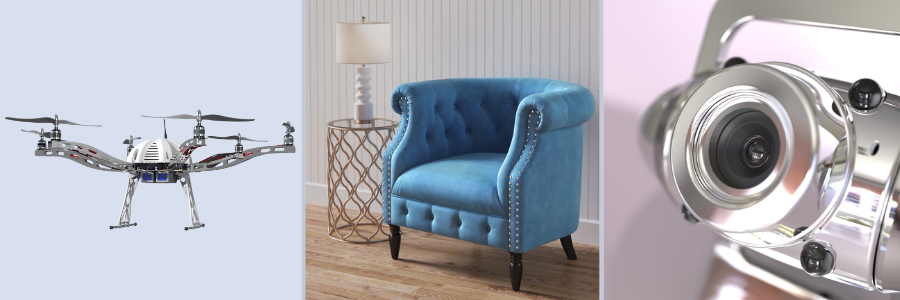
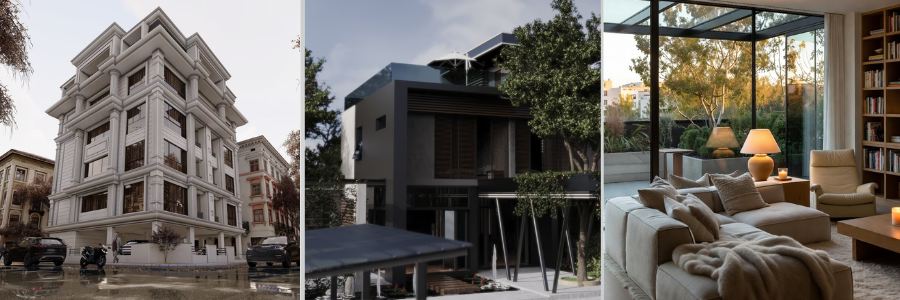
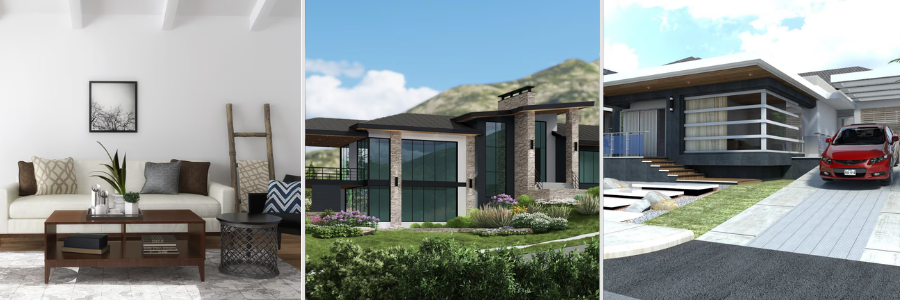
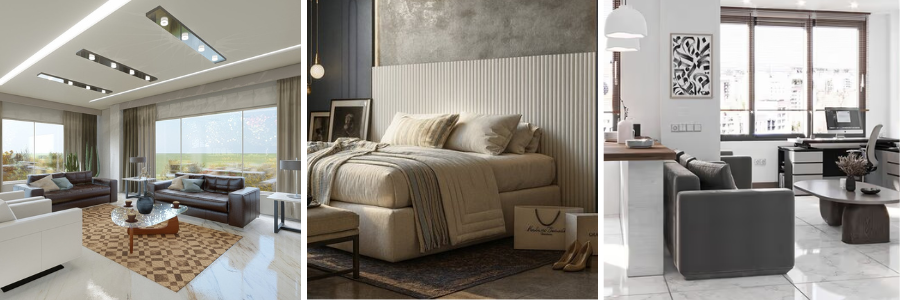
texturized 3d Rendering by Cad Crowd architectural and interior design experts

RELATED: Understanding architect fees and hiring options for your firm with Cad Crowd

Stretching and distorted textures

Improper scaling and texture placement may look weird, as it can look distorted. This can either be stretched, squeezed, or warped, making it look unrealistic. This mistake usually happens when the shape doesn’t align with the texture image or the size of the 3d. It’s best to position it in a way that it looks scaled and realistic. For instance, tiles should appear realistically square instead of rectangular, or the fabric textures may look uneven. This can be fixed by making use of vertices and adjusting them in UV maps. There is also an unwrapping feature that can help reduce this mistake in the future for architectural design services.

Incorrect texture resolution

When the texture is made of a low-quality photo, it looks blurry and a lot more pixelated. It looks fuzzy and disrupts the idea of it being realistic. While some use low-quality photos so as not to slow down while rendering, there should be a balance in usage. A high-resolution image texture can be used for near camera surfaces, while low-quality ones can be used for distant objects. In that way, it wouldn’t feel unreal but intentional.  Choosing the correct type of resolutions makes it better and more realistic rather than settling for what’s available. 

Repetitive patterns

A certain pattern may look good in small areas but may look unreal if repeated multiple times in a larger space. Once visualized in a large space, the pattern will become too obvious and may look fake or computer-generated. In real life, if tiles are laid, it does not look perfect. It has some slight differences, be it in color or some cracks. Not being perfectly patterned makes the texture look real and not fake. 

Misaligned textures

There would be a misalignment observed when the patterns of material do not line up properly across a surface or an edge, making it look messy and chaotic. When looking at real tile panels, the edges are seamless and do not look sloppy. Proper alignment can be done by using UV tools and snapping features. Architectural firms that take the importance of projects such as hotels, offices, and luxury spaces could benefit from precise alignment since it looks pristine and luxe. 

Ignoring normal and bump maps

There are maps that simulate bumps and add geometry without adding 3D shapes anymore, which is good for photorealistic rendering services. These are called normal and bump maps. Instead of adding bump shapes to make it seem real, a normal and bump map can be incorporated to make it look real and add depth to the surface. This is mostly used in areas that use high-detail architectural projects, an example is a museum or textured walls. 

Improper material settings

There are certain factors that still affect how surfaces are perceived in real life. There are reflection, glossiness, transparency, and other things. These influence how a material looks behaving in real life, and incorrect material settings can dull it. There are different adjustments for every material type. Sometimes these are adjusted during lighting scenarios to make the model more appealing. 

Inconsistent scale across materials

Inconsistent scaling could sometimes be seen by the way it just feels off. The same type of material can appear in different sizes, and this causes unrealistic visuals because the proportions just don’t match. This can be adjusted through texture scale on various objects. Making use of UV mapping and texture settings will make the render look more realistic. 

RELATED: The power of 3D visualizations in improving construction safety and project efficiency

Using non-seamless textures

When a texture does not appear seamless, the edges and terminations of the images become a lot more obvious and look fake. In real life, the surfaces do not look like they have an end; they feel continuous. In order to fix this, designers use seamless fixtures to match it perfectly with the adjacent patterns, so it won’t have obvious lines and borders. 

Ignoring texture orientation

Texture direction is important in achieving realism because if the applied texture is in the wrong direction, the design could look fake. It is crucial for designers to check all orientations if there’s inconsistency. 3D rendering design experts should be attentive to details and enhance surface texture by correcting misaligned directions, if any. 

Overlooking UV packing efficiency

How UV packing is utilized matters in texture mapping. It could leave a space underutilized, reducing details intended for more important areas. Knowing how to optimize UV layouts ensures that areas of high priority will receive the highest texture resolution.  There is an automation to do this to make it more efficient, and BIM and CAD can be used for this. 

Incorrect use of procedural textures

Although helpful and powerful at times, procedural textures can also be tricky when applied poorly. Procedural textures are patterns that are created mathematically. An example is the patterns of marble and wood grain. It adds variation without the need to use large files, yes, but it can also look unnatural if it’s misused. The key to making it look real is blending it with regular image textures. This way, it adds naturalness to the surface. 

Neglecting lighting influence on textures

Textures dance with light; some artists overlook this and adjust only the texture. They tend to forget that lighting also influences it, like shadow, highlights, and reflections. Without lighting influence, the texture would appear unnatural and dull. Lighting adds depth perception and enhances material authenticity. 

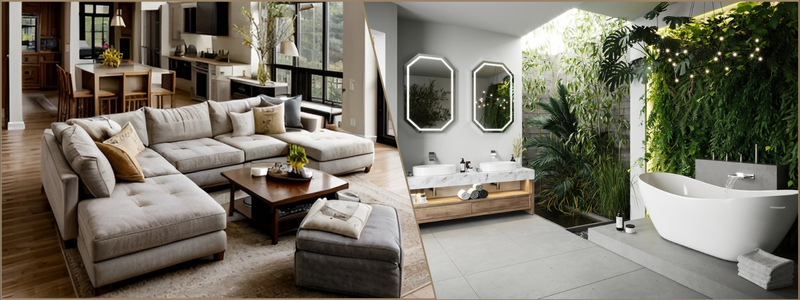
3D rendering design examples by Cad Crowd architectural and interior design freelancers

RELATED: Overcoming errors in architectural drafting with outsourcing design services

Failing to test renders at multiple angles

Architectural models often have more complex shapes, and sometimes it needs not only one camera angle view but more of them. Doing so can expose errors. Having only one angle can be prone to blind spots, and errors will be overlooked. Ensuring that the issues are caught early on makes it easier to fix or make an adjustment for 3D architectural rendering services. Checking multiple angles could also ensure consistency across all surfaces, making sure that no mistake was missed. 

Proper UV unwrapping

To ensure that UV unwrapping is properly done, it has to be envisioned that it looks like flattening a 3D object onto a 2D surface so that all textures wrap it correctly. In UV, textures can overlap, misalign, and stretch on the model, making it look off. Textures should stay in the right place, and that can be fixed with the utilization of UV islands to adjust positions and check the spacing and stretching. 

Maintaining texture resolution balance

To maintain texture resolution balance, select the right detail for each surface. High-resolution photos are mostly used on close-up surfaces, so the details appear crisp and clear. But in distant objects, low-resolution textures can be used since small details won’t be noticed, since they’re distant. 

Seamless textures and pattern variation. Seamless textures do make surfaces look continuous and natural, but such repetitive patterns make it perfect, so it feels artificial. To ensure that this is avoided, designers fix it by layering multiple textures and adding some hues or colors to pattern variations. This can be used for long hallways or large walls where a repeated pattern can easily be spotted. 

Consistent material scaling

There are different material surfaces and patterns that can be seen on the render model, and it’s important to have a consistent scaling throughout the model. From bricks, floor tiles, or wood planks. Every pattern and texture should be proportionate to the objects or other elements; it will look mismatched and awkward. 

Ignoring ambient occlusion

This is about forgetting subtle shadows that should appear on areas or where surfaces meet. Shadows in surfaces influence depth and realism, and not having it make it look unnatural. Without it, there would only be smooth pictures or detailed patterns. It will look flat. Architectural and interior design experts can fix it by utilizing maps and applying shadows in corners and crevices to make surfaces look three-dimensional. 

Applying textures to the wrong material channels

Every material has multiple channels that control how it looks. It has color, roughness, metalness, and normal/bump. When color texture was put on a different roughness slot, it may not look good. It can look patchy or may appear fake. The textures wouldn’t feel like they’re real. Textures need to be corrected and put in their rightful slots. Color textures are meant to color, roughness makes the surface shine, and normal maps can add in bumps. Mixed-ups can make it look way off. 

Ignoring real-world material references

All textures have to be aligned with what the real-life one looks like. Having a reference makes it easier to correct anything that feels fake or off. When the textures do not match the real material, the render wouldn’t feel real or convincing, no matter how high the quality of the render is. It is important to take note of how the real-life material looks so that the textures in the render would feel believable.  

Using stretched UV shells

Stretched UV Shells usually happen when an unwrapped version of the three-dimensional surfaces is squashed or stretched. The texture wouldn’t feel like it fits. It could elongate, bend, and squash on some materials. To fix this, UV islands have to be checked to make sure that they are properly and consistently scaled. Also, relax or unwrap UVs to evenly distribute them. Fixing this layout ensures that the texture wraps naturally. 

Regular software updates and plugins

Constant checks on software updates and plug-ins ensure that the program is running on new tool engines and consistently improves. The updates could help improve bugs, fixes, and other optimizations to make the textures more reliable and realistic. There are plug-ins that could help in detecting overlapping UVs so they can be resolved early on. Updating could also improve speed in HDR rendering services, as well as their compatibility with files. 

Collaboration and freelance support

Having a freelancer help with unloading tasks and works and could improve the render quality. This way, the team can focus on other decision-making agendas or do quality control on design planning. There are several platforms that connect businesses to professionals, but in Cad Crowd, you are assured that the freelancers are pre-vetted and ready to help without guesswork. They can deliver the tasks tailored to the project’s needs. 

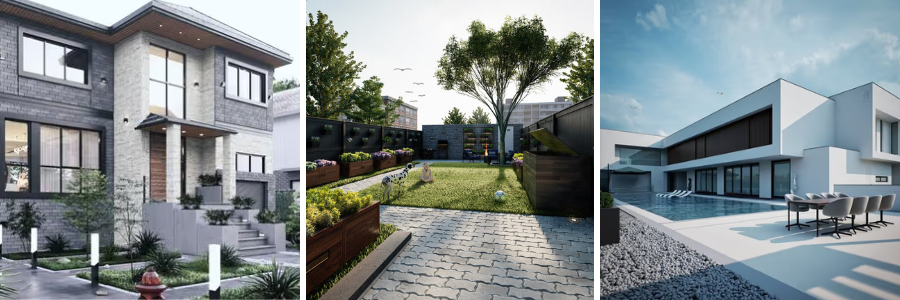
texturized 3D renders including landscape and interior by Cad Crowd architectural designers and freelancers

RELATED: Understanding real-time rendering, how it works, and benefits for architectural companies

Workflow documentation and templates

Having a standardized workflow and documentation helps keep track across the projects. It sets rules and conditioning for UV wrap, texture naming conventions, resolutions, and material settings. This ensures consistency and makes it an easier streamline workflow for the team members to follow. This is essential, especially when handling multiple large-scale projects. 

Final render checks

Before submitting final renders, it is only right to do a quality check and inspection of all surface textures to detect errors, if any, and whether everything is correctly aligned and consistent. Use multiple camera angles to check other areas, as there may be hidden issues. High-resolution views can detect subtle clashes that could not be seen on drafts. Doing a final check gives confidence in the final output, strengthening trust and enhancing client satisfaction. 

How Cad Crowd can help

Texture mapping isn’t just about finding the right textures to match the surfaces; it must look real and natural. An effective texture mapping produces high-quality renders, which makes stakeholders visualized realism of the structure, adding confidence to it.  Addressing common mistakes in texture mapping and taking corrective measures improves the outcomes and aligns the renders with realism. To ensure quality, architectural firms connect to platforms like Cad Crowd to help in finding the right experts to work with. Check Cad Crowd today and hire your 3D artist and achieve that realistic render with accuracy and visual impact. Request a quote today.

author avatar

MacKenzie Brown is the founder and CEO of Cad Crowd. With over 18 years of experience in launching and scaling platforms specializing in CAD services, product design, manufacturing, hardware, and software development, MacKenzie is a recognized authority in the engineering industry. Under his leadership, Cad Crowd serves esteemed clients like NASA, JPL, the U.S. Navy, and Fortune 500 companies, empowering innovators with access to high-quality design and engineering talent.

Connect with me: LinkedInXCad Crowd

Future-Proof Your Aerospace Designs by Digitizing Legacy Blueprints with CAD Services


When it comes to Aerospace designs, precision is of great importance and must be complied with. Businesses should utilize technology in the modern era rather than relying solely on files and paper drawings. While this has worked in the past, it is important to adapt and catch up with what has been paving the way, such as the digital drawings that are created using CAD design services.

These digitalized aerospace blueprints are becoming more popular in the industry as they avoid loss of files, which usually happens in past methods. With the use of digital aerospace blueprints, it is much more efficient to spot mistakes, and in a span of time, you can edit and convert the files.


🚀 Table of contents


Role of paper in the aerospace industry

Paper was the backbone of everything. Paper was the most effective means of delivering documents and information back then. It truly fulfills its function in the industry and is utilized in a variety of tasks. However, as time goes on, the aerospace industry’s needs become more demanding and complicated, and paperwork may become a barrier. Even still, actual blueprints and paper will continue to be significant.

The role of paper in the industry acts as an intellectual property. Everything is signed, needs to be checked first, and has to be revised all over again. It is a piece of knowledge where it all started. Everything before digital has risen, such as papers that preserve and secure every piece of information that is available.

Aerospace design by Cad Crowd design experts

RELATED: Elevating your company’s product designs through user-centered design principles

Paper to digital: Physical degradation and its limitations

Paper drawings, files, and blueprints are not useless; they are the first step and the longest way of having documents physically. However, it has a lot of factors that can make it useless; it can fade, tear, and be easily fabricated. With the use of digital files, it may be hard at first as everyone is still adjusting, and not everyone has the means of catching up with the latest, but it makes it easier to preserve and store files. It will also reduce costs with the use of digital files, as the use of paper will be less for aerospace engineering firms.

Storage can be hard and takes up space in the office. It is also hard to retrieved needed information and documents in an instant. Using paper blueprints also means that editing and modifying parts are difficult, and errors usually happen. System layouts can be hard, and so transitioning to digital can be a great move. In addition, old drawings and paper files can be limited in sight, which can lead to errors. In the realm of aerospace, precision is a must and makes no room for any errors, as it will cost not just financially but also to the industry that is being built.

Paper documents play a part in the aircraft industry because it frequently takes time to locate the correct file to examine. Working collaboratively is particularly challenging since it involves paperwork, which requires passing it along to others before work can begin. The emergence of digital tools has made it possible for the aerospace sector to avoid slow workflow because time is valuable.

Accuracy and sustainability in support of digital tools

In the report of NASA’s 2025 Aircraft Data Hierarchy, the room for digitalized tools and model-based systems engineering supports sustainability. The use of modern digitalized tools offers quicker repairs to problems, while still providing accuracy and integration to the systems. Yet in the field of aerospace, safety is the number 1 priority, hence the need for specific tools for specific tasks. It is a must to use the suitable tool for work, as it can cause a delay if not. By this, the use of digitalization in the field can enable one to easily track and monitor all the tools and processes being used.

Adopting digitalization is crucial in fields where safety must be ingrained since it increases productivity, which reduces hazards. As a result of these projects’ transformation, engineering systems and layouts may initially be complicated, but each step is necessary to provide precise and sustainable production. Accuracy must be instilled as professionals work efficiently, as it reduces delays in production and so can improve results for manufacturing design services.

Transitioning to digitalization

More than just turning paper files and blueprints into PDFs and images, it means that flexibility can happen. Embracing the world of digital and technology, in the industry of aerospace, it is easy to say that the paper files can be converted into digital files, such as 2D and 3D CAD services, which can be updated with the current tools in the market.

Using paper drawings, or by merely sketching them, is so hard to make adjustments to them, but by digitalizing the blueprints, it is more convenient for the aerospace industry.  Having to deal with unlimited information every day, and by securing that in every step being made, the safety and quality are attained. There is a platform that can do the task, as it offers CAD services that convert every paper drawing into formats in CAD that can be edited and modified in a span.

The process from paper to digital doesn’t mean rebuilding the entire blueprint. It does not make use of traced images but of refined, editable 2D or 3D models. While there are still a lot of platforms focusing on different field yet still covering the digitizing blueprints. The use of it can create a part that can make the manufacturing process better, often lighter or stronger than the original. 

Virtual testing and communication

Testing designs in a virtual environment has several benefits, including resource savings for engineering design firms. One benefit of digitizing blueprints is that they may be evaluated virtually, indicating their stress resistance. In the field of optimization benefits, Siemens & Rolls-Royce Next-Gen Demonstration allows AI-powered optimization, where some of the parts are used in digital to upgrade the process. Without having to splurge on multiple prototypes, with the use of virtual testing, experts can find flaws and maximize the tools.

Virtual testing is equally important as testing in real-world scenarios; it can improve efficiency and maximize existing knowledge and systems. In addition to saving time and money, communication between teams and partners created an environment that may benefit the aerospace company. The demand for communication in the aerospace field is getting larger and larger every day. But with the use of digital models, there are a lot of tasks that can be conveniently done. Communication can be easier to reach as you can share ideas in real time, or even if you just need a clear instruction on what to do.

As technology happens, the work is being made easier, so the need to ship a pile of papers can be lessened. Collaboratively done with every partner, team, client, and professional, it improves communication in a two-way manner and eliminates any potential misunderstanding that might be in the way.

RELATED: A startup guide to concept design for hardware with product design services companies

Efficiency and productivity in the world of digitalization

The use of digitalization in the industry makes it really important, as it can improve the performance of every craft.  It is convenient to have communication with different partners, teams, and engineers to improve performance, as they can use virtual meetings. With the use of virtual meetings, time can be saved, and so it will increase the productivity and efficiency of everyone, especially aerospace engineering experts. Utilizing digitalization also means being visible in the competitive business environment and building a reputation that every customer can rely on.

To be one, the aerospace industry makes an effort. There are particular tools used in production that are actually in line with what is required. It uses a variety of tools to provide digital services. Among many other things, this includes CNC machining, digital twin systems, and 5-axis milling. This provides accuracy in this industry, where precise and standardized models are being created. The use of these manufacturing tools bridges the gap between physical and digital models and design.

Reverse engineering

Not all the time can original documents be found, and so with the use of CAD services and experts, it will be easy to reclassify and redesign the document. The use of blueprints in digital form can be useful in a way that documents and files are readily available without the need to archive files in the storage room.

It cannot be denied that one challenge that happens usually when using paper files is that they get old or the original ones are lost; hence, the use of reverse engineering is a significant action, where it goes back to how exactly the paperwork was made. As a result, reverse engineering is a crucial step that relates to the precise way the paperwork was created. It is not always necessary to start a new file when one is lost or cannot be viewed fully and properly.

Risks and challenges of transitioning

Potential hazards can also happen in the use of modern digitalization, such as hacking and viruses, which can pose a risk in the field, yet with a proper platform, this can be avoided. Selecting what the aircraft design experts need is crucial to preventing resource waste. Conflict may arise if the selected tool is unrelated to the client’s needs, which could have a detrimental effect on the platform. Despite digitalization, there is a shortage of skills and talents, given that few people are keeping up with it.

The transition from paper to digital poses a lot of things that could happen, including working collaboratively. However, this transition should happen in the future. Even with the benefits that could happen when still in the format of paper, the change in digital should be made as it is done for the betterment of the industry. It is clear that despite all of the changes, humans still play a crucial role in it. It is hard to give up the process of what has been done, but resistance to change can do no good in the future.

Resistance just indicates that fear is at the forefront of the enterprise. Sometimes people are afraid of change, but that doesn’t imply they’re deleting all of their work. Notwithstanding the modifications, it can be a good notion to complete a challenging activity without feeling rushed. Ensuring that requirements are fulfilled while continuing to align with the objectives of the aerospace sector.

Security and data protection of digital

Digitalization can pose risks, as do paper files and documents. Digital files can be protected in different ways, such as using passkeys, encryption, and access controls. Because only a small number of people may access and alter the designs, tools, and documents using digital tools, platforms that offer digitalization do provide stronger protection than physical ones. The modifications made make it simple to track down. By using digitalization, the aerospace sector can produce and possess intellectual property without having to worry about it being faked or altered.

The greater the technological advancements, the easier it is to replicate. Security is rigorous, making it difficult for everyone to access, despite the experience of all professionals providing CAD digitization services. The aerospace sector faces a dilemma because it is crucial to the area; it is important to address and ensure that all data is protected. There is a special form where CAD files and services are unique from what has been used in the past. It took time before it was developed, yet it is an asset to make sure that none of the factors are compromised.

Viruses and threats might happen in the process. If these attacks can be successfully made, they will corrupt all the files, resulting in a loss of what has been designed, making it hard to recover. Hence, to avoid all of these from happening, it is vital to restrict who has access to it. In this digital age, security is crucial because making it easily accessible to everyone can raise the possibility of unlawful use.

RELATED: Aircraft design services: A complete look at pricing, rates, and costs for companies

AI as the digital future of aerospace

Initiatives run through by programs like Digital Design, Manufacturing & Services, and platforms like Airbus, a digital aerospace company, can produce real-time production and manufacturing, maintenance, while still maintaining the standards and quality. In the field of transitioning to digital is the help of AI tools and systems. AI can be a help by enhancing the blueprints into refined works with the use of CAD flow.

AI can speed up the process of digitization rather than manually doing the task.  It can also be a great help to experts and engineers to easily spot errors or features that need improvement. It can offer an improved approach to enhance and speed up the models while maintaining the safety standards that an aerospace company establishes.

It is important to search for alternative options that can put the industry in the forefront while advancements are pursued through prototype design engineering. It’s a smart step that benefits both clients and specialists to use AI-driven solutions to convert files in line with CAD systems. It allows for the pursuit of standardization while providing precision.

Utilizing the past to secure the future and improve the present

With the use of digital models and blueprints, it is more efficient to collaborate with different teams and partners, which also means that every move and change can be traced in real time. Yet, while there may be a lot of opinions on switching from paper to digital, making the switch to digital instead of paper can save time and money, and it also reduces the possibility of errors. It doesn’t mean that transitioning from it means that preservation of resources is not being made. It just means that it is upgrading and so investing in the services that could help flourish the system in the industry.

Using legacy drawing CAD services for the aerospace industry entails that innovation is being attained, and so investing in success. It builds a legacy that adapts to the needs of the emerging competition in the market. By having to invest in the present and future, using the past tools can still be a great help as files from it are being used, and are improved in the present, bringing out the best in the future, and avoiding being outdated in the market.

Quality control and compliance

In the industry where safety and precautions are valued and needed, having to comply with certain rules and standards is a must. Having been in the field where there are always changes as time progresses, it cannot be denied that sometimes it can be tiresome, confusing, and can reduce the quality of the work.

With the use of digitalization and so with CAD services, it is much convenient to handle tasks at once, securing that protocols are being complied. It is vital to keep track of everything, and so transparency and accountability are two of the few that the aerospace industry must attain. Digital tools can streamline processes, identify mistakes automatically, and perform quality checks while maintaining consistency with set standards.

Digital blueprint as a future for the aerospace industry

As time progresses, all things get old, and as we use them, the materials and parts weaken. Over time, it needs to be replaced, and so modern technology is a help. In the aerospace industry, aircraft maintenance can be a pain in the neck, especially when it is no longer being produced. Yet with the help of digitalized blueprints, it allows every expert, especially with the use of different platforms like Cad Crowd, to form the same forms accurately. The process of making the designs using digital tools can save time.

Digitization is more than just turning every file into an editable one. It uses CAD software that creates models, redrafts, and converts 2D into a 3D CAD model through CAD conversion services. It also organizes all the data into a proper arrangement. Digital blueprints can also be used a hundred times if a client wants to, especially in the aerospace industry. Ensuring that everything takes place in order, digital tools in the world of aerospace use a structure that can be accessible to everyone.

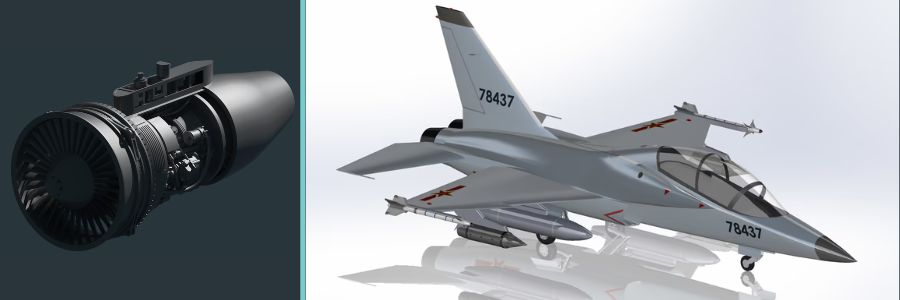
aerospace design of a jet engine and fighter jet by Cad Crowd aerospace design expert freelancers

RELATED: How much do aerospace engineering recruiters cost staffing agencies: Service fees for companies

CAD service platforms’ function and operation

To accomplish the transition from paper to digital, Cad Crowd is one of the best platforms that can be used. Cad Crowd has experts in CAD services that can provide services in the aerospace industry, such as converting the drawings into editable CAD formats, including SolidWorks, AutoCAD, and many more in the field.

By using the platform, the aerospace teams will not have to assign their own staff or resources to complete the work because the Cad Crowd freelancers will handle the entire process. Only the Cad Crowd team will use it to make sure it is in line with the requirements of the aerospace industry.

Experts in CAD Services specialize in turning every file into formats. It can be done in a 2D to 3D conversion, where a client can surely see the complete system. It allows the professionals to simulate and perform the tools to be able to dry run and confirm if the product is ready for production. Professionals can be a great help in the aerospace industry, as they can also complete the files, whether the file is incomplete or torn apart. Techniques and services cannot be compared to real-life services, as using digitization also means moving forward toward the goal.

In the platform Cad Crowd, the service starts by making use of the existing file and turning it into a digital, modern file. CAD redrafting services can give a replica that can be edited while still being able to preserve the engineering process that already happened. Editing it means that changes can be made, while still securing the files and aligned with. In the field of aerospace, it is a long, tremendous phase that can take a lot of time and resources, but with the use of platforms like the Cad Crowd, the process, knowledge, and information are stored securely, which can still be used for the future. 

The aerospace industry is at the core of improving its service. In this modern world, being able to adapt to it helps in improving its functionality. Digitizing legacy blueprints makes a voice in the engineering expertise, and so with the professionals who make sure that it keeps on being relevant in the realm of digital. The use of CAD services is a great way to make sure that digitizing forms is used properly. As an aerospace company continues to demand service, digital services are part of the solution to this.

Future-proofing designs does not only mean that it is just for technical advancements, but it is also about being a responsible company that cares for its customers and clients. The utilization of it enhances the protection and accountability that any model needs to have. Driven optimization reduces resources and produces the greatest service available in the market by focusing on improving each form. From paper to digital plan, it allows for innovation while meeting requirements and adhering to standards to guarantee quality.

How Cad Crowd can assist

Aerospace companies should not let the past hold back their future. It is something to look forward to, the improvement and the progress. The concept of transformation is made feasible by CAD services, which make it potent and pertinent to advance and safeguard the aerospace future. Future-proofing aerospace design is a change that unlocks every possibility that could help the field grow. Transitioning from the past to what is accessible is a step that helps, making it possible to help customers fly until the sky is the limit. Request a quote today.

author avatar

MacKenzie Brown is the founder and CEO of Cad Crowd. With over 18 years of experience in launching and scaling platforms specializing in CAD services, product design, manufacturing, hardware, and software development, MacKenzie is a recognized authority in the engineering industry. Under his leadership, Cad Crowd serves esteemed clients like NASA, JPL, the U.S. Navy, and Fortune 500 companies, empowering innovators with access to high-quality design and engineering talent.

Connect with me: LinkedInXCad Crowd

Essential Modern CAD Tools for Architectural Design Firms and CAD Drafting Companies


We all know that traditional design firms and drafting teams use tracing paper, manual tools, and blueprints for any architectural designs. With the expanding technology to make our lives easier, a model CAD software has been created to transform any idea into an actual construction. This shift in the workflow did not just make work faster but has also made collaboration between teams easier, revisions less tedious, and deadlines easier to manage. This article looks at the key CAD tools used by architectural designers that shape today’s architectural processes while still recognizing that design work is primarily creative, human, and occasionally messy.

From drafting tables to digital workstations

Until now, the drafting table has been the center of any architectural firm, but the same work can be done remotely compared to traditional deskwork. Pens and erasers are made obsolete by CAD tools with its many layers, functions, and the essential undo button that allows designers to revise with a click of the mouse. This change not only saves more time but it has completely changed the way architects think of new ideas and concepts, and makes changes together and individually without having to redo everything from scratch. Before, revisions used to take hours with a lot of back and forth, but now, redesigns can be made in minutes. This keeps the project moving forward at all times without the team experiencing any unnecessary stress and burnout. 

Creativity with a lot of precision

Architecture is a mix of creative talent and a tendency to stick to accurate measurements. A design can be very unique and creative, but even a small miscalculation in the measurement can result in future issues that cost a lot of money. With the help of modern CAD tools, architectural designers can explore their ideas freely while making sure every technical detail remains precise and exact. Instead of putting limitations on creative concepts, the software supports them. CAD tools can handle all the technical details in the backend while the architects can focus on design that also works well. 

RELATED: Questions to Ask Before Hiring a 3D Virtual Tour Company for Architectural Design Firms

2D drafting tools that still do the work 

Even with all the new 3D and modeling tools available, 2D drafting tools are still useful and relevant. A lot of architectural drafting firms still utilize these 2D tools to create detailed plans, sections, and construction drawings because they’re fast, familiar, and extremely precise. These are the exact documents that contractors will look for when the actual construction starts. When it comes to the teams that do the drafting, strong 2D skills are a main requirement because they present all the technical information clearly and accurately, which in turn allows the contractors to easily understand and interpret them with no problems. 

Why old school tools still matter

The reason why 2D tools are still being used is that people are familiar with using them and are used to them. Drafting teams don’t have to relearn how these tools work or what specific command buttons to press. Actually, using the same tools as before is like second nature for most people. Because people are very familiar with these tools, it’s like muscle memory to them, and they can work quickly and efficiently even when deadlines are fast approaching. The old school 2D software is still very reliable, so there are no surprises that can give drafting teams stress. In the end, teams can focus on finishing work instead of struggling with new technology.

How BIM is more than just drawing software

Building Information Modeling (BIM) services has been able to change how buildings can be designed and presented. Instead of technical lines, BIM uses real building components to make a smart and responsive model that is very true to life. This makes coordination easier and reduces errors for architecture firms. When there are changes or revisions, BIM can automatically update it to the model, which can really save a lot of time and stop little mistakes that pile up into a major revision that needs to be redone many times. 

Better team collaboration to prevent issues

The best way to maximize BIM is when all teams involved work together, including architects, contractors and even consultants. If they refer to the same model, are able to comment and catch issues ahead, this can result in time-consuming back-and-forth meetings. When possible problems and mistakes are spotted soon, they are easier to fix, which can result in smooth-sailing projects and a strong and healthy working relationship among all teams. For drafting companies that use CAD, it equips them with the capacity and capability to take on bigger projects.

RELATED: Integrating Drone Footage with 3D Architectural Animation: Aerial CGI for Companies

Parametric tools that promote creative play

This kind of design tool converts serious design work into a playful one. It gives the 3D modeling designers the decision of which rules to follow and how to test different variations. If, for instance, you change one setting, expect the entire design to adjust and change automatically. Through these tools, you are given the chance to explore and, at the same time, choose what is best for your design without being so cluttered. 

Balancing creativity with structure

Freedom is the opportunity to express your style without any condition or consideration, while discipline sets the limitation. Without clear rules, small changes can lead to unexpected results that slow projects down. When teams use these tools, they still need to be disciplined enough not to overdo the design. At the same time, the tools can unlock design options that traditional drafting can’t offer. When used thoughtfully, it leads to a stronger and more cohesive design without having too many unnecessary elements. 

3D modeling tools that clients can easily understand

In every business relationship good communication is important between the 3D modeling design firm and the client. Today’s 3D models make it easier for the clients to visualize and understand the space, the measurements, the scale of the project, and the story and intent behind the design without the confusing technical details. The ability to give clients a visual walkthrough and turn a drawing into an actual experience increases the chances of approval. 

CAD tools for architectural design 2

Reducing the gap between vision and reality

With 3D modeling tools, ideas that were once a vision have now become reality. The drafting team can create drawings that are very true to life. With that, problems are spotted early, which prevents any eventual costly problems during the actual construction stage. The earlier they detect the problem, the better to easily address it, which leads to fewer revisions and a more efficient process.

RELATED: How Architects and Companies Leverage 3D CAD Technology to Develop Architectural Models

Fewer files and less stress with cloud-based CAD

We all know that the cloud is better than manual filing. File management no longer becomes a headache nowadays. Before, there were many versions, names were too confusing, and some changes were not explained, causing both stress and possible flaws in the filing systems. Now, with cloud-based CAD platforms, CAD design teams can work remotely and be distributed among different sites while having a controlled and centralized filing system without the usual file-related headaches. 

Better security and accountability in shared working environments

Collaboration becomes much easier when projects are organized. Everyone is accountable yet protected because changes are being tracked, and generally, access is limited to people within the project teams. For firms that are working on complex projects where information is sensitive, there is less risk when using these platforms and tools. 

Rendering tools that explain ideas, not hype them

Sometimes, to get better chances of making a sale, a seller tends to oversell a product. This no longer happens with rendering tools such as 3D product rendering services because visuals are now more realistic and can clearly show actual materials, lighting, and even present the possible atmosphere of the project. There is no need to exaggerate or oversell because it would look ridiculous and impractical. As a result, the clients can better understand the design, have the correct expectations and mindset, and feel confident about the proposal that they are seeing. 

Keeping visuals honest and buildable

It’s so easy to get impressed by a flashy rendering, but there’s a massive difference between a “pretty picture” and a design that actually works. High-level 3D rendering teams know how to use renderings to showcase the best parts of a project without disguising any problems and hiding away unresolved issues. At the end of the day, a rendering is only useful if it’s something you can actually build. The modern CAD process can keep the design and construction reality in sync.

RELATED: The Role and Benefits of CGI Rendering in Architecture: Why Service Providers and Freelancers Rely on It

Operating together is essential not optional

Projects only happen successfully when architects, consultants, and contractors are actually on the same page. This is easier said than done when everyone is using different software, and sometimes files are not compatible on different machines. Thankfully, modern CAD tools have gained much better flexibility and compatibility by using open formats that can export correctly regardless of software model or version. When the tools work together, the people usually work better together, with less friction and heated arguments. 

Choosing tools that fits the whole team

When you’re picking out CAD software, the fancy features don’t mean much if the tool doesn’t fit into your actual day-to-day process. Even the most powerful program may waste the team’s time and resources if it can’t be integrated into the rest of the workflow and other software being used. Experienced architectural visualization firms know that every project is a team effort, so they always prioritize tools that make collaboration easier, not harder.

Automation as a tool and not a replacement

CAD Automation doesn’t mean handing all the work over to a computer. It’s about offloading all the repetitive tasks that keep team members overly busy, like documentation and basic quality checks. Automated CAD tools are great for catching minor human errors and can help save hours of clicking. However, what they don’t have is human intuition and professional judgement. Decision-making still requires experience, insight, and creativity. 

Letting technology handle routine work

By letting modern CAD tools take over the more time-consuming, demotivating parts of a project, the whole design process starts to feel a lot more sustainable. 3D rendering designers end up spending less time troubleshooting minor technical glitches and more time actually refining the design. In the end, you get a better building and, more importantly, a team that isn’t burnt out by the routine work stuff that takes up so much time. 

RELATED:  Architectural illustrations vs. architectural visualization services

Software that provides everyday training and learning 

Modern CAD software understands that although people are committed to lifelong learning, nobody really has time to join a training class or session. That’s why modern CAD tools include built-in tutorials, tips, and community resources in their interface. Teams can pick up new features while they’re actually in the middle of a project, without stopping everything for formal training. Learning becomes part of the workflow, not another item on the to-do list. 

architectural visualization firm

Making it easier to master skills 

When learning tools are integrated into day-to-day software, people actually use them, and that builds confidence fast. It helps junior staff find their flow sooner and keeps the veterans sharp and up-to-date without formal retraining. For CAD drafting companies, that kind of shared growth makes the whole team more adaptable and a lot more competitive.

Humanizing digital tools 

At the end of the day, even the most high-tech CAD software is just a tool in some person’s hand. The real value of these tools is how smoothly and seamlessly they fit into how the team works day to day. Most of the successful firms don’t worry about how software can affect the progress of their tasks but choosing the right tools can also affect the overall vibe of the team. The right technology is able to support the entire team so that everything just flows and work becomes better. 

Practical and future-forward approach

CAD is always evolving with more automation integration and real-time collaboration happening every day. Smart 3D visualization firms need to be practical by adopting new features that actually add value without chasing every new trend or catchy feature. Always remember that the goal is to create a design that communicates clearly and builds things that last. 

RELATED: 3 Steps to Hiring a Reliable Architecture Firm & Freelance Services Architects

CAD tools doing important backend work

Instead of choosing popular platforms and trendy software, choose specialized CAD tools that focus on specialized tasks and functions like detailing, scheduling, clash detection, and even documentation. These tools don’t usually get special preference or attention, but when they’re working effectively, the entire team benefits from any efficient improvements. 

Details that really matter

Good architecture is only as good as its smallest details, which dictate whether a design either succeeds or fails in the real world. Professional tools help drafting teams create buildable solutions with exact and accurate details. 

Consistent while also preventing burnout

Instead of redrawing the same section multiple times, detailing software does all the repetitive work, which not only saves time but also prevents constantly correcting mistakes. The software does consistent work, so the team can focus more on the quality of the project. 

Catching problems early before they escalate

Detecting clashes early is one of the most important parts of a project. Spotting mistakes on the screen before anyone visits the construction site can really save time, money, and prevent stress later. With clash detection, both architects and drafters can show off their problem-solving skills to the clients and contractors. 

Turning conflict into conversation

The best thing about finding a clash early is that it prevents heated arguments at the construction site. When these discussions happen naturally during the design phase, potential disasters turn into simple coordination tasks, and corrections are made early on. 

Schedules and quantities that are realistic

For CAD platforms that have built-in scheduling and takeoff tools, drawings from CAD drawing experts are able to give a clear and complete rundown of the quantities of material and the necessary project timelines. This makes budgeting and purchasing easier for the team because now the designs are aligned with real-world costs that come from actual data provided by the software. 

RELATED: The Benefits of Using 3D Interior Design, CAD Drafting & Rendering for Your Company 

Connecting design with reality

CAD tools are able to bridge the gap between a big idea and the physical building of the project. They help architects think about how the actual construction will proceed, while giving drafters a better sense of how their work translates into wood, steel, and concrete. 

3D exterior rendering services

Visual tools that help teams 

Visualizations are not just polished photos used for client presentations. Some of the best visuals from expert 3D visualization designers are the quick diagrams and studies that help the team test an idea internally, whether it works or not, before starting the actual construction process. 

Getting clear before locking anything in

Modern CAD allows the team to explore and experiment with visualizations early. This gives the team room to refine and toss out ideas that are not workable in order to avoid numerous reworks and revisions later on. 

Working better across disciplines

Collaboration platforms bring together architects, contractors, suppliers, and even clients into one shared digital space where everyone can see updates in real time. Everyone works together, leading to more accurate and useful results. 

Working successfully with shared responsibility 

Working on the same platform and with the same tools allows for shared responsibility and teamwork, which can lead to better project outcomes and healthier work environments. 

Customizing software and tools to work your way

CAD Tools allows customization and scripting so teams can automate tasks, create shortcuts, and adjust the software to fit into their design process and workflow. 

RELATED: Techniques for 3D Architectural Visualizations and Tips for Your Services Firm

Efficiency based on actual experience

Teams refer to past experiences and challenges when they customize tools to fit their needs. With this personalized software, 2D & 3D design teams can build small fixes and create smoother workflows that are faster and more consistent. 

Choosing the right hardware 

The perfect software works better when used with the right hardware. Architecture firms need more high-tech machines that are fast and advanced enough to match modern CAD tools so that everything works well together. 

Better workspace means better productivity

Architectural firms today need to find a digital and physical setup with the right equipment that the entire team can comfortably work with. The right tools can help a team be more efficient and productive in terms of output, plus they can help boost morale and cultivate better attitudes. 

CAD tools on-the-go

Now that CAD tools can work on tablets and laptops, CAD drafting teams can bring drawings and models out of the office and straight to the construction site if needed. They can easily take notes, check the measurements, and make any necessary changes on the spot. Feedback becomes faster, and responses are quicker. 

Keeping drawings aligned with actual construction 

Mobile tools help make sure that the actual building and the drawings are in sync. This updates and corrects any construction issues that may arise. Architects and Contractors are on the same page from the beginning of the project to avoid major problems down the road. 

Letting data guide design decisions

3D tools that provide data on energy use, daylight, and building performance help teams make decisions ahead. These insights support the design and build process by keeping models accurate and reliable. 

RELATED: Best 50+ Freelance Jobs Sites for Architects and Finding Remote Work for Architectural Designers

3D interior rendering firm

No afterthoughts just informed choices

When modern CAD tools are integrated into the design process, teams can make a smart decision early instead of fixing and reworking later. 

Managing complexity without confusion

Avoid confusion by sticking to clear, simple standards in software utilization. By using templates and a bit of automation for filing and building design, everyone works with a unified direction, even if projects start to scale up.

Cultivating the right culture

When an effective working environment is focused on teamwork, clear communication, and promoting curiosity, there is a high chance that the architectural design team will be more effective just by adhering to the work culture.  

Evaluating tools without chasing the hype

Firms should focus on software that actually helps and improves their work process instead of chasing all the latest, trendy software. Choose tools that give actual solutions and not disruptions to the workflow. 

The Right mix beats a single solution

Most firms’ success story comes from being flexible and combining different platforms that add value to the workflow, minimize disruptions, increase efficiency, and play to the different strengths of the team. This allows firms to handle multiple projects at once while also meeting different clients’ needs. 

A practical take on what actually works

Seasoned professionals can immediately identify which tool works better and delivers better performance when the immediate deadline is looming. They rely on personal experience and practical choices to make the right software choices instead of relying on a marketing brochure.

Looking at CAD as a living ecosystem

In the future, CAD systems will be more connected, and data will flow more freely. These tools are a helpful assistant rather than a replacement for human talent, making collaboration a lot smoother as long as firms remain smart and approach with caution and common sense. 

RELATED:  How architects and companies leverage 3D CAD technology to develop architectural models

Digital support systems for actual people

Despite advancements in technology, the people who still do the actual work. The role of CAD isn’t to take over anyone’s actual job but to support human tasks and help make entire 3D architectural modeling teams work better together by streamlining workflows and creative processes. 

Why tools still rely on talent

Software can definitely give you an advantage over the competition, but it cannot be a substitute for an actual person’s experience, sense of judgment, and even eye for detail. A great team comes together based on individual strengths and talents. Their ability to do work is not based on software. At the end of the day, the tools are there to support decision-making and help solve problems.

Finding the right experts for complex projects

As projects get more complicated, the ability to integrate specialized tools becomes a huge advantage for the team. Whether it’s hiring a freelancer with a niche skill or a professional who can come in to help on multiple projects during a very busy period, bringing in outside experts can minimize the team’s workload without having to spend on expensive overhead that hiring a full-time employee entails.

Find out how Cad Crowd can work for you

If you need a professional who knows their way around modern tools and workflows, Cad Crowd can connect you with the right person for your needs. Our roster of seasoned architects and drafting experts can easily integrate into your team and provide real-world results using high-tech tools. 

author avatar

MacKenzie Brown is the founder and CEO of Cad Crowd. With over 18 years of experience in launching and scaling platforms specializing in CAD services, product design, manufacturing, hardware, and software development, MacKenzie is a recognized authority in the engineering industry. Under his leadership, Cad Crowd serves esteemed clients like NASA, JPL, the U.S. Navy, and Fortune 500 companies, empowering innovators with access to high-quality design and engineering talent.

Connect with me: LinkedInXCad Crowd

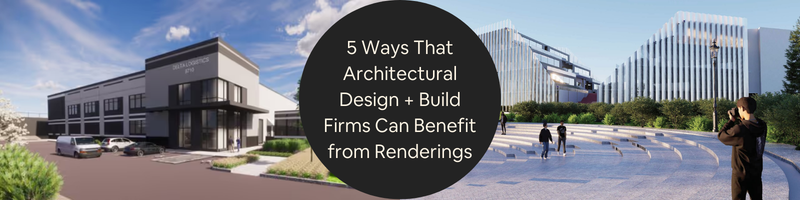
5 Ways That Architectural Design + Build Firms Can Benefit from Renderings


Even before the concrete and steel structure, the beginnings of commercial buildings start off as ideas, budgets, timelines, shared goals and expectations, and multiple revisions along the way. As the project moves from the early sketches to planning the first site visit, things can get really confusing and complicated fast.

This is how 3D architectural rendering services can make a difference. They’re not just about making a project or development look nice. Renderings can help the entire team, and even the clients and suppliers, to see and understand the project concept. When the vision is presented clearly, decision-making is faster, communication improves, and costly surprises are avoided. For architects and contractors, renderings turn abstract ideas into visuals that are realistic.

Below are five practical ways renderings add value to commercial projects, present development plans clearly and simply.


🚀 Table of contents


Way 1: Renderings translate technical drawings into easy-to-understand documents

Architectural drawings are precise and accurate. However, the majority of people outside architectural design experts are unable to read it. Clients are not familiar with floor plans, sections, or even elevations. Even if experienced contractors or builders can read them, they can still benefit from seeing the complete picture. 

Renderings translate technical information and details into a visual representation of how rooms are connected, how materials work together, and how the space will look and feel from an actual person’s perspective. Instead of having to interpret notes, lines, and symbols, everyone can see the final project in its entirety. 

This shared understanding helps prevent misalignment and miscommunication problems in the future. Clients ask better and clearer questions. Contractors and builders can spot challenges sooner. More importantly, architects spend less time explaining and clarifying and more time on improving the design. With everyone relating and responding to the same visual reference, discussions stay focused and become more productive. 

In most cases, renderings can replace several back-and-forth meetings, saving both time and resources before the actual construction begins.

RELATED: 3D rendering artists: What sets apart CGI specialists & talented freelance experts

Architectural design rendering of building exteriors and cityscape by Cad Crowd design experts

Way 2: They build client confidence without overpromising

Commercial projects require a lot of trust from clients who are committing significant amounts of money to something that has not been built yet. 3D rendering design services help make clients feel confident and secure about their investment by showing a clear and honest picture of what the project is meant to look like with realistic materials, accurate scale and proportions, and believable lighting.

When the project is clearly explained in detail, the better chances for approval by the client, especially when they feel more informed and involved, instead of pressured. As a result, the client feels a sense of ownership instead of constantly second-guessing their decisions in the long run.

Renderings also provide protection to architects and contractors by presenting detailed visuals together with drawings and specs, which can prevent any misunderstandings and potential disputes caused by misinterpretation and miscommunication. When everyone is on the same page and sees the same vision, trust and confidence towards the project grow.

Way 3: They allow seamless team collaboration to avoid costly revisions

Commercial projects require coordination among architects, engineers, contractors, consultants, project managers, and even suppliers. Having a shared visual reference can prevent assumptions from blowing up into major issues. Renderings provide a common point of reference for everyone involved. Contractors can assess the building process. Engineers spot potential conflicts earlier. Architects are able to evaluate whether the original design concept holds up in reality.

Technical drawings alone do not often reveal any issues the same way as a project render. Space and proportions may work on paper, but possibly turn out to be imbalanced or cramped in the actual perspective. Pathways for natural movement may function in theory, but feel awkward when experienced in real life. Materials that seem functional and logical in terms of elevation may feel harsh and abrupt when seen together.

Catching these issues and concerns earlier can save time and money for architectural design firms. Changes made during the design stage are far less expensive than making corrections and fixes during the construction stage. Renderings allow the team to pivot and solve problems earlier, while solutions, replacements, and improvements are much easier and cheaper.

These renderings can also drastically reduce the number of meetings required to clear up or resolve any confusion. One clear and well-prepared visual can answer any question that might otherwise take hours to explain.

RELATED: How 3D artists elicit emotions with stunning architectural rendering & visualization services

Way 4: They improve presentations, strengthen marketing efforts, and fast-track approvals

Commercial renderings improve communication both internally and externally, allowing for more efficient messaging to everyone outside the core team. Presentations are clearer and easier to understand. Marketing efforts become more credible and effective. As a result, the process of approval becomes faster and smoother.

For client presentations, renderings guide the discussion. Instead of going through every single detail and feature, presenters can highlight an item, explain its purpose and process, and invite client feedback. This way, stakeholders feel more comfortable and confident to engage in the conversation because they can understand and relate to the visuals.

In terms of marketing, renderings can assist in boosting interest in the project before the construction starts. Developers utilize them to attract potential investors and future homeowners or tenants. In fact, architects and architectural planning and design firms use renderings to showcase their design thinking process and how they can tackle and solve problems. Contractors use renderings to demonstrate their understanding of the finished space, and not just the construction process.

Approving boards, planning bodies, and review panels also respond better to clear and concise visuals. They often focus on the impact of a commercial project and how it fits into the surrounding environment. Renderings that show real context, including streets and neighboring structures that are to scale, make reviewers feel confident and reassured that the project is well-designed and thoughtfully planned.

Clear communication results in smooth and seamless momentum in terms of keeping to the project schedule. Fewer misunderstandings mean fewer days before the project can be completed. Clarity in terms of visuals becomes a competitive advantage for the proponents of the project.

Way 5: They create a lasting and long-term impact beyond the current project

Commercial renderings are not one-time, single-use, disposable assets. Their value lasts even beyond the initial presentations and approvals. Firms reuse these renderings for future proposals, portfolios, case studies, and other marketing materials. Over time, these visuals tell a consistent story about a firm’s philosophy, approach, adherence to quality standards, credibility, work ethic, and, of course, expertise.

3D commercial rendering services remain useful even after construction. Property managers use them as a reference for homeowner orientation materials. Leasing teams use them to explain spaces to prospective tenants. Designers use them to evaluate and reflect on how closely the finished project matches the original vision.

Most importantly, renderings cultivate and support better and improved design thinking and decision-making. When ideas are clearly and visibly communicated, teams can analyze and evaluate them more honestly and effectively. Weak points are exposed faster. Improvements feel easier to implement. This quick feedback loop leads to stronger projects with better quality while also reinforcing and encouraging better design practices in the industry and the profession. Thus, return on investment reappears regularly and in ways that firms did not expect or anticipate at the beginning of the project.

How renderings help teams make better decisions under pressure

Commercial projects move fast and are under constant pressure from tight timelines, changing budgets, and stakeholders’expectations. Renderings help reduce stress by supporting these decisions with visible and concrete references. With limited time and tight deadlines, uncertainty becomes expensive. A rendering allows teams to compare and evaluate options faster using visible proof. There’s no need to argue about abstract ideas. In the long run, decision-making is faster without sacrificing any type of understanding. No guesswork or hesitation means moving forward quickly with purpose.

Contractors and architects can benefit from this arrangement because clearer decisions and approvals tend to stick closer to the original design. Clients benefit because they feel informed and not rushed in a normally high-pressure environment.

3D architectural renders by Cad Crowd freelance architects and professionals

RELATED: Pricing factors for architectural visualization and hourly 3D renderings rates for your firm’s projects

Aligning the design idea with the construction executions

One common challenge in commercial projects is ensuring that the design vision is reflected in the finished building. Drawings explain what to build, and schedules explain when. 3D rendering experts help everyone agree on how the space should feel once it’s done.

By visualizing the finished result early, contractors can spot where construction choices might affect appearance. Architects can also see whether the design’s mood and atmosphere translate as planned. If something feels off, changes can be made before they become expensive or disruptive because materials have already been ordered and systems installed all over the project.

This early alignment helps avoid friction later. Contractors avoid last-minute visual and aesthetic concerns. Architects preserve the quality of the design without diluting the idea. Everyone stays focused on the same end goal.

Enhancing communication with non-technical audiences

Not everyone involved in a project understands the language of construction. Investors, homeowners, community members, and future tenants respond more to what they see than to technical drawings. Renderings make these conversations clearer and more inclusive. When people can see a proposal, they’re more comfortable sharing feedback, asking questions, and expressing personal preferences. Expectations are naturally aligned.

For architecture design experts and builders, this clarity builds trust. It shows transparency and respect for the audience. In public-facing projects, it can also reduce resistance by helping communities understand how a building fits into its surroundings.

Supporting sustainable and context-sensitive design

Sustainability and context aren’t optional anymore because renderings help show how those ideas actually come together. They allow teams to evaluate daylight, shading, materials, and landscape choices in one view. Sustainable features feel intentional, not tacked on. Renderings also show how a building relates to nearby streets, structures, and natural elements. This helps teams determine and ensure that scale and visual balance are achieved.  Clients notice this thoughtfulness. Clear visual communication around sustainability builds confidence and credibility.

Strengthening brand identity through consistent visual language

Renderings also contribute to brand identity. Over time, the style, quality, and consistency of visuals reflect values and design priorities, and it becomes an essential part of how the company or firm is recognized within the industry. 

Consistent renderings signal care and professionalism, no matter the project size. For architects, renderings clarify the design thinking process. Contractors/builders, they show pride in the finished result. Together, they communicate a strong shared commitment to quality and excellence.
Brand identity matters when competing for projects and contracts. Clear, confident visuals help firms stand out clearly and confidently without relying on big, unrealistic claims.

RELATED: Why you need lease outline drawings: A guide for architectural design services

Expanding capacity without expanding overhead

Another advantage of commercial rendering experts is flexibility. Projects have different scopes and complexity, and internal teams can’t always scale instantly. Working with freelance rendering professionals gives firms access to specialized skills when needed without adding to existing overhead. This is especially helpful during busy periods or when embarking on new projects. Architects and builders can stay focused on their core work, while trusted visualization experts handle presentations reliably. The result is better efficiency and consistent standards.

Bringing it all together

Architectural renderings help builders and design firms communicate ideas clearly, earn and build trust, work better as teams, create lasting value, and make stronger decisions. They turn complex ideas into something everyone can understand clearly. In an industry focused on alignment and confidence, renderings are not merely optional enhancements. They are essential tools that support better decisions and stronger relationships.

For firms seeking talented professionals who specialize in commercial renderings, Cad Crowd offers a trusted platform to connect with experienced freelance designers and visualization experts. By browsing Cad Crowd, readers can find and hire skilled creatives who are ready to bring architectural visions to life with clarity, professionalism, and precision.

Cad Crowd offers a trusted platform to connect with other like-minded, skilled freelance designers and visualization experts who are more than ready to bring architectural ideas to life clearly, realistically, and at a professional level. Request a quote today.

author avatar

MacKenzie Brown is the founder and CEO of Cad Crowd. With over 18 years of experience in launching and scaling platforms specializing in CAD services, product design, manufacturing, hardware, and software development, MacKenzie is a recognized authority in the engineering industry. Under his leadership, Cad Crowd serves esteemed clients like NASA, JPL, the U.S. Navy, and Fortune 500 companies, empowering innovators with access to high-quality design and engineering talent.

Connect with me: LinkedInXCad Crowd

Condominium Rendering: 10 Ways to Enhance Condo Architectural Presentations for Builders


A condominium, while as much of a dwelling as a townhouse or any single-unit counterpart, is often seen as a luxury in just about every big city in America. The typical target demographic of a condo isn’t just looking for a place to stay; they’re buying their way into a neighborhood of their own choosing, the right kind of amenities (usually somewhat fancier than public facilities), and the relative freedom from repair and maintenance. Even more important is the easy privacy that has become a new kind of status symbol. If you’re a builder and/or a stakeholder, how you present the condo to potential buyers plays no small part in influencing their purchase decision. The best way to deliver the presentation is with high-quality 3D rendering.

Emphasis is on “high quality” because any amateur render artist can produce a 3D rendering of a condo interior, exterior, and floor plan, but only true CAD professionals can deliver a convincingly realistic visualization to do the property and its design justice. Cad Crowd helps you enhance condo architectural presentation with high-fidelity rendering, whether static, animated, or both. In the trusted hands of the most talented render artists from Cad Crowd, you’ll get nothing short of an enhanced condo visualization, no matter the property’s size, layout, and location.


🚀 Table of contents


What’s this “enhanced” thing?

An experienced render artist can find many different ways to make sure that your renderings get all the necessary touch-ups to highlight the condo’s best features. Among the basic principles of this enhancement are as follows.

Condominum rendering by Cad Crowd architectural design experts and freelance designers

RELATED: Full guide: Commercial architectural 3D rendering services for companies & firms

Flat textures can go away

In the old days, just about every render artist slapped a simple flat picture of a fabric onto a rectangular shape and then called it a bed visualization done well. The good news is that many of those artists did catch up with modern software in the wonderful world of PBR, or physically based rendering.

Old methods like rasterization and ray tracing (which then became path tracing) were mostly geared toward “making objects look good” by focusing first on texture and geometry. Mind you, these technologies became mainstream in the early 2000s when rendering was still pretty expensive; you may think of them as old-school today, but they were the best back then. And now that we have much more capable computing power at reasonable prices, architectural rendering services done with anything less sophisticated than PBR are a big no.

What makes PBR a true game-changer in the industry is its ability to simulate how light behaves in the real world. A PBR material is an entirely different file from a flat texture. Strictly speaking, it’s not even an image file, but a collection of texture maps that’s bundled with geometry information. Compiled together, a PBR material defines specific surface properties (like roughness, metallic, base color, etc.), which then determine how light should interact with them in a realistic way. By “realistic,” it means adhering to the laws of physics. Thanks to PBR materials, and modern render engines for that matter, any object can be faithfully depicted to represent its real-life counterparts. Brushed and polished metal appears different (and correct, of course), the wooden desk has its grain, the carpet looks convincingly thick, and the bedroom floor is so slick you can almost slip and fall just by looking at it.

It all sounds very complex and all, but thankfully, we’re not here to discuss technicalities. The point is that PBR can make a rendering look like a professional photograph, maybe even better and more dramatic. If you’re a condo builder, you want to show the most flattering images of your work to potential clients. With CGI visualization around, it makes little sense to take pictures of a 1000 sq ft condo with a ridiculously expensive phone and little post-processing, then emailing it to buyers. Many people actually do that, and apparently are quite proud of what they do, not knowing that 3D rendering is a thing.

A condominium isn’t exactly cheap, either. You want to make sure that the prospects get what their money’s worth. What’s the average selling price of a condo these days, anyway? Certainly more than $150, maybe closer to $250K. Imagine yourself as a buyer; with that kind of money, no one should blame you for wanting a high-fidelity rendering or two of the merchandise. In any case, PBR materials are the least you can give. Hundreds, if not thousands, of them are freely downloadable from the Internet, so there’s no reason not to use them.

HDR the view, then PBR the textures

It may sound like a bit of a surprise to non-condo owners, but there are people who spend real money to buy a property just because it has a good view. Even more surprising is that these same people barely spend any time in their condos, and instead rent them out so that other people get to enjoy the view for a fee. But that’s what your buyers, not you builders, get to decide. So long as you make the sale for your architectural design firm, it doesn’t really concern you that much what they do with the condos.

Your deal is all about turning prospects into paying clients. Knowing that a lot of those prospects are willing to buy condos because of what they can see from behind massive glass windows, you claim that the view is part of what you sell as well, just because you can. And this means using the much-valued commodity as a highlight in the rendering. Say you’ve constructed, designed, and polished a condominium positioned on the 25th floor of a coastal building. While it’s common knowledge that anybody can just go to the beach to see the ocean, it turns out that there’s still a market for such a condominium. The challenge is that you have to reproduce the view as a rendering, in the most realistic way possible.

Since we’re talking about the view of an ocean, this challenge is a little bit on the difficult side of the spectrum. Water and the skyline are notoriously finicky to get right, and buyers today are just too savvy not to recognize a generic-looking horizon that could only come from a stock photo collection. So how can you achieve realism? Well, it’s somewhat elaborate but certainly worth the effort. Sometimes, the best reference you can get for a rendering is a photograph. The right thing to do here is to first capture an image of the horizon from the right angle and then backplate the image in a 3D model. You can’t PBR a view (maybe you can, but it’s labor-intensive considering the use case), but you certainly can use HDR (high dynamic range) to photograph the panorama. Better still, hire a professional drone pilot to capture the view from the exact elevation of the floor.

A conversion from a photograph into a 3D model might not be completely accurate, but at least you set a realistic expectation of what buyers can see from the condo when they gaze out the window. Remember that the panorama is a selling point that comes at a premium surcharge, so any buyer would assume that they have the right to take a glance at this “feature” before the deal is done. In this case, they assume correctly. But be sure to make clear that the depiction is more or less an approximation. If the 3D architectural visualization service depicts a glimmering sunset, for instance, no buyer in their right mind should expect that all they see is a sunset, because, well, it only happens once every day, and the ocean isn’t always as pretty as in the picture.

What’s important here is that the ocean or the view isn’t an integral part of the condo structure, but you can take advantage of it to enhance the visualization when presenting the property to would-be buyers. You don’t charge an extra fee because the ocean is part of the property, but because the condo gives the buyer access to a panoramic view of the ocean, as long as the building is there. It’s not likely the ocean is going out of town anytime soon, either. In short, don’t just render the condo; include the view as well. And this brings us to the next point, which is amenity.

RELATED: Relevance of MEP drafting services for architectural design firms & construction companies

Third spaces also count

When someone buys a condo, they own not only the space they personally inhabit but also the amenities like a social lounge, a fitness center, a parking area, a garden, sports courts, etc. All these areas fall under the category of “third spaces,” where owners may spend their free time outside of home and work settings. Everyone who lives in the building shares ownership of these third spaces with each other.

Similar to the aforementioned ocean view, it’s common for builders and developers to surcharge the price for a third space. Whether or not the condo owners ever spend time in any of the amenities, they’ve already paid the premium when they make the purchase. But unlike the aforementioned ocean view that isn’t actually part of the property, third spaces do physically exist in the building.

The availability and the quality of the third spaces are often among the most important factors that affect the buying decision. Your condos may come with a full set of modern kitchen appliances and a sparkling toilet with a bidet, but all those pet owners will still choose the next building because it has the best dog wash in town. You can perhaps make it up by installing a purpose-built dog wash station in every bathroom. But that’s beside the point here.

No matter what amenities you have to offer, it’s important to treat them as points of highlight in the condo presentation. Far too often, builders and developers include a third space in a rendering only as an afterthought. They focus on the building itself (mostly from the view of the interior design expert, unless you’re selling detached condos) and, once again, the view from the inside. Since buyers also think about the third space when choosing a condo, an afterthought is just as bad as a missed opportunity. While there’s nothing wrong with the approach, the rendering can do better with a depiction of some third spaces in the scene. It’s going to be challenging to fit everything into one rendering, but no one says you can’t use two or more images. In fact, use as many as you can to allow the buyers to have a full picture of what they’re buying. Or, have a professional render artist make an animated visualization for a walkthrough.

If you decide (which you absolutely should) to visualize the third spaces, one of the best things you can do is to include people in the rendering. An amenity is supposed to be a public space, which means it needs to be comfortably busy and vibrant without looking like an overcrowded factory floor. The keywords are “functionality” and “community” for the simple reason that third spaces are social areas. These are the places in the building where people mingle and interact with each other outside of home and work environments, especially when they’re not glued to their phones. Don’t just render the chairs and tables. Highlight the coffee machines, showcase the infinity pool on the rooftop deck, take the viewers to the gym, lead them to the children’s playroom, and take pride in the free library, even if there’s only one bookshelf there. 

Access to high-quality amenities is an effective way to tell buyers that they’re getting a tangible lifestyle upgrade with their purchase. They’re not just buying four walls and a ceiling and a place to sleep, but also memberships in a private, exclusive social club nobody can join unless they also buy a condo in the same building.

Condomium 3d rendering designs by Cad Crowd architectural design freelancers

RELATED: Scan to BIM: Advice for working with an architectural design services firms

Be careful with people

This is, of course, in the sense of architectural rendering, but it’s pretty good advice in general. We’re talking specifically about the “uncanny valley” effect, resulting from an imagery of people that’s so lifeless, it’s eerie and unsettling. This is more likely to happen with an entourage, where a crowd is added solely to make it look busy. The crowds of people, animals or pets, and vehicles do fill a lot of void in the image, but they’re done so poorly to the point where every single one of them resembles a mannequin and a taxidermy rather than a living, breathing organism. The combination of entourage and uncanny valley effect can make what’s supposed to be a high-end rendering of a condominium appear like a still image taken straight from an episode of The Twilight Zone.

Humans aren’t statues. If you can get it right with a photograph, you definitely should be able to achieve the same thing with a rendering. You can, of course, download hundreds if not thousands of human 3D models from the web. In fact, a lot of them are available free of charge. Whether you use downloaded models or have some fresh figures made by an artist, you’d want to make sure that all of them are based on 3D-scanned real people by 3D visualization services. This is how you avoid presenting a visualization where the human and animal models come across as “flat,” as if they’re 2D cutouts slapped onto the scene.

Believe it or not, these cutouts are still widely used in architectural renderings, albeit in the low-fidelity kind. Cutouts often come with weird lighting that doesn’t really blend with the rest of the imagery, giving you a weird vibe because it’s obvious they don’t belong there. 3D-scanned people, thankfully, are very much manageable when exposed to a render engine. They absorb light and cast shadows just as buildings and other objects do. The result is a seamless integration between people and their surroundings, creating lifelike imagery.

Even in a static rendering, people should be doing something rather than being perfectly still. Well, the models don’t actually move about in the image, but they should at least project a hint of motion or engage in some kind of activity. You can depict them as having a conversation, walking a dog, pretending to write a movie script, smiling at their own reflection, and so on. The only exception is probably people doing yoga, as they’re usually observed being motionless for quite a while, even in real life. Also, don’t forget to dress appropriately for the occasion. You don’t want to put someone in a high-visibility raincoat lying down on the poolside in the broad daylight of a hot summer.

The idea here is to trigger an emotional response from the audience. Using imagery of people is expected to make viewers more inclined to picture themselves as part of the scene. When buyers are convinced that they see some versions of themselves in the image, whether getting sweaty in the gym or meeting a colleague in the lounge, they subconsciously connect with the environment. They no longer see the rendering merely as a visualization, but as an imagined scenario and a glimpse of a life they too can have. 

RELATED: How architectural CAD drawings help modern design and construction companies

Make the floor plan self-explanatory

If we’re really, really honest with ourselves, 2D floor plan services should really, really be a thing of the past. The only reason why architects and builders in general are still using them is that they have to, and that’s the only acceptable format if you want to apply for a building permit. Just like a complete blueprint, a 2D floor plan is indeed very technical, comprehensive, accurate, and all that, but it’s not the easiest thing to understand. If anything, it proves that not every architectural draft is a visualization. Some of them are meant solely as construction documents.

The vast majority of people, perhaps including some of your savviest buyers and investors, are unlikely to comprehend 2D floor plans even after a second or third glance. Most people are neither architects nor engineers, meaning you can’t expect your buyers to understand exactly what you’re talking about when you explain to them what those lines and shapes represent in the floor plan. If you want a visualization that your buyers can quickly interpret and actually appreciate, 3D rendering is the way to go.

While the basics of a floor plan still apply in both 2D and 3D (such as the top-down view and the invisible roof), just about everything else is different. In the 3D view, all objects are shown as 3D models that actually look like what they’re supposed to. For instance, a round coffee table in front of a sofa is not represented by a flat circle positioned next to a rectangular shape. Instead, both the table and the sofa are shown in a rendering, along with a coffee table. The same rule applies to everything else in the condo.

More importantly, a lifelike depiction of a room layout allows buyers to grasp the spatial relationships between the objects. If necessary, use a full-color format to make it more visually pleasing while maintaining accuracy. If the coffee table has a glass surface and the sofa has vibrant polka dot upholstery, a 3D floor plan can give you exactly that. And the good thing is that while you’re being playful with the room design, color, decorations, rugs, and the balcony umbrella, you can still keep everything geometrically precise.

The less unusual methods

Because every little detail matters, it’s important to also NOT forget the more typical techniques, too.

Interior rendering and staging services: It’s unfortunately not uncommon for some render artists to stage the interior in such a way that it looks almost impossibly clean and organized. Clean is good, but clinically clean makes a space feel spooky. Intentional clutter and smudges here and there are not always bad. Every condo should get those, in both rendering and real life, so that it doesn’t feel like an expensive hospital suite.

  • Proper landscaping: let’s clear this up, hopefully for good. The only proper landscaping for a condo is minimal but respectably well-maintained. Never go overboard with the green sphere. People don’t look to buy a condo so they can learn how to use a lawn mower. They buy it precisely because they can afford not to do a lot of landscaping.
  • Golden hour: It has been mentioned time and again that lighting is crucial in 3D architectural rendering. And it’s not just about allowing buyers to see everything clearly. Sometimes, a little bit of fuzziness during the golden hour does a lot of good. Because the brightness of the sky, street signs, and car headlights on the road are at the same level, the condo looks much more majestic than it really is.
  • Evening shot: nighttime rendering has one job, and that is to show the buyers that their properties shine like a beacon in the dark. Use as many artificial lights as it takes to make a good, yet not overly bright, combination of ambient (primary) and accent (secondary) lighting. There’s actually another type called “task lighting,” but it should only illuminate a specific work area, like a desk in a study or home office. If there’s a gaming room, be generous with the RGB.
  • BIM integration: say you’re presenting a condo to an engineer, or to make it even more challenging, an architect. What can you do to convince them that you’re doing everything right? Link the rendering to a BIM (Building Information Modeling) file. It’s as sophisticated as an architectural rendering can get; even the most technical client will be impressed.

As far as the technicality goes, there’s not much of a difference in the architectural rendering of a condo and a 3D house rendering service, apartment, or even a hotel room, for that matter. The most important thing is that you understand who you’re presenting the property to. In the case of a condominium, chances are you’re dealing with people in search of not only a dwelling place, but also some level of luxury and a sense of belonging in a community of peers in a private oasis. So, keep that in mind when deciding whether to use a chandelier or a flush-mount lamp for the overhead lighting.

3D condomium renders by Cad Crowd architectural designers and freelance experts

RELATED: Overcoming errors in outsourcing with architectural drafting services firms

Takeaway

A condominium, no matter how you put it, is always a special kind of dwelling. Given the amenities, the sense of well-managed common areas, and the high level of privacy and security, it certainly has advantages over a single-family home or an apartment. While not all condos are well-equipped, many of them do carry the promise of a good balance between independence and community life. This is exactly the balance that you need to put under the spotlight in a condo rendering. And it only makes sense to leave the challenging task of producing this kind of visualization to the professionals at Cad Crowd.

Specializing in the AEC industry, the freelancing platform is home to thousands of render artists experienced in condo rendering of all sorts. Be it static or animated, and from detailed close-ups of interior design to an all-encompassing aerial view, Cad Crowd has you covered. Request a quote today.

author avatar

MacKenzie Brown is the founder and CEO of Cad Crowd. With over 18 years of experience in launching and scaling platforms specializing in CAD services, product design, manufacturing, hardware, and software development, MacKenzie is a recognized authority in the engineering industry. Under his leadership, Cad Crowd serves esteemed clients like NASA, JPL, the U.S. Navy, and Fortune 500 companies, empowering innovators with access to high-quality design and engineering talent.

Connect with me: LinkedInXCad Crowd

Tips for Strategic Product Briefs that Prevent Costly Rework with Top Design Firms


Rework is one of the costliest setbacks in any project. It not only causes a delay in the whole production but also weakens the client’s confidence in the output. The way the hours are extended beyond the committed ones, and the efforts being doubled, is indeed a challenge, as it may or may not be agreed on. 

Sometimes, reworks do not really happen because the product design firm is incapable or lacks resources, or it could be because the product brief is not clear. It is important that the intention is set clearly so the working team wouldn’t have to assume, since revisions or rework happen when there are a lot of assumptions. 

A properly structured brief could’ve prevented this. With this, it has a clear depiction and a structured direction of what’s expected to be delivered. Cad Crowd connects businesses to screened professionals, CAD specialists, and designers. This way, you can be assured that rework can be prevented. 


🚀 Table of contents


The real cost of rework

Rework does not seem like a big deal at first. It starts with a simple scale request, like a color or a material change. It could also be an adjustment to sizing or a further request for a different scale. The request seemed minor, and it was often overlooked. From this, all adjustments have to be made for another duration, and all models would then have to be updated. These small things may look menial at first, but once stacked, their impact would be dramatic. It costs not only the time extensions, the resources, the efforts, but also the team’s morale. 

Cad Crowd product design examples by Cad Crowd product developers and freelancers

RELATED: Elevating your company’s product designs through user-centered design principles

Begin with a clearly defined problem

In approaching how a product brief should start, it should focus on the question “What is really the problem?” It is often practiced how one should be interesting or amusing, or uniquely creative, to be sold in the market, but the core should not be neglected, and that is to properly specify the efficient solution by consumer product design companies. It should clearly deliver the context, the possible solutions, the existing solutions that fail, and why they failed. The data should be able to speak for itself. At this stage, it is essential that there is clarity in what the problem the entire project is addressing, as this will be the anchor of the project. This can prevent the repetition of work. 

Identify the primary user precisely

A product or a project’s success is dependent on how a consumer or a user sees it. It is important that the brief clearly defines who the project or product serves, who its target market is, and how it fits them. Generic terms should be avoided and instead identify specifically who their products are intended for. It should be able to answer the questions “What are their routines?”, “Where are they most exposed to?” Break down the importance of their needs, what is the most prioritized feature, is it comfort, efficiency, price, or sustainability? With these being identified, design trade-offs would be much easier, and the vision is clearly aligned. If the end-user is clarified, there would be less feedback intended for revisions. 

Translate goals into measurable criteria

Being vague about the product description can lead to subjective assumption of what it could mean. An example is wanting the product to be durable, but its lifecycle is not even mentioned in the brief. This could lead to guesswork, which could lead to rework. Instead of giving ambiguous goals, it is better to be specific and measurable, like when you want to be lightweight, then state how the weight should be. Indicate the surface textures, how smooth or how rough it should be. A criterion must be set, and it should be quantifiable, so the design process can be measured objectively. This way, there would be fewer assumptions, as there are clear metrics of how the development of the product should be. 

Document functional requirements in detail

One of the causes of rework is that the functionality is not met. During the brief, a list of how it performs should be broken down and prioritized. Simple terms wouldn’t cut it, and too much may overcomplicate and overlap some features. It is best to be direct so that it can reduce interpretation errors. 

Clarify physical constraints early

One of the details that is often overlooked is the physical constraints of a product, like how it must fit the manufacturing site, or the desired packages, or even the prefabricated model it should fit in. The product design expert cannot guess what would be the most appropriate fit unless it is clearly specified. The project brief should include all the dimensions of the product and its dimensional boundaries as well. There should also be the weight limits and size limitations. Ensuring all these details will limit redesign. 

Outline manufacturing methods

When there is design, there is also manufacturing. These two are inseparable, as they are consecutive stages that typically go hand in hand. So, details regarding its manufacturing could also help improve visualization of the product clearly, meaning if there is a need for a molder, then add it. Or, if there is a need for sheet metal or some things that are to be fabricated, then it is best to indicate it with its corresponding material specification, such as thickness and finish. It should also be discussed what the anticipated volume is, so approaches for how it will be produced are considered. From this, redesign due to manufacturing proposal rejections can be reduced. 

Provide transparent budget parameters

It is always best to be transparent regarding the budget constraints. Cost limitations are not to be hidden, because they may cause tensions among all the stakeholders. Knowing the budget can make the team strategize on how it will be distributed. Realistic approaches are considered, defining the materials needed and the tools as well. When all these are defined, the team prevents costly redesigns and creates a smarter and more efficient decision. 

Establish clear deliverables

What to expect as an output is one of the measurable criteria if the work is done or not. The product brief should always have a list of the expected deliverables. Not only should it specify the files to be included, but also its required file formats. This way, there is less back-and-forth during the submission process. Measurement tolerances and scaling preferences should also be discussed, and if there’s a need for further support files, like a render for marketing. This will ensure that the design team knows what they’re expected to submit instead of guessing what the final output is required. 

Set a structured review framework

Structured review and feedback make the project seamless and smooth all throughout. It is important to designate stages at which reviews will be done and who the proper correspondent is, such as other engineering design firms if needed. This will prevent confusion and keep the whole development focused and not scattered. In addition, it is best to specify revision limits for every stage and phase, so that there would be unnecessary iterations. 

RELATED: Why 3D product models are replacing traditional photography for product design companies

Align internal stakeholders before launch

The stakeholders’ opinions and visions are all essential to the project, and often, confusion about which preferences are to be followed triggers tension within the team. In this case, internal alignment is to be done during the planning and brief. The engineering, marketing, finance, and even the operations should be able to agree on what the prioritized attributes are before the design stage. Although there are certainly times when there could be an undecided trade-off, it is best to define them. The progress would be slow if there’s an internal conflict, so a unified direction would definitely lessen the risks of alterations. 

Address regulatory and compliance requirements

In some industries, compliance is non-negotiable, which means there are certain tests, certifications, and documents that are needed. These requirements must be specified during the brief and must be listed. Clarity of the requirements at this stage will prevent the list from being overlooked. It helps the working team to know and anticipate what else is necessary for documentation. 

Anticipate integration challenges

Integration ambiguity could lead to more iterations if not addressed properly. To prevent this, provide the necessary and anticipated integration requirements. Data protocols, if necessary and involved, must be discussed as well as interface specifications. Expectations of compatibility should also be identified. This can prevent revision due to incompatibility. 

Include risk assessment

In every project development, there is an inevitable risk. These uncertainties and vulnerabilities should clearly be identified during the initial brief; highlighting these challenges is a proactive approach to making a design decision. It lessens reaction-driven rework and makes the development process more efficient. It is best to anticipate challenges and risks instead of reacting and facing them. 

Plan for controlled changes

Even though change is inevitable, it doesn’t mean that there is no appropriate solution for it. Inevitable change is costly, and when the project has a budget limitation, it would be challenging to handle even for experienced product development experts. For this, a documented variation management should be included in the discussion. The requirements have to be well-evaluated, and the project inclusion and exclusion criteria should be set. Implementing structured change control helps minimize scope creep and maintain project stability.

Encourage early collaboration

Encouraging the whole team for an early discussion is a great start. This collaboration at kickoff strengthens alignment and opens workability stability. The discussion would expose expectations and even the sudden assumptions that may be considered as challenges if not addressed. This way, any unclear items identified during the initial stage can be addressed immediately.

Document assumptions explicitly

In a project, assumptions could be present, but if not documented, this may lead to confusion and possibly a rework. So from the very start, it’s better to list down any unstated assumptions and possible risks. You can also document potential user behaviors early on. If any assumptions change along the way, just update the documentation accordingly. Keeping everything transparent helps avoid unnecessary rework. 

Maintain version control

Tracking the briefs and the revisions being made is one way to reduce scattered updates. Having a centralized documentation of these updates will make it easier to track, and it makes the revision formal. This ensures that stakeholders understand what happened throughout the process and prevents repeated instructions. It also helps avoid informal or undocumented revisions. 

Define technical specifications with precision

Technical specifications that are too vague may lead to assumptions for the working team or product engineering service. To prevent this, it is best to clearly identify what is really needed from the start. For an instant, if there’s a need for a material grade, then state it. Or if there’s a preferred surface finish, identify it. This will save a lot of time and effort for the whole team as they won’t be guessing. There would be less room for correction, and it can ensure a smooth transition of work. 

Differentiate between requirements and preferences

There is a clear line between a preference and a requirement, but if these ideas are tangled together and mistaken for each other, then it would be a disaster. During the meeting or a brief, it is important to document which ones are considered as preferences; these could have cue lines such as “preferred” or “ideals”. Also state the non-negotiable ones so they would be the ones to be prioritized. This way, there would be prevention of the requirements being overlooked. 

Provide context for brand alignment

The brand gives individuality and uniqueness to the product. To ensure that it aligns with the brand, proper context has to be provided. These includes color palette to be used, or the textures and some other visual references that are in accordance with the brand guidelines. A clear brand context would reduce relative ideas and assumptions on how it is aligned with it. It prevents awkward alignment that may lead to redesign. 

Product design examples by Cad Crowd design freelance experts

RELATED: Designing for visual impact with your product design services company

Outline testing and validation expectations

Since some products have strict or non-negotiable compliance requirements, such as testing. Expecting and anticipation that the test would be in the brief. It should be able to note how the performance of the product will be evaluated, or how it will undergo certain testing. This would make the consumer product design experts know what the product is expected to undergo accordingly. 

Clarify intellectual property expectations

Ownership terms should be set in the beginning, mentioning who has the rights to the design files as well as the revisions. Clear intellectual property boundaries can avoid possible disputes that may hinder the project’s progress. If there is a need for a patent, then note it so it can be anticipated later on. If there’s also a confidentiality expectation, then it is best to mention it during the brief. 

Address sustainability considerations

Some countries take sustainability considerations seriously, and they see this as a requirement. If there is a need for it, then it must be discussed beforehand. Sustainability goals would require discussion about the materials to be used and their lifespan expectations. This will prevent redesign due to compliance. This way, strategies can be formed that align best with sustainability standards.

Document supply chain dependencies

Supply chain awareness is also important in the design decision. It is important to note if there are certain constraints that must be noted, like the lead times, geographic sourcing, and the suppliers they are partnering with, or something; just list them. The reason for this is to avoid the chances of rework because of the unavailability of some materials. This could be something that may be overlooked, but can be handled if addressed correctly by industrial design services.

Define communication protocols

Communication sounds easy and sometimes still leads to confusion. This is because there is no clarity on which channels are to be used, so it could be scattered. The right correspondence and alternative should be set formally, and the response time should be defined as well. This will prevent delays, as there would be no need to guess because of incomplete information. 

Establish milestones with clear outcomes

Clear milestones would reduce ambiguity in what was expected to be done within a certain timeframe. It is best to define what progress is expected in every stage and the criteria to be met. This will make it easier for all stakeholders to track if the completion time is possible or if the timeline is realistic. All the stages and the review feedback should be updated to keep track.

Prepare for prototyping realities

In doing prototyping, proactive planning should be done to reduce frustration. Define the allocation for testing, what is the accepted performance and deviations, and if there are material limitations. This will lessen the cost it may incur for redesign or rework.

Avoid overloading the brief with unverified ideas

Not all the ideas are to be presented in the brief. It is important to note that a brief is what makes the project, so speculations or some raw ideas could cause a sway in the original vision. Weighing ideas can make the brief more efficient and meaningful, especially for prototype design engineering services. It should have a full context of all the things needed for the project’s success. 

Balance detail with focus

To ensure that there is no overlapping of ideas or chaotic thoughts during the meeting, it is best to be strategic about it. Create an agenda and organize all the information logically. All the related requirements must be collated together, and the small details added next. It could have structured sections or even keywords. Having a logical train of thought would help avoid overlooked details.

Integrate feedback from previous projects

The history of past projects can add value to the present. The lessons learned must be documented to address and improve what went wrong in the past. Utilize the past recorded information to strengthen the briefs for a greater improvement and to not repeat the same mistakes. This experience could provide further clarity to the work.

Anticipate lifecycle expansion

Designing a product means also giving it life, and most likely it can extend further through other updated versions. With this, anticipation for design possibilities must be noted, and the upgrade pathways it has. This is an efficient way of designing, since it involves long term feature for the product. It protects investment. 

Encourage documentation transparency

3D design services are not limited to CAD files; it also covers specifications, maintenance guidelines, and installation instructions. The whole documentation is a streamlined reference collated to produce the design. All the files should be listed in a way that is aligned with the formatting preferences with the help of.

RELATED: Why should you hire professional product design companies and services experts

Align cost targets with performance expectations

Cost and performance are two things that matter the most in a product, and they must align. If there is a preferred durability, but with a limited budget, then recognize the trade-off. With this, it is best to collaborate with the design teams to welcome balanced solutions. Transparency could help prevent disappointment since expectations can now be set. This helps realistic decision-making.

Ensure leadership visibility

A leader gives firm direction to the group. If there is a defined leader who is responsible for the reviews and approvals, then it should be noted. This prevents stages wherein there is a rework because of late executive input. 

Document packaging and distribution requirements

Packaging has an impact on the product design. The details of dimensions, the test standards, and even the storage conditions should be noted and considered. There should be clarity with the sizing expectation, so there would be no conflict with the logistics. 

Define maintenance and service expectations

Not only is the lifespan included in the expectations of the product, but also its maintenance and serviceability. This means that if the product is said to be easily repaired, then the components must have easy access requirements. There should be maintenance documentation and an expected repair environment. This ensures that the lifespan is ensured and aligned with consumer expectations.

Strengthen briefs through iterative refinement

Not all initial briefs are perfect. It gives the context, but it is rarely the final. It has to be reviewed thoroughly and improved to clear up unclear sections. Critiques could be welcomed to challenge the ideas. A refinement of the first brief reduces the confusion. It gives confidence to the open innovation experts and protects the whole team from wasted time and effort.

Build collaborative partnerships

A great network creates a strong brief. Treat the designers as a strategic partner in collaborative work. Welcome the balance of ideas and technicalities. It is best to remain open for critique and challenge the ideas being presented. This rejects rigid thinking and encourages healthy feedback. This strategic collaboration helps improve the outcome of the project. 

Quantify decision criteria before concept development

Measured decision criteria have to be set to define the evaluation process. In reviewing, it should be able to clearly identify which ones are prioritized. Document the weighted criteria, whether cost weighs more than performance, or is it durability that matters the most, or is aesthetics much preferred to weigh more? When these attributes are reviewed with quantities, it is easy to pinpoint and decide. There would be measurable standards that may ease the review process and lessen subjective judgment. 

Address cross-functional dependencies

Some products are launched alone, and some are planned and aligned with seasonal campaigns. Whichever it is, it is best to take note of the marketing timelines, the procurement plans, and how the customer support workflow is. This cross-functional documentation has an impact since it gives designers better timeline decisions. It gives clarity and avoids rushed rework before launch. 

Clarify digital integration requirements

In this current world, wherein most products are designed modernly, they often include digital components. Note in mind that when this is applicable, the software interfaces and integrations have to be defined. Indicate the security standards and the operating system or platforms. Doing early coordination can lessen integration rework. 

Define tolerance philosophy

Design and manufacturing design services come hand in hand and are directly connected. Precision in design is defined by tolerances. The higher the tolerance is, the higher the manufacturing costs are. Clear tolerance expectations can help guide the designers in their decision-making. If the cost were weighted more than precision, then there would be an acceptable flexibility in how the outcome would be. Clearing this will prevent redesign due to precision expectations. 

UV-C and tumblers product design by Cad Crowd product development designers and freelancers

RELATED: Industrial design vs. product design: What sets these services apart for companies?

Identify environmental exposure factors

There are environmental factors that can often lead to unexpected redesign if not addressed early. They could include exposure to moisture, UV rays, corrosive substances, and extreme temperature change. The brief should have context on whether the product is supposed to be just for indoor or outdoor use. Setting these conditions should be discussed in the brief, as this information can reduce the risk of redesign due to testing failures. 

Conclusion

A strategic product brief is not just an administrative requirement. It is one way to control costs and reduce risks in a project. It can shape the entire development process. The problems and risks, when defined and identified clearly, can be addressed early on, and rework can be prevented. A strong brief protects the costs and accelerates timelines, creating a positive connection among professionals. It gives confidence to the team and boosts morale. 

In Cad Crowd, a great pool of vetted freelancers is ready to aid in translating the complex and detailed product briefs into production ready approach and solution. You can pair seamlessly with a talent who’s comprehensive with strategic clarity. Dramatically reduce rework with Cad Crowd. Improve life by letting Cad Crowd build your path in the market. Request a quote today.

author avatar

MacKenzie Brown is the founder and CEO of Cad Crowd. With over 18 years of experience in launching and scaling platforms specializing in CAD services, product design, manufacturing, hardware, and software development, MacKenzie is a recognized authority in the engineering industry. Under his leadership, Cad Crowd serves esteemed clients like NASA, JPL, the U.S. Navy, and Fortune 500 companies, empowering innovators with access to high-quality design and engineering talent.

Connect with me: LinkedInXCad Crowd

How Property Developers Use 3D House Rendering Services to Help Reduce Costs & Boost Sales


3D house rendering services can easily bridge the gap between the concept and reality; it was able to mirror the life and functionality that the creators want to convey. Property development is considered as high stakes business. This is because there are a lot of risks faced not only during the pre-construction but also up to the turnover. In every decision, from the building layout to material selection, it would have an impact on time and cost.

3D house rendering services are introduced as they can translate the technical drawings into realistic models.

To ensure the delivery of the service is of premium quality, hiring a vetted 3D artist or designer is needed. Cad Crowd connects businesses with experienced and vetted professionals who specialize in creating high-quality and photorealistic renderings. Collaborating with the right team reduces rework and overhead costs since the approach and results are carefully tailored to the project’s needs.


🚀 Table of contents


Visualizing the design: Turning blueprints into detailed reality

Even an overlooked small mistake can lead to expensive delay or rework. While the traditional blueprints are the usual and common reference to visualize the building, it sometimes fails to fully deliver and convey the functionality of the building. 

In 3D rendering design services, developers will transform the blueprints into something that can show details of the building, making it easier for stakeholders to see if the outcome is aligned with their vision. From the floor layout to lighting, material finishes, and even the furniture placements, 3D rendering can give life to the drawings.

3D rendering of properties and houses by Cad Crowd design experts

RELATED: Turning concepts into stunning 3D renderings with architectural visualization at your services firm

Strengthening marketing and investor confidence

While rendering is a great help for the planning stage to visualize the project, it can also aid marketing. This serves as a tool to give investors and buyers a preview of the property. This gives confidence to the investors and prospective buyers. 

With this, there’s confidence in pre-selling properties as there’s already an expected outcome. The technical precision and visual clarity enhance the project outcome and prevent further redesign.

Spotting potential risks early

One of the advantages of having a 3D render model is how it can show clashes and errors that could be a possible risk during construction. Not being able to detect this at the early stage could be costly, so it is best to be able to identify these risks during the design stage. Having virtual walkthroughs lets the stakeholders visualize the property from any angle. From this, the layout can be scrutinized. Room proportions would be judged as sufficient or cramped in real life. Some spaces in drawing seem enough, but could be awkward in reality. 

Using lighting and structural checks to avoid conflicts

Lighting design services are what make the visuals look real, and this could also be crucial to the project. Having the ability to simulate natural and artificial lighting, at different times of the day, renders would be able to point out good window placement and if there’s a need for adjustment to the orientation for better comfort and for energy efficiency. One clash that can be detected in the rendering process is its structural elements. There could be discrepancies and conflicts that can be seen on the walkthrough, or that can be observed as non-compliant. Seeing all of this will make developers make the necessary adjustments for a more efficient resolution.

Facilitating team collaboration

During the rendering process, there is a strategic collaboration between architects. Engineers and contractors. These professionals would contribute to how the model is set to be in 3D, referencing the original blueprint. This prevents miscommunication. This way, there is clarity with the developing project on how it will be visualized. Since material finishes are photorealistic in 3D, it is much easier to select the most appropriate one. Designers would be able to see if the finishes are suitable, and they can be quantified at this point as well. 

Supporting documentation and design iterations

In some cases, where regulatory approvals are to be provided and processed, there may be a need for visual documentation. 3D rendering can aid in that by presenting a realistic and detailed model, which can accelerate approval and prevent rejection. In 3D, designers and developers are able to explore different design variations. They can compare the same model with a different material finish or an exterior style. All these iterations can be done even without compromising the real project. This is just to weigh preferences and suitability for the project. 

Saving costs before construction

Resolving issues even before the construction stage is said to result in a saving of approximately 15-20%. This includes optimization of labor hours and minimizing delays. Cost reworks are definitely avoided, and a lot of effort will not be put into waste. There are other details that can be checked, even the small ones, which can add appeal to the project. For instance, minor adjustments like altering balcony dimensions or adding moulding to the façade can either be permanently added to the model or not, as they can still be removed. This prevents having rework on the actual site. 

Using 3D rendering as a risk management tool

3D rendering is a risk management tool that can help identify problem areas that would likely be a costly rework in the future for architectural design firms. This prevents disputes with the consumers or contractors. Being proactive in this stage can protect the budget and the timeline. 

Clear internal communication for project success

To ensure the success of the project, there should be effective communication within the internal team. Not being able to deliver the right message would lead to misunderstandings that could impact time and costs. 

3D renders transform and translate blueprints into photorealistic visuals. With this, stakeholders, with or without technical knowledge, can easily understand and visualize the model. They’d be able to cross-check different layouts, finishes, lighting, and spatial relationships. This is a great help to collaborate efficiently since they’d be able to share their ideas and input towards the project in a visual way. 

Building investor confidence

Investors look at the project with its potential and return on investment. One of the ways for them to visualize the project’s worth is by seeing the realistic model. This makes them confident with the design and pushes through with the funding approval. 

Empowering buyers and contractors

Buyers also benefit from having a transparent perspective of the property. It allows them to relate, feel, and experience the space and visualize what it’s like to live there. It gives them a picture of the property’s ambiance and reduces hesitation during pre-selling. Contractors can refer to renderings when undergoing construction. This gives them proper alignment of what the finishes would be like or what details are expected to be seen. This will reduce assumptions and misunderstandings of the blueprint details. 

RELATED: 6 types of residential design & CAD services for companies

Enhancing marketing and reducing risks

The marketing team uses 3D renders to sell out the property. It is often included in their brochures, sites, and social media. This is because buyers and investors tend to incline their decision on what they see. High-quality perspectives attract attention and pique interest even during pre-selling. Interactive 3D visualization services allow proactive thinking and benefit not only developers but also the buyers, as they bring transparency and clarity. Potential risks and issues could be avoided even before construction, and flexibility in material selection can lead to reduced costs.

The impact of material and design choices

Material and design make up the visuals and exterior build-up of the project. And these two have a great impact on the cost implications. Selecting the wrong type of material or finish could result in an even costlier correction during the construction phase. 

Exploring and testing materials virtually

3D rendering allows exploration and testing of any material or finish type virtually. This is to see and compare which ones are more preferred, or how the surface or texture looks in a different lighting, without all the actual expense of materials and samples. This also prevents rework with reapplication or changing of material or finish. 

Optimizing interior layout and design flexibility

Aside from the exterior, the interior layout could also be optimized. Placement of the furniture and cabinetry could be explored to ensure functional space and reduce awkward and cramped areas. This can give a pleasing visual for a walkthrough, making the viewers visualize what it is like to live there. 

Giving the building luxurious or premium materials could be experimented with without spending money, as it can be optimized in the render as well. Customized cabinetry or wardrobes can be incorporated into it to check if it’s compatible, or a manufactured one can fit. It saves time from the back-and-forth trial of millwork placement. 

Reducing waste and ensuring professional accuracy

Experimentation virtually limits the wastage of materials. These adjustments save a lot of time, effort, and money and help avoid unnecessary material usage. Through this, developers have the opportunity to explore different options without financial risks. In Cad Crowd, CAD freelancers are vetted to deliver accurate and photorealistic renders tailored to each project. It is ensured that the output reflects the intended and its functionality is aligned with their vision. Having a reliable professional to do the job reduces risks and rework.

Building buyer and investor confidence through visuals

Securing investment and maintaining cash flow are critical for developing a property. To ensure that this can be secured, having a photorealistic 3D render can help the developers. This serves as a helpful marketing tool to see a realistic representation of the property. It gives confidence to the buyers and investors and highlights its functionality and features. 

Making a high-quality visual can be useful not only for giving a walkthrough but also for usage across marketing channels such as brochures, websites, and other social media platforms. Once buyers see these, they will engage even more and be attracted to it.

3D house rendering by Cad Crowd freelance architectural design professionals and experts

RELATED: Understanding architectural fees for design companies and freelance design costs for your firm

Highlighting unique selling points and immersive experiences

In doing renders, it portrays and highlights the unique selling points of the property. It could be about the exterior rendering design services, or its premium materials, the ambiance, the open spaces, scenic views, or some smart home features. Highlighting these details can aid developers in positioning the property in the competitive market. 

Animated walkthroughs have a huge impact by providing a firsthand feel and experience of the property. It plays with the feelings of the buyers as they can virtually explore each room, feel the ambiance, and relate to the way of life there. 

Interactive features and concept testing before construction

There are also interactive features that let clients explore the finishes, materials, and even the furniture placement. Lighting could also be adjusted to match their preferred tone. Having the freedom to control such settings builds momentum and excitement, making them want to commit early. 

Renders also allow testing of concepts to provide to buyers. Options can be given with different shading or exterior style, to help determine which is more preferred or has more appeal with the buyers before construction.

Accelerating pre-sales, feedback, and investment decisions

Pre-selling can secure cash flow and investment if supported by 3D renders. There are faster reservations and buyers engaging even more. Feedback from buyers and investors could also be taken, so necessary adjustments can be made, making an overall increase in efficiency. Investors would be happy to see 3D renders as they’d have a good view of the property’s potential. It can accelerate their decision-making towards funding approval. It makes them see clearly how this property will thrive in the market. 

Professional support for marketing-focused renders

Cad Crowd has a great talent pool of professionals that can deliver renders based on curated marketing needs, be it high-resolution or virtual staging for architecture services. All content needed as deliverables is reviewed and translated, aligned with the client’s intent and preferences. By adding 3D renders in the pre-selling stage as support, developers can have confidence in securing investments and maintaining cash flow. Since visuals can appeal to more target leads and engage buyers and investors. 

Creating strong first impressions online

Every search for a property starts online. Finding the right property starts with exploring the best ones in the virtual marketplace. The judgment usually begins with the photos provided. Some platforms have an interactive virtual tour, which allows viewers to navigate the rooms and check out the exterior and interior layout of the building without the need to visit in person. This is a helpful feature, especially for buyers who don’t have much time or are overseas. 

Interactive customization and buyer engagement

The built-in interactive tools let buyers adjust their preferred finish type and change the placement of furniture. They can customize and enhance layouts depending on their style and preferences, which makes them eager to commit. Visual appeal is important, especially to improve website management. These platforms are a lot more visited by buyers who are actively looking for properties. Ensuring that the renders provided are of high quality increases the chances of getting more inquiries and pre-sales. 

Streamlining sales and gathering real-time feedback

Having sites with visuals can save a lot of time since the target market and leads will be filtered. The developers and sales team can focus on those who are serious buyers and wouldn’t have to do unnecessary site visits. The interactive models also permit receiving real-time feedback, which means there would be a proactive approach of adjusting based on buyers’ or stakeholders’ preferences. 

Adding 3D renders to online platforms gives access to the public, increasing engagement and visibility. It boosts sales and helps in securing funding from investors. 

RELATED: Cost breakdown for 3D rendering services: Pricing & rate highlights for 3D design services in 2025 & 2026

A cost-effective alternative to physical show units

Physical show units or model units are costly. The construction costs would include the furnishing, labor, and even the ongoing maintenance. Although having a show unit is really appealing and helps feel the ambiance of a unit, when there’s a budget limitation, it may be a struggle. 3D rendering design experts are a practical solution and alternative. It can still allow buyers to experience the realistic walkthrough of the property, being able to see what finishes are to be expected and the furniture arrangements. It gives all the experience even without stepping into the physical model. 

Flexible updates without additional construction costs

Virtual models are also easy to update, so they can be changed into other layouts and test other colors. It can add or remove some furniture or fully rearrange it. All this can be done without the cost implication of every change, and it does not waste any resources once the viewing is done. Allowing multiple options without the construction of multiple model units secures a lot of savings for the project. This flexibility reduces unnecessary expenses and could save a lot of space, time, and effort. This is also a sustainable solution, especially in urban areas with limited spaces for showrooms. 

Investor accessibility and long-term value

This approach can be appealing to investors, as there would be no need for travel to see the property, especially if they’re too far from the area. Having the feel and experience virtually can make them see and visualize the potential of the property. These digital models are not put into waste as it can still be reused for future campaigns. It can also be utilized if there’s an expansion planning or a renovation. The models can be updated once more to display the new outcome, making it a good asset for long-term value.

Convenience and hybrid visualization solutions

Nowadays, buyers value convenience and comfort. Allowing a chance to explore a home without the need to travel can make them enjoy it instead of being tired from all that exploration. It makes them ease up and focus on what they want in their homes. 

One other option is having a hybrid approach in which developers use augmented reality in tandem with 3D renders. This means overlaying virtual furniture and material finishes in actual rooms. In this case, you can see the actual spacing and placement with limited flexibility. This approach reduces the need for extra changes every time there’s a change in furnishings. 

Enhancing buyer experience through virtual customization

Buyers enjoy the sense of control over how the homes look, and a 3D render can give them that freedom to experiment with the finish touches and furniture. This makes it easier for them to decide what they want before construction and the eventual interior design services

With the interactive features, there is a touch of personalization, which makes buyers have an emotional connection with the property. Since they have set preferences, there is a reduced risk of dissatisfaction. It would be less likely for them to request a material change or a color change since it has already been set during the first stages. 

These are all possible in Cad Crowd, as it has freelancers who can create these interactive models. Professionals from Cad Crowd make sure that the outcomes are visually appealing and are aligned with the design intent. 

Reducing resource waste through 3D rendering

Now that most businesses are prioritizing sustainability, 3D rendering is an approach suitable for planning while minimizing wastage of resources. In the construction of physical and model units, a lot of resources will be used. And, if there’s a need for a change, furthermore, resources will be added. In 3D rendering, there is a huge cut in all of these, which can dramatically reduce waste. 

Testing sustainability features virtually

Testing and allowing for sustainable features are also possible in 3D renders, like lighting simulations for a more optimized sunlight, or even lighting design services for indoor utility. It can also adjust energy consumption with the altering features to improve its sustainability performance. Cad Crowd allows connecting to vetted professionals who are sure to understand the technicalities of delivering a sustainable approach tailored to every project.

Spotting issues early in large-scale projects

In large-scale projects, there are multiple challenges the project can face. As this includes a great number of units, there would be numerous contractors involved. A 3D render can aid in mitigating the risks the project may face. In 3D rendering, design issues and conflicts can be seen and spotted early. The developers can alter and adjust accordingly without the need to disrupt timelines. 

Supporting marketing and consistent project visualization

Investors would have confidence in the professionalism of the stakeholders if they were able to deliver the visualization of every project detail. Ensuring there is transparency can strengthen the relationship and aid in securing funding approvals. 

To maintain the cash flow, marketing campaigns can make use of the 3D models to showcase the phases and the future ones as well. It helps capture the interests of the buyers and increases pre-sales. The vetted professional freelancers from Cad crowd can deliver high quality render to ensure all phases are consistent and can accurately represent the project development, aligned and curated with the intent. 

RELATED: 3 steps to hiring a reliable architecture firm & freelance services architects

Cutting costs through digital marketing

The traditional way of reaching buyers and clients could be costly and time-consuming. Building show units, producing brochures, and distributing them is taxing and uses a lot of resources. CAD design services are a more cost-effective approach. It reduces cost implications and can be reused across social media platforms and email campaigns. It can reach more buyers who are actively searching. 

Expanding reach and improving engagement

This alternative minimizes reliance and dependence on physical resources. Maintenance costs can be minimized as well since there is no physical unit to take care of. As it reaches more buyers and serious ones, it provides higher engagement. They give inquiries and feedback, which makes the developers update the model proactively according to the masses’ preferences. The vetted freelancers in Cad Crowd can assist marketing with digital assets that reduce cost implications, while ensuring professional-grade visuals fitted for the campaigns. 

Boosting buyer satisfaction after move-in

There is more than the pre-sales benefit of utilizing 3D rendering. It goes beyond that. It builds the reputation of the developer. After moving in, there would be a greater satisfaction in finally feeling what you have visualized. There are already expectations set before construction, and having it materialized into an actual home makes it more dramatically satisfying.

Reducing complaints and strengthening developer reputation

With these, there would be less negative feedback since they already know what it looks like; they just have to compare. There would be fewer revisions or requests for changes. This now reduces the post-sale complaints. Their feedback can be spread and reach a lot more buyers, and the reputation of the developer will improve even more. It can contribute to an even higher level of pre-sale success for upcoming projects. 

3D house rendering by Cad Crowd freelancers and architectural designers

RELATED: How to determine the quality of architectural 3D renderings with design services companies firms

Showcasing innovation and customer-centric approach

Integrating 3D rendering in the project shows innovation and flexibility to adapt to the technology, while being customer-centric, ensuring project goals align with client satisfaction for architectural presentation services

Conclusion

It is no wonder that 3D rendering services are being encouraged nowadays, as the world is adapting to an even more innovative approach. It promotes sustainability and environmental performance by drastically minimizing reliance on materials and resources. 

It allows effective collaboration among stakeholders and allows buyers to practice healthy feedback and be involved. It enhances the way it can be delivered as an outcome. 

3D rendering is a risk mitigation tool that aids in defining potential issues a project can face and addresses them early on. It is also a digital asset that supports marketing campaigns to boost pre-sales and secure funding approvals. 

Professional freelancers on platforms like Cad Crowd offers high quality 3D rendering. The deliverable is set to be curated for each project, ensuring it is accurate, realistic, and marketing-ready. 

Check out Cad Crowd now to connect with professional freelancers who can team up with you to deliver the project to success through 3D rendering, a digital asset that mitigates risks and optimizes design. Make developing efficient, strategic, and sustainable with Cad Crowd. Request a quote today.

author avatar

MacKenzie Brown is the founder and CEO of Cad Crowd. With over 18 years of experience in launching and scaling platforms specializing in CAD services, product design, manufacturing, hardware, and software development, MacKenzie is a recognized authority in the engineering industry. Under his leadership, Cad Crowd serves esteemed clients like NASA, JPL, the U.S. Navy, and Fortune 500 companies, empowering innovators with access to high-quality design and engineering talent.

Connect with me: LinkedInXCad Crowd

How Virtual Staging is Shaping the Future of 3D Interior Design for Home Builders


Empty walls are not enough for a person to think that the current space is going to be their future home. Let’s face it, empty rooms can feel cold and, honestly, a little intimidating. A bare living room doesn’t usually inspire people. Instead, it just makes them wonder if a sofa will even fit here or how they will make all the furniture and décor match. That’s where virtual staging comes in. By being able to add furniture and different style options to an empty room using digital software, a once blank space can turn into a welcoming and inviting home. It makes it much easier for someone to walk through the space virtually or in person and maybe even see themselves living there.

Virtual staging services are more than just carefully placing furniture into a photo. It’s a bit of an art form that takes the scale, color, and layout of the entire room into account. Virtual staging gives designers the freedom to try out different styles and see which elements combined can create the best output. With the help of digital software, it is possible to show off different possibilities of how a house can look without using actual heavy furniture and physically moving these pieces from room to room. All of a sudden, a small studio apartment looks brighter, more open, and spacious without having to remove walls or widen hallways. The power of technology can now make any apartment look like a well-designed space.

Virtual staging allows you to visualize the interior decorations, furniture, and fixtures without having to buy anything yet. It is more economical because you can change designs and textures instantly. In fact, a designer can decorate and furnish a home quickly using a computer while spending only a minimum amount. Even better, the designers can play around with different looks according to what the buyer wants and needs. It’s a simpler, smarter, and more convenient way to let the buyers feel the space without having to set foot inside the property.


🚀 Table of contents


The power of virtually staged spaces 

Humans are very visual creatures, and potential customers can appreciate and understand a space better if they can see it. They don’t buy because of the specifications or floor plans, but instead, they buy based on the positive feeling they get when they experience a space that has been arranged and decorated with actual things. An empty room is just a cold, four-walled box that forces a buyer to rely a lot on imagination. Instead of seeing a home, they see a bare space with numerous challenges about furniture placement, design themes, or decorations. 

Psychological studies have shown that both physical and virtual staged homes make it easier for buyers to imagine living in that space. Through digital technology, the once empty box now becomes a cozy retreat with some soft lighting and a few charming accents that make it very inviting. Designers can flex their creativity and show buyers different design options from a minimalist to Mediterranean theme, really quickly, without changing a single tile onsite. Once a room is staged, everything makes sense. Now, buyers don’t just see square feet but imagine their daily life in that space. Once buyers connect in a way that feels personal, decision-making gets a lot easier.

Lastly, virtual staging is also a better way for architectural design experts to present the different features that make a room or space unique. Based on their needs and preferences, everything can be showcased from the wall and floor finishes, furniture arrangements, lighting choices, and even how ceilings, nooks, and corners can be improved with the right design elements. That’s why virtual staging is very convenient and a great way to make buyers feel at home with what they are seeing.

Virtual staging of a luxury home and gym space by Cad Crowd freelance design experts

RELATED: Freelance CAD jobs: Top platforms like Cad Crowd to boost your remote design career

From plain photos to realistic walkthrough experiences 

Virtual staging has come a long way from just photoshopping a couch into a corner. The technology has evolved and given way to this current era of 3D immersive tours. From looking at photo albums or catalogues of the spaces, prospective buyers can now digitally walk through a house, explore different rooms, check out the bathrooms, see how sunlight enters the kitchen through the windows, and get a realistic sense of scale without having to go to a showroom or visit the actual project site.  

This shift opens new doors for homes that are designed and presented. Designers have the power to think beyond the look of a space in one still image. They can now focus on how it feels from every angle. Details matter even more. Materials, lighting, and scale all work together to make the experience believable and inviting.

For both architectural design firms and builders, virtual staging is a whole new playground. They can experiment on floor layouts, wall and floor finishes, and make any kind of change without any costs. Want to see if a bold accent wall works? Curious if the dining table should move closer to the window? Any and all of those ideas can be tested in minutes without spending any money on construction or movers. Everyone can make faster and smarter decisions. 

Adding wow factor with less cost

Traditional staging can be expensive and time-consuming. In fact, it can even cost thousands per property for contractors with a lot of different properties under their belt. A lot of factors can make physical staging a financial and logistical headache, especially furniture rentals, movers, and even storage. Luckily, virtual staging simplifies all of that.

Different versions and looks can be designed digitally for a particular space, whether a bedroom, living room, kitchen, etc. This can deliver a strong visual effect while saving time and money. Any changes can be made on the spot to specific areas without having to erase everything and start over. Buyers can swap out different looks, designs, and even themes to specific rooms any day of the week, thanks to the power of software. If something doesn’t work, revisions are implemented right away.

Virtual staging also saves time and money without sacrificing variety. Buyers still have a choice to swap between different looks and colors. This allows designers to be flexible and agile, which can benefit them in a very competitive industry. 

Helping builders and buyers agree on things

Normal people, outside of construction design experts and similar professionals, cannot read or understand a blueprint. An empty house makes it difficult for buyers to feel like that space is right for them. Virtual staging allows the builder to present their ideas clearly to the buyer, bringing the vision to life in a way that the potential buyer can relate to. Blueprints and empty showrooms are transformed into something relatable and realistic. 

Seeing a furnished, realistic version of a home helps buyers understand what they’re getting and what’s possible. It clears up the “What will it actually look like?” confusion and turns the process into one of collaboration. 

Virtual staging can also showcase the potential upgrades, such as premium countertops or custom cabinetry. Different furniture layouts and wall finishes can be visualized by the buyer, which also helps them make informed choices without having to guess. In the end, it helps buyers see the full potential of their investment.

Technology as a design partner

At this point in time, technology has now become a designer’s best friend, not their replacement. High-res renderings, AI suggestions for furniture layouts, and other advanced tools that simulate lighting and materials allow designers to create very realistic presentations of the space. It allows designers the freedom to spend more time on the mood and feel of the room and ensure that the emotion and experience are clear to prospective buyers.

The goal of virtual staging software is not to replace designers but to act as a support system that takes care of the repetitive tasks. There is a collaboration between human creativity and AI automation to ensure that the designs are just beautiful but functional and fit the needs of the buyers.

Now, this technology can be easily accessible to anyone, not just to freelance CAD designers, contractors, and even commercial developers. It’s now possible to create professionally-made presentations without having to pay so much. Smaller-scale builders can now use these cloud-based tools to add better visuals to their materials. Virtual staging makes it possible for lesser-known companies to create polished and professional presentations.

Level up all marketing materials

Virtually staged homes actually are more interesting and attractive to look at online than a picture of an empty space. Since most people start searching on their phone, detailed, quality visuals and 3D walkthrough tours have better chances of getting someone’s attention on social media and on listing sites.

The secret is knowing when to stop. What’s important is to highlight the possible looks of a potential home, not bury it with so many elements. Over-staging a room with too much digital furniture can actually make the room feel smaller and more cluttered. Plus, it seems that there wasn’t enough thought or effort put into it, except for putting different things together. 

What people want is honesty. The goal is for a buyer to see the posts online and feel excited when they see the walkthrough and other 3D visualization services

When there is a consistent virtual-stage style and look across all listings, a sense of familiarity and relationship of trust is built with the potential buyer. 

RELATED: How virtual staging enhances 3D interior home design for freelancers and firms

Important things to take note of

There are a lot of challenges and considerations to keep in mind when virtually staging a space. First is to avoid over-staging. Do not add too many digital elements like furniture, different kinds of decorations, and lights, because it will make the space feel too cluttered and chaotic. The goal is to maximize the space available with the right mix of things that fit the buyer’s preferences and needs.

Next, be honest and transparent always. Make sure that the digital version of the room is the same size as the actual space when it is constructed. Do not hide any mistakes or issues because this will backfire eventually. Do not mislead buyers because this will break the relationship of trust. Always be ethical and try to show the home’s best version while always being practical and realistic. 

Lastly, stay ahead of the competition by keeping up with the latest software and digital technology trends, and motivate the team to always strive to continue learning new skills and techniques that can improve output. 

Real success stories from actual projects

There have been plenty of cases where virtual staging didn’t just look good but got results for many real estate teams and contractors. For example, one mid-sized developer decided to skip the furniture rentals for a new block of homes and went entirely virtual. They ended up cutting their marketing costs and selling the properties faster compared to their previous projects.

Virtual staging also saved the day on a historic renovation. Because of the delicate original floors and small, narrow spaces, bringing in heavy physical furniture was too risky for interior design experts. Virtual staging allowed buyers to see exactly how that historic charm could work with a modern lifestyle, all without a single scratch on the floorboards. Buyers appreciated how they were able to visualize the new home while care was shown for the property by preventing any risk or damage.

These aren’t just one-off success stories. Success stories like these show that virtual staging is a serious strategic tool that gives companies an edge. It’s a way to move faster, spend less, and still make spaces look nice while still allowing the buyers to see the vision amidst a very competitive industry. 

Moving towards a more 3D future

Virtual staging has improved the way companies present and sell homes to future buyers. The industry keeps on evolving, upgrading, and innovating technology that provides total immersion. Even better than a realistic 3D render, VR (Virtual Reality) or AR (Augmented Reality) services allow buyers to really experience a space as if they were a part of the scene in real life.

This kind of interaction does more than just look cool. It also helps the buyer feel more confident. When a buyer can experience walking through their future home, virtually open a cabinet, or move a sofa to see if it fits their vision, the house stops being a project and starts feeling like their very own home.

With technology being more accessible, there is no need for fancy equipment. AR allows buyers to just hold up a phone while standing in an empty room and be able to see virtual furniture pop up right where they’re looking. It lets builders and buyers experiment with colors and layouts anytime, anywhere. 

When spaces become more realistic

Due to the new techniques in 3D designing, flat and cartoon-looking renders are now considered old techniques. Virtually realistic designs that allow you to feel the texture of the sofa, hardwood, and walls have been the trending 3D design. It’s usually the smallest detail that you don’t usually notice, such as the stainless-steel faucet.

Also, flexibility is a major bonus. Floors can be swapped out immediately. Paint colors and types of finishes can be changed without ever touching a physical sample or going over the budget. 

Say goodbye to one-size-fits-all service

Using a generic design or look during interior design services is no longer relevant or convincing. Homes can be customized to fit the look that the specific buyer is going for. A young professional might even be presented with a minimalist setup made for modern, city living, while a family is presented with a warm, cozy version of that same house, but filled with big storage rooms and areas for the kids to play. 

Personalization shows the buyer that how they live matters. When a person sees a space that fits their specific lifestyle, they move one step closer to being a future homeowner. This isn’t just about pretty pictures but about making a direct connection. As AI gets smarter, it’s only going to get better by helping to suggest the perfect layouts or color palettes based on what people actually love. It makes a dream home feel a lot more attainable.

Virtual staging of a kitchen and modern cafe by Cad Crowd interior design experts

RELATED: Freelancing vs. in-house 3D visualization services: The best choice for companies

Bringing smart homes to life

The next step of virtual staging is about more than just picking out a nice sofa, but how a home actually functions when people live in it. By adding smart home tech right into 3D tours, a simple walkthrough becomes an interactive experience. It’s one thing to see a photo of a light fixture, but it’s another to virtually dim the lights or turn them on and off using an app on their phone just to see how the room feels. 

This approach is a big help for anyone who finds the idea of high-tech smart homes to be scary. Instead of wondering how automated shades close when it’s sunny or how a voice-command system works, people can just try it out for themselves. When the mystery is gone, people will start to think that technology is a convenient add-on. 

Combining style with real-world functions will make buyers stop and think of how these smart functions can be added into their daily routine, with lots of possibilities that can help improve their lives through the help of 3D interior rendering services and other visualization tasks.

How digital design promotes sustainability

These days, sustainability is so much more than just a trend, but something people are actually looking for when they buy or build a home. Virtual staging is good for the environment. Every room styled digitally means one less delivery truck on the road and one less set of fast furniture being manufactured. It’s a simple, low-impact way to minimize extra waste and emissions.

Digital tools not only save but also show off. Designers can easily highlight eco-friendly features like appliances that are energy-efficient or furniture and decorations that were reused and upcycled. The home can become both a green home and a stylishly designed one, too.

Plus, testing different layouts and materials digitally can avoid the waste of actual construction. This ensures that only the best, most sustainable ideas actually get built, which can lead to better environmental responsibility and accountability in the long run. 

Designing with clients, not just for them

Virtual staging is fundamentally changing how builders, 3D design experts, and clients talk and work with one another. Thanks to interactive 3D platforms, a client can jump into the design process from anywhere in the world. They aren’t just looking at a finished product and approving from afar, but they are part of the virtual process. The buyers can suggest furniture placements, types of stains for wooden floors, or new color combinations. This may make them feel seen and heard, which prevents miscommunication and helps build a strong trust relationship.

The client gets to experience the home as it’s actually going to look and can advise the design team to make changes early. When builders, marketers, and contractors all look at the same staged model, they stay on the same page, which cuts down on costly mistakes and keeps the project moving smoothly.

Marketing that makes an impact on people

The perks of virtual staging go way beyond just making a room look nice, but provide a massive boost for all marketing efforts. High-quality digital images and immersive tours are exactly the kind of content people love to share on social media. These days, most home searches begin on a phone screen, which means visuals need to work hard to catch the attention of buyers. 

Interactive tours work best in this situation because when sent to emails, shown on websites, or posted on social media, people have something to explore and not just look at in passing. Buyers have more time to go over things and imagine themselves in that room. This kind of engagement can hopefully translate to more increases and faster sales. Virtual staging also helps branding because a consistent look and feel will be remembered by the buyer. 

Earning buyers’ trust 

Buyers and contractors never trust the visual staging right away. Usually, they’re worried that the digital version will look fake or is hiding something. While all those concerns are valid, the only way to break down these barriers really comes down to being honest and transparent.

The goal is to make things look beautiful but with a sense of reality. Therefore, all the dimensions must be accurate and can easily be achieved in the real world. When people see how these tools actually work and are allowed to experience a 3D tour, play with the lighting design services, and other features, the tech stops feeling like a gimmick to them, and they start feeling like this is indeed a helpful tool that they can use to see their future home.

RELATED: 5 reasons freelancing studios are the future of 3D visualization services

Seeing through the designers’ eyes

For designers, virtual staging is just like a double-edged sword. On one hand, designers and builders can experiment with styles and materials that would be almost impossible to execute in a real-life space. Meanwhile, a whole new set of technical skills is required, including how to model with 3D and how to carefully use lighting techniques in a digital landscape. Designers are also constantly reminded to upskill and attend technical workshops to improve their digital software skills. 

The real challenge is to use common sense while coming up with creative ideas. A room might look stunning in a render, but it still has to be functional and realistic. Today’s designers are essentially bridging the gap between art and tech. Although one main benefit is that designers can work from anywhere. A contractor in one city can now hire a top-tier designer halfway across the country or abroad, which has opened up opportunities for companies to choose from top international talent and let them bring fresh outlooks to local projects.

Virtual staging now becomes the new standard

Virtual staging used to be something reserved for high-end luxury listings, but that’s changing fast. Because it’s so cost-effective, it’s becoming a part of everyone’s to-do list, from mid-level developers to low-cost apartments meant for entry-level budgets. Everybody is now on equal ground, and companies don’t need to have big budgets in order to have top-level professional presentations. 

In the very near future, if not right now, buyers are going to expect most, if not all, projects to use virtual staging. They want to see a home’s potential look and feel before they even visit the office, showroom, or site. For contractors, developers, and even agents, digital staging isn’t just an optional extra, service, or bonus. It’s an essential way to stay relevant and competitive in the 3D visualizer services industry. If the company isn’t offering an immersive, personalized experience, other firms will swoop in on potential buyers with their virtual capabilities. 

What’s in store for the future 

The next chapter for virtual staging is going to be very exciting. Soon, AI will be able to create fully set-up rooms with just a few instructions. For builders and virtual reality design experts, this means being able to create interiors that fit perfectly with a specific buyer’s tastes and needs.

AR and VR will also become a much more seamless part of the experience. More than looking at a space, people will be able to interact with it by changing finishes or testing new furniture layouts right then and there. The whole journey of choosing and buying a home will be more personalized and more fun. 

Sustainability will still be an important part of the conversation. With virtual staging being digital, it is naturally green and environmentally friendly because there is no waste and transport costs from actual, physical furniture. Designers can showcase eco-friendly features without any additional costs and resources. 

As these tools get better, they’ll make the entire process from the first meeting to when the client actually moves in easier and less stressful. Virtual staging will change how people connect with potential places and spaces that will eventually become their new home. Buyers can clearly see what they can do with their future. 

Virtual walkthrough and staging of a farm house and quiant living room by freelance architectural and interior design experts at Cad Crowd

RELATED: Top design & drafting tasks to outsource for architects and architectural services firms

Bringing it all together 

Applying modern techniques and knowledge on how people approach buying houses, virtual staging is the key to flipping that empty room into a lovable home. From simple photos to immersive 3D and AR experiences, virtual staging has completely changed the game. 

In a competitive industry, creativity is what’s going to set you apart. Designers who can use these tools effectively are able to do more than just sell an empty space, but an experience where buyers can feel like they are seeing their future home.

If you’re a designer, builder, contractor, or even real estate developer, Cad Crowd offers a wide pool of skilled and knowledgeable freelancers with expertise in 3D interior design, visual staging, and immersive home experiences. These talented professionals can help bring housing projects to life. Connect with us today! Here at Cad Crowd, we’ll help you find the best freelancer for your virtual staging needs. Request a quote today.

author avatar

MacKenzie Brown is the founder and CEO of Cad Crowd. With over 18 years of experience in launching and scaling platforms specializing in CAD services, product design, manufacturing, hardware, and software development, MacKenzie is a recognized authority in the engineering industry. Under his leadership, Cad Crowd serves esteemed clients like NASA, JPL, the U.S. Navy, and Fortune 500 companies, empowering innovators with access to high-quality design and engineering talent.

Connect with me: LinkedInXCad Crowd

The True Cost of Injection Molding vs. 3D Printing for Product Prototyping Services


As regards product prototyping, the selection of manufacturing processes lies at the center of the time-quality-cost tradeoff. Two of the most widely used processes with different advantages are injection molding and 3D printing. Injection molding produces a mold where molten material is poured in, and therefore, it is ideally suited for large-scale production as it can be replicated and is affordable.

Whereas front-end tooling is expensive to buy, it is expensive. But 3D printing or additive manufacturing services print objects by object off computer blueprints, and that is more generic and lower initial upfront cost to begin with, and that is more appropriate for small volume manufacturing or complex design. It is useful to have the approximate actual cost of each process to companies so that they can maximize prototyping.


🚀 Table of contents


Injection molding versus 3D printing of product prototypes: What’s most effective?

Product prototyping is a highly important phase of new product development, whereby designers and engineers have an opportunity to prototype, test, and refine their ideas prior to production being in mass quantities. Injection molding and 3D printing are among the most used manufacturing methods applied in prototyping. Both processes have pros and cons, and the right one to be used depends on the complexity of the design, cost, time, and production volume. In this article, we’ll compare injection molding and 3D printing for product prototyping, exploring their key advantages and limitations.

Injection molding design examples by Cad Crowd design experts

RELATED: How CAD modernizes product concept design at industrial design services companies

Injection molding: An overview

Injection molding is a manufacturing process whereby hot material – plastic in the majority of instances – is inserted into a mold. The mold is of the same shape as the model, and when the material has hardened and set, the part is pushed out. Injection molding services are a widespread practice in the automotive, consumer goods, and medical devices sectors to produce high-quality, long-lasting parts.

Advantages of using injection molding for prototyping:

1. Accuracy and smooth finish parts: Injection molding is also used to create parts with accuracy and a smooth finish. Injection molding is easy to handle without compromising fit and performance.

2. Material versatility: Materials used in injection molding can be anything from plastic, elastomers, or thermosets, with freedom of product forms.

3. Scalability: Once the first prototype has been produced, mass production can be done with injection molding and thus is best adapted for production on a large scale.

4. Strength and durability: The products produced with injection molding are stronger and more durable compared to those produced by 3D printing and thus best adapted for use in actual conditions.

Disadvantages of using injection molding for a prototype

1. Extremely high initial capital: Injection molds are expensive and require a massive initial investment. Injection molding becomes uneconomical to produce prototypes in phase one or to make low runs.

2. Longer lead time: Taking weeks to create an injection mold may not be suitable for the need for immediate prototyping.

3. Limitations of design complexity: Injection molding is suitable for simple flat designs, but it is not easy to design products with internal complexity or complicated details.

3D printing: Overview

Additive printing or three-dimensional printing is the layer-by-layer building of parts directly from a computer-aided design model of 3D through CAD design services. The technology is known to be highly flexible, such that designers can model prototypes of complex geometry at an extremely fast speed that would be impossible or would take an unrealistic amount of time using conventional production techniques.

RELATED: Guide for the new product design process when hiring a design services firm

Benefits of 3D printing for prototyping:

1. Big turnaround time: 3D printing enables prototypes to be printed in days or hours, and hence is apt for rapid iteration and rapid prototyping.

2. Less expensive for low-volume: There are no expensive molds and tooling involved when employing 3D printing, and hence, a cheaper process for low-volume or one-off prototyping.

3. Design flexibility: 3D printing designs are precise and possess much detail, such as inner detail and contours, which are possibly hard to achieve using injection molding.

4. No tooling charge: Since in 3D printing there is no special mould or tooling needed, there is no extra charge involved in manufacturing such a part, thus making it less expensive for a one-off model or small numbers.

Disadvantages of 3D printing as a prototyping technique

1. Weaker strength and wear resistance: Parts produced via 3D printing services will either be weaker, more prone to wear, or have a compromised surface finish in comparison to the injection-molded parts, particularly when produced with certain materials. This is a disadvantage for functional part tests in harsh environments.

2. Material limitations: While 3D printing can handle a ginormous list of materials, this is not always true. The material that has been used may not be as mechanically stable as its utilization via some plastic injection, and may only be applied on a limited basis in specific industries.

3. Surface quality: Prototype parts printed using 3D printing show visible lines of layers that need to be removed using post-processing, such that a level surface is exposed. That is a plus point when producing prototype parts with quality finishes.

What is the best prototyping option?

The choice between injection molding and 3D printing is mostly a function of the specific needs of the project.

For rapid prototyping: If time and cost are concerns, especially with low-volume or complex designs, the initial best choice is 3D printing. There can be quick iteration, and designers can update their prototypes without sacrificing costly molds or huge lead times.

High volume production: When functional prototypes close to the final product’s strength, durability, and material properties are to be made, then injection molding would be best for product engineering services. Though it might be costly to start with, it is more cost-effective in the long term for high-volume production.

For detailed designs: 3D printing is best utilized when geometries in question are complicated, which would be extremely difficult or even not possible to possess in the case of injection molding. It is thus ideal for subtle details or inner geometries.

In prototyping a product, the process that is being used can truly break or make a project’s timeline and budget. Among the most common kinds of prototyping processes that are being used are injection molding and 3D printing, and both are good at and bad at something. Knowing how much each of these processes costs is incredibly crucial in knowing which is best to use that is most suited for your individual requirements.

Second, let’s consider cost differences between injection molding and 3D printing when considering material prototyping service expenses, including material expenses, tooling expenses, labor, rate of production, and other basic factors.

injection molding design by Cad Crowd design experts

RELATED: What are proven product design principles when working with companies & freelancers?

Material costs

At the core of each item of work of prototyping design services are materials, and they constitute a considerable cost. Injection molding is based on the raw material treatment process, where raw material in plastic pellet form is melted and compressed under pressure into the mold in an attempt to produce a part. Material used for molding can be blended, but typical molding materials are thermoplastics such as ABS, polycarbonate, and polypropylene. All these are normally purchased in bulk and therefore become easy to determine prices and reduce the cost of material per unit while producing en masse.

3D printing uses filaments or resins, which are available in all the material combinations, such as PLA, PETG, nylon, or special resins such as carbon-fiber-reinforced resins. They are usually purchased on spools or vats and, though sometimes cheaper than injection-molded bulk plastics, are not. A range of advanced 3D printing resins, such as those with extremely high heat stability or which deliver specific mechanical properties, enables a cost per unit at times. Besides, material supply to 3D printing increases but remains a monstrous deficit behind capability relative to applications using injection molding, especially industrial-grade polymers relevant in specific environments.

Tooling and setup costs

The second critical region where injection molding and 3D printing differ is tooling. Injection molding requires the building of a mold for each part to be manufactured. The mold is aluminum or steel and varies based on the design complexity. The true cost of the mold itself will be thousands to tens of thousands of dollars, especially if there are a multitude of parts or intricate designs to make.

The cost of the tool in injection molding is front-end-biased to a tremendous extent for product design companies – tremendous upfront capital expenditure, but unit cost drops like a stone as the volume of units produced increases. Basically, the bigger the units you produce, the more you can spread your initial tool investment over the units, and therefore it becomes economically feasible for bulk quantities.

3D printing is a “tool-less” process, though. There’s no need to have a mold setup, and setting it up online is just a matter of accessing the 3D design files and configuring the printer. That’s a heck of a lot less startup expense. There is some cost of capital involved in 3D printing; however, in terms of an industrial-grade or high-end printer, that may be several hundred thousand to a few thousand dollars, depending on what the printer will be doing.

Labor costs

3D printing and injection molding are going to bear differing labor costs considerably, though in the overall sense, 3D printing will incur less human labor in the procedure. Injection molding requires people who have been instructed to operate the equipment, maintain the process, check for quality, and, if possible, strip and coat parts upon completion of molding. Labor cost on such injection molding, then, may be higher, especially for high precision or produced in a nation where manpower is costly.

Conversely, 3D printing, while still controlled, is arguably less labor-intensive and more machine-intensive in printing. Most of the coming generation of 3D printers will have the capability of printing with minimal direct supervision. This reduces the cost of labor in printing, although design intricacy and post-processing may be more time-consuming and involve experienced personnel. Also, the price of labor on printing 3D models, debugging, and post-processing, like sanding, washing, or curing, will add some extra cost to the end-product.

Production time and speed-to-market

Speed will be one of the biggest drivers for deciding between using injection mold tooling and 3D printing for prototyping, or even rapid prototyping services. Injection mold tooling is faster to produce in volume once mold development is set in motion. The actual molding cycle is minutes or seconds per part based on part size and complexity. But initially, the use of the original previously used to take until one can experiment, draw, and build the mold can take weeks from the project. And with any design change, the mold has to be rebuilt, thus it is more costly and time-consuming.

On the other hand, 3D printing is faster to print prototypes, especially one-off or low-series parts. The printer will begin to print out the part once the design file has been readied, and the part is available within hours to days, depending on the material and complexity. It is significantly an attractive solution if iteration needs to be fast and product development is emergent.

But keep in mind that 3D printing will not be so fast for very big and complicated parts, or where huge amounts of prints need to be produced. Large batches take away the speed advantage that injection molding has. Costs decrease.

Post-processing and finishing costs

Post-processing is also the kind where 3D printing and injection molding both have costs. Post-processing in injection molding generally consists of performing any other process, excess removal, and part ejection from molds. These are processes that may incur labor cost and project time but are largely routine and well-documented.

Post-processing in 3D printing may be more time-consuming, especially for parts that are printed using SLA (stereolithography) or other resin-based technologies. It could be part cleaning, support removal, curing the resin, and polishing and sanding of the surface to provide a finished look for consumer product companies. All these consume efforts and time, and post-processing expense will be largely dependent on the finish and part complexity. Post-processing may be extremely time-consuming and a function of total cost in case of high-definition 3D printing, but nothing in case of low-key prints.

Design flexibility and complexity

Design flexibility is an area where 3D printing is head and shoulders above the rest. Since 3D printing builds parts in layers, it will not mind high-complexity geometries, internal geometry, and custom geometries without paying the costs of expensive molds or tool overhauls. One can reverse-engineer and iterate as fast as if one were sketching out parts impossible or downright too expensive to manufacture with injection molding. The price of adding fine detail or re-designing is free in 3D printing, and it is more design-experimentation-culture-friendly.

In contrast, injection molding is not as forgiving of design change or complexity. Design change will typically involve changing the molds, and this costs money and takes time. Small changes in the design can even require new molds or new molds to be made, and injection molding is less amenable to quick iteration or highly complex designs.

Economies of scale

Most importantly, injection molding can be volume-multiplied. After the master mold is created, it is much cheaper to produce each subsequent unit as volume grows. It is costly initially, but for volume production, the unit cost is very low, especially with the help of injection molding services. This is why injection molding is particularly well-suited to massive runs of production where thousands and even millions of units must be produced.

3D printing lacks these economies of scale, however. It costs roughly as much to make additional units as it does to make the first unit, and so unit prices never fall with higher unit quantities. Thus, 3D printing is most suitable for low-run production, rapid prototyping, and where having the ability to customize and be flexible is valued more than cost-per-unit.

RELATED: Designing rototypes: 3D design services for inventors and companies

Environmental impact

While both injection molding and 3D printing do have some environmental impact, the character of their impact is different. Injection molding generates an enormous amount of scrap in the production of the mold, as the excess material not absorbed by the part generally must be discarded. It is a plastic material and energy-based, and very non-biodegradable.

3D printing would be more environmentally friendly in the sense that it generates less scrap. Since 3D printing is an additive, layer-by-layer technology, it uses as much material as the part and therefore does not waste. In addition, with increasingly advanced 3D printing technology, more eco-friendly materials such as biodegradable filaments and recyclable resins are now available in the market. But like in injection molding, 3D printing too consumes energy and burns it, and some of the 3D printers (especially the industrial ones) consume massive amounts of energy.

Maintenance

Maintenance of an injection molding system is an example of keeping up with a whole bunch of small things. The mold wear-and-tear will need to be monitored regularly, and how much fixin’ or mold finaglin’ will be done will be questionable. The injection molding machines themselves will need servicing and eventual replacement or rebuilding from time to time, at least in applications where they’re being worked hard by tool design services.

3D printer maintenance is predominantly model-dependent. Low-end machines are low-maintenance with a higher rate of generic type breakdowns, primarily in manufacturing applications. High-end machines, particularly those utilizing resin processes, involve a high level of labor and effort to clean and service in order to produce high-level prints.

Lastly, injection or 3D printing in product design is an option that relies on a series of variables: volume, design complexity, time to make, and material requirements. Injection molding provides a lower cost per unit at high volume, but 3D printing provides unparalleled flexibility and rapid iteration at low volume or complex designs.

For companies trying to determine how best to handle prototyping services, it will depend on the volume of production, design sophistication, and expense. All have pros and cons, and expenses per stage, from material and tooling to man-hours and post-processing, can make the decision an informed one.

3d printed and injection molded design by Cad Crowd freelance experts

RELATED: How innovative design techniques can supercharge your new product concept

Cad Crowd is here to help

The choice between injection molding and 3D printing largely depends on your project requirements, including production volume, design complexity, and cost. Injection molding is cheaper for high production, while 3D printing is cheaper at low production with little initial investment. Expert advice will allow for a seamless transition through alternatives.

Companies like Cad Crowd are acting as bridges to a global pool of freelance CAD designers and engineers who are waiting to provide specialist services and consultancy to fulfill your prototyping requirements. For more information on how Cad Crowd can help your project and receive a price quote within your budget, call Cad Crowd and talk to experts who are ready to turn your idea into reality. Your price quote is free, so call us today. Request a quote today.
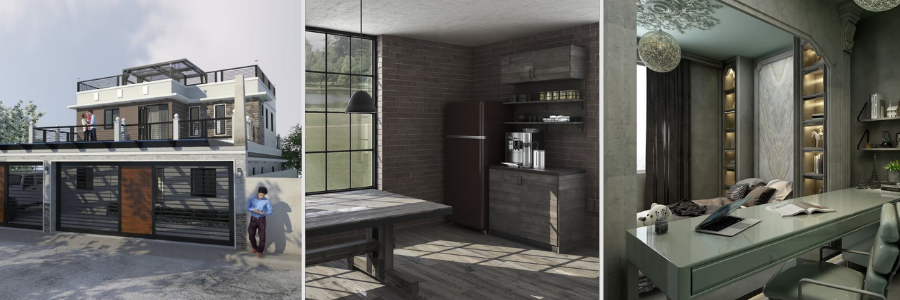
author avatar

MacKenzie Brown is the founder and CEO of Cad Crowd. With over 18 years of experience in launching and scaling platforms specializing in CAD services, product design, manufacturing, hardware, and software development, MacKenzie is a recognized authority in the engineering industry. Under his leadership, Cad Crowd serves esteemed clients like NASA, JPL, the U.S. Navy, and Fortune 500 companies, empowering innovators with access to high-quality design and engineering talent.

Connect with me: LinkedInXCad Crowd

Architect vs. Draftsperson: Who Should You Hire for Your Construction Project?


Architect vs. draftsperson: who should you hire for your next construction project? The short answer is: it depends, on quite a lot of things really, but mostly it all comes down to how big or complex the project is and the range of skills necessary to get the job done. An architect is, of course, a licensed professional in the sense that nobody can randomly call themselves an “architect” unless they have at least a bachelor’s degree in architecture, completed a lengthy paid internship, and passed a qualifying exam. On the other hand, the requirement to be a draftsperson does not include any of the above.

An associate’s degree is often enough to become one. Some draftspersons also earn a diploma or certificate to tell everyone that they actually know what they’re doing. Before we delve deeper into answering the question, let us first make clear that we’re not in any way implying that an architect is in every case a “better” hire than an unlicensed architectural drafting professional for a construction project. There is indeed a pretty substantial gap in the educational and legal requirements between an architect and a draftsperson. In terms of general design talent and architectural knowledge, though, you’ll be pleased to know that many draftspersons are no slouches either.

An architect is more qualified, alright, but sometimes hiring one can only be a good waste of money when a draftsperson has what it takes to get the job done. At Cad Crowd, we have both licensed architects and professional draftspersons for a wide range of construction projects, from small-scale remodeling and renovations to brand-new construction. Here is another thing to make clear: an architect, having passed the qualifying exam and all, is likely capable of doing everything that a draftsperson can, but not the other way around.

RELATED: What to Look for in Residential Architect Freelancers & Hiring Services Companies

This is why that colleague of yours, whose distant cousin happens to be an architect, always says that spending more to hire an architect is a safe bet, no matter the construction project. In this economy, however, sometimes you just want to spend exactly on what you need. To be certain that you hire the right professional for the right amount of money to handle the right kind of project, you need to get a grasp of the difference to begin with.

What’s what

Although data from the BLS or any statistics, for that matter, can be confusing at times, the site has done a pretty good job of making the distinction between architects and drafters. Here’s a quick summary of what it says about the two occupations.

  • Architects: people who plan and design buildings and other structures. A reasonably straightforward definition, until you get to the part where the BLS mentions what an architect typically does in a project. An architect’s duties and services include client consultations, cost estimates, construction schedules, structural specifications, contract documents, construction management, and scaled drawings, among others.
  • Draftsperson: Some architects refer to a draftsperson as a “CAD operator” because they like to use big words for everything. An architectural draftsperson serves a very specific purpose: to convert an architect’s design into a technical drawing. A draftsperson may work as an independent professional or under the supervision of an architect. Either way, the job of producing a technical drawing often involves enhancing an architectural plan with additional details such as utility systems layout, construction materials, timeframe, accurate measurements, assemblies, sections, and more.

Many types of construction projects require an architect because they call for all (or at least most) of the services only an architect can legally provide. That said, there are situations where hiring one is almost definitely overkill, and a draftsperson is plenty adequate.

RELATED: Architectural Plans, CAD Drawing Costs & Architect Service Pricing: Full Breakdown

architectural drafting services

Hiring who?

We’re sorry to disappoint, but there isn’t really any easy answer. As mentioned earlier, it depends on the type of construction project you have and the scope of work it entails. Still, to make an informed (and the right) decision, you have to see things from both legal and design viewpoints.

Legal perspective

Every state has its own rules and regulations about the matter. For example, the California Architects Board determines that only four professions are legally qualified to provide construction and design services. They include architects, civil engineers, and structural engineers. The fourth type is uninterestingly referred to as “unlicensed persons” for some reason.

Here is the important bit. Since drafters are not categorized under the first three professions, they must be in the “unlicensed persons” group, obviously. Any of these unlicensed persons, according to the board, are allowed to handle the following construction projects without worries that someone in uniform may stop by and ask them to produce a license:

  • A single-family dwelling, so long as it has no more than two stories and a basement. Also, the building can only be a wood-frame building.
  • Multiple dwellings that contain up to four units. It needs to be a wood-frame house with no more than two stories and a basement.
  • Garages of wood frame construction, with no more than two stories and a basement.
  • Ranches and agricultural buildings of wood frame construction, unless the local authorities say otherwise, because of potential risks to public health and safety.
  • Nonstructural interior modifications.

RELATED: American Institute of Architects Designated Freelancers & Contractors

The design limitation for licensed architects is much simpler. The CAB grants them the legal right to design any type of building, except the structural portion of a hospital. Civil engineers cannot design public schools and hospitals, whereas structural engineers practically have no design limitations. There you have it. If your construction project fits into the above criteria, an unlicensed draftsperson is probably all you need. A draftsperson is also likely more affordable than an architect, so it’s a good way to save money without cutting corners.

Design perspective

This is going to be a much trickier viewpoint. If you look only at the educational differences between a licensed architect and a draftsperson, the former is always seen as the better option. To reiterate, an architect has to have at least a bachelor’s degree in architecture, followed by a paid internship. Say the degree takes five years, and the internship runs for three, for a total of eight years. As if that’s not enough, an architect has to pass a licensing exam, which consists of at least six divisions. All in, it typically takes anywhere from 9 to 12 years for someone to become a licensed architect.

Let’s not forget about the mandatory post-licensure education to maintain that licensure. When it comes to design qualification, the long journey that a licensed architect has to go through in the career should result in an accumulation of knowledge and skills in such subjects as space planning, construction methods and techniques, MEP systems, material specifications, site design, bidding evaluation, passive heating and cooling systems, sustainable architecture, building code, zoning laws, and possibly many other specialties. An architect is certainly qualified to handle just about any construction project, regardless of scale.

The problem is that a licensed architect can be overqualified for a small project, meaning you’ll be spending money on things you don’t really need. Meanwhile, a draftsperson isn’t even a designer. Professional CAD drafters are typically people who provide, as you’ve probably expected, drafting services. The job mainly involves translating or converting design sketches into technical drawings that a contractor can understand, and acquiring permits. They DO NOT usually offer design services, but draftspersons can definitely develop the skills to become a capable designer. They learn the trades by either taking design courses or working under an architect.

RELATED: Creating Exterior Renderings Using 3D Exterior Rendering Services for Architects

Drafters with years of experience working with clients on many different projects should have nurtured the ability to turn any simple design sketch into construction drawings. In some cases, the sketches aren’t even made by architects; the clients themselves make them. While your colleague is right about an architect being a safe bet, there’s a good chance that your project actually needs a much simpler approach that an experienced draftsperson can handle just fine. Just remember: if you decide to hire a draftsman instead of an architect for your construction project, be certain that nothing violates the “design limitations by unlicensed persons” regulations in your state.

Takeaway

Not every construction project needs a licensed architect. There are times when hiring a CAD draftsperson is the right choice, especially if you already have a clear idea of what the design will be. Always seek further information from the local authorities about the design limitations for architectural professionals. But manage your expectations. A draftsperson, even an experienced one, might not be able to offer suggestions beyond the basics of a design. These “basics” are usually much more in-depth than what the average client might think, yet still reasonably shallow compared to what an architect can come up with.

How Cad Crowd can help

Regardless of what you decide at the end of the day, Cad Crowd is here to help you connect with the right professional for your project, be it a licensed architect or an experienced draftsperson. If you find yourself indecisive, as many other clients do, Cad Crowd can provide all the guidance you need and match the project with the most qualified professional based on the project requirements, including scale, schedule, and budget. Contact us for a quote today!

author avatar

MacKenzie Brown is the founder and CEO of Cad Crowd. With over 18 years of experience in launching and scaling platforms specializing in CAD services, product design, manufacturing, hardware, and software development, MacKenzie is a recognized authority in the engineering industry. Under his leadership, Cad Crowd serves esteemed clients like NASA, JPL, the U.S. Navy, and Fortune 500 companies, empowering innovators with access to high-quality design and engineering talent.

Connect with me: LinkedInXCad Crowd