Ah, the Epic Games Store. You come for the exclusive titles, but stay for the free games. Just like its desktop application, the Epic Games Store mobile app is a bit of a mess. However, it does offer a rotating catalog of free games for your phone if you need a reason to check it out. For instance, through Mar. 20, you can pick up the mobile versions of Star Wars: Knights of the Old Republic and its 2004 sequel for free. All you need to claim these titles is a valid Epic Games Store account and the mobile app, available for iOS or Android.
Set roughly four millennia prior to the events of A New Hope, the KOTOR saga is one of the better Star Wars storylines penned in the post-prequel era. Both titles are considered classics of the CRPG genre, and are also responsible for developing the morality and companion systems that later rose to prominence in the Mass Effect franchise.
While KOTOR 1 & 2 first became available on mobile devices in 2013, I’m still baffled that a pair of games that I originally played by shuffling around four, count’ em, four CDs on my desktop can now be called down from the ether of the internet for free, and played on the same device I use to order Mexican food.
As per an analysis by Kaspersky, malware with Optical Character Recognition (OCR) capabilities has been spotted on the App Store for the first time. Instead of stealing files stored on a phone, the malware scanned screenshots stored locally, analyzed the text content, and relayed the necessary information to servers.
The malware-seeding operation, codenamed “SparkCat,” targeted apps seeded from official repositories — Google’s Play Store and Apple’s App Store — and third-party sources. The infected apps amassed roughly a quarter million downloads across both platforms.
Interestingly, the malware piggybacked atop Google’s ML Kit library, a toolkit that lets developers deploy machine learning capabilities for quick and offline data processing in apps. This ML Kit system is what ultimately allowed the Google OCR model to scan photos stored on an iPhone and recognize the text containing sensitive information.
Please enable Javascript to view this content
But it seems the malware was not just capable of stealing crypto-related recovery codes. “It must be noted that the malware is flexible enough to steal not just these phrases but also other sensitive data from the gallery, such as messages or passwords that might have been captured in screenshots,” says Kaspersky’s report.
Among the targeted iPhone apps was ComeCome, which appears to be a Chinese food delivery app on the surface, but came loaded with a screenshot-reading malware. “This is the first known case of an app infected with OCR spyware being found in Apple’s official app marketplace,” notes Kaspersky’s analysis.
It is, however, unclear whether the developers of these problematic apps were engaged in embedding the malware, or if it was a supply chain attack. Irrespective of the origin, the whole pipeline was quite inconspicuous as the apps seemed legitimate and catered to tasks such as messaging, AI learning, or food delivery. Notably, the cross-platform malware was also capable of obfuscating its presence, which made it harder to detect.
The primary objective of this campaign was extracting crypto wallet recovery phrases, which can allow a bad actor to take over a person’s crypto wallet and get away with their assets. The target zones appear to be Europe and Asia, but some of the hotlisted apps appear to be operating in Africa and other regions, as well.
Fortnite OG Chapter 1 Season 2 allows you to go “full tilt” as Tilted Towers makes its return to Fortnite.
Tilted Towers isn’t the only returning point of interest as Junk Junction, Shifty Shafts, and more are coming back. Additionally, you’ll find familiar items back in the loot pool like the small shield potion and boogie bomb.
With there being a new OG season, there is a new OG Pass for you to complete — full of new takes on classic outfits.
Below, we explain the map and loot pool changes for Fortnite OG Chapter 1 Season 2 and some of the new skins you can get in the OG Pass.
Fortnite OG Season 2 map changes
The OG Chapter 1 Season 2 map is reintroducing five points of interest from the original Chapter 1 Season 2 — Haunted Hills, Junk Junction, Shifty Shafts, Snobby Shores, and Tilted Towers. Check out the map with the returning locations below:
Fortnite OG Season 2 weapon loot pool
In OG Chapter 1 Season 2, the loot pool will grow as the season progresses. Here are all of the weapons that’ll be added:
Fortnite OG Season 2 pass skins
The OG Pass for OG Chapter 1 Season 2 features 45 tiers of rewards with the major rewards being revamped versions of fan favorite skins from the past. Cuddle Team Leader, Black Knight, and Sparkle Specialist are receiving a new look and coming back as Cuddle Team Specialist, Knight Conqueror, and Sparkle Diva. Alongside the new outfits, each outfit has an alternate style that is available to unlock in the OG Pass.
The Chapter 1 Season 2 OG Pass is available until March 25 at 3:30 a.m. EST, which will lead to the Chapter 1 Season 3 OG Pass shortly after.
“Kindled Inspiration: New Bloom’s Outfit” is one of the limited-time random quests in Infinity Nikki, and this one requires you to inspire an NPC by showing them a specific article of clothing. While the NPC does give hints as to what they’re looking for (in this case, a “paper crane-themed accessory”), if you don’t have an encyclopedic knowledge of all of the clothes in Infinity Nikki, then you may struggle to find a solution.
Note that this random quest is part of the “Companion’s Day” event, and it’ll only be available until the event ends on Feb. 25.
Below, we explain the solution for the “Kindled Inspiration: New Bloom’s Outfit” quest in Infinity Nikki, as well as where to get the required item and what the quest rewards.
Where to find the ‘Kindled Inspiration: New Bloom’s Outfit’ quest
You can find Yayin on the boat docked by Florawish. You’ll need to complete the nearby quest “Sailing Through Lens” in order for her to show up here, though.
‘Kindled Inspiration: New Bloom’s Outfit’ quest solution
Yayin is looking for a “paper crane-themed accessory.” There are actually multiple pieces that will work. The easiest one to get is the “Paired Flight” earrings, which you very likely already have. All you have to do is wear the earrings — the rest your outfit doesn’t matter.
You can also use the “Star of Wishes” necklace that you get from Giovanni in the chapter 7 story quest, according to Lisa Juliette on YouTube. It’s possible that you may also be able to use accessories from the “Wings of Wishes” outfit that was just in the gacha banner last patch, since they have a paper crane motif. (However, we haven’t been able to confirm this ourselves, since you can only submit one answer for this quest.)
Where to get the ‘Paired Flight’ necklace
You very likely already have these earrings in your inventory, as you get the sketch for the “Paired Flight” earrings as a reward for completing the “Accident at the Clothing Store” main quest, which is pretty early in the game.
‘Kindled Inspiration: New Bloom’s Outfit’ quest rewards
As a reward, you’ll get 30 Diamonds, the sketch for the “Cloudborn Cranes” bracelet accessory, 120 Shiny Bubbles, and 30,000 Bling.
Monsters in Monster Hunter Now are, as with every entry in the series, the main focus of the game, giving you new challenges to face and weapon and armor types to craft.
Starting with just a handful of large monsters to begin with, the further you progress through the main story quest, the more species you unlock.
For those who prefer to discover these at their own pace, the following page contains spoilers for the monster list in Monster Hunter Now — including whether there are original monsters coming to the series.
Latest update (Dec. 12): The Season 4 “Roars from the Winterland” update introduces four new monsters — Tigrex, Lagombi, Volvidon, and Somnacanth — both in the wild and as part of the seasonal storyline.
How many monsters are there in Monster Hunter Now?
A total of 33 monsters have been released in Monster Hunter Now, some of which are temporary spawns, or require completing specific storylines or activity types such as Invasions or Elder Dragon Interceptions to unlock.
Complicating things further is the game’s seasonal model, meaning some monsters will only appear at some times of year, or require additional seasonal story complication to access.
Remember, if you come across a monster on the map you cannot fight there and then, using a paintball allows you to save that encounter for later.
Monster Hunter Now monster list
Here is every monster in Monster Hunter Now released to date, including their availability as of the latest season:
Monster
First appearance
Availability / unlock requirement
Great Jagras
Launch
Main story unlock
Kulu-Ya-Ku
Launch
Main story unlock
Pukei-Pukei
Launch
Main story unlock
Barroth
Launch
Main story unlock
Great Girros
Launch
Main story unlock
Tobi-Kadachi
Launch
Main story unlock
Paolumu
Launch
Main story unlock
Jyuratodus
Launch
Main story unlock
Anjanath
Launch
Main story unlock
Rathian
Launch
Main story unlock
Legiana
Launch
Main story unlock
Diablos
Launch
Main story unlock
Rathalos
Launch
Main story unlock
Black Diablos
âDiablos Invasionâ event in Sept. 2023
Hunt-a-thons and rare wild spawn (after seasonal story encounter)
Pink Rathian
âRathian & Pink Rathian Weekâ event in Oct. 2023
Hunt-a-thons and rare wild spawn (after seasonal story encounter)
Azure Rathalos
“Descent of the Azure King” event in Jan. 2024
Hunt-a-thons and rare wild spawn (after seasonal story encounter)
Radobaan
“Fulminations in the Frost”” in Dec. 2023
Not in the wild in season 3, hunt-a-thons and events only
Banbaro
“Fulminations in the Frost”” in Dec. 2023
Not in the wild in season 3, hunt-a-thons and events only
Barioth
“Fulminations in the Frost”” in Dec. 2023
Not in the wild in season 3, hunt-a-thons and events only
Zinogre
“Fulminations in the Frost”” in Dec. 2023
Hunt-a-thons and rare wild spawn (after seasonal story encounter)
Odogaron
Season 1 ”“The Vernal Invader”” in March 2024
Not in the wild in season 3, hunt-a-thons and events only
Tzitzi-Ya-Ku
Season 1 ”“The Vernal Invader”” in March 2024
Not in the wild in season 3, hunt-a-thons and events only
Devilijho
Season 1 ”“The Vernal Invader”” in March 2024
Hunt-a-thons and Invasions only
Coral Pukei-Pukei
”“Spring forward with Coral Pukei-Pukei”” event in March 2024
Hunt-a-thons and rare wild spawn (after seasonal story encounter)
Khezu
“Season 2 ”“Dancing in the Tempest”” in June 2024
Not in the wild in season 3, hunt-a-thons and events only
Basarios
“Season 2 ”“Dancing in the Tempest”” in June 2024
Not in the wild in season 3, hunt-a-thons and events only
Kushala Daora
“Season 2 ”“Dancing in the Tempest”” in June 2024
Elder Dragon Interceptions (last appearance Aug. 2024)
Mizutsune
Summer Hunt 2024: Bubbling Festival in July 2024
Wild spawn after encountered in seasonal story
Nightshade Paolumu
Summer Hunt 2024: Dark Daydreams (paid event)
Rare wild spawn (after seasonal story encounter)
Teostra
“Howls of the Flaming King” event in Aug. 2024
Elder Dragon Interceptions (on-going)
Aknosom
Season 3 âCurse of the Wandering Flamesâ in Sept. 2024
Wild spawn
Magnamalo
Season 3 âCurse of the Wandering Flamesâ in Sept. 2024
Wild spawn
Rajang
Season 3 âCurse of the Wandering Flamesâ in Sept. 2024
Wild spawn after encountered in seasonal story
Silver Rathalos
Nov. 2024âs Carnival 2024 (paid event)
Event only
Gold Rathalos
Nov. 2024âs Carnival 2024 (paid event)
Event only
Nergigante
Nov. 2024âs Carnival 2024 (paid event)
Event only
Tigrex
Season 4 âRoars from the Winterlandâ in Dec. 2024
Wild spawn
Lagombi
Season 4 âRoars from the Winterlandâ in Dec. 2024
Wild spawn
Volvidon
Season 4 âRoars from the Winterlandâ in Dec. 2024
Wild spawn
Somnacanth
Season 4 âRoars from the Winterlandâ in Dec. 2024
Wild spawn
When will new monsters release in Monster Hunter Now?
New monsters — alongside new story quests and weapon types — are introduced to the game as part of a seasonal model alongside a major update each quarter.
Image: Niantic / Capcom
For example, the first seasonal update in Dec. 2023, “Fulminations in the Frost”, introduced Radobaan, Banbaro, Barioth, and Zinogre. From there, new seasons have been given three new monsters on their debut; we saw Odogaron, Tzitzi-Ya-Ku, and Devilijho in March 2024’s season 1, and Khezu, Basarios, and Elder Dragon Kushala Daora in season 2.
Zinogre in the “Fulminations in the Frost” update.Image: Niantic / Capcom
Outside of these major updates, there are monsters which debut in events, such as Black Diablos during September 2023’s “Diablos Invasion,” and Pink Rathian in October 2023’s “Rathian & Pink Rathian Week.”
These subspecies are more powerful versions of Diablos and Rathian, but since they come with their own armor and weapon sets, can be considered unique monsters in their own right. At first, these monsters only appeared for a limited time, but have since become wild spawns once defeated as part of a seasonal storyline.
We imagine future subspecies will follow a similar pattern — debuting for a limited time with a mid-season event, before appearing as spawns with the rollout of a new season months later.
Coral Pukei-Pukei debuted in a mid-season event for a limited time.Image: Niantic / Capcom
For those expecting original monsters which debut first in Monster Hunter Now, so far the roster consists of creatures that have appeared elsewhere in the series. However, the developers have said they would “love to include unique monsters in the game in the future” — so perhaps we can expect something eventually.
This is not the first Niantic game to contribute to the canon of a wider series — Pokemon Go introduced Meltan and Melmetal, for example — and it’ll be interesting to see what impact Monster Hunter Now has on the main series over time.
Teamfight Tactics’ Into the Arcane set may have come out last week, but like everything that comes into contact with the Arcane, it’s not quite done evolving yet. To celebrate the release of the final episodes of Arcane, TFT’s developers have released a new video announcing that some of the show’s most important characters are coming to the game next week. (If you haven’t finished the show yet, tread lightly — spoilers are in the video).
If you’re an Arcane fan who’s already played TFT set 13, you’ve likely been wondering where characters like Viktor and Warwick are, or how exactly they missed the cut. Thankfully, the game’s upcoming update should make sense of that for you. In the above announcement video, set 13 lead designer Shawn Elizabeth Main revealed that Viktor, Mel, and Warwick are coming to Into the Arcane as new 6-cost units.
This is the first time that TFT has added 6-cost units to the game, and their power level appears to fit their high price. The video shows off some of the abilities of all three champions — each in their final forms from the last act of Arcane — and they seem capable of totally turning the tide of a TFT match all on their own. Of course, to counteract that power, these units will be exceedingly rare, only available in the endgame of a match — and even then you, might not see them.
The video announcement itself has a few more interesting insights into how the team balanced releasing the set and hiding some of its most exciting units, as well as how they designed these new characters to feel as exciting and powerful as they look in the show.
These 6-cost units will be added to Teamfight Tactics in its next patch, which is set for release on Dec. 5.
Qualcomm’s Snapdragon 8 Elite is an exciting new mobile platform that’s destined to power many of next year’s flagship smartphones. The improvements Qualcomm has made in this year’s chip are highlighted by the fact that the chipmaker has dropped its traditional “Gen” designations to give the fourth-generation chip an identity all its own.
While the Snapdragon 8 Elite has already started showing up in some more niche flagships like the Realme GT 7 Pro, we likely won’t really get a taste of what it can do until more mainstream players like OnePlus and Samsung bring it to their phones. The OnePlus 13 has already been announced and will probably hit North American shores early next year. There’s also little doubt that the new chip will also be at the core of Samsung’s Galaxy S25 lineup, likely powering new Galaxy AI features and bringing the S25 Ultra’s cameras to new heights.
On the other side of the ring, Apple continues to flex its chipmaking muscles with the A18 Pro, which is at the heart of this year’s iPhone 16 Pro. We don’t have to wait to see what that chip is capable of, however, as Apple has already (mostly) put its best foot forward with Apple Intelligence and new computational photography features.
While it’s hard to compare the Snapdragon 8 Elite and A18 Pro on equal footing since both are used in fundamentally different mobile platforms, their differences raise some interesting questions. Most notably, does either piece of silicon give one platform a significant advantage over the other, or is it more about what phone makers do with the capabilities that are available to them? Let’s dig in and find out.
Snapdragon 8 Elite vs. Apple A18 Pro: specs
Specs
Snapdragon 8 Elite
Apple A18 Pro
Part number
SM8750-AB
A18 Pro
Process
3nm (N3E)
3nm (N3E)
CPU
Qualcomm Oryon CPU 64-bit Architecture 2 prime cores, up to 4.32GHz 6 performance cores, up to 3.53GHz
Apple CPU 64-bit Architecture 2 High-Performance cores, up to 4.04GHz 4 Efficiency Cores, up to 2.2GHz
GPU
Adreno 830 GPU Support for Unreal Engine 5.3 Nanite Adreno Frame Motion Engine 2.1 Snapdragon Game Super Resolution Snapdragon Game Post-Processing Accelerator HDR gaming (10-bit color depth, Rec. 2020 color gamut) Snapdragon Shadow Denoiser API support: OpenGL ES 3.2, OpenCL 3.0 FP, Vulkan 1.3 Hardware-accelerated H.265, VP9, AV1 decoder HDR Playback Codec support for HDR10+, HDR10, HLG, and Dolby VisionSnapdragon Adaptive Game ConfigurationSupport for Unreal Engine Chaos Physics Engine
Apple GPU 6 GPU Cores, up to 1.45GHz Support for Hardware-Accelerated Ray Tracing, Dynamic Caching, Mesh Shading, Hardware-accelerated HEVC, H.264, AV1, and ProRes Playback Codec support for HDR with Dolby Vision, HDR10+/HDR10, and HLG
Apple Neural Engine 16 cores, 35 trillion operations per second
Memory
Support for dual-channel LP-DDR5x memory, up to 5.3Gbps
Unified Memory, 8 GB LPDDR5X
Display
On-Device Display Support: 4K @ 60Hz QHD+ @ 240Hz
Apple Display Engine 120Hz ProMotion and Always-On Display Support
Camera
Qualcomm Spectra AI Triple 18-bit ISP
Limitless real-time Semantic Segmentation
Up to 48MP triple camera at 30 fps Up to 108MP single camera at 30 fps Up to 320MP photo capture Zero Shutter Lag
Slo-mo video capture at 1080p @ 480 fps
Massive Multi-Frame Noise Reduction with AI
Real-time AI skin and sky tone adjustments in 4K60 fps
Apple Image Signal Processor with Photonic Engine, Deep Fusion, and Smart HDR 5
ProRes and HEVC Video Recording in Dolby Vision 4K
Hardware Video Encoder (ProRes, HEVC)
Cinematic Slow Motion video capture at 4K @ 120 fps
Connectivity
Qualcomm FastConnect 7900 Wi-Fi 7 X80 5G Modem-RF System Bluetooth 6.0 Integrated Ultra Wideband (UWB)
USB Type-C 3.2 Gen 2 Integrated Ultra Wideband (UWB)
Snapdragon 8 Elite vs. Apple A18 Pro: CPU
Qualcomm
Qualcomm’s Snapdragon 8 Elite marks a significant jump over its predecessor when compared to Apple’s A18 Pro, as it’s the company’s first chip to move to TSMC’s 3-nanometer (3nm) fabrication process. Apple was the first to make the 3nm transition with its 2023 A17 Pro used in the iPhone 15 Pro lineup. However, it used an earlier version of TSMC’s process, dubbed N3B, which was beset by manufacturing problems that resulted in lower yields. It may also be the reason for the binned A17 Pro chips that have found their way into this year’s iPad mini 7 — there’s a good chance these are leftover chips from the N3B process that didn’t make the cut for the iPhone 15 Pro.
N3B wasn’t ready for prime time, which is likely why Qualcomm skipped that early 3nm process until it evolved into this year’s N3E. That’s not to say that the N3B process made the A17 Pro inferior in any way. The problems with it were related to production, but those chips that did come off the line successfully were still powerful enough to usher in a new era of mobile gaming and prepare Apple’s iPhone 15 Pro models for the new AI capabilities that would become the foundation of Apple Intelligence.
Qualcomm
Now that N3E is ready, the Snapdragon 8 Elite and Apple’s A18 Pro have adopted that more stable process. This puts them on the same core technology baseline, but that’s where their similarities end, as Apple and Qualcomm have each taken their silicon in different directions.
Unlike Apple, Qualcomm builds chips for third-party platforms, ranging from smartphones and tablets to ARM-based Windows PCs. It’s this last category that’s inspired the Snapdragon 8 Elite, which brings its new Oryon core technology that debuted in the Snapdragon X processors in last year’s AI PCs to the mobile space. However, this is a second generation of that core that boasts better performance and power efficiency than the ones found in its X chips and promise a 45% increase in performance. The two prime cores offer clock speeds of up to 4.32GHz versus 3.4GHz in last year’s chip. Six performance cores supplement that with 3.53GHz peak speeds, placing them ahead of even last year’s Snapdragon 8 Gen 3 Cortex-X4 prime core.
Apple
Apple’s A18 Pro takes a different approach, using a combination of performance and efficiency cores similar to Qualcomm’s previous silicon. A pair of high-performance cores deliver clock speeds of up to 4.04GHz, while the four efficiency cores only clock in at 2.2GHz.
While you might expect those differences would make the Snapdragon 8 Elite the better performer with eight cores and faster clock speeds across the board, benchmarks surprisingly place both chips roughly on par. The A18 Pro edges out the Snapdragon 8 Elite in single-core performance, while Qualcomm’s chip offers slightly better multicore performance, but they’re very close in both areas, proving that clock speeds and the number of cores don’t tell the whole story. Both chips are extremely powerful in their own right, and there’s no clear winner in raw CPU performance.
Snapdragon 8 Elite vs. Apple A18 Pro: GPU
Apple
In 2023, Apple announced it had developed “a breakthrough new GPU” for its A17 Pro, and touted it as the biggest redesign in its history. Features like an Apple-designed shader architecture, hardware-accelerated ray tracing, and Metal effect upscaling that works in conjunction with Apple’s Neural Engine (NPU) made the iPhone 15 Pro the first smartphone capable of handling full-quality AAA console games. The A18 Pro uses the same Apple-designed GPU, boosting overall performance by 20% and doubling the ray tracing performance.
However, it’s also fair to say that Apple’s move into AAA gaming was more of an indictment of the state of the Android gaming landscape than it was of Qualcomm’s Snapdragon chips. The Snapdragon 8 Gen 3’s Adreno GPU was still a match for the A17 Pro in raw specs, and the Snapdragon 8 Elite has taken that to a new level. Qualcomm says it’s the “first-ever Adreno GPU with sliced architecture,” and it delivers a 40% performance gain over the Gen 3 while adding support for Unreal Engine 5.3 Nanite.
ScreenshotQualcomm
The practical upshot of these improvements is a more realistic gaming experience with “film-quality 3D environments for total immersion” and support for the Unreal Chaos Physics Engine, which provides a whole new and more immersive level of realism for gaming.
It’s a significant push ahead for Qualcomm silicon. Apple’s advantage in this area has come from its ability to woo game developers and convince them to embrace its MetalFX engine. Last year’s A17 Pro delivered impressive results, and those are continuing with the A18 Pro, turning Apple’s iPhones into gaming powerhouses. Qualcomm hopes that if they build it, game developers will come, and it’s telling that the extremely gaming-focused ROG Phone 9 Pro is one of the first phones to pack in the Snapdragon 8 Elite.
Snapdragon 8 Elite vs. Apple A18 Pro: NPU
Qualcomm
With generative AI becoming a much bigger deal, there’s a third important aspect of modern silicon: the Neural Processing Unit (NPU). Apple calls this its Neural Engine, and it’s been packing these into its A-series chips since the A11 Bionic in 2017.
Qualcomm wasn’t far behind. While it didn’t make as much noise about NPUs in those days, the 2018 Snapdragon 845 introduced its first Hexagon Tensor Accelerator. In those days, NPUs were used primarily for under-the-hood features like computational photography. The Hexagon chip was originally a digital signal processor (DSP) that evolved into an NPU, and Apple’s early Neural Engine was primarily used to support then-nascent features like Face ID and Animoji on that year’s iPhone X.
We’ve come a long way since then. The Hexagon has evolved into a full-featured NPU with 14 cores in the Snapdragon 8 Elite, and Apple’s Neural Engine has grown from its humble dual-core beginnings to a 16-core subsystem that can handle up to 35 trillion operations per second (TOPS). Both are key to powering their respective platforms’ AI and other machine-learning features, including Galaxy AI on Samsung’s smartphones, Gemini Nano, and Apple Intelligence.
Apple
Apple is heavily pushing on-device generative AI as a privacy feature, so it’s built its Neural Engine in the A18 Pro and other recent A-series and M-series chips with that in mind. Qualcomm has been a bit slower in getting there; the Snapdragon 8 Gen 3 took the first steps into this arena, but the Snapdragon 8 Elite may have the first NPU that can effectively deliver on this thanks to an enhanced token limit that will support more complex and longer inputs without the need to send those requests to cloud servers.
NPUs also go deeper than merely consumer-facing AI features. They also drive things like camera enhancements, better power efficiency, and wireless communications. These things are much harder to quantify, but suffice it to say that the Snapdragon 8 Elite and A18 Pro should both be more than up to those tasks.
Snapdragon 8 Elite vs. Apple A18 Pro: power efficiency
Qualcomm
Despite all these performance gains, it’s impressive that both chips promise increased power efficiency. Qualcomm gains more over its predecessor, thanks to the shift to a 3nm process. Still, its second-generation Oryon CPU cores and the sliced architecture of its Adreno 830 GPU result in energy efficiency that matches the performance improvements — 40% faster gaming performance and 40% greater efficiency.
Qualcomm says this should translate to an extra 2.5 hours of gaming over its predecessor, all other things being equal. However, the reality of this is somewhat more complex, as things are seldom equal. The smartphones that the Snapdragon 8 Elite go into will have many other things drawing power, notably large high-refresh screens. The chip may be more efficient, but handset makers will have to work on using other components that don’t detract from that.
Joe Maring / Digital Trends
Apple gets a theoretical advantage here as it owns all the pieces, allowing us to see more measurable real-world results. The A18 Pro is only used in two smartphones, the iPhone 16 Pro and iPhone 16 Pro Max, both of which show noticeable, but modest improvements over their A17 Pro-equipped predecessors. Apple typically considers all-day battery life good enough, so the efficiency gains from its new chips are often poured into delivering more power to other aspects of the iPhone, such as the larger displays on this year’s models and the new Apple Intelligence features in iOS 18.
Some Android manufacturers may choose to do the same with Qualcomm’s Snapdragon 8 Elite, but the variety of platforms that will incorporate the new chip should result in at least some devices focusing more heavily on improving overall battery life.
Snapdragon 8 Elite vs. Apple A18 Pro: other features
Qualcomm
Once we get past the core components, the two platforms diverge significantly. Qualcomm bakes much more into its silicon, while Apple still relies on third-party chips (some of which are Qualcomm’s, ironically) to handle things like Wi-Fi, Bluetooth, and 5G connectivity.
The Snapdragon 8 Elite incorporates Qualcomm’s FastConnect 7900 platform, which includes Wi-Fi 7 support with peak speeds of 5.8Gbps, the X80 5G Modem-RF system, Bluetooth 6.0, and integrated Ultra Wideband. Apple mixes this up more, using Qualcomm’s Snapdragon X75 to handle its 5G connectivity and a Broadcom chip for Wi-Fi 7 and Bluetooth 5.3 in the iPhone 16 Pro models.
Similarly, Qualcomm promotes the camera capabilities of the image signal processor in its Snapdragon 8 Elite, which promises more NPU-powered computational photography features for things like multiframe noise reduction and enhancing lower-light video capture. The image signal processor can now handle 320-megapixel photos, 1080p slo-mo video at 480 frames per second (fps), zero shutter lag, and AI-powered skin and sky tone adjustments. However, it feels slightly disingenuous to focus too much on camera specs in a chip since these are simply maximum capabilities that may have little bearing on what we end up with in smartphones equipped with Qualcomm’s latest chip. It’s nice to know it’s raised the bar, but don’t expect to see too many phones with 480-fps slo-mo and the ability to capture 320MP photos.
Apple doesn’t tout the same for its A18 Pro because it’s simply part of the iPhone 16 Pro experience. Apple’s silicon is undoubtedly responsible for its new Photographic Styles and 4K/120 fps Cinematic Slow Motion, just like previous generations empowered real-time color grading for Dolby Vision video capture.
Snapdragon 8 Elite vs. Apple A18 Pro: final words
Qualcomm
It’s always been difficult to compare Apple’s A-series chips with anything else on the market in any meaningful way. Beyond benchmarks that fail to tell the whole story, Qualcomm’s Snapdragon 8 Elite and Apple’s A18 Pro live in entirely different worlds. You’ll never find a Qualcomm chip running iOS or an A-series chip running Android.
Apple uses its chips exclusively in its own devices, running its own operating systems, which means it controls all the pieces. The A18 Pro was designed with only two devices in mind, the iPhone 16 Pro and iPhone 16 Pro Max, and is unlikely to be used anywhere else. Meanwhile, Qualcomm has engineered its Snapdragon 8 Elite to power a broad range of Android smartphones across different disciplines, from gaming-focused phones like Asus’ ROG Phone 9 Pro to more general-purpose premium flagships like Samsung’s Galaxy S25 series (which are undoubtedly slated to use the new chipset). Each of those companies will use the Snapdragon 8 Elite in different ways, and Qualcomm has to design a chip that’s ready to address them all.
That makes the Snapdragon 8 Elite a more versatile chip, but that only matters because it needs to be. Apple can get away with a more single-minded approach for its A18 Pro. While this year’s Apple chip only gets modest improvements over its predecessor, that’s because it already leapt ahead last year when it moved to the early N3B 3nm process for the A17 Pro. Qualcomm has to play a bit of catch-up here, but it’s done so admirably with the Snapdragon 8 Elite, and there’s no doubt it’s ready to power new Android headsets that will take on this year’s Apple flagships. Now, it’s up to Android manufacturers to take that ball and run with it.
Honkai: Star Rail is Hoyoverse’s latest title added to their mobile (and PC) game lineup, which means that yes, the game has codes that you can redeem for premium currency.
In this case, Honkai: Star Rail codes reward Stellar Jade and the usual other goodies — money, EXP, and the like.
Below we list out the currently active Honkai: Star Rail redemption codes as of November 2024 and explain how to redeem codes.
Honkai: Star Rail codes for November 2024
The active Honkai: Star Rail reward codes as of writing this are as follows, in order from newest to oldest:
How to redeem codes in Honkai: Star Rail
You can redeem the codes in game by opening the menu and tapping on the ellipses in the top right corner. A “redemption code” option will come up that you can select.
You can also redeem them online through the Honkai: Star Rail code redeem website. You’ll need to select your correct server and login through the website in order to get rewards. You will also need to have a working UID for Honkai: Star Rail. If you’ve never logged into Honkai: Star Rail in any form using your Hoyoverse account, it will not work.
Google’s next major update for smartphones is here. Android 15 rolled out to Pixel devices on October 15 and will trickle down to countless other devices over the next several months. Android 15 has eschewed visual updates and instead tidies up the interface and improves existing features. It also gets a number of under-the-hood improvements that you may toy with occasionally.
Android 15 packs a host of privacy-centric features, including the excellent new Private Space. Android 15 also brings a big boost to satellite communications, extending the functionality beyond the Pixel lineup. Let’s dive into more details about the availability and new features coming to your phone with Android 15.
Android 15 release date
Joe Maring / Digital Trends
As a cheeky trick, Google released Android 15 on October 15 for supported Pixel phones and the Pixel Tablet. All Pixel phones from the Pixel 6 lineup and newer are eligible for the update. Since Pixels make up for a small chunk of the Android space, a large percentage of devices still await their respective Android updates.
As with each year, manufacturers have been adapting their custom skins to Android 15, adding their own custom visuals and features on top. Besides Google, brands such as OnePlus, Oppo, Realme, and Samsung have already previewed their new Android 15-based interfaces. Meanwhile, some other brands such as Motorola, Nothing, Vivo, and Honor have initiated open beta programs for some of their devices where anyone can try the upcoming updates. Xiaomi is the sole big brand that has yet to make any announcement about its Android 15 update.
Phones that can download Android 15
Google Pixel 9 (left), Pixel 9 Pro, and Pixel 9 Pro FoldAndy Boxall / Digital Trends
Of the phones that can already download the Android 15 update, Google’s Pixel phones top the list. The Android 15 update is already available for the following Google devices:
In addition, a small set of phones, including the Nothing Phone 2a, Vivo X100, and the Vivo X Fold 3 Pro have already received open beta updates based on Android 15. Motorola is also rolling out the beta update for Motorola Edge 2024, but only in certain regions where the phone is known as Edge 50 Fusion.
We shall have more details about other devices in the coming weeks. In the meantime, if you wish to see if your phone qualifies for Android 15, we have a comprehensive list of all the phones that will get Android 15.
Private Space is one of the biggest new features
Tushar Mehta / Digital Trends
With Android 15, Google offers a new way to hide away certain apps and files in a secure vault. Google advertises this as a feature to keep your work and office apps and files separate; it’s like running a phone within a phone — something that previously required specialized apps. Private Space can be an ideal space to tuck away your social media, banking, or dating apps.
Before you can use Private Space, you have to activate and then set it up on your Pixel phone from Settings > Security and privacy > Private space. Google recommends you use a separate email with Private Space. That’s because apps in the vault will exist in a sandboxed environment and can’t interact with the rest of the phone. It is also a good way to secure apps if you are nervous about certain apps stealing your data or abusing Android’s security permissions to access your files.
With Private Space, you can either use your phone’s existing biometrics or set up new ones (including a dedicated fingerprint). This will also be beneficial if you share the device with other people.
After it is set up, Private Space is accessible from the bottom of the app drawer in the Pixel Launcher, where you can add apps or privately access files. At the moment, Private Space is exclusive to Pixel phones and may not necessarily be available on other phones, since some Android manufacturers already offer some similar solutions. For instance, Samsung has a Secure Folder in One UI. Whether other manufacturers adopt the functionality is likely to become clear in the coming months.
Predictive Back updates the navigation experience
Tushar Mehta / Digital Trends
Android 15 also brings Predictive Back, a feature that lets you get a preview of the screen that will load up when swipe from one edge for the back gesture. This is similar to the back gesture on iOS, and feels like revealing the card behind the top one in a deck. The idea is to let users know the previous screen without completing the back gesture so they can avoid it if needed. Google says it “lets the user decide whether to continue—in other words, to ‘commit’ to the back gesture—or stay in the current view.”
Unfortunately, Google’s implementation in its current form feels crude (especially compared to iOS) and only displays a small portion of the previous screen. Another disadvantage is that it currently only works in a very small set of apps — we could only spot them in the Settings app and the app drawer.
We would expect other apps to adopt the functionality but unlike Apple, Google gives developers free rein on which features to implement. So, similar to Material You and adaptive theming, developers may choose to overlook Predictive Back.
Make sure to check out Partial Screen Recording
Tushar Mehta / Digital Trends
Partial Screen Recording on Android 15 lets you screen record contents on your screen selectively. While starting a screen recording, you will be prompted to choose whether you want to record a specific app or the entire screen. If you choose the first option, the screen recording will only include parts from the selected app and black out the section where you weren’t using the app.
This will prevent you from inadvertently leaking any private information through the screen recordings.
Simultaneously, there’s another hidden feature that lets you bypass restrictions when specific apps, such as your banking app, prevent taking screenshots. You can skirt around these restrictions by heading over to Settings > System > Developer options > Disable screen share protections. If you haven’t used Developer options before, you may need to enable them from the phone’s Settings > About phone, scrolling all the way to the bottom, and then tapping Build number seven times in quick successions.
Introducing Satellite Connectivity
Google
With the Pixel 9 series that Google announced earlier this year, the company confirmed satellite connectivity as one of the features. Similar to satellite SOS services on relatively newer iPhone and the Apple Watch models, the Pixel 9’s satellite connectivity lets you call emergency services or notify top contacts in case you are ever stranded with no Wi-Fi or cellular service.
Google takes this a step further with Android 15, allowing all phones — besides the Pixel 9 series — to communicate directly with an extraterrestrial satellite. In addition to contacting first responders or alerting chosen contacts, the feature also lets you send messages to just about any phone number.
Google elaborates that any phone with the “proper hardware” will be able to communicate via satellite when necessary. It should supposedly mean phones with modems that support satellite communications, though it’s a little difficult to confirm without proper confirmation from Google.
Google says the feature will depend on carriers, and could possibly happen through special messaging apps that these telcos designate. Though privacy, encryption, and interoperability on these apps are part of a different ball game altogether, we know the functionality will likely not be free of cost. Having long conversations at the expense of artificial celestial bodies will not be economical, so there might be limitations, but these details elude us for now.
Notably, T-Mobile is the only carrier to have activated satellite connectivity. It recently enabled satellite-based texting in partnership with SpaceX, for all of its users in areas affected by Hurricane Helene and Hurricane Milton. However, this functionality supposedly worked irrespective of the operating system.
Whether it’s T-Mobile’s lead with the feature or Google promoting it in Android 15, we can expect satellite communications to get the due attention it deserves.
App pairs are a helpful new tool
Tushar Mehta / Digital Trends
Android has supported multitasking in split-screen mode for palm-sized Android devices since Android 7.0 Nougat that was launched in 2016. Over the years, split-screen functionality has become fairly useful because of larger-than-ever displays and hardware that can actually handle the workloads with two apps running simultaneously.
With app pairs on Android 15, you can save sets of two apps that can be launched together in a split-screen view. App pairs can be saved on the home screen, and you can launch pairs directly by tapping the icon. Some Android tablets already support the feature, but it’s now headed to regular-sized phones.
To save an app pair, you first need to:
Open two apps simultaneously in split screen.
Open the Recent apps menu.
Tap and hold the apps’ icons.
Tap “Save app pair”.
These app pairs will appear on the home screen, where you can tap the icon to launch the two apps in split view over and over again. These app pairs would not save in the app drawer, so you will need to be wary while purging excess icons from the home screen.
Notification Cooldown and Adaptive Vibration
Tushar Mehta / Digital Trends
With Android 15, Google plans to reduce the pressure that the barrage of notifications put upon us. For this, Google added a feature aptly known as Notification Cooldown with an objective to prevent the bombardment of notifications.
If you ever receive a string of notifications, the feature will subsequently reduce the volume of alerts so they become less annoying. Continuous pings and dings should no more interrupt your flow of thought while you’re trying to conjure up the perfect witty caption for a picture of your cats romping around their multistoried house.
Notification Cooldown currently only works if you keep the volume on for your ringtone and notification alerts. However, if you prefer your phone steadily in silent mode, Android 15 also adds Adaptive Vibrations, which reduces the intensity of vibration when the phone is still (i.e., not being used actively) and facing upward.
This should ideal prevent you from getting distracted by a string of notifications, especially when the phone is set aside. Pixels also give you the option to put your phone facing downward to send it into Do Not Disturb mode.
Notably, Google has downsized the options with these features as compared to when they were initially launched with Android 15 developer preview. This could indicate the company is working to improve them slightly more before being vocal about them.
HQ webcam mode to the rescue
When the global pandemic hit, our webcams really found purpose again. For many of us who continue to work from home, webcams are vital. But the potato camera that most of the cheap webcams have can impair the quality of our virtual interactions.
As a solution, Apple released Continuity Camera two years ago, allowing the iPhone to be used as your webcam. Google followed suit last year, and enabled your Android to be used as a wired (not wirelessly, alas!) webcam with any Windows, macOS, Linux, or even ChromeOS machine. With Android 15, the quality is getting a significant boost as Google adds a new “HQ” — referring to high quality — mode for the webcam.
The HQ mode makes your images noticeably sharper without adding any latency to the video feed. You can also use your Android phone for camera-dependent activities, such as streaming, without explicitly relying on expensive hardware.
The functionality was previously also facilitated on Android but through third-party apps. By adding this as a native feature, Google eliminates the need to pay to unlock high-quality and near instant camera feed sent to your PC.
USB Lockdown adds an extra security layer
Tushar Mehta / Digital Trends
Android’s Lockdown feature adds an extra layer of security to your phone by disabling biometrics. So, in case one of your friends or family members tries to use your phone without your permission, they cannot unlock it by just holding it up against your face or fooling you into pressing your finger on the fingerprint scanner. Even if you haven’t paid attention to lockdown, it has been around since Android 9.
With Android 15, Google goes a step further and locks access to file storage while the phone is in lockdown mode. That essentially means that anyone who tries to access your files by connecting the phone to a computer without your permission, they won’t have luck. More importantly, the feature prevents “juice jacking,” or the technique where public chargers are loaded with rogue cables that can be used to covertly steal your data.
Unfortunately, it doesn’t still tie into the new anti-theft features that Google recently announced for all devices running Android 10 and above. Anti-theft forces your phone to lock when it detects a sudden jerk (similar to the ominous scenario of your phone being yanked out of your hand), but doesn’t fully trigger lockdown mode.
Manual app archiving is another welcome touch
Unused apps can take up space on your phone for no reason, which is why last year Google — presumably, with inspiration from iOS — added a feature that would automatically archive apps that you don’t use when the phone’s storage is running low. While it deletes the app package, all your data remains intact so you can download the app again and can pick up from where you left.
Android 15 augments the feature, now allowing you to manually archive apps they don’t use but aren’t ready to delete just yet. A new Archive button is now present on the info page for particular apps. That’s another way Android raises the bar for iOS.
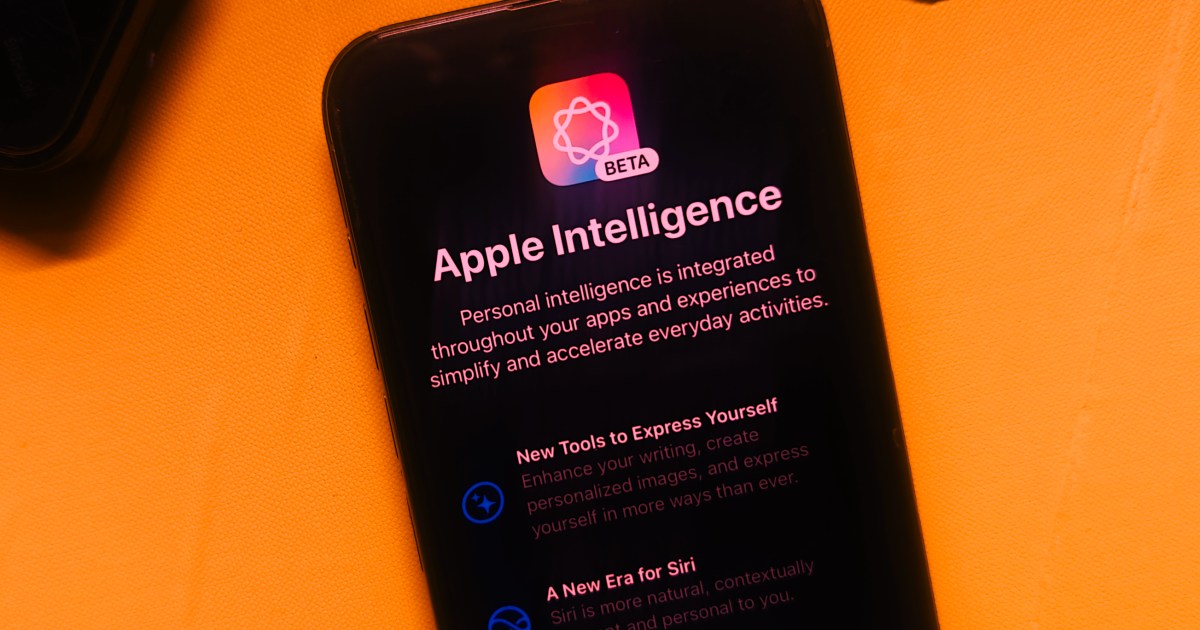
With the introduction of the new iPad Mini, Apple made it clear that a software experience brimming with AI is the way forward. And if that meant making the same kind of internal upgrades to a tablet that costs nearly half as much as its flagship phone, the company would still march forward.
However, its ambitions with Apple Intelligence lack competitive vigor, and even by Apple’s own standards, the experience hasn’t managed to wow users. On top of that, the staggered rollout of the most ambitious AI features — many of which are still in the future — has left enthusiasts with a bad taste.
Now, it appears that the reason behind the delays has something to do with quality and performance, as per Apple’s own testing. “The research found that OpenAI’s ChatGPT was 25% more accurate than Apple’s Siri, and able to answer 30% more questions,” says a Bloomberg report.
Apple
To recall, Apple’s position with Siri is quite unique. For example, Siri is getting enhanced natural language understanding and deeper integration with apps as well as local files. However, there are tasks it can’t quite accomplish, and for such situations, the queries will be seamlessly offloaded to ChatGPT.
That’s part of a deal Apple inked with OpenAI. Now, it would make sense that Siri can’t quite pull the same kind of internet-connected tasks as ChatGPT, primarily because Siri and ChatGPT are two entirely different products. However, Apple is deploying OpenAI’s tech stack in more places than just Siri.
According to OpenAI, the ChatGPT will also lend a hand to users with “image and document understanding.” The Writing Tools – which have already arrived in tools like Notes and Safari — are also tapping into the ChatGPT kitty. Moreover, image generation will also be handled by OpenAI’s tech.
With such deep reliance on ChatGPT, one might think that’s because Apple isn’t quite there on the leaderboard with its own AI tech stack, something that could rival the likes of Google’s Gemini or Meta. That assumption won’t be entirely implausible, and even Apple’s team seems to agree with the status quo.
“In fact, some at Apple believe that its generative AI technology — at least, so far — is more than two years behind the industry leaders,” adds the Bloomberg report. Yet, it’s not merely about advancements, but also the pace of rollout.
Siri will offload queries to ChatGPT for chores it can’t handle.Apple
Take a look at Galaxy AI, Samsung’s take on an AI ecosystem that has already appeared on a wide array of its phones and computing machines, with some help from Google’s Gemini stack. Chinese smartphone makers have already been offering generative AI features like image generation and a next-gen assistant for a while now.
At this point in time, it seems almost certain that Apple’s strategy with Apple Intelligence was hurried, apparently in a bid to quell investor concerns that the company was lagging in the AI race. So far, whatever little we have seen from Apple’s “AI revolution” has been far from revolutionary.
The best implementation of Apple Intelligence so far has been notification summaries and prioritization, but those are more utilitarian features than something that would reimagine the software experience for users. It would be interesting to see how Apple injects fresh energy into its AI approach next year.
But so far, the company hasn’t made any such announcements, and even the promises it made at its developers conference earlier this year are yet to materialize.