Apple just launched the iPhone 16 line, and it’s been quite an upgrade this year. Though the base models got some nice updates, like the A18 chip and some of the best colors I’ve seen from Apple in years, I’m still all about the Pro models. Once you go with 1TB storage and 120Hz ProMotion displays, it’s hard to go back.
This year, things are a little different. Ever since Apple introduced a Pro model, I’ve always gone for the smaller variant. After one year with a Plus model phone, I learned that I simply don’t care for large phones, so I never tried out a Pro Max. I’ve always just gawked at how humongous the size is, and this year, Apple went ahead and made it even bigger with a 6.9-inch display instead of 6.7 inches.
I have been spending some time with an iPhone 16 Pro Max, and while there’s one thing about it I love, another part of me can’t stand it.
Big phones are not meant for small hands
Christine Romero-Chan / Digital Trends
I’ve had every generation of iPhone so far, and one of my favorite models was the iPhone 5. For me, that 4-inch display was the perfect size for single-handed use, as I have petite hands. That’s why the first iPhone SE was a great compact phone, but the sequels that followed weren’t quite as perfect with the larger 4.7-inch display size.
Then, Apple moved to the 5.8-inch size with the iPhone X for a couple of years. I learned to manage one-handed use with that size, though it still required some finger gymnastics, but I put up with it. I was happy that Apple seemed to recognize the need for small phones when it introduced the mini size with the iPhone 12 and 13, but it sold so poorly that Apple replaced it with a large “Plus” model.
Apple eventually moved on to 6.1 inches as the standard “small” size while having a 6.7-inch display for the Plus and Pro Max. This year, the Pro Max got bumped up to 6.9 inches, which isn’t that big of a difference from the previous size.
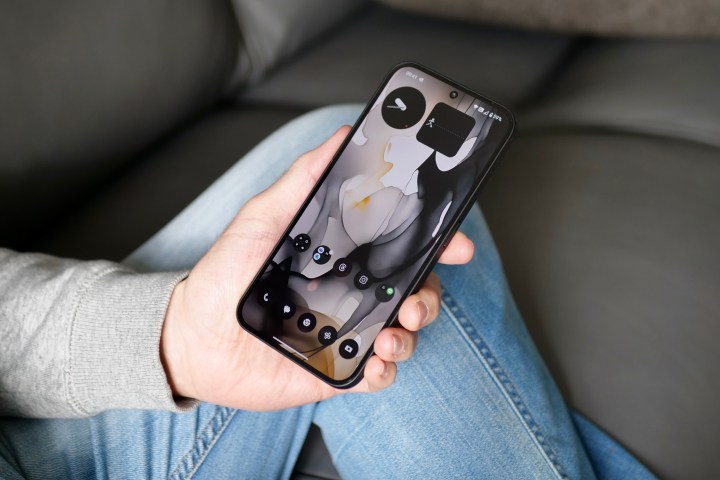
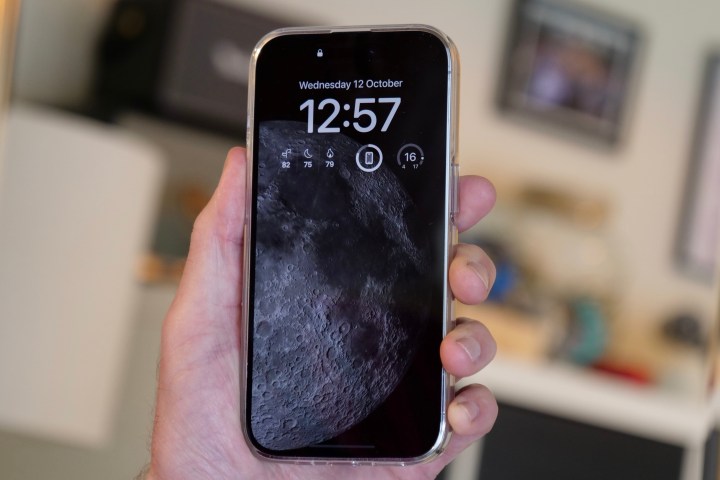
But still, for someone like me with tiny hands, this is a behemoth of a phone, and I absolutely cannot use this one-handed at all unless I’m only scrolling through an app. When I hold the phone with one hand (typically from the bottom), the tip of my thumb barely reaches the middle of the bottom half of the screen. Reaching the top corners is impossible without two hands. And the phone’s weight causes fatigue in my hands (especially if my pinkie supports it from the bottom).
I can see why large phones like the iPhone 16 Pro Max appeal to those who are the opposite of me and have large hands, whereas the regular iPhone 16 Pro could be “too small.” But after spending time with an iPhone 16 Pro Max, my very first Pro Max model after all these years, I learned that I was right — it’s simply too big for me.
The battery life is great, though
Christine Romero-Chan / Digital Trends
I have to give credit where credit is due. The battery life on the iPhone 16 Pro Max has been fantastic. Out of the entire iPhone 16 line, the iPhone 16 Pro Max has the most battery, followed by the iPhone 16 Plus.
As someone who has been using the smaller Pro models for the past several years, I can definitely appreciate having a battery that can make it through the day and then some. It’s the same feeling I had when I went from an Apple Watch Series 5 to an Apple Watch Ultra.
My old iPhone 15 Pro, which I have had since launch day, already has a degraded battery that fell below the 90% threshold. That means I’ve been having to charge it up at some point in the middle of the day. I also have the regular iPhone 16 Pro, which appears to have better stamina with the battery, but the iPhone 16 Pro Max takes it to a whole different level. It’s like some of the larger Android phones I’ve tried, like the OnePlus 12 or Samsung Galaxy S24 Ultra.
Perhaps if I didn’t have trouble with such a large phone, the iPhone 16 Pro Max would be my personal device. The battery really is that good.
The Camera Control placement is wrong
The Camera Control button on the iPhone 16 Pro.Joe Maring / Digital Trends
One of the big selling points for the entire iPhone 16 lineup is the new Camera Control button, which is located at the bottom right of the frame on all models. A single press opens the Camera app (but you can change it if you want), another click captures your photo or starts recording, and you can do light presses and slide gestures to adjust various settings. The Camera Control button makes your iPhone 16 feel more like a standalone camera.
While I’ve tried using it on both the iPhone 16 Pro and the iPhone 16 Pro Max, the placement of the button itself is not practical. It’s even more of an issue with the Pro Max because of its larger size.
Christine Romero-Chan / Digital Trends
If Apple had just put the Camera Control a smidge lower on the frame, closer to the rounded corner, it would have felt more comfortable for landscape photos. When I use the camera in landscape orientation, my index finger is wrapped around the side. But with the current position of the Camera Control, I can’t reach it that way and need to obstruct part of the screen/viewfinder to press it.
Again, this issue isn’t just for the Pro Max model; it’s not great on the smaller Pro either. But the larger size of the iPhone 16 Pro Max just exacerbates the issue.
A powerful iPhone, but not for everyone
Joe Maring / Digital Trends
This is the first time I’ve used Apple’s large-size phone since the Plus versions, and while I love that extra battery life and seeing more on the display at once, the size just isn’t for me. Props to those who like the big size of the Pro Max, though! It’s just impossible for me to use it comfortably.
I am glad that Apple at least gives us a choice with the iPhone lineup. This year, there’s feature parity with both the iPhone 16 Pro and iPhone 16 Pro Max. That means those who prefer the smaller size aren’t missing out on major features, unlike last year. Now, the choice just comes down to whether or not you want a big phone or a small phone — and that’s how it should be.
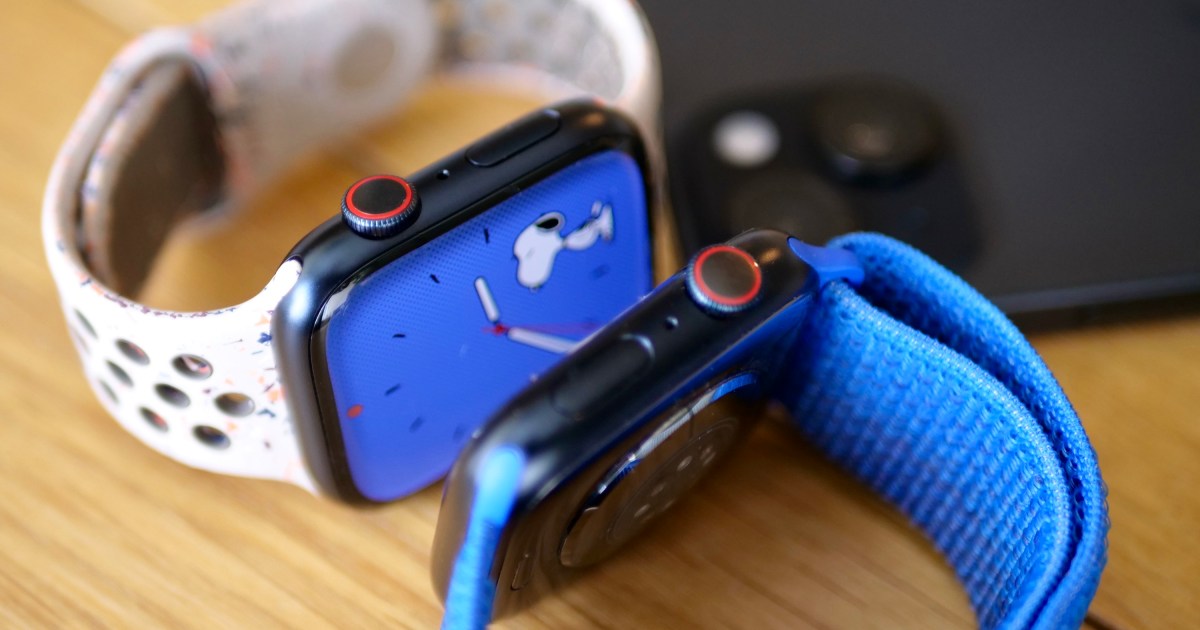
If you have an Apple Watch, you need to be ready for watchOS 11 Apple’s next big software update for its smartwatches. Though watchOS 11 doesn’t have Apple Intelligence, it still has a ton of new features, including more customization for Activity Rings, overnight vitals, training load tracking, and much more.
But when will you be able to check out watchOS 11? Here’s everything you need to know about the watchOS 11 release date.
watchOS 11’s release date
Joe Maring / Digital Trends
The wait is over: watchOS 11 is finally here, with the release date having been confirmed at the Apple event that also brought us the iPhone 16, iPhone 16 Pro, and Apple Watch Series 10. The latest update for your Apple Watch is now available to absolutely everyone, and is no longer reliant on signing up for a beta. Yes, anyone with an applicable Apple Watch can now experience everything Apple has to offer in the latest version of its wearable OS.
It’s been a long road to get here, and a familiar one for those who’ve tasted of the waters of developer and public betas before. First, watchOS 11 was released as a developer beta shortly after the WWDC 2024 keynote in June. This beta was followed by a number of updates until it was finally taken away from developers alone, and released as the watchOS 11 public beta on July 16, 2024. As ever with public betas, this release was more stable than the developer beta, but still had its share of bugs. It was meant to show the public a taste of what’s to come and to provide feedback to Apple in order to shape the final release of watchOS 11.
But betas are notoriously fickle things, and come with plenty of bugs, issues, and ways to brick your watch or render it incapable of receiving aid from Apple. Thankfully, you don’t need to play with one any more, as watchOS 11 is now out for general release.
When will my Apple Watch get watchOS 11?
Joe Maring / Digital Trends
But none of this matters if your Apple Watch can’t run the newest update. Apple is generally quite generous where updates for older models are concerned, but whether it is where the Apple Watch is concerned is a question you’ll have to answer for yourself. The cutoff line for Apple Watches to receive the new watchOS update is … the Apple Watch Series 6. That means any Apple Watches older than September 2020 will not be receiving watchOS 11. That’s a real shame if you’re still using your older Apple Watch and it’s purring away nicely. But hey, if you’re happy to live without the latest software, then you can still get a few more years out of it. Otherwise, check out our list of the best Apple Watch deals to browse upgrades.
Foldable phones have been around for a little while now. They’re still cool, but they’re quickly becoming pretty commonplace. Huawei’s newest folding phone, however, looks straight out of The Expanse and is barely thicker than the Galaxy Z Fold 6, despite having three folds instead of two.
The Huawei Mate XT is available in China for the equivalent of just under $3,000. Expensive for a phone, yes, but this one is truly unique. The OLED screen can open up to a total of 10.2 inches (the same sizes as many tablets, for reference) and has an impressive 16:11 aspect ratio.
You don’t always have to keep the phone that far open, though. Users can also use it more like a normal book-style foldable by opening only two of the folds, resulting in a 7.9-inch display. That’s close to the Pixel 9 Pro Fold in size.
Huawei
When completely unfolded, the Huawei Mate XT is just 3.6mm thick at its largest point, and that’s only to make room for a USB-C port. It’s only 12.8mm thick when completely folded and has a 6.4-inch display.
It’s wafer-thin but still comes with the kind of power you expect from a flagship device. The Mate XT has 16GB of RAM, up to 1TB of storage, and three crazy powerful cameras (50MP primary, 12MP ultrawide, and 12MP 5.5x telephoto). It also has a 5,600 mAh battery that supports fast charging and will keep you juiced up all day.
As amazing as the phone sounds, it’s unlikely to be available outside of China. It’s on sale for 19,999 Yuan, or about $2,800. U.S.-based fans will, sadly, have to wait for another Tron-worthy phone to hit the market.
As we first announced last year, Apple is requiring that Patreon use their in-app purchasing system and remove all other billing systems from the Patreon iOS app by November 2024.
This has two major consequences for creators:
1. Apple will be applying their 30% App Store fee to all new memberships purchased in the Patreon iOS app, in addition to anything bought in your Patreon shop.
2. Any creator currently on first-of-the-month or per-creation billing plans will have to switch over to subscription billing to continue earning in the iOS app, because that’s the only billing type Apple’s in-app purchase system supports.
Before we go any further, we want to be crystal clear about one thing: Apple’s fee will not impact your existing memberships. It will only affect new memberships purchased in the iOS app from November onward.
Zenless Zone Zero just closed out its version 1.1 livestream, teasing what’s to come in the next update, which launches the evening of Aug. 13 EDT. Alongside new characters and events, Hoyoverse uses the stream to distribute codes that reward free Polychrome and other upgrade materials.
The 1.1 patch will add three new agents to the game: Seth, Qingyi, and Jane Done (yes, that’s really her name). Qingyi is an S-rank electric stun character whose banner will run during the first half of the patch and Jane is an S-rank physical anomaly character who will run during the second half of the patch. Seth is an A-rank character, and he’ll be in the banner alongside Jane. The update also will add a special story about Jane Done, and an agent story for Qingyi, as well as new events, and additional content for Shiyu Defense.
Zenless Zone Zero 1.1 livestream codes
These codes are usually only active until the day ends, so you’ll want to make sure to use them quickly.
There’s actually only one Zenless Zone Zero reward code from the version 1.1 livestream:
This single code does reward the same amount of premium currency that the usual three codes we see from Genshin Impact and Honkai: Star Rail streams reward: 300 Polychromes.
The code will expire on Aug. 4 at 11:59 a.m. EDT / 8:59 a.m. PDT, so use it quickly or you’ll miss out on the free loot. For more codes that don’t expire in just a few hours, you can check out our constantly-updated list of active Zenless Zone Zero codes.
How to redeem codes in Zenless Zone Zero
You can redeem the codes in game by opening the menu, selecting “more,” “redemption code” and then “enter redemption code.” This menu will become available once you finish “The Hare and the Proxy,” though some codes won’t be redeemable until you’re Inter-Knot level five or higher.
Image: Hoyoverse via Polygon
You can also redeem them online through the Zenless Zone Zero code redeem website. You’ll need to select your correct server and login through the website in order to get rewards. You will also need to have a working UID for Zenless Zone Zero. If you’ve never logged into Zenless Zone Zero in any form using your Hoyoverse account, it will not work.
I played three video games in college: Halo 3 with my friends, Tom Clancy’s Ghost Recon Advanced Warfighter with my roommate and her dad, and Trials HD by myself. I have since opened my horizons to the possibilities of other video games. And when I want to feel nostalgic, there are plenty of games that give me the feeling of playing the multiplayer shooters of my youth — but nothing but Trials itself has ever compared. (Eventually, Trials Evolution set that bar even higher.) This week, I read a story on Pocket Tactics: “This iPhone Lego game is perfect for fans of Ubisoft’s Trials series.”
That game, which is actually available for free on iOS and Android devices, is Lego Hill Climb Adventures. Released at the end of May, Lego Hill Climb Adventures is a Lego version of the classic physics-based racing game Hill Climb Adventures, another game that’s been compared to Trials — but with cars. I never hit it off with Hill Climb Adventures, but the Lego reskin was too charming not to try. It’s not Trials, but it does give me a similar thrill in playing it. I can’t put it down.
There are a bunch of Lego cars to unlock and race through the adorable worlds, picking up new blueprints and meeting Minifigs as you go. You aren’t necessarily building your own Lego car, but there are a bunch of ways to customize the existing options. My favorite part about the aesthetic is the sound design: There’s just something so satisfying about the click of a Lego brick. (And something even more satisfying about ramming your car through a wall of Legos.)
Lego Hill Climb Adventures is a much more chill iteration of the physics racing game genre, so don’t come into it expecting a Trials HD difficulty level. But it does have levels that require knowing exactly when to swipe or tap your phone screen. Each of the different vehicles has a different feel, too, so there’s always something to mess around with. The majority of the levels require you to race or complete a course with obstacles like jumps, steep hills, or stuff to destroy. The game’s energy system — bottles of milk — means you can’t play these endlessly, though, unless you pay up or grind the exploration modes, which are basically the same courses but with no real objective besides gaining coins, levels, milk bottles, and bricks.
The monetization system is the biggest bummer of Lego Hill Climb Adventures, but it is a free mobile game. It’s entirely possible to play most of it without spending a cent, but you will have to grind. The thing is, though, that grinding is still fun — and there are plenty of ways to switch up the vehicle to create more variety.
Hoyoverse just wrapped up theGenshin Impactversion 4.8 preview livestream, showing off all sorts of details about the upcoming patch. Most importantly, there were several codes that award Primogems and other rewards shown during the stream.
Our Genshin Impact 4.8 livestream code list provides you with the three stream codes for rewards and explains how to redeem them.
It’s summertime! So that means the next Genshin Impact patch will be the massive summer event, where there’s a limited time map, new skins for Nilou and Kirara, and — if it follows the same pattern as previous summer events — a hint about the upcoming region, Natlan. The stream also showed off Emilie, an upcoming Dendro character who will make her debut in version 4.8.
Genshin Impact version 4.8 livestream codes
The codes are as follows:
You’ll want to redeem these codes quickly, as they expire on July 6 at 12 a.m. EDT.
They not only reward Primogems, but they also give Mora and Adventurer’s EXP to level up your characters.
How to redeem Genshin Impact gift codes
To redeem codes, you can log in and input them on the code redemption website. You can also input them in-game through the settings menu, but copy and pasting them in a browser is much easier. You can also click the links above, if you’re logged in on whatever device you’re seeing this post on.
Once you redeem the codes, you’ll get the rewards via in-game mail shortly after that.
Over the last few years, Nothing has proven that it can create compelling smartphones at excellent prices. Today, the company gave us our first tease of the Nothing Phone 3, and if it pans out the way Nothing claims, it could already be one of next year’s most interesting smartphones.
On X (formerly Twitter), Nothing CEO Carl Pei uploaded a five-minute video discussing the recent AI trend in consumer tech and, more importantly, how Nothing is thinking about AI. In short, the company’s next smartphone — the Nothing Phone 3 — could completely reinvent how we use and think about our phones.
One way Nothing is going about this is with the “hub” — its AI-powered take on a smartphone home screen. The top of the hub has quick links/buttons to things like the weather, social media, your calendar, messages, etc. Below that is a smattering of “dynamic and context-aware” widgets. For example, it can automatically show a QR code for a boarding pass or concert ticket based on your calendar. Nothing says it wants the home screen to “move away from it just being a launcher for different apps and services” and to become a “hub of contextual, relevant information.”
Nothing’s AI-powered smartphone home screenNothing
The other big AI tool Nothing is working on is its own AI voice assistant. Nothing says its AI assistant can transform into a “companion” that’s personalized for each person using it. Nothing further explains that the AI assistant could appear on the home screen, lock screen, or even through a future Nothing Phone’s Glyph lights.
Nothing has only been developing these AI experiences over the last two months, so it’ll be a while before they’re ready for prime time. However, Pei confirms at the end of the video that Nothing will start rolling out these AI features with the Nothing Phone 3 in 2025.
Nothing’s AI assistant (with two white eyes) on its new home screenNothing
It’s unclear if everything demonstrated here will be available exactly as Nothing has described, but it’s clear that Nothing is thinking of it quite highly. In an email sent to Digital Trends, Nothing confirmed, “Phone (3), launching next year, [marks] a milestone in Nothing’s consumer AI journey, featuring both software and hardware advancements.”
As someone who’s been burned on grand AI claims with gadgets like the Rabbit R1, I’m personally quite excited to see what Nothing is working on. Time and time again, it’s been proven that dedicated AI gadgets aren’t the way forward — at least not right now. Whether it’s the Rabbit R1 or the Humane AI Pin, that product category clearly isn’t working. AI on smartphones has a lot more potential, but whether it’s Samsung or Google, so many smartphone AI tools have been relegated to things like photo editing and language translation. Those things are helpful, but they’re far from the AI revolution we keep being promised.
There's been a lot of hype around AI. Some great, some confusing. It’s great to see new companies rethinking the user experience and form factors. However, there is no doubt that smartphones will remain the main consumer AI form factor for the foreseeable future. With over 4… pic.twitter.com/ERJc7xhwBa
Nothing’s vision sounds a lot more ambitious, and it very well may not come together like the company is imagining. But what it’s trying to do sounds way more interesting than the AI features we have on phones today, and I can’t help but get excited about that.
It’s annoying we’ll have to wait until some point in 2025 for the Nothing Phone 3 to see what all of this ends up looking like, but I’m crossing my fingers that it’s worth the wait.
If you’re anything like us, your Apple iPhone is a beast with multiple uses. It can go from an email-firing machine to a dedicated Netflix device in seconds and then into playing video games just as fast. But just because it can do all of those things doesn’t mean it couldn’t stand a little fine-tuning when it comes to optimizing it for productivity.
“Productivity” can mean a lot of things, whether it’s sending emails, making tweaks to documents and spreadsheets, or just planning for your day ahead. Whatever being productive means to you, there are apps that will make it easier. Here are 10 iPhone productivity apps you need to download today.
Todoist
The best to-do app
If there’s one app that most will agree needs to be on this list, it’s Todoist. Todoist is the to-do app, but it isn’t just an app where you tick boxes. No, it’s much more than that, as Todoist has grown over the years to become something much more comprehensive.
The to-do list is the app’s bread and butter, and you can add whatever you like, from household chores to high-level business meetings. To sort the wheat from the chaff, you can select four priority levels for a task so that Todoist knows which ones are the most important to you. Labels help you keep work, play, and home separate from each other, and you can create different projects to really keep tasks apart from each other. After all, you might not want to be reminded of your upcoming work tasks at 1 p.m. on a lazy Sunday, whereas remembering you have laundry to hang up is rather more important. A morning report will let you know what you have coming up for the day, while the evening review tells you what you have left — though you can switch those off if you’d rather not have them.
Todoist is largely free to use, but some of its features require a subscription to Todoist Pro. For instance, you’ll need Pro if you want to add a reminder or location to a task or see your tasks in the useful Calendar View. Pro costs $5 a month, or you can pay for a year upfront for $48.
AI is a controversial subject for many, but we have a soft spot for Goblin Tools. It has a great name, for one thing, and it’s the perfect app to grab if you have a project to tackle but aren’t quite sure where to start. Essentially a wrapper for an AI chatbot, Goblin Tools is simple to use. Enter what you’re trying to do into the text box at the top of the app, and select the plus button to add it as a to-do checkbox.
From here, it gets a little special. Select the magic wand icon, and Goblin Tools will break down your task into several steps. Changing the number of spicy chili pepper icons will adjust how detailed and granular the steps should be. If you want a further breakdown of one of your main goals’ steps, you can do that, too.
The steps can be a little vague — after all, “create a plan for world domination” is a little easier said than done, but it’s meant to be a stepping-off point for your creativity. You can keep breaking those tasks down until your creative juices finally get flowing. It’s not free, unlike many of the apps on this list, but it costs just $1, which is worth parting with even if you just want to play with it.
A good work-life balance is a must, but what about making sure you don’t get burned out during the work day? Pomodoro is a very popular working method that balances periods of work with smaller periods of rest, and there are a number of apps out there that can support this style of working. One of the best, at least in our eyes, is FocusPomo.
Frankly, it’s adorable. The symbol for Pomodoro timing is the tomato because “Pomodoro” is Italian for tomato, so it’s no surprise the app has a lot of tomato imagery. They’re cute (though we’ll admit they look more like oranges than tomatoes), and they roll around the main page when you tilt your phone, which is a nice touch. You’ll earn tomatoes for every five minutes you stay in focus mode, and they’ll grow and mature the more you use the app. Twenty-five minutes of work with a five-minute break is the standard for the Pomodoro technique, but you can change them as needed.
It’s a simple design and a simple app, but that’s not all it does. It supports iOS’s new Standby mode and home screen widgets, so it can show your current timer on your StandBy dock, or you can kick off a focus timer from your home screen. It has charts and stats, including a timeline showing when you worked and when you rested, and it has iCloud syncing across devices and app blocking and whitelists.
Some of those features are locked firmly behind a paywall, though. You won’t be able to access cross-device syncing, the timeline, or app blocking and whitelists without paying for a Plus subscription. On the plus side (pun not intended), the costs are fairly low. You can pay $2 a month, $10 a year, or just fork out $20 for a lifetime subscription. If you find this a useful part of your workday, then $20 may well be worthwhile.
Organizing a group of people is often a thankless task — and an extremely hard one, too. Whether you’re trying to make sure everyone is free for a critical meeting, DnD session, or just a gathering at a restaurant, the constant back-and-forth of “I’m free on Wednesday, but not Thursday” can be wearing for even the most patient person. That’s where TimeTree comes in.
Essentially a group calendar, TimeTree has enormous utility and can be configured to fit almost any group. When you set up your group, you’ll be asked to choose a preset, with slightly different options and tuning for each. Invite the members of your group, and they’ll be able to see shared tasks and events and mark whether they’re available to attend events, leave comments, or just chat.
There’s a Plus subscription, but it doesn’t limit the free version too much, which is a nice surprise. Plus costs $5 a month, or $45 a year, and gives you access to file attachments, event priorities, and a vertical view of your calendars.
A lot of the apps on this list shine because of the extra features they add to a simple concept, but Google Keep is best appreciated for its simplicity. It’s a notetaker, and that’s pretty much all there is to it — but because it’s so well executed, it’s a mainstay that should be on every smartphone.
The first and most important part of the app is its notetaking. It’s pretty good. You can take notes as plain text files, checkboxes, or even handwritten notes. But it doesn’t stop there, as you can insert images, take photos, and record voice notes as notes. While you often can’t mix and match, it’s not often you need to, and Keep gets away with its simplicity.
Since it’s Google-made, it has strong cross-device support. Sign into your Google account on any other device, and your Keep notes will be there. Heck, even the price is fantastic because, well, there isn’t one. It’s completely free, and that puts it head and shoulders above everything else if all you need is a notetaking app that’s available pretty much anywhere.
While there are plenty of password managers out there, few are as good as Bitwarden. Another app that revels in its simplicity, Bitwarden offers unlimited storage for passwords on an unlimited number of devices. Whereas most password managers now charge for access to your passwords from more than a set number of devices, Bitwarden has stayed steadfastly free, earning it a lot of respect in our book.
But not having to charge doesn’t mean it loses out in capability. Bitwarden has passkey support and apps and companions for iOS, Android, desktop computers, browsers, and pretty much any device you could need it on. Your vault is secured with end-to-end encryption, including AES-256 bit, salted hashtag, and PBKDF2 SHA-256, as well as third-party audits that keep your data safe and secure. When Bitwarden is this good, why would you need to pay for any other password manager?
Forming habits is a case of just doing that thing over and over again. We all know this, but it’s much easier said than done. If you struggle to keep up with habits, then maybe you need a feathery friend from Finch to make sure you keep up those good habits.
Finch is, at its core, a to-do list app. But it’s so much more than that, thanks to the central conceit. Boot up the app, and a small baby bird greets you. Introduce yourself and give them a name, and they form the backbone of the app’s effectiveness. By completing tasks, your baby bird will grow into a toddler, child, and beyond, go on adventures, and learn more and more about the world. As you progress, you’ll earn currency and buy your bird clothes and accessories, and even decorate its birdhouse. It’s a cute and surprisingly effective way to establish new habits, as who would want to let down their very own baby bird?
It’s not just about tasks, as there’s a mental wellness aspect to the app, too. Every time you open the app, it’ll ask you how you’re feeling about the day, and if you score low, it’ll prompt you to fill out a journal entry, instilling even more healthy wellness habits. The dastardly little chicks will constantly trick you into treating yourself better, and you’ll soon find yourself shopping for new clothes for your bird and picking out a birdhouse theme.
It’s free to use, and while there are paid elements, they’re spread thin enough that you’ll rarely encounter any paywalls. Finch Plus costs $6 a month and provides access to more insights, exercises, shop options, and customization options within the app.
There’s no shortage of cloud storage apps out there, so what makes Google Drive so good? Is it the relatively generous 15GB storage offered on the free plan? The massive cross-device support means you can access your files pretty much anywhere. The strong auto-backup options. Or is it the fact it supports pretty much every file type out there and can often send them straight into the Google Suite of editors as well? It’s a mix of all of the above, and all of that together means Google Drive is the best cloud storage app you can download.
Drive’s cross-support with the rest of Google’s suite is the real key to its brilliance. Upload photos and pictures and you can find them organized in Photos, while text files will end up on Docs, spreadsheets in Sheets, and so on. Using Google’s built-in suite can save you time and effort, and it especially shines on mobiles, where the smartphone-optimized apps will function just as well as a desktop program. Add to this a game-changing search function that can identify and find just about anything, plus security options that can keep your sensitive files safe from prying eyes, and you’ve got a very good service.
It’s free to use, but even the 15GB of free space won’t go too far if you start using Google Drive to back up your phone pictures, documents, and videos. Thankfully, upgrading your storage doesn’t cost too much, at least not initially. Going to the first tier with 100GB of cloud storage will only set you back $2 a month, which is something of a bargain when it also comes with advanced photo editing tools for Photos.
You probably know what ExpressVPN is if you’ve ever seen a YouTube sponsorship, but for those who don’t know, ExpressVPN is a solid choice if you’re looking for a good VPN app to keep your surfing safe and secure.
A VPN works by tunneling your internet traffic through an encrypted and safe virtual private network, meaning your connection is less at risk than it would otherwise be. Of course, that means a slight hit to your connection speeds, as your traffic is being ferried elsewhere as it goes and comes back to you. That’s why ExpressVPN has created the Lightway, a fast VPN network that strives to reduce the lag you might otherwise feel.
ExpressVPN also comes with a password manager, doubling down on security. It also has servers in 105 countries, ensuring there’s a server near you. It doesn’t save your browsing details either and is constantly audited to assure users this isn’t the case.
But all of this won’t come free. A one-month subscription will set you back $13, which is quite a lot. You get a seven-day free trial, so you can at least be sure it’s for you before committing — but cancel before the hefty yearly subscription comes out if you’re not sold on it.
Be honest. Are you still using the standard Apple keyboard? Keyboards are an oft-overlooked element of productivity, and the right keyboard can be a key tool in your productivity arsenal. This has never been more correct than in the case of Grammarly, which uses artificial intelligence to ensure your writing is thoroughly spellchecked, grammatically correct, and more finely tuned than the finest Formula 1 car.
Grammarly has been around for a long time, and it’s built a strong reputation. Grammarly’s capabilities begin with spelling and grammar fixes, but they don’t end there — not by a long shot. As you write, it’ll check to see whether any synonyms would work better (changing “very happy” into the stronger “thrilled,” for instance), suggesting changes to create a more formal, casual, or whatever tone you’re aiming for, and it’ll rate your own words for tone too. Because it’s a keyboard, it works in any app, and the onboard AI can also generate text for you in whatever style you need.
Unfortunately, this doesn’t come cheap. Grammarly Premium is where all the fun toys live, including the Formality rating, the ability to tell you when sentences need clarifying, enhanced word choices, and more. The free version is also limited to 100 AI prompts a month. The Premium version will set you back $12 a month, but without it, Grammarly is mostly a glorified spellcheck, so it’s definitely worthwhile.







:format(webp):no_upscale()/cdn.vox-cdn.com/uploads/chorus_asset/file/25517581/zzzcode.png)