Due to the growing design market, the success of any company and product often relies on its design and the user experience of the consumers. A critical approach in product design emerged known as user-centered design (UCD). This approach for product design companies and prototyping emphasizes the needs, wants, and limitations of the consumers, or what we call here the users, at every stage of the design process.
Cad Crowd is the leading agency that can help you connect with experts providing product design and prototyping services for your company. Consisting of over 94,000 freelancers, we pride ourselves on our ability to give reasonable service rates while still exceeding your highest standards. Whether you’re looking for innovative solutions, new concept design, strategic insights, or top-tier execution, CAD Crowd has the expertise and the talent to bring your vision to life.
This article will enlighten you on the significance of user experience in product design and the necessary steps needed to embed user-centered design (UCD) principles into your product.
🚀 Table of contents
What is user-centered design (UCD)?
User-centered design (UCD) is a design process that focuses on the needs, wants, feedback, and behaviors of users throughout the product development process. Unlike traditional design processes that prioritize the technical aspects, user-centered design professionals aim to highlight the involvement of the user to produce a successful product that satisfies its standards in terms of functionality and accessibility.
Why is user-centered design important in product development?
User-centered design indeed solves the problem of each user at every product development service stage, which then improves the integrity of the business. Here are some of the reasons why you should include user-centered design for your product design.
Enhances usability
A product that is designed to cater to the needs of the users can be classified as a well-designed product due to the minimal effort required to operate it. This then leads to higher user satisfaction and lower functional errors. As stated earlier, UCD prioritizes satisfying the user’s needs and wants, which reflects its usability. When products are intuitive and easy to use, end-users won’t experience confusion or frustration. As a result, they’ll turn to the help desk less because it will be simpler to use the product or service.
Increases user engagement
Since UCD focuses on the users’ wants, consumer product services make your products more likely to engage users effectively. If a positive experience were developed in the consumers, brand loyalty would then follow, which encourages users to explore additional features or new products within the same brand. Increased engagement also translates to the feeling of being valued by the users because a brand or company is taking their opinions seriously and wants to make their user experience better.
Fosters innovation
User feedback often leads to unexpected insights that can drive innovation. By understanding users’ pain points and desires, designers can create solutions that may not have been initially considered, resulting in unique and groundbreaking products. User research and feedback provide valuable data to inform design choices. Evidently, it ensures products are grounded in user reality, not assumptions.
Improves market fit
By incorporating user-centered design principles, companies can create products that align with customer expectations and satisfaction, which leads to a better fit in the market and a possibility to start a trend among products.
Improving your credibility
When you adopt a user-centered design, you gain credibility among your end consumers. You demonstrate that you care and understand their requirements. This allows them to feel that they’re working with a company that prioritizes them and will properly understand their user experience needs, resulting in a superior product or service in the end. By prioritizing user needs and incorporating their feedback throughout the development process, UCD enables developers to produce products that are not only successful but also highly desired by their target audience.
Reducing your resource burden
The design process is resource-intensive. 3D design experts devote their time and effort to making the best possible product for the client. Yet, it’s not unheard of for a designer to work around the clock on a project only to be told that he or she has missed the mark. User-centered design helps you avoid that problem.
It might seem as though user-centered design would require more resources, but that isn’t the case. Because designers request feedback repeatedly, they’ll get a better sense of what the client actually wants sooner. They won’t waste their time creating a finished product that’s ultimately rejected. As Vause pointed out, investing time and effort into highly-rendered designs can lead to squandered resources.
In every process, there are always partnered risks. However, the user-centered design reduces the risks and errors because the features directly match the user’s satisfaction. Unlike with the traditional design process, where the users are not prioritized, they don’t have an opportunity to provide feedback that will satisfy them eventually, which could lead to dissatisfaction with the designer’s work.
Increasing conversion rates and sales
Another advantage of user-centered design is higher conversion rates and sales. This applies to both design organizations and end users.
Assume you redesign your company’s flagship application after considering end-user feedback. It’s now easier to use, so you’re more likely to see people progressing through their sales journey. In fact, you’ll probably experience an increase in sales because you’re making it easy for them to buy from you. One of the most convincing arguments for embracing user-centered design is that these initiatives have a greater ROI. This is true for both designers and end users, and prototype design services would usually put an ample focus on user-centric design.
Increasing efficiency
This is a benefit that is available to end consumers. If your company has applied user-centered design inside, you will realize efficiency improvements as well. End-users benefit from user-centered design since it makes jobs easier and faster to accomplish. They don’t waste time or energy figuring out how to do anything; it’s intuitive.
How can businesses implement user-centered design in their product development process?
Integrating user-centered design into your product development process can dramatically enhance product success. Listed below is the process to effectively implement user-centered design in your product development:
Create a user-centric culture – Encourage cross-functional collaboration among product development experts, developers, and marketing teams, as well as a company-wide understanding of UCD principles and their value.
Conduct user research – Surveys, interviews, and user observation can all help you better understand your target audience. Determine user needs, pain points, and expectations. Additionally, create user personas or fictional persons to help drive design decisions.
Embrace iterative design – In pre-design planning, you can create a low-fidelity prototype and conduct usability testing to obtain user feedback. Furthermore, modifying and customizing the design based on their feedback is possible. This ensures that the product evolves in response to consumer needs.
Establish feedback mechanisms – Integrate user feedback channels throughout the development process. Encourage user testing, surveys, and post-launch feedback to gather continuous insights.
Measure and analyze – Monitor critical user experience data such as job completion and error rate. Carefully examine user input to discover areas for improvement and prioritize adjustments.
Invest in training – Provide your team with the skills and resources needed to perform user research, analyze data, and effectively execute UCD concepts.
User-centered design has transformed into an essential design process in modern product development. By allowing users to have a unique experience in the design and prototype design engineering service process, companies and brands create solutions that genuinely address market needs rather than guessing. The business implications are substantial, including heightened customer satisfaction, reduced development costs, and stronger competitive positioning.
As consumer options continue to multiply, a company’s legacy directly depends on how effectively its services align with the changing market demands. Even well-resourced businesses can fall victim to institutional biases that cover genuine customer requirements. By systematically incorporating user-centered design and iteratively refining designs, companies can overcome these challenges and develop products that resonate with their target audience.
How Cad Crowd can help?
Product design is a rewarding process that calls for technical expertise and strategic vision. With Cad Crowd’s comprehensive product design solutions, companies can take every step confidently with the use of user-centered design. Be it a cutting-edge consumer device or an industrial part, Cad Crowd is a trusted partner in bringing your vision to life.
Feel free to contact us today to order a quote for our product design services and beyond! Request a free quote today.
MacKenzie Brown is the founder and CEO of Cad Crowd. With over 18 years of experience in launching and scaling platforms specializing in CAD services, product design, manufacturing, hardware, and software development, MacKenzie is a recognized authority in the engineering industry. Under his leadership, Cad Crowd serves esteemed clients like NASA, JPL, the U.S. Navy, and Fortune 500 companies, empowering innovators with access to high-quality design and engineering talent.
As time goes by, e-commerce continues to evolve and improve, and it has become necessary to showcase your products most interactively and realistically. 3D product visualization, also known as 3D product rendering services, is a process wherein 3D modeling software is used to create realistic images of a product. If you ask any product designer, they’ll be able to inform you that 3D product visualization has become a powerful and transformative tool in closing a big gap between physical retail shopping and virtual online shopping.
Cad Crowd has worked with companies for over a decade as an industry leader in providing outsourced 3D product visualization, engineering, and design services. Product visualization is a breakthrough approach that can take the entire virtual online shopping experience to the next level while also playing a fundamental role in consumers making their own decisions. Below are some benefits of 3D product rendering:
One of the main reasons for the consumers’ purchasing decisions is how they are captured in the product advertisements. Interactive content, high-quality images, and attractive visuals boost the product’s appeal while highlighting its unique features, mainly capturing the interest of prospective consumers. Hiring sophisticated 3D visualization firms that use 3D product rendering tools like virtual try-ons and augmented reality (AR) can transform consumers’ experience significantly.
These tools allow consumer the opportunity to envision how the product is going to fit or look on themselves or in their available space. This kind of unique experience fosters confidence and contributes significantly to higher conversion rates. This will give consumers greater assurance in their choices due to the seamless integration of immersive experiences and enticing visuals. All of these ultimately spark elevated conversion rates.
Improved customer engagement
3D product visualization features such as 360° rotations animations that allow them to observe the product in full action offer them a unique first-hand experience that every customer enjoys. This kind of feature significantly increases customer engagement, especially if the product design company uses complex 3D product visualization. The amplified interaction can result in higher conversion rates, as stated earlier, and, most importantly, improved customer satisfaction.
Using 3D product renders is not only a mere trend but also an innovative catalytic change in how businesses engage with customers and another means of marketing their products. Now, The business sector is seeing remarkable growth, with statistics on the global revenues of the 3D rendering and visualization market emphasizing the mounting reliance and investment in such technologies.
Reduced costs and streamlined production process
Due to its enticing feature that results in an increase in customer engagement, It might sound impossible, but 3D product visualization is also more cost-effective than the traditional way of taking photographs of the product. The upfront investment you make on these services will return pretty soon as there is no need to set up numerous photo shoots in various locations for several variations of the product.
3D rendering services allow things that would have been otherwise logistically difficult if you were stuck with conventional methods. These visuals also simplify the entire production process because they allow easy adjustments or tweaks without having to take new photos. The rise of 3D product renders not just changed how products get presented online but also substantially optimized the production processes’ efficiency and overall costs.
Switching to digital 3D models in place of physical prototypes and traditional photography allows companies to save more resources and time. This change can be extra helpful during the product development’s initial stages, where tweaks can be made almost right away without the extra expense of going about with photo shoots or developing new products for every iteration.
Cut down product return rates
Using 3D product rendering can also help cut down the number and instances of product returns. Giving consumers a more comprehensive glimpse of the products and letting them perform real-time customization and personalization of the items explains how 3D visualization improves the shopping experience. It also helps consumers make wiser decisions when it comes to their purchases. Digital 3D product models from product modeling experts also give companies a chance to shorten the timeframe of their product development process.
Considering how quick it is to create prototypes and tweak the designs, it will take businesses a faster time to launch their products in the market. It also reduces the possibility of customers returning obsolete or outdated items. Letting the products scrutinize and customize items in sheer detail makes them feel some sense of ownership and even satisfaction. This kind of positive experience urges consumers to go back and use the services of the company once again. It then leads to improved loyalty among consumers and more positive recommendations through word of mouth.
The use of consumer product designers and 3D product rendering also allows companies to take advantage of insights and analytics. Due to the on-demand designing of the products, stacked inventory is no longer imperative, resulting in lower costs in terms of storage, logistics, and marketing. Being able to track the metrics of customer engagement, asses conversion rates, and analyze customer feedback offers indispensable data that can improve the products and further optimize the overall customer experience.
Best 3D product visuals for eCommerce
Online shopping has almost become a daily norm for most people across the globe. Everyone is buying everything online, from apparel to fashion accessories, beauty products, furniture, and almost anything else under the sun. This shift made marketers realize the importance of using 3D product renders to stay ahead of the game. The following are the primary 3D product visuals that are ideal to use for your eCommerce campaigns:
360° product viewer
A 360-degree spin allows you to view the products from every possible angle, making it almost look like you’re shopping in person. The use of 360-degree panorama rendering designers and 360° images that can be rotated allows marketers to offer their consumers a chance to interact with the product in just a few clicks. It creates an enhanced sense of control and presents the items in a view that is more up close and personal. This improved display is critical as it improves product listings and increases conversions.
3D product configurators also work as highly efficient sales and marketing mediums for online shopping. The virtual configurators allow you to get the exact thing they paid for. Custom-made products can be acquired by configuring or customizing them based on their personal preferences. 3D configurators make it possible to configure almost everything, from color to texture, material, size, and model.
Each change is made according to the requirements and taste of the buyer. The option of getting a product designed exactly as preferred can increase the loyalty of consumers to the brand in question. This type of interactive shopping can turn regular customers into repeat ones.
3D product renders
Photorealistic renders created by expert 3D photorealistic rendering professionals are highly lifelike digital versions of products or prototypes from digital models. Sophisticated 3D rendering software programs are used in the process to ensure top-of-the-line quality. The quality of the renders tends to be greater if the software used is also more advanced. What makes 3D product renders interesting is the fact that they can produce lifelike and accurate images with precise measurements.
Rendered images can also be generated way before the actual product is made. It can come in handy for promotional campaigns as well as other online activities that improve the product’s awareness among the buying public. Lifestyle and white backgrounds are the two main types of 3D product renders. White background renders, as their name implies, feature products a white clean backdrop without any other visual elements visible.
Major eCommerce platforms prefer product images with white backgrounds. It’s because this kind of shot can prevent onlookers from being distracted or deviating their attention away from the product in question. They can have a direct focus on the details and features of the product. White backdrop images are also perfect for portraying product USPs.
Lifestyle shots, on the other hand, present products in the actual environment where they are intended to be used. You can think of it as a concept art that forms an emotional connection with buyers. These lifestyle images also encourage potential leads to buy the item. The moment consumers see the item in a lifestyle environment familiar to them, they can get a better glimpse and understanding of how it is used.
Virtual reality (VR) has been making incredible changes in the online shopping experience. Online business owners are now shifting to virtual shops to offer their consumers a more immersive and seamless experience with the help of virtual reality expert designers. The purpose of Virtual reality showrooms is to provide you with the same feeling you get when you shop in person in the store. The only difference is that this time, you don’t have to leave your home’s comforts to do so. Virtual shopping increases loyalty among buyers before they purchase anything.
How Cad Crowd can help
Cad Crowd can help you connect with the best professionals specializing in 3D product visualization as a reliable partner and industry leader to help you find the best professionals. You can use these visuals to improve the virtual online shopping and service experience for your consumers and offer them a unique experience. Our professionals can also help you market and provide you with realistic images of your product. These visuals can give you an edge over your competition. Request a quote today.
MacKenzie Brown is the founder and CEO of Cad Crowd. With over 18 years of experience in launching and scaling platforms specializing in CAD services, product design, manufacturing, hardware, and software development, MacKenzie is a recognized authority in the engineering industry. Under his leadership, Cad Crowd serves esteemed clients like NASA, JPL, the U.S. Navy, and Fortune 500 companies, empowering innovators with access to high-quality design and engineering talent.
Assembly drawings are visual tools that are used to present an entire system or machine in order to identify all of the parts and components precisely. Its primary purpose is to specify items, label these parts for a correct and seamless assembly, and indicate the standard requirements.
These drawings can also give a view of the overall Bill of Materials or BOM, weight, mass, sections, orthogonal plans, elevations, and more. Assembly drawing services serve as a medium or middle ground where conversations and streams of ideas between two technical people can take place. It is where exchanges of various ideas of different multitudes can take place.
Assembly drawings are designed for products, units, devices, and types of machinery. These services assist in assembling the intricate parts of a mechanism, just like furniture guides for building up those new pieces for your room. However, some requirements should be met, such as manufacturing, operational, and maintenance requirements.
🚀 Table of contents
Why companies and firms need assembly drawing services to succeed
Your company or firm can look forward to more success if you take advantage of professional assembly drawing services.
More apparent plans for complex items
Just imagine what it would be like to try to figure out how an excellent car or super complex machine should be put together without guides to help out. It would be like demanding a final product, expecting all the features and functionalities without knowing how each part works, even more so all the parts involved.
An assembly drawing can give you and your company this much-needed visual, both a bird’s eye view and a zoomed look into the smallest and most intricate parts of your mechanisms. It can break down the design into different simple parts to show how every piece fits together. You can think of it as a roadmap, with all the crucial checkpoints, that helps solve a puzzle and guides you with the correct steps to finish the journey with a perfectly assembled project. Assembly drawings let you know where every piece of the puzzle should go to form the whole picture.
Avoid mistakes and save money
An assembly drawing is also similar to a safety net that catches mistakes and errors even before they pop up. CAD design experts can avoid costly mistakes and mix-ups since the assembly drawing gives precise details about measurements, sizes, and how everything must be put together. Once again, this helps ensure that the pieces all fit right before the actual building begins to ensure that nothing will go wrong or amiss.
Assembly drawings are like the universal language of designers who work with others who produce the parts. These drawings help explain the requirements and how something should be made. Suppliers can refer to the assembly drawings to ensure the perfect fit of their pieces, whether it is a custom part or a special one. It simplifies the process of getting parts, not to mention that it also helps forge excellent and robust relationships.
Effective blueprint for teamwork
Assembly drawing is just like that particular dedicated language understood by all members of the production and design teams. These drawings show a product’s whole picture to help all the parties involved in its creation work hand in hand. This is also similar to a team of musicians that follows a meticulously written musical sheet. An assembly drawing helps play their parts to come up with something unique.
How to create assembly drawings
A technical person prepares an assembly drawing that is clear without any room for misinterpretation. Accurate, correct, and precise drawings make it possible to produce automobiles and machines on a mass scale that require numerous assemblies and sub-assemblies.
The person who drafts assembly drawings must have extensive technical knowledge of the traditional drafting practice and principles alike. The absence of this may result in misinterpretation and even litigation.
Aside from this, the person who interprets assembly drawings should also have a proficient understanding of the graphical language they use. If not, it would be challenging to come up with the machine in the proposed manner for engineering firms.
If no assembly drawings were made, the technical ideas would then have to be conveyed either by writing or speech rather than graphical language. It makes it harder to understand the shop floor level, not to mention that it will also be labor-consuming and prone to errors.
The effective use and application of assembly drawings is the very reason why many objects like locomotives, automobiles, aircraft, and others have been crafted and produced.
Assembly drawings have one primary purpose. That is to identify the different components and parts and show their specific working relationship with each other. The drawings contain a detailed and comprehensive drawing of all the elements, the subassembly, and how the final assembly should be made.
The following are the main categories of assembly drawings, some of which have their sub-categories.
General assembly drawings
Assembly drawings for catalogs
Assembly drawings for catalogs are particular types of assembly drawings, which, as their name implies, are prepared for company catalogs. This kind of drawing depicts only the relevant dimensions and details that a potential buyer will find interesting.
Assembly drawings for instruction manuals
This type of general assembly drawing is used if a machine that is already assembled should be knocked down to check the different parts. It is shipped away to be assembled again and installed somewhere else. Every component in these drawings is numbered to help in the process of reassembly. Assembly modeling services can be helpful in the process.
Design assembly drawings
Design drawings are drawings made during the design phase. These represent the different angles of the machine that will be assembled. The drawings or layouts help visualize a machine’s performance. The clearances and shapes of the other parts that make up the machine are visible.
Detailed assembly drawings
Detailed assembly drawings show the assembly process of every machine component and offer specifics such as the dimensions, the materials used, the joining methods, and more. Ideally, these drawings are used to assemble smaller machines made up of smaller parts. Aside from regular assembly drawings, these drawings can also show enlarged views of certain parts, as well as how everything fits together which is especially useful for manufacturing design companiwes.
In assemblies like lathes and automobiles made up of both individual parts and pre-assembled components, the distinct groups of parts can be assembled and typically tested as a unit before being put into the final arrangement.
The pre-assembled units are called sub-assemblies. Sub-assembly drawings are assembly drawings of a group of related components that make up a part of a more complex machine.
Exploded assembly drawings
Exploded assembly drawings are technical drawings of objects that show their different parts. 3D exploded diagrams produced by assembly drawing services depict the components slightly suspended or separated in the surrounding space in an assembly sequence.
These drawings give an idea of how the finished product is going to fit together. An exploded assembly drawing can be easily understood even by a layperson, which makes it handy to be used in catalogs for parts, instruction materials, or assembly manuals.
Installation drawings
Installation drawings are drawings made for the assembly or erection of a product. These drawings offer details about the position of a component concerning the adjacent or supporting components.
They also provide information regarding general configuration, hardware description, and dimensional data. These drawings offer valuable data for assembling a machine because they show all the components of a machine in their proper working position.
Machine shop drawings
A machine shop drawing is intended for the end-user or the person in charge of the machine’s operation. Since the machinist isn’t concerned with the information and dimensions relevant to the earlier stages, machine shop drawing services only provide information regarding the machine’s function.
Based on this similar principle, it’s also essential to create sheet metal drawings, pattern shop drawings, forge shop drawings, and the like.
Schematic assembly drawings
Schematics are defined as pictures that simply depict something with the help of symbols. Schematic assembly drawings represent the parts of a device or process with the help of standardized lines and symbols.
The simplified illustration of a system or a machine replaces every element through their respective traditional representations. Schematic assembly drawings are helpful because it is not easy to understand the different operating principles of complex machinery just from the assembly drawings alone. The schematic representation of a unit allows easy understanding of the operating principle.
Assembly drawing services are essential for companies and firms as they show how different components and parts fit together visually. It will be easier and more effective for professionals to explain product assemblies and their complexities to assembly workers, manufacturers, and engineers with the use of an assembly file and drawing sheet. This provides a smooth and seamless transfer starting from the design stage up to the manufacturing stage.
The different parties involved in the assembly process will get a more precise grasp of the process with a carefully crafted assembly drawing that includes annotations and dimensions indicated in the design sheet. This inclusion of tolerances, sizes, and other essential details not only cuts down the risks of errors taking place during the process of assembly but also enhances the overall success and effectiveness of a project.
How Cad Crowd can help
It takes expertise and skills to create assembly drawings. Cad Crowd is an industry-leading platform that can assist you in finding the best assembly drawing services to eliminate errors and ensure a successful production. We
MacKenzie Brown is the founder and CEO of Cad Crowd. With over 18 years of experience in launching and scaling platforms specializing in CAD services, product design, manufacturing, hardware, and software development, MacKenzie is a recognized authority in the engineering industry. Under his leadership, Cad Crowd serves esteemed clients like NASA, JPL, the U.S. Navy, and Fortune 500 companies, empowering innovators with access to high-quality design and engineering talent.
Concept design is an extremely complex and iterative process of product development requiring creativity as well as strategy. The best companies and firms in this business use successful strategies of concept design to take an idea and develop it into a realized product.
Concept design is the most critical component of the process of product development. This process converts the vision of a product into concrete concepts that can be tested, refined, and eventually marketed.
Cad Crowd is an industry leader in outsourced concept design services for product design companies and beyond. This article will discuss the strategies of concept design adopted by product development professionals for successful completion. Here, methodologies, key factors, and best practices define the journey from idea to finished product.
Understanding concept design in product development
Concept design is a fundamental stage in product development. It serves as the foundation for innovation and is where ideas for new products are first generated, evaluated, and refined. This stage is concerned with turning abstract ideas into tangible concepts that may eventually result in a finished product.
The first process in concept design professional will commence is ideation. This involves thinking of as wide a range of possible solutions to the problem the product is set to solve as possible. Sometimes, brainstorming sessions are employed, and research and collaboration with several teams ensure that a broad range of ideas are considered. At this stage of ideation, creativity is necessary because one needs to think outside the box and brainstorm as many possibilities as possible.
Once ideas are generated, they should be developed into more defined concepts. These are conceptualized ideas based on preliminary thoughts but will be developed into prototypes. This is the most important phase because it involves fine-tuning the concept to ensure that it becomes workable, effective, and accomplishes what the problem set was supposed to solve.
A feasibility study is also required during the concept design stage. This basically checks if the product is feasible to be developed within the bounds of budget, time, technology, and market demand. This step ensures that the ideas proposed are more than just innovative but also practical and sustainable within the parameters given.
Although the details of concept design services might differ from industry to industry, the bottom line is the same: to create a solid foundation on which to base a successful product that is market-ready.
Cross-disciplinary collaboration
One of the fundamental principles of effective concept design is cross-disciplinary collaboration. Companies launching new products often pool together individuals with various specialties: designers, engineers, marketers, and product managers, to mention a few. The combination of various skills is essential because it will stimulate creative ideas and cover the numerous aspects of product development at the outset of the process. For example, designers are more concerned with the aesthetic appeal and user experience. Instead, engineers focus their efforts on design and functionality.
Using design thinking in concept design
Design thinking is an inspiring and human-oriented concept design way that is highly relevant to a strategy for conceiving concepts. The entire process is based on a user’s needs and innovative abilities to solve any problem. The step is divided into five basic ways:
Emphasize: This involves letting the users observe what they will experience.
Define: This clearly states the problem or challenge requiring solving.
Ideate: Generate a wide range of ideas and solutions to the problem.
Prototype: Create tangible representations of the ideas to explore how they work.
Test: Test the prototypes with real users to gather feedback and refine the ideas.
By using design thinking, product design firms will ensure that product concepts are indeed aligned with the real needs and desires of the users, thereby increasing the chance of the product’s success in the market.
Prototyping services are very crucial in concept design. Prototyping refers to the process where a tangible and often scaled-down version of the product is built to test various design concepts or to identify some potential issues earlier on. It can be of low fidelity-for example, through sketches or cardboard models, it can be a high-fidelity model, either 3D printed or actually functional.
That’s where the key part of the iterative approach comes into play. Promising a final design too soon can be avoided through successful development firms that conduct tests, modify, and have iterations of a prototype based on feedback from such internal stakeholders or likely users. Thus, under the iterative approach, risks will be mitigated, and the improvement of the design will eventually lead to the final good product.
Focus on market research
The proper execution of a concept design is only guaranteed with a well-thought market research strategy. A consumer product firm should gain a deep understanding of the market, the customer target base, and the competitive environment. Market research helps understand users’ needs, pain points, and desires as the basis for product concept development.
Some essential aspects of market research are the following:
Customer segmentation: Identification of distinct user groups that differ based on demographics, behavior, and preference.
Competitive analysis: Finding out the relative strengths and weaknesses of existing products in the marketplace.
Trend analysis: A watch on emergent trends and technologies that will impact the success of the product.
Market research at the conceptual design stage is integrated to make sure that the product concept satisfies market demand and can be built to meet customers’ expectations.
Balancing creativity with practicality
Concept design is where creativity is really shown, but it’s also where practicality has to be considered. A successful product development company knows that the most creative concepts have to be feasible as well. That is, this must consider:
Manufacturability: The product can be made using the available technologies and materials within the cost constraints. Consider design for manufacturing and assembly services, especially if this is your first product.
Scalability: Design it in a manner that allows its production in significant quantities once its viability is proved.
Sustainability: Keep in mind the environmental impact of the product and ensure that the product is developed to meet sustainability standards, be it material-based or process-based.
The only way to turn an idea into a workable product is by balancing creativity with practicality. A brilliant idea may be brilliant, but if it cannot be manufactured or is too expensive, then it will fail.
In the use of feedback on the concept design, it should be ensured that the product meets the customers’ expectations as well as fulfills market needs. It should be generated from various sources:
Internal feedback: Source from cross-functional teams within the company
User feedback: Source from potential customers or end-users as gathered through user surveys, interviews, or testing.
Stakeholder feedback: Contributions of investors, partners, or key stakeholders involved in product development.
This approach of establishing structured loops of feedback will enable product design firms to collect different perspectives and make informative decisions at each phase of design and development. This enables reducing the opportunity of creating a product that is not channeled to accord with users’ or stakeholders’ expectations.
Definition of success metrics
The success metrics defined during the concept design phase enable the firms to measure objectively whether their product concepts are in the right direction. Success metrics may include:
The success metrics defined during the concept design phase enable the firms to measure objectively whether their product concepts are in the right direction. Success metrics may include:
User satisfaction: The extent to which the product addresses the user’s problems or satisfies his needs.
Cost efficiency: The ability to manufacture the product within the budget set while maintaining -quality.
Market viability: The success of the product in the market is based on demand and competitive factors.
Innovation: The novelty and differentiation level of the product as compared to existing solutions.
These metrics should guide decisions throughout the development process and be used as a benchmark for the success of the concept design phase.
In today’s fast-changing technological environment, successful product development companies use advanced tools and technologies to improve the concept design phase. Some examples include:
CAD software: Computer-aided design (CAD) tools help create precise, digital representations of product concepts, enabling efficient iteration and testing.
3D printing: Rapid prototyping through 3D printing makes fast and cost-effective physical prototypes possible.
Virtual reality (VR) and augmented reality (AR): These technologies enable teams to experience an immersive, interactive design process so that concepts can be visualized and tested in virtual environments before a physical prototype is built.
With these technologies, firms can rapidly accelerate the concept design process, reduce costs, and improve collaboration among team members.
Clear communication
It is a very important concept design phase with clear and transparent communication. Whether it is an idea-sharing session within the design team or communication with external stakeholders, effective communication ensures that everyone is on the same page and working toward the same goals.
Successful prototyping services use project management software, collaborative platforms, and regular check-ins to keep everyone informed about progress, challenges, and changes in direction.
This is the design stage of concept creation in a product development cycle that lays down the foundation of the entire project. Concept design is all about creativity and research, teamwork, and practical considerations from which product development firms can bring to life efficient and effective designs of concepts for the products developed.
By applying different approaches such as design thinking, prototyping, and market research while employing advanced technologies, firms may get through product development complexities with great success.
How Cad Crowd can help
Concept design strategies, therefore, allow for the development of innovative and user-centered products that are planned and executed carefully, hence fitting market demands and outwitting the competition in the marketplace. We at Cad Crowd are fully committed to ensuring the success of your company’s next product development projects as the leader in the industry. Let us connect you with the best concept design teams from all over the world. Request a quote today.
MacKenzie Brown is the founder and CEO of Cad Crowd. With over 18 years of experience in launching and scaling platforms specializing in CAD services, product design, manufacturing, hardware, and software development, MacKenzie is a recognized authority in the engineering industry. Under his leadership, Cad Crowd serves esteemed clients like NASA, JPL, the U.S. Navy, and Fortune 500 companies, empowering innovators with access to high-quality design and engineering talent.
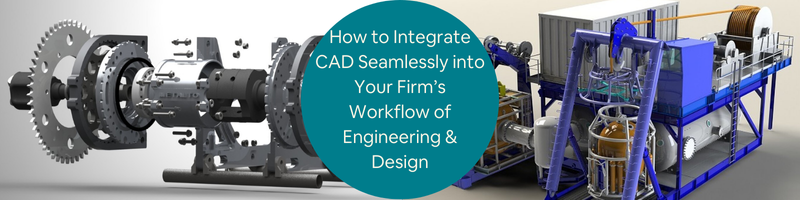
In the current era of engineering, design, and professional services, Computer-Aided Design (CAD) is a foundation technology. Its real value, however, only materializes when CAD is properly integrated into your business processes. CAD integration not merely brings productivity, but also inspires innovation and reduces operating constraints.
Cad Crowd is the leading agency that can connect you with over 94,000 accredited experts from industry companies and organizations who offer expert CAD services. The platform has a collection of enormous talents whose skills can make the inclusion of CAD in any workflow method without issues.
CAD workflow automation transforms design and engineering companies. With improved productivity, reduced errors, guaranteed seamless integration, and extremely customizable, flexible solutions, automation enables businesses to provide their project goals in an improved manner.
As technology continues to develop, CAD workflow automation will increasingly become vital to businesses that must remain competitive in the constantly changing landscape of design and engineering business.
Below is a step-by-step plan for achieving glitch-free CAD integration in your organizational workflow.
🚀 Table of contents
Benefits of CAD workflow automation
CAD workflow automation is the key as it provides productivity and accuracy, which is important in today’s fast-paced engineering and design world. CAD workflow automation saves time and simplifies workflows. It eliminates repetitive steps, combines significant tools, and removes human interference, changing how work is achieved.
Enhancing productivity and efficiency
One of the main benefits of CAD workflow automation is the revolutionary boost in productivity. Repetitive and time-consuming tasks such as drawing generation, parameter updates, and data input can consume precious resources and time. Automation takes engineers and designers out of such mundane tasks so that they can spend more time on innovative and challenging parts of their work. This realignment not only accelerates project timelines but also improves thought processes.
In addition, automation reduces the chances of human error. Manually performed processes are prone to error, especially while dealing with huge amounts of data or intricate designs. Automated processes guarantee consistency and accuracy, which translate into quality output and the elimination of the need for copious revisions for your engineering firm.
Seamless integration and data synchronization
Another advantage of CAD workflow automation is the seamless integration of multiple tools and applications. Modern design projects will necessarily involve a number of platforms, including CAD applications, project management software, and databases. ApiX-Drive type automation solutions enable the seamless integration of such platforms with one another, facilitating efficient data transfer and synchronization.
This unification calls for the avoidance of manual input of information and hence lowers opportunities for inconsistency in ensuring all team members are updated on information. Accordingly, teamwork is enhanced to a level whereby teams experience enhanced coordination by working together in order to implement project objectives to a point whereby delays caused by conflicting data are eradicated.
CAD workflow automation is not a solution for all. It’s a scalable and adaptable solution that allows organizations to tailor automation processes to meet specific project requirements. Automated workflows can be modified to manage special tasks, respond to changes in projects, and add new tools as needed.
This degree of personalization allows automation solutions to naturally integrate into the workflow of an organization, without compromising the individual needs of individual projects. Automated workflows then scale as projects get more complicated, allowing ongoing improvement and operational agility for engineering and manufacturing design firms.
CAD workflow automation solution types
CAD workflow automation is made up of various types of solutions that automate multiple elements of the design process:
Script-based automation: This automated script has much fewer human interventions.
Macro-based automation: Macros capture and adhere to a set of instructions, bringing efficiency to repetitiveness operations in addition to consistency of process execution tasks.
API integrations: APIs are used to connect CAD software with other solutions and systems and enable easy sharing of information along with robust process automation. Integration speeds up collaboration as well as information accuracy.
Custom plugins: Certain plugins or add-ons bring some features to CAD software, meeting specific workflow requirements and productivity in general.
Cloud-based automation: Central hosting of CAD workflows in the cloud offers scalability, real-time collaboration, and enhanced data security. This is particularly beneficial for distributed teams and large projects.
Before embarking on CAD integration, one should understand his/her current process well. Mapping the current process aids in locating where CAD design services will be relevant. Getting this first step done guarantees that CAD tools are being applied in areas where they will be more efficient and effective.
Current processes audit: Start with an overview of the existing work. Document all the steps from the idea through the delivery of the final product. Identify bottlenecks, waits, and duplicative activities that can be reduced through automation or by cutting unnecessary process steps. The audit will show inefficiencies that CAD can rectify.
Stakeholder feedback: Engage key stakeholders such as designers, engineers, and project managers. Their opinions are invaluable in understanding some pain points and requirements. Conduct workshops, surveys, or one-on-one interviews to collect detailed feedback. This combined effort ensures that the CAD system addresses real issues your team faces.
Choosing the right CAD software
The right CAD software must be selected in order to integrate well. Not all CAD tools are created equal, and the best one will depend on your own business needs, industry needs, and plans for future growth. For example, you may want to focus on looking for Blender design professionals instead of other software.
Compatibility: Ensure the CAD software is compatible with your existing technology stack. This includes Product Lifecycle Management (PLM) software, Enterprise Resource Planning (ERP) software, and project management software. Compatibility reduces data silos and increases workflow continuity.
Scalability: Choose software that will grow with your business. With greater project complexity comes greater demands on your CAD system to perform well without diminished performance.
Customization: Choose software that is customizable. Having the ability to customize functions, create custom templates, and automate some operations can significantly enhance efficiency and user satisfaction.
Creating a centralized data management system
Successful CAD integration is heavily dependent on successful data management. A centralized data system ensures consistent, accessible, and secure design data in the organization.
Version control: Implement version control procedures to manage design changes efficiently. This prevents data loss, reduces errors, and maintains team members with the current versions at all times.
Cloud-based solutions: Employ cloud-based data management software. They enable remote collaboration, real-time sharing, and instant access to the design files anywhere in the world, enhancing team productivity.
Controlled access: Data security is of utmost importance. Offer controlled access with role-based authorization to protect sensitive design data from unauthorized access or exposure.
The greatest benefit of CAD integration is the automation of repetitive tasks, such as design for manufacturability services. Not only does this reduce human error, but it also enables precious time to be freed up for more strategic and creative endeavors.
Script-based automation: Use the scripting languages natively supported by your CAD tool to automate duplicate design work. This might be creating standard parts, duplicate annotations, or batch-processing files.
Workflow automation tools: Use CAD to interface with workflow automation tools that take action automatically depending on pre-programmed conditions. A good example would be automatically having files verified when a draft is finished.
CAD integration with other business systems
CAD integration with multiple business systems on a single integrated platform enhances data communication and organizational productivity among departments.
API connectivity: Leverage Application Programming Interfaces (APIs) to enable live data transfer between CAD and applications like ERP, CRM, and PLM. The integration enables design alteration in all the involved platforms in real time.
BIM integration: For architecture and construction firms, CAD integration with Building Information Modeling (BIM) services improves coordination on the project, visualizes better, and reduces design clashes.
Enhancing collaboration across teams
Cloud collaboration platforms: Autodesk BIM 360, SolidWorks PDM, or Onshape are software platforms that allow real-time collaboration where multiple team members can work on one design simultaneously, regardless of their location.
Integrated communication channels: Bridge CAD systems with communication tools like Slack, Microsoft Teams, or Asana. This allows the simplification of project conversation, inbox management, and making important updates easily accessible.
Training and change management
Changing the management and training are required to introduce new CAD procedures or systems to ensure smooth adoption.
Recurring training programs: Organize recurring training sessions to keep the teams updated with the latest features, best practices, and new features. This maximizes expertise and return on investment in CAD tools. For example, expert electrical engineers may have to use niche software to develop more sensitive projects.
Change champions: Determine which of the company’s key staff members are qualified and capable enough to be hired as change champions. They are champions of new processes, that will assist their co-workers through change over, and help deal with the resistance to it.
Maximizing CAD Customization
Customization of CAD software for specific individual needs of work has the potential to greatly increase effectiveness as well as employee satisfaction.
User-controlled features: Allow users to customize toolbars, templates, shortcuts, and interface layouts according to their needs. Customization saves time navigating menus and increases productivity.
Custom scripts and plugins: Develop custom scripts and plugins in order to perform complicated tasks automatically, interact with other third-party tools, or add new capabilities to the core CAD software. This level of customizability allows your software to adapt to your exact business needs.
CAD integration is an iterative, not a one-off process. Constantly review your CAD systems’ and workflows’ performance to ensure that they adapt to evolving business needs.
Key performance indicators (KPIs): Set up KPIs to ensure the success of CAD integration. Cycle time of a design, rates of errors, frequency of revision, and end-user satisfaction are good system performance metrics.
Feedback loops: Have ongoing feedback systems from end-users, especially important for consumer product companies. This can be done by conducting surveys from time to time, using suggestion boxes, or conducting feedback sessions. Utilize the feedback to implement incremental process, tool, and training scheme improvements.
CAD for green practices
Sustainability has become very significant in all kinds of design and the way of the day in engineering and design. CAD software can be a powerful ally in environmentally friendly practices and reducing environmental footprint.
Material optimization: Optimize the use of materials using CAD simulation. Advanced modeling processes will dictate where the material is cut without losing structure, thereby saving funds and minimizing waste.
Energy efficiency: Plan the product for energy efficiency. With CAD, it is possible to perform an in-depth analysis of thermal, fluid, and structure, which leads to creating products that consume less energy when produced and used.
Lifecycle analysis: Incorporate lifecycle analysis in the design process by using CAD software. Lifecycle analysis weighs the environmental expense of a product, from raw material harvesting to end-of-life disposal, and is used to make more sustainable design decisions.
Bringing it all together
Seamless CAD integration transforms engineering, design, and services processes into smarter, more collaborative, and more innovative workflows. By making a sound selection of the right tools, eliminating unnecessary tasks, enabling more cross-departmental collaboration, and adopting the art of continuous improvement, your business can take CAD to its full potential.
Cad Crowd is here to help
Don’t hesitate to take this integration as a strategic step towards your business’s future success. Cad Crowd is an industry leader that you can trust to help you take those steps. Reach out to Cad Crowd today to find out more about our CAD services and more. Request a quote today.
MacKenzie Brown is the founder and CEO of Cad Crowd. With over 18 years of experience in launching and scaling platforms specializing in CAD services, product design, manufacturing, hardware, and software development, MacKenzie is a recognized authority in the engineering industry. Under his leadership, Cad Crowd serves esteemed clients like NASA, JPL, the U.S. Navy, and Fortune 500 companies, empowering innovators with access to high-quality design and engineering talent.
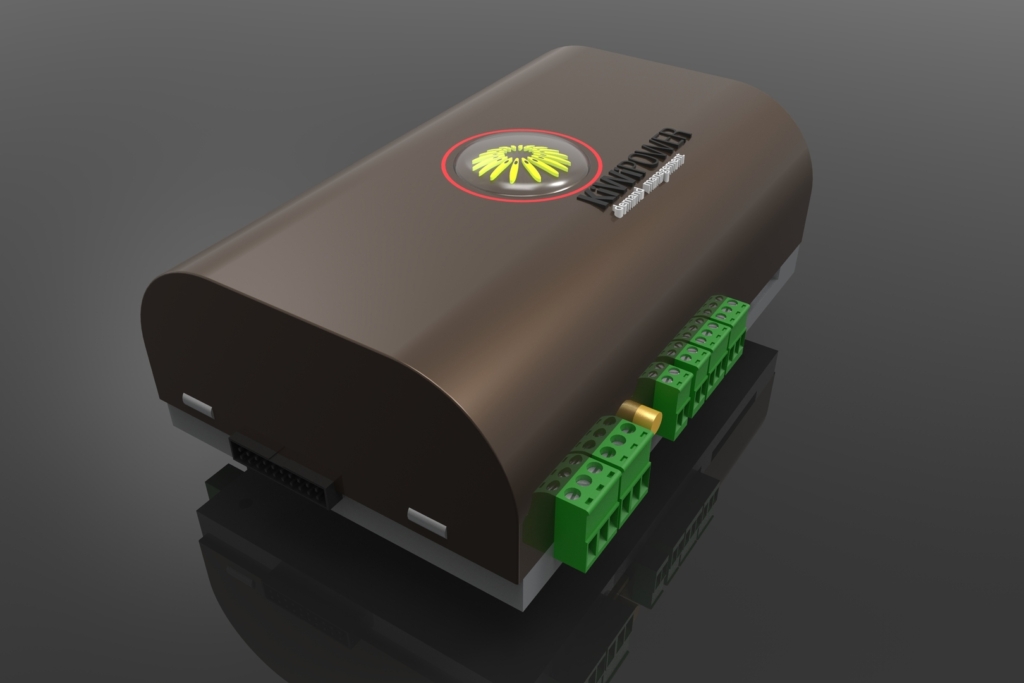
For the post today, you will learn about what to consider when developing the enclosure design of your company’s electronic products. When developing electronic products, the enclosure design plays a crucial role in ensuring the product’s success.
The enclosure is more than just a protective shell; it’s a critical component that influences the product’s durability, usability, aesthetics, and overall market appeal. A well-designed enclosure can make the difference between a product that thrives in the market and one that struggles to gain traction.
Cad Crowd is an industry leader in connecting engineering and design companies with the best designers and engineers. Here are key considerations when looking for the best electronic enclosure design service to develop your company’s electronic products to ensure that you will be getting the results you’re after.
🚀 Table of contents
Material selection
The choice of materials for the enclosure is foundational. The material must provide adequate protection for the internal components while also meeting aesthetic and ergonomic requirements. Common materials used by product design companies include:
Widely used for their versatility, plastics like ABS, polycarbonate, and polypropylene offer good impact resistance, flexibility in design, and cost-effectiveness. However, considerations around thermal management and electromagnetic interference (EMI) shielding must be addressed when using plastics.
Aluminum and stainless steel are two major types of metals that are popular for their strength, durability, and superior heat dissipation properties. They are often used in products that require robust protection against external forces or that generate significant heat during operation.
Composite materials combine the benefits of plastics and metals, offering strength, lightness, and thermal management properties. They are ideal for products that require a balance of strength and weight.
When selecting materials, engineering firms consider factors such as the product’s operating environment, regulatory requirements, and cost constraints. For example, a product intended for outdoor use may require UV-resistant materials, while a medical device may need to meet strict regulatory standards for biocompatibility.
Effective thermal management is crucial to ensure the reliable operation of electronic components. Excessive heat can lead to component failure, reduced performance, and shortened product lifespan. The enclosure design must facilitate heat dissipation through natural or forced convection, conduction, or radiation.
Incorporating heat sinks, vents, and fans into the enclosure can enhance airflow and heat dissipation. The placement of these features should be carefully planned to avoid dust ingress or moisture, which could compromise the product’s performance.
The material’s thermal conductivity plays a vital role in heat management. Metals like aluminum are excellent conductors of heat and can help in dissipating heat from internal components. Plastics, on the other hand, are poor conductors and may require additional thermal management solutions.
Utilizing thermal simulation tools during the design phase can help predict how the enclosure will manage heat. This allows for the optimization of design features by design engineering professionals before moving into the prototyping stage, saving time and costs.
Ergonomics and usability
The enclosure design should enhance the product’s usability and user experience. Ergonomics is a critical consideration, especially for handheld or wearable devices. The concept design service should take into account how the product will be used, who will use it, and under what conditions.
The size, shape, and weight of the enclosure should be designed for comfort and ease of use. For example, a handheld device should have a form factor that fits comfortably in the user’s hand, with controls that are easy to reach and operate.
Consider how the enclosure will be assembled and disassembled, particularly for products that require regular maintenance or battery replacement. Features like snap-fits, screws, and latches should be designed for easy access without compromising the enclosure’s integrity.
User interface integration
If the product includes buttons, screens, or other interface elements, the enclosure must be designed to accommodate these components seamlessly. The placement and tactile feedback of buttons, as well as the visibility and durability of screens, should be carefully considered.
A well-designed enclosure contributes significantly to the product’s visual appeal and brand identity. The enclosure is often the first thing a customer notices, so it should reflect the brand’s values and target market.
The enclosure design should align with the brand’s design language, whether that’s sleek and modern, rugged and industrial, or minimalist and elegant. Consistency in design across different products helps reinforce brand recognition and loyalty, as any consumer product expert designers would attest.
The choice of color and finish can affect the product’s perception. Matte finishes, glossy surfaces, or textured coatings can all convey different messages about the product’s quality and intended use. Color choices should also consider the product’s use environment; for instance, bright colors might be preferred for safety equipment to enhance visibility.
Incorporating logos, trademarks, or other branding elements into the enclosure design can enhance the product’s marketability. Techniques such as laser engraving, pad printing, or embossing can be used to add these elements to the enclosure.
Durability and protection
The enclosure must protect the internal components from environmental factors such as dust, moisture, and physical impact. Durability is particularly important for products used in harsh environments, such as industrial or outdoor settings.
Ingress protection (IP) rating
The IP rating system measures the enclosure’s ability to resist dust and water ingress. Products intended for outdoor or industrial use may require a high IP rating to ensure they are protected from environmental hazards.
Shock and vibration resistance
The enclosure should be designed to absorb shock and vibration, which can damage sensitive electronic components. Materials like rubber or foam padding can be used inside the enclosure to cushion components and reduce the impact of shocks.
In some applications, the enclosure may be exposed to chemicals or corrosive substances. In such cases, the engineering firm should determine the material chosen for its chemical resistance properties to prevent degradation over time.
Electronic products are subject to various regulatory standards, depending on their intended use and market. The product design firm must comply with these regulations to ensure the product can be legally sold and used.
The enclosure should be designed to minimize electromagnetic interference or EMI and ensure electromagnetic compatibility or EMC. This often involves the use of shielding materials, grounding, and careful placement of components within the enclosure.
Depending on the product’s application, it may need to comply with safety standards such as UL Underwriters Laboratories, CE, or Conformité Européenne. These standards often include requirements for the enclosure’s material, design, and labeling.
Environmental regulations
Products sold in certain markets may need to comply with environmental regulations, such as RoHS or Restriction of Hazardous Substances or WEEE or Waste Electrical and Electronic Equipment. These regulations may limit the use of certain materials or require specific labeling and recycling instructions.
Manufacturability and cost efficiency
The enclosure design should be optimized for manufacturability to ensure it can be produced efficiently and cost-effectively. Consideration should be given to the manufacturing process, tooling costs, and material waste.
Design for manufacturing (DFM)
DFM principles should be applied during the design phase to simplify the manufacturing process. This includes minimizing the number of parts, using standard components where possible, and designing for easy assembly.
Tooling and production costs
The choice of materials and manufacturing processes will impact the tooling and production costs. For example, injection molding requires an upfront investment in tooling but is cost-effective for high-volume production. CNC machining, on the other hand, maybe more suitable for low-volume or custom production runs.
The enclosure design should aim to minimize material waste during production. This can be achieved by optimizing the design for the chosen manufacturing process, such as minimizing the number of cuts or using nesting techniques to reduce material waste in sheet metal fabrication.
Before moving to full-scale production, it’s essential to prototype and test the enclosure design. Prototyping allows for the validation of design assumptions, identification of potential issues, and refinement of the design.
3D printing services are excellent tools for rapid prototyping, allowing for the creation of physical models to test fit, form, and function. This can be done quickly and cost-effectively, enabling iterative design improvements.
The prototype should undergo functional testing to ensure it meets all performance requirements. This includes testing for thermal management, durability, ingress protection, and user interface functionality.
Involving end-users in the testing process can provide valuable feedback on the product’s usability and ergonomics. This feedback can be used to make design adjustments before finalizing the enclosure design.
The enclosure design of your company’s electronic products is a critical factor in determining their success. Through a proper and careful consideration of material selection, thermal management, ergonomics, aesthetics, durability, regulatory compliance, manufacturability, and prototyping, you can develop enclosures that not only protect and enhance your products but also contribute to their market appeal and user satisfaction. Investing time and resources in the enclosure design process will pay off in the form of a more robust, user-friendly, and competitive product.
How Cad Crowd can help
Do you want to take your enclosure design to a whole new level this time? Don’t hesitate to get in touch with Cad Crowd today to request a quote and find out how we can connect you with expert designers who can help you create the perfect enclosure for your electronic products. We have over 14 years of experience as an industry leader that can help you find the right talent for your project today. Contact us for a free quote.
MacKenzie Brown is the founder and CEO of Cad Crowd. With over 18 years of experience in launching and scaling platforms specializing in CAD services, product design, manufacturing, hardware, and software development, MacKenzie is a recognized authority in the engineering industry. Under his leadership, Cad Crowd serves esteemed clients like NASA, JPL, the U.S. Navy, and Fortune 500 companies, empowering innovators with access to high-quality design and engineering talent.
3D printing and CAD services are changing new product development across industries. From quick prototyping to low-cost manufacturing, businesses adopting these technologies are experiencing faster time-to-market, better design accuracy, and more innovation possibilities.
As a certified professional industry expert, Cad Crowd is well aware of the requirement for good quality 3D printing and CAD services, particularly for businesses whose products are being manufactured. These businesses are brought into contact with the finest talent on the platform that can bring back results and give more than expected.
Whether you have just started a business or are an established company, the collaboration of CAD services and 3D printing can enhance product development efficiency greatly, lower the cost of production, and provide customized solutions with ease.
Here, we will see how 3D printing and CAD services are revolutionizing product development, what the main advantages of their implementation are, and how they will mold the future of manufacturing and innovation.
🚀 Table of contents
The role of CAD in product development
CAD software is no longer a tool but an integral component of the entire design and manufacturing process in the current product development age. CAD is at the forefront of producing new products that are efficient, precise, and viable from idea creation to production finish. Designers and engineers use CAD to envision, design, and finalize their concepts before they are ever real prototypes. Its influence is felt across industries as diverse as automotive and aerospace, consumer electronics, and furniture design.
One of the greatest advantages of CAD is that it can produce intricate and detailed designs that would be practically impossible—or at least highly impractical—to do manually. Traditional drafting methods, while helpful, cannot compete with the flexibility and precision provided by CAD software. Designers can easily change dimensions, modify ratios, and make design changes with parametric modeling without having to redo from scratch.
Furthermore, CAD technology has high-end simulation capabilities that enable designers to see the finished product in a virtual environment prior to actual production. This capability eliminates guesswork and enhances creativity through rapid checks on various design parameters. From an ergonomic tweak in a chair to a structural reinforcement in an aircraft part, CAD experts enable every single design change with precise digital models.
Better collaboration
Product development is seldom a solo effort. There are numerous stakeholders, including engineers, industrial designers, marketers, and manufacturers, who need to collaborate to take a product from idea to reality. CAD tools, particularly cloud-based tools, have revolutionized collaboration between teams.
With access to design files in real-time, remote teams are able to see, modify, and improve models without the lag normally seen through email conversations or paper reports. Changes are immediately apparent, cutting down on miscommunication and version control problems. This integration allows for a more streamlined workflow, enabling companies to cut development times and respond faster to design feedback.
After a product is already being tested during production, however, it would have already been subjected to durability, performance, and accuracy tests of how it would fare in actual conditions. CAD software can include simulation tools and analysis programs that would enable its users to conduct virtual stress tests, thermal analyses, and movement simulations. These tests enable these companies to detect and correct faulty designs before manufacturing results in heavy financial losses through errors or defects.
This design validation ahead of time conserves material, reduces the cost of production, and leads to a better-quality end product. Whether it’s evaluating the aerodynamics of a new car design or the ability of a bridge component to handle loads, CAD-based analysis markedly enhances design trustworthiness.
Seamless interfacing with 3D printing
3D printing design services have changed the game when it comes to product prototyping, and CAD is its foundation. The CAD models can be easily converted into 3D-printable files, enabling us to obtain rapid prototyping with a precision hitherto unmatched. It enables the designers to convert their digital models into physical prototypes within hours instead of weeks.
By marrying CAD with 3D printing, businesses have the ability to prototype form, fit, and function early on in the design process and fix prior to scale manufacturing. Virtual design coupled with physical prototyping speeds up innovation and shortens the time to market.
CAD has revolutionized product development at its core by offering increased design accuracy, encouraging collaboration, allowing proper verification, and seamlessly integrating with newer manufacturing technologies such as 3D printing. As the world of industries continues to explore newer horizons in innovation, CAD will be at the forefront, charting the path for the future of product conception, making, and realization.
How 3D printing aids product development
3D printing or additive manufacturing has transformed the environment of product development experts. The technology has opened the door for companies to prototype, test, and produce products faster and more flexibly than ever before.
A product that takes weeks or months to develop now can be achieved in days or hours. Aside from speed, 3D printing is also cost-effective, supply chain resilient, and can produce geometries that are difficult or even impossible to produce using conventional manufacturing techniques. Let us explore further how 3D printing affects product development in concrete, industry-changing ways.
Prototyping is a critical phase of product development, where concepts are brought into physical existence to test and audit. In conventional manufacturing, making a prototype entails sophisticated tooling, machining, and molding, an expensive and time-consuming affair. With 3D printing, businesses are able to circumvent all these limitations by making a functional prototype in weeks, not months.
For instance, imagine a startup firm creating a new shape for a smartwatch. With 3D printing design experts, the design team can print out a functional prototype overnight, try it on, check its ergonomics the following day, and make design adjustments a little while after that. This quick iterative process reduces development cycles by a great deal, allowing firms to get products to market sooner and keep their competitive advantage.
Second, 3D printing allows it to produce many iterations without necessarily spending too much. If there is a prototype that requires minimal adjustments, then the computer file can be edited and then reprinted afterward, avoiding retooling time and costs in conventional processes. This is highly beneficial in industries that require design accuracy to be at the top, including medical devices, car parts, and wearable technology.
Economical production: minimizing overheads and waste
Production costs can be the killer of a product’s profitability. Conventional technologies have the propensity to involve expensive molds, tooling, and high-volume runs to make an effort to amortize expenses. 3D printing reduces most of the drivers of cost by enabling businesses to create parts from computer models without requiring specialty molds or sophisticated assembly lines.
One of the largest benefits of 3D printing is that it minimizes material waste. Conventional subtractive manufacturing technologies, such as CNC machining, remove a shape from a material block, resulting in great volumes of scrap material. Additive manufacturing, by contrast, layers up products in layers, only consuming the material that is needed. This saves waste, minimizing both environmental impact and material expense.
Moreover, low-run productions become more economical. Small firms and start-ups, not being able to place minimum order quantities in conventional manufacturing design services, are able to produce small batches of customized or niche products at affordable costs without shelling out the big bucks.
Customization & personalization: meeting individual needs with ease
One of the most important characteristics of 3D printing is that it has the ability to create fully personalized products with no extra expense. Conventional manufacturing is a principle of mass production in which prices are established on economies of scale. If an individual needs a personalized modification, this typically implies expensive retooling or independent lines of manufacture. In 3D printing, customization is only a matter of changing a digital file prior to printing.
Consider the healthcare sector. Patients requiring prosthetics, orthotics, or implants in the teeth usually need customized-fit solutions to their physiology. With 3D printing, doctors can now create custom-fit dental crowns or prosthetic limbs that fit absolutely a patient’s specific requirements to enhance comfort and functionality at pennies rather than conventional costs.
In the same way, 3D printing is also useful in the automotive design industry. From personalized dashboard components to bespoke tools for mechanics, automobile manufacturers can create individual designs or batches at reasonable prices. Even domestic items and the fashion industry have started using 3D printing to design unique footwear, frames, and other accessories according to an individual’s personal style and size.
Simplification of supply chains: increasing efficiency and agility
The COVID-19 pandemic exposed the vulnerabilities of global supply chains, with manufacturers struggling to secure essential components due to shipping delays and supplier disruptions. 3D printing presents a solution by enabling localized production and reducing reliance on complex supply networks.
Rather than waiting weeks for a part that is imported from overseas, a business can print the component on-demand at a local factory or even in-house. This reduces lead times and provides a more resilient supply chain. Furthermore, businesses don’t have to keep huge inventories of spare parts, as they can just have digital files on hand and print as required.
For organizations such as defense and aerospace, where supply chain integrity is most critical, 3D printing is a strategic strength. Aerospace engineers and defense organizations can manufacture replacement parts in-house with no loss of production time, enhancing their readiness for operations. Likewise, industrial machinery makers can offer on-site replacement parts for obsolete components, extending the lifespan of machines and lowering maintenance.
Complex geometry and lightweight structures: reducing new design freedom
The most thrilling feature of 3D printing is the capacity to create complex, organic shapes that are not possible or hard to produce using conventional manufacturing methods. In contrast to conventional methods involving cutting, molding, or casting, 3D printing has the capacity to create complex internal structures, lattice structures, and hollowed-out parts without loss of strength or durability.
This is especially useful in the automotive and aerospace industries, where weight needs to be kept to a bare minimum. The lighter the component, the greater the fuel economy, reduced emissions, and improved power. For instance, airplane manufacturers can fabricate 3D-printed engine parts and brackets with lattice structures inside them that have equivalent strength but substantially reduced weight.
With 3D printing in consumer electronics design services, it is possible to build thin, high-performance devices with material positioning for the best performance. Laptop housings, heat sinks, and cooling systems may be designed with fine details that enhance efficiency without an increase in size. Even sporting equipment is made possible by designing lightweight but extremely resilient bicycle frames, golf clubs, and protective equipment.
3D printing is no longer the domain of hobbyists and engineers; it has become a must-have innovation enabler across multiple industries. Through rapid prototyping, low-cost manufacturing, easy customization, lean supply chains, and unfettered complex design ability, 3D printing is transforming product ideation, product development, and product launch.
As technology advances, we will only see more efficiencies, better materials, and further applications from industry to industry, from medicine to construction. Having the capacity to print as one needs, create complex and thin structures, and tailor products on a mass level will continue to increase, solidifying 3D printing as a cornerstone in contemporary product manufacturing.
To businesses that need to remain on top of their game, investment in 3D printing technology is not only an option—it’s a strategic imperative.
The aerospace and defense industries make widespread use of CAD (Computer-Aided Design) and 3D printing for innovation and efficiency. The technologies allow manufacturers to produce light yet durable components, reducing airplane weight and fuel usage. Aerospace engineers create intricate geometries that are impossible with traditional manufacturing. In addition, 3D printing enables quick prototyping and the creation of customized parts for aircraft, spacecraft, and military applications. It also reduces assembly time and the risk of mechanical failure since intricate parts can be produced in a single print.
Automotive
Automotive firms and suppliers incorporate CAD design experts and 3D printing in the manufacturing and design process to make it more efficient. CAD computer applications allow designers to visualize new models of cars with stunning precision, and 3D printing streamlines the process of making test prototypes for assessing aerodynamics, safety, and performance. It saves a great deal of time and money when it comes to verifying designs. 3D printing also facilitates the economic creation of customized auto parts, especially for sports and high-end cars where one-off parts are required.
Healthcare & medical devices
The medical field has embraced 3D printing since it is capable of creating patient-specific treatments. Prosthetics and implants can be tailored to the individual anatomy of a patient, which makes them more functional and comfortable. Surgeons also use CAD-based 3D models to plan complex surgeries, reducing risks in surgery and improving patient success. Aside from implants and prosthetics, bioprinting is revolutionizing medicine, allowing researchers to create artificial tissues that could one day lead to functional organ transplants.
Consumer goods & electronics
Consumer electronics and home appliances firms use CAD and 3D printing to minimize product development time. Rapid prototyping design services enable designers to experiment with different shapes of a product before mass production, ensuring high quality and functionality. 3D printing also facilitates the easy production of small batches or bespoke products, like personalized phone accessories, wearables, and even apparel. This provides companies with the option to cater to niche markets without having to commit to mass production.
Architecture & construction
CAD and 3D printing are employed by architects and construction companies to transform building design and manufacturing. Scaled models of buildings enable stakeholders to visualize projects prior to the start of construction. 3D printing facilitates the production of prefabricated building parts, minimizing waste and accelerating construction timelines. Companies are even testing the production of entirely 3D-printed buildings, which offer affordable and sustainable options for housing and infrastructure construction.
Ultimately, CAD and 3D printing are changing businesses across numerous markets with increased precision, reduced manufacturing costs, and degrees of customizability unseen before.
Although CAD and 3D printing bring much to the business, organizations do have some issues to get around when utilizing them:
Initial investment expenses: Industrial-level 3D printers and software of the highest quality come with some initial investment costs. Still, long-term returns on the savings and efficiency can usually absorb the initial outlay.
Technical expertise requirement: Experts are needed to operate CAD and 3D printing technology. Businesses might be forced to train staff or employ experts in a bid to maximize the application of such technology.
Material limitation: While 3D printing material has improved, certain applications still call for conventional production because of requirements for the strength or durability of materials.
Intellectual property concerns: Due to the ease of dissemination of digital files, the secrecy of proprietary designs and intellectual property is still a worry for firms that embrace 3D printing and CAD services.
Emerging CAD and 3D printing trends in product development
AI-based design optimization: Artificial intelligence is utilized in CAD tools to optimize designs automatically for performance, material use, and design for manufacturability services.
Multi-material & advanced 3D printing: Future 3D printing technologies will provide the ability to print in multiple materials, producing very functional and integrated components.
Eco-friendly materials & sustainability: In the future, more recycled and biodegradable materials will be utilized for 3D printing to minimize environmental problems.
On-demand & distributed manufacturing: Localized production is facilitated by 3D printing, minimizing supply chain dependency and providing opportunities for decentralized models of production.
The combination of CAD services and 3D printing is revolutionizing new product development through the improvement of the functionality of the design, cost reduction, and faster time-to-market. Organizations that adopt such technologies can gain a competitive advantage, improve innovation, and shorten their manufacturing cycle. By leading through barriers and being on the cutting edge of the next trends, organizations can leverage the full benefit of 3D printing and CAD to transform their product development approaches.
Cad Crowd is here to help
Companies now need to invest in these emerging technologies and leverage their potential to shape the future of manufacturing and innovation. Cad Crowd is an industry leader that can get you the talent you need to foster better products. Reach out to Cad Crowd today to discover more about our 3D printing and CAD solutions.
MacKenzie Brown is the founder and CEO of Cad Crowd. With over 18 years of experience in launching and scaling platforms specializing in CAD services, product design, manufacturing, hardware, and software development, MacKenzie is a recognized authority in the engineering industry. Under his leadership, Cad Crowd serves esteemed clients like NASA, JPL, the U.S. Navy, and Fortune 500 companies, empowering innovators with access to high-quality design and engineering talent.
Efficiency is all about in the frantic industrial age. Manufacturers are desirous of cutting costs, reducing mistakes, and accelerating the time of production. One of the best ways to achieve these ends is by leveraging CAD automation services.
With the application of Computer-Aided Design (CAD) automation, companies can streamline processes, lower the rate of errors, and improve product quality in a cost-saving and timely mode. That is precisely where Cad Crowd steps in. Cad Crowd is a reputable industry player that offers CAD automation services companies ought to employ.
No matter, if you are in the automotive, aerospace, furniture design, or consumer electronics industry, CAD design services and automation, can transform your business. In this article, the benefits, applications, and how-to of CAD automation services for production, as well as how they can make your company’s business easier, will be addressed.
🚀 Table of contents
The role of CAD in manufacturing
Computer-aided design (CAD) revolutionized the manufacturing industry by providing designers and engineers with powerful tools to design, modify, analyze, and optimize products before their actual production. CAD software enhances accuracy, reduces design flaws, and allows visualization of complex geometries that would be difficult to accomplish manually.
As technology has advanced, manufacturing has been evolving, and the role of CAD has also shifted from just design activities to automation, simulation, and integration with production.
Enhancing Design Efficiency and Accuracy
One of the biggest advantages of CAD in production is its design accuracy. Hand-drawn blueprints can contain human mistakes, but with CAD, dimensions, alignment, and tolerances are accurate to the last detail. With 3D modeling expert capability, engineers can visualize and validate designs in simulated environments where the possibility of expensive mistakes being made on the assembly line does not exist.
Additionally, CAD technology facilitates parametric design, where modifications to a single component update connected components within an assembly automatically. This helps preserve design integrity and saves a great deal of time when modifications are required. Designers can test different materials, forms, and configurations without ever creating physical models, leading to shorter product development cycles.
Automating CAD processes for speed and consistency
Manual CAD modeling is productive but time-consuming, particularly when there are detailed designs with repeated processes. CAD automation is where it is relieved of. CAD automation uses scripts, templates, and artificial intelligence-driven algorithms for repetitive tasks such as dimensioning, patterning, and placing assembly. Using automation, companies are able to reduce human handling, thus cutting down the scope of errors and improving efficiency.
For example, CAD automation enables firms to design standardized templates for frequent parts. Rather than redesigning similar parts from scratch, engineers can easily modify parameters in the templates to generate new versions. Furthermore, AI-driven CAD software can offer design optimizations through rules-based configurations to ensure consistency with industry standards and best practices.
Integration with manufacturing processes
Modern CAD tools seamlessly work with Computer-Aided Manufacturing (CAM) and Computer-Aided Engineering (CAE) systems. By doing so, it completes the loop between manufacturing and product design firms. It enables manufacturers to directly translate CAD models into CNC (Computer Numerical Control) machine code, 3D printer code, and robotic assembly code.
By combining simulation and analysis tools in a single environment, CAD allows manufacturers to predict the behavior of a product under real-world conditions. Engineers can carry out stress testing, thermal simulation, and fluid dynamics analysis inside the CAD environment itself, reducing the need for physical tests. The forecasting ability not only reduces time but also reduces time-to-market for new products.
CAD emerges as a crucial part of modern manufacturing via greater design accuracy, error reduction, and easy integration into manufacturing processes. Automation integration complements these benefits via increased design time and project consistency. With continuous technological improvement in manufacturing, CAD has become and will remain a cornerstone of innovation, promoting efficiency and enabling more intricate and better product design.
Principal benefits of CAD automation in manufacturing
In the age of rapid production, CAD automation has revolutionized design and production activities. Eliminating mundane procedures, reducing manmade errors, and streamlining processes, CAD automation has proved to be the principal driver behind businesses seeking improved efficiency, accuracy, and economic benefits. These five are significant benefits of CAD automation in production, with true-life examples indicating its impact.
Enhanced efficiency and speed
One of the key advantages of CAD automation is the drastic reduction in design speed and efficiency. Traditional CAD processes have design engineers making manual changes and adjusting parts, which may be laborious and repetitive. Automation obliterates such interferences by providing bulk changes, pre-determined design rules, and template-based processes to help streamline the operation.
For example, weeks were historically required to design chassis components in auto production due to the complexity and magnitude of changes. Through automation with CAD, engineers can execute scripts that would automatically update the measurements, realign tolerances, and add standard features all at once for a batch of components in real-time. Design time is reduced to hours from weeks, and manufacturers are then able to accelerate product development and react more to the market.
Manufacturing has high accuracy requirements, and minor design faults in the manufacturing process result in complete production delays. CAD design with manual workflows exposes it to design errors like measurement inaccuracies, misplaced parts, or inconsistent specifications for materials. CAD automation disposes of the risk by defining design constraints, providing input validation, and checking if it meets the standards of the manufacturing design industry.
Aerospace manufacturing, for instance, relies on accurate tolerances in an attempt to ensure structural integrity and flight performance. CAD automation ensures every component has exact specifications, minimizing tolerances that lead to rework costs or even structural collapse. With the use of automated test validation, businesses can achieve more accurate designs as well as improved end-product quality.
Manufacturing cost savings
Greater efficiency and less error result in huge cost savings. With less time used for design, less material wasted, and fewer prototype revisions, CAD automation allows manufacturers to utilize their assets more fully and decrease the cost of production.
Consider, for example, a case of a custom cabinetry company. Without automation, designers create each unique order size and material adjustments by hand, involving more labor costs and material loss. With CAD automation, the company can create maximally optimized layouts for improved material usage, with waste reduced by up to 20%. Moreover, automation decreases the number of costly prototype revisions and improves profitability.
Increased customization and scalability
CAD designers require tailor-made designs to meet client-specific needs. CAD automation accelerates customization by allowing manufacturers to create parametric models that automatically change based on user-defined specifications.
For example, a company that deals with custom-sized enclosures can employ parametric CAD automation to create various configurations of size in an instant based on user input. This is not only more versatile in design but also mass-producible in manufacturing to meet variable customer needs with ease.
Seamless integration with manufacturing operations
Unified CAD automation enables a seamless transition from manufacturing to design. CAD models are readily integrated with Computer-Aided Manufacturing (CAM) systems that enable precise machining, minimized setup time, and enhanced production efficiency.
With CAD automation of CNC machining, there is an assurance that designs are optimized according to manufacturing constraints, reducing setup time and lessening material usage. Tool path designs can be automatically created by engineers, select efficient cutting methods, and optimize machining processes, opening the door for higher throughput and reduced operating expenses.
CAD automation has transformed manufacturing with increased efficiency, precision, cost-effectiveness, and scalability and is highly appreciated by product development professionals. With the integration of automation in CAD processes, companies can not only accelerate the design process but also ensure higher consistency and improved integration with production. As automation is increasingly applied across industries, the future of manufacturing will be characterized by increased innovation, reduced costs, and faster responsiveness to market needs.
CAD automation in modern production has changed product design, verification, and production. Through the application of automation to CAD processes, organizations can considerably enhance efficiency, accuracy, and customization levels. Below are the five most critical applications of CAD automation in manufacturing:
Parametric design automation
Due to the rising demand for personalized products, companies integrate web-based configurators and CAD automation so that customers can personalize products directly through an interface on a website. Configurators facilitate modifications in real time and generate CAD files in real time-to produce.
For example, a furniture design service with a modular design option has an Internet-based configurator where customers select sizes, materials, and colors for their furniture products. As a customer configures a product according to its dimensions, CAD automation generates the input and produces a producible file. This reduces lead times, increases customer satisfaction, and minimizes errors in production.
The application of CAD automation in production offers unmatched efficiency, precision, and scalability. From real-time design changes and auto-drafting to advanced simulation and mass customization, automation is transforming the product development process across industries. With continued advancements in technology, businesses that use CAD automation will enjoy a solid competitive advantage, reducing costs and improving product quality in the long run.
Automatic drawing development
Previously, creating 2D technical drawings from 3D models required a lot of time and human effort. CAD automation does this through the instant creation of precise drawings in the same way, ending inconsistency that may occur when manual production is done.
For example, a building construction firm undertaking bulk residential development projects can utilize CAD automation, such as 3D rendering services, to automatically generate floor plans and blueprints from project specifications. Once a 3D building model is developed, the automation tool takes necessary views, measurements, and markings and generates complex building construction drawings. This avoids errors and speeds up approvals and implementation of projects.
Design validation & simulation
Validation of the design is an important step in production to lock in products as safe and durable and perform their function as intended. Due to CAD automation and the integration of Finite Element Analysis (FEA) and Computational Fluid Dynamics (CFD) simulation, the detection of anticipated design problems in the development phase might be facilitated and thus can avoid cost-incurring in prototyping and re-doing.
For example, an orthopedic implant-producing medical device company employs CAD automation to perform stress tests on different models of implants. It applies designed loads and material values automatically by the system to the models for use conditions modeling purposes.
The engineers, such as mechanical engineers, analyze the results and adjust them accordingly without any interference to meet stringent regulatory requirements before physical testing.
Automated BOM (Bill of Materials) generation
A bill of materials (BOM) is an absolute necessity in manufacturing because it specifies all the materials, components, and assembly procedures required. BOM creation automation prevents errors, reduces purchasing time, and gives accurate costing.
For example, in electronics manufacturing, CAD automation can create a BOM automatically from PCB design services. Once an engineer finishes a circuit design, the system will generate a BOM with parts, quantities, and suppliers automatically. This automation facilitates procurement and assembly and reduces the risk of incompatible parts.
Mass customization & configurators
Due to the rising demand for personalized products, companies integrate web-based configurators and CAD automation so that customers can personalize products directly through an interface on a website. Configurators facilitate modifications in real time and generate CAD files in real time-to produce.
An exercise equipment design service with a modular design has an Internet-based configurator where customers select sizes, materials, and colors for their furniture products. As a customer configures a product according to its dimensions, CAD automation generates the input and produces a producible file. This reduces lead times, increases customer satisfaction, and minimizes errors in production.
The application of CAD automation in production offers unmatched efficiency, precision, and scalability. From real-time design changes and auto-drafting to advanced simulation and mass customization, automation is transforming the product development process across industries. With continued advancements in technology, businesses that use CAD automation will enjoy a solid competitive advantage, reducing costs and improving product quality in the long run.
Conduct a complete study of your company’s manufacturing and design operations prior to automating them with CAD. Identify those areas where human processes are hindering manufacturing or generating wasteful mistakes. Common bottlenecks are redrawing modeling, drawing generation, and data input. If your engineers are spending too much time on routine changes or design errors, leading to excessive rework, automation can provide a huge efficiency gain. Define your objectives—whether it’s reducing design time, reducing the number of human errors, or improving the consistency of workflow—so that you can make optimal automation choices.
Choose the most appropriate CAD automation tools
Various industries and CAD systems need their own respective automation programs. Proper technology selection can assist in realizing desired efficiencies. Below are the most commonly used CAD automation solutions:
SolidWorks API – Best suited for repetitive tasks on SolidWorks, like designing variants of standard components or running batches of files.
Autodesk Inventor iLogic – Enables automation of parametric designs using rule-based processes and thus efficient variation setup without manual intervention.
Siemens NX Open – Provides advanced industrial design and manufacturing automation with a high degree of customization.
Python & VBA Scripting – Both scripting languages can be used to create custom automation scripts for AutoCAD and other software, enabling customized solutions to a company’s specific requirements.
Your choice of appropriate tool depends on your existing CAD software, business requirements, and the degree of sophistication in your automation needs.
Train your staff and develop expertise
The implementation of CAD automation comprises an employee resource pool that is knowledgeable in the design process and automation techniques. Invest in reskilling your staff with education in automation software and skills involving the design process, such as Python and VBA script programming languages, as well as training in those automation tools and software fitting your CAD solution.
Your engineers can be educated through online tutorials, workshops, and vendor-driven training sessions. Also, consider hiring CAD automation professionals who already possess experience in developing and designing automation solutions. This will assist in providing a smoother roll-out and longer-term use of automation.
Integrate with existing systems
To achieve the maximum benefits of CAD automation, integrate with other business systems such as Computer-Aided Manufacturing (CAM), Enterprise Resource Planning (ERP), and Product Lifecycle Management (PLM). An integrated system offers a seamless flow where design data can move freely from concept to production without the intervention of human beings. This minimizes errors and increases total productivity. Coordinate with your IT department and software vendors closely to set proper data exchange procedures and integration mechanisms.
Begin small and scale up slowly
Rather than attempting an all-at-once overhaul of automation, begin small by piloting a single activity. Select a single, high-impact task—such as automating part drawings or BOM creation—and pilot the automation process in a controlled environment. Engineering design services Measure the benefits, gather feedback, and adjust the implementation before automating across design processes. Phased-in automation will create a smooth transition, lower risk, and enable your staff to acclimatize at a more manageable rate.
By following these steps, companies can efficiently automate CAD, enhance efficiency, reduce errors, and streamline design processes to make them smoother for greater competitiveness in the market.
Design automation with AI: Artificial Intelligence (AI) will revolutionize CAD by generating optimized designs based on real-world limitations with minimal intervention from humans.
CAD automation in the cloud: Cloud technology will enable remote collaboration with the added feature of automating design processes in real-time.
Generative design: CAD software will learn to automatically offer design alternatives that will optimize material use, weight, and life.
IoT-Enabled CAD systems: CAD automation will be combined with IoT sensors to provide real-time design adjustment based on available product performance data.
Bringing it all together
CAD automation services are no longer an option but an imperative for manufacturing companies that have to be cost-effective and competitive and make their goods superior. Through parametric modeling to auto-drawing generation, the benefit is clear: compressed production cycles, reduced error, and more productivity.
Whether you’re an industrial giant or a small business, adding CAD automation to your company will automate your production, boost productivity, and prepare your company for the future. Start small, choose the right tools, and watch your efficiency soar!
Cad Crowd is here to help
Ready to streamline your CAD processes? Contact industry experts at Cad Crowd and find out what is best for you. Cad Crowd is the industry leader in finding the best services for your company. The future of manufacturing is automated—don’t get left behind! Contact us today!
MacKenzie Brown is the founder and CEO of Cad Crowd. With over 18 years of experience in launching and scaling platforms specializing in CAD services, product design, manufacturing, hardware, and software development, MacKenzie is a recognized authority in the engineering industry. Under his leadership, Cad Crowd serves esteemed clients like NASA, JPL, the U.S. Navy, and Fortune 500 companies, empowering innovators with access to high-quality design and engineering talent.
Joining electronic components to a wiring circuit board by PCB assembly thus turns a bare PCB into a working product. The cost of PCB assembly and design services is highly variable and depends on differing materials, complexity, volume, and even assembly technology used. Knowing this going in helps ensure that you’re neither a struggling startup nor an established design company fighting to stay black.
This article will delve into PCB assembly costs and identify five expert tips that help design companies reduce rates while maintaining high standards.
🚀 Table of contents
Understanding PCB assembly costs
To effectively manage the cost of PCB assembly, it is important to understand the factors that influence it. The major contributors to the overall cost for engineering companies include:
Board complexity: The complexity of the PCB design, for example, the number of layers, component density, and type of components directly influence the cost of assembly.
Component costs: There is a huge range of electronic component prices due to the myriad of specifications and sourcing of these devices. The most expensive and hard-to-source components contribute significantly to the cost.
Type of assembly: There are two general types of PCB assembly available: Surface Mount Technology (SMT) and Through-Hole Technology (THT). For the same application, the performance of SMT is better, with shorter lead times and lower overall costs. THT has greater labor content and, therefore, increases the cost.
Volume of assembly: Large volume orders are generally more economical because higher volume runs keep economies of scale in effect; smaller runs are normally associated with higher per-unit costs.
Lead times: A longer lead time often means a higher price. Excellent lead times often translate to better savings for non-time-sensitive projects.
Testing and quality control: Quality and functionality are ensured with thorough testing like ICT and FCT, which entails additional costs but is required to avoid expensive mistakes or recalls.
Labor and overhead: Costs for PCBs to be assembled depend on the labor rates in different regions. Surprisingly, cheap labor is mostly available in countries like China, India, and Vietnam, and Western countries are more costlier.
Now that we have all that out of the way, here are five best practices that design houses can use to see lower-cost PCB assembly without cutting into quality.
Design your PCB for DFM
Design for manufacturability (DFM) services is an engineering practice aimed at making designs that are not only easy to manufacture but also low in cost. An improperly designed PCB can cost the assembly process a lot while resulting in higher rates.
Some of the DFM best practices are:
Minimize layers: Multi-layer PCBs offer numerous layers; however, that also can increase the manufacturing cost by many folds. Try to minimize the number of layers. This might be achieved by optimizing route paths and proper utilization of board space.
Standardize components: This will reduce lead times and costs. Avoid proprietary or hard-to-source components that can push up the procurement costs.
Optimal space: Always keep enough space between components to allow the automatic assembly machines to put them in without any effort. A design that is too dense requires extra hand labor, meaning that the PCB assembly cost will be higher.
Panelization: If your PCB design is very small, then you can panelize several boards together into a single larger board. Panelizing makes it more efficient to assemble the boards, and it also cuts down the setup.
Investing in a well-thought-out design upfront helps avoid costly mistakes and also saves considerable amounts of time in the assembly process.
Source the components wisely
The components you use may represent the biggest cost driver when it comes to PCB assembly. Hence, proper sourcing of components is considered an essential smart strategy.
Key strategies comprise the following:
Bulk purchase: Supply procurement in bulk leads to lower prices from suppliers. Design houses can further reduce costs by partnering with good assembly houses and suppliers.
Use alternative parts: Use other parts or equivalents that have long lead times and are expensive. If there is a match between the two for performance, then it can be considered an alternative. Now, some of the EDA tools help find alternative parts during the design cycle.
Check component lifecycles: Choose components that are not near the tail end of their production lifecycle. Such products are usually costlier and less accessible than others. More modern components with longer lifecycles will save you money on redesigns.
Partner with a turnkey PCB manufacturer: Turnkey PCB manufacturers manage all aspects of production, which includes component sourcing. Of course, with huge volumes being bought, purchasing can become cheaper, and therefore, component costs may reduce the total assembly costs.
Manage your component sourcing process actively; you can dramatically reduce the overall assembly costs for your product design company.
Use assembly automation
Automation in PCB assembly mainly reduces labor costs and increases accuracy and efficiency. Automated assembly lines, including SMT-based ones, are faster and require fewer labor hours than manual assembly.
These are some of the factors to exploit automation:
SMT over THT: Surface Mount Technology is less costly than Through-Hole Technology because of its highly automated nature. If your design allows SMT components, then go for this technology to reduce labor costs.
Pick-and-Place machines: The machine could make absolutely precise placements of the component onto the board automatically. Reducing manual placements lowers human errors, which get translated into costly rework or scrap.
Automated inspection: AOI and X-ray inspection systems can quickly and accurately detect defects or misalignments in assembly, reducing costly post-production testing and rework.
Investing in assembly automation is particularly profitable in high-volume production where savings earned from automation far outweigh the cost of initial setup. Consider using design for assembly services to make sure that you’re getting expert help on your project.
Leverage production volume
Production volume has a direct impact on the cost of assembling PCBs. Generally, increasing the volume of production brings down the cost per unit more for the sake of economies of scale.
Here’s how you may take advantage of the production volume to leverage cost reduction:
Batch orders: Where a number of designs are ordered together, all under one large batch run, it saves on the setup fees and increases the efficiency of the assembly process. This is very suitable for companies where several different PCBs are being produced.
Negotiate with manufacturers: Volumes of larger sizes can usually be negotiated with manufacturers for better rate reductions. Be clear with the manufacturer about future production plans since manufacturers are generally open to accepting companies with long-term production needs at better prices.
Plan for scalability: If you know you need high volumes in the future, it is helpful to communicate this to your assembly partner up front. They can then help ensure your design is scalable and ready to be manufactured in large volumes without significant redesign.
By optimizing your volume of production, you can greatly reduce the cost per unit for your PCB assembly for your manufacturing firm.
Consider offshore manufacturing for cost reduction
The labor cost is among the primary reasons for the assembly of PCB. Offshore manufacturing based on regions having lower labor costs can be a good practice to avoid high expenses. Asia has such regions, including China, Vietnam, and India, which provide competitive pricing for the assembly of PCBs due to their full manufacturing infrastructure and low rates of labor.
The following are the determinants for offshore manufacturing you should opt for:
Labor: Since the labor rate for countries like China or India is a fraction of that in Western countries, it can really help you save a lot of money if an assembly process is labor-intensive.
Shipping and import duties: Offshore manufacturing helps reduce production costs; however, shipping costs, taxes, and import duties applicable to the completed PCBs will have to be considered while shipping them back to your location.
Communication and time zones: Offshore manufacturing may create communication problems because of language and different time zones. It is always best to look for a manufacturer who maintains clear communication methods and keeps you updated regularly.
When finding an offshore manufacturer, always do very thorough research and look to work with a manufacturer who has a history of producing quality and reliability.
Wrapping it up
The cost of PCB assembly depends on the board’s complexity, the source of components, the type of assembly methods used, and the production volume. By following the five expert tips discussed in this article—optimizing your design for manufacturability, sourcing components wisely, leveraging automation, optimizing production volume, and considering offshore manufacturing— consumer product design companies can significantly reduce their rates and pricing without sacrificing quality.
Proper handling of the cost of PCB assembly will impact a firm in the long run as demand for electronic products increases. Changes in the PCB industry and keeping abreast of the latest manufacturing techniques will benefit a design company and help it stay competitively ahead of others in the market.
By employing all these strategies on your PCB assembly, you will end up saving a lot, increasing efficiency, and delivering quality products to your clients at more competitive rates.
How Cad Crowd can help
The cost of PCB assembly is always a big turnoff for most clients. Good thing that there are several tips that can help design companies lower their pricing and rates. Cad Crowd will be happy to connect you with trusted and reliable designers who can keep your PCB assembly costs easy on the pocket. Request a quote today.
MacKenzie Brown is the founder and CEO of Cad Crowd. With over 18 years of experience in launching and scaling platforms specializing in CAD services, product design, manufacturing, hardware, and software development, MacKenzie is a recognized authority in the engineering industry. Under his leadership, Cad Crowd serves esteemed clients like NASA, JPL, the U.S. Navy, and Fortune 500 companies, empowering innovators with access to high-quality design and engineering talent.
Brand consistency happens when your company presents uniformed visuals, personality, and messaging across the entire range of products. A lot of people seem to see brand consistency only as it relates to marketing, but it’s just as important within the context of design. To have the most impact, all products under the same brand must maintain the same design language to be easily recognizable by the target consumers.
But imagine having a confusing or misaligned brand identity – it’s bound to create issues in terms of appeal and longevity and may even set you up for failure as you’ll fail to capture the hearts and minds of your intended audience.
🚀 Table of contents
Why do you need to be consistent?
It’s pretty straightforward: brand consistency improves memorability. What’s the first thing that comes to mind when someone mentions a premium gaming laptop so striking, it looks as if they’re also used by advanced space-faring species? Alienware. What about a power drill wrapped in a construction worker’s high-visibility jacket? DeWalt. So why are all those brands so easy to remember? Because they’ve been using consistent design throughout their existence. People already know too well what those brands represent, what products they offer, the expected build quality, and the presumed value for money.
This is where manufacturing firms follow the “Rules of Seven” to their full potential. It’s a well-known marketing concept utilized by companies all around the world to suggest that unique products or brands will stick to people’s minds for good after they’ve seen it seven times. A memorable design creates a sense of connection with the target consumers. When the design is easily remembered and associated with positive experiences, sales will likely pick up.
If you want a gaming laptop, chances are you’re thinking about an Alienware; when the time comes to buy a new power drill, you can’t possibly forget about DeWalt – otherwise, you may have to settle for less. None of this suggests in any way that alternatives don’t exist. In fact, the competitors might be more in line with what you need, or at least equally good. The point is that you always take those brands into consideration each time you want to make a purchase. And that’s how you can tell if the brand consistency strategy works as intended. Apart from memorability, consistent brand designs also lead to the following:
Recognizability: let’s go back to the brand examples again. DeWalt offers not only power drills but an entire lineup of hand tools and power tools for the construction and woodworking industries. Some products are intended for commercial use, while others are geared toward DIYers and craftspeople as well. The brand uses the same color scheme, typography, icons, logo, and other visual cues across the range. You can tell if something is a DeWalt or not from miles away.
Simplified marketing: brand consistency accounts for a huge part of product marketing strategy. Given a unique product design with recognizable elements, you don’t have to worry about your product getting drowned out by dozens of competitors sitting on the same store shelf. No one says creating a unique design and maintaining consistency are easy undertakings, but once you get there, your marketing team has one less big thing to worry about. Apple is probably the finest example in this regard. It doesn’t matter if you pick up an iPhone, iPad, or Mac of any version, you’ll immediately notice it’s an Apple device.
Testament of authenticity: brand consistency is all about maintaining the same build quality and enjoyable user experience across all your products. In other words, you need to be consistently good to showcase that the designs are indeed authentically yours. If some other brands are trying to look slightly (or perhaps eerily) similar, they’re copycats. To some extent, what they do is a direct admission that your design is the authentic one and actually better. To the customers, authentic brands are trustworthy, original, and good value for money.
Aiming for brand consistency when developing a new product requires two things: meeting consumer demands and presenting the product in a way that is relevant to all its predecessors. Of course, it applies mostly if you have already launched a product or two into the market. For a completely new brand, the best you can do is to try and come up with a unique design. No one will accuse you of being inconsistent because it’s the first product from the brand after all, unless the brand is releasing multiple products at once.
A big portion of branding – regardless of how the design appears visually – is making an effort to expose your target consumers to the brand in a relentless manner. It has everything to do with effective marketing as they share a common goal: creating unforgettable associations between people and the product. They may associate your product with pleasing visuals, striking colors, good ergonomics, build-to-last quality, practicality, portability, ease of maintenance, affordability, eco-friendliness, reliability, accuracy, or any combination of those aspects. Once you’ve built such an association, it makes little sense to reinvent the idea each time you release a new product from the same brand.
When brand consistency is of the utmost importance, sometimes it can put a strain to the creativity aspect of the design department. For the sake of being relevant to the brand, a design cannot stray too far from the already-established elements. However, this is not always a bad thing because brand consistency also leads to many beneficial effects.
Design template
Brand consistency is more than just about using the same colors, materials, icons, and finishes. Just as important is the overall user experience with the product. User experience, as the name suggests, is the sum of all interactions between the product and the person using it. This includes accessing the features, utilizing the functionalities, and basically all the user does to take advantage of everything the product has to offer. With brand consistency in mind, there’s no need to change the user experience for the sake of being creative. For example, keep the power button in the same position, make the product compatible with the same accessories or consumable parts as the previous version, don’t go overboard with reshaping the ergonomics, and maintain the same build quality.
If you have to introduce changes, make sure it’s an improvement, not a downgrade. Since the goal is to maintain brand consistency, think of your previous product as a ready-made design template to help eliminate a lot of guesswork. The approach actually works for more types of consumer products design services than you think. Referring back to our previous examples, most iPhones look the same, but people are still buying new ones, and nearly every DeWalt power drill appears almost identical to each other. It’s not that they can’t come up with new designs, but why bother when the existing design is perfect for the purpose? When you buy a new iPhone, you expect it to work like your old iPhone, only better. And that’s because the design department can put more resources on the product’s inner workings rather than cosmetics alone.
Brand consistency triggers the need to create design uniformity, leading to familiarity. Uniformity is not limited to build quality and materials but the stylistic approach as well. Let’s say you’ve positioned a computer peripherals brand as a classic alternative to contemporary competitors; although you’re using modern prototyping services and manufacturing technologies to produce computer mouses, keyboards, flash drives, headphones, speakers, and other peripheral devices, your products offer old-school or retro designs. There’s nothing wrong with Bluetooth, IPS display, and noise-canceling technology, but your style must be consistently classic.
Building familiarity is the primary design approach within the context of brand consistency. When people purchase your brand, they expect the product to look and feel old-school while offering new technologies inside. Customers won’t complain about the style being outdated because that’s exactly the distinctive aspect of the brand. As it is your signature style, the design team can focus specifically on “recreating” incarnations of antiquated looks. Brand consistency is the driving force behind design decisions.
Boring can be a good thing
A brand is an identity. In this case, being consistent means using the same identity for all the products released under that brand. Having inconsistent styles and design approaches makes it difficult to nurture a sense of familiarity and uniformity. You’ll be introducing the consumers to a completely different product with every release, and that’s a recipe for marketing disaster. If your design feels repetitive and boring but the sales keep going well, it means you’re doing brand consistency right.
Basic design template, including shape and contour
User interface
Modularity or compatibility with other systems
Brand messaging
Packaging design
There’s no need to get all fancy about the guidelines. As long as it conveys clear messages about what to do and NOT do, the design team should understand what you’re trying to achieve from the get-go and keep everything under the defined parameters.
Cad Crowd can help
Achieving brand consistency takes a lot of dedication, persistence, and of course, a good understanding of what a good design is. It can be a challenging task, but it doesn’t always have to be as daunting as it appears to be, especially with Cad Crowd on your side. Over the last 15 years or so, we’ve been connecting companies big and small with a serious lineup of professional designers and design consultants to collaborate in the efforts to ensure brand consistency across the board. You, too, can take advantage of experts’ insights into your strategic planning and design approaches to fulfill the dream of materializing brand consistency.
MacKenzie Brown is the founder and CEO of Cad Crowd. With over 18 years of experience in launching and scaling platforms specializing in CAD services, product design, manufacturing, hardware, and software development, MacKenzie is a recognized authority in the engineering industry. Under his leadership, Cad Crowd serves esteemed clients like NASA, JPL, the U.S. Navy, and Fortune 500 companies, empowering innovators with access to high-quality design and engineering talent.