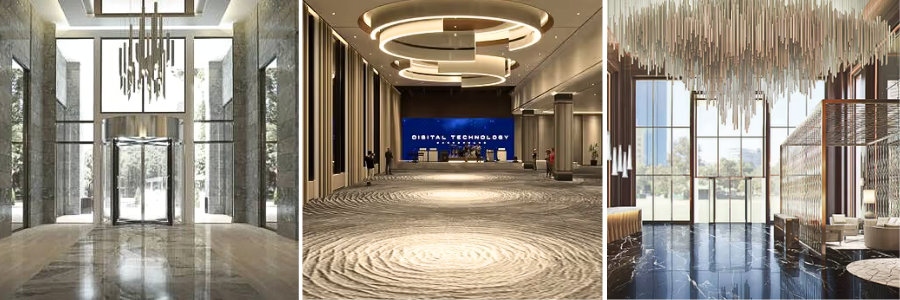
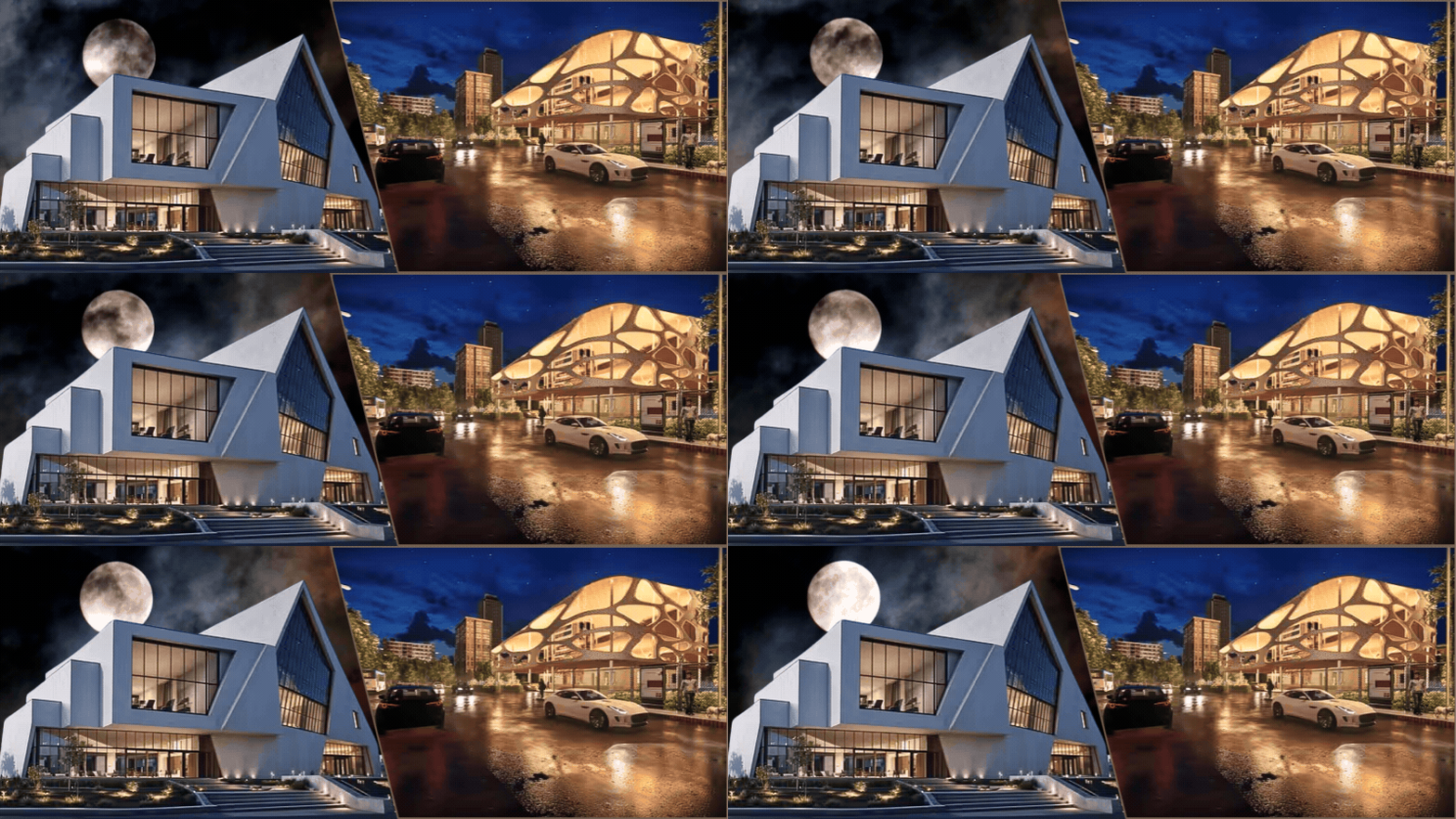
Say you want to buy a product from an online store. You already know the brand, the model name, and the price range, but you still want to spend time taking a closer look at the pictures of that product on the webpage. Even if you can’t touch and experience the product firsthand, those pictures turn out to be convincing enough for you to make the purchase. Things are no different with hotel rooms. The images that appear on the hotel’s official site or travel agencies’ platforms are important marketing tools, designed to give you great first impressions and encourage you to make the booking. Good pictures are as persuasive as the bad ones, in different manners of course. If good-looking photos are among the main reasons travelers choose any particular hotel, the bad-looking ones can easily make them rule it out.
An image gallery can tell a holistic story about all sorts of properties, and even more so about a hotel. It is therefore a common practice that hotel owners or managers put up as many high-quality images of the buildings they run, including the lobby, the rooms, the amenities, the bathroom, and even the views of the surrounding area. They expect those images to create strong impressions and build some kind of emotional connection with viewers, and perhaps set the right expectations as well. Ultimately, the images are supposed to be alluring enough to attract visitors. CAD professionals at Cad Crowd offer some of the best hotel visualizations money can buy. Home to thousands upon thousands of digital artists from all around the world, you’ll be hard-pressed to find any other freelancing platform that can even remotely match Cad Crowd’s hiring options, affordability, and guarantee of accuracy.
What if you too run a hotel and want to improve your marketing with better imagery? Is there anything you can do to make the photo gallery improve your chances of winning clients? If so, how do you go about making the improvement? You might find it surprising that the answer actually has little to do with photography. What you really need is a different type of imagery in the form of 3D rendering services. In other words, you need CGI (computer-generated imagery) visualization to get the most out of your hotel image gallery. While CGI is in most cases more cost-efficient and versatile than traditional photography, it’s also a specialized trade best left to professionals. It’s true that photography too takes real expertise to get right, but the degree of flexibility (as in detail adjustments, customizations, level of detail, and reusability, to name a few) you get from CGI outshines traditional photos by a large margin.
Well, that’s a little too broad a question, and there doesn’t seem to be a single satisfying answer, but based on our experience in CGI visualization services, we might have some ideas as to what you should look for in hotel interior 3D rendering services.
A study published in Nature Portfolio’s Humanities and Social Sciences Communication in 2023 reveals that images of hotel properties are directly correlated with positive customer perception. Images are important factors in customers’ booking decisions. But it’s not just any image, as there are several aspects that turn out to be strong selling points, namely the lighting (or time of day indicated by the image), the color scheme, human presence or the lack thereof, and shooting angle.
It has everything to do with “intangibility” because obviously the customers seeing the images aren’t exactly present at the hotel. They’re unable to perceive the location, experience the room interior firsthand, enjoy the room view, try any of the available amenities, and feel the ambiance. It makes perfect sense since, as far as you’re concerned, the customers can be hundreds if not thousands of miles away during the time of the booking. The most important purpose of the hotel imagery is to reduce this sense of intangibility down to a minimum.
There are a number of visual directions or framing tools you can use for this purpose, such as directional lines, rule of thirds, image orientation, color adjustment, perspectives, depth of field, image symmetry/asymmetry, time of day/light, and object planning. You won’t be able to completely eliminate intangibility, but those framing tools at least provide creative approaches to bring about a greater perception of immersion.
All these aren’t prohibitively difficult challenges to overcome with traditional photography; it’s just that they’re much easier to handle using CGI visualization with 3D renderings. The thing is, a CGI visualization is created entirely on a computer screen. You don’t need to use any physical object at all. Everything on and about the image can be manipulated using digital tools to find just the perfect balance for photorealism.
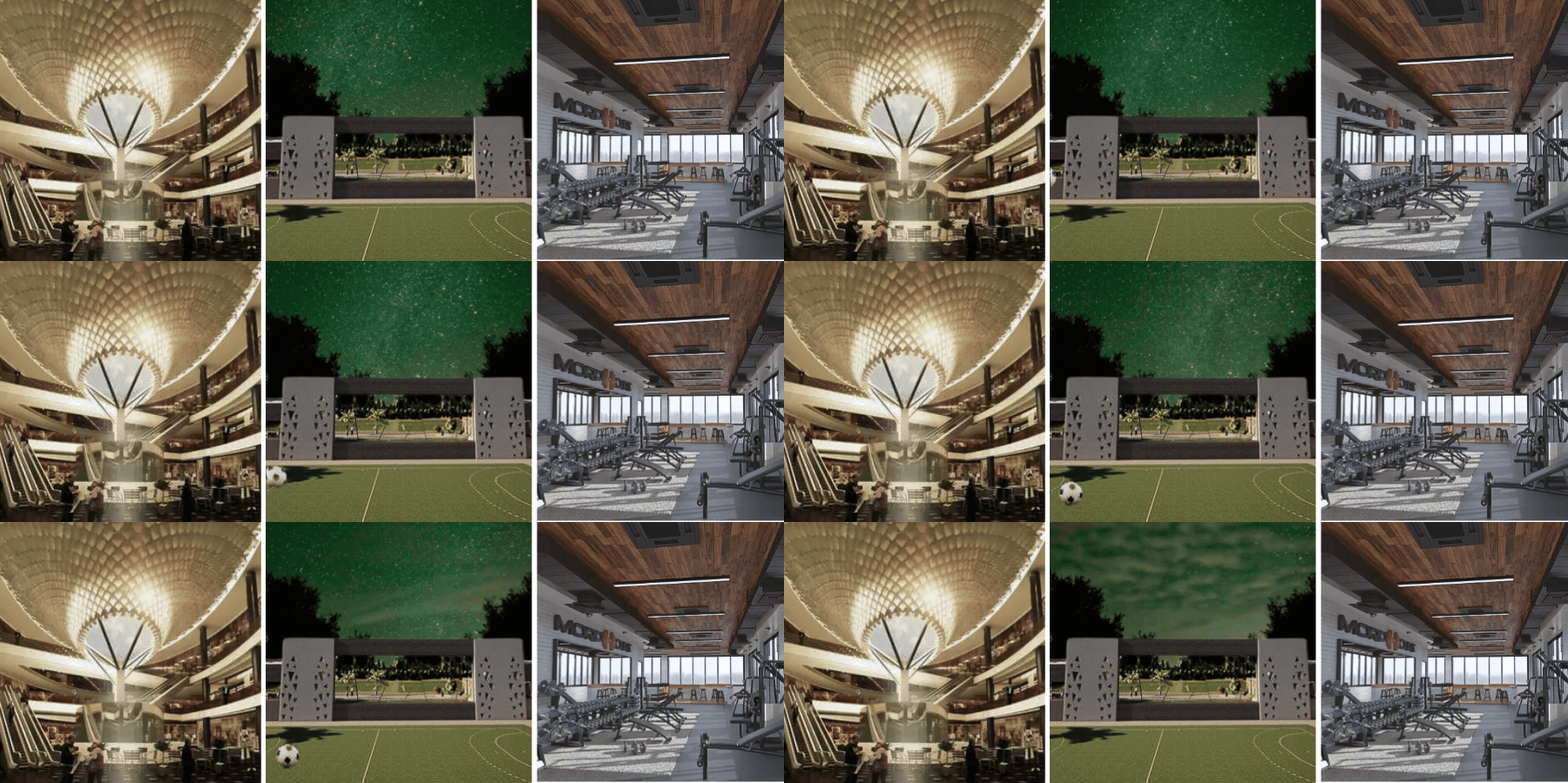
There is no limitation to what you can produce with CGI. You can create as many digital versions of any space in the hotel as possible. Perhaps you want to have half a dozen visualizations or more of just the lobby, multiple images of the same room from different viewing angles, an entire set of imagery for the dining room, another collection to cover the swimming pools, and so forth. Again, there’s no photography involved here. Everything is 3D modeled using CAD (computer-aided design) software and rendered into photorealistic image services for visual treatments.
Name any mood, weather, time of day, composition, perspectives, and dramatic flair you want; the digital artists at Cad Crowd have the know-how and the tools to create just the right imagery. Backed by our 15 years of experience in CAD applications and CGI visualizations, there isn’t much that our professionals haven’t seen and done over the course of their history in the industry.
But be very careful about the number of images you use on the booking page. Offering too many visualizations might bring about an effect of ambiguity within the context of hotel marketing on online platforms. In this particular instance, “more” isn’t necessarily better. Quite the contrary, a bombardment of imagery can lead to a marketing situation typically known as “choice paralysis” in booking intention. It’s the notion of providing too many product options, causing indecision. When the customers get confused or overwhelmed with options (such as massive collections of imagery just to visualize two or three different rooms), they tend to postpone the booking at best or look for alternatives at worst. There’s also the danger of pushing too hard to the point where you inadvertently include less relevant, maybe even misleading visualizations.
Now if there’s such a thing as too much information from too many visualizations, naturally it’s also possible to provide too little. While there’s no strict formula on how to strike the right balance between the two extreme ends, you can always play it safe with six types (not number of images, mind you) of visuals on the booking page or any other online marketing platform: (1) hotel rooms, (2) conference rooms, (3) hotel room bathrooms, (4) entrance and lobby, (5) hotel premises and services, and (6)hotel exterior design services.
Since we’re only talking about interior design services, the exterior is to be omitted. You can still showcase a little bit of the exterior, but make sure it’s actually shown as visible from inside the hotel. For instance, resort hotels may utilize images of the landscape seen from a room balcony or large windows in the lobby. All six types function as some kind of physical evidence of the quality and services your hotel promises to deliver to the guests.
Another important thing to consider is the “transportation theory” of persuasiveness (there’s an entire page dedicated to this discussion on Wikipedia, of course). Essentially, when used within the context of hotel visualizations, the theory suggests that image size matters. It turns out that larger digital visualizations make customers more inclined to complete the booking and positively affect their willingness to pay extra for accommodation.
This positive effect, however, only happens if the image doesn’t feature any person in the frame. It’s said that larger images work better for aspirations, but the presence of a person in the frame might hamper the imagination. Guests want to picture themselves (as opposed to anybody else) living in the environment depicted in the image. The good thing is that the opposite also applies here, as small images yield more or less the same level of persuasiveness given the presence of humans.
Browsing enjoyment must be taken into account as well. 3d Visualization services is great, and people believe that a picture is worth a thousand words. Still, customers might need some clues about what they actually see in the image. It’s not that complicated, really. All you need to do is add a caption under every image to tell the viewers what room it is, what amenities they can get in the lobby, how many seats can be fitted to a dining area, etc. A little bit of additional information can go a long way to keep the customers browsing the page. The longer they stay on the page, the more chances you have to persuade them.
Typical costs of 3d rendering
Service
Estimated Cost (USD)
Description
Hotel interior rendering
$300-$1,000 per image
Photorealistic renderings of guest rooms, lobbies, restaurants, or other interior spaces.
Luxury interior rendering
$1,000-$2,500+ per image
Premium-quality visuals with advanced lighting, materials, and fine details.
360° virtual tour
$500-$2,000 per scene
Interactive panoramic views that let guests explore hotel interiors online.
Animated walkthrough
$2,500-$15,000+ per project
Cinematic animations showcasing hotel spaces and amenities for marketing.
Complete hotel visualization package
$3,000-$15,000+ per project
Includes multiple renderings, common areas, amenities, and marketing-ready visuals.
How 3D rendering attracts clients
Like with every other product, the photographic images of a hospitality interior design should help customers perceive information about a hotel in a clear and accurate fashion. It is this very perception that does the heavy lifting to influence people to book a room, pretty much similar to how a product image sways you into spending money. People take their time evaluating the photos before they come to a booking decision. But how exactly does 3D rendering services do its part in bringing more potential guests? Again, there might not be a single satisfactory answer to that. There are at least five.
Spatial understanding
A standard wide-angle photograph can be misleading as it often distorts room dimensions, making a space look wider than it really is or perhaps concealing some unflattering details. Let’s not forget that on many travel agencies’ websites and social media, photos posted by previous visitors aren’t always set to give the biggest marketing impact. CGI visualization, especially 3D interior rendering services, is almost impossible to look bad. It’s generated entirely on a computer to be an exact replica of a hotel interior, presented as a lifelike visualization. All the details, including the perspectives, are made for comfortable viewing that allows easy spatial understanding of the room layout, ceiling heights, furniture placement, distance from the bed to the bathroom, and lighting colors. If you want, the rendering can even highlight how thick and soft the carpet is.
Imagine yourself being a professional photographer tasked with producing promotional pictures for a hotel. There have to be photos of the lobby with a view of the landscape visible from a large glass window. In addition, the views must showcase how good the scenery is during summer and winter. With conventional photography, there’s little you can do except wait for one of the seasons to arrive, which can be months away. With 3D rendering, on the contrary, it can be done within a week or two. Remember about CGI having no need for physical objects to produce imagery? It’s the same thing with weather. In the hands of professionals from Cad Crowd, you get to choose what objects to include, what season it’s in, and what viewing angle to use. And you can actually have the exact same image displayed in two or more different atmospheres. Whether it’s thick snow outside, or pouring rain with water droplets on the window, a bright summer day, or warm orange fall, we have it all covered.
Animated walkthrough
One of the biggest selling points of CGI visualization is that it enables digital artists to build an animated rendering of an architectural walkthrough services. Think of it as a video guide that shows customers what it looks and feels like to be inside a building, or in this case, a hotel. But unlike conventional videos recorded using a camera, an animated walkthrough is created by combining a series of static renderings into, well, an animation. It’s not interactive in the sense that you can’t control movement direction or change the viewing angle, but an animated walkthrough offers all the best things from static visualization added with cinematic flair. See the curtain swaying in slow motion as you walk into the room, clouds of white steam coming out of a kettle on the table, sunlight coming through as the window opens; you get the idea. Everything that you see is deliberately made that way.
Flexible space configuration
A hotel isn’t just a collection of rooms where people spend a night or two while they’re away from home. It’s a hospitality building that caters to various events, from business conferences to weddings and all sorts of social and professional gatherings. As previously mentioned, 3D rendering allows you to showcase the same exact space or room with completely different configurations. We gave an example earlier about how it’s possible to visualize the different views of summer and winter from the same lobby window; well, you can do the same with the lobby itself. Why not visualize a room configuration for a business conference in one image, and for a rave party in the other? A single space can be a versatile venue for many different occasions, and 3D rendering grants you the ability to visualize any or all of them, without once resorting to expensive interior staging.
This kind of flexibility also opens the doors to tailoring visualizations to specific customer segments, or guest profiles if you like. Different travelers have different preferences for accommodation and environments. For instance, business-minded guests (as in people who stay at your hotel in some kind of professional capacity) might prefer a room with a functional work desk and a quiet atmosphere. On the other hand, families often prioritize an open floor and safety features. But guess what, 3D visualization has just the tools to showcase the same room with two or more configurations. This means you have more marketing options aimed at different targets, albeit using only one room.
Eye-catching social media campaign
Sometimes the simple answer gives the best explanation. 3D visualizations, whether animated walkthroughs services or stylized renderings (watercolor, cel-shading, oil paint, ink sketch, or basically anything other than photorealistic), are much more striking than conventional photographs. And striking imagery more easily catches people’s attention on social media. Users are far more likely to share and react to unique content, increasing positive engagement with your hotel. With every single “share,” you’ve successfully added another potential client, and this kind word-of-mouth digital marketing remains a powerful tool to attract more. Not every single lead might end up booking a room, but social media have always been great platforms to start reaching a wider audience.
At the end of the day, what you really want is effective imagery that works like an expert marketing agent to persuade every viewer to make a booking. You might have to experiment with different styles, formats, sizes, and moods before you come to the perfect formula. This is something that CGI excels at, but conventional photography struggles with. 3D visualization affords you the opportunity to play with different lighting setups, compositions, viewing angles, and dramatic flair, without even leaving the screen. And with Cad Crowd on your side, you start with the confidence and peace of mind that the end product will be nothing short of high-quality interior renderings that reflect the best your hotel has to offer.
How Cad Crowd can help
Cad Crowd connects you with experienced CGI artists and architectural visualization experts who create photorealistic hotel interior renderings for marketing and hospitality projects. From guest rooms and lobbies to amenities and animated walkthroughs, our professionals deliver compelling visuals that help attract more guests and increase bookings. Contact Cad Crowd today for a free quote.
MacKenzie Brown is the founder and CEO of Cad Crowd. With over 18 years of experience in launching and scaling platforms specializing in CAD services, product design, manufacturing, hardware, and software development, MacKenzie is a recognized authority in the engineering industry. Under his leadership, Cad Crowd serves esteemed clients like NASA, JPL, the U.S. Navy, and Fortune 500 companies, empowering innovators with access to high-quality design and engineering talent.
The design of an industrial building is supposed to be defined first and foremost by its intended purposes. You start designing with the notions of what the building is for, who will be using it, and how it will be used. As you become more familiar with the basics, you’ll also learn about the specific industrial operation the building facilitates and therefore how to put together the right design for it. Take, for example, the design of a logistics building or a warehouse. In order to make an effective design optimized for all sorts of activities associated with warehousing, you need to be aware of the systems that support the activities, the type of goods that move through the space, and the workflow. This knowledge is pivotal to understanding the building’s operational logic and to the way you craft its design and layout.
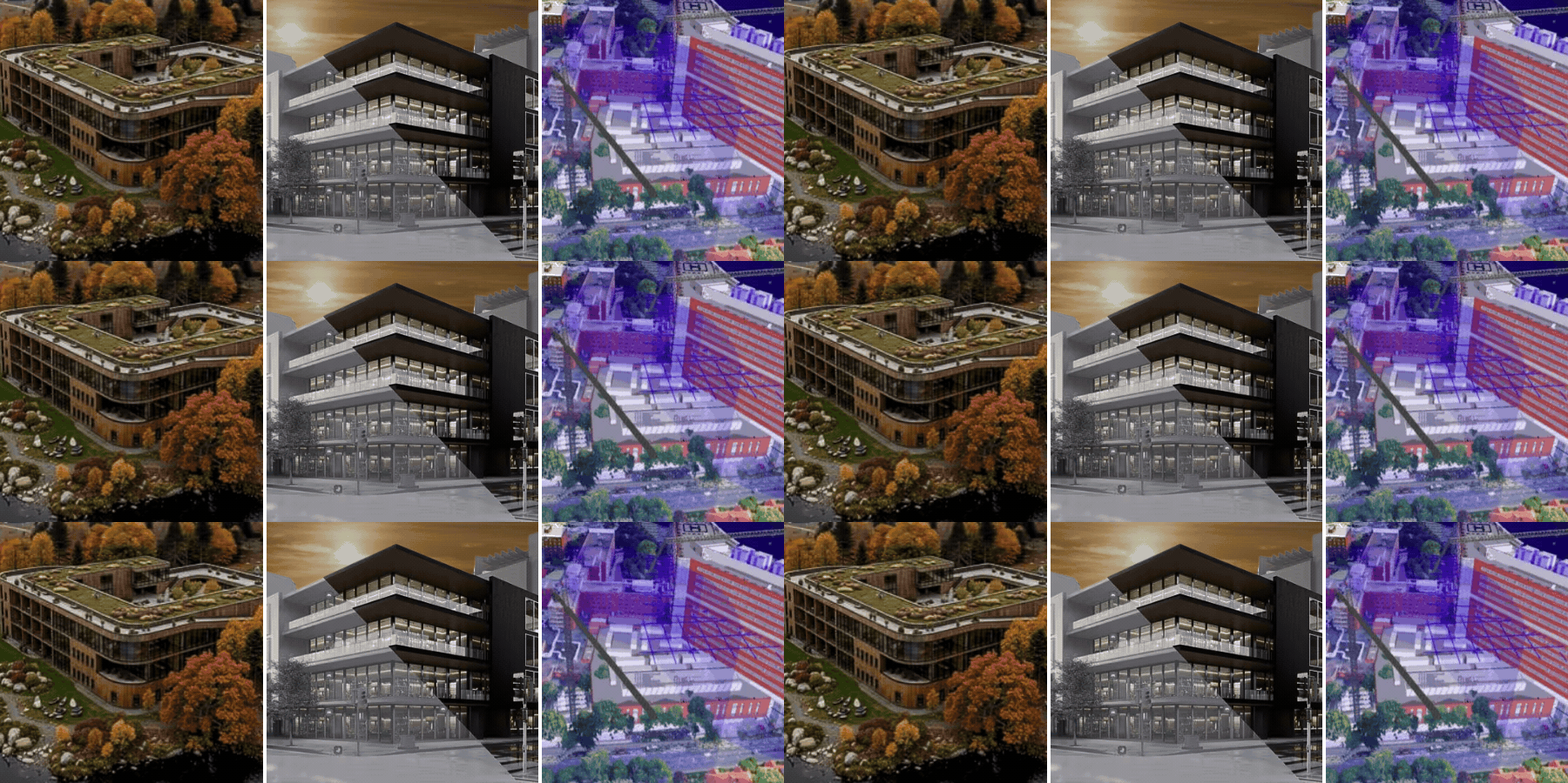
A warehouse might not be the most complex building in the bigger scheme of supply management – the manufacturing facility takes the throne. Even if it’s not as elaborate and sophisticated, designing a logistics building isn’t the simplest of tasks either. You must take into account such crucial factors as safety, operational efficiency, environmental impacts, and future growth, to name a few. To improve the chances of coming up with a refined design that brings about all those good things, architects and engineers are turning to CGI visualization with 3D modeling and rendering, often using a combination of Building Information Modeling (BIM) services and Warehouse Management Systems (WMS) services integrated into the design process.
Cad Crowd is a massive freelancer hub filled with thousands upon thousands of AEC (Architecture, Engineering, and Construction) experts from all around the world. It’s where you can assemble an all-star multidisciplinary team to handle even the most challenging warehouse construction project, whether live-environment upgrades, expansion, or new builds. We connect you with the most talented architects, engineers, and designers to craft the perfect plan for efficient warehouse design through 3D visualization.
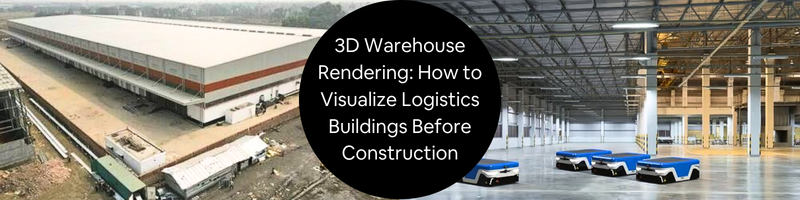
The biggest advantage of CGI for warehouse design work is the ability to create a realistic visual representation of the structure before construction begins. Photorealism enables stakeholders to review the proposed plan in a much more effective manner, because they actually see what the design looks like in 3D, as opposed to a flat technical drawing. Even if the stakeholders have never seen an architectural plan before, they should be able to get a good grasp of the warehouse layout from the 3D rendering. This, in turn, encourages them to provide constructive feedback and make informed decisions.
Within the context of a construction project, a 3D rendering services isn’t just a visual treatment to please the eyes. For the rendering to be of any practical use, it has to be an accurate representation of the design. Building a warehouse is a high-stakes project where construction precision, clever budgeting, tight scheduling, and team coordination are unnegotiable. You don’t want to take any chances. There’s just too much to lose for even a little bit of sloppiness in planning. The only correct way to handle a project of such scale is to bring on board the truly qualified professionals, specializing in the design and construction of industrial buildings, with a proven track record to boot.
A conventional blueprint can be confusing. Unless you’re trained as an architect, engineer, or draftsperson, the flat-style drawing seems too daunting to understand. 3D rendering offers a much friendlier perspective (quite literally) on an architectural plan. A three-dimensional model appears more natural to the human eye, giving you a better understanding of the spatial relationship between objects. You can view the model from all angles to take a close look at the details, assess feasibility, compare options, and ultimately make the right design decisions. Problems such as inaccuracy or incompatibility are more easily identified using clash detection software to minimize chances of costly rework. In essence, 3D rendering for warehouse construction helps remove guesswork and gets the design 100% correct before construction.
The actual 3D modeling and rendering tasks are pretty much the same for any structure. In a 3D visualization workflow, we create the 3D assets of said structure (exterior, interior, equipment, etc.) to represent real-world objects, arrange them in their correct positions, and render the final model into a photorealistic visualization services. The journey to get there, however, is entirely dependent on the type and function of the building in question. In the case of a warehouse design visualization, here’s a glimpse of what the professionals at Cad Crowd typically do.
Warehouse mapping
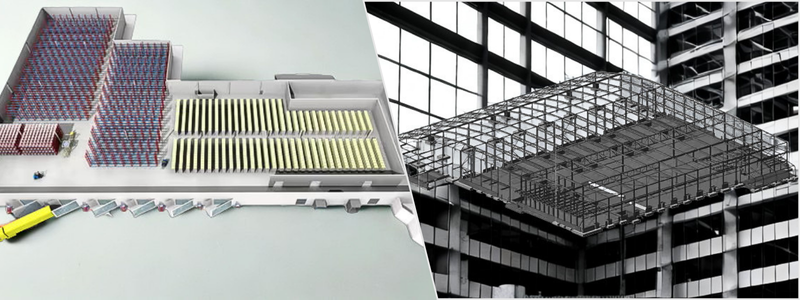
The main idea behind creating a digital map of a warehouse is to gain a clear overview of the flow of operations in the building. For example, the finished goods inventory doesn’t just exist; the goods have to come from somewhere and get distributed to a specific location inside the warehouse in a well-organized manner. Mapping tells you how the journey takes place. It draws the relations between different locations in terms of distance, routes, and the equipment involved in the distribution.
3D visualization design services of a warehouse captures not only the physical structure where this operation is run, but also the movement logic. And there can be a lot of different operations to be mapped. At the end of this process, you should get a detailed layout (in 3D) along with the path model. The visualization tells you all that exists in the warehouse and how everything moves and affects each other, hence spatial understanding. A properly done warehouse mapping contains at least the following information.
The amount of available space in the warehouse
Obviously, not every square foot of a warehouse will be used for storing goods. You’ll need a lot of empty spaces for the staging area, the pathways for vehicle traffic, access in between the aisles, and so forth. The important thing is that even the unpopulated areas are supposed to serve specific functions. Warehouse mapping also tells you the shape of the building and locations of all the permanent fixtures (security cameras, HVAC engineering services, washroom, sprinkler system, loading dock equipment, mezzanines bolted to the floor, electrical distribution panels, and so on). Basically, if something has anything to do with how the warehouse operates, it needs to be on the map.
Aisle or storage layout
Many different things have to work together in a well-coordinated fashion inside the warehouse for optimum efficiency, and most of them revolve around the aisle configuration. Whether you use pallets, racks, shelves, or any combination of those, the most important thing is that the aisle must be organized for both safety and efficiency. The layout must allow easy access to any specific points/areas of the aisle without compromising workers’ safety. A clear organizational system (such as with labeling) on individual shelves is mandatory so workers can quickly and correctly pick the goods for further processing. Based on the amount of available space, you determine how many aisles you get to fit into the building and how big each of them is.
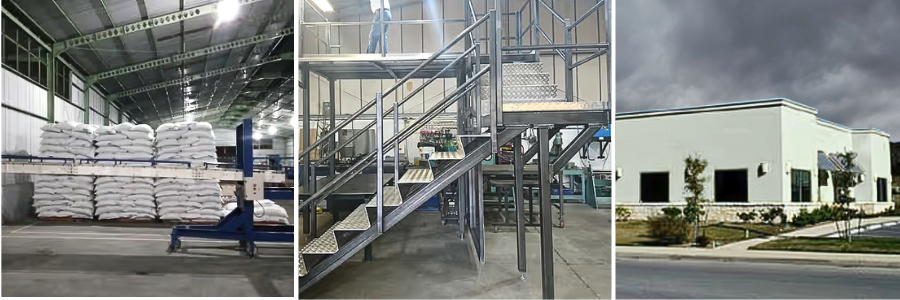
Based on the volume and the kind of goods that flow inside the warehouse, you determine what equipment to use and where to put it. Suppose the facility is meant as a warehouse for processed foods such as bagged greens, condiments, cereal, pasteurized milk, canned tuna or salmon, and frozen meals. In this case, you’ll likely need cold storage to keep the goods fresh until you move them to the next facility in line across the supply chain. A separate dry storage might be necessary.
The flow of order fulfillment
A warehouse is often described as simply a large building for storing things. In real-world scenarios, a warehouse is often a very busy order fulfillment station. This is why the design or layout has to be made in such a way to facilitate efficient picking, packing, and shipping of the stored goods. A warehouse, especially within the context of commerce, facilitates a transition between sellers and buyers. Some warehouses are for storing materials (from suppliers) to be used for product manufacturing design services in a factory. Warehouse mapping services must demonstrate this flow or order fulfillment by pointing out major sections including the receiving, packing, and staging areas.
The receiving area is where the goods enter the warehouse, but before they’re palletized and sent to storage. When the orders come, the goods are picked up from the storage and brought to the packing area so they can be prepared for shipping. The staging area is the last checkpoint before the goods leave the warehouse as they’re loaded onto carts and delivery vehicles headed to the customers. And then there is, of course, the storage area itself where the goods technically sit in a transitory period, waiting to be moved around. Because goods have to move on demand and fast, all those areas need to be conveniently positioned to ensure order fulfillment efficiency.
Safety and health measures
All information you need to know about warehouse design safety is publicly accessible from the OSHA (Occupational Safety and Health Administration) website, specifically on the “Warehousing” section. This goes without saying that every warehouse has to comply with the safety regulations, which definitely affect the building’s layout itself. Even the basic safety measures such as appropriate ventilation, temperature control, and lighting requirements will play a role in how the layout is designed. For instance, warehouse mapping needs to show exactly where all the fire extinguishers are located, the emergency exit routes, fall protection systems, and the lot.
With all of that in mind, a well-made warehouse map is essentially a 3D visualization design firms of the building layout that showcases this data:
Physical geometry (of the building) – detailed outline of structures, the aisles, racks, bays, shelves, and equipment, including permanent fixtures and safety gear.
Travel paths – routes between storage aisles with paths showing the flow of the goods through the receiving, packing, and staging areas.
Movement logic – the rules that govern how people, vehicles, equipment, and goods move in and around the warehouse. Movement logic must include information about turn restrictions, emergency exit paths, one-way aisles, and so forth. Different equipment or vehicles can follow different sets of rules depending on where they’re located and how they operate.
All three sets of data are combined into a coherent layout drawn as a 3D visualization. The design team will then use the visualization to build an interactive model that demonstrates how the warehouse operates. Simulation tools can replicate real-world operation scenarios on screen to test routing efficiency, measure travel distances, and detect potential congestion patterns. If changes are necessary, the team can modify the model or change the layout on the screen right away. Since everything at this point only happens in the virtual world before construction, revisions are quick and much less expensive. You’re essentially tinkering with the plan, not the actual building, because it is yet to be constructed.
Integration with VDC and WMS
3D visualization alone can’t recreate the real-world scenarios of how the warehouse is operating with all the goods, people, vehicles, and equipment inside. It won’t even be able to demonstrate (virtually) how the construction happens. For those, you need to integrate the finished 3D modeling serviceswith VDC (Virtual Design and Construction) and WMS (Warehouse Management System). We’ll talk about each very briefly indeed, pertaining to how they relate to the warehouse rendering.
If you’re familiar or at least have heard of BIM (Building Information Modeling) before, VDC isn’t entirely different from that. BIM is all about creating data-rich models, so that VDC can use that model to visualize various aspects of a construction project such as schedules, budgets, and processes. Think of VDC as a tool to extract data from a BIM file and translate the information into a project plan. With VDC, we’ll be able to create a 3D model of installation sequence, logistics flow, and equipment operation. This is how the final rendering shows how the construction happens milestone by milestone and whether the installed warehouse equipment operates in an efficient way.
WMS is a separate tool, but it can be integrated into a 3D model to bridge the gap between real-life warehouse operation and the digital environment. It serves two purposes. First, to double-check if all the modeled areas, equipment, vehicles, cranes, racks, and the rest of them correspond with the identifiers in the WMS software. And second, to verify if the proposed layout meets the efficiency goal.
Although WMS has little to do with 3D modeling, its ability to organize and track the movement of goods inside the warehouse offers valuable operational insights. Among the most useful data generated from the integration of those systems include congestion analysis, allowing the designers to identify waiting times or excessive travel distances. You’ll also be able to improve capacity planning because the inventory movement data from WMS can help visualize area utilization. The integration can even show whether there’s any safety regulation violation. In general, VDC and WMS combine the geometric representation of a warehouse design with the building’s operational data.
When it’s all said and done, the 3D rendering services we create becomes an intelligent map that transforms an otherwise static and confusing layout into an understandable visualization. The fact that you can simulate warehouse operations leaves the doors wide open to improvement and optimization.
What you see in the virtual simulations should offer some clear hints at how every square foot of the warehouse is utilized. There’s no guarantee that the first simulations, even with all the data from WMS and VDC integrated into the model, demonstrate optimizations. They tell you how the space is utilized, not whether the space is actually optimized for purpose. It might take a few attempts at simulations with some refinements, big and small in between, until you arrive at an ideal and optimized layout. You might need to move the aisle a little bit to the left or right, extend the railing for the overhead crane, reroute the forklift path, and perhaps relocate an entire area. But that’s the essence of 3D modeling a design. If you have to change something, change it while you’re still in the planning stage. Think of it as virtual prototyping where you can tinker with the design and revise identified flaws on a screen without even touching the physical product.
Obviously, 3D rendering is the last step in the entire planning stage. Only when you’re absolutely sure that the design is correct and meets all the safety regulations, and only with your approval do we proceed to the rendering part. At Cad Crowd, we have a habit of welcoming every client in the design and decision-making portions of the job. You’ll be involved in the process right from the start to the very end, reviewing the design and providing feedback along the way to get every detail correct. We do the heavy lifting, and you’ll be on the receiving end of every deliverable, milestone, and progress.
Photorealistic interior or exterior renderings for planning and stakeholder presentations.
Detailed warehouse 3D modeling
$2,500–$8,000
Creates accurate 3D warehouse models with storage systems, equipment, and layouts.
CGI animation & walkthrough
$3,000–$12,000
Produces animated walkthroughs to visualize warehouse operations and workflows.
BIM modeling services
$5,000–$25,000+
Develops data-rich BIM models for design coordination and construction planning.
Warehouse layout & space optimization
$2,000–$10,000
Optimizes storage capacity, aisle layouts, and operational efficiency.
VDC & WMS integration
$5,000–$20,000+
Integrates warehouse models with VDC and WMS for simulation and workflow analysis.
Complete warehouse visualization package
$10,000–$50,000+
Comprehensive solution including 3D modeling, BIM, CGI rendering, and operational simulations.
How Cad Crowd can help
Cad Crowd has what it takes to assemble a multidisciplinary team of professionals filled with architects, engineers, designers, digital artists, and logisticians to handle the entire scope of work. That being said, nothing we can do without your input. We start by listening and take time to understand the warehouse operation you want. With good communication throughout the project, we have the utmost confidence in our capabilities to foster collaborative partnership and get the job done with flying colors. Contact Cad Crowd today for a free quote.
MacKenzie Brown is the founder and CEO of Cad Crowd. With over 18 years of experience in launching and scaling platforms specializing in CAD services, product design, manufacturing, hardware, and software development, MacKenzie is a recognized authority in the engineering industry. Under his leadership, Cad Crowd serves esteemed clients like NASA, JPL, the U.S. Navy, and Fortune 500 companies, empowering innovators with access to high-quality design and engineering talent.
In the year 2026, eCommerce was confronted with one of the most important tools, which was also useful for digital marketing as well as virtual product services. That is the 3D product rendering process. Instead of focusing solely on traditional photography, most businesses now try the so-called CGI in order to create useful and realistic animations.
What is 3D product rendering?
3D Product Rendering is the process that creates digital product visuals with the use of CGI software including Blender, 3ds Max, Maya, KeyShot, and Unreal Engine. The artists make a digital model and render realistic images or animations. The common use of 3D product rendering designers includes Amazon listings, product launch campaigns, furniture visualization, medical product marketing, packaging presentations, as well as AR and VR experiences.
The said technology is widely accepted in so many countries across the globe. A good example of this is the launch campaigns wherein different visuals are presented to show the different views of the product without spending much on expensive photography. The product demonstration may be done physically or even virtually. There is no problem with it because presenters are trained both to demonstrate the product face-to-face or online.
How much will 3D product rendering cost in 2026?
The 3D product rendering cost in 2026 depends on multiple factors such as realism, animation, revisions, turnaround time, and the location of the studio. Some of the simple renders may cost only a little, while the premium renders or the interactive visualization can cost a lot of thousands. As time passes by, the developed markets evolve as well, most of the professional studio pricing services range between 150 dollars to 3,500 dollars. The source mainly focuses on the U.S, Canada, UK, and other high-cost developed markets, which is really helpful in benchmarking the market pricing. The industry pricing guides in 2026 provide a consistent structure on how a basic studio render should remain on the lower end, whereas the technical renders, 3D animation, and visualizations that are interactive must be significantly higher in cost.
So, from traditional marketing to a more advanced way, 3D rendering gives a lot of opportunities for the customers to give a more personal approach with the product even virtually. Through that, the kind of shopping which is traditional may be upgraded even at the comfort of your own home. Product demonstrations also may be done online so the customers will not experience difficulty in making a better decision. Most of the professional studios price services in the following ranges in the year of 2026. These apparently apply consistently across the US and UK-focused pricing guides.
Here are the 3D product rendering costs:
1. Basic studio style render
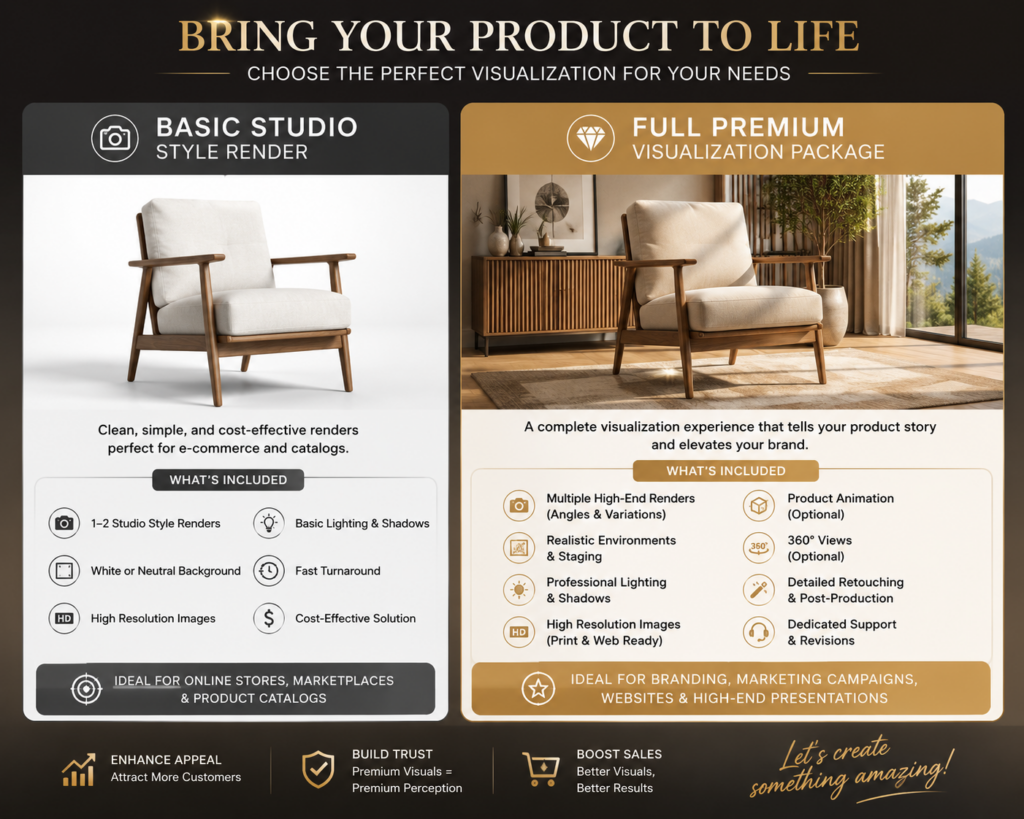
Basic Studio Style Render is one of the most common and affordable types of 3D product visualization services that can be used. This allows us to have a viewpoint on a product on a clean white, or even simple gradient background with the integration of professional lighting. The render typically focuses on the simple camera angles, shadows and reflections, and accurate product shape. The average cost in 2026 for the level of beginner or freelancers is probably $150 – $300, the mid level studio is $300 – $700, and premium photorealism lies on $700 – $1,500. The factors that affect the pricing include product complexity, resolution requirements, and the number of the render angles.
Beginner or freelancers
$150 – $300
Mid level studio
$300 – $700
Premium Photorealism
$700 – $1,500
2. Lifestyle render
Lifestyle Render refers to a product that is within a realistic environment to help the customer and clients have an overview or to visualize the real-world usage. Rather than utilizing a simple or plain background, Lifestyle Render can make the product look like it is inside the room, outdoors, or in a luxury commercial scene. This is typically more expensive because the artists must create the props, have a realistic atmosphere, and include a detailed composition.
Lifestyle rendering depends on the cost and the complexity of the project. The estimated cost for the simple lifestyle scene is around $500 – $1,000, and for the mid-level realism, it costs $1,000 – $3,000, and $3,000 – $10,000 for the premium cinematic scene. This is costly since it needs a production team as well as time so that the artists can have the chance to make and create the entire environment and not just render the product.
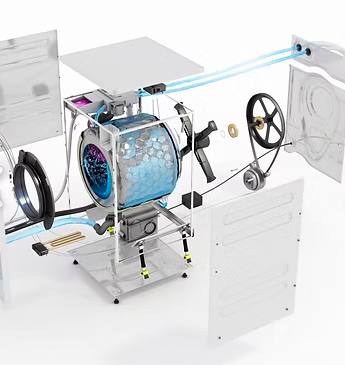
Technical or Exploded Render separates the product components to be able to showcase the internal structures, assembly systems, and engineering details. This render is typically detailed and is commonly used in the industrial design services, manufacturing, automotive marketing, medical devices, and product demonstrations. By using this render, it will be possible to explain how a product works, the various internal mechanisms, material structures, and the assembly instructions. The average cost in 2026 is that it ranges from $400 to $15,000. For the simple exploded view, it is in the range of $400–$1,000, and for mechanical products it is about $1,000–$5,000, and lastly for the industrial and mechanical systems it ranges in the price of $5,000–$15,000 or more.
Simple Exploded View
$400 to $1,000
Mechanical Products
$1,000–$5,000
Industrial and Mechanical Systems
$5,000–$15,000
4. Product animation
For the product animation, the costs depend on the animation type. Such, if it uses a simple 360 spin, it ranges from $500 to $2,000, and for the short product animation it is about $2,000–$8,000, and $10,000 to $50,000 or more for when a client wants to use a commercial CGI animation. Product animation leans into having a moving 3D video, which shows the product with the use of motion, transitions, and simulations, as well as storytelling can also be applied when using this render.
The animations are costly since they involve motion design, editing, sound synchronization, rendering, and modeling. These are commonly popular in the field of TV commercials, product launches, campaigns, social media ads, and many more. The common animation styles that can be seen here are the feature demonstrations of the product, the physics simulations, and the cinematic commercial animation.
Simple 360 spin
$500 to $2,000
Short Product Animation
$2,000–$8,000
Commercial CGI Animation
$10,000–$50,000
5. Full premium visualization packages
Full Premium Visualization Package is a complete CGI solution which integrates the various 3D rendering services into a single large-scale project. The packages are often seen in manufacturers, automotive firms, luxury companies, and many more. In addition, the packages include the animation, 360-degree viewers, AR-ready models, and lifestyle scenes.
The pricing ranges from $3,000–$10,000 for the small business packages, and for the mid-scale brand package it is $10,000 to $50,000 and lastly for the enterprise visualization system it will cost around $50,000 to $250, 000 and above. These are pricey since the project involves a lot of 3D artists, directors, and teams that will really guide all throughout the process-making. These packages are frequently used by big firms to keep their visual marketing consistent throughout print advertisements, social media, eCommerce, websites, and augmented reality platforms.
Small Business Packages
$3,000 – $10,000
Mid Scale Brand Packages
$10,000 – $50,000
Enterprise Visualization
$50,000 – $250, 000
TOP REFERENCES FOR 3D RENDERING COST
1. BIM Home Studio
BIM Home Studio is a professional pricing reference that has a 3D rendering service that is found in the U.S. market. This platform explains why the render varies when it comes to costing because of the factors that are based on realism, revisions, lighting, and the production workflow. The BIM Home Studio Pricing Guide is a great help in gaining knowledge about the visualization pricing in 2026. This platform leans on architectural visualization, and it helps businesses estimate their budgets for their projects accurately. This source is a great help as to why CGI professionals in the market charge more value and cost when compared to the low-cost outsourcing services. By utilizing this platform, the client or the user have access to the information because this source highlights the importance of realism, GPU rendering power and post-production when it comes to pricing.
Fortes Vision mainly focuses on explaining how a professional rendering studio should structure their pricing, especially for the visualization projects. This is really helpful because every platform charges differently, and with this, they can have an overview of what’s the most appropriate pricing and charges are. The benefits of using this source are that it explains and gives information on the pricing transparency, which is best for being a reference for commercial visualization pricing. Fortes Vision is helpful since it discusses how the quality standards, revisions, and studio expertise affect the rendering costs in the market.
3. Alden Studios
Alden Studios is best for the product rendering specific pricing, animation pricing, and for the technical rendering categories. It breaks down the studio, lifestyle renders, product pricing and many more. This is best for the tables and market comparison. This source covers the various visualization changes and it is useful for the e-commerce and manufacturing industries. This guide is seen as a valuable article since it discusses the different rendering categories together with its cost.
4. RealSpace 3D
RealSpace 3D allows the clients to have an overview of how developed market studios should position themselves. In this source, it explains why the rendering costs could range from $200 to $10,000 or more, and such will also depend on the quality and complexity of the project. RealSpace 3D has strong professional credibility, and it might be costly and not ideal for smaller businesses. RealSpace 3D is a great help for the discussion of luxury visualization services and the enterprise grade CGI production in the market.
5. PIXREADY
PIXREADY has a specialization in ecommerce CGI, and it mainly talks on how a brand uses 3D rendering designers rather than traditional photography. In this platform, it discusses the CGI versus photography and it also covers the scalable product catalog rendering. PIXREADY is an excellent source for discussing how a CGI is turning into an ecommerce while minimizing the costs for traditional photography.
CYLIND mainly focuses on the field of strategic value when it comes to the 3D visualization aside from just pricing. It showcases how design creation, approvals, investor presentations, and business decision-making are all aided by rendering. This source is useful for the enterprise visualization articles, however, it is more on the technical side and is less focused on e-commerce. This is the best option to use as it talks about rendering as an investment compared to just being a visual asset.
7. Transparent House
Transparent House acts as a premium when it comes to the CGI and visualization studio. It focuses more on the high-end 3D product rendering pricing for the developed markets just like in the United States. This guide is leaning more on the photorealistic rendering services for product visualization, ecommerce CGI rendering, and animation services.Using this platform is a great help for businesses in knowing and understanding the cost structure. Also, with this you can begin the premium-quality rendering. Although it may be too expensive for startups to utilize Transparent House since it focuses more on high-end brands. This source is really important because it demonstrates how high-end studios defend their higher rendering costs by high end marketing visuals, cinematic composition, and better realism.
8. Render3DQuick
Render3DQuick can provide practical prices when it comes to giving a guide for the 3D visualization projects in 2026. It mainly talks on the common pricing structures, which is for the renderings, animations, and VR experiences. This source is a great help for businesses who tend to estimate their budget for the visualization. Through this source, it explains the details and complexities that can influence the pricing breakdown. This is a great help for the beginners who are learning visualization pricing. Render3DQuick is helpful for the discussion of the pricing of freelancers, studio, project complexity, and revision management.
9. 360 Render
360 Render mainly focuses on providing services to businesses to deeply understand why the product rendering design prices range differently. It talks about the relationship between realism, production quality and complexity. This platform mainly explains that the 360 degree product renders which may range from $500 to $3,000. The 360 render provides a strong explanation of pricing variability. This is valuable for how a quality affects pricing and the CGI replacing traditional photography.
10. ArchVisual Studio
ArchVisual Studio is a platform that offers one of the clearest pricing tables for 3D rendering services. It is made renderings such as, product rendering, lifestyle, aerial rendering services, and animation. When it comes to the product demonstration, it also has a beginner-friendly explanation to surely understand what the context really means. This platform also has a quick market comparison, and is leaning more on the architecture orientedness. By doing so, the customers’ hearts will surely be captured because architecture is more visual. People rely more on what their eyes could conceive. This matters because it allows the users and clients to have an insight into the rendering production pipelines, and understand the pricing benchmarks.
Renderly is a platform that is based in the United Kingdom. It does offer a perspective on the 3D rendering pricing, and explains various differences in the freelancers, studios, and agencies. It also explains factors on the project complexity and has a generalized pricing. On the other hand, it is crucial to make the article less focused on the United States and more globally balanced in developed markets so that clients and individuals will have the various knowledge and perspectives on the certain field. This is true because some customers may not be fanatics of United States products, and others may love US products. If we associate Renderly with the United States, we might lose other customers.
12. Sonora BIM
Sonora BIM offers an explanation on what the drives rendering costs in the United States market. It explains the workflow, and covers the premium visualization factors. This is helpful in defining how professional studios defend higher rates and why rendering prices differ greatly in established economies.
Factors that affect 3D rendering costs
Product Complexity – A simple product is made to be easy and fast to render as it needs less 3D modeling, fewer textures, and simpler lighting, which means that it is also low cost when it comes to pricing. One factor that affects the costing in 3D rendering is the complexity of the product because it reflects how the object is seen, the quality, and a lot of factors should be considered in making a decision on how much it will be priced. Complex products tend to cost more as they require intricate detail, which takes time to build, especially in 3D. The benefit of investing in a complex product rendering is that it can help you campaign and market your product; it has its own value and quality.
Modeling Requirements – As the rendering proceeds to the next step, the product needs a 3D model. Modeling requirements do affect the costing as sometimes the models that will be used in the project are already existing, while on some projects or cases, an artist must begin from scratch to make it, which then can change in the project pricing.
Level of Realism – The level of realism talks about how lifelike and photorealistic the final render must be. Not every project needs to be on a European level of realism, some do only need a clean visual for the products. Why does realism cost more? It is because of the material accuracy that when there is a need for photorealism, it will require a realistic behavior such as metal, glass, skin-like materials, fabric. This costs more as the photorealistic rendering artists spend a lot of time refining these things.
Number of Angles – This means the number of camera views or photos that the customer requires for the same product. A single render means that it costs less than the multiple views. When a lot of views are being requested, it means that it increases the production work.
Turnaround Time – Turnaround time refers to how fast the client needs to finish the render. The cost of a project completed in two weeks differs from that of a project completed in a day. Rush jobs cost more because it needs priority scheduling, and overtime labor as the artists who are making it may work on nights or even on their day offs.
Revision Rounds – This mainly talks about how the number of changes requested right after the initial render is delivered. A limited revision applies to most of the rendering services because they align revisions with the costing, as it requires more labor and time. When the request is to have a lot of revisions, it may increase the costs. Although revisions can improve accuracy, the quality of the output, and client satisfaction, it can be expensive.
The 3D visualization industry is now advancing and growing in 2026 due to the digital commerce, immersive technologies, and real time interactive experiences. This has become the most important for the brands as they look forward in budgeting and investing in it, this helps them improve the quality of the products, which reflects to the brand they have.
1. AR Shopping – AR shopping gives opportunities for customers to place and view their 3D products in the real life environment with the use of smartphones or the AR devices before they make decisions in purchasing them. Through it, it can improve the clients confidence toward their products, increase the sales, which can allow the buyers to keep coming back because they have the knowledge towards what they are buying.
2. Metaverse Experiences – Metaverse design services require immersive virtual spaces where the customers can have the opportunity to interact with the products, and explore the branded digital environments.
3. AI-Assisted Rendering – Artificial intelligence is used in AI-assisted rendering to aid with texturing, lighting, backdrops, rendering optimization, and creative thoughts in order to accelerate 3D production.
4. Virtual Showrooms – Virtual Showrooms are the digital 3D spaces where the customers have the chance to browse, and interact with the products that are found online just like they are in the real world or in the physical store.
5. Real-Time Rendering – Real-Time Rendering lies on generating 3D visuals in an instant by utilizing advanced rendering engines. Using it makes it possible for the users to have an interaction with the products, where they can see the immediate changes made without the need of waiting for a long time.
6. WebGL Configurators – WebGL configurators makes it possible for the customers to allow customizing the products in the web browser. Such moves and changes are the changing of colors, materials, and features while instantly seeing the updates in real time.
How to reduce 3D product rendering costs and visualization rates
3D product rendering tends to be cost-effective compared to using traditional photography, yet it is still costly due to the project’s complexity, revisions, realism, and requirements. Reducing the 3D rendering costs does not imply that you are sacrificing the quality of the products, but you take measures in making a smart decision that can help reduce the unnecessary production time, labor, revision cycles and costs.
Provide existing CAD or 3D models because it will save a lot of time, and the CAD designer’s time to actually make it from scratch. If your project is in bulk, it is a must to order in bulk to reduce the costly changes that could happen later on. In addition, choose the best and right service provider. One provider that is a safe and wise decision to use is the Cad Crowd because it has vetted experts that could really help in reducing costs, while providing you the best quality. Businesses may obtain a high-quality 3D visualization on a budget by reducing extra work, revisions, and needless complexity.
How Cad Crowd can help
Being vital for eCommerce, 3D rendering is not only useful but vital in the digital world. The price for 3D product rendering varies depending on the complexity of the product, and as to whether or not it is realistic. The value of the product is also the reason why it stands out from the rest of the products. In choosing the best and appropriate product for you, the best thing to do is not primarily consider the cheapest, but the combination of good quality as well as the value of the product. If you are shopping online, consider all the discussions and negotiations shared during the product demonstration. Surely, you will definitely choose a good product. Contact Cad Crowd for a free quote.
MacKenzie Brown is the founder and CEO of Cad Crowd. With over 18 years of experience in launching and scaling platforms specializing in CAD services, product design, manufacturing, hardware, and software development, MacKenzie is a recognized authority in the engineering industry. Under his leadership, Cad Crowd serves esteemed clients like NASA, JPL, the U.S. Navy, and Fortune 500 companies, empowering innovators with access to high-quality design and engineering talent.
Every product in the market begins as a humble idea, perhaps a rough napkin sketch even, before it gets transformed into a fully developed commercial item everybody can buy. This very transformative journey the idea undergoes is a process we typically refer to as New Product Development (NPD). Some products start as completely new ideas, while others are more like modifications or improvements over existing designs. Either way, the transformation more or less follows the same path.
Product development is a pretty complex undertaking that involves a lot of back and forth between discovery, mistakes, refinements, and evaluations. None of those are out of the ordinary in an NPD project. You should, in fact, expect to bump into any of them at any point over the course of the development, which runs through multiple stages from market research and concept generation to manufacturing and commercialization. Outlined below is a simple step-by-step guide to a typical NPD to better understand what each stage entails.
Bringing a product from concept to commercialization often requires expertise across multiple engineering and design disciplines. Cad Crowd helps companies build that expertise by connecting them with a global network of vetted product development professionals, making it easier to move projects from early concepts to production with confidence.
Cad Crowd won’t go as far as claiming to be the only NPD experts in the country. That being said, we definitely have some of the world’s most talented and experienced professionals to boost your chances of developing and launching a successful product. Across the entire range of our NPD capabilities, we take pride in our commitment to providing bespoke services guided by the following key principles.
Customer-centric approach: detailed market research and customer feedback play a crucial role in the decision-making processes, whether on functionalities, features, aesthetics, and price points.
Cross-functional collaboration: NPD projects are inherently multidisciplinary. Cad Crowd has what it takes to assemble a versatile team consisting of professionals from various backgrounds to handle every aspect of the project through a managed collaborative effort. A multidisciplinary team is an effective way to ensure diverse perspectives and skill sets, including design, engineering, quality assurance, and marketing.
Continuous improvement: Cad Crowd offers the scalability you need to build a new product from the ground up all the way to post-launch with flexible custom services for continuous development.
Risk management is an integral part of Cad Crowd’s approach to NPD projects. One of the essential steps toward successful product development is risk identification, as early as possible in every stage, to prepare for the mitigations. Effective risk management prevents delays, errors, and potentially expensive setbacks along the way. Cad Crowd has been in business for more than 15 years, partnering with startups and established companies alike in NPD projects big and small. Whether you’re revamping an old idea or starting a big new one, Cad Crowd is ready to be your trustworthy partner all the way through.
So you have a new product idea that you think is promising enough and worth further development. The idea (of the new product) is yours to begin with, and you alone get to decide how to act on it. Unless you have the resources, the know-how, and the confidence to do an entire NPD project on your own, you definitely need to bring on board a team of professionals to handle things for you.
While the development path is pretty much the same for most products, every project must be treated as a unique effort with its own traits and challenges. Priorities shift. Timelines are altered. Budgets are growing. Drawn from Cad Crowd’s years of experience in product design and development, this step-by-step process should help you stay on track as you navigate the complexities and unpredictability of the project. Cad Crowd’s typical workflow in an NPD is as follows.
Nothing really happens until we have a proper, lengthy discussion about this idea of yours, for we have plenty of topics to delve into. There needs to be a good understanding of the idea itself, like what specific problems it tries to solve and your business objectives going forward. Bear in mind, such a discussion can only give so much detail about a possible development. It covers merely the basis, when in practice you want comprehensive answers so that you may get a good grasp of your chances of success, should the idea be feasible at all. To gain a deeper insight, we can conduct preliminary research to analyze the idea, potential concept development projects, feasibility analysis, and patent-related issues.
Assuming everything looks good and an NPD turns out to be a real prospect, the preliminary analysis is then followed by exhaustive market research on such factors as:
Target market: the general profile of consumers most likely in need of your product. These are the consumers who have problems your product can probably solve. It’s also related to product price range, which ultimately affects profitability. You shouldn’t spend too much on developing a product that you can’t sell for a profit.
Competitors: research into the existing products that offer similar solutions to yours. Instead of just making a list of competitors’ names and brands, we determine if your idea is unique enough to be a viable alternative.
SWOT analysis: an in-depth analysis of your idea’s Strengths, Weaknesses, Opportunities, and Threats. It’s best to perform the analysis early in the development project as it can help shape the product concept later on. The objective of concept generation is to build a version (or two) of the product that improves the known strengths and removes all the identified weaknesses.
After the research, it’s time to define the objectives. You want to develop the idea into a product and sell it for a profit; that much is certain. But there’s an entirely different category of objectives, such as product requirements, development timeline, and deliverables. Without well-defined goals and a schedule, it can be difficult to prioritize tasks, leading to delays and waste of resources. Cad Crowd maps out the NPD timetable along with the scope of work required for each deliverable. Mind you, things can and likely will change over the course of the project, but at least the timetable can help track progress and provide a sneak peek into what you can expect at the end of every stage. Clear objectives make things more manageable.
2. Concept development
In this phase of the development process and based on the research done in the previous stage, we already have some notions of what the product is going to be. But they’re all still vague notions at best, so we need to refine them into a more tangible concept. The NPD team, more specifically the engineers and designers, work together to visualize the concept using sketches and crude models. We take into account not just the aesthetics, but also technical specifications like materials and capabilities.
A common technique is the SCAMPER method, short for Substituting, Combining, Adapting, Modifying, Putting (to another use), Eliminating, and Rearranging. Every single word sounds exciting, but ironically enough, the whole point of the exercise is to simplify the concept design, although it doesn’t mean the product will end up being too simplistic. Instead, the product is expected to be the most practical, manufacturable process, easy-to-use design while still providing all its features and functionality.
A lot of ideas and concepts are once again sketched on paper until we arrive at the most plausible combination of form factor, dimension, materials, features, and aesthetics. We visualize the abstract, crude as it may be, to shape a unique identity for the product. Concept development also involves the integration of branding elements such as logos, colors, and typeface for an easy recognition effect when the product is finally launched to market. It might not appear as important at this point, but branding affects some design elements. The sooner you decide on the brand identity, the easier it gets to integrate those elements into the product. At the end of this stage, you get a final product concept to take to the next stage.
3. Proof of concept (PoC)
Now that the concept is simplified enough, it’s time to put the design to practice with a PoC product services. The idea is to see if your idea actually solves the problem as intended. PoC is the first step into a physical build, but it’s going to be the most basic version of what your product will be. It won’t look even remotely close to the concept.
But then again, a PoC doesn’t need to be pretty; it only needs to demonstrate that the product does work. In most cases, especially for non-electronic products, PoC is built using easily sourced materials like plywood and cardboard put together with hot glue. If there are a lot of mechanical moving parts like gears and levers, wood is probably a more suitable option.
Now, things are a little bit different if your product is an electronic device or at least has an electrical component. While the PoC needs no custom PCB design projects, it still needs to function as a product, albeit a crude version of it. The most effective workaround is to use ready-made development kits such as Raspberry Pi or Arduino. PoC, even when working perfectly as expected, is not something you should bring to market. It’s not even a proper prototype; the size is too large, the cost for mass production is too high, and the design is too messy.
Note:the development of an electronic product is noticeably more complex than a mechanical one. With electronics, it’s like you’re supposed to develop two products in one fell swoop: the custom PCB and the hardware enclosure. We’ll try to touch on this matter as much as we can in the article just to offer a glance at the added complexity.
4. Virtual prototyping
Following a successful PoC build, we’re now back to the drawing board, or the computer screen to be more precise. Virtual prototyping takes a good portion of the development effort, but it’s all done in the digital world using CAD software, so it’s just about as cost-efficient as you can expect. This is where the product concept is refined and transformed into a 3D model. It may start as either a solid or wireframe model (depending on which one works best for the purpose), before gradually becoming more realistic.
Cad Crowd is home to thousands of professional 3D modelers experienced in NPD projects of all sizes. Using advanced CAD and simulation software, we can build a virtual prototype that’s almost identical to a real-world physical object by giving it lifelike specifications like material properties, weight, textures, etc.
Accurate product characteristics are crucial in virtual prototyping because they must be tested later via simulation to see how the product performs in real-world scenarios. Simulation is also done on a computer to evaluate the product’s features, reliability, durability, and overall quality. For example, if the product (or part of a product) is supposed to be made of metal, the 3D model has to specify exactly what type of metal it is. There are many different types of metals, from aluminum and stainless steel to copper and iron, and everything else in between; they have different tensile strengths, corrosion resistance, hardness, thermal conductivity, and so forth.
Precise 3D modeling and extensive simulation offer a glimpse into how the product is supposed to look, work, and behave in the real world when it’s eventually built. Physics-based models, for instance, demonstrate (virtually) how parts, components, or the product as a whole behave when exposed to external factors like heat, cold, water, and pressure. System-level models simulate everything inside the product itself, including interactions between parts and components. Suppose the new product is a consumer good like an appliance, furniture, or hand tool. Digital simulations such as stress tests, drop tests, and fatigue analysis let you know if the product meets the durability and reliability requirements in addition to the typical wear and tear.
Virtual prototyping services enables the engineers and designers to identify weak points, performance issues, or design inefficiencies early in the development. In the event something needs tweaking or modifying in any way, the team can make changes to the model and rerun the simulation to see the impact. It’s a highly iterative process. We collect the data, evaluate the performance, make adjustments as necessary, and repeat the entire sequence as many times as it takes until the product is well-optimized. The good thing is that the entire phase involves no actual product, making it a lot more budget-efficient than the conventional experiments using physical prototypes.
For electronic products, engineers design and build the PCB as a virtual prototype first, which gives them the opportunity to try different layouts and schematic designs. They run simulations to evaluate signal integrity, electrical behavior, thermal performance, and basically identify potential issues. Only when the virtual prototype shows no sign of errors can they build a physical prototype. It’s also possible to run simulations on both the PCB and the hardware enclosure design to check proper integration, water resistance, dust resistance, and other features.
Similar to the concept generation stage, virtual prototyping is another attempt at design simplification. As far as aesthetic design is concerned, our standard approach is to aim for simplicity wherever possible, for one very good reason: manufacturability. Although making an intricate design is not much of a hassle during the virtual prototyping stage, it might lead to the wrong assumption that translating it into an actual product is going to be just as easy. In NPD, design simplification improves the chances of getting the product manufactured and launched to market in a timely fashion. This is not to suggest that complex products are impossible to fabricate or develop; they just take more time and resources.
Product complexity can in fact become a trap, especially for startups and small companies. Every single detail of a product affects the development time and cost. The more features you want, the greater the resources you must spend. For instance, a seemingly simple addition of a lanyard hole to a metal material can bring a slight increase in production cost per unit, say one dollar. It sounds pretty reasonable indeed if you plan to only manufacture several hundred units. But for a large-scale production of tens of thousands, you’re going to reach deeper into your pocket to cover the cost.
That said, you always have the final say about every aspect of the product. It doesn’t really matter if you want the aesthetic to have intricate geometry and decorative details or a more restrained style. Cad Crowd works on your behalf. We cater to your personal preferences while also making sure that the design serves in your best interest and aligns with your business objectives. Collaboration and communication make the foundation of an effective partnership. You’ll be hearing a lot of suggestions and recommendations from the team (as the job requires), and yet at the end of the day all decisions lie solely in your hands.
5. Physical prototyping
CAD and simulation cannot magically make a product better, but they help remove the guesswork before the development moves on to a physical prototype. The “perfect” product development process happens when every issue has been identified and addressed during virtual prototyping. But this is highly unlikely to happen. Physical prototyping services remain an important part of the process because you have to actually hold and use the product in the real world to be able to tell how it looks, sounds, smells, feels, or if something is amiss at all.
Almost the entire design of the first physical prototype, save for surface detailing and finishing, is based on the virtual prototype. So long as the simulations demonstrated that the product’s capabilities turned out to be at least agreeable, there’s no reason to deviate from the 3D model.
The first big step is to build “preliminary” product design, or an “alpha” prototype if you like. Unlike a PoC, even the very first iteration of a physical prototype already focuses on the use of production-grade materials, parts, and components. Let’s say your new product is a flashlight (which is an electronic device, of course) with an aluminum outer shell, a rechargeable lithium-ion battery, and a waterproof design. In a PoC version, you only have to make sure that the intended design works, although you’re allowed to use alternative components like an Arduino board connected to a 9V battery housed inside a plastic pipe. If the light turns on, you’re good to go.
Physical prototyping takes things a little bit more seriously; for example, now you have to use real aluminum tubing to contain the PCB (often a custom purpose-built board) and the battery. No matter how complex it is, Cad Crowd can handle the purchase and assembly of all parts and components, including the fabrication of a hardware enclosure using either a 3D printer or CNC machining services. We’re not at a point in the development to have a small-volume production as of yet, which typically is done using the injection molding method.
We use this alpha prototype not only to test features and functionality, but also as a tool to generate the bill of materials (BOM) and estimate production cost per unit. Again, the alpha prototype is an early version, and there’s a good chance you’ll see changes big and small.
That said, preliminary product design at least offers a glance at the expected development time, budget, certification requirements, manufacturability, and whether you can sell the product at a profit. An alpha prototype is still reasonably rough. While it doesn’t have the level of detail and finishing you typically see on a final product, it’s an instructive gauge to see how much room for improvement you have and if the design can be further simplified.
Every NPD project goes through multiple rounds of physical prototyping. As for how many rounds it takes to reach the “beta” prototype, it depends on how successful each iteration is. A simple product may need no more than three to four rounds. A complex product such as electronic devices and hi-tech wearables design will almost certainly take more. Once a physical prototype is fabricated, we put it to various real-world tests.
We don’t use simulations at this stage. All the tests for (physical prototypes) are deliberately choreographed to discover flaws, mistakes, bugs, or defects in any shape or form. In case something goes wrong, you want to find the culprit while you’re still prototyping, not when the product is already launched. At various points in this stage, the development might feel like it’s going in reverse. Each time an issue is identified, our team refers back to the virtual prototype and makes the necessary changes there. We “reproduce” the issues, repair the 3D model accordingly, and fabricate another prototype.
There will be many instances of engineering and design reviews throughout this process to make sure that the next iteration works better. No two physical prototypes are exactly alike. Every iteration is an improvement over the previous one. We produce as many as it takes (but hopefully not too many) to identify all flaws, fix them, and get things just right. At the end of this development stage, you can expect to have an iteration that meets all the established design requirements. We also work on the aesthetics and finishing details to fabricate a definitive “beta” prototype.
6. Product certifications
Most, if not all, electronic products and medical devices require certifications before you can launch them to market. Some of the most common are as follows:
FCC (Federal Communications Commission) certification indicates the product generates minimal interference to other communication devices. The certification is for products sold in the United States.
FDA (Food and Drug Administration) approval means that a medical device is regarded as safe and effective for its intended purpose. It’s also for products sold in the United States.
UL (Underwriters Laboratories) certification is necessary if the electronic product plugs directly into an AC outlet. It’s for electronics sold in the United States and Canada.
CE (Conformité Européenne) Marking serves as a declaration that the product complies with the health, safety, and environmental regulations in Europe.
Although you don’t have to certify a product until you have a final prototype, Cad Crowd never fails to put the matter under consideration throughout the development process. We build a product with certification requirements in mind from the get-go, minimizing the possibility of expensive redesign at the latter stages. Also, it’s important to note that although the certifications are mostly for the PCB components and electrical circuitry, the product must be certified with its enclosure, not just the bare electronics.
7. Final production design and manufacturing
The design is finalized, and the certifications are done. It’s time to get a contract manufacturer involved. It begins with a handover of the design from Cad Crowd to a factory partner for mass production. There can be a few more design refinements, but they should be minor and mainly geared toward manufacturing efficiency. Cad Crowd’s NPD professionals implement DFM (Design for Manufacture and Assembly) to every project exactly for this purpose. It makes little sense to make major revisions at this point when so much work has been done to get the product to its optimized state.
Included in the handover are the full-scale finished 3D model, photorealistic renderings, assembly instructions, packaging design services, pattern libraries, and other graphical elements. Cad Crowd is involved in the manufacturing process as part of the quality assurance and reviews.
You have a good supply of products ready to market. So what should you do? The easiest answer would be to create a product listing or register a shop in online marketplaces and social media. That’s what everybody is doing these days, and there’s little barrier to entry (perhaps involving a small fee). Getting the product into retail stores is a different beast entirely. It takes a lot of research, product presentation, detailed calculations on profit margins and shelf placement, and delivery expectations too.
Either way, Cad Crowd is here to provide all the marketing and post-product-launch services. We handle retailer research, buyer outreach, retail negotiations, and a whole range of marketing strategies to put your product on store shelves and give it a real fighting chance in the market against the more established competitors.
Over the course of our 15+ years of experience, Cad Crowd has developed into a massive hub of NPD professionals. We strive to build a cross-functional team filled with individuals of various specializations for every project. A multidisciplinary team can step in at any stage of a product development process, or from start to finish. With flexible hiring options and scalability on top of that, Cad Crowd excels at providing a completely bespoke partnership that caters to your specific preferences. Request a free quote today and find the right design team for your next product development project.
MacKenzie Brown is the founder and CEO of Cad Crowd. With over 18 years of experience in launching and scaling platforms specializing in CAD services, product design, manufacturing, hardware, and software development, MacKenzie is a recognized authority in the engineering industry. Under his leadership, Cad Crowd serves esteemed clients like NASA, JPL, the U.S. Navy, and Fortune 500 companies, empowering innovators with access to high-quality design and engineering talent.
Let’s begin with a question: what is the end goal of photoreal computer-generated imagery (CGI)? To create imagery so lifelike you almost can’t distinguish it from an actual photograph. An increasing number of companies and design agencies of all sizes now rely on CGI, more specifically 3D rendering services, to communicate ideas or concepts with stakeholders, and eventually market the final products to consumers at large. This doesn’t mean conventional photography has been completely abandoned. Still, it’s safe to say that the vast majority of product images you see today are computer-generated, or at least a combination of CGI and real photographs.
Are all CGI photorealistic? Not always. It all depends on the style you want. Some digital artists excel at generating a product visualization identical to the actual physical object, while others specialize in stylized imagery for cinematic and dramatic flair. At Cad Crowd, you’ll find professionals capable of both approaches, giving you the best blend of photorealism and artistic touches.
Why not just take some photographs, then? Seems like a no-brainer question considering how simple it is to fire up the camera and take some product snapshots. But you must remember that to produce any product image at all, photography needs the product to exist in the first place. In an NPD (New Product Development) projectwhere the design is yet to exist, CGI has the clear advantage.
Flexibility is another major advantage of CGI services, as 3D rendering offers the freedom to visualize otherwise photographically impossible cutaways, exploded component views, the inner mechanism of a product, microscopic close-ups, etc. At the same time, thanks to the “virtual” nature of 3D rendering, you can modify and reuse the image without having to rely on the physical product. For instance, if you plan to offer a product in dozens or more color combinations or variants, a digital artist can get them all done much faster than even a professional photographer.
A marketing head start is also an upper hand you can’t take for granted. The ability to market a product (because you have a photorealistic visualization of it already made) before the actual launch date or even before the mass-manufacturing process begins gives you a massive head start to gain a real competitive advantage. And if you’re confident enough about the product quality at this point, no one is stopping you from taking pre-orders or crowdfunded investments.
Cad Crowd gives you easy access to some of the world’s most talented CGI professionals and digital artists with the know-how and the experience in 3D product renderings of any category, whether electronics, mechanical, medical, or industrial, or any combination of those. Truly effective photorealistic visualizations aren’t the stuff of amateurs.
It takes an in-depth understanding of how 3D modeling, the physics of light behaviors, familiarity with surface textures, and, yes, camerawork, among others. It’s a specialized trade best left to professionals armed with insights, artistic touches, and certainly the right tools to bring about and put together these ingredients to craft top-quality product visualizations.
Precise 3D modeling
Rendering doesn’t happen without 3D modeling. Every design must first be 3D modeled using CAD software. However, not every visualization project starts from scratch. For example, if the product already exists and you want a CGI version of it, we can build the model based on photographs using the photogrammetry technique or a 3D scanner to generate the basic shape and layout.
The resulting model from either method is geometrically accurate, but it just doesn’t have enough detail (yet) for photorealistic rendering. It still needs some refinements in materials, textures, and colors to make it more presentable. Keep in mind that scanning and photogrammetry only cover the product’s surface area. In case the rendering has to showcase the inner mechanism, such as in an exploded view format, disassembly might be required.
Whether we start with an existing product or a mere concept from a napkin sketch, the bulk of the 3D modeling work services is done using advanced tools like Autodesk Fusion, SolidWorks, Blender, Rhinoceros 3D, and Shapr3D, to name a few. Software choice is indeed important, although the professional sitting in front of the computer still makes all the difference between top-notch accurate models and poorly built assets. And the more accurate and detailed the 3D models are, the better the final 3D rendering will be.
Material details and texture mapping
On top of the bare 3D model of a product, there need to be material details and surface properties. Your product, or at least its outer body, might be made of wood, plastic, metal or metal alloy, leather, glass, etc. Each material comes with its own set of characteristics, which ultimately affects the degree of realism during the latter stages of the process.
For instance, polished and brushed stainless steel have different degrees of reflectiveness and shine; when exposed to light in the rendering phase, the materials generate unique lighting effects and create distinct visuals. The sense of photorealism is also heavily affected by the lighting configuration itself, but this is to be discussed later.
Still on the subject of accurate geometry, “hard edges” deserve specific attention here. With the exception of parts/components that are actually intended to be sharp, like glass corners or the actual edge of a knife or razor, most objects in the real world have no hard edge. A lot of products tend to avoid such a thing simply because it makes an object uncomfortable to hold and use at best, and is a safety hazard at worst. When the geometry drawing seems to suggest that an object comes with hard edges, like the corners of a square, they’re usually rounded off.
If you take a close look at the edge of a tabletop, it’s likely beveled for comfort. Not even a speed square has a perfect 90-degree angle anywhere on it. In 3D modeling services, it’s easy to fall into the trap of making anything geometrically precise. No one is against accuracy, although in this particular case, the precision can backfire. Softening hard edges is the right thing to do, not only because they’re not recommended in manufacturing, but beveled edges (no matter how unnoticeable they may seem) do make the rendering more realistic.
On top of the material, there’s another defining layer in the form of texture. We use only high-resolution textures and shades to best reproduce the real-world look and feel of an object’s surface properties. As briefly mentioned earlier, the same material can have different textures. Stainless steel, or metal in general, isn’t the only material with this peculiarity. Plastic can be clear, matte, or perhaps colored; leathers might be smooth or coarse; woods come with different grain patterns, and so forth. We apply texture to the material surface using either a texture mapping technique, which basically utilizes a projection of a texture onto the surface of the 3D model, or digital painting.
Remember that 3D modeling isn’t just for the product. The environments must be modeled, too. Say your product is a bottle opener. You have the option to display the object as a stand-alone visualization against a plain backdrop, or put it in a scene along with other accompanying objects, for example in a kitchen setting. The former is excellent if you want to showcase the product in a close-up view, whereas the latter (commonly referred to as lifestyle rendering) delivers a better realism effect. A product placed in its natural environment looks more believable.
Lights and shadows
Now come the most important rendering factors of them all: lights and shadows. Yes, the 3D models are clearly visible on the computer screen already, but they’re not exactly photorealistic, aren’t they? The problem is, there can be thousands of different lighting setups, and an even bigger problem is that most of them won’t deliver the desired realism effects. One of the great misconceptions in 3D rendering servicesis that more lighting creates better visualization. You can’t be any more wrong than that. Let’s refer back to our previous example of a bottle opener. First, we need to consider the rendering scene you need. A bottle opener can be displayed in an indoor space (a kitchen, living room, a tent) or an outdoor area (the backyard, the beach, the back of a pickup truck). Either way, the product won’t look out of place so long as the lighting is set to complement the environment.
An indoor space often makes use of artificial lighting such as an overhead lamp or a portable rechargeable LED emergency lantern, especially if it’s placed in a tent. An overhead lamp can be in the form of a chandelier, ceiling-mounted, or pendant light. A portable lantern also offers models with different brightness levels and color temperatures. It’s worth mentioning that an indoor space can have windows to let natural light sources come through. As for the outdoor area, your main source of light is the sun, but the intensity varies depending on time of day, season, and weather. You wouldn’t want a product visualization made for sunset and sunrise to look the same. The point is, you have loads of options to do the lighting setup.
Shadows are just as important and complex. They define contrast and depth, without which the realism effect suffers a great deal. Shadows must be the direct consequence of the presence of light. However, different light sources and setups should not and cannot cast the same shadows. The intensity, direction, reflection, absorption, and refraction of light as they hit an object determine the nature of the shadows.
For example, a spotlight hitting directly at an object will cast sharp, defined shadows; on the contrary, if the object is placed next to a glass window that merely allows sunlight to come through from the outside, its shadows are typically softer and diffused. The window size and whether the glass is tinted further increase the complexity. Adding to the intricacy are the object’s materials and surface textures that play a role in how light behaves as it bounces off them.
One might argue that shadows are nothing but byproducts of lighting. It does hold some truth in the sense that every light casts shadows. That said, in the world of 3D rendering at least, shadows actually enrich the scene and bring forth the perception of space. They might look like dark blotches under and behind an object, but nonetheless integral elements of photorealism design project services. We can’t have light without shadows, but it also doesn’t mean we can’t manipulate them to work to the benefit of the visualization.
There’s no denying that different light sources, types, and positioning result in a large variation of shadow quality. They’re among the hallmarks of the nuances and complexities of real-world settings. The digital artists at Cad Crowd understand the challenges as well as the importance of dealing with light setups in 3D rendering applications. At the same time, we’ve been honed by years of experience in product design CGI to imitate and reproduce the physics of how light and shadows intertwine as features in photorealistic rendering.
Key, fill, and rim
Nothing screams top-quality product 3D renderings and visualization services better than true-to-life lighting. We might use a three-light studio setup to simulate the human’s natural perception of an object, in this case your product. Such a setup allows us to mimic a large variety of light sources and configurations in a realistic fashion to the point where it tricks the viewers’ minds into thinking that they’re looking at an actual photograph. As the name suggests, the setup consists of three light sources: key, fill, and rim (backlight).
Key light: the primary light source that illuminates not only the main object, but the entire scene. This will cast shadows that might be too intense for comfort. If the purpose is simply to see the image, this light source alone would be enough.
Fill light: to enhance the photorealism effect, a fill light is necessary to reduce shadow intensity and soften the difference between dark and bright spots. A fill light should be dimmer than a key light, yet bright enough to do what it’s supposed to do.
Rim (backlight): none of the other two separate the background from the main object, and that’s where rim light comes in. A rim light is aimed toward the back side of the object to help accentuate its shape.
The setup is very similar to that employed by an actual professional photography studio, except in 3D rendering, all the configurations are done on a computer screen. It offers the versatility and control that enable a digital artist to experiment with light placements, color temperature, directions, and brightness quickly. This is also how we play with shadows, mood, styles, and depth to get to the desired visual impact.
Despite all the tools and options afforded by 3D rendering software, it’s almost impossible to get everything 100% right without image post-processing. Once the 3D models are rendered, with all the complex lighting setups, the resulting image still needs some final touches to adjust the brightness, saturation, contrast, color balance, and exposure. A professional image editing software is sufficient for this purpose because at this point the 3D models have already been transformed into a rendering, which essentially is just an image.
An important step in post-processing is tone mapping to make sure that the tonal values get distributed across the image correctly. For example, a digital artist reduces the brightness of the backlight so that it doesn’t overpower the key and fill lights. A lot of camera effects such as vignetting, motion blur, and depth of field might be configured in post-processing as well.
Let’s not forget about denoising, too. While it might seem like an inconsequential step, denoising helps ensure consistency in overall image quality. As you apply more visual effects in post-processing, there will be more visible noise in the image. Even simple stuff like chromatic effects or bokeh (for depth of field) will introduce noise. At the very least, denoising helps keep every visual filter in check; you get all the good things from post-processing without getting the unnecessary artifacts.
Estimated cost of photorealistic CGI & 3D rendering services
Service
Typical Cost (USD)
Description
3D product modeling
$300–$1,500
Builds an accurate 3D CAD model from sketches, drawings, or existing products.
Photorealistic product rendering
$200–$1,000 per image
Creates high-resolution, realistic product images for presentations and marketing.
Lifestyle scene rendering
$500–$2,000
Places the product in a realistic environment to showcase real-world use.
Exploded or cutaway rendering
$800–$3,000
Visualizes internal components or product assemblies for technical communication.
Product animation
$2,000–$10,000+
Produces animated videos demonstrating product features, movement, or assembly.
Interactive 360° visualization
$1,000–$5,000
Allows customers to rotate and inspect products from every angle online.
Closing thoughts
Photorealistic CGI professionals with 3D rendering hasn’t completely replaced conventional photography. Many product images you see on e-commerce sites are real photographs, but more companies have now turned to CGI for its visual impacts, versatility, and cost-efficiency in the long run. CGI takes all the good things about camerawork, implements the techniques to generate virtual images, and sprinkles them with the benefits of digital modeling.
Left to the hands of experienced professionals at Cad Crowd, what you get is more than just pretty imagery but a versatile design asset to help communicate ideas, gain feedback, and generate interest from the public even before production begins. When used as a product marketing picture, CGI gives you the freedom to frame the product in any way you want without using any physical object at all. You can display the product as if it’s floating in space, hovering inside a volcano, gliding underwater, or just lying on the table in front of the TV. Imagine how much it costs to do all of those with conventional photography. Thanks to 3D rendering, however, everything is achievable at a fraction of the cost without sacrificing the degree of believability.
Creating photorealistic product renderings requires expertise in 3D modeling, materials, lighting, and visualization. Cad Crowd connects you with experienced CGI artists and CAD professionals who can produce realistic product images, lifestyle renders, exploded views, and marketing visuals that help communicate your ideas and showcase your products with confidence. Request a free quote today and find the right 3D rendering expert for your next project.
MacKenzie Brown is the founder and CEO of Cad Crowd. With over 18 years of experience in launching and scaling platforms specializing in CAD services, product design, manufacturing, hardware, and software development, MacKenzie is a recognized authority in the engineering industry. Under his leadership, Cad Crowd serves esteemed clients like NASA, JPL, the U.S. Navy, and Fortune 500 companies, empowering innovators with access to high-quality design and engineering talent.
Product quality is often judged long before anyone looks at the specifications. The moment someone picks up a product, presses a button, or simply notices its appearance, they begin forming opinions about whether it feels durable, refined, premium, or cheaply made. Those first impressions are shaped by CMF design, which stands for color, material, and finish. More than just a design element, CMF influences how people perceive a product through its appearance, texture, sound, and overall feel.
For companies looking to create products that leave a strong first impression, Cad Crowd connects businesses with experienced industrial designers, product design experts, and CAD professionals who understand how thoughtful CMF decisions can elevate both product quality and brand perception. Whether you’re developing a new product or refining an existing one, working with the right design talent can help transform a great idea into a product customers immediately trust and appreciate.
Perceived Quality is the notion that forms in a customer about the product’s durability, craftsmanship, and value. This is based on perception, and not on the measurable performance of the product.
An example of perceived quality is that the two bottles may hold the same amount of liquid and are made from the same materials. Yet, the one bottle feels light, uncomfortable in grip, and makes sound; it also has a thin finish. People will have this notion that the product has a low quality. This perception takes place as the brain uses sensory shortcuts to form an idea and judge the product in an instant. One frequently associates the following:
– Heavier objects are made with substance and durability.
– Controlled sounds are precise.
– Comfortable textures are handled with care and craftsmanship.
– The refined finishes have attention to detail and sophistication.
CMF: the foundation of premium product feel
CMF design is found to be the discipline that integrates Color, Material, and Finish to generate the sensory identity of the product.
Color – Color affects the emotion, the brand recognition, and the visual appeal of the product.
Material – The material determines the warmth, durability, and rigidity, as well as the tactile comfort.
Finish – Finish controls the reflection, texture, fingerprint visibility, and the total visual character of the product.
Color attracts the attention of the customers first, but the material and the finish determine how the product will feel during the interaction with it. Even if it is a beautiful product, it can lose its appeal when it is uncomfortable and unpleasant to use. CMF should be planned carefully to guarantee that a product feels intentional and premium. Even a technically sophisticated product development design project servicesmay seem cheap or poorly constructed when it is handled as an afterthought.
The four sensory levels of perceived quality:
Weight: why heavier often feels better
Weight is considered one of the strongest signals in perceived quality. A lot of weight is associated with being durable, stable, and of value. Weight matters in durability, as heavier products feel stronger and less fragile. A product that seems to be noticeable in weight can be more of a value as it is perceived to have more material. When a product’s weight is stable, the product will be reliable in use and more secure.
An example of weight in design is that luxury watches are often designed to have enough weight to feel substantial and light on the wrist. Heavier materials are used in high-end kitchen appliances to give a sense of sturdiness. Yet, having more weight is not always good. Excessive weight can be uncomfortable to use, such as for portable products like laptops, smartphones, or headphones. The best way is to find the right and suitable balance, so that a product can become substantial without compromising its convenience.
Internal weighting – To enhance the balance and give the product a more significant feel, a small weight can be added inside the product.
Material selection – It is important to consider the materials, as they can influence the weight. Such materials are metals, dense plastics, and composite materials.
Balance point – In comparison to a product that feels awkward in weight, a more refined one is seen frequently in hand.
Context – The ideal weight of a product will depend. A luxury appliance can benefit from weight, and a wearable gadget can feel light but still robust.
Texture: designing through touch
The method and the manner in which a surface responds to the touch is called the texture. It will give the product a cozy, smooth, grippy, tough, or opulent feel. Texture will work best when it matches the intended use of the product.
How texture influences perception:
Comfort – A product will feel pleasant and ergonomic when the materials have a soft touch.
Control – The grips of the texture can improve the handling and will reduce the chances of slipping.
Luxury – Fine textures that convey sophistication include leather-like surfaces and brushed metal.
Cleanliness – A product will appear hygienic and well crafted when it is smooth, and the textures are refined.
Soft-touch coatings are seen in products such asautomotive interiors design services, handheld tools, and electronics. These coatings center on having a smooth, rubberized feel that a lot of users can interpret and associate with comfort and premium quality. The benefits of using soft-touch coatings include improved grip, a more luxurious tactile experience, and a reduced perception of the cheapness or hardness of a product.
Mold textures and SPI grades
SPI surface finish grades are frequently used to specify texture in injection molding. The texture that is applied to the mold surface and subsequently transferred to the molded part is described by these grades. Common effects of the mold textures include fine textures, which hide the minor scratches and fingerprints. Medium texture can provide a balanced tactile feel, and coarse texture improves the grip and gives a rugged appearance.
Draft angles for textured parts
The textured injection-molded parts typically need 3°–5° draft angles to release easily and cleanly from the mold. However, deeper textures may need a greater draft. This directly relates to the design principles of injection molding services: geometry and surface finish need to be taken into account simultaneously. If the draft angle is not properly adjusted, a texture that appears appealing in a rendering could lead to manufacturing issues.
An example of a texture in a product design is when a camera grip may utilize a fine textured surface in order to have secure handling. As well as a power tool, a coarse texture may be used to improve the durability and grip of the product.
Sound: the hidden signal of quality
In a product design services, sound is overlooked, yet it influences the perceived quality of the product. When a product is opened, pressed, or operated, noise will be made, and it will shape the user’s impression of the craftsmanship. Even if the user isn’t paying attention to the sound, a product that sounds sophisticated can seem more precise and costly.
Why sound matters:
Precision – Sound matters as it can suggest careful engineering, the crisp click, or smooth mechanical sound.
Durability – Controlled sounds will make the products more robust.
Feedback – When a button is pressed, or a lid is closed, sound verifies that the action has been finished.
Emotion – A brand’s identity can be strengthened, and satisfaction can be generated by pleasant sounds.
Door-thunk Engineering
A manufacturer in the automotive field invests in having door-trunk engineering. When the sound of a car door closing is solid and controlled, it will make the vehicle feel safer to ride in and more premium. Designing the door seals, panel stiffness, latch mechanisms, and damping materials carefully makes the effect.
It may be overlooked, but the sound and feel of a button press are essential. A controlled click relays a message that it is precise and reliable, while an inconsistent click will make the user feel the product is poorly engineered. The designers should consider the tactile response and the switch type, the travel distance of the button, the required force to activate the button, and lastly, the enclosure resonance, as it will affect how the sound will be amplified or muted.
Dampened battery doors and access panels
If battery doors, covers, and access panels are not properly designed, they can easily produce rattling or hollow noises. Strengthening the structure, adding damping materials, and enhancing fit tolerances can achieve a smoother, quieter closing process. An example of sound in product design is that when the lid of the laptop closes softly, the controlled sounds feel more refined. A camera shutter sound can be tuned to be satisfying and feel precise. As well as, a battery compartment that closes silently and without rattling suggests better craftsmanship.
The partnership, together with the designers and acoustic engineers, fine-tunes the sound. It can undermine the perception of quality when a product rattles or squeaks, even if the product works and functions properly.
Finish mainly refers to the treatment that is applied to the product’s surface, such as matte, glossy, brushed, textured coatings, or polished. The use of the finish will affect how both the product and the finish will feel and look.
Common finishes and effects
Finish
Perceived Effect
Perceived Effect
Matte
The effect is modern, understated, sophisticated, premium, and a fingerprint-resistant.
The effect is modern, understated, sophisticated, premium, and a fingerprint-resistant.
Glossy
The effect of glossy finished feels luxurious, polished, eye-catching, vibrant, and more prone to having fingerprints
The effect of glossy finished feels luxurious, polished, eye-catching, vibrant, and more prone to having fingerprints.
Brushed metal
Technical, durable, premium are the effect that should be seen.
Technical, durable, premium are the effect that should be seen.
Soft-touch coating
It should be comfortable, refined, and user-friendly
It should be comfortable, refined, and user-friendly.
Textured finish
Practical, grippy, durable is the effect when textured finish is used.
Practical, grippy, durable is the effect when textured finish is used.
Satin
Satin effect is the balanced finish that combines sophistication with controlled reflection.
Satin effect is the balanced finish that combines sophistication with controlled reflection.
Fingerprint visibility is an integral part that should be considered, such as in high-gloss surfaces, where it often shows fingerprints and smudges clearly. When the surface is matte, it hides fingerprints better, and lastly, textured matte finishes reduce the visibility of minor scratches and smudges.
Examples of the finished products are the following:
– A product that is matte black, especially on an electronic device, may feel professional and sleek.
– A polished metal watch can have an impression that it is a luxury, and there will be attention to detail.
– When a product like a laptop is finished in brushed aluminum, it can suggest precision engineering and durability.
The function of the finish can affect the longevity and maintenance of a product. When a finish is premium-looking but scratches easily, it can reduce the perceived quality. Moreover, it is especially necessary for product designers to look into both the aesthetics and the real-world durability of a product.
A product may function perfectly, but it can be durable and still be abandoned as it is uncomfortable and frustrating to use. Various studies have shown that user experience and consumer behavior have demonstrated discomfort, awkward handling, and unpleasant tactile feedback, as well as poor perception of the quality, which will then lead to reduced satisfaction and long-term engagement.
Some examples are the following:
– A remote control that is slick and cheap.
– A skin-irritating wearable device.
– A rattling battery door when in use.
– A shiny surface that appears smudged all the time.
– A button that is inconsistent or mushy.
Issues may seem small and minor individually, but when gathered together, they will create a lasting impression on the overall quality of the product. Users may tend to stop using a product when it feels frustrating or unpleasant to use even if it functions properly.
Writing CMF specifications into a design brief
To guarantee that the freelancers and the industrial designers, together with the manufacturing partners, provide the product experience, the CMF needs and requirements should be documented properly in the design brief.
Pantone or RAL values, color tolerance, and brand intent.
Material
Resin type, metal alloy, coating material, and performance requirements.
Texture
SPI texture grade, tactile target, and required draft angle range.
Finish
Matte, gloss, satin, roughness target, and fingerprint resistance expectations.
Weight
Target mass, balance point, and whether deliberate weighting is desired.
Sound
Desired button click character, closure sound, and damping requirements.
Here is an example of how to write using the CMF language. The use of the details will help the freelancers understand the intended sensory experience rather than having an assumption about the general aesthetic references.
”On textured walls, the handheld enclosure should have a matte SPI-B1 texture with a minimum draft of 3°.” Under typical indoor lighting project services, the surface should have a smooth, non-slip feel and be impervious to fingerprints. There should be no internal component rattling and a clear but muted click from the buttons.”
Using 3D-printed CMF samples to reduce risk
It is important to note that before investing in the production tooling, teams should evaluate the 3D-printed CMF samples to test the weight, texture, finish, and user perception.
The benefits of early CMF prototyping include comparing the matte, gloss, satin, and textured finishes side by side. It also tests how the difference in textures can feel in the hand; it evaluates the visual impact of the coatings and the color options. Gathering user feedback on the perceived quality is a must before investing in tooling, identifying issues such as the visibility of fingerprints or uncomfortable surface feel.
3D-printed sample design services are a useful tool for risk mitigation of the CMF decisions and aligning stakeholders prior to manufacturing, even though they might not exactly match final production materials. Early 3D-printed sample testing and explicit CMF requirements in the design brief help guarantee that independent industrial designers and manufacturers provide the desired experience rather than depending on conjecture.
Visual direction for the design team
As the perceived quality is highly sensory, there should be a comparison of imagery to guide and show how the CMF choices affect the perception. The captions should explain both how the visuals are different and how each variation makes changes in the user’s perception of quality.
The perceived quality of a product comes from the combination of its weight, texture, sound, and finish. These sensory details communicate durability, comfort, precision, and brand value long before customers evaluate the product’s technical performance. Using CMF as a strategic design discipline helps product teams create products that feel premium, comfortable, and intentionally designed. In competitive markets where many products offer similar functionality, the product that delivers the best overall experience often stands out.
If you’re looking to bring that level of quality to your next product, Cad Crowd can connect you with experienced industrial designers, product development specialists, and CAD professionals who understand how to balance aesthetics, functionality, and manufacturability. With access to a global network of vetted experts, businesses can confidently develop products that not only meet technical specifications but also leave a lasting impression on customers.
How Cad Crowd can help
Creating products that feel premium requires more than meeting technical specifications. Cad Crowd connects businesses with experienced industrial designers, product development specialists, and CAD professionals who understand how color, material, finish, texture, and ergonomics shape customer perception. From concept development and CMF strategy to prototyping and manufacturing support, our vetted experts help turn product ideas into high-quality designs that stand out in the market. Request a free quote today and find the right design team for your next product development project.
MacKenzie Brown is the founder and CEO of Cad Crowd. With over 18 years of experience in launching and scaling platforms specializing in CAD services, product design, manufacturing, hardware, and software development, MacKenzie is a recognized authority in the engineering industry. Under his leadership, Cad Crowd serves esteemed clients like NASA, JPL, the U.S. Navy, and Fortune 500 companies, empowering innovators with access to high-quality design and engineering talent.
In designing a wearable device, it’s more than just creating an attractive smartwatch or a fitness tracker. These devices are worn by the body, so comfort matters. It also has to be lightweight, durable, and safe, all while fitting complex electronic components in such a tiny pocket of space. The engineers also need to account for several factors like its battery size, wireless connectivity, heat management, and the shape of the human body it would be attached to. Not one area should be overlooked to ensure that it will not only be comfortable to wear but also comply with safety and regulatory requirements before being released to the public.
1. Quantify anthropometric variation to prevent product abandonment
The most common reason a person would stop using their wearables is that it’s uncomfortable to use or wear. Smartwatches or earbuds may feel okay for a specific person but may not be the same for another. It could feel too tight or too loose. Not all people have the same body proportions. People can have varying wrist sizes, finger widths, and ear shapes. When the design is referenced only to one average body size, it can result in poor fit and user dissatisfaction.
To create a wearable device designthat can cater to more users, the designers and engineers should research and study more body measurements from different age groups, genders, and populations. This should be done before finalizing a product’s size and shape. This is called anthropometric analysis; it helps in ensuring that the device would be comfortable on the body without causing issues like pressure, slipping, and irritation during wear.
2. Analyze non-linear human comfort curves for band pressure optimization
It is a common misconception to think that the fit is more about comfort. This is not really the case every time since the fit also affects how a device can work. For instance, a fitness band that is too loose may cause the sensors to lose contact with the skin. This will produce inaccurate heart rate readings, missed health data, or possible interruptions caused by movements. A tight strap wouldn’t do any good since it puts too much pressure on the skin and may restrict blood flow.
To come up with a device that works well, the engineers and designers have to determine the ideal level of pressure the device should apply. The goal is not only to make sure it fits comfortably but also to keep the sensors in steady contact with the skin. It is important to create a balance. This is known as the optimal comfort range. It allows the wearables to collect reliable health and activity data while ensuring that it is still comfortable for daily use.
3. Mandate biocompatible base material selection under ISO 10993 standards
Wearable devices servicesare meant to stay in steady and direct contact with the skin for a long period of time. This is why the materials selected in creating their housing, straps, and bands have to be ensured safe and comfortable for daily usage. If it’s made with low-quality plastic, untreated rubber, or certain alloy metals, it could cause irritation and allergic reactions, especially for those with sensitive skin.
In order to avoid these kinds of risks, the engineers and designers have to account for selecting materials in a way that they meet recognized biocompatibility standards, like ISO 10993. This evaluates whether the materials are safe for skin contact. There are common choices for designing resistance to irritation. These materials include medical-grade silicone, high-quality thermoplastic polyurethane (TPU), and other hypoallergenic coatings. It is important to use only skin-safe materials to ensure that it’s comfortable and suitable for long-term use.
4. Design active geometric moisture management channels into skin surfaces
While a wearable device can be made from skin-safe materials, it can still be susceptible to sweat and moisture. It can be uncomfortable and irritating for a wearer. A flat and non-breathable type of surface can limit the airflow, which may cause heat and sweat to build up during daily activities or workouts. This could lead to unpleasant odor and skin irritation and may become an environment where bacteria may grow.
To ensure that this will be prevented, the engineers and CAD designers should come up with a design that has moisture management features when in contact with the skin. These could be done by including ventilation holes, airflow channels, textured surfaces, and breathable fabrics. All these can help in allowing air to circulate and sweat to evaporate more easily.
5. Balance the three-way packaging negotiation: battery, size, and weight
A wearable device should be bound by a right balance between battery life, size, and weight. This is actually one of the biggest challenges in designing wearable devices. The larger the battery size is, the longer it can allow the device to run between charges, but it could make the product heavier and bigger. If the device is too bulky, it may be uncomfortable to wear or use. It could also look unattractive and may not appeal to the users. If the device were too small, it may mean a smaller battery and shorter operating time. This can lead to user frustration since it has to be charged a lot of times.
In order to achieve the ideal balance, a collaborative effort from electrical and mechanical engineers should be made to make the most out of the available space inside a device. They should plan during early design stages and carefully lay out the electronic components to come up with compact and high-capacity batteries. Optimizing the internal layout can significantly improve the device not just aesthetically but also performance-wise.
6. Leverage flexible and rigid-flex PCBs for complex contoured envelopes
One attribute of a wearable device is that it has to naturally conform to a curved part of the body like the wrist, ear, or head. It would be off or awkward to use traditional rigid circuit boards because they’re flat and would make the device appear larger or weird to wear. To match the shape of a human’s body, flexible or rigid-flex printed circuit boards can be used. These are a lot slimmer and lighter to better fit the bends around curved surfaces.
With the use of flexible PCBs, the limited space in the wearable device is maximized. When the electronics are designed properly, creating bends around the housing, it can make more room for other important components of the device. Using flexible and rigid PCBs services may be expensive, but it offers high value in terms of comfort, compactness, and improved overall performance of the device.
7. Isolate radio frequency antennas from conductive human tissue
Many wearable devices are now using wireless features such as Wi-Fi, Bluetooth, and cellular connectivity. Its performance depends on where the antenna is placed. Interestingly, the human body actually contains a large amount of water, which means it can absorb and weaken radio frequency (RF) signals if the antenna is positioned too close to the skin. This may lead to unstable and slower signal strength, creating inconsistencies in communication between the wearables and other devices.
To maintain reliable wireless performance, the engineers and designers have to carefully lay out and position the antennas away from the body. This is to avoid absorbing and blocking signals. They can also design dedicated spaces inside the device to help reduce interference from other electronic components. Non-metallic materials such as plastics and ceramics are also used around the antenna to allow signals to pass through easily.
8. Mitigate asymmetric center of mass rotational cantilever torques
A wearable device’s weight matters, but how the weight will be distributed has an even greater impact on how comfortable the device is. If the device has a heavy component like a battery, its weight could be concentrated on just one side and may cause the device to feel unbalanced. This uneven weight distribution would be uncomfortable for the user, especially during daily movements and activities.
The engineers and designers can improve this by carefully arranging the internal components inside so the weight is evenly distributed. They have to keep the center of the device balanced so it stays securely in place, even with active movements. With this, users wouldn’t have to frequently tighten the bands. Designing a balanced weight for wearable devices can help in improving their comfort and fit. It also improves the sensor contact with the skin.
9. Implement passive conduction thermal paths to protect the epidermis
There are tendencies wherein a wearable device can generate heat while it’s in operation. Unlike other devices like laptops or computers, it does not really have enough space for cooling fans. What they have is passive cooling wherein it naturally moves away from the electronic components firm through the device’s materials and into its surrounding air. Managing heat is important since it can avoid discomfort and make the device still safe to use.
The engineers and designers manage this by using heat-conducting materials like graphite sheets, copper layers, and other thermal interface materials. These help in guiding away heat from the skin and toward the outer surface of the device where it can freely dissipate. The electronic components are arranged in a way that the heat-generating parts are kept away.
10. Map device thermal signatures against strict safety and comfort ceilings
The wearable device should be able to function as intended while remaining comfortable for a longer time. Its electronic components may generate heat as it operates. There could be instances where the heat could be uncomfortable for the users, even though there are specified safety standards to which a wearable device can reach a maximum temperature. People with sensitive skin and touch may feel the warmth and think it’s not technically safe.
The engineers and designers can improve comfort by designing in a way that it stays as cool as possible when used. They have to carefully manage the heat by using the most appropriate materials. Arranging it more efficiently, by using an effective passive cooling technique, can help in dissipating the heat.
11. Navigate intentional radiator compliance under FCC and RED frameworks
A wearable device design services that uses Wi-Fi. GPS and Bluetooth connectivity should be ensured so that it can comply with wireless communication regulations before it can be released in the market. The device is intended to be able to transmit radio signals. This is why it has to be tested and evaluated carefully to ensure there would be no interference with our electronic equipment. It should also not exceed the allowed transmission limits.
Every region has its significant regulatory requirements. In the United States, it has the Federal Communications Commission (FCC. For Europe, they have to follow the Radio Equipment Directive (RED. To ensure that the wearables can meet these requirements, manufacturers should perform tests to evaluate the signal strength, radio emissions, and their overall wireless performance. Most startups opt to use pre-certified wireless modules to comply with the regulatory tests.
14. Evaluate the cost and trademark rules of Bluetooth SIG licensing
A wearable device with a Bluetooth feature for its wireless communication should follow specific qualification and trademark requirements that are set by the Bluetooth Special Interest Group (SIG). This entails simply putting the Bluetooth chip in and installing it; it is not enough. The device should complete all necessary qualification processes. Confirm its standards for compatibility and performance before it can be marketed as Bluetooth-enabled.
The qualification process would mean additional costs and expenses, but it can help ensure that the device can reliably work with other Bluetooth products and comply with regulated industry standards and requirements. There are companies that reduce their initial development expenses by using pre-qualified Bluetooth modules during the prototype stage process. The catch, however, is that a commercially ready product should still complete the official SIG qualification before it can be marketed.
16. Identify the clear boundary between general wellness and FDA regulation
Every wearable device has its distinctive attributes and serving. It could be to simply track general wellness data like daily steps. Burned calories, exercise, or basic heart rate. This would also mean that every product would have varying regulatory requirements because a device that supports a healthy lifestyle can mean fewer requirements rather than one that’s designed to treat medical conditions.
For wearable devices that help in monitoring, detecting, and diagnosing health conditions, it would require approval from regulatory agencies such as the U.S. Food and Drug Administration (FDA) before it can be marketed. This is mostly applicable to products like electrocardiogram (ECG) monitoring, sleep apnea detection, or blood pressure measurement.
17. Recognize that marketing claims dictate regulatory product classification
To know what regulatory requirements a wearable device needs, its physical attributes are not the only thing that can influence its marketing claims. For instance, its intended function is to measure basic health information and is marketed for general wellness. Its regulatory requirements would fall under fitness or lifestyle purposes.
The engineering, marketing, and regulatory team should collaborate closely with each other throughout the entire product development process services. This is to ensure alignment to keep the device compliant with the requirements.
18. Deploy 3D-printed form studies to validate ergonomics prior to tooling
3D-printed prototypes firm that are done early in the development process can help avoid possible redesign. Changing the shape of the device right after the mold has been created can be expensive and time-consuming. 3D-printed prototypes can help the design team evaluate the device’s shape, size, and ergonomics before committing to invest in the finalized manufacturing tools.
To ensure a comfortable fit for most users, it is ideal to test it on people with different body sizes and shapes. This can be a great help for the designers to easily spot and address issues like poor fit, pressure points, and other awkward feelings. With this, engineers can improve the device’s ergonomics without having to reach the late stage. Doing this will save the company from costly redesigns.
19. Develop hardware and software together to speed up wearable development
The most efficient approach in developing a wearable device is to combine hardware and software together. This would be a quicker approach rather than waiting for the wearable design to be completely finished. This way, engineers and designers can identify and address the issues early. This helps ensure that the timeline is as planned and lessens delays in the process.
To do this, the mechanical team can focus on testing the device’s shape, comfort, and ergonomics using simple prototypes. The software team, on the other hand, can work on the code controls for the sensors and other features. They can do tests for all the functions using even larger development boards before it can fit into the compact product.
Careful coordination is required in designing and developing a wearable device. It factors in coordination from multiple engineering disciplines to achieve the product’s goals. From designing, testing, and developing the wearable device, it is important to account for necessary factors to make a sound decision.
To help provide a quick guide forindustrial designers, mechanical engineers, and electrical engineers in making an informed decision, the following reference tables can give an overview of key design considerations, safety limits, and engineering trade-offs involved in wearable device development.
Continuous direct skin contact should be >10 seconds
≤ 43°C absolute safety ceiling
Consumer regulations: IEC 62368-1
Exposed plastic surfaces
43°C – 48°C (depends on the duration)
User comfort limit
Metal and Glass Parts
Around 40°C comfort limit
User comfort limit
Flexible Materials
Around 41°C – 43°comfort range
Typical human body condition
Normal resting baseline skin temperature
Around 32°C typical skin temperature
Design balance guide
Design Focus
Key Engineering Advantages
Design Trade-Off
Signal and Connectivity Challenges
Regulatory & Cost Impact
Increased battery capacity
Improves the overall battery life
It makes the device heavier and bulkier
May need for more internal space for charging ports and heat management
Requires higher testing costs (UN 38.3 lithium cell certification requirements).
Rigid-flex / flex PCB integration
Can fit to curved body shapes, space is used efficiently
It would require added supports to keep the parts more secured
Tendency to cause signal changes in bending areas
Higher BOM cost and complex DFM validation loop.
Metallic enclosure (Al/Ti/SS)
Provides premium appearance and strong durability
Makes the device heavier and can transfer heat to skin a bit faster
Can cause weak signals, and may require better antenna design
Complicates SAR compliance testing due to metal interference
Elevated ingress protection (IP68)
Provides moisture and sweat protection
May require tight seals and sound openings
Can limits charging ports and would require wireless charging solutions
Makes the whole production slower and would need extra quality checks
High-frequency sensor sampling
Provides continuous health data for tracking and insights
May generate heat on some areas or parts of the device
Can reduce the battery life and create signal interference
May risk crossing the boundary into an FDA Class II regulated device
Direct hydrogel / adhesive patch
Improves the overall sensor accuracy and reduces signal interferences
May lead to skin irritation with prolonged use
Limits the internal spacing for components
Requires expensive ISO 10993 biocompatibility testing data.
Conclusion
To design a successful wearable device, it requires thinking beyond just the aesthetic of the product and making it compact and portable. There should be a balance between those two and user comfort, ergonomics, heat management, wireless performance, as well as regulatory requirements. Each decision matters. This is why close collaborative work among industrial designers, mechanical engineers, and electrical engineers is essential to avoid costly redesigns and delays before production. To bring your wearable concept to life, browse Cad Crowd and connect with a vetted network of engineers who can help you throughout the design development process to final prototyping.
Designing a successful wearable device requires expertise in industrial design, mechanical engineering, electronics, PCB layout, prototyping, and manufacturing. Cad Crowd connects you with experienced product development professionals who can help transform your concept into a market-ready wearable. From ergonomic design and PCB integration to prototype development and production support, our vetted experts provide the technical knowledge needed to streamline development and reduce costly redesigns. Request a free quote today and find the right engineering team for your next wearable device project.
MacKenzie Brown is the founder and CEO of Cad Crowd. With over 18 years of experience in launching and scaling platforms specializing in CAD services, product design, manufacturing, hardware, and software development, MacKenzie is a recognized authority in the engineering industry. Under his leadership, Cad Crowd serves esteemed clients like NASA, JPL, the U.S. Navy, and Fortune 500 companies, empowering innovators with access to high-quality design and engineering talent.
This might sound a little too unreal, but imagine being able to build an entire house or an architecture of any sort on a computer. You also get to assemble every single part and component in 3D, from the foundation and structural beams to doors and windows to plumbing pipes and air conditioning, and test the whole thing long before the first day of construction even begins. That is the very essence of Building Information Modeling (BIM). Instead of relying on a conventional 2D blueprint, you’re using computerized 3D construction plans. So when you hire BIM services, you’re essentially bringing the expertise of a BIM professional to build all those things on your behalf.
Is it possible to do the DIY method? Highly unlikely. BIM isn’t something anybody can learn and master in a matter of days or weeks. It takes months, if not years, of training and experience to be an expert. Although certified modelers are not exactly rare these days, all-around skillful BIM professionals capable of producing and taking full advantage of comprehensive BIM for construction projects remain pretty scarce to say the least.
Where do you find reliable BIM services then? Well, dozens of architectural and design firms claim to be the best. But if everyone is really the best, someone is definitely lying. What we can say for sure is that Cad Crowd is a US-based freelancing platform with a heavy focus on the AEC (Architectural, Engineering, and Construction) industry and home to some of the world’s most talented professionals in the job. Hiring a BIM professional from Cad Crowd means you take the guesswork out of a construction project thanks to accurate modeling, clash detection, detailed cost estimation, and scheduling.
What separates BIM from the more conventional 3D visualization services (we say conventional, but it’s cutting-edge already in its own right) is the sheer amount of data contained in the model. Because the baseline of BIM is a 3D modeling platform, we’ll start from there.
3D BIM – spatial understanding
The idea behind visualization is to help everyone get a good grasp of the spatial relationship between objects in the design. While in 3D, the focus here is not photorealism, but parametric data (basically a set of specification information) and clash detection. For instance, a model of a structural beam isn’t a mere visual object put into the file. Instead, it contains details like dimensions, thermal resistance, load-bearing capacity, etc. And in BIM, all the parts and components come with their own specific set of data.
In addition to this kind of visual clarity, 3D BIM also facilitates automatic clash detection. Say a newly proposed bathroom layout causes misalignment between water fixtures and drainpipe; while this is an easy example (and easy enough to fix), clash detection matters for accuracy and installation consideration.
Proper workflow happens when you have immaculate scheduling of construction activities. There’s no sitting around for the concrete mixers to arrive because it’s planned way ahead of time; no worker hanging the drywall before the plumbing pipes are installed; nobody works on the carpeting before the roof is watertight. Everything has to be done at just the right time, and 4D BIM gives the option to set a strict task scheduling throughout the entire run of the project. The “fourth” dimension is time, meaning the model comes with timing data not only to prevent scheduling/sequencing conflict but also to track progress.
5D scheduling – cost estimation
Now for the most exciting part: construction budget. BIM shines in how it calculates the quantity of materials required for the project and how much money it would cost, even after a design change. Say a designer proposes the idea of using hardwood flooring to a client. But it turns out the total cost far exceeds the budget, so the client refuses and demands a revision. Using the BIM model, the designer replaces the hardwood with standard laminate and can quickly recalculate the cost to see the difference.
If the designer is using a typical 3D model or perhaps a 2D construction plan process services, it might take days, if not weeks, to come up with a new estimation. BIM models (and objects) have all the relevant data contained within the file, including price and manufacturer specifications, to allow for faster calculation. Accurate cost estimation is key in preventing budget overruns and limiting change orders.
The next two dimensions are somewhat more loosely defined, related to the subjects of sustainability and lifecycle, respectively. On the question of sustainability, the major points of discussion are the environmental impact and energy performance of the building. It’s a good thing 6D BIM enables architects and engineers to run a complex simulation on the model before construction begins. Based on the design, location, and the installed subsystems (primarily HVAC and insulation), the simulation figures out how much energy the building will consume to maintain a comfortable condition.
BIM analyzes the building’s position relative to the sun to simulate how much heat it takes throughout the year, how much of that heat will be retained during winter, and to calculate the amount of electricity the HVAC uses over a given period, say 10 years. If the building makes use of solar panels, the simulation takes into account green energy, too. Other factors may include energy-efficient lighting and appliances, insulation materials, ventilation, and the number of occupants.
As for the lifecycle dimension, we’re talking mostly about facility management. The BIM file in this case functions as a digital twin, or a virtual version of the building, complete with detailed information about every nook and cranny of the structural component,MEP (Mechanical, Electrical, and Plumbing) subsystems experts, built-in appliances’ specifications, vendor contacts, and more. It might not appear very useful when the building is brand new, but over time, with wear and tear, some crucial parts of the subsystem may get damaged. Say the sump pump stops working and you can’t get water out of the basement. Instead of digging through a pile of dusty paper just to find the exact model number, the technician can access the BIM file and click the object to reveal the fixture’s information and repair manual.
While it’s true that BIM has spent the last several years on a speedy trajectory in terms of adoption across the AEC industry, a lot of small and mid-sized firms actually still prefer hiring freelancer BIM services and third-party experts alike to developing an in-house team for the tasks. This isn’t entirely a bad thing. Quite the contrary, the increasingly competitive nature of the freelancing market helps drive and keep the cost low, without the firms losing any of the benefits. And there are plenty of such benefits, some of which are listed below.
Fostering good communication for better teamwork
An AEC project, even at a small scale, tends to involve a lot of people. In addition to the project owner (the client), there needs to be at the very least an architect, an engineer, a general contractor, some subcontractors, and perhaps an investor or two. Let’s not forget that the local building department, including project inspectors, might be involved to some extent as well. The more stakeholders there are, the harder it is to get everyone on the same page at every stage of the project. You could argue that a lot of projects, big and small, in the past ran just fine without BIM or digital visualization of any sort.
Architects used only paper blueprints and technical drawings specialist in the old days, and yet many of their buildings are still standing today. But then again, this argument applies to just about every technological advancement. People didn’t use computers back then, and still got their jobs done. They sent letters instead of emails and still got their message through; farmers plowed their land using horses before tractors, so on and so forth. The idea of BIM isn’t to reinvent how architectural projects are done; it is to do the same old things in a much more efficient way.
For example, BIM gets rid of the need to use paper drawings. It doesn’t matter if you’re the project’s structural engineer or master plumber; you’ll be using the same digital file stored in the cloud. All the information and specification data about the project are stored within one big digital map. Everyone is looking at the same construction plan (to be used as the reference image) every single time. If the architect makes or approves changes to any specific building elements, the map is updated in real time so no one is left behind. This creates much less confusion and fosters better communication across the team.
Fix mistakes before they happen
It seems like an impossible thing to do in any architectural project, but not really that far-fetched with BIM. Say you’re building a home with a rather complex layout from the ground up. If you really think about it, a house is a massive system that comprises multiple subsystems to function well. These subsystems include the structure itself, the electrical installation consultants, HVAC, plumbing, appliances, etc. Each subsystem also consists of various components such as support beams, roof framing, wires, pipes, ductwork, and ventilation, among others. BIM does the pre-construction visualization on a screen with an extreme level of accuracy to prevent expensive mistakes.
Imagine a scenario where a massive vent pipe connected to the plumbing has nowhere to go but through a steel support beam. Assuming the workers only notice the issue during the installation, it might involve a long delay and an expensive repair that would undo much progress. BIM would never allow such a conflict. As a matter of fact, “clash detection” is one of BIM’s strongest suits. Clash detection is a pretty self-explanatory term for the most part. It’s a process that identifies conflicts between two or more objects in a virtual model. These conflicts (or clashes) happen when design components such as electrical conduits, HVAC systems, or structural elements interfere with or intersect with each other.
Keep in mind that a BIM file is rarely the work of a single person because that would otherwise defeat the purpose of BIM being a cloud-based collaborative tool. During the design process of a typical construction project, the architect and a select few senior engineers are usually allowed to make contributions to the file with their own models. Because they produce these models independently, clashes aren’t uncommon. There are three types of clashes:
Hard clash: multiple objects occupying the same space, such as when electrical conduit stands in the way of a plumbing pipe.
Soft clash: multiple objects are positioned too close to each other, leaving insufficient clearance for a worker to operate safely.
Workflow clash: scheduling conflict, such as when the drywall installation is scheduled days before the electrician is supposed to route the wires for the electrical system.
Clash detection in BIM can happen in two modes. First, the manual mode, where a BIM expert runs a series of tests on the model after every update or modification. Second, the automatic mode adds a new model to the already approved version in the cloud for all-around conflict detection. Either way, you’ll see where the clashes happen (if any) and the type, so you can fix them accordingly. Because the detections and revisions happen during the design phase, the same mistake won’t happen in the actual construction work.
A lot of building components are now prefabricated in some factories elsewhere, delivered to the construction site, ready to install. Prefabrication plays a big part in modern projects for good reasons. Construction sites are messy and littered with safety hazards, meaning you can’t be entirely sure if this is the right place to fabricate precision components like doors, floor panels, staircases, roof trusses, windows, balconies, and other modular units.
This is not to say that you can’t build those components on-site. The point is that the manufacturing process services of those components can be pretty complex; the task is best carried out in a better-controlled environment like an off-site factory. A purpose-built manufacturing plant is already equipped with all the right equipment to fabricate modular units, and it can do that at a much greater efficiency while reducing waste and maintaining consistent quality. Prefabrication also reduces the number of on-site workers, ensuring minimum traffic and easier personnel management overall. How does BIM fit into this context, then? The shop drawing.
Every prefabricated component comes with a shop drawing produced by the manufacturer. In most cases, the fabricator has to redraft the engineer’s plan into 2D sheets. BIM, being the single point of reference for the entire project, has no use for the redrafting work and instead replaces it with extracting the fabrication-ready model from the source file. Of course, the extraction should only happen after the file has been run through a clash detection process. The dimensions, materials, shapes, and even the fastener specifications are approved beforehand. Because the fabricator/manufacturer takes a model or object from the same source file that everybody else uses, the chances of mistakes are close to non-existent. When the prefab components arrive at the construction site, they’re all a perfect fit.
Still remember about the 4th dimension of BIM, a.k.a. scheduling? Some say good visualization helps make a project run faster, but this is a misconception. No amount of visualization, whether photorealistic or technical, can speed up any project, at least not directly. Not even BIM can do that. The best it can do is to make progress easier to track and scheduling more manageable.
That being said, a BIM file is a detailed digital representation of an entire building, ideally with embedded scheduling information. Everybody knows exactly what to do (and more importantly what NOT to do) every single day, so they don’t just sit around or, even worse, work on something that’s not part of the pre-planned timetable. BIM can act as a visual guideline that shows how the project should grow by the day.
This means the site manager knows when the prefab panels should arrive, when to pour concrete, at what point the professional plumbers need to finish installing the pipes, and so forth. With no scheduling conflict and no construction activities done in the wrong sequence, the project benefits from better workflow management. There’s very little chance of delay due to scheduling mistakes, giving the impression that the project gets to completion more quickly.
A big aspect of project planning is figuring out how much money it will cost. Apart from the labor cost (that is, the money paid to the architect or architectural firm for the services provided), there’s also the money spent on materials and components. Labor cost is usually determined ahead of time through negotiation between the project owner and the architect, and there are several payment models, such as fixed fee, hourly rate, percentage of construction cost, cost per square foot, or a combination of those. BIM isn’t the best tool to navigate the negotiation, but for sure it can calculate the BOM (Bill of Materials) with great accuracy.
Within the context of a construction project, BOM refers to a comprehensive list of raw materials, fixtures, components, and assemblies required to get the project done. Raw materials may include bricks, concrete, electrical parts, HVAC units services, rebar, doors, windows, etc. The list also contains data about quantities and specifications, such as cost per unit and procurement information. Some of the most popular BIM software, like Revit, Navisworks, Archicad, and Tekla Structures, can generate a BOM directly from the model. Automatic data generation reduces the chances of manual errors and ensures real-time updates. It helps streamline procurement for better management and minimum waste.
Real-time updates are key to planning and budgeting. For example, if the project owner determines that the design from the current model is too expensive, it’s easy to replace some of the components with more affordable options and get a new BOM quickly. If the client likes the design but wants to use components from other manufacturers, BIM handles that too. The main point is that BIM makes accurate cost estimation from the get-go to prevent unpleasant budget-related surprises in the middle of the project. It keeps the project within the spending limit and at the same time, optimizes every penny spent.
Some data sets, possibly generated in a BIM file, are so specific that you might not realize how useful they are until you’ve seen them firsthand. Take, for example, hazard identification. With a three-dimensional model so detailed and rich in data, a safety officer should be able to recognize potentially dangerous areas, such as tight spaces where a worker might get trapped without precaution or open ledges with real risk of free fall unless an anchorage system is installed. The officer can then make safety recommendations to prevent accidents and injuries at the worksite. Recommendations can be as simple as putting warning signs near exposed hazards, installing safety structures like railings and anchor points, or perhaps modifying the designs if necessary.
There’s also data on insulation and ventilation, which directly affect energy usage. Designers can use BIM to figure out the best types of insulation services and placements for windows, depending on where the building is located. The idea is to keep the place cool during summer and warm in winter while minimizing the electricity bill.
Record keeping
Another obvious benefit is that BIM acts as a digital data-rich 3D visualization experts for the homeowner or building manager. It might not sound like much, but a lot of the non-structural parts and components in the building will need regular maintenance and repairs in the future. What if there’s an electrical issue but you can’t seem to pinpoint the culprit? Would you be willing to knock down a wall only to realize that the wires are routed through a different path?
BIM file is the best point of reference to study the building along with all the installed subsystems inside before performing repair, renovation, or remodeling. Do you want to add a new room on the second floor but are still unsure if the structure will hold? Check the BIM file for load-bearing capacity. Merging two rooms into one? Check the BIM file to see if it’s all right to knock down the wall. Bathroom renovation? Check the BIM file. It’s all there.
BIM Service
Typical Cost (USD)
Best For
BIM modeling (3D)
$30–$80 per hour
Architectural, structural, and MEP modeling
Clash detection & coordination
$500–$3,000 per project
Identifying design conflicts before construction
BIM shop drawings
$500–$5,000 per project
Fabrication-ready construction documentation
4D BIM scheduling
$1,000–$5,000 per project
Construction sequencing and timeline planning
5D BIM cost estimation
$1,500–$6,000 per project
Quantity takeoffs and budget forecasting
Scan-to-BIM Services
$2–$8 per sq. ft.
Converting laser scans into BIM models
As-built BIM modeling
$1,000–$10,000+ per project
Existing building documentation and renovations
BIM facility management models
$2,000–$15,000+ per project
Asset management and building maintenance
Closing thoughts
In essence, BIM services allow you to have a complete building in a virtual form before the construction activity starts. And because the virtual model is so detailed and accurate, it’s like having X-ray vision to see the inner workings and components of a structure. BIM allows you to see how the electrical installation is routed, all the pipes hidden inside wall panels, how the roof trusses are arranged, the air ducts, the rebar, and all the rest of it. As mentioned earlier, it also tells you how much every component costs and the energy consumption, too.
Another major advantage is complete transparency. BIM file is, of course, digital; otherwise, you can’t run a simulation or perform clash detection services. It’s a single massive reference file for construction planning accessible by everyone involved in the project. This is to make sure that everyone has access to the right information at the right time, every time. BIM services from Cad Crowd operate with the same idea of transparency. Furthermore, you’ll be involved throughout the BIM project and provided with a guarantee of accuracy at affordable rates.
Whether you’re planning a new construction project, renovation, or facility upgrade, Cad Crowd connects you with experienced BIM professionals who can support every stage of the process. From 3D BIM modeling and clash detection to scheduling, cost estimation, and as-built documentation, our experts deliver accurate, data-rich models tailored to your project requirements. With access to a global network of vetted BIM specialists, Cad Crowd makes it easy to find the right expertise for projects of any size. Request a free quote today and discover how our BIM services can help you plan smarter, reduce costly errors, and improve project coordination.
MacKenzie Brown is the founder and CEO of Cad Crowd. With over 18 years of experience in launching and scaling platforms specializing in CAD services, product design, manufacturing, hardware, and software development, MacKenzie is a recognized authority in the engineering industry. Under his leadership, Cad Crowd serves esteemed clients like NASA, JPL, the U.S. Navy, and Fortune 500 companies, empowering innovators with access to high-quality design and engineering talent.
3D visualization technology services has evolved into more than just simple imagery or an architectural representation. It has grown into a more innovative means to validate designs and promote an even more seamless collaboration with the internal team. Cad Crowd is a platform that connects firms with professionals who have expertise in advanced digital technologies, making sure the services are aligned with updated innovations.
🚀 Table of contents
1. Generative AI for texture mapping
One of the most important parts in creating visualizations is their textures and finishes. To make it more realistic, architects would have to search thoroughly in the texture libraries for the most natural-looking hyper-realistic texture. It is a tedious search that consumes a lot more time than intended. Generative AI is a game changer as it automatically generates a texture based on simple text descriptions. This significantly speeds up the process of looking for a material texture that is accurately aligned with the architect’s preference. Through this, architects would have a lot more time to explore different styles just by describing them in words.
One of the major advancements nowadays is Real-time ray tracing. This means that instead of waiting for the final render to be processed before seeing how light behaves, architects can now manage it in real time. This way, they can adjust it conveniently while in the design process. This makes it a lot easier for the architects to understand just how light behaves as it enters the building and make decisions on the spot in case there’s a need to do so. This whole thing speeds up the decision-making and helps designers to focus more on making the design better and more efficient.
3. Digital twin integration
Digital twins allow architects to see and visualize how a building interacts or behaves in its environment. It includes exposure to environmental factors such as weather, sunlight, and even traffic flow around the area. This provides a more realistic overview of how a building fits in the area. This helps the architects understand what the building needs. For instance, architects would design façades that are suitable for the wind strength they experience. Or how the windows will be placed based on the sun path to obtain more natural lighting during daytime. This is helpful in the early planning stages to make the design more intentional.
4. Immersive VR walkthroughs
Virtual Reality (VR) services has become more of a practical communication tool when it comes to helping clients understand what the building looks like. With a high-quality VR walkthrough, clients can now walk inside the building and experience a true-to-life scale of the room areas. It gives them a unique feel of what it is like to live there. This immersive experience is a lot more client-friendly since they can easily understand how the rooms would look. It helps in reducing confusion when they’re just reading the 2D technical drawings. It gives them a lot more perspective and feedback, making it easier to communicate what they think of the building.
One of the useful advanced innovations in the visualization field is Neural Radiance Fields (NeRFs). NeRFs make use of 2D images, like a photo of a site, and generate a 3D environment from it. This is often used for projects such as retrofitting or renovations wherein an existing site has to be captured and taken into account. This is a much more accurate generated model of the site. Compared to doing laser scanning, NeRFs is able to produce a realistic visualization efficiently without being too expensive or costly. It not only improves turnaround times but also accuracy.
6. AI-driven crowd simulation
Before, architects would have to manually add people who are suitable for a specific building. They’d have to search and browse for it in a library and tediously scale it to fit. Now, populating a space with realistic people is not a tedious task anymore. This is now made easier by AI crowd simulation. It allows architects to generate a population of people acting in the place the way it should. There’s no need to manually think of how people behave in it because AI can already generate it. This is an efficient way of showing how a building interacts with the people in it.
7. Cloud-based collaborative rendering
Renderers are known for their expensive on-site rendering hardware and long turnaround time to process the final output. Now, the technology has allowed sending 3D files to the cloud and has high-end servers to handle and process them. From there, an instant visualization can be delivered. Instead of waiting up to weeks for rendering, it can now be done in a matter of minutes or hours, depending on how massive the file is. The speed-up of the turnaround time is helpful for architects to see where they’d need adjustments and fixes faster. This also helps startup studios who don’t have that much capacity to produce high-end renders.
Now that the world prefers sustainable designs, there are visualization tools that allow one to see integrated greenery in the building. This means that instead of just seeing green plants on a certain design, you imagine how it thrives and grows. Biophilic visualization can be used to simulate the realistic growth of the vegetation. To produce an even more accurate simulation, environmental data such as rainfall, sun exposure, and other climate conditions can be set and adjusted. This way, it can be predicted how the plants will grow over a period of time.
9. Augmented reality (AR) site overlays
One of the most useful technologies in construction is AR, or augmented reality process. With just a tablet, architects can overlay the 3D model onto the actual physical site. It creates scenic imagery on the actual site, giving clients an experience of what it looks like inside the building. This makes it easier to understand and visualize the overall spacing and feel of the room. The spatial layout will be more visualized, such as room heights, window placements, and other things inside the room. This overlay makes it easier to see the design impact on the actual site.
10. Cinematic storytelling engines
Modern visualization has now improved the way it represents the building or project. It’s no longer limited to minimalistic or the usual sleek views. It can now incorporate specific feels into it to convey a story of how the building will be lived in. This visualization innovation is more beneficial when it comes to marketing. It is more appealing for the buyers when they can relate to the visuals. To do this, elements such as lighting, weather effects, and other atmospheric things are tweaked to make it feel emotional and engaging.
Visualization is now not limited to just seeing what the space looks like; there’s now added sensory feedback wherein clients can feel surfaces. This is an immersive and interactive experience that helps clients have an even deeper understanding of the space and make decisions instantly. With this level of experience, there’s confidence for the clients to set their expectations. By combining seeing and feeling the space, it’s indeed a game changer for the visualization world. It has drastically closed the gaps between reality and virtual reality.
12. Automated BIM-to-render pipelines
There is now an automated BIM-to-render pipeline to simplify the tedious process of transforming a building model into a visualization. The once manual process of exporting from BIM to rendering software can now be made easier by synchronizing features. In just a click, the adjustments made in BIM will be reflected and updated in the 3D visualization services. This reduces outdated visuals and mismatched details. It helps the overall accuracy of the building and improves turnaround time in producing visualizations. It has also significantly improved the communication process from feedback to generated output.
13. Short-form “social media” renders
Now that people are more exposed to 15-second videos on social media platforms, the architecture and design field has also caught up in it. Instead of doing long videos of walkthroughs, it has now been limited to a short 15-second animation. This way, it is more focused and intentional. Doing this allows the marketing team to use it on social media platforms and earn engagement. This type of content could be useful to reach a larger audience and improve its popularity. It also makes the architect’s style known.
During presentations, visualizations are now not limited to just showing what a building looks like in one scene or view. The architects can now toggle other seasons or weather conditions in real-time to show what it looks like. They can easily show a client a year-round feel of the building. While it is visually appealing, especially for the clients, it also shows practical visualization. It gives the audience an understanding of whether the building can really perform well even under weathering conditions. It is better to understand how the conditions affect the building in real life.
15. AI denoising for fast previews
One of the struggles during early-stage rendering is how grainy or noisy the images are. It makes it difficult for architects to get a whole picture of what they’re working on. They have to wait a long time before they can see what it looks like. AI resolves this issue by turning the grainy previews into polished images instantly. It has significantly helped architects to focus on creating and designing. It allows them to explore more creative ideas since they wouldn’t have to wait a long time just to see what it looks like.
16. Procedural building generation
In urban planning services, the architects would need to visualize how supporting buildings can rise up around the main building. Instead of manually thinking and creating these buildings, they can now be generated using rule-based systems. This is useful for urban planning since it can generate the whole neighborhood just by providing context and rules. It gives a realistic urban neighborhood and shows how it fits the city. This is a more efficient strategy when it comes to urban planning to help in making consistent developments in a realistic environment.
3D generative fill is used to easily and conveniently add elements that are missing in the realistic scene. It could be adding environmental details such as trees, vegetation, flowers, parks, street ornaments, or other elements that are suitable for the scenario. It significantly helped architects to focus on other visualization processes instead of spending more time searching for the right element to fill in the environment. The generated fills are also more visually appealing since they match the design style and wouldn’t feel off, unlike just manually adding what’s available in the library.
18. Photorealistic metadata avatars
In a walkthrough design process, it is now possible to make it feel like entering the building space with other people. This is through metadata avatars, wherein clients can see themselves as well as everyone else visiting the space. Everyone can see each other despite being in different locations. This experience makes it a lot more realistic and immersive. It feels natural how you see someone you know walking in the space across from yourself. This can be useful for the design team and stakeholders to collaborate efficiently and point out concerns on the spot, making the decision-making process quicker.
19. Volumetric clouds and atmosphere
Sometimes clouds are seen as elements that don’t carry much existence or impact to the building. But actually, it wasn’t just a flat background. Realistic clouds can be utilized to make the environment more alive and natural-looking. This is possible by utilizing Volumetric cloud technology. 3D skies are more than just a background since it subtly shifts perspectives from every viewpoint. It can add shadows and alter the overall lighting. This is more important for the animations and cinematic architectural visuals since it adds context to what mood it sets.
Live sun study visualizers allow architects to set and simulate the sunlight in a way they projected it to a specific time throughout the day. This way, they wouldn’t have to just rely on static diagrams and switch to using timeline sliders to see and adjust sunlight. Aside from adding a cinematic feeling in the visuals, it is actually important for the architects to know and lay out window placements and shading devices. Knowing how much sunlight enters the building can help architects design a layout that makes it a comfortable place to live in.
21. AI-assisted asset optimization
3D models can become sluggish and hard to hover around and manage, especially when they become too large. This is because it contains numerous detailed elements, heavy geometric elements, and a background. This is even more difficult to work with if the computers are just at a standard level. AI-assisted asset optimization services helps in resolving this struggle by simplifying the background. It does not necessarily mean it would lose its quality since its appearance will still look the same. This helps the computer catch up with the render and perform well.
22. Metaverse showrooms
Architecture has taken advantage of VR and 3D visualization and is now building 3D showrooms in the metaverse. This allows the clients to view the architect’s work in 3D. Doing so would make a client feel like they are working on an exhibition. This is a convenient gallery since it’s virtual and can be visited by anyone. It helps the architects showcase their works in a more immersive way, proving how they deliver a strong sense of spatial understanding. This is actually also used by developers showcasing their works for potential buyers to see and browse through.
Direct-to-glass projection mapping is, somehow, based on its name; it is a projection of the visualization on an actual site. This can be done using large-scale projectors and usually at night so it can have full visibility. This allows the audience to see a realistic view of what will be built, on a realistic scale. This helps them to fully grasp and understand what it will look like on site. Projecting the visualization helps in supporting public feedback and making it a lot easier to communicate the design intent.
24. Physics-based material simulation
Physics-Based Material Simulation, or PBS, improves the way material looks in the visualization. Instead of seeing a flat surface, the materials can be seen the way they look in real life. It simulates how a material acts or behaves with light, whether it absorbs, diffuses, or scatters it. This is more applicable to projects that are high-end and premium, where material finishes matter. This allows the architects to check if it looks aligned with the branding and luxurious feel the client preferred. It makes the decision-making process easier and faster.
25. Voice-controlled design navigation
Voice commands are now in 3D presentations, wherein architects can just use them to navigate through the 3D models expertise. It involves commands such as “take me to the living room” or “show me the bedroom”. It could also make adjustments in the designs by saying “change the flooring into oak”. This kind of presentation allows the presenters to fully converse with a client instead of making adjustments on their laptops or keyboards. It is an easier approach to demonstration that makes a client have a better connection with the project.
Large World Models or LWMs are an advanced technology wherein they can predict how a certain 3D space will be filled based on a specific design style. It helps in analyzing the room arrangement and filling it in with elements that are appropriate for that environment. The design layout of the room depends on the set style, mood, and budget of the project. It acts as a design assistant, actually, as it helps in filling in interior spaces. The visualization process would be sped up since there’s no need to manually edit and brown for interior elements.
27. Automated clash detection visuals
The purpose of visualization is not limited to just showcasing its physical appeal, but also helps the engineers to check for technical issues. In construction, clashes are often found on site. For instance, a structural beam clashes with a pipe. When this happens during construction, there would be a need for rework. Now, visualization allows clashes to be identified early on, even before construction. This allows the engineers and designers to fix it to avoid costly rework. It makes it a lot more convenient for the internal team to collaborate on a project and improves decision-making.
28. “Scan-to-BIM” visualization
One way to produce 3D models is by scanning real-world structures and converting them to a model. This can be done with 3D scanners and point clouds design services. The data generated will be transformed into a BIM. This will now be the workspace for architects to do the planning and design. This is a more appropriate method for renovation projects that need an existing building to be drawn. It makes it a lot easier instead of manually drawing it in. It improves the accuracy of the drawing and reduces turnaround time, matching the model to the existing structure.
One struggle before was how renders would be shared for the client to view. WebGL Browser allows everyone to have access to the 3D models without having to install the software used. This simplifies the whole sharing system and is convenient to use since it can be opened even with just a tablet or smartphone. Since this works on a browser, there’s no need to send back and forth large files. It would be easier to communicate feedback and work more efficiently. It has significantly expanded access, especially to clients who are not well-versed in technology. This allows them to feel more involved, which speeds up decisions and approvals.
30. Parametric visualization dashboards
Visualization is not the only one that matters in decision-making. There are project data that also influence it, like cost and energy performance. The construction and architectural industry can now see a dashboard to reflect this technical information. This allows viewers to see how a design is backed by technical metrics. Whenever there’s a change or adjustment being made in the design model, the dashboard also updates its data. This makes it a lot easier to portray how the building performs in real life. It shows balance in visuals, functionality, and sustainability.
31. AI post-processing for architecture
Visualization style is now not limited to the usual sleek modern style render. Specialized AI filters can transform a3D model design into a different style like watercolor or pencil sketch. This makes an architect express their style in a more creative way. It can also be utilized when it’s just meant for a presentation or a feasibility study, when the drawings are not meant to be finalized. Changing styles helps in conveying concepts and ideas. It can also be used to polish consistent styling aligned with the company’s or the architect’s branding.
There is a significant difference when a person can touch the physical model instead of just seeing it. 3D printing technology allows a full tangible experience by turning a design model into a physical one in a matter of hours. This can be done by 3D printing experts. This is a lot more useful during presentations wherein it is needed to share a memorable experience. With 3D physical models, people can see and view them from different angles. It allows decision-making to be done quickly since they clearly see the design concept.
33. Global illumination (GI) for interiors
Lighting matters in interior spaces. This can be simulated and calculated in 3D visualization and allows architects to control or tweak as needed. Global Illumination, or GI, is considered an advanced lighting technique that makes the lighting look more natural than calculated. Using GI transforms sharp or flat lighting into realistic lighting. It makes the visualization more natural-looking, like it’s not a render but a photograph. This is much more important for a design that prioritizes the mood or the storytelling of the visualization. It gives mood and behaviors to light that allows emotional engagement with the viewers.
34. Dynamic lighting for smart cities
Since the world is adapting to sustainable choices and methods, energy-efficient options are much preferred. In urban planning, instead of having all the streetlights operate at the same time, they can have a smart-adjust feature. This planning can be simulated in 3D visualization, wherein planners can check preview lighting. With 3D visualization, urban planners can consider pedestrian movement and traffic to know and adjust lighting operations. This allows them to plan smartly and present to officials so they can easily grasp the concept of sustainable planning. This improves the overall energy usage while maintaining public comfort.
With the use of VR, there is now a more collaborative approach when it comes to design review and approval. In this approach, clients and architects can enter the same virtual space together at the same time. As they explore the space, feedback and comments can be relayed easily. It is a lot easier for clients to understand and point out their preferences. This not only improves the turnaround time of design approval, but it also strengthens the relationship between designer and client. This is so since in this approach, clients would feel much heard and involved in the decision-making process.
Estimated 3D visualization service costs
3D Visualization Service
Typical Cost (USD)
Basic exterior 3D rendering
$300–$800 per image
High-end photorealistic exterior render
$800–$2,500+ per image
Interior architectural rendering
$400–$1,500 per image
3D floor plan rendering
$200–$700 per floor plan
360° panorama rendering
$500–$2,000 each
Architectural animation
$2,000–$10,000+ per minute
VR walkthrough experience
$3,000–$20,000+
Augmented reality (AR) visualization
$5,000–$25,000+
Digital twin visualization
$10,000–$100,000+
BIM-to-render visualization
$1,000–$8,000+ per project
AI-assisted visualization & rendering
$500–$5,000+ per project
Interactive WebGL 3D model
$2,000–$15,000+
Conclusion
The advancements in 3D visualization have made the once traditional styles into a more interactive and immersive experience. The innovations are proof of how architecture has continually thrived to catch up with modernization. It allows the processes to be a lot simpler but efficient. Cad Crowd gives access to vetted professionals who are experienced and skilled in visualization innovations to help brands align with the trends.
How Cad Crowd can help
Whether you’re adopting AI-powered rendering, immersive VR walkthroughs, digital twins, or advanced architectural visualization workflows, Cad Crowd connects you with experienced 3D visualization specialists who can bring your ideas to life. Our global network of vetted professionals helps firms create high-quality visualizations, realistic renderings, BIM-integrated models, and interactive presentations that improve collaboration, streamline design decisions, and enhance client engagement. Request a free quote today and find the right visualization expert for your next project.
MacKenzie Brown is the founder and CEO of Cad Crowd. With over 18 years of experience in launching and scaling platforms specializing in CAD services, product design, manufacturing, hardware, and software development, MacKenzie is a recognized authority in the engineering industry. Under his leadership, Cad Crowd serves esteemed clients like NASA, JPL, the U.S. Navy, and Fortune 500 companies, empowering innovators with access to high-quality design and engineering talent.
Product design companies previously made it very difficult to distinguish one brand or product from another because of the lack of individuality and visual impact. But because of consumer needs and innovation, cosmetic packaging has evolved to the point where every design speaks for itself, whether it’s in a bottle, jar, or plastic container. These kinds of designs need a skilled designer who can help you translate your vision into reality.
The list below provides you with the best platform for your product design business, where experts understand your vision, function, and product goals.
1. Cad Crowd
Cad Crowd is a platform that offers a place of curated pre-screened experts and professionals who are best at its own game, which is industrial design services and photorealistic rendering. As hard as it may seem, these professionals are at their own expense as they can do what you want them to, as long as it is in their field of expertise. Which includes complex glass bottle structures, sustainable cardboard outer shells, not only this, but the platform also provides technical precision, which is required for the success of the manufacturing.
Here at Cad Crowd, freelancers are flexible as they provide hourly contracts, fixed-price assignments, and design challenges for a variety of options. The platform also eradicates the element of uncertainty of conventional hiring by evaluating each 3D designer and expert. This helps ensure that the development of each product pipeline continues to be at its best and most efficient, where no one could ever regret using this site. It’s no surprise that this is the top option of any brand that specializes in reliability and world-class innovation in a competitive market.
Specializing in an online toolset that centers on the complex world of 3D packaging design for any cosmetic brand and businesses, Pacdora is a vast library that contains the most recent and real-time rendering of the 3D engine. Pacdora allows freelance designers to develop blueprints and realistic 3D designs without the need for sketches. The packaging design that we see now, such as labels on containers, tubes, jars, and spray bottles, is a useful tool in starting an engagement with potential consumers. With the need to alter and modify the packaging design, such as materials, lighting, and textures, 3D visualization allows you to envision your product even before production.
By bridging the gap between structural engineering and visual design, the team is able to significantly speed up the prototype process. It is also a crucial resource for every profession that values speed and accuracy when producing a product that is utilized for both marketing and physical production and through the use of Pacdora, clients and designers or experts can work hand in hand to create a packaging that can sell every product. This helps ensure that the development of each product pipeline continues to be at its best and most efficient, where no one could ever regret using this site
Providing an environment for business that connects with independent 3D artists and experts who focus on visualization of every product, Freelance Yard is a go-to platform that can be used by these designers. This serves as a focused hub where professionals can showcase their portfolios centered on industrial and cosmetic sectors that can easily be viewed by the clients. This website provides easy navigation across many specializations, ensuring that every company will find its specialists with the appropriate technical skills for difficult packaging projects needed.
By having direct interaction and communication with clients and creators, this will focus on the projects’ transparent work processes. Having this interaction, users appreciate the uncomplicated process of advertising jobs and assessing proposals from skilled and qualified global talent. Overall, it is a feasible choice for those dedicated experts who understand the nuances of the brand aesthetics and technicalities in the industry of modern packaging. This helps guarantee that each product pipeline is developed optimally and efficiently, ensuring users never regret using this site.
A flexible marketplace that links European and global companies and organizations with expert 3D designers that specializes in product and industrial graphics, Freelancehunt, is a well-known platform. It focuses on project management tools and safe payment mechanisms, providing a tranquil mind and harmony between the client and designers. Product design companies can easily spot experts who are experts in creating intricate 3D models for the cosmetic industry, which ranges from primary samples to the packaging itself.
It also allows a transparent rating system and detailed portfolios, which allow clients to check on the expertise of the freelancer before they go through the process. Having clear communication while fostering professionalism, it will be easier for every client, together with its brand, to make the vision real that also aligns with your project’s goal. Freelancehunt is just a click, may you need it for quick rendering for a pitch, or maybe for a full load structural design for any lineup of products, the experts here are highly competent, they really offer you a solution to anything that you want. Absolutely no one can go wrong with this one; it is a wonderful alternative for anyone seeking low-cost but high-quality design assistance.
The creation of this site was inspired by the empowering freelance and indie artist. As it is now transitioning to Superhive, it still remains as one of the top sites for hiring a cosmetic packaging design specialist. They use softwares like Auto-Rig Pro for character rigging or RetopoFlow for retopology work. They can also incorporate pre-built textures, environmental effects and other material settings that can depict a real-life situation.
This helps ensure that the development of each product pipeline continues to be at its best and most efficient, where no one could ever regret using this site. Another good thing about them is that they support Blender Development Fund, where they have a built-in feature that allow their specialist to automatically donate a portion of their earning directly to fund.
A new in-the-flesh platform steps into the competitive world of cosmetic packaging design services. Perfectlancer is well-known for its user-friendly experience and competitive company cost structure, and it flourishes in the industry. Attracting a diverse selection of 3D design talents that excel at creating extreme and efficient packaging designs for the cosmetics and skincare industries. Perfectlancer provides a recruiting environment with competitive pay and compensation, ensuring that the stage of the design process fulfills what the client really wants and expects. It also has search criteria, allowing product design businesses to simply explore and discover the appropriate freelancer with the exact 3D modeling and CGI photography talents they require.
With this search filter, they may easily determine whom to hire from the pool of freelancers. Perfectlancer does not pressure you on whether to commit to full-time work with them; it is much more important that you have the creativity on the project that needs to be accomplished. One thing a company or platform must never forget is professionalism and the desire to be effective in all aspects of business, since they are critical for attracting clients and establishing the organization. It is a trustworthy place for anyone looking for novel ideas and high-quality technical execution for their forthcoming product releases.
A professional networking hub that specializes for experts and creators who work within the Unity ecosystem, which also includes those who specialize in real-time 3D visualization, Unity Connect is a weapon not widely known to everyone, but it is used for product design by companies who are in need of 3D packaging models. Experts in creating assets which can be seen in an augmented reality or even in the high-fidelity 3D environments, freelancers give the edge that is different to other cosmetic brands. Unity Connect allows companies to have the freedom to specific job postings, or just like the others explore into the portfolios of every creative artist until they discover one that suits their company or brand.
Unity connect is useful for firms that are seeking to create immersive unboxing experiences of their physical products, by using this one, it can awe every consumer as packaging really brings a good impression to any. The talent available here in this platform is often at the forefront of the technology, with the expertise of the artist in the 3D optimization and shader creation, it acts as a perfect arena for those companies who still prefers to have the touch of the tradition to the latest innovation now in the technology, and with that, consumer engagement can be certainly attained.
This site is widely chosen for the purpose of publishing and sharing 3D content online, especially if you plan to hire package designers. You can see here that 3D viewer is widely utilized as each project and design is thoroughly observed from any point of view. There are a lot of professionals who make use of Sketchfab as their site for their primary portfolio, showcasing their ability to handle complex materials such as glass, plastic, and metallic foils, which are all common in cosmetics. By using this platform, not only can you search and use it for artists’ portfolios, but you can also purchase high-quality 3D models of jars and bottles to jumpstart the design process.
With this, clients may simply find their top talents and artists whose expertise aligns with their business branding and vision. It is also necessary to know artists who are compatible with the brand’s offerings, since they will be the ones that pique consumers’ attention through the usage of packaging. It is also necessary to know artists who are compatible with the brand’s offerings, since they will be the ones that pique consumers’ attention through the usage of packaging.
Having the chance to explore and evaluate models in a web browser without the use of specialized software provides a seamless review for every project manager. It is an excellent location to find visualizers that specialize in creating physical, interactive representations of luxury package designs. This helps ensure that the development of each product pipeline continues to be at its best and most efficient, where no one could ever regret using this site
Polycount is an excellent and a known network full of skilled 3D artists that served for a long period of time already. Despite having a strong roots in the world of game creation and development, the forum and job boards are frequently used by some of the world’s best 3D modelers. The design product companies can take advantage and utilize it as a platform to seek and identify professionals that are knowledgeable on the intricacies of topology and lossless rendering. The community that can be found here has a high standard of work as teams and artists give technique and critique on one another, having a helping hand that can boost support for each other.
Polycount is an excellent place to look for freelancers for complex and difficult packaging assignments that really require a solid understanding of 3D geometry and accurate material modeling. It also delivers direct access to a global elite for brands that are appreciative of technological expertise and has a track record of excellence in terms of arts. This ensures that each product pipeline remains optimized and efficient, leaving users satisfied with their experience on this site.
Offering a subscription-based method that gives businesses reliable, that is giving consistent access to experienced designers. ManyPixels covers an extensive spectrum of graphic design services, and is suited for brands who are in the process of 3D mockups and packaging visuals. This platform is at best for product design companies who need a consistent supply of marketing materials and ideas without the need to supervise individual freelancers. As the firm charges a fixed price paid monthly, it gives room for budgeting and modifications, making sure that the finished product is at best and fits with the clients’ standard.
A proficient industry leader that focuses on the manufacturing and structural design of customized plastic containers for beauty brands is what distinguishes plastic from the others. This form is not just focused on the visual concept but to the overall making and production. The company has extensive expertise making bottles, jars, and closures from a variety of recyclable materials, including PET and PCR. In a few span of time, the in-house design team can transform a brand concept into a 3D visual.
By addressing the gap within artistic ingenuity and industrial realities, 3Plastics ensures that each cosmetic packaging concept serves a function other than being visually appealing to the eyes. Clients can benefit from a thorough grasp of restrictions in manufacturing, which ensures that in every design it is approved and ready for the mass production from the start. For those who haven’t tried, 3Plastics is an appropriate partner for organizations and enterprises looking for a market-proven supplier of top global cosmetic brands. This ensures that the development of each product pipeline remains optimal and efficient, making sure no one regrets using this site.
It is preferable for those product designers who want to construct product mockups and animations without learning and applying the traditional software. In the cosmetic industry Spline allows the making of colorful 3D packaging visuals embedded in the websites or even in the mobile phone, which makes it more accessible. Spline also offers collaboration where you can work and communicate together in one project in real-time manner. To achieve a trendy look for lines of make-up and skincare, designers make use of those pre-built materials.
Packaging brought into the real world, from immersive digital making makes the product shine in the crowded e-commerce landscape. Persons that want modern teamwork, value quickness, and are able to work interactively may use spline. This helps ensure that the development of each product pipeline continues to be at its best and most efficient, where no one could ever regret using this site
Used by professional 3D makers, TurboSquid, acts as an extensive library where you can look for exceptional containers for your brand of cosmetics. It is a source where product design companies and organizations look to speed up their visualized workflow, which is utilized using pre-made, industry-standard geometry. Discovering a piece that can be suited in the product, product packaging designers make use of TurboSquid in all different forms of materials or container for example, from the complex bottles to conventional pumps.
This platform also features Checkmate, which is a quality certification process that ensures that all materials, from start to finish, are appropriate and fulfill the client’s criteria and standards. By utilizing TurboSquid, it allows one to focus on more complex tasks such as custom branding than using scratch to build simple and basic shapes. Not only does TurboSquid have widespread participants with a pool of creative minds behind it, it also functions as a dependable packaging project with technical perfection, notably in 3D rendering jobs.
Delivering an environment where it focuses on the creation of 3D packaging and dielines, BOXLAB, offers editing, 3D rendering services and viewing all of which can be combined into a single product, eliminating the need for costly installations. To have an accurate template for boxes, and set up containers, which are usually used in cosmetic kits, product design companies use this platform. This allows the designers to work on with 3D shapes, giving them a hint on what the product would look like when it is made right after visualizing, hence from minds to reality.
BOXLAB also delivers fewer faults in production due to its simplified process that includes concepts for manufacturing files. This is suitable for people who are just starting out in business, as small and medium-sized firms mostly utilize it. This platform acts and ensures that every layout of the box is very useful and appealing to the clients’ eyes, hence attracting them to purchase the goods.
A goal setter in the industry of cosmetic packaging, Jarsking is in the world of designers and manufacturers for beauty brands, as it offers end to end solutions, from 3D concepts to reality and production of packages such containers may it be glass or in plastic. Fast and quick, in a span of 3 hours, detailed 3D drawings can be given to clients who wouldn’t want that. For product design companies, this is a big deal in the phase of the new line for skincare and fragrance. Jarsking oversees factories for both huge companies and small businesses, yet it maintains great quality control while being cost-effective for everyone who works with it.
This also results in distinctive packaging with high-end finishing. Jarsking is an all-in-one for brands and businesses looking to be inventive and expand their packaging by producing it in actual life. This helps guarantee that each product pipeline is developed to its highest standard and most efficiently, ensuring users never regret using this site.
A hub for the most talented creators, it is a community who use the open source Blender software suite. It is where you can look and recruit who are experts in photorealistic rendering and modeling 3D experts. This has an active board for employment and galleries where experts can promote and show their work and design mainly focusing on product visualization designers and packaging. Due to this, all are thriving in peer review, wherein you can tell and express the skills required in a project. Also, this is used to filter artists by their portfolios that specialize in certain methodologies, such as basic or intricate simulation for brands or cosmetics. This website gives an in-depth understanding of an artist’s workflow prior to recruiting. It is really beneficial for anyone looking to connect with competent designers.
They specialize in designing 3D models for a variety of industries. Product design companies can anchor skills in order to make precise, high-quality packages that are needed to have a professional touch. This agency focuses on not just the beauty but also the function where one dream can be put into reality and accurately. Working with customers allows enigmatic concepts to be embodied in blueprints, which are then transformed into actual pictures. This allows them to give quality services before production begins, reducing mistakes and associated costs. This company is ideal for organizations searching for high-quality, top-tier 3D assets that will not disappoint from beginning to end as they guide in the development of each product pipeline for it to continues to be at its best and most efficient.
As part of a wide industrial network, Kospack Packaging specializes in commercial transportation solutions. This focuses on firms who desire a single provider that can perform and handle everything from engineering services to transportation. They take great care to ensure that the items arrive in pristine shape, with no damage or faults during transportation. They guarantee to be productive and successful for their clients, guaranteeing that everything is stapled while yet offering high-quality service at lowest possible cost and environmental impact. It is suitable for those who look for options for companies that appreciate a simplified, client-oriented approach. This helps ensure that the development of each product pipeline continues to be at its best and most efficient, where no one could ever regret using this site
A house that centers with lifestyle and product design, that gives a stylistic and lively external view in the eyes. Companies reach to this studio as they can make your ideas become reality, assisting you with every step, guiding you as a client to create feasible projects before launching in the market. This consists of graphic designers and stylists who have their own forte in creating patterns that can leave them in awe as they have trained eyes that methodically work on every design that they are assigned to. The strategies employed reduce mistakes and costs. If the firm wants something that will make their customers’ jaws drop, this is the one for them.
20. Artstation
Acts as a platform for artists in the media and entertainment industry, by its name, 3D product designers can be found and hired here if you are in need. Portfolios by top 3D artists can be located here, as this platform has a high chance of finding the perfect freelancers who specialize in certain areas such packaging and visualization of it. By viewing the portfolios, clients may readily identify the artist’s competence. Some are already professionals in industry-leading technologies like Maya, ZBrush, and Substance Painter, all of which are required for producing realistic results. If you are a visionary, or maybe a futuristic one for your product packaging, the creative quality here and the pool of experts here are breathtaking. For those who would want to elevate their simple look to a lavish one, Artstation might be for your company.
When it comes to high-end 3D rendering, Easyrender provides a platform where artists may showcase their ability, particularly in the realm of photorealistic graphics. In the field of cosmetic packaging, this is used to create spectacular graphics, mostly on glasses and bottles. Not only can professional artists utilize this site, but clients can also publish what they are searching for, making it easier for professionals to contact clients as long as the information is still relevant to what the clients are looking for, which includes estimates, rates, and preferences. It also works in tandem with file sharing, which allows for active cooperation and facilitates communication. It focuses not only on meeting requirements, but also on ensuring market quality. This is ideal for organizations that want to view their packaging in 3D design before going into manufacturing since it reduces costs.
YunoJuno, a management system that links artists to various agencies across the world, employs artists who are professionals in 3D design and packaging design services and are ready to clients when they arrive. Portfolios that are available for clients to see can also be evaluated to filter those that fall into each specialism. YunoJuno uses deadlines for freelancers to keep their name fresh with clients. It not only hires but also handles administrative chores such as ensuring that items arrive in excellent condition.
Same with the other platforms who have a feature of artists uploading or posting job offers who are being availed by clients such as animators. If a client wants a customized project, artists in this area can do it satisfying the standards of the clients. Seeking for artists that meet the client’s criteria guarantees that professionalism is maintained and that quality may be served while paying less. This helps ensure that the development of each product pipeline continues to be at its best and most efficient, where no one could ever regret using this site
Known in Latin America, frequently used by them is the Workana which is a freelance platform where companies can tap into a lot of experts specializing in 3D models, rendering, and a lot more. Workana allows remote collaborations among different time zones, clients can also explore the portfolios of the artists in order for them to find the right artist that is suited to what they are looking for. Mostly, clients can look up works inclined with skincare and make up products and if they wish to avail of this they can avail it and pay once the project is done. Making the payment at the end reduces risk for both clients and artists as long as they communicate and collaborate together. Seeking for artists that meet the client’s criteria guarantees that professionalism is maintained and that quality may be served while paying less.
Hiring the best artist for a brand never goes wrong because it brings out the visual effects that must be experienced by one. Dribble allows you to socialize with premier digital designers and be able to look for their portfolio anonymously, or as an aspiring client. This is like a market for your digital design needs, as you can select designers based on their commitment to do work, such as full-time or freelancing. It doesn’t matter if you want to hire a freelancer, build your own project history, look for some digital design inspiration, or browse the illustration projects, you can easily find and share content at Dribble.
By Vistaprint, 99designs is an approach where a company can launch a project by just giving out a brief information about their needs in cosmetic packaging. This is a contest where new product artists can show off their works and through this, clients can easily view their preferred design before releasing who is the winner. There is also an option to choose whether a client prefers to stay on the traditional side wherein recruitment happens to the freelancers. Seeking for artists that meet the client’s criteria guarantees that professionalism is maintained and that quality may be served while paying less.
Included in the top three percent of freelance talent in the world, Toptal, makes room for those who have undergone a lot of screening processes where they are really screened for a team to work on a client. This platform is for those who are complex, meticulous in packaging projects having to work on a critical level of minds and expertise. One thing about Toptal is that it communicates and interacts with clients personally, having a touch of what the client might be, which is helpful for embodying and providing them their needs and demands.
Despite the high cost, no one would ever regret utilizing this platform because of the quality it provides to its clients. It is ideal for firms that want to make their brand known through packaging design and, of course, the team that generates the design. Seeking for artists that meet the client’s criteria guarantees that professionalism is maintained and that quality may be served while paying less.
All throughout the time, We Work Remotely is standing as the largest remote work community in the world. Companies utilize this site as a hub where they can upload and post roles that are needed to perform certain projects, and can do it remotely. Working remotely helps individuals to ensure that, while being away, they have the freedom to conduct their work wherever they want while still meeting agreed deadlines. As simple as it is, it is a significant step that can assist 3D modeling artists in producing high-quality work at their own pace while maintaining professionalism and catering to a wide number of consumers.
Communicating with the artists helps for future purposes such as new job opportunities for them. Many businesses utilize this site to build teams since it promotes a productive effort in which designs may be effectively achieved which is ideal for brands that allow creative minds to work remotely while maintaining quality and standards. Seeking for artists that meet the client’s criteria guarantees that professionalism is maintained and that quality may be served while paying less.
Consisting of over a million freelance designers, DesignCrowd makes way for businesses to post contests for 3D packaging. Through this contest, there are a lot of options to choose from and helps the brands have unique identity. Despite having this contest, companies can still contact and hire artists to work for them in a certain project they would like to have. While being professional, it is critical to provide a feedback session in which clients can comment on the artists’ work in order for the project to be improved. Pricing is modest and perfect for individuals who are just starting out with a brand or for small to medium organizations, as long as quality surpasses expectations and requirements are satisfied, you can never go wrong. This is suitable for clients who have the idea of their own but still would like to have artists touch on their product.
X-PROCAD, provides mechanical engineering specialists, 3D modeling, and project management services, presents a system that allows clients and designers to address issues under one roof. This mostly focuses on what can be brought to life from the perspectives of an artist, client, and reality, while ensuring that it meets standards and quality. Communicating in a single strand saves time and reduces errors since it has its own purpose, which is to build a product that demands a technical and precise approach to overseeing and designing the packaging
Used by companies to launch freelancers and allows hiring and recruitment for those companies who need to do the job. It allows one to find the exact and relevant things that a client would want in designers for making the 3D packaging design. Not only that but it also allows those who are seeking for projects in the line up of the cosmetic industry. Vollna provides a real time notification where companies can easily communicate and react to what the professional artists make, whether they may have changes to the designs or they approve it. Vollna also gives way to the new generation in a sense that traditional search methods are rarely used. In order to be in the top of the line in the competition, Vollna is really helpful for project managers to have the best artist.
It is most known as a corporate review site, but it also serves as a recruiting site where job vacancies can be posted. This helps us to attract applicants that value a strong culture. Clients may use this to find suitable artists because each product rendering artist showcases their expertise. Glassdoor enables for long-term collaborations since it is transparent with its clients and gives outstanding artists at the top of their game.
Indeed.com is a site where recruiting is streamlined; companies may provide keywords or ideas for what they need, such as packaging models and rendering. Screening allows them to easily distinguish between the best or most qualified applicants and those who are not. With the use of a resume, which is one of these artists’ requirements, clients may interact with them, particularly those who meet their qualifications, which are professionals in the beauty and retail industries. It also offers the option of hiring applicants in-person or remotely. This will allow flexibility in both ways. Finding the best for each company makes the business thrive.
Contra focuses on the needs of independent artists and companies that hire them. This portfolio may contain works that are readily appraised based on the visual style. It is also secure and compliant, indicating that it is not a hoax and that all parties involved are acting with integrity. This attracts clients since it demonstrates transparency as well as the quality of work being done. For those who want accessible, do not need a traditional approach, Contra.com is the solution to your needs.
With a vast range of 2D & 3D designers, this platform allows experts to have the idea on the technicalities of the packaging, may it be still in render or in actual output. In a span of minutes, while posting all the necessary needs of the client in terms of what they are hiring, artists, designers, freelancers can easily respond to it showcasing their specialities together with their portfolio and also quotations regarding the project or job posted. While clients can review the work of freelancers before starting the work, payments can only be released when the project or contract are done 100% with the use of “Safepay”ensuring safe transactions. By being professional in this field, it allows access to quality and standards in 3D and structural designs and packaging. Furthermore, for firms who want to design packages quickly, the “Buy Service” option on truelancer allows them to purchase these design packages at a fixed fee.
A leading platform for those who would like to showcase their portfolios, Behance, as owned by Adobe, is where high-quality 3D packaging designers can be found. Through exploring this site and by filtering out what a company would really like to find in an expert this way makes it possible to locate these artists. Behance focuses mostly on the processes and procedures developed by creative minds. Allowing for cooperation, companies looking to interact with and tap these creators may quickly approach them for opportunities. Many examples of cosmetic packaging are displayed here, as well as opportunities for talent acquisition.
Centers on custom project proposals PeoplePerHour is a site where recruitment for 3D artists are made. Just like the other firms, you can also explore and browse and filter out what one is really looking for. On the other hand, PeoplePerHour uses an artificial intelligence system in order to find the suitable artists which saves a lot of time in hiring and screening applicants. Companies looking to recruit can do so on an hourly or project basis at a predetermined cost. This section makes use of a “work stream” where one may interact, query, exchange a file, or pay fees, guaranteeing that it adheres to certain compliance and professionalism. PeoplePerHour can meet your demands if you want a secure and smooth transaction.
Allowing for flexibility and long term collaboration, companies who are seeking experts in rendering 3D design experts can utilize this. There is a feature named “WorkRoom” where it maintains communication and allows for interactions with co artists. It also ensures that former clients or specialists stay on track based on their past performance.
An active marketplace worldwide, this gives access to 3D design artists to showcase their talents. Companies can make use of this site by evaluating the performances or by having options to the different artists who are much inline to what the company is looking for. CAD and photorealistic rendering specializations of artists can also be found here. With this, it allows real time access to the work of artists making sure that it reaches what the client wants while still ensuring quality and standard. There is also a feature called Preferred Freelancer where one can have access to the top photorealistic rendering talents found in this site. If a company is seeking quick, efficient artists with real-time updates this might be the one for you.
The utilization of this price provides organizations who want to use it with a defined budget from which to plan. There is also a section in Fiverr where you may filter out the vision you produced, giving you more alternatives for designs. This is mostly use by companies who have a clear vision and specific wants of what they prefer in their marketing
From a pool of experts, recruitment can be seen here in Upwork where they can be paid by the project they make as long as it passes the standards of what the company or the client wants. There are also options where a client can pay per hour or by project depending on what they have been agreed to. Time tracking facilitates communication between the client and the artist so that a design can be completed. In addition, there is a feature called Top Rated and Expert Vetted where those who excel in their field or the one who stands out the best can be found.
Beauty lies on the beholder but what if it does not even attract one. Sometimes it’s the packaging that attracts the consumers or the clients, making them reliable despite what the product is. Having the right business partner makes the dream work, reduces stress, and saves time and money. While many are still seeking, Cad Crowd is still the top tier, it brings out the best in product design, allowing creativity to happen, trusting what the creative mind does of the 3D cosmetic packaging design. Contact us for a free quote.
MacKenzie Brown is the founder and CEO of Cad Crowd. With over 18 years of experience in launching and scaling platforms specializing in CAD services, product design, manufacturing, hardware, and software development, MacKenzie is a recognized authority in the engineering industry. Under his leadership, Cad Crowd serves esteemed clients like NASA, JPL, the U.S. Navy, and Fortune 500 companies, empowering innovators with access to high-quality design and engineering talent.