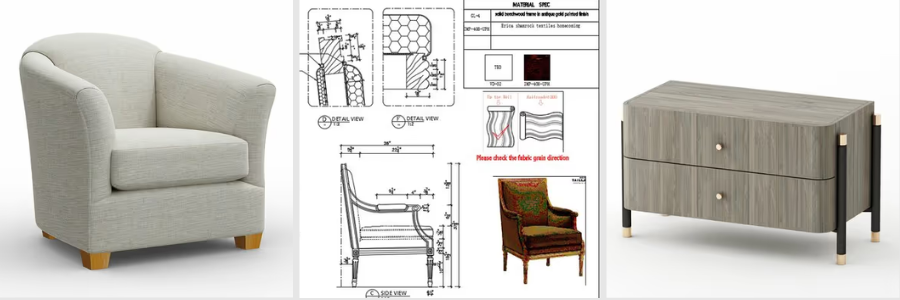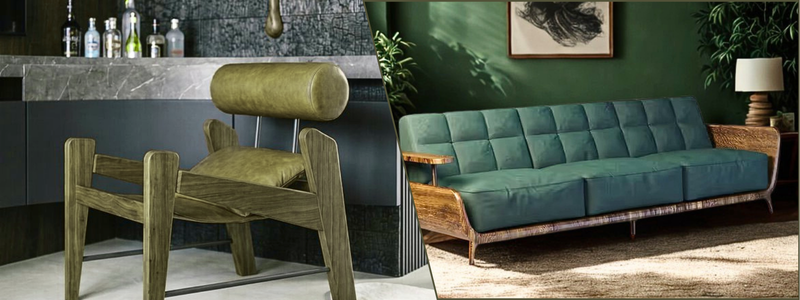
Custom Furniture Design and Millwork Drafting: From Concept Sketch to Shop Floor


Every furniture idea can start with a simple hand sketch, a designer’s drawing, a mood board, reference images, or just a client’s vision. But even a concept that already looks good on paper still needs to be transitioned into clear and buildable information before it reaches the shop floor.

In this article, we will highlight the entire process of turning furniture concepts into more detailed CAD designs and millwork drawing services, right from developing the initial concept until preparing the files for production. Whether you are a millwork shop, furniture brand, custom builder, or an interior designer, Cad Crowd can help you find the right professionals with proper expertise for each stage of the entire process.

RELATED: How Furniture Shop Drawings Help Present Designs for Project Approval with CAD Companies


🚀 Table of contents


How does the furniture concept turn into a buildable product?

To create a successful finished product, every concept must first go through several stages. Making each stage develops the design further, one that’s more ready for production.

Concept and design intent

↓

Design development in CAD

↓

Furniture/millwork shop drawings

↓

Material + hardware specifications

↓

Cut lists + CNC files

↓

Fabrication

The concept stage presented answers the relevant question, what should the furniture look like? Then, CAD design development experts helps determine how it should be proportioned and constructed. And once everything is developed, shop drawings provide accurate information that are needed to answer, how exactly should it be built? Both hardware and material specifications identify what components are needed, while CNC files and cut lists provide an explanation on how each component should be prepared for fabrication. When everything’s done, then the information will be used on the shop floor to assemble and fabricate the finished furniture or millwork. Every stage helps on building on each one before another, turning an initial idea into something that can be accurately made in the end.

What happens during the concept and design-intent stage?

The concept and design intent stage is where you can see the overall direction of a furniture project that has been established. At this part, a design may be presented through mood references, designer drawings, concept sketches, inspiration images, or existing products, which serves as a reference. These materials help in communicating the designer’s vision before moving into detailed technical development.

RELATED: How Do Companies Use Millwork Shop Drawings for 3D Furniture Modeling and Design?

The concept stage mainly explains the different factors like materials, style, proportions, visual direction, design language and intended use. The drafter doesn’t need to have the complete design yet but they need to have the information for them to understand what the designer envisions to create. With a clear understanding of the intention of the design, the drafter can efficiently develop the concept into accurate 3D CAD model design services and drawings.

How is the concept developed in CAD?

Once you already establish the creative concept, the next step to do is to develop it into a more accurate and measurable design using CAD. This is the time where designers and drafters exactly work the furniture’s material thickness, proportions, ergonomics, dimensions, component relationships, clearances and construction logic. CAD allows the design to be presented from different angles and be adjusted with greater accuracy, making it something that is easier to evaluate, ensuring to see no issues before fabrication begins. Rather than just relying on sketches or reference images alone, the team can test how each part fits together and determine if it can be built realistically.

For furniture, this may consist of checking different factors like table height, seat height, clearances, user reach, and the movement of drawers and doors. Design needs to account how people will realistically interact with it and use its finished piece. For millwork, the CAD model should take into consideration its wall conditions, actual room dimensions, openings, ceiling heights, and nearby architectural elements. These details are very important since it helps in ensuring that cabinets, built-ins, counters, and other components will be suitable within the space. At this part of the process, the original concept becomes more than the visual idea. It becomes a coordinated design that has defined relationships, measurements, and construction details that can serve as a guide for the next stage of drafting and fabrication.

RELATED: Custom Furniture Design – How Firms Use 3D Models and 3D Rendering Services

Furniture design services is extremely part of a larger manufacturing process. In fact, according to the U.S. Census Bureau, the U.S. furniture and related product manufacturing industry reports billions of dollars in its annual manufacturing shipments. In this environment, detailed CAD development and shop drawings are not just technical paperwork. They are essential as they help in translating design intent into buildable and repeatable information that highly supports fabrication and reduces any uncertainty on the shop floor.

Already have the concept but still looking on how to bring its technical details to life? Here in Cad Crowd, we guide you from every step of the way, starting from developing furniture designs until producing accurate millwork shop drawings. With the right expertise, we will help in moving your project from concept idea toward fabrication-ready documentation.

What should a furniture and millwork shop drawing package include?

Shop drawing interpret designs’ intent into a clear instruction, which fabricators can use in building furniture or millwork accurately.

RELATED: How Architectural Millwork Drawings Services are Essential for CAD Drafting Companies 

A complete drawing package includes:

Document/ Drawing What it shows
Plans Complete layout, key dimensions and placement.
Elevations Finalized appearance from different points of view.
Section Relationships between different components.
Joinery Information How each part is connected by dovetails, screws, dominos, dowels or mechanical hardware.
Hardware Schedules Hardware type, quantity, location, part number and manufacturer.
Material and Finish Schedules Different sheet goods, veneers wood species, stain, paint, laminates,and finish type.
Grain-matching notes Alignment and direction of certain wood grain where appearance is essential.
Cut lists Dimensions, materials, part names, and quantities.
CNC ready files Suitably organized layers and geometry equipped for the fabricator’s CNC workflow.

Why is joinery important in furniture design?

Joinery details are essential because the way components connect affect the appearance and long-term durability of the completed or finalized piece. Similarly, accurate material and finish information helps in making sure that the final product suits well with the designer’s vision. When everything is properly coordinated, the shop drawing package makes a clear link between its original concept and the fabrication process, which gives the shop the information they need to produce the millwork or furniture as intended.

By using the right joint furniture’s improve its strength, durability, stability, and overall appearance.

  • Dovetails: creates strong wood-to-wood connections and can have additional distinct visual detail. But these are more labor-intensive.
  • Dominos: provides strong joints and fast alignment, but it needs specialized tooling.
  • Dowels: it offers simple, concealed connection, yet needed to have an accurate drilling and alignment.
  • Mechanical hardware: it works well for modular furniture and knockdown since its parts can be assembled and disassembled easily.

furniture-concepts-to-production-ready-cad-drawings

The right joinery method highly depends on its furniture type, production volume, desired appearance, assembly method, repairability and disassembly needs, required strength.

RELATED: 3D Furniture Visualization and Rendering Process: How to Create High-End 3D Content 

What is the difference between repeatable furniture and one-off millwork?

Both furniture brands and architectural millwork shops use shop drawing services and CAD, but they differ on their design needs. Repeatable furniture is particularly designed to be produced multiple times, so the CAD model should highly support its dimensions, prototyping, product variations, material changes, product revisions and DFM. Parametric CAD may create these changes easier while improving material efficiency and production consistency. The design should consider manufacturing requirements right from the beginning of the process as it aims to create a product that can be repeatedly created, not just for once.

While one-off architectural millwork is specifically designed for one certain space.It needs to account for site-specific dimensions, field measurements, nearby architectural elements and existing conditions. The process usually moves from field measurements to CAD development to shop drawings to submit to client or architect review to revisions to approval, and lastly, fabrication. Because every project is unique, detailed and accurate measurements are very crucial in ensuring that the millwork fits the space appropriately.

The major difference between the two boils down to repeatability versus site-specific accuracy. Furniture brands require flexible designs that could be manufactured consistently in procedural units and product variations, while millwork projects need drawings that respond to the specific conditions of a certain site. In both cases, detailed CAD development and accurate shop drawings help in bridging the gap between successful fabrication and design intent.

RELATED: How to Get the Best 3D Rendering Services for Furniture Design

Which software is used for furniture and millwork CAD?

Different software tools are used according to the type of furniture or millwork project and how will the design move into the production. AutoCAD is commonly used for 2D drafting services, documentation, and technical drawings, while SolidWorks is mostly used for 3D furniture development, detailed components, and assemblies that highly need a more mechanical approach.

For cabinetry and millwork, expert software as needed like Microvellum and Cabinet Vision, which supports detailing, support design, manufacturing workflows, which includes CNC production. Pytha is widely used for interior architecture design using tools for visualization and 3D modeling services. However, there is no one software that is named as the best for a specific project. The perfect choice will still depend on the type of your project, file compatibility, shop workflow, CNC requirements, and its level of needed customization. A professional designer or drafter must be familiar with every tool to have a better idea on what is the best match for that specific project design and fabrication requirements.

How 3D furniture rendering helps in selling the design?

3D furniture rendering helps in a way that it turns technical design into visual presentation that clients and customers interpret easily. Shop drawings are more “how do we build it?” idea focused, while 3D furniture rendering are more of “what will it look like?” idea. The distinction of the two helps in making a clear definition in client presentations, product launches, proposals, catalogs, e-commerce listings and other marketing materials.

RELATED: Types of 3D Furniture Design and CGI Rendering Services Used by Manufacturers

A single CAD model may usually support both visual renderings and technical drawings, yet it serves a different purpose. Technical drawings present information that are needed for fabrication, while renderings only focus on the product’s finishes, materials, appearance, and overall presentation. Through providing a clear presentation on what the finished furniture could look like, 3D rendering services can help clients decide, improve product presentation, and support sales and marketing processes.

What are the things you should provide to your furniture or millwork drafter?

It is just essential to provide complete information at the very beginning, since it helps the drafter to understand the design’s intent better and to ensure everything is clear and to limit any unnecessary modifications.

Provide the following before drafting begins:

  • Visual references
  • Initial sketches
  • Available CAD Files
  • Site measurements
  • Material selection
  • Entire dimensions
  • Space layouts
  • Preferred hardware
  • Final requirements
  • Desired Joinery
  • Shop or Manufacturer Procedures
  • Available Specifications

In architectural millwork services, accurate field measurements are very important. The drawings should be able to reflect the actual conditions of certain space and not just the dimensions presented on the architectural plan alone. For it to be successfully completed, site measurements, ceiling heights, openings, wall conditions and any important information should be given to the drafter as it serves as a reference in creating drawings that would really fit accordingly when it already reaches the specific job site. When the initial information is clear, the less chances for revisions and clarification cycles would happen.

cad-shop-drawings-for-custom-furniture

RELATED: How 3D Rendering Helps the Marketing of Furniture Companies

What happens when the design moves to the shop floor?

When shop drawings are finally approved, it will then be moved to production. The typical workflow is presented below:

Approved shop drawings

↓

Cut lists

↓

CNC files

↓

Material preparation

↓

Fabrication

↓

Assembly

↓

Finishing

↓

Installation

The shop drawing package acts as the connector between the design and fabrication process. It provides the shop with the right details that are needed in the preparation of materials, cut components, build assemblies and completing the installation. The goal is to deliver accurate and enough details so the fabricators will no longer have to guess the materials, dimensions, joinery, finishes, hardware or joinery. If these are presented carefully then confusions or revisions will be less likely to happen.

What differences do furniture design and millwork drafting have?

Furniture design services and architectural millwork both need careful planning of CAD development and detailed drawings but serve different purposes. Furniture design focuses heavily on making custom or repeatable products, while millwork drafting focuses on making components that will fit on certain spaces and coordinate with available architectural conditions.

RELATED: Furniture Business Sales: Roles of 3D Product Rendering From Cad Design Services Provider

To clearly understand its key differences, try to explore the table below:

Factor Furniture design Architectural millwork
Purpose Reproducible or custom furniture Built for a specific space
Main Concern Product design and manufacturability Site conditions and coordination
CAD Focus Parametric and repeatable design Accurate, field-based documentation
Production Prototypes → Repeat production Submittals → Fabrication → Installation
Critical Input Product requirements Accurate field measurements

What should you look for when hiring a furniture or millwork drafter?

When hiring a furniture or millwork drafter, it is best to look beyond basic CAD skills. A good drafter must have relevant experience with projects in furniture or millwork and have a better understanding of how shop drawings are created and used during fabrication.

Important skills consist of:

  • Joinery knowledge
  • Material and finish schedules
  • CNC file preparations
  • Hardware documentation
  • Familiarity with the software used

They should be equipped with knowledge on how design’s intent is being interpreted and turn every idea into clear, accurate, detailed and buildable drawings. The right choice of drafter is someone who’s not only knowledgeable in CAD software firms alone but also understands how drawings will be used by the actual people. This makes sure that the materials, hardware, dimensions, joinery, and construction details are clearly communicated, ensuring that any possible confusions or mistakes wouldn’t cost an expensive damage during fabrication and assembly.

furniture-design-to-fabrication-workflow-guide

In achieving your desired furniture project, you need more than just a strong concept. It should be rightly supported with a strong expertise to carry the idea throughout the process. Cad Crowd don’t just provide quality concepts but covers the entire chain. It guarantees to connect you with expert furniture designers in shaping concept, freelance CAD drafters in developing fabrication-ready shop drawings, and experienced 3D renderers in creating polished visuals for presentations, sales, and catalogs.

RELATED: 35 Ways 3D Furniture Model Level Up Your Product Photography Strategy with Rendering Firms

Find the right furniture and Millwork professionals here in Cad Crowd.

Frequently asked questions

  1. Do fabricator shop drawings need to show every screw?
  • Not necessarily. They just need to provide enough information for assembly and fabrication, while important hardware and connections under requirements needs to be clearly specified.
  1. Can a shop drawing be created from a photograph?
  • Yes. However, materials, construction, and dimension details will often require to be developed or provided before fabrication.
  1. Who will own the shop drawings?
  • It mainly depends on the agreement. Drafters, designers, and fabricators may each produce different documentations, so approval and ownership responsibilities must be established beforehand.
  1. How reliable should field measurements be for custom millwork?
  • They should be as detailed and accurate as the project’s standard requirements,with crucial site state being verified before fabrication.Finalized measurement procedures need to follow the standards given by the fabricators.

Conclusion

A successful furniture or millwork design is truly beyond how its finished piece looks. It’s way more than it needs to be built practically, with good technical documentation and detailed and accurate work in the real world. Taking these into consideration helps in reducing heavy confusion and costly mistakes as we all aim to create a product that stays true to its original design intent. If you are looking for a platform that will help you in turning your furniture concept or millwork project into accurate, buildable documentation, Cad Crowd is what you’re looking for. It guarantees in finding you the right expert that has proven experiences like millwork crafters, furniture designers, and CAD professionals. It is essential to work with the right specialists in helping you to move from design intent to proper production.

RELATED: Design Agency vs. End-to-End Product Development Partner for Successful Products

How Cad Crowd can help

Cad Crowd connects businesses with experienced furniture designers, millwork drafters, and CAD professionals who specialize in furniture design development, shop drawings, 3D CAD modeling, material and hardware specifications, CNC-ready files, and fabrication documentation. Whether you’re developing a custom furniture piece or a large-scale millwork project, our experts help transform concepts into accurate, production-ready designs that streamline manufacturing and reduce costly revisions. Contact Cad Crowd today for a free quote and bring your furniture or millwork project from concept to fabrication with confidence.


​

author avatar

MacKenzie Brown is the founder and CEO of Cad Crowd. With over 18 years of experience in launching and scaling platforms specializing in CAD services, product design, manufacturing, hardware, and software development, MacKenzie is a recognized authority in the engineering industry. Under his leadership, Cad Crowd serves esteemed clients like NASA, JPL, the U.S. Navy, and Fortune 500 companies, empowering innovators with access to high-quality design and engineering talent.

Connect with me: LinkedIn ✦ X ✦ Cad Crowd

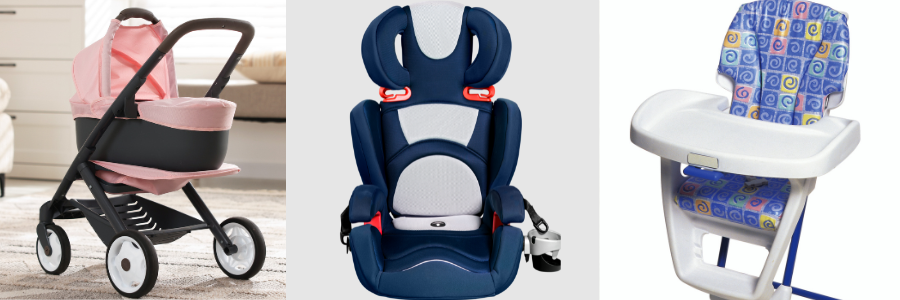
Baby Product Design: Safety Standards, Testing, and CPSC Rules for Juvenile Goods


Baby products are things that need an intensive process before being manufactured officially. The CPSC enforces these requirements under the CPSIA and other laws while applicable ASTM standards provide safety guidelines. Depending on the baby product, there are some that requires third-party testing, certification, and appropriate age grading before being produced in the market. Designing products for babies and young children isn’t just about being functional and appealing. It also needs to follow and meet strict safety requirements that are designed mainly to protect children from any potential hazards, which make compliance a very important part of the design process right from the very beginning. 

In this article, we will explore the different safety standards, testing requirements, and CPSC rules that significantly apply to baby and juvenile products in the United States. We highlight the specific role of CPSIA, ASTM standards, certification, third-party testing, age rating, and how these requirements can significantly influence the product development. Platforms like CadCrowd helps in connecting you with new product design professionals who can best support the technical side of developing compliant products.

What is the CPSC and why does it matter for baby product design?

The U.S. Consumer Product Safety Commission (CPSC) is known as the Federal Agency that is mainly responsible for protecting the public from any unreasonable risks of injury or death that’s associated with consumer products. CPSC plays a very important role, especially when it comes to baby and juvenile products. It oversees products that are designed or primarily intended for children that are 12 years old or younger. The agency established federal product safety laws and regulations, enforces mandatory safety requirements, monitors products for any potential hazards, investigates product-related injuries and concerns, and takes enforcement action when needed.

RELATED: How Much Does It Cost to Develop a New Physical Product? A Complete 2026 Breakdown

The CPSC also works collaboratively with retailers and manufacturers to recall products that expose safety risks. Some of the product categories needed to be addressed with hazards, especially involving small parts, flammability, lead, phthalates, structural integrity, and other safety risks. For manufacturers and designers, compliance must not be treated only at the final inspection performed just before the specific product reaches the market. Instead, safety and regulatory requirements must be considered all throughout the design and development process. 

Several features must be thoroughly considered such as material selection, construction methods, component choices, dimensions, and intended age range can significantly affect compliance. Taking these things into consideration helps best in reducing costly redesigns, production delays, failed testing, recalls, and serious enforcement issues in the long run.

baby and infant products

What does CPSIA require for children’s products?

The Consumer Product Safety Improvement Act (CPSIA) establishes significant requirements especially for children’s products that are manufactured in the United States. The requirements specifically depend on what the product is, its specific use, and its applicable safety rules. Areas include testing, certification traceability, and limits on certain chemicals used. 

Third-party testing

Significant children’s products should be tested by a CPSC-accepted third-party testing laboratory to ensure compliance with applicable federal safety requirements. The testing requirements highly depend on the product category and the rules that specifically apply to it. Manufacturering companies must identify the essential requirements early in the design process instead of just waiting until the product is already ready for production. 

RELATED: Top 31 Websites to Hire Toys & Games with CAD Design and 3D Modeling Freelancers

Children’s product certificate

A children’s product certificate, or CPC, is known as a document that is issued by the importer or manufacturer certifying that the specific product complies with all the applicable children’s product safety rules and requirements. The CPC is highly based on the results of required third-party testing and must determine the product, applicable regulations, testing laboratory, and all the other required information. 

Tracking labels

Children’s products generally need permanent tracking labels or markings that shows information to help identifying the private labeler or manufacturer, the location and production date, and other important details that are needed in determining its specific source and production batch. These requirements support traceability if any safety issue or recall occurs. 

Lead limits

The CPSIA restricts the amount of lead that may be found in any children’s products especially in specific accessible parts of surface coatings. Manufacturers and product designers need to consider the product’s coatings, paints, materials, and finishes that are used in the specific product. 

Phthalate limits

The law also restricts certain phthalates in children’s toys and any childcare articles. It depends on the specific substance and product category, which makes material choices a very essential part in the compliance planning. Material selection should account for any applicable chemical requirements from the very beginning of the process. Ensuring to choose appropriate materials early can really help in preventing redesigns, failures, and any production delays later in the product development.

RELATED: 8 Ways How Companies Use 3D Models and Prototypes in Toy Development

What is section 104 rules for durable nursery products?

Section 104 of the Consumer Product Safety Improvement Act, CPSIA, is also known as the Danny Keysar Child Product Safety Notification Act. This mainly requires mandatory safety standards for products that are intended for infants and toddlers. These rules are significantly enforced to make sure hazards associated with products that are regularly used by young children will be reduced.

Here are some of the durable nursery products and the design issues the standards may address.

  • Cribs – Structural strength, stability, and child entrapment
  • Bassinets and cradles – Stability, structural integrity, and secure locking
  • Toddler beds – Strength, guardrails, and entrapment risks
  • Highchairs – Stability, restraints, and locking mechanisms
  • Booster seats – Restraints, stability, and secure attachment
  • Strollers – Brakes, restraints, stability, and folding mechanisms
  • Play yards – Locking systems, structural strength, and entrapment
  • Infant walkers – Stability, structural integrity, and unintended movement
  • Changing tables -Stability, structural strength, restraints, and fall prevention
baby products

These requirements can truly influence how a certain product is designed and manufactured. Several features like stability, restraints, folding systems, structural strength, locking mechanisms, and spaces that could certainly create entrapment hazards are all needed to be considered during the process of development.

What is ASTM F963 and when does it apply?

ASTM F963 is a consumer safety standard, which is highly known for enforcing requirements for toy design services that are mainly intended for children 12 years old and younger. It is one of the several safety standards that are considered when designing and manufacturing applicable children’s toys in the United States. This standard is mainly intended to address potential hazards that may occur during normal use and any reasonably foreseeable misuse. 

ASTM F963 may address areas such as:

ASTM F963 Area What It Covers
Mechanical and Physical Requirements Sharp points, sharp edges, small parts, and other potential injury hazards
Chemical Requirements Certain restricted substances and other accessible materials
Flammability Fire-related risks that are associated with applicable toy materials
Sound-Producing Toys Potential risks or concerns from excessive sound levels
Battery-Operated Toys Safety considerations which involve batteries, battery compartments, and other related components

For new product designers, ASTM F963 can really influence decisions about specific features like material, construction, dimensions, components, and how a certain toy is expected to be used. Considering all these requirements early can really help in reducing potential risks of design and testing problems later. Other ASTM standards are not automatically federal law because they are published by ASTM International. Certain requirements of ASTM F963 become mandatory only when it is incorporated into federal regulations and established under applicable U.S. consumer product safety laws. 

RELATED: The Importance of Iteration in Product Development & Working with Product Design Companies

ASTM standards or provisions may also remain voluntary unless there is another regulation, industry practice, or legal requirement that makes them applicable. Therefore, manufacturers must identify different requirements that specifically apply to their product instead of just expecting that every ASTM standard is legally mandatory.

Is JPMA certification required for baby products?

JPMA certification is basically not required by federal law for baby and juvenile products. The Juvenile Products Manufacturers Association (JPMA) significantly operates as a voluntary certification program intended for eligible products, which helps manufacturers by giving them an additional way to demonstrate their specific products as it is evaluated against applicable safety standards. Although certification is not a universal legal requirement, it can still provide practical benefits in the market world. For manufacturers, participating in this kind of voluntary certification program greatly helps in demonstrating product commitment to safety and quality, all while strengthening its relationships with consumers and retailers.

JPMA certification may help several manufacturers:

  • Build market credibility by showing a real commitment to product safety and quality.
  • Increase retailer confidence when certain products are considered for distribution.
  • Strengthen consumer confidence through delivering additional signal which helps in product safety.
  • Differentiate the product in the front baby and juvenile product marketplace.
  • Support brand reputation, especially when marketing products to several parents and caregivers. 

However, voluntary JPMA certification must not be confused with any mandatory regulatory compliance as it doesn’t function as a replacement for federal safety requirements that are established by the CPSC, CPSIA, or other applicable laws and regulations. It highly depends on the product, and the design for manufacturing firms still need to meet mandatory safety standards, complete all required third-party testing, and issue the appropriate certifications before they sell the product in the United States. The distinction of both is very important since a product can have a voluntary certification while still being subject to another federal requirements.

RELATED: Why Prototype DFM Services Are Useful for Product Design at Companies and Firms

Manufacturers must first determine and satisfy all the needed mandatory requirements that best apply to their product. And once everything is addressed, they can already consider whether JPMA certification or another voluntary program could be added as an additional value. In short, JPMA certification is only an optional addition to compliance, not a requirement or a substitute for it. It helps in strengthening credibility and trust, but meeting mandatory safety requirements remains the very essential foundation of bringing children’s product into the market.

baby toys

PRODUCT CATEGORY AND AGE REQUIREMENTS

Which baby product standards apply to which product categories?

Different baby and juvenile products are subject to several safety requirements that are significantly based on their design, specific use, and target age group. Manufacturers must determine and identify the specific rules that best apply to their product during the early process of the product design and development process, since requirements can really affect the product’s materials, dimensions, construction, and components.

Product Category Applicable Standards / Requirements Key Design Considerations
Cribs Applicable CPSC requirements Entrapment, structure, mattress fit
High chairs Applicable CPSC requirements Stability, restraints, pinch points
Strollers Applicable CPSC requirements Folding, stability, restraints
Play yards Applicable CPSC requirements Entrapment, locking, structure
Toys ASTM F963 and applicable federal rules Small parts, chemicals, mechanical hazards
Child care articles CPSIA and applicable rules Lead, phthalates, materials
Other juvenile goods Product-specific requirements Verify applicable rules

The table above provides a general overview of some of the common product categories and the types of requirements that are appropriately apply. It is only for educational purposes and not a complete compliance checklist. Requirements depend on specific products and its intended use. Prototype design engineers must verify current CPSC, applicable federal regulation, and essential standards for their specific products before they begin testing and manufacturing. 

How does age grading affect baby product requirements?

Age grading significantly plays an essential role in designing a children’s product, and it is more than just deciding how it will be marketed. The specific age range that is assigned to a certain product can influence the regulations that apply, the required testing, and the warnings that should be provided. Also, the types of possible hazards designs that are needed to be considered. 

RELATED: Child-Resistant Packaging: Design Tips for Your Company’s New Product

A product’s intended age must be based on several factors like:

  • Physical development – focuses on child’s strength, coordination, size, and motor abilities.
  • Cognitive development – it is all about the child’s ability to understand different instructions and recognize specific potential hazards. 
  • Intended use – how a specific product is expected to be used by children within the specified age range.
  • Marketing and advertising – it’s mainly about how a product is presented and the age group it intends to target. 
  • Packaging– images, language, and specific instructions that must communicate who it’s intended for. 

Age grading also affects toy classification, testing procedures, small parts requirements, and safety warnings. Therefore, product concept designers must make sure to consider how a child within the specific target age range would interact with the product realistically, including several foreseeable use and misuse.

HOW REGULATIONS AFFECT PRODUCT DESIGN

How should small parts and choking risks influence product design?

In designing products for babies and young children, every little thing or small component must be treated as a potential safety concern. Whether it’s a small or detachable parts like buttons, caps, wheels, knobs, fasteners, decorative elements, battery compartment components, and any removable accessories are considered hazardous once they break or detach during use. 

Designers must put into mind these questions before designing a specific product: 

  1. Can the specific component I am using come loose during repeated use or even normal use?
  2. Could wear and tear possibly weaken the connection over time? 
  3. Could the part possibly detach after it’s dropped or impacted? 
  4. Can a child possibly pull, twist, or pry the specific component away? 
  5. Could a broken component lead to a small part hazard? 

These potential risks should be addressed while the specific product is still being designed. CAD allows CAD drafting designers to determine and examine how individual components interact and connect, while material and fastening choices can help in improving durability and reduce the potential cases of certain parts to be detached. It is also very essential to consider any foreseeable use and misuse. It is inevitable that children may chew, pull, shake, twist, or drop products in ways that adults may not expect.

RELATED: What Files and Specifications Do You Need for a Successful Freelance CAD Project?

baby product design firms

That is why if a product is only designed for ideal use, it can therefore leave important hazards undiscovered later. When considering potential choking hazards before tooling and prototyping, manufacturers can have a lot of opportunities to strengthen its connections, redesign components, and select materials that are safer and reliable without the need to face expensive changes in the long run.

How can designers prevent pinch points and entrapment?

Pinch points and entrapment hazards must be considered by the product engineering professional whenever a children’s product has parts that fold, slide, adjust, move, or rotate. Features like joints, gaps, openings, folding mechanisms, hinges, and locking systems can possibly create potential hazards if not designed carefully. This is highly important since products like high chairs, strollers, convertible juvenile products, and cribs, since these are examples of products where components may change position in everyday use. 

During the design process, CAD help teams in examining how every component interact and identify potential problem areas, such as spaces where a child’s fingers could possibly be trapped, gaps or openings that could somehow create an entrapment hazards, interfaces between moving components of a product, areas around hinges and joints, which could create pinch points, how parts interact as they are adjusted, rotate, slide, or fold, whether locking mechanisms properly engaged and remain as secure as it needs to be. 

Prototype designers must also evaluate several foreseeable misuses instead of just considering only the product’s intended operation. A child may climb onto a product, pull on a component, place their fingers into an opening, or even push against a moving part. That is why reviewing these possible scenarios early on with CAD and physical prototypes they can be able to adjust clearances, improve mechanisms, refine component geometry, and eliminate hazardous gaps before they enter the production. Identifying these challenges and issues early is beneficial as it provides efficient workflow and less costly than applying changes after tooling or manufacturing has already begun.

RELATED: Designing Prototypes: 3D Design Services for Inventors and Companies

TESTING AND MANUFACTURING

How should use-and-abuse testing influence CAD design?

Children may interact with certain products in ways that go far beyond what it’s intended to be. They may drop, bite, twist, pull, climb, shake, or repeatedly operate components and mechanisms. CAD designers must account these foreseeable behaviors before the product reaches its final testing or manufacturing.

Designers must consider:

  • Fastener retention
  • Material fatigue
  • Joint and connection strength
  • Product stability
  • Repeated operating cycles
  • Structural loads and impact forces

Its main goal is to properly evaluate how a product will perform during realistic conditions, including any foreseeable misuse. CAD models help in identifying weak connections, stress points, and other areas that may require any redesigning or reinforcement. The principle is basically simple; design for foreseeable abuse, not just ideal use. 3D modeling designers must anticipate how children would interact with specific product since it can be helpful in reducing potential failures, improve its durability, and address potential safety concerns earlier rather than making costly revisions when finally launched.

Planning to design a juvenile product? Need a helping hand that could guarantee a smooth flow of having safety requirements and create an easier way to build a design before prototyping, testing, and expensive tooling begin? Worry no more! Cad Crowd can help you by connecting you with the right CAD designers, engineers, and 3D modeling professionals who are expert in turning your concepts into manufacturable products, all while supporting product development right from the early stages of design through the prototyping and production stage.

RELATED: CAD Design and 3D Modeling Rundown

FREQUENTLY ASKED QUESTIONS:

  1. Who is mainly responsible for children’s product compliance? The manufacturer or the designer? 

It’s the manufacturer or importer since they are responsible in ensuring that the product complies with all the applicable requirements. Designers, though, play an important role in making sure that the safety considerations are incorporated into the product’s design.

  1. Can a product be sold in the U.S. before it passes required testing? 

Mainly no. When it comes to children’s products, it needs to be tested since it is generally subjected to mandatory testing requirements that must be applicable before they are legally imported, distributed, or marketed. 

  1. What happens if a children’s product fails the required safety test?

If cases like this happens, the product must be redesigned or tested before it can be legally marketed. Some failures may also result in recalls or even regulatory action. 

  1. Do imported baby products have to meet the same U.S. safety requirements? 

Yes. Children’s products that are imported into the United States must comply with the same U.S. safety requirements regardless of where they were manufactured.

How Cad Crowd can assist

In designing a safe and successful baby or juvenile product, a proper compliance must be considered long before it reaches the final testing laboratory or production line. Every process from age grading to material selection to entrapment risks and safety requirements can significantly shape the critical design decisions. That is why it is very important to address these factors early so that any potential or costly redesigns will be prevented along the way. 

If you are developing a children’s product, especially for the U.S. market, Cad Crowd can help you best in connecting with the right and experienced CAD designers and engineers to help in turning your requirements into a thoughtfully designed product that is not just visually pleasing but also right to be manufactured with the proper accordance of standard requirements. Contact us for a free quote.

Disclaimer: This article is intended for educational purposes only and must not be considered legal, regulatory, or compliance advice. Children’s product requirements depend specifically on certain product category and can possibly change over time. Before manufacturing or selling juvenile product in the United States, make sure to confirm all the required standard requirements with CPSC-accepted third-party testing laboratory and qualified legal counsel.

author avatar

MacKenzie Brown is the founder and CEO of Cad Crowd. With over 18 years of experience in launching and scaling platforms specializing in CAD services, product design, manufacturing, hardware, and software development, MacKenzie is a recognized authority in the engineering industry. Under his leadership, Cad Crowd serves esteemed clients like NASA, JPL, the U.S. Navy, and Fortune 500 companies, empowering innovators with access to high-quality design and engineering talent.

Connect with me: LinkedIn ✦ X ✦ Cad Crowd

Sustainable Product Design: How to Design for the Environment Without Killing Margins


A lot of businesses think that sustainability is an additional cost to their budget and finances. When people hear the words eco-friendly, recyclable, or even the word carbon footprint, one thing comes to their mind: it is expensive and more complex in manufacturing. Business owners are afraid that being sustainable in their products will reduce the profit margins they get.

In reality, experienced product development teams, like the freelance engineering professionals at Cad Crowd, understand that sustainable design is often about improving efficiency rather than increasing costs. By considering sustainability from the earliest stages of product development, businesses can reduce waste, optimize manufacturing, and protect profitability while creating better products.

RELATED: How to Take Hardware Product from Concept to Commercialization: A Complete Guide


🚀 Table of contents


Sustainability is another engineering requirement

A sustainable product does not mean that it is costly; it triggers companies to reduce the cost while having the best product quality they can have. When there are fewer materials, most of the time it results in cheaper production costs and shipping expenses. Simple changes can make a great difference, such as reducing the product’s packaging material or using sustainable materials while saving money that can make the products last longer.

Various companies see sustainability as something they can just add after they have accomplished their product design. When a product design experts finish their product design project, someone would ask how they could make the product be environmentally friendly. Sustainability becomes expensive at this point as there is a need to redesign everything from the components to replacing the materials to finding new supplies, modifying the production tools, and repeating the product testing all over again. In this case, the changes made increase the development costs and cause production delays.

On the other hand, a successful company has a different approach. At the very start of the production process, they make sure that being sustainable is already part of the design’s requirement. When developing a product, think of it as solving a complex engineering puzzle where every decision made can affect all of the parts of the design in a quick span of time. Thus, engineers must be able to balance a lot of requirements at the same time, and this includes keeping the manufacturing costs within the budget limit, making the product strong enough for its intended use, ensuring the products are safe and reliable, simplifying the manufacturing and assembly, meeting the expectations of the customers, and reducing the environmental impact.

RELATED: Product Development Considerations that Can Make or Break New Product Ideas Before Launch

Rather than making sustainability one of the extra features, engineers should treat it as something like every other design requirement. Seeking solutions that improve overall efficiency, reduce waste, and lower costs without the need to sacrifice product performance. This way of thinking can lead to companies building a better product while protecting their profit margins.

1. Material reduction is the highest-ROI sustainability strategy

Reducing the amount of materials you use for any project can improve your sustainability action plans. The engineers call this strategy lightweighting; it typically yields the highest financial return.

Light weighting, from the word itself, means reducing the weight by removing unnecessary materials. But keep in mind that even if the weight is reduced, the product’s performance, strength, and durability should not be compromised. One example is redesigning internal structures to maximize wall thickness, but the structural integrity is still there in order for the plastic housing to utilize its space while still having the same strength. Even if the products may look the same and identical, the impacts in finance can also be significant.

RELATED: The Role of Cross-Functional Teams in Accelerating Product Design Innovation

designing-sustainable-products-for-better-profitability

Lower bill of materials (BOM)

The Bill of Materials (BOM) services is reduced for each gram of steel, aluminum, or plastic that engineers eliminate. Even the minor cuts can result in significant savings for goods produced in large quantities.

Think of a company that produces one million products yearly. When you remove 20 grams of plastic from each unit, you can eliminate 20 metric tons of raw materials. This means that the reduction can directly lower the purchasing costs and can directly improve the profit margins.

Lower shipping costs

When there is a lightweight product, it automatically reduces the transportation costs. Manufacturers spend less on trucking, ocean freight, and air freight because the shipment weighs less. The company can save money while reducing transportation use and carbon emissions.

RELATED: How to Reduce New Product Development Risks for Design Services Companies

Faster manufacturing

Utilizing less material in a product can speed up the production process. An example of this is products that use injection-molded parts design services because they cool faster, remove less material, smaller parts have less processing time, and the manufacturers can consume less energy during the phase of production. Having this improvement can speed up manufacturing efficiency without the need to purchase additional equipment.

Why is light weighting a worthwhile investment?

Lightweighting as a single engineering choice can lower the business’s material costs, freight costs, manufacturing efficiency, and environmental impact. Lightweighting is the most profitable sustainability investment for the majority of products.

2. Design products that customers can repair and upgrade

There are a lot of modern products that fail due to a break in a small component. Manufacturers often make repairs impossible by sealing the products with the use of adhesives or integrating the components together. But engineers should work on a design that allows for repair and disassembly. Through this move, it makes it possible for the technicians or even the customers to replace the broken or used components rather than replacing the entire product, which can be costly.

RELATED: Best Practices for New Product Design & Development with Services Companies & Freelancers

Choose fasteners instead of adhesives

Using adhesives can create a permanent joint. The use of screws, clips, and other mechanical fasteners makes it possible for users to open the products without damaging the entire product. Fasteners may take a little longer to assemble, but they have a number of long-term benefits such as easier repairs, lower warranty costs, better recycling, simpler refurbishment, and a longer product life.

Use modular components

The use of modular design services can take repairability one step ahead. Rather than entirely replacing the products, customers and users can replace only the failed module. An example of this is replaceable batteries, swappable cameras, upgradeable storage, and replaceable displays.

Having this strategy complements the modular product design principles. Businesses cut waste a nd prolong the life of their products by replacing only the essential parts.

RELATED: Rugged Product Design Strategy: How Product Development Firms Can Deliver for Startups

3. Choose materials that support recycling

The material selection can affect the manufacturing process and end-of-life recycling. Instead of asking whether the material is green, the engineers should be asking the top three practical questions.

The questions are the following:

  • Can manufacturers source it reliably?
  • Can they manufacture it efficiently?
  • Can recyclers recover it easily?

Recycled materials

There are a lot of manufacturers that use recycled aluminum, recycled steel, recycled plastics, and recycled paper without the need to sacrifice product performance. These materials can be slightly more expensive than virgin materials, depending on local supply chains and availability.

Recyclable materials

The products should be able to allow recyclers to recover valuable materials after the user finishes using them. For example, a housing made of one of the recyclable plastics, such as PET, PC, or PP, usually recycles more easily than one made from several permanently bonded plastics.

RELATED: How to Find the Right Industrial Design Company for Successful Product Development

Reduce material variety

Products are also seen that combine and integrate several plastics, metals, rubbers, and adhesives into a single assembly. The diversity of materials makes the process of recycling harder and more challenging, as the recyclers must separate every material before processing it. Engineers should minimize the variety of materials used in a product whenever possible. Purchasing, inventory control, manufacturing process design, and quality assurance are all made easier by doing this.

4. Reduce packaging without sacrificing protection

One of the opportunities to reduce costs is to simplify the packaging. There are a lot of companies that use oversized boxes, excessive foam inserts, and unnecessary plastic wrapping, or multiple internal trays. Being smart about the packaging design concentrates on having the materials that need to protect the product.

designing-greener-products-with-better-margins

Companies can reduce costs by right-sizing the shipping cartons, replacing the plastic inserts with molded pulp, eliminating unnecessary packaging layers, and increasing packaging efficiency for shipping. As the product ships inside the packaging, even the small improvements can offer a big change that can save thousands or millions of shipments.

RELATED: How to Save Money On New Product Design and Development Services for Company Prototypes

5. Measure environmental impact with life cycle assessment (LCA)

Relying on data is what makes good engineering decisions, not on guesswork and assumptions. This is where the LCA, or the Life Cycle Assessment, aids service. An LCA can measure a product’s environmental impact from the beginning to the end, which includes raw material extraction, manufacturing, transportation, product use, repair and maintenance, and recycling or disposal.

This LCA can offer help to the engineers to make it easier in identifying the stages that create the greatest environmental impact in order to concentrate on the needed improvements to deliver an impactful and significant result. Every product design services choice is an important part of the planning because it provides about 80% of the product’s overall sustainable impact. Before production starts, engineers have the best chance to increase sustainability.

6. Regulations are changing product design

It does not depend on the customer’s wants and preferences, but sustainability can stand alone. Due to the worsening environmental situation, government policies are pressuring manufacturers and business owners to develop and create products that will promote sustainability, such as products with longer lifespans and reduced waste.

RELATED: Reduce Product Design Costs Without Sacrificing Quality with Insights from Engineering Firms

EU ecodesign for sustainable products regulation (ESPR)

The European Union’s Eco design for Sustainable Products Regulation (ESPR) encourages manufacturers to improve their products’ durability, repairability, recyclability, and material efficiency through product transparency. Companies that have international products should understand these requirements prior to the design process.

Right-to-repair movement

There are regions and governments in North America and Europe that are expanding the legislation of the right-to-repair. Manufacturers are encouraged by the regulations to publish repair information, offer replacement parts, and create products that consumers can fix rather than replace. The businesses that embrace repairability will find it easier to comply with various regulations in the future.

7. Companies already prove this approach works

Fair phone

Most smartphones are difficult to repair. With the Fair phone plan, a smartphone has replaceable batteries, modular cameras, removable displays, and standard crews. Users and customers can easily find a replacement when the parts are broken instead of totally buying a new phone. Its goal is to extend the lifespan of the product rather than it being a burden to the user. It builds long-term trust by simply making it easy and affordable to repair.

RELATED: Tips to Optimize New Invention Development and Product Development for Companies 

Framework

A framework makes the laptop with a memory that is replaceable, storage, keyboards, and expansion ports, as well as upgradeable motherboards. Instead of replacing the computer every few years, the customer can just upgrade the needed components individually; as a result, it can be less expensive to have a new component.

Which sustainability decisions help or hurt margins?

Sustainability Strategy Typical Cost Impact Effect on Margins
Lightweighting Saves money Usually increases margins
Reduce packaging Saves money Usually increases margins
Minimize material diversity Saves money Usually increases margins
Design for repair Mostly cost-neutral Lowers service and warranty costs over time
Modular product design Cost-neutral to slight premium Creates long-term customer value
Recycled materials Varies by supply chain May increase or decrease costs
Advanced sustainable materials Higher upfront cost Premium investment with long-term benefits
Full LCA studies Engineering investment Helps avoid expensive redesigns later

A common misconception regarding sustainable product design services is that it raises the expenses. But in reality, profit margins are being impacted differently by the various sustainability strategies. While some plans definitely need a larger initial investment, they also yield long-term advantages through increased product longevity, regulatory compliance, enhanced brand recognition, and reduced lifecycle expenses.

One thing to note is that a company that prioritizes high-return investment can achieve a meaningful environmental gain without the need to spend a lot of money that can sacrifice profitability. Once they have mastered the idea of quick wins, based on the product objectives, target market, financial constraints, and legal requirements, they can assess further sustainability initiatives.

RELATED: Tips for Product Design Firms: Validate New Product Ideas & Squash Launch Failures

The main goal is not to pour a sustainability strategy at once, but to prioritize the improvements that can have a significant result, especially in the environmental and financial benefits of a certain product. By letting the engineers know the information about the design processes, it would be easier to have a product that is both successful, sustainable, and most importantly, profitable.

Design sustainability into the product – do not retrofit it

It is not just about buying the greenest material or adding an environmental feature after development, and it is not the most profitable sustainable strategy. It is about making a smarter engineering decision from the beginning.

building-profitable-products-through-sustainable-design

Reducing the amount of materials used, streamlining assemblies, designing products for repair, choosing recyclable materials, minimizing packaging design services, and assessing environmental effects early on all assist businesses in producing better-performing products at lower costs. The biggest expenses come after product development. Retrofitting sustainability comes into the existing design that needs new tooling, engineering changes, supplier updates, and additional testing. Profit margins are rapidly eroded by the late-stage adjustments.

Incorporate sustainability requirements into the client’s design brief from the outset when creating the next product. But before the design process begins, emphasize to the engineering team the significance of repairability, light weighting, recyclable materials, packaging efficiency, and regulatory compliance to have a smooth-sailing process of making.

RELATED: Validating New Product Design Ideas: 5 Questions Every CAD and 3D Modeling Firm Should Ask

Conclusion

Cad Crowd aims to connect with businesses that have experienced product designers and freelance mechanical engineers who can integrate sustainability goals at the beginning of every company’s product development. Having the requirements from the initial design protects the environment as well as the margins, as the retrofit is where the margin dies.

Early planning can help the teams find solutions to a problem that can help and benefit both the environment and the customer. Businesses that incorporate sustainability into their initial designs produce goods that are more profitable over the course of their lifecycle, easier to manufacture, easier to maintain, and better suited for upcoming regulations.

Whether developing a new consumer product, medical device, or an electronic product, Cad Crowd can match you with professionals who have the expertise in sustainable product development, regulatory compliance, design for manufacturing (DFM) services, design for assembly (DFA), and lifecycle assessment (LCA) that follows every regulatory compliance. It is simpler to create a product that satisfies the needs of the customers, adheres to environmental standards, and safeguards your profits. Sustainability becomes a competitive advantage rather than an expensive redesign with the correct design expertise from the start.

RELATED: Business Tips for New Product Design & Development

It is all about making a smart decision that can deliver in the long run for both businesses and the environment. When a company treats sustainability as one of its investments, alongside its performance, safety, and ease of manufacturing. It reduces material use, simplifies production, and extends the product’s life. Every decision from material selection to structural optimization can make a big difference, especially in the performance of the product and profitability.

How Cad Crowd can help

Sustainable product design starts with the right expertise. Cad Crowd connects businesses with experienced product designers, mechanical engineers, and DFM specialists who can integrate sustainability into every stage of product development. From light weighting and material selection to repairability, lifecycle assessment, and regulatory compliance, our experts help you create products that reduce environmental impact while protecting your profit margins. Contact Cad Crowd today for a free quote.

author avatar

MacKenzie Brown is the founder and CEO of Cad Crowd. With over 18 years of experience in launching and scaling platforms specializing in CAD services, product design, manufacturing, hardware, and software development, MacKenzie is a recognized authority in the engineering industry. Under his leadership, Cad Crowd serves esteemed clients like NASA, JPL, the U.S. Navy, and Fortune 500 companies, empowering innovators with access to high-quality design and engineering talent.

Connect with me: LinkedIn ✦ X ✦ Cad Crowd

Can AI-Powered CAD Services Save on Drafting Costs and Design Rates in 2026?


Design teams in 2026 are experiencing more pressure as they are asked to deliver more CAD services work within lesser time, while managing increasing operational costs. As the rates continue to rise, companies develop smarter ways just to stay competitive in the market. Artificial Intelligence (AI) has become a quick answer to improve and optimize drafting services. This article explores key areas where AI helps firms in improving efficiency while reducing costs. If this aligns with your vision, Cad Crowd connects your firm with vetted freelancers who are experts with AI-powered tools.  

Key AI-CAD impact stats at a glance

Metric Result Source
GM seat bracket: parts consolidated 8 parts → 1 parts GM / Autodesk
GM seat bracket: weight reduction 40% lighter GM / Autodesk
GM seat bracket: strength increase 20% stronger GM / Autodesk
Airbus A320 interior partition weight savings 45% reduction Autodesk
Go-kart steering wheel mass reduction 60% reduction ScienceDirect 2025
Gear wheel mass reduction (academic study) 37–46% reduction MDPI / PMC
Drafting speed improvement 3x faster Monograph
Design cycle compression Up to 60% faster Shalin Designs
DFM error reduction before manufacturing ~34% fewer errors Industry data
Architectural firm efficiency gains 25–30% Industry benchmark
Employee preference for automation 88% in favor Monograph
McKinsey R&D productivity potential from AI 10–15% of R&D costs McKinsey

Why CAD costs are under pressure in 2026

 Engineering design firms and design in-house have become costlier than it used to be. There are a lot of things to manage with such as software subscriptions, operating costs, and employee wages – all these while dealing with an even tighter deadline and client expectations. To keep up with all of these challenges, businesses turn to AI-powered tools and outsource freelancers who can use them. This significantly helps them to reduce costs while being efficient. 

RELATED:  Pros & Cons of AI for 3D Modeling Services and Your Cost Savings at Companies in 2026

There are four major pressure points that lead companies to using AI-Powered CAD Services:

  1. Rising labor costs in high-cost markets

In the United States, Canada and Australia, the demand for an increase in salary wages for CAD services is high. It has now turned above $80,000 per year. Not only that, benefits, overhead and workspace costs makes it even more pressing for the companies. This makes them shift to smarter and efficient alternatives. With AI tools and CAD professional freelancers combined, project costs are significantly lowered by 30-50% without compromising the quality of work. This is why companies tend to outsource professionals more nowadays to prioritize cost-effective options in delivering tasks. 

  1. Software license inflation

It is sometimes overlooked how subscription licenses incur costs over time. While it is indeed a useful investment for the company, especially if the CAD work is long-term, a full Autodesk Fusion with other feature extensions just costs thousands of dollars yearly. It wouldn’t hurt that much if only for one, but more than one license is needed in a full team and this makes a significant impact with the budget line. In outsourcing Cad Crowd 3D design freelancers, this problem can be resolved. Freelancers have their own devices and tools, as well as subscriptions needed for the tasks. There would be no need to finance the software license needed since freelancers absorb the tool costs. 

  1. Shrinking project deadlines

In 2026, the expectations in delivering tasks are more challenging. Clients expect quicker turnaround time and push tighter deadlines. Some companies find it hard to squeeze in more workload to their employees, so they’d need more staff. Another in-house employee would add more costs to the budget. AI changes this by significantly cutting delivery duration from weeks to just days. AI-powered drafting tools make it possible to complete a full drawing set in a couple of days instead of manually drafting. With it, speed would no longer be a problem. Instead, it is now a competitive edge for companies who take advantage of AI.

  1. The hidden ccost of in-house rework

Design errors found during construction or manufacturing cost way more than the error fixed during design stage. In-house CAD drafting and design teams tend to rely on manual checking and review to identify possible clashes, conflicts or material mismatches. Human judgment is relative and could sometimes fail to deliver accurate error identification. This is why AI-powered design tools are reviewed to have a more reliable option. It automatically flags issues in real-time. Its accuracy and speedy identification make it a more efficient approach, making rework less possible. 

RELATED: The Impact of AI on 3D Architectural Rendering Services for Companies and Firms

3D product modeling designers

Three categories of AI cost reduction

Category 1: Direct labor savings

AI automation makes a huge impact in reducing the time needed to complete a set of drawings, make a 3D model or documentation. This is a game changer in the design and planning stage. It pushes the team to spend less time on tedious, menial tasks and focus on other prioritized processes. 

  1. Drafting automation

There are drafting tasks that are considered menial and repetitive. It includes placing dimensions, adding title block information, and doing layouts for the drawings. Instead of manually doing all this, AI could take over and automate it. In AutoCAD 2026, it is possible to incorporate AI-driven predictive intelligence and smart block replacement. Using these tools doesn’t mean there’s a need for 2D & 3D drafters. AI does not replace drafters. It just takes tasks that can be simplified and automated for it to not take so much time. It efficiently eliminates processes that slow down a project and enhances quick delivery without compromising quality.

  1. Text-to-CAD tools

AI tools like Zoo and AdamCAD allow designers to convert simple texts to 3D models. Here, a plain text language describing the geometry can be converted into a parametric 3D model. It has significantly helped in compressing the timeline in producing models. While it is a useful and promising tool, there are still limitations in using these types of tools. it can’t fully replace 3D modelers when it comes to complex designs. But it can be used for simple and standard components, fixings or housings. It allows the designers to explore more ideas creatively and innovatively.

  1. AI copilots inside CAD software

With the introduction of AI copilots, CAD software is becoming more reliable and intelligent. SOLIDWORKS developed AI companions such as LEO (for design support) and MARIE (for manufacturing support). Meanwhile, PTC introduced AI-powered agents to help in automating workflows. AI copilots help in assisting with repetitive tasks instead of manually adjusting everything. Since modern CAD now has an advanced understanding of the workflow and design system, it is easier to automate the design. When there’s a design change on part, AI understands and updates the whole design model. There would be no need to manually correct, making it efficient and consistent. 

  1. Automated 2D drawing generation

One of the most tedious and time-consuming processes is turning the 3D model into a complete set of 2D plans. The extraction of the drawings is one thing. There’s still the need to create multiple blocks, add dimensions, insert and apply GD&T annotations and notes. Any standards and format have to be applied manually in every drawing set. It’s detailed that it will take more time even for small-scale projects. With AI automation, it is possible to manage this inside an advanced CAD system. There would be no need to build everything from scratch. The software can just automatically generate consistent views, annotations and organize the layouts based on design intent. 

RELATED: Will AI Replace 3D Artists in 2026? Expert Insights for ArchViz & Architects

  1. AI layer management

In traditional drafting, managing layers could be quite a struggle for designers. Since the design comprises different elements and disciplines, it has to be placed in the correct layer. For instance, separate layers are done for architectural layout, structural components and electrical lines. It is important that the layers are organized and managed correctly so it would be easier to edit and coordinate with other people. 2026 AutoCAD drafting & design services recognize the geometry and what layer it should be assigned to. It can identify whether it is structural or architectural based on contexts and design patterns. This detection is useful in clash detection, helping in reducing error fixes on site. 

  1. Natural-language design input

A natural-language interface is one of the most noticeable shifts in modern drafting. It allows the designers to use simple and relatable language as instructions and the software can understand it. A simple “make this wall 150mm thicker” would be enough for the software to execute and adjust the design accordingly. It is beneficial for both experienced and starting drafters. It makes it easy for beginners to explore and command based on their understanding, while experienced drafters benefit from the speedy routine edits. This AI feature reduces time spent on every task of the design workflow. 

AI Drafting tool comparison

Tool / Feature Platform Primary Benefit
Predictive design intelligence AutoCAD 2026 Anticipates next design step
Smart block replacement AutoCAD 2026 Auto-suggests correct blocks
AI layer management AutoCAD 2026 Auto-categorizes geometry
Natural-language input AutoCAD 2026 Edit models by text or voice
LEO AI companion SOLIDWORKS 2026 Real-time design guidance
MARIE manufacturing guide SOLIDWORKS 2026 Live manufacturability feedback
AI design agents PTC Creo 2026 Automates multi-step workflows
Text-to-CAD (Zoo / AdamCAD) Cloud-native Concept to model in minutes
Scan-to-parametric-CAD Backflip AI Legacy part reconstruction

Category 2: Material and manufacturing savings (generative design)

Generative AI is not limited to helping the 3D product design team to automate repetitive tasks. It can proactively help in creating optimized and efficient design. Engineers and designers can input their material and manufacturing preferences and I can generate options. 

automotive engineering services

RELATED: How AI Trends Influence New Product Design and Development Companies

  1.  What is generative design?

Generative design is one of the AI-powered optimization approaches. This wherein the designer can type in their certain constraints or parameters, for instance, load computations, materials, limits, and the tool will generate several design options. Every solution is optimized and meets the standards and preferences as specified, while keeping cost at minimum. The speedy process and counterintuitive results are something that aren’t achieved much when done manually. This is why generative AI is considered a powerful tool that goes beyond conventional designs.

  1.  The GM seat bracket: a benchmark case study

One of the most remarkable case studies that prove how powerful generative AI is the collaboration between General Motors and Autodesk. The project is focused on redesigning a vehicle seat bracket, wherein it originally has 8 separate parts. AI generated a design option that consolidated everything into one. It did not only reduced the number of assembly steps but also made it 40% lighter and 20% stronger than the original design. This study has become a benchmark example of how AI can explore options that are beyond the traditional methods. Its exemplary result introduced entirely new structural possibilities, without compromising engineering quality and standards. It proves how AI is not just for speed but for improved design. 

  1. Airbus A320 interior partitions: 45% weight reduction

In aerospace engineering services, small weight reductions would directly affect long-term savings. Airbus used generative AI to redesign their Airbus A320 interior walls and made it lighter without compromising safety and strength. The AI design optimization results made it possible for the new partition design to be 45% lighter than the original. This example highlights how valuable the AI’s contributions are in the industry. Material efficiency matters as it impacts long-term operational costs. AI can create designs that does only maximize savings but also maintains its strength. 

  1. Academic validation: gear wheel mass reduction

Academic research has also proved effectiveness of generative design in delivering real-world savings. In a peer-reviewed study published through MDPI and PubMed Central, generative AI was used to produce optimized design that achieves weight reduction ranging from 37.46% to 45.68%. This is done through additive manufacturing, CNC machining, and casting.This academic study is relevant as it comes independently, removing vendor bias. It adds value and credibility to the increasing utilization and incorporation of AI in manufacturing. 

  1. Go-Kart steering wheel: 60% mass reduction

A 2025-published study in ScienceDirect documented how generative AI design can optimize the go-kart steering wheel’s structure. Their aim was to use AI-driven software to create and produce a lighter version, without sacrificing mechanical and safety standards. In the study, it is proven through physical testing and validation that the redesigned steering wheel achieved 60% reduction in weight. The study highlighted how generative AI design helped in reducing material usage without affecting its performance. It develops designs that are not only cost-effective but more efficient.

RELATED: How AI Innovations Transform Modern Consumer Product Design at Agencies & Companies

  1. Topology optimization 

Topology optimization is an engineering technique wherein a material is removed in areas that are non-critical and does not have an effect on its performance. An AI-assisted software can analyze and determine how loads move inside the components and show which materials can be removed. The goal is to minimize material usage without affecting functionality and safety. This is most applied to industrial 3D printing services or additive manufacturing, especially for metal parts. The final look of the parts may look unconventional and complex but feels more lightweight and carefully optimized to handle stress and load conditions. 

  1. Cloud-based generative design

Running generative design could require high-duty computers and devices, since it has to be capable of handling hundreds of simulations simultaneously. That was once an issue in the past. Today, it is possible through cloud-based platforms like Autodesk Fusion powered by Amazon Web Services.  Through this, there would be no need to invest on expensive workstations. The shift is more advantageous to startup companies to have access to generative design. It removes the barrier of being inaccessible and allows all businesses to make use of even advanced optimizations for their projects.  

  1. Reducing assembly complexity

Generative AI design is incredibly useful in CAD assembly because it optimizes material usage by simplifying the assemblies. It consolidates and combines parts into smaller components. It creates a more efficient design, while maintaining the same performance and integrity. Reducing material does not only mean savings, but it also minimizes failure points. A remarkable example of this is General Motors’ seat bracket redesign. A generative Ai design reduced an eight-part assembly into a single component. It created meaningful and valuable savings, which made it a benchmark for material optimization. 

Generative design case studies

Application Original Design AI-Optimized Result Key Benefit
GM seat bracket 8 parts 1 part 40% lighter, 20% stronger
Airbus A320 partition Conventional structure Lattice structure 45% weight reduction
Gear wheel (academic) Standard machined gear Optimized geometry 37–46% mass reduction
Go-kart steering wheel Conventional wheel Topology-optimized 60% mass reduction

Category 3: Avoided rework costs

One of the most expensive problems in engineering and design is rework. Errors that are caught on site or manufacturing are costlier than errors detected during the design stage. AI-powered tools can resolve this problem.

  1.  AI design review

Instead of relying on manual checking, the design and engineering team can use AI design review tools to automate the checking on models. This automated design review runs through the CAD and drawing packages to check for possible issues. This includes inconsistency, missing dimensions, GD&T mistakes or any violations in drawing standards. Checking could take a lot of time and sometimes, it’s prone to human judgment error. Using platforms such as CoLab Software speeds up checking. AI Design Review adds a layer of security and accuracy to the output. 

product design services

RELATED: Generative AI Design Technology for 3D CAD: A Comprehensive Guide for Companies

  1. DFM analysis: 34% fewer design errors

Not all designs are successful when it comes to the manufacturing stage. Design for Manufacturability (DFM) analysis helps in determining whether a product or a model is practical to produce even before it reaches the factory. It is important to detect issues early so it would be easier to fix, when materials are not yet costly. DFM analysis tools are proven to reduce approximately 34% reductions in design errors. Automated analysis is a more consistent approach in checking.  This is a game changer since it could save the project a lot of time, savings and resources. 

  1. Automatic GD&T and standards checking

Geometric Dimensioning and Tolerancing or GD&T, requires attention to detail since it consists of heavy detailed parts, which are costly. It is critical that there should be no conflicting tolerances, missing datums or any issues to avoid expensive reworks. Some of these errors are overlooked and don’t even get noticed until manufacturing starts.  AI-driven tools allow automatic review and checking GD&T definitions inside CAD drawings. It helps solve this problem by flagging even impossible tolerance slacks or any incomplete specifications in real time. This allows the designers to fix it early, improving overall quality.

  1. Real-time structural verification

The conventional way of checking the design’s structural integrity is to complete the design first then run a simulation. This process would often be time-consuming as it involves waiting time for finite element analysis (FEA) results in separate run batches. Doing this would slow down the process. Not only that, once an issue is found, designers would go back and make a fix and run again, repeating the whole process. AI-powered simulation can now verify the structural integrity of the model real time while 3D designers are still adjusting it. There would be less waiting time just to know its performance. 

  1. Predictive analysis for structural weaknesses

Modern AI tools can identify potential structural issues even early in the design stage. Platforms like Neural Concept use patterns from a pool of datasets to predict where the design could fail. There would be no need to run a full simulation just to identify high-risk areas or potential failure points. This is valuable for the project during the design stage since weaknesses detected early can also be fixed early. Predictive analysis allows changes in design when materials are still cheaper, saving time and money for businesses. 

  1. Consistency across large teams

When dealing with large-scale CAD projects, it mostly involves multiple product designers and engineering majors working on the same model. When this happens, there’s a tendency for inconsistent approaches in model naming conventions or even feature styles. Although everyone follows the same standards, there still would be slight differences which can build up and be an issue later on. AI-driven tools can resolve this problem by enforcing automatic features to make the whole design process consistent. It checks models, organizes layers and flag elements that do not match the standards or requirements. With this, there’d be no need for manual check up and instead maintain full uniformity, reducing coordination overhead. 

RELATED: Artificial Intelligence & AI’s Impact on 3D Rendering Design at 3D Modeling Companies

  1. Lessons-learned capture

Sometimes the lessons learned in every project are retained only to the people who handled or are involved with the project. So, when that employee leaves, and there’s a need to revisit the design of the project, it would be hard to know the history. AI-assisted knowledge management systems confront this issue by automating capturing design decisions, failure reports and data, and lessons learned from all previous model projects. It helps the company store the data instead of relying on the employee experience. It is valuable data for the DFM team to prevent repeated mistakes. 

  1. Reduced revision cycles

There’s a quiet cost incurred whenever there’s a design change or fix. Every time a design is being reviewed, sent back and re-edited, more time and labor effort is being consumed. Over time, it would build up and be expensive to take in. It does not just slow down the design process but also increases overall costs. AI-assisted quality checks save more time and money by being able to detect more issues early. There wouldn’t be a lot of back-and-forth checking and editing since it’s already detected, raised and edited on the first or second round. 

Speed: the hidden cost lever

In engineering and design, time is money. Speed matters since it determines the cost implications and timeline of the project. Reducing the time it takes to design is one of the most efficient ways to minimize overall project cost. AI can speed things up especially in the design stage without compromising quality of work. 

  1. 3x Faster drafting

AI-powered tools can increasingly improve speed in drafting. A full drawing set that was once taking 40 hours or manual labor can be done in approximately 13 hours. AI helps in automating repetitive tasks, doing layouts and putting annotations. It handles most of the menial tasks so product development designers can focus on technical decisions. Faster drafting means less manual work. It saves the company from hiring another designer to do more repetitive tasks. This way, the company can focus on hiring professionals who are knowledgeable in incorporating AI to their work smartly. 

3d product rendering 2
  1. Design cycles shrinking by 60%

It is reported that companies that utilize AI-assisted tools in their CAD workflows achieve 60% acceleration of the design process. It did not come from just one tool or one task done through AI. It is a progressive design development, assisted by AI, from design concept generation to drafting, review, documentation and revision. Each step contributes to major reduction in time. A project development that was once done in 10 weeks can be reduced to 4 weeks by incorporating AI-powered workflows. It helps the design team to move more efficiently.  

RELATED: What is Generative Design and Why it’s Important for Your Company

  1. From hours to minutes: concept to model

AI-powered text-to-CAD and sketch-to-model tools change the game dramatically by speeding up the whole design process. Manually drafting the first 3D model is time-consuming. It could take even a day to complete the drawing sets. Modern AI-powered tools can complete and generate the set in minutes. This shift allows 3D modeling designers to concentrate on polishing ideas and evaluate design options. Designs have more time to explore instead of spending more time on repetitive tasks. 

  1. Faster onboarding for freelancers

One of the practical perks of integrating AI-assisted CAD workflow is how easy it would be to onboard new designers into the project. Instead of allotting time for training and learning the company system, AI tools can reduce the learning curve. It guides inexperienced users by navigating through existing workflows. This makes the freelancers become more productive and solely focus on delivering their tasks. With AI, there would be reduced onboarding overhead and a more efficient and smoother collaboration. 

Speed benchmarks: before vs. after AI

Task Conventional Timeline AI-Assisted Timeline Improvement
100-sheet commercial drawing set 4 weeks 10 days ~60% faster
Concept to first 3D model 1–2 days Hours ~75% faster
Generative design study Weeks (HPC required) Hours (cloud) Days saved
Full design cycle (AI adopters) Baseline Up to 60% shorter Major compression

Practical adoption paths

Incorporating AI in their CAD workflow can’t be done overnight. Most of the businesses tend to apply gradual changes then later on expand AI capabilities one at a time. 

These are the most effective entry points:

  1. Start with AI design review

AI Design Review is easily the best entry point in AI utilization. There’s no need for new modeling tools or any overhaul in the design process. This just helps the 3D product modeling designers to detect and check the model for any potential issues or problems. It quickly catches missing dimensions or inconsistencies in the drawing. With this, it wouldn’t feel like a huge jump nor adjustment. It just simply improves the whole design process by taking care of the quality of work. It just adds in another layer of security. It is a practical step to adopting AI tools. 

  1. Partner with firms already using AI

One practical way to make use of AI is not by changing the whole company system but to work with companies that use AI or collaborate with freelancers who operate with it. There’s no need to build a whole internal process to catch up with modern advancement. Firms would just need to simply tap into professionals who have the capabilities to do it. Doing so reduces significant overhead costs, avoiding extra costs. 

RELATED: Trends Shaping the Future of Product Design for Industrial Design Services

  1. Pay for deliverables, not licenses

Design outputs would sometimes need a stack of software needed to complete it. Each software, multiplied by the number of designers who will contribute to the design model, is sometimes hard to justify, especially if the project is short-term. A more flexible and practical approach is to hire external CAD design professionals who already have access with the tools. There would be no need to pay for the tools being used, firms would just focus on deliverables’ rate. This is a more cost-effective approach, avoiding further costly commitment and overheads. 

  1.  The hybrid model: in-house plus outsourced

Most companies tend to do a hybrid approach since this is the safest and practical approach. This setup means having an internal design team to focus on core responsibilities and decision making, protecting intellectual property. While an external team handles the intensive and repetitive tasks. For both teams, AI can be incorporated to efficiently speed up the design processes. AI copilots accelerate the decision-making while external teams can use AI to increase the volume of tasks done in a shorter timeframe. 

  1. Architecture and construction: 25–30% efficiency gains

AI-powered tools are reported to deliver 25-30% efficiency gains in the architecture and construction industry. AI has explored assistance when it comes to drafting, clash detection and checking. The improvements and optimization have significantly sped up project duration, minimizing cost implications. 

The gains come from automated code compliance and clash detection. It has helped in avoiding site rework and improved coordination of the team. 

How Cad Crowd can assist

In modern design, AI has reshaped how work can be done. It drastically compressed project timelines in a more efficient way. It adds value to the project by capturing clashes early and optimizing material and design selection. AI-powered tools do not bring speed to the market, but also a substantial impact on delivering cleaner, consistent and accurate outputs. 

Adopting advanced software and tools is no longer a problem or an issue. Businesses and firms can operate in AI-integrated environments by outsourcing contributors to the project. Cad Crow’s network of vetted CAD designers can help the firms to leverage external expertise and deliver cost-efficient results. Contact us for a free quote.

author avatar

MacKenzie Brown is the founder and CEO of Cad Crowd. With over 18 years of experience in launching and scaling platforms specializing in CAD services, product design, manufacturing, hardware, and software development, MacKenzie is a recognized authority in the engineering industry. Under his leadership, Cad Crowd serves esteemed clients like NASA, JPL, the U.S. Navy, and Fortune 500 companies, empowering innovators with access to high-quality design and engineering talent.

Connect with me: LinkedIn ✦ X ✦ Cad Crowd

How AI 3D Rendering Costs Less: Visualization Pricing & Rates for Companies in 2026


In 2026, AI has shifted how 3D rendering services and visualization are done. What was once long and weeks’ worth tasks can be completed in hours or days. The quality of the renders and visualization has improved, making it even more realistic. The access to advancements made high-quality 3D visuals become more affordable for all kinds of businesses. Cad Crowd is a reliable platform that connects businesses to skilled freelancers who specialize in AI-powered visualization. This gives companies the capability to deliver tasks faster with improved quality

Key AI rendering impact stats at a glance

Metric Result Context
AI denoising render time reduction 50–80% faster V-Ray, Arnold, DLSS benchmarks
AI upscaling compute savings (1080p → 4K) ~75% less compute vs. native 4K rendering
Virtual staging cost reduction vs. physical 60–80% lower cost Real estate visualization
Automated product variant rendering Days vs. weeks E-commerce catalog production
Real-time ray tracing feedback loop Seconds vs. hours vs. offline render pipeline
Reduction in late-stage revision cost Significant Real-time client walkthroughs
AI post-production sky replacement Seconds vs. 30 min vs. manual masking
Animation delivery time reduction Up to 60% faster AI automation + denoising
Architectural rendering cost reduction 30–40% typical AI-enabled freelancers vs. studio rates
Per-image cost at scale (product variants) Dramatically lower Programmatic material swapping

Why visualization costs are under pressure in 2026

The economics of managing internal teams for 3D visualizations in 2026 has shifted. Aside from the rising labor costs, software subscriptions are way more expensive than ever. Clients nowadays also expect faster delivery of high-quality results. These pressures are driving businesses to turn to AI-assisted tools and outsource solutions instead. 

1. High labor costs in the United States

The true cost for a single architectural visualization project does not just rely on labor costs alone. It also includes overhead costs like employee benefits, workspace expenses, hardware and software fees and subscriptions. In the United States, a senior 3D visualization artist can earn from $70,000 and $110,000 per year, which is already expensive enough for a simple project. AI rendering tools do not replace skilled and professional artists. It acts as a support by handling the administrative and repetitive tasks, allowing designers to focus on more valuable and critical scopes. AI reduces and compresses the design timeline significantly, minimizing project costs without compromising the quality.

RELATED: Pros & Cons of AI for 3D Modeling Services and Your Cost Savings at Companies in 2026

2. Software license inflation

To deliver high-quality renders, professional software such as V-Ray, Arnold, and Chaos Cloud is used. These programs are expensive and paid yearly for every user. Not only that, but there’s also still the need to acquire GPU rendering farms, asset library subscriptions and any other packs. All these become a fixed overhead cost, which may be hard to bear for small businesses. This is why instead of fully committing to an in-house visualization department, businesses are outsourcing services. This allows them to just pay for the outcome or deliverables, no need to think of the software to be used. Platforms like Cad Crowd allows businesses to have access with high-quality projects, without long-term financial commitment. 

3. Compressed client timelines

Now that advancements are accessible, clients expect shorter deadlines with higher quality. This could be a struggle for businesses who are not used to modern tools and software, they experience greater pressure in processing and completing the work. This could lead to employee burnout as they try to juggle multiple works in a tight timeframe. The challenge can be resolved through AI. It has streamlined workflows to assist in the design stage. Through real time ray tracing, AI denoising and automated setups, designers would not feel much burdened with tight deadlines. They can work on other tasks that need further attention. In 2026, speed is not an advantage anymore. It is required to survive in the market.

4. The cost of late-stage revisions

In traditional workflows, late-stage revisions are expensive. When there’s a need to change in output during the late stage, even a small change of color would require more time and effort. The requests may appear little and simple during discussions but would be tedious for designers since it may require reopening complex scenes. The effort and time needed to make a simple request could be impractical and incur unnecessarily high costs. AI-powered real-time visualization tools confront these issues by making the review process more interactive and efficient. With these, there’s no need to wait for the full render to complete to receive feedback and comments. Clients can see changes before final render. This way, there would be minimal late revisions, creating a smoother workflow.

Three categories of AI cost reduction

Category 1: direct cost savings

AI rendering tools directly reduce production costs by compressing setup hours and labor work required to complete the deliverables. 

5. AI Denoising: faster renders at lower cost

AI denoising left a great impact on modern rendering cost reduction. Conventionally, 3D product rendering designers would need extensive high counts to remove visual noise and deliver photorealistic outputs. Doing this would take hours, especially if the model is detailed. Through AI denoising, it is possible to efficiently clean up renders faster. There are programs that have built-in denoising such as NVIDIA’s DLSS, Intel Open Image Denoise. These tools remarkably changed how rendering studios operate. The rendering process time will be reduced even with low sample counts, without the quality being compromised. 

RELATED: The Impact of AI on 3D Architectural Rendering Services for Companies and Firms

6. Real-time Ray tracing

One of the major breakthroughs in visualization is real-time ray tracing. These technologies are powered by NVIDIA RTX graphics cards. This allows the designers to produce a more accurate lighting and shadows digitally. Previously, realistic lighting would require large render farms running overnight. They can only see the outcome the next morning. The long waiting time delays the project. Real-time ray tracing allows an interactive design process. This helps in viewing the renders in real time so the 3D designers can explore more and adjust when needed. They don’t have to wait for a day to check and review if the output is enough to meet their standards. This helps spot flaws early, saving time and money. 

7. Text-to-image and AI scene generation

AI image generation tools like Midjourney, Stable Diffusion, and Adobe Firefly already shifted to early design. It allows the designers to have flexibility in generating visual concepts just by text prompts. Designers wouldn’t have to set up and build the whole drawings, the visual can be done in a matter of minutes. This is useful for early-design stages wherein the concepts are needed to be presented to clients or investors. AI generation would take less time than manual set-up and allow multiple outcomes. This is a practical approach to minimize the risk of investing time into wrong concepts. 

3D product rendering designers 2

8. Automated material and texture application

One of the most time-consuming processes in 3D visualization services is applying textures to every material or part of the model. It requires full attention and accuracy to manually edit so it won’t look off and awkward. The material textures selected and applied should fit and complement each other. AI-assisted tools can help in automating this process by predicting and suggesting textures that matches the materials, AI can analyze a scene and suggest fitted materials for it. This is especially useful for interior design projects that have lots of textures to apply. Instead of investing time in tweaking and selecting material textures manually, designers can focus on decision-making and improve overall productivity. 

9. AI-powered lighting setup

Balancing light to make it appear natural requires a lot of time to adjust it. It needs to be carefully tweaked to control exposure and avoid harsh shadows and brightness. Doing this manually requires time and effort just to capture a picture-perfect scene. AI lighting tools can simplify this by automating realistic light applicable to the scene. This way, the designers wouldn’t have to start from scratch. They can just edit and tweak the generated light to make it appear more natural and realistic. 

10. Cloud rendering cost optimization

AI-driven cloud rendering platforms optimize job distribution efficiently. It can automatically analyze a scene and predict render time needed for it depending on its complexity. It makes smarter decisions on how it will be processed and allocates GPU resources dynamically. It also can detect possible issues with the scene, preventing render failures. AI-powered cloud rendering systems help 3D rendering designers to predict and get a more cost-efficient outcome. It optimizes the visuals, produces favorable results and prevents further failed attempts. It minimizes render time, which lessens project costs.

RELATED: Will AI Replace 3D Artists in 2026? Expert Insights for ArchViz & Architects

AI rendering tools: what they do and where they save

Tool / Technology Primary Function Cost/Time Saving
NVIDIA DLSS / AI denoising Noise removal at low sample counts 50–80% render time reduction
RTX real-time ray tracing Interactive photorealistic preview Eliminates overnight render farm runs
AI upscaling (DLSS / FSR) 1080p → 4K output ~75% compute cost reduction
Text-to-image (Midjourney / Firefly) Concept visualization from prompts Hours → minutes at concept stage
AI material assignment Auto-apply PBR materials by context Half-day → hours for scene setup
AI lighting setup Generate plausible light rigs automatically Several hours saved per scene
Cloud render AI job management Optimize GPU allocation, prevent failures Reduces wasted compute spend
AI sky / HDRI generation Dynamic environment from text description Eliminates HDRI library dependency
AI post-production (sky, entourage) Automate compositing tasks Minutes vs. 30+ min per image
AI scene analysis / QC Pre-render error detection Prevents failed render farm jobs

Speed: the hidden cost lever in visualization

Speed is directly linked with cost and timeline of the project. The faster the turnaround time is, the greater the savings are. It is the most underappreciated factor in the visualization work. AI changes this by automation, speeding up and streamlining workflows. 

11. Render times cut by up to 80%

A noticeable improvement in modern rendering is how AI can reduce render times up to 80%. This is driven by AI denoising and upscaling technologies. Traditionally, clean and noise-free images would require as high as 2000 sample counts to make it look polished. With AI, the same level of quality can be achieved with as little as 400 samples. This is a dramatic reduction in time and directly impacts the profitability margins. This allows more iterations to be done without increasing the rates. It makes the visualization process faster and cheaper.

RELATED: How AI Trends Influence New Product Design and Development Companies

12. From overnight renders to same-day delivery

It is common for renderings to be done overnight since it used to be a slow process. It often causes delay especially when the rendering artist finds issues after the render, making the design process start over again, with all the tedious time and effort just to complete a single project. The once 8-12 hours of rendering can now be compressed to less than 2 hours of waiting time. This improvement is driven by AI optimization. It makes it possible to produce high-quality visuals faster than before. It makes the project more responsive to feedback and comments without delay. 

consumer product design services

13. Faster iteration cycles

What makes AI rendering remarkable is the capability to process faster iteration cycles. It improves the overall back and forth process of design and review between designers and clients. Once feedback is received, the once 8 hours of work can be compressed into 2 hours. This allows more iterations to be done within the project. Faster iterations impact cost, making the project save money from costly mistakes that may be caught during late stages. It allows the project to have better alignment to the design intent without delay and increasing costs. 

14. Real-time client walkthroughs

One of the most remarkable changes in modern visualization is real-time client walkthroughs. The visuals are not limited anymore to 2D or animations. Through game engine platforms like Unreal Engine 5 and Unity, it is possible to enter a fully interactive environment where clients can freely move in the space. This gives them a unique experience and helps in easily identifying issues or concerns. It allows the clients to understand the model space more clearly, letting them raise issues early even before committing to construction. This has minimized reworks significantly and improved approval timelines. 

15. Automated animation and flythrough generation

The conventional way of creating animated flythroughs of a product would be an intensive work that could take a full day. It requires manually setting camera keyframes, tweaking right camera movements to make it appear more natural. Not only that, but the final render would also take an overnight process to complete. This makes the delivery just for the animation quite longer. AI-assisted 3D animation services and tools address this problem by compressing timelines and quickly generating a base animation. This way, the designers wouldn’t have to build from scratch and just refine the base model. When combined with AI denoising, the production and delivery time can be reduced by 60%.

RELATED: How AI Innovations Transform Modern Consumer Product Design at Agencies & Companies

16. AI upscaling for high-resolution output

AI upscaling is a strategic approach in producing high-quality visualizations in a more efficient manner. Tools like NVIDIA DLSS, AMD FSR, and dedicated image upscalers let artists render visuals in a low base resolution like 1080p, then upscale it to 4k or 8k. The goal is to minimize GPU processing but still produce high-quality results. There could be a slight difference between this and rendering at high resolution but it’s often minimal and not visible to the human eye. This approach makes the rendering process faster and saves costs.

17. Parallel variant rendering

AI-powered render farm management allows new product designers to have access to multiple design variations at the same time. Traditional workflows are limited to producing one render at a time which takes longer and wouldn’t have the flexibility to produce another one simultaneously. This is why rendering traditionally costs more time and labor, and less exploration of ideas. To maximize product visualization, several design visualizations can be produced. With this, the clients would have a wider range of options to choose from. It makes their decision process more efficient. 

18. Rapid prototyping of visual concepts

AI image generation tools allow a broader exploration of ideas during the early design stage. Instead of investing more time in researching and building just one design concept, it allows rapid prototyping designers to have access to multiple style preferences in less time. The quick visuals could be rough but helpful enough to set project direction. A fast delivery of visuals smooths communication with clients. It gives them an opportunity to give their feedback, so misunderstandings can be avoided. Rapid concept visualization makes a project more focused and efficient, minimizing possible reworks on site. 

Visualization speed: before vs. after AI

Task Conventional Timeline AI-Assisted Timeline Improvement
Hero architectural still (1 image) 8–12 hours render 1–2 hours render Up to 80% faster
100-image product variant catalog Weeks Days 60–70% faster
60-second architectural flythrough 2–3 days (animate + render) < 1 day ~60% faster
4K output from scene Native 4K: full compute cost 1080p + AI upscale ~75% compute saved
Client feedback loop Next-day re-render Same-session real-time Days → minutes
Concept visualization for brief 1–2 days (3D setup + render) Hours (AI generation) ~80% faster
Scene lighting setup Half day to full day 1–2 hours with AI assist 50–70% faster

Quality: Where AI visualization pays for itself

In 2026, AI can create cheaper deliverables, without sacrificing quality. It helped achieve efficiency and higher quality standards, making it a more reliable solution. 

RELATED: Generative AI Design Technology for 3D CAD: A Comprehensive Guide for Companies

19. Photorealism at lower cost

In the past, access to realistic visualizations was limited. It would require high-level expertise in physical-based photorealistic rendering. A careful simulating and tuning of lighting are needed as well as precise material calibration. The whole technical process of setting it up is a privilege only well-funded studious can consistently pull off. Now with AI, it is possible to gain access to modern tools to handle automation of lighting and shading to achieve photorealistic effect. This allows designers to not start from a blank canvas. This shift is significant because all businesses would have access to a high-end visuals at lower costs.

3D architectural rendering services 3

20. Consistent lighting across large projects

Manually editing lighting for large-scale projects could mean massive labor hours and costs. One of the greatest struggles is maintaining consistency all throughout the project. When done manually, there’s a tendency of inaccuracy and small differences and may create issues later. AI-assisted tools help maintain consistency by locking in a visual style and apply it across the whole model or visualization. This makes it look more cohesive and polished. This helps in delivering outputs that signifies professionalism. 

21. AI-Assisted post-production

Post-production is not as easy as it sounds. It is a major part of finishing the work through color grading, sky replacement and tweaking any other atmospheric effects.AI can now automate these tasks and reduce time in completing it. For instance, in 3D architectural visualization services replacing the skies manually can take approximately 30 minutes, but AI can do it in seconds. The basic corrections can be done way faster, making the process more efficient. It removes the need to do all tasks manually so designers can focus more on refining it. 

22. Accurate material representation

One useful advancement is AI-powered material libraries and scanning tools. Instead of relying on manually edited textures, it is now possible to make use of scanned materials through photogrammetry. This way, a more realistic and accurate material texture is captured and applied to the model. When the materials are accurately applied, it closes the gap between reality and visualization. This allows designers to communicate their design better. The visuals would be a reliable reference of the model.

23. Intelligent camera composition

AI-powered camera composition eases the visualization process by suggesting camera positions, focal lengths and framings. It is trained to quickly identify which angles would be best suited and make the model look balanced. AI tools can help the 3D modeling designer flag poor compositions before rendering, reducing the risk of reworks and iterations. It’s a more efficient approach than blindly testing camera angles only to revise it after rendering. AI can help the designers optimize the overall visual quality, producing better images in less time. 

RELATED: Artificial Intelligence & AI’s Impact on 3D Rendering Design at 3D Modeling Companies

24. Error detection before render

AI scene analysis tools help in scanning and catching issues in 3D projects before rendering. It can identify and flag issues that may cause a render to fail such as missing geometry, incorrect scaling, lighting issues or mismatched textures. Traditionally, most of the errors are only found after rendering, which makes it costly to fix. AI reduces wasted effort by not having to go back and forth rendering and fixing multiple times. It catches issues that can cause problems before processing, allowing designers to fix it right away instead of re-rendering all over again.

25. Automated quality checking

AI-powered quality checking assists 3D CAD rendering designers to maintain consistency in applying standards in their rendering projects. It automatically analyses and flags deviations and compares finished renders with predefined standards. Through this, it is faster to check inconsistent gradings, missing elements, or any unrealistic texture directions in the model. Automated checking reduces the amount of time a designer has to invest in manually reviewing the model. It lessens the risks of human oversight and improves the overall quality of the visualization. This gives more time for the designers to focus more on refinement. 

26. Sharper detail with AI super-resolution

AI Super-Resolution helps in recovering rendered images and make them appear more detailed and sharper. This can be done without manually editing and adjusting rendering settings. It can automatically enhance the surface details such as fabric textures, wood grain and any other detailed textures. AI analyzes visuals and provides a more efficient way to enhance its clarity. It lessens the need of utilizing GPU power just to provide high resolution visuals. Its impact is to deliver more convincing and realistic visuals while keeping the rendering time and production costs at minimum. 

27. Dynamic sky and environment generation

Traditionally, scenes are edited through a series of trial and error. AI tools can automatically generate photorealistic elements, background and environment settings that match the design mood or style. The goal is to reduce efforts in manually editing elements in the scene just to get the desired style. It minimizes depending on purchased HDRI libraries and time spent looking for the right sky or environment. 3D architectural rendering designers gain more time and businesses can cut costs. It’s a win-win situation, without compromising quality.

Generative design and product visualization

In 2026, AI has reshaped the role of visualization in the design process. With AI’s involvement in the industry, clients are expecting faster deliverables, in its highest quality. This means that visualization would need to catch up with the growing opportunities AI continues to introduce.  

RELATED: What is Generative Design and Why it’s Important for Your Company

product engineering designers

28. Generative design requires better visualization

Generative design produces outputs that are sometimes too complex to produce in conventional CAD models. To adapt to this complexity, 3D modeling designers utilize AI rendering tools such as path-tracing to handle the challenging geometries and high-detailed patterns. As more industries utilize and adopt AI in their design development, the demand for advanced AI rendering tools also increases with it. This is why businesses are aligned to investing in AI-assisted services and tools so they can keep up with the growing trend.

29. Product visualization at scale

Consumer goods companies often work with large numbers of product visuals for online stores, advertising and catalogs. This means multiple visual variations of a certain product need to be created. It could take a lot of time and work if done manually. AI automation can help product rendering designers in streamlining the whole process by producing hundreds of varying visuals from a single master scene. It can swap colors and materials through conditions or rules. This is a more efficient approach instead of doing full renders every variation. 

30. Architectural visualization for complex projects

Large architectural projects such as airports, hospitals, and mixed-use developments may require a tedious amount of visualization work. It could be hard to work on, managing quality and consistency all throughout. This project may even take weeks and months to finish, depending on how detailed and complex the model is. AI generation and scene management tools allow designers to handle this more efficiently by using Automated LOD management. This AI-assisted tool helps in speeding up organization and application of materials in large environments. It helps in ensuring consistency and removing repetitive tasks. This eliminates the struggle of finishing a large-scale project in tight deadlines. 

Practical adoption paths

Not all businesses can commit to AI utilization. Here are some practical entry points worth exploring: 

31. Start with AI denoising

One way to start without fully changing the entire workflow is using AI denoising. It is a practical tool that is integrated directly into existing render programs such as in V-Ray, Arnold, and Redshift. It helps in refining visualizations without the need to disrupt the current design process. It reduces render time while improving the overall design quality.

RELATED: Trends Shaping the Future of Product Design for Industrial Design Services

32 Adopt real-time visualization for client presentations

For architectural design studios that need regular work presentation to clients, real-time visualization tools are best suited to stay efficient. Instead of presenting fixed images and discussing feedback and comments, interactive 3D environments can be explored for real-time changes. Clients can request color or texture change, and they can see it real time. This reduces turnaround time in approval cycles and improves decision-making. 

33. Partner with AI-enabled freelancers

The most practical way to have access to AI-assisted tools without internal change is to outsource freelancers who already use it. This is where Cad Crowd can help businesses in delivering AI-powered projects and bring efficiency to the team. There would be no need for experimentation and learning how to use AI tools. Businesses would just pay for the deliverables. 

34. Pay for deliverables, not infrastructure

When a company decides to commit to a full AI-enabled visualization studio, it comes with a significant amount of upfront costs. From workstations, rendering subscriptions per person, software licenses, AI subscriptions and other asset libraries, the cost could be too expensive to justify especially when the projects are not long-term. Cad Crowd helps in confronting this issue by letting businesses eliminate fixed costs and just for the finished renders through outsourcing vetted 2D & 3D design freelancers. This a more economical and practical approach in adopting AI tools.

35. The hybrid approach: in-house plus outsourced

One of the most effective approaches is doing a hybrid set-up. In-house designers oversee maintaining brand consistency, quality checks and strategic imagery. Outsourced professionals handle the volume of work and repetitive tasks. This is where they can use AI to automate and simplify the design process. The combination of the two maximizes efficiency, keeping costs at minimum while delivering high quality visuals. 

36. Real estate and architecture: the clearest ROI case

Real estate and architecture benefit the most from AI-powered visualization. There are projects that require high-end and premium quality of works in a tight deadline, AI can help in compressing the timelines without sacrificing the quality. It addresses both and gives the clearest ROI. Real estate can spend $15,000 on visualization for a residential development but can be reduced to $8,000–10,000 when AI is used. This is a significant cost reduction, allowing businesses to stay competitive in the market. 

CAD tools for architectural design 2

RELATED: Why Freelance 3D Real Estate Rendering Services are Becoming More Popular for Companies

In-house vs. outsourced AI visualization: cost comparison

Factor In-House Team (US) Outsourced via Cad Crowd
Senior visualization artist salary $70,000–$110,000/yr Pay per project
Benefits and overhead 20–30% on top of salary None
GPU workstation (RTX 4090-class) $3,000–$6,000 upfront Absorbed by freelancer
Rendering software licenses $2,000–$5,000/yr per seat Absorbed by freelancer
Cloud render farm access Variable, often $500–$2,000+/mo Absorbed by freelancer
AI tool subscriptions $100–$500/mo additional Absorbed by freelancer
Ramp-up time for new AI tools Weeks of retraining Hire freelancers already skilled
Capacity flexibility Fixed to headcount Scale per project volume
Typical per-image cost (complex arch.) $500–$1,500 fully loaded $200–$600 via freelancer

How Cad Crowd can help

In 2026, AI gives access to all businesses to a faster and affordable photorealistic 3D visualization. The companies are seeing how AI can truly optimize and improve design workflows in a more efficient way. It is an edge to work with professionals who already know how to integrate AI in the rendering process. Cad Crowd can help businesses connect with vetted freelancers who have AI expertise fitted for your projects. You don’t have to pay for unnecessary hours, pay for high quality deliverables. Explore Cad Crowd today and get cost-efficient solutions. Contact us for a free quote.

author avatar

MacKenzie Brown is the founder and CEO of Cad Crowd. With over 18 years of experience in launching and scaling platforms specializing in CAD services, product design, manufacturing, hardware, and software development, MacKenzie is a recognized authority in the engineering industry. Under his leadership, Cad Crowd serves esteemed clients like NASA, JPL, the U.S. Navy, and Fortune 500 companies, empowering innovators with access to high-quality design and engineering talent.

Connect with me: LinkedIn ✦ X ✦ Cad Crowd

3D Product Rendering: How Photorealistic Renders Are Made, Priced, and Used to Sell


Customers often use their phone to search for a product online before they get to touch it. Their first impression comes always from the images they have seen, whether they are buying or reviewing a catalog. The use of high quality visuals can be influenced whether someone explores or moves to another product. 3D product rendering services are a crucial part of modern product development and marketing. These rendering offers to help the businesses evaluate and validate their designs, attract investors, and create marketing before the production takes place. 

What Is 3D product rendering?

3D product rendering is a way of making realistic digital images or animations from a three dimensional model. It has a rendering software that can specialize in simulating a real world light, materials, reflections, shadows, to create an image that resembles a professional product photography. 3D rendering does not make use of a physical product unlike traditional photography. Every detail can be modified with the use of digitals; the utilization of rendering can offer a flexibility rather than using traditional photography. As when a product is still in a CAD model, 3D modeling designers can be able to visualize them, which makes it possible to:

  • Start advertising campaigns before production
  • Examine various materials and colors
  • Present the ideas to investors
  • Try the branding and packaging
  • Make configurators for the products
  • Create and produce catalogs and advertisements
  • Generate images for e-commerce 

RELATED: How Over-Engineering Products Hurts Per-Unit Profit Margins for New Concept Designs

The four-stage product rendering pipeline

Structured workflow is used when having a photorealistic rendering. Various stages are done to have a quality image. 

Stage 1: Creating the 3D model

This stage is the ideal scenario to take as it all starts with a digital model. A quality of an underlying geometry has a great influence on the final output of the render. 3D artists can obtain a model in two ways:

Option 1: Using Existing CAD Files

This option is the fastest and cost effective approach to use as the rendering artist can directly import their files. If products exist and have been designed in software it will be easier and the artists can save up time in rebuilding it. 

The following are the software that can be used to design a product:

  • SolidWorks
  • Fusion 360 
  • CATIA 
  • Creo
  • Siemens NX 
  • Rhino 
  • Inventor

The benefits of using the option of using existing CAD files includes having a higher dimensional accuracy as measurements are consistent with the engineering design, faster turnaround, lower costs since fewer hours are spent doing modeling, easier and accessible revisions as updated CAD files can easily replace the older and existing versions. For the businesses that are collaborating with the mechanical engineers or product designers having CAD files is the most effective and efficient way to have to lower the rendering costs

Option 2: Building the model from photos or drawings

Not every business has an existing CAD file available. Some of the products have been hand made, reverse engineered, acquired from another manufacturer, or have been produced for a long time already. In these situations, an artist needs to manually recreate the product using reference photographs, sketches, measurements, and technical drawings. With the utilization of these references, the artist can rebuild the product in a 3D software. 

It can be time consuming for a product to turn into a 3D model, because it needs to be meticulously and carefully made, especially every feature needs to be made by hand. A curved handle, or a texture grip may require careful measurements and multiple revisions. On the other hand, even the most intricate parts such as the complex consumer electronics or machinery, the manual modeling can account for the largest portion of the project’s budget. This addresses why rendering projects that begin with engineering CAD files are usually much less expensive than those that begin with photos.

RELATED: Top 35 Sites for Freelance 3D Product Rendering Jobs & Remote Visualization Work Projects

product development designers

Stage 2: Materials and texturing – making the model look real

The product may appear unrealistic even if it has the correct and right shape after modeling.Since there are no material properties assigned, the models can look like smooth gray objects. The next step of the process is to add materials and textures. Some may think that choosing color is easy and as simple as it is, but a professional material creation is much more complex. Rendering software often simulates the way various materials react with light. For instance:

  • The chrome may generate sharp reflections
  • Through the brushed aluminum light is scattered producing a gentle linear reflections
  • More light is absorbed by the matte plastic, which creates a delicate highlight
  • Rubber looks soft and reflects very little light
  • The glass bends and reflects light while allowing it to flow through
  • Smooth plastic scatters light differently than leather, which has tiny surface flaws.

To be able to recreate these characteristics, the 3D rendering artists can adjust the numerous properties of materials, which includes the following parameters :

  • Base color 
  • Roughness 
  • Metallic value 
  • Reflectivity 
  • Transparency 
  • Bump maps 
  • Normal maps 
  • Displacement maps

These settings will determine how a light behaves when it strikes the surface. An example of this is when two smartphones have an identical shape. The one has a glossy black glass with polished aluminum edges, while the other one utilizes a matte plastic and a textured rubber. Even if the geometry is identical, it will produce a different impression. A premium and high end one, as well as with the other one it will feel rugged and affordable. This depicts that the materials have a crucial role to play in interacting with the product’s quality. 

Stage 3: Lighting and camera setup – photographing a digital product

A product that is modeled and appears flawless with realistic materials, the poor lighting can make it look artificial. Lighting is considered as one of the factors that distinguishes work between professional photorealistic rendering services and amateur renders. Expert rendering artists have a photographic mindset. They put virtual lights inside a digital environment rather than real lights in a studio. It is set to highlight the product’s best qualities rather than lighting it up.It is best for the artists to select the lighting style that best suits the intended use especially to a product.

RELATED: Why Design Engineering Won’t be Enough to Develop & Deliver Successful Products at Startups

The following are some of the lighting styles:

  • Studio lighting – This is the most common set up that is utilized for e-commerce images. It utilizes soft, evenly distributed light to minimize the harsh shadows while making sure that the products are still visible. This is best to use for the customers that prefer to have precise, unambiguous product representations over artistic effects, which makes this setup especially effective for online retailers.
  • Dramatic lighting – This type of style is commonly best to use by the 3D design artists who want to draw attention to the product’s key design feature. This method is widely used especially in the luxury watches, smartphones, sports gear, and automobiles as it produces a high end look.
  • Lifestyle lighting – To have an impression that the product is used in daily life, some of the renders put the products in a location such living rooms, offices, or in an outdoor environment. The artists replicate the natural lighting by using artificial light. With the use of having the product in an authentic setting, lifestyle scenes aid consumers in developing a connection with it.

Choosing the right and best camera

The use of lighting alone is insufficient, therefore, selecting the appropriate camera is crucial. The virtual camera also influences customers’ perceptions of the product. 3D product design artists pick carefully the viewing angle, camera height, focal length, depth of field, and lastly the image composition. For instance, a close up shot showcases fine detail and craftsmanship, while the low camera angle can make the product appear larger and more powerful. Camera placement affects the perception of a consumer towards the product as similar with the professional product photography. 

consumer product design firm

Stage 4: Rendering and post-production – producing the final image

Once the model, materials, lighting, and the camera have been prepared, the rendering process begins. This phase is where the software calculates how every ray of light interacts with every surface in the scene. This includes a lot of calculations as the software determines where the shadow falls, how reflections behave, how the light passes through the transparent materials, how metals reflect to their surroundings, and lastly, how indirect the light bounces between the surfaces. Rendering takes longer as these calculations become more realistic.

A highly detailed marketing scene with glass, water, reflections, and intricate lighting may take several hours or it may even take overnight rendering to produce and generate a single high resolution image, while a straightforward white background product image might be completed in a matter of minutes. After the rendering is completed, the product rendering artist can perform the postproduction. This phase is the same with editing professional photographs. 

RELATED: 10 Costly Errors that Engineers Make for New Product Design at Development Firms

With the use of software such as Adobe Photoshop, images are fine tuned through correcting colors, improving contrast, reducing digital noise, enhancing reflections, sharpening important details, adjusting brightness and replacing backgrounds when necessary. When all of the four stages are completed successfully, the final image becomes indistinguishable from a real product photograph. A lot of cases where a customer cannot easily identify whether they are looking at an actual photograph or into a computer generated photo, which exactly is the goal of having a high quality photorealistic rendering. 

Types of product renders and their business uses

Every product rendered has its own function. A business that is introducing a new product may require a different kind of render than one that sells goods on Amazon. A new product design startup that is looking to impress investors has different visualization needs than a manufacturer that produces an assembly guide. Having to choose the right type of render makes it easier for the businesses to communicate effectively with the target market. There are different goals that a render aims such as focusing on providing accurate product information, or creating excitement, telling a story, or demonstrating how a product works. 

The following are the most common types of product renders and the best time to use each one:

White-background e-commerce renders

When browsing online marketplaces such eBay, and Amazon, a customer can notice that the product images have one thing in common which is that the products are featured in a clean white background. This is known as a white-background e-commerce render, and it is the most used type of product visualization. Distractions are eliminated and the customer’s focus is maintained on the product itself with a simple white background. Most of the e-commerce platforms require several product images rather than only using one. The business often creates a complete image set which includes the front view, back view, side view, top and bottom angles, close up shots of key features, packaging images, and images that show the accessories or the components. 

Marketing hero shots

Hero shots usually focus on emotion. A hero shot acts as the main promotional image for a product. It shows up on a business’s homepage, in commercials, on social media, or when a new product is introduced. Rather than recording every detail, it generates excitement and enhances the reputation of the brand. A product development artist makes use of dramatic lighting, camera angles, and a premium looking background to make the product stand out. A hero shot allows the company to strengthen its identity. A luxury brand might employ tasteful lighting and straightforward compositions, whereas an outdoor equipment company might highlight harsh settings that highlight toughness and adventure.

RELATED: How to Find the Right Industrial Design Company for Successful Product Development

Lifestyle renders

A customer does not buy the products alone but they buy the experiences. Lifestyle renders makes customers imagine how a product fits to their daily lives by having it in a realistic environment rather than in an isolated studio setting. An example of this is a desk lamp inside a stylish home office, and a sofa that is a part of a designed living room. A Lifestyle render provides a visual response to the question of how a product will appear in a customer’s home, office, or workplace. It also conveys an important detail about scale, size, and purpose.

lifestyle rendering services

360-Degree product spins

When in a physical store, customers pick up products, rotate them, and examine them from every angle, and an online shopper cannot easily do it unless a business gives an interactive product experience. This is where 3D 360 degree panorama rendering services are invaluable. A 360 degree product spin allows the customer to rotate a product on their smartphones rather than viewing in one or two static images. 

360-Degree Product Spins provide a customer a better understanding of the shape and design of the products and have trust by giving details that might remain hidden in a standard photograph. As well as, the customers can know exactly what to expect before making a purchase, reducing the chance to return the product. A company that makes use of 360 degree product spins is usually seen in products such footwear, sporting goods, automotive accessories, where visual inspection plays a crucial role in buying decisions. 

Product animations

Product animations solve a problem by showing a movement. Rather than displaying a simple image, animations demonstrate how a product works, how the components fit together, and how a customer should use it. Businesses usually use animations to show the moving components, present exploded views, explain assembly instructions, and create promotional launch videos. 

RELATED: How 3D Animation Helps Deliver Immersive Marketing Campaigns & Company Services

AR-ready models

One of the applications for 3D product visualization that is expanding the fastest is augmented reality (AR) rendering services. Businesses can benefit a lot from the AR ready models such that customers are able to assess a product’s size, appearance, and a placement before making a purchase, which gives them greater confidence. Higher customer satisfaction and fewer returns are frequently the results of this.

Understanding 3D product rendering costs

Before rendering a project a business first question is “How much will it cost?” The answer to it depends on a lot of factors, which includes the product’s complexity, number or images required, the level of realism, and if the 3D rendering artist must start from scratch when creating the 3D model. A simple render requires less time than a detailed visualization of an industrial machine. Rather than thinking of rendering as a fixed price service, it is important to think of it as a combination of tasks. In every project it can include a lot of modeling, lighting, material creation, revisions, and the postproduction. The more in depth a product works in every stage, the more it becomes costly. 

Typical 3D product rendering price ranges

Project Type Typical Price Range Best For
Simple White-background Product stills $50–$300 per image Amazon listings, Shopify stores, catalogs, technical documentation
Mid-range Commercial Renders $300–$1,000 per image Marketing materials, websites, brochures, crowdfunding campaigns
High-end Photorealistic Renders $1,000–$5,000+ per image Luxury products, advertising campaigns, complex machinery, premium branding
Product Animations Typically priced per second of finished animation Product demonstrations, feature videos, trade shows, promotional campaigns

A small consumer product with simple materials is more inexpensive than a complex device. Rather than choosing the lowest quote, the businesses should evaluate the artist’s portfolio, technical expertise, and the ability to understand both the data and marketing goals. 

RELATED: How 3D Product Animations Boost Sales When Hiring Design Studios & Freelancers

Two simple ways to reduce rendering costs

Provide clean CAD files

The easiest way to lower the rendering costs is to provide clean and organized CAD files. By providing a clean CAD files offers benefits such as it reduces a modeling time, preserves the product’s engineering accuracy, lowers the overall labor costs, shortens the project timelines, and makes the future design revisions easier. 

Batch multiple views from one model

Once the product designer has finished building the model, it becomes much more efficient to generate an additional view. Rather than having to repeat the entire process, they simply alter the camera angle, lighting, or environment to produce new images. An example of this is one product model can generate a hero shot for advertisement, close up an image that highlights the important features, white background images for the e-commerce listings.

interior rendering designers

How AI is changing product rendering

Artificial intelligence has become a part of the product visualization workflow. It enhances the existing 3D models, and generates product images in a short span of time. 

Sketch-to-render

It converts the hand drawn concepts or the digital sketches into polished product images. It is often used in the early stages of product development to visualize styling ideas before having a 3D model. 

Model-to-render

Model-to-render tools to enhance lighting, materials, backgrounds, and overall realism from an existing 3D model use AI. Rather than using a manual style of adjusting the visual elements, a 3D modeler can produce concept images in a short period of time. When a team wants to compare the various visual styles before committing to intricate rendering work, these tools can save time.

RELATED: Pros & Cons of AI for 3D Modeling Services and Your Cost Savings at Companies in 2026

Where AI still falls short

AI can accelerate the development but it has its limitation that is to control the revision. As artists work with editable 3D scenes, these revisions are simple when using traditional rendering software. However, whenever users make even a minor alteration, AI-generated images frequently regenerate significant portions of the image. It also struggles with dimensional accuracy. AI generated images can distort the proportions, and the features. It can be problematic when a business needs to have accurate marketing visuals for the final manufactured product. 

Why work with Cad Crowd?

Photorealistic 3D product rendering services are an essential part of modern product development and marketing. By understanding the rendering process, it makes it easier for the businesses to make smarter decisions. By having a CAD Crowd, it would be easier to have realistic and compelling visuals that creates confidence, and helps the innovative product designs into a commercial success.

Cad Crowd allows to connect and partner with companies to skilled industrial designers, CAD specialists, and 3D rendering experts who can turn technical models into an eye catching marketing materials. Whether you may need a clean commerce images, or a premium hero shots. Cad Crowd matches every project needs with experts that have the knowledge and experience in doing it. 

A lot of Cad Crowd’s CAD design professionals have the knowledge to understand engineering and product development work. They have the ability to deliver visuals that represent the final product as well as have manufacturing ready CAD files. Businesses can streamline collaboration, cut down on revisions, and confidently launch products easily. Contact us for a quote today.

author avatar

MacKenzie Brown is the founder and CEO of Cad Crowd. With over 18 years of experience in launching and scaling platforms specializing in CAD services, product design, manufacturing, hardware, and software development, MacKenzie is a recognized authority in the engineering industry. Under his leadership, Cad Crowd serves esteemed clients like NASA, JPL, the U.S. Navy, and Fortune 500 companies, empowering innovators with access to high-quality design and engineering talent.

Connect with me: LinkedIn ✦ X ✦ Cad Crowd

The Top 43 Marine Engineering Companies & Design Services for Consulting & Development in US


Why is it worth hiring marine engineering companies and design services for consulting and development in the US: Marine structures are what keeps the maritime world running, and no, they didn’t just magically appear in one snap. It took several stages and thorough planning before it’s brought to life by commendable experts. These structures are carefully tested, designed, and created by marine engineers ensuring that it runs safely and smoothly. In the U.S., there are a lot of companies that specialize in these services, which makes sure that every maritime vision is carefully designed and constructed. 

In this article, top 43 marine engineering companies and design services are being highlighted, giving ideas and information to everyone who is looking for the right firm to help them in mapping the way to achieve their project goal. And platforms like Cad Crowd  helps you in finding these right experts so that you would get to work with the ones that will truly guide you in making the wave out to your desired project result.

RELATED: Top 33 Platforms to Hire Freelance Marine Engineering Experts for Design & Manufacturing

Gibbs Cox 2

1. Gibbs & Cox 

Gibbs & Cox is known in the U.S. as a trusted naval architecture and marine engineering consultancy that mainly focuses in creating design for military, government, and commercial sectors. The company provides safe, high-performing, and efficient ships through services like systems engineering, full-service ship design, and technical consulting, which all aim to support projects right from the very beginning  until  its delivery. They are best known for being able to solve complicated engineering problems by applying solutions that are made from innovation and strong attention to detail. They have been operating for decades and still continue in delivering quality performance that helps clients to meet their operational needs and adhere to the structured industry standards.

Website: Gibbscox.com

Bristol Harbor Group

2. Bristol Harbor Group, Inc. 

Bristol Harbor Group, Inc. is a company that specializes in providing a full-service naval architecture design services and marine engineering solutions, ensuring to deliver an efficient and reliable results. The company handles various stages of kinship design, hull and systems engineering, vessel stability studies, stability calculations, and also engineering consulting for recreational, commercial, and even for special purpose vessels. The firm mainly focuses on providing innovative, practical, and code-compliant solutions through working collaboratively with clients. Bristol Harbor Group also considers helping in building vessels that are optimized and functional in the real environment inside the maritime world. The company’s expertise really provides hands-on guidance right from the very beginning of concept development up until to the construction process and even throughout its operational life-cycle. 

Website: Bristolharborgroup.com

Elliott Bay Design Group

3. Elliott Bay Design Group

Elliott Bay Design Group is a company that is really expert in designing ferries and specialized workboats, most especially for complex operating areas. They really put emphasis on creating vessels that are not just efficient, but ensures that it is practical in the real-world application, just like when transporting cargo, equipment, and most especially passengers safely. The company offers services that really guide clients right from the very early stages of designing until to the construction process. What really sets them apart from other companies is that they are capable of combining both innovative design with in-depth understanding of its operation, making sure that every vessel is reliable in everyday use.

Website: Ebdg.com

Glosten

4. Glosten 

Glosten is really known for being a company that solves marine projects that are not typical, complex and unconventional. The firm focuses on vessel designing and structures that don’t typically follow the required standard designs, such as offshore structures, research ships, and specialized workboats. The company specialize in yacht and marine design and is highly valued in their capability of providing solutions to projects that are very challenging, especially when it needs custom action. They provide a lot of services that really give emphasis right from the very beginning of concept designing as they ensure that every project they do is something that needs to be made reliably. They stand out in combining real-world functionality with their innovation. That is why they become a very trusted partner for most companies that want to have quality marine projects.

Website: Glosten.com

Swiftships

5. Swiftships 

Swift Ships is a company which is known for creating fast and reliable small vessels. These are particularly used for patrol, military, and commercial use. The firm technically specializes in building fast and durable boats which are designed to perform well, most especially in high-risk marine areas. Swift Ships really focus on making vessels that are efficient, strong, and high-speed so that they would be suitable for defense and possible mission-critical marine operations.

Website: Swiftships.com

RELATED: What are Boat Design Costs & Naval Engineering Rates for Marine Services Companies?

Moffatt Nichol

6. Moffatt & Nichol 

Moffat and Nicole is a company that doesn’t only focus on building ships, but literally builds everything around it. They are highly known in creating coastal infrastructure like ports, piers, marinas, and also waterfront developments. They do not just focus on creating vessels since they also specialize in improving the structures that support the activities around the maritime environment. This firm really handles complex infrastructure projects and even large-scale ones while ensuring that it is safe and durable throughout its life cycle.

Website: Moffattnichol.com

DLBA Naval Architects

7. DLBA Naval Architects (Gibbs & Cox Division) 

DLBA Naval Architects is highly recognized for being an expert in designing high-speed vessels and custom marine solutions. They are a part of Gibbs and Cox division, focusing on creating advanced crafts like high-speed vessels, patrol boats, and marine platforms that are uniquely designed. They smartly create these structures through designing it according to its specified operational needs instead of just focusing on its standard model. DLBA gives emphasis on combining customization with performance-focused engineering design services. That is why they always make sure that each vessel they create really meets the standard requirements needed.

Website: Dlba-inc.com

The Shearer Group Inc

8. The Shearer Group, Inc

The Shearer Group, Incorporated, is a company that specializes in designing inland and river vessels, like barges and workboat operations. They are based in Houston and are focused on making vessels that can be operated in canals, coastal waterways, rivers, instead of the open oceans. They are really innovative as they create practical and efficient designs that don’t just handle standard loads, instead heavy-loaded ones and continuous operations. They really stand out apart from other companies since they have a deep understanding of the inland waterway operations, helping companies that are looking for a reliable partner that aims for a purpose-built working vessel.

Website: Shearer-group.com

Herbert Engineering Corp

9. Herbert Engineering Corp

Herbert Engineering Corp. is known as an expert in ship design and advanced marine engineering analysis. They are all about creating ships that would work more efficiently through in-depth studying of how vessels work through water and clearly look through ways where they can improve its speed, fuel use, and the entire vessel performance. They are pioneers in marine survey drawings. Instead of just focusing on common design, Herbert Engineering Corp. gives more emphasis on its performance improvement and technical consulting, leading them to become a very trusted partner for businesses that aim to optimize vessel operations.

Website: Herbert.com

Appledore Marine Engineering

10. Appledore Marine Engineering Inc.

Appledore Marine Engineering Inc. is a company that highly focuses on marine inspections and water structures. They evaluate and maintain every improvement of the marine structures, just like in piers, docks, and all coastal facilities. The firm ensures that these structures are well-managed enough to be durable, safe, and comply with the standard regulations, focusing on the importance of on-site evaluation and maintenance support so that they could spot and assess issues early on before they become major problems along the way.

Website: Appledoremarine.com

RELATED: The Cost to Hire a Naval Architect and Marine Engineering Service Rates for Companies

Argonautics Marine Engineering

11. Argonautics Marine Engineering, Inc 

Argonautics Marine Engineering is best known in figuring out how to lift big and heavy things over water. They specialize in planning out and thoroughly analyze how to properly transport big cargo like modules, industrial equipment, and offshore platforms. In this work, it requires detailed calculation, custom transport solutions, and risk assessments just to ensure that everything is being transported securely at the right place. They are very commendable in a way that they are able to handle high-risk and large-scale transport projects, ensuring that everything gets from one point to another.

Website: Argonautics.com

Quantum Marine

12. Quantum Marine Engineering of Florida, Inc. 

Quantum Marine Engineering of Florida, Inc. is a marine engineering company that is based in the US, which is highly known with its expertise in hydraulic equipment and engineering support, specifically for marine structures and vessels. They focus on maintaining, designing, and troubleshooting marine hydraulic systems, which includes cranes, winches, and many other onboard equipment that are very important for operations in the ship. Its services really ensure that everything operates efficiently and safely and all are aligned to the demanding conditions of the maritime.

Website: Quantumstabilizers.com

Vigor Marine Group

13. Vigor Marine Group 

Vigor Marine Group focuses on building and fixing ships of different kinds, may it be ferries or workboats. They handle various kinds of vessels like commercial workboats or ferries and even government and defense ships. Vigor effectively combines hands-on fabrication and engineering, ensuring to deliver high-quality vessels that eventually meet the client’s needs and the standard regulation. They provide services like fabrication, engineering, and maintenance services, all while ensuring a reliable and efficient performance.

Website: Vigormarine.com

Huntington Ingalls Industries

14. Huntington Ingalls Industries 

Huntington Ingalls Industries is known to be the largest U.S.-based naval shipbuilder, since it is expert in designing and building complex military vessels, like aircraft carriers and amphibious vessels. They work on everything from the naval architecture to its marine engineering, down to the construction process and integration of systems. HII specializes in advanced warships, amphibious ships, and aircraft carriers, all while combining its precision and innovation strictly meeting the military standards. They follow this specific comprehensive approach to make sure that the ships are not just combat-ready, but also durable and efficient for long-term operations. The company has been operating for decades and has been a partner of the U.S. Navy and government agencies since they provide high-performance naval vessels all throughout the years.

Website: Hii.com

General Dynamics NASSCO

15. General Dynamics NASSCO

General Dynamics NASSCO is a shipyard on the West Coast that is based in the U.S. It is particularly known for being expert in maintaining and building commercial and naval vessels. They focus on constructing ships, repairing, and marine engineering services that typically deliver large-scale projects like tankers, cargo ships, and support vessels. The company’s team combines system integration, novel architecture, and practical shipyard in order to make sure that the vessels that they are creating are efficient and safe and are durable. NASSCO is highly recognized for being able to handle complex vessels, which makes them a very trusted partner for clients that aim to have high-quality construction along the West Coast area.

Website: Nassco.com

RELATED: How Much Does it Cost to Design a Yacht, Engineering Rates, & Pricing for Companies?

Fincantieri Marine Group

16. Fincantieri Marine Group 

Fincantieri Marine Group is a shipbuilder that is based in the U.S., which is known as an expert in naval and commercial vessel construction. They mainly focus on designing and building vessels for both military and commercial purposes with the combined efforts of advanced design engineering services and hands-on shipbuilding experience. The integrated teams of the company handles system design, naval architecture, and project management in order to ensure that the vessels are being delivered efficiently, safely, and on the right amount of high performance. Fincantieri is known for customizing engineering solutions where they ensure that every ship meets the specific needs and standards regulations.

Website: Fincantieri.com

Bath Iron Works General Dynamics

17. Bath Iron Works (General Dynamics) 

Bath Iron Works is a naval shipbuilder that is also based in the U.S., which is known for designing and building surface combatant naval vessels wherein their expertise technically lies in constructing frigates, destroyers, and a lot more advanced warships. Through the combination of naval architecture, integrated systems, and marine engineering, they are able to deliver vessels that really meet strict military standard requirements. The firm specializes in creating ships that are ready for combat, efficient, and durable, incorporating engineering solutions that are tailored for operations that require high-risk performance. The company is highly trusted by the U.S. Navy since it has proven its track record in providing surface combatants that actually performs reliably, even in maritime environments that are risky and demanding.

Website: Gdbiw.com

Austal USA

18. Austal USA 

Austal USA is a shipbuilder that is based in the U.S., which is known as an expert in constructing and designing high-speed commercial and naval vessels. They focused on creating aluminum ships like expeditionary fast transports, combat ships, and ferries. The engineering team behind its creation mainly focuses on systems integration, marine engineering, and advanced ship design in order to have a creation that is durable, fast, and, of course, ready for any missions. The company is recognized for being innovative in lightweight and high-performance ships, which makes them a trusted partner for the commercial clients and the military since they ensure to provide reliable and efficient operational vessels.

Website: Austalusa.com

Tetra Tech

19. Tetra Tech 

Tetra Tech is based in the US where they specialize in engineering and consulting for marine infrastructure, coastal engineering, and environmental solutions, focusing on improving and designing harbors, waterfronts, ports, and many other marine facilities, all while making sure to integrate environmental responsible practices with sustainability. The services they offer are engineering analysis, project planning, and course consulting, not just for public clients, but also open for private ones. They are particularly known for its environmental stewardship combined with technical innovation, providing clients with projects that are not just safe and efficient, but also eco-conscious with the marine infrastructure around.

Website: Tetratech.com

Sea Engineering Inc

20. Sea Engineering, Inc 

Sea Engineering and Operation is known as a marine engineering firm based in Honolulu that is expert in shoreline protection, coastal infrastructure, and marine construction support. The company focuses on assessing, managing projects, and designing just like piers, sea walls, and coastal development, all while ensuring that everything is made durably, safely, and is resilient against all possible environmental challenges. The services they offer mainly includes planning, engineering design and analysis, and also consulting for public and private clients. They are especially known for local environmental understanding combined with technical knowledge, which makes them a perfect partner for clients that seek projects that give protection to the coastlines while also improving the maritime infrastructure across Hawaii and beyond.

Website: Seaengineering.com

RELATED: What Are Ship Design Costs, Naval Architect Rates & Company Service Pricing?

Cummins Cederberg

21. Cummins Cederberg 

A consulting firm that is based in Florida, which is known as an expert in marine and coastal engineering projects. They mainly focus on evaluating and designing marinas, seawalls, docks, and waterfront infrastructures, all while making sure that everything is created safely, ensuring it is functional, and resilient to any possible waves and despite any weather. The services they offer are planning, engineering analysis, and of course, consultation for any public or private clients. They stand out for its practical solutions that specifically tailor to its coastal environment, making them a perfect partner for projects that aim to have a balance of both efficiency and safety.

Website: Cumminscederberg.com

AMI Consulting Engineers

22. AMI Consulting Engineers 

AMI Consulting Engineer is an engineering design firm located in the U.S., where they are known as an expert in waterfront and marine infrastructure projects, focusing on evaluating and designing seawalls, piers, docks, and many coastal structures, all while making sure that it is durable, safe, and compliant with the rightful engineering standards required. They also offer structural and civil engineering services, providing clients a comprehensive support for developments in any waterfront matters. They are really capable in integrating marine, structural, and civil expertise, which makes them very reliable partners for clients that seek efficient engineering solutions right along the waterfront and coastline.

Website: Amiengineers.com

Sparkman Stephens

23. Sparkman & Stephens 

Sparkman and Stephens is a naval architecture firm that is based in the U.S. were known as experts in yacht design and commercial vessel design. The firm has been operating for decades and has proven a long-standing reputation all while combining practical engineering with innovative design in building vessels that are not just externally beautiful but guarantee high performance level. It can be seen on their portfolio all the luxury yachts, commercial vessels, and racing sailboats that they have built where it reflects the deep understanding on stability and functionality of hydrodynamics.

Website: Sparkmanstephens.org

Maine Design Company

24. Maine Design Company

A marine engineering and consulting firm that is based in the U.S. where being known as experts in marine survey, subaltern design, and engineering support. The firm specializes in providing structural and system assessments, evaluating ships, and also offering practical solutions for the improvement of every vessel. They offer marine engineering, naval architecture, and graphic consulting, not just for commercial vessels, but also for recreational ones. They combine hands-on survey experience with technical expertise in order to gain trust from clients who aim to have safe and reliable marine solutions that they longed to efficiently achieve.

Website: Mainedesigncompany.com

Katz Naval Architecture Engineering Services

25. Katz Naval Architecture & Engineering Services, Inc. 

Katz Naval Architecture & Engineering Services Inc. mainly focuses on helping to create ships to be strong, safe, and can really work well in the water. They specialize in designing the ships on how its system would fit, by varying its stability so that the vessel can have a proper movement, which is smooth and safe. The firm works collaboratively with clients who aim to ensure that every boat and ship meets its operational needs and will really work well and ready for action.

Website: Katzna.com

RELATED: Discover How 3D Printing Can Be Harnessed to Save Coral Reefs

Bay Engineering

26. Bay Engineering 

This design engineering company is located in the U.S. which is an expert in designing and improving ships and marine structures. They specialize in making sure that the ship can work well, having a thorough plan on its port topography and the systems that could fit together, making sure that it keeps steady and that everything works reliably as it should. Their work combines both practical solutions of the real-world marine projects and the engineering knowledge, all while keeping in mind its safety and efficiency.

Website: Baengineeringinc.com

Birdon America

27. Birdon America 

Birdon America is a company in the U.S. which focuses on helping with building ships or vessels. They mainly provide support in the entire phases of the process, from designing, constructing, and up until the improvements of the both, just to ensure that everything is built strongly, safely, and can work efficiently. They are known for having practical solutions which are very helpful in the performance of the vessels that are applicable in the real-world conditions.

Website: Birdongroup.com

HCB Yachts

28. HCB Yachts 

HCB Yachts is an architecture company in the US that specializes in designing and engineering yachts. They are particularly building yachts that ensure its speed, safety, and style, all while making sure that every intricate detail is being designed to perform smoothly on the water. Through their expertise, clients are able to receive outcomes that are high quality and well-engineered that really look great and also can sail efficiently in the water.

Website: Hcbyachts.com

Brunswick Boat Group

29. Brunswick Boat Group

Brunswick Group is a company in the U.S. which specializes in designing and engineering recreational boats. What they do is that they focus on creating boats that are not just safe and reliable, but also fun. While ensuring that it smoothly sails and performs above the water. Some of the boats that their boat designers design, are personal watercraft and larger leisure vessels. Also meeting the quality standards it requires. Brunswick is a highly trusted company in the recreational marine industry since it continuously produces enjoyable and well-designed boats.

Website: Brunswick.com

Edison Chouest Offshore

30. Edison Chouest Offshore 

A company that is located in the U.S. focusing and providing marine services, vessel operations, and engineering. They mainly specialize in supporting the projects offshore by making sure it is operated, designed, and maintained efficiently and safely despite any challenging marine environments. The engineering team behind its successful creations makes sure that every ship and equipment are ready and reliable to use despite tough offshore operations. 

Website: Chouest.com

RELATED: Innovative Floating Home Design: Architectural Design Ideas for Companies & Firms

National Oilwell Varco NOV

31. National Oilwell Varco (NOV) 

National Oilwell Varco NOV, is a company that is based in the U.S. where providing engineering solutions for offshore maritime operations are what they specialize in by focusing on systems and equipment that ensures in helping gas and oil companies to ensure a safety operation at sea. They do services like drilling rigs to marine support tools, all while focusing on the fact that everything works efficiently, even under tough offshore operations. Through their expertise, clients keep on trusting them as they provide safe and productive operations.

Website: Nov.com

SAIC

32. SAIC 

SAIC is a company that is located in the U.S. which is known for providing engineering and 3D design services for naval platforms, maritime systems, and ships. They also help in designing and integrating vessels and maintaining its systems to ensure that it is reliable, efficient, and ready for any mission. All of their work includes everything while you install advanced electronics and control systems, which enables operational support, ensuring that every ship is performed efficiently and safely no matter how challenging the environment is.

Website: Saic.com

Seakeeper

33. Seakeeper 

Seakeeper, a company that is based in the U.S. wherein they focus on marine stability and systems design. They specialize in creating technology that maintains vessels and boats’ speed, making sure it’s smooth and steady despite sailing in rough waters. The systems they are using helps in reducing rolling and making sure that it’s comfortable, safe, and improves the performance for recreational and commercial vessels. They are best known for making an enjoyable and safer boating experience. They’re also addressing the biggest challenge at the sea, which is vessel stability.

Website: Seakeeper.com

Willard Marine

34. Willard Marine 

Willard Marines focuses on designing and engineering small crafts that are strong, reliable, and safe to sail, ensuring that boating experience would be enjoyable and stress-free. This is a company that is based in the U.S., creating boats or traditional crafts and commercial vessels, ensuring that every design we create can really work well in real-life conditions in the maritime environment. They are very practical while combining smart engineering with the real-world disability of the vessel, making sure that the boat doesn’t just look good, but also functional and dependable on the seawater.

Website: Willardmarine.com

Eastern Shipbuilding Group

35. Eastern Shipbuilding Group

Eastern Shipbuilding Group is a very known company when it comes to creating and building ships that are efficient and reliable. It is located in the U.S., wherein naval architecture, shipbuilding, and marine design is what they are focusing to create, making sure that clients’ ideas are successfully turned into a vessel that can really perform well on the seawater. Creating specialized vessels and commercial ships, the mechanical engineering team behind ensures that every decision they create leads to a safe, efficient, and practical outcome. They are really amazing since they combine real-world usability with the engineering precision so that every ship that they create is ensured to be ready no matter how tough the conditions are.

Website: Easternshipbuilding.com

RELATED: What are the Different Types of 3D Rendering Services?

Edmonds Design

36. Edmonds Design 

Edmonds Design is a US-based firm which focuses in marine and naval architecture consulting, simply turning ideas from paper to a real vessel that smoothly sails in the water. The expertise behind its success are people who really make sure that every system and layout is intricately engineered to really work well in real-life applications. By the help of Edmonds Design, clients are able to receive efficient and practical boats that are already ready to sail.

Website: Edmondsdesign.com

Eagle Harbor Engineering PLLC

37. Eagle Harbor Engineering, PLLC – Marine engineering consultants

Eagle Harbor Engineering, PLLC  is a specialized naval architecture and marine engineering firm founded in 2006 by John Van Buskirk. This company focuses on vessel design, structural modifications, and marine operations, as well as providing 3D modeling design and drafting services. Their core capabilities and specialization includes Vessel Design & Modification, Custom design, Alteration of maritime craft, Engineering & Consulting which means assisting with vessel operations and compliance. Lastly, Modeling & Drafting which provides accurate 3D modeling and structural drawings.

Website: Eagle-harbor-engineering.com

CMI Waterfront Solutions

38. CMI Waterfront Solutions 

CMI Waterfront Solutions is the great answer when having to build or approve any waterfront structures since they help indicate smooth work. This is a firm that is located in the U.S. and focuses in marine engineering consulting wherein they offer guidance on piers, seawalls, docks, and all other waterfront projects. The main focus of this firm is creating designs that are not just practical, but also safe and really built to last. So, they always make sure that all things are well when performed in real-life coastal conditions. The clients really trust CMI Waterfront since they provide expert advice and engineering solutions that are practical with a balance of efficiency, durability, and safety.

Website: Cmilc.com

Kemplon Marine Engineering Services

39. Kemplon Marine Engineering Services

Kemplon Marine Engineering Services focuses on helping marine projects, especially in times where ships and vessels really need its smart engineering solutions. This is a firm that is based in the U.S. wherein marine engineering consulting is what they specialize in, so it’s really important for them to help clients in solving technical challenges, ensuring safety, and high-quality performance. Their team of product engineering experts handles everything from the very beginning of the system design to structural assessments, ensuring that every project they create is reliable, practical, and really lasting. A lot of companies trust Kemplon since they provide professional guidance and are proven to be focused in making marine engineering projects efficiently and smoothly.

Website: Kemplonmarine.com

Structure Incorporated

40. Structure Incorporated

A US-based firm delivers marine design and engineering support services is what they specialize in. Top priority of this firm is to assist clients in the process of project creation, right from the very beginning of planning, designing, until the optimization of the vessels, all while ensuring that it is stable, safe, and efficient. Structure Incorporated makes the creation of vessels possible, ensuring it performs well on the water. The company’s work is to provide reliable and practical ships that are perfect to perform in the real-world conditions, leaving clients with confidence that their vessels can weather whatever the water will throw at them any moment of the time as they sail through.

Website: Structureus.com

RELATED: Top 31 Platforms to Hire Freelance Rhino 3D & Rhinoceros Designers for 3D Modeling & CAD Design

Submersed Technologies

41. Submersed Technologies, Inc

Submersed Technologies, Inc. is what comes to help every time a marine project needs expert technical guidance. It is a company that is based in the U.S. wherein they mainly provide marine engineering technical services, ensuring to help clients with structural assessment, system design, and operational support thoroughly. Every work they do is supported with mission to create a safe, reliable, and efficient ships and boats that can perform well even when the water condition is challenging or risky situations. Submersed Technologies is highly known for being professional and in offering practical solutions that greatly provide marine projects the way of taking ship its very initial plan up until its execution.

Website: Submersedtechnologies.com

42. Wave Dispersion Technologies, Inc

Wave dispersion Technologies Incorporation focuses on designing marine structures such as the seawalls, breakwaters, ensuring that everything they create is built to stand and last long. This is a company that is based in the US wherein they provide marine engineering solutions for marine structures. All the creations they are doing are backed with the consideration of its safety, efficiency, and stability whether the water conditions may be at the specific time they sail. The work they provide ensures that everything is practical, reliable, and able to handle the tides, currents, or waves of the water. Behind all these successes are engineers who work collaboratively with clients that really rely with the wave dispersion technologies since they provide effective solutions, smart, and reliable in protecting both the vessels and the projects in the waterfront.

Website: Whisprwave.com

Coastal Engineering Co

43. Coastal Engineering Co

Coastal Engineering Co. focuses on helping in making waterfronts, coastal projects, and piers to be durable, efficient, and safe. It is based in Massachusetts, and in this firm, they focus on specializing marine engineering design and coastal, wherein they assist clients right from the very beginning of the planning, designing, up until to improving its structures that can weather the tides, waves, and weather while they sail. The work behind it ensures that everything is reliable, practical, and really built to last since it is in a maritime environment. Coastal Engineering Co. is a really trusted partner for any clients since they value professional guidance more and providing smart engineering solutions to whatever waterfront and coastal projects they handle.

Website: Coastalengineeringcompany.com

Conclusion

The world of marine engineering can really be overwhelming, especially as you navigate through the process and whys of every ship and vessel that’s being made. The companies that are listed above showcase the right innovation and expertise, whether it’s a custom yacht, coastal structure, or a commercial vessel, according to the track records they have been operating for years and years. From designing small crafts to constructing a large naval ship, it can really be challenging and difficult, especially without the proper guidance of expert professionals.

RELATED: Why Your Business Needs Product Engineering Services to Innovate & Accelerate

How Cad Crowd can help

If you are looking to bring your marine project ideas to life, whether it’s a prototype or a detailed design that you visualize through your eyes how it would look, then CAD Crowd is the best platform for you. CAD Crowd helps you connect with the top freelance experts that are really skilled and trained for these specific services, engineers and designers who can greatly help in making your vision come to life. 

With the help of the skilled professionals, your work would really run smoothly as they provide you with custom solutions. that are currently aligned with your project needs. As we know, it is really not easy to pull the marine design ideas out from heavy waves so you really need to find the perfect experts to sail with you through achieving your desired marine project. Contact us for a free quote.

author avatar

MacKenzie Brown is the founder and CEO of Cad Crowd. With over 18 years of experience in launching and scaling platforms specializing in CAD services, product design, manufacturing, hardware, and software development, MacKenzie is a recognized authority in the engineering industry. Under his leadership, Cad Crowd serves esteemed clients like NASA, JPL, the U.S. Navy, and Fortune 500 companies, empowering innovators with access to high-quality design and engineering talent.

Connect with me: LinkedIn ✦ X ✦ Cad Crowd

Top 40 Companies for 3D Architectural Visualization & Rendering Services in the US


The architectural visualization industry in the United States has changed a lot. Before, it was primarily about creating beautiful pictures of buildings. Today, it has become a large and vital industry. Architectural visualization services combine creative design with detailed and accurate work. In the US, this industry is composed of both large firms that handle big products and small high-end studios with teams capable of creating 3D images that allow people to see what buildings will look like in the real world. 

This environment also includes flexible platforms that connect clients with freelance 3D ArchViz experts for various projects. In this guide, we will explore the top 40 companies that are leading the rendering and ArchViz industry in the United States. 

The Current state of the ArchViz industry

Before we discuss the best architectural visualization companies US, it’s important to understand the cultural and technical changes that affect ArchViz today. At present, the ArchViz industry is composed of three main pillars – AI tools that allow professionals to work smarter and faster, tools that help you track changes in real time and human-centered storytelling. 

  1. AI Tools 

People feared that AI would replace real 3D design professionals, but that didn’t occur. Instead, AI helps professionals by doing the repetitive tasks. It’s used to include realistic people in backgrounds, enhance lighting and rapidly create materials, allowing designers to focus on more important tasks such as creating the right mood, hero shots and composition that can help close the big project deals. You can also test different design directions without starting from scratch. 

RELATED: How Structural Engineers Find Errors in Analysis & Design Results for Architectural Design

  1. Real-time Environments

Companies can now deliver realistic environments that are fully interactive, thanks to highly advanced technologies likecloud computing and Unreal Engine 5.5. It allows you to share a digital version of the proposed building with your clients, so they’ll know what the building will look like in the real world. You can easily adjust the lighting, materials and even the weather patterns to satisfy their demands. Thus, instead of looking at static images, clients can benefit from live design presentations where alterations can be implemented in real time. This helps avoid confusion and makes it faster to get approvals from clients.

  1. Human-centered storytelling

High-end companies started including subtle dust particles in sunbeams,soft glares and everyday signs of life like a half-full glass and wrinkled blankets to make designs look and feel more realistic. These details can make viewers feel more connected to the image. People respond more to emotional storytelling compared to technical accuracy. Thus, 3D images are starting to resemble movie scenes instead of building drawings.

High-End creative companies 

High-end creative companies build brands. These 3D architectural design companies are the preferred options of developers who are launching big projects like a tech campus or tall buildings in New York. Top-tier architectural visualization agencies work in a fashion similar to hybrid studios that integrate digital product design, branding, architecture and filmmaking. They don’t just produce renders. These companies help express how projects are seen in the industry, which can have an influence on sales velocity and investor confidence during the early stages of the project. Their visual language usually becomes part of the building’s identity as well. 

High-end creative companies work closely with architectural practices and international developers during the project’s early design stages, which means their inputs can have an indirect influence on the selection of materials, façade articulation and lighting strategies. These companies set themselves apart from the rest by integrating visualization into a more comprehensive marketing and branding strategy. Since they often collaborate with developers, they also contribute to storytelling frameworks, campaign execution and creative direction. Moreover, they invest in technology and talents composed of technologists, 3D artists, designers and filmmakers. 

RELATED: 7 Benefits of Architectural 3D Walkthroughs for Home Builders and Design Teams

This means they work like a movie production studio. Projects may includemotion designers crafting cinematic sequences, lighting specialists integrating realismconcept artists creating the tone and mood and 3D modelers making environments, sequences. Top-tier creative firms also create and implement proprietary workflows to ensure consistent high-quality work across big campaigns, which is particularly crucial for master-planned developments that require a large number of deliverables that align emotionally and visually. Now, here are the top 40 companies for 3D architectural visualization and rendering services in the US.

cadcrowd-logo

1. Cad Crowd

Cad Crowd specializes in scalable solutions and 3D visualization talents. This global platform pairs clients with a large pool of trusted freelancevisualization experts, 3D artists and architects. The platform’s flexible model allows clients to find resources based on their current needs. Cad Crowd works as a talent network, so it caters to various industries such as product design, industrial visualization, architecture and engineering. One of the best features of the platform is that it pairs project demands with freelancers who have specific skill sets. City planning projects, for instance, may need extensive environment modeling. Projects involving high-end residential tower construction may need top-tier interior rendering skills.

Cad Crowd allow the people involved in both situations to find the right talents for the job without creating an in-house team. This model is particularly beneficial for the ArchViz industry since it is highly cyclical. Marketing stages, development cycles and investor timelines can affect workloads. Traditional studios often struggle with space and scheduling. Their resources and spaces go unused during slower periods. During busy periods, traditional studios may not have enough resources and time to complete all projects. 

Cad Crowd helps solve this issue by allowing developers and 3D architecture design companies to scale up or down quickly without hiring permanent staff. The platform’s freelance-based model is particularly beneficial for real estatecompetitive real estate industries where timing has direct influence on sales performance. Cad Crowd is often used for supplemental production, early-stage visualization of concepts and comprehensive modeling support. Smaller architecture companies can also benefit from Cad Crowd as they can compete with top-tier studios by connecting them with global professionals at different price points.

Website: Cadcrowd.com

RELATED: How CAD and BIM Services Improve Public Facility Design for Architectural Projects

Dbox

2. DBOX (New York)

DBOXis often associated with luxury developments and top-tier residential towers that use visual identity as part of their marketing strategies. It focuses on cinematic storytelling, architecture and branding. DBOX is usually included in the early stages of product development. Talents at DBOX help define how buildings will be seen in the market. Visuals represent architecture and sell a lifestyle connected to design excellence, exclusivity and prestige.DBOX’s artistic style usually puts emphasis on atmospheric depth, cleverly staged compositions and controlled lighting. These images often bear a resemblance to editorial photography as luxury clients often react powerfully to aspirational images compared to technical representation.

Website: Dbox.com

neoscape logo

3. Neoscape (Boston/New York)

Neoscape’s specialty is digital strategy and large-scale marketing. It works as a strategic marketing company and a 3D visualization studio. Apart from producing visualizations, they also create a full digital ecosystem for real estate projects. Neoscape is often involved in mixed-use development projects and master-planned communities where stakeholders demand synchronized communication tools. They usually use branding systems, immersive sales tools and interactive media in their projects. However, Neoscape’s integration of visualization and analytics sets it apart from the rest. This integration allows developers to create the perfect mix of marketing performance and visual content tactic, which helps improve conversion and engagement results during the pre-sales stage of development. 

RELATED: Neoscape.com

Kilograph

4. Kilograph (Los Angeles)

Kilographis focused on narrative storytelling, film and virtual reality. Since Kilograph treats architectural images as a story instead of a technical output, the company’s workflow is similar to film production. Kilograph’s projects usually start with conceptual storytelling. In this phase of development, environmental context, emotional tone and user experience are defined. The narrative that was developed has a direct influence on graphic decisions, including camera movement, composition and lighting. The ArchViz industry has significantly benefited from this storytelling-first tactic as emotional engagement is considered as vital as photorealism.

Website: Kilograph.com

Binyan Studios

5. Binyan Studios (New York/Los Angeles)

Binyan Studios is focused on large-scale projects, especially in mixed-use settings, hospitality and residential towers. Since it operates globally, they provide visualizations that attract international investors. They combine aspirational lifestyle depiction and realism to create projects that appeal to different cultural markets. Binyan Studios often emphasizes environmental context, movement and lifestyle activity in the designs they create, which makes it easier to express the livability and scale of large development projects.

Website: Binyanstudios.com

RELATED: Types of Architectural Renderings: A Complete Guide to Choosing the Right Visuals

luxigon logo

6. Luxigon (New York/Los Angeles)

Luxigon’s specialty includes moody, artistic and atmospheric 3D renders. The company delivers an artistic and expressive interpretation of a space. Luxigon focuses on emotional tone and atmosphere instead of total realism. Visuals created by Luxigon are often considered painterly because they put emphasis on mood-driven settings, lighting composition and contrast. These factors make them popular in the competition and conceptual design stages. Luxigon also creates designs that challenge conservative representation styles.

Website: Luxigon.com

The-Boundary

7. The Boundary (New York)

If you prefer materiality and hyper-realistic lighting, consider working with The Boundary. The company is known for putting emphasis on material detail and lighting accuracy. They use physically accurate visualization techniques such as material response modeling and accurate light simulation to create hyper-realistic designs, which makes their work effective forcommercial and luxury residential development projects. 

Website: The-boundary.com

VISUALHOUSE logo

8. Visualhouse (Miami/Los Angeles/New York)

Visualhouse offers visualization, animation and branding under a single creative 3D architectural rendering agency. They operate across different stages of a project instead of one deliverable type. It usually includes early-phase conceptual visuals, motion graphics, marketing imagery and brand identity. This structure is beneficial for large-scale real estate development projects that require consistency across various formats. Visualhouse ensures that your visuals look the same regardless of where it’s viewed from. For instance, you want the same architectural idea to be visible in your social media campaigns, leasing presentations, brochures, websites and investor decks.Visualhouse can help you do that. 

The company’s integrated model helps you maintain consistent visuals across different media formats such as immersive presentations, print and digital campaigns. Consistency is crucial because clients can now interact with projects through various channels before they make a decision. They can use physical advertising materials, mobile devices and video presentations to view and assess your visuals. An integrated workflow helps reduce miscommunication between branding, design and 3D animation teams. Visualhouse’s unified agency model allows for fewer discrepancies when it comes to material representation, visual tone and in lighting style. It also gives you more control over the project’s creative direction. Instead of dealing with multiple vendors, you can access a complete team of experts at Visualhouse. 

Website: Visualhouse.com

RELATED: Will AI Replace 3D Artists in 2026? Expert Insights for ArchViz & Architects

Steelblue LLC

9. Steelblue (San Francisco)

Steelblue is focused on architecture related to the technology industry, especially innovation hubs and corporate campuses. They cater to research facilities, campus-style development projects and corporate headquarters designed for major tech companies, which are known for emphasizing sustainability, collaboration and openness. Thus, visuals created for this industry often highlight natural integration of light, spatial transparency and clean architectural setting instead of stylized or lavish representation.

Steelblue’s projects showcase Silicon Valley’s architectural design, which is known for technological integration, sustainability and transparency. The area’s unique architectural culture is highly influenced by environmental awareness and tech company campus development projects. Many buildings in this area showcase landscape integration, open-plan workspaces and glass façades. Architectural visualization services for projects that will be constructed in this area must showcase both physical design and company values like environmental responsibility, innovation and collaboration. In other words, spatial clarity and realism are given priority over stylized storytelling. 

Website: Steelbluellc.com

Squint Opera

10. Squint/Opera (New York)

Squint/Opera specializes in digital storytelling and public installations. Consider working with Squint/Opera if you want to create an interactive storytelling environment or major public realm project. The company’s designs often combine architecture and interactive media. Unlike traditional visualizations in the real estate industry, Squint/Opera’s work is frequently designed for civic projects, cultural institutions and public spaces. Their niche involves combining architectural imagery with public engagement and experiential design. 

Thus, you can expect projects that include exhibition settings, major projection-based storytelling environments and digital installations that communicate urban and architectural development ideas to the viewers. Squint/Opera often handles cultural and civic projects that require public engagement like urban redevelopment work and museums. Overall, visuals are not only used to promote the project even before it is built. Visualization also becomes a communication tool for the public, architects and planners.

The visuals help stakeholders and investors understand how the development projects will affect urban environments. These projects usually require a perfect balance of accessibility and technical precision so that even non-technical people can understand intricate architectural ideas with ease. 

Website: Squintopera.com

Transparent House

11. Transparent House (San Francisco)

Transparent House delivers innovation-focused product and 3D designs. Their projects often combine architectural representation and immersive digital experiences. If you are looking for a company that specializes in architectural visualization and retail experience and product design development, Transparent House is one of your best options. They can help you create a digital environment that depicts your architectural space as an interactive ecosystem instead of static scenes. Visualization is particularly important in modern commercial and detail architecture because it’s used to imitate how people will interact within a space, including environmental responsiveness, navigation and product engagement.

Transparent House often combines immersive digital experiences and architectural representation in their projects. This approach shows that visualizations are starting to gravitate toward experiential media. Clients no longer focus on the aesthetics of a space alone. Companies like Transparent House are asked to show how a certain space works and how people will interact within the building. This is particularly important in retail environments because spatial experience and customer engagement have a direct influence on business performance. 

Website: Transparenthouse.com

RELATED: The 8 Reasons Why 3D Interior Animation is Better than Renderings with Design Firms

Seventh Art

12. The Seventh Art (New York)

The Seventh Art focuses on creating designs that emphasize brand perception and exclusivity, which are crucial for project identity. A boutique firm like Seventh Art works in the real estate visualization’s luxury section. Projects usually include penthouses, architecturally important properties and residential developments with limited units. Visualization does not focus on volume.

Rather, it is focused on exclusivity, precision and mood. Images are created to showcase a certain lifestyle that can be offered by the property. Visualizations for luxury 3D real estate visualization services must emphasize brand perception and emotional storytelling. Furthermore, visualizations should match the expectations of high-profile buyers. It is important to present architecture as part of their lifestyle instead of a simple building. That is why staging, lighting and composition are essential in attaining your desired position in the market. 

Website: Theseventhart.com

Moso Studio

13. Moso Studio (New York)

Moso Studio specializes in top-tier residential aesthetics. The company creates minimalist visualizations with emphasis on refined lighting, material clarity and spatial composition. Moso Studio usually designs high-end residential spaces. Materials are carefully selected because it will affect how the space will feel and look once it’s built. Moso Studio puts emphasis on interior materiality and architectural form instead of environmental storytelling.

The minimalist style matches modern architecture that is focused on open spaces, high-end materials and clean designs. Due to this, Moso Studio projects often bear a resemblance to magazine photos where careful arrangement and soft lightingare utilized to showcase the quality of the output and how nice the space looks. In other words, it allows Moso Studio to emphasize spatial balance and craftsmanship without using a lot of decorations. 

Website: Moso-studio.com

Boutique studios and regional specialists 

Boutique studios and regional specialists focus on local markets, so they are knowledgeable about regional architecture, development trends, climate conditions and cultural preferences. That is why they play a crucial part in the broader architectural visualization industry. Unlike high-end companies that handle brand-defining and landmark projects, boutique studios and regional specialists are usually more agile and hands-on. Working closely with developers and architects allows them to implement changes a lot faster and remain true to the design idea. These companies also tend to build a long-term relationship with regional developers, which makes it easier to handle recurring visualization projects. 

Spine-3D

14. Spine 3D (Miami)

Spine 3D is focused on Miami’s real estate and architectural market, which is known for hospitality projects, waterfront development and high-end residential towers. They consider coastal Florida’s unique lighting and environmental conditions when creating designs. After all, Miami’s tropical vegetation, strong sunlight and reflective water surfaces require a dedicated rendering style. Spine 3D simulates these conditions accurately, which is crucial for projects where the look, lifestyle and mood play a big part of what appeals to buyers. Spine 3D and developers often work together during the early stages of marketing. They create visualizations that attract pre-construction sales for mixed-use waterfront properties and top-tier condo units. 

Website: Spine3D.com

Trim Render

15. Trim Render (Miami)

Miami has a highly competitive real estate market that requires quick production of premium marketing visuals. Trim Render’s high-quality visuals and quick turnaround time make them ideal for those who want to conduct pre-sales campaigns fast to attract buyers and secure funding. Since strong visuals and timing play an important part in gaining attention from buyers and investors, Trim Render is a perfect fit for pre-construction sales. 

Website: Trimrender

RELATED: Reasons Why Clients Reject 3D Renderings for Architectural, Engineering & Construction Projects

AAA Designs

16. AAA Designs Studio (Chicago)

AAA Designs Studio’s visualizations combine modern development and historic preservation. They specialize in Midwest industrial and 3D commercial rendering projects, so their projects often integrate new spaces into historic settings. Chicago is well known for its architectural identity.

AAA Designs Studio incorporates this factor into their visuals by creating the perfect mix of traditional urban look and modern designs.

Website: Aaa-designs.com

Masitects

17. Masitects (Chicago)

Masitects is known for technically accurate and precise architectural visualizations. They focus on showing what the building will actually look like and how it is built instead of simply making it look nice. Masitects is also called architect’s visualizers since they specialize in design validation instead of marketing-driven results. The company’s accuracy and precision ensure that the design matches what’s actually planned. This helps reduce inconsistences and errors between the planned design and final output, which is particularly beneficial for large-scale projects such as commercial institutions and buildings. 

Website: Masitects.com

Biorev Studios

18. Biorev Studios (Texas/Dallas)

Biorev Studios specializes in large-scale mixed-use masterplans, residential subdivisions and commercial zones. The company visualizes an entire community instead of individual buildings. It means that Biorev Studios has a strong understanding of infrastructure representation, environmental design and 3D landscape rendering services. They work closely with developers and help them show what their large-scale projects will look like in the future. This is important in securing municipal approvals and trust from investors.

Website: Biorev.com

Studiosix5

19. StudioSIX5 (Austin)

StudioSIX5 focuses on senior hospitality and living. They create designs for environments dedicated to the aging population, wellness-oriented community and hospitality industry. StudioSIX5’s projects show that architecture is gearing toward human-focused design. 

Industries that cater to senior living are placing more emphasis on comfort, community engagement and lifestyle. StudioSIX5’s designs incorporate emotional comfort and accessibility to provide the aging population with this kind of environment.

Website: Studiosix5.com

Brandanimators

20. Brand Animators (Austin)

Brand Animators specializes in video marketing and 3D walkthroughs. Instead of a still image, they deliver motion-based visualizations that tell a story through animation.

This approach is particularly beneficial for digital marketing and social media campaigns that use short-form video content to drive audience retention and engagement. 

Website: Brandanimators

RELATED: The 10 Benefits of Panoramic Rendering Services for Architectural Design Firms

Blackberry Studios logo

21. Blackberry Studios (New York/New Jersey)

Blackberry Studios often works with architects during the early design stages of a project. The company’s collaborative environment makes them a great choice for those who want to work closely with their 3D architectural visualization team members. 

The best thing about Blackberry Studios is that you can use their visualization process for presentation and exploring designs. This allows you to test design ideas digitally before making structural decisions. 

Website: Blackberry.studio

Notriangle Studio

22. NoTriangle Studio (New York/New Jersey)

NoTriangle Studio’s workflows are designed to handle large-scale projects, so they are a good option or those who manage large real estate properties or multiple assets. They can accept many projects at once without sacrificing the quality of their architectural visualizations. Thus, NoTriangle Studio is particularly beneficial for those who require consistent outputs across various projects while dealing with tight deadlines. 

Website: Notrianglestudio.com

Marygold Studio

23. Marygold Studio (New York/Miami)

Marygold Studio’s projects highlight a human-focused lifestyle. They focus on the presence of people within an architectural setting. Marygold Studio’s works combine interaction, emotional realism and lifestyle. The architectural modeling team don’t focus on architecture alone. Rather, they integrate human activity in the design as an important narrative element. This factor makes a space feel more relatable and lived-in. 

Website: Marygold-studio.com

Technical production and marketing-focused companies

Technical production and marketing-focused companies are different from boutique studios that specialize in regional expertise and from high-end firms that focus on storytelling and branding. Instead, they focus on repeatable workflows, scale and efficiency. These companies have become vital in the architectural visualization industry due to the increasing demand for real estate content. Retail chains, international property agencies and large developers often require a large volume of visuals with consistent quality across various projects. Technical production and marketing-focused companies can deliver that level of consistency and maintain technical accuracy and high-quality photorealism at the same time. They also depend on automation tools, distributed teams and standardized pipelines. 

Pixelpool

24. PixelPool (New York)

PixelPool is ideal for international brands requiring consistent visual branding across different store locations. They specialize in retail visualization, including retail experience and commercial architecture designs. Consistency is crucial in the retail ArchViz market. It’s important for brands to have the same identity in every location where they can be found. PixelPool creates standardized visuals that guarantee spatial branding, uniform lighting and material representation. 

Website: Dtail.com

RELATED: 3D Rendering Techniques in Architecture: CGI Conundrum for Architectural Companies

Yantram Studio

25. Yantram Animation Studio (New York)

Yantram Animation Studio offers diverse rendering and VR experiences. The high-end production studio also offers animation and 3D modeling design services. Yantram Animation Studio’s versatility sets them apart from the rest. They can handle both large urban simulations and small residential imagery, which makes them ideal for clients who have mixed portfolios.

Website: Yantramstudio.com

Arktek Studio

26. Arktek 3D (New York/New Jersey)

Arktek 3D is focused on construction renders and BIM integration. They combine architectural imagery and Building Information Modeling workflows to create designs that are match real construction data.Arktek 3D’s designs are especially beneficial during the pre-construction stage, which requires accuracy between buildability and design intent. This also helps improve communication between developers, architects and contractors.

Website: Arktek3d.com

Vrender Company logo

27. VRender (New York)

VRender specializes in multi-family marketing and 3D floor plan design, especially in condominium and rental projects. The 3D floor plans they create support their client’s marketing efforts as it helps potential buyers and tenants easily and quickly understand the spatial layout of the building.Their visualizations are popular in leasing settings where accessibility and clarity are more crucial than photographic storytelling.

Website: Vrender.com

NY Render

28. NYrender (New York)

NYrender understands New York’s architectural and environmental conditions, including reflective building setting, seasonal lighting differences and dense urban structure. They can create lifelike realistic urban lighting settings, which makes their outputs highly beneficial for Manhattan’s high-rise buildings and nearby boroughs.

Website: Nyrender.nyc

3D World Renderings

29. 3D World Renderings, Inc. (New York)

3D World Renderings offers top-tier architectural visualization and 3D rendering services for small to midscale developers requiring high-end output without spending a lot of money. By creating refined marketing visualizations suitable for investor presentations and sales, they provide smaller developers with a chance to contend visually with top-tier firms without breaking the bank. 

Website: 3Dworld.nyc

RELATED: Common Texture Mapping Mistakes that Ruin 3D Renders for Architectural Design Companies

New York Rendering

30. New York Rendering (New York)

New York Rendering is focused on creating luxury interiors, especially for hospitality and high-end residential projects.

Their visual approach highlights lighting precision, interior styling and material realism that bear a resemblance to top-tier interior photography.

Website: Newyorkrendering.com

Endesign 3D Studio

31. EnDesign 3D Studio (Florida)

If you need high-quality exteriors, consider getting in touch with EnDesign 3D Studio. They are focused on 3D exterior rendering services, environmental context,architectural form and façade treatment. Exterior renders are crucial in the real estate industry because it’s the first thing that is noticed by your viewers. To create a good first impression of your project, it is important to put ermphasis on visual impact and clarity in your hero shots and EnDesign 3D Studio can help you do that. 

Website: Endesign.co

rayvat rendering studio logo

32. Rayvat Engineering (San Francisco)

Rayvat Engineering specializes in scalable drafting and CAD support. The company offers technical design engineering experts and CAD drafting support along with rendering services. Rayvat Engineering is highly popular among architecture companies requiring scalable production. They provide support to companies that need the skills and knowledge of modeling and technical drafting experts. By outsourcing these tasks, firms can get the help they need without creating a permanent in-house team.  It also allows them to keep design leadership within the company. 

Website: Rayvatengineering.com

styldod logo

33. Styldod (United States)

Styldod is focused on virtual staging, a tool that has become popular in real estate marketing. Virtual staging allows designers to digitally furnish an empty interior for marketing reasons. This tool helps clients save a lot of time and money. Unlike physical staging, virtual staging allows clients to see what a certain design would look like without spending money and other resources. Virtual staging for architecture designers also helps boost listing engagement in digital real estate platforms.

Website: Styldod.com

invedus logo

34. Invedus (United States)

Invedus specializes in large-scale production and outsourcing. They offer outsourced architectural visualization and rendering services for clients who need large-scale visuals. Invedus has distributed teams that handle high-volume tasks.They often work with companies requiring an expansion of their production capacity without hiring more staff. 

Website: Invedus.com

RELATED: Top 43 3D Visualization Design Companies for Architectural Rendering & 3D Product Design Services

Render4Tomorrow Studio logo

35. Render4Tomorrow (United States)

Render4Tomorrow is known for its quick turnaround and pre-sales. It provides speed-oriented 3D architectural visualization and photorealistic rendering services, thanks to its workflows that are optimized for quick delivery. This factor is vital in a fast-moving industry like real estate. Render4Tomorrow’s designs are usually utilized for pre-sales projects where timing is crucial. It is particularly beneficial for those who need their virtual assets to be completed under tight deadlines. 

Website: Render4tomorrow.com

Global companies with a strong presence in the US 

These companies have a strong presence in the US because of the competitiveness and scale of the country’s architecture and real estate market.  They are also worldwide and their involvement in a project often means that it is a globally significant or high-profile job. Global ArchViz companies follow various design ideas influenced by international architectural traditions, Middle Eastern and European. This factor improves diversity in the country’s architectural visualization landscape. 

Hayes Davidson

36. Hayes Davidson (New York Office)

Hayes Davidson focuses on super-prime skyscrapers with designers specializing in 3D high-rise rendering. The company creates top-tier architectural images for luxury developments and landmark skyscrapers. You will often see their projects in urban re-development areas where visual communication should match with regulatory review procedures and expectations of investors. 

Website: Hayesdavidson.com

Redvertex

37. Redvertex (Miami Office)

Redvertex’s specialty is top-tier global luxury. The company has a strong presence in Miami, but operates globally and handles large-scale developments in the hospitality industry, luxury real estate and resorts. Redvertex often deals with large-scale projects that are visually complex and demand consistent branding in different international markets. 

Website: Redvertex.com

TMRW Inc

38. TMRW (US Presence)

TMRW specializes in future-oriented and conceptual architectural visualization for urban planning work and smart cities. Their 3D artists are often involved in long-term planning tasks where visuals support discussions regarding infrastructure, sustainability and policy. 

Website: Tmrw.inc

RELATED: Essential Modern CAD Tools for Architectural Design Firms and CAD Drafting Companies

MIR

39. Mir (US Projects)

Mir’s specialty includes “unreal” atmosphere and competition renders. It is popular for highly atmospheric and conceptual architectural images that are often showcased in design contests. The company’s artistic style focuses on conceptual strength and emotion rather than strict realism, which makes their visuals highly effective in competitions for early-stage designs.

Website: Mir.no

Architizer

40. Architizer (New York)

Architizerworks as aecosystem and platform for 3D architectural modeling professionals and architectural visualization. It specializes in ecosystem and community. Architizer plays an important part in shaping industry standards and visualization trends through project showcases, awards and editorial content.

Website: Architizer.com

How these companies work in 2026

Today’s ArchViz workflows combine post-production, modeling and rendering into combined pipelines. More and more professionals are using 3D modeling tools such as Blender and Rhino for organic modeling and procedural work, while Autodesk 3ds Max modeling services remain popular. Furthermore, cloud computing allows for real timecollaboration. 

Rendering engines like Unreal Engine 5.5, Corona and Chaos Vantage are also gaining popularity when it comes to interactive presentations, still imagery and real-time environments. Production workflows use AI-assisted tools for scene population, material generation and lighting refinement. These tools, however, remain assistive instead of independent. Human artists retain complete control over storytelling and composition. 

How Cad Crowd can assist

The companies listed above represent a high level of creative direction, production capability and technical skill. At the end of the day, it’s clear that ArchViz has become a crucial part of urban planning, architectural development and real estate marketing. Apart from traditional agencies and archiCAD design studios, freelance websites like Cad Crowd provide easy access to remote workers from around the world. For real estate experts, developers and architects, taking advantage of this hybrid environment is key to remaining competitive in an industry that is becoming more experience-driven and visual. 

Visit Cad Crowd to hirefreelancers who specialize in architectural visualization and rendering services and start your project today. Contact us for a free quote.

author avatar

MacKenzie Brown is the founder and CEO of Cad Crowd. With over 18 years of experience in launching and scaling platforms specializing in CAD services, product design, manufacturing, hardware, and software development, MacKenzie is a recognized authority in the engineering industry. Under his leadership, Cad Crowd serves esteemed clients like NASA, JPL, the U.S. Navy, and Fortune 500 companies, empowering innovators with access to high-quality design and engineering talent.

Connect with me: LinkedIn ✦ X ✦ Cad Crowd

Does AI-Powered 3D Modeling Lower Costs, Design Rates, & Company Services Pricing?


In 2026, AI has become a tool for making workflows streamlined and simplified. Engineering and design have incorporated AI to 3D modeling services not just to make it cheaper but also to improve the overall design process. AI-powered 3D modeling shortened project timelines, improved design concepts, avoided costly reworks and improved collaboration among the team. Using AI is especially advantageous for markets like the United States, which are considered higher-cost markets. For firms and businesses that seek experienced 3D design freelancers who can integrate AI in 3D modeling, Cad Crowd would be the right platform to start. 

Quick Comparison: traditional vs. AI-assisted 3D modeling

Project area Traditional 3D modeling challenge AI-assisted improvement Business impact
Concept modeling Many paid hours before a clear direction appears Faster first drafts and visual options Lower early-stage costs
Revisions Manual changes can raise costs quickly Quicker edits and alternative versions Shorter feedback cycles
Generative design Limited time to test many forms More design options in less time Better performance choices
Quality review Errors may appear late in the process Earlier checks and cleaner handoffs Less rework
Visualization Extra time for renders and presentation assets Faster visuals for approval and marketing Faster stakeholder buy-in

Where AI creates the most value

Value area Cost benefit Speed benefit Quality benefit
Early concepts High High Medium
Design variations Medium High High
Generative design Medium Medium High
Rendering and visualization Medium High Medium
Manufacturing review High Medium High
Documentation support Medium Medium Medium

Simple impact graph: where AI helps most

Workflow stage AI impact level
Concept exploration ██████████ 10/10
Design variations █████████ 9/10
Rendering support ████████ 8/10
Revisions ████████ 8/10
File cleanup ██████ 6/10
Final engineering validation ████ 4/10

AI’s strongest points lie in fast exploration, design variation and any generative creative concepts during the early design stage. While it is indeed fast in producing a concept or a design, human judgment and refinement is still needed to conduct tolerance checking or any other engineering/manufacturing approval. This is why AI can’t fully replace 3D modelers. Design professionals are still needed to ensure accuracy and functionality. 

RELATED: The Impact of AI on 3D Architectural Rendering Services for Companies and Firms

1. AI reduces early concept modeling hours

An idea doesn’t just pop instantly. Early 3D concept design could be expensive because of the time designers have to render to explore layouts and shapes. They have to conduct research, find inspiration and relate to the project requirements. Starting a design takes long hours and could be costly, especially for a high-cost market like the United States. Long hours would mean cost implications to the project cost. This is where AI can help by generating rough concepts, forms, and references related to the project vision. It significantly reduces the time needed to brainstorm and research. The designs generated are also optimized in a way it matches exactly what the designers are in mind, considering constraints, limitations and standards.

2. AI helps teams compare more design options

When the budget and the schedule is tight, the 2D & 3D designers struggle to find time to produce different design concepts. They do not have the luxury of exploring ideas due to the constraints. Every design variation would mean another set of costly labor, and some startups can’t afford such privilege. Having access to a variety of designs is now possible with AI. It does not just help in producing multiple design concepts; it also sets a smoother direction for the project. It allows the team to evaluate and analyze which design concept is more profitable and functional. 

new product expert designers

3. Generative design improves engineering efficiency

Producing a design is not just about how it looks or how it functions. It also is predefined by goals and constraints set for it to become a solution. Making a design that covers all would require a lot of time to research, test and validate. Knowing which method or material is the right fit would be time-consuming and costly. Generative AI design improves engineering efficiency by producing a design that matches the parameters set. It could be about weight, material usage or load requirements. Its advantages lie in speed and optimization. It produces solutions to the problem, making sure it does not sway from the original intent. 

RELATED: Pros & Cons of AI for 3D Modeling Services and Your Cost Savings at Companies in 2026

Generative design benefits at a glance

Benefit How it helps 3D modeling services Why clients care
More alternatives Creates many design paths quickly Better choices before final modeling
Weight reduction Tests lighter structures Lower material and shipping costs
Performance improvement Balances strength, space, and load Better product function
Manufacturing fit Compares production-friendly options Fewer expensive redesigns
Faster decision-making Gives teams visual options earlier Shorter project timelines

4. AI lowers the cost of first visual drafts

During the early design stages, the first concept drafts from the CAD drafting professional are to be approved by the clients. They’d need visual presentations to understand how the concept goes. Traditionally, manually doing it would take a lot of time. AI can accelerate this by producing a concept needed to present to the client in minutes. This helps the communication faster and reduces delays during the design approval stage. Although the quick generated concepts are still rough and need further adjustment, it is still helpful for the client to understand and provide feedback. It minimizes revisions and iterations, resulting in a more efficient design process. 

5. AI speeds up design revisions

Revisions are costly. A simple design change or alteration would mean more labor work. It may seem little at first, but the build up over time would have a great cost and time impact to the project. This is why AI-assisted workflows are game changers. It assists in accelerating the repetitive edits and adjustments. It helps product designers to efficiently apply changes. When the revisions are done quickly, the communication between the team and the client is smoother. It reduces the turnaround time just to get approval and feedback. It is critical to stay in the zone or momentum when doing alterations to support clear decision-making. 

6. AI helps reduce expensive rework

Time is money. In the United States, wherein every additional hour means higher cost impact, it is important to be cost-efficient. One of the most expensive challenges in design and product development is rework. There are instances wherein the output does not match the expectations or there are clashes observed during construction/product development. AI helps in eliminating such errors by flagging possible issues such as inconsistencies, and clashes. Early detection in product modeling services would mean early fix. This helps in reducing errors before it reaches production stage. It prevents spending more time fixing major revisions and instead helps in focusing more on the detailed modeling.

RELATED: Will AI Replace 3D Artists in 2026? Expert Insights for ArchViz & Architects

Cost drivers AI can reduce

Cost driver Why it raises pricing How AI helps
Unclear concepts Designers spend time guessing AI creates early visual references
Too many revisions Each change adds paid hours AI speeds up option generation
Manual variations Every version takes extra time AI creates faster alternatives
Late design errors Fixes become more expensive AI supports earlier review
Slow approvals Delays affect project schedules AI improves visualization speed

7. AI improves design communication

Not all clients have the sufficient technical knowledge to understand 3D design language. This is why it’s important to communicate in visuals or sketches for a clearer understanding. A shared visual between the client and designer sets the right expectations, making the whole workflow soother. This lessens further revisions and speeds up approval. Since AI can produce quick visuals, the designers can focus on improvement and refinement of it. With AI-generated concepts, it would be easier for the client to grasp the ideas during early design stages and let the designer have more time to come up with a stronger outcome. 

8. AI can make freelance 3D modeling more scalable

Most freelancing 3D product renderers use AI as support. They let AI handle the repetitive tasks, layout options and any simple tasks that wouldn’t impact the design quality. It’s more of an efficient support system to improve productivity and speed. With this, startup companies would have access to this kind of professional support without hiring an in-house. This is useful especially when the company is not ready for a full commitment. The projects could scale up and down, and the companies would have the flexibility to outsource when needed. Platforms like Cad Crowd are especially reliable to outsource vetted professionals to have access with AI-assisted 3D modeling. 

9. AI supports faster product visualization

Product visualization wouldn’t look real without necessary polishing. It needs to have a good clean model, carefully selected material texture, lighting and camera angles. Instead of blind experimentation, AI can create visualizations that are suitable for market presentations or investor pitches. While it can create compelling visuals, it is still important that the 3D visualization designers would conduct quality checks. The generated output should still match the design’s original attributes and does not mislead the buyers or investors. This is why professional designers still play a critical role. 

RELATED: How AI Trends Influence New Product Design and Development Companies

Design timeline comparison

Project phase Traditional workflow AI-assisted workflow
Briefing Client explains idea with notes and references AI helps clarify visuals and requirements
Concepting Designer creates limited first options Designer reviews more AI-assisted options
Modeling Manual build from selected direction Faster base forms and guided refinement
Revisions Changes are made one at a time Variations can be tested more quickly
Visualization Renders are prepared after modeling Visual studies can happen earlier
Final delivery Designer checks and exports files Designer checks, cleans, and validates files

10. AI can reduce costs for small design teams

Small businesses and startups lack resources to keep large in-house 3D departments. Often when needed, they tend to hire outsource the services externally or collaborate with part-time product concept freelancers. They’d benefit more in working with freelancers who use AI tools to speed up the design process and make the workflow more efficient. Project savings come from an efficient timeline. AI makes it more manageable and accessible for small businesses to move quickly from design stage to production, without skipping or sacrificing quality. It just allows them to gain access with smart approaches.

11. AI improves speed in high-cost labor markets

It is understandable that the 3D modeling rates could be costly since they possess skills and technical expertise and software proficiency. AI can help in reducing the number of hours resources would need to complete the task by handling the repetitive work. It does not mean AI will replace the skilled modelers but rather allocate the human expertise more strategically. AI will act as support for generation, exploration and other repetitive tasks and the 3D modelers will be in charge of accuracy, functionality and quality control. 

12. AI helps create design variations faster

Making a design variation could be time-consuming. It requires more time to explore different kinds of packaging options, interior designs, or gaming mapping or skins. The more time spent on creating variations, the costlier the project budget would be. AI can speed up this process by generating alternatives, allowing designers to explore ideas. It does not only produce aesthetic designs but also practical results which helps the product more marketable. It also helps the client choose which variation is more aligned with their vision, and speeds up approval. 

consumer product design services

RELATED: How AI Innovations Transform Modern Consumer Product Design at Agencies & Companies

Example: How AI can affect project pricing

Example service Traditional pricing pressure AI-assisted advantage
Product concept model Many early design hours Faster first-pass options
3D rendering package Multiple lighting and material tests Faster visual exploration
Mechanical part design Long optimization cycles More generative design options
Architecture visualization Many scene and material changes Quicker mood and layout studies
3D printing model repair Manual mesh cleanup Faster issue detection

13. AI can improve material and texture workflows

Applying textures to a 3D model would require a lot of time since the designers have to explore the right one to make it look realistic. Materials such as wood grain, glass, plastic or fabrics would require attention to detail to make it look photorealistic. AI can help in generating visuals, suggesting textures and directions. While the generated visuals are convincing and look realistic, photorealistic rendering designers would still have to review and scale the textures to make it look natural. This is why, AI acts as a support and 3D modelers would still be the core designers to balance realism. 

14. AI helps with topology and cleanup tasks

Not all AI-generated models are clean and perfect. It could still have messy geometry and inconsistent elements included in it. However, it could still be cleaned up using AI-assisted tools. Post-processing tasks such as retopology, mesh cleanup, and model reconstruction can be done through AI. It is important for the model to appear clean and structured. Quality control remains a critical process in the design stage. Whenever a cleanup is done, modelers would still do a run through to make sure that the model is still accurate and stable. 

15. AI supports faster prototyping

Since AI can generate concepts and ideas quickly, it shortens the time needed from concept to digital prototypes. AI-powered modeling can quickly make variations of a product according to fit, ergonomics, visual or overall performance. Fast prototype design services is an efficient approach to validate design and material options. It speeds up the learning process of the team and avoids costly mistakes in choosing unnecessary materials or methods. It helps the businesses to operate even in tight deadlines, having confidence in their design models. 

RELATED: Generative AI Design Technology for 3D CAD: A Comprehensive Guide for Companies

Prototype workflow comparison

Step Without AI With AI support
Idea sketch Slow manual interpretation Faster visual translation
Form exploration Limited options More alternatives
First 3D model Built manually from scratch AI-assisted starting point
Review Later in the process Earlier visual feedback
Prototype prep More manual checking Faster issue spotting
Final validation Human-led Human-led

16. AI can reduce design bottlenecks

The design process may slow down when a resource has too much workload or tasks. It could pile up and lead to project delay. AI can help in reducing the bottlenecks by handing the repetitive work and concept exploration. This lets the designers focus on more critical and valuable tasks. Bottlenecks when mishandled are costly and could lead to project delay. This is why it is important that the design process is efficient to support even tight deadlines. AI-assisted workflows keep the project moving without delay, and improve consistency and efficiency.

17. AI makes early-stage design more affordable

Many companies delay design work due to upfront costs. It is undeniably real how costly the early-design stage could be due to time spent in exploration of ideas. Ai can speed up the exploration and come up with various designs to choose from. It makes early-design more affordable. This allows early validation before committing. AI does not only help in making the early design affordable, but it adds value to refinement of outputs. It helps in filtering or narrowing down ideas to come up with the final concept. It makes product designers focus more on the design intent instead of manually doing sketches and research. This creates a more efficient and strategic design approach.

18. AI improves presentation speed

Some projects stall when the stakeholders couldn’t clearly visualize the final outcome of the project. AI-assisted modeling can help create presentations that are clearer and easier to understand. It allows the design team to show different design concepts in a more understandable way. When stakeholders understand the vision, decision-making would be faster. It wouldn’t take a lot of time for a back-and-forth revision-approval cycle. Better visuals allow the clients and investors to have confidence with the project. 

RELATED: Artificial Intelligence & AI’s Impact on 3D Rendering Design at 3D Modeling Companies

Hidden savings beyond hourly rates

Hidden saving Why it matters
Faster approvals Teams spend less time waiting for decisions
Fewer dead-end concepts Budgets go toward stronger directions
Better briefs Freelancers quote and deliver more accurately
Earlier error detection Problems cost less to fix early
More confident stakeholders Teams move forward with less hesitation

19. AI helps optimize parts for weight and strength

Generative AI design can optimize parts to balance weight and strength. A remarkable example to this is Airbus A320 wherein the internal partitional weight has a reduction of 45%. This has significantly help make the walls lighter without compromising safety and strength. In fields like transportation, aerospace and medical devices where balance in strength and weight is important, AI can explore optimized forms to improve its performance. Not only that, but lesser materials would also directly incur project savings. 

20. AI supports design for manufacturing

Design for Manufacturing (DFM) services are about producing parts efficiently at a low practical cost. This allows the businesses to come up with cost-efficient parts without compromising safety and performance. AI can assist in identifying optimized geometries and methods suited for the design. One powerful example is the collaboration between General Motors and Autodesk.AI generated a redesign option for a vehicle seat bracket that consolidated 8 parts into 1 and made it 40% lighter and 20% stronger. 

This proves how AI can help designing a model that is not only realistic but practical to produce. While AI can produce promising outcomes, human expertise is still needed to review before manufacturing and production begins. 

product design engineering

21. AI can reduce outsourcing waste

Outsourcing is only smooth when the instructions and briefs are clear and understandable. A misunderstanding between the company and freelancer can lead to more rework and repeated corrections. AI-assisted workflows can help the businesses and clients to set expectations to reduce ambiguity. When the directions are clear, outputs are more accurate and aligned with expectations. AI streamlines the learning process and allows freelancers to become more efficient and productive.

RELATED: Trends Shaping the Future of Product Design for Industrial Design Services

AI Savings by client type

Client type Common challenge AI-assisted benefit
Startup Limited budget and urgent timelines Faster proof-of-concept models
Manufacturer Need practical production files Better design-for-manufacturing review
Ecommerce brand Needs many product visuals Faster rendering and variations
Architecture firm Needs client approval visuals Faster concept visualization
Inventor Has rough ideas but few technical files Clearer briefs and early models

22. AI helps freelancers deliver faster estimates

In estimating 3D modeling work, there are a lot of factors that are assessed like complexity, references, review time, iterations and any other expectations. AI can help in coming up with an estimate by benchmarking from similar project scopes. This way, the estimate is more consistent and accurate. When the estimates are clear and organized, it helps the client to budget. It reduces misunderstandings and unclear deliverables. It improves the project’s overall efficiency and quality delivery. 

23. AI improves collaboration between designers and engineers

A 3D modeling project is a collaborative work between designers and engineers. Designers focus on the overall appearance of the model, while engineers focus on functionality and structural integrity. AI generative design allows balance by producing a design that incorporates both creativity and technical requirements into one. It improves the overall project quality and ensures practicality during production. This smoothens collaboration between engineers and designers and lets them focus on decision making and refinement of the design. It supports valuable alignment, reducing risky clashes and costly reworks. 

24. AI reduces manual drafting support tasks

3D modeling work is often connected and accompanied by administrative tasks. It includes technical drafting, adding measurements and annotations, documentation, and applying layouts. Most of these supporting tasks are repetitive and time-consuming to do. It is especially tedious for large-scale projects. AI can assist in simplifying the workflow by handling the administrative design work. AI automation can reduce the time spent in doing repetitive tasks so designers can focus on quality checks instead. The generated work would still need four eyes to verify tolerances and dimensions. This ensures consistency and accuracy of the output, reducing possible costly mistakes.

RELATED: Freelance 3D Modeling Techniques: An Overview

Where human experts are still essential

Task Why human expertise matters
Final CAD modeling Files must be accurate and usable
Manufacturing validation Real production constraints matter
Tolerance decisions Small errors can cause part failure
Client interpretation Designers understand context and intent
Brand consistency Visual quality needs judgment
Engineering signoff Safety and performance require review

25. AI helps create better client briefs

One of the most effective ways to cut costs due to unnecessary revisions is to make a strong brief. It is important that the brief has clearly demonstrated the design intent, project requirements and all expectations. AI can generate a brief that will give clients a structured idea and concept, aligned to their preferences. This makes it easier for designers to understand the scope even better. When the brief is clear and strong, it improves the overall project efficiency. There would be less time for clarifications and assumptions. Product development designers would only have to focus on the actual design models, making the deliverables more aligned to client expectations. This speeds up the turnaround time and improves project quality. 

26. AI makes 3D asset creation faster

In 3D AR/VR architectural services, gaming, e-commerce, architecture, and marketing, 3D assets are widely utilized. AI can act as a support to speed up base mesh creation, style exploration, and texture references. This allows the team to come up with more assets in less time, which lowers cost per assets. Studies and developers’ reports from tools like Autodesk and NVIDIA show that AI-assisted modeling can actually reduce asset creation time by approximately 30-70%. It supports a faster iteration cycle, which improves productivity gains.

27. AI helps reduce rendering costs

Rendering is time-consuming and expensive. It is a resource-intensive task since it requires a lot of things to consider such as material texture, lighting and camera angles. AI-assisted tools can help in reducing time and costs with preview generation, scene ideation, and post-processing. This allows the team to explore and test different ideas to come up with the final visual style. It would be more beneficial for e-commerce industries or fields that need several renders per product. AI can speed up the timeline for rendering and improve project efficiency. While it is quick and fast, designers would still need to check if it aligns with the brand and intent. 

Rendering workflow impact

Rendering task AI contribution Professional review needed
Lighting ideas Fast mood exploration Yes
Material studies Faster texture options Yes
Camera angles More presentation options Yes
Scene backgrounds Faster environment concepts Yes
Final product accuracy Limited reliability Always

RELATED: Pros and Cons of Hiring a Freelance 3D Modeler

28. AI supports faster architectural visualization

Ai can help speed up architectural visualization through involvement with concept imagery and visual studies. It generates design directions, style references and any other rough ideas that could help suggest the final concept. It lets the client and designers become aligned before committing to detailed modeling. AI-generated visuals can help in producing concept direction, but the detailed modeling will be handled by designers. Since the visuals would still require strict technical compliance and structural logic, designers would still have to handle it.

product design development

29. AI helps with reverse engineering workflows

When there’s a reference photo, scans or CAD, AI can assist with reverse engineering services. Instead of reconstructing it manually, AI can help with shape reconstruction, mesh cleanups and feature recognition. This minimizes time spent in manually editing the model. AI can speed up rebuilding the digital model but to ensure accuracy, designers would have to remain critical to tolerances. The dimensions would have to be verified and validated. AI can speed up the workflow, but designers’ validation is still essential.

30. AI reduces time spent on repetitive shapes

In 3D modeling, there are shapes and patterns that are repeated. There are parts that are considered standards and are copied throughout the model. Manually drafting and editing this is time-consuming, especially for large scenes or detailed models. AI automation can help in streamlining the process. It automates repetitive elements more quickly, minimizing labor work. AI automation combines procedural modeling with patterned generation. It can suggest patterns and generate them accordingly. This lets designers focus more on complex and critical parts of design. AI enhances procedural modeling, reducing manual labor work while retaining technical accuracy. 

31. AI can make premium design services more valuable

While AI is one way to minimize costs, it also increases the value of premium 3D design services. Since administrative and repetitive tasks are automated, skilled designers can focus more on higher-level design and logic. They can produce deliverables that are more optimized and have creative direction. The goal is not just to make things cheaper but to add value to the output. It’s more of an efficient approach for designers to have more time to analyze and explore designs that are best aligned with project requirements and client expectation. Skilled designer and AI automation combined justifies professional rates. 

Low-cost vs. high-value AI-assisted modeling

Approach What it focuses on Risk Better use
Cheapest possible AI output Low upfront cost Poor geometry or unusable files Rough inspiration only
Human-only workflow Full manual control Higher time cost Complex final deliverables
AI-assisted expert workflow Speed plus professional review Requires skilled oversight Most commercial projects

32. AI helps reduce opportunity costs

A slow design workflow can delay product launches or manufacturing firms. It wouldn’t reach the market sales as planned. Often, the delays in the design stage costs higher than the actual 3D modeling service. AI-powered tools can help in compressing the timeline between idea and design to production. This minimizes opportunity costs. Startups need their timeline to be on point. It is best to quickly generate a model to pitch to investors and secure funding approval. It helps them gain early feedback to work on before full commitment. For large companies, speed helps them in being more efficient.

RELATED: Top 3D Rendering Software Used by 3D Modelers

33. AI changes pricing from hours to outcomes

A traditional design modeling relies on hours spent to work on the task. Every hour matters since it directly implies rates. AI is shifting the workflow by making the tasks faster. Instead of hourly-based services, freelancers or providers sell outcomes or deliverables. This is a more strategic and straightforward pricing approach. It allows clients to compare bundled services, choosing which outcome is more aligned with them. This shift is beneficial to both parties. Designers can justify their rates based on expertise and quality while companies gain better predictability of the budget. AI can make things a lot easier and faster, but value still comes from professional skills.

34. AI works best with skilled 3D modeling freelancers

AI-assisted tools can reliably generate fast results. However, the results are not guaranteed to be correct or accurate. Human expertise is still needed to check, validate and refine it to make it impressive. Professional 2D & 3D modeling freelancers have a deeper understanding of the critical details that need to be checked such as scaling, tolerances, and manufacturing requirements. This is why AI alone can’t fully be a reliable source. It can reduce cost and speed up the work, but the best outcomes would still need professionals. AI is most useful when used by a professional designer.

35. AI makes 3D modeling services more competitive in 2026

AI-powered 3D modeling services are making design services more competitive. It has focused more on the output and deliverables instead of relying on hours-spent to do the work. AI supported the companies by reducing time for administrative tasks, improving the overall efficiency of the project. In 2026, the real question is not about how cheap the model is but rather how efficient the workflow is. AI can indeed make things easier, but companies could benefit even more when they hire or outsource freelancers who understand both modern AI tools and professional 3D modeling workflows.

RELATED: 3D Modeling & CAD Design Recap

Final takeaway graph

Benefit Relative impact
Faster early concepts ██████████
Lower revision costs ████████
More design options █████████
Better visualization ████████
Improved manufacturing review ███████
Lower final validation needs ███

AI-assisted tools lower costs most when it reduces wasted design time. It adds more value to the project the most when it helps skilled designers to create better results faster.

How Cad Crowd can assist

AI-powered 3D modeling is not limited to just lowering costs. It has significantly contributed to optimizing workflows and supported administrative tasks. It expanded design exploration and allowed higher-quality decision making. It also supported efficient collaboration among the team. AI-assisted workflows are most successful when it is combined with reliable human oversight. Cad Crowd can help businesses to leverage its 3D modeling workflows by connecting with experienced freelancers specialized in AI-assisted design. Contact us for a quote today.

author avatar

MacKenzie Brown is the founder and CEO of Cad Crowd. With over 18 years of experience in launching and scaling platforms specializing in CAD services, product design, manufacturing, hardware, and software development, MacKenzie is a recognized authority in the engineering industry. Under his leadership, Cad Crowd serves esteemed clients like NASA, JPL, the U.S. Navy, and Fortune 500 companies, empowering innovators with access to high-quality design and engineering talent.

Connect with me: LinkedIn ✦ X ✦ Cad Crowd

3D Product Customization: 5 Industries That Use Interactive Renders to Increase Sales


An implementation of 3D visualization technology, an interactive render is a real-time application (based on WebGL, Unreal Engine, Unity, and the like) that enables users to not only see lifelike digital visualization of an object but also modify it with just a few clicks of a button. At the back end of an interactive render platform, usually a webpage, there are all sorts of complex technologies linked to a collection of 2D and 3D assets inside a database. But for a typical user sitting at the front end, it looks like a simple website page with lots of options to customize an object. And one of the most common uses of this interactive render is, you’ve probably guessed it already, 3D product configurators seen on e-commerce sites.

A product configurator allows buyers to personalize or modify (to an extent) a product by selecting different parts or components, dimensions, colors, shapes, textures, patterns, materials, and so forth. Think of it as a bridge between the sophistication of photorealistic renderings and the everyday online shopping experience. In a B2B environment, it’s also often used by companies to tinker with product designs before manufacturing. The ability to visualize and customize an object in an interactive manner on a webpage is expected to streamline the product selection process without the lengthy back-and-forth of the sales cycle.

Cad Crowd connects companies with experienced 3D design artists, CAD designers, visualization specialists, and software developers who can create photorealistic product configurators tailored to specific business needs. From high-quality 3D assets to interactive rendering and e-commerce integration, our experts help businesses deliver engaging customization experiences that support higher conversions and stronger customer confidence. 

RELATED: Product Rendering and 3D Visualization – A Full Overview


🚀 Table of contents


How it works

It’s all about personalization. Instead of forcing buyers to choose a product variant from an assortment of pre-configured designs, a configurator offers greater freedom to build an entirely custom version. Sometimes, a company gives an option to add personalized texts or illustrations to make the product a true one of a kind. Mind you that in most B2C configurators, the customizations are limited to superficial details (like colors and graphic arts). They rarely, if ever, go into the more technical aspects of a product like materials or shapes. The only thing you’re allowed to customize is the appearance of parts or components; once you’re pleased with the customization and place an order, the seller will then assemble them to build the product you want.

There’s always an exception to the norm, however. Take, for example, a 3D product configurator designer for a car. Say the stock version of the car you want comes with vinyl seat covers, but you’d like to have leather upholstery. Perhaps you want a larger wheel diameter, a high-end audio system, carbon-ceramic brakes, and a spoiler too. Such options go beyond aesthetics and lean heavily towards the actual features, and in this case, product performance.

A configurator used in the context of product development is likely much more comprehensive. It has all the usual customization options seen on the B2C alternative, added with a few technical aspects such as manufacturing feasibility and time. It might even automatically generate a BOM (bill of materials), production cost per unit, suppliers’ details, and assembly information. It’s almost like virtual prototyping, or digital twins, where you create a 3D model identical to the manufactured product.

RELATED: How To Visualize Consumer Products Using 3D Rendering Services For Your Company and Firm 

What you see is what you get

The most important elements of a product configurator (apart from the rendering application, such as WebGL, which is integrated with web standards including various e-commerce platforms) are, of course, the 3D assets. Details and photorealism matter. You can build a fully functional product configurator with low-resolution 3D assets, but it won’t be as pleasant to use. The idea behind a configurator is to display an accurate representation of the product as a rendered 3D model design services. It’s supposed to be a WYSIWYG (What You See Is What You Get) approach to product customization, which means everything the buyers see must be as identical to the actual product as possible. In short, a 3D product configurator has to display lifelike renderings of the product.

There’s an argument to be made about lower-resolution 3D assets allowing the webpage (and the rendering) to load faster, but that hasn’t been relevant for years. Content optimization has taken care of the issue really well; even low-end hardware can handle a 3D product configurator glitch-free. The 3D file format plays a huge role. Industry-standard formats like FBX, OBJ, GLB, and USDZ are the most widely used because they’re indeed built to maintain a good balance between performance and visual quality across different platforms (various web browsers on mobile and desktop devices).

The other crucial element is the product configuration logic itself. In this case, logic refers to a set of rules that govern what parts or components are customizable and how they interact with each other in the configurator. Proper logic is important to prevent users from customizing a product with incompatible components or choosing unavailable design options. These rules make sure the configurator can only offer accurate customization options with no errors.

RELATED: 3D Product Visualization: Elevating Your Online Shopping Experience and Service for Modern Consumers

All the 3D assets and the logic that control them are integrated into the e-commerce platforms (like Shopify, Magento, and WooCommerce, to name a few) for synchronization purposes. They’re linked to a database that points to inventory, pricing, product options, order data, and other information to ensure operational efficiency and a seamless transactional process.

Configurator features

Consistency is key. Like everything based on a web that’s constantly updated, a 3D product configurator needs a good back-end foundation to maintain consistency across every function and feature. It makes little sense to build a configurator that only intermittently works. Your customers expect to enhance their online shopping experience with a configurator, not get frustrated by something that’s supposed to help them to begin with.

The thing is, a 3D product configurator isn’t exactly easy to build and configure. It’s not one of those small-sized browser extensions you can just install and forget. Quite the contrary, it involves a lot of work to prepare and requires at least some reasonable engineering resources. Just the basic prerequisites alone, namely the 3D assets, are already pretty complex stuff.

RELATED: How Is 3D Product Rendering and Visualization Used by Manufacturers and Retailers?

Say your product is a retractable ballpoint pen. It’s nothing too fancy, but you give the option for buyers to mix and match parts to build their own variant. A ballpoint pen is simple enough, but still it’s made up of a number of parts including a pocket clip, barrel, removable barrel tip, ink chamber and ballpoint tip, plunger, rubber grip, and perhaps some purely decorative objects on the body.

Every single part comes in a variety of colors to let buyers explore different styles and aesthetics. Some of the more expensive variants have stainless steel barrels and pocket clips. As an option, the retractable pen can be made as either a click or a twist pen. And to make it easier for buyers to build a custom pen, you plan to use a 3D product configurator on your online store. This means you need to have all the parts 3D modeled and all their variations rendered.

Aren’t 3D modeling and rendering easy? Well, it entirely depends on skill level and understanding of interactive rendering. For professionals, creating 3D visualizations services and setting up a product configurator for a retractable pen should be pretty manageable, to say the least. For anybody else, perhaps not so much.

RELATED: Virtual Product Visualization: Benefits, Challenges & Future Trends at 3D Rendering Firms

interactive-renders-for-product-customization-guide

While we can’t speak for all digital artists out there, we can assure you that the professionals at Cad Crowd are the insightful bunch who know exactly what they’re doing when it comes to 3D renderings and product configurators. Cad Crowd has been a major freelancing hub where clients, from small businesses to established brands, collaborate with some of the most talented 3D modelers and render artists from all around the world. When you hire from Cad Crowd, you can expect to have your 3D product configurator loaded with “at least” the following key features:

  • Real-time rendering: starting with the obvious one, a 3D product configurator can’t afford to have real-time rendering capabilities. In fact, the hallmark of a configurator is near-instant visualization. As buyers adjust their selection of colors, patterns, graphic arts, materials, or parts, they should be able to see the final product immediately, without lag or (worse) page reload. What’s the point of providing a 3D product configurator if it only makes the shopping experience terrible? A slow and unresponsive configurator can in fact get in the way of the buyers’ selection process, leading to cart abandonment.
  • 360-degree visualization: well, it isn’t really 3D without a 360-degree visualization design firms, is it? Buyers need to inspect the product they choose from every angle. They want to zoom in and out, and rotate the model without losing details. The transition should be smooth, and every side is displayed in high resolution to guarantee an immersive experience. In general, a 360-degree visualization allows buyers to understand their selection better and make an informed decision.

RELATED: How 3D Product Design, Rendering, and Animation Services Can Benefit Companies and Increase Sales

  • User-friendly interface: your product configurator might be sophisticated, the 3D assets crisp and detailed, and 360-rotation buttery-smooth, but they can only do so much to improve the shopping experience if buyers can’t seem to get a good grasp on how to use it. While a product configurator is arguably a complex tool (with all the technical elements running in the background), it doesn’t mean you can’t build a straightforward user interface in the foreground. You want the customers to enjoy a pleasant experience choosing and customizing a product to their personal preferences. And you can make that happen by providing an intuitive product configurator. Give the interface clear navigation, responsive buttons, zero loading time, and organized customization options wrapped in a comfortable layout. Keep the options plenty, but minimize the effort to access them.
  • Save and share functions: part of user-interface features, the ability to save an already customized product configuration is quite a big deal, especially for buyers who like to take their time making a selection. The next time they make another visit, they can just pick up where they left off instead of starting from scratch. A “share” option is also a popular function, allowing buyers to collaborate with friends and families on social websites.
  • Cross-platform compatibility: everybody is buying things online from their smartphones, right? Wrong. Many of them are “only” using phones to do their shopping indeed, but there are still a lot of people who prefer their computers and laptops, partly because of the bigger screen. The good thing is that you don’t have to choose which group you should favor more. You’re allowed to cater to both in one fell swoop, so long as the 3D product configurator is compatible with various screen sizes and platforms. The digital artists at Cad Crowd have been building responsive designs for years; they definitely know a thing or two about cross-platform compatibility and have the technical know-how to optimize a 3D product configurator for modern devices. Whether the buyers access your e-commerce site via mobile devices or computers, the configurator delivers a consistent experience.

RELATED: Why 3D Rendering Lighting is Crucial for Flawless Product and Architectural Visualization Companies

  • Dynamic pricing: for the vast majority of buyers everywhere, price remains one of the most important considerations when purchasing any product. People expect to get the most out of what they spend, and are willing to go the extra mile to find a good balance between value and money. A lot of buyers start with either the most or the least expensive configurations, and work their way from there. When using a 3D product configurator, they should be able to see how any particular customization affects the price. Suppose a stock configuration of a retractable twist ballpoint pen costs $5. When a buyer replaces the stock plastic barrel with a brushed aluminum one, the price increases to $10 a piece. The price information has to update instantly with every customization for the best user experience.

Another important feature that the user will never see but is crucial for the seller is easy maintenance. It has everything to do with databases, API access, rule-based logic, and more jargon, but you might not want to deal with that technical stuff. What you need is an intuitive control panel where you can manage everything through an easy-to-use interface, maybe even with a simple drag-and-drop mode. It’s no coincidence that Cad Crowd has just the right people to handle not only the 3D rendering services, but also to build a user-friendly dashboard everybody can understand and master in no time.

Estimated cost of 3D product configurator development

Service Typical Cost (USD) Description
3D product modeling $300–$2,000 per product Creates accurate, optimized 3D models for use in interactive product configurators.
Photorealistic product rendering $200–$1,000 per image Produces high-quality product visuals for configurators, catalogs, and marketing materials.
Interactive 3D product configurator development $3,000–$20,000+ Develops browser-based configurators with real-time product customization and visualization features.
WebGL or Three.js development $2,000–$15,000 Builds real-time interactive 3D experiences using WebGL, Three.js, or similar web technologies.
Unity or unreal engine configurator $5,000–$30,000+ Creates advanced interactive configurators with high-end graphics, animations, and immersive experiences.
E-commerce platform integration $1,000–$8,000 Integrates configurators with Shopify, WooCommerce, Magento, pricing systems, inventory, and checkout workflows.
Product configuration logic $1,500–$10,000 Develops customization rules, compatibility logic, dynamic pricing, BOM generation, and product validation.
360-degree product viewer $500–$3,000 Enables customers to rotate, zoom, and inspect products from every angle in real time.
Augmented reality (AR) product visualization $3,000–$15,000 Adds augmented reality features that allow customers to preview products in real-world environments.
Ongoing maintenance and updates $100–$1,000 per month Provides software updates, new product variants, bug fixes, performance improvements, and technical support.

Interactive renders in businesses

More than just a stunning visual on e-commerce sites, an interactive render in the form of a product configurator does offer a true practical benefit of increasing buyer engagement and boosting sales. An interactive online shopping experience through easy product customization turns out to be an effective tool to convert visitors into paying customers. 3D product configurators are famously used by the following industries.

RELATED: What Types of 3D Rendering Services Do Product Design Pros & Industrial Design Firms Offer?

Home furnishing

3d-product-customization-with-interactive-renders

Let’s start with probably the most common of them all: the home furnishing industry. Everybody likes and wants to have custom furniture design services. The thing is, a true bespoke carpentry isn’t cheap. That being said, there’s still room for buyers to have a taste of that tailor-made furniture without breaking the bank. A fine case in point: the IKEA Product Planner. Even when the (assembled) product is actually made up of mass-manufactured parts and components, at least some degree of customization can go a long way to liven up the room and personalize the atmosphere.

We’re pleased to report that the IKEA Product Planner has just about every feature buyers need from a 3D product configurator. It comes with an intuitive user interface, dynamic pricing, and save and share options. Take the desk configurator, for example; it has three component categories, including desktop, left support, and right support, with each category offering a multitude of styles, colors, and materials.

Every single change in a component gets displayed on the main product image with instant real-time rendering and updates the price information. The same thing applies to other products such as dining chairs, storage, and even entire rooms. IKEA isn’t the only home furnishing company using a product configurator. Herman Miller also famously offers an even more comprehensive version of it with AR capability to boot.

RELATED: Top 51 3D Product Rendering Design & Best 3D Visualization Services Companies in the US

Motor vehicles

Major carmakers like BMW, Porsche, Mercedes-Benz, and Tesla, among others, have their own versions of product configurators with varying qualities and rendering speed. People seem to believe that the automotive industry is among the big leagues of 3D product configurators. It might be true in terms of scale, visual quality, and the range of options provided, but they rarely give buyers a smooth customizing experience.

Try any of them once on a computer, and don’t be surprised if you get the sense that the configurator isn’t likely optimized for all devices. If it’s slow on a computer, chances are it’s even worse on a smartphone. A likely reason is that people aren’t exactly into buying new cars online, meaning carmakers have no real incentives to make the online buying experience better. People want to see, touch, and experience the expensive thing they’re about to buy in person.

Be that as it may, the configurators allow people to at least “test build” a particular model they like. It gives them the opportunity to check the available colors, wheel sizes, interior trims, audio setup, and accessories (spoilers, roof rack, fuel caps, etc.) before visiting the dealership. Does it boost sales then? Not directly, but it certainly gives potential buyers, who aren’t typically inclined to visit dealerships to see the latest models, some sort of an open invitation to browse the cars from the comfort of their couch at home.

RELATED: Top 43 Homeware Design Companies and Services for New Product Design, and 3D Modeling

Personalization runs deep in the apparel and footwear industry. Your shoes and jackets are parts of your personal expression, but sometimes the off-the-shelf options don’t quite cut it. A trench coat probably has the right color, but you don’t like shoulder straps; it comes with a really nice high-quality waist belt, but the buttons are in the wrong shape; everything is perfect, but the hood seems too much; you get the idea. Wouldn’t it be nice if you could customize every part of clothing and make it exactly as you like? It definitely would, although we’re not quite there yet.

Most configurators in the apparel industry offer very few customization options, perhaps colors and graphic arts, and that’s about it. They’re simple, making it quick and easy to fulfill on the sellers’ part. The problem with complex clothing, such as a trench coat, is that it has a lot of different parts sewn together. If the seller allows the buyers to customize everything, it can take days, if not weeks, to produce the right style. And in the world of the apparel industry, anything slower than a near-instant checkout is too long.

For the footwear industry, however, 3D product configurators thrive. Just take a look at the “Nike By You” customization program. Pick any shoe or jersey from the listing, and you can personalize it to your liking. Again, the customization options for jerseys are pretty basic, as in you can add a name and a number. The options for shoes, on the other hand, are plentiful. Just about every part of the shoe is customizable from the base color/material, the overlay, the backtab, the lining, the cupsole stitch, the lace, and of course the swoosh itself. Depending on the model, you even get to add custom labels. Changes appear in an instant, and you can zoom in and rotate the 3D visualization at any point. Everything feels snappy, smooth, and pleasant to use. Nike By You sets the benchmark for 3D product configurators in the footwear industry. Few alternatives exist, such as Converse By You, Vans Custom Shoes, DiVERGE, and Shoe Zero. All work in more or less the same way.

RELATED: Design Agency vs. End-to-End Product Development Partner for Successful Products

Gaming gear

Consumer electronic firms in general lack 3D product configurators. Even big companies like Apple and Samsung don’t offer a lot of flexible customization options for their products, except probably for the smartwatch lineup where you can play mix-and-match with the finishes and straps’ colors and materials. Some may argue that computers or laptops are customizable, but in reality it’s more like buying either the stock model or the upgraded one.

The gaming gear sector tells a better story, although not by much. For example, Microsoft has its Xbox Design Lab that actually looks like a proper 3D product configurator rather than those smartwatch buying options. It allows buyers to customize the “aesthetics” of the Xbox controller, including the body, grip, the trigger buttons, d-pad, thumbsticks, etc. You can’t use your own graphic arts, but at least it has a reasonable collection of illustrations to choose from. Popular alternatives include ColorWare and Custom Controllerzz, which also cater to PlayStation controllers, too.

Jewelry industry

building-interactive-product-configurators-for-ecommerce

There are jewelry companies that use 3D product configurators to help clients customize rings, necklaces, and maybe diamonds, but we’re especially focusing on the wristwatches category this time. Companies like Bamford and Undone are at the forefront of prioritizing wristwatch personalization, before you even make the purchase. As expected, you get to customize most (not all) parts like the dial, hands, straps, caseback, and so forth. Although they don’t allow you to choose the movement (the mechanism inside the watch), the personalization should be good enough for most buyers.

RELATED: Top 37 Sites to Hire 3D Freelance Jewelry Rendering Designers, 3D Artists & CAD Modeling Experts 

Closing thoughts

According to the Configurator Database, there were at least 1400 identifiable interactive renders used in e-commerce sites as of 2020. They’re used by some of the biggest companies in various industries from 38 different countries. The United States and Germany dominated the list with over 1,000 product configurators combined. Sounds like a big number, but it’s a mere fraction in the bigger scheme of things of e-commerce. At the same time, the data (trend) shows that a 3D product configurator is not a mere gimmick. It’s an increasingly popular tool to put more creative power into the buyers’ hands, giving them greater control over product design and ensuring memorable online shopping experiences.

And for sellers, a product configurator can only offer a competitive advantage, so long as it’s well-built and loaded with high-quality 3D visualizations. Cad Crowd has been around for more than 15 years, providing a wide range of 3D visualization services for companies of all sizes, from startups and small businesses to established brands. We have experienced professionals to help you build a robust 3D product configurator with photorealistic rendering services, responsive features, an intuitive user interface in the front end, and an easy-to-use management dashboard on the back end.

How Cad Crowd can help

Whether you’re launching a custom furniture configurator, an automotive product selector, or an interactive e-commerce experience, Cad Crowd provides access to vetted professionals with expertise in 3D modeling, CGI, CAD design, and interactive visualization. Our global network helps businesses build responsive product configurators with realistic renderings, intuitive user interfaces, and seamless integration, making it easier for customers to personalize products and purchase with confidence. Contact Cad Crowd today for a free quote and take the next step toward a successful product launch.

author avatar

MacKenzie Brown is the founder and CEO of Cad Crowd. With over 18 years of experience in launching and scaling platforms specializing in CAD services, product design, manufacturing, hardware, and software development, MacKenzie is a recognized authority in the engineering industry. Under his leadership, Cad Crowd serves esteemed clients like NASA, JPL, the U.S. Navy, and Fortune 500 companies, empowering innovators with access to high-quality design and engineering talent.

Connect with me: LinkedIn ✦ X ✦ Cad Crowd