I’m particularly excited for this weekend, it’s my Wife and I’s 14th anniversary and we’re going away for a couple days sans kids! Time to relax, go for a nice dinner, and have an adventure together at a spa resort.
Thinking back recently to when we were first married reminded me of a common issue for designers when pulling from legacy/dated files, especially those new to the industry or working alone/in small teams. If you’ve ever gotten a new project and thought “I’ll just copy/saveas this old detail or entire drawing to start my new drawing…”
10 minutes later, my “New” clean project has 25 outdated layers, two old plot styles, a bunch of exploded blocks and even a viewport I didn’t need 🤦♂️.
That’s when we need to remind ourselfs, there’s a right way to do this. And if you’re like me, juggling multiple clients, standards, and legacy files, this week’s tips are going to save your sanity (and your layer manager).
💡 Quick Tip: Transform and Standardize Layers instantly!
When working with old legacy drawings or client-provided files, it can be a pain to combine their layers into our nicely organized standards.
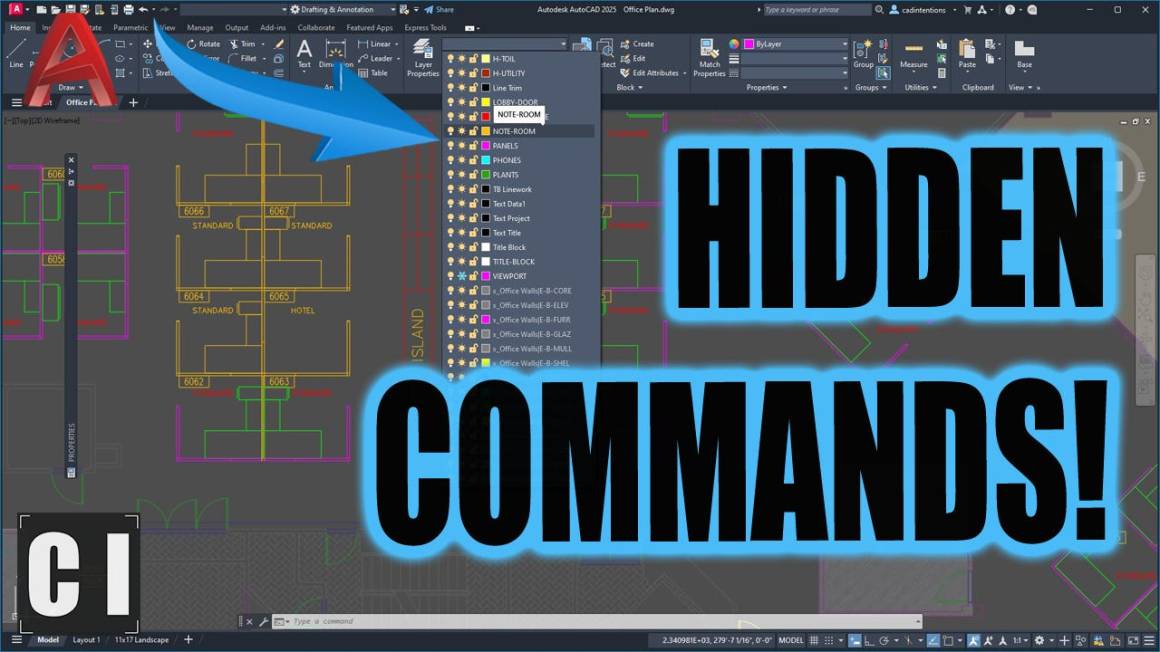
Thats where the LAYTRANS (Layer Translator) command comes in. In just a few minutes, you can use LAYTRANS to map old layer names to your current standards, instantly moving all of the old objects, linework and text onto new designated layers and properties in one easy to use dialog box.
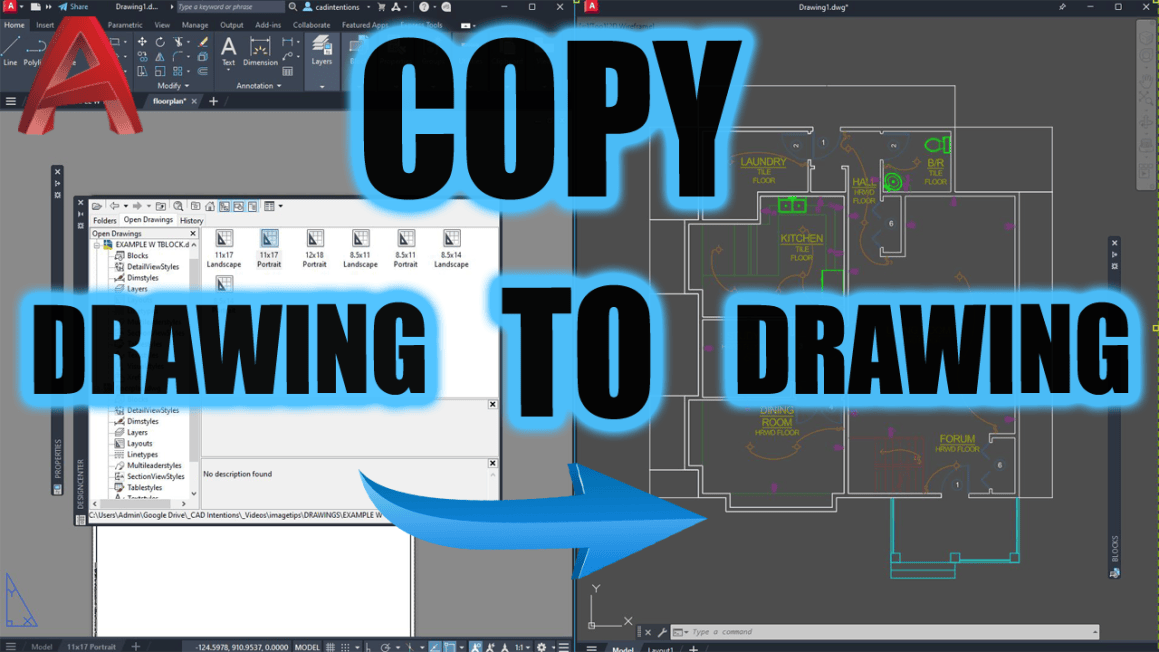
In today’s new video, I show you how to stop using messy workarounds and start using real productivity tools built right into AutoCAD when you need to copy or start from an old project drawing or simply want to save time by copying layouts, layers or blocks from another file.
You’ll learn:
The right way to reuse title blocks, details, and layouts
How to avoid importing messy layers and styles
Secret pro commands like LAYTRANS and ADC that I use daily
Click here to watch now This is a must-watch if you’re tired of cleaning up your drawings every time you re-use something.
Tool of the Week: Blackshark.ai
High-resolution 3D environments, from the creators of Microsoft Flight Simulator.
If you’re in civil, infrastructure, or site planning, this one’s wild.
Blackshark.ai lets you import accurate 3D context (roads, terrain, buildings) into your design environment using satellite and map data. It’s great for:
Conceptual renderings
Client presentations
Real-world design reviews
You’ll look like you spent weeks building a model—when you actually just imported it.
Check out: https://blackshark.ai
If you haven’t yet, check out my full AutoCAD Fundamentals & Workflows Course — it’s helped thousands of drafters and engineers level up their career and speed up their drafting by hours every week.
That’s it for this week! Let me know how you re-use old drawings, blocks and templates to save yourself time!
Cheers and happy drafting, Brandon
P.S. If you’ve got a colleague you know is going to SaveAs an old drawing and completely mess up a standard, forward this email or send them a link!
They’ll thank you later.
The following two tabs change content below.
Brandon is a Civil Designer, Aspiring Blogger/Creator, Husband, Father to two Amazing Kids and Tech Aficionado from a small town in Canada. He has been obsessed with design and technology since he can remember and working as a Civil Designer for nearly as long. Brandon’s blog and Youtube channel, CADIntentions.com has been his outlet and excuse for keeping up with new tech and trends in the CAD design world for the last 10 years growing to more than 60,000 subscribers and over 15,000,000 views, while also being the source of many great friendships and unique opportunities.
If you would like to Sponsor CAD Intentions or Work together in some way, Please visit my About Page and send me an email: http://cadintentions.com/about-me/
Concept design is the phase in which the product idea transforms into a real, buildable concept. It bridges the gap between a validated idea and detailed engineering. In this phase, the designers define the problem, explore different areas, create several sketches, test and refine solutions. The goal is not to make something look good but to create a product that balances functionality, user needs, materials, and manufacturing possibilities. Cad Crowd’s vetted network of professionals can help you at this exact stage to deliver reliable outcomes.
To better walk you through the article, a fictional “Loop” collapsible reusable coffee cup will be used as an example to show how an idea transitions from an early concept into a manufacturable product phase.
A concept design services usually begins right after validation and not before it. It is important to confirm first if there’s a real reason why this product should be built before committing to the concept work. Starting with sketches early would just be wasted time, effort, and money if it ends up not being needed by customers. The pre-design stages cover gathering insights for the creative process. It helps in better understanding the customer needs, reviewing competitors and defining key product requirements.
Write a one-paragraph problem statement
A strong product has a clear understanding of what problem it can and needs to solve. When it has a defined reason as to why it exists, everything can align to it. Before starting the sketches and drawings, it is helpful to write down a simple problem statement that briefly explains user frustrations. For instance, the problem statement is “Commuters carry disposable cups because reusable ones don’t fit easily in a bag”.
It is important to write down specific problem statements instead of using vague ones like “creating a more sustainable cup. Specific statements describe a goal. It allows the team to be focused on that intent all throughout the design process.
A concept sketch that’s drawn for “everyone” would often lead to unclear designs with too many features and no strong purpose. It may not be able to satisfy anyone at all. It is important to identify the specific person who will use the product and the main situation where they need it most. Concept design and sketch design services should have a clear identity so they cater to a focused target. This can help a lot in being consistent throughout the design process.
For instance, when doing a design for a reusable cup, it shouldn’t be just for “all coffee drinkers”. The focus can be improved by defining it as “for busy commuters who need a cup that fits inside a small work bag”. This can help well in setting a clearer direction for designers as well to come up with features that fit in the specific criteria. It can help in solving the primary problem rather than throwing in random trendy ideas.
Set non-negotiable constraints upfront
Before starting the concept design, it is important to set and define parameters and limits a product must follow. These constraints include ceiling budget, selling price, launch timeline, materials, safety requirements and industry regulations. When these expectations are clearly set, the designers would have a realistic expectation and know which options would work and would not. It helps them come up with a more practical and efficient solution.
For example, a cup that is designed to be sold at an affordable price would require simpler materials or only a few premium components. The parameters set the designers to think of materials that would fit the category and avoid complex manufacturing tools and processes that may be more expensive.
Identify success metrics before sketching begins
Before starting a concept drawing services, measurable metrics should be defined to track its success. A good concept is not just appealing but should meet the defined goals. Its metrics can relate to function, cost, size, materials, or user needs. When these requirements are clearly set, it gives the designers a clear vision of what to work on.
An example of this is how a success criterion for a collapsible coffee cup includes being able to fit in a small bag, reaching a specific folded size, food-safe materials, or staying at an affordable cost. These measurable metrics can help in comparing and evaluating the design if it’s aligned with the target goals.
Aside from listing the description and included features of the product, it also helps to list the exclusions. This should be done before doing the sketch. This allows the designers to know what is and what is not to be considered in their work. It helps in avoiding unnecessary features that could have cost implications or may delay the production timeline.
In the working example of building a reusable coffee cup, the focus is on its portability and easy storage. Its excluded features are the built-in temperature control system or any smart tracking. While this could be explored later as an upgrade, adding too many features too soon would just stray from the product’s main purpose.
How does ideation turn a brief into design directions?
Ideation refers to the creative process of generating multiple possible design directions. In this stage, the goal is not so much on the quality but rather on the volume of ideas. It lets designers focus on exploration across a wide range of possibilities through sketches, variations, and different approaches.
In the example of the Loop collapsible reusable coffee cup, the designers can explore different folding mechanisms, shapes, lid designs, and storage methods. While other generated ideas may look impractical or expensive, they could spark inspiration for better solutions.
Mind map outward from the core problem
Mind mapping refers to expanding the product idea beyond its initial obvious solution. It can start with a core problem and then later branch out into different areas that could influence the design. Most changes impact the shape, materials, mechanism, user needs and its target market.
For the working example of designing a Loop collapsible reusable coffee cup, the team might explore different folding mechanisms and what kind of materials could make it more durable so it can stand out from the ones existing in the market. This approach challenges broader thinking and uncovers ideas that are not too obvious during brainstorming.
One way to be aligned is to create a mood board. Gather and collect reference images that appeal to you and are quite similar to your project. It can include samples of materials, textures, finishes, shapes, and the existing problems. This can help everyone designing to have a sense of direction on the overall style and vibe before proceeding to the actual sketch.
For the working example of designing the Loop collapsible reusable coffee cup, the mood board would include images of a clean, minimalist aesthetic style, with matte finishes and comprising only neutral colors. It could have bold accents and textured materials but is still minimal. This defined visual helps the CAD designers to sketch that matches the vision and intended brand identity.
Sketch fast and in volume during early ideation
In early ideation, the goal is not really to come up with the perfect drawing but rather to explore as many possibilities as possible. Here, designers would just opt to create dozens of designs to test different elements like its shape, features, and other approaches. This can help in comparing and choosing whichever fits the vision and deserves more attention.
For the working example of designing the Loop collapsible reusable coffee cup, the early sketches would explore more of the different lid styles, grip shapes and textures, or ways in which the cup would fit the small bag. There are instances wherein some designs may not move forward, but all are useful in helping shape the final design.
Search adjacent industries for analogous solutions
Most great ideas are produced from adapting solutions that realistically work in other industries. During the ideation stage, the designer may look beyond their own product category and explore various fields or industries to see how they solve the same problem. For instance, a mechanism that’s used in luggage, outdoor equipment, medical design device services or other consumer products could inspire a better approach for an entirely different product.
In the example of designing a Loop collapsible reusable coffee cup, it could make use of concepts like camping gear or compact storage solutions that are used for travel products. While the references work on a different field, it could be possible to test it out; in case it’s also applicable for the cup.
Run a structured group session, not an open-ended one
In running an ideation session, it should be more than an open-ended question like “What ideas do we have?”. It could actually be more helpful if the discussion is more structured. It helps people to more focused and aligned to the same direction instead of making each concept perfect.
There are techniques like Crazy 8s, wherein participants can create 8 ideas in just 8 minutes. It encourages fast thinking and would generate more design options in a short timeframe. For the example of a Loop collapsible reusable coffee cup, an applicable structured session covers exploration of different folding mechanisms, shapes, materials and other user experiences.
What are the different types of concept sketches?
There are a lot of types of concept sketches and each works for different purposes. Each sketch style can help in solving different design questions. It is important to use the right type of sketch at the right stage as it can help the teams to communicate faster and make better decisions.
Quickly captures a new idea before it is forgotten
Internal design team
Very simple: Shows shape and feature only
Exploratory sketch
Compare different design options and choose the best
Internal team and client
More detailed: Shows proportions, key features and relevant notes
Presentation sketch
Communicate a chosen direction
Client, investors, stakeholders
Highly detailed: Includes shading, annotations, realistic visualization
Use thumbnail sketches to capture ideas, not to sell them.
The thumbnail sketches are meant to be rough and are quite disposable. These are the quick sketches used to capture ideas as fast as possible. They’re not really polished and meant to impress anyone. It just needs to be drawn in case there’s a sudden inspiration or an idea pops up. As long as it’s understandable to you, it’s enough.
For the working example, the Loop collapsible reusable coffee cup, the sketch can begin with small ones that show how it folds, the lid designs, and its handle styles. There could be a sketch that may not move forward, but it can help in discovering which ones have the most potential.
Use exploratory sketches to compare directions side by side
When ideas are narrowed down to dozens of thumbnail sketches, the next step would be to proceed to exploratory sketches. These are the drawings that need more detailing, like shape, proportions, key features, and how the parts would fit together. These sketches are still quick to produce, but they contain more information to compare with other details.
An explanatory sketch for the Loop collapsible reusable coffee cup would be a comparison of several folding mechanisms, lid design, and handle positions side-by-side. This helps in evaluating which best meets the project goals, user needs, manufacturing constraints, and budget.
Reserve presentation sketches for the chosen direction
Presentation sketches are only done when there’s already a design direction established. These drawings are more polished and have shading, annotations, realistic proportions, and refined details. It has to clearly communicate how the product is expected to look and function. The purpose of this sketch is to present a decision.
A presentation sketch for the Loop collapsible reusable coffee cup would show the final chosen folding mechanism, materials and key features in a way that clients and other stakeholders can understand.
Treat imprecision as a feature at this stage, not a flaw
In concept design, what matters the most is to communicate the ideas. It doesn’t have to have complete engineering details like dimensions, tolerances and other technical specifications. The sketches are actually flexible and allow designers to explore more forms and functions. It’s not fixed or locked yet since it’s too early to finalize decisions.
Generally, the concept design for the Loop collapsible reusable coffee cup could still go through several changes. It could be related to size, wall thickness, or folding mechanism. Precise measurements are not really required in this stage since it has to be fixed later.
How do you screen concepts for feasibility?
Check technical feasibility against known manufacturing processes
A concept can only be valuable if it can realistically be built. It’s best to invest in detailed engineering prototypes before each design can be reviewed for technical feasibility. A concept that is too difficult or expensive to produce may have to be simplified before moving to the next stage.
It is important to check first if the product can actually be made. It has to be compared against proven manufacturing methods like injection modeling, CNC machining, or 3D printing services.
Run a rough cost estimate, not a final one
Here, a full detailed estimate is not required. A rough estimate is all you need to know the general costs of material, manufacturing, and tooling. The goal of this is to identify ideas that fit in the target budget.
Do a quick legal and IP gut-check
Before committing to investing time and money in the design, a quick check to see if there’s already an existing similar design should be done. It helps in revealing possible conflicts before moving to the detailed engineering.
It is important to check on the materials, electronic parts, and other custom components that can be sourced within the target budget. It helps in knowing if there’s a need to source out other materials or processes or come up with a different design.
How does a concept move into CAD and renders?
Create rough CAD and refine through renders
Once the design direction has already been set, it can now move to 3D visuals. After the rough sketching and engineering design and visual, it can now proceed to photorealistic rendering services. This can show realistic materials, colors and finishes. These can be of great help, especially for non-technical stakeholders to better understand the product concept. The design can be refined through a series of feedback.
How do you choose the final concept?
Final product concept should be selected based on a structured evaluation not through subjective internal excitement. A strong concept has a perfect balance of functionality, customer needs, technical feasibility and business goals.
As per the defined requirements, it is important to evaluate each concept in a way it is based on how well it can solve the problem. Even though a design is visually appealing, if it does not function as intended, it can be a weak choice.
It can help to use a simple scorecard to help the team compare ideas more objectively. This way, factors like usability, manufacturing complexity, cost, materials, and market potential are accounted for and not just based on personal preferences.
Balance desirability, feasibility, and business value
For aproduct development expertsto be successful, it has to balance user demand, realistic development, and market potential. A concept may be exciting to turn into reality but could fail once launched if users don’t really need it. it could fail because it’s too expensive to manufacture. It’s important to score these to be able to account and understand the trade-offs.
In transitioning to detailed engineering, it could help to show the strongest concepts to potential users. Feedback from them can give valuable insights and may reveal issues the internal team has overlooked. It can be used to improve and reshape the design before it moves forward.
What should you expect to receive from a concept design engagement?
Deliverable
Format
Typical Stage
Design brief
Written document
Problem and goals definition
3-5 sketched directions
Thumbnail or exploratory sketches
During brainstorming, ideation
Feasibility memo
Short written summary
Feasibility screening
Refined concept render
Photorealistic 3D render, 2-3 colorways
Concept refinement
Selection scorecard
Simple weighted table
Concept selection
Frequently asked questions
How long does concept design usually take?
Typically, the concept design engagement may run several weeks. It covers ideation, 3-5 sketches, feasibility screening and one refined render.
Do I need a working prototype at the concept stage?
Not necessarily. Concept design deliverables are just sketches and rough CAD work.
What’s the difference between a concept sketch and an engineering drawing?
A concept sketch is intentionally imperfect and not really precise. It is meant to explore and communicate an idea. An engineering drawing has dimensions and tolerances, and should be precise enough for the manufacturing process.
How many concept directions should I expect to see?
Three to five sketched directions are standard for a single concept design round. It will then be narrowed to one refined concept after feasibility screening and selection.
Can AI tools replace a human concept designer?
AI rendering tools can help speed up first-pass visuals. However, they don’t screen for manufacturability, cost, or IP conflicts. It’s important to understand the production constraints to be able to identify possible problems a visual tool may miss.
Concept design is a stage wherein the validated idea begins to take shape to a product that can be realistically built, engineered and manufactured. Through a structured process like defining the problem, generating ideas and refining solutions, the costs can be lowered. This helps ensure that the product is not just visually pleasing but also practical, functional and more aligned with manufacturing requirements. To bring your idea to life, connect with Cad Crowd’s pool of vetted freelance product designers to help in transforming rough concepts to refined designs.
How Cad Crowd can help
Cad Crowd connects businesses with vetted electrical engineers, firmware developers, mechanical engineers, and CAD professionals who specialize in IoT product development, PCB design, embedded systems, enclosure design, wireless connectivity, prototyping, and manufacturing preparation. Whether you’re developing a simple connected sensor or a complex smart device, our professionals can help coordinate each stage of development and turn your concept into a functional, production-ready IoT product. Contact Cad Crowd today for a free quote and find the right engineering expertise to move your IoT project from concept to launch.
MacKenzie Brown is the founder and CEO of Cad Crowd. With over 18 years of experience in launching and scaling platforms specializing in CAD services, product design, manufacturing, hardware, and software development, MacKenzie is a recognized authority in the engineering industry. Under his leadership, Cad Crowd serves esteemed clients like NASA, JPL, the U.S. Navy, and Fortune 500 companies, empowering innovators with access to high-quality design and engineering talent.
I remember early in my career, I had an engineer come up to me to chat about a set of IFC drawings we had produced for a somewhat unique geotechnical design involving multiple retaining walls, including some more artistic/creative rock-stack style walls/benches to improve the aesthetics of the finished area.
His initial comment was “Why do these drawings look kind of crappy…”
I think he could tell right away that his comment didn’t come out the way he had meant it, likely from the reaction and look on my face.
He quickly explained, not that my design or production drawing actually had any issues at all, it was a very detailed design and well drawn, and laid out. More so, that it was in Black & White, the “design” linework was technical and flat.
For how much time we spent designing this unique and aesthetic design that once finished would look great in person, the drawings didn’t convey this with any color, extra shading/texture, imagery, or even 3d views that would all make these drawing Pop to the Client.
I agreed.. The Drawings were technically correct. Yes. Visually compelling? Not even close.
That was one of the first times I was given the push to really go the extra mile for the visual aspects of a design. There isn’t always the time, budget or team to do this but when possible, I always like to give my drawings a little extra something!
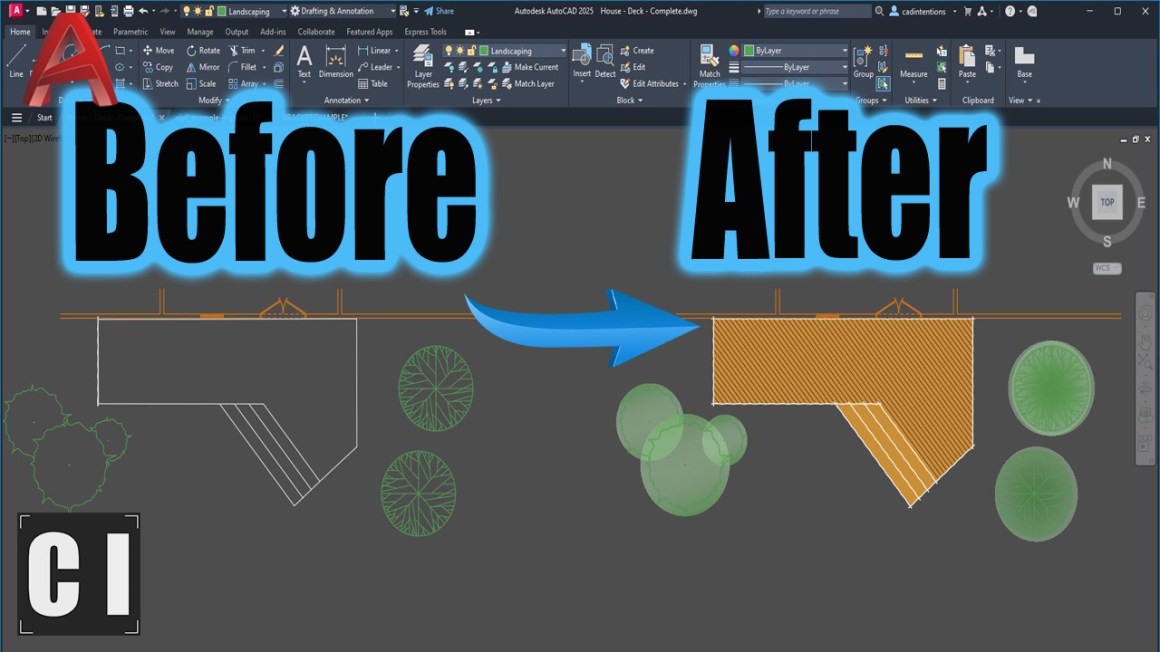
AutoCAD drawings don’t have to stay plain black-and-white linework. A few small visual upgrades can completely change how professional and polished your work feels, especially when presenting to clients or building a portfolio.
That’s what this week is all about.
Quick Tip: Use Lineweight Hierarchy
If you do nothing else, start here.
Most drawings look flat because every line has the same weight.
Try this:
Heavier lineweights for borders and key elements
Medium for primary geometry
Lighter or greyed out styles for background or secondary info
Even in black and white, this instantly adds depth and clarity.
Your goal isn’t decoration, it’s visual hierarchy and ensuring the reader knows what’s important.
Visual Tricks That Instantly Upgrade Your AutoCAD Drawings
In this week’s video, I break down simple visual techniques that transform your drawings from plain to polished.
You’ll see how to:
Use advanced hatches and transparency
Upgrade your blocks
Add subtle gradients and texture
Use text masks for cleaner notes
Insert isometric views for context
Post-process for a presentation-ready look
These aren’t gimmicks; they’re small adjustments that make your drawings feel intentional and professional.
If you’d like 1 on 1 training and instant improvements to your templates/workflows, reach out for Custom Template Upgrades, Automations, Consulting etc.. Email me: brandon(at)cadintentions.com
Tool of the Week: GIMP (Free Photoshop Alternative)
If you want to take your presentation drawings one step further, try exporting your PDF from AutoCAD and dropping it into GIMP.
GIMP is a free image editor (similar to Photoshop) that lets you:
Add soft shadows
Brush in color highlights
Overlay textures
Add subtle marker-style effects
This is especially powerful for:
Concept presentations
Portfolio sheets
Client visuals
It’s a simple way to bridge technical drafting and creative presentation. https://www.gimp.org/
If you’ve ever felt like your drawings are technically solid but visually underwhelming, start with small tweaks, they compound quickly.
That’s it for this week!
Cheers and happy drafting, Brandon
P.S. If you’ve got a colleague who is secretly artistic and wants to go the extra mile for their drawings, forward them this email or send them a link!
They’ll thank you later.
The following two tabs change content below.
Brandon is a Civil Designer, Aspiring Blogger/Creator, Husband, Father to two Amazing Kids and Tech Aficionado from a small town in Canada. He has been obsessed with design and technology since he can remember and working as a Civil Designer for nearly as long. Brandon’s blog and Youtube channel, CADIntentions.com has been his outlet and excuse for keeping up with new tech and trends in the CAD design world for the last 10 years growing to more than 60,000 subscribers and over 15,000,000 views, while also being the source of many great friendships and unique opportunities.
If you would like to Sponsor CAD Intentions or Work together in some way, Please visit my About Page and send me an email: http://cadintentions.com/about-me/
The right professional highly depends on what your product specifically needs next. You may start with an industrial designer when your design concept is undefined, or with a mechanical engineer when its manufacturability and functionality are the main challenge, and a CAD drafter when the ones needed are production drawings. Products that involve electronics may require a firmware developer and freelance electrical engineer in parallel. Having a product idea but still unsure who to specifically hire can really be a challenge. The terms industrial designer, product designer, and mechanical engineer are somehow used interchangeably, even though they all focus on different parts of the development process. And this can really be difficult to know, especially when you are just starting and you have difficulty deciding which one to account for first with regard to the right expertise your project needs.
In this article, we will highlight a significant breakdown of the differences between each role and further explain what it typically handles during product development. You’ll learn when the right time is to hire a product designer, mechanical engineer, or an industrial designer, and how their skills overlap. Platforms like Cad Crowd help you find the right expertise for your project’s next stage of the process.
What is the difference between: industrial designer, product designer, and engineer?
Job titles may vary over industries and companies. So, the specific responsibilities of an industrial designer, product designer, or engineer can really overlap. Instead of merely focusing on the titles, why not focus more on what they are expected to deliver?
Industrial engineers
They are known as professionals whose work focuses on how a certain product looks, feels, and interacts with the actual user.
Typical Deliverable
Purpose
Concept sketches
Explore product directions
3D renders
Visualize appearance
CMF boards
Define materials and finishes
Ergonomic studies
Evaluate user interaction
Styled CAD
Establish product form
A-surface models
Define high-quality visible surfaces
Product designer
They work across product development and industrial design services, connecting user needs, product requirements, functionality, and appearance. It highly depends on the company what they contribute to, such as product concepts and user experience, prototyping and design refinement, and product decisions.
Freelance mechanical engineers are the ones who ensure how a certain product performs and functions. They may work closely on several factors like mechanical systems, internal architecture, tolerances, materials, and structural requirements, while still considering both design for manufacturing (DFM) and design for assembly (DFA).
Typical Deliverable
Purpose
Engineering CAD
Develop functional mechanical components
Mechanical layouts
Define how internal components fit together
Tolerance schemes
Control variation between parts
Engineering drawings
Communicate manufacturing requirements
Bills of materials (BOMs)
Define required components and materials
DFM reviews
Evaluate manufacturability
Prototype specifications
Define requirements for physical testing
CAD drafter/modeller
CAD drafters and modelers specifically focus on executing CAD models and converting design direction into more detailed technical documentation.
Typical Deliverable
Purpose
3D CAD models
Create accurate digital product geometry
2D drawings
Communicate dimensions and specifications
Manufacturing documentation
Support manufacturing with technical information
Assembly drawings
Show how components fit together
GD&T documentation
Define acceptable dimensional variation when qualified
Expert drafters may have GD&T expertise, but CAD modeling and drafting alone do not always replace engineering judgment. For powered or connected products, electrical engineers are significantly needed for power systems, PCBs, circuits, and electrical architecture. On the other hand, typically handle software embedded in the hardware, like controls, device behavior, and sensors.
When do you need an electrical engineer or firmware developer?
Some products mostly need expertise that is beyond mechanical engineering servicesand industrial design. If a certain product uses sensors, batteries, electronics, wireless connectivity, a firmware developer or an electrical engineer may actually need to be involved throughout the process of development.
Professional
Typical Responsibilities
Electrical engineer
Schematics, PCB requirements, power systems, wiring, sensors, electrical safety, and hardware integration
Firmware developer
Embedded software, microcontroller programming, device logic, sensor behavior, and communication protocols
These professionals typically work in parallel with mechanical engineers and industrial designers in making sure that the physical products, software, and electronics work perfectly together. For example, a wearable device may need an industrial designer, specifically for its ergonomics and form; a mechanical engineer, who specializes in its enclosure and internal structure; an electrical engineer, who handles its power system and sensors; and a firmware developer to appropriately control how the device operates. This collaborative approach is mostly common for products like wearables, IoT devices, robotics, smart appliances, and connected consumer electronics, where there is a need for multiple disciplines to successfully produce. The distinction between all these professionals is not simply based on job titles.
According to the U.S. Bureau of Labor Statistics (BLS), mechanical engineers and freelance industrial designers are known as distinct occupations with different areas of expertise. In May 2024, the median annual wage for industrial engineers was $79,450, and for mechanical engineers was $102,320. It mainly highlights the different professional paths and responsibilities that have been associated with each of the disciplines. This also reinforces why it’s best to select the right specialist according to the specific work that your product needs, and not merely on the job title alone.
Are you confused about which professional your product specifically needs next? Whether you’re refining the ideas and concept, preparing designs for manufacturing, or solving a mechanical challenge, platforms like Cad Crowd can help you connect with the right and experienced engineering and design expertise that can attend to your project’s current stage.
Who should you hire?
Discipline
Primary Focus
Typical Deliverables
Common Tools
Typical Hourly Range*
Industrial designer
Form, ergonomics, CMF, A-surfaces
Sketches, renders, CMF studies, styled CAD
KeyShot, Rhino, Alias, SolidWorks
$50–$150/hr
Product designer
User needs, product concept, form + function
Concepts, prototypes, product specifications, CAD
Figma, SolidWorks, Fusion, Rhino
$50–$150/hr
Mechanical engineer
Function, architecture, DFM/DFA, tolerances
Engineering CAD, drawings, BOMs, DFM reviews
SolidWorks, Creo, Fusion, Inventor
$60–$180/hr
CAD drafter/modeler
CAD execution and documentation
2D drawings, 3D models, assemblies
AutoCAD, SolidWorks, Inventor, Fusion
$25–$100/hr
Electrical engineer
Electrical hardware and systems
Schematics, PCB layouts, wiring diagrams
Altium, KiCad, Eagle
$60–$180/hr
Firmware developer
Embedded software
Firmware, device logic, communication code
C/C++, Python, embedded IDEs
$50–$150/hr
Finding the right professional highly depends less on their job title and more on the deliverable that your specific project needs next. The table below shows the general comparison of the different roles that are commonly involved in the process of product development. Hourly rates are generally illustrative freelance market ranges and not fixed Cad Crowd pricing. It can surely vary significantly by experience, location, specialization, and project complexity.
One of the major practical rules is to hire according to what the next milestone of your product mainly needs. If you are still in the exploration stage, especially when it comes to your product’s appearance and user experience, it is safe to hire an industrial or product designer. But if you need tolerances, DFM design services, functional development, or engineering drawings, one that’s more appropriate is to opt for a mechanical engineer. And for any technical CAD documentation, a CAD drafter or modeler is what’s best for it. Powered and connected products may need additional care for electrical engineering and firmware expertise. In most projects, the best approach is usually bringing in different specialists at different stages, where specific expertise is most needed.
What does the typical product design sequence look like?
This is a typical product development process, general sequence.
Idea
↓
Industrial design/concept development
↓
Concept selection
↓
Mechanical engineering
↓
Prototype
↓
Testing
↓
DFM/DFA review
↓
Detailed CAD + drawings
↓
Manufacturing
The process of product design services usually begins with an idea and is followed by industrial design and concept development, exploring the product’s form, user experience, and appearance. After choosing the best concept, mechanical engineering significantly focuses on the design’s internal structure, functionality, and manufacturability. They will then create a prototype for testing, which allows the team to identify any design issues to address them early. Next is a DFM or DFA review to optimize the product for efficient manufacturing and assembly. The design will then go through detailed CAD and technical drawings before it moves into manufacturing. This practice is generally iterative, with teams moving back and forth between stages as feedback and testing lead to improvement of the design during the process.
How do industrial designers and mechanical engineers work together?
Industrial designers and mechanical engineers are known to typically work in a relay instead of just working on separate or one-time hires. The industrial designer usually leads the product form, CMF, user experience, and ergonomics, while the mechanical engineer, on the other hand, specifically focuses on the internal architecture, function, tolerances, and manufacturability. Their work can usually overlap throughout the development. A mechanical engineer can determine a manufacturing or internal constraint that needs the Industrial designer to adjust with the exterior, while design changes may need an engineering revision. This back-and-forth collaboration helps greatly in ensuring that the final product is not just functional and manufacturable, but also comfortable and appealing.
Who should you hire first if you only have an idea?
When the thing is you only have a rough idea, product vision, or sketch alone, it’s safer to start with an industrial designer or freelance concept designer. Their main role is to turn those abstract ideas into a visual concept, help you explore different form directions, consider ergonomics, and define what your product could become. At this stage, the primary goal is not for production-ready CAD, but to answer the most relevant question: what should this product be? And once everything is clear- the concept and the overall direction- that is the time when you could bring several specialists for further development.
What if the product looks defined but doesn’t work?
If your product already has a clear visual direction, defined exterior, or a basic CAD model, but has problems with assembly, strength, mechanisms, manufacturability, or internal packaging, a mechanical engineer is what’s best for you. Their major role is to evaluate the design from both functional and engineering perspectives. At this very stage, the most relevant question is: how do we make this product work reliably? And a mechanical engineer helps in developing the internal architecture, addressing any structural concerns, refining mechanisms, and preparing the design for manufacturing.
What if the product works but looks ugly or feels unusable?
If the product already works but has poor ergonomics, an appealing appearance, weak visual identity, awkward proportions, or poor material and finish choices, this is where you should hire an industrial designer. They are the ones who refine your product’s form and user experience without the need to compromise its intended function. Mechanical engineers may remain involved throughout the process in order to protect the product’s critical interfaces, internal architecture, functional performance, and structural requirements. This healthy collaboration helps ensure that improvements to the product’s usability and appearance do not meet with any other engineering problems later.
Who should you hire when you need factory-ready drawings?
If your product design has already been completed and what you need are detailed drawings, assembly drawings, GD&T dimensioning, or manufacturing documentation, you most likely need to have a CAD drafter or modeler who has GD&T competence. However, if tolerances, structural requirements, materials, or manufacturing specifications are still not clear, you most probably need to have the help of a mechanical engineer. Drafting can document an engineering decision, but it must not replace the engineering judgment that is required in determining whether the design will reliably perform and can be manufactured as intended.
What if your product includes electronics?
For products with sensors, PCBs, motors, batteries, or wireless communication, you must bring in electrical engineers, and in parallel with mechanical design. PCB dimensions may significantly affect enclosure size, battery placement may affect its internal packaging, connectors can heavily influence housing geometry, and heat generation may affect mechanical design. And for any connected products, a firmware developer can begin working alongside the electrical engineer in developing embedded software, communication functions, and device logic as the hardware is being developed.
What happens when you hire the wrong specialist?
Hiring the wrong specialist may lead to greater problems that go far beyond the cost of an hourly rate. For example, if you hire a CAD drafter when your project needs engineering expertise, you can produce an accurate CAD model services that looks accurate, but fails to meet structural, functional, or manufacturing requirements. On the other hand, if you hire an engineer without any industrial design support, it may lead to a product that works well but doesn’t look attractive or feels uncomfortable to use. It is important to choose the right specialist based on what your project specifically needs next, so you can avoid any potential problems.
Stuck and unsure about who to hire first? You don’t have to guess. You can just easily post your project on CadCrowd’s website and explain what you already developed and what you currently need next. And we can connect you with different design or engineering professionals whose expertise best matches your project’s current stage.
Frequently asked questions:
Does a mechanical engineer need an industrial engineer?
Depending on the product to be designed. Highly technical products may need an engineer. Consumer products usually benefit from both industrial and technical design expertise.
Can an industrial designer also create engineering CAD?
Sometimes, but surface-focused or styled CAD is unlike any engineering-ready CAD. You can start by checking the designer’s portfolio and deliverables before expecting that they could cover both disciplines.
When should GD&T be added to a product design?
GD&T should be added when the functional relationships and standard manufacturing requirements are clearly understood, usually as part of engineering documentation before proceeding to production.
Do electronics need to be designed before the enclosure?
Not necessarily. Electrical and mechanical teams mostly develop the architecture together. So, both electronics and physical enclosure design may accommodate each other.
Choosing the best professional begins with identifying what your product specifically needs next. It depends on its specific needs who you hire as the right professional that could help in developing its process. It’s either a mechanical engineer, industrial designer, or a product designer. What matters most is that you are aware of your next goal to know who to go to for a successful production. But if you are still unsure and unaware of where your project certainly fits, Cad Crowd can help you. So, there’s no need to worry. You can just provide your project, explain its current stage and goals, and Cad Crowd will automatically connect you with the right professionals who best suit the work ahead.
Choosing the right professional for your product development project can make a significant difference in how smoothly the design moves forward. Cad Crowd connects businesses with vetted industrial designers, product designers, mechanical engineers, CAD professionals, electrical engineers, and firmware developers who can support different stages of development. Whether you need help refining an early concept, improving functionality and manufacturability, creating detailed CAD models and drawings, or integrating electronics and embedded systems, Cad Crowd can help you find the expertise that matches your project’s current needs. Contact Cad Crowd today for a free quote and connect with the right professional to move your product from concept to production with confidence.
MacKenzie Brown is the founder and CEO of Cad Crowd. With over 18 years of experience in launching and scaling platforms specializing in CAD services, product design, manufacturing, hardware, and software development, MacKenzie is a recognized authority in the engineering industry. Under his leadership, Cad Crowd serves esteemed clients like NASA, JPL, the U.S. Navy, and Fortune 500 companies, empowering innovators with access to high-quality design and engineering talent.
Every design decision needs a trade-off: “Good, fast, cheap – just pick two.” In reality, it goes beyond the engineering work. This is a challenge as it must be understood how cost, performance, and speed can be integrated throughout the lifecycle of a product.
Teams in engineering ensure that trade-offs are seen as vital in business decisions and not just in technical details. It considers how designs work in the stages of prototyping, how they will scale for production, and how fast they reach the target market. Experts in the field of engineering guidance ensure that it helps the teams make smart decisions. Cad Crowd partners and connects with companies that have specialized freelance engineers who can review the work and check the risks before proceeding with companies that will spend a significant amount of money.
This is the cost to make each unit of a product. It consists of the bill of materials (BOM), the manufacturing labor, and the tooling costs that cover the production. If unit cost is optimized, the trade-off will be needing higher tooling or longer development time.
Development cost and time
This includes the non-recurring engineering (NRE), prototyping, testing, design work of the products, and the time that is needed to bring the product into the market. Teams may prioritize speed by making use of existing components and standard modules, even if these choices result in an increase in the final cost of the unit.
Technical performance
Technical Performance is the functional envelope of a product design services. It refers to how well a product works with its function, reliability, durability, accuracy, as well as with the user’s firsthand experiences. The trade-off in optimizing technical performance is the need for premium materials and a lot of testing. By improving any of the factors, it greatly affects others. One instance is when using a premium material might improve performance, yet it can also increase the unit cost.
The right decision depends on the size and number of units a company expects to have. An important aspect in the trade-off analysis is the anticipated production volume. This centers on having the same design decision; while being optimal for a prototype run of 100 units, it might be ineffective in producing 100,000 units.
Production Context
Typical Design Bias
Low volume prototypes or pilot runs
As Unit Cost being higher, it favors speed and flexibility
High volume production
To reduce unit cost, it is crucial to invest in custom tooling or have the components be optimized
High time pressure
Utilization of off-the-shelf modules to accelerate the launch
Performance critical products
Apply reliability and functionality, despite increase in cost and development time
When there is a high production volume, engineers focus on decreasing the cost of the unit. Having a small reduction in the bill of materials can have a great effect, which is by saving a lot across a thousand units. When the pressure of high time comes, the teams are choosing off-the-shelf modules as it reduces the risks and the time. It can also increase BOM cost, as products reach the market quickly.
Concrete trade-off pairs
Common trade-off pairs ensure that the engineers are comparing the two competing priorities. One option can offer a reduced upfront cost, save time, and some options offer improvement in performance, scalability, and long-term profitability. Selecting the option for the trade-off must include the best choice that can create a balance for the specific project.
An off-the-shelf module reduces the time of development and risks that could happen, as it is already proven, and components are pre-certified. On the other hand, Custom PCBs reduce the unit cost and optimize the size or the production volume. Yet, this might require validation and a lot of NRE. This trade-off is usually seen in electronic design services. One example is that a pre-made Wi-Fi module can speed up the launch of a connected consumer device. In order to lower BOM costs and enhance integration, the company may redesign the electronics into a custom PCB after demand has been verified.
Aluminum prototype tooling vs. production steel
Aluminum Tooling centers on offering a low upfront cost and fast lead times. This offer is suitable for prototypes and short production runs. Steel tooling, on the other hand, does require a larger initial investment; however, it produces better durability and consistency and offers a lower cost per part for high-volume production. This trade-off takes place in manufacturing and in injection molding. For example, a startup can use aluminum tools for the production of 300 test units. If the product becomes big, it can scale up to 30,000 units; production steel tooling must be utilized for a better long-term economic choice.
Tighter tolerances vs. manufacturing yield
Tighter tolerances can improve the precision, performance, and product fit. Reduced scrap rates and increased manufacturing yield are two benefits of tighter tolerances. Tolerance in design is the amount a part’s size can be slightly different from the intended measurement and still work properly. If there is a need for precision in the assembly of mechanical design parts, it may require tight tolerances for proper operation. On the other hand, giving non-critical features needless precision can lengthen the machining process and lower yield without improving customer value.
Of course, a larger battery also means that it has a higher capacity to store a larger amount of battery, but it comes with a larger size and weight. Although a smaller battery can reduce the product’s size, making it more compact, the trade-off is lower capacity and shorter usage time. This is commonly seen in smartphones, gadgets, or any portable devices. An example of this is how a product can be a comfort as it does not consume or take a lot of space. A wearable device that is designed to be comfortable needs a smaller battery. While sensors used in industry prioritize a long battery life even if the product size is big, it can also offer better convenience.
Design debt: the hidden cost of compromises
Some of the trade-offs can be permanent, and some are not. Every design decision can have its own effect on various aspects of products. Some compromises create design debt, which mainly is focused on the decisions that solve the problem and make the improvement more challenging and expensive to solve. Trade-offs are unavoidable, and the long-term effects are frequently overlooked until the product has been introduced in the market, when the states and the expenses go.
Choosing a quick and temporary fix will result in an expensive and harder solution later on. An example of design debt includes using a temporary module, which in the later stages makes the integration challenging. Choosing a material that does not meet the requirements, such as durability. As well as adding features without considering how it will affect production. Producing more versions can be expensive and time-consuming due to design debt, as teams may need to redesign some parts of the product. By identifying the design debt, companies can have information and decide more clearly rather than spending a lot due to redesigning.
With the use of a simple decision matrix, teams can compare the design options. A simple decision matrix makes it possible to help the product teams have design options in an organized and clear way. Rather than relying on guesswork and assumptions, the teams evaluate the options using the same set of criteria and priorities. Suppose that the team is comparing the two design options for the electronic design product. The team scores each option on a scale of 1 to 5. A score of 5 means the option performs well on a specific criterion.
Criteria
Weight
Option A
Option B
Unit Cost
40%
3
5
Development Speed
30%
5
2
Performance
20%
4
5
Scalability
10%
2
5
How the weighted score works
The weight indicates the significance of each criterion. A higher weight indicates a greater influence on the final decision.
Option A calculation
Weighted score
Unit cost: 3 × 0.40
1.20
Development speed: 5 × 0.30
1.50
Performance: 4 × 0.20
0.80
Scalability: 2 × 0.10
0.20
Total
3.70
Option B calculation
Weighted score
Unit cost: 5 × 0.40
2.00
Development speed: 2 × 0.30
0.60
Performance: 5 × 0.20
1.00
Scalability: 5 × 0.10
0.50
Total
4.10
Interpreting the results
Option A shows that it scores higher in development speed; thus, it is better when the top priority is the time-to-market.
Option B calculation provides a score that is higher in unit cost, performance, and scalability. Thus, it is a better option for production that has a high volume.
The higher total scores recommend that the option must match the weighted priorities.
How to use it in practice
To be able to carry it out, it is vital to understand the things involved so that the flow will be easier to get by. Identifying required criteria: Start by familiarizing yourself with the specific choice and decide what factors matter for the product.
Assign weights: Give more weight to factors that are most essential to the product’s goal. Ensure that the weights add up to 100%.
Score each option: Use a consistent rating scale, such as 1 to 5, to avoid confusion. 1 is the lowest, and 5 is the highest score.
Calculate weighted scores: After getting the score, multiply each score by its weight.
Compare overall score: In choosing the best option, the stronger option is the one with the higher weighted score.
When to adjust the weights?
Adjusting the weights in the decision matrix should be done when the priorities of the projects change. It is important to note that the weight tells how crucial each factor is. This means that a higher weight will result in a factor that has a bigger influence on the final decision. Always check the project’s priorities as they might change, and it will be easier to adjust the weights. By making sure that the weights are adjusted carefully, the teams can guarantee that the decision matrix recognizes and reflects the real goals of the projects, which will then support the engineering design trade-off decisions.
The presence of a decision matrix does not automatically mean that it provides a decision. But it helps the teams have discussions about the trade-offs in a clearer and more organized way. Discussion often includes showing why one option is better than the other. With this kind of reasoning, it will be easier to comprehend what the reason is behind the final decision.
If a startup needs to launch a product quickly, it may instantly assign a higher weight to the development speed. When a product is expected to be selling in massive volumes, the teams can assign a higher weight to scalability and unit cost. By weighting and scoring the options, it will be easier to have the teams create trade-offs, making it more transparent, and provide solutions that are best in supporting the goals of the products.
Where experienced engineering judgment creates value
Decisions in trade-offs are vital, especially when the experienced engineer makes them. It becomes really valuable. An experienced engineer can recognize problems and identify questions such as: will the choices become a bottleneck at a higher production volume? Could a higher NRE reduce long-term unit cost significantly? Does the design choice provide an avoidable design debt? While a less experienced team can merely focus on the cost savings, freelance engineering experts can make a great impact that could change and uncover the underlying issues, which can result in a better solution.
Cad Crowd provides a value that is beyond what a platform and a marketplace can do. The product design trade-offs are in need of engineers who could help ease and evaluate the whole system. This system includes technical requirements, processes in manufacturing, cost drivers, business goals, as well as supply-chain constraints. With the use of Cad Crowd, companies can actively engage with the professionals and experienced freelance engineers who could help in targeting the design review, manufacturing assessments, analysis of technical feasibility, as well as with the studies in cost optimization.
Cad Crowd offers experienced engineers who can evaluate trade-offs, identify hidden risks and issues, and recommend practical design strategies before making a big decision and commitment. By allowing companies to connect with experts in areas such as PCB design services, mechanical engineering, and product development, Cad Crowd makes it possible for teams to have better information on trade-offs. Instead of having the task be completed, the results are more comprehensive in the product strategy, and it balances cost, performance, and speed. Cad Crowd is a great extension of help as it will be much more efficient to have a decision that is clearly understood.
Having experienced engineering guidance, teams can easily validate guesswork and assumptions, reduce design debt, and have a decision that supports the long-term success of the product. Cad Crowd does not just connect; it offers partnership as well, and it gives companies access that could help in design trade-offs by providing a perspective on both technical and commercial aspects.
Engineering trade-offs are necessary in the process of product design; it is completely normal to have them. The product teams must guarantee the balance of the unit cost, technical performance, development cost and time, while still thinking of the market pressure that is seen as well as the production volume. Successful teams communicate and evaluate the trade-offs thoroughly and choose the best option that provides a strong overall value not just for the product but also for the business.
Wrapping it up
The presence of Freelance product engineering experts guidance is valuable, especially in making decisions on the trade-offs. It can uncover risks that can also solve the problem. Cad Crowd connects with companies that have specialized engineers who can provide the suitable insights where decision-making matters. It is not all about choosing the cheapest, fastest, or the highest performing option, but decisions must be made in a way that creates options and provides the strongest value for the business. Product teams can lower risk, avoid expensive redesigns, and produce products that are competitive in the market, feasible to manufacture, and positioned for long-term success by strategically addressing trade-offs.
Making the right engineering decisions can have a major impact on a product’s cost, performance, development time, and long-term success. Cad Crowd connects businesses with vetted engineers and design professionals who can evaluate design options, identify potential risks, and provide practical guidance throughout product development. Whether you need support with PCB design, mechanical engineering, prototyping, DFM, product development, or cost optimization, Cad Crowd can help you find professionals with the expertise needed for your project. By getting experienced engineering input before making major design commitments, you can reduce costly redesigns, avoid unnecessary design debt, and make better-informed decisions that balance performance, speed, and cost. Contact Cad Crowd today for a free quote and find the right expertise to help move your product forward with confidence.
MacKenzie Brown is the founder and CEO of Cad Crowd. With over 18 years of experience in launching and scaling platforms specializing in CAD services, product design, manufacturing, hardware, and software development, MacKenzie is a recognized authority in the engineering industry. Under his leadership, Cad Crowd serves esteemed clients like NASA, JPL, the U.S. Navy, and Fortune 500 companies, empowering innovators with access to high-quality design and engineering talent.
There are two kinds of problems in the engineering process of a product design: the problems you want to solve using a planned product and the problems you bump into when developing the product in question.
In an NPD (New Product Development) project, the first kind has everything to do with the design objective, as the product you’re developing is supposed to provide solutions to those problems. For example, market research discovers that bicycle helmets are made with too much plastic; this is the problem. With that in mind, you design a helmet built almost entirely from eco-friendly materials because it’s better for the environment; this is the objective, aside from commercial success, of course.
Engineering constraints should not slow innovation. They should guide better engineering decisions. Cad Crowd gives companies access to a global network of vetted engineering professionals with expertise in CAD design, simulation, prototyping, DFM/DFA, manufacturing design services, and product development. By addressing technical, manufacturing, ergonomic, and regulatory challenges early, Cad Crowd helps businesses reduce risk, improve product quality, and accelerate the path to production.
As for the second kind, they naturally reveal themselves during the development. They’re restrictions you must find a workaround for while attempting to achieve the objective. In the world of engineering design, such restrictions are referred to as “constraints” that govern how the product is supposed to be made. One of the easiest examples is an economic constraint, or to put it simply, a budget limitation. Without this constraint, you risk spending too much money on the development process and end up creating a product that costs more than what your target market is willing to pay. If you have to price the helmet at, say, $1,000 per unit to keep the business profitable, your list of potential customers might shrink a great deal.
No escape from constraints
Depending on the product type and complexity, there can be quite a lot of engineering design constraints you just can’t ignore before production. Constraints are like boundaries, a set of barriers to keep you within the confines of what is achievable while taking into account the budget, development time, profitability, environmental impact, practicality, and user experience.
Economic constraints
The money matters of product engineering and design. As the name implies, economic constraints are centered around the resource (specifically the financial sort) limitations that inevitably affect just about every phase of product development, from concept creation to commercialization. Awareness, sometimes acceptance, of economic constraints plays a crucial role in determining whether the project is at all viable in the first place, within the limits of the available financial resources. You don’t run an NPD design project just for the sake of it; at the end of the day, you still want to deliver a good product that fulfills market demands and recoups the investment.
Market research brings about this awareness of economic constraints. Much of the research revolves around the evaluation of market size along with its segmentation (to determine specific target demographics) and analysis of distribution networks. In essence, it’s research to figure out where the product may flourish. The “where” in this case refers to both price range position (basics or luxury, consumer or professional-grade, convenience or specialty, etc.) and literal location. Findings from this research offer insights into customer expectations and economic realities, prompting the engineers and designers to tailor the product accordingly.
As the development is underway, you’ll be dealing with a fair share of economic constraints influenced by multiple cost factors. Chief among these is design cost, that is the sum of expenses you spend mostly on labor (hiring the design team) and computing resources (the design tools). The vast majority of modern NPD projects rely on CAD software, meaning you have to hire professionals familiar with CAD for product development and purchase the necessary software license. These two expenses alone can amount to thousands of dollars depending on how big the team is.
A likely alternative is to hire freelancers, who in most cases are prepared to work with their own tools, allowing you to slash multiple expenses into a single cost item. As far as NPD freelancers are concerned, Cad Crowd remains the best platform all around, giving you instant access to a massive network of pre-vetted CAD experts specializing in product design and engineering. It also has a Managed Services package, with which you get to assemble a multidisciplinary team to tackle even the most complex project.
Another factor that contributes to economic constraints is manufacturing costs that may include tooling (such as for injection molding design firms), assembly, labor, and quality control. This is assuming you plan to collaborate with a factory partner instead of building your own factory, in which case you have a lot more overhead from facility-related expenses. That being said, a contract manufacturer can and will charge an amount to cover them during the time of the production run. In addition, there are distribution costs that encompass at least expenses for transportation, packing, and storage or warehousing. Distribution happens after manufacturing indeed, but the costs associated with the activity should be listed as constraints for the simple reason that it affects (albeit indirectly) design decisions such as materials, finishes, and packaging.
Economic constraints arguably make for the most challenging aspect of product development services. Every decision you make has an impact on (and is affected by) financial resources. Budget limitation is an inescapable hurdle, but that’s where the “engineering” part comes in. A big part of the job is to make the best of the available resources. Efficient allocation is key to making sure the project gets to fulfill all its objectives and turns out to be a profitable endeavor without budget overrun.
A good product is one that functions as intended, often repeatedly, unless you’re talking about disposable products, where the product only needs to work once or twice before it gets thrown into the trash. Whether disposable or not, a product that works well is an indication of a design fulfilling its purpose. It sounds straightforward enough in principle, but can be mighty tricky in practice because, once again, there are some functional constraints to navigate through.
First and foremost is geometry. Product dimensions and arrangement of parts or components affect how well a product can function. A lot of it depends entirely on the nature of the product itself. For instance, you’re developing a new electric shaver. Since it’s supposed to be a handheld product, it can’t be too large yet still reasonably sized to fit a battery, a motor, and a blade mechanism inside. The geometry of the design (mostly size and form factor) creates physical boundaries and a guide on how you should stack the parts together to make a working product. It’s related to “ergonomic constraints” to be discussed later.
Next on the list is motion. Parts move and interact with each other to form a mechanism. Movements may include linear, rotary, reciprocating, and oscillating motions. In a product like an electric shaver, the motions are typically spinning/rotary or oscillating blades. Apart from the direction, you must also consider speed and acceleration.
And then there are the byproducts of functionality, such as heat and air pressure. These are not desirable effects of a function, but ever-present nevertheless. Product geometry and dimensions must accommodate all those motions (or any sort of inner mechanism) and their likely effects to enable proper functionality. Even when the products have no mechanical moving parts, for example induction cooktops and light bulbs, heat remains a persistent byproduct, so there has to be a design solution that minimizes its negative impact on the system. Passive cooling and heat-resistant materials are common workarounds for this matter.
Safety constraints
A good product doesn’t just function well. It needs to be safe to use. In an engineering design process, dealing with safety constraints means figuring out effective solutions to prevent harm and minimize risk (to people) from using the product. This is why prototyping and beta testing are crucial steps in product development.
Engineers must understand how the product works in real-world scenarios, especially in the environment where it’s most likely used. Repetitive product testing opens the door to hazard identification and risk mitigation. Some hazards can be minimized; for example, an electric shaver might be fitted with an automatic charger cut-off system once the battery reaches full capacity to prevent thermal runaway and electrical fire. At the same time, the feature helps maintain battery performance. Safety mechanisms such as a lockable switch (so it won’t accidentally turn on) and waterproofing (because it’s probably used in a bathroom) are not uncommon.
Certain products affect the environment more than people realize. For example, electronic design servicescan emit electromagnetic interference, whereas power tools generate noise pollution or light disturbance. Engineers must address any potential impact of product usage before it can be launched to market for commercialization. Harm prevention also often means the use of clear, noticeable, unmissable safety warnings that include both images and text on the product itself. It might be necessary to remind users to first read the manual before operating the product, and this means writing a comprehensive yet easily understandable instruction can be considered part of safety constraints as well.
Quality constraints
Two closely related processes embody the entirety of the constraints: assurance and control. Quality Assurance (QA) revolves around the idea of a product being in compliance with guidelines and regulations established by the government (such as FCC, CPSC, or FDA in the United States and GPSR in Europe) and standards organizations (including CE and ISO). The guidelines exist as benchmarks of acceptable quality. In other words, a product is considered fit for purpose and safe to use if the specification satisfies the requirements in the benchmarks. Engineers must integrate the applicable regulations (depending on where you want to market the product) into the development process.
Quality Control (QC) is a verification process that involves checking and testing the finished product to verify that everything meets all the predefined design criteria. This is to make sure the product has neither defect nor flaw. A product only passes quality control when it’s exactly what the specification says, from the materials and dimensions to functionality and usability. A repetitive test might be included as one of the quality control procedures to see how the product performs under various conditions and usage scenarios. It’s an evaluation of reliability (or long-term functionality), allowing the engineers to gain insight into failure rates and make improvements when needed.
People often associate quality control as a task carried out only after mass production. There’s indeed a QC process after manufacturing, but it would be a risky move. In case the product is found defective, the rework involved is going to be cost-prohibitive. Pre-production QC using a small volume of products or prototypes is much less risky.
Manufacturing constraints
You’ve definitely heard about DFMA services, which basically is a set of engineering principles geared toward making a design that’s easy and cost-efficient to mass produce. Simplification and standardization are crucial aspects of DFMA. An efficient product has a simple design, or at least as simple as the functionality allows. In addition, the engineers need to prioritize standardized parts and components over custom-built alternatives. The combination of simple design and standard parts enables efficient manufacturing, most likely injection molding or casting.
Technologies like 3D printing services (additive) and CNC machining services (subtractive) make it possible to fabricate even the most intricate design using common materials including plastic, wood, and metal. Some advanced models are sophisticated enough to build an entire custom product within a few hours or less. However, they’re expensive for high-volume manufacturing purposes and best used for small-scale prototyping. Injection molding and casting (formative) remain the most widely used methods for mass production because they’re faster and more financially sustainable than the aforementioned two. Simple designs often don’t need complex mold/cast and custom tooling, so it’s relatively affordable without sacrificing production efficiency.
The purchase of components (or supplier selection if you like) is an equally important constraint, especially if your product needs parts and components to be assembled at a factory. It’s not just about choosing the least expensive supplier to reduce cost or the most expensive one to get the best services. Quality is of course a top consideration, but you also need assurance of availability and consistency. There needs to be strict quality control on the supplier’s part to minimize chances of potential hiccups in the assembly line.
Timing constraints
There’s a deadline in every NPD project; otherwise it may take too long and consume too many resources. As a result, when the product eventually reaches the market, you’re forced to sell it at a higher price to make a profit. The problem is that people tend to avoid a pricey product when more affordable alternatives exist. A project deadline is typically tied to market trends and consumer demand. It also has something to do with the contractual obligations you have with the engineering and ensign team as well as the factory partner. An effective measure against timing constraints is strict scheduling, which involves four major portions of the project: design, development, production, and delivery.
A design schedule covers the entirety of the project planning, from start to end. This is where you outline the tasks, the expected milestones, and the resource allocation. Think of the design schedule as the primary timetable to be broken down into more specific activities. Take, for example, the development schedule set to manage specification requirements and compliance tests.
A project also needs to have a production schedule that sets the timing of manufacturing and assembly. A delivery schedule focuses on distribution across the network. Schedules aren’t just for implementing a strict deadline for every task; they should help you coordinate those processes and make the overall project management more efficient.
Ergonomic constraints
An extension of functional and safety constraints, the idea of ergonomic constraints arises from the realization that products should be tailored to human physiology. It all begins with identifying user needs. One big part of that identification process is to try to understand the scenarios or environments in which people use the product. That’s how you determine what functionalities to offer and safety features to include. But then again, functionalities and features make little difference if users find it difficult or uncomfortable to use the product in the first place; that is the essence of ergonomic constraints.
So how do you tackle these constraints? Build a product with ergonomic design in mind, of course. Ergonomic design firm forces you to shape a product in such a way that makes the experience of using it as intuitive as possible. Much of ergonomic design concerns how a user will physically interact with the product. You can’t change human physiology, but you can build a product that should conform to it. Factors like dimensions, materials, textures, and weight must be optimized for minimal strain and ease of use. Placement or layout of controls, screen size, and contours should be geared toward improving not only usability but also comfort and safety of users.
All things aesthetic are more of a subjective taste indeed, but it doesn’t mean you can’t make a product’s appearance objectively appealing. Within the context of engineering design, aesthetic constraints place emphasis on the visual and tactile qualities of a product in the hope of exerting positive influence on consumer perception of it. Customer appeal is affected by a host of factors.
Apart from quantifiable aspects like price and brand recognition, there are also aesthetic-related matters like colors, shapes, and even smell. Put together, all those factors create a unique identity that separates a product from the alternatives. Although aesthetic factors are often superficial and not integral components of a product’s performance, they can play a decisive role in commercial success.
Remember that the location and time (where and when you market the product) are very much relevant because aesthetic constraints should take hints from cultural, societal, and historical values shared by the target demographic. Engineers must design a product that resonates with the market’s taste, while taking into account the cultural context of where and how the product will be used.
A good product is environmentally friendly, and that pretty much sums up the core aspect of ecological constraints in engineering design. In general, any product of any kind has an impact on the environment. A product is the outcome of a manufacturing process, which takes a lot of energy to run. Manufacturing processes, apart from consuming natural resources (such as water and minerals), also create waste like emissions and pollutants that bring about negative effects as well. Regardless of the product design and the manufacturing process services, engineers have responsibilities to minimize the project’s ecological impact.
The raw materials used in the product are also key considerations in ecological constraints. The types of materials you choose have a direct impact on the product’s performance, durability, safety, and toxicity. When you purchase parts and components (instead of fabricating them from scratch), it’s best to look into whether the goods are made in an eco-friendly way. Most consumers might appear to be oblivious of the issue, but proper due diligence on the matter can help you win people in the market. It tells your audience that you care about the environment and are willing to go the extra mile to take part in the joint effort to promote sustainability.
Life cycle constraints
The hallmarks of a good product aren’t merely about its quality, functionality, energy efficiency, and aesthetics; it also has to be effortlessly manageable in terms of maintenance and disposal, the very subjects that life cycle constraints touch on.
From maintenance management viewpoints, engineers are supposed to build a product that offers some degree of repairability. The design has to facilitate easy servicing, whether by provision of spare parts or establishing service centers, to ensure the product’s long-term usability. If a product stays reliable for many years or perhaps decades after the date of purchase, it greatly reduces the chances of it being discarded.
Automobiles design firms are excellent examples of this issue. Even long after the company stops producing a car, the availability of spare parts helps prolong the vehicle’s useful life. And if eventually the product needs to be discarded, at least most of the materials can be recycled or repurposed to keep its environmental impact as little as possible.
Legal constraints
Regulations are quite frankly constraints, but they’re there for good reasons. For instance, the FCC (Federal Communications Commission) maintains that every electronic product marketed in the US must not emit radio frequency waves that may interfere with wireless communication devices, navigation equipment, or public safety systems. FDA (Food and Drug Administration) sets strict standards for medical devices, focusing on efficacy and efficiency. Adherence to the established regulations makes the engineering design and manufacturing processes much more difficult, but it gives assurance that the product is safe for its intended use the moment it comes out of the factory. It’s a testament to your commitment to public responsibility.
The next legal constraint concerns the laws on IP (Intellectual Property) protection. In plain English, the law prohibits engineers, designers, or anybody, for that matter, from using someone else’s ideas or invention without explicit permission in any fashion. If a design, a mechanism, or a system is an IP registered under an individual or a company, engineers are not allowed to use any of those in their product unless they’ve gone through the proper licensing path, which usually involves paying royalty.
Closing thoughts
Engineering design services is a complex trade full of constraints you just can’t ignore in an NPD project. But constraints aren’t necessarily terrible. They act like guardrails to prevent the project from running off-track and as guidance in the decision-making process. Think of them as filters that leave out unlikely solutions and lead to designs that actually work to the benefit of the users at large.
In Cad Crowd, we treat engineering design constraints not as obstacles but as driving forces that compel our NPD professionals to find effective workarounds, come up with creative problem-solving ideas, and ultimately deliver unique designs without cutting corners. The engineers and designers at Cad Crowd operate on the belief that constraints can in fact enhance a product’s manufacturability, sustainability, functionality, reliability, aesthetics, and, of course, profitability.
Cad Crowd connects businesses with experienced product development professionals who understand how to overcome engineering design constraints at every stage of development. Whether your project involves CAD design, simulation, prototyping, Design for Manufacturing (DFM), Design for Assembly (DFA), material selection, or manufacturing preparation, we assemble the right team to match your technical requirements. By addressing cost, manufacturability, safety, regulatory compliance, ergonomics, and performance early in the design process, Cad Crowd helps reduce development risks, avoid expensive redesigns, and accelerate the path from concept to production. Contact Cad Crowd today for a free quote and find the engineering expertise your next product needs.
MacKenzie Brown is the founder and CEO of Cad Crowd. With over 18 years of experience in launching and scaling platforms specializing in CAD services, product design, manufacturing, hardware, and software development, MacKenzie is a recognized authority in the engineering industry. Under his leadership, Cad Crowd serves esteemed clients like NASA, JPL, the U.S. Navy, and Fortune 500 companies, empowering innovators with access to high-quality design and engineering talent.
Designing pet products is a crucial process to go through. It goes beyond the basic aesthetics and accessories, as the pet product industry has expanded throughout the years. Pet owners no longer stick with just the visual look of a product, but also go through its safety, durability and reliability. In the process of creating successful pet products, an in-depth understanding of animal behavior is a must, which includes how pets interact with specific objects. That is why designers must put into consideration how each factor affects the everyday interaction of the pet with the certain product.
Platforms like Cad Crowd help connect businesses with the right and freelance product designers who support these stages of delivering quality production-ready products. In this article, we’ll provide you with key elements of what makes a product design unique and the appropriate process behind creating not just aesthetically pleasing, but safe and sellable pet products.
What are the key considerations in designing pet products?
Durability
Pet products must handle animal’s chewing, pulling, scratching, and repeated use.
Material safety
Materials used should lessen potential risks like skin contact, ingestion, and long-term exposure.
Animal ergonomics
Products must be designed to fit different species, sizes, breeds, and behavior.
Cleanability
Product design should allow easy access to maintenance and cleaning
Manufacturing feasibility
Products should balance product cost, manufacturability and feasibility
Smart features
Smart Pet Products must consider battery placement and physical designs
Designing pet products highly requires a proper balance between the needs of both animals and their owners. Though appearance and market appeal serves as the first thing people would notice, successful products still need to perform reliably under real-world conditions. And the following factors mentioned above significantly influence how engineers and designers approach the development of every pet product.
Why is pet product design differ from other consumer products?
Pet products may appear simple at first, but the process of creating one takes so much specialization and a deeper level of understanding and consideration to the animal’s behavior. It needs to be carefully and thoroughly studied beforehand since everything that’s incorporated in that specific product may affect the animal itself. It differs from other consumer products since it must handle unpredictable animal interactions like biting, pulling, scratching and continuous use regardless of conditions.
A successful pet product design services must serve two users, the pet and its owner. Animals, like humans, need products that are comfortable, durable, and safe to use, while owners expect that it is reliable, convenient, and attractive. This creates a different kind of challenge which requires careful consideration all throughout the development process of the product.
How does animal behavior affect product durability?
Animal behavior plays an essential role in determining how durable a pet product must be, since unlike human products, pets behave unpredictably, and designers must anticipate that to create a product that would remain safe and functional over the period.
Designers must consider
Chewing resistance. Products should not be easily broken to reduce risks from tiny, swallowed pieces.
Pulling strength. Harnesses, collars, and leashes must hold up against repeated force.
Scratch resistance. Surfaces, beds, and carriers should stay durable despite continuous scratching.
Repeated use. Products should maintain their quality performance despite being used daily.
Through these challenges, pet product designers incorporate stronger materials and apply specialized testing methods in the process of development. In this way, products are ensured to handle real-world pet behavior while also maintaining its reliability and safety.
Why must pet products consider both pets and owners?
Pet products are somehow unique since they must meet the needs of two users, the animal and the human owner. While pets need products that are comfortable, enjoyable, and safe to use, owners look for product design services that are reliable, convenient, and easy to maintain. So designers must design a product that could balance these different expectations to deliver products that effectively work for both.
Pet products that commonly use a dual-user approach
Harness– a product that must provide both freedom of movement and comfort for pets, while also giving owners easier control and confidence.
Feeders– it should support the healthy eating habits of the animals while being easy to clean and maintain by the owners.
Toys– it needs to keep the pets entertained and engaged while it’s safe and durable to use.
How do designers create pet products that can withstand chewing, pulling, and scratching?
One of the most essential considerations in the process of designing a pet product is durability, since animals are known to interact with these products far differently from how humans do. A product that looks strong during its partial testing will still fail after repeated scratching, chewing, pulling, or exposure to outdoor conditions. Just because it looks strong doesn’t guarantee its durability.
That is why designers must really anticipate these behaviors from the early stages of development in order to make sure that the products are safe and functional throughout their lifespan. It requires a combination of structural design, material selection, and performance testing to successfully create a durable pet product. From strong harnesses to chew-resistant toys, engineers and designers should thoroughly evaluate how products respond to continuous stress before they are launched in the market.
How do designers test for real-world pet use?
Real-world pet interaction
To better understand how certain pets naturally use and interact with specific products.
Behaviors like pulling, scratching, playing, chewing, resting, and repeated daily use.
Chewing tests
To make sure that the products remain safe and durable under biting forces.
If materials can resist splintering, cracking, breaking, or creating small, tiny pieces that could become hazards.
Pulling & tension tests
Measure the strength of products that are exposed to animal’s force and movement.
Leashes, collars, harnesses, and attachments to ensure they can handle sudden pulls and repeated stress.
Scratch & abrasion tests
To evaluate its resistance to surface potential damage and long-term wear.
Assess whether coatings, fabrics and surfaces can withstand scratching, rubbing, tearing, and frequent use.
Moisture & weather resistance tests
To determine how certain products perform in different environments and under any conditions.
Test resistance to water, dirt, sunlight, temperature changes, and repeated cleaning cycles.
Design improvements
Apply test results to improve product performance.
Modify materials, shapes, structures, and features to address weaknesses and enhance safety.
Production
Prepare the finalized product, ready it for manufacturing.
Confirm that the design meets the quality and standard requirements before mass production.
The table mainly depicts how designers evaluate products under conditions that resemble closely to everyday use. Instead of just relying on assumptions, they thoroughly assess how pets naturally scratch, chew, pull, and interact with products while considering its environmental factors like temperature and moisture. By helping with the findings from every stage, they can spot potential weaknesses, allowing them to refine materials, structural features, and the entire performance before proceeding to the production. Addressing the issues early in the development process helps in improving product durability, safety, and reliability, while making sure that it won’t cost later revisions after product launch.
What materials are safe for pet product development?
One of the most important decisions in the process of product development services is choosing the right materials. It is very crucial since animals behave differently and pet products are being used more harshly by animals. So, materials must be safe, as it is as important as durability. Designers must put into consideration how materials perform during continuous use while minimizing the possible risks if it’s damaged or worn.
While pet products are subject to specific federal and state regulations depending on its product type, the United States does not have a comprehensive federal safety standard which applies to all pet products. Because of it, a lot of manufacturers voluntarily adopt higher safety practices and dig into established standards in different industries when developing new products.
How are pet product safety standards evolving?
As pet product safety standards continue to develop, the industry has become more structured, putting more emphasis on improving product reliability and safety practices. ASTM International’s Pet Product’s Subcommittee (F15.80), together with the support from BARK Company and other industry partners and stakeholders, has gradually established a voluntary consensus standard for pet product safety, testing, and performance. Through these efforts, manufacturers and designers create products that appropriately address real-world pet use.
As pet-specific standards continue to evolve, there are some companies that compare certain safety considerations with practices used for children’s products, specifically for items that are exposed to repeated handling and chewing. Although children and pets interact with products way differently, both still require attention to safer materials, durability, and minimizing potential hazards that may happen. Through these evolving approaches, designers can create pet products that are stronger, safer, and more suitable for long-term use.
Why does material selection matter?
Even the most good-looking and innovative pet product can fail if it’s not built with appropriate and suitable materials. A material selection experts that works well in appearance is not guaranteed to withstand repeated chewing, while others may be durable but hard to clean or may be uncomfortable for the specific animal. By carefully selecting and choosing appropriate materials during the early design process, product teams can improve product safety, extend its lifespan, and deliver products that would earn consumers’ trust, while also meeting the standard demand of everyday pet use.
How does species ergonomics influence pet product design?
In the process of designing pet products, a different approach to ergonomics is being applied since animals and humans do not share the same body structure. That is why designers must account for several variations of animals across its sizes, breeds, species, and behaviors. This is what makes it more challenging as it becomes an animal anthropometrics challenge, which requires a deeper understanding of its body measurements, physical limitations, movement patterns to create a product that is safe, comfortable, and functional.
There are a lot of animals or pets in the world, so a specific product design for a certain animal may not work for others. Even if it’s within the same species, there can still be differences, especially when it comes to breeds. Just like, for example, a harness that fits a small Chihuahua will not fit or be suitable to a Great Dane. As a result, designers should study animal proportions and make adjustable and adaptable solutions that could accommodate the variation of users.
Why do breed differences matter in pet product design?
Breed differences matter in product design since it is not the same as human products, which are often designed based on its standardized body measurements. Pet products should be considered in a much wider range of physical variations.
Designers must evaluate these factors
Body size and proportions. Different breeds have variations in neck size, weight, chest width, and entire body structure.
Movement patterns. Pet products must be open for natural movement without restricting animals’ running, climbing, stretching, or walking patterns.
Strength and activity level. Animals that are larger or more active require stronger materials.
Behavior differences. There are breeds who chew more aggressively, pull harder, or interact way differently with specific products.
How do designers apply animal ergonomics?
In creating products that are suitable for real-world use, designers need to combine research, prototypes specialist, measurements, and testing.
For products like feeders, ergonomic design services may affect usability. Like for example, a slow feeder bowl, it must be designed with factors like snout length, accessibility, and eating posture. A design that works accordingly for a short-snouted breed is not guaranteed to provide the same comfort for a long-snouted dog.
Why is ergonomic design important for pet products?
It is important since it can affect the usability experience of the animal. When it is poorly designed, it will create discomfort, limit animal’s movement, or discourage them from using it. When products are designed around animal behavior and anatomy, then it will improve its usability, safety, and customer satisfaction. Through applying principles like human-centered design but an animal-kind approach, designers can create and deliver products that support both the well-being of the pet and human owner expectations.
Why is cleanability important in pet product design?
Cleanability is mostly taken for granted, especially during early stages of pet product development services, but it plays an essential role in the success of the product. Unlike other consumer products, pet products are always exposed to dirt, saliva, fur, food residue, and moisture. A product that is complicated to clean can become an inconvenience for owners, which will negatively affect both long-term use and customer satisfaction.
It is important that designers should consider maintenance as one of the essential parts of the overall user experience. While it is obvious that the pet is the primary user, the owner is still the one responsible for cleaning and maintaining the product. One factor to consider in determining a successful design is it makes the task simple while maintaining its performance and durability.
How do designers create easier-to-clean pet products?
Durability or strength of material design services starts at the design phase, where decisions are mostly about structure, materials, and product features.
These are what designers often consider
Washable materials. Coatings, fabrics, and plastics should handle repeated cleaning without degrading.
Removable components. Detachable parts of the product make it easier to clean, especially in areas where food, dirt, or bacteria may possibly accumulate.
Water-resistant designs. Most pet products are exposed to moisture like feeders. So, materials that resist water absorption are really required.
Simplified structures. Reducing any unnecessary gaps, seams, or difficult-to-reach areas can really prevent build-up and improve hygiene.
How are smart technologies changing pet product design?
Everything we see nowadays are mostly high-tech, and pet products are no exception since smart technology creates a new category of products that combine both traditional accessories with advanced features. Products like smart collars, pet cameras, automated feeders, and GPS trackers are starting to help owners monitor, interact, and care for their pets in a very high-tech way.
However, with the integration of technology to pet products, another layer of design is also introduced since it’s more complex, and products must satisfy not just the animal needs but also its electronic requirements. It’s not like the usual or traditional pet accessories since smart pet products require collaboration between mechanical engineers, electronic specialists, and freelance industrial designers.
The tricky part here is that designers must consider the physical experience of the pet while also putting into consideration various space for internal components, electronic placements, while ensuring its reliability in everyday environments.
What design challenges do smart pet products require?
GPS trackers and smart collars
Lightweight construction, battery life, waterproof housing, secure attachment, pet comfort
Pet cameras
Durable enclosure, camera placement, connectivity, power management, user-friendly operation
Automatic feeders
Food-safe materials, motor reliability, sensors, portion control, easy cleaning
Activity monitors
Sensor accuracy, compact size, comfortable attachment, wireless communication
How do batteries and connectivity affect smart pet product design?
One of the major challenges in the development of smart pet products is the integration of electronics without compromising its usability. For example, a GPS tracker requires enough battery capacity for it to reliably operate while still being comfortable for the animal. And having a bulky device can really affect an animal’s movement, leading to a possible discouragement from wearing it.
That is why it’s very important for designers to consider battery size and placement, charging methods, power efficiency, and wireless connectivity. The application of the electronics must also be protected by its physical design. Smart collars and trackers may possibly be exposed to dirt, impacts, movement, and rain, which requires durable and appropriate protective housings.
Why do smart pet products require IoT and electronics considerations?
Smart wear design servicescombine both physical design with digital technology through the Internet of Things, which helps in allowing devices to collect data and connect with different platforms. Designers must put into consideration not just the looks of the product, but also its software, hardware, and connectivity.
For wireless devices, developers should follow certain requirements like Federal Communications Commission guidelines to ensure their reliability and safety. In the process of creating successful smart pet products, strong collaboration between engineers, designers, and technology specialists must be prioritized so they can properly balance usability, innovation, and durability.
Want to bring your pet product idea to life?
Do you have stored ideas and concepts for a pet product but need the right expertise to support in developing it? Work with experienced product designers and engineers to help you turn your concept into a safe, functional, and market-ready solution. Whether you are deciding to create a smart device, toy, feeding solution, or a pet accessory, Cad Crowd connects you with skilled and experienced product development experts that can surely help in transforming those ideas into a successful product.
What makes pet product design different from other product design?
Pet product design must put in consideration the animal behavior, durability, safety, and the needs of both the pets and the owners.
How does AI help in pet product development?
AI significantly helps designers in exploring concepts, creating visuals, generating 3D models, and of course, improving its design process efficiently.
Why is durability important in pet products?
Durability is important since pet products must withstand animals scratching, chewing, pulling, and repeated use, while maintaining their functionality and safety.
What factors should designers consider when creating smart pet products?
Designers must focus on balancing connectivity, technology, comfort, safety, and ease of use, not just for pets but for owners as well.
Conclusion
The process of developing a successful pet product requires more than visually appealing designs. There are a lot of factors that need to be considered like its durability, safety, usability, and most importantly, how pets interact with the product. Whether it’s about designing pet devices or interactive toys, it should be done with careful consideration and appropriate expertise that puts emphasis on the balance between the needs of the animal, expectations of the owner, and, of course, production standards. Here in Cad Crowd, we provide you with the right CAD designers who are equipped with experiences in incorporating AI-Assisted tools in the process of delivering high-quality results.
Cad Crowd connects businesses with experienced product designers and engineers who specialize in pet product development. From durable toys and smart pet devices to feeders, collars, and accessories, our experts help create safe, reliable, and production-ready products. With expertise in CAD design, prototyping, material selection, and manufacturing support, Cad Crowd helps bring innovative pet product ideas to market with confidence. Contact Cad Crowd today for a free quote.
MacKenzie Brown is the founder and CEO of Cad Crowd. With over 18 years of experience in launching and scaling platforms specializing in CAD services, product design, manufacturing, hardware, and software development, MacKenzie is a recognized authority in the engineering industry. Under his leadership, Cad Crowd serves esteemed clients like NASA, JPL, the U.S. Navy, and Fortune 500 companies, empowering innovators with access to high-quality design and engineering talent.
Product Packaging design services undergoes a thorough process other than just creating to make it visually appealing. It taps different factors to protect it, improve shipping, and supports customer satisfaction. A good packaging design needs the right materials, accurate and detailed structures, and testing to ensure it works properly. From the developing CAD dielines stage to building detailed prototypes, every step significantly contributes to creating packaging that is not just beautiful, but also strong, practical, and ready for the market.
In this article, we’ll walk you through the complete structural packaging design process, starting from planning, selection of materials, CAD development, testing, and production preparation. We’ll also highlight how packaging engineers and designers, especially the experienced professionals available through Cad Crowd, help businesses in creating effective and market-ready packaging.
Structural packaging is important simply because it serves as the main determinant of how well a certain product is protected, transported, and presented. While graphics mainly focus on the product’s visual appeal, packaging structure takes more into account the influence on product storage efficiency, packaging durability, strength, and manufacturing process. A well-designed package helps in reducing product damage, control material costs, and supports efficiency and manufacturing.
What are the key steps in the structural packaging design workflow?
The structural packaging design process involves multiple stages, which guide a product from the very start until its final production. Each stage plays an essential role in making sure that every packaging delivered is efficient, protective, and suitable for its intended use.
Requirements Planning
Establishes the foundation for packaging decisions based on product needs and shipping conditions.
Format Selection
Determines the most suitable packaging structure for protection, usability, and presentation.
Structural CAD Design
Creates accurate digital packaging designs needed for prototyping and manufacturing.
Material Selection
Ensures the package has the right balance of strength, cost, and performance.
Prototyping and 3D mockups
Allows designers to evaluate fit, function, and appearance before production.
Testing and validation
Confirms that packaging can withstand handling, transportation, and environmental conditions.
Print production handoff
Prepares final files and specifications for efficient manufacturing.
What needs to be considered before designing structural packaging?
Before developing a packaging structure, designers must first keep in mind the importance of careful requirement planning, understand handling conditions, and distribution needs. Planning early helps determine the right level of protection, structural approach, and material needed for the specific package. Factors like size, weight, fragility, and shipping method affect how packaging will be designed and tested.
This stage defines the foundation of the overall process of packaging design. This is where designers start to evaluate the product’s dimension, fragility, mass, and how it will move through the supply chain before finalizing the packaging solution.
Key considerations include:
Product mass and dimension. Products that are larger or heavier require stronger structures and materials that are more durable in order to prevent any potential damage during carrying and transport.
Product fragility. Items that are soft and delicate require additional protection for internal support, cushioning, or reinforced packaging structures.
Retail vs. DTC shipping path. Retail packaging should consider shelf presentation, customer interaction, and stacking. Direct-to-consumer packaging, on the other hand, should handle shipping and delivery conditions.
By identifying these important requirements early, designers can make packaging that meets the standards and balances cost efficiency, protection, and Manufacturing design services practicality before finally moving into the next stage, which is format selection.
How do designers choose the right packaging format?
Choosing the right packaging format is an essential step in the process of structural packaging since different products require different materials and levels of protection, functionality, and presentation. Designers must consider several factors like weight, type, durability, shipping requirements, and customer experience when selecting the most appropriate structure for the product. By applying the right format, designers can ensure that the package performs effectively while also meeting the standard manufacturing and market needs.
Stage 2. Format selection
Format selection stage mainly determines what type of packaging suitable for the specific product and its requirements. Designers evaluate options according to its cost, appearance, protection, and production feasibility.
Common packaging formats:
Folding cartons- It is commonly used for retail products like food, cosmetics, and consumer goods since it is made with lightweight paperboard.
Corrugated packaging- It’s appropriate for heavier products and shipping applications since it provides stronger protection, especially for e-commerce and transportation.
Rigid boxes- It offers quality presentation and durability, which is mostly appropriate for high-value items and luxury products.
Blister packaging- It’s a packaging that uses a transparent plastic cavity with a backing material, which displays and protect small products.
Pouches- It is often used for products that require portability, lightweight, or resealable designs since it is flexible.
Choosing the right packaging format helps in ensuring that the delivery of final design balances its visual appeal, product protection, and cost efficiency.
How are structural CAD and dielines used in packaging design?
After choosing the most suitable packaging format for a specific product, designers then create the structural design services that best defines how the package will be presented and produced. This stage converts concepts into a detailed and precise digital model that manufacturers can use for folding, cutting, and production. It is best to create accurate structural design since it significantly affects the entirety of the package, and we ensure that it fits the product properly and functions accordingly.
Stage 3. Structural CAD design
Structural CAD is used to create accurate packaging layouts, which is also known as dielines, that define the package shape and construction. The digital drawings specifically include flaps, folds, panels, and cutlines that are needed to manufacture the final product package.
Key elements of a packaging dieline include:
Panels. It is the main surface that forms the exterior part of the package.
Flaps. Extensions that are used for securing, closing, or assembling the package.
Cut lines. They indicate where the material will specifically be cut during production.
Crease or fold lines. It marks where the packaging material will be folded and shaped accordingly.
Industry standard software like ArtiosCAD is mostly used for professional packaging structure development. Freelance packaging designers that are experienced in the field are allowed to create production-ready dielines that significantly meet its required manufacturing standards. This way, businesses can smoothly move from concept to production.
How do materials influence structural packaging performance?
Material selection is a very crucial stage in the process of packaging design since the material must be suitable to the product as it affects its protection, strength, appearance, cost, and sustainability. Designers are encouraged to select materials that support product during transportation, shipping, and manufacturing, and satisfy customers’ expectations. With the help of the right material, packaging stays durable and performs effectively throughout the life cycle.
Stage 4. Material selection
In this stage, designers evaluate several materials according to the product’s fragility, weight, usage, and distribution standard requirements. Most of the packaging materials are chosen to properly provide the balance between flexibility, visual quality, and durability.
Common material considerations include:
Paperboard. It is usually measured by GSM or grams per square meter, with higher GSM generally provides greater thickness and strength for retail packaging and folding cartons.
Corrugated board. It uses various flute types like E, V, and BC flutes, which provides different levels of stacking strength, cushioning, and protection.
Coatings and finishes. Different options like gloss, matte, and protective coatings significantly improve packaging’s appearance, durability, and resistance to moisture.
It’s really a must to appropriately select a material design services that’s best for a specific product so it can guarantee quality protection, support manufacturing needs, and deliver customer satisfaction appropriately.
Examples of packaging materials and specifications:
Used for selecting paperboard thickness and strength
Corrugated flute
E-flute
Small retail boxes, electronics, display packaging
Corrugated flute
B-flute
Shipping boxes, retail packaging
Corrugated flute
C-flute
Heavy products, protective shipping cartons
Coating
Matte finish
Luxury packaging, cosmetics, specialty products
Coating
Gloss ifnish
Retail boxes, promotional packaging
Coating
Aqueous coating
Food cartons, product packaging
Coating
Soft touch finish
Premium cosmetics, electronics packaging
Need help in designing production-ready packaging?
Worry no more as Cad Crowd packaging designers can help you in creating detailed die lines, optimized packaging structures, and designs that are equipped for production. Creating effective packaging requires not just structural design knowledge, but also proper CAD expertise and manufacturing understanding, where you can find at Cad Crowd. Through professional CAD services, Cad Crowd teams can guarantee in transforming packaging concepts into a real functional digital model that don’t just meet your standards, but also market requirements.
Why are prototypes and 3D mockups important before production?
Before a package proceeds into the production, designers create accurate prototypes and 3D mock-ups so they can evaluate how the design performs in real-world applications. This stage is very helpful in a way that it verifies if the design is fit and functional, and identifies possible issues that can be corrected before manufacturing. Early validation is very important since it helps reducing costly revisions and improves overall confidence in the production of final design.
These two allow designers, stakeholders, and manufacturers to review the final packaging before mass production. Both virtual and physical models help in confirming that the specific structure meets the standard design and production requirements accordingly.
Common uses of prototypes and 3D mock-ups:
Checking product fit. It ensures that the package is secured enough to hold product with the correct clearances.
Evaluating assembly. It verifies that the package locks, folds, and assembles appropriately.
Reviewing appearance. This allows teams to assess the package’s proportions, structure, and entire presentation.
Gathering feedback. It supports design reviews with manufacturers, clients, and other stakeholders before launching.
Through proper validation, teams can have better time allowance to improve any issues before investing in tooling and large-scale manufacturing design services. In this way, they can save both time and energy while ensuring it fits best to the appropriate product standards and requirements.
To ensure a package can significantly protect a product, it must be tested throughout the process since it needs to handle transportation, storage, and carrying. Validation testing mainly helps in identifying structural weaknesses before leading to production, reducing the potential risk of product damage, costly redesigns, and returns. Industry testing standards are also helpful in verifying that a package meets its standard performance requirements.
Stage 6. Testing and validation
Engineers and designers perform several tests in evaluating how a package will perform in the real-world application despite unpredictable conditions. These tests simulate the stresses a particular package may deal and experience throughout the supply chain.
Common packaging validation tests:
Drop testing. It evaluates how a specific package will protect a product from potential drops and impacts.
Vibration testing. It simulates movement during product transportation to identify possible damage from continued vibrations.
Compression testing. It measures how a specific product packaging will hold against heavy stacking loads during shipping and storage.
Climate cycling. It tests packaging under the unstable temperature and humidity conditions to secure its long-term performance.
A lot of companies follow a recognized testing standards like ASTM D4169 and ISTA in validating packaging for distribution and transportation. By completing these tests, proper packaging is ensured to be reliable, durable, and ready for production.
How does packaging move from design to production?
The final stage of the process of product packaging is a very crucial part as it prepares the overall complete design for manufacturing. After significant testing and validation, designers finalize everything, the packaging structure, specification, and production files, making sure that the package is ready to be manufactured and delivered consistently and accurately. A prepared handoff helps in preventing major errors during cutting, printing, and assembly.
Stage 7. Print production handoff
In this final stage, designers provide manufacturers with all the necessary files and specifications required in producing the final packaging. In this stage, CAD design experts connects with the large-scale manufacturing.
Key elements of the production handoff:
Final dielines. It provides the detailed folding, cutting, and assembly instructions that serve as a reference for the manufacturers.
Artwork files. It includes all the branding elements, graphics, and print-ready designs.
Material specifications. It defines the selected kind of paperboard, coatings, corrugated type, and finishes to avoid mistakes in attaching everything together.
Production guidelines. It provides the entire details about the printing methods, quality expectations, and assembly requirements.
Providing detailed and complete production handoff ensures that the packaging design can be manufactured efficiently while also maintaining its intended structure, performance, and appearance.
What common packaging design mistakes should be avoided?
Loose panel fit
Weak structure and poor assembly
Weak crease geometry
Folding issues and reduced strength
Complicated locking
Difficult production and usability
Oversized boxes
Higher material and shipping costs
Dimensional weight shipping
Increased transportation expenses
Poor material selection
Reduced protection and durability
Loose panel fit: why is structural accuracy important?
Loose panel fit usually happens when packaging components do not properly align because of dimension inaccuracy or poor planning of packaging structure. These can possibly result in gaps, unstable package, and weak connections that negatively affects both the appearance and the protection of the product.
One effective thing to do to avoid this is by using accurate CAD design process and creating detailed prototypes before production, since it ensures that every panel fit correctly and the final product package would perform properly as intended.
Weak crease geometry: how folding design affects packaging strength?
Weak crease geometry mostly happens when fold lines are not appropriately designed based on the thickness of the material and packaging structure. Incorrect placement of crease or excessive stress on folding points can lead to uneven folds, cracking, or weakened areas that mainly affects the package’s appearance and durability.
One thing designers must do is analyze folding behavior during the CAD stage and testing prototypes before finalizing into production. Suitable materials, manufacturing-friendly designs, and proper crease placement help best in creating clean folds while also maintaining its structural strength.
Complicated locking: why should packaging closures be simple?
Complicated locking on product packaging mostly happens when its design prioritizes security without taking into consideration the user’s experience. Overly complicated closures really increase production time, make the assembly more difficult, and create confusion for customers when opening the package.
What’s best to do is to develop locking systems that are not just secure but also simple to manufacture and use. Designers should evaluate several closure methods of prototypes in finding a balance between efficiency, protection, and ease of use.
Oversized boxes: why can excess packaging be a problem?
Over-packaging happens when the package design is significantly larger than the product it is designed to hold. This kind of mistake leads to wasted materials, inefficient storage, and increased shipping costs. Through this excess space, the product may also shift during handling, which increases the risk of damage.
What designers do to avoid this kind of mistake is develop packaging that relatively matches the product’s size and shape. Using structural design services and proper cushioning, they can invent a more efficient package that balances sustainability, protection, and cost-effectiveness.
Dimensional weight issues: why does package size affect shipping costs?
Dimensional weight issues mostly happen when a certain package takes up more shipping space than it requires. A lot of carriers calculate shipping fees based on its package volume, which means oversized designs may result in higher transportation costs even when it’s a lightweight product.
To help reduce these costs, designers must consider shipping requirements during the early packaging process by optimizing package dimensions, ensuring no unnecessary space, and choosing efficient structures, which helps improve shipping performance and lower their transportation expenses.
Poor material selection: why is choosing the right material important?
Poor material choice occurs when packaging materials do not appropriately match the product’s fragility, environment, weight, or shipping conditions. When the materials being used are too weak, it can possibly lead to product damage, while overly strong materials can also increase their costs and waste.
The most effective solution for this kind of problem is to properly evaluate material performance before proceeding to the product development services, and consider its cost, durability, strength, and sustainability. Selecting the right corrugated board, paper board, coatings, or other materials ensures the reliability of the packaging as it meets standard business requirements.
Are you now ready to turn your packaging ideas into reality?
Successful packaging goes beyond creativity; it requires a significant combination of expertise and a thorough process of planning. Here at Cad Crowd, we connect you with experienced packaging designers who are experts inrealistic 3D rendering design services, accurate dielines, and structural CAD.
Don’t waste your time; bring your packaging vision to life with the help of the right expert design support.
Frequently asked questions
What is a packaging dieline?
It is a technical layout showing cut lines, crease lines, and folding areas, which are significantly needed in product manufacturing.
What is the difference between graphic and structural packaging design?
It differs in a way that graphic design is more focused on designing visual elements like branding and artwork, while structural design, on the other hand, focuses on the package’s construction, functionality, and strength.
How does structural packaging reduce product damage?
By using proper materials, dimensions, and protective features to ensure products handle handling, transportation, and storage conditions.
Can structural packaging design help reduce costs?
Yes, it can. Designing packaging structures can reduce material waste, optimize shipping space, and improve manufacturing processes, helping lower overall costs.
Product packaging design is not just about creating a container for a specific product. It involves careful planning, engineering, and testing to successfully develop solutions that both protect and support the product. With the help of structural CAD, designers can create accurate and detailed packaging models, and selecting appropriate materials ensures its durability, strength, and cost efficiency. Through testing, package performance is guaranteed before production, leading to fewer risks during handling and shipping. With the support of experienced and professional packaging designers, businesses can deliver functional and market-ready packaging solutions. That is why it is very important to partner with the right CAD professionals like Cad Crowd, who help in transforming packaging ideas into realistic and reliable designs that are thoroughly created for real-world manufacturing.
How Cad Crowd can help
Cad Crowd connects businesses with experienced packaging designers and CAD professionals who specialize in structural packaging, production-ready dielines, material selection, prototyping, and manufacturing support. Our experts help create durable, cost-effective packaging that is optimized for production, shipping, and real-world performance. Contact Cad Crowd today for a free quote and bring your packaging design to market with confidence.
MacKenzie Brown is the founder and CEO of Cad Crowd. With over 18 years of experience in launching and scaling platforms specializing in CAD services, product design, manufacturing, hardware, and software development, MacKenzie is a recognized authority in the engineering industry. Under his leadership, Cad Crowd serves esteemed clients like NASA, JPL, the U.S. Navy, and Fortune 500 companies, empowering innovators with access to high-quality design and engineering talent.
Do you ever have weeks or days where every time you sit down to work you feel like you’re already behind?
I’ve had this happen more times than I’d like to admit.
You open a file from a consultant or an old project… And it’s just chaos.
Files seem to be taking longer to open than ever… Messes of Duplicate lines and exploded blocks everywhere. Text stacked on top of text. Layers you don’t recognize.
Before you even start designing, you’re already in cleanup mode.
Over time, I’ve realized something:
The difference between a frustrating drawing and a smooth workflow usually comes down to a few simple tools.
Not more effort… just better commands.
That’s why the focus of today’s video and email is Speed and Organization!
Before we jump in, I had a small favor to ask. I want to get to know you better over the coming weeks, this way I can tailor the content specifically for you and the majority of my readers, just answer this poll here: (No right or wrong answer, and just pick whichever is closest to the type of work you do)
Quick Tip: Clean Your Drawing in Seconds
If you’re not using OVERKILL regularly — start today.
This command will: Remove duplicate lines Combine overlapping geometry Clean up unnecessary objects
It’s one of the fastest ways to fix messy drawings (especially from external sources).
Pro Tip: Pair OVERKILL with PURGE for a full drawing cleanup.
It’s basically “declutter mode” for AutoCAD.
Hidden AutoCAD Commands You Should Be Using
This week’s video breaks down some of my favorite and most used lesser-known commands that can seriously improve your workflow:
OVERKILL
LAYISO (Object Isolation is a true gamechanger!)
MATCHPROP (with settings)
NCOPY
CHSPACE
Q……
and more..
These aren’t flashy… but they’re the kind of tools that quietly keep things organized and save you hours over time.
If you want to work faster, cleaner, and with less frustration, this is a must-watch.
Are you using Bluebeam? If not give it a try and let me know what you think.
Cheers and happy drafting, Brandon
The following two tabs change content below.
Brandon is a Civil Designer, Aspiring Blogger/Creator, Husband, Father to two Amazing Kids and Tech Aficionado from a small town in Canada. He has been obsessed with design and technology since he can remember and working as a Civil Designer for nearly as long. Brandon’s blog and Youtube channel, CADIntentions.com has been his outlet and excuse for keeping up with new tech and trends in the CAD design world for the last 10 years growing to more than 60,000 subscribers and over 15,000,000 views, while also being the source of many great friendships and unique opportunities.
If you would like to Sponsor CAD Intentions or Work together in some way, Please visit my About Page and send me an email: http://cadintentions.com/about-me/
Every furniture idea can start with a simple hand sketch, a designer’s drawing, a mood board, reference images, or just a client’s vision. But even a concept that already looks good on paper still needs to be transitioned into clear and buildable information before it reaches the shop floor.
In this article, we will highlight the entire process of turning furniture concepts into more detailed CAD designs and millwork drawing services, right from developing the initial concept until preparing the files for production. Whether you are a millwork shop, furniture brand, custom builder, or an interior designer, Cad Crowd can help you find the right professionals with proper expertise for each stage of the entire process.
How does the furniture concept turn into a buildable product?
To create a successful finished product, every concept must first go through several stages. Making each stage develops the design further, one that’s more ready for production.
Concept and design intent
↓
Design development in CAD
↓
Furniture/millwork shop drawings
↓
Material + hardware specifications
↓
Cut lists + CNC files
↓
Fabrication
The concept stage presented answers the relevant question, what should the furniture look like? Then, CAD design development experts helps determine how it should be proportioned and constructed. And once everything is developed, shop drawings provide accurate information that are needed to answer, how exactly should it be built? Both hardware and material specifications identify what components are needed, while CNC files and cut lists provide an explanation on how each component should be prepared for fabrication. When everything’s done, then the information will be used on the shop floor to assemble and fabricate the finished furniture or millwork. Every stage helps on building on each one before another, turning an initial idea into something that can be accurately made in the end.
What happens during the concept and design-intent stage?
The concept and design intent stage is where you can see the overall direction of a furniture project that has been established. At this part, a design may be presented through mood references, designer drawings, concept sketches, inspiration images, or existing products, which serves as a reference. These materials help in communicating the designer’s vision before moving into detailed technical development.
The concept stage mainly explains the different factors like materials, style, proportions, visual direction, design language and intended use. The drafter doesn’t need to have the complete design yet but they need to have the information for them to understand what the designer envisions to create. With a clear understanding of the intention of the design, the drafter can efficiently develop the concept into accurate 3D CAD model design services and drawings.
How is the concept developed in CAD?
Once you already establish the creative concept, the next step to do is to develop it into a more accurate and measurable design using CAD. This is the time where designers and drafters exactly work the furniture’s material thickness, proportions, ergonomics, dimensions, component relationships, clearances and construction logic. CAD allows the design to be presented from different angles and be adjusted with greater accuracy, making it something that is easier to evaluate, ensuring to see no issues before fabrication begins. Rather than just relying on sketches or reference images alone, the team can test how each part fits together and determine if it can be built realistically.
For furniture, this may consist of checking different factors like table height, seat height, clearances, user reach, and the movement of drawers and doors. Design needs to account how people will realistically interact with it and use its finished piece. For millwork, the CAD model should take into consideration its wall conditions, actual room dimensions, openings, ceiling heights, and nearby architectural elements. These details are very important since it helps in ensuring that cabinets, built-ins, counters, and other components will be suitable within the space. At this part of the process, the original concept becomes more than the visual idea. It becomes a coordinated design that has defined relationships, measurements, and construction details that can serve as a guide for the next stage of drafting and fabrication.
Furniture design servicesis extremely part of a larger manufacturing process. In fact, according to the U.S. Census Bureau, the U.S. furniture and related product manufacturing industry reports billions of dollars in its annual manufacturing shipments. In this environment, detailed CAD development and shop drawings are not just technical paperwork. They are essential as they help in translating design intent into buildable and repeatable information that highly supports fabrication and reduces any uncertainty on the shop floor.
Already have the concept but still looking on how to bring its technical details to life? Here in Cad Crowd, we guide you from every step of the way, starting from developing furniture designs until producing accurate millwork shop drawings. With the right expertise, we will help in moving your project from concept idea toward fabrication-ready documentation.
What should a furniture and millwork shop drawing package include?
Shop drawing interpret designs’ intent into a clear instruction, which fabricators can use in building furniture or millwork accurately.
Alignment and direction of certain wood grain where appearance is essential.
Cut lists
Dimensions, materials, part names, and quantities.
CNC ready files
Suitably organized layers and geometry equipped for the fabricator’s CNC workflow.
Why is joinery important in furniture design?
Joinery details are essential because the way components connect affect the appearance and long-term durability of the completed or finalized piece. Similarly, accurate material and finish information helps in making sure that the final product suits well with the designer’s vision. When everything is properly coordinated, the shop drawing package makes a clear link between its original concept and the fabrication process, which gives the shop the information they need to produce the millwork or furniture as intended.
By using the right joint furniture’s improve its strength, durability, stability, and overall appearance.
Dovetails: creates strong wood-to-wood connections and can have additional distinct visual detail. But these are more labor-intensive.
Dominos: provides strong joints and fast alignment, but it needs specialized tooling.
Dowels: it offers simple, concealed connection, yet needed to have an accurate drilling and alignment.
Mechanical hardware: it works well for modular furniture and knockdown since its parts can be assembled and disassembled easily.
The right joinery method highly depends on its furniture type, production volume, desired appearance, assembly method, repairability and disassembly needs, required strength.
What is the difference between repeatable furniture and one-off millwork?
Both furniture brands and architectural millwork shops use shop drawing servicesand CAD, but they differ on their design needs. Repeatable furniture is particularly designed to be produced multiple times, so the CAD model should highly support its dimensions, prototyping, product variations, material changes, product revisions and DFM. Parametric CAD may create these changes easier while improving material efficiency and production consistency. The design should consider manufacturing requirements right from the beginning of the process as it aims to create a product that can be repeatedly created, not just for once.
While one-off architectural millwork is specifically designed for one certain space.It needs to account for site-specific dimensions, field measurements, nearby architectural elements and existing conditions. The process usually moves from field measurements to CAD development to shop drawings to submit to client or architect review to revisions to approval, and lastly, fabrication. Because every project is unique, detailed and accurate measurements are very crucial in ensuring that the millwork fits the space appropriately.
The major difference between the two boils down to repeatability versus site-specific accuracy. Furniture brands require flexible designs that could be manufactured consistently in procedural units and product variations, while millwork projects need drawings that respond to the specific conditions of a certain site. In both cases, detailed CAD development and accurate shop drawings help in bridging the gap between successful fabrication and design intent.
Which software is used for furniture and millwork CAD?
Different software tools are used according to the type of furniture or millwork project and how will the design move into the production. AutoCAD is commonly used for 2D drafting services, documentation, and technical drawings, while SolidWorks is mostly used for 3D furniture development, detailed components, and assemblies that highly need a more mechanical approach.
For cabinetry and millwork, expert software as needed like Microvellum and Cabinet Vision, which supports detailing, support design, manufacturing workflows, which includes CNC production. Pytha is widely used for interior architecture design using tools for visualization and3D modeling services. However, there is no one software that is named as the best for a specific project. The perfect choice will still depend on the type of your project, file compatibility, shop workflow, CNC requirements, and its level of needed customization. A professional designer or drafter must be familiar with every tool to have a better idea on what is the best match for that specific project design and fabrication requirements.
How 3D furniture rendering helps in selling the design?
3D furniture rendering helps in a way that it turns technical design into visual presentation that clients and customers interpret easily. Shop drawings are more “how do we build it?” idea focused, while 3D furniture rendering are more of “what will it look like?” idea. The distinction of the two helps in making a clear definition in client presentations, product launches, proposals, catalogs, e-commerce listings and other marketing materials.
A single CAD model may usually support both visual renderings and technical drawings, yet it serves a different purpose. Technical drawings present information that are needed for fabrication, while renderings only focus on the product’s finishes, materials, appearance, and overall presentation. Through providing a clear presentation on what the finished furniture could look like, 3D rendering services can help clients decide, improve product presentation, and support sales and marketing processes.
What are the things you should provide to your furniture or millwork drafter?
It is just essential to provide complete information at the very beginning, since it helps the drafter to understand the design’s intent better and to ensure everything is clear and to limit any unnecessary modifications.
Provide the following before drafting begins:
Visual references
Initial sketches
Available CAD Files
Site measurements
Material selection
Entire dimensions
Space layouts
Preferred hardware
Final requirements
Desired Joinery
Shop or Manufacturer Procedures
Available Specifications
In architectural millwork services, accurate field measurements are very important. The drawings should be able to reflect the actual conditions of certain space and not just the dimensions presented on the architectural plan alone. For it to be successfully completed, site measurements, ceiling heights, openings, wall conditions and any important information should be given to the drafter as it serves as a reference in creating drawings that would really fit accordingly when it already reaches the specific job site. When the initial information is clear, the less chances for revisions and clarification cycles would happen.
What happens when the design moves to the shop floor?
When shop drawings are finally approved, it will then be moved to production. The typical workflow is presented below:
Approved shop drawings
↓
Cut lists
↓
CNC files
↓
Material preparation
↓
Fabrication
↓
Assembly
↓
Finishing
↓
Installation
The shop drawing package acts as the connector between the design and fabrication process. It provides the shop with the right details that are needed in the preparation of materials, cut components, build assemblies and completing the installation. The goal is to deliver accurate and enough details so the fabricators will no longer have to guess the materials, dimensions, joinery, finishes, hardware or joinery. If these are presented carefully then confusions or revisions will be less likely to happen.
What differences do furniture design and millwork drafting have?
Furniture design services and architectural millwork both need careful planning of CAD development and detailed drawings but serve different purposes. Furniture design focuses heavily on making custom or repeatable products, while millwork drafting focuses on making components that will fit on certain spaces and coordinate with available architectural conditions.
To clearly understand its key differences, try to explore the table below:
Factor
Furniture design
Architectural millwork
Purpose
Reproducible or custom furniture
Built for a specific space
Main Concern
Product design and manufacturability
Site conditions and coordination
CAD Focus
Parametric and repeatable design
Accurate, field-based documentation
Production
Prototypes → Repeat production
Submittals → Fabrication → Installation
Critical Input
Product requirements
Accurate field measurements
What should you look for when hiring a furniture or millwork drafter?
When hiring a furniture or millwork drafter, it is best to look beyond basic CAD skills. A good drafter must have relevant experience with projects in furniture or millwork and have a better understanding of how shop drawings are created and used during fabrication.
Important skills consist of:
Joinery knowledge
Material and finish schedules
CNC file preparations
Hardware documentation
Familiarity with the software used
They should be equipped with knowledge on how design’s intent is being interpreted and turn every idea into clear, accurate, detailed and buildable drawings. The right choice of drafter is someone who’s not only knowledgeable in CAD software firms alone but also understands how drawings will be used by the actual people. This makes sure that the materials, hardware, dimensions, joinery, and construction details are clearly communicated, ensuring that any possible confusions or mistakes wouldn’t cost an expensive damage during fabrication and assembly.
In achieving your desired furniture project, you need more than just a strong concept. It should be rightly supported with a strong expertise to carry the idea throughout the process. Cad Crowd don’t just provide quality concepts but covers the entire chain. It guarantees to connect you with expert furniture designers in shaping concept, freelance CAD drafters in developing fabrication-ready shop drawings, and experienced 3D renderers in creating polished visuals for presentations, sales, and catalogs.
Find the right furniture and Millwork professionals here in Cad Crowd.
Frequently asked questions
Do fabricator shop drawings need to show every screw?
Not necessarily. They just need to provide enough information for assembly and fabrication, while important hardware and connections under requirements needs to be clearly specified.
Can a shop drawing be created from a photograph?
Yes. However, materials, construction, and dimension details will often require to be developed or provided before fabrication.
Who will own the shop drawings?
It mainly depends on the agreement. Drafters, designers, and fabricators may each produce different documentations, so approval and ownership responsibilities must be established beforehand.
How reliable should field measurements be for custom millwork?
They should be as detailed and accurate as the project’s standard requirements,with crucial site state being verified before fabrication.Finalized measurement procedures need to follow the standards given by the fabricators.
Conclusion
A successful furniture or millwork design is truly beyond how its finished piece looks. It’s way more than it needs to be built practically, with good technical documentation and detailed and accurate work in the real world. Taking these into consideration helps in reducing heavy confusion and costly mistakes as we all aim to create a product that stays true to its original design intent. If you are looking for a platform that will help you in turning your furniture concept or millwork project into accurate, buildable documentation, Cad Crowd is what you’re looking for. It guarantees in finding you the right expert that has proven experiences like millwork crafters, furniture designers, and CAD professionals. It is essential to work with the right specialists in helping you to move from design intent to proper production.
Cad Crowd connects businesses with experienced furniture designers, millwork drafters, and CAD professionals who specialize in furniture design development, shop drawings, 3D CAD modeling, material and hardware specifications, CNC-ready files, and fabrication documentation. Whether you’re developing a custom furniture piece or a large-scale millwork project, our experts help transform concepts into accurate, production-ready designs that streamline manufacturing and reduce costly revisions. Contact Cad Crowd today for a free quote and bring your furniture or millwork project from concept to fabrication with confidence.
MacKenzie Brown is the founder and CEO of Cad Crowd. With over 18 years of experience in launching and scaling platforms specializing in CAD services, product design, manufacturing, hardware, and software development, MacKenzie is a recognized authority in the engineering industry. Under his leadership, Cad Crowd serves esteemed clients like NASA, JPL, the U.S. Navy, and Fortune 500 companies, empowering innovators with access to high-quality design and engineering talent.