Why Additive Manufacturing is the Future of CAD and 3D Modeling Services for Engineering Firms


AM, or additive layer manufacturing services, is the new evolution in industrial production methods. Indeed, commonly called 3D printing, it is a new technology that has the capability of producing three-dimensional objects through computer-controlled process with deposition of materials in layers. This paper takes readers deep into the world of additive manufacturing, discussing how it works, processes, advantages, materials, applications, and future prospects in different industries.


🚀 Table of contents


How does additive manufacturing work?

As simple as it gets, additive manufacturing uses CAD or 3D object scanning to create geometrically exact objects. Compared to conventional manufacturing, which is generally subtractive—the removal of material from a solid block—additive manufacturing adds material layer by layer. This not only saves material but also enables the creation of geometries that cannot be built using most traditional manufacturing methods.

The process

  1. Design creation: The journey begins with a digital model created with CAD software, which will be the base of the object to be printed.
  2. Slicing: The digital model is broken down into very thin horizontal layers by slicing software and is interpreted for the 3D printer.
  3. Printing: With the printer, the material is deposited layer by layer, which builds up to the eventual object. Each layer bonds with the previous one until forming a final shape.
  4. Post-processing: After printing, the printed object may need post-processing, which includes cleansing, curing, finishing, or other operations to attain the desired surface quality and characteristics.

This process depicts the openness of additive manufacturing; it allows for rapid prototyping services, designing, and economical runs.

RELATED: Unleashing potential: Complete comprehensive guide to SLS 3D printing services for companies

Additive manufacturing processes

There are a lot of additive manufacturing techniques, and each one has its own standards and application. Among all the techniques used, the following is the list of mostly used techniques:

1. Binder Jetting

In binder jetting, a 3D printing head follows paths along the X, Y, and Z axes to deposit alternating layers of powdered material and a liquid binder. With this process, a strong structure is formed because the adhesive sticks the powder particles together. Binder jetting is extremely rapid and allows for large parts with very little waste of material.

2. Directed energy deposition (DED)

Directed energy deposition has been accessed through a focused energy source such as the laser or electron beam that melts the material. Such a process is capable of handling a wide variety of materials, from metals to ceramics to polymers. Wire or powdered feedstock, which is delivered by a movable arm, is melted within the melting zone; this makes it accessible for creating intricate geometries.

3. Material extrusion

The most commonly used AM process is material extrusion. It involves spooled polymers that melt and then get pressed out through a nozzle, and the nozzle progresses horizontally as the build platform moves in a vertical motion, layering the molten material to create the desired shape. It’s very popular for home 3D printing, and it can have items with reasonable strength and detail. However, it is still a great choice for manufacturing services.

4. Powder bed fusion

Powder bed fusion encompasses a wide category of technologies, including DMLM, SLS, and EBM. In this process, the powdered material is melted selectively through laser or electron beams, thus allowing for the creation of complex parts of great accuracy. At the very end, the excessive powder is removed.

5. Sheet lamination

Sheet lamination can be further divided into laminated object manufacturing (LOM) and ultrasonic additive manufacturing (UAM). In LOM, sheets of paper or plastic are built up in layers with adhesives. In UAM, thin metal sheets are bonded using ultrasonic welding, which keeps temperature processes low and allows for multiple metals.

6. Vat polymerization

This process uses a vat of liquid photopolymer resin that is cured layer by layer with ultraviolet light. Mirrors steer the light to targeted areas, where the resin is hardened, and the object is built up incrementally. Vat polymerization is known for producing parts with high resolutions and surface finish.

7. Wire arc additive manufacturing

Named now as directed energy deposition-arc (DED-arc), this process uses arc welding power sources for the formation of three-dimensional shapes. The wire travels along a pre-programmed path that makes it feasible to deposit layer after layer uniformly and with very high accuracy. This technique often integrates robotic systems to enhance precision and speed.

3D printed objects

RELATED: Smart manufacturing using CAD design is the future for OEM’s

Additive manufacturing technologies

Depending upon the ways additive manufacturing design firms produce objects, there are three chief types classified as follows:

1. Sintering

This involves heating materials to near but below their melting points, causing particles to fuse together and make an overall solid structure. The most common ones in this category are Direct Metal Laser Sintering and Selective Laser Sintering, which use metal powder for DMLS, whereas SLS always uses thermoplastic powders.

2. Melting

This class melts all materials completely for the production of solid, dense parts. Examples here include direct laser metal sintering and electron beam melting. Both use laser beams and electron beams in melting layers of powder to create full-scale, solid objects.

3. Stereolithography

Stereolithography applies photopolymerization to create an object using an ultraviolet laser. It is perfect for various complex designs and high-resolution parts. The ceramic parts produced can endure extreme temperatures, which makes them fit for specific applications.

Benefits of additive manufacturing

Additive manufacturing provides a number of benefits over conventional manufacturing, and it appears to be gaining more ground across industries:

1. Least amount of material waste

AM produces much less waste compared to subtractive manufacturing techniques. Since materials are deposited layer by layer, only that which is required is used, which is particularly advantageous for expensive materials.

2. Design flexibility

One of the major advantages of additive manufacturing is the ability to produce complex geometries and bespoke parts. Designs can be altered quickly; quick prototyping is possible during the manufacturing process, and it goes without saying that rapid prototyping services use additive manufacturing a lot.

3. Shorter lead times

Additive manufacturing can bring the lead time down dramatically, meaning companies can get products to market sooner. This is particularly useful in markets where the ability to get a product to market is vital.

4. Merger of parts

AM allows for the building of parts that otherwise would be an assembly of a number of parts. It enables the production of stronger and more robust final products by minimizing assembly stages and reducing possible failure points at the same time.

5. Customization

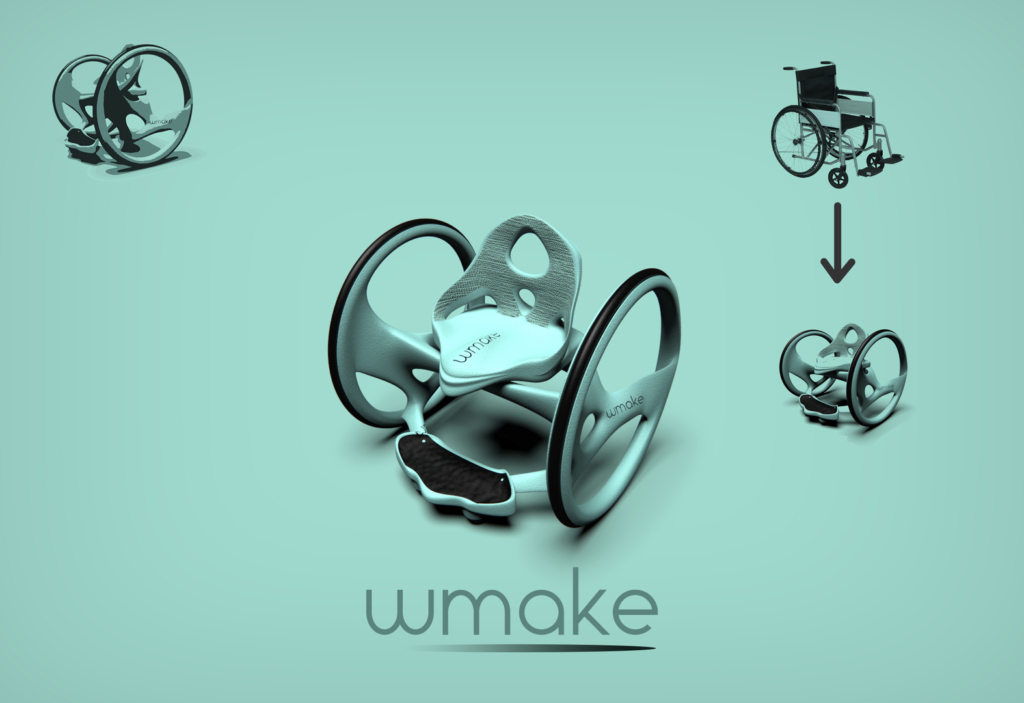
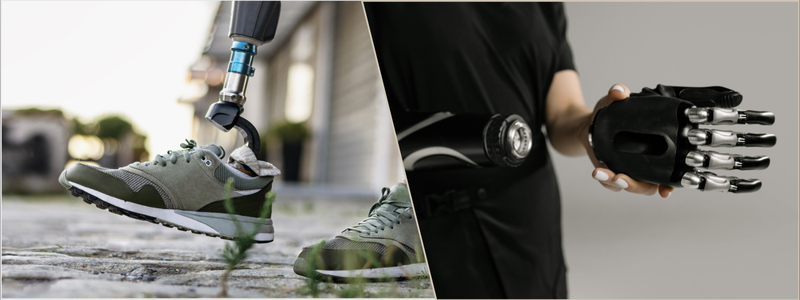
Additive manufacturing will particularly be good at manufacturing customized products for precisely designed user needs. Perhaps no area represents this, as well as the healthcare sector, in which unique medical implants can make a significant difference in how patients recover.

RELATED: 6 ways 3D printing will change the world

Factors that affect processing time

The time required to print a part can depend on several factors:

  • Part size: The more enormous the object, the longer it takes to print
  • Quality settings: Generally, higher quality will take longer processing time because of increased layer resolution and detail.
  • Volume of the material: The amount of material to be laid down also sets the overall time.
  • Complexity: Designs that carry a lot of complexity take more time to allow proper bonding and layering.

The overall AM time might lie in the range of some minutes to days or even hours, depending on the factors stated above.

Materials used for additive manufacturing

There are various materials that can be used in additive manufacturing and differ in their properties and areas of usage for expert engineers:

1. Biochemicals

Biochemicals are also gaining acceptance, especially for health care applications comprising silicon and, calcium phosphate,e and zinc. Bio-inks based on stem cells are also of interest for potential application in tissue engineering and regenerative medicine.

2. Ceramics

Some of the common ceramics used in AM include alumina, tricalcium phosphate, and zirconia; they are suitable for those applications with a requirement for high strength and temperature resistance.

3. Metals

A wide variety of metals and metal alloys, including stainless steel, titanium, gold, and silver, are used in additive manufacturing. This diversity allows making parts from the most complex jewelry to structural aerospace components.

4. Thermoplastics

The most common materials used in additive manufacturing are thermoplastics. Examples include but are not limited to, acrylonitrile butadiene styrene (ABS), polylactic acid (PLA), and polycarbonate (PC). It can also utilize water-soluble materials for the temporary support structure, polyvinyl alcohol (PVA) being one of them, which will dissolve after printing has been completed.

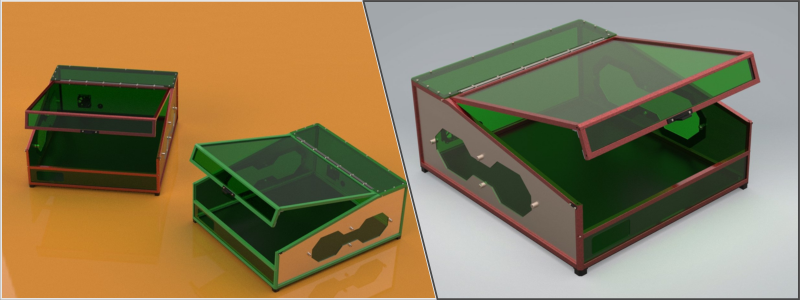
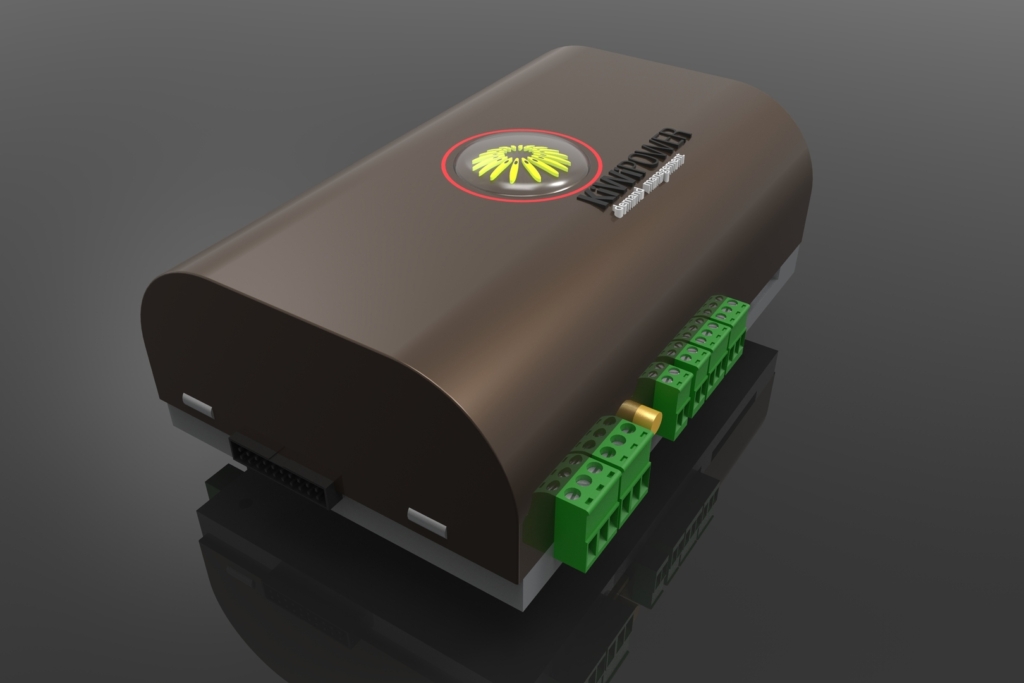
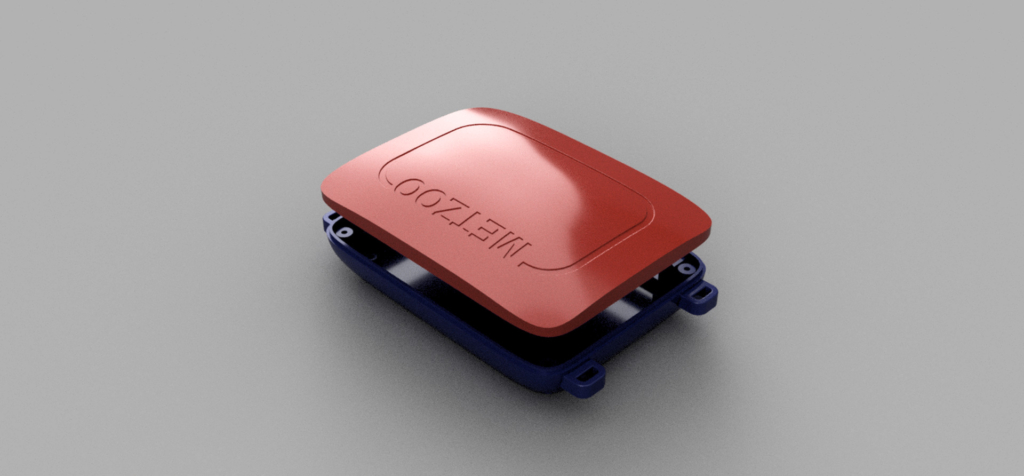
3d printed pcb enclosure

RELATED: A brief history of 3D printing

Applications of additive manufacturing

Additive manufacturing is increasingly applied in many areas: drafting and design firms can exploit its unique capabilities for a wide range of products such as:

1. Aerospace

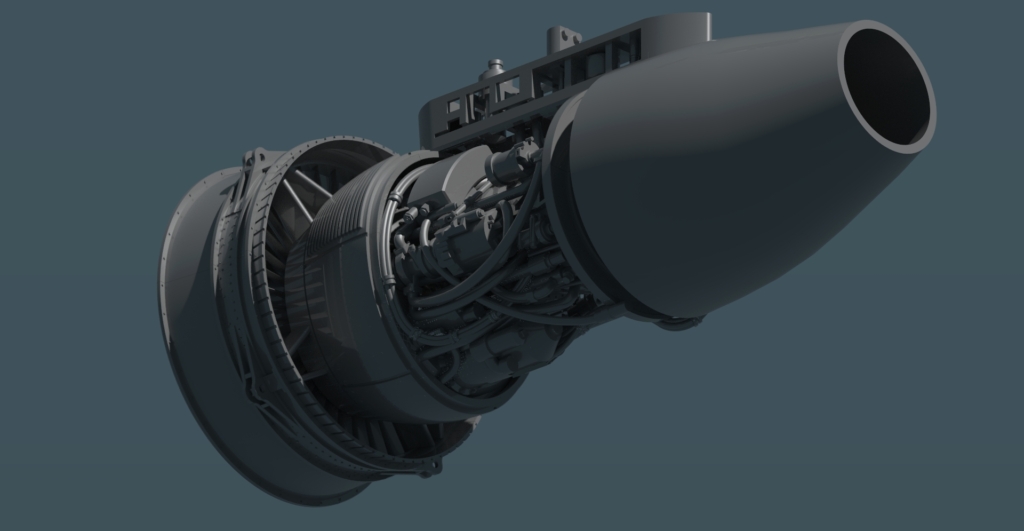
Advantages of additive manufacturing in the aerospace industry include weight savings and the capability of producing complex geometries, such as blisks and bladed disks. The ability to generate lightweight yet powerful components contributes to higher fuel efficiency and aircraft performance.

2. Automotive

The significant benefit to the auto industry has been from rapid prototyping allied with the material flexibility of additive manufacturing: manufacturers can test designs rapidly while reducing weight and costs inherent in traditional production approaches.

3. Medical

AM changes the face of medicine because it allows for the production of customized implants and medical devices to address specific patient needs. Technology can now produce customized parts that enhance patient comfort as well as outcomes from dental implants to orthopedic devices.

Additive manufacturing for the future

Additive manufacturing is bound to experience rapid growth in the era of Industry 4.0. The demand globally for AM is going to surge high, thus reaching an essential figure of $76.16 billion by the end of 2030 in various sectors.

1. Prototyping and low-volume production

Among the biggest attractions of additive manufacturing is still the rapid prototype fabrication. Technology keeps improving, and more firms are increasingly using 3D printing for low-run volume production, thus enabling them to manufacture customized products at minimum costs that may be associated with traditional mass production. It is also easy to acquire 3D modeling services to help you speed things up in the pre-prototyping phase.

2. Sophistication and accessibility

As the technology of 3D printing advances, machines get more sophisticated and yet cost-effective. Accessibility to such AM by small businesses, even startups, allows businesses to tap the potential of AM for all manufacturing works, stimulating innovation and creativity in most industries.

3. Rapid production of new components

Turnaround time for new components or prototype parts is usually very fast in industries such as automotive and aerospace. Additive manufacturing facilitates a streamlined process that is geared to meet their needs better by allowing fast product development with quick market time.

4. Scalability

The other critical factor driving the adoption of additive manufacturing is scalability. The same technology can be used for a whole spectrum of products, ranging from tiny components to large structures, thus making it possible for companies to respond correctly to varied customer demands.

RELATED: Top applications of thermoplastic polyurethane (TPU) for 3D printing companies

Wrapping it up

Additive manufacturing revolutionizes the landscape of manufacturing and product development. Its capacity to create complex shapes, minimize waste, and offer customization has changed the approach toward design and production on the part of industries.

Because technology is very prolific and its applications in the field of AM are broadening day by day, it is promising to revolutionize manufacturing in the future with unmatched efficiency, innovation, and sustainability. Business enterprises that utilize the power of additive manufacturing will not only save time and costs but will also be able to develop excellent quality products to meet their evolving customers’ needs.

How Cad Crowd can help

Additive manufacturing- the future of CAD and 3D modeling services for engineering firms: on its way. Need a model for a new product? Or perhaps you’re just shopping around? Cad Crowd has worked with the best engineering firms to find the best fit for their projects quickly. Learn more about how to take advantage of our network with a free quote today.

author avatar

MacKenzie Brown is the founder and CEO of Cad Crowd. With over 18 years of experience in launching and scaling platforms specializing in CAD services, product design, manufacturing, hardware, and software development, MacKenzie is a recognized authority in the engineering industry. Under his leadership, Cad Crowd serves esteemed clients like NASA, JPL, the U.S. Navy, and Fortune 500 companies, empowering innovators with access to high-quality design and engineering talent.

Connect with me: LinkedInXCad Crowd

Complete Costs of Injection Molding Design, DFM Engineering Rates, & Manufacturing Pricing for CAD Services


Quality injection molding can only happen if you have accurate tooling (mold) to begin with. Although the design – of the mold – essentially follows the geometry of the product or its parts, fabricating the mold presents its own engineering challenges depending on complexity and materials, adding up to the total design cost.

Cad Crowd is one of the leading services in finding the best experts in tooling design, and we’ve collected all we know about its costs (depending on each project) into this one article.

Here’s a simple breakdown of the estimated cost of tooling design services.


🚀 Table of contents


Overview

Task Complexity Estimated price range (USD) Note
Engineering services Feasibility studies and concept development $100 – $250 Hourly rate
Detailed design and structural analysis/optimization $100 – $300
Physical prototyping and testing for manufacturability $500 – $5,000 Per iteration
CAD drawing Straightforward geometry with simple parts $500 – $1,500 Per project
Detailed features and precision components $1,500 – $5,000
Intricate assemblies consisting of multiple parts $5,000 – $15,000
3D modeling Static 3D assets based on well-defined sketches $50 – $150 Hourly rate
Animated models with renderings and animations $100 – $250

To make things much simpler, the following table gives a rough cost estimation based on project size:

Project size Note Estimated cost (USD)
Small Simple products achievable with basic engineering and CAD skills $1,000 – $5,000
Medium Intricate designs requiring advanced 3D modeling and multiple prototypes $5,000 – $20,000
Large Sophisticated or unique products that necessitate comprehensive engineering services $20,000 – $50,000

RELATED: Why prototype DFM services are useful for product design at companies and firms

You should know by now that, like all custom fabrication services, there’s no fixed engineering cost to build injection molds. The exact cost is always affected by a multitude of factors, including but not limited to size, details, complexity, materials, fabrication method, and the company you hire for the job. In general, a small mold for a simple part/design may cost anywhere from hundreds of dollars to a thousand, while an advanced build for intricate objects could cost you tens of thousands.

There are also all sorts of material options, such as stainless steel, aluminum, composites, and even plastic. Steel and aluminum are the most widely used options, as they’re known to have excellent heat distribution and dissipation properties, durability, and suitable hardness for detailed features (the ability to hold shape in high-precision corners). Hard steel is, by far, the most widely used material to build molds thanks to its ability to withstand large-volume production, whereas aluminum is both conductive and cost-effective. It’s worth mentioning that some types of modern hard aluminum (such as 2024 and 7075 alloys) are easily capable of producing 100,000 parts without any major maintenance. Some companies build hybrid molds made primarily of steel and aluminum inserts to get the best of both materials in one package.

A hard aluminum mold costs on average $3,000 for a custom yet basic electronic enclosure design or anything of similar complexity, whereas a machined steel type can go for $20,000 or more. A plastic mold, typically built using 3D-printed polymer, is the cheapest option at around $100 each.

injection moulding plate

RELATED: DFM for new product design excellence: Complete guide for company success

The engineering cost

Injection molding design services are not cheap. Apart from the engineers’ hourly rates, you also have to cover the cost of equipment usage, materials, and labor (fabricators). You don’t have to purchase an entire range of equipment just to build a couple of molds, but the fabricators can’t afford to let you use their machines (whether EDM, CNC machine, or 3D printer) for free. Well, technically, they’re using their own machines, but they do it on your behalf, so you take the bill at the end of the day.

Tooling/mold

Assuming the product parts have already been designed, it’d take around 2 – 4 weeks to build a simple mold and about 6 – 8 weeks to create a complex one. While a custom fabricator can probably take care of the design task for you, there’s nothing wrong with sending them an already-finished mold design, especially if you have the engineering team to do it in the first place. This is to reduce the turnaround time and, ultimately, cost. Furthermore, the engineers know what the final product should look like, so they’re more than qualified to design the mold for it as well. At the very least, send a CAD drawing or STL file to the fabricator to streamline the workflow.

Tooling is the main cost driver. Molds for injection molding are most commonly made using any of the following methods:

  • CNC machining: a high-precision subtractive fabrication technique and the obvious choice because most molds are made of metal, either steel or aluminum. A block of raw material is secured/mounted to a fixed position and then rotated against various cutting blades, drill bits, grinders, and so on. In some cases, depending on the mold design, the material sits still as the sharp instruments maneuver around it along at least two axes (X and Y). The more advanced machines can operate on several additional axes as well.

    CNC machining can produce highly complex molds with intricate cavities and texturing details. The cost, excluding the materials, is around $80 per hour for a 3-axis machine and $200 per hour for the 5-axis type. CNC machines are industrial tools and should be operated by trained professionals only. The aforementioned cost already covers the labor.

  • EDM (Electrical Discharge Machining): in case the molds are too complex, even for a 5-axis CNC machine, EDM is the answer. As the name implies, the machine shapes or cuts through metal using powerful electrical sparks. Both the workpiece (material) and the tool have their electrodes, so they’ll generate electrical discharge when in proximity to each other. Every discharge slowly builds the workpiece into shape.

    EDM is accurate to 1/10,000th of an inch (or about 10 times narrower than the average width of a human hair), and it hardly requires any post-processing. As long as you’re working on metals or any electrically conductive materials, EDM is one of the best tools for the job. A reputable EDM shop will charge you anywhere from $50 to $100 per hour. 

  • 3D printing: to say that you can 3D print a mold would be a bit of a stretch, but it’s not impossible. A 3D printer is, in essence, an additive rapid-prototyping tool that allows you to build just about every shape, simple or complex, using mainly plastic-based filaments with great accuracy. It’s most commonly used in the product development process to build early prototypes.

    One thing to remember is that 3D-printed molds – since they’re made of plastic materials – won’t be suitable for large-volume production. If you intend to make a limited edition of a product in a very low production run, however, 3D printing starts to make sense. The cost for a 3D-printed mold would be around $200 or less for a simple design.

In terms of speed and budget, 3D printing services are the clear winner of the three. Once the STL (printable CAD file) is done, the fabrication process can start right away. Depending on the complexity, the printing process – using plastic filaments – should be done within a few hours. CNC machining and EDM take the throne for efficiency; they’re not as affordable as 3D printing, but they can shape hard metal that you can actually use for mass production.

RELATED: 5 Reasons to hire a CAD Design specialist to bring your company’s concept to market

Other cost factors

A few more variables that are directly related to the cost of injection molding design include:

  • Part size: the mold has to accommodate the part to be molded. A larger mold requires more materials, so you need to consider the cost of steel, aluminum, or 3D printing filament. If you order two identically-designed molds, but they’re in different dimensions, the smaller mold will be cheaper than the larger one.
  • Part design: It goes without saying that the more intricate the mold design is, the more complex the engineering/fabrication process is. A mold design has two sides: the cosmetic (side A) forms the outer layer of the product, and Side B is where you’ll find the hidden support structures. Side A is often aesthetically-pleasing, whereas Side B might be (although not always) rougher, but it’s populated by all the essential parts. You can design the cosmetic side as polished or shiny as possible and texturize in any way you want, as long as the end result doesn’t affect features and functionality. Side B must be fabricated according to the specifications. The more complex they get, the more expensive the engineering and fabrication costs.

As if to reiterate, the intended production volume determines the fabrication method. Large-volume projects definitely called for hard steel or aluminum mold. This means you have to go with CNC machining or EDM; each is more expensive than 3D printing.

Design for manufacturing vs. 3D printed molds

When you plan for product development, you expect the engineering firm to do their job with a DFM (Design for Manufacturing) approach. DFM is an engineering practice in which a product is designed in such a way that it can be mass-produced in the most efficient way possible. Cost reduction is the main goal. Over the last decade, 3D printing has been touted as the revolutionary next-generation manufacturing method to build any imaginable product easily. This is probably true in small-volume production due to the accessibility of filaments and the decreasing price of desktop 3D printers.

Mass manufacturing is a different thing entirely. You’re talking about a product designed to be manufactured in the tens of thousands, if not more. Even the most sophisticated 3D printers today can’t handle such a load, at least not as quickly as the gold-old injection molding anyway. So long as your design is intended for mass-production, your engineering team probably won’t take “3D-printed molds” into account throughout the development process because it would be counter-productive.

Cad Crowd is here to help

Here at Cad Crowd, we connect you with experienced engineers and fabricators to help you design even the most complex products and intricate molds. Whether you intend to mass-manufacture the products or have a limited production run, we have everything covered at affordable cost.

Feel free to call Cad Crowd to get your free quote.

author avatar

MacKenzie Brown is the founder and CEO of Cad Crowd. With over 18 years of experience in launching and scaling platforms specializing in CAD services, product design, manufacturing, hardware, and software development, MacKenzie is a recognized authority in the engineering industry. Under his leadership, Cad Crowd serves esteemed clients like NASA, JPL, the U.S. Navy, and Fortune 500 companies, empowering innovators with access to high-quality design and engineering talent.

Connect with me: LinkedInXCad Crowd

Exploring the Different Versions of Dynamic 3D Visuals in Architecture and Design Services


Today’s article explores the varieties of dynamic 3D visuals in architecture and design services. Did you notice how the architecture and design services industry has been enjoying a colossal change with the rise of 3D technology, specifically rendering? Indeed, 3D technology simplifies transforming even the most basic ideas and concepts into visual masterpieces that speak so much before the actual groundbreaking. The most recent breakthroughs in technology have helped a lot in making architectural concepts more transparent and captivating.

What’s most interesting is that they also serve as the much-needed sandbox for innovation and experimentation. Digging deeper into the newest trends shaping the future of 3D visuals will tell you right away that this tool is no longer as simple an accessory as it once was. Instead, it has now become a true cornerstone in the nonstop evolution and development of designs and architectural concepts. High-quality dynamic 3D renders created by expert 3D architectural rendering firms are essential for presenting architecture and design projects.
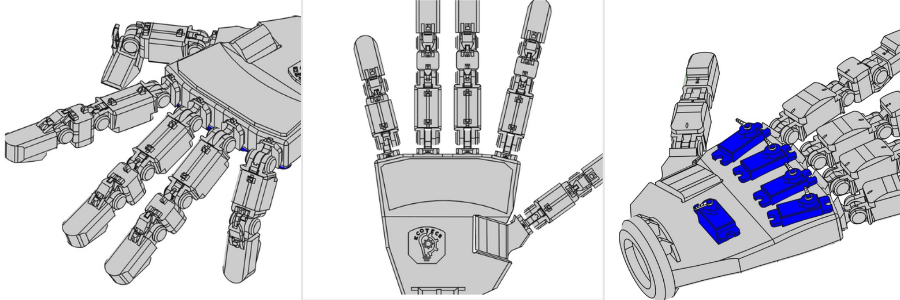
Cad Crowd has years of experience working with the best design and architecture firms, and this allowed us to observe how 3D visualization and its purposes and techniques evolved over the years. Let’s take a look at what we learned.


:rocket: Table of contents


RELATED: Why companies need 3D visualization

It doesn’t matter if it’s for the purpose of a client presentation, a marketing promotion, or a competition bid; you’re expected to use visual materials that can convey your ideas down to the T. It’s an open secret that static images alone can no longer keep up with the extremely short attention spans of modern audiences. Expert 3D renders are now poised to become the new norm that will wow viewers, including the most perceptive ones. 

Exploring the different versions of dynamic 3D visuals in architecture and design services 

3D visuals in design and architecture 

The shift from traditional blueprint designs to modern digital 3D renders is a real breakthrough in and of itself. The transformation endowed designers and architects with a larger-than-life tool that can come up with more accurate, detailed, and immersive representations of their ideas and concepts. What makes these 3D renders truly essential is the fact that they bring life to the spatial dynamics, lighting, and textures of future designs.

It’s no surprise, then, that 3D visuals have made an imprint in the design and architectural industries. Most of today’s rendering companies produce different types and forms of 3D renders. The following are only among the most popular formats that might change the game for you and your company:

RELATED: What is a 3D visualizer?

360-degree view

360-degree renderings that are full of life allow viewers to rotate realistic 3D models of buildings and inspect them from all sides. Out of all the common 3D visualization service types, 360-degree views are particularly at home for mobile apps and websites alike. These views are also more effective and impactful for commercial and residential projects as they make room for more scrupulous scrutiny from all angles. 

3D animation

3D animations are no doubt some of the most engaging and versatile out of all 3D renders. With these animations, architects and designers can come up with a narrative or story around their ideas and throw in spectacular effects, music, voiceovers, transitions, and viewpoints. The format can also illustrate projects at different points of the day or seasons to add more context and depth to the overall visual experience. The use of this footage captured by drones in 3D animations can also endow a unique mishmash of cinematic quality and realism.

However, this might hamper creative freedom when it comes to lighting and weather conditions. It’s because they will look exactly like what the drone footage has captured. These animations are more cost-effective because you no longer need to build a detailed 3D landscape from the ground up. Unlike the rest of the 3D renders listed here, 3D animation professionals are also recommended unequivocally for aerial views. 

RELATED: What factors influence 3D animation services rates, costs, and pricing for companies?

interior rendering services

Machine learning and AI

Machine learning and artificial intelligence, or AI, are on the brink of redefining the creativity and efficiency of 3D renders. These two modern-day technologies are starting to put into autopilot the more tiring components of rendering, such as optimizing textures and lighting. This will give designers and architects more free time to pay attention to the creative facets of their projects. 
Algorithms that are based on AI are also starting to recommend modifications in design to perk up functionality or aesthetics. It can possibly spearhead a new wave of encroachment in architectural and design industries. 

Augmented reality

Augmented reality, or simply AR, can spread the digital details over those of the actual world. 3D AR/VR architectural services improve the physical environment using data and 3D models in an engaging and dynamic way. Using AI on-site makes it possible to superimpose the suggested designs over the existing surroundings. As a result, it provides a more tangible sense of context and scale. The state-of-the-art technology is a big help during design presentations while making the construction process enjoy better accuracy. 

RELATED: Top 9 augmented reality apps for architecture & AR for architectural design firms

Cinemagraphs

Did those moving photos in the Harry Potter flicks blow you away? These are the perfect examples of cinematography: dynamic 3D visuals with minor repeated movements included. These cinematographic techniques can be used to capture the viewers’ attention in a more powerful way while maintaining the subtlety preferred. When these techniques are used in archviz, they can highlight specific design elements or set the favored ambiance or atmosphere. Cinemagraphs can breathe life into static images and heighten the emotional effects during presentations. 

Hyper-realistic renders

The realism requirement in 3D renders has paved the way for substantial breakthroughs in simulating texture and lighting. Modern renders can now copy the multifaceted interplay of materials and light, from the rough textures of old wood to the morning sun’s soft flow on the façade of a building. Hyper-realistic visuals are appealing to the eyes and offer a more defined depiction of the finished product. The result is that clients can make better decisions along the way. 

Immersive 3D tours

Immersive 3D tours created by 3D architectural visualization designers take the customary virtual experience to the next level with interactive elements. The tours feature real-time renders of environments that are dramatically realistic. Users can also engage in active interactions with such tours. They can customize the interior design or change the lighting, too.  

RELATED: Mistakes to avoid when deciding an architectural visualization firm

BIM integration 

BIM or Building Information Modeling, and 3D rendering can join forces to produce more accurate and efficient representations of design and architectural projects. The objective of BIM is to create digital representations of the buildings’ functional and physical characteristics. The data is visually brought to life with the help of 3D renders. The combination of these two technologies creates a seamless workflow. It’s because the changes crafted in the BIM model are shown in the 3D render in a snap of a finger. It encourages collaboration among everyone involved, from construction professionals to engineers, architects, and designers.
Green design and sustainable visuals

With the sustainable movement growing bigger across the globe and with the ever-increasing awareness about it, the architecture and design industries have also switched to green design and practices. 3D rendering services & 3D designers play a critical role in this newest trend as it helps envisage the sustainable features of buildings. These include the use of eco-friendly materials and natural lighting combined with energy efficiency. The renders call attention to the environmental advantages and present sustainable design principles and their practical and aesthetic applications and uses. All of these make green design more appealing and accessible to today’s clients. 

3D virtual tours

3D virtual tours are a variety of 3D renders that allow users to find their way around a digital setting as if they were in that very area themselves. These tours also come in several categories. VR fusions, for example, allow users to interact with the design and customize it at the same time. Thanks to this, VR fusion offers a more personalized and immersive experience. 

3D virtual tours

RELATED: How to create a virtual tour of homes with 3D rendering services

Meanwhile, the virtual maps are 3D visualizations from 3D visualizer experts that work hand in hand with Google Maps so that the audience can see future projects in the same context in real life. These 3D virtual tours are of great help for large-scale or complex projects because they provide a more interactive and meticulous exploration. 

Virtual reality

Virtual reality, or VR, is one of the most cutting-edge of all 3D renders because of the completely immersive experience they offer. VR can whisk viewers right into the proposed project before its actual construction begins. Users can use VR headsets to explore every nook and cranny of a digital space to gain a better understanding and become more familiar with the materials and dimensions of the space.

VR is practical during the finalization of the design details with the clients. It ensures that every element is just as needed before the construction begins. Architects and designers can also use VR to the fullest by teaming up in a shared virtual space. It makes it a win-win choice for every phase of the project. 

RELATED: How 3D virtual reality rendering is shaping the construction industry

The future of dynamic 3D visuals in design and architecture 

With the entire world gearing up for the future, it‘s quite obvious that 3D renders will continue with their evolution. This is driven by their integration with more digital tools and technological advancements. The existing trends lay down the path for an exciting journey toward more intelligent, immersive, and sustainable design practices. These 3D visuals crafted by experienced 3D designers play a decisive role in shaping the built environment, and their possibilities are just starting to be realized. 

In the ruthless world of architecture and design, the aptitude to present designs in an unforgettable and captivating way is a must for professionals who like to leave lasting impressions on their audience. It is where the different types of dynamic 3D visuals stand out the most. They provide architects and designers with a helpful toolbox of breakthrough formats that can take their presentations to the next level. It also encourages a more effective engagement with their target audience. 

RELATED: All you need to know about 3D visualization for architectural design and CGI projects

How Cad Crowd can help

Do you feel like you can use a dynamic 3D visual that can highlight your design and architectural project in a way that is not like anything before? Cad Crowd has helped designers and firms come together to create 3D visualizations that translate to impact and profit, with our leading network of engineers and designers built from years of experience.

Contact Cad Crowd today to get those captivating visuals that everyone will love and appreciate!

author avatar

MacKenzie Brown is the founder and CEO of Cad Crowd. With over 18 years of experience in launching and scaling platforms specializing in CAD services, product design, manufacturing, hardware, and software development, MacKenzie is a recognized authority in the engineering industry. Under his leadership, Cad Crowd serves esteemed clients like NASA, JPL, the U.S. Navy, and Fortune 500 companies, empowering innovators with access to high-quality design and engineering talent.

Connect with me: LinkedInXCad Crowd

AutoCAD 3D Editing Basics: Tuesday Tips With Frank | AutoCAD Blog


In my last Tuesday Tip, I introduced you to some handy tools for turning your 2D shapes into 3D solids. Today, I’m going to take you just a little further with AutoCAD 3D editing and show you how easy it is to turn your extruded (or press/pulled) objects into more complex structures.

To illustrate these tools better, I will use the same simple geometry I created last time: a box and a cylinder (extruded from a 2D rectangle and a circle). However, for today’s post, I’ve moved the cylinder to the center of the box and made it a little taller.

Screenshot of cylinder and cubes in AutoCAD

The subjects today are the 3D editing tools, Union, Subtract, and Intersect. They can be found in either the 3D Modeling workspace or the 3D Basics workspace. I’ll be demonstrating these tools via the 3D Basics workspace, as it’s a bit cleaner and easier to see the icons.

Union

The first tool out of the box is Union. With this command, you don’t have to worry about what order you select things (more about that with the next tool). As you’ll see in the animation below, I take advantage of this by using a crossing window selection box. Quite simply, the UNION command will combine all the selected 3D solids into a single solid object. So, I no longer have a box and a cylinder, but now I have a box with some kind of a boss on top.

Please keep in mind that my examples are simply for visualization purposes and do not depict anything useful.

Animated gif of AutoCAD Union example

Subtract

On to the second tool — the Subtract command. In this animation, you’ll notice I pause for the extended tooltip when selecting the subtract icon. This is a reminder to use these, especially in the 3D workspaces, as they give you a detailed (and sometimes animated) illustration of how the tool works.

You’ll see that its workflow is to select the object(s) you want to keep, hit enter, and then select the object(s) to subtract. In this case, I’m keeping the box and using the cylinder to subtract, thus creating a hole in the box. You may also notice that I’ve moved the Command Line into frame and used F2 to expand it into the text window. I did so because, for some reason, the prompts for what to select (the kept object vs the subtraction object) are not very clear—just something for you to keep in mind.

Bonus Tip: I’m using the Orbit command at the end to show the hole better. Just hold down your Shift key, press down the scroll wheel on your mouse, and just move the mouse around! It’s a fast way to visualize your 3D work.

Animated gif of Subtract in AutoCAD

Intersect

The third and final tool for the day is the Intersect command. I stayed with my box and cylinder solids, but using intersect on them doesn’t do Intersect justice. It just creates a smaller cylinder. However, the extended tooltip has a terrific visual example, as shown below.

Both shapes began as 2D objects that were extruded into 3D solids. Intersect operates just as you would expect. It takes the overlapping regions of multiple 3D solids and turns the overlap into a new solid.

Screenshot of AutoCAD Intersect

Much like the Union command, you don’t have to worry about the order of your object selection. In my example animation below, I selected the box and cylinder individually, but I could have also used a crossing window as I did with Union.

Animated gif of AutoCAD Intersect

Summing Up

As you can see, these tools are not too terribly difficult to use, but they’re extremely powerful, especially when used together. Hopefully, even with my incredibly simple examples, you’ve been inspired to visualize how they can bring your seemingly complex project to fruition.

Hey, there’s nothing wrong with keeping one foot in your familiar 2D world, but don’t be afraid to put the other into 3D. Poke around some while you’re there. Expand the Ribbon Panel and see what other tools are available in the Additional Tools area. Explore both 3D workspaces. You’ll find familiar tools (3D versions of Chamfer and Fillet) and some new ones as well.

And by all means, don’t forget to hover over them to see their Extended Tooltip. It’s a terrific method for getting a feel for how a tool works before you find a need to use it.

More Tuesday Tips

Check out our whole Tuesday Tips series for ideas on how to make AutoCAD work for you.

How to Cut Costs in 3D Product Rendering: Tips for Freelance Designers & CAD Firms


A lot of expert 3D rendering projects have similar requirements: create 3D models, apply textures and colors, rendering happens, have some final touch-ups done, and deliver the image. The basic workflow is almost exactly the same regardless of the project, but there can be plenty of different details in each step depending on what the client needs.

Take exterior rendering, for example; one client wants to have a complete aerial view, while another only needs a plain white background. Both projects result in a photorealistic visualization of an exterior, but the latter should be more affordable and quicker because it involves much less work on your part.

Cad Crowd has experience with working with a wide range of projects – big and small – and we understand what it means to find the best balance between quality, budget, and timeline. Let’s take a look at some strategies you can use and how outsourcing 3D rendering projects can give you the boost you need.


🚀 Table of contents


Cut rendering costs

3d product rendering design examples

RELATED: How are product concept design services used to innovate during product development?

Whether or not you realize it, there are plenty of opportunities to save money (along with time and energy) in every project. No matter the objectives, chances are you can implement these cost-saving strategies for yourself and your clients.

Define the project outline and strategy ahead of time

The main idea behind having a clear project outline is to avoid doing unnecessary work. You’ll find that taking just enough time (at the beginning of the project) to craft a detailed plan can save you from getting a lot of headaches in the days to come. The outline keeps your workflow organized and streamlined. Furthermore, it helps you realize some project requirements that might not be clearly apparent.

Example: you’re working for a client who wants a complete set of 3D visualizations services for a product page. The client specifies that the set should include multiple static renderings and an interactive product viewer. If the static renderings include six images (viewed from the front, back, right side, left side, top, and bottom), it seems like you only need to stitch them together for the viewer. As you create the project outline, you come to realize that the product viewer must use full rotation, so the object can be seen from just about every angle, including the corners. Thanks to the outline, you can now manage the workload better; as in, you can plan for the viewer while working on the static renderings. A more manageable workload means quicker completion time and an overall better cost-efficiency.

RELATED: 3D product rendering company or 3D artist: How to hire for new product designs?

Make a list of everything required for the final image

Think about the image format, resolution, and viewing angles for the final image. Having a clear vision of the final image can help you identify potential cost-saving strategies during the modeling, texturing, and UV mapping works. Let’s say a client wants to have some close-up shots of a furniture product. This means you need to get all the details right with the materials, carvings, wood grain, fabrics, and even nailheads. All of those require extra work during the modeling process. If the client has no need for close-up shots, you can spend less time creating details on the 3D models. And at the end of the day, the rendering should cost less money as well.

Example: a product visualization project needs several renderings to showcase the object in different color variations. Each of them needs to show the object in a specific combination of finishes and colors. The client mentions that the final images will be placed in the corner of the scene, so they’re pretty far away from the camera position. Since there are no close-ups to focus on the finer details of the object, you can afford to create fewer texture maps and spend less time on modeling virtual materials. Furthermore, the lack of close-up views allows you to use a “medium” quality render setting – as opposed to an optimum one – to save time and cost, without sacrificing quality.

Work on similar tasks first

Now that you’ve defined the project outline and listed everything you need for the final images, it’s time to group similar tasks based on their categories. When you’re working with a 3D rendering service from scratch, you have no option but to shift to different mindsets as you go through the workflow stages. The most common groupings would look like this: 3D modeling, UV mapping and texturing, rendering, and post-processing.

You’re not focusing on textures when you build the 3D models, and you couldn’t care less about lighting when applying textures. You may have to switch between software packages as you progress, so the grouping helps you stay focused on the immediate tasks at hand. This forces you to actually complete a big portion of the job before moving to another. Grouping similar tasks brings about the sense of accessible workflow, preventing you from wasting too much time going back and forth between different phases of the project.

Example: let’s just say you’re hired to do a rendering project for a brand-new product. The client’s marketing team wants you to deliver a dozen renderings. Half of them are based on different prototype models, and the other half are reserved for the final production version. The first phase has to go through a rather cumbersome and lengthy process of submission, refinements, revisions, and approvals for each model. The client ends up paying $50 per render, mostly due to the modeling complexities. Now that the final version is ready, you need to deliver the remaining six images. But since these renderings are all based on the same model, your workflow is more manageable as you can group similar tasks together for all images. The project is much more time-efficient now, and the client ends up paying $35 per render.

RELATED: 3D rendering: What it is and why you should care

Take the 90% rule as a guideline

No matter what software you use, the hard truth is that 3D rendering can’t reach perfect lifelike quality in many cases, especially for large architectural objects or natural sceneries even for large architectural firms; it’s always either lacking or over-the-top. It might not be a problem for small objects like a tree, a rock, a glass of milk, a smartphone, etc. But when all those objects are put together in the same frame, complexities arise in terms of lighting, shadows, perspectives, reflections, and so forth. At some point in your rendering workflow, the amount of time and effort you put into the imagery becomes no longer effective. It’s as if you’re trying to improve something that’s already as good as it’ll ever be.

You might as well stop just as soon as you reach the 90% photo-realism mark. Any attempt to improve the rendering beyond that point will probably take a much larger investment no client is willing to consider. Unless you’re working as a CGI professional on the next Hollywood blockbuster, no one really cares if the fabrics in the upholstery don’t shine as much as they should.

Example: it’s not a secret that cloth is a challenging material to render. It has a depth of texture quality and comes with subtle reflective properties. In a close-up rendering, most artists will focus on the stitching and seam lines to create easily noticeable focal points and distract the audience from the tiny imperfections. You should be able to deliver a 90% realism for around $200; to get the next 10%, however, you might have to charge the client 5x higher, because you need to work 5x as hard to achieve it. For practical purposes, the additional 10% isn’t worth the extra investment. It takes away a big chunk of the work on your part, and helps the client save money.

3d product rendering of an advanced heli-like drone and a workout machine

Make use of CGI library

Most expert 3D modelers and render artists are paid on an hourly basis. If you can finish the job sooner than expected, the client gets more affordable prices, and you can move on to the next project quickly as well. One of the most time-consuming tasks in a 3D rendering workflow is the modeling part, especially if you have to build the model from scratch. But this isn’t always the case. When the circumstances allow, you can use (purchase) ready-made models from 3D assets marketplaces at affordable rates. Of course, you still have to modify them to make unique pieces. Modeling might take you 3–4 days for a relatively simple object, but purchasing a low-quality model and then improving it to good quality can cut the workload to a great deal.

Example: a new client asks you to build a rendering of a kitchen. The final image must include all the appliances, lighting, fixtures, a countertop, a cutlery set, and so forth. It should come as no surprise that there are hundreds if not thousands of 3D assets out there for all the things typically found in a kitchen. If you have to create every model, from knives and glasses to cabinetry and appliances, it’ll take at least a week just to get the first phase of the project done. 3D assets marketplaces have all the models ready for you. Some are high quality, while others are barely passable; each is priced accordingly. Pick a good balance between cost and quality so you don’t have to spend too much time on improving it, yet you still come up with 3D models of respectable quality. Some marketplaces even sell ready-made 3D scenes.

RELATED: Photorealistic rendering services: complete price, cost, rates and fees for companies and firms

But how is it made?

While no two CGI renderings are exactly the same, the workflow almost always goes along the same steps.

Gain through understanding of the brief: an effective way to ensure time efficiency (and also reduce production cost) is to learn all the information provided by the client in detail. This is where you can properly estimate how complex the project will be and how long it will take to finish everything. Accordingly, you’ll be able to determine how much to charge the client because a more intricate project costs more money.

Create the geometry: whether you’re making a CGI for a small desk or an entire residential area, you need the 3D modeling services first. You build a grayscale model (sometimes also referred to as a clay model). Your focus should be on dimension, shape, and proportion. Everything else, including textures and colors, are not the main concerns here. Grayscale models are your first deliverables. You present the “textureless and colorless” models to the client for approval before moving forward to the next phase. Ideally, you build several models to showcase the object from different viewing angles. If the client wants revisions, you make the required changes and resubmit the models until the client gives the green light to proceed.

Every revision means a delay in completion. Not to mention, you need to spend more time working on the same models twice or more. The good thing is that you can minimize the possibility of having to revise the model multiple times by, once again, gaining a good understanding of the project brief in the first place.

Apply textures and colors: now that the grayscale models are approved, it’s time to apply textures and colors. But you can’t just slap some assets onto the surface of the models. You need to do some UV mapping first. Basically, you divide the surface (of the model) into multiple elements; each element must be “unwrapped” or transformed into a flat plane. And then, you apply the textures or materials and colors as needed. Doing it on a flat plane makes sure that the surfaces are laid evenly so you get realistic-looking patterns.

Add lighting: the whole point of rendering is to make a computer-generated image as realistic as possible. To do that, of course, you need to add some lighting as well. This doesn’t necessarily mean you need to paint lights and shadows on the image. Instead, the rendering software usually offers various settings for light directions, angles, sources (natural or artificial), and intensity. Remember that some materials and surfaces interact with light in their own distinctive ways. For example, glass is translucent, so it refracts and reflects a certain amount of light. Solid objects with shiny surfaces, such as polished metals or wood, can have reflective characteristics to an extent as well.

Render the image: once the models are ready and the lighting is configured, the actual rendering begins. It’s a fully-automated process with minimum user input. Rendering software can create a single static image or a series of images in rapid succession to create the illusion of motion.

Post-production: The rendering process can take anywhere from just a few minutes for a simple image or many hours for a complex one. When the rendering is done, the only thing left to do is to enhance the visuals through post-processing services. Compared to modeling, post-processing involves relatively simple tasks like adjusting the contrast, hue, saturation, etc. The idea is to make the image look vibrant without losing its photo-realism effect.

3D photorealistic rendering services itself comes with several different methods, such as real-time and ray-tracing, and each can affect the final image quality.

Cad Crowd can help

There are many aspects of a 3D rendering project where you can improve cost-efficiency without sacrificing quality. Just because you provide rendering services at affordable rates, it doesn’t necessarily mean you deliver poorly executed visualizations. Reducing cost isn’t always about cutting corners, but making the most of every penny. And if you’re a client looking for quality 3D rendering services, look no further than Cad Crowd, where thousands of independent, talented, professional render artists offer custom services for every budget.

Give Cad Crowd a call today to get your free quote.

author avatar

MacKenzie Brown is the founder and CEO of Cad Crowd. With over 18 years of experience in launching and scaling platforms specializing in CAD services, product design, manufacturing, hardware, and software development, MacKenzie is a recognized authority in the engineering industry. Under his leadership, Cad Crowd serves esteemed clients like NASA, JPL, the U.S. Navy, and Fortune 500 companies, empowering innovators with access to high-quality design and engineering talent.

Connect with me: LinkedInXCad Crowd

Explore Costs of 3D Laser Scanning, 3D Modeling Services Pricing, and Rates with Freelance Design Firms


3D scanners are precision devices that collect the geometrical data of an object, including but not limited to dimension, shape, texture, volume, and color. The data can then be used to build a digital three-dimensional model of the scanned object with great accuracy. There are two types of 3D scanners: contact and non-contact. The former utilizes some sort of robotic arms and probes attached to various fixed points on the object’s surface to map coordinates based on distance, whereas the non-contact equipment emits radiation (usually laser or light) to the object and generates geometrical map/data from what’s reflected by the surface. As far as architectural 3D scanning is concerned, the non-contact type is almost always the preferred option.

In the hands of professionals, advanced 3D scanning equipment can capture every fine detail in an architectural object. So long as the detail is observable from the surface – rather than being obscured by overlapping design elements – the equipment can generate enough data to create 3D CAD models. In the highest quality of 3D modeling work, the result might look as if the physical object was built based on the digital file instead of the other way around. And as you might expect, the whole process is not cheap.

Cad Crowd has helped various projects using advanced 3D scanning accomplish their goals by finding professionals and services to maximize their advantages. Here’s all we learned about the associated costs you need to know.


🚀 Table of contents


3D scanning and modeling cost

Many (but not all) 3D scanning firms also offer 3D modeling services, while others only provide STL files; you should know that STL files are for 3D printing purposes, so it’s mostly good when the scanned object is relatively small. While some companies have done some experimental residential building construction projects using 3D printing techniques with varying success, it’s still at the moment a novelty idea at best. Creating 3D models from scanned objects is, on the other hand, a mainstream practice.

Depending on the project size, most 3D scanning and modeling services charge by the hour. In certain cases where the project requires lengthy on-site scanning, such as when the object/building to be scanned is pretty substantial in size, you might come across firms that charge by the day.

Project Size Pricing Estimated cost Note
Small to medium projects, where the scanning is done within one working day or less Hourly rate $100 – $500 Mind you, that the cost is only for the scanning services.
Large projects, requiring multiple days of on-site scanning Daily rate $1,000 – $3,000

Assuming travel is necessary for on-site scanning, you will have to reimburse the associated cost, adding up to the total rate. The exact dollar value entirely depends on the geographic location of the object.

RELATED: The most important considerations when hiring freelancers for real time rendering services for companies

Per-project pricing

One of the biggest problems with hourly or daily rates is the difficulty of measuring the exact amount of time you need to finish a project. If the building is rather intricate or geographically challenging, you might as well go with per-project pricing. There’s no telling whether a project will be completed in 100 hours or a week, especially when accuracy is a top priority. The scanning alone might be done within just a few days, even for a skyscraper (with the right equipment, of course), but the modeling task and the time it takes to ensure accuracy can be much longer than expected, especially if the work involves multiple revisions. The average 3D scanning and 3D modeling costs, based on the complexity level, in the United States are as follows.

Complexity Scope of work Estimated cost (USD)
3D scanning 3D modeling
Small At the higher end of the spectrum, you have projects that involve an entire residential complex, state-of-the-art facilities, stadiums, highway intersections, a campus with multiple buildings, an entire shopping mall, state hospitals, and so on.

There’s no limit to what you can scan; the larger the object, the more expensive the cost. Not only are those objects notably enormous, but the level of detail required is monumental, to say the least.

You can always choose to have an “acceptable-quality” 3D model to save cost. It might beat the purpose of having to scan the object in the first place, but this is not an uncommon practice. If you’re going all out with zero compromises on quality, however, expect to spend somewhere in the range of $40,000 for a detailed modeling. 

$2,000 – $3,000 $2,000 – $3,000
Medium Many scanning projects fall under this category. Buildings of a medium scanning complexity include playgrounds, a public swimming pool, a monument, a courtyard, etc. What you need to understand is that sometimes, the intricate details of any given object, regardless of size, can make it a “medium” complexity scanning project.

For instance, the exterior of a car is pretty simple, but the engine is anything but. Although size does matter a lot in 3D scanning and modeling, you must also take intricacy into account.

As the level of detail gets more demanding, the modeling cost increases accordingly. An inexperienced modeler can probably build a 3D model of a car if you give them enough time, but only an expert can produce a quality model of a complex engine. In another example, basic modeling of a roadside café is likely easier than creating a detailed model of a commercial-grade espresso machine, although the former is clearly larger.

$3,000 – $10,000 $4,000 – $20,000
High At the higher end of the spectrum, you have projects that involve an entire residential complex, state-of-the-art facilities, stadiums, highway intersections, a campus with multiple buildings, an entire shopping mall, state hospitals, and so on.

There’s no limit to what you can scan; the larger the object, the more expensive the cost. Not only are those objects notably enormous, the level of detail required is monumental, to say the least.

You can always choose to have an “acceptable-quality” 3D model to save cost. It might beat the purpose of having to scan the object in the first place, but this is not an uncommon practice. If you’re going all out with zero compromises on quality, however, expect to spend somewhere in the range of $40,000 for a detailed modeling. 

$10,000 + $40,000 +

Here’s one thing to remember: even if the firm gives you a detailed pricing list of scanning and modeling services (with examples and estimated timeline), chances are you have the freedom to ask for a custom quote, regardless of the project scale. With custom pricing, you can easily fine-tune the project requirements. To give you an idea of the typical competition time of a project, take a look at the following examples:

Object/building Completion time Average cost (USD)
3D scanning 3D modeling
Battery plant 6 days 200 hours $38,000
Geothermal power plant 3 days 100 hours $19,000
Hotel (exterior only) 2 days 40 hours  $5,000
Storefront 1 day 20 hours $1,500

The pricing and timeframe in the examples above are given under the assumption that the modeling requires high-quality details. Keep in mind that 3D modeling is not “photorealistic rendering” by any means.

RELATED: Key signs it’s time to reach out to outsourcing companies to improve your engineering business

Basic workflow

No matter how advanced a 3D scanner is, it cannot directly produce a solid 3D CAD model. The scanning process generates mesh data or point clouds, consisting of numerous triangles that define the shape. Apart from that, mesh data barely contains any information about the object. Assuming the end goal of the project is to learn how a structure or a building is constructed, point clouds are pretty much unusable, unless you convert them into a solid model format.

3d scanned to reverse engineer

Make the data usable

When the project involves a large object, the conversion process can be quite complicated. Once the data is captured via scanning, it must be cleaned to decontaminate raw data. A scanner doesn’t actually understand what it’s supposed to scan, so it will capture just about everything in its line of sight. The term “cleaning” refers to not only removing errant points, but also filling holes in the shape. Each point (a vertex of a triangle that functions like a building block of the shape) is transformed into a mesh, and then imported to CAD software. At this point, you still only have mesh data instead of a solid model. The good thing is that you can convert it into an STL format in case you want to 3D print the file.

If you’re scanning a relatively small object for 3D printing services purposes, the workflow basically ends here.

Mesh to solid

To generate a solid model, the mesh must be first cut using a polyline generation tool. It’s the most complex part of the process, simply because you have no software to do it automatically; there’s no tool that can create primitive-based solid directly from mesh data. Much of the cutting and converting is manual work.

For a simple model consisting of simple primitives, you might as well create a solid from scratch using the mesh only as a reference. If the model is complex with a lot of curves and other intricate geometries, you will need to create cross-section cuts (of the mesh) to build spline contours first. And throughout the process, you want everything to be mistake-free; otherwise, you’ll get an inaccurate result. In some cases, you might be able to reconstruct each mesh as a surface and then combine them all together, but this process is extremely hardware-demanding.

There are actually many tools to convert or reverse engineer a mesh to solid, such as Siemens’ Solid Edge and Autodesk Fusion 360, but the default functionality only caters to simple geometries. Most modelers will instead tackle the process manually by using the mesh merely as guidance to redraw the entire object.

RELATED: Designing prototypes: 3D design services for inventors and companies

Architectural 3D scanning

Just about every building today was constructed using modern methods, with the likes of 3D CAD software, BIM, and simulation software. But widespread adoption of computer-assisted design and construction in the architectural industry didn’t really happen until a few decades ago. In case you can’t remember, Autodesk released AutoCAD in 1982, and Dassault Systèmes came out with SolidWorks in 1995; the massively popular SketchUp is only 24 years old today. This means a lot of old buildings still have no proper digital archives. Well, they probably do, but mostly in the form of two-dimensional drawings scanned to PDF files.

3D scanning generates mesh data that can be converted into 3D models. As mentioned above, the mesh data needs to go through quite a lot of refinements to be usable, but at the end of the day, you get detailed 3D models that you can use for documentation, restoration, or archeological purposes. For architectural 3D scanning, the two most common techniques are:

Photogrammetry: scanning is done by taking pictures of an object or a building. The pictures are then stitched together to create a single three-dimensional image.

Light detection and ranging (Lidar): a type of remote-sensing technology that uses lasers to scan thousands of dots/points of a building every second. It creates a 3D map based on the time/distance covered by each ray of laser as it gets reflected from the surface back to the device.

As long as you use the right equipment, there’s no limit as to the size of the building you can scan. Some scanners are able to capture data from an area with a radius of more than 1000 ft in a single take. Height is also no problem, because you can mount the device to a drone.

3D scan to BIM

RELATED: Robotic industry replacement parts and applications: All you need to know about using 3D printing design services

Applications

If you’re an AEC professional, 3D scanning allows you to capture accurate data and generate detailed drawings of an existing project or building. And the resulting expert 3D models can help you minimize design conflicts, create documentations, expedite construction, manage the assets, and plan for modifications if necessary. In a little bit more detail, here are some of the most common applications for 3D scanning.

  • Digital twin: some buildings, especially the old ones, have no digital archives. If you want to create 3D models for them, you can either measure everything manually or use 3D scanning equipment to get accurate data. The latter is much more practical.
  • Building renovations: in essence, 3D scanning a building gives you an as-built drawing that outlines its precise layout and dimensions. If you’re using advanced laser scanners and software, you can even get accurate images of MEP features, exposed columns, railings, roof, windows, etc. In a renovation project, the models generated from the scans become invaluable data to plan for renovations, minor or major.
  • Equipment retrofitting: when you plan to retrofit equipment, piping, flanges, vessels, etc. into a building, you want to have an accurate depiction of the existing installation. You may also need to compare the 3D scan data with the original blueprint to make sure if your plan is accurate.
  • Maintenance: the same thing applies to maintenance projects. 3D models from laser scanning help you identify components or areas that suffer from structural degradation, corrosion, and wear.
  • Modification: having a digital model, or virtual layout of a building gives you the confidence that the next expansion project will integrate seamlessly with the existing structure.

Cad Crowd is here to help

The raw capture of 3D scanning combined with the technical imagery of 3D modeling give you some of the powerful tools for various architectural purposes from quality control and design construction to heritage restoration and reverse engineering. 3D scanning and modeling services are not cheap, but Cad Crowd helps you make sure you get the most for your money by connecting you with the most talented and experienced professionals for the jobs.

Contact Cad Crowd today for your free quote.

author avatar

MacKenzie Brown is the founder and CEO of Cad Crowd. With over 18 years of experience in launching and scaling platforms specializing in CAD services, product design, manufacturing, hardware, and software development, MacKenzie is a recognized authority in the engineering industry. Under his leadership, Cad Crowd serves esteemed clients like NASA, JPL, the U.S. Navy, and Fortune 500 companies, empowering innovators with access to high-quality design and engineering talent.

Connect with me: LinkedInXCad Crowd

Impacts of BIM Design on Reducing Carbon Footprint for Architectural Firms & CAD Companies


Sustainability has been the buzzword across many industries, leading to a global effort to promote business practices that focus on environmental responsibility.

The architectural design services industry is no exception. In fact, construction activities are considered major contributors to climate change because of their tendency to consume large amounts of naturally occurring resources, generate massive volumes of demolition waste, produce enormous carbon footprints during the fabrication and transportation of materials, and basically use too much energy to build anything. Construction is resource-intensive. The bigger the project, the more energy it consumes and the more waste it generates. It’s a crushing criticism, but otherwise, pretty accurate.

Cad Crowd helps designers and firms find the best BIM modelers, while our extensive experience has allowed us to vet many top BIM design experts who value sustainability. Here’s what we learned about the impact of BIM and how it can make your projects more sustainable.


🚀 Table of contents


What exactly is sustainability?

According to the Brundtland Commission (formerly known as the World Commission of Environment), the word “sustainability” can be defined as an approach to development that fulfills today’s necessities without having to compromise the next generations’ abilities to meet their future needs as well.

To put it in the context of architecture, sustainability talks mainly about design and how to create living spaces that have minimum environmental impacts, efficient power consumption, and effective waste management. Therefore, an architectural product can be regarded as “sustainable” when it implements environment-friendly approaches to material selections, component fabrications, construction methods, power generation, building maintenance, and waste disposal. This doesn’t in any way suggest that architects only have to think about the ecological impacts of their designs; the buildings (or all other architectural products, for that matter) can still be aesthetically pleasing without losing their sustainability credentials.

It’s then no surprise that the architectural industry has become much more environmentally considerate in just about everything it does. Not only is it about addressing the persistent criticisms but also adhering to the new standards in efficiency. Thankfully, with BIM (Building Information Modeling) services, sustainable architecture is no longer a vague concept but a realistic objective.

BIM of a hospital

RELATED: 3D commercial rendering: Effective retail design layouts for your company

From 3D CAD to 6D BIM

Over the last several decades, 3D CAD (computer-aided design) software has been a major driving force in the construction industry and architectural study at large. The ability to see and modify a building as a three-dimensional model on a computer screen has played a crucial role in better workflow, increased efficiency, and improved productivity in general. You’ve probably seen some online renderings of fancy architectural concepts created using 3D CAD services, too; they’re not real buildings but only photorealistic digital assets to showcase what the software is capable of.

BIM takes the sophistication a step higher. It does everything a 3D CAD software can and adds to the equation three more variables, including time, cost, and building operation, hence 6D. When all those aspects are considered, it becomes much easier to plan for sustainability. BIM still uses 3D modeling, but the software can handle a larger dataset that includes every minute detail about the project, like Bill of Materials, off-site and onsite component fabrication techniques, potential green energy output, and power consumption from typical daily operations (such as HVAC), waste collection and recycling, and more.

In addition to three-dimensional modeling and planning, BIM helps you make well-informed decisions about everything that matters in a sustainable design. Here are just a few examples.

Eco-friendly material selection

BIM and services companies allow you to choose from a wide range of construction materials. If sustainability is of the utmost importance, you can always go with certain materials that have the lowest environmental impact. Whether or not this would be the best decision will likely depend on the materials’ overall strength, workability, and durability. For example, it might not matter much if you’re choosing between steel or recycled steel as a load-bearing structure because both options have exactly the same properties anyway. That being said, the latter remains the better option as it takes much less energy to produce than the former.

Things can also get a little bit more complicated when it comes to flooring options. For instance, your client in a residential project wants to use hardwood flooring. Hardwood is indeed renewable, but it takes decades until you can possibly replace the trees harvested to fabricate your floor. Bamboos are also renewable, and they grow much faster than hardwood trees. The good thing is that reclaimed hardwood flooring is a viable option as well, but only if your client can approve the selection. BIM only facilitates the selection. You still have to make the decision.

RELATED: Creating exterior renderings using 3D exterior rendering services for architects

Off-site prefabrication

Not every little piece of the building component has to be assembled onsite. BIM gives you the means to manage off-site prefabrication, which often involves partial installation, before transporting the components to the main construction area. Such an approach is not exactly unique or new and has been used forever to avoid unnecessary use of space, tooling, and, yes, labor. Both modular construction and off-site prefabrication features in BIM can help your project reduce material waste, power consumption, and emissions associated with transportation. Since everything is data-driven, computerized, and visualized in 3D, you don’t have to worry about inaccuracy.

Save power with natural lights

An effective way to save power is to turn off the lights and open the windows instead, but like many other things, it turns out to be much easier said than done. BIM software, through 3D modeling services, offers countless configurations for window layouts, sizes, and positioning to give you a better idea of what configuration works best in any design. More than just a digital modeling service, BIM simulates how the windows and ventilation affect natural light penetration and heating. You can tinker with a lot of options in the software interface to find the best configuration so that the occupants don’t rely too much on artificial lighting and electricity-hungry AC. This helps reduce power consumption but without sacrificing occupants’ comfort.

RELATED: Better 3D rendering and retail store design services for commercial spaces

BIM Clash detection

Environmental analysis

One thing that separates BIM software from typical 3D CAD modeling programs is its ability to offer detailed environmental analysis of a construction project. A lot of things can affect how a building functions or consumes energy, and BIM offers a clear overview of how a building can minimize its power usage.

For example, some materials can absorb heat and retain a comfortable temperature in a house all year round without having to use too much power for heating and cooling. When the temperature outside fluctuates, “thermal mass” materials like concrete or stone masonry help keep the inside temperature steady; drywall made of PCM (phase-change material) has also been found effective in reducing HVAC power consumption. And if the budget allows, water (such as a small indoor pool) has an excellent thermal mass as well.

Another important part of environmental analysis is the feasibility of solar panel installation. Based on the building/house orientation, elevation, and the topographic maps of the area, BIM might be used to measure sunlight duration and the potential amount of solar energy absorbed by a building’s roof and facade. BIM is not actually a solar modeling software, but it comes with capable features to offer useful insights into solar feasibility. You might need additional data, such as solar irradiation and PV cell specifications, to get more accurate results. If you happen to partner with BIM service providers based in the United States, most of them have additional tools to create a detailed simulation for solar panel installation, energy output estimation, and efficiency rate.

RELATED: How 3D rendering enhances great architectural design presentations for companies

Proactive approach to sustainability

You can say that everything about BIM forces you to be proactive in finding the right solutions to achieve sustainable architecture. Its three-dimensional modeling allows you to be creative in design optimization, whereas the environmental analysis opens the door to maximum energy efficiency. The good thing is that BIM does it all not only over the course of the construction activities but continuously even after the building is completed.

The integration makes it easy to devise computerized (automated) monitoring for any building. For example, you can set a predetermined range of power consumption or solar energy generation; if the data falls outside of the range, it’s a sign that there’s a problem with the electrical system. It can be a faulty appliance, loose connection, wiring issues, etc. Thanks to early problem detection and constant monitoring, the building manager can pinpoint the root of the problem before the efficiency suffers too much.

Sustainable architecture is all about creating green designs that blend resource conservation and energy efficiency. The challenge is to make sure that all the reductions in power consumption and the use of non-renewable materials do not negatively affect the occupants’ well-being. And when the architectural planning and design firm’s focus is on environmental concerns, chances are you can’t do much better than tapping into the power of BIM software to help plan and monitor the entire project. At the end of the day, BIM is more than just a software, but a state-of-the-art methodological approach to sustainability that’s applicable at any stage of a project, from design and construction to building operation and maintenance.

BIM professionals at Cad Crowd

Although it’s easy to throw around the terms “sustainable architectures” and “green buildings” when planning for a project, creating a design that does prioritize resource conservation, functionality, and comfort at the same time is a monumental task. BIM is great and all, but you can only make it work to its full potential in the hands of a professional.

Cad Crowd is home to experienced BIM service providers in the United States. Every firm and independent freelancer in Cad Crowd has been vetted for technical skills, educational background, and BIM expertise to ensure their abilities to work effectively as part of your team.

Give Cad Crowd a call and get your free quote today.

author avatar

MacKenzie Brown is the founder and CEO of Cad Crowd. With over 18 years of experience in launching and scaling platforms specializing in CAD services, product design, manufacturing, hardware, and software development, MacKenzie is a recognized authority in the engineering industry. Under his leadership, Cad Crowd serves esteemed clients like NASA, JPL, the U.S. Navy, and Fortune 500 companies, empowering innovators with access to high-quality design and engineering talent.

Connect with me: LinkedInXCad Crowd

How Emotional Design in Architecture Enhances Mood for 3D Modeling & Architectural Services Firms


Architecture and neuroscience are two completely different disciplines you don’t usually find used in the same topic. That being said, it’s hard to argue with the idea t hat the human brain, or specifically the part that controls emotion, is somehow affected and constantly adapting to the living environment. For example, a well-built house design with an emphasis on nature, greenery, and natural lighting can help induce the sensations of calmness and tranquility in the occupants. Such an approach is often observed in medical facility design in the hope of encouraging inpatients to have a general peace of mind during treatment and recovery.

Unfortunately, the opposite is also true. While you can’t exactly define the character of a building, or whether it has any at all, some architectural designs can be harmful in the sense that it increases stress level and encourages some sort of self-isolation. When a design is crafted without any intention to invoke positive emotions, both the occupants and the passerby have little incentive to relate to their built environment in any way, let alone care for it. And this is where emotion design should come to the rescue.


🚀 Table of contents


living room in 3D

RELATED: 3D architectural rendering: How your company shapes mood, weather, and season

Emotional Architecture

The notion of emotional design revolves around the idea that a design can bring positive emotions to people and result in a much better user experience. And this principle also applies to all sorts of designs, from tiny jewelries to gargantuan jumbo jets; but that’s a discussion for another time. We’re here to discuss emotional design as it relates to architectural studies and architectural design services, more precisely about how it affects or enhances mood.

You probably think that “emotional architecture” is a relatively new concept that has recently emerged somewhere along the line of sustainable and environment-friendly design discussions that keep popping-up everywhere you look these days. The term “emotional architecture” itself actually dates back to 1959 as the brainchild of Mexican sculptor/painter Mathias Goeritz and architect/engineer Luis Barragán. One of the main ideas behind their vision was to come up with spiritually uplifting buildings. They figured that with the right combination of light, shadows, and colors, a building might just encourage people or visitors to reflect and meditate. That vision turns out today as prophetic.

Keep in mind that 1959 was way before today’s digital era where people seem to simply lock on to their screens everywhere. Whether you’re at home, at work, on a train, or in the streets, it’s difficult not to see how everyone couldn’t care less about their surroundings. Laptops and smartphones are great and all, but sometimes technology makes the users oblivious to their own nature as social creatures who need to appreciate, if not cherish, the neighborhood and everything else in it. To an extent, it’s also a strong criticism towards contemporary architectural style.

Architects and engineers put a lot of science into their craft, but the glaring omission of emotional approach makes modern buildings somewhat boring; they’re mostly rectangular, flat, shiny, and monotonous. The lack of liveliness in the designs makes them dull and characterless. Only a handful of them, especially in big cities, offer a view of nature. Most buildings have glass windows indeed, but the only things you can see through them are just other buildings, and such a thing doesn’t exactly encourage real, meaningful interactions. With an emotional design approach, architects are expected to create buildings that infuse intimate relationships between the occupants and their immediate vicinity.

Refreshing change to architectural services

The newly rejuvenated spirit of emotional design will, without a shred of a doubt, affect how 3D modeling & architectural services firms do their work. It’s technically still the same-old practice of using CAD software to design a building; however, the end goal is not just to create a new building for the sake of architectural exercise but to reintroduce emotional connection between the people and the infrastructure.

It’s projected that seven out of 10 people will live in a city by 2050. We’re only a few decades away from that, and yet the architectural industry at large still refuses to stop creating characterless spaces believed to evoke emotional indifference in people. Whether you’re in downtown Paris, Tokyo, Hong Kong, Toronto, or basically any major city across the world, you can’t help but notice how the urban designs seem to be devoid of human touch. Social isolation is growing, and the people appear as if they’re overwhelmed – rather than pleased – by their surroundings.

Every skyscraper, residential area, neighborhood, and commercial establishment does bear their own names above the front doors, although this doesn’t take away the impression of the city being flooded with monotonous buildings. According to designer Thomas Lutherwick (whose projects include the Lantern House in New York City, the Paternoster Vents in London, and the Pacific Place in Hong Kong), monotonous buildings have created some kind of epidemic of boringness.

RELATED: Architectural visualization services: a complete comprehensive guide to mood and atmosphere

You can argue that functionality could be a major driving force behind the design decision; tall and square buildings are everywhere, because they work well to provide shelter and optimize the otherwise limited land area. They offer great space for business activities and provide good privacy for the occupants. At the same time, they’re terrible if you want them to be parts of active urban life, and even worse at provoking emotional responses from passersby. In other words, cities with monotonous buildings are bad examples of emotional design.

fraternity house 3D exterior

But changes are coming.

Emotional architecture aims to mean something to occupants and visitors. It’s supposed to yearn to connect with people and intend to make it easy for them to do so. The main objective is for the building to encourage social interactions among people, infuse mutual integration between the city and the environment, promote a strong sense of identity, and eventually make positive contributions to the quality of life and mental well-being of the occupants.

It won’t take much longer until major cities start realizing the value of emotional design. Architectural services will be presented with the exciting development of diverse designs that deliver a mixture of good functionality and aesthetic quality to bring about social cohesion. Focusing solely on functionality is not exactly bad, but the boredom that comes out of the approach isn’t going to be competitive in the near future. Forward-thinking developers, business owners, CEOs, lawmakers, architects, engineers, and designers are rapidly embracing architectural designs that may engage, inspire, and entice people.

Also, there are already advanced tools for it. All the reputable architectural services firms worth their cents no longer rely “only” on 3D CAD software to model their designs, run simulations to check the structural integrity of a construction, and manage items BOM. Over the last few years, big design firms have been making the switch from CAD-only approach to BIM or Building Information Modeling services. Among the most welcome features of BIM software include the ability to generate environmental data as it relates to the materials, green energy feasibility, natural lighting, and more.

Now, this might not look like much at first glance, until you realize that architecture never happens without the context of culture. Every work of architecture is a reflection of culture, and that’s why you see how different societies have produced distinctive architectural styles. Another thing you should know is that big parts of those distinctive styles are the selection of materials and fabrication methods.

Take the Gothic architecture as an example; the masonry style, the massive stained-glass windows, the exposed steel beams, and the extensive use of natural stones weren’t there simply because they just happened to be around. Gothic architectures used those materials because they represented the tradition and spirituality of the people during the time period of 12th – 16th century Europe. Back then, architects and designers wanted their buildings to be celebrated by the people. It’s an example of how an architectural design worked wonders to bring everyone together.

On a smaller scale, have you seen a Japanese tea house? Every single piece of the architectural elements of a Japanese tea house emphasizes connection to nature, simplicity, subtle complexity, and harmony between the people and the environment. Again, the house is meant to reflect the cultural values of the people.

RELATED: How 3D rendering enhances great architectural design presentations for companies

With ingenuity and a little bit of help from BIM software, an architectural design can boast a strong identity – instead of anonymity as often seen in modern yet monotonous city’s skyscrapers – by selecting the right materials that reflect the location’s socio-cultural nuance, the landscape, the site’s specific conditions, and the general characters of the area. Let’s not forget that creating connections with nature, or sustainability if you’d like, is one of the things that BIM does best. It can help you choose from a range of renewable materials, simulate how natural lights can save power consumption, and showcase the potential for solar panel installation, and so on.

Of course, BIM can only do what it is programmed to do. The bigger part of the equation is how willing architectural services firms are to walk the path of emotional design. Since provoking positive emotions is the eventual objective, there are some effective ways to achieve it. Selecting locally-sourced materials can help strengthen the building’s cultural identity and using tradition-approved fabrication methods will give it a proper place in a social context. Architects and designers also have to take into account local knowledge and adapt to the site-specific circumstances. Finally, a proper selection of textures and colors that represent the local values can add cultural richness and engage the visual sense, and by extension emotion, in a positive fashion.

Emotional design with Cad Crowd professionals

It’s bewildering to think that people walk down the city street and not feel moved at all by all the imposing buildings in their sight. Emotional design brings hope that the architectural industry may once again bring liveliness and a positive vibe to urban settings. Buildings are not just places where people take care of their business and rest, but monuments to be celebrated and safe shelters where we can gather to engage in colorful social life. Here at Cad Crowd, you can find hundreds of experienced design consultants, architects, engineers, and BIM professionals to materialize your ideas for emotional design.

Contact Cad Crowd any of the day week for your free quote.

author avatar

MacKenzie Brown is the founder and CEO of Cad Crowd. With over 18 years of experience in launching and scaling platforms specializing in CAD services, product design, manufacturing, hardware, and software development, MacKenzie is a recognized authority in the engineering industry. Under his leadership, Cad Crowd serves esteemed clients like NASA, JPL, the U.S. Navy, and Fortune 500 companies, empowering innovators with access to high-quality design and engineering talent.

Connect with me: LinkedInXCad Crowd

Essentials of 3D Design for Fine Dining & Restaurants: What Makes a Restaurant Truly Stand Out


As people in the restaurant industry nowadays are in a tough competition, gone are the days when it is just about good food or wonderful service. As times progress with social media and with the rise of ever-changing dining trends, the ambiance of a restaurant along with its aesthetics is as essential to the dining experience as the meal itself.

Probably the most effective tool to deliver such an authentic and exciting experience is nothing short of 3D design. Technology lets restaurant owners, designers, and architects to see every miniscule element in the three dimensions and modify or enhance a concept long before a building structure even hits the ground and helps result in an even more nuanced and delightful setting that could easily transform a culinary experience.

This article will discuss the fundamental principles of 3D design services when applied to fine dining and restaurants and explore where it helps in developing the ultimate unforgettable experience. At the same time, it looks into what makes a restaurant truly distinctive among many others.


🚀 Table of contents


Role of 3D design in restaurant

Visualize the concept

3D design can take any abstract idea to the physical dimension by visualizing. It is essential to come up with an exact vision of how the place would work or look. 3D design tools for restaurant owners or designers allow this to be accomplished by bringing this vision to reality using photorealistic renderings of the space.

These visualizations help ensure that the restaurant design is in line with the brand identity and concept. For example, a fine-dining French bistro and a trendy, casual sushi restaurant would have different design requirements. Using 3D architectural visualization services, designers can try out concepts for lighting, layout, furniture, and color schemes before expensive decisions are made.

RELATED: Creating exterior renderings using 3D exterior rendering services for architects

Space planning and optimization

Effective space planning is a very essential aspect of restaurant design. The restaurant has to balance comfort, aesthetics, and functionality so that the customers are able to dine in a pleasing atmosphere while servers are able to easily navigate the area. With 3D design, both front and back-of-the-house space can be accurately planned so potential problems are known before the actual construction process.

For example, 3D modeling allows there to be ample space between tables so that the guests do not feel crowded. This also gives the designers a chance to look at the flow of traffic so that the servers can easily move in and out of the kitchen to the dining area. In addition, 3D tools will optimize the kitchen space so that the staff will have enough space to work without overcrowding.

Accurate lighting and ambiance projections

Lighting determines the ambiance of a restaurant. While an upscale fine dining restaurant would want soft, warm lighting, a trendy bistro might want bright, modern lighting. Using 3D design software, designers can create the idea of how light will work in one area versus another to ensure that the lighting dictates the intended atmosphere in the restaurant.

Other than the visualization of the lighting effect, 3D modeling firms will also consider other practical lighting concerns that involve energy efficiency and placement with a view of avoiding glare or shadow. It is the accuracy of lighting projection that gives this space an aesthetic appeal and functionality.

3d rendering fine dining restaurant

RELATED: How has architectural visualization changed the way companies present projects

Exploring materials and finishes

The materials and finishes in a restaurant often play a great role in determining the overall design and feel of the space. Be it luxurious marble for a fine dining experience or reclaimed wood for a rustic bistro, 3D design allows for testing various materials and finishes without costly prototypes or physical samples.

This part of 3D architectural design services is also where testing of the texture and colors would come in, from the floor coverings to furniture, everything being in perfect coordination with the ambiance of the restaurant. By having a 3D model and simulating many materials, one can immediately view how these are going to function with light and space as well as other components of design.

Branding and identity

A restaurant’s style should resonate in its branding so that there would be consistency as guests walk out of it. Whether a sophisticated, simple setup or something edgier with more eccentricness and vibrant tone, 3D design tools come in handy for correlating the place with the restaurants’ conceptualizing brand identity in general.

These can all be put into the 3D model in terms of logos, color schemes, and signage, making visual identity coherent in all the spaces: exterior façade and details of the interior like menus, wall art, even uniforms of the staff.

What makes a restaurant stand out?

Though 3D design is very valuable for a restaurant’s visually appealing and functional nature, there are many other elements that contribute to making a restaurant truly stand out. All these factors together make the dining experience unforgettable, keeping customers coming back for more.

Unique concept and ambience

A very good concept from a restaurant should be one of its prime distinctions. Between themes and approaches in restaurants, it is hard to distinguish which make them distinctive. It is either the farm-to-table concept or an immersive experience, or anything multi-sensory restaurant-a clear and distinctive concept sets restaurants apart from the rest.

Ambience is integrated into this concept. Ambiance should supplement the kind of dining experience being offered by the restaurant. Whether minimal décor is going to create the elegant atmosphere of the restaurant or it’s going to be bold with vibrant colors creating an energetic feeling in a more casual environment, the interior must reflect and strengthen the overall idea. 3D design could help explore what style, what color, or what material, to achieve the ultimate ambiance.

Exceptional customer service

Customer service is what often makes a good restaurant great. Great service will make guests feel valued and ensures that their dining experience is smooth and enjoyable. In the context of design, this means creating an environment where service staff can easily attend to customers, anticipate their needs, and respond quickly.

3D architectural design and drafting services would contribute some values in the optimizing the lay out and flow within the restaurant on how to ensure efficient service is carried out. For example, where the serving stations are put up, positioning of tables and positioning of areas with kitchen installations make all the difference in whether staff will successfully connect with customers for good service delivery.

RELATED: Leading home design & modeling 3D technology for builders, companies, and firms

3d restaurant example with floor plan

Culinary competency and innovations

At the end of it all, food is what differentiates any restaurant. Such restaurants need to provide dishes that are unique, high quality, and meet the concept. The restaurants specializing in fine dining rely on menus with creative approaches to serving and exceptional ingredients for their food to leave an indelible memory for customers.

3D design can also support culinary creativity by helping to visualize plating presentations and layout. For example, fine dining restaurants can use 3D modeling to test how plates, cutlery, and glassware complement the dish’s presentation and design the optimal space for plating in the kitchen.

Technology integration

In today’s world, technology has a very major impact on customer experience in business. The adoption of ordering systems via tablet, digital menus, and even reservation platforms gives tech-savvy restaurants a chance to innovate and become more convenient. Integrating these technologies into the restaurant’s design means that when the customer arrives at the restaurant, they can have an excellent experience.

This would be possible with 3D architectural planning services in how technology will fit into the restaurant’s layout, be it an in-wall speaker, a point-of-sale system, or a digital menu board. In this way, technology does not disrupt the flow of the space but enhances the overall experience.

Sustainability and eco-friendliness

For restaurants, sustainability has become a big concern in this modern world because of the rising awareness of the public about the environmental issues that have been created. Sustainable design helps a restaurant be different while it attracts environmentally conscious customers by the use of eco-friendly materials during construction and designing, energy-efficient systems, and waste reduction practices.

3D design allows for sustainable design elements to be explored such as energy-efficient lighting and low-impact materials. It can help in planning areas for waste management and optimizing airflow and lighting for energy consumption reduction.

RELATED: Why as-built drawings services are important for architects and designers

Conclusion

Fine dining and restaurants are worlds where competition is so high; thus, what will make a place stand out from the rest is as vital as the food quality and the services provided. With 3D design, the owners and designers can visualize the perfect space with perfection, guaranteeing that atmosphere, functionality, and aesthetic appeal of the space correspond to the concept and brand of the restaurant.

All these integral factors together with a unique concept, exceptional customer service, great food, technology, and sustainability can make a restaurant pretty special with 3D design.

How Cad Crowd can help

Through the integration of all essentials within the thought process and harnessing the power of 3D design, restaurant owners can build and craft the spaces that attract customers yet show minimal details that leave their taste buds in absolute amazement. Cad Crowd will be right there by your side every step of the way. Let us help you turn your restaurant and fine dining venues into three-dimensional visions with the help of experts in 3D design. Request a quote today!

author avatar

MacKenzie Brown is the founder and CEO of Cad Crowd. With over 18 years of experience in launching and scaling platforms specializing in CAD services, product design, manufacturing, hardware, and software development, MacKenzie is a recognized authority in the engineering industry. Under his leadership, Cad Crowd serves esteemed clients like NASA, JPL, the U.S. Navy, and Fortune 500 companies, empowering innovators with access to high-quality design and engineering talent.

Connect with me: LinkedInXCad Crowd

The Role and Benefits of CGI Rendering in Architecture: Why Service Providers and Freelancers Rely on It


Architectural CGI rendering services involve converting 3D CAD models of buildings, bridges, monuments, or structures of any sort into photorealistic images or animations. The rendering might include the exterior, the interior, the landscape, or the aerial view of the structure. Unlike traditional photography that necessitates a physical object to be captured on camera in the first place, a render artist can create lifelike visualizations of an architectural object long before construction even begins. And if you need a rendering of an existing building, you can tap into the power of 3D scanners.

The technology enables architects and engineers to create an accurate representation of a future project, helping stakeholders and clients envision the final product. Some designs and ideas can be far too complex for the average person to understand just by looking at the blueprints. This is not to say that blueprints are a bad idea; it’s just that the two-dimensional drawings are pretty technical and created mainly for general contractors and builders alike. For the vast majority of clients, on the other hand, CGI rendering is easily the most accessible way to see inside the architect’s mind. In general, photorealistic rendering is like a bridge that connects the gap between concept and reality.


🚀 Table of contents


Old vs. new methods

Before CGI technology – and therefore photorealistic rendering – existed, architects relied on manual methods to visualize their projects. Among the most commonly used manual tools included hand-drawn sketches and oil painting. Certain projects required scale models made of easily sourced materials, such as paper, wood, cardboard, glass, and metal. They took a significant amount of time to produce and were very limited in terms of details. Since they must be done manually by hand, you had to deal with the likelihood of inaccuracies in various intricate spots. The old methods are still used now, but mainly for their artistic appeal.

RELATED: Creating exterior renderings using 3D exterior rendering services for architects

3D rendering is all about automation, but certain steps require manual work, especially during the early modeling process (remember that 3D rendering doesn’t happen without 3D modeling first). The good thing is that 3D modeling is also done on a computer using CAD software, so there are still some extensive automations involved. You need an experienced modeling service to create an accurate representation of an architectural object, as it’s much more of a technical work rather than an artistic one. In other words, you don’t have to be a talented artist to build a digital 3D model, but it’s not exactly a walk in the park either. While user input plays a major factor to determine quality, the computer/software helps a lot to avoid incorrect geometries.

The same thing applies to the rendering process, although this is admittedly a little bit more artistic than modeling. The rendering alone is all automatic, but you have to configure various settings, such as lighting intensity, camera position/viewing angle, textures, etc. Post-processing is also necessary to apply colors and repair minor imperfections, like brightness and contrast.

Architectural visualization accuracy and quality are greatly improved with modern CGI technology. Architects can experiment with various designs, materials, and textures during the modeling work. They have the freedom to explore different concepts without much to lose during the process. Because everything is done on screen, they can quickly change something and see the result almost in an instant. Mind you that all the modifications must be done during the modeling. Once the model is rendered, it doesn’t offer as much flexibility because it’s an already done image. In case something doesn’t look right and just be changed, such as when the windows are too large or the flooring material is wrong, you have to modify the model first and then re-render it.

Despite the seemingly complicated workflow, expert CGI rendering is still miles better than sketches and even scale models. Apart from the clearly better-quality result, the process is more practical and flexible.

CGI winter home

RELATED: How 3D rendering enhances great architectural design presentations for companies

Why 3D rendering

Even if you took architectural CGI rendering at face value, at the very least you’d still get photorealistic imagery of a planned construction that accurately depicts the otherwise abstract concept and ideas. It’s an imagery to showcase an architect’s visions – how it should look in the real world when it’s done and what it represents. The project could be a statement of the client’s achievements, creative mind, minimalist lifestyle, taste for luxury, or everything else in between. Once the client and stakeholder see the architect’s take on the idea thanks to the realistic visualization, they’re expected to have a better collaboration in the decision-making processes.

Communication tool

With that in mind, you start to realize that architectural rendering services actually functions as an excellent communication tool. A clear, realistic, detailed visualization makes sure that the architect and the client are on the same page right from the beginning of the project. And since the rendering is supposed to be easy to understand, the client feels encouraged to provide feedback. While the architect is basically given free rein (with budget constraint, of course) over the project, the client remains the final decision maker. Any kind of constructive criticism is welcome; if some things have to be altered or modified in any form or shape, all the changes might as well happen now when the construction hasn’t even started yet. The visualization makes it easier to identify problems during the early design process.

Iterative design

As mentioned before, architectural rendering brings about design flexibility. An architectural project of any sort, even a small one, likely costs a sizable amount of money. So long as your project necessitates the involvement of an architect or general contractor, chances are the scope of work calls for a pretty big budget, like a major renovation, design overhaul, or brand-new construction rather than the likes of plumbing repair or installing a garage door. Because the project will result in permanent structural changes, you want to get the most for your money.

RELATED: Architectural illustrations vs. architectural visualization services

One way to achieve that is by implementing an iterative design approach. The process will involve some trials-and-errors, but everything happens on screen with 3D modeling and renderings. Such a flexibility opens the door to an iterative design process, where both the architect and the client combine their ideas and come up with solutions to solve both functionality and aesthetic problems. Think of it as a “measure twice and cut once” method implemented to a larger architectural scale. Taking more time in the design process to minimize risk of mistakes is better than rushing it and repairing problems later.

modern biophilic cgi

Roles in architectural project

Collaboration is a crucial element of any architectural project. Proper collaboration can only happen when all parties involved in the project, including architects, clients, and all stakeholders, have a clear understanding of the proposed design. Clarity in both design approach and architectural style is easily achievable with photorealistic rendering. You can’t expect everybody to actively collaborate with each other if they don’t have a good grasp of the design to begin with. And when all discussions and feedback revolve around the same straightforward visualization, you also reduce the risk of miscommunication.

Involvement in design process

A lot of people seem to think that a CGI rendering is always a visualization of the final product. While this is true in many cases, a rendering might actually serve as a starting point of a design process. You can treat it merely as a concept, and proceed to have a brainstorming session with clients, architects, and all stakeholders to materialize and improve the design. The clients feel at ease proposing ideas, requesting changes, and articulating their perspectives because they have the visualization to facilitate communication. If you manage to have the clients involved in the design process, you can run the project with much better confidence.

Streamlined workflow

With architectural visualization services as a communication tool, the project workflow becomes much more streamlined as well. You don’t have to spend too much time on asking for revisions and approval with every subsequent change in design. The visualization can cover every single aspect of the project, from the overall exterior to tiny little components in HVAC and solar panels. If the early discussion is executed properly, it’s not impossible to get an agreement on all design elements – along with the approvals – before the construction. This kind of efficiency keeps the project on schedule and within budget.

RELATED: Best practices for architecture firms: residential and commercial architectural site planning

What it does to freelancers and service providers

Freelancing is on the rise all across the United States. Over the last decade or so, the number of workers who freelance (either full-time or part-time) has grown from around 53 million in 2014 to 64 million in 2023, representing 38% of the entire American workforce, according to a Freelance Forward Research Report (published in December 2023) by Upwork. The COVID-19 pandemic did have something to do with that growth; in fact, there was a 22% increase in the United States in 2019 alone. Half of those freelancers consider the work style a long-term career path, not a temporary choice.

The numbers represent all freelancers of all industries, not only those who work in the architectural sector. But there’s no doubt that architects (or the architectural sector at large) have embraced freelancers to a degree. On some of the most popular freelancing sites, there are hundreds of professionals offering all kinds of architectural services, including but not limited to interior designs, floor plan drafting, 3D modeling, and of course, rendering.

building and school road cgi

Based on a Firm Survey Report (2020) by AIA (American Institute of Architects), over 25% of approximately 19,000 member-owned architecture firms were sole practitioners, meaning they’re effectively running a freelance business model. Not every freelancer is an independent/individual professional, as many services are actually procured by architectural firms big and small. Among the most common types of services provided by those firms are architectural illustration, 3D modeling, and 3D rendering – this makes sense because modeling and rendering can be pretty resource-demanding in terms of computational power.

With all the benefits of 3D rendering, however, architectural service providers and freelancers will always use CGI visualization to assist with whatever projects they do. As a matter of fact, they rely on 3D rendering to propel efficiency, especially if they have to work off-site (remotely), during the early phase of the project. The good-old familiar adage “a picture is worth a thousand words” is played to its full potential here. Freelancers, whether architects or designers, are able to communicate their ideas, no matter how complex, in the most efficient manner possible using visualizations.

How Cad Crowd can help

The future of 3D rendering is bright. Here at Cad Crowd, we have thousands of talented freelance 3D modelers and render artists to help you create the most convincingly realistic architectural visualizations, either static or animated, using the latest CGI technologies, including Augmented Reality (AR) and Virtual Reality (VR).

Give Cad Crowd a call today to get your free quote.

author avatar

MacKenzie Brown is the founder and CEO of Cad Crowd. With over 18 years of experience in launching and scaling platforms specializing in CAD services, product design, manufacturing, hardware, and software development, MacKenzie is a recognized authority in the engineering industry. Under his leadership, Cad Crowd serves esteemed clients like NASA, JPL, the U.S. Navy, and Fortune 500 companies, empowering innovators with access to high-quality design and engineering talent.

Connect with me: LinkedInXCad Crowd