20+ Tools for AI CAD Design, Drafting Software, MCP Drawing Apps & Plugins Design in 2026


Today’s post features 20+ tools for AI CAD design services, drafting software, MCB drawing apps and plugins design in 2026. Artificial Intelligence (AI) has made a valuable impact on design development. For years, the entire design process would take weeks and even months, depending on the project’s complexity. Previously, only limited firms and businesses had the privilege to execute the full design development since it could be costly. Now, AI gives opportunities for all businesses to have access to quality design without costing much. To find vetted professionals who can work with AI-assisted tools, explore Cad Crowd and maximize the advantages of AI generative design.

At a Glance: all 21 Tools

# Tool Functions
1 Autodesk Fusion Generative design for mechanical designers, product engineers, OEM manufacturers
2 SOLIDWORKS Topology study and AI companions for mechanical and product designers who already familiar with SOLIDWORKS 
3 AutoCAD 2026 AI feature suite for drafting professionals, architects, engineers producing 2D drawing sets
4 PTC Creo Generative design for aerospace, automotive, and industrial manufacturing engineers
5 Siemens NX  Convergent modeling and generative engineering for aerospace, defense, heavy industrial, and automotive OEMs
6 Ansys Discovery Accelerated simulation runs for mechanical and structural designers who need fast feedback during modeling
7 nTopology (Acquired by Ansys) Additive manufacturing engineers, medical device designers, aerospace lightweighting projects
8 Ansys SimAI  Accelerated CFD and FEA for aerospace, automotive, and HVAC designers with large simulation datasets
9 Neural Concept Shape  Geometry optimization for aerodynamic designers, automotive and aerospace surface engineers
10 Spline AI Generative visualization design for product designers, UX/UI designers, marketing teams
11 Zoo (formerly KittyCAD) Text to CAD API for design automation engineers
12 Backflip AI Scan to editable CAD for MRO engineers, brownfield facility designers, reverse engineering specialists
13 Midjourney / Stable Diffusion Generative design content for visualization for artists, product designers, architects
14 Adobe Firefly Generative design content for visualization artists, rendering studios, architectural post-production workflows
15 FLUX / FLUX Dev Generative design for technical visualization for industrial designers
16 Autodesk Forma AI-powered design layouts for architects, urban designers
17 Rhino 8 with Grasshopper + AI Plugins AI-powered design for Architects, industrial designers, computational designers
18 Hypar  AI-powered building design system and collaboration platform for architects and BIM managers working on complex multi-discipline early design coordination
19 Vizcom Sketch to AI render visuals for Industrial designers, consumer product designers, transportation designers
20 Autodesk Alias AI-powered tools for surface quality for automotive surface designers, consumer product designers, Class-A surfacing specialists
21 Claude (Anthropic) via MCP Integration AI-assisted workflows for CAD project managers, documentation specialists, fitted for multi-discipline engineering coordinators

Mainstream CAD platforms with built-in AI
Mainstream CAD software

1 Autodesk Fusion (with Generative Design)

In 2026, CAD software is no longer limited to just drawing; it can also recommend better design concepts and ideas. This is possible with the Autodesk Fusion Generative Design feature. Traditionally, CAD drafting designers draft their ideas and concepts manually. For just one design option, it could take hours or even days to complete. The time spent in manually drafting limits the designers from exploring more efficient ideas. In Fusion, the engineers and designers can produce more design options through defined parameters or requirements.

RELATED: Generative AI Design Technology for 3D CAD: A Comprehensive Guide for Companies

Designers would just need to input the weight requirements, materials to be used, and the manufacturing process, and a design can be generated from it. Once parameters are established and defined, Fusion uses AI and cloud to automate multiple design options fitted for it. This feature helps designers save more time in their early design stage. Instead of doing one design at a time manually, Fusion + AI can generate design layouts simultaneously in a short period of time. With this, designers can review and compare options they want to settle with as a base model. Refinement is still to be done afterward, since not all generative designs are polished or perfect.

It’s still a lot better than starting from scratch. This approach is used in a project by General Motors (GM). It has created a significant impact, which has made it a benchmark of generative design’s effectiveness. In this project, generative design helped in combining eight separate seat bracket components into a single part while reducing its weight by about 40%. It not only made the whole assembly design simpler but also made it a lot lighter. It has proved how AI-generated designs optimized design models without sacrificing quality and performance. Fusion with the generative design feature is most beneficial for starting professionals who have limited ideas and experience. It allows them to learn and explore more ideas in less time than doing trial and error.

2. SOLIDWORKS (with Topology Study and AI Companions)

In mechanical engineering services and product design, SOLIDWORKS has been one of the most commonly used software programs. It recently introduced AI in its system to help designers make better design judgments and improve their speed without having to leave the software. This initiative is user-friendly since AI has been directly integrated into the tools the designers use every day. This means there’s no need to learn another workflow or jump to other software to deliver better results.

One of its remarkable AI features is Topology Study. This allows designers to optimize parts of the model by analyzing and identifying which parts can be removed without compromising its performance and integrity. Most times, this can be done through a series of trial-and-error testing. But AI Topology Study can help in optimizing parts without wasting a lot of time and resources. It allows the designers to produce a more efficient model at a minimized production cost.

SOLIDWORKS also introduced two helpful AI companions to help product designers throughout the design process. These are LEO and MARIE. LEO acts as a real-time design assistant and provides suggestions and guidance to designers as they build the model. It is helpful to designers to stay aligned with the requirements and be consistent with their approach. MARIE focuses on reviewing and identifying design and manufacturing issues before they are finalized. It acts as a quality check in case there are issues that it could face during the final stage.

RELATED: Will AI Replace 3D Artists in 2026? Expert Insights for ArchViz & Architects

This prevents possible rework and delays in production. This software is best suited for mechanical designers and engineers as well as product designers and manufacturers who are already working within the SOLIDWORKS software. This saves them more time since they’re already working on the same familiar interface instead of jumping to learn other platforms.

3. AutoCAD 2026 (AI Feature Suite)

AutoCAD has been one of the most widely used drafting platforms for engineering design firms and architectural industries. It has continued to be one of the most reliable platforms for producing design models. Over time, AutoCAD continues to improve its system and interfaces through updates and enhancements. In 2026, AutoCAD introduced AI features to help designers simplify drafting by speeding up the process and making it less repetitive.

One AI feature it also has is predictive design intelligence. This feature can predict the next action of the designer by analyzing the design context. Manually, designers must know the commands and tools needed to complete their work. Sometimes, when you are a beginner, it can be time-consuming to search for the commands to use. AI confronts this struggle by suggesting common task commands they can use in their next action. It helps in speeding up drafting, removing unnecessary clicks.

Another useful feature is Smart Block Replacement. This is especially useful for large projects. This feature analyzes and identifies the models placed and can suggest which block is best suited for it. With AutoCAD’s Smart Block Replacement, it is possible to maintain consistency across the drawing sets. One way to organize drafting elements in AutoCAD is layering. However, doing this manually can take time and effort. AutoCAD has issued an AI-assisted feature to automate layer organization and management. This way, the AutoCAD drafter can layer the elements appropriately in less time.

AutoCAD has also introduced a natural-language command input. This is one of the most user-friendly AI features it has added. Designers can simply speak their instructions, and AutoCAD can interpret and perform this task. For instance, a user can say “Make this wall 150 mm,” and it will be applied to that element. This is a game-changer, especially for beginners, to help them work faster and more efficiently. The AI added features that work like an in-built enhancement to the CAD workflow. It has significantly helped designers to produce drawings in a more efficient way.

RELATED: How AI Trends Influence New Product Design and Development Companies

4. PTC Creo (with Generative Design Extension)

Generative Design has been one of the most offered AI-assisted features in most CAD platforms. PTC Creo stands out for its capability to offer design solutions that are practical to produce. It is especially useful for product industrial manufacturing, aerospace engineering services, and automotive. It helps companies to assess the product’s performance and cost in terms of its manufacturability. In Creo’s Generative Design Extension, it is possible to generate design solutions that are based on multiple objectives simultaneously. Manually, designers would have to test for each objective and collate all into one, only to test it again.

Creo’s Generative Design Extension addresses this challenge by evaluating all design goals set and generating a solution that matches them. One of its advantages is the built-in manufacturing awareness, wherein the designers can specify how a part can be produced. It could suggest whether the part is for casting, machining, or additive manufacturing. It can automate applying the most appropriate design constraints to the part, reducing risks of rework at the late design stage.

It also has AI design agents that provide assistance and can perform even the most complex engineering tasks. This is done by providing instructions. For instance, a Creo designer wants to evaluate and compare several material options; they can instruct the AI assistant to generate a design study and come up with the best result. This reduces the time needed to conduct research to find the right material option.

5. Siemens NX (with Convergent Modeling and Generative Engineering)

Siemens NX is one of the most advanced engineering platforms that combines manufacturing, CAD, product lifecycle management, and simulation capabilities into a single environment. Its capabilities are very useful for industries such as industrial manufacturing, medical devices, aerospace, and automotive. It introduced AI into its system to improve and simplify engineering workflows, helping to produce a more effective solution for users. It introduced a useful feature called convergent modeling, which allows 3D modeling designers to work with mesh geometry and traditional CAD geometry together in one platform.

RELATED: How AI Innovations Transform Modern Consumer Product Design at Agencies & Companies

Most times, the generated AI design produces a mesh-based geometry that can’t be edited easily in traditional software. The designers would have to spend more time finding ways to clean up the model before it can be a reliable base model to be used. Siemens NX also introduced the Generative Engineering module, which allows designers to evaluate more than one parameter at the same time. They can now optimize the shape of the model, considering multiple factors such as weight, strength, and heat management simultaneously.

This platform is more applicable for industries focused on automotive OEMS, heavy industrial manufacturing, and aerospace. It can be highly beneficial for large organizations that need a reliable platform for their large-scale product development.

Simulation and AI-accelerated analysis

Simulation and AI-accelerated analysis

6. Ansys Discovery (AI-Accelerated Simulation)

Ansys Discovery works as a real-time AI-powered simulation tool that helps with design guidance. What sets it apart from the usual traditional simulation tool is the difference in feedback turnaround time. In conventional tools, 3D designers would have to wait for the design to be completed before they can provide feedback. On the other hand, Ansys Discovery allows designers to have access to real-time feedback while still modeling. This gives the designers the flexibility to adjust accordingly.

This simulation tool can show impact changes like heat distribution, strength, and airflow. The provided information may not be as detailed as FEA (finite element analysis), but it is sufficient for designers to detect problems early. It can easily catch the model’s weak points in real time, which allows the designers to fix them as soon as possible instead of waiting for the final design to be completed. It saves more time and reduces the possibility of redesigning.

The traditional way of receiving feedback is sending it over to a simulation specialist. They’re the ones responsible for running the model in the tool and returning the feedback to the design team. This process is too tedious and time-consuming. The feedback could be received late and slow down the design process. Ansys Discovery made it possible to have the simulation be part of the design process instead of making it a separate step. This allows the designers to be more flexible in their design concept, knowing they can catch possible issues in real time. They’d be able to have awareness of their design concept’s attributes, making it easier to make adjustments.

RELATED: Artificial Intelligence & AI’s Impact on 3D Rendering Design at 3D Modeling Companies

7. nTopology (now part of Ansys)

nTopology is especially useful in additive manufacturing industries since it is focused on handling highly complex models. In conventional CAD, it is a struggle to design models that are unique. Most 3D modeling designers would just settle for designing for solid, defined surfaces and edges. nTopology allowed designers to improve their design structures by letting them create intricate details. It could be done even without the performance limitations that usually happen in detailed designs. This is useful for 3D printing. Designers can now create lightweight parts with internal lattice structures instead of the usual solid parts.

It has addressed the limitations of traditional software and allowed designers to freely explore complex designs. With nTopology, it is now possible to handle complex geometries without the difficult editing processes. Another remarkable feature is its field-driven design approach. This capability allows designers to apply gradual property change to different parts of the model as needed. For instance, the outer part of structures can be designed as dense while the internal can be of a lighter material. This is critical in aerospace, wherein weight optimization matters in ensuring efficient performance.

nTopology was actually acquired by Ansys. This acquisition made nTopology closely integrated with Ansys’s simulation tools. This way, the designers and engineers can work smoothly between design and simulation. It allows for evaluating the design’s performance and refining it before production starts. This is best suited for manufacturing design teams that rely more on additive manufacturing. Its ability to create more specialized and complex geometries makes it ideal for aerospace engineering, wherein weight optimization is vital.

8. Ansys SimAI (AI-Accelerated CFD/FEA Surrogate)

Running a simulation may require more time, depending on the complexity of the design model. It is one of the struggles designers face in conventional simulation tools like Computational Fluid Dynamics (CFD) and Finite Element Analysis (FEA). When designers have to compare several design variations, the simulation process could become a problem that may slow down the design process. Ansys SimAI addresses this challenge by predicting simulation results. Its predictions are based on previously completed CFD and FEA simulations, which give it an understanding of how design changes could affect its performance.

RELATED: Trends Shaping the Future of Product Design for Industrial Design Services

This means that the accuracy and reliability of this tool are based on the patterned simulation data. It can make a highly accurate prediction without having to perform complicated calculations. This is helpful in reducing time spent exploring diverse concepts. Its application is best suited for a product development designer that needs comparison of hundreds of variations. For instance, when a designer needs to develop a component but has over 200 variations, running all of them in a traditional simulation tool could take days or even weeks. Ansys SimAI can reduce the turnaround time by making the predictions instantly, helping designers come up with the most ideal design option they need for the project.

Ansys SimAI, however, can only be reliable and accurate when trained with sufficient relevant data. This means that only companies with a large number of completed simulations can have an accurate prediction. Industries that can benefit the most from this platform are automotive, HVAC, aerospace, and any other engineering teams with a reliable amount of simulation data.

9. Neural Concept Shape (AI Geometry Optimization)

Simulation runs are done to identify how a design can perform under certain conditions. Running in simulation tools may take a lot of time and calculations. This could be a problem, especially if the design has multiple goals and wants to be more optimized. It may take weeks just to get an improved design version. Neural Concept Shape addresses this problem by integrating AI into its system to predict the design’s performance through a 3D model. This AI-powered tool reduced the need to run simulations multiple times. For it to be dependable and accurate, this platform needs to be trained with large datasets of completed simulations. The higher the number of simulation results fed into it, the more accurate the predictions are.

Neural Concept Shape can predict the results instantly and shortens the whole feedback turnaround time. It lets designers have more time to review the results and apply adjustments easily. It also allows them to explore and test more ideas and alternatives in less time, without slowing down the project timeline. This platform is best suited for aerodynamic optimization. This way, engineers and designers can come up with the most ideal shape without the need to run hundreds of simulations. This technology is already used in the industry to provide a more competitive edge for manufacturers. It accelerates and improves the optimization process, improving the overall product development.

RELATED: How CAD Technology is Transforming the Future of Architectural Design Services Companies

AI-native and standalone CAD tools

AI-native and standalone CAD tools

10. Spline AI

Spline AI uses a different approach when it comes to 3D design. Traditionally, 3D designers would have to manually draft the design, define dimensions, and build the model step-by-step. Spline AI simplifies this by allowing the designers to generate 3D models and scenes with simple text descriptions. This helps in providing advanced design access to everyone, especially those who do not have much experience with CAD. This platform runs in a web browser, which makes it accessible for users to use conveniently without the need to install and pay for the software. Here, the users can create an object, scenario, or environment just by describing it in words.

Then, a 3D model will be generated to be refined and customized according to user preferences. This is a significant feature that makes conceptualizing a lot easier. It helps in materializing rough ideas and giving direction to the design intent. Spline AI is especially useful in the early design stage. This is because promotional visuals can be done easily and in less time. Designers can generate and create visuals without the need for advanced modeling tools and techniques. It allows them to explore more creative ideas and test them instantly.

Generated designs can be visually impressive and appealing, but it still needs to be refined. Designers can use this as their reference or base models, but refinement has to be done in order to make it functional or feasible. It is helpful for designers not to start from scratch and gives them more time to focus on more critical tasks. This platform is best suited for starting designers, product designers, UX/UI designers, marketing teams, and creatives. Spline AI makes creativity accessible and friendly, producing concepts with less time and effort.

11. Zoo (formerly KittyCAD) / Text-to-CAD API

Zoo (formerly known as KittyCAD) is one of the leading platforms that allows designers to have access to design models using natural language. This feature is one of the most brilliant advancements in the industry. Creating a design model takes a lot of technical skills and experience. Not only that, but the designers would need to have in-depth knowledge and understanding of the software used in drafting just to come up with the desired design. This is why generating a CAD model just by describing it in plain English is surreal and impressive.

Zoo runs on a Text-to-CAD API. This works in a way that the API can receive and accept text-based instructions and automate CAD files in formats such as STEP, IGES, and STL. Its selection of file formats is compatible with major CAD and manufacturing software, making it a more reliable platform. Instead of producing just visual concepts and ideas, Zoo can generate CAD models that can be integrated into the engineering workflows. It can be edited, adjusted, and refined. It supports the rising opportunities when it comes to the automation of designs.

RELATED: How Do Engineers Evaluate Different Design Ideas?

An example of its application is rapid concept generation. A design engineer or designer can describe the model requirements, like its dimensions and functions, and Zoo can generate a base model to start on. This allows the designers to save more time and start with a reference model. In pursuit of improving its capabilities, Zoo added a feature to support multi-body assemblies and improve how geometric limitations and constraints can be interpreted. Its goal is to provide more reliable and accurate results, useful for design automation.

12. Backflip AI (Scan-to-Parametric-CAD)

Some projects would need recreation of an existing object or structure into an editable CAD model. This is called reverse engineering services and is one of the most tedious and time-consuming engineering tasks. Manually digitizing the object may take a lot of time to make it detailed and accurate. It could be especially challenging when the reference data are incomplete and outdated. Any designer would feel frustrated and lost about how it can be completed.

Backflip AI addresses this problem by simplifying the conversion of 3D scans to editable CAD models. With AI integration, designers can just upload their scanned data and let the system recognize the readable features and generate an editable parametric model. Its usefulness lies in how the outputs are editable. This way, designers can still fix and adjust elements that are generated inaccurately. They can also use the model to provide more design variations for the proposal.

This platform is best suited for project scopes such as maintenance and repair. It can also cater to overhaul projects and brownfield engineering projects. It’s useful for projects that do not have many digital records but need a quick design model. It has continued to improve, and now it has introduced feature recognition for common industrial components. This includes threaded connections, flanges, channels, and other mechanical fittings. It strives to support an even wider range of formats and data sources to generate accurate models.

AI image generation for design visualization

AI image generation for design visualization

13. Midjourney / Stable Diffusion (Concept Visualization)

Midjourney and Stable Diffusion are not conventional CAD tools but are useful for 3D visualizion firms. This is an AI-assisted image generator that can help designers produce quick visuals. It helps in exploring diverse ideas and choosing a design direction before committing to drafting it into a detailed 3D model. To generate visuals, designers can just input simple text prompts within minutes. The images generated are realistic and allow designers to explore more physical attributes such as material, textures, and colors. Doing this manually takes more time and is not advisable, especially if the project has a tight deadline. Generating visuals allows designers to be more creative and focus on decision-making. It helps them produce a design that’s more curated and intentional.

RELATED: Why Companies Need 3D Visualization

Though sometimes overlooked, communication can be improved through visualizations. Clients can understand better if presented with visuals. It is hard for the clients and stakeholders to imagine the design if they’re looking at technical drawings only. It is much easier for them to get a picture of the design intent when the visuals are presented. This improved feedback and approval turnaround time helps in avoiding misunderstandings. Midjourney is used for producing visuals that are polished and artistic, while Stable Diffusion is used for customization and fine-tuning specialized models. It helps designers improve their initial design concepts in less time.

The generated outputs are just visuals. They are not necessarily the engineering deliverables that can serve as the design model. But it can be useful in presenting ideas or brainstorming design concepts, improving the communication between the design team and the stakeholders.

14. Adobe Firefly (for Design Visualization)

Adobe Firefly is a visualization tool that utilizes generative AI. It is integrated into Adobe’s ecosystem like Photoshop, Illustrator, and Adobe Express. This allows easy access for Adobe users to incorporate AI in their existing workflows. This is mostly used by designers, 3D visualization artists, and creative professionals who work on producing 2D models. Firefly is often used during the post-production stage of the project. This is when the render is already complete, and the designers would just need to improve the overall visuals. This includes enhancing the background, adding environmental elements, editing the skies, cleaning up distractions, and any other polishing processes.

It could be tedious to do all of this manually. Adobe Firefly can speed up these processes through Generative Fill and Generative Expand tools. This feature can be done directly inside Adobe Photoshop. Instead of searching in the library for stock images or manually putting up assets and elements, Firefly can generate content elements that blend naturally with the existing visual. This can save more time and allow designers to focus on judgment instead of doing menial tasks.

One advantage of Adobe Firefly is that it is commercially safe. This means that even though there are elements and contents that are automated, it is safe to use. This is because Firefly is trained to only use licensed and permission-based content. This helps in reducing the risks of intellectual property issues. This is especially important for 3D rendering designers who are using A-assisted content for marketing visuals and other commercial deliverables.

RELATED: Architectural 3D Rendering Styles and Visualization Techniques

15. FLUX / FLUX Dev (for Technical Visualization)

Most of the generative design platforms can easily automate visualizations that are creative and artistic. The struggle in generative design is producing a technical concept, including machinery, engineering equipment, or other architectural spaces. Often, when asked to generate a technical object, an AI tool produces distorted images or unrealistic models. This is a challenge addressed by FLUX. FLUX can generate technical objects that are more reliable and have stronger structural details. It produces models that have realistic proportions and visual coherence, making it useful for designers who need realistic images.

While it can look realistic, the generated images do not replace the visualizations made through CAD. It is only used to produce a quick design concept or help designers communicate their ideas. Flux is an open-source platform, which means developers and industry professionals can contribute to make it more refined and specialized. This is one of FLUX’s strengths. It keeps the models more curated and accurate, fitted for industries.

One of its advantages is deployment flexibility. This means that a FLUX Dev model can be run locally on a company’s own hardware or cloud-based APIs. This makes it suitable for confidential tasks or projects with sensitive data. It adds an additional layer of security, protecting the data from being accessed by third-party platforms. The generated images are not necessarily the deliverables needed. However, it is a useful platform for communicating design intent and brainstorming ideas. It allows rendering designers to imagine and visualize the design in mind before committing to creating it in CAD.

Architecture, AEC, and parametric design
Architecture AEC and parametric design

16. Autodesk Forma (AI-Powered Architectural Design)

Autodesk Forma is an AI-assisted technology that helps in testing a building or structure’s performance in a real-world setting. It is best suited for early-stage design planning since it can influence the project’s success. Its design tools are powered by AI and cloud computing, which help in instantly evaluating environmental factors. This helps 3D architectural rendering designers be aware of how the design will perform even without conducting a simulation run. This advancement helps designers to explore multiple design layouts that do not just look visually pleasing but also perform well. Forma can also evaluate based on the design’s impact on comfort, energy efficiency, and sustainability.

RELATED: The Impact of AI on 3D Architectural Rendering Services for Companies and Firms 

This allows designers to apply changes, whenever possible, to make the design ideal. It also allows designers to communicate to the client and stakeholders more clearly the design impacts and make informed decisions early. This also helps in minimizing guesswork in design. Instead of multiple trial-and-error designs, Forma’s generative capability feature can be used. It helps designers define performance goals and generate design options to meet the requirements.

Forma is cloud-native, which seamlessly works with design tools such as Revit and other Autodesk software. This helps in improving the design process instead of treating it as a separate workflow. Forma’s 2026 version update helps strengthen collaboration through the integration of Autodesk Docs. It has expanded its capabilities to support large-scale urban planning and mixed-use projects. It has continuously improved to support and remain valuable for complex workflows.

17. Rhino 8 with Grasshopper + AI Plugins

Rhino 8 with Grasshopper is considered to be one of the most flexible platforms for generative design. CAD software depends on direct modeling, while Rhino can help 3D architecture designers create models by using rule-based systems. Grasshopper is Rhino’s built-in visual programming tool. It uses a node-based interface that helps in defining the design’s behavior. This way, the designers can set parameters or rules for windows or structural elements, and Grasshopper can automate versions that match them.

This combined technology is best suited for simplifying repetitive processes. It also allows designers to integrate multiple goals in one workflow. It can streamline geometry generation, structural evaluation, and optimization to come up with the best design solution. This is especially useful for computational designers working on parametric models. It allows them to have full control over the logic and outcome of the design. It lets designers integrate multiple systems into one rather than manually shaping them.

18. Hypar (Cloud-Native Generative BIM)

Hypar is a cloud-based generative building design platform with integrated BIM. It allows BIM modeling designers to generate an entire building system by defining certain rules and logic. This is a more efficient approach than manually modeling elements in BIM. Hypar produces outputs that are BOM-ready, such as IFC and Revit. The designs generated in Hypar are not just visualizations but hold valuable information and data that can be used in architectural workflows. It includes quantities, materials, systems, and any other performance data embedded.

RELATED: How do Architectural BIM Services for Companies Complement the MEP/FP Design Process?

The building systems are created through configuration functions. It uses programming languages like Python or C#. Every function represented a part of the building, and once combined, a building model can be automated and analyzed. Hybar also allows real-time adjustments, so designers have the flexibility to edit any building element or system, and it automatically matches. One of Hypar’s strengths is its performance-based design evaluation. With this, designers can easily access factors that impact the model’s performance. It includes evaluation of its cost, structural integrity, and sustainability performance.

This allows the designers to adjust accordingly and make informed decisions before committing to detailed modeling. Another key advantage of using this platform is its collaborative feature. It allows multiple architectural modeling team members to collaborate in real time in a single model. This is especially useful for a project that has combined disciplines such as structural, architectural, and MEPF. It helps in keeping all contributors aligned and reducing misunderstandings. It also reduces the risks of clashes, which could result in costly rework.

Sketch, surface, and concept tools

AI Assistants

19. Vizcom (AI Sketch-to-Render)

Vizcom is a platform that turns hand sketches into a realistic product in less time. This transforms how photorealistic rendering processes are done. Traditionally, designers would have to manually create the model before it could be rendered to see a photorealistic visual. Vizcom speeds up the building process by converting the hand-drawn sketches into photorealistic visuals instantly. This can be done simply by creating digital hand sketches made by a designer. It could be a gadget, an appliance, or any product that needs to be rendered. Then, Vizcom will interpret the shapes, and a realistic version of the object can be generated. It has simplified the process of turning ideas into a polished visualization within a short period of time.

This is best applicable during the early design stage, wherein architectural rendering designers explore ideas and concepts. Designers could feel limited when the timeline is tight. They wouldn’t be able to create variations and test other innovations. With Vizcom, they have a better workaround to select the best design to present to the clients. This makes it easier to communicate their ideas and receive clear feedback. Vizcom has updated its features, improving its interpretation of materials and surfaces. This means that materials like matte plastics, glass, brushed metals, and other materials can be rendered more accurately.

RELATED: Types of Architectural Renderings: A Complete Guide to Choosing the Right Visuals

20. Autodesk Alias (with AI Surface Tools)

Autodesk Alias is an advanced tool that’s widely used to create highly precise exterior and interior surfaces for industrial design services. It is mostly used in automotive and consumer product industries. The quality of the textures it produces is proven to meet strict standards of accuracy. Usually, surface quality can only be seen once the modeling work has been done. Issues, such as uneven surfaces, poor reflection, or broken continuity, can lead to reworking the entire model, slowing down the production timeline. Alias addresses this struggle.

The 2025-2026 Alias update helps in detecting the issues early in the design process. This allows real-time surface quality analysis. It assists designers in adjusting the errors immediately once issues are detected and flagged. This reduces rework that may happen during the late design stage. This is a significant advancement in the design process since it has improved the turnaround time for checking. This way, the errors can be fixed in real time without letting them reach the final design stage. It also improves the overall consistency of the quality of the model.

AI assistants and MCP integrations

Claude (Anthropic) via MCP Integration

Claude evolved from being an AI assistant to a chat tool through Model Context Protocol integration. It has allowed Claude to directly connect to CAD and engineering workflows. This is a game changer for AI utilization in engineering and design workflows. Instead of manually uploading references and drawing into an external site, Claude can see and interact with the project data. A designer can simply ask Claude, and it will pull out responses from directly connected systems.

One of its applications is how it can generate a BOM based on CAD data and technical specifications. It can also help in drawing comparisons and reducing administrative tasks. This is best suited for multi-disciplined engineering design teams, improving overall project coordination and documentation.

How Cad Crowd can assist

The listed 21 tools showcase how much AI has transformed design workflows. Some platforms are already well-established in the industry and have integrated AI into their existing systems. While the other platforms could be new, they have grounded generative design features. Each differs in function and serviceability, but has the same goal. That is to simplify the overall design process in a shorter timeline. Finding the right tool is as important as finding the right expert who can maximize its efficiency. To help you connect with vetted professionals who are already experts with AI-assisted tools, contact Cad Crowd now for a free quote.

author avatar

MacKenzie Brown is the founder and CEO of Cad Crowd. With over 18 years of experience in launching and scaling platforms specializing in CAD services, product design, manufacturing, hardware, and software development, MacKenzie is a recognized authority in the engineering industry. Under his leadership, Cad Crowd serves esteemed clients like NASA, JPL, the U.S. Navy, and Fortune 500 companies, empowering innovators with access to high-quality design and engineering talent.

Connect with me: LinkedIn ✦ X ✦ Cad Crowd

How to Create a Prototype: A Step-by-Step Guide From Idea to Manufacturing-Ready Model


How do you create a prototype? In product development, A vision, idea, and concept can sometimes clash. It can be both overwhelming and exciting, yet when it is carried out in practice, it can be a problem. To make it all worthwhile, the ideas should be turned into something valuable, worthy, and, to top it off, real, functional, and ready for the competitive market. Prototypes play a major role in the product development process. They make a difference when considered. With prototype design services one can test their concept to see if there are still things that need improvement, and it is a necessary step in manufacturing the product. 

In creating prototypes, you must understand their significance, because only then will you identify the necessary steps in creating one. In this blog, you’ll discover the secrets to creating prototypes for your product. From the initial concepts to the production phase, until the product launch.

RELATED: Designing Prototypes: 3D Design Services for Inventors and Companies

What is prototype?

A prototype is a version of a product created to see and gain perspective on it. The product will be tested to determine whether it is ready for mass production or if any components still need to be fixed or improved later on. A prototype does not need to be perfect at first trial, it needs to be perfect at the end. It is a foundation that helps identify what is not suited to the one being processed. Mostly, prototypes are just the draft version of the final product and are not meant for selling. Sometimes they are simple and just a fast draft, made for a trial-and-error purpose.

Why is prototyping important? 

Prototyping is a vital phase because it focuses on improving the product and making it ready for mass production. Before mass production begins, it is necessary that all necessary parts and components are in their best condition, so they will not cause any delays in development. Rapid prototyping is good when you are not able to express the concepts that you would want to happen. It is a phase where you can improve because you can identify flaws and errors early, which means you still have time to think and improve on them. As you gather feedback from each prototype that you create, you can improve and add features for you product’s performance.

On the other hand, you can have all the materials tested to ensure they are suited to what you are building and can withstand any environmental conditions or challenges that might disrupt their function. Gaining feedback from real users can also serve as a guide to make the products at their best; they can change and develop the product further. They can use the criticisms to build on something any customer or client would want. 

Without prototyping, it would be very hard to achieve all the goals and objectives in mind, as there would be no basis for refining what they are building. It will result in a confusing product that is ill-suited to its functions and materials. It will be a product that is not even useful, despite the resources invested in it. Here are step-by-step instructions from conceptualization to the production process to help you succeed with your product.

RELATED: What Are The Main Prototypes Used By Companies in Industrial Design Prototyping?

Step 1: Have an idea and concept that is clearly defined

Ask yourself, what do you want to happen? Is this prototype helpful for what I am looking for? Is it something that can be useful not just for oneself but also to others? Have a foundation of what you are trying to achieve. Define what you want, because a clear understanding of the plan can make it easier to carry out what you want. Make sure that products are useful to everyone, or for the target users. Think about how it will be needed, and what features are necessary to make it work.

This can help you answer a problem for potential users. Don’t forget that being intentional with your plan can be reflected in how you project your product, such as its 3D exterior rendering design, and unique design that separates it from the current market. Most importantly, it is important for you, as a creator, to be intentional with your product because this can make or break your product. You must understand the people’s needs, and understand why they need it so you can plan accordingly.

industrial product design services

Step 2: Research and understand the market

Do research; read more of the available resources online or in everyday life. Research is a vital step because it helps you understand what makes your product unique. Look at similar products on the market to get an idea of what to improve in your product. Study users’ preferences to gain insight, so you can refine your product. In addition, you must identify the problems and gaps in the market, as this will allow you to address and leverage them for your prototype. A prototype helps close the gap between your ideas and the final result. Using a prototype designer lets you identify the product’s shortcomings and mistakes so you can make improvements. One might come up with ideas or better ones that have previously been committed.

Owners and founders may have an idea or notion for their prototype that is too difficult or impossible to implement in a real-world setting. It is essential to have a project that is both feasible and appealing to the founders and to potential and target consumers. Iterating prototypes is expensive; it is necessary to have everything set up to prevent mistakes, which can be quite costly.

RELATED: Complete Guide to Prototyping Methods Used in Product Development Services for Companies and Firms

Step 3: Sketch the designs

Begin sketching the ideas and concept you have in mind. Start drawing on a piece of paper or even with the digital equipment you have. Associate all the things you would want to see in your prototype. Make sure to label all parts and components and include how and where they will be used to minimize confusion. Even if you are not creative enough or someone who is not an expert in sketching, as long as you are able to express what you want to achieve in a process, it is already a good start. It does not need to be perfect; it just needs all your ideas.

One thing is that you have to focus more on the product’s foundation and structure, not on the designs and decorations you want to see. Make it possible for the product you are designing to be neither overly complicated nor costly. The budget may not be able to cover the high cost of a complex design. Always remember ,with product development services, it is much better to have a simple design that aligns with your goal. 

Step 4: Choose what type of prototype 

One course of action is to develop a product and test the prototype as soon as possible. This way, you can determine what needs improvement. It can be easier to identify desired improvements when one can see the shortcomings and errors that have been made. It is not necessary to have a product that is not ready for launch, and delays should be avoided, as they can impact the product’s overall performance. Aside from sketches, a prototype can help you visualize the functionality of a product before any market launch. This includes the product’s concept, features, design and overall texture. Having a prototype ensures your product meets the final standard and is ready for the final production and product launch.

Known to all professionals are the different types of prototypes used in product development. We have low-fidelity prototypes, mid-fidelity prototypes and high-fidelity prototypes. A low-fidelity prototype mainly uses basic sketches and cardboard models to observe the foundational base design. A mid-fidelity prototype uses 3D visualization and 3D printing services that allow you to see the details clearly. Lastly, a high-fidelity prototype mimics the final product, as it shows texture, movements, and electrical functions that need to be tested before the final batch manufacturing. Additionally, a prototype acts as a link between conceptualization and all of the concepts. By doing this, it ensures that both the designs and the final product are ready for the manufacturing stage.

RELATED: 10 Tips on How To Find the Best Prototype Engineering Firm Services

Step 5: Have a low fidelity prototype 

Start with the low-fidelity prototype, as it acts as the first physical version of the one you are building. You can use simple materials to do this, such as paper, foam, clay, basic 3D prints, bottles, and even cardboard. To have a low-fidelity prototype means using only what you already have and not splurging just to do it.  Mistakes are expected to happen; it cannot be perfect. This is a helpful step because it focuses on the product’s basic functions, as well as its shape and size. 

Step 6: Test the prototype

Test and check whether the first prototype you made is working in real life. Testing would mean that you would try the product firsthand and start keeping track of whether it is good or needs further refinement. After you try it, let others use it as well, so you do not have any personal bias toward your product. Observe all the problems that you have both encountered. If others tell you that there is something wrong, do not be offended by it, but rather make it a foundation that you or the prototype manufacturer can improve on. Let this be a stepping stone. You can also ask them questions, such as whether the product is easy to use, whether it is functional, and whether it solves the problem you are facing in a certain type of problem. Is it also confusing to use, or is it accessible? Be receptive to criticism. One of the most important aspects of prototyping is feedback.

consumer product design services

Step 7: Improve and redesign

Some would say that recommendations and word of mouth are the best advertising techniques for any product. That’s why it is important to improve and redesign any product that shows any defective features or parts, as these can influence the consumer’s experience and feedback in recommending your product to their friends and colleagues. If a user has previously used your product and is dissatisfied with it, they can simply advise others not to purchase it, calling it useless and a waste of money. Since this is where the improvements begin, constructive criticism must be treated lightly.

When target sales are met, customers are encouraged to keep making purchases and recommend your product to others. When a consumer feels heard, they are likely to be pleased with how you resolve the issue, and they will continue to purchase and trust the product you are making. The product designer can also change the sizes, even the shape, if it is not suitable. You can add or remove features, making sure that all functions are working properly and robust enough to withstand any potential effects. A successful product is not made overnight; it is built through many changes and improvements to ensure it is something people will love and continue to support. 

RELATED: Adaptive and Iterative Prototyping: Iterate on Your Product Design With Industrial Design Firms

Step 8: Build a functional prototype

Low- fidelity prototype serves as the design foundation of your product. These kinds of prototypes do not reflect final revisions yet or even the actual materials. After creating a base prototype, what you might want to do now is to create a high-fidelity prototype that looks like the final product, as it reflects your ideal vision of your product. Most of the time, high-fidelity prototypes include sensors, batteries, and other circuit boards, for it to demonstrate its actual capability. The goal is a prototype that closely demonstrates how the finished product will look, feel, and function

Step 9: Create a high fidelity prototype

As you have explored all the prototype options, you can now choose one that leans towards resembling the final product you want to achieve. The purpose of this version is to make it easier to lay it out for the investor who wants to see the project and to make marketing much more efficient. As well as that, you can have clear communication with the manufacturing company, which could help create a successful product. This final prototype, the high-fidelity prototype, should include all dimensions that have already been finalized, and the materials should be well-suited to what is being made. All the features should be functional and durable, so there will be no problems making it work. All the errors must already be fixed, because it takes time if they are not. At this step, the product should be realistic already. 

Step 10: Prepare for the manufacturing

After all testing is complete, ensure the prototype is ready for production. You must finalize and decide on all the materials, whether you want them to be simple and properly suited for mass production. Make sure materials are easily sourced so you won’t encounter any problems. When it comes to manufacturing methods, you should choose from the methods available. It should be something that can really help, is functional, and offers longevity. May it be injection molding, as this is for plastic products, and when you need a precise part, you can use CNC machining services; there is also an electronics manufacturing method when you need it. One should also consider the costs that might be necessarily needed. It should be taken into note the production cost per unit, as well as the packaging and designing costs.

RELATED: Benefits of Outsourcing CNC Machining Services for Your Company’s Prototype Design

You must make a list of every component you will need, including supplies, packaging, and logistics. Listing the product from start to finish might assist in determining how much it will cost the product. Sometimes it’s not a good idea to stick to the budget. Planning ahead is crucial, but it is best to anticipate unforeseen expenses. You are making money and not losing it when you are aware of and verify the cost of your goods. All the steps taken should be documented so it will be easy to track them when things need to be found. Have an organized file that includes all the drawings and measurements of the product, the list of materials, and the bills and expenses. Instructions should also not be forgotten, as they serve as the guide for making the product functional to use. All of these are being utilized by manufacturers so they do not miss any points and avoid errors and risks. 

Step 11: Final testing before mass production

Finalize everything, and make sure that all the designs and parts are intact and consistent with what you, as a client, want to achieve. Before producing in large quantities, the consumer product design company must run a test first to check. Guarantee that it meets the standards one would prefer. Check the durability, materials, and performance of the product under stress, and make sure the product is safe to use and won’t harm anyone. Have the first-hand experience, and if there are still things that need to be repaired, issues that must be fixed, it must be done already. Doing this final step of testing ensures there will be no problems when the time comes. One tip is to test the product in batches so you can see whether it is performing consistently and whether overall performance is still at the best quality. 

Common mistakes to avoid

Early testing of the products is not necessary, but making a low-fidelity prototype is a must, as it serves as the foundation for all subsequent steps. Mistakes and errors need to happen because they are needed for improvements. Feedback is necessary to identify the consumer’s wants and needs, as this will help you succeed in the product that you are developing. Most of the time, consumers want a simple but functional product. They trust brands that appreciate their feedback and actually listen to their recommendation since they are the ones who will be buying the product.

new product expert designers

RELATED: Prototype Design Engineering: How Well Should Your Company’s Prototype Function?

Another common mistake to avoid is rushing any product launch to meet seasonal sales. Product development and prototyping are not something you can perfect overnight, they need careful planning, and careful conceptualization to avoid impactful malfunctions in their longevity. Prototyping is a crucial phase as it is used as a basis for learning and improving what you have. Every version you make tells a story; it makes you want to achieve more as you learn each phase. Do not rush to make it; plan it wisely, test when necessary, and never forget to improve and refine it. It is not something that needs to be rushed; it takes time to have a successful product in this competitive market. 

Cad Crowd is a platform where you can connect with pre-screened experts who specialize in drafting and manufacturing files. They can focus on engineering and design services, or on any help you want, aligning with your product and making a prototype. There are also procedures that actually filter the freelancers who are appropriate for your projects or preferences. It is the best option if you value professionalism and want an effective company. You can even run a contest on this platform where they can show you their work, offer the best quote for it, or hire someone for your projects.

Not only does this approach produce the best talent, but it also imposes requirements that must be met to avoid disappointing its customers. They prioritize quality above all else. It really plays a big role in shaping the products into something that can already be produced in large quantities. 

RELATED: How to Quickly Cut Prototype Design Costs in 2026 for Product Design & Engineering Firms

Conclusion

Choosing an appropriate prototype for every stage of your product development is important to achieve ideal results for product launching. That’s why connecting with skilled professionals and experts who are pre-screened and filtered by specialized services becomes a big help as it lessens the stress on project handling. Honestly, you can all find these at Cad Crowd, a freelancing platform that helps you transform your idea into a reality by connecting you with experts.

You can hire these CAD drafting experts at any stage of your product development, be it from producing prototypes, idea sketching, gathering raw materials, conceptualization up until the final development. This is the easiest option that you can have that reduces the stress from hiring to interviewing long-term teams. Customers’ trust in a product is a must because they are the reason why the progress and the continuation of the product’s development are still going on. Contact Cad Crowd for a quote.

author avatar

MacKenzie Brown is the founder and CEO of Cad Crowd. With over 18 years of experience in launching and scaling platforms specializing in CAD services, product design, manufacturing, hardware, and software development, MacKenzie is a recognized authority in the engineering industry. Under his leadership, Cad Crowd serves esteemed clients like NASA, JPL, the U.S. Navy, and Fortune 500 companies, empowering innovators with access to high-quality design and engineering talent.

Connect with me: LinkedIn ✦ X ✦ Cad Crowd

What Is the Typical Timeline for Completing Freelance CAD or Rendering Projects?


In CAD or rendering projects, setting the right timeline can ensure successful completion. Clients often underestimate the timeline for completing the project. Sometimes, designers underestimate the scope of work. There are instances in which more review time is needed than for the design or modeling itself. Every stage is important in a CAD or rendering project. Being aware of what to prioritize and anticipating how much time it will take are important for accurately setting a timeline. This guide will uncover that. Whenever you are ready to start the design project, Cad Crowd can help connect you with vetted CAD designers.

Timeline: typical reference for common CAD and rendering projects

Project Type Typical First Draft Full Project + revision cycles Is rush work possible?
Single part: Simple design, 1-5 parts 1 to 2 business days 3 to 5 business days Yes, at -24 hr at max
Single part: Moderate design complexity 2 to 4 business days 5 to 8 business days Yes, at-48 hr at max
Single part: Complex / freeform 3 to 6 business days 7 to 12 business days Limited
Assembly model + BOM (5-15 parts) 5 to 8 business days 2 to 3 weeks Limited
Assembly model + BOM (20-50 parts) 8 to 14 business days 3 to 5 weeks No
Full drawing package (5-10 parts) 8 to 12 business days 3 to 4 weeks Limited
Full drawing package (15-30 parts) 12 to 18 business days 4 to 6 weeks No
Residential floor plan conversion 1 to 2 business days 3 to 5 business days Possible on same day at max
Residential construction documentation set 2 to 4 weeks 4 to 7 weeks No
Commercial construction documents 4 to 8 weeks 8 to 14 weeks No
BIM model LOD 200 (residential) 5 to 8 business days 2 to 3 weeks Limited
BIM model LOD 350 (commercial) 3 to 5 weeks 6 to 10 weeks No
Civil site plan (residential) 3 to 5 business days 1 to 2 weeks Yes, at-48 hr at max
Civil improvement plan set (commercial) 2 to 4 weeks 4 to 7 weeks No
P&ID / piping drawing set (5-15 sheets) 2 to 3 weeks 4 to 6 weeks Limited
Piping isometric package (2-50 iso) 2 to 3 weeks 4 to 6 weeks Limited
Product render: Single image (model provided) 1 to 2 business days 2 to 4 business days Yes, at-24 hr at max
Architectural exterior visualization 3 to 5 business days 5 to 8 business days Yes, at-48 hr at max
Architectural interior visualization 4 to 6 business days 6 to 10 business days Limited
4-image visualization package 5 to 7 business days 8 to 12 business days Limited
Architectural animation (60-90 sec) 8 to 12 business days 2 to 3 weeks No
Interactive real-time walkthrough 2 to 3 weeks 3 to 5 weeks No

What drives CAD project timelines

Scope and deliverable count

Scope and deliverables count have a great impact on project duration. Every additional task or deliverable means more time in review and quality-control requirements. The time spent is not just for the actual 3D modeling design services but for the other review processes. Any design change or size would mean a change in timelines. This is why it is important to take time to review the scope of work and deliverables included in the work to provide a realistic commitment. Professional designers make an effort to fully review the scope, detailing what has to be done. Documenting it allows designers to anticipate timelines.

architectural rendering firm

RELATED: How Can Accurate 3D CAD Modeling Benefit to the Design Process of Your Firm

Complexity of the geometry

In CAD modeling projects, geometric complexity matters. It determines the effort and time needed to complete it. The more complex the geometry or project is, the more it requires advanced techniques. When dealing with complex geometries, designers have to assess and determine the best tools, approaches, and management to use. Complexity does not always show easily, but it can be visible upon thorough review. Knowing this helps in identifying challenges early on.

Quality and completeness of reference material

The quality and accuracy of design and 3D visualization work depend on reliable sources or references. Receiving complete and detailed references lessens assumptions and incorrect interpretations. When the reference includes complete dimensions, clear technical specifications, and other supporting information, the designer wouldn’t have to spend their time on back-and-forth queries. This significantly reduces lead time and delay. For visualization projects, it is important that the reference photos are high-quality and detailed so designers can create an accurate model.

Number of revision rounds

The number of revision cycles significantly influences the project timeline. Although revisions are not unusual in every project, more than 2 revisions would incur a delay to the project. It is important that each revision cycle is handled efficiently. This means that all that needs to be fixed or addressed should be consolidated or collated. The feedback has to be complete and provide clear instructions for the designers to execute what’s expected. It helps when a structured lead time for design, review and approval is established so there’s no uncertainty in waiting.

Designer’s current workload and availability

A designer’s current workload and availability matter in managing the timeline and schedule. During the project brief, it is important to ask how many projects the CAD designer is handling. Transparency matters since it can affect the accuracy of the timeline estimate. Discussing this reflects the designer’s professionalism. Open communication benefits both parties, as the client gains insight into the designer’s capacity and the designer doesn’t have to overpromise their availability to do the work.

RELATED: Common Texture Mapping Mistakes that Ruin 3D Renders for Architectural Design Companies

Client availability and decision speed

Aligning with the client’s schedule and availability is one of the challenges in the project timeline. The whole clarification and approval process can stall a project even though the designer works on it efficiently. The client’s feedback matters. The design and model wouldn’t feel okay if the client hasn’t confirmed. This is why it is important to set regular catch-ups and check-ins. Doing so allows designers to work on the necessary feedback early on.

Communication efficiency

A project with a clear communication process delivers more smoothly and faster. When the email exchanges and correspondence are clear and understandable, designers can easily follow through without issues. No hours are lost in waiting for replies or for composing another query. 3D rendering designers can just focus on their work. Efficient communication does not mean lengthy meetings or always communicating. It means consolidating all feedback and comments into one, as well as the responses and updates. This will also serve as a reference guide for the changes made in the project.

Rush premiums and their limits

Rusch’s schedule and timeline are a matter of prioritization. It does not mean speeding up the whole process, but rather pushing aside other tasks to focus solely on the task at hand. This is why there’s a rush payment involved. In rush work, a careful review should be done to ensure that no items are missed out. Pushing a rush work should be agreed on reasonable terms and outcomes.

interior rendering services

Timeline benchmarks by project type

Single part CAD model (simple to moderate complexity)

Modeling a simple single part may seem to take just hours or a day for an experienced 3D designer. However, there are other stages and processes that must be completed before it’s considered the final deliverable. It includes client review, designer review, setting up software and tools, creating the drawings, review and approval, revision, and final approval. The timeline for creating a simple part could take around three to five business days. It reflects and accounts not only for the time spent in technical drawing but also for the whole workflow.

RELATED: Virtual Product Visualisation: Benefits, Challenges & Future Trends at 3D Rendering Firms

Mechanical assembly with bill of materials

Work packages like mechanical assembly take more time than doing a single part. This is because designers have to ensure that every component fits together correctly. Aside from that, it has to function as one. That’s why careful checking of tolerances, clearances, and interferences is done. The bill of materials for mechanical assembly must be meticulously checked for any missing elements or components. A small assembly can be completed within a few weeks, and a larger assembly may take longer because of its complexity.

Full mechanical drawing package

Clients assume that completion of 3D models is project completion. While finishing the model indicates that the project is nearing completion, there’s still a documentation phase to be done. This phase is the most time-consuming and tedious part, especially for mechanical projects. This is because it not only covers the 3D models but also detailed drawings, functionality, specifications, sections, and all necessary industry standards. For a full drawing package from experienced CAD drawing experts, it typically takes several weeks since a detailed quality check still has to be done to avoid manufacturing delays.

2D Architectural floor plan conversion

Turning an existing floor plan sketch, scanned drawing, or PDF into clean parametric AutoCAD or Revit is one of the most common project types. It is also one of the fastest to be done. In this project, accurate references matter for a quick delivery. If there are instances where there’s conflicting information or it requires clarification, the project timeline may extend. Complexity also matters. A large building will need more extensive work and would require more references to be accurate.

Full architectural construction document set

A full set of architectural drawings is one of the most straightforward and comprehensive work packages. A full set, including floor plans, elevations, sections, details, and schedules, would take three to eight weeks to complete. Timeline may vary depending on the size and complexity of the project. If the residential project has an even more detailed interior or roofing, eight weeks would be the minimum timeline. For a medium commercial building, it could take six to twelve weeks just for the architectural scope.

RELATED: Essential Modern CAD Tools for Architectural Design Firms and CAD Drafting Companies

BIM model (Revit)

The timeline for a BIM model depends on the required LOD. A basic LOD 200 includes floor plans, roof, exterior walls, interior walls, and windows. The timeline for this is five to ten business days, just for the architectural scope. While for LOD 300, it takes two to three weeks to complete. For the LOD 350 project that has incorporated structural and MEP works, it would take three to five weeks to complete for a residential project. Commercial projects are different. Because it is large-scale, BIM modeling services could take a lot longer, even at LOD 300.

Civil engineering site plan

Doing a civil site plan for a small-scale residential project would take three to six business days. This includes the grading plan, utility layout, drainage layout, and other civil works. It also covers retrieval and review of survey data. While for commercial site plans like a small office or retail, it will take one to two weeks to complete. This includes parking, access drives, and stormwater management. The timeline may still extend depending on the complexity and completeness of data and information.

Oil and gas P&ID and piping drawings

For project types like Oil and Gas P&ID, it typically takes a two- to four-week timeline. This is based on a typical range of 5 to 15 sheets for a set of process flow diagrams. It includes symbol library setup, instrument indexing, and drawing cross-referencing. For piping isometric packages, a 20-50 iso drawing can run two to four weeks. For these types of projects, CAD drawing designers depend on the process descriptions and engineering markups to ensure the accuracy of deliverables.

Photorealistic product render (single image)

A photorealistic render may seem quick and easy to do because it already has an underlying 3D model. But the work is more about configuring materials, adjusting lighting and reflections, testing camera angles, and adding environmental details. It takes a lot more work than what’s perceived. Even small adjustments matter since they affect visual appeal and realism. The timeline for editing is four to ten hours, depending on the scene complexity. For a single product render, it takes one to three business days to complete. It is also possible to have a rush delivery within 24 hours.

photorealistic rendering services

RELATED: Photorealistic Rendering Services: Complete Price, Cost, Rates and Fees for Companies and Firms

Architectural exterior visualization

Creating a photorealistic exterior architectural rendering requires much more, since it shows not only the building façade but also its surroundings. These projects take six to fourteen hours for a mid-complex residential project. It includes rendering landscaping, lighting conditions, vehicles, and other elements. The timeline depends on the base model provided, whether it is useful or not. If the model is usable, designers can just focus on adding textures, lighting, and camera position.

 Architectural interior visualization

Working on interior visualizations takes a lot more work than exterior ones. It includes accurately polishing materials, lighting, and furnishings. In the interior, a great deal of textures and fabrics are being examined and adjusted to make it look realistic while being natural. The level of detail is demanding. The timeline for a simple high-quality interior visualization render is eight to sixteen hours. It depends on how much detail the designer has to do. Sometimes just tweaking the lighting extends hours of work.

Architectural animation (flythrough)

For a 60-90sec architectural animation project, it would take five to ten business days. This covers the whole process from model to final video delivery.  It significantly takes more time for the architectural animation designer since it consists of thousands of frames, adjusting lighting and camera paths. Any small change in movement or timing can increase production time. For a more complex animation, it will take more time since it adds further layers of setup and camera testing.

The five phases of a freelance CAD project timeline

Phase 1: brief receipt and kickoff (1-3 business days)

A project kickoff can define the smoothness of the workflow. It is important to provide all necessary references, specifications, documents, and instructions to ensure that nothing is missed. A clear and cohesive kick-off reduces confusion and ambiguity. It gives the designers and the internal team confidence. It is helpful to set the milestones, review and approval timeframes, and point of contact. In this stage, it is important to discuss all queries, clarifications, and concerns since this stage is where risks should be controlled.

RELATED: Tips for Hiring Freelance CAD Design Consultants & CAD Services Companies

Phase 2: production / modeling (variable)

In this phase, the actual design work is done. This is where the longest duration is spent since it’s working on the deliverable. The work can vary depending on the scope and expected output. It covers the whole discipline. However, the production is not an uninterrupted process. There could still be mishaps like queries or clarifications. Queries have to be sent out and clarified, and designers would have to fix or work on whatever the response is. This phase is not about rushing or speeding up work but making it manageable and efficient to ensure quality.

Phase 3: first draft delivery and client review (3-7 business days)

This phase is when the 3D architectural CAD designer submits their draft for the client’s review and approval. In this stage, feedback and comments are shared for the designer to work on. The efficiency of this stage depends on how the client reacts and handles the review process. It is best to make feedback and comments clear and understandable to reduce misunderstanding and confusion. This client review stage is not stagnant. As the designer is working simultaneously while waiting for feedback.

Phase 4: revisions (3-7 business days per round)

When the designer receives feedback and comments, it is time to refine the working model based on them. In this phase, the designer has to carefully review all the feedback and consolidate it. The duration of this phase depends on how extensive the revisions are. It also depends on how clear the instructions are since the designers’ interpretation matters. When the designer did not fully understand what the feedback was pertaining to, the designer may make wrong assumptions. This could lead to another revision cycle.

Phase 5: final delivery and file handover (1–2 business days)

This phase is the last step in the CAD project process. It involves collating all necessary files into one clean, usable file format. 3D CAD designers must ensure that the files can be accessed by the client and must be in the agreed file format. In this stage, a final quality check is performed to ensure all necessary standards, requirements, and formats are followed. The timeline for finishing up and organizing the final deliverable depends on the size of the project. The larger the project, the more work needs to be done.

RELATED: Types of Architectural Renderings: A Complete Guide to Choosing the Right Visuals

3d visualization

What extends timelines and how to avoid it

Incomplete brief at project start

One of the most consistent drivers of project delay is an incomplete brief at the start of the project. Lack of documents and information could lead to further assumptions, clarifications, and more queries. This extends the timeline since there’s uncertainty. To avoid this, a checklist of what’s to be shared should be prepared before the project brief. This way, all necessary references and documents are provided.

Slow client feedback

Sometimes the timeframe for client review is overlooked. Most of the time, the delay does not come from the actual design work but rather from review and approval from the client. Waiting for the feedback could be compressed in order to perform the necessary feedback or comments. It helps to set a structured timeframe for how long the client review and approval takes. This way, the 3D modeling designer can expect feedback with certainty.

Excessive revision rounds from design indecision

One of the most common causes of delay is design changes. There are instances wherein a project just keeps issuing design changes, and so it extends the project timeline. In the project brief, it is important and helpful to set the number of revisions that can be made in order to keep things systematic and measurable. This allows clients to decide firmly. It allows the team to be focused and make sound decisions efficiently.

Conclusion

Delays are expensive. It not only wastes time but also has cost implications. In CAD, the timeline can be predictable when managed efficiently. It all starts with a good project brief and healthy communication. It is important to take time to carefully review the scope and documents provided before starting the project. Practicing this leads to accurate and consistent quality deliverables. In Cad Crowd, you can explore matching with a vetted design freelancer who’s experienced in managing projects with clearer timelines. Contact us for a free quote.
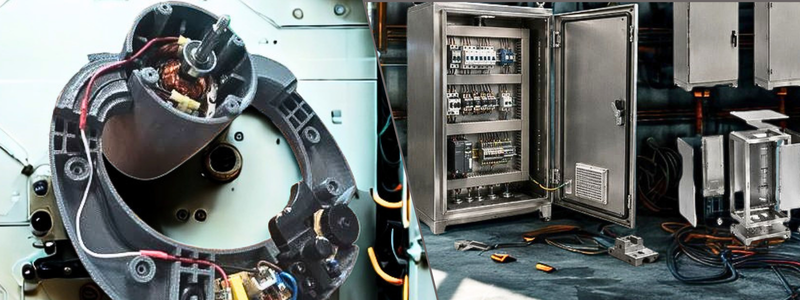
author avatar

MacKenzie Brown is the founder and CEO of Cad Crowd. With over 18 years of experience in launching and scaling platforms specializing in CAD services, product design, manufacturing, hardware, and software development, MacKenzie is a recognized authority in the engineering industry. Under his leadership, Cad Crowd serves esteemed clients like NASA, JPL, the U.S. Navy, and Fortune 500 companies, empowering innovators with access to high-quality design and engineering talent.

Connect with me: LinkedIn ✦ X ✦ Cad Crowd

How Much Does It Cost to Hire a Freelance CAD Designer or 3D Modeler for Business in 2026?


Design rates do not only mean hours rendered by a freelance CAD designer. In 2026, the approach to calculating rates is more structured and established. Aside from hours rendered, it also considers the project’s complexity and the expected deliverables. It is important to know what output is expected to achieve an accurate rate. A freelancer’s rate also depends on their technical expertise and experience. Choosing the right freelancer is not mostly about finding the lowest rate but rather finding someone who fits the specialty needed for the task. Cad Crowd can assist in matching businesses with vetted freelancers tailored for their project needs.

Overview: Estimated rates for the US freelance CAD market 2026

Service / Specialization Junior Rate Mid-Level Rate Senior/Specialist Rate
2D AutoCAD Drafting $45-$65/hr $55-$80/hr $70-$95/hr
Mechanical CAD (SOLIDWORKS/Inventor) $55-$75/hr $70-$110/hr $110-$160/hr
Architectural CAD / BIM (Revit) $55-$75/hr $70-$105/hr $90-$135/hr
Structural Drafting $55-$75/hr $65-$95/hr $85-$115/hr
Civil Engineering CAD (Civil 3D) $55-$75/hr $70-$100/hr $90-$120/hr
Oil & Gas / P&ID Drafting $65-$85/hr $80-$110/hr $100-$130/hr
Electrical / Instrumentation CAD $60-$80/hr $75-$105/hr $95-$125/hr
Product Design CAD $65-$85/hr $80-$120/hr $110-$160/hr
Aerospace CAD (CATIA / NX) $80-$100/hr $100-$140/hr $140-$200/hr
Medical Device CAD $75-$95/hr $90-$125/hr $120-$150/hr
Additive Manufacturing Design $60-$80/hr $75-$110/hr $100-$130/hr
Scan-to-CAD / Reverse Engineering $65-$85/hr $80-$110/hr $100-$135/hr
3D Visualization / Rendering $55-$75/hr $70-$110/hr $100-$140/hr

What drives freelance CAD rates in 2026

Experience and seniority

One of the most impactful drivers of freelance rates is their level of experience in the field. An entry-level junior CAD designer will naturally charge less than those with more years of experience. The rate is not just about their tenure; it is more about the skills and experience they have developed throughout the years. Naturally, an experienced CAD specialist is expected to be more accurate and efficient in their work, which makes them a reliable candidate for critical projects.

RELATED: Pros & Cons of AI for 3D Modeling Services and Your Cost Savings at Companies in 2026

Specialization and domain expertise

Freelancers’ rate also depends on specialization. Not all have the same level of technical knowledge, so some clients pay more to find a specialist suited to their project. For instance, CAD specialists are way more expensive than general CAD drafters because of the differences in software knowledge. Uncommon skills such as GD&T and tolerance analysis are also paid more because of their advanced understanding of the software, standards, and workflows.

CAD drafting designers

Software proficiency and tool stack

One determinant of rate is the software a freelancer uses. It depends on how advanced or specialized the software is. For instance, AucoCAD freelancers who use AutoCAD can charge a standard range since it’s commonly used for drafting work. Freelancers who work with SOLIDWORKS can charge more since it is a niche platform for detailed mechanical design and product development. One reason freelancers charge high rates for their niche is that they have paid for the software and invested time in training and practice.

Project complexity and deliverable type

Project complexity is one of the factors that affect costs and rates. A simple task such as converting a hand-drawn sketch into a 2D model may require less time and expertise, so it can cost less. On the other hand, tasks like creating a full 3D BIM model with clash detection may require not only drafting but also problem-solving and technical expertise. This will take more time to produce and naturally increase the rate of work. Simple drafting and drawing would mean less time spent on rendering, while a complex one could take longer to complete. Just by this, it can be seen how it affects the rate of buildup.

Turnaround time and rush premiums

Project deadlines and duration directly impact the rate of work. Once the standard timeline is set, 3D freelancers can balance their schedules and manage their work more effectively. However, if the project requires urgency and needs to be completed within the day or in 72 hours, a rush fee can be charged. A standard charge is around 25-50%, a common practice across multiple industries. The additional rush fees are justified by the pressure and effort a freelancer has to endure to meet the deadline.

RELATED: How CAD and BIM Services Improve Public Facility Design for Architectural Projects

Fixed-fee vs. hourly pricing

In 2026, many pricing structures are being explored for freelance work. The most common structures are hourly billing and fixed-fee project pricing. The pricing structure depends on how clear the scope or deliverable is. Hourly pricing is more suited for projects that are still developing. This means the design is not yet final or that changes are anticipated. Hourly billing covers the entire design process and offers flexibility. Fixed-fee pricing is more suited for projects with defined scopes and deliverables. This way, the freelancer can offer package deals and improve efficiency.

Geographic location of the freelancer

Location also matters in pricing. Freelancers who reside in countries such as the United States, the United Kingdom, Canada, and Australia generally charge higher rates due to higher living costs, operating expenses, and taxes. Typically, they charge $55-$160 per hour, depending on their expertise. Most of the lower rates are associated with offshore outsourcing markets. While offshore freelancers have lower rates, the risks lie in communication practices, time zones, and quality expectations.

Platform fees and marketplace markups

When a CAD designer is hired through a platform, the rates are not exactly the amount a freelancer gets. This is because most platforms charge a service fee or commission of 10-20%. Often, freelancers increase their rates to offset the deduction. This impacts the final cost of the work services. Some platforms add their markup for services such as vetting, management, and communication support. Knowing these helps clients understand how the rate is built up and determine if the added cost is worthwhile.

Rates by CAD service type

2D CAD drafting (AutoCAD)

One of the most common and affordable CAD services is 2D CAD drafting through AutoCAD. Since AutoCAD is a widely known software, even entry-level drafters can competitively charge their rates. This ranges from $ 45-$85 per hour depending on their experience and project complexity. Some use fixed per-sheet pricing, which ranges from $ 150 to $ 400 per sheet. This depends on the details and revisions. This pricing structure is more accurate in determining the total project cost. When the project requires continuous support for a certain timeline, the rate could be project-based. This ranges from $ 50 to $ 70 per hour.

RELATED: Pros and Cons of Digital Concept Designs in 2D CAD Design Services for Companies: Complete Breakdown

3D Mechanical CAD Modeling (SOLIDWORKS / Inventor / Creo)

One of the most in-demand services is 3D mechanical CAD modeling. This is also considered a high-paying service in 2026. It is mostly used for product design and development. Most software used is SOLIDWORKS, PTC Creo, and Autodesk Inventor. For this kind of service, freelancers charge $65-$120 per hour. The rate could increase depending on the required technical skills, such as GD&T.

mechanical engineering design services

Architectural CAD and BIM (Revit)

CAD and BIM services cover a wider range of deliverables, including 2D drawings to full 3D building models. These are mostly used for design development and construction documentation. For Revit and BIM services, freelancers can charge $65-$110 per hour, depending on their experience and project complexity. Since architectural projects could vary in scope, the pricing is leaning towards fixed fees rather than hourly charging. There are instances in which the rates may be higher, especially when the project requires specialist-level expertise.

Structural CAD and drafting

Structural CAD drafting is a more technical drawing. It is used in construction and infrastructure projects to produce structural designs. This includes the foundation plan, framing layout, structural connection, and details, as well as shop drawings. In US Markets, freelancers specializing in this service can charge between $60 and $105 per hour, depending on experience and project complexity. Steel shop drawings are considered to be a more specialized subset of the service of structural drawing since it requires a deeper understanding of strict standards such as the American Institute of Steel Construction (AISC. With this, a higher rate of $75-$115 per hour is generally charged.

Civil engineering CAD (Site plans, grading, utilities)

Civil engineering CAD work covers infrastructure-related drawings, including site development plans, grading and drainage layouts, and utility networks. Most of the time, US-based freelancers use Autodesk Civil 3D for civil engineering modeling and documentation. They can charge $65- $110 per hour, depending on experience and project complexity. It can increase depending on deeper technical expertise backgrounds. Civil CAD projects are mostly driven by permit deadlines. This means that jurisdiction requirements could impact pricing because the submittals would have to meet strict regulatory standards. This could opt for fixed-fee pricing, which generally ranges from $800 to $2,500 for a standard residential project.

RELATED: Civil Engineering Consulting Services Cost, Rates, and Pricing for Companies

Oil and gas / P&ID drafting

Oil and gas CAD deliverables are considered specialized and high-paying niches in the CAD market. This is because it requires strong technical knowledge of industry standards, such as ANSI/ISA codes, as well as other specifications and engineering practices. Most of the projects here are complex and have to comply with strict requirements. Because of this, freelancers charge around $75-$130 per hour in the US market. The rate could be higher, especially when freelancers use tools like Autodesk Plant 3D or CADWorx.

Electrical and instrumentation CAD

Electrical CAD work covers technical drawings, including lighting and power layout, power distribution plans, panel schedules, and single-line diagrams. The deliverables are primarily for industrial, commercial, and infrastructure projects. The 2026 rates for this service range from $65 to $115 per hour, depending on complexity. Electrcal engineering freelancers with more specialized instrumentation experience often charge higher rates of $80-$125 per hour. This is mainly because of the technical precision and compliance requirements involved in delivering the design output.

Product design CAD (consumer and industrial products)

In product design and development, technical 3D modeling is combined with industrial design analysis. This means that the design is more than creating a functional design unit. It should also consider ergonomics, manufacturability, material selection, and user experience. This would require a more experienced approach and expertise to develop an efficient design. US-based freelancers typically charge $75-$140 per hour for this, and high-end services range from $100-$160 per hour.

product industrial design services

Aerospace and defense CAD (CATIA / NX)

One of the highest-paying sectors in the 2026 CAD market is aerospace engineering services and defense CAD. This field has a strong focus on advanced engineering platforms such as CATIA and Siemens NX. This field prioritizes precision and large-scale assembly capabilities. The tools used in this industry require extensive training and are often used in highly regulated environments. Because of this, freelancers charge around $90-$160 per hour. And if there’s an additional requirement needed, such as a security clearance, the rates could increase to $150-$200 per hour.

RELATED: Freelance Aerospace Engineering Services, Cost, Rates, and Pricing for Companies

Medical device CAD

One of the most detail-intensive and regulated fields is medical device CAD. This focuses on producing design components for surgical tools, diagnostic equipment, and any other medical-related device designers. Because of the industry it serves, it must meet strict regulatory and quality standards. A deeper, more comprehensive understanding of FDA requirements, such as SO 13485 quality management systems, design control processes, and documentation, is required. Precision also matters, so freelancers in this field often use GD&T and SOLIDWORKS. Freelancers often charge around $85-$150 per hour.

3D Printing / additive manufacturing design

In product design and development, 3D printing services or additive manufacturing, CAD is used to design parts or components. This requires more technical knowledge, as designers would have to consider how each part will be built. Designers would have to do more than just design, but also understand performance efficiency and topology optimization. Because of this, additive manufacturing is considered a specialized subset of mechanical CAD. Freelancers in this niche charge around $65-$120 per hour.

Scan-to-CAD and reverse engineering

Scan-to-CAD and reverse engineering comprise processes of converting physical objects, 3D scanned data, or manual measurements into an editable CAD. This is considered a specialized modeling since the designer would have to rebuild geometry and design intent based on the existing parts. A high level of technical skill is required to generate the expected output. US freelancers can charge $75-$130 per hour for this engineering service, with rates increasing for added complexity. The size of the scanned file can also influence the pricing since it would require more time and effort to convert it into a parametric model.

Rates by deliverable type

Single part 3D model

One of the most common freelancing CAD services is a single-part 3D model. This is about turning sketches or drawings into a full 3D component that can be used for manufacturing, rendering, or assembly design. In US markets, simple mechanical parts like bolts, fillets, or chamfers could cost around $150-$400 as a fixed fee. More advanced 3D modeling designs with intricate detail or design as well as high tolerance can cost $400-$1,200 or more, depending on complexity.

RELATED: Top 43 Homeware Design Companies and Services for New Product Design, and 3D Modeling

Mechanical assembly with BOM

A mechanical assembly project consists of modeling multiple parts and components into one functional or complete system, including a bill of materials. This is a more detailed work since all components have to properly align, connect, and function as one. In the US market, a small assembly with 5 to 15 components (BOM included) may cost $800-$2,500 as a fixed fee. For larger assemblies with 20 to 50 components, the cost could range from $2,500 to $6,000 or more, depending on complexity.

mechanical assembly services

Full drawing package (part + assembly + detail drawings)

Providing a full set of CAD drawings is one of the most common deliverables requested by clients. This typically includes 3D assembly models, part models, and detailed component drawings. BOM can also be included. In the US market, the drawing package for a simple product with 5-10 components costs $2,000-$5,000. While for a more complex assembly with 15-30 components, it would cost $4,000-$10,000. The pricing could also be influenced by strict engineering or compliance standards such as ASME Y14.5 GD&T formatting and ITAR-controlled documentation. Any other additional setup of work can be a factor in the price increase.

BIM model (Revit)

BIM modeling service pricing is influenced by several factors such as building size, level of detail, and model usage. It’s not just about the geometry but also coordinated building data, which provides overall support in design, construction and workflows. A basic Revit model for a simple residential project usually costs $1,500-$4,000. An advanced BUM deliverable such as LOD 350 commercial building mode, including full coordination of architectural, structural, and MEP systems, can cost $8,000-$25,000. Pricing may increase depending on the complexity of the project.

Photorealistic 3D render

Another common deliverable is a photorealistic render. This is commonly used for marketing, product presentation, architectural visualization, and client approvals. This is about making a realistic image of the model, reflecting accurate material, lighting, reflection, shadows, and other environmental details. A photorealistic render is usually priced per image or as part of a render package. A single render with a clean background costs around $200-$600 per image. A different rate applies to architectural rendering due to added scene complexity. An architectural exterior render of a residential building could cost $400-$1,200 per image.

RELATED: Photorealistic Rendering Services: Complete Price, Cost, Rates and Fees for Companies and Firms

Architectural animation / walkthrough

Architectural animations and walkthroughs are considered advanced 3D visualization services that are used to showcase buildings and interior spaces. The animations and walkthroughs are mostly used in marketing and client presentations. It helps the viewers to experience the space realistically. A professionally made 60-90 second architectural fly-through animation could range from $1,500-$5,000. The pricing includes not just the animation service but also the process of 3D modeling, detailed environment set-up, lighting, and camera path animation. It also includes rendering thousands of video frames as well as post-production editing.

Technical illustration and exploded view

Technical illustrations are specialized visuals. It is used to explain how a product or a unit is assembled or fits together. It is mostly presented in exploded assembly views, annotated isometric drawings, or instruction-manual drawings. The drawings are mostly used as manuals, training materials, catalogs, and marketing presentations. Doing this could typically cost $65-$120 per hour, and often through SOLIDWORKS, STEP, or another 3D CAD platform. This type of deliverable is not just about proficiency in drafting or software; the freelancer should also have the ability to communicate through the drawings. It should provide a level of understanding that’s easy to read for non-technical viewers.

Virtual reality / interactive 3D

Virtual reality, or VR, and interactive 3D visualization are considered specialized works. These deliverables are becoming more popular in 2026 for product design and client presentations. Instead of showcasing static models, more interactive visuals can be accessed by the viewers. This work is beyond basic CAD or rendering. It includes extra work and optimization. This output costs around $500-$2,000 more than the base 3D model itself. A more advanced experience, such as walkthroughs with interactive hotspots or interaction features, would range from $3,000-$10,000 depending on complexity and the size of the environment.

virtual reality architectural design

Rate benchmarks by seniority

Junior CAD drafter (1–3 years experience)

Hiring a junior CAD drafter is one of the most budget-friendly options in the freelancing market. They may typically have one to three years of experience and charge $45-$65 per hour. Their strong suit is for well-defined drafting work such as producing simple 2D plans and 3D models. The projects they can do are more focused on drafting accuracy rather than engineering decision-making. Junior drafters are expected not to be able to handle complex engineering interpretations since they still have limited experience. A fixed fee for a basic residential project made by junior drafters may cost $400-$800. The overall success of the project relies on how well and clearly the project brief is written.

RELATED: Drafting Firms: Steps to Always Choose Great Outsourced Drafting Services

Mid-level CAD designer (3–7 years experience)

For mid-level CAD designers with 3-7 years of experience, their charge per hour is $65-$100. Their experience is more balanced and cost-effective, considering they have a wide range of professional CAD projects combined with technical skills, efficiency, and technical design judgment. They are capable of handling even partially complex projects and interpretation. They typically don’t need supervision and guidance and have enough domain of technical knowledge to adapt to client needs. A mid-level designer can produce a full product assembly or full-package drawings, including a BOM.

Senior CAD specialist (7+ years, domain expert)

A senior CAD specialist generally charges $100-$160 per hour. They mostly have 7+ years of experience and are in highly specialized fields. Their niche could vary, such as aerospace, medical devices, and advanced industrial design. At this level, they are not just hired to draw or build up drawings; they are contributing technical insight and knowledge to the project. They help in improving the overall design quality, manufacturability, and design outcome. With this, their rate could reach $150-$200 per hour.

These specialists are known for producing deliverables with minimal to no revisions. This is because they can anticipate possible issues and raise them early. The risks of project failure are low. Hiring senior specialists is more about investing in higher reliability and faster output.

How Cad Crowd can assist

US rates for freelancing work may look varying on the surface, but in reality, they follow a clear and predictable pattern. It is important to understand the drivers behind pricing. The factors involved play a role in determining the suitable option for the project. Understanding how the factors affect the project can help in predicting the final cost of the project and prevent further ambiguity.

The most cost-effective approach is to align the project’s budget and outcomes to the freelancer’s skills with the actual project needs. Every project has a suitable matching pricing structure, and it can only be efficient when you understand which freelancer is fit for you. Cad Crowd helps in matching clients with vetted freelancers, giving access to experienced talents tailored for their project needs. Contact us for a free quote.
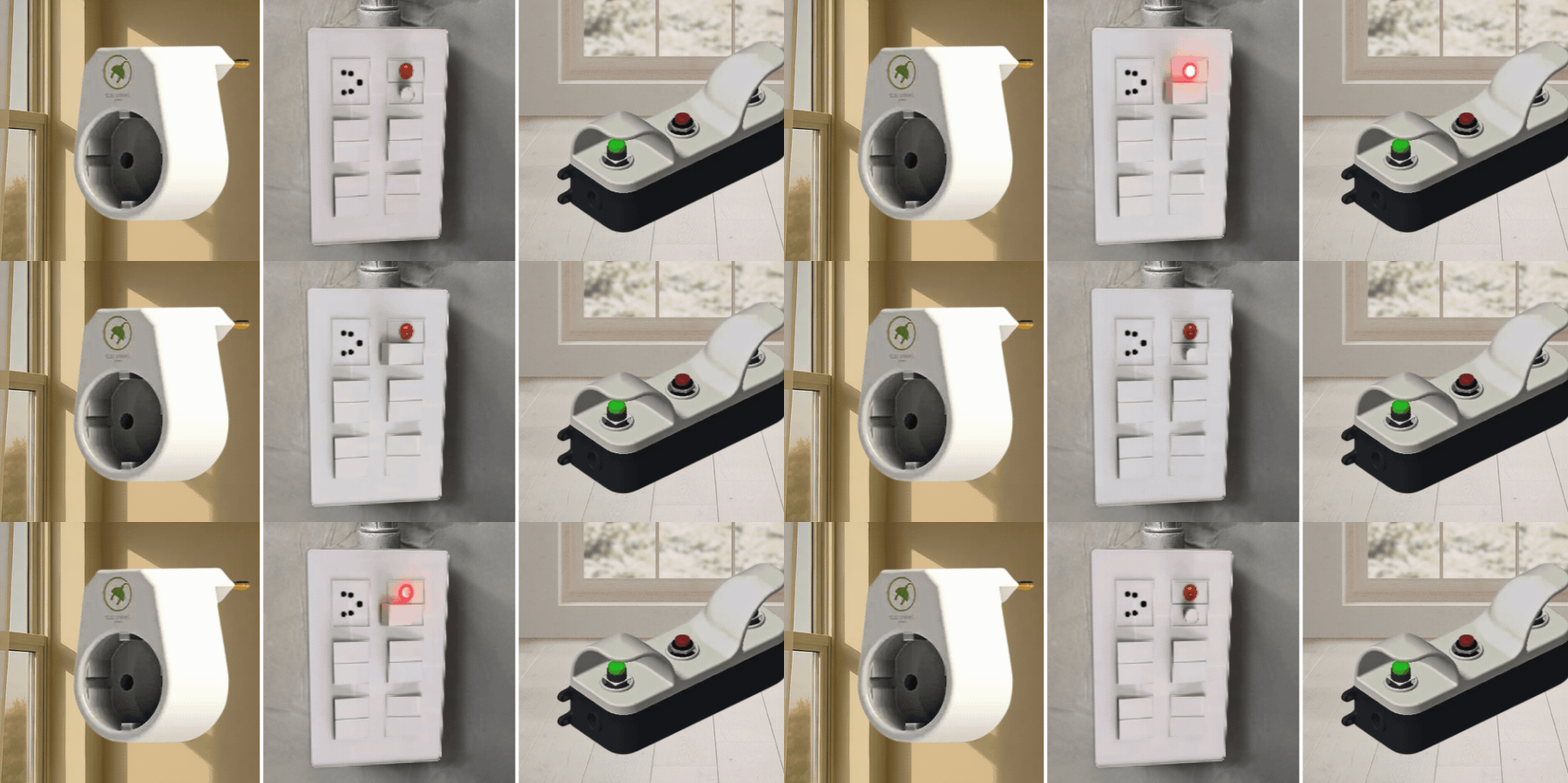
author avatar

MacKenzie Brown is the founder and CEO of Cad Crowd. With over 18 years of experience in launching and scaling platforms specializing in CAD services, product design, manufacturing, hardware, and software development, MacKenzie is a recognized authority in the engineering industry. Under his leadership, Cad Crowd serves esteemed clients like NASA, JPL, the U.S. Navy, and Fortune 500 companies, empowering innovators with access to high-quality design and engineering talent.

Connect with me: LinkedIn ✦ X ✦ Cad Crowd

How to Build a Real Estate Portfolio Using 3D Renderings & Visualization Services


Your business portfolio has a lot to do with marketing, or how effective your company is at attracting potential clients and converting them into paying customers. A portfolio is more than just a sample of your previous projects. It’s how you boast about your technical skills, achievements, expertise, and industry insights at large. And in the real estate business in particular, nothing beats 3D renderings when it comes to showcasing all those things that you’re capable of.

Because CGI is an all-digital format made from a collection of 3D assets rendered into an image or animation design services, it’s versatile in almost every way. No matter how complex the visualization might be, Cad Crowd is only too pleased to help you connect with the world’s most talented digital artists specializing in architectural visualization. With a guarantee of accuracy and an option of a managed services package, the freelancing platform is your one-stop shop for all architectural visualization projects.


RELATED: How 3D Exterior Visualization Showcases Architectural Projects for Design Firms

🚀 Table of contents


In the old days, real estate developers and investors relied on photographs and video footage of past projects to build their portfolios. Many of them also include images of scale models to represent ideas and concepts. Photographs and physical models are still used today, but they’re becoming less popular as photorealistic CGI proliferates, which admittedly runs circles around conventional media thanks to its numerous advantages. Chief among these is its ability to create precise digital twins of finished structures from blueprints and to generate visualizations of unfinished (and sometimes even entirely hypothetical) projects.

  • Do you want to showcase the biggest apartment complex you’ve ever developed? Take the blueprint and model everything in 3D on a computer screen for a guaranteed, maxed-out visualization.
  • Animated visualization? Just say you want it in 4K or higher.
  • Need to convince lenders to invest in the next residential project? Show them an aerial view of the finished development, even though the construction site is still empty land.
  • What about exposing the installation of underground utilities in a big project? There’s, of course, 3D CAD software for that.
  • Displaying different interior style options for the same room? Not a problem at all and no staging necessary.
  • Detailed visualizations for a complex industrial facility? You bet.

And then there’s the question of revision. What if the buyers, investors, or permit issuers don’t like what they see in the rendering and want to have changes made to the design? Not at all a big deal. Thanks to the “virtual” nature of 3D renderings firm, any design revision, big or small, happens on a computer screen. In fact, the biggest advantage of Archviz is that it affords the stakeholders a thorough inspection of a project before it actually happens, giving them the opportunity to notice mistakes or design flaws very early on. If there’s a thing or two about the plan that just doesn’t look right, you can have it fixed right away. Well, it may take a week or so to get the new version done, perhaps more if it’s a larger project, but still much more practical than having to revise anything during construction.

3D rendering also plays an important role in the review process with the local authorities. The building department won’t care much about photorealism as they need the hard numbers and specs more than anything else to issue permits, but the zoning board and the planning commissions can certainly use Archviz as references when considering approval.

RELATED: Types of Architectural Renderings: A Complete Guide to Choosing the Right Visuals

Say you’re developing a multifamily residential project worth a few million dollars in the middle of a city. Because the complex is large enough that the finished building will inevitably affect the neighborhood’s outlook, the zoning board and the planning commission have to make their decision based on the area’s context. At the same time, a lender refuses to release the funds until you have visual proof. Let’s not forget that the sales team won’t be able to open reservations without showing potential buyers what they’re depositing the money for. So, what do you do in this situation?

You have a couple of options: first, spend roughly $10,000 to hire a visualization service to create an accurate rendering. Considering the project size, it’s actually on the lower end of the fee spectrum. But for the amount of money, you solve three problems at once: getting quick approval from the public boards, securing the investment, and greenlighting the marketing campaign. Second, push the project forward without a photorealistic visualization services. While no one says this will fail, there are serious risks to consider here. The lack of clear visualization may cause approval delays of 2 to 6 months, not to mention hundreds of thousands of dollars in carry costs. The lender postpones the investment, and the marketing team has to start late.

Many people see the use of 3D rendering as a creative decision. But as the project grows larger and stakeholders become more meticulous in everything they do, it becomes clear that Archviz is pretty much a financial decision. And for every good developer who understands math, Archviz is never optional. It’s arguably the highest-ROI item in the early phase of the development.

A portfolio to cover all the bases

Once you have the visualization, it’s a brand-new addition to your portfolio. And of course, you can use 3D rendering and visualization services to build a larger collection of design showcases. Not only as a visual track record of completed projects, but also a testament to your architectural and engineering prowess and ingenuity.

RELATED: How MEP Engineering Consultants Can Help Architectural & Engineering Construction Firms

There’s no limit to what you can build with Archviz in terms of both project size and styles: residential, commercial, industrial, municipal, fixer-upper, the lot. You get to visualize the exterior, interior, aerial view, floor plan, utility installations, and even the steel detailing, all in 3D photorealistic imagery. You name it, the professionals from Cad Crowd can do it. Be very sure to cover all of the Archviz bases. This means you need to include all the major formats, perspectives, and subject matters. At the top of the priority list should be:

Static renders for both the exterior and interior views

Visualize different architectural styles like Farmhouse, Ranch, Tudor, Georgian, Cottage, Contemporary, Bauhaus, Modernist, International, everything. Even if you’re currently focusing on specific project sizes (for example, small residential or commercial buildings), there’s nothing wrong with venturing into new challenges when the opportunity knocks. Who knows? Maybe some clients want you to build mansions for them.

building-real-estate-portfolios-with-architectural-renderings

3D floor plan

Unlike a typical room rendering, a 3D floor plan design with an isometric view covers all of the interior layout. It’s like seeing a house without a roof from the top. A floor plan is usually not as detailed as a full-blown rendering, but it still offers enough realism to give a glimpse of the interior’s spatial relationships.

RELATED: The 8 Reasons Why 3D Interior Animation is Better than Renderings with Design Firms

Animated render

As the name suggests, it’s an animated architectural visualization that showcases the structure’s details. Think of it as a video walkthrough to make the clients feel as if they’re walking about and entering the building. Everything they see is photorealistic CGI designed to mimic the look of an actual house. An animated render can also be a flythrough. This is mostly used for an aerial view to show the clients not only the building itself, but also how it fits right into the surrounding neighborhood or environment.

Before and after

Not every client, especially in a residential project, plans to build a new house from scratch. A lot of them hire an architectural firm to do renovation and retrofitting jobs. In some way, this is how you boast about your ability to apply clever design approaches to an existing structure or a living space without tearing down the walls.

Regardless of the format or perspective, always pay close attention to the textures, materials, and lighting in the rendering. The hallmark of a high-quality visualization is a lifelike imitation of how light interacts with objects of various surface characteristics. For example, a transparent object allows all the light hitting the surface to just pass through, whereas a translucent material reflects some of the light. The reflection, in turn, moves to another direction, affects nearby surfaces, and the cycle continues. Photorealistic rendering isn’t technical drawing, as it offers very little in terms of specifications and dimensions, but it shows that you care about details.

RELATED: The 10 Benefits of Panoramic Rendering Services for Architectural Design Firms

create-better-real-estate-portfolios-with-archviz

A different kind of ROI

Just about every architectural firm these days builds and uses a portfolio filled with 3D renderings as marketing material. It’s how they boast about their track records, involvement in high-profile projects, achievements, and experience. With such visuals displayed on websites and social media, Archviz is also how they try to impress and attract potential clients. Some say 3D rendering generates higher “engagement” through clicks or sharing across different platforms (something akin to a word-of-mouth marketing campaign of the old days) and improves your online presence. Both are some forms of ROI, alright, but they’re not actually the ones you care about the most. While engagement metrics and the number of followers you have are not at all meaningless, architectural firms and real estate developers alike focus on entirely different things.

You care about how quickly a project secures financing from lenders, whether the planning commission greenlights construction and when, and about pre-selling units before construction. For investors and developers, the ROI isn’t always about engagement. The actual ROI is measured in increased efficiency, reduced risk, a straightforward approval process, and units pre-sold, not likes and comments on social apps.

Typical architectural visualization costs

Service Typical Cost (USD)
Exterior 3D render $500–$2,500
Interior 3D render $400–$2,000
3D floor plan $250–$1,000
Animated walkthrough $2,000–$10,000+
Aerial/flythrough rendering $1,500–$8,000
Before-and-after visualization $500–$2,500
Complete Archviz portfolio package $5,000–$25,000+

How portfolio drives revenues

Not so long ago, you wouldn’t even dream of having a comprehensive real estate portfolio unless you had finished dozens or more projects of various styles and sizes. Well, things have come a long way in the architectural industry since then. Cad Crowd now gives you easy access to professional digital artists with proven Archviz experience from all around the world. With their 3D renderings and visualization services, you can build nothing short of an extensive portfolio and drive more of that much-needed revenue, even as you’re still scaling up the business. But how can Archviz do it? Well, that would take some explanation, but it’s actually a lot simpler than what you have in mind.

RELATED: 3D Rendering Techniques in Architecture: CGI Conundrum for Architectural Companies

  • Make sales before breaking ground. Let’s think about it for a moment. Trying to convince buyers to spend hundreds of thousands, if not millions of dollars, on a real estate yet to be built is going to be an uphill battle. You might try showing them blueprints and flat floor plans, but who’s to say the technical drawings won’t dissuade them instead? For anyone who isn’t an architect or engineer, conventional construction drawings appear more like a high school geometry project than an architectural design, and this is where Archviz comes to the rescue. Photorealistic rendering shows potential buyers what the finished product will look like, giving them clear visuals of what they will receive for their money. And when they know where the money goes, you’ll have an easier time delivering a convincing case of why they need to buy now.
  • Secure that high-dollar investment with a few words. Say an opportunity comes and you’re on the brink of scaling up, except you need a strong backing because it’s a much bigger project than anything you’ve done before. Big money is involved, so the best approach is to secure financing from banks and other major investors. The problem is that those same investors probably hear the same sales pitches weekly. It’s the same story always. A real estate developer with some blueprints coming to them in the hope of earning enough trust and funds for a project. Blueprints and spreadsheets are rarely, if ever, convincing enough. Why not use an animated rendering, a flythrough, and a 3D floor plan instead? Archviz acts as a shortcut to convey a sense of credibility, commitment, and professionalism to investors. And if this is indeed a massive project like an industrial facility or an apartment complex, those flythrough and isometric floor plans can be the difference between walking out with a fat check or empty-handed.
  • Fixer-upper made safe. We’ve said earlier that “before and after” visualization also matters in a portfolio. Not every project is a ground-up construction. In fact, a definitive trait of a capable real estate developer is the ability (and willingness) to take on complex renovation projects. It’s an established fact that a fixer-upper project is often much more complicated than a fresh build. Retrofitting is equally intricate. There’s no denying that buying an old property and fixing it to be brand new is a huge part of the game. It’s the old idea of spending as little as possible to buy decades-old property, splurging a bit more on an upgrade, then selling it back for a healthy profit. The thing is, you don’t want to offer it to a buyer at a premium price tag unless you can show them (it seems like we’re repeating ourselves here) what the building will look like after the renovation. The smart move here is to make the sale before you start the actual renovation. How do you even begin to do that if you’re not using 3D rendering? And if the buyer has different design ideas, you can make changes now, when revisions are still cheap, rather than later during the construction phase.

Perception matters in businesses of all sorts, and real estate development is no different. It’s an exceedingly competitive field, and you can’t just command top-tier pricing without a portfolio to back that up. Photorealistic rendering can, of course, help you create that high-end brand image. This doesn’t mean you must post hundreds of CGIs (of high-end or luxury projects) across your social channels and pretend you’ve done all of them when, in reality, you haven’t.

RELATED: The Best 5 Angles for Architectural Exterior Rendering to Showcase Building Projects 

architectural-renderings-that-drive-real-estate-growth

Closing thoughts

Still remember about covering all the bases of Archviz? Well, whatever Archviz you use, the important thing is that you have the know-how and resources to build what you show in your portfolio. You don’t want to “pretend” to be able to complete a project that’s actually beyond your expertise. Imagine a client or an investor knocking at your door after seeing a flythrough of a high-rise architecture design in your profile. Back off a project or bite off more than you can chew. It’s not funny either way.

What kind of visualization should I use then? No one can make that decision but you. It’s your company, and you’re the best judge of what you are and aren’t capable of. But no matter how simple, complex, or high-end the architectures are, the professionals at Cad Crowd are ready to lend their CGI expertise to you. Whether you want it static, animated, or both, there’s always a talented digital artist on the platform to cater to your demands and preferences at affordable rates.

RELATED: How 3D Commercial Rendering Services Help Present Commercial Architectural Projects 

How Cad Crowd can help

A strong portfolio starts with high-quality architectural visualization. Cad Crowd connects developers, architects, and real estate professionals with experienced Archviz specialists who create photorealistic exterior and interior renderings, 3D floor plans, animated walkthroughs, aerial views, and renovation visualizations that help showcase projects, attract investors, and win new clients. Contact Cad Crowd today for a free quote! 

author avatar

MacKenzie Brown is the founder and CEO of Cad Crowd. With over 18 years of experience in launching and scaling platforms specializing in CAD services, product design, manufacturing, hardware, and software development, MacKenzie is a recognized authority in the engineering industry. Under his leadership, Cad Crowd serves esteemed clients like NASA, JPL, the U.S. Navy, and Fortune 500 companies, empowering innovators with access to high-quality design and engineering talent.

Connect with me: LinkedIn ✦ X ✦ Cad Crowd

Why Electrical CAD Drafting Services Are Essential for Modern Engineering Projects


A standard part of a construction project or renovation blueprint, electrical drafting is a detailed diagram that visualizes a building’s electrical system layout. Using symbols and geometric shapes, the diagram must clearly depict cable routing and the placement of components, including distribution panels, circuit breakers, outlets, sockets, switches, fuses, indoor lights, outdoor lights, and junction boxes. The draft functions as both an instruction manual for the electrician to do the installation and a construction document for permit application and maintenance. In the old days, electrical drafts were hand-drawn, at least until affordable computers and CAD software became available. Digital tools use standardized symbols, abbreviations, and descriptions to represent electrical parts and components. Everything is further clarified using legends, usually at the bottom of every page.

So does it mean drawing an electrical draft is easier with CAD? Well, yes and no. It’s easier because software makes a lot of things “drag-and-drop” affairs, such as connecting two components, putting symbols, rotating parts, and so forth. At the same time, the skills required to produce an accurate electrical draft can take months to master. CAD drafting is a highly specialized trade, and that’s why architects and engineers often hire professional drafters to turn hand-drawn sketches into full-blown digital drafts.​ And where do architects and engineers find those professionals? We can’t speak for everyone, but Cad Crowd is always a safe bet thanks to its heavy focus on the AEC (architectural, engineering, and construction) industry and, with it, the MEP (mechanical, electrical, plumbing) sector. The freelancing platform is home to tens of thousands of experienced draftspersons from all over the world, offering CAD services at affordable rates backed by a guarantee of accuracy.


🚀 Table of contents


Do you really need a CAD draft?

Every design decision is yours to make. What we can say for sure is that an electrical CAD draft runs circles around a hand-drawn plan in nearly all aspects, be it accuracy, consistency, practicality, or efficiency.

RELATED: Ultimate Guide to Engineering CAD Drafting Services: Benefits, Applications & Costs

Messy lines no more

Drawing some cables, plug sockets, wall switches, fuse holders, and distribution boxes is easy, right? Wrong. While it’s true that a lot of them are going to be lines, rectangles, and squares with annotations on a piece of paper, it’s the accuracy that matters the most. Each time you draw a line using a pencil, every stroke can represent an actual size of three or four inches, depending on how thick the lead is. Put it as an overlay on top of a construction draft; this results in grossly inaccurate positioning, size, and placement. The electrician working on the installation then resorts to guesswork and comes up with some kind of “creative” mess, to say the least.

CAD drafting gets rid of the problem. All the lines and switches are exactly where they’re supposed to be, and drawn to scale as well. It doesn’t matter if a wire is just a fraction of an inch or as big as a garden hose; CAD gets the dimension right. Alignment is also important because every single wall plug, overhead light, and switch needs to be aligned with precision to avoid incorrect installation. Having a digital drawing as a guide means near-zero risk of mistakes. You’re giving the electrician an accurate instruction manual annotated with perfect measurements (as opposed to a fuzzy rough sketch) that leaves zero room for misinterpretation.

Get a crucial subsystem right the first time

A building is a functioning structure made of multiple subsystems, one of which is the electrical installation that must be integrated well into a bigger system. Electrical CAD drafting handles this integration with ease thanks to automated dimensioning and tolerancing (basically fancy ways of saying measurements) against the planned structure. For example, the draftsperson can draw an electrical path between two or more connected parts onto an existing floor plan and make sure that a trip switch or a distribution box doesn’t end up on the wrong side of a wall.

RELATED: Top 34 Electrical Drafting Companies and Services Firms for Architectural, Engineering, and Construction

In a construction project, you can’t always install all the electrical parts at the same time. During the early phase of construction, electrical boxes must be installed while the ceiling joists and studs are still exposed, as electricians need easy access to secure components to the structural frame. Full visibility also ensures the cables are properly routed to avoid nail punctures. Outlets, on the other hand, must be installed after the drywall is hung. Keep in mind that installing electrical outlets before the drywall is a code violation due to safety hazards.

Without clear, comprehensive, and accurate guidance from electrical CAD drafting, the installation process tends to be messy and poses a risk of electrical failure. The electrician needs a coordinated layout so it’s easy to integrate different systems in a smooth workflow.

Keep the wires and pipes out of each other’s way

MEP (Mechanical, Electrical, and Plumbing) integration also benefits from CAD drafting a great deal. Not every house design offers easy access to a space where a worker can install the metal air ducts for the HVAC, copper pipes for water supply, and a big bundle of electrical wires in good comfort. In many cases, especially in a residential project, there’s only a narrow gap to squeeze through all the components. You can’t afford to prioritize one over another either. If the electrician is given free rein with the cable routing, the plumber and the HVAC installer who come the next day will have a hard time finding a path for the pipes and ducts. They have to figure out a workaround on the fly, make unnecessary bends, and take longer to get the job done. It’s inefficient.

RELATED: Relevance of MEP Drafting Services for Architectural Design Firms & Construction Companies

top-benefits-electrical-cad-drafting-engineering-projects

CAD drafting allows the option to merge the electrical layout with the HVAC and plumbing installation plans. In fact, you must combine them into a single draft to avoid overlapping lines. The electrician knows exactly where to run cables. So long as it’s routed exactly as shown in the draft, the planned MEP integration should be just fine. Think of CAD drafting software as a puzzle-solving tool; it helps you sort out improper crisscrossing between electrical, HVAC, and plumbing lines before installation.

Catch spatial clashes early on

Imagine this unsurprisingly common situation: you’ve already done the wall framing, but then you realize that an electrical path has nowhere to go unless you somehow make it run through a support beam or a massive main drainpipe. Is it doable anyway? Yes. Can you do it? Yes. But should you? No. Although you can, of course, try to find another path to route the electrical line, it doesn’t sound very professional now, does it?

Relying on manual drawing makes you prone to such a mistake. It doesn’t always happen just because you don’t use CAD drafting, but the likelihood of it ever happening is greater when the electricians and the builders aren’t looking at an integrated construction plan. CAD drafting gives you the practical option to stack multiple drawings on top of each other, as if you’ve done it all on a clear glass; the main structure at the bottom layer remains visible, and so you get a more complete overview of the plan. In case there are overlapping lines or hard clashes (when two objects occupy the same space), you’ll notice the mistakes right away. Fixing mistakes right here on a computer screen is much more affordable than redoing construction.

RELATED: CAD Outsourcing: Architecture & BIM Drafting Strategies for Architectural Design Firms

Electrical draft on a screen

We don’t feel very comfortable with this one, to be honest. Still, it has to be said, because apparently construction workers and technicians, electricians included, are also taking their smartphones to the job site. This is not to say they’re glued to the screen at work. It’s just that smartphones or tablets seem to have become essential parts of their kit for one good reason: CAD drafting. Think about it this way: paper drawings can be unwieldy. Depending on the electrician’s scope of work and area to cover, the paper draft can be so wide that it gets too cumbersome to hold.

A non-issue if you’re looking at it on a table, but a real hassle when you’re routing cables above a suspended ceiling. You have to look at the draft for guidance and, at the same time, take a peek at some hanging wires every two seconds or so. It’s like looking at a paper map while you’re actually driving. After consulting the draft and you’re ready to get on with the installation, you have to roll the draft first; otherwise, it gets in the way. Impractical as it may seem, electricians have been doing exactly that for decades without complaining much, and they still get the job done.

Now that electrical CAD drafting has more or less become the new standard, some people suggest that electricians make the most of the technology, including the cloud-based accessibility feature. One of the most beneficial aspects of CAD drafting is that the entire construction plan can be stored as a single master file in the cloud and updated in real time. By accessing the file using a tablet or a smartphone, electricians always get to see the latest version. It’s paperless, modern, and neat. Electricians get to see the electrical draft in full color and high resolution. Even in a large project where multiple electricians are working on separate rooms and floors, they can all access the same digital draft from separate devices. A big downside is the cost. While the method can improve efficiency to a good extent, general contractors might be reluctant to spend thousands of dollars on a digital device for every electrician in the team.

RELATED: Complete Guide for Electrical Drawing and Blueprints Drawings for Your Company

Consistent visual language

Just about every project within the umbrella of the AEC (architecture, engineering, and construction) industry tends to involve a lot of characters. Apart from clients, project owners, and architects, there’s usually a collection of professionals from various disciplines, such as engineers, general contractors, city inspectors, plumbers, builders, and, of course, electricians. Let us now, for a moment, focus on the electricians’ part. Chances are, the electricians working on the project are not first-timers. They’ve worked on a number of projects before, installing the electrical systems in many buildings. They’ve seen a fair share of electrical drafts, signed by different architects or engineers. Say some of those drafts were hand-drawn; do you think all those engineers from different firms used identical symbols for the same electrical parts every single time? Probably not.

Imagine a scenario where the electricians are also using manually drawn drafts for the current project, signed by yet another engineer. A common problem with hand-drawn drafts is the likelihood of inconsistent symbols. For instance, one engineer uses a square with thick lines to represent a distribution box, but another engineer decides that the same electrical component is best symbolized with a rectangle. And that’s only on one page. Manual drawing doesn’t always produce uniform shapes throughout the draft. A triplex receptacle may appear like a fourplex receptacle just because the pencil lead wasn’t pointy enough; recessed lighting appears like surface lighting, a power panel is mistaken for a lighting panel, and so forth.

There are already standard symbols for all common electrical components, but hand-drawn diagrams are often inconsistent, making the draft confusing rather than helpful for electricians. Digital drawing removes any possible inconsistency. Every line, geometrical shape, annotation, and symbol is written by software to maintain uniform visuals almost impossible to misinterpret.

RELATED: Understanding CAD Services: From 2D Drafting to 3D Conversions

Accurate BOM (Bill of Materials) right from the start

The bigger the project, the more difficult it is to accurately calculate the number and amount of materials you need. A good uneducated decision (if such a thing exists at all, which it doesn’t) is to play it safe and buy more things than necessary. Say you’re working on a major renovation project on a 1,500 sq ft house. If the building is pretty simple, you might need around 2,500 ft of wire, generally speaking. However, two homes with the same square footage can have different needs. Layout complexity, along with appliance loads, also matters.

More length is better than less, but that’s not how a professional electrician is supposed to work. Your client wants efficiency, with as little waste as possible. Electrical parts are not exactly cheap, either. If you buy far too many metal junction boxes, switches, and outlets, you’ll have a pile of unused expensive inventory by the end of the project. The client ends up paying more for parts and components that are just sitting around collecting dust.

A digitally drawn electrical draft behaves differently. It needs no manual calculation of how many parts and components to buy or how long the wire has to be for the entire installation. Every single item placed on the screen is automatically added to the BOM process. When you make a change and remove the item, the software deletes it from the list too. The same thing happens to the wire length as the software tracks the path and route to determine how many feet of wire it takes. All bends, cuts, and loops are accounted for to minimize waste. That said, every good electrician may need to leave some slack here and there for future work to avoid joints, so be sure to purchase probably 10% more length than what the software suggests.

Permit approval made quick

Unless what you do is nothing but simple outlet replacements and other small repairs, chances are you need an electrical permit for any new installation. Electrical work is, in fact, one of the most heavily regulated systems in a building, whether residential or commercial. Installation of new circuits, panel upgrades or replacements, new wiring in walls or ceilings, an electric hot tub, a 240V outlet (such as for an EV charger), a generator transfer switch, and a subpanel almost always require a permit from the local building department.

RELATED: MEP Shop Drawing Services: The Secret Weapon for Freelancers and Firms in Successful Building Construction 

electrical-cad-drafting-increases-project-accuracy

And in addition to the permit application itself, the submission typically includes a project description, the contractor license numbers, proof of authorization from the homeowner (because the contractor handles the permit application in most cases), and electrical blueprints along with the engineering calculations. Permit applications take time, as they should, because the building department has to thoroughly review the application, especially the electrical plan section, and ensure nothing violates code.

It’s not supposed to be quick, but that doesn’t mean there’s nothing you can do to make the process run as swiftly as possible. The main focus is on the electrical draft, so the sensible thing to do here is to provide the CAD version (as opposed to a hand-drawn plan) as it’s more readable, consistent in terms of symbols and legends, and with better layout. Will electrical CAD drafting guarantee approval? It won’t, even if you get everything right, and there’s no local building violation or such. That being said, you have better chances of getting quick approval if the city engineers work with a clearly presented, professionally drawn electrical draft.

Typical costs for electrical CAD drafting services

Service Estimated Cost (USD)
Residential electrical CAD drafting $500–$1,500
Commercial electrical CAD drafting $1,500–$5,000+
Industrial electrical CAD drafting $3,000–$10,000+
Electrical wiring diagrams $200–$800
MEP coordination drawings $1,000–$5,000+

Maintenance guideline

Years after the electricians have finished the installation, there will be times when people living in the house need to do some repairs, replacements, or upgrades. The new electrician needs a good guide to understand the original layout, how the wires are routed in the first place, and which fuse box to check. If the homeowner plans a renovation project and knocks down some walls, it’s important to know whether there are wires behind the drywall. Again, this isn’t to say a hand-drawn draft can’t serve archival purposes for future reference. It’s just that the digital CAD file can do the job better. The homeowner can have as many backups as they want, while maintaining the original copy intact.

RELATED: Benefits of AutoCAD for Electrical Drawings with Freelance Engineering Services & Companies

Closing thoughts

And finally, a big part of the electrical CAD draft is the promise of efficiency in the long run. Hiring a professional to produce an electrical CAD draft costs money, but the long-term benefits far outweigh the initial expense. Given the increased efficiency, improved safety, automated BOM calculation, and reduced errors, you can say that the electrical CAD draft would have already paid for itself by the time the project concludes. It’s not like a CAD professional is hard to come by either, if you know where to look.

Cad Crowd is home to many thousands of professional drafters, experienced in technical drawings for engineering and construction projects, big and small. On the freelancing platform, you’ll be granted easy access to a massive hub of talented freelancers and engineering firms alike, all capable of producing high-quality electrical CAD drafts for residential, commercial, or industrial projects alike.

How Cad Crowd can help

Cad Crowd connects architects, engineers, contractors, and developers with experienced professionals offering high-quality electrical CAD drafting services. From electrical layouts and wiring diagrams to MEP coordination and construction documentation, our vetted experts deliver accurate, code-compliant drawings for residential, commercial, and industrial projects. Contact Cad Crowd today for a free quote and find the right drafting expert for your next project.

author avatar

MacKenzie Brown is the founder and CEO of Cad Crowd. With over 18 years of experience in launching and scaling platforms specializing in CAD services, product design, manufacturing, hardware, and software development, MacKenzie is a recognized authority in the engineering industry. Under his leadership, Cad Crowd serves esteemed clients like NASA, JPL, the U.S. Navy, and Fortune 500 companies, empowering innovators with access to high-quality design and engineering talent.

Connect with me: LinkedIn ✦ X ✦ Cad Crowd

3D Rendering for House Designs: How It Speeds Up Approvals and Cuts Design Revisions


If just reading a blueprint can trigger a mental image of what the building will look like when construction is completed, well, good for you. But just because you can do that doesn’t mean everybody else should be able to do the same. Perhaps you’re an architect, an engineer, a general contractor, a real estate developer, a designer, a draftsperson, or a professional of any sort in the AEC industry. Unlike most people, you’re trained to produce and understand blueprints and other architectural-related technical drawings. Chances are, your typical clients (whether homeowners planning renovation projects or homebuyers looking to build houses) have never had the same training, nor have they found a need for it. So long as what they do for a living has nothing to do with construction, you have no reason to expect them to know their way around an architectural plan. And this is where 3D rendering comes in.

You need 3D rendering that visualizes the blueprint in photorealistic imagery to help clients understand your concepts, ideas, and designs. It’s a form of CGI (computer-generated imagery) that transforms complex technical drawings into easy-to-understand 3D illustrations. Instead of seeing only lines and numbers, 3D rendering gives clients a clear glimpse of the end result, as if they’re looking at a photograph of the finished structure before construction begins. It’s an all-digital preview of a design. If the client wants design changes, you make them on a screen without touching a single piece of construction material. To ensure budget efficiency, construction activities should begin only after the design is finalized. Cad Crowd gives you access to a database of thousands of talented digital artists from all around the world, specializing in Archviz (architectural visualization).

Some might argue that 3D rendering will add another step to the workflow and extend the project timeline beyond what’s needed. While there’s some truth to that, the benefits you gain from it, namely quicker project approval and minimum rework during construction, outweigh any potential drawbacks by a large margin. Another typical counter argument is that photorealistic rendering is a specialized job that takes a real expert to get all the details right. But it’s not like you can’t hire a professional to get it done, either. And it’s not even that difficult to find the right person for the job.

RELATED: How 3D Rendering Streamlines the Approval Process for Developers & Architects 


🚀 Table of contents


A language everyone can understand

Much about the benefits of architectural visualization rests on the fact that it’s an effective communication tool. Architectural concepts and ideas aren’t always easy to explain to clients. Even when using blueprints, there might be dozens of jargons involved in the conversation that it seems like a struggle to get the important points across. Feedback is hard to come by, not because clients are reluctant to offer an opinion or two, but because they’re overwhelmed by words like clerestory, fenestration, lintel, massing, entablature, casework, and all the rest. Photorealistic rendering pretty much speaks for itself. It’s a three-dimensional imagery of parts of a house, pictures that anyone without an engineering degree can understand.

house-designs-benefit-from-photorealistic-3d-rendering

If a picture is indeed worth a thousand words, an architectural 3D rendering certainly makes an excellent case for it. But the same thing can’t be said of conventional blueprints and 2D technical drawings. Architects still rely on those documents for applying for permits and for archival purposes worldwide. This makes sense because people authorized to issue construction and building permits actually know how to read and understand such documents. They have to know because it’s important to recognize mistakes, such as non-compliance with environmental laws or inconsistency with local building codes, before issuing the required permit. Traditional blueprints might not be in 3D, but they contain just about every technical detail and specification a construction document needs, and that’s why it’s the preferred format.

Most people without an architectural or engineering background won’t be able to make sense of all those heavily annotated, complex, intersecting lines. Your clients don’t know if they need to know all those details. And if you present them with a complete blueprint, they haven’t got a clue what to make of it. Instead of making things clear, you’re confusing them with too much technical information. It’s your job to make the project easier for them. You provide architectural services, so they don’t have to do it themselves. And photorealistic rendering should count as a big part of the job. Mind you, we use the term “should” here because it’s not a service that every architectural/construction firm provides as standard. A blueprint is legally required for a permit application, whether for new construction or major renovation.

RELATED: How Property Developers Use 3D House Rendering Services to Help Reduce Costs & Boost Sales

Archviz isn’t required in the application document, except in a few cities in the United States for large modern developments, not residential projects. Despite being an optional extra, architectural visualization is arguably among the most important construction documents, especially for clients. Whereas flat drawings are hard to understand, 3D rendering offers instant spatial understanding with near-zero cognitive load. It provides a realistic view of the finished environment or living space, demonstrates feasibility, and enables quicker decision-making.

It leaves no room for ambiguity. When done right by 3D rendering professionals, the visualization depicts what the finished construction will look like in the real world, often with details such as surface textures and shadows. For example, instead of trying to imagine the exterior view from a flat drawing, the clients actually see its shape, color, and overall design on a crisp 3D rendering. The same thing applies to the interior room layout. They don’t see plain geometrical shapes representing doors, windows, tables, chairs, fireplaces, and sinks; they see 3D models that are almost identical to the real objects. It shows the connections between the rooms, where an object is positioned relative to others, the carpet colors, the chair sizes, and so forth. Again, it’s as if the clients are looking at a photograph of a finished design when in reality nothing has been built yet.

Clients can point out things they like and don’t like or which parts of the design they want to change, without needing a lengthy explanation from the architect/designer. All that being said, an Archviz can only fulfill its purpose as an effective communication tool if it’s accurate and contextual. 3D rendering specialists at Cad Crowd have the skills and experience to create an Archviz so lifelike, with proper lighting and environmental details alike, that it removes the guesswork from design planning. This practical WYSIWYG (What You See Is What You Get) approach to construction projects facilitates clear communication between architectural services and their clients, ultimately speeding up the approval process and reducing the risk of costly rework.

RELATED: Enhancing House Renovations with 3D Rendering Services & Visualization Design Firms

How much does 3D house rendering cost?

3D Rendering Service Estimated Cost (USD)
Exterior house rendering $300–$1,000
Interior room rendering $250–$800 per room
3D floor plan rendering $200–$600
Aerial site rendering $500–$2,000
Full residential rendering package $1,500–$5,000+

Approval from whom?

We’ve discussed earlier that permit reviewers and issuers (these are your city’s Department of Buildings or its equivalent) need no photorealistic rendering of a construction plan. But sometimes in an architectural project, especially a residential one, you’ll need approval not only from the building department but also from the Planning Commission and maybe the Homeowners Association (HOA).

If the building department emphasizes structural integrity and construction safety, the planning commission focuses on zoning laws and land use. The planning commission doesn’t always request a 3D rendering for its review, but it’s recommended. HOA, on the other hand, deals with aesthetics and community maintenance in general, and Archviz certainly helps a lot.

Planning commissions, HOA, and design committees

Photorealistic imagery is all about superficial details. It doesn’t show every single pipe, screw, and nail, but instead focuses on the building’s appearance once construction is complete. Chances are, the Planning Commission and the HOA only care about the property’s size and dimensions and its overall look. These bodies are, for the most part, concerned about whether the project complies with the zoning laws and whether the exterior design fits with the aesthetics of the surrounding neighborhood.

RELATED: Turning Concepts Into Stunning 3D Renderings with Architectural Visualization at Your Services Firm

3d-rendering-house-designs-for-better-project

Many board members are professionals with some familiarity with zoning laws and engineering experience, but this is not always the case. Some planning commissioners are lay people with no architectural or engineering backgrounds. So if they only have technical drawings and some dense construction documents as reference points, the approval process can take longer than you expect. Multiple meetings are necessary, and you might be asked to provide additional clarification. In the worst-case scenario, they demand changes not because you break any laws or community rules, but out of misunderstanding or misinterpretation of the drawings. Photorealistic Archviz removes or at least minimizes the chances of such uncertainty. It shows the officials exactly what they’re approving or disapproving, leaving no room for doubt. Clarity improves communication, which in turn accelerates the approval cycle.

The psychological aspect also matters to an extent here. A high-resolution archviz brings enthusiasm and confidence to the commissioners and HOA board members, who are often more cautious because a new building in the neighborhood can affect their property value. With photorealistic rendering, there’s no abstraction. They can see exactly how the new building will look on their street, how the landscaping complements the area’s greenery, why the architectural design fits well into the neighborhood’s outlook, etc. Zoning laws and land use regulations have clear definitions, so there’s probably no psychological aspect to them. But trying to convince the community board that your project improves the neighborhood is partly a matter of taste, and therefore more flexible.

Urban design committees also encourage, sometimes even downright require, the use of 3D rendering as part of the application document. They particularly want perspective renderings because the viewing angles provide better visualization of the building relative to the cityscape. Instead of spending too much time making assessments based on flat elevations and conflicting interpretations of the possible outcome, the committees can make quick decisions from a photorealistic model that shows the view corridors, massing, and shadow length and directions, and other visual impacts.

RELATED: How Better 3D Residential Renderings Help Architects, Builders, Realtors, and Companies

All details regarded as relevant to (and important for) the approval process, for instance showing how the building will not cast a shadow on a park during busy hours or that the architectural style plays nicely with the neighborhood’s eco-friendly aesthetics, can be visualized with utmost clarity. With 3D renderings, architects can address these issues early on in the project to avoid objections and potential rework on a later date. Regulators find their work easier at the same time, giving you the chance of getting a quick approval.

Now, what are the chances of a residential project needing approvals from all those bodies? Slim to none. While you almost always have to get the necessary permit from the local building department for any new single residential build or a major renovation, the likelihood of the project ending up involving all the other three bodies (Planning Commission, Design Committee, and HOA) is pretty much non-existent. They might be involved only if the residential project is massive (such as a large apartment complex), located in protected zones like a historical district or an environmental area, and part of a managed neighborhood. Most residential projects only need approval from the Building Department.

Project owners a.k.a. clients

You need building permits from the city and perhaps approvals from the public boards, but don’t forget that clients are the project owners, whose approval is just as (if not more) important than anybody else’s. Also, in a residential project, the client is likely the only stakeholder; the only person who funds the entire project, whether it’s a new build, remodeling, or renovation. No other investor or developer of any kind. The architect works solely on behalf of this homeowner.

RELATED: The Impact of 3D Visualization on Interior Design Approvals for Companies

As mentioned earlier, not every client has the architectural know-how. Most aren’t well-versed in blueprints or construction drawings. But everyone knows how to tell the good design from the bad by looking at photorealistic Archviz. Getting a client’s sign-off can be a delicate process. No client is willing to commit a big budget for a project unless the architect can show a clear picture of the outcome. The client wants to know where the money goes and if the expected result is worth the dollar amount after all.

It’s also a question of planning. Beyond what the permit and the HOA say, a residential project is often a bespoke construction. Except for key structural elements, almost everything else is custom-built, especially on the surface. Most clients don’t really have a clue, nor do they care enough about how a structure is constructed. What they have in mind is the final result, as in how the building should look when the construction is completed.

The thing with traditional flat drawings isn’t just about clients having difficulty visualizing the design or feeling uncertain about the finished product; it also affects how they offer feedback. You can’t expect them to give informed approval unless they understand what they’re seeing. Let’s not forget that 2D drawings are open to different interpretations. For instance, what you see as a contemporary exterior might appear like cottage style to the client. The same thing applies to the interior. Photorealistic rendering takes away such confusion.

Lifelike visualization of the project allows clients to see what they’re paying for, which dramatically improves the likelihood of immediate reactions. It doesn’t really matter if they give mostly positive or negative feedback; the important thing is that the clients can be active participants in the design discussion. And this brings us to the next point, design revision.

RELATED: Getting Approval for Retail Projects with CGI and 3D Rendered Drawings

WYSIWYG equals minimum revision

This goes without saying, but the most powerful aspect of 3D rendering is the ability to see problems before they happen. Archviz turns complex technical drawings into lifelike images or animations, making it easier for clients to get a grasp of the design details.

Say you present a 3D rendering of a floor plan to the client. Because there’s very little abstraction involved, the client quickly gains understanding of the spatial relationships such as corridor widths, kitchen layout, furniture placement, where the stairs are, and so forth. A 3D floor plan isn’t usually as detailed as room rendering, but it’s photorealistic enough to show a clear depiction of the flooring, materials, and textures of various objects (wood, glass, metal, fabric, plastic, etc.), and of course colors. It’s no different with exterior details, too. Archviz shows where the doors and windows are, the length of the driveway, the landscaping, the front terrace, and basically the whole facade of the house.

photorealistic-house-rendering-improves-design-approval-process

Because of the photorealistic nature of Archviz, your clients need little to no explanation of what they get for the budget and where the money goes. Rendering isn’t limited to the “visible” design only. If the client wants, you can have a visualization made to depict the inner workings of a house, like electrical wiring inside the wall, HVAC system, water and sewer lines, and other utilities. You can even go so far as to provide visualizations of rebar detailing to show clients how concrete pours are done for certain structural parts. While you’re at it, why not complete the visualization with steel detailing for roof trusses and metal decks as well? The more your clients know about the design, the more feedback you get before the construction begins.

RELATED: Exploring the Different Versions of Dynamic 3D Visuals in Architecture and Design Services 

And more feedback should afford you the opportunity to make design revisions early on. Suppose the clients want some bigger windows, a darker shade of flooring finishes, a shorter driveway, an additional bathroom next to the study, a different kitchen layout, more lights, or backyard landscaping. In fact, one of the primary purposes of Archviz is to allow architects and clients to figure out every single detail of the project before construction begins.

It’s going to involve a lot of back-and-forth between the clients, the architects, and the render artists to arrive at the ideal design. That being said, any design revision costs much less money when done during the design phase with 3D rendering than during the actual construction phase. The idea is to keep revisions limited to the planning phase and start physical construction only after all the details, design conflicts, budget considerations, and permits have been ironed out.

Closing thoughts

One thing that Archviz does best is bringing clarity to design and construction planning. Unlike traditional blueprints, 3D rendering has very little abstraction left in the visualization. And this kind of clarity makes sure everyone is on the same page throughout the design phase. The local building authorities probably have little use for 3D rendering, since they need hard numbers and detailed specifications from technical drawings to issue permits. But public boards and clients themselves will find it much easier to make informed decisions and grant approvals based on lifelike visualizations. Although many clients won’t be able to fully wrap their heads around the nitty-gritty of the construction process, photorealistic rendering can at least help them see what the finished product will be, so they can manage their expectations better.

RELATED: Types of Architectural Renderings: A Complete Guide to Choosing the Right Visuals

But this kind of high-quality rendering isn’t something anybody can create in a matter of hours. You need a professional, preferably one experienced in the art of CGI design and with a good understanding of architectural styles, to handle the job. It’s a good thing Cad Crowd gives you easy access to thousands upon thousands of the world’s most talented digital artists specializing in 3D rendering and Archviz. No matter the architectural style, project size, and visualization format, there’s always an expert at Cad Crowd to provide an unparalleled range of services for every budget.

Of course, you can only put all these great benefits to good practical use when the Archviz itself is of excellent quality and built to precision with flexibility in mind. For instance, a photorealistic kitchen rendering must be built from scratch, with every object modeled as an individual asset. In the event the client wants to modify the layout, flooring, appliances, wall colors, countertop materials, or any detail of every object, making changes isn’t going to be much of a hassle, as there’s no need to remodel everything.

How Cad Crowd can help

High-quality 3D renderings can help architects, builders, and homeowners communicate design ideas more clearly, speed up approvals, and reduce costly revisions before construction begins. Cad Crowd connects you with experienced architectural visualization specialists who create photorealistic exterior renderings, interior visualizations, 3D floor plans, and custom architectural presentations tailored to your project. Contact Cad Crowd today for a free quote.

author avatar

MacKenzie Brown is the founder and CEO of Cad Crowd. With over 18 years of experience in launching and scaling platforms specializing in CAD services, product design, manufacturing, hardware, and software development, MacKenzie is a recognized authority in the engineering industry. Under his leadership, Cad Crowd serves esteemed clients like NASA, JPL, the U.S. Navy, and Fortune 500 companies, empowering innovators with access to high-quality design and engineering talent.

Connect with me: LinkedIn ✦ X ✦ Cad Crowd

Why Hiring a CAD Modeling Company Is a Smart Choice for New Product Development & Design


So you’re on the brink of new product development. You have an idea sketched showing the product’s form factor, specifications listed, functions and features outlined, the lot. Would you say that’s enough to launch a full-blown development, or do you think some things are still missing? Well, frankly speaking, what you have here is a mere concept. And before you can transform it into an actual product, it needs to go through several big steps, like CAD modeling, prototype design services, testing, and, of course, manufacturing.

For now at least, let’s focus on the CAD modeling part, or more specifically, why hiring a CAD modeling company is one thing you should seriously consider for an NPD (New Product Development) project. We’ll first talk about the various ways it can improve the project before moving on to a likely alternative: Cad Crowd’s Managed Services and how it might better suit your needs.


🚀 Table of contents


CAD modeling company – a sensible choice

Unless you’re well-trained in CAD software, there’s little point in NOT hiring a design firm for the NPD. Let’s do a simple breakdown of what a CAD company can do and how it may lead to a successful project.

RELATED: Product Development Considerations that Can Make or Break New Product Ideas Before Launch

They already have access to the right design tools

Professional CAD modeling software like Autodesk Inventor, SOLIDWORKS, PTC Creo, and Siemens NX is not cheap and is becoming more expensive each year. They were already expensive back then, but at least you could buy them as a one-time purchase. Many of them have now moved to subscription-based licensing, which can be brutally expensive for some. We’re sure there are free and open-source options, but they’re generally not as well-supported as their premium counterparts. Imagine spending hundreds (if not thousands) of dollars on a software package, only to have to learn to do the modeling for months afterward. Instead of spending money on the tools alone, it just makes more sense to hire a design company that already has access to the software. The budget allocated to the license is likely more than enough to cover the company’s services.

It might not be a problem if you’re running a well-funded brand and not entirely a newcomer in the market. But then again, if you have the money to begin with, you’re likely to have an in-house CAD team. A lot of design companies work with startups or small businesses, the kind of clients who have product ideas but minimal resources to develop them further. This is not to say that CAD modeling companies work only with small clients, though. Well-known brands often outsource product modeling to external parties from time to time. The point is that hiring a CAD modeling company relieves you from having to invest in software and computers in the first place, so you can spend the money on the more pressing tasks like product prototyping and testing later on.

Get things going right away

Say you have now hired a CAD modeling professional to further develop the concept into something a bit more fleshed out, perhaps a design that actually resembles a real product rather than sketches on a piece of paper. Everything seems in order. Probably the only thing that isn’t really on your side at this point is, as we all know too well, time. Developing a new product is always a race. You’ve done the market research, come up with a feasible idea, and brought in some experts, but there’s no telling if you’re the only person doing it. Some other people might be developing similar products, and they can be your direct competitors in the market. Coming close second to launching a product isn’t quite enough. You have to be the first to get to the market to gain as much competitive advantage as possible. You need to run the project efficiently and ensure the design process is carried out with minimal delay.

RELATED: How the Engineering Design Process Helps You Craft New Products for Consumer Goods Firms

new-product-design-for-efficient-product-commercialization

Hiring a CAD modeling company means you don’t have to deal with the design team personnel management day in and day out. Most companies have a project manager of some sort who serves as the main point of contact to bridge communication between the client and the CAD team. As far as the client is concerned (in this case, you), the company’s main task at this point is to churn out as many design iterations as possible based on the detailed specification you provided. The fact that you’re relieved from daily managerial operations (which you otherwise must do with an in-house team) can simplify the project a great deal on your part. In other words, it gets the NPD project going right away.

In the hands of professional modelers, product concepts and rough sketches are transformed into a 3D model. It might not look like much at first, but the model itself contains detailed information about dimensions, materials, parts and components, assembly, and the product’s inner workings. If it is an electronic product, the team might also use PCB design software to build the layout and run multiple functionality tests. Advanced modeling software enables virtual simulation, so the tests are almost entirely conducted on a computer as well. In the event of errors or things not working (during the simulation), the team can make changes to the design quickly.

During the latter stage of the design process, the 3D model is rendered into a photorealistic visualization to give you an idea of how the product will look in the real world. But rendering with lifelike materials and textures isn’t just a visual treatment for the eyes. It’s a crucial step before prototyping to provide fabricators with a clear objective. They need to know what the end product is supposed to look like, so they can build it accordingly.

RELATED: A Guide to Concept Design with Product Design & Engineering Companies

From basic 3D modeling to renderings to prototyping, the tasks are done in a sequential run. CAD modeling companies typically cover all three (though there’s no guarantee they will handle everything with equal expertise). You can hire a separate person to build the prototype if you want, but the process won’t be as streamlined. There are just not enough good reasons to deal with two separate companies if one can do everything just as effectively. What if the prototype doesn’t turn out as good as expected, and you need to modify the 3D model? Rather than having two separate teams go back and forth on the file transfer and revisions, it makes more sense from a management standpoint to keep everything under one roof.

Ideally, throughout this whole design and prototyping process, you’ll be involved every step of the way. It’s your project after all, which gives you the right to have the final say about the outcome. No company should move forward with the design without your approval. For instance, once the initial 3D modeling is complete, the company must contact you for feedback before moving on to 3D rendering services. Only when you give the green light can they proceed to the next step. This is to prevent making changes when the project has gone too far, because any revision then will be much more challenging, both on the technical and budgetary levels.

Fixing mistakes before they get expensive

Simulation and photorealistic visualization are two of the most useful aspects of CAD modeling. Picture this scenario: you’ve spent thousands of dollars on a partnership with a factory to build a mixed-cavity steel mold and run a low-volume production run of the design, only to find out that the parts won’t fit perfectly with each other. And it’s not like the problem arises from an inefficient manufacturing method or a poor material choice. It happens because there’s a fraction of a millimeter misalignment between the parts. Believe it or not, this kind of mistake isn’t exactly uncommon in the manufacturing world.

RELATED: How Can Accurate 3D CAD Modeling Benefit to the Design Process of Your Firm

product-design-for-high-quality-commercial-product

Modern CAD modeling will not let that happen to begin with. CAD professionals don’t just build cool-looking geometry and render models into lifelike images for the fun of it. No 3D model (of a product design) is actually finished until they run through checks and virtual simulations. Mistakes on object dimensions and tolerance between parts rarely happen, if ever. Even if there are mistakes in the design process, the 3D model displayed on a computer screen makes them easy to spot.

For instance, a product consists of multiple parts assembled into a single unit; think of a music box, a door lock, or a mechanical scale. Although the parts are supposed to be put together to make the product, each of them is modeled as an individual object, so it’s easier to check if they fit. The dimensions and tolerances are checked and double-checked to ensure they all come together nicely.

But the most exciting stuff happens during the simulation run. Because the product has yet to be prototyped, let alone manufactured, the modelers rely on virtual simulations to assess how its materials, parts, components, and assembly withstand external factors. And simulations come in all sorts of varieties, such as:

  • FEA (Finite Element Analysis): an overview of how a product behaves when exposed to structural tests like vibrations and drops.
  • CFD (Computational Fluid Dynamics): an analysis of the movement of liquid, gas, and heat in and around the product.
  • MBD (Motion and Kinematics Simulation): a series of tests to understand how the interconnected parts (gears, linkages, etc.) interact with each other.

RELATED: How 3D Modeling is Beneficial in Product Manufacturing & New Product Development Services

There’s also process simulation that offers a closer look into how specific manufacturing methods build the product. It’s a comparison test to see if any particular process, such as metal casting, injection molding, or CNC machining, yields better results than another. For every simulation to produce usable data, the modeler must input accurate product specifications, including weight, material, thermal conductivity, elasticity, tensile strength, and more. Electronic products also have their own set of simulations, specifically for PCBs, to analyze factors such as frequency response, signal integrity, voltage drop, current, electromagnetic interference, and heat dissipation.

Modeling and simulations comprise an NPD stage known as “virtual prototyping.” The idea is to contain most of the iterative prototyping process within a virtual world, meaning that all errors and subsequent design revisions should happen as much as possible on a computer screen. It’s a massive money-saving exercise because, at this point, you haven’t purchased any raw materials. Whatever product you’re making, electrical or mechanical or a combination of the two, CAD affords you the opportunity to first fully optimize the design while it’s still a digital file. Everything you’ve achieved up to this point is to prepare for the next phase: physical prototyping.

New product development cost breakdown

Service Estimated Cost (USD)
Product concept design $500–$2,000
3D CAD modeling $300–$2,500
Prototype development $500–$10,000+
Engineering & DFM review $1,000–$5,000
Complete product design package $5,000–$50,000+

DFM (Design for Manufacturing)

Every good 3D modeling company worth its salt knows what DFM is and how to implement its principles in an NPD project. 3D modeling, while a specialized skill, isn’t the most difficult thing to learn. Many people can build digital models of all kinds of products. And now, with the proliferation of AI (Artificial Intelligence) tools, even high-schoolers may claim they know how to do the job. What separates professionals from amateurs is the design’s manufacturability. Professionals understand that the design will be mass-produced at some point, so they build it with DFM in mind.

RELATED: How Design for Manufacturability (DFM) Services Help with New Product Design at Your Startup

Just because CAD software offers the freedom to create any imaginable shape doesn’t mean you should go all the way and build intricate designs with awkward undercuts, internal corners, or pronounced asymmetrical texture on the surface. The design might be good as an industrial art showcase, but it is unnecessarily complex for mass production. It’s unique for the sake of being unique, and that mindset barely has any place in an NDP project.

Many popular products have retained their basic form factors for decades for this very reason; think of fountain pens, TV remote controls, backpacks, silverware, showerheads, and many others. Yes, there are some variations here and there, but the basic designs remain largely the same. You don’t want to send the design to a factory only to be told to revise it further because it’s too cost-prohibitive to manufacture, or perhaps even outright impossible. But DFM process isn’t just about manufacturability. It also has everything to do with keeping the production cost per unit as low as possible.

new-product-design-improves-product-development-success

Are Cad Crowd’s managed services better?

The short answer is: yes, in almost every respect. As impressive as a design company is, there will always be some limitations you might find inconvenient at best. Among the most concerning disadvantages is the possible lack of a cross-functional team. Mind you that not every company has the right specialist for every field of expertise you need. For instance, a CAD modeling company’s biggest strength lies in 3D visualization.

RELATED: Top Product Usability Factors for Good Product Design Services & New Prototypes 

They’ve made some excellent photorealistic models with great details and plenty of unique designs in the portfolio. If photorealism is the only thing you want, the company is indeed the right fit. But this isn’t enough for an NPD project. You also need virtual prototyping and simulations with clear data, to say the least. Can this company provide such services, too? Chances are they claim to also cover the tasks, but you know very well those services are not within their main area of expertise.

What if your product is an electronic device that requires PCB layout engineering and certifications? Or perhaps a medical device that needs to comply with even stricter regulations? Do you think a typical CAD modeling company can handle the workload and deliver good results? Slim chance.

A traditional “single” CAD modeling company remains a viable option only when they actually have a multidisciplinary team to do everything you ask for in-house. Such design companies do exist, but you’re talking about high-end firms with hundreds of thousands of dollars. You’re asking for turnkey services, yet turnkey services don’t come cheap. At the same time, without turnkey services that include virtual prototyping and simulations, as well as DFM, a modeling company becomes a bottleneck.

RELATED: 38 Top Tips for Outsourcing Physical Product Development with US Product Design Firms

Cad Crowd’s Managed Services are not like any typical CAD modeling company. Rather than forcing you to partner with a rigid team that masters only one thing yet is rubbish in all others, Cad Crowd offers you the flexibility to shift and scale the team on-demand, depending on what you need at any given stage of the product development. Keep in mind that the US-based freelancing platform is backed by an extensive network of NPD professionals from all over the world, with a broad range of expertise and experience levels, ready to provide their services regardless of complexity.

Once you’ve described your project, including the objectives and timeline, Cad Crowd assembles the best possible 3D design team with the right qualifications for your specific needs and budget. Among the strongest points of Managed Services are flexibility and scalability. There’s no one-size-fits-all approach to an NPD project.

  • Do you want to build an energy-efficient PCB layout? Cad Crowd summons an experienced electrical engineer to work on it.
  • In need of a new alloy to make a hardware enclosure? There’s always a structural engineer for you to hire from the platform.
  • What about testing and certifications? You’ll find no shortage of experts in those fields, too.
  • Does Cad Crowd have expert CGI artists who can create photorealistic visualizations of the product? Yes, it has plenty.
  • What if the project only needs some, not all, of those areas of expertise? Some or all of it is not an issue at all.
  • Wouldn’t that be an IP management nightmare? Cad Crowd also has it covered.

RELATED: Top 5 Prototyping Mistakes to Avoid in Product Development (And How to Fix Them)

Closing thought

Every product is unique, with its own set of design constraints and challenges. Cad Crowd believes everyone deserves their own elite, custom-assembled team of experts to help overcome any obstacle in an NPD project. Managed Services can help you eliminate traditional company bottlenecks and ensure your product is designed to perfection, inside and out.

How Cad Crowd can help

Bringing a new product to market takes thoughtful planning, expert design, and efficient engineering. Cad Crowd connects businesses with experienced product designers and engineering professionals who can assist with concept development, 3D CAD modeling, prototyping, Design for Manufacturing (DFM), and product optimization. Whether you’re developing a new consumer product or refining an existing design, our experts can help turn your ideas into market-ready products. Contact Cad Crowd today for a free quote.

author avatar

MacKenzie Brown is the founder and CEO of Cad Crowd. With over 18 years of experience in launching and scaling platforms specializing in CAD services, product design, manufacturing, hardware, and software development, MacKenzie is a recognized authority in the engineering industry. Under his leadership, Cad Crowd serves esteemed clients like NASA, JPL, the U.S. Navy, and Fortune 500 companies, empowering innovators with access to high-quality design and engineering talent.

Connect with me: LinkedIn ✦ X ✦ Cad Crowd

What Files and Specifications Do You Need for a Successful Freelance CAD Project?


The project’s outcome can be determined at the briefing stage. Its success is not on the designer’s skills but on how clear the starting information is. When the designer receives defined deliverables, complete and clear files and specifications, they can produce better outputs with fewer revisions.

Vague briefs with missing information could lead to ambiguity and guesswork. The cost of back-and-forth clarification and rework can be high. This guide covers the necessary files and specifications needed for a successful CAD project. Once ready to start your project, CAD Crowd can connect you to vetted CAD designers who can help with project success.


🚀 Table of contents


Your design intent and project brief

A clear project description

To start, a clear project description is one of the most important aspects of a CAD project. It indicates what it is about and explains its purpose. It provides designers with context and background of the project, making them informed of the things to consider. With a clear briefing and a clear description of the context, designers can make the right technical decisions and anticipate the project flow. This reduces the need to guess the design intent, which could lead to misunderstandings and revisions.

A clear request means a clear deliverable. The key to success is allowing the designers to understand key information about the materials, manufacturing processes, and deliverable outcomes to make sure they are choosing the right approach.

RELATED: Tips for Strategic Product Briefs that Prevent Costly Rework with Top Design Firms

Intended use of the final deliverable

One of the most overlooked yet important details in a project brief is how the final output will be used. Knowing this lets the designers understand how the model has to be built, what level of detail is needed, and which file formats it has to be exported. Each usage requires design decisions. This means that every model has its intended and proper workflows to ensure efficiency.

When the end use is not clear, the designers may produce a model that could fail in real-world environments. There could be problems in manufacturing or production. Or a supposedly marketing use couldn’t be done because of file formats.

Target industry or application

A strong brief includes a clear industry or application it belongs to. This means that the field it serves has to be identified. This is because CAD standards are not universal. It changes depending on the field and end use.  One application is how architectural drawings follow different rules and conventions from mechanical drawings.

Oil and gas projects use ANSI/ISA for their P&ID diagrams. Structural steel design works follow AISC standards. Each discipline and industry has its own specific symbols, styling, and tolerances they follow. When the industry is not clearly stated, the designers may opt to use their default standards, which may lead to a mismatch in project requirements.

RELATED: Product Development Considerations that Can Make or Break New Product Ideas Before Launch

Number of design options or variants required

Often, the clients forget during the project brief how many design options they prefer. It is important to define the number of options required as it could impact the project timeline and cost. A single-direction project is a more straightforward approach. The designers would just develop one concept and improve it thereafter.

While a multi-variant project would require the designer to create several options, the client can choose one for further development. Considering several options could mean spending more time creating different designs instead of focusing on just one. That’s why mentioning it beforehand would properly set expectations.

Quality standards and certification requirements

Some CAD projects involve more than just producing an accurate set of drawings. There are regulated industries that follow specific quality standards, certification, and documentation compliance. This affects how the work is reviewed and executed.

The requirements are more than just knowing the final CAD file. It also determines the naming convention, tracking system, documentation, and approval workflow. That is why it is critical to include any regulatory or certification requirements in the project brief. Failure to do so would lead to rework and incur additional costs.

RELATED: How the Engineering Design Process Helps You Craft New Products for Consumer Goods Firms

Reference geometry and dimensional data

Dimensioned sketches and engineering drawings

One of the most useful references in general is a dimensioned sketch or an engineering drawing. It does not have to look polished or professionally drafted. It could be a rough sketch, but it has clear shapes, size, relationship, and dimensions. A simple sketch with annotations can help designers understand the model.

essential-files-needed-for-successful-cad-projects

Missing dimensional information can cause delays and revisions. Designers would have to assume or ask questions just to make up for the missing data. This back-and-forth process can be avoided if only the reference data were complete and clear.

​PDF or scanned drawings (existing documentation)

There are projects based on existing designs or older sets of drawings. For these kinds of projects, it is very helpful to provide reference drawings or documentation. For instance, a renovation project has to be done. The existing drawings are helpful in determining the overall placement of structural,architectural, and MEFP elements. It helps designers understand the design intent and imagine how the renovation will be done. It gives them an accurate foundation of information.

Providing multiple references helps designers cross-check information and dimensions. This way, it helps in reducing inconsistencies and assumptions. A complete set of plan views, elevations, sections, and detail drawings is appreciated to create a more accurate deliverable.

​Physical measurements and callout sheets

A physical callout sheet consists of photos or sketches of objects with clear dimensions and feature locations. The measurements include its overall length, height, and the spacing or thickness of its components. A callout sheet is more reliable when it’s organized and complete, helping designers develop an accurate model.

RELATED: A Guide to Concept Design with Product Design & Engineering Companies

The accuracy of measurements relies on the tools used. It could be taken with tape measures or vernier calipers. In the architectural and structural fields, laser distance and measuring tape are used.

Reference images and photographs

One of the most important references in CAD projects is images and photographs. Dimensions do not fully explain and interpret the design. To better communicate the model’s overall appearance, proportions, and physical attributes, reference images and photos are needed.

It is especially useful and applicable for product design and reverse engineering work. The photos provided should be clear enough and taken from multiple angles. These help designers avoid assumptions and focus more accurately on digitalizing it.

technical-files-needed-for-professional-cad-projects

Existing CAD files (native or neutral)

Although not always available, if there’s an existing CAD file, even though it’s old or just a similar type, it is helpful to share it with the designers. The existing files help designers avoid starting from scratch. With these, they’d have a base model to work on and modify, saving them more time.

RELATED: How Can Accurate 3D CAD Modeling Benefit to the Design Process of Your Firm

Even when the files are old or outdated, they can still show the structure. Native CAD files such as SOLIDWORKS (.sldprt), Revit (.rvt), or AutoCAD (.dwg) formats are recommended to be provided, as they preserve parametric features. This makes them editable and easier to modify.

Technical specifications

Material specifications

One of the most critical files needed in a project is the material specifications. This documentation consists of important information such as how a part is designed, manufactured, and documented. Materials have unique attributes, leading to different manufacturing limitations and design requirements. The designer needs this information in order to make efficient and effective design decisions.

The material specification provided should contain enough information and description for it to be reliable. It is not enough to just say “plastic” or “stainless steel”. It has to be more detailed and specific since each material behaves differently in a real-world setting.  

Manufacturing process

Another important piece of information is the manufacturing process. This technical detail helps in understanding the model to be built. Every manufacturing process differs in methods, limitations, and design rules. The designers need to know which one is set in order for them to make informed decisions.

RELATED: How Design for Manufacturability (DFM) Services Help with New Product Design at Your Startup

When the manufacturing process is not defined, the final design model may be difficult to build or expensive. This may result in a redesign, costing more time and money. Knowing the manufacturing process allows designers to anticipate potential issues, enabling them to address them early.

Tolerances and fit requirements

Tolerances define the accuracy of a manufactured part of the model. It states how much variation is allowed from the exact dimensions in the design model. It varies depending on how critical the part is. This is important since tolerances impact how the parts fit together.

If the tolerance value is not yet defined, another solution is to describe how the part functions. An experienced designer can analyze and recommend an appropriate fit and tolerances suited for the manufacturing method. A clear and defined tolerance and fit requirements reduce errors and costly rework.

Surface finish requirements

A surface finish refers to the overall texture attributes of a part’s surface. It defines how smooth and rough the surface is. Knowing this helps designers understand how it looks and functions. While sometimes overlooked, this detail is important in manufacturing quality and product performance.

RELATED: How 3D Modeling is Beneficial in Product Manufacturing & New Product Development Services

Surface finish impacts the level of precision it requires. It ensures that the final product matches the intended look and durability. A clear definition of surface finish requirements enables designers to align the model with client expectations, ensuring design consistency and functional accuracy.

Thread and fastener specifications

In manufacturing, one of the most encountered problems is a mismatch in threaded holes and fasteners. This could be caused by incorrect specifications or a lack of information provided. It is important that the designer receives complete specifications to ensure accuracy in assembly. The specifications should also include the fit tolerances, size, and compatibility of the threaded feature. The thread standard, such as Metric, Unified, or BSPT, should be clearly defined.

For bolts and other hardware like screws, specifications should include details such as proper clearance holes, tapped holes, and countersinks. Knowing fastener information lessens the problems it may face during the manufacturing process.

Assembly context and interface geometry

Most projects done in CAD are part of an assembly. It’s mostly parts that work with other components and not as a standalone project. Because of this, the designers need to understand the whole assembly context to know the relationship between the parts, their connections, and how much space is available around them. They have to accurately have an image of how the part interacts with its neighboring parts. This is called interface geometry.

RELATED: Top 5 Prototyping Mistakes to Avoid in Product Development (And How to Fix Them)

Knowing interface geometry helps designers to create accurate connections and clearances. It reduces possible misalignment during production. Interface geometry can be provided by sharing the CAD models of surrounding components.

Weight and dimensional envelope constraints

There are CAD projects that have strict weight requirements. These are called dimensional envelope and weight constraints. In these types of projects, every small change is critical due to strict constraints. This is mostly applied in aerospace field expert.

The designers should know of the constraints that are set at the start of the project. They have to be informed and aware of the limitations in order to consider them in their design. It is critical to set required clearances and weight limitations for the designers to make efficient and smart decisions. It allows them to carefully analyze the best optimization approach to account for constraints.

Regulatory and standards compliance requirements

There are projects that follow specific industry codes and standards. The standards define how the drawings will be developed, annotated, documented, and reviewed. It is critical that these requirements are briefed before the start of the project. Doing so can help avoid the possibility of costly rework and delay.

RELATED: The Role of Cross-Functional Teams in Accelerating Product Design Innovation

Compliance requirements may change the project’s scope. This is because there are standards that would require a drawing or technical documentation. For example, a drawing may require a Professional Engineer review and stamping, or a certain model needs to be more detailed and validated to comply with the standards.

File format and deliverable requirements

CAD file format: native vs. neutral

One of the most important pieces of information during the project brief is specifying what file format is expected for the final deliverable. CAD files can either fall under native or neutral formats. Each serves a significant purpose. The right file format generally depends on file usage and application.

Native formats are parametric and editable original files produced by CAD software. It includes file formats such as .dwg (AutoCAD), .rvt (Revit), and .sldprt/.sldasm (SOLIDWORKS). These file types are suitable for editing and updating base models. Neutral formats are file types that are designed to be compatible with other CAD programs. Most of the time, these files are not editable. It includes file types such as stp (STEP), igs (IGES), and .sat (SAT).

2D drawing format: DWG, DXF, or PDF

The most common deliverables for 2D CAD are DWG, DXF, and PDF file. Each of these formats serves different purposes and depends on the requested output by the client. This is why it is important to set up an expected file format for the deliverables to ensure proper alignment.

RELATED: How to Quickly Cut Prototype Design Costs in 2026 for Product Design & Engineering Firms

When the output is for review, printing, and approval, a PDF is usually used. It is a fixed file format that can be viewed on almost all devices. DWG and DXF files are editable and can be useful, especially when the design is expected to be edited, revised, or updated. Most of the time, PDF is used as a final issue, so it can’t be edited or modified.

3D visualization and rendering formats

Visualization and 3D rendering deliverables may come with different file formats as specified in the project brief. Most of the static deliverables have file formats TIFF, PNG, and JPEG. TIFF and PNG are high-quality formats best for printing materials, while JPEG is of lesser quality and is best for online catalogs or websites.

cad-project-brief-requirements-for-better-results

If the render is to be printed, it is important that the image size and resolution are specified. For instance, a large-format poster needs a resolution of more than 300 DPI. For interactive 3D content, file formats vary depending on the platform. GLB and GLTF are used for web-based 3D viewers, FBX and OBJ are for animation software and VR workflows. MP4 is used for video walkthroughs.

BIM model LOD and data requirements

BIM projects have a certain required Level of Development or LOD. It is important that it is clearly defined and specified during the project brief. LOD covers how detailed the BIM model needs to be, either visually or technically.

RELATED: The True Cost of Injection Molding vs. 3D Printing for Product Prototyping Services

A low LOD level is for concept or early-stage planning. High LOD is for coordination, fabrication, and construction. For instance, LOD 100 represents basic conceptual massing, and LOD 200 is for approximate geometry. In LOD 300, it contains even more accurate dimensions and details for construction coordination. It progresses along with how rich information is needed.

Drawing sheet size

In the project brief, it is important to specify the required sheet size for the CAD project. This is important because it affects the way the drawings are organized, printed, and reviewed. The sheet size could vary depending on the region and preferred format.

In the US, the most common engineering drawing sheet sizes are A (8.5×11), B (11×17), C (17×22), D (22×34), and E (34×44). While for international projects, ISO paper sizes such as A4-A0 are used. Some firms prefer customized layouts as well. It is important that this is discussed in order to keep workflows aligned.

Title block requirements

Title blocks contain important information in the project. It is best to specify in the project brief what information they prefer to show. It could include drawing title, drawing number, revision logs, scale, issued date, company, and project details. Most of the time, the company has already established a title block template. The designer can request access to it to keep drawings consistent.

RELATED: Why Phase 0 Is Crucial for New Product Development and Physical Product Design Firms

The title block simplifies document control. It helps in ensuring all drawings are tracked and stored in a way that keeps them secure. Providing a title block to the designers allows deliverables to be consistent with the internal standards, ready for printing.

Layer and file organization standards

For large CAD projects, proper version management and file organization are essential to keep them consistent and easier to handle. When the files are properly organized, coordination is smoother and seamless. Revisions can be done simply and help future designers or members to understand the background of the project.

Every industry follows a certain standard. For instance, in US architectural projects, the NCS or National CAD Standard layer naming convention is used. The UK, on the other hand, uses and follows BS 1192 or ISO 19650 standards. For Mechanical CAD projects, simple layer structures can be used.

It is important to clearly set standards and guidelines required at the start of the project to ensure it matches the internal system. It could include layer names, colors, line weights and styles, text styling, and file naming.

RELATED: How Custom Enclosure Design Companies Help House Your New Electronics and PCB Products

Revision and version control requirements

Most projects undergo multiple revision cycles before the final output is approved. It requires numerous back-and-forth of discussion and approval. To ensure that everything is documented and tracked, a clear version control process is important to avoid confusion. This is done so that the changes made are tracked throughout the project.

Most large construction projects have an established document control system. It often includes revision history tables, with approved signatures, issued dates, and changes made. This is done to ensure that future revisions can be done, or that the team that will handle it next can easily understand the history of the project.

File naming conventions

One of the most overlooked details, but is actually impactful, is having a clear and consistent naming convention. It is easy to name a project just based on its name and description. However, when there are a lot of versions and revisions, it would be hard to track and trace. A proper naming system allows seamless and simple tracking, helping designers be organized in their work.

It could be put like this. A file name like “New_Final_Finalfinal_USE THIS” is confusing, unlike a structured name like “US Project 01_RevB_20260615”. The latter is easier to understand and track as it immediately shows important details of the drawing version.

RELATED: Advice for CAD Translation and Drawing Services for Your Company’s CAD Files

What to prepare before you post your project

A complete file checklist before you post

Before putting up a freelancing job listing on Cad Crowd hiring platform, it helps to prepare a checklist and organize it. This is useful for a clear project brief. The designer would be able to follow through with what the project needs or requires them to do. This reduces confusion and assumptions that could result in delay.

The checklist could include, but not be limited to:

1. Dimensioned sketches, photos, reference drawings and models
2. Material specifications/Technical specifications
3. Manufacturing processes/Production processes
4. Required deliverable formats
5. Naming conventions
6. Regulatory standards if required
7. Timeline expectation
8. NDA
9. Point of contact/correspondence
10. Payment terms and conditions

How Cad Crowd uses your files to match you with the right designer

Cad Crowd is known for its tailored matching process. It uses the information included in the project brief, reference files, and technical requirements to connect businesses to the right designer or freelancer. This helps clients and businesses save time in filtering candidates who are fitted for the required deliverables.

The accuracy of the matching process depends on how detailed and complete the project brief is. This is why it is important to ensure that all information is provided, including software process, standards, and a timeline. Clear briefs mean clear deliverables. Cad Crowd can help in connecting with the right freelancers in a more efficient way.

Common mistakes that derail CAD projects

Several projects experience delays, extra costs, and revisions because of preventable mistakes during a project brief. Communication is one of them. It is important that the designer and the client have clearly communicated to each other the scope and deliverables of the project. Another is a lack of references, such as drawings and photos. To better align with the expected geometry, it is best to provide technical references.

RELATED: Learn how to Write the Best 3D Rendering Brief

ad-project-requirements-for-accurate-design-deliverables

​Another avoidable mistake is undefined file format requirements and drawing standards. Specifying this firsthand can help in reducing time-consuming rework or file conversions. There are still other avoidable mistakes that are overlooked, but a clear checklist can resolve them.

Conclusion

The success of a CAD project depends on how well-prepared and clear the project brief is. When all information is provided and defined, designers can accurately deliver the tasks expected. The more complete the information is, the less misunderstanding and confusion there is. A structured brief also makes it easier to come up with an accurate quotation and realistic timelines. Cad Crowd can help in efficiently connecting businesses with screened designers, tailored to their project needs.

How Cad Crowd can help

A successful CAD project starts with a clear project brief and complete technical documentation. Cad Crowd connects businesses with experienced CAD designers and engineering professionals who can turn your project requirements into accurate, high-quality deliverables. Whether you need 2D drafting, 3D CAD modeling, engineering drawings, BIM models, or product design support, our vetted experts can help streamline the design process, minimize revisions, and deliver reliable results. Contact Cad Crowd today for a free quote.

author avatar

MacKenzie Brown is the founder and CEO of Cad Crowd. With over 18 years of experience in launching and scaling platforms specializing in CAD services, product design, manufacturing, hardware, and software development, MacKenzie is a recognized authority in the engineering industry. Under his leadership, Cad Crowd serves esteemed clients like NASA, JPL, the U.S. Navy, and Fortune 500 companies, empowering innovators with access to high-quality design and engineering talent.

Connect with me: LinkedIn ✦ X ✦ Cad Crowd

How Much Does It Cost to Develop a New Physical Product? A Complete 2026 Breakdown


The product development costs to develop a physical product can vary by 20x depending on complexity and whether it has electronics integrated into it. A simple product may cost $20,000 to $60,000, considering it does not have electronics. It can go higher to $75,000 to $250,000 when the product is connected to electronic devices. The cost is more than just the design and materials, but also how extensive the testing, documentation, and any regulatory requirements are needed before it can be released. This guide can help you navigate the estimated costs and price ranges of different product types. If you are ready to start with any phase and are in need of a specialist, Cad Crowd can help you connect with a vetted industrial or mechanical engineer tailored to your needs.

Cost by phase: low / typical / high

Phase Low Typical High Source
1. Research & feasibility $1,500 $3,000-$8,000 $15,000-$20,000 ScaleUpAlly
2. Industrial design $8,000 $15,000-$30,000 $40,000-$60,000+ StudioRed
3. Mechanical / CAD engineering $15,000 $25,000-$60,000 $80,000-$120,000+ StudioRed, Mako Design
4. Electronics (PCB + Firmware) $10,000 $25,00-$75,000 $100,000-$200,000+ LANPDT
5. Prototyping (multi-round) $5,000 $15,000-$40,000 $75,000-$150,000+ StudioRed
6. Certifications (FCC/CE/UL) $750 $8,000-$20,000 $50,000-$100,000+ JJRLAB, Integrasources, Fictiv
7. Tooling (Injection molding) $1,500 $10,000-$30,000 $50,000-$150,000+ Weilin Plastic, Jino,Zetar Mold
8. First Production run $5,000 $15,000-$60,000 $75,000-$250,000+ ABIS Mold, Jaycon

Ready to start building your cost estimate?

Interested in getting a quote for your specific product? Hire a specialist now. You can get one tailored in every phase of the design process, from concept through DFM review.

RELATED: Tips for Physical Product Development: How to Design & Develop Concepts at Design Studios

Phase 1: Research and feasibility

How much does product research and feasibility cost?

What this phase covers

The research and feasibility phase is the initial stage of new product design development, wherein the teams come up with a design and research it. Here, they determine whether the product is practical and realistic. Not only that, but they also have to check if it is commercially viable. This stage is relatively short, but it plays a critical role in reducing risks, including unrealistic project goals, technical limitations, and weak demand or market. It allows the teams to adjust and fix the concept before it is forwarded to detailed engineering and prototyping. When this is skipped, there’s a possibility that there may be a redesign. This may be costlier and could pose problems if discovered late.

Typical cost range

The cost of the research and feasibility phase is dependent on and reliant on the product’s complexity and how tedious the analysis is. For instance, in a simple consumer product, the costs would range from $2,000 to $8,000. This is typically done by a freelance researcher or a product designer, or produced by a small design studio. When used with more detailed and technical approaches and processes, it could increase from $10,000 to $20,000.

When a startup has a limited budget, a lean approach is possible. The founders can just conduct the research themselves and hire a freelance product development specialist for guidance. Doing this reduces the approximate cost of $1500. If a more comprehensive feasibility study is conducted, including technical evaluations and manufacturing assessments, it could cost $15,000 to $20,000.

Phase 2: Industrial design

How much does industrial design cost for a new product?

What industrial design delivers

Industrial design is where the concept is validated and transformed into a more visually appealing, ergonomic product. Its focus is to improve the overall design (CMF) and the user experience. The process involves sketching multiple designs and evaluating them according to prioritized metrics. Once there is a preferred design, a CAD model will be generated to define its shape. Typical deliverables are mostly design concepts and high visual renders. It could include a finalized CAD model or a CMF document. The outputs can help in setting a clear and defined direction for the product concept design team. This ensures that the product is not just attractive or appealing in the eyes but also technically designed for the next stage.

RELATED: How to Find the Right Industrial Design Company for Successful Product Development

industrial design

Typical cost range

Industrial design services costs depend on the product’s complexity and how extensive the research needed is. The number of design revisions can also influence it. It could cost around $8,000 for a simple product with a basic enclosure or accessories and with minimal ergonomic considerations. At this price, it could involve one or two concept iterations before the final design. Most industrial designs range from $15,000 to $30,000. This budget covers concept explorations and realistic renderings. It also includes Color, Material, and Finish (CMF) specifications.

Now, there are still more extensive products, with detailed CMF development. This could range from $ 40,000 to $ 60,000 or even more. This type of product requires extensive research and ergonomic studies. It involves human factors testing and other developmental information.

Phase 3: Mechanical / CAD engineering

How much does mechanical engineering and CAD cost?

What detailed mechanical engineering delivers

When the industrial design has become finalized, the mechanical engineering firm takes the product’s appearance and comes up with a design that can realistically be manufactured. In this phase, engineers create detailed enclosure thicknesses, draft angles for molding, detail internal supports, and identify mounting points for every electronic component. The engineers make sure that each part and component is designed with intent. It should follow manufacturing requirements, strength, durability, and ease of assembly.

Mechanical engineering is said to be one of the most time-consuming and expensive phases in product development. This is because each detail has to be carefully reviewed and refined. While it is costly, it is considered an investment since mechanical engineering helps in reducing assembly issues and possible redesign. It can make a product efficient and manufacturing-ready.

RELATED: Cost Comparison for Mechanical Engineering Contractors vs Full-Time Staff for AEC Firms

mechanical engineering

Typical cost range

The costing for mechanical engineering is also dependent on the complexity of the product design. But it also has other factors that affect it, including the number of components and manufacturing requirements. It can typically cost $15,000-$25,000 for a simple basic enclosure with few parts and a single manufacturing process. This covers fewer engineering hours, considering the design is straightforward.

If the product to be developed has 10 to 30 components, multiple assemblies, and comprises various manufacturing methods, it could range from $25,000 to $60,000. This is in consideration of the additional mechanical drawing services needed to ensure that all parts will fit together and function reliably. For an even more complex product that features a moving mechanism and multiple subsystems. It could cost $80,000 to $120,000 and even more.

Phase 4: Electronics: PCB design and firmware

How much does PCB design and firmware development cost?

What electronics engineering covers

Electronics design and engineering design companies are considered for devices with electronic components. This phase is focused on designing hardware and software that allows a product to function according to its intent. This covers the engineering and design of circuit schematics, electronic components, and printed circuit boards (PCBs). Electronic engineering is carried out alongside mechanical engineering. This is because the PCB and the enclosure should be designed to fit together. There’s a risk of mismatch and conflicts if the two disciplines are not aligned. Electronics also cover custom firmware using dedicated technology and programming devices.

PCB design services 2

Typical cost range

The common and typical drivers of a PCB design and firmware development are the electronics complexity and the software requirements. It can cost $10,000 to $25,000 for a simple electronic product with a single PCB. This can include a standard microcontroller and basic firmware. This cost of pcb design services range is based on the consideration that the project is straightforward and has limited software functionality. For products with Wi-Fi or Bluetooth connectivity, sensors, or any mobile integration, the range can go from $ 25,000 to $ 75,000. This additional rate comes from the integration of multiple electronic components. It ensures that the communication within the device and the external system is reliable and more advanced.

RELATED: Best 50 Platforms to Hire PCB Designers and Freelance Electronics Engineers for Startups

Phase 5: Prototyping iterations

How much does hardware prototyping cost per iteration?

Prototyping method cost ranges

The cost drivers of hardware prototyping are its type and purpose. Early-stage prototyping design engineering firms is used for checking the physical attributes of the product, such as size and shape, can cost less. Each foam mockup can cost $100. It can range from $100 to $600 when common 3D printing methods are used, such as FDM, SLA, or SLS. The complexity of prototyping increases as it moves closer to production. It becomes more detailed and functional. At this point, the cost can increase along with the complexity and detailedness. Appearance models are created to make a look-alike of the final product. It can be used in marketing and presentations. Functional units are called engineering prototypes, and they’re used to test its performance/; it can cost over $100,000 depending on materials.

electronic device prototypes

How many iterations to budget for

In product hardware development, it is usual to have more than just one iteration. This is why it is important to be aware of these things to know what to plan ahead of time. When budgeting, it is equally essential to add in the cost for multiple iterations. The goal is not to perfect it on the first try but to reveal possible issues that could arise. Iterations allow DFM designers and the team to spot and identify areas of improvement that can be fixed before it moves to the next stage. The cost of prototyping differs depending on the complexity and the type. A simple prototype iteration may cost $5000 and could increase to $250,00 for a single build. The average and typical number of iterations for consumer products is three to five rounds. This is a realistic number.

Phase 6: Certifications

How Much Do FCC, CE, UL, and FDA Certifications Cost?

FCC certification cost

When an electronic product is being sold in the United States, it has to follow and meet regulations for electromagnetic interference and wireless communication. To do this, an FCC certification is needed to comply. The cost depends on the product’s inclusion of a radio transmitter, such as Wi-Fi or Bluetooth. When an electronic product does not have wireless features, the requirement is just a Supplier’s Declaration of Conformity or SDoC. This is a simpler compliance process and would typically just cost $250 to $500. This can be completed in just 1-2 weeks. Products with wireless connectivity can be more extensive and would cost $850 to $1,500.

CE marking cost

There are products being sold in the European Union, or the EU. If under this category, CE marking is required to ensure that it complies with applicable safety, health, and environmental regulations. CE marking is a more comprehensive requirement compared to FCC certification. The cost depends on the complexity and the number of regulations it has to comply with. Simple products would cost around $750 or more. For electronics, it could typically range from $8,000 to $10,000 since it would require external laboratories. There are also highly complex products with multiple directives. This would require more detailed testing and certification.

RELATED: What Certifications are Used for New Electronic Hardware Products & PCB Design Services?

UL certification cost

A UL certification is a recognized safety certification widely used in the United States. It’s not necessarily required for most products, but major distributors and retailers require it before they sell. This is most applicable for items such as chargers, batteries, lighting products, and other products that could generate heat. The cost of a UL certification depends on the product’s complexity and the number of tests needed. For simple products with minimal testing requirements and complex devices, it could cost up to $30,000 to certify. The final cost depends on factors such as product design and safety requirements.

FDA and medical device certification cost

A medical device certification is more expensive and time-consuming. This is because it is required to meet and comply with stricter regulatory requirements to ensure safety, effectiveness, and suitability for patient use. It needs further extensive laboratory testing and detailed technical documentation and may require biocompatibility studies. All these are done to comply with quality system regulations before it can be released in the market. The costs depend on the product’s classification. For most Class II medical devices, FDA 510(k)clearance is a major part of the approval process. The cost range may range from $100,00 to $300,000 or more.

Phase 7: Tooling

How much does injection molding tooling cost?

Aluminum vs. steel tooling cost

One of the highest upfront costs in developing and manufacturing a physical product is injection molding tooling. The price depends on the type of mold the product will use. In prototyping low- to medium-production batches or volumes, aluminum molds are used. It is way faster and cheaper to produce and could cost around $3,000 to $15,000. It could last up to 10,000 to 100,000 production cycles. Steel molds are generally used for full-scale mass production and can be more expensive. It ranges from $20,000 to $100,000 or even more. For a more durable build, it could last from 1 million to seven million cycles.

RELATED: Manufacturing Services and Tool Design Engineering

injection molding and casting

Tooling cost by product complexity

The costing for injection molding tooling is not just dependent on the mold material but also on the product’s size and complexity. There are certain requirements depending on the product shapes. For instance, basic shapes would require simpler molds, and products with intricate features and tight tolerances would require more complex and advanced tooling. This could increase the overall cost.

For instance, a simple plastic unit or product would just require a single-cavity aluminum mold. This will cost around $1,500 to $5,000. For a more detailed design or features such as wearables device housings or enclosures. This costing will range from $10,000 to $30,000. If the product has a higher precision requirement or specialized materials, the tooling costs would be around $50,000 to $150,000.

Phase 8: First production run

How much does a first production run cost?

Per-part cost at low volume

Cost per unit, especially during first production, is dependent on the tooling’s cost. Injection molds are considered a large upfront investment, and their cost would be spread across every unit produced. This concept is called tooling amortization. It is when only a small number of products are manufactured, and each unit will bear a larger share of the tooling cost.

This makes the per-part price higher. An example of this is when there are 1,000 units to be produced, and the total project cost is around $3,500 to $9,000. Upon computation, the per-part costing would be around $1.50 to $4.00. As the production increases, the tooling design services costs will be distributed across a larger number of units. This will, then, reduce or lower the cost per part. For 5,000 units, the per-part would now decrease from $0.80 to $2.00.

injection molding designers

Production run cost planning

In planning the first production run, it is more than just considering the cost of design for manufacturing and assembly services cost per unit. It should be both upfront tooling and per-unit production cost, then multiply the per-unit cost by the planned production quantity. A contingency is recommended to be considered to cover unexpected costs for possible issues that could arise. This means covering issues like defective units or other unexpected events.

The production volume has a significant influence on the overall costs. This is because as the production runs larger, the costs and expenses can be spread across more units. This will dramatically reduce the cost per unit or product. In general, a production run of 500 to 1,000 units could cost around $5,000 to $15,000.

RELATED: Why Prototype DFM Services Are Useful for Product Design at Companies and Firms

Three worked examples

What does a real product development budget look like?

Example Approximate range Key cost drivers
A. Simple consumer product $20,000-$60,000 Single mold, no electronics, minimal regulatory scope
B. Electronics-enabled product $75,000-$250,000 PCB + firmware, FCC/CE certification, wireless connectivity
C. Regulated medical device $250,00-–$500,000+ FDA pathway, design controls, biocompatible materials, clinical data

Example A: Simple consumer product ($20K- $60K total)

For a simple consumer product design and CAD services, say a kitchen tool or a household accessory with no electronic components, the approximate cost range is $20,000 to $60,000. This covers the concept of the first production run. It includes and covers research, industrial design, mechanical engineering, prototyping, tooling, and manufacturing. Since it is simple, it does not necessarily have regulatory requirements, which makes it less expensive to develop.

Example B: Electronics-enabled product ($75K–$250K total)

For connected consumer products, like smart devices or Bluetooth-enabled gadgets, the costs would be in the range of $75,000 to $250,000. This covers concepts and research up to the first production. It would require both mechanical and electrical engineering. Because of this, it would also require PCB designers, firmware development, and regulatory certifications (FCC and CE). These certifications would have a great impact on increasing costs and complexity. It costs more since an added effort is needed to ensure it meets the necessary requirements.

Example C: Regulated medical device ($250K+ total)

For a regulatory medical device, such as a diagnostic tool or a health wearable device, a high development cost is expected. This is because it must meet and comply with strict FDS requirements, safety standards, and compliance. It needs extensive testing and documentation rules. Medical device design & development services may require using specialized materials and multiple validation cycles. It could result in a total of $250,000 to $400,000 and even more, depending on the product design complexity and regulatory requirements. The costs do not just reflect the design but also how tedious the regulatory requirements and safety requirements are.

RELATED: How Cutting-Edge Medical Prototyping Design Services Help Your Firm Design New Products

medical device design

Agency rates vs. freelance marketplace rates

Should You Hire a Product Development Agency or Freelance Specialists?

Factor Full-service agency Freelance marketplace (e.g., Cad Crowd)
Typical hourly rate (North America) $100-$300/hr blended Meaningfully below agency blended rate per discipline
Pricing model Phase-based fixed-fee packages Per-project or milestone-based, discipline by discipline
Coordination Included, only with single point of contact Client-managed or via a freelance project lead
Best for Complex, high-stakes timelines Budget-conscious teams with internal technical leadership
Typical total cost vs. agency Baseline Cad Crowd estimate: 30-50% lower for comparable scope

A full-service hardware development agency can generally charge $100 to $300 per hour or a fixed rate depending on agreed terms. This rate reflects high overhead costs, including senior supervision and built-in project management. This is most applicable for complex projects that would require tight coordination across mechanical, electrical engineering designers, and firmware teams.

For a more flexible and cost-effective approach to avoid high overhead costs, freelance specialists through Cad Crowd can be a practical choice. With this, an estimated 30-50% reduction in costs can be achieved without compromising quality and speed in work. It can still be a reliable option. Most companies opt for a hybrid model, combining an agency for overseeing the phases and hiring freelancers for modular tasks. This creates balance and efficiency.

RELATED: Top 50 Platforms to Hire Freelance Electrical Engineers, Designers & Drafting Service Experts

Related Cad Crowd resources

For a deeper breakdown of tooling and DFM engineering rates, check out Cad Crowd’s guide to injection molding costs. In need of mechanical or surface CAD work for your product? See Cad Crowd’s CAD design services. Looking for end-to-end industrial design and engineering support? Visit Cad Crowd’s product design services.

Frequently asked questions

How much does it cost to develop a simple product idea into a finished design?

In developing a simple and non-electronic product, it could cost $20,000 to $60,000. This covers initial research up to the first production run. It covers industrial design, mechanical engineering, prototyping, and manufacturing.

How much do FCC and CE certification cost combined?

Considering producing a complex wireless consumer product, it could range from $8,000 to $20,000. This range is based on JJRLAB and Integrasources pricing data. This covers both FCC and CE certification.

Why does electronics integration roughly double or triple total product development cost?

When electronics are added or introduced in a product, it also introduces PCB design along with it. This would require several mandatory wireless certifications and other regulatory requirements. It could take more effort and time to comply, and some products would need extensive testing. Prototypes may cost $10,000 to $50,000 and could add another $8,000 to $50,000 on top of it.

How Cad Crowd can help

The cost of developing a physical product is influenced by electronics complexity and regulatory requirements. It depends on the time and effort needed to comply with the necessary regulations and standards. Each development phase adds a certain cost to the overall project costs. Which is why a carefully planned development process is encouraged to come up with a realistic cost plan. Having a structured phase-by-phase breakdown allows the company to have a more precise estimate and avoid underbudgeting or overbudgeting. If you’re planning to start your production, Cad Crowd can help reduce the costly overhead costs by connecting you with vetted freelance specialists, ready to support you in every product stage. Contact us for a free quote.

author avatar

MacKenzie Brown is the founder and CEO of Cad Crowd. With over 18 years of experience in launching and scaling platforms specializing in CAD services, product design, manufacturing, hardware, and software development, MacKenzie is a recognized authority in the engineering industry. Under his leadership, Cad Crowd serves esteemed clients like NASA, JPL, the U.S. Navy, and Fortune 500 companies, empowering innovators with access to high-quality design and engineering talent.
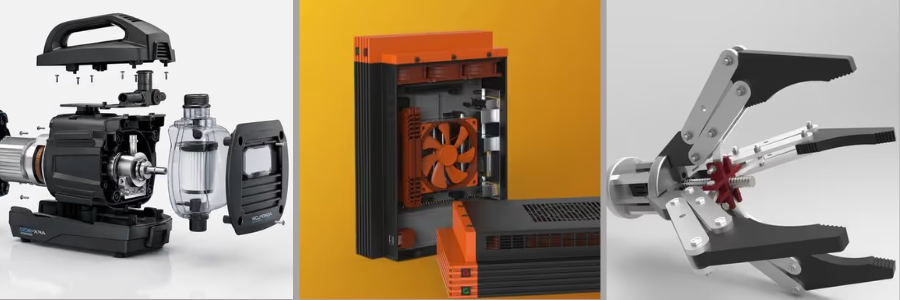
Connect with me: LinkedIn ✦ X ✦ Cad Crowd