Physical Intelligence, the two-year-old San Francisco robotics startup, is in discussions to raise about $1 billion in new funding at a valuation exceeding $11 billion, according to Bloomberg. The deal would effectively double the company’s $5.6 billion valuation in just four months.
Founders Fund is set to participate with Lightspeed Venture Partners also in talks to invest alongside returning backers Thrive Capital and Lux Capital, Bloomberg reported. The deal is still in early stages and details could change, noted the outlet.
TechCrunch visited Physical Intelligence’s headquarters in January, where co-founder Sergey Levine described the company’s ambition simply: “Think of it like ChatGPT, but for robots.” At the time, the company had raised just over $1 billion and employed about 80 people working to build general-purpose AI models that can power robots to perform a wide variety of tasks, from folding laundry to peeling vegetables.
Co-founder Lachy Groom told TechCrunch the company has no timeline for commercialization, an unusual posture that its investors don’t seem to mind. “There’s no limit to how much money we can really put to work,” Groom said. “There’s always more compute you can throw at the problem.”
The world’s top AI research conference, the Conference on Neural Information Processing Systems—better known as NeurIPS—became the latest organization this week to become embroiled in a growing clash between geopolitics and global scientific collaboration. The conference’s organizers announced and then quickly reversed controversial new restrictions for international participants after Chinese AI researchers threatened to boycott the event.
“This is a potential watershed moment,” says Paul Triolo, a partner at the advisory firm DGA-Albright Stonebridge who studies US-China relations. Triolo argues that attracting Chinese researchers to NeurIPS is beneficial to US interests, but some American officials have pushed for American and Chinese scientists to decouple their work—especially in AI, which has become a particularly sensitive topic in Washington.
The incident could deepen political tensions around AI research, as well as dissuade Chinese scientists from working at US universities and tech companies in the future. “At some level now it is going to be hard to keep basic AI research out of the [political] picture,” Triolo says.
In its annual handbook for paper submissions, issued in mid-March, NeurIPS organizers announced updated restrictions for participation. The rules stated that the event could not provide services including “peer review, editing, and publishing” to any organizations subject to US sanctions, and linked to a database of sanctioned entities. It included companies and organizations on the Bureau of Industry and Security’s entity list and those on another list with alleged ties to the Chinese military.
The new rules would have affected researchers at Chinese companies like Tencent and Huawei who regularly present work at NeurIPS. The database also includes entities from other countries such as Russia and Iran. The US places limits on doing business with these organizations, but there are no rules around academic publishing or conference participation.
The NeurIPS handbook has since been updated to specify that the restrictions apply only to Specially Designated Nationals and Blocked Persons, a list used primarily for terrorist groups and criminal organizations.
“In preparing the NeurIPS 2026 handbook, we included a link to a US government sanctions tool that covers a significantly broader set of restrictions than those NeurIPS is actually required to follow,” the event’s organizers said in a statement issued Friday. “This error was due to miscommunication between the NeurIPS Foundation and our legal team.”
Before they reversed course, the conference organizers initially said that the new rule was “about legal requirements that apply to the NeurIPS Foundation, which is responsible for complying with sanctions,” adding that it was seeking legal consultation on the issue.
Immediate Backlash
The new rule drew swift backlash from AI researchers around the world, particularly in China, which produces a large quantity of cutting-edge machine learning papers and is home to a growing share of the world’s top AI talent. Several academic groups there issued statements condemning the measure and, more importantly, discouraging Chinese academics from attending NeurIPS in the future. Some urged Chinese academics to contribute instead to domestic research conferences, potentially helping increase the country’s influence in relevant science and tech fields.
The China Association of Science and Technology (CAST), an influential government-affiliated organization for scientists and engineers, said Thursday that it would stop providing funding for Chinese scholars traveling to attend NeurIPS and would use the money instead to support domestic and international conferences that “respect the rights of Chinese scholars.”
CAST also said it will no longer count publications at the 2026 NeurIPS conference as academic achievements when evaluating future research funding. It’s unclear if the organization will reverse course now that NeurIPS has walked back the new rule.
The Top 10 Innovative AI Mobile App Development Companies in San Jose, California
Mobile apps have become the heart of companies in this digital era and are widely used to rising the voice of their brand on a global scale. Product or service-based organizations are focusing on smartphone app development to run their business smartly in line with the emerging digital wave.
San Jose, California is one of the prominent places in the USA where hundreds of global leading technology giants and AI mobile app development companies have their footprints in the city. The technology companies and AI app developers in California are embracing digital technologies and creating outstanding mobile and web software applications for businesses. It is the best location for organizations to hire Android/iPhone and Web app developers San Jose and build the most advanced software applications.
USM team of analysts have done extensive research and picked a few of the top app developers in San Jose based on ratings in Google, portfolio, industry experience, and client reviews.
#1. USM Business Systems-Top App Developers in San Jose
USM Business Systems is ranked as the #1 mobile app development company in San Jose, California (USA). The company has strong roots in the San Jose mobile application development sector. With over two decades of long proven experience and a team of professional full-stack developers, it is designing and developing innovative mobile apps on Android and iOS platforms.
It is an expert in building apps for Fintech, Healthcare, Education, Manufacturing, E-commerce, and other sectors.
Location
Year Of Incorporation
Services
Estimated App Development Cost Per Hour
Ashburn, VA, USA
1999
Android App Development, iOS App Development, Web Development, Staff Augmentation Services, Cloud Migration Services, IoT Development, UX/UI Design, etc.
$30-$100/Hour
#2. Hyena Information Technologies- Best Android & iPhone App Development
Being a native mobile app development company in San Jose, California, Hyena focuses on developing software solutions that help businesses deliver instant and personalized services to their audience. The company’s UX/UI designers and native/hybrid/cross-platform app developers San Jose promise to create impactful mobile apps with user-friendly designs.
Location
Year Of Incorporation
Services
Estimated App Development Cost Per Hour
Frisco, Texas
2020
Mobile Apps Development Services, AI Development Services, HRMS development and Cloud Development Services, and many more
$30 and above per Hr
#3. FuGenX Technologies- Best Mobile app design and development Company
FuGenX is the biggest software development company in Bangalore, India, California, USA & Dubai, and UAE. The company is a one-stop solution for all your app development needs. It creates user-focused software products that improve app experiences and let companies outshine their operations.
With a team of over 200 software developers, the company has delivered nearly 1200 application development projects for clients across education, healthcare, banking & finance, manufacturing, logistics, entertainment, and real estate segments.
Location
Year Of Incorporation
Services
Estimated App Development Cost Per Hour
USA, India and UAE
2008
Enterprise Application Development, AI and ML Services, Android Apps Development, iOS Apps Development, Blockchain Development, Android VR Apps Development, etc.
$26 per hour
#4. InfernoRed-Best Android & iPhone App Development Services Provider In San Jose, CA
Mobile Applications Development, Web Development, Cloud Services, Integration of ElectionGuard Services, Web3 Software Development (Blockchain Apps)
Around $50 / hour
#5. Radiansys Inc. –Top Software Development Company California
Radiansys is a well-known software consulting and development company based in San Francisco Bay. It is specialized in creating robust and unique software solutions that meet the desired needs of the business objectives of clients. Wells Fargo banking solution (a cross-platform mobile app) is one of the featured projects of the company.
Location
Year Of Incorporation
Services
Estimated App Development Cost Per Hour
Fremont, CA
2007
iOS App development,
Android App development,
React Native App development,
Flutter App Development, AWS integration and migration, CRM Development, Web application development services, etc.
#6. Clavax Technologies LLC- Top Mobile App Development Company In San Jose
Clavax is one of the leading mobile, web, and custom software development companies in San Jose, California. With a vision to transform traditional business processes and improve the digital experiences of end-users, the company is developing results-driven application development services. It serves clients across education, real estate, healthcare, manufacturing, and Loyalty industries.
Location
Year Of Incorporation
Services
Estimated App Development Cost Per Hour
San Jose, CA and New York, NY
2011
App development, IT consulting, E-commerce development, AI chatbot development and integration, blockchain development, cybersecurity services, big data and analytics, web development, Marketing Automation Platforms development
Approximately $50 per hour
#7. Hyperlink Infosystem- Top mobile app development companies in California.
It is one of the leading Android app development companies that always focus on creating error-free mobile and web apps. With over 10 years of experience and the support of 750+ app developers, the company has delivered nearly 6K apps that run on Android, iOS, and web platforms. Using Flutter, React Native, Kotlin, Ionic, Swift, and Xamarin, the company builds native, cross-platform, and high-performance apps.
Location
Year Of Incorporation
Services
Estimated App Development Cost Per Hour
India, USA, and the UK
2011
Mobile Apps Development, Web And CMS Development, Ecommerce Development, Blockchain Development, Game Development,
Salesforce Solutions, AI & ML, IoT & Embedded, DevOps development, AR/VR, Internet of Things (IoT)
$25 – $50 and above per hour
#8. Simpalm- Top App Development Companies In San Jose
Simpalm is the #1 app development company in the USA. It is a famous app developer in Washington DC, Maryland, Virginia, Chicago, and San Jose. Backed with 12 years of dedicated experience in the IT and software development industry create stunning applications that streamline the way businesses connect with their audience. Forte, Pepsico, Redbox., and Audiochef are a few of the major clients of Simpalm.
Location
Year Of Incorporation
Services
Estimated App Development Cost Per Hour
Chicago, IL, and San Jose, CA
2010
UI/UX Design, native and cross-platform Mobile applications development, Web development, IT Staff Augmentation services
#9. ScienceSoft- Top mobile app development companies in USA
Leveraging industry experience and deep tech knowledge, ScienceSoft crafts innovative digital products. The company has 33 years of long experience in the IT industry. Since its emergence into IT as an AI company, it assisted many organizations across various verticals to augment sales and customer base. It creates engaging, user-friendly mobile and web apps with amusing UX/UI designs.
Location
Year Of Incorporation
Services
Estimated App Development Cost Per Hour
USA, Finland, Latvia, Lithuania, Poland, UK, UAE
1989
End-to-end Software Development,
Infrastructure Maintenance Services, Data Analytics, Digital Transformation
Managed IT Services, IT Outsourcing
IT Consulting and support services, Cybersecurity, Cloud Application Development
$80-$150 per hour
#10. Appinventiv- Android/iPhone app Development Company in the United States
Appinventiv is a trusted application development company in the USA. It is an expert in creating features-rich healthcare apps, On-demand delivery apps, FinTech apps, Social networking apps, Entertainment apps, Restaurant apps, Real estate apps, Education apps, and many more. Domino’s Mobile App, JobGet Mobile App, Pizza Hut Mobile App
Bajaj finserv Fintech App, Supply Chain Logistics Management Software, and many more are on its portfolio list.
These are the top App Development Companies in San Jose / top AI mobile app development companies in the USA. The hourly rate of app developers (listed above) might vary based on the features, design, app type, and technology stack. Hire the best app development company that understands your app requirements and business objectives and gets your dream apps faster to market.
Packaging is the first and easiest way to differentiate your product from all others displayed on store shelves. Want an easy example? Bottled water. There’s no way you can tell if the water contained in any particular bottle is any different from the next, unless you read the labels and do a taste comparison. Even by then, you probably won’t notice if one is just tap water put into a clear bottle or vapor distilled and kept in a slightly fancier container. Some people swear they can tell which is which without looking at the brands, but we’re never sure who these people are. Worse still is the pH level. It turns out that pH (apparently is short for Potential Hydrogen, who knew?) indicates the acidity. The lower the number, the higher the acidity. But have you seriously given it a thought before picking up a bottle from a convenience store? Unlikely. Chances are, you choose one with a greater number and feel proud of yourself as you walk to the cashier.
That, in a nutshell, is how important packaging design services are. The same thing applies to shampoo, soap, liquid detergent, foods and beverages, cosmetics, wristwatches, smartphones, pencils, and just about every other consumer product in the market. People choose a product because the packaging makes them feel confident about their purchase. Although other considerations, such as cost, brand loyalty, and whether their favorite movie star endorses it, also influence the buying decision, packaging plays a significant role. Some products sell better just because companies slap a photo of a K-pop idol on the box.
On a more serious note, packaging is almost just as important as the product it contains. Businesses have recognized this importance for a long time and invest substantial resources in the design and development of packaging as part of their marketing strategy. Along the way, 3D CAD modeling and photorealistic rendering software were introduced to streamline the design process. As technologies advance and the market becomes more competitive, it turns out that effective packaging visualization is a complex undertaking.
As more people shop online, companies are in a race to develop the most impressive, convincing, and persuasive product packaging renderings to attract these customers. Which makes perfect sense, because when people see products on a smartphone or laptop screen, a photorealistic visualization becomes a powerful tool for turning lookers into actual buyers.
But creating an accurate, high-fidelity CGI for product packaging isn’t a skill anybody can learn and master overnight. It takes an experienced CAD professional or perhaps a team of digital artists to develop the design, transform it into a 3D model, and render it into photorealistic visuals. Cad Crowd, a freelancing platform specializing in product development, helps you connect with thousands of design professionals and render artists who offer a broad range of CGI services at affordable rates. All the talents on the platform have been pre-vetted to ensure you’ll only collaborate with the most talented and qualified freelancers from around the world.
What to know about packaging rendering
First things first, rendering is different from designing, but the two can be parts of the same process. Let’s put it this way: not every design process ends up with a rendering, but every rendering workflow definitely involves design and 3D modeling services. Perhaps an example can clear things up a bit better:
Say you plan to sell a homemade car air freshener product in a blister card packaging during the upcoming county fair. You ask a graphic designer friend to create an illustration for the otherwise blank card. Because, for some reason, you give this friend complete freedom of approach, you end up with a bold image of some sort of Batmobile on the card. The designer sends you the printable file, and the job is done. No rendering required.
Your next-door neighbor has the same idea, only better. Instead of limiting sales to fairgoers, the plan involves listing the product on an online marketplace. To make the product look better on screen, this neighbor of yours has the packaging rendered and optimized for digital screens by the same graphic designer. The project is covered by an NDA, so even if the designer is your friend, you know nothing about it. The workflow involves not only designing the blister pack but also converting the design into a 3D model and rendering it. In this case, the final deliverables include a fully rendered image file and the 3D model for future use.
To compete in the online marketplace, you decide to use photographs (instead of rendering) to display the air freshener product. It’s from this instance that you realize that a rendering can look so much better and more creative than photos when used for a product display on the web. Oh, and the Batmobile appears a lot more realistic than yours.
The design part always comes first. It may involve brainstorming or ideation, drawing sketches, or consulting references from existing product packaging. What comes next is the real deal: powering up the computer and tinkering with the design in a 3D CAD software. Modeling accounts for the bulk of the task, as the result can determine whether you end up with a poorly executed rendering or a high-quality one. The more detailed and accurate the models are, the better the rendering will be for the product design firm.
Unprocessed 3D models are plain, sometimes colorless, and have less obvious boundaries between one another. Every object needs textures, material properties, color, and surface patterns to define its characteristics. The models must also be positioned in specific arrangements in the scene, just as a professional photographer determines the right composition. When the grayscale scene is ready, the lighting setup and shadows are configured in a rendering software to give the scene a photorealistic look.
At this point, the 3D models (and, by extension, the entire scene) are converted into an image file. Some post-processing, such as color adjustment or other final touch-ups, might be necessary to improve the realism. If the resulting image needs corrections, the render artist must return to the 3D models to make the changes and repeat the process. Everything about it sounds very complicated indeed, but the rendering process gives you an advantage that no photograph can: the 3D models can be reused as many times as you need and redone with different visual properties. You can give them different colors and labels, place them in a new scene, apply animations, etc. All can be done on a computer screen; no photographs or props are needed, so it saves time and money.
So many rendering types to choose from
Well, there are only a few types mentioned here, which should be more than enough to offer the variety you need for every product packaging.
At the same time, the most useful and useless packaging rendering of all. Also, its usefulness comes only from the fact that it’s likely low-fidelity and therefore quick to generate. Packaging concept design services cannot care less about high resolution, texture detail, lighting accuracy, and everything else that makes a packaging visualization good. The most important thing is that you can produce many of them in a time-efficient manner, so you can check if any particular design works well to your liking. Low-fidelity rendering lets you experiment with shapes, colors, composition, typography, artwork placement, and other elements without spending too much time processing the work. It’s also useless, since you should never put conceptual renderings on the product page. Think of it as glorified rough sketches. It looks good as a concept, but terrible for actual use.
If a conceptual rendering is merely experimental and meant to test ideas, a photorealistic rendering is where things get serious. It’s the continuation of a concept, or a refined version of the best concept you chose earlier. But just because the concept is good and you have an image rendered, it doesn’t always mean the result will be photorealistic. Product packaging rendering, or any kind of photorealistic visualization, is a job best left to a professional. For a rendering to achieve photorealism, almost every visual aspect has to be correct. Visual aspects aren’t limited to geometry, dimension, and color, but also include material textures and lighting. The CGI is so precise that it does represent what the human eye can see. Everything has to be as realistic as a photograph, just like what the term says. Photorealistic rendering can be static or animated, with animated rendering among the most complex to generate.
Although not to the point where you can interact with the rendering like in a video game, an interactive visualization lets you explore the packaging design a bit more closely. Take, for example, the rendering of the car air freshener. When presented in an interactive format, there is usually a slider to zoom in, rotate, flip, or move the image around on the screen. A static rendering might show the Batmobile on the card, with a small label in Comic Sans that reads “It Smells Good” underneath. By the way, it remains unclear if the label refers to the Batmobile or the air freshener itself. But when presented in an interactive format, you can flip the whole image and find another label on the back that admits the product is not made in Gotham. You can, of course, make two static renderings to showcase both the front and back sides of the packaging, but the interactive type is just a lot more fun and satisfying.
Also known as white background rendering, the packaging in a silo visualization is presented as a stand-alone object. There’s nothing else to distract your attention from it, allowing you to see every detail in all its glory. At the same time, this prevents the CGI render expert from making any excuses for putting out poorly made CGI. This is not to say that mistakes are tolerable when the scene has multiple objects; it’s just that you may have a harder time noticing that some portions of the shadows are either too bright or overly dark, unless, of course, you’re an eagle-eyed observer yourself.
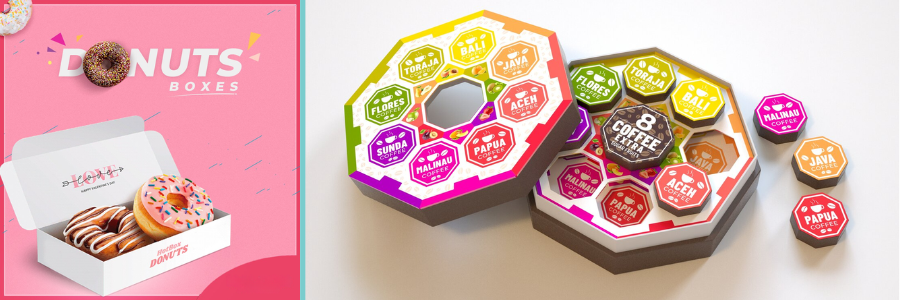
The vast majority of lifestyle rendering is meant for product visualization, not the packaging. That said, lifestyle rendering makes sense if you want to display the product still inside the container, like most things are. Which brings us back to the previously used example of bottled water. There’s just no workaround. You’re selling water, and the only way to showcase everything that’s good about the product is when it’s still in the bottle. And believe it or not, bottled water isn’t the only product that fits this category. A lot of collectible toys and action figures are sold on online marketplaces with the box still unsealed, and so are perfumes, liquid supplements, etc. In lifestyle rendering, the product is displayed with complementary objects in the scene. For example, bottled water might be displayed alongside a lunchbox, fruits, and in some cases, a mountain in the background, although everyone knows the water is processed in a factory.
Every type of rendering can be formatted as static or animated. As the name suggests, static rendering is still imagery, like a photograph. You can’t interact with the image either, except for probably zooming in and out. An animated rendering, on the other hand, is formatted like a video and can use every visual effect imaginable, from a plain and simple rotation played in a loop to an outrageous Michael Bay-style. Advanced 3D modeling and rendering software enables companies to present their products and packaging in the most creative and imaginative ways while maintaining good accuracy. They can simulate physical details, add movements, create unique characters, and be playful with packaging design. The only limit is the imagination. Maybe the bottled water can burst out of the cap all of a sudden, or the Batmobile produces the rumbling sound of a muscle car in an animated rendering.
With so many people purchasing products online, rendering has become an increasingly popular alternative to product photography. Rendering doesn’t need physical objects, and is much more flexible in case you want to use animation or some level of interactivity.
But the biggest advantage of 3D rendering isn’t actually about the finished visualization itself, but the design process as a digital prototype. Back in the old days, the term “prototype” was almost exclusively used to describe a physical product yet to be manufactured by a manufacturing design firm, let alone launched. Now, thanks to 3D CAD technology, a prototype can be entirely virtual with no physical form.
Everybody and everything has a digital twin these days. In fact, some people seem to enjoy their lives in the virtual world more than in the real one. It turns out people and their avatars aren’t the only fans of the Matrix. Product packaging designs, too, are very pleased with the Tron environment, for good reasons.
Conventional prototyping is time-consuming because it requires physical samples for each design iteration. While samples for product packaging aren’t probably the most expensive things in the world, the time spent on creating each and every version can still overwhelm the design process. A packaging sample can be made from readily available materials, such as cardboard or plywood. A handy person might be able to fashion the shape of a bottle from those materials, too. It’s not going to look pretty, but then again, it doesn’t have to be. A physical prototype is meant to facilitate design reviews through an iterative process. But as you improve the design with each revision, you’ll need to make a production-ready prototype, and this is where things can get expensive.
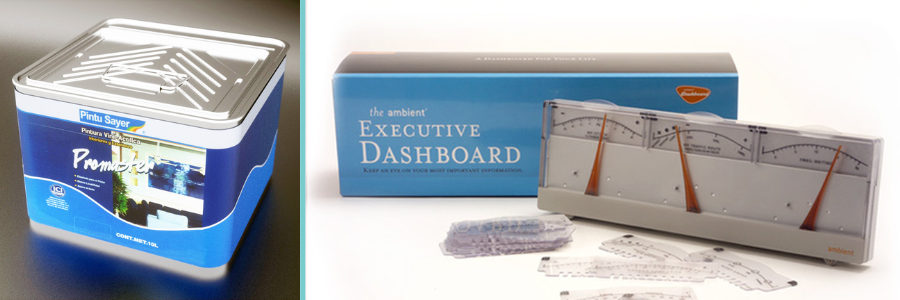
Say you’re making decorative tin packaging for tea or tobacco products. Instead of the usual printed graphics, you choose laser-etched textures to give it a premium look and feel. It’s not likely that you’re going to produce an accurate sample using papers or bamboo. A production-ready prototype should be nearly identical to the final version (in terms of materials, dimensions, textures, features, and functionality). You need to review and test the packaging design before consumers even get to see it on store shelves. Only when you’re sure the packaging looks and functions exactly as intended can you afford to send it to the manufacturing line.
With 3D modeling and rendering, it’s possible to design and build virtual prototypes without spending a dime on purchasing materials and hiring a CNC machinist for consumer product companies. All prototype versions, including the production-ready one, may exist as digital files on your laptop. Making design changes is no longer time-intensive, and the results are visible in an instant. You get to try countless graphic options for the tin, animate the model to see how the hinges work, fill it with water to test for leaks in simulation, and so forth. You can do all this on a screen to keep things efficient.
As a friendly reminder, only use high-quality 3D models. Nothing makes a packaging visualization look gloomier than low-poly models suffering from a terrible lack of detail. These low-poly models are cheap, sometimes even free, but certainly not cheerful. They should be reserved solely for conceptual rendering. On the other end of the spectrum, high-quality 3D models can be costly, should you decide to purchase them. However, there might be limitations on the models you can buy, especially if you’re making completely custom packaging. The only practical solution here is to create the models from scratch. It’s not the most time-efficient, but in most cases, building from scratch is the only way to get the job done.
3D rendering provides a realistic and, more importantly, view of the packaging design long before production begins. The accuracy isn’t limited to geometry and dimensions, but also to textures and material finishes. If there are illustrations, brandings, logos, instructions, or labels of any kind, the render engine can process those as well. You can scrutinize the design as far as you want, down to the tiniest detail, at zero cost, except for the render artist’s hourly rate, for sure. Each time you discover room for improvement, making revisions is far quicker and cheaper than doing so on a physical prototype.
If you have to work with stakeholders who are as invested in the project, you can store virtual prototypes (including all their versions and modifications) in a centralized database for easy, simultaneous access. Everybody can see the latest prototype and its revision history for more streamlined, informed design decision-making.
Selling one unit of bottled water to a cyclist certainly needs a different approach than supplying dozens of boxes of the product for a cycling race. A cyclist probably notices that your bottled water has the exact pH level recommended by a random person on the Internet, and boys, it, but the logistics manager of a cycling race takes a deeper look and wonders if you have a nice, colorful, thick packaging box to ensure safety during transportation. Depending on the product and your buyers, you may need to provide multiple layers of packaging, especially for product engineering services.
Primary: the first layer of packaging of a product. For bottled water, the primary packaging is the bottle itself. Therefore, your primary concern is every individual buyer in every convenience store. Just a suggestion, perhaps it’s best not to include the blue color as it seems to have been overused to exhaustion by other companies. People want a refreshing design as much as they crave hydration. The use of recyclable material is always optional.
Secondary: This is the box we discussed earlier. It’s supposed to provide an extra layer of protection on top of the primary layer. Sometimes you can use the extra space on the box to display additional product information. The design of a secondary layer should primarily target bulk buyers. Secondary packaging often needs to be stackable and keep the individual products organized.
Tertiary: specifically designed for manufacturers (when the products are still fresh out of the production line) and warehouses. The main function is to protect the product during shipping and ensure easy handling. Appearance isn’t that important for this layer. So long as it’s rigid enough to withstand bumps and impacts, it’s good to go.
When you do need multiple layers of packaging for a product, it goes without saying that you must design them well (and preferably with a 3D modeling design expert), not only to impress passersby who glance at your billboard ad, but also to enhance the product’s safety and shelf life.
Takeaway
Packaging is, first and foremost, a container to protect the product inside. Now that we’ve discovered easy, affordable, and industrial ways to make protective packaging from a broad range of materials, the focus has expanded into the aesthetic territory as well. Thanks to modern manufacturing technology, companies can maintain and enhance the functionality of product packaging while deepening its visual appeal. For quite a while now, 3D rendering has been at the forefront of the new movement. Specialized visualization software enables companies to design effective product packaging almost entirely on a computer screen through virtual prototyping. They get to simulate physical details, experiment with materials, try an unlimited variety of designs, and analyze everything without the need for physical samples. Request a quote today.
MacKenzie Brown is the founder and CEO of Cad Crowd. With over 18 years of experience in launching and scaling platforms specializing in CAD services, product design, manufacturing, hardware, and software development, MacKenzie is a recognized authority in the engineering industry. Under his leadership, Cad Crowd serves esteemed clients like NASA, JPL, the U.S. Navy, and Fortune 500 companies, empowering innovators with access to high-quality design and engineering talent.
Editor’s note: This post is part of Into the Omniverse, a series focused on how developers, 3D practitioners, and enterprises can transform their workflows using the latest advances in OpenUSD and NVIDIA Omniverse.
NVIDIA GTC last week showcased a turning point in physical AI: Robots, vehicles and factories are scaling from single use cases and isolated deployments to sophisticated enterprise workloads across industries.
At the center of this shift are new frontier models for physical AI, including NVIDIA Cosmos 3, NVIDIA Isaac GR00T N1.7 and NVIDIA Alpamayo 1.5.
Open source agentic frameworks such as OpenClaw extend the AI stack all the way to operations — enabling long‑running “claws” that use tools, memory and messaging interfaces to orchestrate workflows, manage data pipelines and execute tasks autonomously on dedicated machines.
“With NVIDIA and the broader ecosystem, we’re building the claws and guardrails that let anyone create powerful, secure AI assistants,” said Peter Steinberger, creator of OpenClaw, in an NVIDIA press release from GTC.
OpenUSD is a driving force behind the scalability of physical AI — providing a common, scene‑description language that lets teams bring computer-aided design (CAD) data, simulation assets and real‑world telemetry into a shared, physically accurate view of the world.
Simulating the AI Factory Before It’s Built
Modern AI factories are complex — spanning thermals, power grids, network load and mechanical systems. Building them on time and on budget becomes much easier when using simulation technology.
To tackle this, NVIDIA introduced the Omniverse DSX Blueprint at GTC, a reference architecture that unifies simulation across every layer of an AI factory through a single digital twin. This enables operators to optimize performance and efficiency before a rack is installed in the real world.
Compute Is Data: Real-World Data Is No Longer the Moat
Real-world data used to function as a moat for physical AI — but it doesn’t scale. The real world is messy, unpredictable and full of edge cases, and the pipelines to process, simulate and evaluate data are fragmented. The bottleneck isn’t just data — it’s the entire data factory.
To help address this, NVIDIA introduced at GTC its Physical AI Data Factory Blueprint, an open reference architecture that transforms compute into large-scale, high-quality training data. Built on NVIDIA Cosmos open world foundation models and the NVIDIA OSMO operator, it unifies data curation, augmentation and evaluation into a single pipeline, enabling developers to generate diverse, long-tail datasets from limited real-world inputs.
Microsoft Azure and Nebius are the first cloud platforms to offer the blueprint, turning world-scale compute into turnkey data production engines.
“Together with cloud leaders, we’re providing a new kind of agentic engine that transforms compute into the high-quality data required to bring the next generation of autonomous systems and robots to life,” said Rev Lebaredian, vice president of Omniverse and simulation technologies at NVIDIA, in this press release. “In this new era, compute is data.”
From OpenUSD to Reality: Seamless Design to Deployment
Converting CAD files to OpenUSD is a critical step in the physical AI pipeline — transforming engineering data into simulation-ready assets that developers can use to build, test and validate robots in physically accurate virtual environments.
Using tools like the NVIDIA Omniverse Kit software development kit and NVIDIA Isaac Sim, teams can optimize and enrich 3D data for real-time rendering, simulation and collaborative workflows.
Companies including FANUC and Fauna Robotics are using this seamless CAD-to-OpenUSD workflow to speed up robotic system design and validation.
Transforming Manufacturing and Logistics Through Industrial Digital Twins
“Factories themselves are now robotic systems,” Lebaredian said during his special address on digital twins and simulation at GTC.
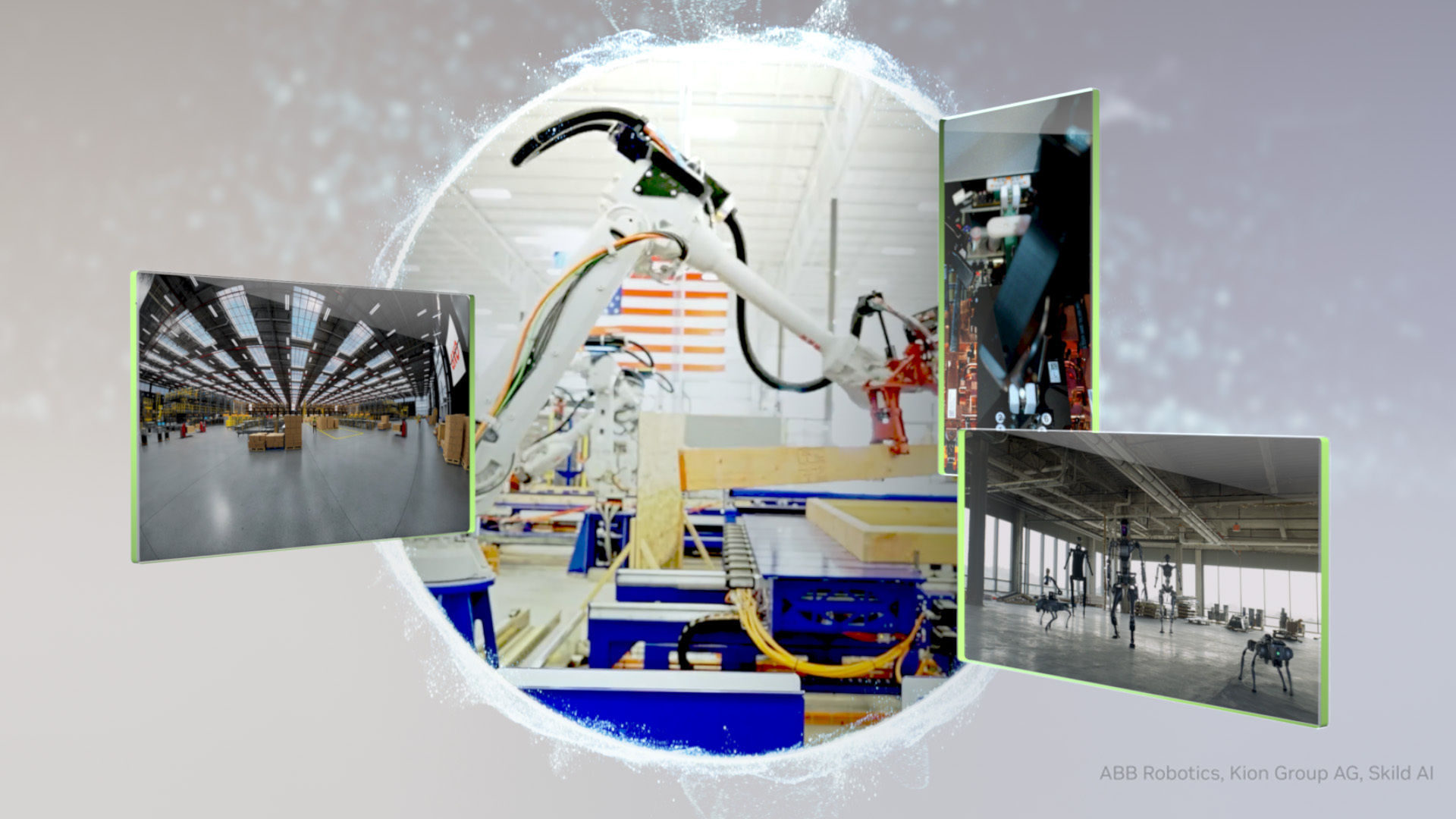
All factories are born in simulation. The NVIDIA Mega Omniverse Blueprint provides enterprises with a reference architecture to design, test and optimize robot fleets and AI agents in a physically accurate facility digital twin before a single robot is deployed on the floor.
KION, working with Accenture and Siemens, is using this blueprint to build large-scale warehouse digital twins that train and test fleets of NVIDIA Jetson-based autonomous forklifts for GXO, the world’s largest pure-play contract logistics provider.
Physical AI Steps From Simulation to the Real World
NVIDIA is partnering with the global robotics ecosystem — including leading robot brain developers, industrial robot giants and humanoid pioneers — to enhance production-level physical AI.
ABB Robotics, FANUC, KUKA and Yaskawa, which have a combined global install base of over 2 million robots, are using NVIDIA Omniverse libraries and NVIDIA Isaac simulation frameworks to validate complex robot applications and production lines through physically accurate digital twins. These companies have also integrated NVIDIA Jetson modules into their controllers to enable real-time AI inference.
Robot development starts with the robot brains, which is why leading developers including FieldAI and Skild AI are building theirs using NVIDIA Cosmos world models for data generation and Isaac simulation frameworks to validate policies in simulation.
Meanwhile, Generalist AI is using NVIDIA Cosmos to explore generating synthetic data. This combination allows robots to become proficient in any task — from supply chain monitoring to food delivery — at an exceptional pace.
While these wireless earbuds are known for their low price tag, they still boast pretty solid audio quality, a comfortable fit with a stalked, Airpod-like design, and a charging case that’ll yield enough battery life that you’ll rarely have to go out of your way to charge them. In particular, we absolutely loved the Yellow configuration when we reviewed these, though the discount is also available for the earbuds in both Black and White.
✅Recommended if: you’re in need of decent-sounding wireless earbuds for around $60, and you also want access to things like hi-res audio, a charging case, ANC, and more; you like having earbuds that feature fast charging speeds; you need earbuds with a low latency mode for high-paced activities such as gaming.
❌Skip this deal if: you’re looking for earbuds with industry-leading audio quality and you have the budget to spend extra on some of the best wireless earbuds out there, especially when it comes to having top-tier ANC and battery life; you prefer earbuds that don’t come with a set of silicone ear tips; you’d rather go with wireless over-ear headphones than earbuds.
The Nothing Ear (a) earbuds offer a more affordable take on the big sibling Ear earbuds. Still, they come with a pretty good audio profile overall, active noise cancellation, and a long-lasting battery that would make most surprised that these go for as low as they do.
When utilizing the charging case in between listens, these earbuds can offer up to 42.5 hours of playtime. On a single charge, the Ear (a) earbuds offer up to 10 hours of playback when not using ANC, while charging replenishes around two hours of battery life with just a 10-minute charge.
This morning, actor Glen Powell confirmed that he is the one bringing Fox McCloud to the big screen for the Super Mario Galaxy Movie, via a very cute video in which he is actually cosplaying as Fox McCloud.
More specifically, imagine if the success of the ’90s Mario movie somehow led to a Star Fox adaptation—just in time for Star Fox 64—but because we’re still in that era of video game adaptation where people can’t quite trust the source material still, Fox and all his friends are humans instead of anthropomorphic animals, but still made to look vaguely like their gaming counterparts. The hair, the cosplay being surprisingly solid but also still kind of oddly retro, it all fits that kind of vision. But it is 2026! And here we are, with Glen Powell’s Fox McCloud in a Mario movie.
Suffice to say, this all makes it certainly seem like Fox is going to have a bigger role than simply being a cameo queen. You don’t give a blink-and-you’ll-miss-it easter egg character a standalone poster, and you also probably don’t cast one of Hollywood’s most popular leading men of the past couple of years as them, either. Is the Super Mario Galaxy movie really setting up some kind of Nintendo cinematic universe that’s going to climax in, well… some kind of melee? Or some kind of brawl? Or some kind of… well, it doesn’t work with Smash Bros. Ultimate. But you get what we mean.
At first glance, Slay the Spire 2 in Early Access feels like a slightly expanded version of the original. You start with Ironclad again, and most of the launch roster features familiar faces, with only two of the five characters being new. Those new additions bring dramatically different playstyles, which helps a lot, but the overall experience can still feel a little too familiar early on. It can even seem somewhat basic when you compare it to the many games that have built upon the formula since the first game was released.
That feeling starts to shift as you spend more time with it. You gradually unlock features that add more depth and variety to each run. New paths open up, relics introduce fresh ideas, and builds become far more interesting. The game also mixes in different level types alongside the standard progression, which helps keep things feeling varied. These additions make runs feel much fresher overall, though there are still features many players would like to see added. It’s still Early Access, though, so there’s plenty of room for that to happen.
The co-op mode is what really makes the game shine. It changes how you approach every run and adds a new layer of strategy. You and your teammates need to think carefully about how your characters and builds interact, which leads to some fantastic moments. You’re not just playing side by side – you’re actively supporting each other throughout. At rest sites, you can choose to heal a teammate instead of yourself, and some builds focus heavily on supporting others.
You can also share your block with another player, letting them go all-in on offence instead. This adds an entirely new dimension to the game, and each additional player deepens that complexity even further. It opens the door to creative strategies and leads to some memorable wins and losses along the way. If this is the game at its earliest stage, then Slay the Spire 2 has the potential to become something truly remarkable by the time it’s finished.
Jason Coles
Jason likes to focus on roguelikes and co-op games; in a dream world he’d make a living writing about Dark Souls. As well as being a writer he also does personal training and accounting and can occasionally be seen on other people’s streams. Being a big fan of fluffy things means he has two cats, both of whom refuse to let him sleep, but at least they are cute.
When it was announced that Baldur’s Gate 3 would have turn-based combat unlike its predecessors, I reacted like the little girl with the frog from The Cabin in the Woods: “The evil has been defeated!” Our long national nightmare was over. And by “nightmare” I mean games expecting us to control an entire party of characters in realtime, with the ability to pause and issue commands tacked on like a clumsy panacea.
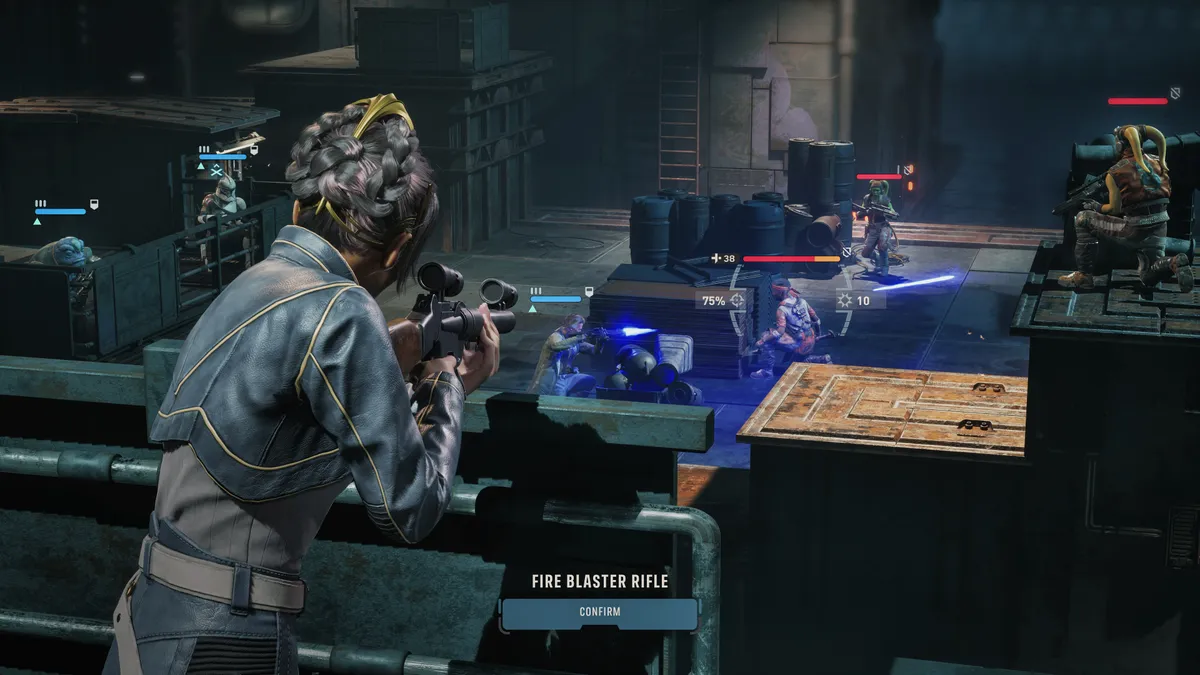
Not everyone sees it the same way. Even the people making games with turn-based tactical combat like Star Wars Zero Company can’t be bothered disliking RTWP combat as vehemently as me. “Realtime-with-pause is not dead,” lead designer James Brawley told PC Gamer’s Ted Litchfield during his recent hands-on preview. “It will have its day. Someone will make something wonderful in that space, and it’ll take the world by storm again.”
Brawley takes a sensibly moderate position, suggesting turn-based games haven’t won any kind of “final” victory. “It’s like everything, these genres oscillate up and down over time. And I think part of the reason why we see a resurgence of this kind of turn-based games recently is that there’s been a lot of innovations in how we pace the action and the camera work, and the immersion that goes into the game has made these games feel a little bit more approachable and easier to play.”
Article continues below
Firaxis did a lot of good work in making turn-based combat feel dynamic, with XCOM’s mobile camera and window-smashing sprints across the battlefield. A genre based on stately chess-like play suddenly felt action-packed and energetic. “Part of the reason why I think this kind of turn-based format, team turn-based format, was able to make a resurgence is because of innovations in presentation and pacing that keep it from feeling too sluggish or too menu-driven,” Brawley said.
“If you rewind back to the early 2000s, a lot of older games that were in this space—not exactly adjacent to what we’re doing, but they co-exist with that sort of team-based format—they tended to get very slow, very sluggish. They required a lot of patience to play. They were very rewarding in some cases, but I think it was hard for a lot of people to adopt that gameplay if they were coming out from another genre, coming from realtime strategy, or even coming from classical JRPG turn-based combat.”
(Image credit: Lucasfilm, EA, Bit Reactor)
Returning to the original Jagged Alliance recently, a turn-based mercenary romp from 1995, I definitely had the sense that everything took at least one more click than it needed to. “You just ended in a space where just things took a very, very long time to play,” Brawley said, “and required a great deal of patience that you needed a very specific type of player who could really get into those games.”
It took some serious rethinking about how they felt to make turn-based tactics games a mainstream proposition again, but if a genre that stereotypically nebbishy can manage it, then why not RTWP? “I wouldn’t say that more realtime or realtime-with-pause-type tactical games are dead on arrival,” Brawley concluded. “I mean, they’ll be back. Somebody will come up with something really cool that will bring those same kinds of innovations back, bring that back into the forefront. It’s only a matter of time, I think, before that happens. And I’m looking forward to that as well, because I still enjoy those types of games.”
Keep up to date with the most important stories and the best deals, as picked by the PC Gamer team.
A while back now my wife started doing the final editing of some of her videos rather than having to wait around for me to get to it.
Anyway that was fine cos’ hey, it’s not like she was paying me!
Anyway one of the first hurdles we had to get over was that the videos she was uploading to YouTube had absolutely terrible color.
The workflow we had was that I would run the original footage through DaVinci Resolve making sure that the color and the audio were within correct parameters.
I would then pass it on to her for the editing part but to her, the color looked bad so she would then “correct” it.
That correction was the actual source of the problem because her monitor was displaying color incorrectly.
To fix that problem I had to get her to stop applying color correction to the video when she received it just because on her monitor it all looked wrong.
The real problem here is that all monitors and phone screens display color differently so for me I do two things.
First, I calibrate my monitor as best I can and secondly, I correct my colors using tools like you find in the Resolve Color Page so I don’t rely on how it looks to me.
I use those scopes and other tools to make sure the colors are correct independent of how they look on my monitor or anyone else’s for that matter.
Overview of AI Storytelling in PowerDirector 365
This is a demonstration of the new(ish) AI Storytelling module in PowerDirector 365.
First up, this is only available in the subscription version of PowerDirector and using it costs credits like many of the A.I. features in software these days so there’s that.
It is an interesting deployment of A.I and although don’t see it as a total solution to creating a story, I think it could be useful as a starting point to at least get some ideas on the timeline.
How to Record Video on PC (Screen Recording Tutorial)
These days just about all consumer level video editing programs come with some type of free screen recording function.
Most are accessible from within the program itself but in reality operate as a standalone module.
Back in the day this wasn’t the case and in fact a good quality screen recorder would set you back at least over $100!
So here’s the kind of interesting part of the new breed of screen recorders that are packaged with editing software.
I test a lot of software to work out which ones I would recommend and of course check out the screen recorders while I am at it.
After having done that many, many times I have realized they all look almost exactly the same!
Sure there are slight differences but but those differences are purely cosmetic and what I suspect is that they are all the same licensed software from whoever built one of the original ones.
Anyway, conspiracy theories aside here’s a tutorial form the Movavi guys showing how to correctly setup your screen recorder to get the best results.
What’s New in Filmora 15.3 (Part 2): HDR Color Wheel, AI Effects, Nano Banana 2 & More!
This is Part 2 in the series covering the latest updates to Filmora 15.
Although they have been hitting the old A.I. button pretty hard, that’s certainly not the whole story!
There have been new features as well as some great upgrades to existing ones.
The HDR Color wheel is a pro level addition to what have become over time some excellent color correction and grading tools.
How to Use the New Relight Feature in Filmora 15
A week or two ago I posted a video highlighting some of the recent updates to Filmora 15.
One of the new features mentioned in that video was the Relight module but in that video there was no real demonstration of what it actually did.
So to fill that gap here’s a more complete explanation of the Relight feature covering what it does, how to access it and the available settings.
How to Make an Appeal Video for YouTube Inauthentic Content Demonetization
When A.I. content first started appearing on YouTube they announced they would be treating it pretty much the same a Google was treating all A.I. content.
That policy was basically they did not really care how the content was made as long as that content served the purpose for which is was intended and was of reasonable quality.
That was all very well at the time for YouTube until the amount of A.I. generated content started going through the roof!
Their first step in roping the situation in was that they required the creator to identify on uploading exactly to what degree A.I. had been used making the video.
That seemed fair enough at the time however the sheer volume of A.I. content of questionable quality has forced them into a more recent development.
Most likely through their own algorithm as well as A.I. they began a bit of a purge of channels creating such content by demonetizing them for “Inauthentic Content.”
As is usually the case with these automated actions a whole bunch of innocent parties got caught up in the mess and were incorrectly demonetized.
Initially such channel owners had very little success trying to appeal these decisions however recently there seems to have been an easing of the situation.
Here’s a video from Jacky Nguyen showing how he managed to get through the appeal process successfully.
Fair Warning!
Very soon after Jacky posted the video above on dealing with an “Inauthentic Content” demonetization by YouTube he has posted the one you will find below.
Essentially it is a warning to slow down, wait and be patient if you want to deal with the situation because rushing in may result in the situation getting worse!
Shot Size for Beginners
One of the “hidden” factors in shooting videos that is strangely ever present is that of shot size.
By that we are referring to the amount of frame real estate the subject we are shooting occupies.
Very often we refer to shots as being wide, medium or closeup but the effect any of these shots has on the audience is the more important factor.
As newbies to shooting video we often tend to shoot based on what’s available, what is presented to us in a given circumstance.
The result of this is that often the shot itself doesn’t really convey the idea we had in the first place.
So here’s a rundown of the basic shot sizes with an explanation of what each one does with regards to audience perception or how it serves the video you are making.
Shot Angles for Beginners
Carrying on from the video above on shooting basics, in this one they cover “shot angle.”
This is another addition to the language of video that we all really need to understand.
As I have said before, I don’t expect amateurs to be religiously applying this information in their “How I grow Tomatoes” videos!
The reason I add it is so that we can all understand and be aware that certain angles and sizes of shot will create an effect which we may want or not want!
Why Sound Is 51% of This Scene (One Battle After Another)
This just a very interesting scene-by-scene breakdown of the audio structure being created at a fully professional level.
Other than reiterating the need to address audio as an important part of video… not much to learn here really!
Discover more from The DIY Video Editor
Subscribe to get the latest posts sent to your email.