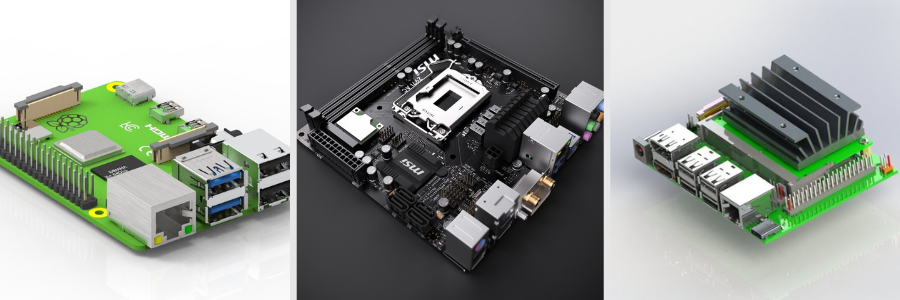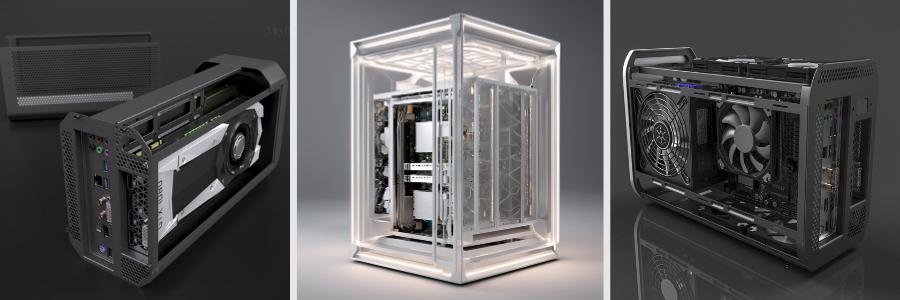
The Critical Role of Construction Drawing Services for Urban Development for Design Firms The Critical Role of Construction Drawing Services for Urban Development for Design Firms


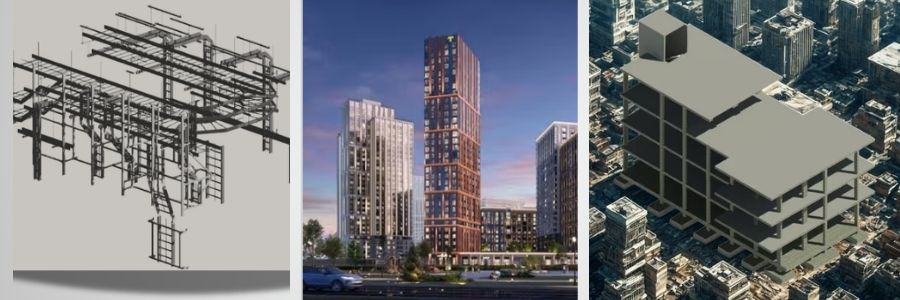
As cities continue to expand to accommodate the growing demand for office and residential spaces, transportation hubs, commercial buildings, large-scale infrastructure, schools, hospitals, and public spaces, urban development is happening everywhere. Behind every successful building project is something many people often overlook: construction drawings. Construction drawings are detailed plans created by architects to document all the technical details of a project, including materials, accurate dimensions, floor plans, HVAC systems, electrical and plumbing layouts, wall elevations, and much more. The more accurate and specific these drawings are, the easier it becomes for engineers, builders, and contractors to execute the project exactly as intended.

Construction drawings are not simply technical requirements. They are essential because they keep everything organized and functioning properly throughout the construction process. Imagine trying to cook a complicated recipe without measurements or proper instructions. You would probably make mistakes. The same thing happens in construction without detailed drawings. Every placement, dimension, and system connection must be clearly defined so that no one has to rely on guesswork. If you are a project developer or contractor in need of construction drawings, Cad Crowd offers access to a wide network of professional architects who provide a full range of construction design, drafting, and 3D construction rendering services. Before hiring an architect, however, it is important to understand what construction drawings are and why they matter.

RELATED: Architectural Construction Drawings and How Companies Apply Them in Their Projects

🚀 Table of contents

What are construction drawings for?

Construction drawings serve as the instruction manual for a building project. They translate an architect’s design concepts into technical plans that contractors and engineers can understand and build from accurately. An architect may initially envision ideas such as creating an open space or introducing more natural lighting. Construction drawings transform those ideas into measurable and buildable instructions. One project typically includes multiple sets of drawings, such as electrical plans, plumbing plans, and structural plans. Each drawing focuses on a specific system while working together as one coordinated package.

RELATED: Purpose of Shop Drawings, Construction Drawings, and As-Built Drawings for Companies: All You Need to Know

During construction, contractors do not estimate where things should go. They follow the drawings closely to understand dimensions, materials, and installation procedures. Engineers also rely on construction drawings to confirm whether the structure is stable, safe, and realistic to build. Without construction drawings, even simple buildings would be difficult to complete properly. These drawings provide the clarity and consistency needed to turn ideas into functional structures.

Assisting design firms in achieving their concepts

When design firms create concepts, they must ensure those ideas can actually be constructed in the real world. While creative ideas are important, they still need to be translated into technical plans before construction begins.

Construction drawings simplify this process by converting conceptual designs into accurate and measurable plans. This ensures the drawings reflect the intended vision while remaining practical for construction teams to follow.

How do construction drawings work?

Construction drawings can be compared to a detailed blueprint. They contain design concepts alongside exact dimensions, material specifications, layouts, and technical systems that guide builders during construction.

RELATED: Main Differences between Architectural Construction Drawings, Shop Drawings & As-Builts Services Companies 

These drawings show how every part of the building should be assembled and connected. Their purpose is to ensure that every stage of the project is carried out correctly and consistently.

Why does urban development need precise construction drawings?

Urban projects may appear simple from the outside, but they involve many interconnected systems and teams. Precision in construction drawings minimizes misunderstandings, improves safety, and ensures compliance with regulations and building standards. Accurate construction drawings also help save time and money. Inaccurate drawings can lead to misinterpretation, delays, material shortages, and expensive revisions. For example, if one team interprets the drawings differently from another, construction errors may occur, causing project setbacks.
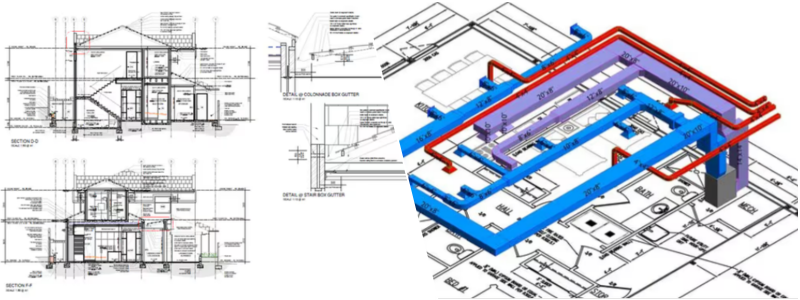
Accurate-construction-drawings-support-urban-infrastructure-development

RELATED: How Construction Drawings Enhance Safety and Efficiency with CAD Design Companies

Precise placement of systems and components is also essential for structural stability and safety. Every element must be installed correctly to ensure the building performs as intended.

How can construction drawings connect design and actual construction?

People often say architects “turn visions into reality,” but construction drawings are what actually make that possible. Architects are responsible for more than just creating visually appealing designs. They also ensure that spaces function properly, suit the environment, and meet the client’s needs. Through sketches, renderings, and digital 3D models, architects communicate how the final structure should look and function. Construction drawings allow contractors and engineers to transform those concepts into real structures. Even highly complex ideas become achievable when detailed plans guide the process. Construction services play a major role in carrying out these plans successfully. Construction drawings establish the guidelines that contractors, engineers, and builders must follow to reduce risks, prevent errors, and maintain structural stability.

RELATED: How Architectural CAD Drawings Help Modern Design and Construction Companies

Documentation process is another important aspect of construction drawings. These documents include measurements, material specifications, installation instructions, and structural information that help ensure all teams remain aligned with the original design intent.

Engineers also play a crucial role in reviewing construction drawings. Whether working in structural, electrical, or mechanical engineering, they verify that systems function correctly and comply with regulations and safety standards. In large-scale urban development projects, teamwork becomes essential. Multiple teams with different areas of expertise must collaborate effectively to transform ideas into detailed and buildable plans.

How can construction drawings promote collaboration across all teams in an urban development project?

Construction drawings involve contributions from architects, engineers, contractors, consultants, and many other professionals. These drawings help improve collaboration in several important ways.

RELATED: How Architectural CAD Drawings Help Modern Design and Construction Companies

Provides a clear visual guide

Construction drawings function as a visual language that allows all teams to understand the project without relying on lengthy explanations. Instead of describing every detail verbally, professionals can refer directly to the drawings. This reduces confusion and helps ensure that everyone follows the same plan. Architects create the layouts, engineers add technical systems, and contractors execute the plans accurately.

Construction-drawing-services-enhance-urban-development-efficiency

Improves communication among professionals

Urban development projects involve multiple professionals working together toward a common goal. Architects focus on layouts and aesthetics, engineers handle systems and structural integrity, and contractors oversee construction activities. Clear communication between these groups is necessary to avoid misunderstandings and maintain project coordination. Construction drawings support this communication by providing a shared reference point for all teams.

Reduces errors and construction delays

Accurate construction drawings reduce delays and improve efficiency. When drawings contain errors or missing information, projects often stop while revisions are made. Detailed and well-organized drawings minimize confusion and reduce the need for costly rework. For example, if electrical systems conflict with plumbing layouts, revisions become necessary and construction slows down. By avoiding these issues, projects can save both time and resources.

Supports efficient project planning

Construction drawings help organize tasks, manage resources, and coordinate schedules. Because all teams can clearly understand the project requirements, they can work more efficiently and collaboratively. Although each professional specializes in a different area, the drawings help connect all teams into one coordinated workflow.

Makes updates and revisions easier

Large urban projects rarely proceed exactly as originally planned. Revisions and updates are common throughout construction. Construction drawings help track changes and ensure that all teams stay informed about updated plans. Modern CAD software also allows revisions to be made digitally, making updates faster and more efficient.

RELATED: What are as-built drawings services, and how do construction companies use them?

How can construction drawings ensure compliance with building codes and regulations?

Construction drawings help ensure that projects comply with local and national building codes, regulations, and safety standards. Governments establish these codes to protect public safety and ensure structural reliability. Construction drawings demonstrate that projects meet these requirements before approval is granted.

Technical-construction-drawings-guide-modern-urban-development

Accurate measurements and structural details

Service Provider Type  Average Rate Structure Key Characteristics
Freelance Drafters / Designers $30 – $120 / hour Rates scale by expertise; entry-level is $35–$50, lead designers charge $85–$150.
Drafting Companies / Firms $75 – $200 / hour Higher rates, but includes project management and corporate quality assurance.
Per-Page / Per-Sheet Rates $30 – $250 / page $30 for independent freelancers; up to $250 for structural or shop drawing firms.

Every project must follow accurate measurements and proper material specifications. These details help inspectors evaluate whether the structure is safe and compliant.

Supports permit approval

Before construction begins, projects must go through approval processes that require documentation, including construction drawings. Officials review these plans to verify compliance with regulations before issuing permits.

Reduces legal and safety risks

Projects that follow proper codes and standards are less likely to experience legal issues, structural failures, or safety risks. Compliance process protects building owners, workers, and future occupants. Overall, construction drawings are essential because they guide projects safely and responsibly while ensuring compliance with laws and regulations.

How can Cad Crowd help with construction drawings?

Cad Crowd is a platform that connects companies with experienced CAD professionals specializing in construction drawing services.

RELATED: CAD Construction Drawings: Modernizing Your Company’s 2D & 3D Drafting Process

Access to skilled CAD professionals

Cad Crowd offers access to professionals with expertise in architecture, engineering, CAD drafting, and construction documentation. This allows companies to find specialists whose skills align with project requirements.

Fast project completion

Meeting deadlines is critical in large-scale development projects. Through Cad Crowd, firms can outsource work to experienced CAD professionals who can efficiently produce accurate construction drawings while maintaining high-quality standards.

Workforce support for design firms

Instead of hiring large in-house teams, firms can access skilled professionals only when needed. This flexible approach helps companies complete projects efficiently without unnecessary staffing costs.

RELATED: Pick the Right Construction Drawings For Project That Your Firm Needs for Engineering and Architectural Projects

Cad Crowd plays an important role in construction drawing services, especially in urban development projects where accuracy, efficiency, and collaboration are essential. With access to experienced professionals, firms can reduce errors, improve productivity, and ensure projects meet both safety standards and client expectations. Contact Cad Crowd today for your free quote and transform your ideas into reality; smartly and efficiently.


author avatar

MacKenzie Brown is the founder and CEO of Cad Crowd. With over 18 years of experience in launching and scaling platforms specializing in CAD services, product design, manufacturing, hardware, and software development, MacKenzie is a recognized authority in the engineering industry. Under his leadership, Cad Crowd serves esteemed clients like NASA, JPL, the U.S. Navy, and Fortune 500 companies, empowering innovators with access to high-quality design and engineering talent.

Connect with me: LinkedIn ✦ X ✦ Cad Crowd

Strategic Ways to Outsource Electronics and PCB Engineering


Let’s get real: outsourcing electronics design services and PCB engineering company is not something you do over coffee and croissants. It’s a gamble that can make or break your entire product. Whether you’re creating the next wearable fitness tracker, designing complex industrial automation systems, or introducing a sleek consumer device, the folks behind the circuit boards are just as important as the vision behind the product. Platforms like Cad Crowd help companies find CAD designers and mechanical engineers who already understand the practical side of electronic enclosure design and hardware product development. The goal is to build an enclosure that works properly in the real world and still makes sense once production starts.

The electronics design outsourcing space is massive, occasionally bewildering, and not always clear. There are companies that claim rocket science and produce spaghetti wiring. There are others that are gems quietly driving some of the hippest gadgets available. The secret? Knowing how to move through this landscape with confidence, clarity, and an eye for detail. So grab a cup of coffee (or something stronger), and let’s dive into the real, no-fluff guide to finding the perfect outsourcing partner for your electronics and PCB engineering needs.

RELATED: How Much Does It Cost to Outsource PCB Design Services & Electronics Engineering Complete Prices for Companies

🚀 Table of contents

The outsourcing sweet spot: why companies do it

Outsourcing isn’t a shortcut because it fits as a strategy. When companies decide to outsource electronics design or PCB engineering design, it’s rarely about trimming the fat. It’s about being sharp with time, money, and talent. You might be a startup trying to stretch your runway, or a fast-growing firm juggling deadlines that move faster than your hiring process. Maybe your in-house team is brilliant but doesn’t have deep experience in RF systems, high-speed layout, or that thorny EMC compliance issue. That’s where outsourcing excels. It allows you to tap into a universe of talent without the overhead of full-time employees or hefty design software investments. You’re now working with people who eat, sleep, and breathe this kind of thing, and who’ve likely cracked the same problem five times before breakfast. The time to market decreases.

RELATED: Avoid These Hardware Design & PCB Electronics Outsourcing Mistakes Made by New Startups

But it’s not plain sailing. The wrong partner can make your fantasy project a financial headache. Flubbed milestones, muddled communication, or shoddy hardware construction can cascade into failed tests, lost launch windows, and angry stakeholders. Worse? Losing the trust of your investors or users. So no, outsourcing isn’t lazy when done correctly. The sweet spot is getting the right partner who understands your vision, is fluent in your tech speak, and ships without drama. Outsourcing done well isn’t a risk; it’s a rocket booster.

Not all design firms are created equal: know what you’re really outsourcing

It’s all too simple to get swept up in gaudy promises and technology-infused buzzwords. “End-to-end design solution”? Sounds great, not until you stop and consider that it can range anywhere from soup-to-nuts concept-to-production assistance to, you know, just schematic capture and a smile. The reality? Not all design houses carry the same toolset, and you wouldn’t want to learn that midway through a key project. Some companies are geniuses at prototyping design services but stumble over regulatory obstacles. Some companies are wizards with heavy-duty, industrial-grade PCBs that wither over-flogged conditions such as heat, dust, and high voltage but don’t even put their hands near high-frequency RF design with a ten-foot pole. There are companies that can blindfold-tune an antenna, and companies that give system integration or embedded firmware only cursory glances.

So don’t shake hands or send the first PO until you zoom in on the details. What exactly are you outsourcing? Are you paying for layout only, or full stack support like firmware, testing, and the works? Will they mark manufacturability issues for you or leave you with a pretty but flaky board? There is a lane for every firm, and attempting to push them into yours is a recipe for frustration. Your role is finding the partner that doesn’t just self-proclaim alignment but demonstrates it. That involves asking higher questions, drilling down into actual capabilities, and reading between the hype words.

RELATED: The Future of Electronic Design Engineering: Innovations and Trends for CAD Services Companies

Vetting a company: the real-world checklist (no corporate speak)

We’ve all been there, browsing a company’s glossy website, awestruck by high-resolution images of circuit boards that would qualify as abstract art and buzzwords piled like pancakes. “Cutting-edge.” “Turnkey.” “End-to-end synergy.” Yeah, it sounds cool. But inside, you know better.

PCB-engineering-outsourcing-services-hardware-development-guide

Since branding doesn’t cause your prototype to boot at 3 a.m. Branding won’t locate the pesky EMI gremlin that’s causing trouble for your wireless module. Actual engineering design services will. And finding the right personnel to work on your electronics or PCB design project requires cutting through the hype. Here’s the no-nonsense, boots-on-the-ground list you really need. No jargon. No filler. Just good advice from people who’ve been burned enough times to know what counts.

1. Technical Breadth and Depth (a.k.a. “Have they seen some things?”)

You don’t want to have a team that’s just discovering how to route a power plane. You want a team that’s been there, done that, who’ve struggled with tough analog-digital interfaces, wrestled with high-speed traces, and survived to tell the story. Begin with their portfolio and case studies. If all they have ever worked on are Arduino breakouts and LED blinkers, that’s likely not your team for a six-layer board with Bluetooth mesh networking and impedance controls and whatnot.

RELATED: Tips for PCB Design Services Creating New Products

Ask the right questions:

  • Do they do design for manufacturability (DFM) product? This is not just a buzz term; it’s about keeping you out of rework hell when you need to scale.
  • Have they worked with regulatory agencies such as the FCC, CE, or UL in the past? If not, be prepared to plan for a compliance consultant down the line.
  • Do they possess domain knowledge? Aerospace is different from wearables. Medical devices are not IoT doorbells.
  • Can they work with small form factors or thermal issues?
  • Do they know EMI shielding design and grounding strategy beyond the simple “slap on some copper pour and pray”?

You want evidence, not promises. True experience has a track record.

2. Team Composition (Who’s actually behind the curtain?)

This one’s subtle. Some firms appear to be large operations up front, but in the back room? It’s a single guy, two screens, and a cat on the keyboard. Solo engineers are fine; most of them are terrific. But complexity demands co-conspirators. If your project involves firmware, enclosure design, RF, power electronics, and compliance testing, you’ll need more than a layout jockey.

Ask point-blank:

  • Who exactly will be working on your project?
  • Is the person you’re corresponding to merely a sales rep?
  • Do they have in-house firmware devs available?
  • Any mechanical engineers for housing design or thermal simulations?

The objective is to identify a team with the proper blend of skills in-house or a well-established network of experts they work with on an ongoing basis. Otherwise, you’re the one stuck dealing with freelancers and patching integration problems. And believe me, nobody likes that circus.

3. Communication Fluency (The underappreciated dealbreaker)

Even the best engineering team can sabotage a project with bad communications. It begins quietly: a fuzzy project timeline, a confusing spec sheet, an email that sits for three days unanswered. Next thing you know, you’re two weeks behind schedule and still debating the pinout of a connector. You desire a team that understands how to talk to people. No tech jargon for the purposes of appearing intelligent. Just straightforward, truthful updates.

Listen closely from day one:

  • Do they clarify their process in a way that makes sense to you?
  • Are they at ease with answering difficult or “simple” questions without sounding irritated?
  • Do they follow through when they promise to?
  • Are their project reports clear, with versioning and change logs?

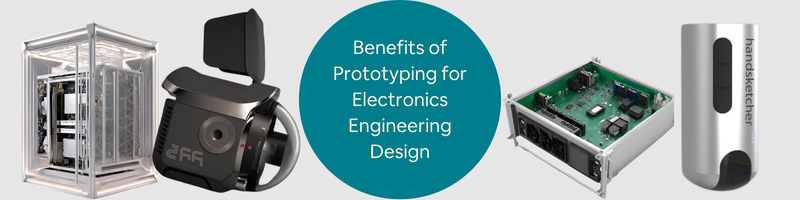
RELATED: Why Electronics Product Prototyping Is Important for Successful Product Development at PCB Design Companies

The greatest teams don’t ghost you. They don’t speak around you with buzzwords or overused language. They keep it moving and inform you.

4. Toolchain Compatibility (A quiet time-saver you’ll thank yourself for later)

You don’t want a “tools arms race” in the middle of your project. You know the type: they use some esoteric software design, your factory can’t open the files, and now everybody’s exchanging PDFs and screenshots back and forth. It’s 2026. We can do better.

Ask up front:

  • What CAD and simulation tools do they employ? Altium? Eagle? KiCad? OrCAD?
  • Do they have the ability to export files in industry-standard formats; Gerber, ODB++, pick-and-place files, BOMs?
  • Can they integrate with your workflow, maybe your GitHub repo, or your PM tool like Jira or Trello?

Toolchain compatibility isn’t just about convenience. It’s about risk reduction. Misaligned tools mean misaligned expectations, and that usually leads to costly mistakes. Save yourself that headache.

5. IP Protection & Legal Frameworks (Because your brilliant idea shouldn’t become someone else’s asset)

Here’s the ugly truth: everyone doesn’t play by the same rules. And your intellectual property is something you should protect whether you’re a startup with a new design or a Fortune 500 business spinning up a new R&D initiative services. Any serious company should be embracing the legal discussion. If they start to get nervous about NDAs or ownership provisions, that’s a huge red flag.

Things you have to be crystal clear on:

  • Who retains ownership of the design files after the project is completed?
  • What happens in the event the project gets terminated mid-stream?
  • Are there any subcontractors, and if there are, are they held to the same contracts?
  • Is the IP subject to your nation’s laws or theirs?

These aren’t hypotheticals. The last thing you want is to see your identical board, design, firmware, BOM design and all turning up on Alibaba six months later under a different label. Guard your work as your retirement nest egg because, in a few instances, it could be.

Location, location… or perhaps not?

Geography is no longer a deal-breaker when outsourcing electronics deign or PCB design work, but it still holds some importance. Local companies tend to be the more conservative choice; however, if you wish to have face-to-face meetings, instant feedback, and convenient legal harmonization. The convenience of popping into an office or jumping on a call without having to do timezone math is a luxury, but one that costs a premium. Local talent is expensive, and in certain markets, very expensive.

On the other hand, global companies, particularly in Eastern Europe, Southeast Asia, or Latin America, can provide dazzling technical talent for much lower prices. The catch? You’ll just have to do some extra legwork on quality control, make sure IP protections are sound, and be prepared for the occasional 2 a.m. email. For most companies, the sweet spot is a hybrid model. Consider local project managers who know your language (literally and culturally), combined with remote engineers who provide the horsepower. You get the comfort of homegrown management and the cost-effectiveness of international talent. It’s not always simple, but when it does happen, it really does.

Know what stage you’re in before outsourcing

Electronic-product-development-outsourcing-engineering-process-guide

Not all electronics design companies are equal and not all of them are designed to take you by the hand through your entire product process. The reality is, your perfect outsourcing partner will change based on where you are in your process. If you’re in the idea-generating stage, you require big-picture thinkers. This is where system architecture, component selection, and proof-of-concept enter the picture. You want a company that knows how to take napkin sketches and turn them into functional prototypes design. Moving into the mid-stage? This is where things get real and messy. You’ll need quick iteration cycles, tight design-for-manufacturing practices, and someone who knows how to navigate compliance testing without holding up your timeline. Delays often pile up here, so process-driven partners are worth their weight in gold.

RELATED: PCB Design Engineering Rates, Costs & Freelance Service Prices for New Company Products

Once you’re in the late stage, the game is all about scaling. Now you want a company that knows cost-saving strategies, production line idiosyncrasies, and supply chain quirks on a worldwide level. They must be at ease with exchanging components mid-process, fixing vendor bottlenecks, and catching problems before they hit the factory floor. It’s easy to think that you can be taken through from ideation to mass production by one firm. Some will, but others specialize in only one stage. Knowing that upfront can save you time, budget, and some serious headaches. Knowing where you are isn’t only intelligent, it’s a must. The right person for the wrong time can do more damage than good. So before you sign on that dotted line, take a moment to match your needs with their strengths. It’ll be worth it in the long run.

Ask the uncomfortable questions (even if it feels awkward)

Employing an electronics design or PCB engineering firm isn’t buying a new phone from the store; furthermore, it’s selecting a co-pilot for a lengthy, high-risk flight. So why do so many businesses insist on being placid and surface-level with interview questions? It’s time to probe deeper. Try turning the tables on them during that discovery call. Be a devil’s advocate. Spew out some curveball questions and observe how they take the heat. Ask them about their most epic project failure and what they learned from it. Is there a design that failed certification and what did they do to get back on track? Push harder: what happens if a critical engineer drops off the face of the earth halfway through the project? Who takes their place? Is your project hung up?

And here’s the punchline: ask if you can speak to one of their past clients, ideally someone from your line of business. If they hesitate, that’s a bad sign. If they embrace the challenge, you’re likely working with a company that is proud of what it does. You’re not being rude; you’re being responsible. You’re not just vetting their skills; you’re testing their character, their communication, and their resilience. A great company won’t just pass the test, they’ll also appreciate that you’re asking the tough stuff.

RELATED: How to Find an Electronic Design Company for Outsourcing New Product Engineering

Prototyping: the acid test of a design company

A design may shimmer on a screen, all smooth edges and perfect geometry but the real world won’t care how nice it looks in CAD software. When road meets rubber, or circuit board meets plastic, that’s when things get serious. That is when prototyping becomes the make-or-break phase and how a company goes about it says it all. Are they getting their hands dirty making and testing initial-stage prototypes? That indicates they’re not simply pixel pushers;  they’re problem solvers. It’s even better when they’ve got trusted rapid prototyping partners on speed dial. That type of relationship halves wait times and headaches. But the great companies do better. They don’t give you a prototype and walk away. They get feedback, listen, and turn sometimes quickly. Iteration is where excellent designs become outstanding products.

And if you’re lucky, the company might offer access to in-house or partner testing labs where your design can brave simulated rainstorms, bone-rattling vibrations, or desert heat. That kind of environmental and thermal testing services isn’t just bells and whistles. It’s essential when your product needs to survive the real world, not just a desk demo. All in all, prototyping is the integrity test of any design process. If a company gets this step right with grit, velocity, and accuracy, chances are they’ll transfer that same intensity directly to final production. And you know who you want on your team.

Red flags to avoid like a corroded trace

In the outsourcing business of electronics design and PCB engineering, a slick website or a charming salesperson isn’t always a promise of quality work. Behind all that shine may be a whole multitude of red flags just waiting to short-circuit your project. Begin with the proposal. If pricing sounds unclear or always “depends,” but no one can ever provide you with context, back off. A solid firm should be able to describe costs clearly, not tiptoe around them. And if you’re constantly hearing from the sales reps but never actually getting to talk to an actual engineer, that’s another warning sign. Engineers don’t merely construct the product because they contribute the logic, feasibility, and technical spirit to it. You need to get your hands on them early. Documentation services is another smoking gun. A decent firm ought to have clean version control and open revisions, not a disparate hodgepodge of file names such as “Final-Final-v7-BobEdit.” If test, validation, and compliance requirements aren’t addressed, you’re looking at a possible catastrophe. These aren’t add-ons; they’re must-haves.

And lastly, watch out for promises of miracles. A firm that says they can provide a certified, production-capable device within two weeks for only $500 is not being bold; they’re being unrealistic. That’s not innovation; that’s a formula for failure. In this business, a little doubt is worth a lot. Trust your instincts, ask intelligent questions, and always examine the breadcrumbs before you engage. The right partner won’t just simply give you confidence; they’ll do it with actual proof.

RELATED: What Certifications are Used for New Electronic Hardware Products & PCB Design Services?

Building a relationship, not just a contract

When outsourcing hardware design, the actual victory is not merely accomplishing a task but rather having a partner that follows you through each iteration, each late-night adjustment, and each surprise in the supply chain. A good company will provide you with clean schematics, sound layouts, carefully considered documentation, and prices that don’t make you cringe. But a great company? That’s something else. Good companies don’t wait to be told; they are eager to learn about you. They know how you think over time, what’s most important to your product, and how you want things done. When items are going on backorder, they’re already sending you good substitutions in your email. When the design choice will save you money or increase efficiency, they bring it up without prompting. They’re the sort of team that alerts you to risks before you even realize there’s a cliff in front of you.

This kind of collaboration doesn’t happen overnight. It’s earned, built one project at a time. That’s why it’s important to stop treating every job as a one-off transaction. If you’ve found a firm that genuinely adds value to your process, nurture that connection. Don’t just squeeze them on cost but also reward their insight, loyalty, and reliability. Because in this industry, long-term success isn’t just about having the best tools or fastest turnarounds. It’s about having the right people in your corner. This isn’t a one-night stand; it’s a business marriage. Treat it that way, and you’ll build something far more valuable than just a PCB.

Final thoughts: trust, but verify, because your idea deserves better

Choosing the right electronics design and PCB engineering company is a bit like picking a co-pilot for a long, risky flight because you’re not just hiring someone to do a job; you’re trusting them with your vision, your product, maybe even your startup’s future. It’s tempting to go for the cheapest quote or the company promising lightning-fast turnaround, but that shortcut often leads straight into a maze of reworks, poor communication, and disappointing results. What’s actually important is compatibility. Does the team understand what you’re creating? Are they posing thought-provoking questions and presenting more than buzzwords? Do they appear to have a stake in the result, not only the receipt? You need someone who contributes experience and curiosity. And you deserve a partner who listens, tests, and constructs carefully.

RELATED: The Future of Electronic Design Engineering: Innovations and Trends for CAD Services Companies

Cad Crowd is the perfect place to start that search. It puts you in touch with pre-screened, expert electronics designers and PCB engineers who actually care about providing results that work. Because when you discover the right fit? When the schematics click, the communication is smooth, and the first prototype whirs to life just as dreamed, that’s when it all seems worth it. That’s when you know that you didn’t merely hire a business. You discovered your people.

How Cad Crowd can help

Working with the right experts makes the dream work. Having clear communication and collaboration is a step toward making a product successful. With suitable and right deliberation, communication, and support, any simple idea can be turned into a fully made product that customers will trust and be happy to buy. Contact Cad Crowd today and start bringing your ideas to life with a free quote.

author avatar

MacKenzie Brown is the founder and CEO of Cad Crowd. With over 18 years of experience in launching and scaling platforms specializing in CAD services, product design, manufacturing, hardware, and software development, MacKenzie is a recognized authority in the engineering industry. Under his leadership, Cad Crowd serves esteemed clients like NASA, JPL, the U.S. Navy, and Fortune 500 companies, empowering innovators with access to high-quality design and engineering talent.

Connect with me: LinkedIn ✦ X ✦ Cad Crowd

How to Quickly Cut Prototype Design Costs in 2026 for Product Design & Engineering Firms


In today’s post, we provide helpful information on how to cut prototype design costs for product design and engineering firms. Developing a new product can get expensive rapidly. And a big portion of the budget goes to the prototyping phase, which happens in an iterative fashion where you have to make a model, discover some flaws, improve them, and repeat the process over and over again until you manage to build the most refined, manufacturing-ready version. The cost of prototyping design firms probably accounts for at least a third of the entire product development budget.

Of course, there can be various factors that affect how much money goes into the prototyping phase, but in general, the more complex the product is and the more expensive the materials are, the higher the budget should be. For example, if you discover a lot of design flaws in a prototype, you need to do a lot of refinements and make it better the next time, and this process costs time and a good amount of money.

Another problem is that there’s no guarantee the new prototype won’t have any issues either, so you have to give it another go and repeat. Prototyping stands as one of the most crucial phases in product development services. It’s not like you can cut corners and cheap out on every model. At least not when you want the product to work well and look good, as intended. The good thing is, there are many things you can do to reduce the cost and make the phase as efficient as possible while still maintaining accuracy and overall quality.

Let’s not forget that there’s always Cad Crowd, a freelancing platform mostly frequented by thousands of New Product Development (NPD) professionals based in the US, the UK, Canada, and Europe. Whether you’re looking for engineers, designers, fabricators, contract manufacturers, or project managers to reinforce your team, Cad Crowd connects you with qualified specialists through flexible hiring options.

RELATED: Designing Prototypes: 3D Design Services for Inventors and Companies

Efficient prototyping

We’ve mentioned earlier that prototyping is crucial and likely expensive, but it turns out there might be a few good measures to help you run it in a much more efficient manner and hopefully reduce the cost to hire product designers.

Build your own prototype, if you can

This might’ve been a hot take in the old days, but it shouldn’t be the case anymore now that 3D printers are getting more affordable. What if you want to prototype using metal materials? Yes, you can now 3D-print metals, too. Some entry-level metal 3D printers cost around $10,000 – $20,000 these days, which isn’t exactly a bargain, but not ridiculously expensive either. Also, the idea of prototyping is to build early versions of a product’s design. You’ll be doing it in an iterative fashion until you’re satisfied with the model.

Once the design is finalized, you can always partner with a third-party fabricator to make a high-fidelity “production version” prototype to send to a contract manufacturer as a sample. Because the outsourcing part doesn’t happen until the final build, you can save a lot of money by creating every other model in-house. Metal parts like aluminum, stainless steel, titanium, or alloys can be quite a hindrance. However, it only applies to designs that require you to build prototypes from those materials. For products that are mostly or entirely made of plastic, in-house rapid prototyping with 3D printers is a no-brainer.

There are plenty of small desktop 3D printers from reputable brands available for under $1000. But just to be safe and have more options, budget anywhere between $1500 and $2000 to get a larger and more capable 3D printer. But not every company, especially startups and small design firms, can afford to purchase a complete package of 3D printing equipment. When the budget is tight and you don’t have the funds to invest in the right tools, outsourced prototyping still makes good sense.

RELATED: What Are The Main Prototypes Used By Companies in Industrial Design Prototyping?

electronics design services

The right methods for the right job

Now, whether you outsource prototyping or do it in-house, it’s important to determine exactly what you need from the model. The prototype design expert may have to build multiple models throughout the prototyping phase, and each model serves a different purpose. The earliest version is the most basic form of the product, with some rough edges and almost no functionality. A follow-up model is slightly more refined with better aesthetics and a little bit more useful. You keep going with the gradual improvement, sometimes by focusing on one aspect at a time.

For example, a basic concept only needs to show that the idea is technically feasible. It might be crude, but so long as it delivers a solution to a problem, you can say that the model serves its purpose well. Finishes and details are not the biggest concerns at this point. In many cases, building a PoC (Proof of Concept) needs no fancy tools. You can make it using cardboard, plywood, or maybe LEGO bricks. For the electronic parts (if the product is an electronic device at all), development kits such as Arduino, Raspberry Pi, and ESP32 are the usual options. A concept isn’t simple because it shouldn’t be. You make do with off-the-shelf materials.

The time will come when you have to blend good aesthetics and functionality into a single model. Before you get to that point, however, separate the “looks-like” prototypes from the “works-like” ones.

  • “Looks-like” prototype focuses on the aesthetics, or the outer shell of a product. With electronics device design services, for instance, the outer shell is the hardware enclosure, the sides that people see.
  • “Works-like” model cares only about the functional parts, such as the inner mechanisms, the electronic components, or both. This allows the engineers to rig all the features and functionalities correctly without having to worry too much about aesthetics. Of course, there are still concerns like dimension and user interface (button placement, screen, battery compartment, etc.) because the components have to fit inside the outer shell eventually anyway.

RELATED: Complete Guide to Prototyping Methods Used in Product Development Services for Companies and Firms

As you progress from PoC and move closer toward the more refined models, 3D printing companies are your true saviors for efficient prototyping. That being said, not all 3D printers are created equal. For instance, FDM (fused deposition modeling) printers come with affordability and simplicity for anyone looking to get started with additive manufacturing. The big trade-off is part quality.

Say you want to build a prototype for the visual presentation. Part surfaces must be smooth with good details without sacrificing structural integrity. While you can use an FDM method for it, SLA (Stereolithography) printing is the better choice thanks to its tighter tolerance and higher accuracy. Parts made using SLS (Selective Laser Sintering) services and a 3D printer might not look as refined, yet they have excellent mechanical characteristics.

Despite being separate streams in the early prototyping phase, start merging the “looks-like” and “works-like” as soon as possible. You don’t want to keep them in siloed development environments any longer than necessary. Better still, avoid siloed development and use a cross-functional team to handle the entire project instead. This way, the designers responsible for the aesthetics and the engineers working on the inner mechanisms can do their jobs in a more collaborative fashion. Integration at a later stage is risky. If the internal and external parts don’t fit, it’s best to discover the issue sooner rather than later.

Digital twin and simulations

Without a doubt, the biggest money-saving factor of them all is the digital twin, particularly the simulation part. A product development project is riddled with errors. You build a prototype, hoping everything will be perfect, only to discover so many flaws in the model. While it’s practically impossible to build the ideal and flawless production version model on the first try, you can at least minimize the chance of mistakes using a digital twin. It’s a hard pill to swallow, but physical prototyping has always been a major hurdle in a product development cycle.

RELATED: Prototyping Techniques Utilized for Complex Products at New Product Design Companies

The complex fabrication, lengthy testing, and the nature of a hit-and-miss approach to engineering day in and day out can get tiresome quickly. Thanks to CAD (computer-aided design) firms and virtual prototyping, thankfully, most of those issues are completely avoidable. Digital twins and simulation become the new standards in just about every NPD project out there. CAD has come a long way since its first day in the 1960s, if not earlier. In 2026, you’re spoiled with advanced tools to build both the traditional 2D imagery and a photorealistic 3D visualization of any object.

You can think of it as creating a blueprint of a product, but instead of drawing it as a static diagram on paper, CAD generates an interactive digital twin. It doesn’t completely eliminate the need for physical prototyping, because you still need a physical model for testing and evaluation, but virtual prototyping saves you a lot of headaches and prevents wasteful use of resources. The term “virtual prototyping” is pretty much self-explanatory. 3D CAD designers have all the tools you need to build a prototype as a digital visualization on a computer screen. The product exists first as a virtual object, so no matter what you do to the object, it only happens on a computer screen.

You can remove parts, add more components, change the shape, or modify it in any way without having a physical prototype made. And more than just an image, popular CAD software like Autodesk Inventor, SOLIDWORKS, and PTC Creo are loaded with options that allow you to test the virtual prototype with simulations. Even the open-source FreeCAD has robust simulation capabilities as well.

Among the most common (and useful) tools include FEA (Finite Element Analysis) services to simulate vibration, thermal response, and structural test; CFD (Computational Fluid Dynamics) for airflow analysis, fluid behavior, and thermal distribution; Mechanism Dynamics to analyze motion, interaction, and interference between components; and Behavioral Modeling that evaluates how a design reacts to an external factor like changes in temperature or pressure, to name a few. In general, virtual prototyping and simulation open the door to a detailed analysis of how a design, product, or system behaves under different use case scenarios.

RELATED: 10 Tips on How To Find the Best Prototype Engineering Firm Services

product engineering services

Software like Altium and KiCad can do PCB simulation with such features as signal integrity analysis, error debugging, electromagnetic interference checking, and more. The only requirement is that your model, in this case the digital twin, has to be identical to the actual product. It can be rather problematic because you’ve only been building the prototype as a digital file, so there’s nothing physical to compare the model to. You don’t have clear points of reference, but that’s exactly what virtual prototyping is all about. Advanced 3D CAD software comes equipped with tools and options to help you build a virtual object, including a product design, from scratch.

You can experiment with various materials, form factors, colors, dimensions, PCB layout design, and every single specification imaginable. All without having a physical model in hand. It’s basically a CGI (computer-generated imagery) done under the constraints of actual physics. Being able to produce a prototype in a complete virtual environment is a major relief, both technically and financially. Since you don’t have to go through a lengthy process of trial-and-error with multiple physical models and consume a whole lot of development resources on them, the entire prototyping phase runs more efficiently at very low cost, objectively much lower than the alternative.

For example, running a simulation to see the thermal distribution of a product takes several hours. You have the data ready by the end of the simulation, as it is generated almost in an instant by the computer. The more powerful the computer, the faster it goes. The same analysis done on a physical model can take days to complete. On Day 1, you use the product extensively or expose it to a high temperature to see how it reacts to heat. You also need to know at what point the product begins to fail. On Day 2, you revisit everything to analyze the failure and compile evaluation reports. On Day 3, you may want to try to reproduce the first test just to see whether there’s any inaccuracy.

And at the end of the process, the tested models are damaged beyond repair, costing you hundreds of dollars, if not more. While simulation has a big impact on cutting down the prototyping cost, it’s not the only thing that matters in new product design services. Another major advantage of digital twins is improved collaboration. Because everybody works on a single model stored in the cloud, a cross-functional team can see all the changes made to the virtual prototype in real-time. Designers and engineers use the same model to make better, more educated, and informed decisions each time, based on the latest available data.

RELATED: Adaptive and Iterative Prototyping: Iterate on Your Product Design With Industrial Design Firms

Practical tips for physical prototyping

Digital twins and simulations are great and all, but they will never completely replace physical prototyping. You still need physical models to evaluate the product’s actual real-world performance in the hands of testers. For instance, the simulation might show that the product can withstand a drop from 10ft onto a pavement or submersion in water up to 15ft deep. Sometimes, you just have to see it happening in the real world to be 100% convinced.

Does this make the simulation less useful? No, because CAD and digital twins mainly function as a guide to help you build a product that’s at least as good as what the virtual model demonstrates. You put what you see on the screen to life, and hope that the result of the product delivers the expected performance, reliability, and durability. Only with physical prototype design engineering experts can you get a taste of that coveted hand-feel experience. Is it comfortable to hold, enjoyable to use, and practical to store? No amount of simulation can answer those questions. When the time comes to build a physical prototype, mind the following:

  • Be prepared to iterate. Just because you’ve done all the simulations, it doesn’t mean the next physical model is going to be exactly what it’s intended to be. Most of the time, the product still needs further refinement. Products that look good on screen aren’t always that good in real life.
  • Only build what you need. Have a clear plan for what you want to do with the prototype once it’s built. If the prototype is meant to be a “Beta” version, perhaps you don’t have to use the most expensive materials and the highest level of detail. Remember that CAD modeling, simulations, and physical prototyping don’t all have to happen in one go. They’re all part of an iterative process.
  • Use additive manufacturing. As mentioned earlier, 3D printing (and CNC machining, actually) are still the most affordable methods to build prototypes. You’re not making hundreds or thousands of units at this point. The cost per unit is more expensive compared to injection molding, but for a very low production volume, additive manufacturing is the way to go.

Also, build one prototype at a time. Do not build another prototype unless you’ve fully tested the current one. You need all the data from the tests to make sure that the next iteration addresses all the issues.

RELATED: How to Make a Prototype for Your New Product Design

Closing thoughts

Additive manufacturing has been around for quite a while now, so there is no reason for design firms not to take advantage of it now in 2026. Some would say that 3D printing is basically an extension of CAD because the printable model must be created first on a computer. Together with virtual prototyping and simulations, they’re often regarded as the best things to have ever happened to product development at large.

How Cad Crowd can help

Having said that, all those great technologies are simply tools. And no matter how sophisticated the tools are, they make little to no difference to your NPD project if you put them in the wrong hands. You need professionals to create the printable model, build a 3D digital twin, and run the simulations so that you gain nothing but accurate, relevant, and usable data from the process. Cad Crowd is home to experienced CAD technicians, 3D printing specialists, and fabricators to help you build prototypes efficiently. Get a quote today!

author avatar

MacKenzie Brown is the founder and CEO of Cad Crowd. With over 18 years of experience in launching and scaling platforms specializing in CAD services, product design, manufacturing, hardware, and software development, MacKenzie is a recognized authority in the engineering industry. Under his leadership, Cad Crowd serves esteemed clients like NASA, JPL, the U.S. Navy, and Fortune 500 companies, empowering innovators with access to high-quality design and engineering talent.

Connect with me: LinkedIn ✦ X ✦ Cad Crowd

Ultimate Guide to Engineering CAD Drafting Services: Benefits, Applications & Costs


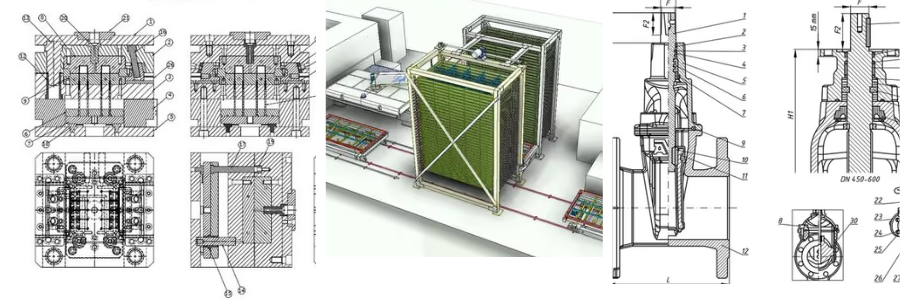
The process of building an idea into something real means a tedious number of plans and drawings. Engineering CAD drafting services make it possible to turn rough concepts into a clear digital plan that the contractors can easily follow and read. Through the utilization of advanced and specialized drafting software, it is much easier to translate and streamline multiple disciplines into one working area, encouraging efficient collaboration among the team.

This way, instead of sketches and just assumptions, systematized digital plans can help in lessening mistakes during the entire construction planning and execution stages. Some businesses and firms though, do not necessarily have a full in-house team to help them with the technical drawing. Cad Crowd can connect the businesses to experienced and professional drafters who are most suitable for the work scope, saving time and costs. 

The evolution of engineering drafting

The shift from the traditional hand-drawn drafting to Computer-Aided Design (CAD) has been a change-maker in the engineering industry. It has not only made everything faster and a lot cleaner to see, but it has also sharpened accuracy, which is one of the most important attributes in drafting. Drafters and designers don’t just create shapes into models – they should be able to understand how the geometry fits together, the materials being used, and what’s appropriate for it. They not only draw and make sketches, but they also know and assess if the idea is really realistic and doable. CAD has made it easier for the team to collaborate, to make the idea into a reality, with a clear understanding of what needs to be done.

Precision and accuracy in technical drawings

Having professional CAD services increases accuracy in drawings and reduces common human mistakes. This means using digital and coordinate-based tools, ensuring that every line, angle, and measurement is calculated down to the tiniest detail. The designs have to be carefully studied and understood, how the model fits together, and any imitations to consider, such as manufacturing machines. This information helps in correctly drafting the model. 

Civil engineering and infrastructure projects

It is common for civil engineering theory to use drafting in turning their big ideas into functional structures such as bridges, highways, factories, and even residential and commercial buildings. They use CAD to create floor plan layouts, elevations, sections, and everything that makes up the structure. It can contain how the design behaves in real life, showing its strength and lifespan. The materials are also incorporated into the drawing to accurately forecast its strong and weak points, ensuring that the structure is built realistically and safely. 

Mechanical drafting efficiency

Making a mechanical layout would seem simple on paper, but it is actually one of the critical points in drafting. This is because mechanical layouts could clash with civil and architectural design and layout which may result in an even bigger problem on site. Doing this on CAD, makes it easier to check and validate if there are potential clashes. Since the drawings are digital, it can also be easily edited in case a fix is needed. For 2D plans, it can easily be overlaid with the architectural or structural plans to check if there are hits. And for 3D, a realistic walkthrough can be generated to check the on-site layout without building the project. 

Electrical schematic development

Professional CAD services are also important in electrical schematic development since it lays out an organized wiring and circuitry system that is safe and easy to understand. It also included power layout and detailing to ensure that there is enough power to sustain the needs of the structure. The layout and detailing have to be carefully and accurately drawn since it can affect the safety of installers on site. It has to be designed in a way that it can be carried out without errors and is practical for usage. 

Architectural integration with MEP

MEP-deisgn-Industrial-Building-3D-floor-visualization

In engineering drafting, the architect works closely with the mechanical, electrical, and plumbing (MEP) systems. This is to ensure that the elements in each field don’t clash with one another. All the piping, ventilation, and wiring should all fit properly within the structure to avoid risks. To ensure that the execution is done correctly, the designers involved should fully understand and check the layouts involved to see if there are potential clashes. Not only do the technical drawings need to be checked, but the materials used and the construction methods, as one could affect the other in terms of accessibility and compatibility. Overall, it goes beyond knowing how to design but also how to work in real life safely. 

RELATED: MEP Shop Drawing Services: The Secret Weapon for Freelancers and Firms in Successful Building Construction 

Standardization and compliance

Standardization of drawings is regulated to establish a universal language in technical drawings – this is to ensure that everyone can understand the drawing globally. A high-quality drafting should follow a recognized standard such as ANSI or ISO to comply, and designers should have extensive experience in detailing skills to measurements, materials, and all things that are related to the project. It helps in establishing a consistent and ready-for-production design.

Cost reduction through virtual testing

Making a digital model can easily reduce costs by avoiding failed physical prototypes. Instead of making multiple versions of the physical model, only to redo it all over again, this can be done virtually. The only critical thing is that it has to be made accurately to present the real-life prototype, and the design and materials should be incorporated so it can show how it functions in real life. From there, if there are errors or flaws observed, it can conveniently be edited out without wasting resources. This dramatically reduces the costs incurred because of iterations and rework. 

Enhancing collaboration between teams

The digital CAD files and models can be shared in real-time among different disciplines and departments and allow efficient collaboration. From there, feedback can be shared instantly, and should there be comments and necessary fixes that have to be done, it can be seen by everyone as well. This helps in monitoring the real-time progress of the team and lets them screen or point out errors if any. It also gives a deeper understanding of the project, especially for the stakeholders, since they will be able to see their vision made into reality. It also helps in the decision-making of the stakeholders. 

Revisions and version control

In using CAD drafting, tracking revisions is easy, and one can ensure that the latest version is in use. Since the working file is shared among the team, they can conveniently and efficiently edit it, and it will reflect real-time. Also, the previous model versions can still be accessed and go back to if needed. The tracking of revisions is important, especially if patenting the prototype is one of the company’s goals, and also, should there be any plans to upgrade the mode, they can just check the history by accessing these files. 

Sustainable design and material optimization

Advanced software doesn’t only focus on the accuracy of drawings and aids in complex designs, but also makes smarter and more sustainable decisions. This can be done by identifying the materials used in the project and computing the size, volume, and weight to know excess materials and costs incurred. From here, alternative materials can be incorporated into the design to make it more aligned with being environmentally friendly, which uses less energy but does not sacrifice quality or performance. Professional drafting not only make technical drawing look clean and visually pleasing but also ensures that it is aligned with sustainability standards. 

BIM and the future of drafting

The modern times have really upped its game by upgrading the regular drafting into a Building Information Modeling, or BIM. This is a 3D model of the project, which includes all extra information like time and costs in the model. Not only can it show the exterior and interior material and composition makeup of the model, but it can also be used to know the projected timeline of when it can be completed, how much it will cost, and how it has to be built. This can only be accomplished by having a professional drafter to ensure that it reflects the accurate information provided. The designers have to be careful in adding all the information since the model will represent the project all throughout. 

RELATED: Embracing BIM: The Future of Building Information Modeling for Construction Companies

The role of drafting in product development

In cases wherein drafting is used to manufacture and develop a product, it helps in understanding not only the model make-up but also how it will fit the packaging. It should be able to function not only as it is but also when exposed to the outside world. This requires a deeper understanding of the size and dimensions of the product itself, its interaction with other materials, manufacturing methods, equipment used and how it has to be handled. Knowing this makes it production-ready and intentional.

The learning curve of CAD software

An advanced tool wouldn’t be much useful if one does not know how to maximize its usage. This is critical in drafting since you can only produce great outcomes with relevant and significant knowledge and experience. Professional drafters should have great comprehension when it comes to how the lines and shapes fit together, making an accurate dimension, materials suitable for the project, and how it can be realistically made. Smart and practical decisions can be made if the drafter knows and understands the model they are designing, since it should be able to function not only digitally but in real life as well. 

The influence of AI on drafting

Using Artificial intelligence or AI, is quite convenient in making the work faster and more efficient. Repetitive tasks can be taken care of by AI, so they won’t have to deal with menial tasks manually. This saves them a lot of time. Also, AI can suggest and recommend designs that can work well with the project, letting the designs have a broader and wider view of what they can do. It also gives them a chance to come up with alternatives in case needed to help produce great designs efficiently. 

Patent drawing requirements

Clear-visualization-patent-presentation-technical-drawing-designpng

Some businesses and firms opt to secure their unique and special designs by filing a patent. They need the technical drawings as support for the patent application, ensuring that all are detailed, clear, and properly labeled so that officers can understand how the product was fit together. It should have all the drawings needed as well as the materials to be used to ensure that the design is realistic and accurate. 

The intersection of art and engineering

All projects can actually look aesthetically pleasing during presentations, but not all can come out as truly functional and useful. The project should not only look good but be able to complement its target functionality. It is about the design meets the engineering, by understanding how it works and how it will be functional. It considers all the information needed to make the outcome: the design layout, the materials needed, manufacturing, and production constraints. 

Enhancing manufacturing speed

Ambiguous technical drawings and designs can lead to confusion and lots of assumptions made by workers. It could also lead to rework if not addressed and spotted early. The manufacturing and production can be sped up when the drawing is easy to understand and clear. It gives the workers a clear understanding of what they’re expected to do and the outcome. It makes the workers at ease, knowing they are able to pull off the instructions smoothly. If the drawings are straightforward and direct, fewer mistakes will be made. 

Technical manual illustration

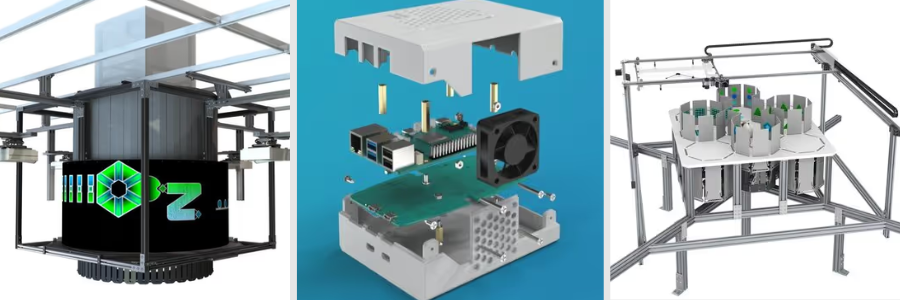
Most of the time, especially for businesses producing a product, a technical instruction manual comes with the product. It has a model view and its exploded views, making it easier for everyone to see and understand how everything fits together. It shows how the parts are connected to each other and how it can be assembled and disassembled. This makes it simpler and user-friendly

The cost of in-house vs. outsourced drafting

When in need of CAD services, a business has two options: to establish an in-house team or outsource to an external professional. Both are advantageous and have their respective cost implications. An in-house means not only spending on the up-front fees but also investing in the devices and software appropriate. It also has to consider incentives, benefits, and training of the professional. If the work is only minimal and project-based, it may not be fully worth it. While the outsourced CAD Drafter is more of a pay-as-you-need. This is a much practical choice for those who only need the service for the specific project. Costs for graphs and drawings can vary greatly depending on the services you need, the scope of the project, and the preferred turnaround time.

National Average Cost $2,100
Average Range $1,500- $2,500
Minimum Cost $1,000
Maximum Cost $3,000

The national average cost to hire a drafting technician is $2,100. However, the tools utilized, the project’s complexity, the draftsman’s experience, and the total time dedicated to the project can affect the final cost significantly. 

Software compatibility challenges

Not all companies use the same software, and from this, the files may not be compatible with each other. There could also be instances wherein the versions are not updated, and this may cause a problem. While the file can conveniently be converted, it may be imperfect and not fully display the actual intended design. A shape could be distorted, and worse, it could possibly be corrupted. It has to be ensured that the files are consistently compatible to increase accuracy in design. 

Quality control and peer review

All works must be compliant to ensure quality control. The experienced drafters have to carefully and thoroughly check the work done by the junior members to spot early errors and reduce rework later on. This helps in catching errors in the design phase and prevents failures on-site. The experienced drafters have to check the dimensions are accurately reflected and have a consistent unit of measurements all throughout the design. It has to be ensured that the design is easy to understand and wouldn’t lead to bigger problems. 

The value of experience in drafting

It is helpful to have a pair of experienced eyes in CAD drafting. It helps in understanding how things work in real life. From this, they can point out items that can sometimes be overlooked or missed. Aside from this, experienced drafters can have several inputs that are helpful to deliver a good outcome. They also give practical advice to make the work easier and save a lot of time and resources. The experienced drafter can determine the proper connection and functionality of the parts and make sure it fit together and can pass compliance.

Future trends: augmented reality and drafting 

Seeing drafting not only on screen but also as real-life using AR (Augmented reality) is possible to be a norm in the near future. From it, everyone can see the digital plans layered straightforwardly and directly on top of the actual environment. From here, walls and piping interaction can be seen, and early detection is possible. This makes the construction and installation a lot easier since everyone can see how it could look in a real-life environment. This helps in a more efficient planning process before construction.

Architectural-design-CAD-BIM-3D-floor-plan

Optimizing bill of materials (BOM)

In modern CAD drafting software, Bill of Materials (BOM) can be generated. An accurate output can only be produced if the drawing is designed accurately. This makes it a lot easier, especially for stakeholders, since they can forecast the cost of the project. A bill of materials (BOM) consists of all the materials involved in the project, and from there, a budget can be prepared. Having a generated BOM also helps in knowing the right number of materials to be expected, and the possible allowances if needed. 

Landscape architecture and grading

One service that can be done in CAD drafting is grading plans. In this, it shows how the ground should be shaped and sloped around the building and structures. This design layout is often used to control water flow especially during rain. This is important to ensure that the land should be raised so there would be a proper drainage system, instead of ruining the pathways.

Acoustic engineering and sound design

There are certain projects that can help in designing how sounds move inside the spaces, this includes structures such as concert halls, theaters, and offices. This is done to ensure that the sound is regulated as intended to make it clearer, balanced, and does not feel like an unwanted noise problem. To plan out, the shape and layout of the room is to be identified, and the materials to be used. Specific construction methods can realistically achieve this controlled sound in the room to make it more comfortable.

The evolution of drafting education

Engineering Education has been catching up with modern times, and now, drafting is shifting from hand-drawn sketches to CAD software. Their training is more of the utilization of a more advanced tool and methodology to produce work faster and accurately. They can now deliver complex drawings with the digital tools and explore more designs in a more efficient manner. This expands their creativity and allows them to explore more designs that best fit their expertise. The basics can be taught and learned, but a professional should be able to align it with real-word manufacturing. 

Protecting data with secure workflows

One of the most useful features of digital drafting is how securely sensitive data can be handled and protected. In cases wherein the technical drawings and documents are tagged confidential or should be handled securely, there’s a reliable feature that secures logins, firewalls and encrypted file sharing. This is to ensure that the files are protected in all ways. It controls how it has to be sent, stored and accessed and helps in preventing unauthorized distribution or stealing valuable information. This is important as it could put the business’s information at risk or there would be misuse of data. 

The role of drafting in mold design

CAD drafting also plays a significant role in designing for manufacturing plastic products, specifically injection molds. These are tools that shape molten plastics into cases, containers, and even device components. It is important that the professional drafters know the material attributes since in this, it requires a design internal feature, such as a cooling channel and ejection pins. These cooling channels help in controlling how fast the plastic hardens. If the drafter failed to consider this, the final product may end up weak, warped, or unusable, which is a waste of resources. 

Managing project deadlines in drafting

It is important to be on track and complete deadlines to avoid delays, be it small or large complex projects. In CAD drafting, there is a project management tool that can be utilized to organize tasks, track progress, and complete deadlines. This guides the team to break down their scope or work packages and have an overview of the whole project timeline. This helps in ensuring that there would be work packages missing. It is also important to assign tasks clearly and inform the people working on it beforehand, especially those working in the same field. 

Drafting for high-pressure environments

There are projects that are quite different from the others and require a different level of expertise. This includes projects of designing for extreme conditions like deep-sea exploration or space missions. It is important and critical to be accurate in measurement and computations, as it is exposed to intense stress, high pressure, and harsher conditions. The design to be built should be able to survive and withstand thousands of meters under water pressure or a vacuum condition. In this design, there is certainly and definitely no room for mistakes and failure, as it can cost lives. 

Improving communication with stakeholders

One of the most helpful benefits of CAD Drafting is that it has translated complex technical drawings into an easy-to-understand visual representation, usually through a 3D model. These models help in letting the stakeholders see and understand the project instead of showing different 2D plans. It saves time in explaining it to them and gives the investors and clients confidence, even without any technical background. Having a clearer view of the project speeds up the decision-making and allows them to easily give feedback.

The cost impact of late changes

One of the biggest advantages of using CAD drafting is how it significantly reduces cost implications to the project. An error, if detected during construction or production stages, it would cost not only resources but also time. It will have a domino effect of failures and may deplete the budget. Having a visual model makes it easier for early detection and being able to fix it immediately. The designers can also explore changing materials to give options for stakeholders, all of the alterations without compromising real resources. This is why it is important to have a professional drafter to accurately detail the model so it can depict the actual project and portray its real-life features. 

Final assembly and integration testing

In a production or manufacturing process, it has to be ensured that the product parts can fit together not only virtually but also in real life. And to make this work, designers have to adjust the tolerances. This is to ensure that the parts can fit despite small differences, so when the final assembly stage is done, it can pass and be ready for production. For this to work out correctly, the materials have to be checked carefully on how they fit and behave with one another, and the designers have to know the limitations in manufacturing that could affect the accuracy. 

Why Cad Crowd is the ideal choice

When the project calls for specific and specialized CAD skills and experience, Cad Crowd is the perfect platform to connect businesses with experienced professionals who can handle the complex engineering work and is proven to have a deeper understanding of it. Instead of having an in-house employee where you’re not sure if it will work out or is capable of doing the project, Cad Crowd can easily find an expert suitable and tailored to the project needs. This ensures speed and faster work delivery without compromising quality. Cad Crowd helps in saving the company from further cost implications and complete projects with accuracy. 

Conclusion

Now that the world has embraced modern and advanced tools, CAD drafting services are indispensable and are proven as a reliable tool to improve the quality and efficiency in projects. It turns sketch ideas into realistic, precise designs ready for real-world simulation. It translates complex drawings into a universal, easy-to-understand representation, useful not only for the internal team and workers but also for stakeholders. It can even serve as a marketing asset to help in securing funding approvals and speed up decision-making. For companies who do not have in-house experts, CAD Crowd makes it possible to acquire an expert fitted for the project needs. It finds experts who can deliver the tasks with high quality and lead the project to a smooth success. You can start the process today by getting a quote.

author avatar

MacKenzie Brown is the founder and CEO of Cad Crowd. With over 18 years of experience in launching and scaling platforms specializing in CAD services, product design, manufacturing, hardware, and software development, MacKenzie is a recognized authority in the engineering industry. Under his leadership, Cad Crowd serves esteemed clients like NASA, JPL, the U.S. Navy, and Fortune 500 companies, empowering innovators with access to high-quality design and engineering talent.

Connect with me: LinkedIn ✦ X ✦ Cad Crowd

How to Take Hardware Product from Concept to Commercialization: A Complete Guide


How do you take a hardware product from concept to commercialization? In making plans and visions turn into reality, it can be a challenging process, yet fulfilling once done. Turning the hardware plans into making it in the market and being ready for the competitive environment meant that it is a success. When comparing software and hardware, a lot of things should be considered when this is the path that a client or a company wants. It boils down to analyzing every possible physical material, to what manufacturing companies are suited for, which also includes the testing of production and logistics. It is a rigorous path to take that can be a lot for any company, and as such, there are a lot of things that should be taken care of.

The time, cost, planning, and decision making are some that need to be focused on. If a company or the client is leaning towards making any hardware products turn into something useful and functional, it is very important to understand and comprehend the process to increase the possibility of success. In Cad Crowd, you can hire an experienced freelance CAD professional to deliver quality designs that satisfy project demands with flexibility and affordability.


🚀 Table of contents


The following are the guides that can be used throughout every stage that can be learned. 

1. Begin with clear idea and vision

Think of any problem that you would want to solve, or such by bringing a product into life can make the problem be solved in an attainable manner. It also must be taken into consideration that when a problem is being thought of, make sure to include who has this kind of problem. Are there any solutions present solution that could solve the issue, or are your solutions much better and efficient than what is already existing?

It is crucial that when having the idea and vision, make sure that it is attainable despite the problems. Having a simple yet clear idea guarantees a successful product that can be really reliable and functional in the market. Targeting a goal which is going to be the best hardware product available can solve many problems – the result can also be trusted by potential buyers, where it can avoid difficulties in the development process. Setting a clear idea can reduce the possibility that the product will not be effective. 

RELATED: A Startup Guide to Concept Design for Hardware with Product Design Services Companies

2. Validate the idea as soon as possible

Before the manufacturing and production process, where a lot of investment takes place, it is important to make sure and validate that the product is aligning to what the goal and objective is. Guarantee first that the product is what the clients and customers would like to buy and use it for a specific problem. Through the validation of ideas, it can lead you to creating a better plan that could improve the hardware product. 

Some ways to validate:

Have a talk to potential buyers and users 

In order to achieve this, it is a must to identify the target users for the product, may it be a student, a parent, a gamer, or someone who is working in various fields. To gain some of their knowledge or problems that you would want to solve, ask open-ended questions about the frustrations that they are experiencing towards the problem. It’s a clear indication that your concept has potential if a lot of people are complaining about the same problem.

Create simple sketches 

Make a sketch about the plan that you would like to see. Having this visual can make it easier to understand the idea that you are pitching, may it be a simple sketch or a 3D model. When someone can see something rather than merely imagining it, people respond more effectively. Have a habit of checking if these people really understand the idea, you can make it more functional and useful. 

Conduct surveys and polls

Following interviews and the collection of data and information from the individuals you wanted intakes. Create a survey to quickly get input from a larger number of people. By doing this, you may reduce all of the possibilities and answers to specific decisions that will support the present ideas you have. 

There are a lot of outlets to be able to conduct the surveys and polls, such as google forms, facebook groups, and servers. Through the numbers being gathered, this can be used as data to ensure that it supports the idea that you have in hardware product that is efficient and practical in use. 

By doing the above actions, you can increase the likelihood that consumers will trust the product you are developing, which could result in a successful product.

RELATED: Tips for Product Design Firms: Validate New Product Ideas & Squash Launch Failures

3. Design and create a prototype

Aside from the sketches made, a prototype design is one thing that could show you that a product will work in real life. It gives you the view as to how ideas are brought to life, you can also be able to see things that are not inclined to what you are designing and making for. By having a prototype guarantees that even before the production starts and the releasing of hardware products into the market, it is already been improved and better. 

RELATED: From Sketch to Prototype with Product Design Services for Companies at Cad Crowd

There are different types of prototypes that you can make use of. It can be a low-fidelity prototype that only focuses on simple sketches, models that are in cardboard, they can be created in a short period of time, also there is a mid-fidelity prototype that leans on 3D prints where it can be more detailed than the low prototype. On the other side, there is what they called high-fidelity prototype that is more centered on making it into the final phase of the drafting, this is much more detailed and usually looks like the final product. 

Concept-to-commercialized-hardware-product-development-guide

Moreover, a hardware prototype serves as a bridge between all of the ideas and conceptualization and reality. Doing so ensures that the designs and the product itself can be ready for the manufacturing stage.

4. Design for manufacturing (DFM)

In this phase, it is more on improving the designs for it to be passed on to the manufacturing stage process. The selection of the materials to be used in the product must be finalized already, whether it is plastic or metal, and what methods of manufacturing should be used to make the product. It is also important to see the cost per unit as it will help you stick on the budget and resources you have. One thing that should not be forgotten is how a product can be assembled, because if it is hard and difficult to do so, it may cause delays which you would not want. 

Having a design that is leaning on the resources you have, and sticking on the goals and objectives you have can make your product succeed in the market. Whereas having a product or materials used that are expensive does not guarantee that it may work properly, it also does not make a product succeed if it is expensive.

RELATED: How Design for Manufacturability (DFM) Services Help with New Product Design at Your Startup

5. Building and testing

Making and building a product is not easy, and it cannot be done on first try. It might be working yet it may also be imperfect and might have flaws. By doing this stage, you can be able to improve the designs and can focus on the durability of the product. Not only that but by repeating this cycle of testing can make it possible to look out for the safety and performance of the hardware product that will be utilized by the buyers and users. 

It is a must to have testing when building a product because it makes it more effective that the product is usable. It also keeps on making the ideas and concepts be able to succeed. Testing catches problems as early as possible because if these flaws and problems are seen at a later time, it can be more expensive to solve.

6. Coordinate compliance and certifications

Protocols need to be followed. It allows that safety is being safeguarded not just by the one who is making it, but also with the potential users. It is necessary that certain certifications are being followed such as electrical safety and regulations process because it ensures that credibility is at stake, and also the customer trust is being accessed. In addition, legal risks are being reduced which is crucial because it guarantees safety. Compliances and certifications do vary per location and country, yet it must be observed.

7. Make sure to plan the supply chain

Supply chain is how the product is being able to be manufactured and produced. It is important to seek and invest in the services that would not waste all of your efforts and resources on the product you are making. Having suitable suppliers, packaging providers of the product as well as the logistics and shipping partners makes it possible that the products are being delivered and given to you safely without compromising the quality of the products. 

If you and these people who give services have a miscommunication it makes it difficult to attain an efficient product, such it will just give you a hard time. It is important that partnerships are built before, during, and after the product is being made as you will gain a provider that can really help you achieve your plans on the product. 

8. Calculate prices and expenses

Before releasing a product, it is important to price it at the most suitable price, it should not make you lose your profits but rather you should be able to gain from it. In making sure that prices are put in the right place, think of all of the expenses such as the materials used, the manufacturing process and services, the logistics and shipping, the packaging and designs, the marketing used, as well as the taxes and fees that need to be complied with. Make your pricing that customers and users will be able to fully buy your product without compromising your costs and resources. One tip is to make use of the surveys you have already done to identify the price range for customers who are willing to buy a product. 

The basic formula to determine a company’s total manufacturing cost is to add up the expenses for direct materials, labor, and overhead incurred during a given production run. 

Direct materials

The volume of raw materials required to manufacture the desired products is known as direct material.

The formula is as follows:

Direct material cost = existing direct materials + purchased direct materials – remaining direct materials

Direct material cost fluctuates not only with the volume of production, but also the volume of purchases. Buying raw materials in bulk often means lower prices overall. All things equal, higher manufacturing output increases direct material cost, and lower output decreases it.

Direct labor

Depending on company size, there can be a lot of other employees hired in positions not directly related to the manufacturing services, such as those in legal and marketing departments. They must be excluded in the direct labor cost calculations. The only company expenditure that contributes to direct labor cost is the salary and wage along with incentives as well as benefits for employees who work in the manufacturing department.

Direct labor cost is typically calculated by the unit of product. But first, you need to know how much the company pays for the direct labor hourly rate and direct labor hours.

Direct labor hourly rate = (hourly pay rate + payroll taxes + fringe benefit costs) ÷ number of hours worked in the pay period
Direct labor hours = units produced ÷ labor hours

Now that you have the results for direct labor hourly rate and direct labor hours, determine the overall direct labor cost using the following formula:

Direct labor cost per unit = direct labor hourly rate x direct labor hours

Similar to raw materials, direct labor cost per unit can also change depending on the number of workers and production volume.

RELATED: Prototype Cost Vs. Production Cost – Prototyping Services Rates and R&D Pricing for Firms

9. Production preparation

After laying out the pricing, it is important to have the final designs and make sure that all of the agreements and contracts are already done. By doing this step, it will help you catch factors that can be solved at an earlier stage. It is also crucial to have a pilot run, as it will help you save money, and identify risks that could happen. Taking this one ensures that all are prepared for the production of the product.

10. Develop your marketing plan and brand

Even if the product is functional, at the right price and is visually pleasing without advertisement design, it will just make your product go to waste. You will not sell if the target markets are not being reached. For efficient target marketing, you have to craft your own identity on the market, logo, and the brand. Make use of the advancing technology, like the presence of social media, which makes it easier to advertise without cost, you just have to make the right and suitable content that people would like. In addition, try platforms that can help your product boost, create a story behind it, and thus, you can be able to sell a lot of your product. 

11. Product launching

product-launching-process-for-hardware-products-development

Since you have already finalized the brand, product launching process is the way to go. To not be overwhelmed, you can post and have a pre-order or soft launch the product first. Promote through ads, build partnerships, as well as, engage with the customers. Doing this makes it easier to reach the goal and the target. Accept criticisms because it will lead you to a successful product, even if the reviews are bad. If these reviews are not being taken care of, potential buyers will not be able to buy your products.

12. Scale and improve

After launching, make sure to focus on it. Build a partnership with the customers, as they are the ones who will make your product reach the goal. If these buyers are seeing errors and risks, make sure to fix and improve it quickly knowing that word of the mouth spreads quickly. When a customer that already bought your product and is not satisfied with it can just easily tell others to not buy your product as it is not functional and just a waste of money.

Constructive criticisms must be taken lightly because the improvements start here. When taken into consideration, target sales are achieved and so people will continue to purchase and they can refer your product to others who can also buy your product. When a customer is heard, probably they will be satisfied with the way you handle the problem, and so they will keep on buying and trusting your product. 

Making a product is a process and a journey that one should embrace, may it be from small problems up to the big ones. When taken into the positive side, it will be manageable as well as the help of the aforementioned steps can make it really easy for you to create your plans to turn into reality. Give your product every opportunity to succeed, from the initial spark of a concept to full-scale production.

RELATED: Product Development Guide: How an Industrial Design Company Develops Your Idea

How can Cad Crowd be useful in taking a hardware product from concept to commercialization?

Cad Crowd is a big help that takes a role that can really ease you up when making a hardware product turn it into reality. Cad Crowd is a place where you can seek help from the massive pool of experts even if you do not have the internal team to do so.  Cad Crowd can connect businesses with the specialized talents to make it easier to find the right freelancer to create a hardware product that is launchable in the market successfully. Top-tier experts at Cad Crowd are certain to be well-screened and prepared to take on and complete your projects.

There are steps on how Cad Crowd can be a help, and these are the following: 

  • It can make your idea into a real life design –  Sometimes we may think of our idea impossible to happen, but with the right experts and professionals all of the worries are taken care of. Cad Crowd allows you to have the connection with the different experts, they are specialized at their own field may it be from sketches design to 3D models. Having these experts makes it easier to comprehend the designs as we all know that a design is the foundation of every plan because once this is finalized all follows. 
  • Makes prototyping fast – Delays can happen even if designs are being finalized already. Through Cad Crowd, you can just hire professionals that can make your prototype fast with improvements. By having professionals that are already knowledgeable minimizes errors and risks to happen. It can also smoothen the development process. Prototypes make it easier to see if there is still anything that needs to be improved, and so having a prototype makes the process of development fast.
  • Engineering and technical expertise – Hardware products frequently call for specific expertise. With Cad Crowd you can have the freedom to choose what experts you need, whether it is in the field of product design, mechanical engineering services, or those who are experts in simulation and testing. Rather than hiring a full time team or staff into your company, you can just hire them whenever you need them, and by that you can build a partnership with them.

RELATED: Why Your Business Needs Product Engineering Services to Innovate & Accelerate

  • Iteration and continuous improvement – As what have stated before, first try does not mean it is already perfect. With the use of Cad Crowd it allows one to revise and make changes on the product based on the feedback given by those who already bought the product. In addition, everything makes it simple because collaboration takes place with various experts who can solve every problem or errors found. With the help of taking feedback positively, it improves performance throughout the products durability and functionality. 
  • Cost efficiency – When choosing a staff that works for a firm for an extended period of time might be costly, but choosing experts based solely on needs, can save you money and resources. Since you can only pay for each task, you can decide on a budget depending on what you have already discussed with the expert. Cad Crowd can be a help to those who are still starting in the field as they may have limited funds as well as Cad Crowd offers flexibility. 
  • Access to global talents – As a massive pool of talents can be found from all over the world, you are not just limited to local experts and talents. Cad Crowd have different specialists that have different specializations in various fields. Having experts and professionals that can help offers diverse ideas and perspectives that could enhance the product’s overall performance. The utilization of global talents that are found in Cad Crowd improves the quality of the products, which could lead to a success. 

Bringing a hardware product to market requires planning for scale from the beginning and creating clever, intentional iterations. You have to make sure your idea is viable and easy to attain, so that all the effort put into it does not go to waste.

Cad Crowd is a lifesaver, and one must be thankful for it because this platform exists. One can use Cad Crowd in their development processes, as it has a team that can work remotely and virtually without the need to hire someone who must be in the company for a long period of time, even without involvement. Having someone who has the knowledge of doing their work in a specific field can reduce a lot of errors, risks, and costs. For example, if the professional you hired is not passionate, does not really know the way, and does not understand your plan, errors might occur. These errors can be costly and difficult to resolve once they are not identified earlier.

Conclusion

A journey of trying to be involved into the competitive market. It can be a lot to take, it can be overwhelming at first but with the right ones who will make the ideas, visions, and dreams into reality it can be bearable. The hardware product development process is not just a one phase, it is not a straight line that once you started it, it follows the ending.

Cad Crowd is the answer to all of the problems being faced during the development process and even before starting. Cad Crowd helps close the division between vision and reality by giving you access to skilled professionals who can turn ideas into practical designs, enhance prototypes, and ensure your product is ready for the real world.

How Cad Crowd can help

Working with the right experts makes the dream work. Having clear communication and collaboration is a step toward making a product successful. With suitable and right deliberation, communication, and support, any simple idea can be turned into a fully made product that customers will trust and be happy to buy. Contact Cad Crowd today and start bringing your ideas to life with a free quote.

author avatar

MacKenzie Brown is the founder and CEO of Cad Crowd. With over 18 years of experience in launching and scaling platforms specializing in CAD services, product design, manufacturing, hardware, and software development, MacKenzie is a recognized authority in the engineering industry. Under his leadership, Cad Crowd serves esteemed clients like NASA, JPL, the U.S. Navy, and Fortune 500 companies, empowering innovators with access to high-quality design and engineering talent.

Connect with me: LinkedIn ✦ X ✦ Cad Crowd

Product Development Considerations that Can Make or Break New Product Ideas Before Launch


As usual, let’s first clear something up. This time, we’re not talking about which CAD software to use, hardware simulation on a computer, manufacturability analysis, and all those big words everybody says to sound smart. Instead, the discussion here leans toward the simpler stuff, the basic, the layperson’s ideas of good product development preparation. Let’s call them the “nontechnical” elements if you like, and by the end of the article, you’ll learn that they’re every bit as meaningful to determine success as their technical counterparts. In any case, Cad Crowd is always at your service, ready to connect you with the world’s most qualified NPD professionals through either a managed collaboration or a temporary hiring method.


🚀 Table of contents


Nontechnical elements

The business of NPD (New Product Development) has never been a simple exercise. Even when you’re restricting the discussion to the less technical stuff, there’s still quite a lot to cover. Things like establishing a strong retail presence, ensuring a good unboxing experience, and even creating “just the right” new product smell are all important to improve your chances of success. 

Retail presence

Assuming your product is supposed to sit on a retail shelf among the myriad of competitors craving for buyers’ attention, packaging is the most important salesperson you have at your disposal. This is pretty much the case with small companies, which often have to work through brokers (for a fee) to get the products displayed by retailers like Walmart, Costco, Target, Dollar General, The Home Depot, etc. Such retailers don’t work for you, and their employees probably can’t explain what your product does and its best features to buyers. Packaging is truly about the only thing you can rely on.

Aesthetics are important, but they’re much more than just graphics and colors. What you need is a physical hierarchy where your product’s greatest highlights are visible from 10 feet away. Good packaging also indicates that you take proper care not only of the presentation but also of preservation. Have you ever seen loose keychains without any packaging in a hobby shop? A lot of them are cheaper than the blister-packed ones, and often dirtier too.

Most of the time, you really have to bump into them to actually notice that they’re there. People expect to get a clean, new product, so packaging design is really a no-brainer decision. In addition to keeping the product clean from random people’s smudgy fingers, packaging does improve retail presence to a reasonable degree.

RELATED: 3D Rendering for Product Packaging Design: The Full Guide for Consumer Product Companies

But it doesn’t mean you should go overboard either. At least in this case, a bigger box doesn’t always translate to greater visibility. Some major retailers have standard shelf height, so even if your product is barely half an inch taller than that, they’re more likely to shove it to the bottom shelf, where no one bothers to take a closer look. Also, think about stackability, because packaging with a weird shape can be difficult to handle. A unique shape does stand out from the crowd, but if it easily tips over, the bottom shelf is where it goes. 

Yes, unboxing is a thing

In the old days, when people bought a new product, they quickly took it out of the box and couldn’t care less about the cardboard, the styrofoam, and the plastic wrapper. Unboxing wasn’t a thing back then, but unfortunately, it really is today. Judging by how popular this is on social media, it seems you have no choice but to cater to the notion that unboxing is a precious moment. Because of that, the idea of effective packaging goes beyond providing a protective cover that’s also quick and easy to disassemble.

Packaging-design-impact-on-product-launch-success

Unboxing a product nowadays seen as something worth sharing in the virtual world full of fancy nicknames and avatars, like it’s something you can and should brag about on YouTube and Facebook. And this adds another headache for product development teams, as the packaging itself must be designed to deliver a rewarding unboxing experience. If your packaging is so secure that a buyer has to tear it apart to access the product inside, it’s bad practice. On the other hand, poorly made packaging that’s easy to open can put the product at unnecessary risk of damage.

There needs to be a good balance between secure packaging and an enjoyable unboxing experience. Using multiple layers might be an effective way to ensure that. The outer layer, presumably a cardboard box, should be easy to open. Cardboard or any other similar material resists fingerprints and smudges quite well, and they’re not that difficult to produce. Blister packs, typically used for an electronics and hardware products, look great but don’t actually conceal the products, so there’s not much of an unboxing experience. The inner layer, like a pouch or another transparent box, enhances the premium feel and makes unboxing more enjoyable. Some people may call it tedious, but many others see it as a big part of the overall product experience.

RELATED: How 3D Packaging Design From Cad and Freelance Services Can Help Your Company Stand Out

Bottom line is, product packaging shouldn’t be an afterthought. It carries a heavy burden of convincing customers that the product inside is worth their money. You get only one quick chance to create a good first impression, so make sure that every second counts. If there’s something that can make or break product ideas even before launch, it’s the packaging design.

Hefty almost means quality

When it comes to physical products or objects of any sort, we suffer from a brain condition that associates an object’s weight with its perceived quality. Each time you pick up a knife, you want it to be hefty enough that you wouldn’t want to slice an apple with it; even a thin laptop or smartphone feels nicer if it’s properly weighty; the most trustworthy hammer in the toolbox is the heaviest one. We’re not saying that lightweight products are all bad, but you can’t help but subconsciously flag them as cheap or somewhat disposable. Meanwhile, a hefty product conveys the impression that it’s made of dense, high-grade materials and suggests durability.

This is not in any way a suggestion to make a product heavy just for the sake of it, but more of a notion about weight distribution. Unless you’re talking about shoes or eyeglasses, there’s no denying that a lightweight product seems fragile and brittle. It may even trigger a sense of unease because the product looks as if it will break after a single drop. You’re not comfortable using it, and there’s little confidence that the product can withstand even the slightest bump. And unsurprisingly enough, a product that’s too heavy is just as cumbersome. If you can’t easily handle a butcher knife, for example, every slice becomes a real struggle. What you want is the “Goldilocks” weight.

The sweet spot is where the product is neither too heavy nor too light. It still needs to be hefty, but not unwieldy. While this kind of “hand feel” does stem from the complexities of material choices and design ergonomics, you can’t really describe it as a technical issue. It’s more like a practical case of physical vibe that helps shape buyers’ quick perception of quality rather than the result of a thorough assessment. And if we really think about it, a quick perception is all it takes to separate a buying decision from rejection.

RELATED: How 3D Modeling is Beneficial in Product Manufacturing & New Product Development Services

Tactile experience

Physical-product-tactile-design-for-market-success

Still on the subject of material choice, the tactile experience of a product also speaks volumes about its quality. Apart from proportion and weight balance, the typical buyer can’t help but associate different types of materials with the product’s value for money. For instance, wood should feel warm to the touch, and its organic nature is indeed worth a certain premium. Metal is cold and hard, giving buyers the confidence that the product is built to last. Plastic is always seen as the lesser material, less durable, and less premium than the alternatives, but more affordable. Each of these materials has its own distinct feel to the touch, or tactile perception if you like.

Let’s say your product is a coffee machine that promises both reliability and ease of use. As strange as it may sound, people don’t initially judge a product based on what it does or even how well it does the job. The machine can probably make great-tasting coffee, but because users have to interact with it to make the beverage, tactile feedback will inevitably affect their judgment. Imagine having two machines in front of you. They offer the same set of features and are sold at the same price. One comes with all-metal dials and knobs, whereas the other has plastic buttons. Despite having identical functionality, you can easily guess which machine sells more.

With that in mind, tactile perception is a good indicator of value for money and, therefore, of the price point. The coffee machine example above says that metal is the material of choice, and this is probably right for most physical products. But it doesn’t mean that metal design product is always better than plastic design product. There are plenty of products that work best if they’re made of plastic, such as toys (like LEGO bricks), electronic enclosures, car bumpers, syringes, and more.

RELATED: Product Development Guide: How an Industrial Design Company Develops Your Idea

Although tactile perception provides a lot of insight into the product’s expected quality, it still comes down to how the product is meant to be used. For instance, metal keycaps on a laptop probably look impressive, but they’ll burn your fingertips after a prolonged session of typing. If plastic makes more sense (cheaper to manufacture, easier to handle, and safer than alternatives), an effective way to deliver “good” tactile perception is to ensure that material choices and finishing align with the price range and promised quality. In addition to durability and aesthetics, you also have to consider whether the material can be safely or comfortably handled for its intended use.

Assembly required

If your product is one of those with a reasonably small badge exclaiming “assembly required!” near the bottom of the box, you’d better make sure that the instruction manual is as well-written and clearly-illustrated as they come. Before we delve into this, let us remind you that there are two types of people:

  • The average buyer belongs to the first type. They look down on the badge and think that every product should come pre-assembled from the factory; otherwise, they’ll avoid buying it altogether. Their idea of hell is an IKEA store.
  • In contrast, the second type consists of buyers who think they have better things to do than read a manual before assembling a product. In their mind, “assembly required” is a suggestion that if all else fails, read the instructions, then burn it.
  • And if you really want to stretch it, you get a third type, with the conviction that instruction manuals with pictures are only for the unintelligent. We’re going to ignore these people because their opinions aren’t really that important.

Perhaps you’re selling model kits, specialized tools, bicycles, office chairs, telescopes, shelving units, or anything else that requires some assembly out of the box. We’ll be generous and assume your product is well-built and of good quality, whatever it is. So that’s one box ticked in the quality assurance sheet. The challenge is to convince people of your ability to write a good instruction manual.

RELATED: How 3D CAD & CAM Have Changed New Product Design

Buyers like illustrated instruction manuals. They just don’t like to admit it. Here is an idea: rather than saying “Assembly Required process” on the box, why not just be brutally honest and go with “Manual with Pictures Included?” It might not have the same rings (admittedly), but for sure it’ll get the job done. Remember to include the assembly tool as well. It doesn’t matter whether it’s just a pair of screwdrivers or a hex key; the important thing is that you provide the required tools for proper assembly, so the buyer never needs to purchase anything else to get the product ready. 

Intuitive assembly can be a technical matter, but sometimes it’s just a matter of common sense with a little bit of aesthetic touch. An easy example would be the use of color-coded fasteners. Instead of using multiple small plastic bags to organize the screws by length, don’t you think the buyers would appreciate it more if you used color-coding? For instance, the short screws are black and are to be used on the inner side of the assembly, while the longer ones are red and are for the outer enclosure. It really isn’t that difficult to paint screws anyway. An effective manual is an unassuming one. A good rule of thumb is to write the manual as if you’re explaining it to a 5-year-old kid. Never assume that every buyer has the same technical understanding of a shop drawing as an engineer.

Mechanical feedback

A physical product should give a mechanical feedback service to the user. It can be the “click” of a button, the “thud” of a lid closing, or the slight yet noticeable resistance when you flick a switch. The knob on a quality safe makes a nice clicky sound with every turn, as does the plunger of a ballpoint. All these seemingly accidental noises are more than just mere side effects of hard objects bumping into each other. They’re engineered to provide reassuring feedback (which makes this a technical consideration? Maybe, but we’ll gloss over it for now).

Nontechnical-elements-in-new-product-development-process

Mushy buttons have very few physical cues. They seem not to want to tell you if you’ve already pressed them, and that’s not reassuring at all. There’s a reason why mechanical keyboards are so popular nowadays, to the point where silent mice appear like a step in the wrong direction. Clicky yet not noisy buttons are best. If you were born in recent history, you probably didn’t know there was a series of smartphones (with a physical keyboard, because that was a thing back then) that was popular until about a decade ago called “BlackBerry.”

Take our word for it, they used to have the best buttons in the world. If your products have buttons, that should be your point of reference, but we digress. In general, regardless of the product, so long as it has moving parts and requires users to occasionally operate them, make sure that every interaction feels easy and pleasant, and comes with a sprinkle of reassurance about quality. A movable part isn’t always in the form of buttons. It can be a snap-on battery cover, a screw-down lid, a filler cap, a door, a lever, a pull cord, etc.

RELATED: Product Rendering and 3D Visualization – A Full Overview

Everyone smells their new product

You don’t see it happen often on unboxing videos on YouTube, but we know that just about everybody almost always smells their newly purchased product. Not every new product smells like a perfume, alright, and many (probably most) people actually don’t expect a physical object to give off the hint of vanilla or earthy green, whatever that means. At the same time, they do not need to be exposed to the pungent odor of harsh glues and low-grade plastic with every unboxing.

Apart from being unnecessarily unpleasant, the sharp stench is almost a sign that you try too hard to make the product as clean as possible. But more often than not, this tells buyers about how low the quality must be that you need to use toxic bleach to clean things up. A brand-new product, fresh out of the box, should smell nice like a tree on a calm afternoon in autumn, not a sterile medical laboratory. Even if you have to use strong chemical cleaners, at least use vacuum packing process to suck all the air out before sealing it shut.

Is it easy to clean?

People expect their new product to look as great as the picture on the box. And thankfully, in a lot of cases, that’s not exactly a tall order. We’ll take the liberty of assuming you’re not selling collectibles, such as die-cast toys or trading cards, which should be kept in clear packaging to maintain their value. Instead, you build and sell a practical product meant to be used for its intended purpose. It’s an ordinary item people use daily. Things like stationery, kitchen utensils, power tools, home appliances, wallets, backpacks, everyday gadgets, and basically just some actually useful everyday items.

A product looks clean and shiny when it’s new. There’s nothing wrong with that. In fact, that’s how it has always been. Over time, however, after a few days or weeks of use, the clean, shiny look may be covered with dust, gunk, and smudges. The truth is that physical products do get dirty. The question is, have you made it easy for a user to clean the product? And guess what, the hints to the right answer are surprisingly pretty straightforward.

Let’s start with the surface finishing. Polished metal shines and feels premium, but it’s a fingerprint magnet that turns into a smudge fest after just a few minutes of use. Brushed finishing might be better, and it can look just as pretty. Tiny crevices on a product’s surface also lend a sense of sophistication, creating a sense of intricacy in the design, even when they do nothing but collect dirt and sweat from the user’s hands. One of the most common examples of this problem is an ergonomic computer mouse with honeycomb holes. Are they easy to clean? Yes, they are. But are they easier to clean than holeless ones? No, they’re not. 

RELATED: Tips for Product Design Firms: Validate New Product Ideas & Squash Launch Failures

Modularity is important, too. Still remember how some products come with an “assembly required” badge? Now let this sink in for a minute: a product that’s easy to assemble isn’t always designed for easy disassembly and reassembly. Quite a mouthful of a sentence indeed, but not that difficult to understand. Say you’ve just bought a brand new desk ornament. It came in a box as an assortment of separate pieces that you have to put together using the included glue.

You had fun building the ornament, and the assembly itself was a breeze. But because the glue was so strong, you’re going to have a hard time disassembling the pieces for cleaning. Even if you manage to take it all apart, the adhesive leaves behind stubborn stains. So, for ease of cleaning and reassembly, mechanical fasteners like screws, bolts, and nuts are the better options. Cleanability is supposed to be one of the most important non-technical considerations for every new product idea.

Storage space

As far as new product development is concerned, everybody likes to talk about Design for Assembly and Manufacturing. What about “storage design?” Shouldn’t that be a consideration, too? Yes, it should, but unfortunately, it doesn’t make for a very interesting topic for discussion. That being said, we’re here to touch on the subject, albeit briefly, for the reason we just mentioned: it’s not exciting.

Nontechnical-product-design-factors-before-market-launch

When people buy a product, they practically give up at least a small portion of their home’s real estate for storage. Bought a new juicer? Make sure there’s still some space in the kitchen cupboard because the shelf just isn’t deep enough. Taking home a new pair of lawn chairs for the porch? Make sure the old ones can go into the basement. Are you sure you want to get a treadmill? Like, the living room isn’t crowded already. You’re not living in the 1940s, where everyone treated radios as polished furniture. Everything in this day and age needs to be reasonably low-profile and easy to live with. If your product can’t be made into a small form factor, at least have the decency to give it a pleasing aesthetic. So that if it has to stand out in the kitchen, the bedroom, or perhaps the bathroom, it doesn’t become an eyesore.

Takeaway

Technical considerations are crucial, but don’t fall into the trap of taking all the nontechnical ones for granted. A small portion of your target consumers probably do care about every bit of sophistication that goes into the behind-the-scenes work of product development. They pay attention to the material specifications, safety certifications, the eco-friendliness of the manufacturing process, and ethical considerations as well (like whether animals were harmed in the making of the product, maybe?). The vast majority of buyers, however, focus on entirely different things, such as the new-product smell, the clicky feel of the buttons, and how well-made the pictures are in the instruction manuals.

RELATED: Elevating Your Company’s Product Designs Through User-Centered Design Principles 

How Cad Crowd can help

Balancing priorities between the technical and nontechnical elements of product development can be a headache, but it doesn’t have to be a strenuous experience. All you need to do is hire the right people for the right tasks, and that’s where Cad Crowd comes in. Backed by a network of thousands of experienced product development professionals, Cad Crowd has what it takes to bring clients and experts together into a collaborative workflow through multiple hiring options and a user-friendly project management platform.

Cad Crowd gives you curated talent at your fingertips. With more than 15 years in the business, it knows a thing or two about not only bringing product ideas to life but also ensuring a successful launch. Contact us now for a free quote!

author avatar

MacKenzie Brown is the founder and CEO of Cad Crowd. With over 18 years of experience in launching and scaling platforms specializing in CAD services, product design, manufacturing, hardware, and software development, MacKenzie is a recognized authority in the engineering industry. Under his leadership, Cad Crowd serves esteemed clients like NASA, JPL, the U.S. Navy, and Fortune 500 companies, empowering innovators with access to high-quality design and engineering talent.

Connect with me: LinkedIn ✦ X ✦ Cad Crowd

AI, Automation, and BIM-to-DWG Workflows in ARES 2027 with Anthony Frausto-Robledo


Architosh is well known for its Deep Dive reviews, offering detailed analysis of leading CAD, BIM, and 3D technologies. In its latest feature, “ARES 2027 Deep Dive: AI, Automation and BIM-to-DWG Workflows,” industry analyst Anthony Frausto-Robledo examines how Graebert is redefining DWG-based CAD through artificial intelligence, cloud connectivity, and advanced automation.

According to Frausto-Robledo, the defining story behind this release is clear: “The larger story in this release is AI.” At the center of this transformation is ARES AI Assist (A3), Graebert’s AI-powered CAD assistant, which has evolved from a traditional help tool into what he describes as “an active participant in the CAD workflow.”

A3 AI Assist Brings Artificial Intelligence into CAD Workflows

One of the most significant advancements highlighted in the review is the evolution of ARES AI Assist (A3). Rather than simply providing guidance or support documentation, A3 actively assists users throughout the design process, helping streamline CAD operations and automate repetitive tasks.

As AI continues to reshape professional software, A3 demonstrates how intelligent assistants can improve CAD productivity, simplify workflows, and help architects, engineers, and designers work more efficiently. This development positions ARES 2027 at the forefront of the growing trend toward AI-powered CAD software.

The Power of the ARES Trinity Ecosystem

Frausto-Robledo also emphasizes the strength of Graebert’s ARES Trinity strategy, which delivers a unified “One CAD” experience across desktop, web, and mobile platforms.

Unlike traditional CAD solutions that separate workflows between devices, ARES Trinity enables users to work seamlessly across:

  • Windows
  • macOS
  • Linux
  • Web browsers
  • Tablets
  • Smartphones

This cross-platform approach ensures that design teams can access projects, edit DWG files, and collaborate from virtually anywhere while remaining connected to the same workflows and project data. The result is greater flexibility, improved collaboration, and increased productivity for distributed teams.

BIM-to-DWG Automation Accelerates Documentation

The review also explores the latest enhancements to BIM-to-DWG workflows in ARES 2027. By leveraging BIM data more effectively, ARES helps automate the generation of DWG documentation, reducing the need for manual drafting and repetitive drawing production tasks.

For architecture, engineering, and construction (AEC) professionals, BIM-to-DWG automation offers several advantages:

  • Faster documentation workflows
  • Improved drawing consistency
  • Reduced manual effort
  • Better coordination between BIM models and DWG deliverables
  • Enhanced project efficiency
  • Fewer documentation errors

These improvements help bridge the gap between intelligent BIM models and the production of construction-ready documentation.

Expanding Automation and Cloud-Based CAD Capabilities

Beyond AI and BIM workflows, the Architosh Deep Dive highlights several additional innovations in ARES 2027, including:

  • Online Drawings Automation
  • Autodesk Forma integration
  • Enhanced ARES Kudo Professional capabilities
  • Cloud-based collaboration workflows
  • Cross-platform DWG accessibility

Together, these features demonstrate Graebert’s continued focus on modernizing CAD workflows while maintaining full compatibility with the DWG format that remains central to the AEC industry.

A Bold Vision for the Future of DWG CAD

Frausto-Robledo concludes that ARES 2027 showcases how an innovative CAD developer can rapidly advance the capabilities of DWG-based design software through AI, automation, and cloud technologies.

As he notes, “ARES 2027 demonstrates how a focused competitor can move quickly, differentiate boldly, and continue expanding what native DWG CAD can become.”

With AI-powered assistance, BIM-to-DWG automation, cloud collaboration, and a truly cross-platform CAD ecosystem, ARES 2027 represents a significant step forward for professionals seeking smarter, more connected design workflows.

CNC Machining vs. 3D Printing Costs for Precision Prototype Development Insights


You’ve got the breakthrough product that could change everything. Maybe it’s a revolutionary gear housing that solves an industry-wide problem. Maybe it’s a sleek, modern bottle opener that reinvents a timeless tool. Whatever your innovation, you’re ready to move from concept to prototype, and you need it done right, done fast, and done within budget.

Now comes the critical decision that could make or break your project’s success. CNC machining and 3D printing both promise to transform your digital design into a physical reality, but they couldn’t be more different in their approach, costs, and capabilities. One offers unmatched precision and durability, while the other delivers speed and design flexibility. The choice you make here will determine not just your prototype quality and timeline, but your entire project’s trajectory. Because getting it wrong doesn’t just drain your budget, but it kills momentum, erodes stakeholder confidence, and can derail even the most promising innovations before they ever reach the market.

If you want to know more, for your project or firm, the leading agency Cad Crowd, is the best choice for you. They have 94,000 experts and professionals you can choose from at a very reasonable price with excellent service.


🚀 Table of contents


Difference between CNC vs. 3D printing

Let’s count costs, but before that, let’s make one thing clear: CNC machining design and 3D printing design aren’t two iterations of the same animal. They’re two distinct monsters in the realm of manufacturing, each with their own flair, positives, and attitude.

CNC machining? That’s the classic heavyweight titleholder. It’s a subtractive process, which means you start with a solid block of material, generally metal or plastic, then scrape away everything else that doesn’t fit. As a mission-focused sculptor, CNC machines are experts at precision cutting. Got something that requires heat, stress, or merely the tough demands of being out in industry? CNC’s your guy. And when tolerances must be tighter than last December’s holiday tight jeans, CNC is where it’s at.

3D printing is an additive manufacturing process, where rather than cutting things out, it adds your part piece by piece from the ground up, layer by layer. Whether spooled filament, liquid resin, or microscopic metal powder, 3D printers are masters of complexity. Want a prototype quickly? Need crazy-curved shapes and internal voids? 3D printing has that for breakfast. It’s perfect for rapid iterations, innovative designs, and tasks where speed and flexibility are more valuable than raw power.

RELATED: How 3D Printing for Rapid Manufacturing Is Pushing Boundaries at Product Design Services Firms 

Both CNC and 3D printing are revolutionary. CNC provides muscle and accuracy; 3D printing provides imagination and quickness. Which one is correct? That’s entirely dependent on what you’re producing, how quickly you need it, and how much abuse your part will endure. Understand the difference, and you’re already halfway to making the intelligent (and budget-friendly) decision.

The cost breakdown: it’s not always what you think

Let’s speak in numbers, because when you’re dealing with prototyping or small-batch production, what you believe an item will cost and what it really costs can be two completely disparate tales. CNC machining, for example, will make your wallet quiver at first sight. That is because CNC takes a lot of setup before the first part itself is cut. You have CAM (Computer-Aided Manufacturing) programming, tooling, and fixturing services to keep you awake. It’s an entire production just to clamp down on your raw material. So, if you are placing a single aluminum prototype order, don’t be surprised to pay anywhere between $75 and $300. Ouch, isn’t it?

RELATED: Benefits of Outsourcing CNC Machining Services for Your Company’s Prototype Design

Enter 3D printing as a cost-effective hero now. There’s almost no setup fee. You’ve got your electronic file, you choose your material, and you’re racing off. Need simple thermoplastic component services? You could have it done for as little as $20 to $60, and less if it’s a small or hollow design.

But here’s the twist: CNC machining begins to excel with volume. The more you increase the products from 50 or 100 pieces, the setup fees are amortized. That $300 in tooling is now just a few dollars per piece, and CNC’s unit cost falls dramatically. With 3D printing, however, how many pieces you’re printing is irrelevant. The unit cost remains roughly the same, so it’s not very good for scaling.

So what’s the real takeaway? If you’re prototyping or making just a few units, 3D printing often wins on price. But for higher-volume production runs, CNC can sneak up and steal the cost-efficiency crown. It all depends on your goals and your quantities.

Manufacturing Service Hourly Rate Per Project
3D Printing $2–$15 $20–$150 per item
CNC Machining $40–$150 $75–$500 per item

RELATED: The Advantages and Disadvantages of CNC Machining for Prototype Design

Speed and flexibility: the hidden costs

In the early stages, your concept is rarely perfect right out of the gate. You’ll tweak it. Then tweak it again and again. This is where 3D printing services become the MVP of prototyping without fanfare. Why? Because altering a design is as easy as revising a digital file. No production overhaul required. You send it to “print” before you head out for the day, and by the time you return to the office with your coffee cup in hand, the new prototype is ready to test. You can make another alteration before lunch and keep that creative momentum going.

Now compare that to CNC machining. Each design tweak usually means retooling, literally. You’ll have to reprogram the toolpaths, adjust the fixtures, and sometimes even swap out materials or cutting tools. It’s precise, yes, but every change adds time. And in this game, time is money.

But here’s the thing: whereas 3D printing excels at speed and adaptability, it may not always take home the endurance competition. If your working prototype has to endure high stress, support heavy loads, or survive heat, those plastic prints may not cut it. That’s when CNC machining takes the lead. It might take longer to change direction, but when performance is paramount, CNC still reigns supreme.

RELATED: How to Design 3D Models for 3D Printing & New Prototypes

So what’s the lesson? In today’s world of prototyping, 3D printing allows you to go fast and repeat frequently. But when the piece has to be as durable as possible, CNC’s your ticket. Finding the right time to use each is the key to staying within budget and on deadline.

From CAD file to physical prototype overnight

Product development services follow a strategic prototyping journey that matches the right technology to each stage. In early development, when you need quick visual prototypes for investor presentations or stakeholder buy-in, 3D printing delivers overnight results from your CAD files. It handles complex geometries effortlessly and provides affordable proof-of-concept models that demonstrate form and fit without significant upfront investment.

CNC-machining-prototype-precision-workshop-manufacturingpng

As your design matures and performance testing becomes critical, CNC machining takes over the prototyping process. Working with actual production materials like aluminum, stainless steel, or engineered plastics, CNC creates prototypes that can withstand real-world stress testing, temperature variations, and mechanical loads. This stage validates not just appearance but actual functionality, providing the performance data needed before moving to production. For small batch manufacturing and beta testing, CNC offers excellent per-unit economics with professional finish quality and tight tolerances.

The key to successful prototyping lies in understanding when each technology excels. When designs feature complex internal channels, organic shapes, or intricate geometries that challenge traditional machining, 3D printing returns as the optimal solution. It builds the most complex forms layer by layer without special tooling, setup costs, or geometry limitations. Rather than competing technologies, 3D printing and CNC machining work as complementary partners throughout the product lifecycle, ensuring faster time to market, reduced development costs, and more robust final products.

RELATED: 3D Printing Technologies for Modeling and Prototyping

The materials game

Let’s discuss materials, because when it comes to prototyping or production, your project’s success can depend on what it’s made of. Selecting the proper material isn’t just a checkbox, it can make or break your entire design.

CNC machining is the clear winner in terms of diversity. Imagine a buffet of metal and plastic: aluminum, brass, stainless steel, titanium; name it. You can even opt for carbon fiber-reinforced nylon if you want to get fancy. And the best part? You’re working with real-world materials, so you can test your design in the real world. Will it bend? Will it break? CNC provides you with real answers, not approximations.

On the other side of the ring, we’ve got 3D printing. And yes, it’s come a long way. Entry-level FDM printers work with familiar thermoplastics like PLA, ABS, PETG, and nylon. SLA printers offer amazing surface finishes, though their resins tend to be more fragile. Step up to industrial 3D printing like SLS (Selective Laser Sintering) or MJF (Multi Jet Fusion), and you’ll get stronger, more usable parts. Metal 3D printing design is also a thing, and it’s jaw-droppingly cool but be warned: it’ll burn through your budget fast.

3d-printing-rapid-prototype-additive-manufacturing processpng

Here’s the bottom line: if you’re building a complex internal structure that would make a machinist cry, metal 3D printing might be worth it. But if your goal is to create a strong, functional metal bracket or housing? CNC is still the smarter, faster, and more cost-effective option.

In the game of materials, it’s not only what you can do, it’s also about what you can afford. Pick wisely.

Post-processing and finishing

Now let’s discuss a cost that enjoys catching you off guard: post-processing and finishing. It’s not the most glamorous aspect of production, but if you neglect it, it will creepily eat into your wallet. Let’s say you’ve just 3D printed a prototype. Awesome, right? Wait, before you can put it to any kind of useful work, you’re not really finished. That raw part could require support structure removal, sanding, curing, or coating for strength or cosmetic purposes. And if you’re getting ready to shoot some product photos or make an investor presentation, you’ll likely want it to be showroom material. That kind of polish isn’t quick work, nor easy work, and often requires other materials or tools. Translation: more money.

And what about CNC-machined parts services? They tend to look much cleaner coming off the machine than their 3D-printed equivalents. But even so, there are usually deburred edges, surface finish, or anodizing to factor in, if the part is going to be handled by a client, at least. That smooth, professional finish you’re expecting? It doesn’t magically occur. Incorporate it into your budget upfront, even if you’re only prototyping. The time you invest in polishing and refining could very well be the difference between something that “works” and something that really blows away. Precision Matters- So Does Purpose!

Let’s cut to the chase, if your design depends on sheer precision, CNC machining remains the champion. This is no marketing rhetoric. We’re speaking of tolerances as tight as ±0.001 inches or tighter. That’s the accuracy you require when parts need to fit each other exactly, as in mechanical assemblies, sliding parts, or press-fit components that cannot risk shifting.

Yes, 3D printing is catching up and some high-end printers are surprisingly precise, but your typical print will fall somewhere in the range of ±0.005 to 0.01 inches. That’s fine for a rapid concept model or a snap-fit plastic enclosure. But if you’re making a part for a jet engine or a medical device, “good enough” won’t do.

RELATED: 3D Printing Technologies for Modeling and Prototyping

So, how do you decide? It all depends on your purpose. If you are at the early stage of prototyping design and only require something tangible to hold in your hand or present to the team, 3D printing is quick, adaptable, and affordable. You can experiment rapidly and check form and fit without burning through your budget.

But when you’re beyond the napkin sketch and require actual, testable, engineering-grade parts? CNC is your best bet. You’ll have the accuracy, ruggedness, and material selection that high-performance components require. Long story short, each tool has its application. The key is recognizing which phase you’re at and what your design really requires. Because in product development, precision is important. But so is purpose.

The freelancer factor: getting help on Cad Crowd

Now here’s the good news, you don’t have to do it all alone. If you’re not sure whether your prototype would be better suited to be 3D printed or CNC machined, Cad Crowd’s got you covered. Seriously. You’ve got choices, and more importantly, you’ve got specialists who know just how to assist.

RELATED: How to Improve Product Development For Your Company with Engineering Firms & Design Consultants

Need CAD files design perfectly optimized for CNC machining? No sweat. Need a designer familiar with the nitty-gritty of SLS printing and how to modify your model in response? No big deal. Need someone to do the actual printing or machining so you can work on the grand scheme? Done and done.

Cad Crowd makes it ridiculously simple to reach out to seasoned designers and engineers who’ve done it all and who can assist you with striking the right balance of quality, budget, and tight deadlines without sweating a drop. If you’re still brainstorming or you already have a prototype that only requires a little tweaking, Cad Crowd has someone who can take your concept and get it moving in the right direction. It’s like having your own dream product development team, waiting to pounce when you need them most. So smart build, don’t hard build.

Final takeaway: use the right tool for the right job

The choice between CNC machining and 3D printing isn’t about finding a winner, it’s about selecting the right tool for your specific stage of development. 3D printing excels in early prototyping with its speed, flexibility, and low setup costs, making it perfect for rapid iterations and complex geometries. CNC machining dominates when precision, durability, and real-world materials are critical for functional testing and production-ready parts. Smart product developers leverage both technologies strategically throughout their development cycle, using 3D printing for concept validation and CNC for performance testing. The true cost of precision lies not just in dollars, but in making informed decisions that accelerate your path to market success.

RELATED: How CAD Modernizes Product Concept Design at Industrial Design Services Companies

Ready to build your perfect prototype: Cad Crowd can help

Stop second-guessing your manufacturing choices and start building with confidence. Whether you need rapid 3D printing for early concepts or precision CNC machining for functional testing, expert help is just a click away. Connect with experienced professionals who understand exactly when and how to use each technology for maximum impact. Contact Cad Crowd today for your free quote and transform your ideas into reality; smartly and efficiently.
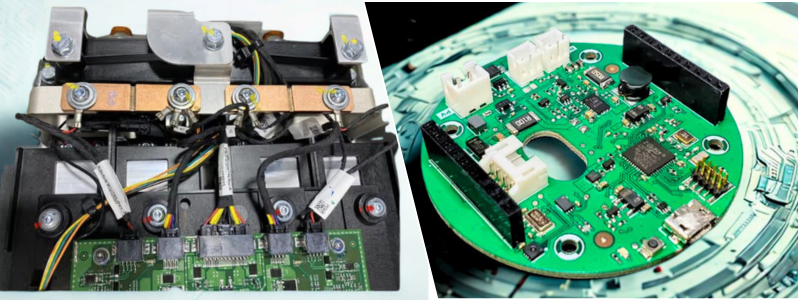
author avatar

MacKenzie Brown is the founder and CEO of Cad Crowd. With over 18 years of experience in launching and scaling platforms specializing in CAD services, product design, manufacturing, hardware, and software development, MacKenzie is a recognized authority in the engineering industry. Under his leadership, Cad Crowd serves esteemed clients like NASA, JPL, the U.S. Navy, and Fortune 500 companies, empowering innovators with access to high-quality design and engineering talent.

Connect with me: LinkedIn ✦ X ✦ Cad Crowd

Don’t Panic – it’s Not Too Late to Catch Graebert’s neXt 2026 Event!


“What’s neXt for 2D/3D CAD in DWG?” Graebert neXt is a free online event that explores this question every year, giving the CAD community insight into the technologies affecting the fast-changing software landscape. 

This year, Graebert hosted its neXt event on June 3, showcasing the newest developments in CAD through feature demonstrations, executive commentary, and analysis from industry experts. Attendees — including CAD managers and users, engineers and developers, CAD newbies and CAD veterans — learned about the digital transformation of CAD through AI-driven tools, BIM automation, and cloud collaboration. Users of Graebert’s own ARES software products and of other CAD platforms, such as AutoCAD, saw how these technology trends are reshaping day-to-day workflows for CAD in DWG. 

If you didn’t experience neXt 2026 on the event date, you missed out on a real-life customer story, detailed demonstrations of new product enhancements and workflows, and presentations by the founders of aec+tech and Architosh. But you’re in luck — you can still take advantage of the replay option to watch the entire two-hour event.

And if you’re short on time, you can pick and choose from our video gallery of individual feature demonstrations, keynote sessions, and more. You can even watch videos from last year’s event!

Access Graebert neXt 2026 content in the way that suits you best:

Use the links above to start watching now, or read on for an overview of what you can expect to see.

Graebert neXt 2026 Agenda

The event opens with a welcome from company founder and CEO Wilfried Graebert and CTO Robert Graebert. “Today, the CAD industry is evolving faster than ever,” said Robert Graebert. “AI, cloud, automation: the digital transformation is happening right now, and CAD is no exception. New technologies are creating major opportunities to improve productivity, collaboration, and creativity for CAD professionals around the world.”

Next, a customer success story introduces viewers to Takenaka Corporation, one of Japan’s largest construction companies, and its implementation of ARES software. Takenaka migrated nearly 10,000 users from AutoCAD to ARES.

A Top New Features session hosted by Chief Growth Officer Cedric Desbordes provides a look at exciting enhancements for: 

  • CAD on Windows, Mac, and Linux;
  • Online CAD; 
  • AI and Automation; 
  • BIM-specific features; and 
  • Cloud-based collaboration. 

With the overview format, viewers can quickly learn about the key new features in each area, and the value they have for streamlining workflows and improving collaboration. 

Following this overview are four Deep Dive sessions, which examine particular areas of advancement in greater detail. 

Deep Dive #1: ARES vs. AutoCAD. This session takes a closer look at CAD features in ARES software, including ARES Commander (CAD on Desktop) and ARES Kudo (Online CAD). This overview of capabilities, performance, and compatibility is designed to help viewers compare and evaluate modern alternatives. (For more about these new CAD features in ARES 2027, plus many more, visit the New Features page on the Graebert website.)

Deep Dive #2: AI for CAD in DWG & Online Automation. This session focuses on the ways that AI and automation are transforming design workflows and enabling new efficiencies in DWG-based environments. It features a five-minute expert review by architect Anthony Frausto-Robledo, the founder and editor-in-chief of Architosh. He outlines primary pain points in the CAD and BIM industries, then examines how Graebert is addressing each one with new functionalities. 

(For more insights from Frausto-Robledo, visit the Architosh site to read his in-depth product review article, “ARES 2027 Deep Dive: AI, Automation and BIM-to-DWG Workflows.”)

Deep Dive #3: BIM-to-DWG Drawings Automation. Niknaz Aftahi, architect and CEO of aec+tech, kicks off this session, which explains a faster way to produce DWG drawings from Revit or IFC data and streamline collaboration between BIM and CAD workflows, including integration with Autodesk Forma. 

Aftahi starts with a widespread problem with creating documentation from BIM models: it’s still very manual, making it very time-consuming. ARES software, however, can read the intelligence in BIM models, and as Aftahi explains, use it to create DWG plans, sections, and elevations, and add even the appropriate labels and dimensions — automatically. (Don’t miss Aftahi’s aec+tech article on this subject, “BIM Has the Intelligence. Why Is Revit Documentation Still Manual?”) She also touches on the exciting upcoming product ARES Neo, which automatically corrects documentation problems (such as missing labels) inside the Revit workflow. 

Deep Dive #4: Modern CAD in DWG with Cloud-based Collaboration. Last but not least, the fourth Deep Dive session explores Digital Transformation for DWG-based CAD workflows. The ARES Trinity of CAD software comprises three solutions — ARES Commander, ARES Kudo, and ARES Touch — that are interconnected with each other, enabling unique collaboration features. Viewers can explore how the convergence of desktop, cloud, and mobile solutions enables real-time collaboration and secure access to CAD data anywhere.

Try the New Features for Yourself

Visit the New Features page on the Graebert website to learn more about these features, plus many more. To try the new features showcased in neXt 2026 for yourself, simply create your free Graebert account and start your free 30-day trial today.

Benefits of Prototyping for Electronics Engineering Design for Improving New PCB Hardware


Today’s post explores the benefits of prototyping for electronics engineering design to improve new PcB hardware. In every hardware electronic development, the prototyping phase always comes early in the process because it really is that important. It doesn’t really matter if you’re planning to develop a complete device or just the PCB; you have to build a physical prototype right after finalizing the concept. The first form of physical prototype is typically known as Proof of Concept (PoC). The main purpose of a PoC, as the name suggests, is to prove that the design can indeed provide solutions to problems in the way you expect it to do.

Because this is an early prototype, you’re allowed to build it using off-the-shelf parts and components. Development kits like Raspberry Pi or Arduino are more than capable of getting you through this phase. PoC prototypes, in most cases, are not meant for mass production because the cost is too high and the design is just too ugly to attract buyers. From this point on, the prototype undergoes an iterative process to improve its appearance and functionality. Easier said than done, of course.

All the work that such a project entails can easily overwhelm anybody, unless they get the right help from the right electronics design professionals, and that’s where Cad Crowd comes in. It’s a specialized freelancing platform with thousands of hardware development experts from around the world. Whether you need electrical/electronics engineers or industrial designers, Cad Crowd has the specialists to connect you for any hardware development project.

RELATED: Electronic Enclosure Design Tips: A Complete Guide from Freelance Engineers and Design Services Firms

Why Prototype at all?

On the surface, prototyping may appear to be a simple task of creating a product sample. Dig deeper, and you’ll be glad to discover the myriad of benefits it offers for improving the PCB design.

Schematics do sometimes lie

You’ve missed dinner and worked overtime to get every line on the PCB schematic as close to perfection as possible. It eventually looks great just after midnight, and you immediately go to bed knowing that you’ve actually finished something. Specialized CAD software allows you to build a complete “virtual” PCB without even touching a single component or solder. It all happens on a computer screen, and the schematic itself does look pretty realistic. That’s why it’s commonly referred to simply as “virtual prototyping.”

The problem with virtual prototyping is that you never really know if the schematic will work as intended in the real world. What appears to be a flawless schematic from an expert schematic designer on the screen can turn into a troubleshooting nightmare once you build a physical version. Nobody expects the worst, but you should still consider that possibility. And to be frank, many things can go wrong even when the schematics look perfect. What if you’re using an incorrect pin on the USB connector? What about a mirrored footprint, incorrect voltage draw, or logic level shifter issue? 

Virtual prototyping is great and all, but nothing beats having a physical PCB and testing it yourself. If nothing goes wrong, think of it as having a clear verification that the design is correct. And if things do go wrong, at least the board and the components aren’t so expensive that you lose sleep over them. Grab a multimeter and have a good hunt. The idea is to catch and fix the mistakes early on when it’s still cheap to make them. Don’t worry about botched repairs and jump connections using soldered wires and hot glue. Aesthetics is the least of your concerns at this point. You can afford some more boards and components. The important thing is you know where the mistakes are and how to do better next time.

RELATED: Top 33 Electronic Device Design Services Companies for Engineering & Product Design Firms

Datasheets can be misleading, too

We’re not saying the specification sheets from the manufacturers are wrong. It’s just that when the electronic components are already installed on the board, with all their connections and interactions, the numbers can be smaller or larger than what you see on the datasheets. Manufacturers and PCB design companies test their chips and sensors in a controlled facility, an ideal environment with minimum interference. Some portions of your project may take place in a lab-like room, but the final product (the finished device) is meant to be used in the real world, where very few things are close to ideal. Interferences come from every corner, and voltage fluctuations happen more often than you think.

Physical prototyping is where you put the specification sheet to the test. You’ll find out whether the microcontroller can stand its ground despite interruptions, or whether the amplifier gets along with the switching regulators. Many electronic components can go haywire under heavy load. The buck converter gets hotter than the numbers suggest, the capacitor delivers only half of what it needs to give, or the supposedly compatible chips develop weird timing issues if you look at it funny.

Testing a physical prototype helps reveal at least a majority of these unexpected problems. Because you’re still in the prototyping stage, no one will complain if you experiment with different parts and revise the list of components. You probably need half a dozen prototypes until you get every single detail right, but it’s still the best way to produce an accurate Bill of Materials later on.

design engineering services

RELATED: The Future of Electronic Design Engineering: Innovations and Trends for CAD Services Companies

Let’s not be overengineering

You’ve heard people say how old devices are better because they were overengineered to last a lifetime. It’s always a bit annoying, as the statement basically implies that modern products can never be as good because nobody cares enough to put in any real effort. How often have you come across someone pointing out “they don’t make ‘em like they used to,” as if no ancient gadget ever broke even once? No one is against overengineering. But everyone knows it’s not a very efficient way to develop electronics, especially since design engineering services are all about efficiency. People overengineered things in the past, maybe not because they wanted to, but because they lacked the right tools to do things efficiently.

Nowadays, you have CAD software, PCB simulation tools, and 3D printers, among others, to keep the work as efficient as possible. The tendency to overengineer is still very much alive today, whether you realize it or not. When designing a new PCB, it’s only common to want to use higher-priced components. You think that a $5 resistor (instead of the $0.1 alternative) will boost your confidence and somehow lower the chances of failures. There’s probably some truth to that, although it doesn’t mean that the cheaper resistor won’t work. Physical prototyping is where you’ll figure out whether the more affordable components do their jobs just as well as the more expensive counterparts.

If your plan involves creating no more than a couple of dozen devices, sure, it’s fine to use the premium parts. However, for a product to be mass-produced (5,000 units or more), even a small price difference for a single component can amount to hundreds of thousands of dollars. Assuming the cheaper resistor works just fine, there’s no need to overengineer the board and for the new product design company to spend extra money on the more expensive option. You can only confirm this with a physical prototype. If a specialized, costly “military-grade” resistor doesn’t actually make your device run noticeably better, then the standard, cheaper option should be the one you pick.

RELATED: Electronics Enclosures Design: 8 Powerful Tips for Companies and Firms Hiring Freelancers

In some cases, you can also avoid overengineering by removing excess, for example, reducing the number of capacitors, so long as it doesn’t affect performance. It’s an iterative process to reduce production cost per unit as much as possible while maintaining the board’s functions and features. Every good PCB designer needs a reasonable degree of obsession over this matter. They want to create the best design with the fewest resources, aiming to build an efficient, utterly functional design that makes good financial sense.

Do you need an enclosure?

To keep things simple, let’s assume you do. Say you’re designing a PCB hardware to build an electronic device. Like many other electronics in the market, it’s certainly not a PCB with exposed parts. The board is fitted into an enclosure to protect all working components from the elements, including occasional water splashes, drops, and general rough handling by users. More importantly, the enclosure is usually an insulator, preventing hands and fingers from coming into contact with live electrical parts. This is where electronic enclosure design services come in.

But it’s also about aesthetics. One of the main reasons big companies spend millions of dollars on their design departments is to ensure that the next products will appeal to buyers. Think about it: if you remove the back cover of two calculators from two different brands, they probably appear pretty much the same. Well, they won’t be identical, but quite similar. From the outside, however, those devices should be easily distinguishable, whether from the size and color of the buttons or the form factor. Curb appeal plays a factor in every buying decision. You want to make the enclosure as attractive as possible to draw people’s attention.

That being said, strictly from engineering viewpoints, ensuring a good fit is the priority. An enclosure doesn’t have to be fancy, but it almost definitely needs to be perfectly compatible with the PCB inside. Being “compatible” means that all the screws going through the PCB to secure it to the enclosure don’t disrupt functionality in any way, the holes line up with the hardware interfaces, and everything feels snug with zero rattling. Although the enclosure designer can, of course, design the enclosure almost entirely in CAE, the only way to be 100% sure it will fit the PCB is to physically prototype it.

RELATED: What Certifications are Used for New Electronic Hardware Products & PCB Design Services?

Given that nowadays you can even build a highly complex plastic enclosure with a 3D printer, not much can get in the way of fabrication. In the event the printed enclosure doesn’t fit perfectly, it won’t take more than a piece of sandpaper and a file to make corrections. Perhaps a capacitor is blocking the lid mechanism, the power switch feels too stiff because the hole is misaligned, the screen slot is too wide, or the ventilation is too small to dissipate heat quickly. Remember, you’re still in an early prototyping phase at this point, so having some rough edges here and there isn’t a big deal. You can’t tinker with the digital file, print it again, and repeat until you discover zero issues. 

Hot spots are not cool

When an item gets too hot, you usually pour cold water to bring the temperature down quickly. The problem with electronics and basically all things with a working PCB in them, is that they don’t like heat and hate getting drenched even more. Heat has never been on speaking terms with electronics since forever. High temperature always lurks around the corner, but electronics always try to keep it as far away as possible. Sometimes, actually more often than you think, the electronics have to succumb, accept their fate, throttle, fail, and in the worst-case scenario, literally melt.

Not every square millimeter or component on a PCB generates the same amount of heat. Physical prototype design engineering services allow you to easily identify any hot spots by putting the board under a thermal camera. This, of course, necessitates the board to fully function in the first place. Switch it on, and begin testing every single feature you have. At some point, you have to run the board at full load to see which parts generate the most heat. Just a reminder, hot spots are nothing unusual in electronic devices. If you see all your devices at home through a thermal camera, you’d be surprised to witness the presence of glowing red entities everywhere.

PCB design services

Heat is normal as long as the temperature remains within the device’s safe limit. For instance, a laptop’s CPU can operate happily at 90 °C during intensive tasks like 3D rendering or heavy multitasking. The good thing is that advanced devices, such as computer processors and motherboards, include safety measures to maintain a healthy operating state. Think of it as a “kill switch” of some sort. It will reduce the workload, so it won’t break itself. It’s going to run a little slow, but at least it stays cool.

RELATED: How to Find an Electronic Design Company for Outsourcing New Product Engineering

Your PCB may not have a similar kill switch, but knowing where the hot spots are can at least give a clue about how to minimize the issue. Perhaps you can use a passive heat sink, a thermal pad, larger ventilation holes in the enclosure, or, in extreme cases, redesign the entire board. From a PCB designer’s perspective, a complete redesign seems daunting, though not unlikely, especially when the hot spots are all over the place, and the temperatures are so high that using the device is uncomfortable. For instance, the PCB is intended for a handheld device such as a smartphone or a satnav. Imagine having to hold a device that’s constantly burning at 50° Celsius. Gloves might help, but do you know how unpleasant it is to operate a small device with them?

Electricity is money

We won’t try to make the case for how cheap electricity can be if not for data centers, tariffs, inflation, and all that. We’re just going to admit: yes, electricity is getting more expensive. But why bring this up at all? PCB and electronics do consume electricity. You might argue that some PCBs need no electricity, such as those in computers and tablets in a car, and you’d be very wrong. They do consume electricity, produced by the fuel. Also, every modern car has a battery, and just about everything in it is an electronic device with a circuit board. Even the cars themselves are literally called electric vehicles.

Because electronic devices require electricity to operate, the PCB must manage power consumption. It regulates the input, stops recharging when the battery reaches full capacity, delivers the power to the components, and puts some functions to sleep as soon as it’s safe to do so. If the PCB is for a device with a battery, power consumption (how efficient it is) can be the feature that makes or breaks the product. Say the PCB assembly designer’s new device is a smartwatch with basic features like an always-on display, Bluetooth connectivity to a smartphone, and a vibration alarm.

This new shiny device is supposed to last five days (120 hours) on a single charge. But when a user finds out it dies after just 12 hours, that person becomes an angry customer with the power of all of Facebook and Twitter to tell everyone to stay away from your product. Virtual simulation offers a workaround for monitoring power consumption without a physical prototype. As good as simulations are, they’re not exactly the best option when you need to predict “current leakages” coming from chips or resistors that decide to just go stubborn and refuse to sleep, which they’re supposed to, as soon as they stop doing anything. To detect and see this in real time, you can connect a physical prototype to a power profiler.

RELATED: Top 32 Sites for Freelance PCB Designer Jobs & Remote Electronics Engineer Work Projects 

This way, you’ll be able to identify instances of phantom drain or precisely how many milliamps the board is using in different scenarios. Perhaps the unnecessary drain comes from the Bluetooth radio staying on longer than it needs to, Wi-Fi keeping search for new networks after establishing a connection, GPS running in the background, etc. High temperatures also affect battery life. And voltage drop is an annoyance each time the battery almost runs out of juice. In many cases involving power draw, the underlying problem may be the firmware rather than the hardware, which is important to remember with electronics design services. Tweaking the code and better heat management can help optimize battery life. All this data is also useful to create an accurate battery indicator for end users. 

Firmware trial

In an ideal PCB development process, the hardware is ready just about the same time as the firmware is. But because “ideal” almost never happens, the firmware developers often have to wait until the engineers send the board for a test run. It only makes sense to develop at least the early versions of drivers using a prototype. Instead of sitting around and endlessly browsing GitHub while waiting for the perfect board, testing the firmware on a prototype would be a better use of time. An ugly PCB prototype with janky solder joints and jumpers is more than good enough to get firmware development started.

Guaranteed, it won’t be a pleasant experience writing code for hardware that you know is still going through multiple changes in the near future. The idea here is to cover the basics first, such as power management, sensor communication, and the user interface. Developers will find bugs and issues in so many places, and that’s exactly the point. Perhaps the way the PCB is wired makes it impossible to implement energy-saving sleep mode, or certain components don’t support high-speed communication. And in every product development, discovering problems on a prototype is much less worrying than bumping into issues on the final version.

Parallel development isn’t always easy, and sometimes downright impossible without effective project management. There needs to be an intermediary (DevOps or the like) to bridge communication between hardware and firmware teams. When done properly, however, it’s a huge time-saver. Every physical prototype iteration must be tested for firmware. For every step forward in the hardware department, the firmware refinement keeps pace closely behind. As the hardware reaches the final stage, the software should be around 90% complete.

RELATED: Cost to Design a New Electronic Product, Develop PCB Hardware & Prototype Rates at Firms

Get the investors ready to spend

Remember about prototyping being an iterative process? As development nears the end of that process, the hardware should be functional. A functional prototype is almost like a production version, except that it has not been perfected for mass production. That being said, there won’t be any major differences between the two versions, especially if the development follows DFM (Design for Manufacturing) services. A functional prototype is the version to showcase when you’re presenting the product to investors. Will this improve the hardware?

Not in the strictest sense of the word. But you’ll get accurate feedback from all those stakeholders. Feedback, you can then analyze and implement to get the design more in line with their expectations. Because stakeholders aren’t usually professional engineers, much of the feedback will most likely concern practical matters such as aesthetics, ease of use, water resistance, durability, and so forth. Although you’ve probably already thought about all that during the development process, all kinds of feedback are always welcome.

engineering design firms

FCC test practice run

Just about everything with a PCB inside needs to pass the FCC test before you can send it to market. FCC wants to ensure the device doesn’t emit excessive RF noise that could interfere with other communication devices. The whole procedure is expensive and potentially takes forever. Any prototype designer in their right mind will not send a product for certification testing unless they’re 100% certain it won’t fail. You can improve your chances of getting certified by first sending the device, either bare electronics or with its enclosure, to an independent lab for a preliminary test. It still costs money, but at least you don’t have to wait months for the result.

Assuming the test discovers problems, fix them and send it for a second test. Consider the prototype a practice run to prepare you for the official certification procedure. The FCC test mostly concerns the electrical components, but the certification applies to the product as a whole. In other words, you need to get the finished device (PCB and enclosure, along with accessories such as a charging adapter if you plan to include it in the box) certified. A lot of people on the internet like to talk about the importance of DFM services when developing a product, but equally crucial is to build the device with certification in mind.

RELATED: 10 Key Costs for Electronic Product Design & Development Rates for Engineering Services Companies

It’s good to have the design made for mass production, and even better when it’s also built to pass the FCC test. Thankfully, you can do both simultaneously. The general recommendation is to apply for the certification as late as possible, maybe while setting up the manufacturing. Only certify the product when you’re sure there won’t be any further design changes. 

Closing thoughts

Hardware development is difficult. It takes real engineering expertise to build a custom PCB from scratch and design a brand-new enclosure. One good programmer can probably create entirely new software, but hardware development is a different beast. Not only do you need electrical and electronic engineering skills, but also firmware know-how. Realistically, a hardware development team includes at least one of the following: an electronics engineer, an industrial designer, or a firmware programmer. Much of what they do, as mentioned earlier, is to build multiple iterations of a physical prototype based on the PoC.

How Cad Crowd can assist

At the end of the development process, you expect the prototype designer to deliver a fully functional PCB (preferably with an enclosure) ready for mass production. Finding the right professionals for some highly specific task doesn’t have to be a struggle. Cad Crowd, with more than 15 years of experience in the industry, can take you to the center of a massive engineering and design hub, where you can collaborate with some of the most qualified hardware development experts. Contact us for a quote today!

author avatar

MacKenzie Brown is the founder and CEO of Cad Crowd. With over 18 years of experience in launching and scaling platforms specializing in CAD services, product design, manufacturing, hardware, and software development, MacKenzie is a recognized authority in the engineering industry. Under his leadership, Cad Crowd serves esteemed clients like NASA, JPL, the U.S. Navy, and Fortune 500 companies, empowering innovators with access to high-quality design and engineering talent.

Connect with me: LinkedIn ✦ X ✦ Cad Crowd